#circuitpython-dev
1 messages · Page 97 of 1
 rain island
 marsh mirage
Sometimes you can get really good quality ones from second hand office supplies stores
I have this one which I'm happy with, I'm pretty certain the arms can be removed/left off

IKEA MARKUS Swivel chair Glose black 10 year guarantee. Read about the terms in the guarantee brochure.
rain island
got that one, the seat is a little bit thin imho
sitting quiet a bit hard after a while
*megafacepalm
i can use the boot_out.txt to transfer informations XD
 sick creek
hack the chair
rain island
okay, anybody in here has a private lecture for me to read files and parse data in a fashionable way? i thought about using readline to parse the lines and then som sort of "a: somevalue <nl> b: someothervalue" but i don't want to spam the circuitpython channel with slight offtopic too much 😃 i have no idea what circuitpython is cableable without blowing it up with librarys
rain island
haha never worked so hard for a goal in literally months
there seems to be something messed up with the fileaccess
when i open a file with open("file.txt", "a+") from the docu i read it should open with seek(0) for read and seek(0,2) for writing it but
it looks like the read pointer also is at the end of the file
or i misunderstood the python docu
why can't i search the files in github? i tried to find the implementation of "open" to look at the code but i can not find it
rain island
and there is no truncate function ... damn
okay .. enough learning for today .. need to find a way to manage my file lenght anotehr time .. at least i can write on my SPI flash 😄
 timber mango
You can read and write to the FRAM breakout with i2c, a byte at a time. It just needs an address (base address: 0x0 iirc).
There's an SPI version as well.
 drowsy geyser
@timber mango That's good to know. I'll need that for my weather station....
timber mango
@drowsy geyser Very straightforward, and will be readable next time it's powered up, even if 'next time' is years down the road.
drowsy geyser
I hope that's not an issue! Mine's been running continuously for five weeks without my needing to touch it. Unlike when it was running on an Arduino!
timber mango
A friend wants me to design something to go on a remote repeater site that'll do the watchdog/reset/power cycle thing (externally) for an RPI project (I think).
It's nice if they just work with long uptimes, though.
drowsy geyser
Yeah, I know. Since I'm going to duplicate my home station setup at work, and roof access at work will be slightly painful, I want it to run on its own for long periods!
timber mango
Did someone say rooftop?
drowsy geyser
Ooooh, cool! I was going to build a LoRa gateway to transfer the data.
timber mango
Optical's harder to intercept. Is susceptible to fog and rain occlusion.
drowsy geyser
I'm not too worried about interception (it's just public weather data). Rain is an issue in Seattle. 😃
timber mango
Also you aren't sharing the bandwidth with anything but the rain and fog,with optical. No chance for collision with another station (unless they happened to be on an overshoot path behind your station!)
Optical would (like a telescope) be somewhat sensitive to vibration (the wind, most likely).
As I understand it, RONJA isn't the same as laser.
drowsy geyser
Sorry 'bout the lag. I'm getting shaky and needed to fix lunch. I'll definitely look into it, since it's probably higher bandwidth than LoRa, too!
timber mango
Know the feeling well.
 tulip sleet
@rain island "okay, anybody in here has a private lecture for me to read files and parse data in a fashionable way? i thought about using readline to parse the lines and then som sort of "a: somevalue <nl> b: someothervalue"
If it's just name-value pairs, you could use split(). If more complicated, there is a ujson module which I wasn't able to get working in 1.0.0, but there are fixes from upstream micropython that might make it workable in 2.0.0. I haven't had a chance to try it yet.
timber mango
travis . . . is who or what? /random
Sounds like a virtual machine you instruct to use your github, compile your code, and run tests on it - possibly standardizing the reference platform (across the efforts of multiple human contributors).
The .travis.yml file is a pretty good overview of what to do and (I think) of the prerequisites, to develop circuitpython from the command line. Definitely worth examination.
marsh mirage
Yes it's a code building tool that's hosted on the cloud
In more traditional apps (website for example) it could also be used to deploy it too
timber mango
::nods appreciatively::
marsh mirage
It's really cool
It's free for open source github projects
Actually let me correct myself, it's free public github projects
 manic glacierBOT

Ack - my branch overlaps with an old micropython branch. Will resubmit.
- Allow -Wlto-type-mismatch to be just a warning when building with frozen modules.
- Fix extern decls that triggered -Wnested-externs when building with frozen modules.
- Pass the correct value of -mlongint-impl to $(MPY_TOOL). New file mpconfigport.mk to do this.
#169 will fix the problems mentioned in the original post. The warnings that caused errors are made just warnings, and mpy-tool.py is called with the correct options.
@tannewt Your memory of a problem with "an array at the end of the struct" was correct. I've submitted a gcc bug report about this: https://gcc.gnu.org/bugzilla/show_bug.cgi?id=81440 ("-Wlto-type-mismatch warning with flexible array in struct").
I'm successfully building and using images with a number of frozen modules. I'...
rain island
hm ... still need an idea on how to write a coninuos ringbuffer-fashioned logfile or make it truncate a few lines every now and then without exhausting the RAM
rain island
okay is it normal that micropython requires \r and \n instead of using only \n ?
or is this some sort of OS thingy, because i ran my python on win to check my script
okay got my logger togehter ;D thanks for all the help, now i have to let it run a bit
any advice on how to let a function run every hour ?
once every hour without using sleep or sth ?
 prime flower
@rain island Could use time.monotonic() to set a start time, and poll for a difference in time (https://circuitpython.readthedocs.io/en/stable/shared-bindings/time/__init__.html)
@tulip sleet o/ I implemented your const. vars into the circpyth charlcd library a week or two ago. thank you so very much for the tips!
tulip sleet
@prime flower You're welcome! Also to further reduce the size of the .mpy, you can prefix constants with "_" that don't need to be importable, E,g, _SOMEINTERNALCONSTANT = const(0x34). Then the constant name string will not be in the .mpy and you'll save that space. For a module with lots of constants, you can save a noticeable amount.
prime flower
@tulip sleet do you have any references to this technique, or links?
tulip sleet
The wording implies that you might not need const() if you have the underscore. But that should be tested. Doesn't hurt to have both.
prime flower
@tulip sleet 🤔... I'll compare the two implementations tomorrow AM. the current one only uses const, so I can directly compare them. I'll relay the info back to you, there's a few MPYs currently that could use some shrinking.
manic glacierBOT

Looks good! Does this mean that splitting our ports support for longints would require us to produce two sets of mpy files? I had been hoping to enable longints for express boards only.
0d2c1bf Fix problems that prevented use of internal fro... - dhalbert
manic glacierBOT
 manic glacierBOT
Does this mean that splitting our ports support for longints would require us to produce two sets of mpy files?
I think this is only an issue if the original .py files have longints. Otherwise an .mpy should work anywhere.
And it looks like mpy-cross already assumes that MPZ longints are enabled: https://github.com/adafruit/circuitpython/blob/master/mpy-cross/mpconfigport.h#L56. So even right now compiling .py files with longints will produce a .mpy that might not be usable with `MICRO...
You've probably thought of this already, but now that internal frozen modules work, some of the most common library modules could be moved to the image so they don't use up RAM, assuming there's still space available. This might be particularly useful for CPX. I've seen a few board-specific frozen modules in the micropython source tree.
timber mango
ack-grep --heading ".*" . | cat > outfile.txt
...gave a nice summary of the entire source code, that I can search (in vim, or using grep &c.)
ack-grep --heading ".*" . | cat > ../otherdir/outfile.txt
...is probably safer, but the first example works as-is (here; Debian Linux). The risk is recursion into ./outfile.txt (filling the entire hard disk!)
manic glacierBOT
manic glacierBOT
Then, when a safe mode occurs, print back the MTB as recorded prior to the reset. That way we can get trace data from customers without a debugger. It will also help for when a problem isn't reproducible on other hardware.
drowsy geyser
Ok!!! The rover's IR analog hazard avoidance sensors are working in CircuitPython! Now to get the motor shield working!
timber mango
👍
rain island
firt logfile is fine ... but the sensor was bad XD
timber mango
Bootloader file specified but missing: /home/nis/.arduino15/packages/adafruit/hardware/samd/1.0.17/bootloaders/metro/samd21_sam_ba.bin
Sketch uses 13932 bytes (5%) of program storage space. Maximum is 262144 bytes.
This doesn't seem to make it difficult to go ahead and upload (anyway) and the sketch still runs.
Maybe because the .UF2 has extra smarts, when I drag/drop circuitpython
timber mango
Bootloader file specified but missing: /home/nis/.arduino15/packages/adafruit/hardware/samd/1.0.18/bootloaders/metro/samd21_sam_ba.bin
Sketch uses 13932 bytes (5%) of program storage space. Maximum is 262144 bytes.
Note I just upgraded.
timber mango
I'm looking at feather m0 express now which didn't have the error (but hasn't seen circuit python .UF2 yet, iirc
 slender iron
its probably a board package difference in arduino. I don't think it should matter
timber mango
I haven't been able to quite nail down any difference -- I'm not certain I'm compensating with a bypass I know about (reset button voodoo).
slender iron
difference thats causing the first line of what you posted? I'm not sure what the issue is
timber mango
:~/.arduino15/packages/adafruit/hardware/samd/1.0.18/bootloaders$ ls | cat
circuitplay
feather
mkr1000
mkrfox1200
mkrzero
mzero
sofia
zero
there's no directory for the metro (at all).
~/.arduino15/packages/adafruit/hardware/samd/1.0.18/bootloaders$ ls feather/
board_definitions.h    board_driver_usb.h       README.md         sam_ba_serial.h      samd21_sam_ba.elf
board_driver_led.c     board_init.c             sam_ba_cdc.c      sam_ba_usb.c         samd21_sam_ba.hex
board_driver_led.h     board_startup.c          sam_ba_cdc.h      sam_ba_usb.h         samr21_sam_ba.bin
board_driver_serial.c  bootloader_samd21x18.ld  sam_ba_monitor.c  samd21_sam_ba.atsln  samr21_sam_ba.hex
board_driver_serial.h  main.c                   sam_ba_monitor.h  samd21_sam_ba.bin
board_driver_usb.c     Makefile                 sam_ba_serial.c   samd21_sam_ba.cproj
.arduino15/packages/adafruit/hardware/samd/1.0.18/bootloaders/metro/samd21_sam_ba.bin
... does not exist because the directory that's supposed to contain it also does not exist.
~/.arduino15/packages/adafruit/hardware/samd/1.0.18/bootloaders$ ls circuitplay/
circuitplay_m0_samd21g18_sam_ba.bin

~/.arduino15/packages/adafruit/hardware/samd/1.0.18/bootloaders/circuitplay$ md5sum circuitplay_m0_samd21g18_sam_ba.bin
00091a403784edb25037439f35647878  circuitplay_m0_samd21g18_sam_ba.bin
Circuit Playground has the one file for the M0 variant.
slender iron
yeah that makes sense why its warning you
looks like it originates here: https://github.com/adafruit/ArduinoCore-samd/tree/master/bootloaders

GitHub
Contribute to ArduinoCore-samd development by creating an account on GitHub.
timber mango
Scott, adding back that one file (I used the one from ../zero) makes the error go away. I'm not uploading it to the target board, but the test (supplying that one file) shows its just the one file that's missing (and its containing directory).
I'm guessing it's not needed. 😉
slender iron
yup yup, its optional
I don't think arduino has a way to update it on the metro anyway
the arduino zero though has a port you can use to "burn bootloader"
timber mango
Oh, right. Of course.
The sketch I uploaded does run after each hardware reset on the Metro M0 Express (without the .bin bootloader present, which it won't be for anybody else).
So I don't see any issue with booting the device, repeatedly.
/closed. 😉
timber mango
 $ diff -u ./boards.txt__ORIG_ \
> .arduino15/packages/adafruit/hardware/samd/1.0.18/boards.txt
--- ./boards.txt__ORIG_ 2017-06-29 18:20:21.000000000 +0000
+++ .arduino15/packages/adafruit/hardware/samd/1.0.18/boards.txt        2017-07-18 02:15:31.914722858 +0000
@@ -121,7 +121,6 @@
 adafruit_metro_m0.build.vid=0x239A
 adafruit_metro_m0.build.pid=0x8013
 adafruit_metro_m0.bootloader.tool=openocd
-adafruit_metro_m0.bootloader.file=metro/samd21_sam_ba.bin

 # Adafruit Circuit Playground M0
 # ------------------------------

 $ md5sum ./boards.txt__ORIG_
a4ef7232e7ea0fd2de4a452001536e72  ./boards.txt__ORIG_

 slender iron
1.0.0 🔜
 bronze geyser
I'd like to switch to circuitpython...but I'm a "heavy" user of the RadioHead library for RF69 and RF95 radios....i'm thinking it might be a bigger challenge than i want to handle to try porting this lib. Any advice/thoughts on circuitpython w/ the RF68 an RF95 radios?
manic glacierBOT
 slender iron
@bronze geyser I've never done that radio stuff so its hard for me to know how much work it would be. I'm always happy helping someone get up to speed though if you are interested in taking it on.
bronze geyser
how would you advise i get started? I have a lot of feathers. i spose i'm asking for IDE and what i should install....
slender iron
I'd hope that you only need to add a python library for
do you have any m0 feathers?
manic glacierBOT
 patent wagon
Is there anyway from the REPL to list the currently available modules?
timber mango
I think it's help("modules") but I don't have it running at the moment.
patent wagon
Thanks
drowsy geyser
I just tried that on CircuitPython 1.0.0-RC3 and it doesn't work. It only displays methods for the STR library. I'll keep looking at it.
patent wagon
Actually, just help() is what I needed.
drowsy geyser
There ya go.
timber mango
Yeah I haven't figured it out yet and don't really know where to look (yet, hah).
drowsy geyser
Yeah, I forgot about help() because I just use readthedocs.
timber mango
Here's the vocabulary for python:
patent wagon
I found readthedocs very confusing. help() is what I need since it tells me what is actually running in my CircuitPython.
timber mango
shared-bindings/help.c:34: "To list built-in modules please do help(\"modules\").\r\n";
drowsy geyser
@patent wagon That's good - everyone can use the tool they find most useful!
timber mango
help.c is just const char *circuitpython_help_text = yadda yadda
timber mango
vm: vagrant $ cat ~/source/circuitpython/tests/basics/builtin_help.py
# test builtin help function

try:
    help
except NameError:
    print("SKIP")
    raise SystemExit

help() # no args
help(help) # help for a function
help(int) # help for a class
help(1) # help for an instance
import micropython
help(micropython) # help for a module
help('modules') # list available modules

print('done') # so last bit of output is predictable
vm: vagrant $
>>> help(callable)
object <function> is of type function
>>> help(all)
object <function> is of type function
>>> help(bytearray)
object <class 'bytearray'> is of type type
  append -- <function>
  extend -- <function>
>>>
Here's one that offers something .. extra:
>>> help(set)
object <class 'set'> is of type type
  add -- <function>
  clear -- <function>
  copy -- <function>
  discard -- <function>
  difference -- <function>
  difference_update -- <function>
  intersection -- <function>
  intersection_update -- <function>
  isdisjoint -- <function>
  issubset -- <function>
  issuperset -- <function>
  pop -- <function>
  remove -- <function>
  symmetric_difference -- <function>
  symmetric_difference_update -- <function>
  union -- <function>
  update -- <function>
  __contains__ -- <function>
>>>
Another:
>>> help(property)
object <class 'property'> is of type type
  getter -- <function>
  setter -- <function>
  deleter -- <function>
>>>
So it is somewhat helpful. 😉
passes pipe cleaner through, in one ear and out the other, meeting no resistance
Note that all of those 'help' requests were to REPL running on a Metro M0 Express, with the 'stock' .UF2:
 $ md5sum adafruit-circuitpython-metro_m0_express-1.0.0-rc.4.uf2
18f8929d1764f07f86054c5006c48c3e  adafruit-circuitpython-metro_m0_express-1.0.0-rc.4.uf2
 tough flax
Congratulations on CP 1.0.0 - it's a big deal! Especially to @slender iron ! BTW, this page has a link to the new Gemma M0 (which hasn't been released yet -- OOPS 😃

From the GitHub release page: This is the first stable release of CircuitPython! That means we believe everything works well and that the APIs are largely fixed. This release was made from the stab…
slender iron
thanks @tough flax ! I'm ahead of the game. 😃 We're making the gemmas tomorrow.
tough flax
Excited to see those & the Trinkets
slender iron
yup yup
tough flax
Hey Scott, is there a CapTouch library for CP that will work on a Feather M0?
slender iron
yeah, its built in
look for touchio
I think its only built into the expresses though
tough flax
Ok. I have a design in my head for cap touch + isolation that will be very helpful
Thanks
slender iron
awesome! keep us posted
patent wagon
Just to clarify, the reason I find readthedocs confusing is that it is wrong in a variaety of instances. E.g., uheap, touchio, and storage are not actually builtins in CircuitPython and os and random are actually uos and urandom. I'll stick with the self documentation.
timber mango
print("\033[0;1;33m I am fine. \033[0;1;35m And how are you? \033[0m")
In computing, ANSI escape codes (or escape sequences) are a method using in-band signaling to control the formatting, color, and other output options on video text terminals. To encode this formatting information, certain sequences of bytes are e...
slender iron
@patent wagon sounds like you are reading the docs for latest which isn't released yet and has those changes. See https://circuitpython.readthedocs.io/en/stable/ for the stable 1.0.0 docs. touchio should be available on M0 boards and uheap on debug. There is a chart here: https://circuitpython.readthedocs.io/en/stable/shared-bindings/index.html#support-matrix
drowsy geyser
@slender iron If you'd like to discuss your "long term thinking about CircuitPython" I'd be happy to chime in....
manic glacierBOT
One user had trouble with a rich text file not running even though it visually looks like the code is correct.
slender iron
@drowsy geyser what ideas do you have for it? I think we talked about it at lunch last week a bit already
drowsy geyser
Ensuring consistent device interfaces (an idea you planted when I was working on the RTCs). More introductory documentation for new users, e.g., making sure there's a readily available toolchain configuration guide. Create a "mapping" document that identifies the deltas between Python3, MicroPython, and CircuitPython, which will help people with porting software (e.g., "if you have a Python3 program that you want to run on CircuitPython, you'll have to change 'nnn' to 'ccc'" and so forth.)
More libraries for Adafruit breakouts.
Class hierarchies in libraries that users can extend for similar devices....
(like, some RTCs support multiple alarms but others don't. The parent class can include "alarm" methods but an extended class for a specific RTC can instantiate multiple alarm interfaces. Does that make sense or am I speaking out of the wrong end of my body? 😃 )
Sorry, forgot to tag you @slender iron
slender iron
@drowsy geyser yeah, those sound like excellent ideas.
sick creek
@slender iron think sigfox in circuitpython
slender iron
for the alarm idea I think we already have a solution: https://github.com/adafruit/Adafruit_CircuitPython_Register/blob/master/adafruit_register/i2c_bcd_alarm.py
GitHub
Adafruit_CircuitPython_Register - Python data descriptor classes to represent hardware registers on I2C and SPI devices.
@sick creek we don't sell any sigfox hardware so it wouldn't be a high priority for us
we'd want to look into rfm and lora first
sick creek
@slender iron there was that sixfox wifi and bluetooh board from pycom
in new products
slender iron
sure, but I assume they've done support work already for it
@drowsy geyser https://github.com/adafruit/Adafruit_CircuitPython_DS3231/blob/master/adafruit_ds3231.py#L69
GitHub
Adafruit_CircuitPython_DS3231 - Adafruit CircuitPython drivers for the DS3231 realtime clock.
manic glacierBOT

 reef pivot
I'm super excited about Circuit Python on my Huzzah. Was trying to follow the MicroPython flashing instructions (I'm on macOS), and everything seemed to go well. Says it's doing the hard reset and returns to the prompt. I'm a bit mystified as to what comes next? I understood that the board would then show up as a USB drive, but it doesn't. Any kickstarts would be very much appreciated.
Tried a couple of different serial speeds to just make sure that it was a good flash, etc.
python esptool.py -p /dev/cu.SLAB_USBtoUART --baud 115200 write_flash --flash_size=detect 0 ~/Downloads/adafruit-circuitpython-feather_huzzah-1.0.0.bin
esptool.py v2.1-beta1
Connecting........_
Detecting chip type... ESP8266
Chip is ESP8266
Uploading stub...
Running stub...
Stub running...
Configuring flash size...
Auto-detected Flash size: 4MB
Flash params set to 0x0040
Compressed 588128 bytes to 381367...
Wrote 588128 bytes (381367 compressed) at 0x00000000 in 33.6 seconds (effective 139.9 kbit/s)...
Hash of data verified.

Leaving...
Hard resetting...
 tawny creek
Learn a simple workflow for developing code on a MicroPython board.
You could also use (as the tutorial states):
ESP8266 web REPL (Did this after installing ampy)
rshell, and mpfshell made specifically to support ESP8266-based boards and the WiPy board
reef pivot
I should use this for Curcuit Python too? I thought the whole point of CP was to not have to deal with uploaders, etc?.
I've been using Arduino on the Huzzah and just thought I'd try out Circuit Python for fun.
(as opposed to Micropython which would be all uploady like arduino)
slender iron
@reef pivot the esp8266 doesn't have native usb so it can't do the drive stuff. it sonly the M0s that do that.
reef pivot
oh pooh. gotcha. Was afraid I was up against a HW limitation.
Time to buy a new feather. 😄
slender iron
@reef pivot using circuitpython on it will mean that you are using the same APIs though
so the code should be relatively portable
(though no wifi)
reef pivot
Legit. I gotcha
slender iron
sorry for not being clear about that
reef pivot
Not at all. I knew that it was going to be an adventure. I figured it was best to ask early. 😃
slender iron
😃 keep asking qs. I'm happy to answer them
tawny creek
today is circuitpython day for mee! waits for the mailman by the door
slender iron
yay @tawny creek
reef pivot
@tawny creek what is your target platform?
tawny creek
@reef pivot https://www.adafruit.com/product/3403

We love all our Feathers equally, but this Feather is very special. It's our first Feather that is specifically designed for use with CircuitPython! CircuitPython is our ...
reef pivot
nice. That was where I was headed too. I look forward to your thoughts.
tawny creek
Sure! What were you thinking of building with it?
reef pivot
Oh, I definitely haven't gotten that far yet. Just thought it would be fun to play in something non-Arduino. My current play project is an interrupt driven home temp/humid sensor that displays to the 128x32 oled and submits to adafruit.io. But that is just more kind of playing until I get inspired.
Some of the keypoard projects I've been seeing look pretty fun tho.
tawny creek
yeah, might make myself an overwatch or / heroes of the storm arcade controller
the mayhem mode in overwatch kills my fingers and with arcade buttons vs. keyboard i might be able to enjoy it more 😄
slender iron
@tawny creek that controller would be epic
tawny creek
was expecting the setup for circuitpython to throw me all over the place.. but.. wow that's it? XD
it took me more time to solder the headers on 😄
slender iron
excellent @tawny creek
timber mango
https://www.adafruit.com/product/3333 back in stock
Please note: This initial run of CPX is for developers and makers only! We're still adding full support for all of the cool sensors to MakeCode/CircuitPython/Arduino. There will be many ...
slender iron
thanks @timber mango just grabbed another myself
manic glacierBOT

https://github.com/adafruit/Adafruit_SPIFlash/pull/1 has source and UF2 versions of an SPI flash erase program for all current Express boards. Accept this pull request if appropriate, and make the .uf2's available somewhere, along with documentation for why and how to use them.
Brief doc:
- Double-click the reset button.
- Copy the appropriate UF2 to the xxxBOOT drive.
- The on-board NeoPixel will turn blue, indicating the erase has started.
- After about 15 seconds. the NexoPixel...
tawny creek
How likely am I to break things when using libraries intended for Micropython for Circuitpython projects? I want to use the library for this TCS34725 sensor: https://www.adafruit.com/product/1334 @slender iron @drowsy geyser

Your electronics can now see in dazzling color with this lovely color light sensor. We found the best color sensor on the market, the TCS34725, which has RGB and Clear light sensing ...
manic glacierBOT
 slender iron
@tawny creek I don't think you'll break anything. I just don't think it will work. Its a relatively to port though
manic glacierBOT
If no file system is writeable from the host computer do it automatically. If it is writable then require force=True kwarg.
tawny creek
@slender iron I have no experience with writing libraries / drivers but would be more than keen to learn/contribute if i could, is there a tutorial or some direction you can point me towards? I have the cookiecutter template stuff set up.
timber mango
@slender iron There's no schmatic for CircuitPlayground Express. Mechanical drawing inconclusive as to size of thru-hole interconnects (alligator pad holes). 2.5 mm Max bolt diameter w/out drilling? Is there a solder pad anywhere on CPX corresponding to RESET? I usually install an external RESET pushbutton on my target boards.
prime flower
@tawny creek https://learn.adafruit.com/micropython-basics-loading-modules/ should get you started, it uses micro python but the instructions Tony wrote work for the Circuit Python boards.
Load Python modules that extend your code with new functionality!
tawny creek
@prime flower thanks! something to read during the commute today 😄
 tidal kiln
@timber mango you can get PCB files here: https://github.com/adafruit/Adafruit-Circuit-Playground-Express-PCB
GitHub
Adafruit-Circuit-Playground-Express-PCB - PCB files for the Adafruit Circuit Playground Express
timber mango
@tidal kiln I'll look. Unfamiliar with .PCB -- maybe my Linux box already knows what to load, to view one. 😉
tidal kiln
@timber mango you'll need a copy of EAGLE to view the files (PCB = printed circuit board)
timber mango
The autodesk.com download seems to know I speak English and that I'm running on 64-bit hardware.
@tidal kiln I'm in a login screen -- autodesk provides a pre-built binary inside the .tar.gz file offered.
$ ldd ./eagle # shows libraries in
  $HOME/eagle-8.2.2/./lib/  and in
  /lib/x86_64-linux-gnu/ as well as
  /usr/lib/x86_64-linux-gnu/
on my system are leveraged. /its_all_good
timber mango
Looks like will be critical to my understanding of the basics of Eagle. 😉
later
LOL, attention to detail:
learn.adafruit.com/ ktowns-ultimate-creating-parts-in-eagle-tutorial/introduction
Listen up! KTOWN is going to school you right in EagleCAD!
slender iron
@tawny creek thats awesome! I have a tutorial in the works for all the non-code parts of doing a library including cookiecutter. What are you looking to write a library for?
timber mango
EagleCAD (eagle) keyboard shortcuts (to display only some layers):
Options > Assign > New > Assigned command >
example of an Assigned command:
display none; display 1 17 18 19 20 21 23 25 27 29 39 41 45 51;
Use the pick list for Key; use the Modifier checkboxes. Select OK and OK as you exit the nested dialog boxes (if there's more than one -- not always).
Now, the crowded drawing displays only the layers you asked for. I used Alt+0 and Alt+1 for two different views (top view, most layers, and a two-layer bottom view) or something (not sure what I'm seeing, yet).
later
dis none
dis 1
dis 17
dis 18
dis none 17 18 20
... all typed interactively just above the drawing.
dis none 1 16 17 18 20 21 22 23 24 25 26 27 29 30 31 35 39 41 44 45 47 51 52;
... maximal layers, minimal syntax.
slender iron
@timber mango there are swd pads in the bottom of the boards and newer revs have a reset pad as well
prime flower
@timber mango if you're looking for bottom traces, layer #16 is the default (traces will appear blue)
tawny creek
@slender iron I want to translate some projects that use the tcs34725 sensor
timber mango
Thank you both. This is exciting (but I had to suppress the urge to ask someone else to do my homework for me hehe).
slender iron
@tawny creek awesome! you said there is a micropython driver already right?
tawny creek
@slender iron yep, i think its just a matter of including it properly with the right syntax / structure right?
timber mango
@tawny creek link?
tawny creek
@timber mango https://github.com/adafruit/micropython-adafruit-tcs34725 , https://www.adafruit.com/product/1334
GitHub
micropython-adafruit-tcs34725 - Micropython drivers for the TCS34725 RGB sensor.
Your electronics can now see in dazzling color with this lovely color light sensor. We found the best color sensor on the market, the TCS34725, which has RGB and Clear light sensing ...
tawny creek
yep started following that! what I actually started doing was comparing the micropython version vs. the c++ version , and although i can recognize the structure, some stuff just doesnt make sense to me yet xD
slender iron
k, feel free to ask @tawny creek
tawny creek
will do @slender iron I appreciate the guidance!
timber mango
Drive, he said.
 brisk cairn
@slender iron I meant to ask you but I keep forgetting. Did you ever get the "input" statement implemented in Circuit Python?
timber mango
After all that eagle foo, I still can't figure out the mounting (or soldering/alligator) hole size for CPX.
Battery: 3-6VDC (under the V) on the silkscreen -- there's three pads there. I think the centremost pad is RESET. Per the product photograph for 3333 (CPX).
https://cdn-shop.adafruit.com/970x728/3333-06.jpg
reverse:

 tulip sleet
@timber mango - we looked in the Eagle libraries. The drill size for the holes is 0.1259", then subtract a few mils for the copper via. The 3.5mm jack on my earbuds is a little too big to fit through.
slender iron
@timber mango reset is the innermost I believe.
 royal ridge
Yanno, I was gonna have a quiet night playing with my farm on Stardew, and now @slender iron has me plotting out writing a driver for STMPE610.
timber mango
@tulip sleet @slender iron thank you! EDIT: confirmed. It's about 0.127" as received (using 0.125 drill bit for comparison).
manic glacierBOT
manic glacierBOT
 manic glacierBOT
This fixes an exception coming from _boot.py during startup and enables the default startup behavior to happen.
The only remaining uos include is in webrepl module, but it needs uos.dupterm_notify which wasn't ported to the new shared os module.
prime flower
@slender iron is there anything similar to ShiftOut(https://www.arduino.cc/en/Reference/ShiftOut) for CircPy?
slender iron
no though limor was thinking we should put one in simpleio
prime flower
+1 to that!
slender iron
feel like taking it on?
prime flower
i would want to, sure.
found a Nokia 5110 display in a box, been interfacing it with circpy, might just use SPI instead of what i was going to do...
prime flower
also I have a slight light sensitivity and currently have the neopixel covered up while I'm working on this in a dimly lit room, that fix is next...
slender iron
😃
manic glacierBOT
 timber mango
@prime flower https://github.com/wa1tnr/CircuitPython-aif
wrt light sensitivity mods to CircuitPython.

GitHub
CircuitPython-aif - Adafruit CircuitPython - ainsuForth related - local changes
 prime ingot
Hi @slender iron -- thanks again for all the help on circuitpython datalogging -- so psyched to have that working now!
prime ingot
Oh, would be totally into that -- are there examples to follow?
That's just the standard "learn" on the adafruit site I guess -- so yes, there are examples to follow -- I can do that! 😃
slender iron
perfect! email me scott<@&327289013561982976> and I'll connect you to phil to get an account
prime ingot
Fantastic -- an honor.
And fwiw -- as far as sleep mode goes, I think I found a sort of specification for how folks are trying to handle 'sleep' and 'deepsleep' in micropython, here (p. 92): https://media.readthedocs.org/pdf/adafruit-micropython/latest/adafruit-micropython.pdf
slender iron
yeah, thats a pdf generated from the docs
we tend to not use micropython's machine api because its not well defined
prime ingot
ahh -- that's good to know
the really cool part of this SPI flash logging in my mind is how it could allow for really consistent low-power logging -- so the equivalent of 'deepsleep' is particularly exciting -- is maybe the right way to proceed to see what I can get working in e.g. the Arduino IDE, with C code -- and then see if I can bake that into a upython module? Never done that, but I think I've seen a tutorial / examples
slender iron
adding a new module is pretty easy
I think the hardest part would be knowing if its asleep or not
prime ingot
oh cool -- so maybe if i whittle down some of the C code out there for putting the feather M0 into deep sleep, then we wouldn't be far away ...
slender iron
yup yup, we'd just need to weed out any funny interactions with clocks and such
prime ingot
yeah that's a good point -- i'm imagining something crude like: measuring the current draw with a mulitmeter while it's asleep ... but there are also these questions about how to wake it up (pin interrupt thingy, or RTC alarm, or etc)
oh cool
slender iron
yeah, a multimeter could be tricky if it changes rapidly
ladyada has a power meter tool she likes but i think its $$$
prime ingot
oh interesting -- more subtle than i'd realized
slender iron
I'd probably start with the internal rtc and go from there
prime ingot
okay, that's great -- there's already this RTCZero library that seems fairly solid
yes, that seems like the most immediately useful for most folks -- no additional trickery with wiring or external rtcs or whatnot
slender iron
yup yup, thats my thinking though coordinating wakeup with recording could be handy
if you can sleep a few seconds though then an hour should be ok as long as your batteries are ok
prime ingot
oh interesting -- and maybe there is some funny business about usb mounting and spi flash remounting after wakeup from deep sleep? weeds weeds
slender iron
¯_(ツ)_/¯
prime ingot
but this is great -- i'll see what i can manage with some straightforward arduino IDE C code regarding the RTC, try to make it as simple as possible, and then see how to fold that into upython -- sounds like a plan
slender iron
yeah, sample arduino C is always helpful
though we actually use the ASF library from microchip
arduino tends to poke registers directly
prime ingot
oh! that's interesting -- yes, i think most of the sample arduino code i'd seen deals directly with the registers -- is the ASF library sort of more high-level? that's cool
do you have to use something like Atmel Studio for that?
Just searching, looks like this might be the sort of thing? https://github.com/adafruit/Adafruit_ASFcore
slender iron
yeah, its higher level and has a sleepmgr class
prime ingot
oh wow, that sounds great
prime ingot
oh great
this looks like a guide for setting things up http://ianrrees.github.io/2017/04/30/getting-started-with-atsamd21-development-on-macos.html
i'm on ubuntu, but maybe it'll translate more or less
slender iron
GitHub
circuitpython - CircuitPython - a Python implementation for teaching coding with microcontrollers
thats where sleepmgr is in the circuitpython repo
you can copy travis it runs on ubuntu: https://github.com/adafruit/circuitpython/blob/master/.travis.yml#L25
GitHub
circuitpython - CircuitPython - a Python implementation for teaching coding with microcontrollers
prime ingot
oh, awwwwwwesome
so i don't need a special programmer cable to follow this route, eh? just uUSB?
no 'bus blaster' or etc?
slender iron
nope, the bootloader should be enough
jlink can be nice for gdb but its not required
prime ingot
super cool
i might be a smidge out of my depth here but will clearly learn a ton from following this route
slender iron
no worries, thats a great way to learn
I'll help where I can. We've built a lot of samd21 knowledge up here
prime ingot
yes! and if i do get up and running, could do another 'learn' module for folks if useful
oh thanks -- really great
okay i'll see if i can get to 'blinky' following this ASF workflow, then start tinkering with the sleep code ... fun fun
slender iron
sounds awesome! you know where to find me if you have more questions
prime ingot
woohoo! thanks again so much for all the help -- i'll ping you on email re: the 'learn' module too. have a great rest of weekend! cheeeeeeers
slender iron
no problem. thank you!
manic glacierBOT
Adds code to measure the maximum excursion of the stack. Enabled only when doing a DEBUG build: make -DDEBUG=1.
New debug-only module added: ustack. This provides:
ustack.stack_size() - return the maximum size of the stack.
ustack.stack_usage() - return how much stack is currently in use. Same as micropython.stack_use(), but duplicated here for convenience.
ustack.max_stack_usage() - return the maximum excursion of the stack so far since CircuitPython started.
Related c...
 fiery orbit
Does circuitpython have the ability to connect to external APIs like Adafruit IO?
slender iron
@fiery orbit the huzzah might work but it hasn't been tested by anyone that I know of
its on my radar for sure though
fiery orbit
@slender iron k, thanks
slender iron
no problem, sorry its not a definite yes yet
fiery orbit
@slender iron I don't mind if it is yes or no now. You just release the first version. As long as it is on the list I am good with it.
slender iron
yup, on the radar but not anything coming super soon. unless someone else takes it on
manic glacierBOT
manic glacierBOT
 manic glacierBOT

[adafruit/circuitpython] New branch created: servo
[adafruit/circuitpython] branch deleted: servo
prime ingot
@slender iron -- hallo! Quick question re: this project of getting 'deepsleep' functionality in circuitpython. I just ran across the Adafruit SleepyDog library here: https://github.com/adafruit/Adafruit_SleepyDog. The good news is: a) it works nicely for the simple sleep use-case I'm hoping to jam on for the Feather M0 Express -- complies and runs nicely on the Arduino IDE! ; b) and it relies on the ASF library, which is nice. But: it's in C++. Question: can C++ code be compiled into CircuitPython easily, or should I attempt to rewrite the library in C before folding it in?
prime flower
@prime ingot C++ code isn't that bad to port into circuitpython, I've been doing it pretty much all day. Would you be interested in a LearnGuide or a Video on this topic maybe?
like, "Porting Arduino Libraries to CircuitPython". would have info about the differences and show a workflow from Porting the lib -> making sure it aligns with the design guide -> pull/request to github (or making your own repo). Would this interest anyone else in here as well?
prime ingot
@prime flower -- Oh gosh -- for me, that'd be fantastic.
Thanks for suggesting! If you decide to take that on, let me know if I can help somehow. (There will likely be other Arduino libraries I'd love to port over soon.)
prime flower
Wicked, I'm in the process of writing two learn guides about both 'Contributing to CircuitPython' and 'Writing CircuitPython' libraries Should be out by the end of this week 😃
prime ingot
Amazing! Dream come true 😃 Thanks so much for this.
prime flower
we were wondering if you (the people) would prefer a live-stream, video, or learndoc + video?
prime ingot
@prime flower Oh -- they all sound good! If it's easiest time-wise for you to record a screencast while you talk through the process, and you can post that as a video somewhere, then that'd be really great. Then maybe I and/or others, after following the video, could write it up in a step-by-step learndoc, based on the video?
tawny creek
I personally prefer text first, video later. The text allows me to read through it and stick in a spot vs. with a video, I end up pausing/looping certain parts if its unclear.. sorta like a classroom environment where the teacher hands you notes as he goes over it.. Also if we had something to follow along with in a video that makes it easier to follow along anyway..
prime ingot
@tawny creek -- I'm the same -- ultimately, a text / learndoc guide would be easier to follow, as a reference.
tawny creek
@prime ingot not sure what's involved in producing a video anyway, I assume there would already be notes and written material before the video is made.
prime flower
We were just planning on doing it off-the-cuff but we could match it with the learndoc too
manic glacierBOT
 timber mango
I would rather see (I suppose; this is unlikely to get tested) two versions in the written form.
The second version would be the apologetic one: that includes any extra information that did not make it into the production version.
The first version would be the published version; the one that's supposed to stand on its own.
Under this scheme, the second version would be used much in the way the history button is used in github (by me, anyway) and somewhat in the same way that a THE MAKING OF video might be made, about a finished, published, other video.
I want to see what didn't make it into the polished version, because the excised text might contain that one aha that I needed, to move past a barrier.
I don't typically seek videos for instruction, except (notably) for guitar instruction. I can't think of an example where I've used one to learn anything about programming.
Now, I did learn (quickly) from a 90 second product demo video (just yesterday) what it can do for me and what it cannot do -- the video was well-crafted and answered most of my questions. I would say that it probably could have done so just as quickly using a) a voice-only Podcast type format or b) any properly prepared written document.
I clicked the PLAY button on the video playback box, on that web page, mainly because the page seemed to obstruct more that facilitate learning about this product. For whatever reason, the video was rather well-crafted (though, again, it was really an audio-only presentation, with unnecessary .. and entirely uninformative .. product-shot graphic animations confining themselves to rotating the object on all three axes, and using other stupid effects like shrink and grow).
slender iron
sorry I didn't get back to you @prime ingot I was on a plane. 😃 @prime flower is right
prime ingot
Awesome. Thanks again for all the efforts towards making it easier to get started! Learning how to grab working Arduino IDE code and bring it into Circuitpython will really be amazing. The world will be our circuitpython oyster.
manic glacierBOT
Updated the guide by using led.direction = digitalio.Direction.OUTPUT instead of switch_to_output().
timber mango
@slender iron Scott, is there a way to load a functionally-similar program to the Circuit Playground Express that does some of the positional stuff (orientation) that ships on the device (the demo program)?
I didn't find a means to make a backup before overwriting the onboard flashROM with Arduino stuff.
I'm assuming the demo program is proprietary (unpublished).
EDIT:
slender iron
@timber mango I don't think its unpublished on purpose. I'd suggest asking on the forums. I'm not sure where to find it myself
timber mango
https://learn.adafruit.com/introducing-circuit-playground/libraries
My guess is that the canonical answer will be to find the corresponding github and find 'example' directories for the Library.
Will look for the correct library now (should exist?)
Your playground for exploring the world of electronics
slender iron
Its pretty early days for that board so don't be surprised if its not public. Post on the forums to poke us to get it released if its not already.
timber mango
https://learn.adafruit.com/mystery-box-freefall-deck/makecode-for-circuit-playground-express
This page deals with the exact hardware I have, so I'll see if I can produce what the tutorial tries to teach. 😉
When this deck of cards is tossed in the air, it reveals a secret audible Morse code message.
prime flower
@timber mango if you run into any issues lmk so I can both help you, and add it to an ongoing list I have
timber mango
@prime flower I just downloaded a .uf2 for the Getting Started tutorial on the makecode stuff (whatever) and now my personal CPX is doing exactly what the simulated one was doing, a moment ago, in the (JavaScript?) simulator in the web browser.
This will more than likely lead to a functioning CPX that reports its X Y and Z axes on the USB serial, which is my goal (I want to try to figure out what I could use this capability for).
The Make Code thing was remarkably quick to get going.

Adafruit Circuit Playground Express - Blocks / Javascript editor
A Blocks / JavaScript code editor for the Adafruit Circuit Playground Express.
prime flower
makecode is super fast, yeah (I edited the getting started guide for it earlier this summer)
what are you using the accel for? there's a bunch of projects you could do with it
timber mango
@prime flower right now I just want to use it like a bubble level but on all three axes, just to understand the scalar value system.
prime flower
oh, that's fun. Use the neopixels on the cplayx to correspond to level 😃
timber mango
@prime flower I have YAFFA-ARM running on the CPX and I can turn on each npx individually in any colour in the current Forth vocabulary.
The ainsuForth/src/periph/neo_pixel.cpp file has examples you can type into the Forth interpreter.
words exit literal type throw evaluate s" ." variable over = drop warm . - +
* 0= ! +! , / 2! 2@ 2drop : ; >r @ abs allot and c! c, c@ char constant
count cr decimal do dup emit fill here loop max min negate or quit r> r@
rot space spaces swap u. word xor [char] .( hex help .s dump see words
delay npx npx@ rgb pixel cblink
 ok
: rrgb npx 1 1 7 rgb ;  ok
2 rrgb  ok
3 rrgb  ok
4 rrgb  ok
5 rrgb  ok
1 1 7 rgb -- produces a pale purple.
npx chooses which of 10 pixels to act on.
2 npx 1 1 7 rgb
timber mango
serial.writeString("MakeCode.adafruit.com accelerometer thing")
input.setAccelerometerRange(AcceleratorRange.OneG)
while (true) {
    serial.writeString("x, y, z, strength: ")
    serial.writeNumber(input.acceleration(Dimension.X))
    serial.writeNumber(input.acceleration(Dimension.Y))
    serial.writeNumber(input.acceleration(Dimension.Z))
    serial.writeNumber(input.acceleration(Dimension.Strength))
    control.waitMicros(40000)
    light.showRing(
    `black black blue black black black black black black black`
    )
    control.waitMicros(40000)
    light.showRing(
    `black black purple black black black black black black black`
    )
}
Does not iterate. LED changes to purple and that's it. No serial port /dev/ttyACM0 visible in Linux.
prime flower
hi #circuitpython-dev, just wondering if you've been porting over C or Arduino (c++ libs) code to Circuit Python - What difficulties are you running into? What would you like to know about (specific questions like "how do I do a uint8 in circuitpython...or general ones too)
(this is going to be used for the learndoc, possibly a FAQ-style area in it)
timber mango

Microsoft MakeCode
timber mango
Microsoft MakeCode
Monitors serial output from certain boards
https://nodejs.org/
node.js is a prerequisite for the CLI.

Node.js
curl -sL https://deb.nodesource.com/setup_6.x | sudo -E bash -
sudo apt-get install -y nodejs
Fetched 118 kB in 3s (34.7 kB/s)
Reading package lists... Done

## Run `apt-get install nodejs` (as root) to install Node.js v6.x and npm
dmesg also points to hidserial.
hid-generic 0003:03EB:2402.0044: hiddev0,hidraw4: USB HID v1.00 Device [Example Corp. PXT Device] on usb-0000:00:1d.0-1.2/input0
- - - - - - - - - - - -
https://github.com/Microsoft/pxt
Excellent choice. It's a no-cost way to learn a bit about how this all works.

Now.
pxt-master/docs/static/targets$ ls
adafruit  calliope  chibitronics  microbit  minecraft  sparkfun
Following this:
https:// github.com/Microsoft/pxt-adafruit/blob/master/README.md
I'll be tryiing to install yotta (was unclear this was needed for Linux)
timber mango
https://github.com/Microsoft/pxt-adafruit/blob/master/README.md
May be the closest to a roadmap I have. thusfar.
 $ mkdir pxt-m # arbitrary name chosen
 $ cd pxt-m    # 'in a common folder'

 $ git clone https://github.com/Microsoft/pxt.git
 $ git clone https://github.com/Microsoft/pxt-common-packages.git
 $ git clone https://github.com/Microsoft/pxt-adafruit.git
 $ pwd
/home/mylogin/pxt-m
 $ cd pxt
 $ /bin/pwd
/home/mylogin/pxt-m/pxt
 $ npm install
Does a lot of neat colourful stuff.
But (like the little shop of horrors) it's looking to be fed .. more stuph.
 $ cd ../pxt-common-packages/
 $ /bin/pwd
/home/mylogin/pxt-m/pxt-common-packages
 $ npm install
 $ cd ../pxt-adafruit
 $ /bin/pwd
/home/mylogin/pxt-m/pxt-adafruit
 $ npm install
GitHub
pxt-adafruit - Microsoft MakeCode editor for Adafruit Circuit Playground Express
timber mango
Did this:
 $ pwd
/home/mylogin/pxt-m
 $ pxt target adafruit
Success.
$ /bin/pwd
/home/mylogin/pxt-m
 $ sudo pxt hidserial
.
.
HF2: Board-ID: SAMD21G18A-CPlay-v0 v1.22.0 fSFHR
Sure you do.Sure you do.Sure you do.Sure you do.Sure you do.Sure you do.Sure you do.Sure you do.
$
(The 'Sure you do.' utterance was in my program!)
timber mango
CPX Accelerometer in x, y and z:
https://makecode.com/_2c7KHafdFUwd

https://makecode.com/_h7AUqFdbYaeR
Gives some indication it works without pxt hidserial:
https://makecode.com/_e1dTaV2eHUtD
timber mango
The HID serial interface:
 $ sudo pxt hidserial
Could not determine target's pxt-core location, falling back to default: /home/mylogin/pxt-m/node_modules/pxt-core
Using target PXT/adafruit with build engine yotta
  Target dir:   /home/mylogin/pxt-m/node_modules/pxt-adafruit
  PXT Core dir: /home/mylogin/pxt-m/node_modules/pxt-core
HF2: Connected; msgSize 256B; flash 0kB; application mode
HF2: Board-ID: SAMD21G18A-CPlay-v0 v1.22.0 fSFHR
x, y, z: 960  16  -16
x, y, z: 960  16  -16
x, y, z: 960  16  -16
@prime flower -- re: porting to Circuitpython, I can give my scenario (for what it's worth). As my first Circuitpython port, I'm trying to port the Adafruit Sleepydog library (https://github.com/adafruit/Adafruit_SleepyDog) to Circuitpython for SAMD21 / M0. The library is originally in C++. In order to make the port to Circuitpython easier (I think?) I've rewritten it in C (minimal changes) and put it into a single ".ino" file: https://github.com/edgecollective/sleepydog, which runs fine on a Feather M0 Express using the Arduino IDE. So, I guess I'm muddling through, with no specific questions as yet 😃 -- I'm mostly looking for a 'template' or 'example' for how to take a simple C++ library or some Arduino C code and translate it into Circuitpython code that can be imported, with methods that can be called. And it sounds like that's already your plan for the guide / FAQ -- so, thank you -- and looking forward to it!
@prime flower -- e.g., I'm currently looking at the structure of the 'storage' module in the 'common-hal' directory of the circuitpython repo in order to see if I can use it as a model for the 'sleepdog' module I'm hoping to port to circuitpython.
prime flower
@prime ingot I didn't exactly create a circuitpython template for porting over, just tips/tricks (like using mpy-cross to reduce overall library size). I'm moving some arduino "helper" functions over to the simpleio library with @ember flower (like Servo, Tone, ShiftIn/Out, etc) to hopefully aid with this transition.
timber mango
Question: is this on the radar of circuitpython folks? [makecode-ish python editor for CPX/M0/etc]
https://forums.adafruit.com/viewtopic.php?f=60&t=120892
slender iron
@timber mango Not really. I think MakeCode is a good enough stepping stone before CircuitPython. I would like to create an easier serial terminal program at some point though.
timber mango
The huge advantage of implementing something like the above (think of it as a python version of https://makecode.adafruit.com [which is javascript]) is that it potentially teaches circuitpython, it shows what functions/features are implemented in circuitpython (or not), and it can allow for much easier sharing of code examples, similar to the way the current makecode allows for sharing CPX example code.
Makecode's biggest weakness right now is that it's javascript. Making it an entirely different language to support/teach etc.
Adafruit Circuit Playground Express - Blocks / Javascript editor
A Blocks / JavaScript code editor for the Adafruit Circuit Playground Express.
slender iron
@timber mango yeah, I get that theres a mismatch now. Theres a lot to do and few of us to do it.
timber mango
When can we order a Gemma M0? The CircuitPython release announcement linked to a 404 page
slender iron
should be any day now given that they are assembled and tested afaik
timber mango
I was about to order a CPX and Feather M0 to play with, and realized that ordering a Gemma M0 at the same time makes more sense than 2 orders, due to shipping.
slender iron
CPX is out of stock IIRC
that'll be the challenge, getting them all in stock at once
timber mango
it's in stock right now: https://www.adafruit.com/product/3333
Please note: This initial run of CPX is for developers and makers only! We're still adding full support for all of the cool sensors to MakeCode/CircuitPython/Arduino. There will be many ...
slender iron
Nice! I wouldn't wait on it if you really want one
timber mango
took your advice, placed order now. I'll get Gemma stuff in next order.
slender iron
😃 thats wise I think @timber mango
drowsy geyser
Huh. The CPX kit is really interesting. I wonder if I should order one for my daughters.... (trying to get them interested in electronics.)
slender iron
the lunch box is sweet
drowsy geyser
Yeah, I kinda want a lunch box for my bench. 😃
drowsy geyser
@marsh mirage 😛 Well, they're 25 and 26, and they live across the country from me, so I'd have to order one for them and one for me anyway.
marsh mirage
You should do an unboxing or a review video of it
drowsy geyser
I could totally do that. And then show how to immediately flash it with CircuitPython.
marsh mirage
And you get the lunchbox 😂
drowsy geyser
Totally. I have a bunch of loose stuff on my bench that could go in there. 😃
timber mango
You definitely want to hook a USB cable to CPX and watch the reports from the sensors, before doing the Vulcan Mind Meld on it.
@slender iron glad to hear an alternate to pxt hidserial is on your radar!
slender iron
@timber mango pxt hidserial?
timber mango
That's what you type in Linux to talk to CPX when it's loaded with a makecode .uf2
slender iron
ok, I'm not sure what you are talking about so I don't know that its on my radar
timber mango
Microsoft MakeCode
Monitors serial output from certain boards
slender iron
I'll look later. we're cranking on the gemma m0 guide so we can get it out really soon
timber mango
Let's all camp out on the sidewalk as if we were waiting for the ticket booth to open in the morning for the Grateful Dead concert later in the day.
tawny creek
yay Gemma M0's are out!
drowsy geyser
That whoosh you hear is everyone rushing to the site to order....
tawny creek
haha ❤
slender iron
The Adafruit Gemma M0 is a super small microcontroller board, with just enough built-in to create many simple projects. It may look small and cute: round, about the size of a quarter, with ...
tawny creek
It's so tiiiny and yet so powerful!
timber mango
really, and i just ordered stuff this morning already, not fair!
drowsy geyser
@timber mango I have to wait until next Monday (payday), by which time the Gemma M0 will be sold out, so I feel your pain.
timber mango
I bit the bullet and ordered... cause I don't think these will last long. Sigh.
slender iron
sorry @timber mango I didn't know if they would overlap or not
fwiw cpx was at 148 this morning and 59 now
so i wasn't too far off
timber mango
Now I have a pile of things arriving tomorrow, and another pile next week... oh well 😉
slender iron
😃 I'm ok with that
manic glacierBOT
pulseIn example naming didn't compile, fixed and renamed.
tawny creek
@timber mango im sure theres plenty more in the future!
slender iron
awesome @timber mango
timber mango
I mainly want one of each (and have most of them) to be able to test against the YAFFA-ARM code for this series of SAMD21 chips.
https:// github.com/wa1tnr/ainsuForth
slender iron
@timber mango my CI stuff could be useful too
timber mango
@slender iron what is CI .. I'm drawing a blank! (Did you ever try to draw one? It's an artist's conception thing. /rimshot
slender iron
continuous integration
 carmine basin
Question. Can the Gemma M0 be used on the block programming site?
timber mango
Which site? http://makecode.adafruit.com/ ..? (will test link and remove this notice)
Adafruit Circuit Playground Express - Blocks / Javascript editor
A Blocks / JavaScript code editor for the Adafruit Circuit Playground Express.
carmine basin
yes, the makecode
slender iron
I don't believe it can yet @carmine basin but there isn't a technical reason that it can't be added
timber mango
afaik at this time that site is only for CPX #3333
Please note: This initial run of CPX is for developers and makers only! We're still adding full support for all of the cool sensors to MakeCode/CircuitPython/Arduino. There will be many ...
slender iron
I can find the repo for it...
timber mango
if it's making .uf2 files, some might work, it likely depends on the functions/etc for it.
carmine basin
Thanks. I thought since it was a M0, it could. Thanks for the response.
timber mango
There is no SPI flashROM for the 3501
The Adafruit Gemma M0 is a super small microcontroller board, with just enough built-in to create many simple projects. It may look small and cute: round, about the size of a quarter, with ...
slender iron
@timber mango makecode doesn't use it so it should be doable
timber mango
it's github/microsoft/pxt and a number of support git repos, including a adafruit one.
carmine basin
Thanks @slender iron.
slender iron
I'm trying to remember which repo has the board support
timber mango
My dev cycle with the makecode is to build on the web site and download the .uf2 and drag and drop that on the CPX in the GUI of the filesystem.
one sec, I have it open, @slender iron
slender iron
thanks @timber mango
carmine basin
I dont have the gemma m0 to test yet.
timber mango
GitHub
pxt-adafruit - Microsoft MakeCode editor for Adafruit Circuit Playground Express
I'm attempting to do the full offline development environment for makecode .. this evening, if I can get through it all.
carmine basin
Thanks @timber mango
timber mango
I hope to see 2 things: more makecode support (which is javascript->uf2), and also (as discussed earlier) a similar pythonic block gui...
nis: if you figure out how to make it more agnostic, share that info.
https://github.com/bbcmicrobit/PythonEditor looks just like MakeCode, nis, but it generates python code instead.

GitHub
PythonEditor - A MicroPython editor for the BBC micro:bit that works with browsers.
slender iron
let me know if you need a makecode contact
timber mango
https://github.com/Microsoft/pxt-adafruit/blob/master/README.md
... is my current roadmap
GitHub
pxt-adafruit - Microsoft MakeCode editor for Adafruit Circuit Playground Express
It doesn't tell you how or why to install either jake or typings but both seem to be required.
but it needs to be modded for adafruit/SAMD
nis: you need the main pxt and also common libraries PLUS that git repo
@timber mango I'm way over my information intake threshold just getting this to work, but I hear ya.
slender iron
yeah, my brain is fried for the night
timber mango
@slender iron yours will come back
that's one reeaon I'd like to see the python 'makecode' take off: it'll standardize folks on python.
if you spend time on "Makecode", none of the circuit python work will help you.
it's all javascript and then straight to uf2 code.
slender iron
@timber mango if you are interested in working on that keep me posted
timber mango
I spent part of my day looking it all over, but I suspect I don't understand blockly enough (yet)
slender iron
I think the simulator would be the hardest part to reproduce
I've not looked at it myself but know its originally a google thing. seems pretty standard
slender iron
that makes it easier then 😃
timber mango
but the sheer "drag and drop blocks and it makes python code seems the bigger win.
For the new user, the simulator tells you that yes, it should be working right now (when it isn't.) 😉
https://github.com/ntoll is probably who needs to be involved. He's got blockly code for mu, and I know ladyada just asked him to put gemma signature id into mu, and he agreed, for a 1.0 release.

GitHub
ntoll has 129 repositories available. Follow their code on GitHub.

GitHub
mu - A "micro" editor for MicroPython and the BBC micro:bit. Written in Python and Qt5.

GitHub
hiya, we've launched a bunch of circuitpy boards, so if
https://github.com/mu-editor/mu/blob/b16479ff55b1c4c7ef9a0ba054e96168ec7a4270/mu/logic.py#L45
could be updated to remove (0x239A, 0x8013), (0...
slender iron
ntoll is awesome. hes got a book coming out too
timber mango
it seems to me, and correct me if I'm wrong, that the CPX simulator works, and that all of the other M0 boards like Gemma are really subsets of functionality.
timber mango
ie if you can emulate the CPX, a Gemma simulator is trivial. I'd love to see 'addon' circuits though, like "Drag a Neopixel strand" and "Connect to A0" 😃
slender iron
I've seen them do a bit of that
timber mango
?
slender iron
I think it was needed for the microbit + speaker
timber mango
link?
timber mango
Gemma MCU has an 'E' in it. CPX is probably SAMD21G18A
I think the Gemma M0 is the first departure from that.
@slender iron omg, you add a servo and it adds a breadboard and put the speaker on it too. AWESOME.
timber mango
@slender iron gotcha! thanks for that.
timber mango
very nice, thanks for the pointer. So far, I don't understand how the different software packages (makecode/pxt, pythoneditor, mu) all use the block definition. Ideally, all that would be truly needed, even for makecode, is to redefine blockly's code from building javascript to python.
slender iron
yeah, I don't know it either. I do know the simulator runs on the output though
timber mango
yeah, and if the simulator is javascript, that makes sense.
timber mango
Hehe. Beware the Turing tar-pit where everything is possible. And nothing is easy. /aphorism
oh, actually that makes sense, they use the uf2 code?
.uf2 output from makecode.adafruit.com (it will also expose the JavaScript source).
slender iron
yeah essentially. they compile the user code in browser and the run the sim on it and append it to a static prefix binary if I understand right
timber mango
yeah, that's correct.
So you can always save your source.
The doo-dads in there redraw your funky puzzle-pieces on-screen metaphor.
From your source code, which is regular terse plaintext (JavaScript, I take it)
from: https://github.com/bbcmicrobit/PythonEditor
"The .hex file is generated in the following way:
A "vanilla" version of the MicroPython hex is hidden within the DOM.
We take the Python code in the editor and turn it into a hex representation.
We insert the Python derived hex into the correct place within the MicroPython hex.
The resulting combination is downloaded onto the user's local filesystem for flashing onto the device.
The hidden MicroPython hex is just over 600k. While this sounds large, it's relatively small when you consider:
The Guardian's front page is around 1.5mb
Compression is built into the server
The web has caching built in (we should trust it)
We actually want kids to view source and find the .hex file in as raw a form as possible."
GitHub
PythonEditor - A MicroPython editor for the BBC micro:bit that works with browsers.
slender iron
pxt works that way too I think
timber mango
they can't be turned into same thing, right? it's not assembly being generated is it?
I don't remember; seems to me that .hex is simply .bin re-encoded so it can be dumped to ASCII plaintext. Probably mostly related to the transport layer (JTAG, Silabs C2, et. al.)
https://youtu.be/aGfd6LAnSQw shows them getting a hex, and dragging, so that's not uf2 😃
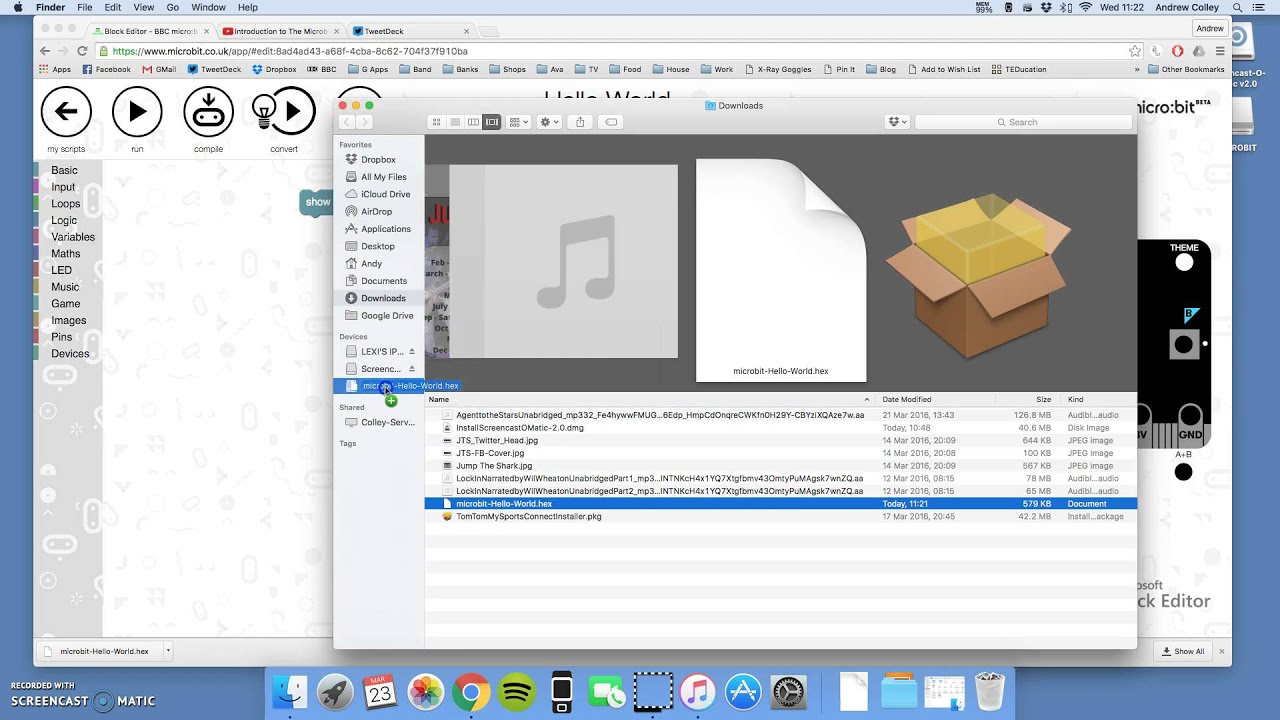
How to get the code you've written on the microbit website onto your actual microbit. (Recorded with http://screencast-o-matic.com)
so that's not 'python' plus code, it's just code.
where uf2 is a full binary, right?
or am I mistaken?
The UF2 image gets dragged and dropped to a disk drive icon.
It's functionally similar to using dd to write raw data to a thumb drive or a hard drive, to install UF2.
So it's a binary with bootstrap info prepended, I'd suppose.
Since the OS has no idea about this, that means the CPX itself has smarts enough to present a drive icon to the host OS, and to interpret the UF2 dropped on it, correctly.
BTW the 600kb spoken of -- if that's the .HEX file -- that makes sense, given how long a single line of a .HEX file, is.
I found my answer (I think)
it literally is "Micropython" as hex PLUS your own user code as bytecode
Does that mean that if you used an editor with an older version of Micropython (or CircuitPython) that it would use the older code, and not what you flashd?
UF2 is more low level, it's not quite a bin, but it's a step up from that.
Break that down a bit. It's a lot of information packed into your question. 😉 Plus I may not know.
hasn't looked at it
Ok, I install version X.1.1 of micropython on my arduino board. (for example, let's remove M0 variants and circuitpython from mix, they are more specific...)
if I use a webeditor that build a blah.hex for my blah.py code, and that editor uses X.1.0 version of Micropython to build that hex (part of the 600k)
does my board run X.1.1 or X.1.0 ?
slender iron
sorry, its dinner time for me. I can follow up later
timber mango
That's a good question. I would say -- off the cuff -- you just upgraded your board's firmware the moment you uploaded the .uf2.
it would explain why you could likely not take hex from microbit and move to CPX, for example... different micropython variations.
No worries, @slender iron pop in later and comment if you like.
@slender iron bone appetite
while you could take blah.py, and copy it from microbit to CPX, assuming nothing was board specific.
Well if microbit is the same MCU ...
Is it?
I dunno, it's all arduino, but likely not all same chipset, right?
Let me simplify this: if I upload a .uf2 to METRO M0 EXPRESS that was coded for FEATHER M0 EXPRESS, I have a crashed MCU because I wrote to the wrong pin for the onboard NeoPixel.
essentially: blah.py = high level 'python' code (agnostic) but save it out to low level byte code (+ micropython core code) = .hex file....
Same MCU. Different pinout on the circuit board.
hex code won't work.
yeah, but that's due to using pins.
"print 2+2" will work fine.
right?
Yes.
If I avoid the differences between the two, I'm fine.
if you cut and paste blah.py (which lights your neopixel up), from one to the other, it won't work either.
No, it's designed to work just fine that way, just as long as you avoid the hardware-specific differences.
unless it's default and not hardware level code.
right, exactly.
You can abstract it.
Generally in C++ you might use a #define in a .h file to do the abstraction
so this goes back to why I think the entire PXT (which is typescript, which is javascript) is a dead end from the perspective of micropython development.
because it's not merely a different language, but whatever libraries you support would need to be entirely rebuilt for PXT support... despite that you've already got working code.
so if you point people to PXT (assuming a more robust python community, which is what seems to be the case). they end up with less functionality in the long run.
The current stuff in CircuitPython takes up the lion's share of the SAMD21 resources (flashROM and on-board RAM).
right, way more potential and dev eyeballs.
I think the whole point of makecode is to give people an even easier path to First Application than any *python can offer. There's /no/ syntax, except visual puzzle shapes on a ColorForms<tm> toy interface.
CircuitPython is an impressive achievement on a microprocessor.
No, no, you missed my point: the 'visual puzzle' interface CAN and does work with Python behind it.
I heard that and I understand the distinction.
https://www.youtube.com/watch?v=XCZEKtNHx5k
shows that you can give the 'newbie' the same block interface, but generate python.

A quick overview of work in progress concerning the use of blocks, MicroPython, the BBC micro:bit and the browser based editor and Mu
You might want to take a look at squeak. I'll see if I can find an URL.
but saying "Let newbies use PXT' means that they all learn Javascript and won't have that nice 'step up' to python (which will be more supported and full featured and really is easier than js )

The Squeak programming language is a dialect of Smalltalk. It is object-oriented, class-based, and reflective.
It was derived directly from Smalltalk-80 by a group at Apple Computer that included some of the original Smalltalk-80 developers. Its ...
yeah, squeak is nice... but nobody is going to build much functionally with squeak on a CPX, for example.
Smalltalk and so on are all the turtle-ly graphic languages (from when I was a kid) that teach ONLY rudimentary programming concepts.
90% of what you learn from those, you could learn even if the language was python.
MoveForward is a valid function if you define it in python as much as it is in Smalltalk. 😃
I'm trying to figure out the offline interface installation for makecode.adafruit.com.
Even better:
https://github.com/RealTimeWeb/blockpy
"The goal of BlockPy is to give you a gentle introduction to Python but eventually mature you into a more serious programming environment (such as Spyder or PyCharm). Long-term, we may support some game/animation design stuff that Scratch/Snap does, but that's not the real goal."
I think that's the core of what I'm saying: in the long run, Scratch/Squeak/etc don't teach what learning Python will do for folks. It's like popcorn versus baking. One will always be a snack, the other can make you some real bread.

GitHub
blockpy - Blockly that's more Python than JavaScript, powered with Skulpt
which offline? localhost?
or cli?
Well that's a difficult question. A series of github repos get cloned to a common directory. Has lots of .json files and all kinds of cruft that 'npm' works with.
Microsoft MakeCode
https://makecode.adafruit.com/ is an HTML5 web application that automatically gets cached locally by your browser.
Once the web app is loaded and you have compiled at least once, you will have all the code needed to work without an internet connection.
What you get at the end of it is a local URL with embedded security information that you load into your browser.
right, so it's just hosted locally.
that's not https://makecode.adafruit.com/cli
Microsoft MakeCode
It is possible to use the tools from the pxt command line interface (CLI). pxt allows to
Well .. yes it is. Pretty much.
yeah, it uses npm to serve up a js experience 😃
You got that right! 😉 It's a bit of a learning curve -- npm commands are very common during installation.
this 'microbit' target is the problem -- we don't have one.
pxt target adafruit
That's what I think, too.
There's a directory called pxt-adafruit and if you add your own pxt- prefix you end up with pxt-pxt-adafruit so that's wrong.
If you just say adafruit you end up with pxt-adafruit, and that seems correct here.
yes
The last time I built this environment 'pxt hidserial' was working.
I want to move past that to the full enchelada.
GitHub
pxt-adafruit - Microsoft MakeCode editor for Adafruit Circuit Playground Express
These are probably the missing schematics for CPX:
https://github.com/Microsoft/pxt-adafruit/tree/master/schematics
GitHub
pxt-adafruit - Microsoft MakeCode editor for Adafruit Circuit Playground Express
I think I have a problem running 'jake' anywhere.
https://github.com/jakejs/jake

GitHub
jake - JavaScript build tool, similar to Make or Rake. Built to work with Node.js.
yeah, you can download those schematics from github / adafruit
Shoot. I bet I never 'npm install' after a 'cd jake'. Shoot.
so I'm playing with the stuff @slender iron pointed me to earlier. So you can add Neopixel library to https://makecode.microbit.org and it adds neopixel support, including letting you define how many neopixels, it graphically puts them onto a breadboard, and so on. exactly what I pictured and want... except I want it for python and for CPX/etc

Microsoft MakeCode for micro:bit
A Blocks / JavaScript code editor for the micro:bit powered by Microsoft MakeCode.
heh, yeah, npm install is important 😉
hahaha.
I may have this!
Jake works like make does and needs a 'jakefile'. The default installation needed a soft link to the jake/bin directory, elsewhere in the tree.
cd pxt; sudo ../jake/jake
is what you do when it asks you if you have run jake at least once in pxt.
It's a mess.
hheheh
got https://github.com/bbcmicrobit/PythonEditor working locally, but of course, it's microbit not CPX/etc
GitHub
PythonEditor - A MicroPython editor for the BBC micro:bit that works with browsers.
but that's the next step. (and maybe someone can add the simulator?)
I did it. I have the same thing they offer on makecode.adafruit.com running in Linux now.
Now I have to reverse engineer my work (examine output of 'script' binary) to see how I did it.
http://localhost:3232/index.html#
h ttps://makecode.com/_e1dTaV2eHUtD
timber mango
pxt pyconv
^ this might useful: converts py to pxt (certainly not going to be perfect, but.... )
If you can write up the steps (avoiding missteps) to get it setup that would be great. I got microbit python with blocks working locally. (it was really easy though.. but no simulator... so I'm looking at what it would take to port... not sure it's possible (would mean js in browser... thus the above being interesting script.)
Well, it kinda works good. Couldn't convert my code from makecode.adafruit.com to blocks, but a blocks-generated program does run on the CPX target, compiled offline using just my personal machine.
I'll take my milestones where I can get them.
There's supposed to be some kind of hookup to avoid (find, ) drag and drop. Similar to pxt hidserial but more integrated into the GUI thing.
That rainbow's a nice, easy demo of the CPX. Haven't seen it before (evar!) so it is proof everything went on locally. Well, not proof, but evidence.
timber mango
Commentary on:
https://github.com/Microsoft/pxt-adafruit/blob/master/README.md
Stored on:
https://github.com/wa1tnr/MakeCode/blob/master/npm_commands.txt
timber mango
ok, found what might be a hugely valuable way to simulate going forward.. And it also ends up being useful in other ways.
See http://micropython.org/unicorn
and http://github.com/micropython/micropython-unicorn
Uses unicorn to emulate a M3 which is a superset of M0+, and would run the actual circuitpython runtime... add in some support code and this could literally be a CPX/etc in a browser, using standalone js. So potentially, using bbcmicro's python /blocky code, you could add a js based emulator to the page, running live code as you modify it.

But even without python editor, imagine pulling up a webpage and having a Gemma or CPX "on it" running whatever you wish.
slender iron
@timber mango and @timber mango I'm back now if you have any questions
drowsy geyser
Morning, @slender iron. 😃
slender iron
hi @drowsy geyser
timber mango
@slender iron thinking a circuitpython/adafruitboard version of the micropython-unicorn code above is doable, thoughts?
slender iron
I don't see why not. How would it be useful?
timber mango
It would allow emulation of all sorts of boards, in any language (pxt/js, python, c, etc... ) board in a webpage. Additional items just as current code shows leds and servo... so imagine an adafruit project build/learn page with not just video but an actual running code sample live and running.
"Build this nifty neopixel blinker with your gemma... you can touch the images conductive pads to speed or slow down the rate of blink."
And a "live image" of gamma and neopixel ring attached, running real code.
slender iron
that'd be cool!
 inner spoke
Hi @slender iron , I am having trouble finding a the site you described on show and tell describing how to get started with APIs, Travis, etc. Any chance you can provide a link?
sick creek
Gemma M0 hack those eletric candles not just circuit python express what tonyD do
slender iron
@inner spoke is not out yet. Hopefully by tomorrow though.
inner spoke
Ah cool! Thank you!
sick creek
@slender iron you have Gemma M0 in your CI Tester?
timber mango
In researching more about the unicorn/micropython, I'm laughing my ass off at the recursive nature of this:
Unicorn is a C program to emulate CPUs (ala QEMU). Someone has taken it and used emscripten to turn it to a Javascript. Emscripten uses Python 2.x and node.js to do so. The end result of that is unicorn.js, a JS emulator of a CPU (like the M3).
Then you run that js, emulate the m3 CPU and the surrounding board/addons/features.
That means that when you do this to run MicroPython, you are really running code on an emulation of an emulation of an emulation:
Micropython->M3 byte code->JS (via Python and JS)->C
Awesome.
timber mango
@timber mango This is why I want to run a Forth on bare hardware, written mostly in C++ (Arduino IDE). And see what I can do about unused library calls, to reduce the memory footprint further.
Also, we may be living in a Simulation (The Matrix)
http://www.simulation-argument.com/
tawny creek
@timber mango red or blue pill 😃
timber mango
@tawny creek take both -- why leave anything out? 😉
tawny creek
@timber mango one's the backup? hehe
timber mango
The simulation argument basically hinges on whether or not strong AI is even possible (it isn't.)
Anyway I'm attempting to do the node.js thing in Tony's virtual machine (vagrant) today, to do the makecode.adafruit.com thing, and see what I forgot to install.
https://learn.adafruit.com/micropython-for-samd21/build-firmware
I have it running, but I couldn't repeat exactly how that got accomplished.
node.js yotta and several github repos were needed. npm is a frequent command. Everything sudo (there's a work-around for that I saw but did not impliment).
slender iron
@sick creek yup, its hooked up
timber mango
(random) Change editors on the fly, during a git commit:
$ export VISUAL=rvim; git commit --interactiveWorking on this (as per above):
https://github.com/wa1tnr/MakeCode/blob/master/scratch_vagrant_npm.txt
timber mango
Question: https://learn.adafruit.com/adafruit-huzzah32-esp32-feather
I found someone who says micro python works on this, but no mention of circuit python. Given the feather M0, is this gonna get support at some point, or a M0 with wifi/BLE more likely first?
WiFi, Bluetooth, peripherals galore!
I think the real question is what wifi/ble is supported or will be?
what does the official website say?
slender iron
@timber mango its on my radar
timber mango
CircuitPython Beta is Adafruit’s new extension to MicroPython that adds SAMD21 support and other enhancements.
slender iron
@timber mango https://github.com/micropython/micropython-esp32
timber mango
GitHub
circuitpython - CircuitPython - a Python implementation for teaching coding with microcontrollers
slender iron
@timber mango I need to go in and remove the beta comments since we released 1.0 last week
timber mango
@slender iron how difficult would it be to buy an adafruit esp8266 and compile circuitpython for it, the same as the way one does for the metro M0 express?
Does it, like, work? 😉
slender iron
@timber mango the esp8266 is already supported. the esp32 isn't
it doesn't quite work the same because the esp8266 doesn't have native usb
timber mango
Sorry I missed the distinction!
slender iron
so it won't show up as a drive
timber mango
Sounds like the other person can just buy an 8266 and be done with it.
Yeah native USB is a nice thing to work with. Extra steps otherwise (I remember reading about it but don't recall what I read).
ESP8266 =/= ESP32 is it?
Please ask that in English. 😉
slender iron
they are different
timber mango
nis: ESP8266 is not (the same/equal to) the ESP32. Thought that was clear 😃
Never seen =/= anywhere in print. First time.
really? I use it a lot.
slender iron
typically in code its !=
timber mango
I learned <> first. Think that's right.
yeah, but math geeks use slashed equal. and yes <> and != are also good. 😃
timber mango
but a bang translates to 'NOT' in a lot of contexts. In Forth, it means 'store'.
c! c@ means "c-store" and "c-fetch" (poke, and peek, respectively) in Forth.
Adam has his e-microscope live stream going.
A big selling point in early BASIC computers (computers that shipped with a BASIC in ROM) .. was "Has PEEK and POKE commands".
That was, like, extra. Not standard.
timber mango
actually....
https://github.com/micropython/micropython-esp32/blob/esp32/esp32/README.md
"Configuring the WiFi and using the board
The ESP32 port is designed to be (almost) equivalent to the ESP8266 in terms of the modules and user-facing API. There are some small differences, notably that the ESP32 does not automatically connect to the last access point when booting up. But for the most part the documentation and tutorials for the ESP8266 should apply to the ESP32 (at least for the components that are implemented)."
You could hand-code assember using them, if you knew the memory map well enough not to crash the machine.
so they are similar at least according to the ESP32 micropython folks 😃
timber mango
right...
slender iron
well, ones a lot newer than the other
timber mango
so in terms of wifi support, either works? BLE?
slender iron
I think wifi is ok for both and theres a pull request for BLE on esp32
timber mango
Pull request implies someone has an idea to make an improvement via the github contribution mechanism, I'd guess /dunno
adam's link is up in #general-tech for the electron microscope
slender iron
I think the person got it working
timber mango
I'll look for that pull request. This didn't sound promising discussion in 2016: https://github.com/bbcmicrobit/micropython/issues/71
GitHub
Because the BLE stack takes up too much RAM for MicroPython to be able to compile scripts to byte code Damien has a plan:
If the script requires BLE when the device restarts immediately after flas...
slender iron
GitHub
It's not perfect, but it's working pretty well for me.
API docs are here: https://github.com/MrSurly/micropython-esp32/blob/dev-bluetooth/esp32/bluetooth_docs.md
Merge Checklist:
Should do:
Prope...
for nrf5 ble there is https://github.com/micropython/micropython/pull/3137

GitHub
This is an initial port for the nRF series including nrf51822, nrf52832 and nrf52840 support.
Modules currently supported:
UART
LED
Pin
ADC
PWM (nrf52)
SPI
I2C
Additional micropython modules:
mu...
timber mango
same main issue: size of firmware adding BT support vs not adding it.
slender iron
yup yup
timber mango
but sounds much more likely to happen and be enabled now.
slender iron
yeah, the tricky part will be unifying the API across esp32 and nrf52
timber mango
Going to spend some playing with the 2 CPXes and Feather M0 that arrived today. (Gemmas and more arrive Monday)
slender iron
yay! keep me posted on how it goes
timber mango
is there a good 'test all functions' CPX sample program, so I can verify everything is functional?
slender iron
its all tested at the factory but I believe I have a test program too
timber mango
I see the occasional 'not of all my neopixels light up' but that's obvious stuff. I'm more concerned to test the sensors as non-obvious issues on new items.
slender iron
anything specific you want to test?
timber mango
everything. Trying to get a handle on the item, and it's fun to learn all of the things. 😃
slender iron
we've got some more guides coming but some already cover neopixels and the accelerometer
timber mango
plugging into usb, lights all come up, piezo works. 😃
slender iron
yay!
timber mango
reset button works 😃
slender iron
I wouldn't expect any problems since everything is tested after manufacture
timber mango
I don't expect any problems, to be honest, but figure that trying it all out is best way to familarize myself with it. Shake test works 😃
slender iron
yeah, we're a little low on intro guides at the moment
timber mango
yeah, you've been busy otherwise. I noticed the gemma guide cribbed a lot of the firmware stuff from FeatherM0. (lots of unrelated to Gemma info on that page. It'll get cleaned up eventually. 😃
slender iron
is it still in there?
I was frantically rewriting it yesterday
we've got more in the pipeline for the gemma m0 guide but I'm a bit guided out
hence the github noise above 😃
timber mango
Yes, https://learn.adafruit.com/adafruit-gemma-m0/uf2-bootloader
for example, the Gold warning about the Feather bootloader is out of place on that page about the Gemma.
The Gemma M0 will super-charge your wearables! Small, light, and it's easy to use, so you can do more.
slender iron
yeah, that page is shared
timber mango
Is it?
slender iron
yeah, learn can mirror pages between guides
timber mango
nice. It was a minor quibble anyway. 😃
slender iron
yeah, its a trick to write it in a way thats comprehensive and feels correctly placed
 untold knot
Are any of i2c temperature boards supported in circuit python?
slender iron
@untold knot the bundle is the place to look for drivers: https://github.com/adafruit/Adafruit_CircuitPython_Bundle/tree/master/libraries/drivers
GitHub
Adafruit_CircuitPython_Bundle - A bundle of useful CircuitPython libraries ready to use from the filesystem.
si7021 is i2c temp and humidity
manic glacierBOT
timber mango
@slender iron did you ever find that 'use all the things!' CPX code?
untold knot
@slender iron thanks!
slender iron
@timber mango this is the closest I have: https://gist.github.com/tannewt/a17e3421e155111b6c62299cb6eb93fe

Gist
and it may be a bit out of date too
timber mango
I'm enjoying playing with the CPX. Eager for the new Gemma to arrive. Wondering if a FloraExpress (or whatever) makes sense (ie a stripped down CPX, more pins exposed, less built in sensors/lights) but it would have to be just over the $10 cost as Gemma or else it wouldn't make sense. The CPX is packed with things for the price.
slender iron
¯_(ツ)_/¯
timber mango
Considering that the Feather M0 express is only $5 less then a CPX, but has none of the doodads.
Amazing how cheap this stuff has gotten. Smaller and cheaper, smaller and cheaper...
slender iron
yup, definitely
 twin mica
got the gemma m0 today and made a little mount for a jewel.
@slender iron is there any neopixel cp demos i can test out?
slender iron
I feel like this price point is in the sweet spot of moore's law now
looks
GitHub
Adafruit_CircuitPython_NeoPixel - CircuitPython drivers for neopixels.
oof, needs a better README
twin mica
"good luck" 😃
timber mango
I saw a nifty little Jewel/Gemma project - one sec...
slender iron
I can whip something up for you
timber mango
Attach an LED in the palm of your hand!
twin mica
@slender iron thank you. i'm assuming this stuff is out of date http://circuitpython.readthedocs.io/en/stable/docs/esp8266/tutorial/neopixel.html?highlight=neopixel
timber mango
New gemma has built in switch, but in wrong place for 3d case (and awkward for this design...
slender iron
@twin mica its close
twin mica
@timber mango oh! my brother did that one yea 😄
timber mango
but the arduino code on that project should run without modification
slender iron
import board
import neopixel

pixels = neopixel.NeoPixel(board.D2, 7)
pixels[0] = (10, 0, 0)
pixels.show()
er
twin mica
@timber mango trying to stick with circuitPython. just need a "strandtest" to see if I have the wiring correct.
@slender iron ah, i was close! I wasn't using digitalio to call the pin
timber mango
yeah, I figured that. Ladyada said all of the old Gemma projects were going to get a revisit to update them to CircuitPython 😃
timber mango
@slender iron where do I find the implementation of the current busio.OneWire ?
slender iron
I should test it before showing it
@timber mango https://github.com/adafruit/circuitpython/blob/master/shared-module/bitbangio/OneWire.c#L33
GitHub
circuitpython - CircuitPython - a Python implementation for teaching coding with microcontrollers
twin mica
hmm, does the vout pin on gemma only works with a battery?
timber mango
thx .. just finding my way around
slender iron
@twin mica let me look
timber mango
No, it should grab whichever voltage there is, I think I read that.
twin mica
gotcha, ok
slender iron
vout works with either power source but is behind the switch
timber mango
"Vout (Voltage Output) - This pin will give you either the battery power or USB power, whichever has a higher voltage. Its great when you want to power something like NeoPixels, that might use more than the 500mA available from the onboard regulator"
twin mica
@timber mango thanks
slender iron
get it working @twin mica ?
slender iron
paste the code here?
twin mica
import digitalio
import board
import neopixel
pin = digitalio.DigitalInOut(board.D2)
pixels = neopixel.NeoPixel(pin, 7)
pixels[0] = (10, 0, 0)
pixels.show()
twin mica
typo somewhere?
slender iron
import board
import neopixel
pixels = neopixel.NeoPixel(board.D2, 7)
pixels[0] = (10, 0, 0)
pixels.write()
I was confused about the api
I had to look it up
twin mica
ahh there we go! so no need for digitalio stuff, ok
slender iron
yeah, some stuff does need that
this doesn't because it has to be a pin from the microcontroller
twin mica
it looks so clean this way
slender iron
😃
so pixels is a list of the 7 pixels
so pixels[6] is the seventh pixel
color is a tuple (<red>, <green>, <blue>) each component is 0-255
twin mica
yep! thank you @slender iron i'm going to play around and see if i can get stuff from the demo in readthedocs to work
slender iron
kk 😃
its the initialization stuff thats most different I think
I'll polish up the readme now
twin mica
yeah that was it
thank you! the guides felt a bit scattered to find how to quickly get a neopixel lit. I imagine we'll have a dedicated section in the Neopixel uber guide about how to write simple stuff.
slender iron
yup yup, we've got lots of work to do on the guides
limor has lots of simple examples for the gemma as drafts
twin mica
yay
slender iron
for those of you who aren't authors you won't be able to see it yet
She wants to have explanations like in the Analog In example thats public
twin mica
oh i see them now, cool!
slender iron
😃 I'm gonna go eat lunch then I'll be back
twin mica
@slender iron itadakimas!
timber mango
Are the CPX pins the same as the old CP ? Cause I can't find a CPX pin out
slender iron
I think its compatible yes. Its hard to call it the same though because its a completely different microcontroller
timber mango
played with your test script, but the neopixel library isn't on the CPX circuitpython uf2 by default?
getting ImportError: no module named 'neopixel'
timber mango
using the 1.0.0 version, seems like an oversight, given that it's got 10 neopixels by design 😉
slender iron
it'd be on the flash if we shipped with circuitpython
having it separate from the firmware makes it easier to update
timber mango
True. But annoying. 😃
timber mango
Hmmm... "NameError: name 'LEFT_BUTTON' is not defined"
I'll improve this test code slowly but surely. 😃
timber mango
hmm, nativeio is missing?
trying to figure out where the Defines should be living....
progress: now, it's type object 'DigitalInOut' has no attribute 'Pull'
heh, I am following your commit comments and figuring out how things changed 😃
ah much better. it's not digitalio.DigitalInOut.Pull, now, just digitalio.Pull
And I have blinky lights
sick creek
with GemmaM0 you could get cool blinky lights
as GemmaM0 can control lots of pixels so then it made actually simple design what i was working on
just need to write Circuit Python code for it
slender iron
nice @sick creek post a picture when you are working on it
timber mango
taking a break. @slender iron thanks for test code, adding comments, will craft up some sort of accel and IR tests for it too, anything I think should be 'testable', and of course, I'll share it all back for others.
sick creek
@slender iron it have being hard to think thinner design with lights so with gemma M0 it is possible to have more better design as well
manic glacierBOT
sick creek
well central brain for me and my friend drone landing pad platform get more modular
timber mango
That utterance parses into probably a paragraph, if you would type the missing words, it'd help.
manic glacierBOT
 rain island
anyone that can help me a bit with circuitpython ? i cna't get access to the webrepl console ... it's always refusing connection .. but running a webserver works fine
ah oh okay
i think i may found the problem
the service starts on two IPs simulatenously ?
there neees to be a more handy way to transfer files as with the webrepl .. it's broken and now i can't even get the files back before i can restore the firmware
and i don't have the required python on this machine to use the esptool ... that sucks
guess my weekend project is busted then ... yeah ...
rain island
this is giving me very hard headache ... i need to compile the firmware myself? ... i hope i can get rid of all the crap required to get the firmware running afterwards or my PC is fucked beyond restore ... why is there an image for nearly all boards but this one?
slender iron
@rain island what board? The feather_huzzah one should work ok
sick creek
@slender iron hey does CircuitPython have firmata? like arduino have that library?
slender iron
Not yet @sick creek
rain island
it was an plain old ESP8266 i got everythin setup on my rpi and programmed everything .... quiet a hassle but i did not have to wreck myx PC
got everythign running now
and sorry for the anger i let through
it was quiet a frustrating weeek at work and i hoped to have some success home at least
manic glacierBOT
 tawny creek
Is the article re: cpp -> cp library writing up yet?
prime flower
@tawny creek Not yet, @ember flower and I are finishing a larger project this week then doing a video for the guide. Looking at next week
we might have the video out ahead of the guide, btw.
manic glacierBOT
 timber mango
@slender iron how can I build a version of circuitpython to test it? What tools should I use for that?
Sorry, just found it... Sphynx, right !?
Oops ... that was for building docs. So back at my question.
slender iron
@timber mango for the atmel-samd you'll need the arm gcc toolchain and htese isntructions: https://github.com/adafruit/circuitpython/blob/master/atmel-samd/README.rst#building
GitHub
circuitpython - CircuitPython - a Python implementation for teaching coding with microcontrollers
esp8266 instructions are here: https://github.com/adafruit/circuitpython/blob/master/esp8266/README.md#build-instructions
GitHub
circuitpython - CircuitPython - a Python implementation for teaching coding with microcontrollers
timber mango
Ok, thanks for this pointer. I'm using the Feather M0 Express board, so will go for the atmel-samd instructions.
manic glacierBOT


there's a 'calibrated' temperature sensor that seems to work pretty well. see the START example and http://www.atmel.com/images/Atmel-42645-ADC-Configurations-with-Examples_ApplicationNote_AT11481.pdf
non-ASF arduino code attached. mostly its getting the NVRAM data out and then tweaking the ADC to read the TEMP input w.r.t the 1.0 vref
would be nice to compactify and stuff into gemma/trinket core because it would give people a sensor to play with :)
[inttempsensor.txt](https://github...
timber mango
FFT library? I found this: https://github.com/peterhinch/micropython-fourier

GitHub
micropython-fourier - Fast Fourier transform in MicroPython's inline ARM assembler.
or perhaps the same approach redone with CircuitPlayground.mic.fft as the base?
I was wondering if it's possible to do a circuitpython version of this:
https://github.com/adafruit/Adafruit_CircuitPlayground/blob/master/examples/Microphone/mic_fft/mic_fft.ino
GitHub
Adafruit_CircuitPlayground - library for Circuit Playground board
prime flower
@timber mango I don't see why not
timber mango
I suspect the FFT will have to be in ASM (as the micropython one is) due to slow speed of circuitpython (I just watched some of TonyD's videos about converting Arduino code to CircuitPython...
slender iron
cplay express is in stock: https://www.adafruit.com/product/3333
Please note: This initial run of CPX is for developers and makers only! We're still adding full support for all of the cool sensors to MakeCode/CircuitPython/Arduino. There will be many ...
timber mango
@slender iron Found what I think is a mistake in Gemma Pinout here: https://learn.adafruit.com/adafruit-gemma-m0/installing-libraries?view=all#pinouts
The Gemma M0 will super-charge your wearables! Small, light, and it's easy to use, so you can do more.
slender iron
Whats the mistake?
timber mango
actually here:
https://learn.adafruit.com/adafruit-gemma-m0/installing-libraries?view=all#unique-pad-capabilities
Says Pin #0 twice
The Gemma M0 will super-charge your wearables! Small, light, and it's easy to use, so you can do more.
sorry, Pad #0
slender iron
ah, I see
timber mango
I was looking to use a Bluefruit sewable BLE + Neopixel with ZeroDMA, but I think I'm out of luck, both would need 0
timber mango
it's the UART, so it uses TX/RX
slender iron
ah
timber mango
so it'll need 2 pads, A1, A2, leaving only A0... which doesn't do PWM... does that mean no Neopixels on it?
If so, that sucks, means no way to do both on Gemma
the BLE sewable is such a good fit otherwise (size/sewable wise)
slender iron
you can bitbang it but not dma it
timber mango
right, that's better than nothing though. 😃
timber mango
yeah, makes sense to do that. just got my Gemmas, the BLE and misc other stuff delivered today, so I was looking at things, and dreaming what I could do with what...
slender iron
😃
timber mango
did you see the FFT question above?
basically, I was wondering about an FFT for circuitpython.
slender iron
heh
I don't know of anything and suspect you are right that it'd be need to be done in C
timber mango
oh, it would, I think the answer is something like the 2 items I linked. I wasn't sure if the FFT needed to be rewritten due to the M0 or what...
I tried to compile the mic_fft example and didn't work, but I think I was having issues with the board/compiler cause I had a few things not working when I uploaded them. Put it all aside to try again later.
slender iron
the micropython library won't work because the M0 doesn't have an FPU
timber mango
Oh, there is another version with no FPU. One sec
GitHub
micropython-fft - Fast integer FFT written in assembler. Cartesian to polar conversion.
"Note: This has largely been replaced by floating point fft which uses the FPU included in many ARM processors. This is equally fast and more accurate on long transforms and sample sets having greater than 12 bit resolution. The principal application for this integer code is now on platforms lacking an FPU.
Requires: ARM platform with or without FPU (e.g. Pyboard) and running MicroPython."
so that might be the answer then.
slender iron
Looks a bit old but probably a good starting point
timber mango
or modify the one here: https://github.com/adafruit/Adafruit_CircuitPlayground/blob/master/utility/ffft.S
GitHub
Adafruit_CircuitPlayground - library for Circuit Playground board
slender iron
thats for the old CircuitPlayground which has an 8-bit processor
timber mango
yeah, so it won't work 😦
I was going thru the older CP code to see what worked and what didn't. The speech stuff worked for example, that was nifty. I might use that.
the speaker is tinny and tiny, but heck, it talks 😃
slender iron
yeah, I'd love to see someone create the speech API the micro:bit has for the circuitplayground
sick creek
you still have trouble to figure it out?
slender iron
Heres my guide on creating a CircuitPython Library and sharing it. I can't remember who asked for a link to it after Show and Tell: https://learn.adafruit.com/creating-and-sharing-a-circuitpython-library

Share your code with the world
timber mango
for speech in circuitpython, looks like Adafruit_CPlay_Speaker::say (in talkie.cpp) would have to be exposed as a function to call.
The speech files themselves are just data passed to that, so easy enough to add/remove desired/unwanted samples.
slender iron
I wouldn't start with code from the old CPlay. I'd look at the micro:bit instead
timber mango
interesting, I hadn't looked at that.
https://github.com/bbcmicrobit/micropython/tree/master/source/lib/sam
(plus a bit of code elsewhere to tie it in...) Whew. Too much for me.
But adding sam, which uses phonetics, would be a nice addition, yes.
slender iron
do you know where the original sam repo is?
timber mango
nope, haven't googled it yet.
slender iron
ok, I'm doing three things all at once and need lunch so I'll have to look later
timber mango
 slender iron
ok, I starred it 😃
timber mango
and interestingly: a JS version (emscriptem is awesome): http://simulationcorner.net/index.php?page=sam
slender iron
ah crazy
timber mango
https://github.com/vidarh/SAM - linked from above github, it's a cleaner refactored version.

"103 commits ahead"
slender iron
😃
timber mango
Above Sharing document is awesome, @slender iron , learned a few things just reading it
slender iron
thanks @timber mango !
manic glacierBOT
timber mango
Ok, I'm having some weirdness with arduino sketches compared to circuitpython on this CPX
if I use the circuitpython uf2, python loads fine, the test program I have installed run... all set.
but most of the sketches I'm trying (even simple ones) compile fine, load fine, and then fail to work at all.
I suspect something in my ardunio ide is set wrong...
even demo isn't working. It compiles fine, uploads fine ( I can share output)... but then it just sits there.
slender iron
@timber mango which circuitplayground libraries are you using?
there are adafruit ones instead of arduino ones that are newer
timber mango
yes, using those... I followed: https://learn.adafruit.com/infrared-transmit-and-receive-on-circuit-playground-express-in-c-plus-plus-2/libraries
Demo doesn't run.
But funny thing is, I can get some sketches to run, like the speech ones....
So it's talking to the board, fine.
slender iron
sorry I don't know the Arduino stuff @timber mango. please post to the forums
timber mango
yeah, no worries. Put it aside, went back to working on python tester code.
have a much fancier light show now 😃
slender iron
yay!
timber mango
added code to cycle colors, as well as spin.
it cycles white, red, green, blue, yellow, pink, aqua, and also decays brightness...
I ran into the problem of too much math/etc, so I improved it back to working faster. 😃
slender iron
yeah, math is hard 😛
timber mango
so this way, it really test all of the pixels, including combos of on/off, just in case.
plus pretty 😃
slender iron
😄
manic glacierBOT
Optional on non-Express boards. May have space after ASF4 switch.
slender iron
thanks @tidal kiln
timber mango
yeah, I'm grabbing the nightly build, which if 1.8.4 is the fix, should help.
Nope, same results. 1.8.4 isn't the fix.
tulip sleet
@timber mango Did you try updating the library after installing the nightly? Also, not sure if something needs to be done on the Adafruit side when the fix is available.

GitHub
Hi there,
After a certain time after starting up the Arduino Application, there comes this little "Banner" on the bottom of the program which indicates there are some librarys not up to date. If I ...
timber mango
yeah, the problem isn't this (I'm fairly certain, the fix is there for this, it's just a redirecting .h)... I'm seeing what looks like confusion between old and new CP arch...
The weird thing is, it's certainly CPX related. If I compile blink (stock and Hello Playground Blink), it works, if I compile something like the speech demos, they work... but something simple like Hello Neopixels, doesn't work, nor does many other things.
prime flower
not sure if tannewt mentioned it, but the SimpleIO CirPyth lib got a new release with some arduino-like helpers, map()/shiftIn()/shiftOut()....more helpers to come!
tough flax
Hey @slender iron - What's the status of BLE HID (at least kbd) in CircuitPython? Specifically, when will there be a feather (NRF52/NRF51/ESP32) that supports it? I know that the USB HID is working (yay) but am planning stages of a project that needs both.
slender iron
CircuitPython doesn't work on the nrf52 yet
and it won't be urgent for us until the new chip comes out
however, I'm talking with the person who did most of the work for the MicroPython port to nrf52 and he may be interested in helping
sick creek
it will be huge
manic glacierBOT