#circuitpython-dev
1 messages · Page 69 of 1

 lone sandalBOT

 manic glacierBOT

Was there a reason for this? The FS is managed by USB_MSC and thus should not be able to get corrupted.
manic glacierBOT

sorry, I didn't want to change the file copyright in ports/raspberrypi/boards/odt_rpga_feather, I wanted to change it in my files, corrected.
manic glacierBOT
Thanks for fixing the copyrights. I still have some remaining remarks about the frozen libraries.
Pixel_Framebuf depends on the LED_Animation and NeoPixel libraries, so you'll want to freeze those too, if you don't want to have the user have to add those libraries to lib/.
Alternatively, don't bother to freeze any of these, and have the user load the libraries.
reminder to make this change too
Also, it doesn't look like the LED_Animation library was actually added to frozen/
manic glacierBOT
I don't understand what you're doing here. Did you mean to submit a PR, or was this meant to be against your own repo?
Done. Add the LED_Animation module correcting Led by LED
You didn't add NeoPixel:
FROZEN_MPY_DIRS += $(TOP)/frozen/Adafruit_CircuitPython_NeoPixel
Now there are two listings for LED animation. You want to remove this one.
 tulip sleet
<@&356864093652516868> Weekly meeting starts in about two hours. Add your notes to the notes doc if you'd like: https://docs.google.com/document/d/144fIOxqiH-xJLrzGLr7FSjrF0y5hylkiNM5iMPc7vpU/edit?usp=sharing
tulip sleet
<@&356864093652516868> meeting starting now
 lone axle
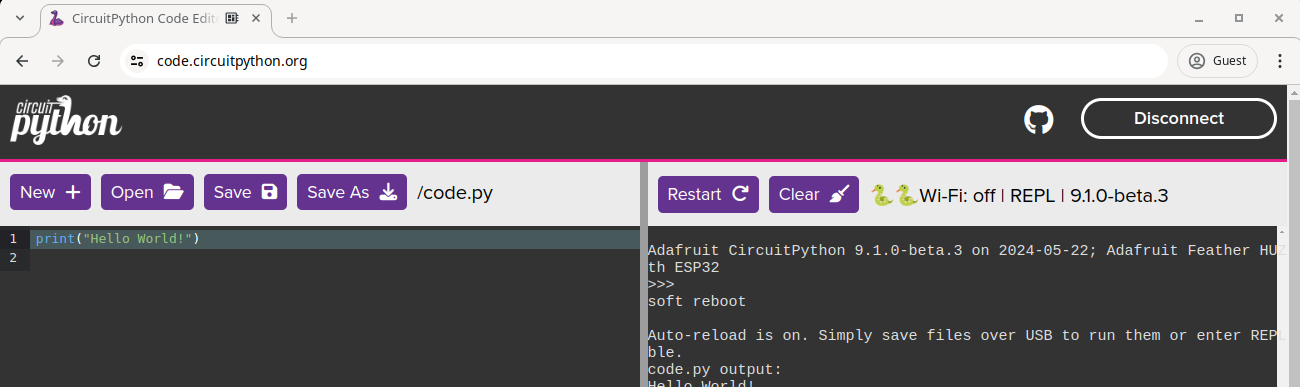
Adafruit Industries - Makers, hackers, artists, designers and engineers!
Would you like to be able to edit CircuitPython code, upload and download files to and from your CircuitPython board, and connect to its serial terminal, all from inside a browser? Check out code.c…
A dense Python cheat sheet with just what you need. Comprehensive but selective coverage of core Python, with links to detailed documentation and resources. Responsive design with light and dark modes. Download and print PDF. Feedback is welcome.

GitHub
The *Best Python Cheat Sheet - A dense Python cheat sheet with just what you need. - kieranholland/best-python-cheat-sheet
 onyx hinge
that list of examples could be a new "awesome" list, to be maintained in adafruit org or circuitpython org on github

The easiest way to program microcontrollers
GitHub
A curated list of awesome CircuitPython guides, videos, libraries, frameworks, software and resources. - adafruit/awesome-circuitpython
thanks dan!
 slender iron
thanks for hosting dan!
manic glacierBOT

The intention of this PR is not to merge, but simply to make sure the recent additions to ConnectionManager, ESP32SPI and Requests does not cause the builds to be too big.
lone axle
Thanks for hosting Dan. Have a great week everyone!
tulip sleet
Here is the notes document for next Monday’s CircuitPython Weekly Meeting, July 1, 2024. It is at the normal time of 11am Pacific / 2pm US Eastern here on Discord. Add your hug reports and status updates to the document before the meeting. If you are unable to attend but would still like to contribute, feel free to add your notes and we’ll read them off during the meeting. Hope to see you there! <@&356864093652516868> https://docs.google.com/document/d/1GWVWuiHZLkTs9k3mCuSJaoPIpG91JJZ3cc_ogbGAXdo/edit?usp=sharing
tulip sleet
tulip sleet
Here is the notes document for next Monday’s CircuitPython Weekly Meeting, July ...
manic glacierBOT

Regarding the size of the build: Instead of disabling the feature on C3 builds, would it be acceptable to modify the partition sizes to make the changes fit? I think it's only
partitions-4MB-no-uf2.csvthat would require a small reduction inuser_fssize, in order to increase the size ofota_0andota_1by ~ 2kB each.
As @bill88t points out, that's a breaking change. Instead, turn it off when CIRCUITPY_LEGACY_4MB_FLASH_LAYOUT is set. That way new boards will include it. We'll l...
I don't know of anyone who will be implementing it now. So, it's up to you. We can guide you here or on Discord #circuitpython-dev but it'll be up to you to implement.
manic glacierBOT
@dhalbert looks like we are good on sizes. I know this doesn't make translations, anything we need to check there?

The Seeed WIO Terminal in includes an LIS3DHTR accelerometer. The available schematics call the pins that connect to this device "gyroscope_x" and CP followed this labelling when the board was ported.
Just added a note and comments to the pins configuration to make this clearer.
 upper radish
Not sure where else to mention this, but the Weekly Meeting video on YT has no audio from @tulip sleet . Probably not something that can be corrected, but maybe worth including a note somewhere so folks know it's not that their speakers/headphones aren't working?
lone axle
@tulip sleet I have the backup recording and at least with quick check it appears to have audio for you (and everyone else). I can share it if we want to swap the one published to YT so it will contain all of the audio.
tulip sleet
lone axle
<@329766224093249548> I have the backup recording and at least with quick check ...
Yes thanks! It was showing up on the VU meter?!
lone axle
tulip sleet
Yes thanks! It was showing up on the VU meter?!
https://www.dropbox.com/scl/fi/3xabsjoji8lm0drid8who/CircuitPython_Weekly_Meeting_2024_06_24.mkv?rlkey=nrqc7rgq2zsbgahm54m2fa89s&dl=0 you should be able to download with the link near the top right corner on this page.
tulip sleet
lone axle
https://www.dropbox.com/scl/fi/3xabsjoji8lm0drid8who/CircuitPython_Weekly_Meetin...
All set, processing on YouTube. Feel free to delete from dropbox. Thanks again!
upper radish
Sounds good! 😏
 midnight ember
@tulip sleet I don't really have an opinion on where examples should live. The pro of the current system is they are easily found and can be updated via PR by anyone. I really like having fast access to them in the bundle since FoamyGuy reorganized it. Another option could be a completely separate examples bundle but then all library repos wouldn't have examples included in the repo when searching github, that will make things harder for everyone all around. Because the examples live in official libraries like adafruit_requests it's ultimately up to Adafruit what to do and I'm ok with whatever folks decide. I can see the issue from both perspectives and it's not an easy decision.
manic glacierBOT

Makes sense, I didn't realize that changing the partition table would be a breaking change.
Does CIRCUITPY_LEGACY_4MB_FLASH_LAYOUT already exist? I can't find such a symbol in the code base. Are you suggesting I should add this? Would this imply the following changes?
- Add
CIRCUITPY_LEGACY_4MB_FLASH_LAYOUTwhich is enabled as a default for all boards currently usingpartitions-4MB-no-uf2(for CP9 at least). - Disable settable CPU frequency when
CIRCUITPY_LEGACY_4MB_FLASH_LAYOUT...
manic glacierBOT

Currently on a raspberry pi pico after a deep sleep the alarm.wake_alarm object has a None in the pin attribute because finding the correct pin has not yet been implemented (see below)
Currently when creating a PinAlarm object you can only set the pull to be opposite what you are alarming on. This makes it impossible to wake on a connection from a pin being severed.
Example:
You have a pin that connects to ground, where this connection can be broken.
Detecting this connection being made is possible because you can pull up while floating, and wake on the signal going down, signalling that you just connected to ground.
However, detecting this connection being broken...
manic glacierBOT

Note: You can externally pull up, then plug a wire to ground.
Then when the ground wire is severed, it will trigger a "going up" alarm.
manic glacierBOT
@Sola85 It exists already. https://github.com/adafruit/circuitpython/blob/main/ports/espressif/mpconfigport.mk#L190
Your changes may be based on older CP though. It was just added with my deep sleep changes.
slender iron
@gilded cradle https://forums.adafruit.com/viewtopic.php?p=1020439#p1020439
 tender blade
is the circuitpython displayio library on github to view?
 austere acorn
tender blade
is the circuitpython displayio library on github to view?
austere acorn
tender blade
is the circuitpython displayio library on github to view?
displayio is a CP module, not a library, it's inside the circuitpython code repository
 short tendon
@tulip sleet / @lone axle based on this gist: https://gist.github.com/justmobilize/f0ee9668d7aab6d91524b3ab53953d2c I would like to create an Adafruit Library Adafruit_CircuitPython_Base64_Stream that can be used by adafruit_io. Thoughts?
tulip sleet
short tendon
<@329766224093249548> / <@382939733107408897> based on this gist: https://gist.g...
this seems ok. Is there anything equivalent in CPython?
short tendon
tulip sleet
this seems ok. Is there anything equivalent in CPython?
Not directly, foamyguy found this: https://github.com/aws/base64io-python, but it's backwards
tulip sleet
how have people handled this in CPython? Just "by hand"?
manic glacierBOT
-
Fixes #9361
-
Fixes #9338
-
Fixes #9337
-
In
Adapter.candConnection.c, busy-wait for incoming events using status variables, instead of using FreeRTOS task notification. This fixes some breaking out-of-order notifications I saw during GATT discovery, and and also allows for background tasks to run and also allows for ctrl-C interruption. -
Characteristic
observerwhen not present should have beenmp_const_none, notNULL. This fixed a hard crash when there was no observer....
short tendon
I think in CPython you have more memory then you need, and so you don't worry about it. The birdfeeder learn guide does this:
def send_jpeg_to_io():
    # before we send the image to IO, it needs to be encoded into base64
    encoded_data = binascii.b2a_base64(jpeg).strip()
    # then, send the encoded_data to Adafruit IO camera feed
    print("Sending image to IO...")
    io.send_data(feed_camera["key"], encoded_data)
    print("Sent image to IO!")
Which dies on a Pico W
tulip sleet
short tendon
I think in CPython you have more memory then you need, and so you don't worry ab...
sounds like a good idea, then!
manic glacierBOT

Lovely, thanks for the work and ping, I'll probably get to it Thursday
tulip sleet
I could create an empty repo with the right name, make you a collaborator, and you could populate it with cookie-cutter etc. Or you can create it in you own userspace and we can transfer it to adafruit when you're ready. ... The latter is probably easier when you're making initial changes.
short tendon
tulip sleet
I could create an empty repo with the right name, make you a collaborator, and...
Either works for me. I have a CookieCutter with that name ready (but no other changes) that I can push up and transfer it to you (Last time I couldn't do it to the org)
tulip sleet
go ahead with that then, np
short tendon
Transfer started
tulip sleet
short tendon
Transfer started
but do you want to finish the coding before transfer?
tulip sleet
ok sure
tulip sleet
short tendon
Which is about ready anyways
ok transferred to me, and then I transferred to adafruit, and you are a collaborator (that seems to have carried along)
short tendon
👍
manic glacierBOT
@jepler Does the second commit alleviate your concerns?
@tannewt How is this PR for you?
@dhalbert looks like we are good on sizes. I know this doesn't make translations, anything we need to check there?
Translations should be fine.
I'll update all the frozen libraries before the next beta or RC release.
manic glacierBOT

it's fine with me, except I'd rather that the issue about espressif ping limitations be updated with new info, rather than being closed by the merge of this PR.
Partially fixed by #9350, which introduces a delay as necessary to prevent errors, but ideally we'd redo ping so it doesn't have delays or errors at all.
@jepler Thanks, I have left #7940 open, with a comment.
manic glacierBOT
Is there any easy way to change the MDN name? it might be worth trying one with no hyphen (you never know...)
The hyphen shouldn't make any difference. There are plenty of host names with hyphens in them. Did you try another browser?
Does the serial console work well with a numeric IP? I wasn't sure whether that was working fine for you.
What DNS server are you using?
What kind of router arrangement are you using? Is the the ISP's router? Does it have unusual DNS settings?
I h...
This is often because the host reporting the name has cached a previous name, and doesn't bother to change the name. I've seen this a lot on iOS. You can try turning Bluetooth off and back on, on the host, and "forgetting" the device. Does that make a difference?
I redid some task-blocking-related stuff in #9374, which has not yet been merged. Would you mind testing with an artifact from that PR, to see if this problem still exists? https://github.com/adafruit/circuitpython/actions/runs/9668399113
tulip sleet
midnight ember
<@329766224093249548> I don't really have an opinion on where examples should li...
I'm thinking some kind of central repo with categorized examples and good lists for searching would be good. But until we do anything, please don't feel inhibited about submitting examples to requests or wherever. We can always move the examples later.
short tendon
Hey @tulip sleet I'm getting this:
Successfully built adafruit_circuitpython_base64_stream-1.2.3.tar.gz and adafruit_circuitpython_base64_stream-1.2.3-py3-none-any.whl
Traceback (most recent call last):
  File "/opt/hostedtoolcache/Python/3.11.9/x64/bin/twine", line 5, in <module>
    from twine.__main__ import main
  File "/opt/hostedtoolcache/Python/3.11.9/x64/lib/python3.11/site-packages/twine/__init__.py", line 40, in <module>
    __uri__ = metadata["home-page"]
              ~~~~~~~~^^^^^^^^^^^^^
  File "/opt/hostedtoolcache/Python/3.11.9/x64/lib/python3.11/site-packages/importlib_metadata/_adapters.py", line 54, in __getitem__
    raise KeyError(item)
KeyError: 'home-page'
Error: Process completed with exit code 1.
When running actions the new library. I get the same thing when it's local on libraries I know that work
tulip sleet
have you updated all your pip-installed stuff?
short tendon
Yes. And just found this: https://github.com/pypa/twine/issues/1125
Looks like any libraries we try to update will fail...
tulip sleet
there are comments there from one minute ago! We can wait a few hours and see what happens
well, mentions from 1 minute ago
short tendon
Sounds good
tulip sleet
short tendon
Why smart people do things like: importlib-metadata >= 3.6 I will never know
 stuck elbow
python ecosystem wasn't always so happy to break backwards compatibility carelessly
tulip sleet
short tendon
Sounds good
if you need it to work to proceed, you can pin twine to 5.0.0 or importlib_metadata to 7.2.1
looking at https://github.com/python/importlib_metadata, the latest listed release is 7.2.1, but there's an 8.0.0 tag, and 8.0.0 is still on pypi. Maybe they are in the process of yanking 8.0.0
short tendon
I'm not in a rush. My PR is in draft and can wait. If you get bored you can take a look at it (with the millions of other things on your plate)
tulip sleet
I am looking at some crashes 🙂
short tendon
I wish I had time to dig into that more
tulip sleet
no worries, you are doing great stuff I wouldn't even think of doing
short tendon
Thanks!
manic glacierBOT
Hi - The code above runs and exits, leaving you in the REPL. Is there more, like a while True: pass loop? Saving code.py will not restart code.py if you are already in the REPL.
I did add a while True: to the above and tried it on a QT Py S3 8/0 board, changing some pin names to make it work, and also on an ESP32-S3 DevKitC 8/8 board. (I don't have the similar DevKitM board.) I couldn't make a safe mode crash with the tip of main at the moment. I repeatedly edited code.py slightly t...
manic glacierBOT

Update: the HTTPServer is getting updated to support streaming, see: https://github.com/adafruit/Adafruit_CircuitPython_HTTPServer/issues/95
manic glacierBOT
I notice when testing on Adafruit CircuitPython 9.1.0-beta.1-24-g24f2e4f994-dirty on 2024-06-23; Ai Thinker ESP32-CAM noSPI with ESP32
that ping "times out" in just 500ms
that's too short.
def ping(shell, cmdenv):
    if len(cmdenv['args']) < 2:
        print("usage: ping <address>")
        return

    dom = cmdenv['args'][1]

    pool = socketpool.SocketPool(wifi.radio)

    try:
        addr_info = pool.getaddrinfo(dom, 80)  # Using port 80 for HTTP
...Numeric IP is fine.
DNS is 1.1.1.1 / 8.8.8.8 (which is irrelevant; mDNS doesn't use DNS, and http://cpy-eaf90c.local/ loads and works fine.)
Since http://cpy-eaf90c.local/ does work - I fail to see how anything else in my infrastructure could possibly be to "blame" - and even if it was - that's still a bug in the circuitpython/websocket code for not catering to it, since http://cpy-eaf90c.local/ does work?
manic glacierBOT
The ping functionality provided by ESP-iDF sets up a task that runs for a minimum of 1-2 seconds. That's hard-wired. That's the fundamental issue here. We could reimplement that "by hand", but we haven't done that yet.
Maybe we are talking about two different meanings of "works fine". I meant to ask whether /cp/serial serial console works well with a numeric IP. Does cp/serial work well with any of the addresses you are using?
manic glacierBOT

I added some instrumentation to my tests and here are the results (code as posted above, full code here: https://github.com/bablokb/circuitpython-examples/blob/master/sunton-3.2/main.py).
Starting tests for sunton_esp32_2432S032C (version PR9316, 06/10/24)

show_colors (sleep): 3.00201
show_colors (title): 0.052002
show_colors (ui): 0.0820007
show_colors (refresh): 0.365997
show_colors (run): 0.462006

load_image (sleep): 3.004
load_image (title): 0.0529785
load_image (load)...Sorry, I added LED_Animation again, I had removed it.
manic glacierBOT
OK, I think we're all set here. Thanks for your perseverance!
 tiny peak
@tulip sleet and @onyx hinge , following up on the Monday meeting In the Weeds discussion about building project bundles for Playground guides: I made a demo repo that uses a GitHub Actions workflow to build a zip file and upload it to GitHub as a release asset:
https://github.com/samblenny/cookiecutter-playground-bundle
This is a little rough around the edges and light on docs, but the basic workflow works:
- .github/workflows/bundle_builder.yml calls
make bundleto run bundle_builder.py bundle_builder.pyreads bundle_manifest.cfg to determine which files to include in the zip bundle (note: this is not finished yet; code and README work, library copying does not work).github/workflows/bundle_builder.ymlusesgh release upload ...to upload the bundle zip file to a release (this works, see release v0.0.0-1
GitHub
work in progress (alpha). Contribute to samblenny/cookiecutter-playground-bundle development by creating an account on GitHub.
GitHub
work in progress (alpha). Contribute to samblenny/cookiecutter-playground-bundle development by creating an account on GitHub.
GitHub
work in progress (alpha). Contribute to samblenny/cookiecutter-playground-bundle development by creating an account on GitHub.
GitHub
work in progress (alpha). Contribute to samblenny/cookiecutter-playground-bundle development by creating an account on GitHub.

GitHub
test the Actions workflow that should trigger on tag creation
onyx hinge
tiny peak
<@329766224093249548> and <@426200547024961539> , following up on the Monday mee...
Very neat. I'll look at it later when I'm not mobile
tiny peak
onyx hinge
Very neat. I'll look at it later when I'm not mobile
my intent is for this to be a proof of concept style contribution to the discussion on how to provide big blue "Download Project Bundle" buttons for Playground guides. If any of the code or ideas are useful, please feel free to fork, copy and paste, slice and dice, or whatever.
manic glacierBOT
Could you also submit a board description to https://github.com/adafruit/circuitpython-org ? Guide to doing that is here: https://learn.adafruit.com/how-to-add-a-new-board-to-the-circuitpython-org-website
manic glacierBOT
I think both questions are solved now.
CIRCUITPY_SETTABLE_PROCESSOR_FREQUENCYis disabled ifCIRCUITPY_LEGACY_4MB_FLASH_LAYOUTis set (additionally we also need to disableCONFIG_PM_ENABLEfor the legacy flash layout. I did this by settingCONFIG_PM_ENABLE=yas a default and overriding this in the problematic sdkconfig-flash-4MB-no-uf2.defaults, which ...
tulip sleet
tiny peak
<@329766224093249548> and <@426200547024961539> , following up on the Monday mee...
Very interesting! I am asking the Learn/Playground devs if they had any bundling in mind for Playground.
manic glacierBOT
I think it's as good as it can be considering the flash space constrains.
Haven't yet tested, it may affect ADC.
onyx hinge
settable CPU frequency pulls in that much more stuff? or it was just that close to the edge anyway? [ok ok I should go read the PR discussion]
 brazen hatch
onyx hinge
settable CPU frequency pulls in that much more stuff? or it was just that close ...
brazen hatch
onyx hinge
settable CPU frequency pulls in that much more stuff? or it was just that close ...
power management gets enabled, it was something like -500b before removing a lengthy string
manic glacierBOT
No, I did not have a while True: afterwards. After the code finished running I got the message
Code done running.

Press any key to enter the REPL. Use CTRL-D to reload.
(assuming the crash was not triggered) and the code would automatically re-run if I saved the code.py again. Saving a few times would eventually (but reliably) trigger the crash.
However, I just retested in the current main branch (Commit ac598a399a2e557f905c16c8793e15f6d4db1139) and can't reproduce it any...
manic glacierBOT
Chiming in here for ask for access to I2s in for microphones! Thank you all :)
I will, thank you very much.
tulip sleet
tiny peak
<@329766224093249548> and <@426200547024961539> , following up on the Monday mee...
FYI, th Learn folks say they have not included project bundling on Playground for various reasons, including security and maintenance. So this is not duplicative by any means. It is possible now to embed a single file from GitHub, but not a whole bundle.
manic glacierBOT
@bablokb Thanks for the instrumentation. This is a plain ESP32 board, is that right? Could you make a cut-down example that shows slower time.sleep() or other simple operations, without using the display at all? That would be a starting place for us to debug this, and see which chips it is happening on.
onyx hinge
tulip sleet
FYI, th Learn folks say they have not included project bundling on Playground fo...
I suspected as much. I'd blanche at the idea of feeding arbitrary untrusted python code to "findimports" even if it 'should be safe'!
creating tools for building bundlefly-like zips moves the responsibility to the project, which by definition can trust its own source code
tulip sleet
yes, it's a good idea
manic glacierBOT
I ended up with an extremely simple test case:
import time
def t():
    start = time.time()
    for i in range(100):
        time.sleep(0.010)
    print(time.time() - start)
On a QT Py ESP32 on 9.1.0-beta.3, this prints 1, as expected. on an ESP32 running adafruit-circuitpython-adafruit_qtpy_esp32_pico-en_US-20240626-main-PR9353-f1d29ee.bin (the most recent build), it prints 3!
Another way to see delays is simply to paste the line
a = "AAAAAAAAAAAAAAAAAAAAA...I guess it sounds like it might be worth some additional effort to polish up my demo and get the library copying part working? FWIW, I don't have any aspirations of owning or maintaining a cookiecutter that might have the potential to become infrastructure-ish for Playground authors. If somebody else wants to build something off my code, that would be fine by me.
It will probably be another day or two before I get back to looking at the bundle_builder.py script. If nobody beats me to it though, I probably will come back around for another pass to finish up the library stuff.
manic glacierBOT
Why disable this? Don't we want to light sleep when we can? Or is this not modem sleep?
One question about sleep. Good otherwise. Thanks!
tulip sleet
tiny peak
It will probably be another day or two before I get back to looking at the bundl...
no hurry about this! we can transfer the repo to adafruit when it's done
manic glacierBOT
pm.light_sleep_enable makes the board automatically enter light sleep mode, provided that no locks prevent this (see documentation). I have no experience with this feature and can not judge its implications (maybe there are situations where circuitpython might need to aquire a lock?). For this reason I didn't enable it (and it isn't enabled by default).
If you are willi...
manic glacierBOT
Looks good! Thank you for the fixes!



CircuitPython version
CircuitPython 9.0.5 and CircuitPython 9.1.0-beta.3
Code/REPL
# SPDX-FileCopyrightText: 2022 ladyada for Adafruit Industries
# SPDX-License-Identifier: MIT
import time
import board
from rainbowio import colorwheel
import neopixel

NUMPIXELS = 16  # Update this to match the number of LEDs.
SPEED = 0.05  # Increase to slow down the rainbow. Decrease to speed it up.
BRIGHTNESS = 0.2 # A number between 0.0 and 1.0, where 0.0 is of...This is a dupe of #9275. Espressif moved the NeoPixel pin from v1.0 to v1.1 of this board. A new board definition needs to be made.
This is a dupe of https://github.com/adafruit/circuitpython/issues/9275. Espressif moved the NeoPixel pin from v1.0 to v1.1 of this board. A new board definition needs to be made.
tulip sleet
short tendon
Looks like any libraries we try to update will fail...
twine yanked 5.1.0, and released 5.1.1, so this should be fixed now. See https://github.com/pypa/twine/issues/1125 as you already linked, for details.
short tendon
tulip sleet
twine yanked 5.1.0, and released 5.1.1, so this should be fixed now. See <https:...
That worked. Tests all passed!
brazen hatch
x86


arm
half a kb difference
same commit on both
both on arch latest
I mean they are both compiling a different architecture, xtensa..
(And yes, my new sbc is faster than my laptop)
manic glacierBOT

Could this be failing because the arguments passed to create the display bus are incorrect?
display_bus = displayio.I2CDisplay(tca[3], device_address=0x3C)
tca[3] should correctly point to the i2c bus via the mux channel indicated, but device_address=0x3C isn't where the display is connected. Assuming there isn't a deeper issue with the way abstraction gets handled, as discussed, shouldn't the interpreter be directed to the mux address?
display_bus = displayio.I2CDisplay(tca[...
Confirmed via a bisect that it's commit 63aeb11d7e4633dc0925faab84bacee54a925d4c, which is PR #9325.
Turning off BLE (CIRCUITPY_BLEIO =0) causes the problem to go away.
manic glacierBOT
Is there some kind of internal cpy "call" that can be made to poll/process interruptions (like ^C)?
Maybe the answer is to sit in a loop doing that until the reply or a timeout happens?
I notice the ping doco:
https://docs.espressif.com/projects/esp-idf/en/stable/esp32/api-reference/protocols/icmp_echo.html
lets us adjust anything we want, but CPY is just doing
esp_ping_config_t ping_config = ESP_PING_DEFAULT_CONFIG();
Which is this:-
#define ESP_PING_DEFAULT_CO...If anyone wants me to dive in and take a stab at fixing this - let me know (and if you've got a spare minute - fill me in on anything relevant I'd need to keep in mind to do that - I have no idea of the related tech considerations, nor the process/politics of "core" PRs etc - and I'd prefer not to put effort into submissions that get thrown away, like nearly all of the micropython contributions do https://github.com/micropython/micropython/pulls?q=is%3Apr+is%3Aunmerged ).
FYI - I'm a profess...
manic glacierBOT
Yes - /cp/serial works fine using an IP address; bearing in mind it is not serial - it's a websocket - this really needs to be renamed, because almost all boards have an actual serial console, and calling 2 different things the same name violates the circuitpython "easy for beginners" paradigm
/cp/serial does not work, or is buggy/intermittent when using the mDNS name instead of the IP - same board, same network.
http://192.168.1.118/ works
`http://192.168.1...
update - I'll have to test some more boards - I'm getting some intermittent issues with http://192.168.1.118/cp/serial today as well.
I've tried an s2 mini (not my port) a lolin d1, and an esp32cam (my port) so far - I'll try some others...
lone sandalBOT
 manic glacierBOT

This still needs cleanup and probably fixes, but it does build and work with on a custom board. That board only runs 1-bit SDIO mode.
I will try this out with a Memento board I have, but it won't really be useful there: you lose the SPI bus.
Next step: find another officially supported board that has the right lines for SDMMC support and/or a SD breakout board.
Sorry, I ended up pushing the wrong private branch. I'll fix this soon!
Just finished up a first draft you can see at https://github.com/jacobcrigby/circuitpython/tree/espressif-sdioio
Still to-do:
- Test a lot, on different boards
- No sdioio.reset()
- Init failed on soft reset - check and fix
manic glacierBOT

Yes, you should assign your VID/PID like in above example.
Windows caches name of VID/PID in the registry, so you might not see the change unless you clean registry or assign your own VID/PID. See also https://github.com/adafruit/circuitpython/issues/9130#issuecomment-2032150406
manic glacierBOT
I see this only on ESP32. ESP32-C3, ESP32-S2, and ESP32-S3 are fine.
I opened another issue #9362 which is also related to PR#9325. And that problem is also not reproducible on an ESP32-C3.
 warm topaz
Hey, I have the ESP32-S3-Touch-LCD-1.28 (that's the touch version, I was wondering when their would be an official firmware for this board? it seems to be the same as the RP2040 version but with an S3 instead,
manic glacierBOT

I can't wait to start testing this, unfortunately I'm on the road for the next few days and I'm not sure I'll be able to figure out how to build your repo locally so I'll probably have to wait until Monday.... I will bring the MaTouch with me just in case I have more time than I expect or you get a PR posted so the artifacts are available. Thanks for the work on this!!!
By the way, if you do post a PR to Adafruit this weekend, it would make my day if you could enable the CIRCUITPY_SDIOIO f...
tulip sleet
warm topaz
Hey, I have the ESP32-S3-Touch-LCD-1.28 (that's the touch version, I was wonderi...
CircuitPython has builds in its base repo for many third-party boards, but they are largely contributed by volunteers or by the manufacturers.
Sometimes we add them ourselves when they are the mfr dev boards (e.g. Espressif) and that is the first example of a port to that chip, etc. Pi Pico is another example
warm topaz
thanks, it seems to build on it fine, it's just the touch screen only seems to speak to the I2C when touched and otherwise doesnt show up under an address scan?
slender iron
warm topaz
thanks, it seems to build on it fine, it's just the touch screen only seems to s...
It's best to ask the board's manufacturer for help.
manic glacierBOT
CircuitPython 9.0.5.
Noted by JungleJim in discord on a QT Py ESP32-S3 4/2.
CIRCUITPY reappears, but as read-only after the Windows 10 computer it is attached to goes to sleep and is woken up.
manic glacierBOT
Let's leave that for a follow on PR.
@dhalbert you'll be relieved to hear your work on #9374 has fixed it. Thank you both for tackling the BLE stuff.
I initially thought ah-almost, as the T-Display S3 just didn't crash this time but no accelerometer data appeared in browser, but reading the console I saw it moan about a missing service (battery service it turned out), which the T-Display won't/doesn't have.
Tried again on feather s3 reverse tft, but not enough space for BLE, so ran a custom debug build using
`CIRCUITPY_BLEIO...
tulip sleet
@slender iron could you tell me again under what conditions the BLE workflow is advertised? Is it any time a BLE-capable board comes up and is not connected, or do you expect there to be some setting that will enable possible BLE workflow. (I'm fixing something about supervisor_bluetooth_start_advertising()), which is being called on every supervisor_bluetooth_background() call, and is doing too much work.)
the background call is happening on every background tasks run, I think
slender iron
it should advertise if bonded or if boot_in_discovery_mode is set
that doesn't seem right
tulip sleet
have time to talk?
slender iron
yup
manic glacierBOT

Adafruit ESP32-S2 Reverse TFT Feather, no peripherals except a battery.
CP 9.0.5 (latest stable) installs & runs fine, but 9.1.0-beta.3 doesn't install correctly and just ends up with an empty, read-only CIRCUITPY drive.
I can re-install 9.0.5 and everything comes back to normal.
Mounted on a Mac Studio running macOS 14.5
I've downloaded the uf2 a couple times just to verify, also tried copying through Terminal (opposed to drag and drop), but same result every time.
 orchid basinBOT
add new board Archi.
manic glacierBOT
I tried this on the same board, and 9.1.0-beta.3 is working for me, so there's something different about my board or setup from yours.
-
Could you try the absolute latest from here? https://adafruit-circuit-python.s3.amazonaws.com/index.html?prefix=bin/adafruit_feather_esp32s2_reverse_tft/ .
-
What is in INFO_UF2.TXT when the BOOT drive is showing?
-
If you do
import storage
storage.erase_filesystem()
when 9.1.0-beta.3 is running, does that help any?
- Do you h...
manic glacierBOT
The filesystem erase was the ticket, thanks for the suggestion!
Just for info, my INFO_UF2.TXT file read:
TinyUF2 Bootloader 0.10.2 - tinyusb (0.12.0-203-ga4cfd1c69)
Model: Adafruit Feather ESP32-S2 Reverse TFT
Board-ID: ESP32S2-FeatherRevTFT-revB
Date: Jun 24 2022
manic glacierBOT
My UF2 bootloader version is the same. I'm not sure why 9.1.0-beta.3 was pickier about what seemed like a corrupted filesystem, but in any case, glad it's working!
manic glacierBOT

It doesn't seem to be a cache issue. I've followed the steps you suggested, and they did not make a difference.
manic glacierBOT
Are you testing this on iOS? I want to replicate your testing conditions. Thanks.
 tranquil ether
I'm starting to bring up my Adafruit LoRa Radio FeatherWing - RFM95W 900 MHz - RadioFruit (Adafruit P/N 3231). I'm using the Prop-Maker 2040. I'm starting with the shipping example "rfm9x_simpletest.py. For wiring, I chose to connect CS to A0 and RST to A1.
CS = digitalio.DigitalInOut(board.A0)
CS.direction = digitalio.Direction.OUTPUT
RESET = digitalio.DigitalInOut(board.A1)
RESET.direction = digitalio.Direction.OUTPUT
And this is the error I'm getting:

I think it is OK to use A0 and A1 as Digital IO's - anyone disagree?
Any help is much appreciated. Must walk a way for the moment.
CircuitPythoin V9, by the way.
midnight ember
tranquil ether
CircuitPythoin V9, by the way.
A0 and A1 should work. You'll also want to wire up the IRQ pin as it's used in most code as a hardware interrupt pin. You'll get faster transceiver switching between send/receive by using the IRQ instead of a software based IRQ.
tranquil ether
Ok. Thanks for that. However, I’m still stuck with that error. The code that I’ve started with doesn’t call for the IRQ pin
midnight ember
Hmm maybe not. The propmaker rp2040 doesn't have a digital pin alias for a0 or a1. They might be analog only.
It's best to use one of the A to E pins which go to digital pins.
tranquil ether
Ok. I can try other pins, I suppose
midnight ember
yeah most demos of the rfm featherwing use those pins.
 tranquil ether

I've already used the pins that your photo suggests and I've done a fair amount of wiring to use them. Not too easy to undo that.
however, everything on the left except for the SPI port is open
midnight ember
Interesting. I didn't see those aliases when looking it up in pins.c board definition.
oh derp nvm that's the featherwing not the feather.
tranquil ether
well, my table on top of the pretty pins may not be correct
here is the dir(board...
import board
dir(board)
['class', 'name', 'A0', 'A1', 'A2', 'A3', 'ACCELEROMETER_INTERRUPT', 'BOOT', 'BUTTON', 'D0', 'D1', 'D10', 'D11', 'D12', 'D13', 'D24', 'D25', 'D4', 'D5', 'D6', 'D7', 'D9', 'EXTERNAL_BUTTON', 'EXTERNAL_NEOPIXELS', 'EXTERNAL_POWER', 'EXTERNAL_SERVO', 'I2C', 'I2S_BIT_CLOCK', 'I2S_DATA', 'I2S_WORD_SELECT', 'LED', 'MISO', 'MOSI', 'NEOPIXEL', 'RX', 'SCK', 'SCL', 'SDA', 'SPI', 'STEMMA_I2C', 'TX', 'UART', 'dict', 'board_id']
 tranquil ether
oh, oh... pins.c that's a big help
I wish the pretty pins would show the same infor as the dir(_board)
midnight ember
According to the diagram it has digital capability on A0 and A1 but in pins.c there aren't digital aliases. Maybe it does it automatically?
Assuming A0 and A1 can be used as digital then the error is still saying that something isn't correct with the wiring setup.
instead of A0 and A1 try D0 and D1
tranquil ether
I could try D4 and D5. They are open on my pin assignments and they start with 'D'
midnight ember
they're listed in your dir(board)
D0 and D1 are usually the digital alias for A0 and A1.
tranquil ether
OK, AKA Tx and RX for the serial port
tranquil ether
If I'm reading pins.c correctly, D0 amd D1 are
{ MP_ROM_QSTR(MP_QSTR_D1), MP_ROM_PTR(&pin_GPIO0) },
{ MP_ROM_QSTR(MP_QSTR_D0), MP_ROM_PTR(&pin_GPIO1) },
midnight ember
ah oops, you're correct
tranquil ether
... are GPIO0 and 1. And then using the prettyPins, thats Tx, RX lower left of the pinout
midnight ember
this is why its good to pay more attention to the pins.c because that's the real list of pins and aliases.
tranquil ether
yes, yes. OK, I'll give that a try first thing tomorrow. Thanks a million for your help!
midnight ember
I could be wrong and you could end up in the same situation just with different pins tomorrow. I would solder in that irq pin too.
so don't thank me just yet, i'm not 100% sure of my advice.
tranquil ether
haha. yes, for sure, it may not be solved yet. But I have somethign pretty logical to try and that's somethign!
midnight ember
yep new avenue to try. feel free to tag me tomorrow.
tranquil ether
will do!
manic glacierBOT
CircuitPython version
Adafruit CircuitPython 9.1.0-beta.1-18-g781c577745 on 2024-05-11; sunton_esp32_2432S028 with ESP32
Code/REPL
import wifi
import espnow
import time

# Disable WiFi
wifi.radio.enabled = False

# Initialize ESPNOW
esp = espnow.ESPNow()
esp.phy_rate = 0  # Default physical layer rate

if 0: # enabling this line makes the problem go away
    peer = espnow.Peer(b'\x24\xdc\xc3\x8b\xe1\xc8')
    esp.peers.append(peer)

# Add a b...didn't realize that was all in dev chat, moved to #help-with-circuitpython
manic glacierBOT
Update;
while adding b'\xff\xff\xff\xff\xff\xff' as a peer seems to stop the error - the corresponding receiver listening to broadcast traffic does not receive anything.
 empty salmon
I am somewhat sure there is a problem within pulseio when both synthio and irremote are using it. What I do not know is what more I can do to dig into the root cause - or what my next steps should be.
Environment: CircuitPython 9.1.0-beta3 on RP2040
Symptoms:
- irremote generating huge pulse decode sequences or generating a memory allocation error trying to allocate 65536 bytes.
- synthio (using PWM) briefly having stuttered note or note stuck for a short time before recovering.
manic glacierBOT
I don't think any of the settings in esp_ping_config_t control this timeout. Rather, it's hard-coded as 1000ms in esp-idf. timeout_ms and PING_CHECK_START_TIMEOUT_MS seem to be distinct things despite the names both being about "timeout".
Both our current wifi ports use lwip. One possibility would be to factor out the ping implementation in raspberrypi/common-hal/wifi/Wifi.c and then use it in both ports. It uses a simple blocking loop with timeout & keyboard interrupt checking.
A...
 digital shoreBOT
 adafruit
Owner
.adafruit
Members
38,069
Roles
38
Category Channels
8
Text Channels
64
Voice Channels
7
Threads
12
Boost Count
22 Boosts (Tier 3)

ID: 327254708534116352 | Server Created
·
orchid basinBOT
 manic glacierBOT

CircuitPython version
Adafruit CircuitPython 9.0.5 on 2024-05-22; Raspberry Pi Pico W with rp2040
Code/REPL
import os

import asyncio
import board
import digitalio

import biplane


server = biplane.Server()


@server.route("/", "GET")
def root(query_parameters, headers, body):
  return biplane.Response("Hello, world!", content_type="text/html")


async def run_server():
  for _ in server.circuitpython_start_wifi_station(
os.getenv('...update - I'll have to test some more boards - I'm getting some intermittent issues with http://192.168.1.118/cp/serial today as well. I've tried an s2 mini (not my port) a lolin d1, and an esp32cam (my port) so far - I'll try some others...
I am using your esp32cam (awesome work BTW!) and /cp/serial works only sometimes, even using the IP:
BTW you might want to check what [mi...
manic glacierBOT
Please dump a stack trace info (both python and the processor stack) to help pin down where the error happened
This is what I got but couldn't tell why:
soft reboot

Auto-reload is off.
Running in safe mode! Not running saved code.

You are in safe mode because:
CircuitPython core code crashed hard. Whoops!
Hard fault: memory access or instruction error.
Please file an issue with your program at github.com/adafruit/circuitpython/issues.
Press reset to exit safe mode.
Debug builds do that.
Build circuitpython with DEBUG=1 and you'll get a dump when crashing.
Then (at least for espressif), you can then get it decoded with tools/decode_backtrace.py.
Hard faults can often be due to memory corruption so we try to do as little as possible. We already have related bugs as well #8704 and #7490.
manic glacierBOT
Then I suggest having an error message that is a bit more actionable and explains what the next step it, in this case something along the lines: "please build circuitpython with DEBUG=1 to get an extended debug trace and include it in the bug report"
Thanks for your great work!
manic glacierBOT

CircuitPython version
Version en-GB-8.1.0 is mounted read-write.
Version en-GB-8.2.10 is mounted read-write.
Version en_GB-9.0.0-beta is mounted read-only.
Version en_GB-9.0.5 is mounted read-only.
Version en_GB-20240626-main-PR9375-396aaef (latest at test) is mounted read-only.
Code/REPL
N/A.
Behavior
When using CircuitPython >= v9 on Raspberry Pi Pico, the file system (CIRCUITPY), is mounted Read-Only when the PICO is connected to Raspberry...
manic glacierBOT

Addresses https://github.com/adafruit/circuitpython/issues/2131. Tested on a pair of custom breakout boards which were derived from the Metro M4 Express.
 alpine holly
Is pyexec_file or pyexec_frozen_module exposed to the REPL or python itself? (aka parse_compile_execute) [I started a post in the forum: https://forums.adafruit.com/viewtopic.php?p=1020937 ] - I'm wanting to efficiently run (chain) a new python program from an existing one [ending the existing one, starting the new [possibly .mpy compiled] one, without burning out the flash]. My experiments show it's only a few bytes of compiled "C" to add this in (works nicely on my esp32 test boards so far). Along the way, I noticed code.mpy does not run at boot? Seems contrary to the doc about the .mpy versions of things taking precedence?
manic glacierBOT

Added IRRemote which required removing integrated UART.
Added frozen libraries for asyncio support.
Also removed pin label name for accelerometer.
stuck elbow
alpine holly
Is pyexec_file or pyexec_frozen_module exposed to the REPL or python itself? (ak...
I do this by using supervisor.set_next_code_file and restarting
manic glacierBOT
What happens if you try the board directly on the RPi without using a VM?
Also try erasing and reformatting CIRCUITPY.
import storage
storage.erase_filesystem()
CircuitPython appears to take over GP0 and GP1 on an RP2040.
Is there a way to make these available as general IO pins (knowing they will not be used for UART by a CircuitPython program)?
My board does not have the board_uart_obj in its pins.c
stuck elbow
empty salmon
CircuitPython appears to take over GP0 and GP1 on an RP2040.
Is there a way to m...
they should be available by default, unless you specifically marked them for some other use in your board configuration
they are exposed on the pi pico, for example, and they work perfectly fine
empty salmon
Must be something else then. Thanks.
orchid basinBOT

Images automagically compressed by Calibre's image-actions ✨
Compression reduced images by 22.8%, saving 295.68 KB.
| Filename | Before | After | Improvement |
|---|---|---|---|
| assets/images/boards/large/arduino_nano_33_ble_rev2.jpg | 78.73 KB | 71.18 KB | -9.6% |
| assets/images/boards/large/odt_rpga_feather.jpg | 293.91 KB | 200.50 KB | -31.8% |
| assets/images/boards/large/sunto... |
 grave parrot
Does CircuitPython currently support annotations like these : @micropython.asm_thumb
manic glacierBOT
I'm planning to take a look at this and https://github.com/adafruit/circuitpython/issues/9380 . For reference: ( https://docs.espressif.com/projects/esp-idf/en/stable/esp32/api-reference/error-codes.html )
ESP_ERR_ESPNOW_INTERNAL (0x306a): Internal error
[ESP_ERR_ESPNOW_NOT_FOUND](https://docs.espressif.com/projects/esp-idf/en/stable/esp32/api-reference/network/es...
I'm planning to take a look at this and https://github.com/adafruit/circuitpython/issues/7903. For reference: ( https://docs.espressif.com/projects/esp-idf/en/stable/esp32/api-reference/error-codes.html )
ESP_ERR_ESPNOW_INTERNAL (0x306a): Internal error
[ESP_ERR_ESPNOW_NOT_FOUND](https://docs.espressif.com/projects/esp-idf/en/stable/esp32/api-reference/network/esp...
Thanks @andibing and @hexthat!
onyx hinge
grave parrot
Does CircuitPython currently support annotations like these : @micropython.asm_...
no, we never enable MICROPY_EMIT_INLINE_ASM for any boards. Right now a few specific boards enable the "native" emitter (CIRCUITPY_ENABLE_MPY_NATIVE), but I don't know whether anyone is using/testing this either (they are not adafruit boards). If support for asm_thumb is important you'll probably want to go with micropython.
brazen hatch
grave parrot
Does CircuitPython currently support annotations like these : @micropython.asm_...
Now it does. I'll open a PR soon.
 alpine holly
I know this is old, but, maybe you've noticed that some ESP32 boards let you program them without you having to reset the board while holding GPIO0 down? The way those work is by hijacking the hardware flow-control lines of the RS232 driver and using those to programatically reset the chip while programatically holding down GPIO0. esptool (and other flashing programs) does this for you. On those boards, there is NO hardware flow control (because the lines were hijacked for other purposes). Unfortunately, other boards actually do honor hardware flow control, which conflicts with esptool and other serial software which expects those pins to be hijacked for programming purposes. Hence my post. WE need some way to inform all that software what those pins are used for, so the relevant software in use (e.g. serial terminals, serial file-transfer code, serial REPL, ..., and web page flashers) knows whether to use them for RESET/GPIO or for Flow Control (the latter requiring the addition of an instruction to tell the user how to put the chip into upload mode), because you can't have both at once, and you cannot guess without causing one-or-the-other to lock up.
I'm working on fixing the broken espnow issues (cannot set channels, cannot broadcast, and lots of data errors during recieve).

Does anyone know how to add a "debug output" line (a simple "print" would be fine) into core "C" modules ?
I'm trying to work out which (of many) calls is returning the error.
stuck elbow
alpine holly
Does anyone know how to add a "debug output" line (a simple "print" would be fin...
search the existing code for printf
alpine holly
stuck elbow
search the existing code for printf
Worked !!! I was totally not expecting it to be that simple 🙂 Thanks for the nudge.
 tulip sleet
alpine holly
I know this is old, but, maybe you've noticed that some ESP32 boards let you pro...
tulip sleet
alpine holly
I know this is old, but, maybe you've noticed that some ESP32 boards let you pro...
We discussed this at length at the time, I thought. "We need some way to inform all that software" -- I think this has to be in the tools, if you expect the tools to support this kind of board. The tools need to know this way before CircuitPython even runs. I said at the time I thought these boards (e.g. ESP32CAM) were ill-designed.
manic glacierBOT
Two pull request checks failed:
- Build CI / ports (espressif) / board (espressif_esp8684_devkitc_02_n4) (pull_request)
- Build CI / ports (espressif) / board (nodemcu_esp32c2) (pull_request)
Neither of these are my code so IO am not sure how to resolve them.
Your change modified the submodule lib/tinyusb. Whatever those changes are, they apparently introduced this build time problem as well. Were your modifications to tinyusb intentional or accidental?
Try rebasing from the tip of main.
OK. I didn't touch that code so I will look at what files are in my pull request and limit it to only my board files.
Did you want to change the names if they are not used for UART? (e.g. IR_TX and IR_RX, or anything like that?)
tinyusb is still changed. Maybe try
git submodule update --init --filter=blob:none lib/tinyusb
You can remove this line completely if it's not ever going to be restored.
Just delete these lines instead of commenting them out.
Put the comment before the pins instead of after.
the issue appears to the the signature on the submodule and I can not figure out how to revert it.
Try, from the top level make remove-all-submodules, and then cd ports/raspberrypi and do make fetch-port-submodules.
onyx hinge
(it's very weird to me that whatever that tinyusb change was, it affected just 2 board builds out of all of them!)
manic glacierBOT
performing those two actions (removing all submodules and then set port submodules) has resulting in 5854 pending changed to commit).
I don't this that is what I should do. But, if it is, then I can proceed.
given how little I understand of all the possible git processing, I suspect the easiest option is to
- close this pull request
- I copy off my changes
- create a new branch which is up-to-date
- re-apply my changes
- commit
- create a new pull request
 candid sun
<@&356864093652516868> We'll have our weekly meeting in about 60 minutes from now in this text channel and in the circuitpython voice channel. Please take the time to add your notes in advance to the document: https://docs.google.com/document/d/1GWVWuiHZLkTs9k3mCuSJaoPIpG91JJZ3cc_ogbGAXdo/edit#heading=h.gwb5d95e5zic -- I look forward to everyone's updates!

Google Docs
CircuitPython Weekly Meeting for July 1, 2024 Welcome to the CircuitPython Weekly meeting notes! Feel free to add your Hug Reports and Status Updates before the meeting, alphabetically by your username. During the meeting, we go through them in order. If you can’t make the meeting and would st...
manic glacierBOT
tulip sleet
onyx hinge
(it's very weird to me that whatever that tinyusb change was, it affected just 2...
those may have just been broken builds?
that is, transient
onyx hinge
I didn't look in detail because github was having trouble displaying logs (it always has trouble with long logs) so I didn't see whether there was anything that looked like network or cloning problems
since the PR changed the tinyusb submodule and the errors I could see were about tinyusb I jumped to a conclusion
manic glacierBOT
tulip sleet
the failures are weird, but we can ignore them for now. The mpy-cross-mac job is hanging waiting for a runner. this has happened several times in other PRs as well. I thought you bumped the version already to macOS 12?
onyx hinge
@tulip sleet looks like that went in 9.0.x and may not be merged to main? ```diff
~/src/circuitpython$ git diff origin/9.0.x origin/main -- .github/workflows/build.yml
diff --git a/.github/workflows/build.yml b/.github/workflows/build.yml
index 13f758c1be..03cecae231 100644
--- a/.github/workflows/build.yml
+++ b/.github/workflows/build.yml
@@ -102,7 +102,7 @@ jobs:
cp-version: ${{ needs.scheduler.outputs.cp-version }}
mpy-cross-mac:
- runs-on: macos-12
- runs-on: macos-11
needs: scheduler
if: needs.scheduler.outputs.ports != '{}'
env:
ah, ok, I didn't see that it was for 9.0.x? Could you cherry pick that to main (or do a 9.0.x -> main merge)?
onyx hinge
I'll prepare a PR to merge 9 to main
tulip sleet
are the mpy-cross renamings already in main?
manic glacierBOT
This includes the fix to use macos 12 during CI
onyx hinge
@tulip sleet no, both were done in 9.0.x
I did it in 9.0.x because we would need the change in both versions, assuming we made further 9.0.x releases.
thanks for not ignoring today's brownout, I was all set to do so
manic glacierBOT
The RP2040 Explorer Badge used traditional IR capabilities. These use GP0 and GP1 which were previously anticipated to be exposed for UART. They are no longer exposed as pins and are dedicated to the RI emitter and IR receiver.
Alphabetize these for ease of finding things.
Just remove, instead of commenting out.
How about renaming these, because TX and RX are traditionally used for UART? On CPX and other boards, we use these names:
    { MP_ROM_QSTR(MP_QSTR_IR_TX), MP_ROM_PTR(&pin_GPIO0) },
    { MP_ROM_QSTR(MP_QSTR_IR_ RX), MP_ROM_PTR(&pin_GPIO1) },
THe GPIO28 pin alias was removed. Was that intentional? If so remove the line 114 comment.
Thanks for the PR! A couple organization suggestions that will slim down this PR.
Please make a separate PR to update the Adafruit repo. We'll get that merged in before this PR.
shared-bindings shouldn't have conditionalized APIs. Instead, the new module will have the new API and only be implemented on SAMD51.
Please make a new module for this such as spitarget (to match i2ctarget). That will greatly reduce the impact of this change because existing constructors won't need to be changed.
We also prefer terminology that isn't historically loaded: https://docs.circuitpython.org/en/latest/docs/design_guide.html#terminology So, please don't use the terms master or slave in the interfaces. It is ok to document that they were previously called this.
Adafruit has been using "main" and "secondary" for the "M" and "S" names. I have also seen "sub" or "subnode". There was a proposal for "peripheral" and "controller", with "PICO" and "CIPO" pin names, but that has not been widely adopted. We aren't planning to rename "MOSI" and "MISO", so "main" and "secondary" are probably fine.
lone axle

Adafruit Industries - Makers, hackers, artists, designers and engineers!


GitHub
Contribute to Tom-Vulpes/Spoke development by creating an account on GitHub.

My latest instrument as part of the The Beating Birch is a model of a temple. It has 26 capacative touch sensors built into the design using a @Spokeboard that turns it into a MIDI Controller. Touching parts of the model will play music.
.
I'll soon have some SPOKE boards to sell, so head to spokeboard.com and follow/sign up to the newsletter to...
manic glacierBOT
should we close this up for now?
should we close this up for now?

yep can close, will reopen
I made requested changes. the comments in pins.h have been updated and remain relevant for future maintenance of the code.
 gilded cradle
Sorry, was afk for a moment
midnight ember
Lurking, appreciate if someone can read for me.
manic glacierBOT
static void
#if LWIP_DEBUG_TIMERNAMES
sys_timeout_abs(u32_t abs_time, sys_timeout_handler handler, void *arg, const char *handler_name)
#else /* LWIP_DEBUG_TIMERNAMES */
sys_timeout_abs(u32_t abs_time, sys_timeout_handler handler, void *arg)
#endif
{
  struct sys_timeo *timeout, *t;

  timeout = (struct sys_timeo *)memp_malloc(MEMP_SYS_TIMEOUT);
  if (timeout == NULL) {
    LWIP_ASSERT("sys_timeout: timeout != NULL, pool MEMP_SYS_TIMEOUT is empty", timeout != NULL);
retu...Looking forward to reading that CGrover
 errant grail
midnight ember
Looking forward to reading that CGrover
errant grail
midnight ember
Looking forward to reading that CGrover
Finding a local "approved" observation station is non-trivial. Once you know which station to monitor, the API is pretty straightforward.
manic glacierBOT
[adafruit/circuitpython] Pull request review submitted: #9389 remove UART object and use pins for IR
OK, thanks for for the changes!
onyx hinge
awww feel better soon scott!
slender iron
👍
slender iron
onyx hinge
awww feel better soon scott!
tylenol helps 🙂
manic glacierBOT

@sergi0g is exactly correct
slender iron
and could be worse too
onyx hinge
thanks liz!
lone axle
Thanks for hosting Liz, hope everyone has a great week.
onyx hinge
short & sweet
candid sun
thanks folks!
slender iron
@candid sun do you have an example project it'd help with?
candid sun
slender iron
<@347203168121126912> do you have an example project it'd help with?
a few 😅 but this one: https://learn.adafruit.com/4x4-rotary-encoder-midi-messenger and this one: https://learn.adafruit.com/circle-of-fifths-euclidean-synth-with-synthio-and-circuitpython in particular

Send MIDI messages asynchronously

Modulate to the tonic via Euclidean rhythms!
midnight ember
@candid sun and the solenoid xylophone. i think i remember you talking about latency at the time, but that might have been from playing midi from a DAW?
candid sun
midnight ember
<@347203168121126912> and the solenoid xylophone. i think i remember you talking...
yeah that was more DAW related and BLE midi. i've noticed recently that that seems to be less of an issue. with the robot lyre i didn't have any latency issues and when i've been using the robot xylo recently it's been responsive
slender iron
candid sun
a few 😅 but this one: https://learn.adafruit.com/4x4-rotary-encoder-midi-messen...
awesome! thanks!
candid sun
Here is the notes document for next Monday’s CircuitPython Weekly meeting. It is at the normal time of 11am Pacific / 2pm Eastern here on Discord. Everyone is encouraged to attend! Please add your hug reports and status updates even if you’ll be attending the meeting - it’s super helpful! If you are unable to attend but would still like to include updates, feel free to include them in the notes and we’ll read them off during the meeting. Hope to see you there! <@&356864093652516868>
https://docs.google.com/document/d/1_zyNviU0e7doCx2nxfv0r2V85XiOYp7oe_lgMbxiCfE/edit

Google Docs
CircuitPython Weekly Meeting for July 8, 2024 Here is the notes document for next Monday’s CircuitPython Weekly Meeting. It is at the normal time of 11am Pacific / 2pm US Eastern here on Discord. Add your hug reports and status updates to the document before the meeting. If you are unable to a...
candid sun
candid sun
Here is the notes document for next Monday’s CircuitPython Weekly meeting. It is...
manic glacierBOT
Hi.
Thank you for the reply.
On the "original" set up (Dell 460-Win 10 VM host running "Raspberry Pi Desktop - Bullseye, 11.x" as a VM and the Pico connected to the VM):
import storage
storage.erase_filesystem()
.. did not resolve the issue.
After running the command the Pico seems to be "ejected" from the VM and then reconnected.
However the Pico is (re)mounted as ReadOnly.
When directly connecting the Pico to a Raspberry Pi 3 Model B Plus Rev 1.3 running Raspber...
empty salmon
@tulip sleet - thanks for sticking with me as I stumbled thru the PR 👏🏼
tulip sleet
np! That submodule thing was pretty mysterious.
manic glacierBOT
We have not seen problems like this with Bullseye on a physical RPi, so I suspect it is something about using the VM, perhaps something about the VM settings.
Can you see the serial connection from the VM to the board, and connect to the REPL? If not, that may be confusing the issue.
manic glacierBOT
CircuitPython version
Adafruit CircuitPython 9.0.5 on 2024-07-01; Espressif ESP32 TTGO T8 v1.7 with ESP32
Code/REPL
just pressing `save+run` causes `Aimport test` to show up, the wrong `A` causes the action to fail
Behavior
soft reboot

Auto-reload is on. Simply save files over USB to run them or enter REPL to disable.
code.py output:
Hello World!

Code done running.

Adafruit CircuitPython 9.0.5 on 2024-07-01; Espressif ESP32 TTGO T...Is this in the bare web workflow interface or is it using https://code.circuitpython.org ?
manic glacierBOT
I access directly the web interface using circuitpython.local or cpy-xxxxxx.local, y also get an R sometimes, not sure where that is coming from. Not sure this is specific to the ESP32
Adafruit CircuitPython 9.0.5 on 2024-07-01; Espressif ESP32 TTGO T8 v1.7 with ESP32
>>>
raw REPL; CTRL-B to exit
>R
I get the same issue on a esp32-cam, all very consistently.
manic glacierBOT
all runs consistently fine using Thonny (no extra characters showin up)
manic glacierBOT
onboard led, sdcard and I2C are working
manic glacierBOT

To answer the question to me. I unfortunately don't have any recollection about that specific value.
manic glacierBOT
manic glacierBOT
no matter how hard I .flush().
what exactly, are you flushing?
sys.stdout.flush() # AttributeError: 'FileIO' object has no attribute 'flush'
Same problem has been driving me crazy on both my ESP32-C3 (Qt Py) and my ESP32-S2
manic glacierBOT
CircuitPython version
Adafruit CircuitPython 9.1.0-beta.3-48-g396aaef964-dirty on 2024-07-01; Adafruit QT Py ESP32C3 with ESP32-C3FN4

Adafruit CircuitPython 9.1.0-beta.3-49-gf77451071f on 2024-07-01; S2Mini with ESP32S2-S2FN4R2
Code/REPL
sys.stdout.flush()
Behavior
AttributeError: 'FileIO' object has no attribute 'flush'
Description
Both the serial (RS232) and the websocket are not properly responsive with delayed/buffered IO making it a...
From here:
Data Buffering
For data transmitted from ESP32-S3 to PC Terminal (e.g., stdout, logs), the ESP32-S3 first writes to a small internal buffer. After this buffer becomes full (for example, if no PC Terminal is connected), the ESP32-S3 does a one-time wait of 50 ms for the PC Terminal to request the data. This can appear as a very brief pause in your application.
Fo...
alpine holly
tulip sleet
We discussed this at length at the time, I thought. "We need some way to inform ...
Yes - and many of the "tools" are from and by adafruit - so there needs to be a way inside out ports, to tell the system that later-on provides flashing and rs232 consoles etc, how to do that.
I disagree with your "ill-designed" opinion - you're just used to the inconvenience of hitting buttons every time you want to flash stuff: it makes significantly more sense to have the software sort that out all by itself instead of making you take manual extra steps to flash your board - which is what all these espressif designs have done. circuitpython itself disables hardware flow control (XON/XOFF is default), so it's actually all the newer boards who've made implementations using hardware flow control which are the cause of the problems (because it conflicts with the pre-existing GPIO0/RST functionality on older boards for no sensible reason). To be fair - it probably wasn't intentional - they probably didn't even know they accidentally enabled hardware flow control in their designs; the esp32 doc on serial is a mess, and "hardware" in terms of modern usb emulation (ESP32C3/ESP32S2) which doesn't even have actual physical lines for those anyhow just muddies the waters.
 spare jacinth
Havent read the full conversation for context, but for the "inconvenience" aspect I think the button is a good idea. Prevents accidental flashing (or an attacker doing it without you even noticing, which lets be fair will not be a major concern)... its not like pressing a button takes a lot of effort anyway
manic glacierBOT

CircuitPython version
adafruit-circuitpython-raspberry_pi_pico-en_GB-9.0.5.uf2
Code/REPL
# SPDX-FileCopyrightText: 2017 Limor Fried for Adafruit Industries
#
# SPDX-License-Identifier: MIT

# pylint: disable=broad-except, eval-used, unused-import

"""CircuitPython I2C Device Address Scan"""
import time
import board
import busio

# List of potential I2C busses
ALL_I2C = ("board.I2C()", "board.STEMMA_I2C()", "busio.I2C(board.GP21, board.GP20)")

...It is normal to use other IIC devices, such as DHT20
manic glacierBOT
Does your GT911 device have pullups? If not, add them.
manic glacierBOT
what exactly, are you flushing?
Oh I am using the jcurses library and virtual consoles on Cx and regular esp32 for interoperability between boards.
Kinda forgot about that. Yea flushing has no effect there.
Oh and btw the workaround to the bug is sending ansi escapes. b"\x1b[s\x1b[1B\x1b[1C\x1b[u" works really well.
manic glacierBOT
Can you see the serial connection from the VM to the board, and connect to the REPL? If not, that may be confusing the issue.
I think I can (it's all a bit new to me) - I'm using Mu on the Pi VM and the option "serial" is available and seems to work - it seems to connect and I can run stuff on the Pico (e.g.: turning the onboard LED on/off).
This is the case for both Circuit Python v8.x and v9.x versions that i have tried.
Some other tests I carried out:
**- For Raspberry Pi Des...
Fixes #9359.
- Correct handling of advertising timeout value in both espressif and nordic
common_hal_bleio_adapter_start_advertising()- Timeout of zero means wait forever. Use
BLE_HS_FOREVERfor espressif. UseBLE_GAP_ADV_TIMEOUT_GENERAL_UNLIMITEDfor nordic. - Handle zero timeout in the base routine
_common_hal_bleio_adapter_start_advertising(), not in the parent routinecommon_hal_bleio_adapter_start_advertising(), because callers to the former expect zero to work as an ...
- Timeout of zero means wait forever. Use
@Carlos-TGW I've only tested using an ESP chip, but I'd be curious if you have better luck using the gt911_touch.py driver and GT911Demo.py. I don't think the Pico has a board.I2C and definitely doesn't have a board.TOUCH_RESET so you'll have to update the demo script with the appropriate objects/pins.
tiny peak
@tulip sleet and @onyx hinge , an update on the cookiecutter playground bundle thing from last week... I modified my repo to have a cookiecutter template directory and json config file. Seems to work for populating files into a new empty repo, but I haven't tested it very thoroughly yet. Next up is figuring out how to copy library dependencies into the project bundle zip file.
manic glacierBOT
Please post a picture of your setup.
This is better asked on the Adafruit Support forum if you purchased from Adafruit: https://forums.adafruit.com/viewforum.php?f=60 Otherwise, ask the manufacturer of your devices for help.
We don't use the serial to jtag converter on the S2. Only on the C3.
When we do use the serial to jtag converter we do flush:
https://github.com/adafruit/circuitpython/blob/d723732f833c8a8ee82bd498effa7f375dd1b1c3/ports/espressif/supervisor/usb_serial_jtag.c#L127
Please describe the error you are experiencing so that we have the context.
You can run pre-commit locally to fix the test: https://learn.adafruit.com/improve-your-code-with-pylint/check-your-code-with-pre-commit
ESP32 feels a lot snappier with this!
Thanks! Did you try File Glider?
manic glacierBOT
Thanks! Did you try File Glider?
I tried that too and didn't get it to pair. But I need to read the Guide again.
lone axle
tiny peak
<@329766224093249548> and <@426200547024961539> , an update on the cookiecutter ...
You might be able to leverage circup to help with that. If you have some directory project_dir/ you can install libraries into that directory with a circup command like this:
circup --board-id whatever --cpy-version 9 --path project_dir/ install adafruit_display_text
It will automatically include any extra requirements as well i.e. this will install bitmap_font library too.
lone axle
tiny peak
<@329766224093249548> and <@426200547024961539> , an update on the cookiecutter ...
If you have the code.py file for the project you can also have it scan that and install anything it imports rather than needing to list them out manually. Something like this should do it:
circup --board-id whatever --cpy-version 9 --path project_dir/ install -a --auto-file project_dir/code.py
Thanks for the tip. For now, my plan is to just list out specific libraries to be included using a manifest file, then extract those from a downloaded copy of a specific Adafruit_CircuitPython_Bundle release zip file (also listed in the manifest file). That arrangement should work as a form of version pinning to give some stability and bitrot-resistance to Playground guides that may not get actively maintained. If my repo ends up getting transferred to Adafruit (seems likely?), then the door would definitely be open for other folks to come along and improve on the mechanism for dependency resolution.
manic glacierBOT
@ZodiusInfuser Hi - is this board still on track for CircuitPython? Is it Yukon?
@JohnAZoidberg Hi - is this project still in process?
Hi @cleverca22 are you still working on this? If not, we can close the PR, and we can always open it again.
Hi @lovrojakic Are you still interested in working on this? If not, we can close the PR for now, and reopen it as needed. Note that the format of the header of the board files has changed fairly recently.
Hi @szsoftware Are you still interested in working on this? If not, we can close the PR for now, and reopen it as needed. Note that the format of the header of the board files has changed fairly recently.
manic glacierBOT

@ZodiusInfuser Hi - is this board still on track for CircuitPython? Is it Yukon?
Hi Dan. It is indeed Yukon, but sadly we are no longer pursuing CircuitPython for this board, and just sticking to our Pirate-brand of MicroPython. I'll close this PR.
I tried your test program with the tip of main, as of this comment. I saw the device name as MyBLEDevice in iOS nRFConnect and in Adafruit Bluetooth Connect. I then edited the name to be MyBLEDevice2. If I simply restart the program without a hard reset, or if I do a hard reset, both monitoring programs showed the new name. I changed it back, and then to MyBLEDevice3, and the new name showed up. Could you try again with the absolute newest build from https://adafruit-circuit-python.s3...
manic glacierBOT
@Carlos-TGW if you open a forum post, please ping me so I can follow the progress :grin: The gt911 board I have uses what I think is a bit of a hack to initialize the touch screen. It ties the "touch interrupt" line high through a 5K resistor. You might try making that mod on your display and see if the issue your seeing is caused by the board not properly initializing on power-up.
manic glacierBOT
I tried this test program, modifying it a bit to send a shorter amount of data (because boot_out.txt wasn't that big), and could not reproduce the problem in recent builds. That's a hopeful sign.
tulip sleet
@slender iron I can't reproduce the two remaining 9.1.0 issues. So maybe the last beta or the first rc can be in the offing.
tiny peak
tiny peak
<@329766224093249548> and <@426200547024961539> , an update on the cookiecutter ...
I think my cookiecutter project bundle thing pretty much works now? I added support for libraries today. You have to manually list the names of the ones you want included using a manifest file. Probably some folks would prefer automatic dependency resolution, but implementing such a thing is more than I care to tackle at the moment. Code is here: https://github.com/samblenny/cookiecutter-playground-bundle
GitHub
Actions workflow demo for creating CircuitPython project bundles - samblenny/cookiecutter-playground-bundle
manic glacierBOT

Setting of ADC clock divisor on RP2040 in analogbufio is off by one. For instance, to get 10000 Hz sampling rate, you want to divide the 48 MHz ADC clock by 4800, and the current code sets DIV.INT to 4800, but you really want to set it to 4799, per datasheet page 564, "Setting DIV.INT to some positive value n will trigger the ADC once per n + 1 cycles." I've verified this by scope, let me know if you want more info.
manic glacierBOT
    // Per the datasheet: "Setting DIV.INT to some positive value n will trigger the ADC once per n + 1 cycles."
    // So subtract 1. See PR #9396.
    float clk_div = (float)ADC_CLOCK_INPUT / (float)sample_rate - 1;
I added an explanatory comment.
manic glacierBOT
 atomic summit
Hey folks - having issues writing to my TinyC6 running CP (9.0.5) - Thonny, ampy, rshell & mpremote, all failing to copy files to flash using the internal SerialJTAG peripheral.
This was discussed in this github issue a while ago, that's still open.
https://github.com/adafruit/circuitpython/issues/8658
I know Adafruit have their Adafruit ESP32-C6 Feather "coming soon" - anyone able to comment on it's usability with regards to file writing?
I seem to have success using my rPI to write to the boards - as that's what my test jigs use, and I'm able to ship boards.... But on my Mac it's almost non usable, and I have no Windoz machines here to test on.
I'm happy to send some TinyC6 to the CP team for diagnosis if that will help.
manic glacierBOT
Setting of TOP in pwmio on RP2040 is off by one. Currently TOP is set to common_hal_mcu_processor_get_frequency() / frequency but from datasheet p. 527 that is too big by one: "if TOP is programmed to 254, the counter will have a period of 255 cycles." Verified that with current code PWM period resulting from requested 2500000 Hz PWM frequency is too long at 408 ns. With these changes frequency is exactly 400 ns as requested.

Hi Dan, Question. Which feather board did you use in your testing. Did you try a RP2040 board. I ordered Adafruit's latest RP2040 Logger board to see if I get the same non-responsive results. Thanks again. I know you guys are all very busy.
Dale Etchells
From: Dan Halbert @.>
Sent: Tuesday, June 4, 2024 8:27 AM
To: adafruit/circuitpython @.>
Cc: ThinMan @.>; Mention @.>
Subject: Re: [adafruit/circuitpython] Walkmp3rson learn guide does not work with...
@dwetchells I was using an Adafruit Feather RP2040. The RP2040 Adalogger should be essentially the same
jtag and other hardware serial do not exhibit the problem. only boards with "emulated serial" like the C3 and S2 with the usbc connected to the mcu directly.
the issue is that python output (maybe also input? hard to tell) is buffered and delayed.
Some folks https://github.com/adafruit/circuitpython/issues/7716 found a workaround for this by outputting copious extra ANSI junk which has the effect of "doing nothing" visibly (I've not tested this yet myself). That makes output 1600% slo...
I think this makes sense, but I want to make sure you get 100% duty cycle if the duty cycle is set to 65535. Could you test that if you have not already. See #4192, which fixed some other (?) PWM off-by-one issues. I want to make sure this isn't a regression from that fix.
manic glacierBOT

jtag and other hardware serial do not exhibit the problem. only boards with "emulated serial" like the C3 and S2 with the usbc connected to the mcu directly.
the issue is that python output (maybe also input? hard to tell) is buffered and delayed.
Some folks #7716 found a workaround for this by outputting copious extra ANSI junk which has the effect of "doing nothing" visibly (I've not tested this yet myself). That makes output 1600% slower of course, since every byte needs 16...
atomic summit
Ok, I'm going to create an issue about this C6 thing, but wanted to share here first it's working as expected in MP using an upcoming PR supporting esp32c6 and IDF 5.2.1 and 5.2.2, so hopefully based on that we can find what's different in CP and sort it out 🙂
manic glacierBOT
CircuitPython version
Adafruit CircuitPython 9.0.5 on 2024-05-22; TinyC6 with ESP32C6
Code/REPL
No specific code.
Behavior
No specific behaviour.
Description
Working with a TinyC6 customer - both of us on MacOS - tried using Thonny, Ampy and mpremote to copy files to the TinyC6 and it would hang/fail 99% of the time between 10 and 12%.
Rebooting the board and listing the contents in Thonny would show a partial file there.
Even editin...
Let me add that I am aware mpremote isn't supported - yes, a few things don't work, like ls but things like cp do and I use it on my test jigs to send files to TinyC6 boards being flashed and tested.
But it fails with Ampy and Thonny as well :)
I just tried the latest 9.1.0 Beta 3 and have the same issue with mpremote and Thonny on my Mac.
<img width="916" alt="Screenshot 2024-07-03 at 4 33 38 PM" src="https://github.com/adafruit/circuitpython/assets/3156212/52341ab1-2627-463d-b51d-10b0df3ec603">
You might want to try my tool "cpshell", see https://github.com/bablokb/cp-shell. It is basically a port of rshell which is based on similar code as mpremote and allows full scripting of the deployment of CP-code.
Since PR #9325 I experience similar issues as you describe here. But there is a new PR #9395 which might be the fix. I am about to test that.
manic glacierBOT
Tested with the code mentioned in #9359:
show_colors (sleep): 3.001
show_colors (title): 0.0569992
show_colors (ui): 0.0790024
show_colors (refresh): 0.392006
show_colors (run): 0.485001

load_image (sleep): 3.003
load_image (title): 0.0540009
load_image (load): 0.107002
load_image (refresh): 1.17
load_image (run): 1.289
So we are back to normal. Thanks for tracking this down.
Regarding #9362: this is not fixed yet. I will add additional infos in that issue.
Oh, that looks interesting - I love rshell :)
I'll look into those PR's shortly, but I tried installing cpshell following your install section, but it's not working. I added an issue on your repo.
manic glacierBOT

You might want to try my tool "cpshell", see https://github.com/bablokb/cp-shell. It is basically a port of rshell which
is based on similar code as mpremote and allows full scripting of the deployment of CP-code.
I don't suppose I could convince you to, instead, help update mpremote so that it also works with CircuitPython? :) I believe there are very, very few issues remaining for this to happen (main one: it currently uses the non-standard os.ilistdir() which CP has indicate...
manic glacierBOT
Good point, but I have seemed to miss mpremote when I was looking for a suitable tool. And since rshell almost worked, I first tried to fix the issues there. But the code is hard to maintain, so I refactored most of it.
Thanks for pointing me to mpremote, I will have a look at that tool as well and see if this fits my needs.
manic glacierBOT
I continue to get email notifications on this PR for "Build CI / mpy-cross-mac" failed.
If there any way to stop the emails or correct for the error?
manic glacierBOT
@mattytrentini : I checked mpremote. It does not support rsync, so it is no option for me. Otherwise, it fails with CP for various reasons (same as original rshell), e.g. it only supports English versions of CP or it uses fixed chunk/delay when sending data (does not work for basic ESP32 devices). And I can't imagine that MP will accept PRs that are only needed to support CP.
manic glacierBOT
Notwithstanding - my QtPy and s2 mini both exhibit the same issue.
They both have one USB-C socket only.
They both have one chip on them (no separate uart chip).
TTL serial does not come out of a USB socket, so the only way to get that into an esp32 chip without hardware uart in-between is "emulated serial" - right?
I don't know what you mean by "Serial JTAG/UART peripheral." - if you're talking about using a separate "usb on one side, TTL serial on the other" board (which is what t...
manic glacierBOT
It seems to be more complicated. Running code inside the REPL is fine, but sending code to the REPL for execution causes a memory leak:
> cpshell -L en_US repl 'import gc\; gc.mem_free() \;'
Entering REPL. Use Control-X to exit.
>

Adafruit CircuitPython 9.1.0-beta.3-53-g1188d67263 on 2024-07-02; sunton_esp32_2432S032C with ESP32
>>>
>>> import gc; gc.mem_free()
118176
> cpshell -L en_US repl 'import gc\; gc.mem_free() \;'
Entering REPL. Use Control-X to exit.
>...No, not right... the external SerialUART chip that was on original ESP32's? Like the CP2104? That is built into the C3/S2/S3/C6 as a HW peripheral.
It's like having an external serial UART chip in the same IC as the ESP32... it presents JUST like an external SerialUARET chip would via USB connector.
The C3 ONLY has this peripheral. The S2 has that and native USB.
manic glacierBOT
OK - I see the confusion - espressif switched from using the term "module" to "peripheral" in their documentation (to be fair - they're using both at once to mean the same thing, not a full switch) - I guess English is not the first language of many people building these things; pity they got that one so wrong eh? Peripheral literally means external. I'm a software engineer, so if it was my job to add OTG and Storage and UART to an MCU which already does wifi etc, to expose all that a...
manic glacierBOT
A "peripheral" in microcontroller parlance is a chunk of hardware that's part of the microcontroller chip that connects the CPU core to something in the outside world. So there are GPIO peripherals, PWM peripherals, I2S peripherals, USB peripherals, etc. Often, especially for USB and other more complicated peripherals, the microcontroller manufacturer will license a hardware design created by another company, and maybe pay to have it specialized slightly. The licensed design is often know as ...
manic glacierBOT
I would like to replicate this. Could you give a small specific example of the non-flushing behavior? Could be a small program or even in the REPL.
manic glacierBOT
Python source is here: https://github.com/gitcnd/cpy_shell
The REPL does not seem to be affected.
Maybe related - I'm not sure - seems to be way worse after having uploaded a file using the drag-drop method (to the point of needing a hardware reset sometimes; not sure if this might be some other bug? maybe file-uploads while a python program is running cause problems?)
Video of the problem is here:
https://chrisdrake.com/vid_2024-07-04_01.32.34_45.mp4
Hard to convey intermittent...
onyx hinge
in CP if you call sys.stdout.write("x") , my expectation is that the data will be available to read on the host computer in a timely fashion without any further Python code intervention. This would be a basic requirement for the REPL to operate properly. I'm trying to understand if #9393 is about providing an even stronger guarantee or that this basic (and probably not fully articulated) guarantee is not being met.
I was curious what pyserial & a USB serial converter did. write+flush doesn't guarantee that the bytes have actually arrived, as demonstrated by some non-blocking reading (cp2102 is looped back to itself): ```py
s.reset_input_buffer(); s.write(b"hello"); s.flush(); s.read(5)
5
b'hel'
s.read(5) # after a moment
b'lo'```
Furthermore, the sequence write/flush/set control line doesn't ensure the control line transition happens only after the full transmission, as seen by a saleae watching both lines. the 2nd toggle of RTS at +.33s is after write(b"hellohello"); flush() but it occurs before the last "o" has been output. I really didnt' expect that!
 manic glacierBOT
Here's a minimal program exhibiting the issue:
#test S2/C3 serial buffering probmlems.

import supervisor

import sys


nbuf=''
while True:
    if supervisor.runtime.serial_bytes_available:
        nbuf += sys.stdin.read(supervisor.runtime.serial_bytes_available)
    if len(nbuf)>0:
        sys.stdout.write(nbuf)
        nbuf=""

# exec(open("kio.py").read())
Sorry I didn't post this before - I was planning to find and fix this myself and didn't realize others might want to help.
I did spend a few hours trying - wasn't able to work anything out.
I was testing now on my S2 (has problems). I just tried my C3 - it is working at this moment.
slender iron
tulip sleet
<@252717193496756235> I can't reproduce the two remaining 9.1.0 issues. So maybe...
Sounds good to me!
manic glacierBOT
I've reproduced something similar to what you report. I modified the test program and it gives me more information.
Running on Adafruit CircuitPython 9.1.0-beta.3-48-g396aaef964 on 2024-06-26; Adafruit Metro ESP32S2 with ESP32S2
My program
# test S2/C3 serial buffering problems.

import sys

import supervisor

while True:
    n = supervisor.runtime.serial_bytes_available
    if n:
        print(n)
        print(repr(sys.stdin.read(1)))
On my system, the numbe...
tulip sleet
slender iron
Sounds good to me!
There are a couple of new 9.1.0 bugs and things still to explore. I am in the process of making a beta.4 iinstead of an RC and will release that today. I think it's not quite cooked yet.
manic glacierBOT
(I am typing just one character at a time, not 2)
also @gitcnd thank you for the very small reproducer script and instructions.
onyx hinge
    if (usb_cdc_console_enabled()) {
        COUNT(tud_cdc_available());
    }
    #endif

    #if CIRCUITPY_USB_DEVICE
    COUNT(tud_cdc_available());
    #endif
```well that's one reason it could be returning 2 when just 1 byte is available(my version is slightly modified, COUNT printed debug info and added to the count local variable)
9.0.x returns bool from serial_bytes_available while main switched to returning int so it wasn't a problem before. true + 1 == true in C
manic glacierBOT
I just took another look at your code.py and I assuming you have the gt911 connected to GP21/GP20. I believe The "I2C peripheral in use" messages you are getting suggests that the GP21/GP20 pins can not be used for I2C. It looks to me like those pins are using the I2C0 port which is also used by the STEMMA I2C port. If you are trying to connect the touch screen to GP21/GP20, you probably will have to move it to a pair of pins assigned to I2C1.
It's also possible (I don't know) that bitban...
In 9.0.x, serial_bytes_available returned a bool and tud_cdc_available was harmlessly checked twice for any characters.
When the routine was changed to return an int, the double checking led to over-reporting the number of characters available. In code that would attempt to read this many bytes from sys.stdin, this made the read call block since only 1 byte was actually available.
This behavior came up in the discussion of #9393. I don't mark this bug as closing that one, because that i...
Thank you for figuring this out!
Think the web workflow is leaking memory?
I did a little testing and it appears that if you don't substantiate the STEMMA_I2C object you won't see the peripheral conflict when trying to use GP21/GP20. So, if you're not actually using the STEMMA_I2C bus, try updating this line as follows and see if you see the touch screen I2C address:
ALL_I2C = ("board.I2C()", "busio.I2C(board.GP21, board.GP20)")
I wonder if we need the mutex lock like:
https://github.com/micropython/micropython/blob/f61fac0ba6e2684b8bb4b11c7a768b0cb805c198/ports/esp32/usb_serial_jtag.c#L44-L67
Here is our current impl:
https://github.com/adafruit/circuitpython/blob/06d653587be4bac9ccfedb0ebc1671f5b7b70fa8/ports/espressif/supervisor/usb_serial_jtag.c#L29-L50
We could also read the rxfifo len every time through the loop to get everything.
 plucky tulip
Is there currently a tool like circup, but for building .py files to .mpy, I mean I know these are the .exe files etc, but I am talking about a CLI that can accept CPY version and detects a platform, then automatically downloads correct mpy compiler?
If not, would such tool be useful?
manic glacierBOT
I haven't dug into this so I don't know if there's any advantage to checking the USB device for input at this point, if you have and are confident it's of no value you can ignore me :grin:
Rather than dropping this could it be replaced with a bitwise OR
count |= tud_cdc_available();
spare jacinth
plucky tulip
Is there currently a tool like `circup`, but for building `.py` files to `.mpy`,...
i dont think it would be very useful
i have no metrics but would expect the amount of people that compile their code into .mpy to be marginal
and just to be sure i understand the question, you would want a "version manager" for (was it named mpy-cross), right? as in... instead of going to its releases page and grab the one you need
manic glacierBOT
count is an integer, not a boolean, so the or'ing is not going to add the counts properly?
plucky tulip
spare jacinth
i dont think it would be very useful
i have no metrics but would expect the amou...
Yeah, that is what I am taling about. You are probably right about the amount of people that would use something like this, today I wanted to test something and I somehow assumed that this is part of circup, and when I couldn't find that option i started wondering whether this would be useful as part of circup or as a separate tool.
spare jacinth
i mean, the cross compiler exists, if that's what you want
it is used on github action runs on the bundle repositories, to generate build artifacts(.zip's) that circup downloads, extracts and copies into your board
i think that those zips only contain mpy and not py for convenience/space saving, but that does not mean that you need circup in order to create mpy
manic glacierBOT
Here's data showing correct behavior at the extremes:
While I was at it I fixed the rounding issue that I had earlier addressed for samd in https://github.com/adafruit/circuitpython/pull/9343, and tested by the same method that I used there. Here are before and after plots:
Before

This looks good. Could you please also now submit a PR to https://github.com/adafruit/circuitpython-org to add the board to circuitpython.org ? A guide for that is here: https://learn.adafruit.com/how-to-add-a-new-board-to-the-circuitpython-org-website
manic glacierBOT
manic glacierBOT
[adafruit/circuitpython] New tag created: 9.1.0-beta.4
@timchinowksy Never mind, this is Espressif.
orchid basinBOT

Automated website update for release 9.1.0-beta.4 by Blinka.
New boards:
- 8086_usb_interposer
- adafruit_feather_rp2040_adalogger
- archi
- arduino_nano_33_ble_rev2
- autosportlabs_esp32_can_x2
- nodemcu_esp32c2
- odt_rpga_feather
- seeed_xiao_esp32c6
- sunton_esp32_2432S032C
- thingpulse_pendrive_s3
- ttgo_t8_v1_7
- unexpectedmaker_feathers3_neo
- waveshare_esp32_s3_tiny
manic glacierBOT
manic glacierBOT

Sorry to necro, im a beginner at this stuff,
I fail to even flash it:
esptool --chip esp32c6 -p COM17 write_flash 0x0 adafruit-circuitpython-espressif_esp32c6_devkitm_1_n4-en_US-9.1.0-beta.4.bin
esptool.py v4.7.0
Serial port COM17
Connecting...
Chip is ESP32-C6FH4 (QFN32) (revision v0.0)
Features: WiFi 6, BT 5, IEEE802.15.4
Crystal is 40MHz
MAC: 54:32:04:ff:fe:03:33:90
BASE MAC: 54:32:04:03:33:90
MAC_EXT: ff:fe
Uploading stub...
Running stub...
Stub running...
Configuring ...Your previous PR got into 9.1.0-beta.4. PR builds including this PR will be here:
https://adafruit-circuit-python.s3.amazonaws.com/index.html?prefix=bin/8086_usb_interposer/
manic glacierBOT
@tannewt Have you or anyone else on the dev team been able to replicate this on an Adafruit Feather ESP32-C6 dev board?
I'm happy to send some TinyC6 boards over to help diagnose if you don't have HW there to test on. Let me know.
tulip sleet
https://blog.adafruit.com/2024/07/03/circuitpython-9-1-0-beta-4-released/
Includes much more complete support for BLE on Espressif: acting as a server, and pairing/bonding
Adafruit Industries - Makers, hackers, artists, designers and engineers!
From the GitHub release page: This is CircuitPython 9.1.0-beta.4, a beta for CircuitPython 9.1.0, and is a new unstable release. This release has known bugs that will be addressed before 9.1.0 fina…
manic glacierBOT
I have flasehd the latest build, and the name change works on nRFConnect. However on Adafruit Bluetooth Connect it still shows the device name as CIRCUITPY(id), with the Local Name property set as the new name. I tried restarting the board and the phone, without luck. Anything else I should try?
", "busio.I2C(board.GP21, board.GP20)")
Yes, I tried to use the pair of GP3 and GP2 pins to detect, but the address of the touch was still not detected. Whether it was GP2...
manic glacierBOT
Since nRFConnect is showing the right name, but Bluefruit Connect is not, this is not a problem with what the board is transmitting. It is some kind of caching problem. So I'm moving this to be a support issue.
Is the app updated to the latest version?
Which iOS device model and which iOS version are you using?
manic glacierBOT
@mattytrentini : I checked mpremote. It does not support rsync, so it is no option for me.
I'm assured that it will be added soon.
Otherwise, it fails with CP for various reasons (same as original rshell), e.g. it only supports English versions of CP or it uses fixed chunk/delay when sending data (does not work for basic ESP32 devices).
Can you help me understand the ESP32 issue you're referring to? I presume it's specifi...
manic glacierBOT
Please post a picture of your setup.
This is better asked on the Adafruit Support forum if you purchased from Adafruit: https://forums.adafruit.com/viewforum.php?f=60 Otherwise, ask the manufacturer of your devices for help.
This is the hardware connection circuit
manic glacierBOT
Well, the pull ups and I2C conflicts are the only CircuitPython leads I can think of. Your connection circuit is very different than the one used by the board I have:
So I think Scott's suggestions are probably your best bet.
This is better asked on the Adafruit Support forum if you purchased from Adafruit: https://forums.adafruit.com/viewforum.php?f=60 Otherwise, ask the manufact...
manic glacierBOT
I am not using the web workflow. There is no settings.toml at all.
manic glacierBOT
Perhaps we should be discussing this elsewhere...
@mattytrentini: I have created a discussion here: https://github.com/bablokb/cp-shell/discussions/2
Well, the pull ups and I2C conflicts are the only CircuitPython leads I can think of. Your connection circuit is very different than the one used by the board I have:  manic glacierBOT

Hi All my first pull request ever :)
I just realised i miss SDA and SCL pins for M5Dial NFC reader, it is connected directly to board.I2C but in some usages having those pins will make things easier
manic glacierBOT
Tested on my side
`Adafruit CircuitPython 9.1.0-beta.4-2-gc64bdf2c74 on 2024-07-04; M5Stack Dial with ESP32S3
import board
dir(board)
['class', 'name', 'A1', 'A2', 'BOOT0', 'BUTTON', 'D0', 'D1', 'D13', 'D15', 'D2', 'DISPLAY', 'ENC_A', 'ENC_B', 'I2C', 'KNOB_BUTTON', 'MOSI', 'NEOPIXEL', 'PORTA_I2C', 'PORTB_IN', 'PORTB_OUT', 'POWER_HOLD', 'RFID_IRQ', 'RFID_SCL', 'RFID_SDA', 'SCK', 'SCL', 'SDA', 'SPEAKER', 'SPI', 'TFT_BACKLIGHT', 'TFT_CS', 'TFT_DC', 'TFT_RESET', 'TOUCH_IRQ', ...
manic glacierBOT

Anyway, I know it's a tough ask (!) but the communities need fewer competing tools (mpremote, rshell, mpfshell, ampy+forks etc) that all-too-often become abandoned; the effort would be best to get behind one (or maybe a couple!).
I tested several boards with my ViperIDE and CircuitPython 9.0.5.
It does look to be ESP32-specific bug, rather than a general tool incompatibility issue.
I'm using the [ViperIDE benchmark tool](https://vi...
@vshymanskyy Thanks for confirming - and ViperIDE looks awesome!
manic glacierBOT
I tested several boards with my ViperIDE and CircuitPython 9.0.5. It does look to be ESP32-specific bug, rather than a general tool incompatibility issue. I'm using the
ViperIDE benchmark toolas it streamlines the testing procedure.
Awesome work @vshymanskyy, thanks!
ViperIDE looks awesome!
Thank you. Please give it a GitHub star and spread the word! :grin:
I have also tried it on a regular ESP32 board, and it works as expected.
ESP32
{"machine":"ESP32 Devkit V1 with ESP32","release":"9.0.5","sysname":"ESP32","version":"CircuitPython 9.0.5 on 2024-05-22","mpy_ver":6,"sys_path":["","/","/lib"],"connection":"usb"}
Writing ascii file 10240 bytes... 2895.8ms
Reading... 1879.0ms
Writing binary file 10240 bytes... 3822.5ms
Read...You are right, it seems to be a caching problem. I installed Adafruit Bluefruit Connection on another device, and it showed the correct name. Thank you!
manic glacierBOT
I'm not sure of the naming here. board.PORTA_I2C() uses the GPIO13/15 for its SDA/SCL. But those pins are board.SDA and board.SCL. Normally board.I2C would use board.SDA and board.SCL. But here board.I2C() uses board.RFID_SDA and board.RFID_SCL.
From mpconfigboard.h:
#define CIRCUITPY_BOARD_I2C_PIN     {{.scl = &pin_GPIO12, .sda = &pin_GPIO11}, \
                                     {.scl = &pin_GPIO15, .sda = &pin_GPIO13}}
Are board.RFID_SDA and `board....
@CDarius You did the original naming. What do you think?
manic glacierBOT
Does that mean all comments are resolved? Or is there anything I can still do?
 fervent steeple
Feather M4 Power Problem:
Hello, this is my first time working with programmable LED's and I am using the Feather M4 Express with the FeatherWing board. I successfully programmed the chip to do the LED animation and it works great when it is plugged into my computer. But when I disconnect the USB plug and insert my 3.7V battery into the battery port, nothing happens. I've confirmed the battery has power as it is a rechargeable one but nothing turns on when I plug it in. What am I doing wrong? Below is my code for reference:
import digitalio
import board
import neopixel
from adafruit_led_animation.animation.pulse import Pulse
from adafruit_led_animation.animation.sparklepulse import SparklePulse
from adafruit_led_animation.helper import PixelSubset
from adafruit_led_animation.group import AnimationGroup
from adafruit_led_animation.sequence import AnimationSequence
from adafruit_led_animation.color import (
AMBER,
ORANGE,
)
NUM_PIXELS = 116
NEOPIXEL_PIN = board.D5
POWER_PIN = board.D10
ONSWITCH_PIN = board.A1
strip = neopixel.NeoPixel(NEOPIXEL_PIN, NUM_PIXELS, brightness=.5, auto_write=False)
strip.fill(0)
strip.show()
enable = digitalio.DigitalInOut(POWER_PIN)
enable.direction = digitalio.Direction.OUTPUT
enable.value = True
group1 = PixelSubset(strip, 0, 15)
group2 = PixelSubset(strip, 15, 116)
pulseOrange = Pulse(group1, speed=.05, color=AMBER, period=6)
sparkle_pulse = SparklePulse(group2, speed=2, period=5, color=ORANGE)
animations = AnimationSequence(
AnimationGroup(
pulseOrange,
sparkle_pulse,
sync=True,
),
AnimationGroup(
pulseOrange,
sparkle_pulse,
sync=True,
),
)
while True:
animations.animate()
If this isn't the right place to ask this question, please let me know. Thanks for the assistance.
 random junco
fervent steeple
Hello, this is my first time working with programmable LED's and I am using the ...
random junco
fervent steeple
Hello, this is my first time working with programmable LED's and I am using the ...
Hi, I'd recommend asking in #help-with-circuitpython - this channel is for development of CircuitPython itself. Cross-posting is usually discouraged, but in this case I'd recommend it. Also see #welcome for how to post code.
fervent steeple
Thank you!
digital shoreBOT
adafruit
Owner
.adafruit
Members
38,105
Roles
38
Category Channels
8
Text Channels
64
Voice Channels
7
Threads
14
Boost Count
22 Boosts (Tier 3)
ID: 327254708534116352 | Server Created
·
manic glacierBOT

I was the one originally running into these issues trying to upload the Adafruit seesaw lib to my C6 and UnexpectedMaker kindly helped me get MP running on my C6 so I may continue development. Here is a bit more data (sorry some of this has already been partially covered) from my testing. I am using the stock chip fresh out of the bag: Adafruit CircuitPython 9.0.5 on 2024-05-22; TinyC6 with ESP32C6
- Thonny fails to connect to it about a third of the time requiring a chip reset and stop/...
Which all clearly indicate some low level issue on the serial transmission level.
manic glacierBOT
@jepler - brilliant idea to sleuth
Thinking about the odd behavior of that code, it matches up nicely with the idea of a boolean instead of an int coming back.
I wonder why it doesn't happen on other esp32s? weird.
serial_bytes_available: int
Returns the number of bytes are available to read on the console serial input. Multiple console serial inputs may be ...
manic glacierBOT

@reltkaine I made a simple test: I installed UIFlow on the M5Stack Fire and then I have reinstalled CircuitPython using the webinstaller on circuitpython.org and it works
manic glacierBOT
The board.I2C() (pins 11 and 12) is internal (not broken out) but it serves two peripherals: RFID and RTC.
I agree that having pin 13 board.SDA and pin 15 board.SCL on board.PORTA_I2C() may be confusing.
I suggest the following changes:
- Rename
board.SDAinboard.PORTA_SDA(pin 13) - Rename
board.SCLinboard.PORTA_SCL(pin 15) - Add
board.SDAon pin 11 - Add
board.SCLon pin 12
manic glacierBOT
I just also realised it is used for other devices on I2C so probably naming is wrong. Sorry i was only using RFID for now so perchaps like CDarius mentioned would be better
manic glacierBOT
In your schematic, you have a TP_EN pad. Do you have to change the state of this pad first? This is not part of the CP driver.
This is the initialization pin of the screen needs to change the timing to set the IIC address of the screen, but whether the address is changed or not, an address should appear during the IIC scan
 wanton stirrup
Guys I need a computer
stuck elbow
computers were a mistake
manic glacierBOT
Since your hardware works with Arduino, it does sound like a CircuitPython support issue, you will probably get more people looking at the issue if you post to the forums or the #help-with-circuitpython discord channel. That being said, based on the test code.py and results you've posted the reason you're not finding the I2C address on the I2C pins in your circuit diagram is explained by ``Checking busio.I2C(board.GP21, boa...
manic glacierBOT

Adding support for LILYGO T-Display S3 Pro
In case this is useful to know - the following equivalent code on the same physical S2_MINI in micropython runs fine (no buffering issues):
import sys,select

nbuf = ''
while True:
    if select.select([sys.stdin], [], [], 0)[0]:
        nbuf += sys.stdin.read(1)
    if len(nbuf) > 0:
        sys.stdout.write(nbuf)
        nbuf = ""
MicroPython v1.24.0-preview.98.g4d16a9cce on 2024-07-05; LOLIN_S2_MINI with ESP32-S2FN4R2
@gitcnd So, to be clear, are you still seeing issues with builds after #9400 was merged?
 misty garnet
@tulip sleet FoamyGuy fixed the test and approved the MiniMQTT PR if you can give it a look when you have time.
manic glacierBOT
Waiting for the merge of my pull-request for a new USB_VID for the LILYGO T-Display S3 Pro at https://github.com/espressif/usb-pids.
After it has been merged, I will push the updated file.
 fair dagger
hi folks, I'm curious why adafruit-blinka requires numpy as a dependency. It's not used in the codebase AFAIK. https://github.com/adafruit/Adafruit_Blinka/blob/main/setup.py#L96
I'm mostly curious because it's unpinned upperbound, and numpy==2.0 (released a few weeks ago) is breaking some downstream stuff for me.
Edit: actually it's not numpy 2.0 that breaking things, it's that the numpy install via pip doesn't work well for RPis. I use the apt-get install python3-numpy, but now blinka ships with numpy (as of 8.44.0), and this is causing pip install blinka to install numpy via pip.
Anyways, my solution (I think) is to pin blinka to 8.43.x
GitHub
Add CircuitPython hardware API and libraries to MicroPython & CPython devices - adafruit/Adafruit_Blinka
manic glacierBOT
@dhalbert sorry, "real work" got in the way - I've not tried that yet.
manic glacierBOT
Could someone try the 9.1.0-beta.4 builds? That includes #9400, which fixes something that sees how many bytes are available to read.
manic glacierBOT
Could someone try the 9.1.0-beta.4 builds? That includes #9400, which fixes something that sees how many bytes are available to read.
Sure, I'll give it a go today and report back :)
I'm running into the same issues with it, and Thonny seems to be having a harder time connecting to it. Adafruit CircuitPython 9.1.0-beta.4 on 2024-07-03; TinyC6 with ESP32C6
Yup, I can connect to it with mpremote (all I have here atm) but cannot copy anything to it at all...
seon@seons-m2-max-mbp-2 Downloads % mpremote connect /dev/cu.usbmodem101 cp profiles.csv :
cp profiles.csv :
 ... copying   0% [--------------------]could not complete raw paste: b'\x01'
I just grabbed the latest "main" from the cp repo and building it gives me 9.1.0-beta.3-62-g121d9ee42b and not 9.1.0-beta-4 - is there something I am missing?
onyx hinge
make fetch-tags?
atomic summit
onyx hinge
`make fetch-tags`?
hmm, yeah, that was it, but why was that needed on a brand new clone of latest main?
The merged changes for beta4 are in the repo.
manic glacierBOT
I wonder if we need the mutex lock like: https://github.com/micropython/micropython/blob/f61fac0ba6e2684b8bb4b11c7a768b0cb805c198/ports/esp32/usb_serial_jtag.c#L44-L67
Here is our current impl:
We could also read the rxfifo len every time through the loop to get everything.
I just tried adding the mutex lock and unlock to beta4 ...
midnight ember
I'm having some weird issues with a Gemma M0. Just downloaded the UF2 adafruit-circuitpython-gemma_m0-en_US-9.0.5.uf2flashed it, everything seems fine. boot_out.txt Adafruit CircuitPython 9.0.5 on 2024-05-22; Adafruit Gemma M0 with samd21e18 Board ID:gemma_m0 and getting an error that it cannot find the module. the module is definitely in lib. code.py output: Traceback (most recent call last): File "code.py", line 7, in <module> File "adafruit_dotstar.py", line 19, in <module> ImportError: module not found and it's specifically asking for the .py file which I gave it the PY file from the bundle but still throws that same error.
can someone try a Gemma M0 with latest stable before I submit a bug report. this is weird and i cannot explain it.
no idea if the latest build date showing from May has any bearing. I just downloaded the latest stable 9.0.5, is Gemma M0 not building properly since May?
onyx hinge
midnight ember
I'm having some weird issues with a Gemma M0. Just downloaded the UF2 `adafruit-...
Line 19 of adafruit_dotstar.py is import adafruit_pixelbuf. is adafruit_pixelbuf.mpy (or py) there? We had to simplify error messages on those tiny old boards so it doesn't actually say the name of the module that couldn't be found, which is confusing but we don't have a great alternative
midnight ember
yeah that's an issue. it doesn't come with pixelbuf and no mention it requires it. :/
manic glacierBOT
Ok, I've spent quite a few hours on this trying all sorts of things, and I've not made any progress :(
Things I've tried:
- adding the mutex locking
- removing the disable interrupt
- increasing the supervisor_ticks_ms32 timeout from 200 to 2000 here
- refactoring this [function](https://github.com/adafruit/circuitpython/blob/06d653587be4bac9ccfed...
midnight ember
also the Gemma M0 is still shipping with Circuit Python 5.
manic glacierBOT
I have also been trying some things. There are a few files that have CONFIG_IDF_TARGET_ESP32C3 preprocessor conditionals and should also have ``CONFIG_IDF_TARGET_ESP32C6, but didn't. There were also some differences in mpconfigboard.*` between a C3 board and a C6 board, and I tried to make it more like a C6. So far I've only succeeded in getting some boot loops. I have further things to try.
onyx hinge
this is why newer products don't ship with circuitpython anymore, it gets out of date. fwiw I tried to update a pyruler project to 9 recently and just gave up, it couldn't import usb_hid 😕
tulip sleet
@atomic summit whose micropython fork are you using for C6? I just want to look at the code.
Never mind, I see https://github.com/andrewleech/micropython/tree/esp32c6
atomic summit
tulip sleet
<@195765176035835904> whose micropython fork are you using for C6? I just want t...
Yup, that’s the one.
manic glacierBOT
I also found some places CONFIG_IDF_TARGET_ESP32C6 wasn't set but adding them in has not made any difference to the issue.
Still hunting.
manic glacierBOT
I think I may have fixed this. I added interrupt disabling/enabling around the ringbuf operations, and I've been writing large files in thonny successfully. I need to clean it up a bit, and then I'll submit a PR you can test.
 nimble sparrow
@onyx hinge Great work polishing up audiomp3 stream support, covers so many use cases
nimble sparrow
nimble sparrow
<@426200547024961539> Great work polishing up audiomp3 stream support, covers so...
Now we just need to pass those espressif AAC decoder bindings through 😛
manic glacierBOT
CircuitPython version
latest (main) ~9.1beta5
Code/REPL
calling `wifi.radio.enabled` (before deep sleeping)
Behavior
wifi:pm stop, total sleep time: Assertion '*fmt == '%' || !"unsupported fmt char"' failed, at file mpprint.c:586
Description
Appears the debug message contains "%" which is not supported
Additional information
No response
manic glacierBOT
I think it may contain ... %<something>, where the <something> is not supported.
There's a hack somewhere that tries to print espidf messages via mp_printf so they are visible on the repl, not requiring a separate debug uart. I guess this isn't compatible with all formats used in espidf
That was my thunk, thanks Dan. I did see a successful log example when
searching for the time related string.
Forgot to mention running on an itsy bitsy esp32
On Sat, 6 Jul 2024, 16:49 Dan Halbert, @.***> wrote:
I think it may contain ... %<something>, where the <something> is not
supported.—
Reply to this email directly, view it on GitHub
https://github.com/adafruit/circuitpython/issues/9406#issuecomment-2211802638,
or unsubscribe
<https://github.com/n...
manic glacierBOT

CircuitPython version
Adafruit CircuitPython 9.0.5, gemma m0
Code/REPL
from board import APA102_MOSI, APA102_SCK
Behavior
Unable to find import, though code works without issues:
It seems APA102_SCK is missing from board-stubs/__init__.py file:
It is defined here:
https://github.com/adafruit/circuitpython/blob/main/ports/atmel-samd/boards/gemma_m0/pins.c#L31
and also here
https://github.com/adafruit/circuitpython/blob/main/ports/...
[adafruit/circuitpython] New comment on issue #9407: IDE (PyCharm Community) can't find `APA102_SCK`
@FoamyGuy I do not know why only some of the pins are missing. I thought at first it was aliases, but the pin is missing altogether.
- Fixes #9399.
-- Some conditional checking for ESP32-C6 was missing.
-- Be more careful that ringbuf use in usb_serial_jtag.c is atomic. ringbuf_get() is not atomic, for instance.
I tried just leaving the USB_SERIAL_JTAG_INTR_SERIAL_OUT_RECV_PKT interrupt enabled all the time, which would have made the code simpler, but that did not work.
This may fix some other reported flakiness, not sure.
Tested by writing larger files with Thonny to an `espressif_esp32c6_devkitc_1_n...
manic glacierBOT
 manic glacierBOT
See #9409 for a possible fix and artifacts for you to test.
manic glacierBOT
Thanks! Minor regexp style change.
Parentheses make this be a saved match group, so let's take those away.
search = re.search(r"MP_ROM_QSTR\(MP_QSTR_(.*?)\),\s*MP_ROM_PTR", line)
search = re.search(r"MP_OBJ_NEW_QSTR\(MP_QSTR_(.*?)\),\s*MP_ROM_PTR", line)
Initial testing looks very promising! Thonny hasn't thrown any errors yet and I was able to transfer the entire seesaw library over in one go. It's a little unpredictable whether Thonny gives you the output of the code or the file system on each reset but that may be a Thonny thing? Regardless it's far more stable and having to reset it a few extra times is no hardship compared to before.
manic glacierBOT
Looking good over here too, thanks Dan!
So all interrupts needed to go off during the check for length of data in the fifo? Seems extreme.
manic glacierBOT
So all interrupts needed to go off during the check for length of data in the fifo? Seems extreme.
I was worried about a transfer being in progress and the number being not quite right. Yes, it may be overkill.
I've prototyped on rp2040 a set of minimal, non-breaking changes which enable processing of live sampled audio. With these changes, the following code will sample audio from A0 and play it out with PWM on D12:
import analogbufio
import array
import audiocore
import audiopwmio
import board

buffer = array.array("H", [0x0000] * 8)
adc = analogbufio.BufferedIn(board.A0, sample_rate=10000)
adc.readinto(buffer, loop=True)
pwm = audiopwmio.PWMAudioOut(board.D12)
sample ...@timchinowsky This is very nice! Would it also work with audiobusio?
ringbuf used to have some atomicity, but doesn't now. There are now a number of places with ringbuf operations wrapped in a critical section. Sometimes these represent multipart transactions that need enter/exit-critical-section aka disable/enable-interrupts, but sometimes something like ringbuf_atomic_get() would be simpler and less prone to error.
manic glacierBOT
It should work anywhere that uses the audio buffer protocol - basically it tricks a RawSample into providing live data.
manic glacierBOT
Does this idea pave the way to doing any processing on the audio data before it's output, such as applying a digital filter?
manic glacierBOT
@jepler yes, by composing the RawSample with DSP functions that take in a buffer and return a buffer, so for instance instead of play(sample) you'd do play(filter(sample)), etc. I'm planning to write a clipping function and a biquad filter to test this out. Thinking the DSP functions will mostly modify input data in-place rather than require more allocation. Adding, multiplying, etc. multiple signals should work too.
manic glacierBOT

Jest problem z PulseIn w RP2040. Zamiast zwracać długości impulsów zwraca nazwę obiektu.
pulsein = pulseio.PulseIn(board.GP22, maxlen=120, idle_state=True)
print(pulsein)
<PulseIn>
print(pulsein[2])
532
print(len(pulsein))
72
Co może być przyczyną?
manic glacierBOT

CircuitPython version
Adafruit Circuit Python Metro M4 Airlift Lite 9.0.5
Code/REPL
# SPDX-FileCopyrightText: 2020 Dan Halbert, written for Adafruit Industries
#
# SPDX-License-Identifier: Unlicense

# pylint: disable=unused-import
import board
import busio
from digitalio import DigitalInOut
from adafruit_ble import BLERadio
from adafruit_ble.advertising.standard import ProvideServicesAdvertisement
from adafruit_ble.services.nordic import UARTServ...(Please ask for support on https://adafru.it/discord or https://forums.adafruit.com/viewforum.php?f=60. Don't piggyback on a closed issue.)
Jest problem z PulseIn w RP2040. Zamiast zwracać długości impulsów zwraca nazwę obiektu.
[English] There is a problem with PulseIn in RP2040. Instead of returning the pulse lengths, it returns the name of the object.
You have to use the subscripts to get the values. The object itself is not a sequence, but it acts like a sequence in other conte...
manic glacierBOT
I was unable to get circuitpython to reliably (or in most cases - at all) communicate with micropython over espnow (packet corruption and loss mostly when it semi-worked, or nothing at all most of the time probably due to code issue in the peer address setup/handling).
I was unable to work out where/how in the code to fix this, or where the issue might be (I used "printf()" in the C to emit debug info - couldn't work it out still).
For now - I'm giving up on this.
manic glacierBOT
import time
import board
import busiobus = busio.I2C(board.GP21, board.GP20)
Scan I2C bus
print("-" * 40)
print("I2C SCAN")
print("-" * 40)
while True:
while not bus.try_lock():
passprint( "addresses found:", [hex(device_address) for device_address in bus.scan()], ) bus.unlock() time.sleep(2)
I used your code, but it didn't work. I tried to connect the SDA and SCL replacement p...
manic glacierBOT
I think you've exhausted my limited I2C knowledge, the only other thing I might mention is that I'm always getting the SCL/SDA lines backwards, have you tried swapping the GP21/GP20 connections?
manic glacierBOT
I still believe it has to do with the pin labelled TP_EN. The reply to my question about that pin is not satisfactory, because I don't think an enable pin for the touch driver has anything to do with screen initialization, I2C timing or address setting.
I would pull that pin low and see what is happening. If this does not help detecting the device, pull it high and check again.
@Carlos-TGW : please try. And also please post a link to the device on the supplier page. Otherwise, I don't...
manic glacierBOT
Device got new PID -> 0x8211
mpconfigboard.mk updated with new USB_PID.
manic glacierBOT

CircuitPython version
Adafruit CircuitPython 9.0.5 on 2024-05-22; Maple Computing Elite-Pi with rp2040
Board ID:maple_elite_pi
Code/REPL
import board
import busio

from kmk.kmk_keyboard import KMKKeyboard
from kmk.extensions.media_keys import MediaKeys
from kmk.keys import KC
from kmk.scanners import DiodeOrientation
from kmk.modules.layers import Layers

keyboard = KMKKeyboard()

keyboard.col_pins = (board.D2,board.D3,board.D4,)
keyboard.row_p...This was previously reported in #8425, which was closed only because the original author was not able to re-test.
manic glacierBOT
Removed unneccessery 'Zone.Identifier' files. Forgot to delete them after I imported the files from Windows into the WSL2. Sorry for the mistake!
Thanks for noticing these!
manic glacierBOT
In case this is useful to know - the following equivalent code on the same physical S2_MINI in micropython runs fine (no buffering issues):
if select.select([sys.stdin], [], [], 0)[0]:
sys.stdin is select()able in CircuitPython as well, I just checked.
tulip sleet
<@&356864093652516868> The weekly meeting will start in a little over two hours. If you have hug reports and status updates, add them to this week's notes doc: https://docs.google.com/document/d/1_zyNviU0e7doCx2nxfv0r2V85XiOYp7oe_lgMbxiCfE/edit?usp=sharing
 blissful pollen

I haven’t been able to attend the weekly in a while but I saw this at a park here recently and thought I’d share! Group hug to all
 wraith crow
What was the make command to reset/remove an old make fetch submodules command?
tulip sleet
make remove-all-submodules
manic glacierBOT
@jacobcrigby I finally had some time to build the branch from your repo, however when I added the CIRCUITPY_SDIOIO=1 line to the mpconfigboard.mk of the board I was going to test on, the build complained because of a missing ESP-IDF file.
``
[422/959] Building CXX object esp-idf/nvs_flash/C...les/__idf_nvs_flash.dir/src/nvs_partition.cpp.objcommon-hal/sdioio/SDCard.c:11:10: fatal error: sdmmc_cmd.h: No such file or directory
11 | #include "sdmmc_cmd.h"
| ^~~~~~~~~~~~~
...
onyx hinge
@tulip sleet obs isn't screen-capturing for me, restarting ...
candid sun
@onyx hinge @tulip sleet i can run a back-up recording
onyx hinge
what do I do to fix names showing up shortened?
ah there it is
I think I'm ready to record
manic glacierBOT
This is the printf connector: https://github.com/adafruit/circuitpython/blob/8fbbb598ffd72c93e01c5ed04618e2ce89134cf1/ports/espressif/supervisor/port.c#L489-L497
I do need to comment it out from time to time when debugging too.
let's just back it out if it causes crashes.
Please ask on the Discord: https://adafru.it/discord This isn't the place to get help. It is where you file issues to track what needs to be changed.
random junco
Adafruit Industries - Makers, hackers, artists, designers and engineers!
From the GitHub release page: This is CircuitPython 9.1.0-beta.4, a beta for CircuitPython 9.1.0, and is a new unstable release. This release has known bugs that will be addressed before 9.1.0 fina…


Adafruit Industries - Makers, hackers, artists, designers and engineers!
CookieCutter Playground Bundle is a GitHub Actions workflow demo for creating CircuitPython project bundles to use with “Download Project Bundle” buttons in Adafruit Playground guides. …
random junco

YouTube
Videos from Prof. John Gallaugher, Information Systems Department, Boston College. Swift/iOS, Making, Robotics, CircuitPython, MakeCode, Raspberry Pi.
Web: http://gallaugher.com/ Twitter: @gallaugher Instagram: @john.gallaugher Biz/Tech Book: http://gallaugher.com/book iOS Book: gallaugher.com/swift
Information about Prof. Gallaugher can be ...
 turbid radish
Thanks all who contribute and subscribe
onyx hinge

GitHub
Template with Actions workflow to create CircuitPython project bundles - samblenny/cookiecutter-playground-bundle
@slender iron is "hobby" an explicit part of the matter spec?
slender iron
they allude to it but don't have an explicit section for it
onyx hinge
@tulip sleet let me know if you want my recording, I think it went OK but I'll check it now.
slender iron
lemme find an example
onyx hinge
my recording was fine in OBS after I restarted. This happens sometimes, it just isn't able to screen capture and I don't know why
tiny peak
@tulip sleet do you want me to transfer that cookiecutter repo?
slender iron
for example:
 tulip sleet
onyx hinge
my recording was fine in OBS after I restarted. This happens sometimes, it just ...
tulip sleet
onyx hinge
my recording was fine in OBS after I restarted. This happens sometimes, it just ...
did you mean you restarted the OS or just OBS?
onyx hinge
@tulip sleet I restarted the whole OS (linux)
tulip sleet
I'll try that and see what happens tnx
tulip sleet
tiny peak
<@329766224093249548> do you want me to transfer that cookiecutter repo?
sure, you can go ahead and initiate it. I think you need to transfer it to an individual like me (@dhalbert) and then I'll transfer it to Adafruit
thanks!
tiny peak
tulip sleet
sure, you can go ahead and initiate it. I think you need to transfer it to an in...
sounds good. I'll give it a try.
tiny peak
tiny peak
sounds good. I'll give it a try.
I initiated the transfer to @dhalbert
manic glacierBOT
I was able to build by replacing the include with
#include "ports/espressif/esp-idf/components/sdmmc/include/sdmmc_cmd.h"
I assume this isn't the correct way to link to the file but at least I should be able to start testing :grin:
tulip sleet
Here is the notes document for next Monday’s CircuitPython Weekly Meeting. It is at the normal time of 11am Pacific / 2pm US Eastern here on Discord. Add your hug reports and status updates to the document before the meeting. If you are unable to attend but would still like to contribute, feel free to add your notes and we’ll read them off during the meeting. Hope to see you there! <@&356864093652516868>
https://docs.google.com/document/d/1C4XIYb0tcKxlzNpwMI5pGf2OmRlzvSLOz7nbUt_Jo3s/edit?usp=sharing
tulip sleet
tulip sleet
Here is the notes document for next Monday’s CircuitPython Weekly Meeting. It is...
manic glacierBOT
Yup! Sorry I didn't merge immediately. I think the CI may have been going still.
Problem seems to be WiFi 6 mode on the ESP32C6 board. With the debug build I get this extended error message:
W (27220) wifi:This API is not supported in WIFI6 mode, please use esp_now_set_peer_rate_config() instead
Traceback (most recent call last):
  File "<stdin>", line 1, in <module>
espidf.IDFError: Generic Failure
Unfortunately, I haven't found a solution or workaround for this till now.
I have some more testing to do but once I figured out the data pins needed to be passed as a list, I was able to mount an SD card using 1-pin SDIO. :grin:
manic glacierBOT
Wondering where this might fit on the development roadmap, let me know if you'd like me to tidy it up and submit a PR.
I'm happy to do the reviews for this whenever you are ready. Folks would love to see this I'm sure.
wraith crow
I just ran a pre-commit and ended up with a bunch of formatting changes for files I didn't modify. I'm wondering if the extra formatting was a result of running an old pre-commit? Or should I just go ahead and submit the unrelated formatting changes with my PR?
slender iron
It can be a mismatch of a formatter dependency. I'd just include the files you changed
manic glacierBOT
I'm not sure I resolved the issue properly but when I attempted to use the example code with SDIOIO it failed, indicating the DATA pins I passed didn't have a LEN attribute. I resolved it by passing the pin within a Set which made sense to me since the parameter description indicated a sequence of pins was required.
If a Set is the right way to go, then this PR updates the example accordingly.
[adafruit/circuitpython] New comment on pull request #9415: sdioio DOC update: DATA pins pass in Set
The doc change is correct. (technically it's a list rather than a set but that only affects the "correctness" of the PR title, not the change itself so I don't think it should block inclusion of this change)

Is it still time to change the title?
 thorny jay
Oups. Well done danh.
onyx hinge
(hi david!)
manic glacierBOT
I tried this with the tip of KMK main, using the .py files, on a Pi Pico with 9.1.0-beta.4 with only these pin changes:
keyboard.col_pins = (board.GP1,board.GP2,board.GP3,)
keyboard.row_pins = (board.GP4,)
I did not attempt to press any "keys" (nothing's connected). It did not crash after starting.
In your case, does it crash immediately or do you need to press a key?
Do you have a plain Pi Pico you could try this on, using, say, the pins I chose? You don't need to connect anything. I'm puzzled as to why I can't reproduce.
Are you using the kmk directory directly from the cloned repo?
I'm using this kmk commit:
ommit 35f2a692c38f98fcf594965b1b6b4933c1add1db (HEAD -> main, origin/main, origin/HEAD)
Author: xs5871 <60395129+xs5871@users.noreply.github.com>
Date:   Sat Jul 6 17:00:30 2024 +0000

Fix inconsistent macro state when double tap...I see this when it starts:
code.py output:
12846340 kmk.keyboard: Initialising KMKKeyboard
12846343 kmk.hid: use 6KRO
12846345 kmk.hid: use no pan
12846346 kmk.keyboard: hid=USBHID(REPORT_BYTES=9)
12846350 kmk.keyboard: matrix=['MatrixScanner']
12846353 kmk.keyboard: modules=['Layers']
12846355 kmk.keyboard: extensions=['MediaKeys']
12846377 kmk.keyboard: mem_info used:57088 free:114048
Unfortunately i haven't Pi Pico, that's my first board, so also don't know what's a problem. I can tell for sure tomorrow which commit i use, when will be at computer and test it.
Also forgot to add, that I use ElitePi, and cutted traces and soldered D10 and D11 pins, where on other's board by default is GND. I don't know if it will help, but maybe that what u need. Here's more info: https://docs.keeb.io/elite-pi-guide
manic glacierBOT
I tested on an Adafruit Feather RP2040 with USB Type A Host (just because I had it handy) and CircuitPython 9.0.5. Like Dan I also did not see a crash.
I made the following change to the reproducer to fit this board:
keyboard.col_pins = (board.D10,board.D11,board.D12,)
keyboard.row_pins = (board.D9,)
my kmk source files were in ".py" format and from commit [35f2a692c38f98fcf594965b1b6b4933c1add1db](https://github.com/KMKfw/kmk_firmware/tree/35f2a692c38f98fcf594965b1b6b4933c1...
I have a few things for you to try when you have a chance:
- Try erasing and reformatting the filesystem:
import storage
storage.erase_filesystem()
in case this problem is due to some corruption in CIRCUITPY.
- Try this UF2. It is a maple elite build which allows more time for the crystal oscillator to start up. This is probably not the problem, but it's an easy thing to try. You'll need to unzip it:
[maple_elite_pi-extra-startup-time-9.1.0-beta.4.uf2.zip](https://git...
I also tried with the mpy files produced by "make compile" using mpy-cross CircuitPython 9.1.0-beta.3-50-g9b85fe5766-dirty on 2024-07-08; mpy-cross emitting mpy v6.1 and didn't encounter a problem in this situation either. I got similar messages printed on the repl to what dan saw:
Auto-reload is on. Simply save files over USB to run them or enter REPL to disable.
code.py output:
337870 kmk.keyboard: Initialising KMKKeyboard
337873 kmk.hid: use 6KRO
337878 kmk.hid: use no pan
337...is there any content in your boot.py?
tulip sleet
@onyx hinge I inquired on the keebio discord, and the flash chip they said is used is W25Q16JVxQ, not the EXTERNAL_FLASH_DEVICES = "ZD25WQ16B, W25Q32JVxQ" in the maple elite-pi board def
onyx hinge
The web page https://docs.keeb.io/elite-pi-guide also says W25Q16
Flash Memory: 16Mbit (W25Q16JVUXIQ)
tulip sleet
i'll build another UF2 to test
I didn't think it would work at all or it would work at reduced performance with the wrong chip, but I don't know the details of what happens when the chip is wrong.
onyx hinge
the other report said "EK68Custom" whatever that is
doesn't seem to be a firmware we ship
tulip sleet
we can leave it at that until they test again. If the Pi Pico UF2 works, that would be telling
manic glacierBOT
And here is another UF2 to try, which specifies a different flash chip. It appears the flash chips chosen in the board def might be wrong, based on an inquiry I made in the keebio discord: #425668105872867329 message
(keebio discord invite: https://discord.com/invite/NrbY9pn)
[maple_elite_pi-correct-flash-chip-9.1.0-beta.4.uf2.zip](https://github.com/user-attachments/files/16134845/maple_elite_pi-correct-flash-chip-9.1.0-beta.4.uf...
manic glacierBOT
I tried the Maple Elite-Pi on a Pi Pico, which should emulate the problem, and could still not reproduce. Hmm.
manic glacierBOT
Strangely, I used a different size screen, the same GT911 IC, but it could be detected
I still believe it has to do with the pin labelled
TP_EN. The reply to my question about that pin is not satisfactory, because I don't think an enable pin for the touch driver has anything to do with screen initialization, I2C timing or address setting.I would pull that pin low and see what is happening. If this does not help detecting the device, pull it high and check again.
@Carlos-TGW : please try. And also please post a link to the device on the supplier page. Otherwis...
manic glacierBOT
manic glacierBOT
I've done a fair amount of testing on the makerfabs TFT7" ESP32-S3 board using 1-bit SDIO and it seems to work fine. I don't know if I have an ESP board with a 4-pin SDIO SD card but I think I may have a breakout that supports SDIO so if it's needed I can try and set that up for testing as well.
The only things I've noticed so far is that CircuitPython doesn't like it at all if you demount the sd card storage.umount(path), deinit the sdio.SDCard object and then attempt to use the storage...
manic glacierBOT
CircuitPython version
Adafruit CircuitPython 9.1.0-beta.4 on 2024-07-03; LILYGO T-DECK with ESP32S3

Adafruit CircuitPython 9.1.0-beta.4-5-g8fbbb598ff-dirty on 2024-07-08; MakerFabs-ESP32-S3-Parallel-TFT-With-Touch-7inch with ESP32S3
Code/REPL
import storage
import board
import sdcardio

sd = sdcardio.SDCard(board.SPI(),board.SDCARD_CS)
vfs = storage.VfsFat(sd)

sd.deinit()

print(vfs.label)
vfs.mkdir('/xxx')
Behavior
If either of the...
manic glacierBOT
First of all thanks for your time and help. Tried to erase and reformat system, then installed uf2 with more time. For me it started to work. Not crashing anymore. Thanks
lone sandalBOT
 lone axle
@tulip sleet I'm curious if you had to do anything "special" in order to request review from circuitpython librarians on https://github.com/adafruit/Adafruit_CircuitPython_Base64_Stream/pull/1 ? I noticed yesterday (just before my hard drive died) that arduinolibrarians was tagged initially and went to change it but circuitpython librarians was not in the list anywhere that I could see. There were a dozen or so different entries with various people and the arduino librarians, but no circuitpythonlibrarians specifically.
tulip sleet
I mistakenly tagged the repo for review by arduino librarians: I just saw "librarians" and though it was circuitpython librarians. So I went to https://github.com/adafruit/Adafruit_CircuitPython_Base64_Stream/settings/access and did "Add teams" and added CircuitPythonLibrarians.
When this repo got transferred, it should have gotten set up as an Adafruit repo, but that didn't happen. That might be on me.
lone axle
Ahhh, I see. I didn't realize the teams worked that way. I was quite confused to see all of the names except for circuitpython librarians. Thank you.
manic glacierBOT
@ddam1k Just to be clear, do you mean you tried https://github.com/user-attachments/files/16134720/maple_elite_pi-extra-startup-time-9.1.0-beta.4.uf2.zip? Could you also try the original UF2 from https://circuitpython.org/board/maple_elite_pi/ again? I would like to know if the change I made for https://github.com/user-attachments/files/16134720/maple_elite_pi-extra-startup-time-9.1.0-beta.4.uf2.zip is necessary. Thanks.
tulip sleet
lone axle
Ahhh, I see. I didn't realize the teams worked that way. I was quite confused to...
do you have privs to add teams?
lone axle
tulip sleet
do you have privs to add teams?
I do not. I don't see the settings page at all.
but an familiar with it from my own repos.
tulip sleet
if you click that link what do you get?
lone axle
github 404 page.
manic glacierBOT
Tested now both and both works perfectly. Now I know what helped me with formatting. I would also like to ask what could have influenced the cause of the error. Perhaps it's because sometimes I extracted usb unsafely, or my poor code could have caused an error that required formatting. Also, I encounter an error when connecting the display and encoder. Could this also be a reason? The error occurs if I don't press any keys for 5-10 seconds
232111 kmk.extensions.display: before_matrix_...Tested now both and both works perfectly.
OK, great. I think I will submit a PR to correct the flash chip, but otherwise it should be Ok as is.
Now I know what helped me with formatting. I would also like to ask what could have influenced the cause of the error. Perhaps it's because sometimes I extracted usb unsafely, or my poor code could have caused an error that required formatting.
This is likely to be resetting or unplugging the board before a write has finished. It also migh...
tulip sleet
@slender iron If EXTERNAL_FLASH_DEVICES in mpconfigboard.mk is incorrect on an RP2040 board, what happens? Does it use some generic settings? I am trying to understand why the setting for the board in #9413 is wrong but it still works.
manic glacierBOT
The code stays almost same, just added from CircuitPython Libs those files: display_notifications, display_shapes, display_text and displayio_ssd1306.mpy.
import board
import busio

from kmk.kmk_keyboard import KMKKeyboard
from kmk.keys import KC
from kmk.scanners import DiodeOrientation
from kmk.modules.layers import Layers
from kmk.extensions.media_keys import MediaKeys
from kmk.extensions.display import Display, SSD1306, TextEntry, ImageEntry
from kmk.extensions.display....Since you are now getting a Python exception it is more likely to indicate a bug in kmk or your keyboard. Please check with kmk people on how to debug this further.
- Fixes #9417
Some deinit checks were missing. Refactored where the check was called to check everywhere.
Tested on a Metro ESP32-S3. Also tested on a Metro RP2040 but that does not crash as easily. :smile:
@RetiredWizard
manic glacierBOT
looks good, didn't test. thank you!
@ddam1k I looked at the debug printing in KMK and I don't see an easy way to get further information. I think this is unrelated to the original problem. You could try asking for support as described here: https://kmkfw.io/support/. I'm going to close this now -- thank you for the testing you did to narrow this down.
midnight ember
After reading CGrovers excellent playground note on transitioning from openweathermaps to weather.gov I double checked openweathermaps to find this notice. The One Call API 2.5 has been deprecated on June 2024. Please read the detailed guide for transitioning to the more advanced One Call API 3.0 which includes several useful upgrades like 45 years of history archive, daily aggregation and human-readable daily summary in comparison with the One Call API 2.5 version. Read more about One Call API 3.0 on the product documentation page and FAQ.
There are Adafruit Learn Guides that use that API that it might affect. I'm still using the 2.5 Free API. Even though it says it's been deprecated it is still working for me. Might actually have to deprecate the requests api example if openweathermaps goes to a paid only API.
The difference being if you go over the limit with 3.0 it will charge you. With 2.5 free API if you go over the limit it will temp ban you for 24 hours. I'd much rather be temp banned then get charged especially if a script messes up and continually tries to connect every x milliseconds... I'm not sure if it's configurable to ban rather than charge. This is a concerning policy change in their API.
and there are more..
slender iron
tulip sleet
<@252717193496756235> If `EXTERNAL_FLASH_DEVICES` in `mpconfigboard.mk` is incor...
It depends on what way it is wrong
and how the flash chip settings differ
slender iron
@onyx hinge at my desk now
tulip sleet
slender iron
It depends on what way it is wrong
In this case it is "ZD25WQ16B, W25Q32JVxQ" but the chip is really a W25Q16JVxQ.
so the W25Q mfr stuff would probably match, but the size is wrong
onyx hinge
@slender iron hi! I'll head down to my desk in a second. I've been trying to find a good way to debug to USB CDC on espressif...
@slender iron I hooped in Amelia
hopped even
manic glacierBOT
Thank you so much for doing all of this extra testing! I ended up busy, then went on vacation over the holiday, so I wasn't able to do any extra work on this one.
I just got a few SD breakout boards in the mail, so I'm going to try out a few other ESP32 and ESP32-S3 boards I have with them to see if 4-bit works too.
Note the updates in #9418 about deinit for sdcardio. @RetiredWizard noted that the code mentioned here probably needs similar changes.
While debugging #9413, I discovered that the maple_elite_pi had the wrong flash chips listed. I checked with the keebio person in their discord about that:
#425668105872867329 message
(keebio discord invite: https://discord.com/invite/NrbY9pn)
see what changes are needed at the socketpool or wifi level. v6 support will be optional. needs to support tcp & udp
onyx hinge
seems CONFIG_IPV6 is already enabled to some degree. interesting. ```build-adafruit_metro_esp32s2/esp-idf/sdkconfig
1137:CONFIG_LWIP_IPV6=y
I was hoping it'd be easy!
@onyx hinge looks like thread can just be another network interface: https://docs.espressif.com/projects/esp-idf/en/latest/esp32/api-reference/network/esp_openthread.html#id6
manic glacierBOT
@CDarius' suggestion makes sense to me, as it is consistent with m5stack_paper and some other m5stack boards. There are also some examples of a different naming scheme with SYS_i2C, but there are more boards with the plain I2C() as the internal one, so we can stick with that.
slender iron
@onyx hinge got it connected

 manic glacierBOT
I made the changes. @mumin50 and @CDarius, could you double-check that this is OK?
manic glacierBOT
This PR contains part of the changes necessary to implement the processing of live sampled audio as described in #2676. Here audiocore.RawSample is changed so that the sample can present itself either as a full-length single-buffered object or as a double-buffered object comprised of two half-length buffers.
I'm trying your cpshell example above with a build after after #9409 was merged, and could not get it to act up. Could you try an Absolute Newest build that is PR9409 or later?
tulip sleet
@onyx hinge @slender iron if you are able to review https://github.com/adafruit/circuitpython/pull/9422 and https://github.com/adafruit/circuitpython/pull/9419, I'll merge those and make 9.1.0-rc.0. I have made release notes. I have pushed https://github.com/adafruit/circuitpython/issues/9362 to 9.x.x because it's not critical and I can't reproduce.
slender iron
tulip sleet
<@426200547024961539> <@252717193496756235> if you are able to review <https://g...
Done!
tulip sleet
thanks!!
slender iron
@onyx hinge js only version of matter: https://github.com/project-chip/matter.js
there is a rust version too
wireshark dissector https://github.com/project-chip/matter-dissector
manic glacierBOT
orchid basinBOT
Automated website update for release 9.1.0-rc.0 by Blinka.
New boards:
- lilygo_tdisplay_s3_pro
- waveshare_rp2040_pizero
tulip sleet
Adafruit Industries - Makers, hackers, artists, designers and engineers!
From the GitHub release page: This is CircuitPython 9.1.0-rc.0, a release candidate for 9.0.0 final. This release is believed to be stable, and is meant for testing before the final release of 9.1.…
(spelling mistake fixed)
manic glacierBOT
I just released 9.1.0-rc.0 which includes #9409.
tiny peak
For anybody interested in ways of sending video (or bitmaps in general) from a circuitpython board to a host PC, I came up with a technique that works pretty well using base64 and Web Serial. Turns out it even works to run the static web GUI page off the CIRCUITPY drive as an index.html file (so the whole setup can be packeged in a project bundle). A couple potential advantages of this approach (framed base64 over serial port) compared to usb_video are that it doesn't require special USB stack support, and it would be easy to adapt for sending various types of data (frame buffer, color palettes, status text, or whatever). Anyhow, here's the code and here's the Playground guide.
GitHub
A virtual CircuitPython display over Web Serial. Contribute to samblenny/webserialdisplay development by creating an account on GitHub.
 ornate breach
tiny peak
For anybody interested in ways of sending video (or bitmaps in general) from a c...
ornate breach
tiny peak
For anybody interested in ways of sending video (or bitmaps in general) from a c...
Would you mind moving this to #show-and-tell ? This channel is mostly for discussing the development of circuitpython, show and tell generally gets more traffic for cool stuff like what you’re sharing 🙂
That way it doesn’t get buried in GitHub feed stuff
manic glacierBOT
No change. Even the mem-free figures are very similar (the first two even identical).
Is there anything I can do to help debugging? I could probably create and run a debug build.
manic glacierBOT
The reason is that the screen manufacturer did not add a pull-up resistor to the screen. It is invalid to connect the external pull-up resistor, and the manufacturer must add a pull-up resistor inside. The problem has been solved
 deep haven
            if len(instruction) > 1 and instruction[-2] == "side":
                if sideset_count == 0:
                    raise RuntimeError("No side_set count set")
                sideset_value = int(instruction[-1], 0)
                if sideset_value >= 2**sideset_count:
                    raise RuntimeError("Sideset value too large")
                delay |= sideset_value << (5 - sideset_count - sideset_enable)
                delay |= sideset_enable << 4
                instruction.pop()
                instruction.pop()

            if instruction[0] == "nop":
``` the pioasm sideset instruction check pops the instruction empty, causes the next nop check to out of indexadd if instruction: before next if block
manic glacierBOT
@bablokb Thanks. We could really use a minimal example that reproduces the problem on an Adafruit or Espressif board: I don't have the Sunton board you are testing on, for instance. As I mentioned I could not reproduce the problem in the first post on a QT Py ESP32-C3.
... It is invalid to connect the external pull-up resistor, and the manufacturer must add a pull-up resistor inside. ...
Glad it is working! Could you explain what you meant by "invalid" above?
It is only a problem on ESP32 boards, there is no problem with ESP32-C3. I don't own an Adafruit ESP32 board, but I did try this on other ESP32-boards (with no official support for CP yet) and have the same issue.
tiny peak
ornate breach
Would you mind moving this to <#334905778857050125> ? This channel is mostly for...
yeah, sure, I can mention this over in show and tell... However, I was thinking this might be of interest to people ( @ jepler ?) who are following the ongoing dev work on usb_video, such as https://github.com/hathach/tinyusb/issues/2439
The point being, if library developers need a way to get video or bitmaps from a board to a host computer, this is a technique that would work
GitHub
Operating System MacOS Board Raspberry Pi Pico (RP2040) Firmware examples/device/video_capture (built from pico-examples for a Raspberry Pi Pico (probably works for other RP2040 targets as well)) W...
onyx hinge
deep haven
```python
if len(instruction) > 1 and instruction[-2] == "side":
...
I am not 100% sure I correctly interpreted your message, but I created a Pull Request to improve the diagnois of the incorrect pio assembler line side 1: https://github.com/adafruit/Adafruit_CircuitPython_PIOASM/pull/65 -- if you have anything to comment, add or clarify, please do!
GitHub
Before this, the exception would be 'IndexError: list index out of range'. Now it is 'Unknown instruction: side' or similar.
Based on a report on discord from @AcThPaU that I have i...
ornate breach
tiny peak
yeah, sure, I can mention this over in show and tell... However, I was thinking ...
You’re fine, I just didn’t want it getting swallowed up by GitHub activity posts in this channel.
tiny peak
ornate breach
You’re fine, I just didn’t want it getting swallowed up by GitHub activity posts...
thanks!
manic glacierBOT
One question. Thanks for the PR!
[adafruit/circuitpython] New review comment on pull request #9421: Add double buffering to RawSample
Why have loop be implicit? Why isn't it just played once as two half buffers?
tulip sleet
@slender iron rc.0 has only been cooking for about 18 hours, but maybe it's just time to release 9.1.0 final. If I don't do it today might want to wait until next week, and, well, why?
slender iron
fine with me! Can talk it up today
tulip sleet
yah, exactly, on S&T
onyx hinge
>>> s.connect(("fd5f:3f5c:fe50:0:6d9:f5ff:fe1f:ce10", 22))
>>> s.setblocking(False)
>>> s.recv(100)
b'SSH-2.0-OpenSSH_9.2p1 Debian-2+deb12u3\r\n'
Automated website update for release 9.1.0 by Blinka.
slender iron
I'm poking at mdns now
onyx hinge
recvfrom doesn't succeed in showing the peer address ```>>> s.recvfrom(100)
(b'SSH-2.0-OpenSSH_9.2p1 Debian-2+deb12u3\r\n', None)
I don't think we have an ipv6 type for addresses yet
manic glacierBOT
[adafruit/circuitpython] New review comment on pull request #9421: Add double buffering to RawSample
It could be done either way. Other double-buffered constructs like audiomixer.Mixer and synthio.Synthesizer implicitly loop. I can't think of any reason you'd want to double-buffer and not loop, but we could require the loop=True if that would be helpful for clarity.
[adafruit/circuitpython] New review comment on pull request #9421: Add double buffering to RawSample
Ya, I think I'd require it. That way behavior is consistent with single and double buffered raw samples.
slender iron
@onyx hinge did you need to change anything to get an ipv6 address on the network?
onyx hinge
haha :egg on face emoji: that was from python3, not circuitpython.
but it really does resolve addresses
slender iron
😄
onyx hinge
>>> s.connect(("fd5f:3f5c:fe50:0:6d9:f5ff:fe1f:ce10", 22))
Traceback (most recent call last):
  File "<stdin>", line 1, in <module>
OSError: [Errno 22] Invalid argument
```here's what it really doesthat's what circuitpython does? at least you have something to fix 🙂
orchid basinBOT

Updated description and added Neuron-P information.
tulip sleet
Adafruit Industries - Makers, hackers, artists, designers and engineers!
From the GitHub release page: This is CircuitPython 9.1.0, the latest minor revision of CircuitPython, and is a new stable release. WARNING for nRF52 boards only: If your board has an nRF52 UF2 boo…
slender iron
@tulip sleet this is the git setting https://speakerdeck.com/schacon/so-you-think-you-know-git?slide=69

Years ago I used to do talks on advanced Git stuff. For the last decade or so, I've sort of assumed that everyone knew all the advanced command line stu…
atomic summit
Hey @tulip sleet have some good news and some bad news re 9.1.0 😉
Good news is the serial comms stuff is working great - my test jig can now write to each TinyC6 about 3x faster than before, without any fails, so big thanks for that.
The bad news is... specific to the C6 - WiFi connectivity is at least 2x slower than in 9.0.5, if it works at all.... boo hoo 😦
For context - on my testjig process, for every board I ship, part of my test is to connect to my test wifi AP rig that is running 3x WiFi AP's in MicroPython, one on channel 1, one on 6 and one on 10.
and every board scans for all of those APs and then connects to each, one at a time, recording the connection time for each - my hard cap for any board is 4sec for any channel. If it takes longer I'll retry once only, per channel, and then fail the board.
Every TinyC6 I have in stock that was flashed with 9.0.5 during the test, passed the stock standard test process - and every board I am now re-flashing with 9.1.0 (so I don't ship out boards that people can't communicate with) fails every wifi test on every channel.
So I tested a TinyS3, FeatherS3 and ProS3 with 9.1.0 and all pass the wifi test, for every channel in < 4 secs
Here's an example of what's happening on a TinyC6
DUT: Found UM-C6, channel 6, RSSI -60
DUT: Found UM-C1, channel 1, RSSI -49
DUT: Found UM-C10, channel 10, RSSI -70
DUT: Testing connections to the following AP"s
DUT: [("UM-C6", 6), ("UM-C1", 1), ("UM-C10", 10)]
DUT: Connecting to UM-C6 on channel 6
DUT: wifi connected to UM-C6 (192.168.4.14) in 7.318 secs
DUT: Connecting to UM-C1 on channel 1
DUT: wifi connected to UM-C1 (192.168.4.14) in 5.846 secs
DUT: Connecting to UM-C10 on channel 10
DUT: wifi connected to UM-C10 (192.168.4.14) in 14.821 secs
DUT: ... took too long, retry #1
DUT: \x1b]0;\xf0\x9f\x90\x8dWi-Fi: off | BLE:CIRCUITPY516b42 | code.py | 9.1.0\x1b\\\x1b]0;\xf0\x9f\x90\x8dWi-Fi: No IP | BLE:CIRCUITPY516b42 | code.py | 9.1.0\x1b\\Connecting to UM-C10 on channel 10
DUT: wifi connected to UM-C10 (192.168.4.14) in 5.818 secs
I'm very sure this will be an IDF issue as the C6 uses WiFi 6, so it would have a different IDF stuff than other ESP32's.
CP is using IDF 5.2.1 correct? I'll have a dig through changes in 5.2.2 and 5.3 to see if there's been anything that addresses wifi performance issues specific to the C6.
tulip sleet
atomic summit
I'm very sure this will be an IDF issue as the C6 uses WiFi 6, so it would have ...
Hmm - sorry to hear that. 9.1.0 is using ESP-IDF 5.2.2.
Do you have a Espressif C6 dev board, like ESP32-C6-DEVKitC-1-N4 or N8? Does it show the same problem?
I suggest a simple thing to try on the TinyC6, which is to reduce the default tx power, using a new .mk constant that was added, for instance here: https://github.com/adafruit/circuitpython/pull/9369/files. The default is 20. Try 10 to start and if that helps, bump it up a little at a time Reducing the power fixed connection problems on various C3 boards that had possible antenna mismatches, maybe due to minimal keepout or matching network choices.
manic glacierBOT
I'll be keeping my work in a branch https://github.com/adafruit/circuitpython/compare/main...jepler:circuitpython:veesix?expand=1
ipv6 addresses can now be resolved by getaddrinfo.
onyx hinge
meanwhile https://github.com/espressif/esp-idf/releases/tag/v5.3-rc1 v5.3 has reached release candidate stage

GitHub
Documentation for IDF v5.3-rc1 is available at https://docs.espressif.com/projects/esp-idf/en/v5.3-rc1/
ESP-IDF v5.3-rc1 is a preview release for ESP-IDF v5.3.
Obtaining v5.3-rc1
For full installat...
tulip sleet
I am going to work on merging MicroPython updates, and updating to v5.3 could go along with that.
tulip sleet
@slender iron @onyx hinge I have not made a 9.1.x branch yet, because I thought near future changes might still be on main as we make 9.1.1, etc. But if you want to add ipv6 stuff for matter in prep for a 9.2, then we can split 9.1.x off right away.
also i would certainly put micropython merges and ESP-IDF upgrades in 9.2
onyx hinge
I think it's fine to hold off branching for now
orchid basinBOT
This pull request provides updated board content to match the release of the Explorer Badge.
It includes updated board text, feature list, links, and photos.
manic glacierBOT
CircuitPython version
9.1.0-beta.4
Code/REPL
import microcontroller
microcontroller.on_next_reset(microcontroller.RunMode.UF2)
microcontroller.reset()
Behavior
Goes back to CircuitPython instead of bootloader
Description
No response
Additional information
Works in 9.10-beta.3.
Need to look at PR's and see if it's nRF-specific.

Discovered on Adafruit CircuitPython 9.1.0 on 2024-07-10; nice!nano with nRF52840
UF2 Bootloader 0.8.3 lib/nrfx (v2.0.0) lib/tinyusb (0.12.0-145-g9775e7691) lib/uf2 (remotes/origin/configupdate-9-gadbb8c7)
Model: nice!nano
Board-ID: nRF52840-nicenano
Date: Jan 29 2024
SoftDevice: S140 6.1.1
I thought this might be due to #9160, but that was in 9.1.0-beta.1.
slender iron
I agree. No need to branch yet
manic glacierBOT
I thought this might be due to https://github.com/adafruit/circuitpython/pull/9160, but that was in 9.1.0-beta.1.
EDIT: might be a combination of https://github.com/adafruit/circuitpython/pull/9160 and https://github.com/adafruit/circuitpython/pull/9344. https://github.com/adafruit/circuitpython/pull/9344 was added in beta.4
Does not fail on a Metro RP2040 on 9.1.0, so I think this is nordic-specific
tulip sleet
@slender iron I thought you mentioned someone who was trying to get microdot to work on CircuitPython. Who was that? (this is re https://github.com/adafruit/Adafruit_CircuitPython_asyncio/issues/35)
slender iron
I think it was the person who created microdot
slender iron
haha, yup. just got there too
tulip sleet
i can certainly fix the u stuff
tulip sleet
i'll look at updates to asyncio from upstream as I do the merge
slender iron
it'd be good to support it
atomic summit
tulip sleet
Hmm - sorry to hear that. 9.1.0 is using ESP-IDF 5.2.2.
Do you have a Espressi...
I’ll try it, but it’s not a RF mismatch or HW design issue. If it was, it would happen in 9.0.5 and in MP and Arduino, which it doesn’t. Only happening on CP 9.1.0.
tulip sleet
atomic summit
I’ll try it, but it’s not a RF mismatch or HW design issue. If it was, it would ...
probably not, but I was just wondering if 5.2.2 changed something about the radio handling
is your settings.toml empty?
or not there?
atomic summit
tulip sleet
probably not, but I was just wondering if 5.2.2 changed something about the radi...
Yeah, it’s definitely an IDF thing. But so far I’ve not found anything obvious that stands out.
atomic summit
tulip sleet
or not there?
Not there. I don’t add one on my boards. Never got around to looking into it tbh
slender iron
@atomic summit probably worth doing a git bisect
atomic summit
slender iron
<@195765176035835904> probably worth doing a git bisect
👍 lol, no idea what that is. I’ll look it up when I get into the office.
slender iron
atomic summit
👍 lol, no idea what that is. I’ll look it up when I get into the office.
Its a way to figure out which commit broke you
slender iron
@onyx hinge you around?
is it weird to have a class that abstracts onto an underlying buffer instead of just parsing it into variables?
onyx hinge
@slender iron I'm not working today
atomic summit
tulip sleet
probably not, but I was just wondering if 5.2.2 changed something about the radi...
Ok, in the office now and pulling latest CP. I'll let you know how tests go once I've built some firmware with reduced TX power.
atomic summit
Ok, the times are a little less erratic with TX power of 15 (only tested 3 boards so far), but connections are still 2-3 seconds slower than previously. They'd still all fail my standard tests 😦
DUT: Connecting to UM-C6 on channel 6
DUT: wifi connected to UM-C6 (192.168.4.3) in 5.818 secs
DUT: Connecting to UM-C1 on channel 1
DUT: wifi connected to UM-C1 (192.168.4.3) in 5.82 secs
DUT: Connecting to UM-C10 on channel 10
DUT: wifi connected to UM-C10 (192.168.4.3) in 5.826 secs
Here's my same test running on a TinyC6 with 9.0.5
DUT: Found UM, channel 1, RSSI -50
DUT: Found UM-C1, channel 1, RSSI -56
DUT: Found UM-C10, channel 10, RSSI -57
DUT: Testing connections to the following AP"s
DUT: [("UM-C6", 6), ("UM-C1", 1), ("UM-C10", 10)]
DUT: Connecting to UM-C6 on channel 6
DUT: wifi connected to UM-C6 (192.168.4.4) in 3.414 secs
DUT: Connecting to UM-C1 on channel 1
DUT: wifi connected to UM-C1 (192.168.4.4) in 3.417 secs
DUT: Connecting to UM-C10 on channel 10
DUT: wifi connected to UM-C10 (192.168.4.4) in 3.417 secs
There seem to be quite a few changes in wifi/wifi MAC (and all radio stuff) in 5.2.2, including PHY changes 😦
It could be one or many of these things or none of them. Way beyond my understanding 😦
Is there someone at Espressif we can ping to ask them about this issue and what might be causing it?
onyx hinge
their public tracker is our main point of contact, I think
atomic summit
onyx hinge
their public tracker is our main point of contact, I think
hmm, ok, that's sad considering the influential level of this project.
tulip sleet
atomic summit
There seem to be quite a few changes in wifi/wifi MAC (and all radio stuff) in 5...
I will do some diff'ing between 5.2.1 and 5.2.2, and look at the release notes. If you re-created the problem with one of the esp-idf/examples: "look here, my connect on C6 is taking 3 times as long", I think that would bea succinct reproducible case to open an issue in esp-idf about
and if you can't reproduce, then there's maybe some sdkconfig value, new or old, that might need changing in CircuitPython, etc.
i looked at the 5.3-rc.1 release notes and I didn't see anything that might be a bug fix for this
tulip sleet
atomic summit
hmm, ok, that's sad considering the influential level of this project.
it might be helpful to make a C6 debug build and see what's printed out in the log as the wifi connection is tried
atomic summit
tulip sleet
it might be helpful to make a C6 debug build and see what's printed out in the l...
How do I do a debug build again? sorry, been a while 😉
tulip sleet
make BOARD=... DEBUG=1
atomic summit
oh, lol, sorry.
tulip sleet
you may need to disable some things to make room, e.g. CIRCUITPY_ULAB = 0
do a clean build
atomic summit
been in HW space for a long time - the SW side get's stomped 😉
tulip sleet
are you adept at building ESP-IDF examples? I have to keep reviewing how to do that
atomic summit
tulip sleet
are you adept at building ESP-IDF examples? I have to keep reviewing how to do t...
Unfortunately yes, but not at writing code in IDF - simulating what I do on the test jig in IDF land will tax me, hahaha
tulip sleet
i looked at recent C6 wifi issues - I don't see anything relevant
atomic summit
tulip sleet
i looked at recent C6 wifi issues - I don't see anything relevant
Thanks for looking
manic glacierBOT
Adafruit CircuitPython 9.1.0-rc.0 on 2024-07-09; Adafruit Metro RP2040 with rp2040
>>> import board, busio
>>> u = busio.UART(board.SDA, board.SCL)
>>> u.deinit()
>>> u = busio.UART(board.SDA, board.SCL)
>>> u.deinit()
>>> u = busio.UART(board.SDA, board.A0)
Traceback (most recent call last):
  File "", line 1, in
ValueError: Invalid pins
>>> u = busio.UART(board.SDA, board.A1)
Traceback (most recent call last):
  File "", line 1, in
ValueError: SDA in use
SDA shou...
Any plans to get back to this @FoamyGuy ?
manic glacierBOT
[adafruit/circuitpython] Pull request opened: #9425 rp2040: uart: check all pins before claiming any
also remove the comment that pin_init may raise an exception for an in-use pin; this is incorrect. The unclaimed status of all pins was verified in shared-bindings before calling construct.
manic glacierBOT
I tested on a Metro RP2040 and discovered that now no combination of pins was valid. This is because if any pins are NULL (e.g. cts or rts, in the typical case), this will raise "invalid pin". I think this will fix it.
    if (pin == NULL) {
        return;
    }
    if (!(((pin->number % 4) == pin_type) && ((((pin->number + 4) / 8) % NUM_UARTS) == uart))) {
 agile tinsel
i really hope that the next update of circuitpython will be more optimized
manic glacierBOT
@dhalbert I little late but I looked at your changes and they looks good to me
stuck elbow
agile tinsel
i really hope that the next update of circuitpython will be more optimized
optimized for what?
manic glacierBOT
thanks for the fix and thanks for being gracious about a PR I obviously didn't do more than compile-test.
 shadow vigil
new PR -- add I2C support for SH1106 displays -- https://github.com/adafruit/Adafruit_CircuitPython_DisplayIO_SH1106/pull/19

GitHub
Fixes #16 by adding the same constructs as found in SSD1306.
shadow vigil
and while i was at that https://github.com/adafruit/Adafruit_CircuitPython_DisplayIO_SH1106/issues/20 (i would tackle that one myself but i'm a little lost in the buffering code at the moment)
GitHub
This chip has a slightly larger memory buffer per row than the SH1107 (132 vs 128), so currently the display is shifted and also draws a white line on the right-hand side. NOTE This is running the ...
manic glacierBOT

FYI, working from a Linux PC and connected with screen to the board, I copy files this way:
-
text files: I rely on using home-made Python code based on
sys.stdin.read(1)and copy-paste to the REPL reading so.- copy:
cat file.py | xclip -i - paste: mouse button-2 click in my
screenwindow
- copy:
-
binary files: I rely on https://github.com/RetiredWizard/Serial-File-Manager from @RetiredWizard (thansk so much!)
For text files, I have noticed inconsistent behaviour ...
manic glacierBOT
CircuitPython version
Adafruit CircuitPython 9.0.5 on 2024-05-22; Seeed Studio XIAO ESP32C3 with ESP32-C3FN4
Code/REPL
import board
import busio
import displayio
import gc9a01

# Round Display constants:
ROUND_ROUND_WIDTH  = 240
ROUND_ROUND_HEIGHT = 240

# Board pins:
ROUND_DISPLAY_TFT_CS   = board.D1  # LCD_CS
ROUND_DISPLAY_TFT_DC   = board.D3  # LCD_DC
ROUND_DISPLAY_TFT_BL   = board.D6  # Backlight
ROUND_DISPLAY_TFT_CLK = board.D8 # Aka boa...Could folks retry with 9.1.0? We fixed some things that improved C6 serial, and C3 serial might also be better.
manic glacierBOT
I tried both the ~1K and ~12K pastes into a Ctrl-E repl and both worked perfectly on the QTPY ESP32-C3. I then used Thonny to upload about 180 files (~800K) without issue. I also used mpremote to copy a 50K file without issue.
Using 9.1.0, the ItsyBitsy ESP32 still won't paste even the smaller 1K file properly but perhaps that's a separate issue.
onyx hinge
I didn't successfully get my esp32s2 to claim an ipv6 address (even though my usual wifi AP offers them), or else my newly written routine common_hal_wifi_radio_get_ipv6_addresses doesn't work. next week I'll try to get useful debug prints and see if I can see whether the dhcp6 client is running. Have a good weekend all!
manic glacierBOT
I noticed the Circuit Python documentation for the Standard library sys doesn't include an entry for the print_exception function and that a couple attributes which are present in Micropython but not in Circuit Python (tracebacklimit and ps1/ps2) were included in the Circuit Python documentation.
I found the sys.rst file which appears to be the documentation source so I've updated it by adding/removing the appropriate sections.
manic glacierBOT
the ItsyBitsy ESP32 still won't paste even the smaller 1K file properly
@RetiredWizard: do you have any further information? I also have problems with the paste-mode on ESP32 (not ESP32-xx) chips. When CTRL-E pasting even only a few lines of code, some lines in between are just swallowed and I usually end up with invalid code in the REPL. Even with "normal paste" I have to be very careful and anything larger than 64 characters fails (it just seems to hang). And btw, I also have other pro...
manic glacierBOT
I will give a try soon to 9.1.0.
For those interested and using Linux host PC you could try this to read pasted contents and write files on the REPL side (and pasting as mentioned here)
import sys

def mkfile(output_filepath, line_sep='\n'):
    """Write a text file to local filesystem grabbing contents from
    stdin.

    POSIX version suitable for Unix/Linux.

    """
    with open(output_f...
CircuitPython version
Adafruit CircuitPython 9.1.0 on 2024-07-10; ESP32-S3-DevKitC-1-N32R8 with ESP32S3
Board ID:espressif_esp32s3_devkitc_1_n32r8
UID:C7FD1A1E82C7
Code/REPL
import os
import rtc
import time
import ipaddress
import wifi
import socketpool
import board
import microcontroller
import adafruit_ntp
import neopixel
import binascii

from adafruit_httpserver import Server, Request, Response, POST
#
# Global setup
#
SYSNAME = os.unam...Thanks. Is the failure also Internal watchdog timer expired. on the Pico W?
The plain Pico doesn't have wifi, so how did you make this run on the Pico? Or is that a typo?
How long does it take for the safe mode failure to happen?
Are you using the latest versions of the needed libraries?
Thanks. Is the failure also
Internal watchdog timer expired.on the Pico W?
Yes it is.
The plain Pico doesn't have wifi, so how did you make this run on the Pico? Or is that a typo?
It is a Pico/W only issue. I'm so used to including both versions of the Pico when I write about them. My apologies.
How long does it take for the safe mode failure to happen?
I can only say overnight. For example I went to bed around 11pm after checking it was still operational, then when I...
onyx hinge
Pico W doesn't even have the "internal watchdog timer", does it? It has a watchdog that can be enabled from Python code but the code shown doesn't enable it, and anyway the microcontroller.watchdog doesn't reboot into safe mode, it reboots normally
 kind river
I'm starting to look at adding openthread as a network interface. My current plan is to pretty much just copy the wifi module and replace the implementation and auth api with openthread
manic glacierBOT
@bablokb I'm getting more convinced that the esp32 paste issue is unrelated to this one and we should use #9362 or open a new issue. It looks to me like this C3 issue has been resolved and if confirmed by others should be closed :grin:
onyx hinge
kind river
I'm starting to look at adding openthread as a network interface. My current pla...
@slender iron and I have recently been looking at Matter with the aim of supporting it someday in CircuitPython. I have been working on adding IPv6 support to our Espressif wifi bindings, though I haven't yet gotten it to DHCP6, let alone exchange packets on the network. Thread support is also something we'd like eventually. fwiw we're focusing on Espressif family microcontrollers for now. I'm sure Tannewt would be happy to chat with you at some point about this! I don't know how openthread relates to what's on espressif but I see the URL of the doc says "openthread" https://docs.espressif.com/projects/esp-idf/en/latest/esp32/api-reference/network/esp_openthread.html
kind river
onyx hinge
<@252717193496756235> and I have recently been looking at Matter with the aim of...
I was inspired the the Matter deep dive. That's what I'm looking at now. I'm not sure if it make more sense the just use Espressifs openthread wrapper or "stock" openthread that could run on any chip with either an internal radio or external radio co-processor
onyx hinge
Agreed. For instance, with the ipv6 over wifi stuff I'm faced with potentially implementing it twice (once on espressif, once on rp2040) since the espressif and rp2040 use different APIs. But espressif is using lwip under the covers, so it might be possible to do similar to what we did with ssl and merge the SocketPools of the two systems to one set of lwip code...
(for ssl both were using mbedtls, but the espressif side was going via espressif wrappers)
kind river
I'm leaning toward bare openthread as that would also allow development using the Unix port and a RCP dongle
For now, I'm just working on a module API definition
manic glacierBOT
BTW, this is what the code looks like when it's running. A view of the web page on my iPhone. Nothing fancy at all because I stripped out a lot for this test code.
When I paste code to a Ctrl-E repl of the ItsyBitsy ESP32 it consistently starts dropping characters after 255 characters. After skipping about 275 characters, another 124 characters are correctly received and then 937 characters are dropped followed by another 152 properly transmitted characters, etc.....
This feels to me like the flow control between the CH9102 USB-to-Serial Converter chip and the ESP32 chip isn't working. From some quick searching there are two places I found flow contr...
manic glacierBOT
Should I file this bug in the web-editor repo? Also, am I the only one seeing these issues?
manic glacierBOT
I get the second results you indicated, when I click on the button, the editor appears to put the REPL into raw REPL mode, display an "R" and then disconnect/reconnect the web serial terminal. When reconnected, the REPL seems to be in the middle of a RAW paste operation, pressing ctrl-d closes the paste and then a ctrl-b exits the RAW REPL mode.
kind river
From what I've read, it looks like the right approach would be a shared-bindings module that wraps the standard openthread api and calls a port specific radio init
manic glacierBOT
I suspect Dan has explained this to me at least once already, but all the board/chip/uart/etc combinations are too much for me to keep a handle on.... Looking at the ItsyBitsy ESP32 circuit diagram, there doesn't appear to be any hardware flow control connected between the CH9102 and ESP32 which I guess means that the ESP32 is expected to be able to keep up with the data stream.
By slowing down the UART baud rate I was able to increase the number of characters that were transmitted before...
manic glacierBOT
Well, by disabling the character echo in the paste mode input loop, I was able to successfully paste a 12.5k python script :grin:. I have to take a break for a bit, but the next step is to trace through where ever the mp_hal_stdout_tx_str goes and see what could be hanging up the works.
manic glacierBOT
Circuitpython seems to have a sys.print_exception(), traceback.print_exception() and traceback.format_exception() functions. I suspect inherited from micropython. My concern was that the sys.print_exception() was included in the circuitpython documentation.
oops, make that "was not included" :grin:
kind river
@onyx hinge @slender iron My plan for openthread is to have a shared-bindings module that wraps the standard openthread api and a common-hal module that wraps the radio and potentially port specific socketpool (eg. Espressif integrates openthread with lwip)
manic glacierBOT

@RetiredWizard
Yes, I can confirm that the problem with working with Thonny has disappeared. I was using stable version 9.1.0 (and the C3 board from the comments above).
But so far the research is very superficial.
The overheating of the chip (which seemed to indicate a deeper problem) has also disappeared.
lone sandalBOT
 onyx hinge
It'd be grand if someone else could review https://github.com/adafruit/Adafruit_CircuitPython_DisplayIO_SH1106/pull/19 -- the reviewer author & I got off on the wrong foot and I'm wary of writing more.

GitHub
Fixes #16 by adding the same constructs as found in SSD1306.
manic glacierBOT

just tried the Adafruit Feather HUZZAH32 build, no issues found so far.
btw having a "generic" ESP32 build like micropython coulde be a good idea for boards like this (more obvious pick over a board that looks totally different).
shadow vigil
onyx hinge
It'd be grand if someone else could review https://github.com/adafruit/Adafruit_...
@onyx hinge i have no problem with your amended comments! 😀
onyx hinge
shadow vigil
<@426200547024961539> i have no problem with your amended comments! 😀
thanks, it's good to hear that.
manic glacierBOT
Could you post a redacted (hide password, SSID, etc.) version of your settings.toml? I am interested in whether you have any CIRCUITPY_... settings, or whether you only have the keys referenced above.
I believe the paste issue I'm having is caused by heavy UART traffic and is probably unrelated to the memory issues you are now reporting. I'll open a new issue for the paste problem and reference this just in case it turns out there is some overlap.
manic glacierBOT


I am seeing similar behavior on a Raspberry Pi 5 running the latest bookworm pi os release (no VM).
I've seen it with multiple Pi Picos and with the PyPortal Titano most recently -- if I run the latest 8.x version of Circuitpython, the flash will be mountable read-write; if I install Circuitpython 9.x, about 4 out of 5 times when I plug the device into my Pi, it shows up in the logs with:
[  +0.022841] sd 5:0:0:0: [sdi] Write Protect is on
[ +0.000008] sd 5:0:0:0: [sdi] Mode Sens...CircuitPython version
Adafruit CircuitPython 9.1.0 on 2024-07-10; Adafruit ItsyBitsy ESP32 with ESP32
Code/REPL
None
Behavior
When pasting more than about 500 characters into the REPL, either normal mode or CTRL-E paste mode, some of the characters being pasted get dropped.
Description
I started trouble shooting this in issue #9362 by pasting a 12.5K python script into the REPL using the Ctrl-E paste mode. The basic observation was:
Wh...
manic glacierBOT
I grabbed this description from the Micropython documentation and I'm not sure about the last sentence. What is the Circuitpython equivalent to 'micropython-lib'?
manic glacierBOT
@asmagill Could you post the string of consecutive relevant log entries from dmesg or /var/log/syslog (latter might have more or less info) when plugging in the board when it works and when it does not work, so we can compare the two sets of entries?
Do you see this problem even if code.py is not present or very simple? Do you have a boot.py?
I am using Ubuntu 24.04 which comes from the same code base, and don't see this problem. @jepler uses Debian and I think has not seen this. But ...
just tried the Adafruit Feather HUZZAH32 build, no issues found so far.
btw having a "generic" ESP32 build like micropython coulde be a good idea for boards like this (more obvious pick over a board that looks totally different).
The adafruit_huzzah32_breakout might be the most generic. We might need multiple generic builds based on the different available ESP32 modules.
lone axle
Has anyone made it through the setup process for pre-commit as it's used by the libraries under Ubuntu 24.04 or python 3.12? During the pylint environment setup step it crashes out with a stack trace ending in AttributeError: module 'pkgutil' has no attribute 'ImpImporter'. Did you mean: 'zipimporter'?
I understand is a change with python 3.12, but I'm unclear on the right resolution for usage with pre-commit. I'm going to go digging, but thought to mention it here in case someone has already worked through this.
spare jacinth
which repo is the pre-commit config targetting?
lone axle
Ah indeed, a few folks have made it through. Looks like there are some solutions to try within this and the linked issues. https://github.com/pre-commit/pre-commit/issues/3041
spare jacinth
spare jacinth
which repo is the pre-commit config targetting?
as in... perhaps it doesn't support 3.12 (yet?)
lone axle
spare jacinth
which repo is the pre-commit config targetting?
I'm not certain tbh, whatever is default within the libraries / cookiecutter.
spare jacinth
according to the issue, it is indeed an issue with Py's vs libraries's versions incompatibility:
you have a too-old version of virtualenv which is pulling in an old setuptools which did not support 3.12
lone axle
I think this one is related to pylint and our libraries as well: https://github.com/adafruit/workflows-circuitpython-libs/issues/31#issuecomment-2084152441
Looks like it's probably time to consider upgrading the version of pylint that we're pinned to.
spare jacinth
side note: might be worth looking into using ruff instead of pylint, it runs quite faster and has some more features
lone axle
ruff has been discussed a little bit ago and some of the libraries have PRs that illustrate the changeover to it, but I think it hasn't had much more movement since.
Definitely worth circling back to that discussion while on the topic of potentially upgrading the pylint version.
onyx hinge
lone axle
ruff has been discussed a little bit ago and some of the libraries have PRs that...
specifically, pip install git+https://github.com/pycqa/pylint@v2.17.4 (which is what pre-commit does internally) does not work starting in Python 3.12. Updating pylint across libs would be great, as would taking the leap to ruff.
without tuning the list of included & excluded tests, ruff defaults to doing much less than pylint, so if we don't have a lot of time to do it right we should probably bump pylint instead
the last in the 2.17 series, 2.17.7, has the same problem
spare jacinth
i think there is something like extend = ["ALL"] for ruff's config file, but running every check on each project sounds like an overkill 😛
another good thing is that it can also format files (eg could replace black too)
onyx hinge
2.8.3 and newer work
@spare jacinth you CAN enable all but some rules even conflict with each other and some are way too opinionated
spare jacinth
oh, didn't know they conflict themselves, that's... fun
onyx hinge
since pre-commit requires that ALL diagnostics be resolved, we have to 100% whatever checks we enable
warning: `one-blank-line-before-class` (D203) and `no-blank-line-before-class` (D211) are incompatible. Ignoring `one-blank-line-before-class`.
warning: `multi-line-summary-first-line` (D212) and `multi-line-summary-second-line` (D213) are incompatible. Ignoring `multi-line-summary-second-line`.
```at least these two pairs are contradictoryAP_SSID = "SSID"
AP_PASSWORD = "PASSWORD"
TZ_OFFSET = -4
DEBUG = "False"
Just the four shown above.
slender iron
kind river
<@426200547024961539> <@252717193496756235> My plan for openthread is to have a ...
Sounds good! The other thing to consider for the API is how it relates to the socket API. Ideally we'll be able to drop it in as a replacement.
manic glacierBOT
CircuitPython version
Adafruit CircuitPython 9.1.0-rc.0 on 2024-07-09; Adafruit Feather ESP32S3 No PSRAM with ESP32S3
Code/REPL
import board
import keypad
from adafruit_hid.keyboard import Keyboard
from adafruit_hid.keycode import Keycode
import adafruit_ble
from adafruit_ble.advertising import Advertisement
from adafruit_ble.advertising.standard import ProvideServicesAdvertisement
from adafruit_ble.services.standard.hid import HIDService
from adafr...