#Autosort lockers crashing
20 messages · Page 1 of 1 (latest)
 spice crater
spice crater
spice crater
@small stone
 dull glacierBOT
https://imgur.com/M4RaPyY
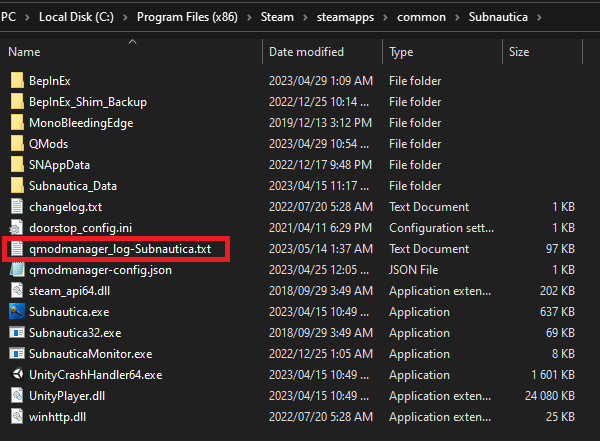
Your QModManager log file can be found in the game root folder.
for Subnautica: Below Zero, the file is named qmodmanager_log-SubnauticaZero.txt. Once you've found the log file, you can just drag it into Discord to send it.
 sick nymph
Ping me when you’ve sent the log
 small stone
@sick nymph
dull glacierBOT
 Pirated copies
As per https://discord.com/channels/324207629784186882/324207672293326848 #2, we only provide help for users with a legitimate copy of the game they are attempting to mod in this discord server. If you want help from us with getting your mods working, we will be more than willing to help once you have a legitimate copy of the game installed. In many cases, acquiring a legitimate copy of the game is all you will need to do to resolve your problems.
You can refer to the following websites to find current low prices for legitimate copies of Subnautica from multiple online retailers:
- Subnautica - https://isthereanydeal.com/game/subnautica/info/
- Subnautica: Below Zero - https://isthereanydeal.com/game/subnauticabelowzero/info/
sick nymph
Looks to me like you just edited the file
Changed things in the log and then sent it
The onus is on you not me
I already had the bot tell you how to solve your issues
Gave all the help I can in this regard
Get a legit copy of the game
Not according to the last log you sent
sick nymph
According to your log, yes
small stone
y?
spice crater
Just so we can see you say it's not a pirate so show the game folder
You might be still launching the wrong one
 lime cloak
Are you sure you sent the right log? That is clearly a pirated game copy