#Rosy
1 messages · Page 8 of 1
 cloud rivet
dynamic asset switching works
deccer cubes doesn't have lighting since I haven't created tangents for them
they actually looked flipped also
I hadn't loaded them in forever
I think I kind of give up on gltf's coordinate system though since it's not like respected by any apps anyway
I should record a coordinate system when I import an asset and transform the coordinate based on that instead of just assuming the gltf coordinate system will be respected
actually
I think something is wrong
because the lighting gets all messed up at the end
ah nm
it's because I was messing with the light direction when I loaded sponza
obvously when I move the lighting directly overhead there's not much of a shadow present for the cube representing rosy

idk
I need to get proper lighting still anyway
going to work on actual level editing
I actually changed my mind about json, I don't like json but I think it makes the most sense, since it will be easier to manipulate or read levels from python for app scripts or to load in a web ui or something
so I will just use json for the level data file
it's going to be super simple to start, just a list of node ids, their names, their vec3 translation and a float for yaw
it will eventually become more complex though
I think I might actually be done way way sooner with level editing than I thought since I figured out an mvp that's good enough to add a model with animation into the level
I am just kind of using this thread as notes for myself tbh 
 vagrant musk
And there are other things that other compilers let you get away with that MSVC does not 
cloud rivet
got my shaders compiling on every build now

going to use simdjson
premake is so cool and makes everything so much simpler than messing with msbuild config and trying to remember what config I'm editing
cloud rivet
simdjson looks pretty simple from the examples idk
it looks like it's just for parsing though
hrm
I'm not going to use two json libraries one for serialization and one for parsing that is dumb
https://github.com/nlohmann/json looks better
that looks awesome
 dry apex
cloud rivet
<https://github.com/nlohmann/json> looks better
dry apex
cloud rivet
<https://github.com/nlohmann/json> looks better
this is what nabla uses btw
cloud rivet
I might be working on fbx importing pretty soon if this looks as simple as that
a thing I realized I can't do is any instance draws, I need to figure out how to instance draws. I mean it's trivial in vk, it's just I have no idea how I would structure the per instance data vs the per draw data, but actually thinking about it if I just made everything an instance draw I stop using the draw index in the shader, and use the instance index + an offset that just is the cumulative count of the total instances across all previous draws that should work.
actually no, I don't know
idk if I need to instance draw anything other than particles in my small levels tbh
maybe decals
 obsidian spade
@cloud rivet the latest premake5 beta5 binaries are available on github 🙂
cloud rivet
obsidian spade
<@116331284749484040> the latest premake5 beta5 binaries are available on github...
Thanks!
downloading now
 wraith urchin
So what's the advantage of premake over cmake?
 brisk chasm
nothing : >
you will use and evangelize anything you use the first time (or get somewhat used to)
wraith urchin
brisk chasm
you will use and evangelize anything you use the first time (or get somewhat use...
I dunno I can think of many things I'm used to but absolutely hate
eg Qt
obsidian spade
wraith urchin
So what's the advantage of premake over cmake?
Doesn't use the godawful cmake DSL
I'm currently adding dependency management stuff to Premake, should make the quality of life exponentially better
wraith urchin
Have you tried Meson? I kinda liked it when I tried it
obsidian spade
Not a huge fan of the syntax tbh
dry apex
cmake this, meson that.. my brother in gwyn, zig beats all of them 🤓
brisk chasm
zig is the wurst case scenario
 wraith urchin
wait can you use the zig build system for c++?
brisk chasm
ali is a zigfishionado
cloud rivet
dry apex
cmake this, meson that.. my brother in gwyn, zig beats all of them 🤓
premake "pre makes" so there could be a zig output for premake
cloud rivet
wraith urchin
wait can you use the zig build system for c++?
yes, there's even a movement to create PRs to notable projects to move their deps to zig's build system https://github.com/AllYourCodebase/
dry apex
wraith urchin
wait can you use the zig build system for c++?
absolutely
cloud rivet
I fixed the lighting for deccer cubes, it wasn't just the missing tangents, if an asset didn't have normal maps it didn't have lighting, I fixed that. I haven't fixed the flipped x axis though

once I have a level file I can add skies again
 brisk chasm
hehe im in half of them
cloud rivet
I saw :P
there's a lot of cool projects in these threads and nobody is in them
kinda bugs me
way better projects than my little moving box demo
brisk chasm
yeah its weird
a whole server full of 20k people and only 40 or so regulars and out of them only a few in those threds
selfish bastards 😄
cloud rivet
well I'm going to have something better than a moving box real soon
cloud rivet
yeah no, it won't
brisk chasm
im just kidding obviously, i dont mean to put pressure on you hehe
 silver slate
At least we also still have the showcase and wip channels, some servers I've been in replaced their general sharing channels with just forum threads and I am not a fan of that. 😂

 bronze tendon
I can see my house from here
silver slate
cloud rivet
I am in wip
lol, yeah my point is more that for me the public channels for everyone are more important as they make it easier for people to share their work and have others comment on it
Showcase does fall somewhat out of favor with that for me as well because of its requirement to use threads, but in a way I guess it works here because you've got the WIP channel for general sharing and discussion, and the showcase one for milestones that stick around for longer.
cloud rivet
yeah the thread thing, I keep forgetting to do that, that's normal on a lot of servers to use threads on showcase
I like wip also, I like to share there when I have something good
I look at everything in WIP
silver slate
cloud rivet
yeah the thread thing, I keep forgetting to do that, that's normal on a lot of s...
I've seen it in various places too, I despise it. 😂 Partly because I've had it happen in a professional environment as well and it was basically a means to stop people from talking to each other.
cloud rivet
yeah
silver slate
Here you luckily have both though, so it's fine. But if it's just exclusively stuff like that, I'm like, this place is pretentious. 😂
If you truly want to showcase projects then you stick them on a site.
cloud rivet
can't even make threads on handmade's showcase channel, they have a separate channel for discussions for what's in showcase and I just never use it because it's so weird
a lot of good stuff in that channel so I do look at it
silver slate
cloud rivet
can't even make threads on handmade's showcase channel, they have a separate cha...
I've seen that before as well, a really strange strategy.
I get why it happens though, people end up complaining about their work scrolling up in a feed and vanishing as a discussion about someone else's work occurs.
But I feel like there is nothing wrong with that, some things attract more interest than others, and some people are too lazy to scroll up and will then argue for it being a good idea to separate the stuff just because they're too lazy to scroll up. 
cloud rivet
yeah
it does bother me when someone shares something cool in WIP and people are in there on some OT tangent and pushes what that cool thing someone shared out of view and nobody sees it
if the discussion is about something shared that's fine
but like people talking about random shit in there
brisk chasm
yeah moderation is questionable these days 😛
silver slate
Yeah, but then you bring it back up, or you just wait for their next update. To me it's more important that people feel comfortable posting their triangles, first music tracks, and other creative endeavors without worrying about how good some of the other stuff is.
brisk chasm
thats why we also have these projects
ok fair enough we constantly derail our threads ourselves too
 silver slate
The threads here are just our secret hideouts. 
cloud rivet
#wip message here's an example of that
brisk chasm
its a little sad when you look at servers like zig or tcppcppp, peoples "projects" are just one posts or one liners and nobody gives a fuck
cloud rivet
hasn't happened recently though
 astral hinge
cloud rivet
it does bother me when someone shares something cool in WIP and people are in th...
astral hinge
cloud rivet
it does bother me when someone shares something cool in WIP and people are in th...
man that is precisely what #showcase is for
silver slate
cloud rivet
https://discord.com/channels/318590007881236480/714940749707214890/1333151304805...
It has two frog approves at least. 😎 But yeah that's a case where it got trapped in a discussion, but sometimes it's just bad timing as well. :p
brisk chasm
that as well, people just post shit in the middle of a conversion
silver slate
 Reading the room is a skill.
cloud rivet
ya
brisk chasm
quite often i was madmaxheadwiggleofdisappointmentrightbeforethefingerwiggle.mp4ing myself when i wanted to post something
silver slate
I hang out in Discord channels like I would in a bar. 
bronze tendon
I sometimes avoid showcase for fear of replying in-line thinking it's wip accidentally
brisk chasm
its just us regulars, dont be afraid
most of the time its cool stuff people post, no matter if its wip or not, who finishes things anyway 😄
cloud rivet
speaking of sharing in the middle of a conversation, I got level loading/saving a json file working was ezpz with the nlohmann/json, but vblanco said that library is shit, idk it is working for me, the glaze suggestion seemed good, but it requires C++23 which I removed since it wouldn't build clang, so I think I can try actual data and rendering from a level file now
 brisk chasm
it doesnt matter if its shit
as long as you dont serialize/deserialize per frame it doesnt matter
cloud rivet
yeah it's just on loading the level
 echo crystal
ye
cloud rivet
I have a file location problem
brisk chasm
and i suppose your world isnt big enough where you have terabytes of world data yet and need to optimize your shit like GTA5 needed to
astral hinge
that json lib is """bad""" because it's not as fast as other options
cloud rivet
I see
brisk chasm
but it has a nice api? 🙂
cloud rivet
it works for me right now
the glaze api seems pretty good too
but it requires the C++23 stuff
idk
brisk chasm
so just tell your compiler to support 23
cloud rivet
also it says it's single header but I didn't see a single header
I had 23 support, but clang doesn't like it
20 seemed better in terms of switching between clang and msvc
I still use msvc, the point of clang is better error messages
because msvc will just spout unhelpful nonsense and it's a mystery what the actual problem is
echo crystal
cloud rivet
I had 23 support, but clang doesn't like it
why not
cloud rivet
because it's not there yet
all kinds of compiler errors
stuff that built just fine with msvc
couldn't really tell you why, what I have works now though 
just trying to make progress and avoid rabbit holes and getting side tracked
astral hinge
Now I need to add saving and loading real quick to show bjorn that my reflection stuff was not a waste of time
silver slate
Bjorn can chill in the other corner with us who have no reflection magic and instead rely on binary magic.
cloud rivet
yeah my asset stuff is all binary, it's really nice how well that's been working for me
the level file is going to be json so I can read and commit it to a repo and see diffs etc
it's kind of weird though
to be reading and writing files to the project directory, it needs to be in like an application data directory I haven't figured that out yet
I need to like take all my assets, my gltfs and json files and stick them all in their own repo
and images
 gaunt drum
cloud rivet
I haunt all the threads now
gaunt drum
cloud rivet
I haunt all the threads now
omw to get in that list, soon™️
gaunt drum
oh I already had a thread but big baddie deccer unintentionally discouraged me from posting 😂 all cool though
brisk chasm
gaunt drum
oh I already had a thread but big baddie deccer unintentionally discouraged me f...
 cloud rivet
heh
astral hinge
deccer's aura is too powerful
gaunt drum
brisk chasm
https://tenor.com/view/funny-team-hahaha-gif-18072160
ah, it happens on the internet, that's what it is for, right??
brisk chasm
if you just posted some showcase then it was indeed the wrong spot
gaunt drum
brisk chasm
if you just posted some showcase then it was indeed the wrong spot
ah, nope. nothing important. I said it jokingly as I plan to create a new thread. didn't want to derail the convo, I'm sorry about that
brisk chasm
gaunt drum
ah, nope. nothing important. I said it jokingly as I plan to create a new thread...

and you dont need to apologise for derailing our threads 😄 (thats why im here, and we have the best conversations that way, methinks)
all while not being interrupted by noobs and their c++ linker problems
brisk chasm
every hood needs a bully 😄
cloud rivet
ah shit
reconstructing the asset from different assets is a bunch of work
have to copy over the materials and images and make sure the indices are correct, and all the surfaces and child meshes and fix the image paths and samplers
well
I gotta do it
I'm so close though
cloud rivet
this is so complex and so much work
cloud rivet
I got the child node traversal working so I think I just need to start adding all the meshes/materials and such and start reindexing
 cloud rivet
actually hrmm no still a bit of complexity left I can't add the child nodes to the destination asset until they're all reindexed and I have those mapped
cloud rivet
this is asset stuff feels like holding pattern slog, but I am making progress, it will result in moving fast on gameplay soon
idk, I am not going to finish this tonight, will pick it back up after work tomorrow
Editor.cpp growing, nearly 10% comment ratio too lol

10K lines of C++ to move a box around on a plane
smh
 steady venture
cloud rivet
premake is so cool and makes everything so much simpler than messing with msbuil...
steady venture
cloud rivet
premake is so cool and makes everything so much simpler than messing with msbuil...
I contemplated using it for Kakadu. But didn't because that would have been another thing to learn/manage and I already digress too much.
But I'll def. use it for my next projects. Saw Cherno use it and it immediately clicked. CMake is too much hassle I think.
steady venture
cloud rivet
<https://github.com/nlohmann/json> looks better
That's quite popular yeah
cloud rivet
Premake took me very little time to figure out, maybe a few hours to get it working. I had a reason for wanting to make a change, get clang working and I was unhappy with my msbuild mess, it wasn’t bike shedding. I now have a small and easy to read file to see my entire build setup across all configurations
Idk
It made sense for me, probably doesn’t make sense for everyone
 true moon
cloud rivet
Editor.cpp growing, nearly 10% comment ratio too lol
true moon
cloud rivet
Editor.cpp growing, nearly 10% comment ratio too lol
How do you get this program, I tried to get it but you had to compile it with a rust compiler or something
 bronze socket
if its CLOC I think it's just a perl script
cloud rivet
true moon
How do you get this program, I tried to get it but you had to compile it with a ...
I used winget
cloud rivet
bronze socket
if its CLOC I think it's just a perl script
nah it's tokei
winget show XAMPPRocky.Tokei
winget install XAMPPRocky.Tokei
if you want to install it
I'm not building any rust projects that is so slow
like really slow
 elfin cape
cloud rivet
<https://github.com/nlohmann/json> looks better
elfin cape
cloud rivet
<https://github.com/nlohmann/json> looks better
Use this instead https://github.com/stephenberry/glaze . Has compile time reflection also can define how it should be serialized. Also its fast

GitHub
Extremely fast, in memory, JSON and interface library for modern C++ - stephenberry/glaze
cloud rivet
I looked at glaze
it has a nice api
it requires C++23 though
and it says header only but I don't see that, just some build instructions 😅 maybe I am blind
elfin cape
nowhere in readme is single header written
cloud rivet
yeah I was wrong about that
elfin cape
cloud rivet
it requires C++23 though
arent be C++20?
cloud rivet
I think the C++23 might be for a specific feature?
elfin cape
wouldnt that be just a bump?
cloud rivet
 elfin cape
I am personally on C++26
cloud rivet
are you using clang
elfin cape
yeah
cloud rivet
hrm
ok maybe I can bump it back up then
could have just been the destructuring that was the problem
cloud rivet
I think it is done maybe
I should test this mess
jfc
the chance for error is high
I wish I had tests
tests in zig were so easy
this is all unexported stuff so idk how to test it, export just to test?
feels bad
astral hinge
agony
astral hinge
you could put a main in that file that only exists when a test macro is defined
astral hinge
or (probably better idea) conditionally export them based on the existence of said macro
cloud rivet
oh macros hrm, I see it thank you
it's still kind of janky because all this logic is in an anonymous namespace
but self inflicted I guess
cloud rivet
yeah
I could name the namespace with a macro
this is great
you can do anything with macros!
:|
astral hinge
now you're seeing it
cloud rivet
fuck it we're doing it live

nice
if it's too much of a mess I will write a test
I rather have this than UB
 astral hinge
I use an indentation width of 2 which helps with this
cloud rivet
oh then it's only half as bad
this project has the highest level of cyclomatic complexity I have ever written
wraith urchin
cloud rivet
more nesting!
I usually use helper functions for this 
cloud rivet
lol
I am adding a bunch of asserts all over this code
so run time testing in effect, not as good as real tests
but it's something
it's helping
[2025-02-19 04:36:22.3083891] [ERROR] failed to map node children, was 0 but expected 14
[2025-02-19 04:36:22.3086225] [ERROR] Failed to load level asset
[2025-02-19 04:36:22.3088588] [ERROR] Error processing editor commands 2
[2025-02-19 04:36:22.3090734] [ERROR] Error updating level state
[2025-02-19 04:36:22.3093052] [ERROR] frame failed: 2
ok nothing asserting errors

maybe it works
I will just keep adding asserts until it works
deccer cubes was a good asset to test this with
this would finish the hard part, I still have other things to do, such as make it possible to configure the world location and structure the mobs separately from the static stuff in the generated level asset
cloud rivet
well, that's progress
the images aren't mapped correctly
maybe that's an easy oversight
cloud rivet
you wrote the pcf for them, so thank you
 wraith urchin
cloud rivet
you wrote the pcf for them, so thank you
wraith urchin
cloud rivet
you wrote the pcf for them, so thank you
I stole it from Ignacio Castaño via MJP
cloud rivet
yeah I mean anything I would have written would have come from somewhere else
cloud rivet
it's a cool community
idk even know how deccer cubes got that normal map that's on a totally different asset
cloud rivet
yay
still some issues apparently
I will have to fix them tomorrow, this is good progress though
can probably start attempting that fbx import this week, way sooner than I expected
cloud rivet
one line fix
hrm
recorded with obs
so smoother but uh why does it give me a bs format
vagrant musk
You can configure what format obs uses
idk what the default is, but I have mine set to H.264, MP4
cloud rivet
oh vlc converts
I looked at changing it to mp4 but it complains about it
there we go
vagrant musk
cloud rivet
I looked at changing it to mp4 but it complains about it
Yeah, it complains that if your system crashes the video will be lost
That’s all it’s complaining about
cloud rivet
I guess I understand why that's important
because if you recorded for 4 hours
you don't want to lose your video
vagrant musk
Yeah, for a youtuber that’s important
For me, that’s meaningless
For your currently case, also meaningless, unsure if you do other stuff where that is meaningful
vagrant musk
For me I’m constantly trying to record my videos in like a maximum of 8 seconds
cloud rivet
I am so happy I have asset recombination working
that was really hard
I'm going to add ability to translate and scale and orient next
this is fucking great
vagrant musk
But yeah, discord is also kinda picky about encoder
cloud rivet
I never heard of mkt or whatever
vagrant musk
vagrant musk
But yeah, discord is also kinda picky about encoder
For H.264, I have yet to find a device that doesn’t like it
vagrant musk
cloud rivet
I never heard of mkt or whatever
mkt?
cloud rivet
mkv*
vagrant musk
ah
the file format
cloud rivet
I believe my mvp level editor is good enough to start adding basic models to it
fbx import is next, will start on that tomorrow
wraith urchin
good luck
cloud rivet
thanks, if it doesn't go well then that will probably mean I just won't use maya, I still have like 12 days left on that trial
steady venture
cloud rivet
more nesting!
Those are rookie numbers

By the way what do you guys use for frame timings? Both gpu and cpu.
And @cloud rivet what's your experience with NSight compared to RenderDoc? I may have asked you this in the past, so sorry if I did. My memory is pretty shit.
steady venture
cloud rivet
I believe my mvp level editor is good enough to start adding basic models to it
Your progress is always inspiring 
cloud rivet
I use Tracy
I do not use Renderdoc for profiling
for debugging RenderDoc is superior to Nsight, sometimes Nsight can be helpful especially with things that RenderDoc doesn't support well
for profiling on the GPU Nsight is key, RenderDoc can't do that at all
and then for profiling the full application I use Tracy
steady venture
cloud rivet
I do not use Renderdoc for profiling
Yeah my question was misworded. I don't use it for profiling either (I don't even get timings in RenderDoc actually, don't know if it is because GL is not supported in that regard or I'm doing something wrong).
I wanted to ask two separate and unrelated questions 👍
Thanks for the info. I'll integrate Tracy as well then 👍
brisk chasm
dont use renderdoc for profiling, use an actual profiler
wraith urchin
Nsight is good if you have an Nvidia GPU
Tracy screwed up the gpu zones on amd last time I tried but it was good on intel
It's possible they fixed it since
cloud rivet
I should write proper C++ 
astral hinge
Are you writing something else currently
true moon
My game is written in C+ too
astral hinge
Hmm what a coincidence, that's exactly what I call the subset of C++ that I use too
dry apex
GeneralPurposeAllocator
btw @cloud rivet did you know your project is mentioned in zig-gamedev's README? https://github.com/zig-gamedev
cloud rivet
dry apex
btw <@116331284749484040> did you know your project is mentioned in zig-gamedev'...
.probably because I sponsor zig-gamedev
dry apex
blockens seems cool tbf. there aren't many game projects that has gone so far
echo crystal
damn over 1000 commits on rosy
cloud rivet
It’s 12k loc to move a box around on a plane
Blockens literally started with me spending 30 minutes on LOGL getting just that cube rendering and thinking wow I can make Minecraft now
Without learning anything else
echo crystal
cloud rivet
It’s 12k loc to move a box around on a plane
counting libraries?
cloud rivet
echo crystal
counting libraries?
Nope
My renderer is 6k loc I think
I can’t run tokei atm because I mistakenly committed that json header lib to my repo and it times out
I need to use a gitsubmodule
echo crystal
i have almost half but i dont have a cube or a plane :(
 cloud rivet
Vulkan is a lifestyle
echo crystal
cloud rivet
I can’t run tokei atm because I mistakenly committed that json header lib to my ...
ohh i will install this looks neat
real
what are u working on rn?
👀
wraith urchin
cloud rivet
My renderer is 6k loc I think
that didn't take long lmao
cloud rivet
echo crystal
what are u working on rn?
I want to start on an fbx importer, but I think I need to fix a couple of bugs first
I don't want them to pile up
I need to export my maya animation before I can't open up maya anymore
then however the fbx import coding goes will dictate if I end up licensing it
having bugs just lay around makes me feel bad about the entire project and I can't have that
echo crystal
whenever i have a bug i can't fix i just cry myself to sleep until i change enough of the project that it goes away 
cloud rivet
lol
I'm sorry
I just think of ways to reduce the problem
at some point something went wrong with code and I have to find that place in the code that is closest point before evidence of the bug and after no evidence of the bug
removing code that has evidence of the bug is on approach, another is using a debugger, another is using git bisect, but I think that is broken for me now since I have changed so much about how I build my project and read asset files
echo crystal
cloud rivet
I'm sorry
don't be tbh it only happened one time that i genuinely gave up
i left cpu frustum culling broken and upgraded to something better that seems to work
cloud rivet
yep cpu frustum culling is why I gave up blockens, I decided to go back and learn the basics
cloud rivet
true
echo crystal
true
astral hinge
I am grateful of my subconscious mind for being such a homie
cloud rivet
alright time to work
first thing is getting rid of this massive header file out of my repo
src/libs/nlohmann/json.hpp | 25510 +++++++++++++++++++++++++++++++++++++++
ezpz with premake nice

the goal is to get this thing animating in my engine
but first the bugs
the first bug is that my level file transform that I apply to a node doesn't seem to propagate correctly down a scene graph as is evident in this deccer cubes example

the second is my asset format seems to bug out on the cornell dragons glb I got from @broken fog

not looking so great
 broken fog
they look like they're covered in plastic wrap or something lmao
cloud rivet
I think I am assuming something incorrectly about what's in a gltf
broken fog
also can i just say
i love that like 5 people in this server are testing with the crap scene i threw together in two minutes in blender
broken fog
that sounds way too high
 broken fog
each dragon is ~870k
(and they are identical/use the same mesh so really you should be instancing anyway)
(that said idk if the glb actually reuses the mesh, it might not due to blender exporter skill issue)
cloud rivet
I don't have any instancing support atm, I plan to add that, so this is another good use case for this asset thank you
wraith urchin
broken fog
i love that like 5 people in this server are testing with the crap scene i threw...
Plz send
broken fog
mfw i accidentally made a good test scene
i think i posted it a bit back in my project thread #1332402779276316695
here #1332402779276316695 message
wraith urchin
That path tracer do be lookin nice
cloud rivet
my other bug I still have is loading the normal map images as SRGB format as I'm just letting ktx do whatever even though I don't export it as srgb, but to fix this I think I need to automate texture generation which I don't know if I want to do that yet, I should
I'm going to fix at least the first two
wraith urchin
What do you tell vulkan?
cloud rivet
nothing, I just use libktx
wraith urchin
When you create the texture?
cloud rivet
it is supposed to figure it out from its ktx2 file
it doesn't
I debugged all this
I just need to manually create the image myself and not use libktx
cloud rivet
yes I am sure
cloud rivet
just call the libktx function
if (ktx_error_code_e ktx_res = ktxTexture_VkUploadEx(
 {
     if (ktx_error_code_e ktx_res = ktxTexture_CreateFromNamedFile(
         ktx_path, KTX_TEXTURE_CREATE_NO_FLAGS, &new_ktx_img.texture); ktx_res != KTX_SUCCESS)
     {
         l->error(std::format("ktx create texture failure: {}", static_cast<uint8_t>(ktx_res)));
         return result::create_failed;
     }
     new_ktx_img.graphics_created_bitmask |= graphics_created_bit_ktx_image;
 }

 {
     if (ktx_error_code_e ktx_res = ktxTexture_VkUploadEx(
         new_ktx_img.texture, &ktx_vdi_info, &new_ktx_img.vk_texture,
         VK_IMAGE_TILING_OPTIMAL,
         VK_IMAGE_USAGE_SAMPLED_BIT,
         VK_IMAGE_LAYOUT_SHADER_READ_ONLY_OPTIMAL); ktx_res != KTX_SUCCESS)
     {
         ktx_textures.push_back(new_ktx_img);
         l->error(std::format("ktx create vulkan texture failure: {}", static_cast<uint8_t>(ktx_res)));
         return result::create_failed;
     }
     new_ktx_img.graphics_created_bitmask |= graphics_created_bit_ktx_texture;
 }
it's supposed to just figure it all out
cloud rivet
I converted it with nvidia texture tools withoug srgb
wraith urchin
Ah OK so it was nvtt
cloud rivet

oh nvtt
yeah
you can see "gamma correct" is off
format is RGBA


idk
I am just going to stop using that tool and stop using libktx
wraith urchin
Yeah I just import the png directly into the engine and do my own compression
bc7enc is the one I use
cloud rivet
do you use a library for that?
wraith urchin
GitHub
State of the art RDO BC1-7 GPU texture encoders. Contribute to richgel999/bc7enc_rdo development by creating an account on GitHub.
wraith urchin
Yeah I generate the mipmaps with the patented do_shitty_downscale_lanczos3
wraith urchin
I use my own format, but you can stick it into a ktx2 if you prefer
cloud rivet
I would prefer just rgba bytes
wraith urchin
That would be bad though because you lose the compression
cloud rivet
no I mean compress rgba
I have to look at what vk supports
idk libktx just solved this feels bad
I'm replacing libktx with bc7enc_rdo
I rather just use libktx but like
without the uploader
wraith urchin
It supports all the BCn compression formats if your gpu does (which it will)
astral hinge
cloud rivet
without the uploader
you can, and I do
cloud rivet
great
I can libktx genrate mipmaps and compression in my packager
and then load those images with libktx without the uploader
and everything is great
wraith urchin
cloud rivet
I'm replacing libktx with bc7enc_rdo
Bc7enc just does compression, all the file handling is up to you
vagrant musk
steady venture
Yeah my question was misworded. I don't use it for profiling either (I don't eve...
there's a button in the renderdoc UI for timings
but it doesn't actually get the timings; I believe renderdoc is basically using its own software raster, and gets the timing of that (if anyone knows any better than me)
cloud rivet
that feature is worthless
or I don't know what it's good for
maybe for working on renderdoc itself it's good
I love this feature in visual studio though, being able to hover over the current level of indentation and seeing what its source is with a hiearchy of code that starts each indentation

that's amazing
maybe it's reshaper or it's visual studio idk it is a great feature
I love this
it's not recording my cursor
I'm hovering over the lines
fixed
 broken fog
cloud rivet
my other bug I still have is loading the normal map images as SRGB format as I'm...
broken fog
cloud rivet
my other bug I still have is loading the normal map images as SRGB format as I'm...
this for gltf?
iirc the gltf spec specifies which images are in srgb and which are linear rec 709
broken fog
so you should just hardcode that in your loader
cloud rivet
I don't think sponza has samplers
broken fog
gltf doesn't encode any information on color space for its textures
broken fog
you can't
cloud rivet
why not
broken fog
gltf spec says all color textures are srgb
broken fog
idk, ask john khronos
cloud rivet
I wonder what ktx says
broken fog
The base color texture MUST contain 8-bit values encoded with the sRGB opto-electronic transfer function so RGB values MUST be decoded to real linear values before they are used for any computations.
The textures for metalness and roughness properties are packed together in a single texture called metallicRoughnessTexture. [...] This texture MUST be encoded with linear transfer function [...]
cloud rivet
hrm
broken fog
tbh you probably don't want 8 bit textures in linear 709
the darker tones would look shite
cloud rivet
yeah I get it I guess
you just want to load the gltf in blender and it not look weird
broken fog
interestingly enough, bit depth for normal maps is not specified
i just ran into a gltf with a 16bit normal map (that i exported, no less) and had to fix my texture importer to handle that
cloud rivet
hrm
broken fog
cloud rivet
you just want to load the gltf in blender and it not look weird
tbf they could have added a parameter to textures for encoding, but they didn't
idk why
but storing linear color textures sounds dumb anyway, so nbd
cloud rivet
right, I have come to the same conclusion after thinking about it
because you just want to be able to see the thing without having to first gamma correct it
wraith urchin
I just force all normals maps to bc5 and all albedo to dxt1
cloud rivet
hrm
I can put deccer cubes in sponza now that I have fixed that bug
time to fix the cornell dragons
bluescreen's eyes must hurt seeing rasterized graphics
cloud rivet
yes
wraith urchin
Does rosy bump into those pillars?
cloud rivet
I don't have any physics so she goes righ through everything
no collisions or anything yet
broken fog
cloud rivet
because you just want to be able to see the thing without having to first gamma ...
that's not really the reason, you're still going to apply the oetf on texture load, render in linear, and apply the eotf before presenting/exporting you render
srgb encoded textures are just better at preserving detail where it matters
cloud rivet
oh
broken fog
8 bits per channel really isn't that much
wraith urchin
For 8 bit yeah
cloud rivet
that makes sense
wraith urchin
half float for 16 bit
astral hinge
srgb is still needed for unorm16
but float has baked in log encoding so it's not needed there
broken fog
astral hinge
srgb is still needed for unorm16
unorm16 linear still encodes more detail in the shadows than srgb unorm8, though
but this is all purely academic, for practical purposes if you're working with gltf your color and emission textures are srgb because john khronos says so
cloud rivet
maybe having just one dragon head will help me understand my problem better, I will keep reducing until the issue becomes obvious
 broken fog
what are you using for gltf loading btw
cloud rivet
yes
well no
I convert to my asset format
that's where I suspect the issue is
I have my own binary format
oh
fastgltf
you asked "what" lol
sorry
broken fog
ight
cloud rivet
you all know a lot about image formats
broken fog
are you rendering the imported gltf before converting?
cloud rivet
no
broken fog
try doing that
cloud rivet
I don't have that ability
broken fog
it'll help you isolate the problem
cloud rivet
I can only render my own format in my engine
broken fog
implement it 
cloud rivet
no thanks that's the whole point of the format
is so I dont' have to support a milion things
broken fog
whatever intermediate representation you use should be renderable, no?
cloud rivet
should it?
broken fog
idk you probably have a bunch of buffers full of vertex and texture data, sounds like something you can render to me
at least chuck the vertex/index buffers in a debug window
cloud rivet
oh I see
broken fog
just to make sure you're loading the gltf right
that way you'll know if the issues are in loading the gltf or writing to your format
cloud rivet
makes sense
broken fog
cloud rivet
you all know a lot about image formats
i know just about enough to know that i don't know shit
cloud rivet
there's a lot to know I guess
hrm


hrm
more dragon needed
oh one full dragon looks fine hrm

ah so having either dragon works, I add two and it breaks

I think this is an alignment issue
astral hinge
broken fog
unorm16 linear still encodes more detail in the shadows than srgb unorm8, though
I thought I saw a thing that showed that it didn't, idk
broken fog
astral hinge
I thought I saw a thing that showed that it didn't, idk
doing some quick calculations:
a value of 1 in 8bit srgb is ~0.000005 (5e-6) normalized
a value of 1 in 16bit linear is ~0.000015 (1.5e-5) normalized
for linear that is the difference between each value and the next (1/2^16)
however for srgb 8bit, the normalized difference between 1 and 2 is ~1.8e-5 which is already bigger
astral hinge
quick mafs
broken fog
so srgb 8bit has more precision, but only for the very first level
anyway setting that aside, you can probably get away with linear 16bit considering most camera raw formats are 12/14 bpc and afaik they use linear encoding
they get plenty of dynamic range in there
cloud rivet
it's broken even without the dragons has nothing to do with them

something with this file is breaking my asset format
that's a lot fewer vertices so that's nice
it's my buffer device address, the asset is fine

I think it has something to do with the asset not having images
I have some kind of assumption about images or something
I will have to look at it more tomorrow idk
steady venture
vagrant musk
there's a button in the renderdoc UI for timings
but it doesn't actually get *th...
Yeah I saw that button and tried it an yeah it somehow replicates the events and refreshes timings 👍
cloud rivet
oh
I am getting VVLs lol
I could have saved myself idk, about 2 hours by just looking at the terminal 
cloud rivet
just some good ol fashion UB, nothing more nothing less

getting my normal frame time
rosy's got all kinda friends now

I made the big dragon small and the small dragon big it's only fair

ok I should have gone to bed instead of doing this. I will fix my textures tomorrow
cloud rivet
I miss both https://discord.com/channels/318590007881236480/1248864886772072591 and https://discord.com/channels/318590007881236480/1231688962444103862 those were fun projects
hrm
opengl was pretty cool to work with
required way less thinking through, at least for what I was doing
don't think I could have rendered these dragons with either of them though
true moon
cloud rivet
required way less thinking through, at least for what I was doing <:KEKW:6668493...
That's basically why I like it
broken fog
funny how experiences are totally different for different people, i found metal way more intuitive than ogl
astral hinge
OpenGL is the anti-intuition API
vagrant musk
I find opengl far more intuitive due to the fact that I do a bunch of prototyping, and thus don’t care for long term planning, since well
I’m not going to have a long term with my prototyping
vagrant musk
That too
true moon
astral hinge
OpenGL is the anti-intuition API
OpenGL forges your intuition into an eldritch machine that works extremely well but is henceforth unrecognizable and inscrutable to the sane mind
bronze tendon
fearsome and arcane magicks, terrifying
cloud rivet
broken fog
funny how experiences are totally different for different people, i found metal ...
oh, metal is super intuitive, I would argue that Vulkan is ultimately more intuitive than opengl, you just can't yolo with Vulkan, or at least I dont' have the skill to. I never had to know much to get stuff rendering with Metal. It felt very easy to use Metal
cloud rivet
I think this image thing is going to take a bit of time, maybe a day or two, but will be worth it, I don't want to manually convert images anymore anyway, this will get me closer to the dream of houdini event -> asset condition -> automatic update in rosy
I am going to open the existing image with stb_image, convert to ktx image and record image type on my asset format "color, normal map, etc" and then use this to create the proper image format in rosy
cloud rivet
I didn't get much done today :/
:\
I don't know where the day went tbh
tomorrow is a new day
I did read up ktx and have a point in my code where I am determining normal maps and where I can generate the ktx2 file but I got to looking stb_image.h and my energy drained, but I will get that done tomorrow I think
gaunt drum
I didn't get much done today :/
something I can relate to
cloud rivet

I got automated image file -> stb_load -> ktx2 with mimpap gen working
I have a colorspace issue though still, I think I will fix that in engine
no I need to fix that in this code
it's also not compressed anymore
cloud rivet
why is this such a puzzle
like just compress the thing and generate mipmaps, the ktx tool can do it, but the library is a mystery man
what you can't compress and generate mipmaps? what? nvtt can
I just want some sane defaults
just do the thing man
true moon
What is this for, the export from maya or something?
cloud rivet
has nothing to do with maya
I have an image
I want to be ktx2 compressed with mipmaps
true moon
ah
cloud rivet
I looked ktx tool and it's all abstracted to fuck but I guess i'll spend some time understanding what it actually does
like why can't ktx tools code be part of ktxlib?
like they got all this in ktx tools but it's not part of the lib code they wrote one off code that does this for the tool
and now I will deduce what it does
I looked at frogfood
it's does all this at run time which I don't want to do
and
has this:
    break;
            // Occlusion and metallicRoughness _may_ be encoded within the same image, so we have to use at least an RGB format here.
            // In the event where these textures are guaranteed to be separate, we can use BC4 and BC5 for better quality.
            case ImageUsage::OCCLUSION: [[fallthrough]];
            case ImageUsage::METALLIC_ROUGHNESS:
              rawImage.formatIfKtx = Fvog::Format::BC7_RGBA_UNORM;
              ktxTranscodeFormat = KTX_TTF_BC7_RGBA;
              break;
            // The glTF spec states that normal textures must be encoded with three channels, even though the third could be trivially reconstructed.
            // libktx is incapable of decoding XYZ normal maps to BC5 as their alpha channel is mapped to BC5's G channel, so we are stuck with this.
            case ImageUsage::NORMAL:
              rawImage.formatIfKtx = Fvog::Format::BC7_RGBA_UNORM;
              ktxTranscodeFormat = KTX_TTF_BC7_RGBA;
              break;
            // TODO: evaluate whether BC7 is necessary here.
            case ImageUsage::EMISSION:
              rawImage.formatIfKtx = Fvog::Format::BC7_RGBA_UNORM;
              ktxTranscodeFormat = KTX_TTF_BC7_RGBA;
              break;
            }
I would just generate mips at runtime personally
true moon
It's just easier
cloud rivet
if I get it running at runtime I should be able to get it running anywhere right
true moon
Is this compression thingy you're using also compressed when they're on the GPU?
Or do they get uncompressed
cloud rivet
it gets sent compressed to the gpu
true moon
I assumed the compression was unpacked at load
wraith urchin
GPU compression is such a performance win though, its hard to justify not using it
cloud rivet
vulkan supports the compressed formats
wraith urchin
Demon's game barely uses textures though
true moon
Maybe when the game gets sufficiently complex to be having issues with texture read throughput 🤷♂️
It looks that way but everything is quite textured actually as a pessimization
It's all uncompressed solid color 1024 or 2048 textures
true moon
The contents are placeholder but the data is basically final size
fair enough
All my textures are basically hand authored so maybe that puts a cap on how much texture data I end up having
also to be fair I'm not doing normal mapping so that cuts my texture reads in half
wraith urchin
I reccomend BC5 compression for normal maps, and BC1/DXT1 for albedo
cloud rivet
why
it looks like BC7 is what frogfood uses
I'm curious how people determine which to use
cloud rivet
I see, thank you
wraith urchin
BC5 is kinda perfect for normal maps though
cloud rivet
I don't need the higher quality
wraith urchin
and Normal maps don't really survive DXT1 compression
brisk chasm
cloud rivet
like why can't ktx tools code be part of ktxlib?
? they are
true moon
Of course deccer is an expert in texture shedding 😩
cloud rivet
brisk chasm
? they are
they're in the same repo
 cloud rivet
the code in ktx tools is not exported to be used by lib
brisk chasm
you need to enable the option for those ofc
just because ktxlib has them in there doesnt automajeekally spit them out, like any lib would with their examples or docs or tools : )
cloud rivet
ok
I wouldn't expect it to be magical
I just think if you're going to write this valuable code, why not make it part of the library
brisk chasm
set(KTX_FEATURE_TOOLS ON CACHE BOOL "" FORCE)
cloud rivet
and then just have the cli use the library
 elfin cape
cloud rivet
has this:
```cpp
break;
// Occlusion and metallicRoughness _may_...
elfin cape
cloud rivet
has this:
```cpp
break;
// Occlusion and metallicRoughness _may_...
emssive should be SRGB
elfin cape
also you cant generate mipmaps from compressed textures in runtime
cloud rivet
right
I understand that part
I think these just need to be separate steps
I am trying to do them as one and libktx doesn't want it
right now I am able to do one or the other
elfin cape
I generate all mipmaps for textures of course compressed and yeet it into my own format and then I use zstd to compress them more
cloud rivet
nice
elfin cape
If you want fast compression I recommend NVTT
cloud rivet
I have been, I am trying to automate it
with libktx
I don't want to manally use NVTT for all of sponza's images
elfin cape
NVTT has gpu acceleration
cloud rivet
yeah it's great
elfin cape
cloud rivet
I don't want to manally use NVTT for all of sponza's images
you can use it as library?
elfin cape
yeah
cloud rivet
nice
elfin cape
 elfin cape
Ive got code for it in my project and how I handle the textures
400 LOC
you need to shuffle with channels they use BGRA instead of RGBA
elfin cape
Yeah incredible easy to use
elfin cape
so simple

also they have examples for nvtt on github but I have basically everything
only one quirk is I dont follow gltf and split the images
 elfin cape
Also they have some batching but I haven't figure that out but I don't really care because the compression is already stupid fast
cloud rivet
ok, so while I was doing a chore I realized I am a dummy, I was actually being really dense with lib ktx and it was all my fault
like I was being very brain off

I just had to step away
I am able to generate the mipmaps and compress at the same time
and it is very slow with libktx, but I got it working
nvtt I will look at
I just misunderstood the api
it needs to be supercompressed though
it's still huge
it is so slow too
I nvtt is blazing fast
elfin cape
BC7 encoding is painfully slow
cloud rivet
The nvtt compression sample clearly describes what bluescreen was talking about the other day:
// Most common color images on computers (e.g. PNG files) are stored in the
// sRGB color space as of this writing. What this means is that encoded values
// have a nonlinear relationship to the amount of light produced: an sRGB value
// of 255/255 corresponds to about 4.7 times the amount of light as an sRGB
// value of 127/255. A major reason sRGB's used is because it's efficient for
// quantized storage (since our eyes are also nonlinear).
// This means that if we want to resize images so that they look the same
// as resizing textures in real life, we must convert from sRGB to a linear
// color space, resize, then convert back from linear to sRGB.
A major reason sRGB's used is because it's efficient for quantized storage
I was thinking
instead of all this problematic srgb business we just mandate mandatory eye surgery to correct everyone's vision to work correctly in the linear color space
true moon
lmao
I don't think that's something surgery can correct since it's in the way the visual cortex interprets the signals
cloud rivet
I am kind of glad to be working on this texture stuff, because I am learning so much tbh
cloud rivet
true moon
I don't think that's something surgery can correct since it's in the way the vis...
maybe, but nothing stopping from issuing a mandate anyway
those are free
and don't need to be moored in reality
ok I get it now though
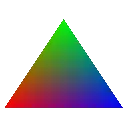
back a the beginning of my own foundations project I had a triangle with a brown smudge center
microkitten came in and chatized me about it
I hadn't heard of srgb
true moon
cloud rivet
I learned about gamma correction and linear color space and all that stuff from my books, but I learned it was that we output images in srgb because humans can perceive more details in the darker spectrum
ok
and that you can't do the computations without being in linear space
so that led me to some incorrect assumptions thinking ok we should store everything in linear space and only output in srgb as a last step
ok so that's the new thing I get now
we store them as srgb because, and this makes sense
because, we want the greater detailed stored
we would lose all that detail if stored it in linear
so we have to store in srgb and convert back and forth
unless it's like normal mapped
astral hinge
the pipeline should be:
- srgb to linear when importing (this is where you specify to the api that textures are srgb)
- do all math, lighting, blending, etc. with linear colors
- convert to srgb just before outputting to display
true moon
wdym srgb to linear when importing
true moon
I would describe that as sRGB image to sRGB GPU texture
It becomes linear when you read it in the shader
cloud rivet
well
true moon
and then becomes sRGB when writing out again
cloud rivet
we're making mipmaps and compressing
// Most common color images on computers (e.g. PNG files) are stored in the
// sRGB color space as of this writing. What this means is that encoded values
// have a nonlinear relationship to the amount of light produced: an sRGB value
// of 255/255 corresponds to about 4.7 times the amount of light as an sRGB
// value of 127/255. A major reason sRGB's used is because it's efficient for
// quantized storage (since our eyes are also nonlinear).
// This means that if we want to resize images so that they look the same
// as resizing textures in real life, we must convert from sRGB to a linear
// color space, resize, then convert back from linear to sRGB.
Isn't that part of the authoring of the texture
I assumed importing meant loading to the GPU
cloud rivet
isn't mipmapping a resize
astral hinge
true moon
wdym srgb to linear when importing
I mean your assets and shit are srgb and you need to account for that (decode) before doing any math
true moon
Yeah ok
Which in our case is basically automatic since the API handles it for you when you sample the texture
cloud rivet
storage (srgb) output (srgb) anything else (linear)
astral hinge
in most cases it should just mean using one of the _SRGB formats in your API
true moon
yeah
astral hinge
yeah for textures you should never have manual sRGB EOTF because it means your filtering is just wrong
and your code is just brittle
cloud rivet
eotf is a fancy acronym word for doing division by a harded coded srgb conversion number yes
astral hinge
the full eotf is a piecewise function, not a shrimple little gamma number you plug into pow
astral hinge
most people do it wrong
astral hinge
a matrix couldn't work because it only specifies a linear transformation 
cloud rivet
hrm
astral hinge
a matrix works for color space transforms
because those are linear
(hint: srgb is both an encoding and a color space)
cloud rivet
oh this is an extract linear information matrix
let me see what the other side is I forget
astral hinge
anyway here are the correct functions for srgb
vec3 color_sRGB_EOTF(vec3 srgb_nonlinear)
{
  bvec3 cutoff = lessThanEqual(srgb_nonlinear, vec3(0.04045));
  vec3 higher = pow((srgb_nonlinear + vec3(0.055)) / vec3(1.055), vec3(2.4));
  vec3 lower = srgb_nonlinear / vec3(12.92);

  return mix(higher, lower, cutoff);
}

vec3 color_sRGB_OETF(vec3 srgb_linear)
{
  bvec3 cutoff = lessThan(srgb_linear, vec3(0.0031308));
  vec3 higher = vec3(1.055) * pow(srgb_linear, vec3(1.0 / 2.4)) - vec3(0.055);
  vec3 lower = srgb_linear * vec3(12.92);

  return mix(higher, lower, cutoff);
}
oh you are right
it is a function yeah
yup
nm nm
ok so not one hard coded number
a couple
and some conditional logic
astral hinge
lazy people do pow(color, 2.2) and pow(color, 1/2.2) which are close but not exact
cloud rivet
ok ok we can call that a fancy acronym
astral hinge
like a true color scientist
astral hinge
it gets more fun when you want to support HDR displays because then there are a lot more color spaces and transfer functions you get to learn about
astral hinge
yeah
I shared some HDR screenshots I took in my renderer in #1128020727380054046 a while back
true moon
My friend has an HDR OLED TV, my whole game was bright orange when I played it on there lol
cloud rivet
 astral hinge
true moon
My friend has an HDR OLED TV, my whole game was bright orange when I played it o...
astral hinge
true moon
My friend has an HDR OLED TV, my whole game was bright orange when I played it o...
the display must be terribly calibrated because srgb content should look normal
HDR capabilities won't be used unless an app requests it or you have some weird driver/OS auto-HDR shenanigans going on
true moon
At the time I don't think I had sRGB
astral hinge
hmm wdym
astral hinge
wgl should give you an srgb framebuffer by default and it would be pretty crazy to do otherwise
cloud rivet
you can present on non srgb frame buffer just do the color conversion yourself right
true moon
I didn't have an sRGB framebuffer
cloud rivet
I see
did everything look dark?
or did you do the conversion?
I don't understand
astral hinge
true moon
I didn't have an sRGB framebuffer
I mean the color space btw
true moon
Yes it looked like shit
cloud rivet
but you can just choose to do the math and then that makes it look better I would think
those functions that jaker shared ^^^
true moon
It would have but I didn't 
astral hinge
ok we were probably talking about two different things just now
cloud rivet
yeah I did that at first too before nanokatze educated me
astral hinge
yeah it would look like poopoo if your framebuffer wasn't an srgb format and you didn't do the conversion yourself (but it's 99.9999% likely to be srgb color space)
cloud rivet
I just had no idea why my colors weren't coming out right
I thought maybe the app I was using was different or something
I just had no idea why would I
I learn so much on this server
I am just going to post the full comment here from that nvtt minimap sample file:
// Most common color images on computers (e.g. PNG files) are stored in the
// sRGB color space as of this writing. What this means is that encoded values
// have a nonlinear relationship to the amount of light produced: an sRGB value
// of 255/255 corresponds to about 4.7 times the amount of light as an sRGB
// value of 127/255. A major reason sRGB's used is because it's efficient for
// quantized storage (since our eyes are also nonlinear).
// This means that if we want to resize images so that they look the same
// as resizing textures in real life, we must convert from sRGB to a linear
// color space, resize, then convert back from linear to sRGB.
//
// (You can try this out yourself: in an image editor, create
// a checkerboard of black and white pixels, then move away from the screen so
// that the individual pixels are no longer visible. The gray you see should
// be close to an sRGB gray of 187/255, significantly brighter than 127/255).
//
// To correctly resize an image with transparency, we must also use
// premultiplied alpha (multiply RGB by A). The reason for this is that
// "normal" (unpremultiplied or unassociated alpha) RGBA colors cannot be
// correctly blended without a division somewhere (see e.g. the definition of
// the Porter-Duff over operator for compositing). Premultiplied alpha colors,
// however, can be averaged and the results will be mathematically correct.
//
// Here's an example: suppose we want to perform a 50% blend between two RGBA
// colors, a fully opaque red (1, 0, 0, 1) and an almost invisible color where
// the RGB channels happen to be painted green (0, 1, 0, 0.0001). If we used
// unpremultiplied alpha, the invisible green would leak into the red, and we'd
// get a half-opaque yellow (0.5, 0.5, 0, 0.50005)! Premultiplied alpha gives
// the correct result, a half-opaque red with just a bit of green,
// (1, 0.0001, 0, 0.50005).
//
// This means that before resizing an sRGB image where alpha represents
// transparency, we should convert to linear, then premultiply alpha,
// then resize. To convert back, we unpremultiply colors, then convert back
// to sRGB.
//
// Sometimes alpha doesn't represent transparency, of course (e.g. when it
// stores material information)! In that case, no premultiplication should
// be used.
It's a great read
true moon

 cloud rivet
I have never seen anyone do any of that before a mipmap block of code ^^
astral hinge
wait that actually looks like the wrong color space, tf
is your grass normally orangeish, like is it plausible that this is just the wrong color encoding (linear vs nonlinear srgb)?
true moon
I mean yeah it was all fucked up, like I said it was just not sRGB at all
astral hinge
weird, is that on windows?
true moon
Well the textures were authored in sRGB and then loaded as linear and rendered to a linear FB
Yeah
astral hinge
the hell, is it giving you an HDR10 framebuffer or something
astral hinge
idk how that could even happen unless you explicitly requested it in wgl
astral hinge
maybe some weird driver force-hdr setting
true moon
Could be
cloud rivet
people store material info in the alpha channel, that's efficient
hrm
I mean
I just use a bda for the full material
idk
it has the color and stuff
I guess I'll have a dependency on nvidia hardware once I start using nvtt
the game itself won't use it
just the offline asset package tool
cloud rivet
I can't even commit any of this libktx code it doesn't work, even once I got it generating mipmaps and compressing it turned out to be missing pheader data for orientation, and I started going down the road of backwards engineering ktx tool to figure out how to write those headers correctly, it's just not worth it if nvtt solves that problem
this libktx example code https://github.khronos.org/KTX-Software/libktx/index.html just doesn't work
like
ktxtexture2_CompressAstcEx is a typo, it doesn't build
and once you fix the typos
and figure out what the instructions aren't tell you
you still end up with invalid ktx2 files
because it misses the header data
there's a line in the documentation that says Callers are strongly urged to include a KTXwriter item in the texture's metadata. It can be added by code, similar to the following, prior to calling this function.
without explaining how to do that correctly
if you look at what ktx tools does
there's a null sentinel required that you have to add, that's not documented anywhere
this is how ktx tools writes the header
they just didn't intend for human beings to use libktx I think
if you don't do this shit^^ which ktxTexture_WriteToNamedFile will absolute not do for you, not even write default values of any kind
you get invalid data errors trying to create a ktx texture object from the file you saved using ktxTexture_WriteToNamedFile
that's right, ktxTexture_WriteToNamedFile will write invalid ktx files by default
ok I'm done ranting
nvidia hardware it is
cloud rivet
sometimes a small code change is like a thread you pull on a sweater
and you pull it a bit more and the thread gets longer
and suddenly you don't have a sweater anymore just a big mess
brisk chasm
true moon
https://media.discordapp.net/attachments/1147711082702589973/1264441596405874779...
das a screenshot from the midas campaign dlc
cloud rivet
it's going swell

I'm just happy anything is working rn
I need to actually read the layout from the nvtt format
correctly
you need to shuffle with channels they use BGRA instead of RGBA
this bit
elfin cape
cloud rivet
I need to actually read the layout from the nvtt format
this is only needed for loading image data to nvtt then you dont need to shuffle anything
Also quite interesting pattern you got there. I had these

 cloud rivet
I actually load the images with nvtt directly and I verified that they look correct in the nvidia texture tool exporter
cloud rivet
elfin cape
Also quite interesting pattern you got there. I had these <:KEKW:666849321462792...
how'd you end up solving that?
the problem is all once I open the file in the renderer
elfin cape
it was broken handling of mip maps
cloud rivet
same
yes that's the thing I think
I switched to rgba

I clearly see it's not mipmapping and then I checked in renderdoc and only the first level is correct
elfin cape
what do you mean by switching to rgba?
elfin cape
cloud rivet
for the encoding
huh?
cloud rivet
for the format* I mean
compression_options.setFormat(nvtt::Format_RGBA);
I have a mipmap issue plus another issue
when I use nvtt with a compressed format nothing looks right
elfin cape
so you dont do any BCn encoding. My handling of mip maps is bit complicated thanks to texture streaming.
Also did you change the vulkan image format?
elfin cape

cloud rivet
?
I'm just trying to figure out what's going on
yes I switched formats
I was looking at https://github.com/spnda/dds_image/blob/main/include/dds.hpp#L194
to see how this library mapped dds formats to vulkan
I'm actually using that right now to debug
elfin cape
hmm. So you should be reading the textures correctly. How your mip map code looks?
cloud rivet
I just generate them when I create the asset
and then just set the mip levels counts on subresource for copying the buffer etc
elfin cape
so usual blit image to image?
cloud rivet
vkCmdCopyBufferToImage
using a staging buffer
I could blit
hrm
I think I understand what I am doing wrong with mipmaps
I don't understand what the problem with the compression is
elfin cape
You cant blit BCn textures. So if you are using RGBA try blitting again if it works then figure out what went wrong
elfin cape
yeah
elfin cape
yes
cloud rivet
ok
if I remove mipmapping
and use bnc as the format
I am sure it will still not look right
let me try that
elfin cape
also make sure you are not loading RGBA data to BCn texture
cloud rivet
well I am opening the file with nvtt
and after I write it I open it up the file it wrote in the nvtt export tool and it looks fine there
so I don't think the problem is on that side
elfin cape
100% problem is somewhere on your side.
cloud rivet
I meant when I package the asset the conversion from jpg/png to dds I can verify in the texture tool if that is not right
with no mips:

bc7
hrm
I should just fix mipmapping first
oh
cloud rivet
I think I will build a single triangle renderer all it does is render a triangle with a dds bnc7 texture with no mipmaps, no lights nothing
brisk chasm
the point of all this is that your mips work too
a stupid tringle will not help you fix that
the deccer cubes are shrimple enough though
and they have 5 textures
cloud rivet
I know how to fix mips
I don’t how to fix compressed format not rendering correctly
It’s a black box
I need to learn more about compressed formats so I can learn how to debug this.
I don’t have any sync validation issues. Maybe I have UB somewhere that is causing this so reducing to a triangle could help identify a UB issue
I was rendering compressed formats fine with ktx but it was doing all the work
The textures themselves look broken in renderdoc doc so this is unrelated to drawing or shading
What I know is correct is that the compressed images on disc are correct, that the spdna dds library is loading them correctly and that in using its create image and image view helper functions means that those are not the problem. It is somewhere between that point and the image upload