#Rosy
1 messages · Page 7 of 1
 wraith urchin
Also it's much easier to manage changing stuff with json
Did you put the houdini stuff in git?
 cloud rivet
not yet
it is in onedrive
it's like json, it's houdini's node editor
and I can edit the actual graph in my python script
wraith urchin
Throw that in git lmao
cloud rivet
ya hehe
wraith urchin
Don't wanna lose that
cloud rivet
it has everything, the graph, the materials, it will have the animations just the whole game really
wraith urchin
I don't think one drive does versioning does it?
cloud rivet
well one asset per level is what I think
cloud rivet
wraith urchin
I don't think one drive does versioning does it?
it doesn't
wraith urchin
Commit early commit often
cloud rivet

666kb
already have a recovered 😅
houdini can crash sometimes
all these tools crash
marmoset, blender
maya hasn't crashed on me yet
oh
houdini is saving backups

I will use git anyway
 gaunt drum
also push it to some remote repository quite often. I didn't and in last may deleted wrong .git folder while doing something because I confused which terminal window I was using. wasn't able to recover most of it because it was on ssd, and tried to surgically connect git objects to each other, but gave up after a while, lost 6 months of .git history. never again
wraith urchin
Before you write a single line of game code, I am obligated to link this here https://www.gafferongames.com/post/fix_your_timestep/
 true moon
You don't have to implement that immediately though
All you need to do is hard code your game systems timestep
the actual inner/outer loop thing to attempt to match engine time to wall clock time can be done later
This basically means
void my_system(float dt)
{
    x = x + v*dt;
};

void main()
{
    constexpr float dt = 1/60.;
    while (play)
    {
        my_system(dt);
    }
};
I'm not doing that inner outerloop thing
cloud rivet
Not right now anyway
cloud rivet
I'll put that loopy in today
 bronze socket
it's worth it
the fixed timestep loop is probably the literal first thing I set up, since it's easy enough and you just build off of the update()/render() stubs you leave yourself from there
wraith urchin
cloud rivet
where did you get that normal map? is it procedural?
cloud rivet
wraith urchin
where did you get that normal map? is it procedural?
which normal map?
wraith urchin
on the floor
cloud rivet
the one on the cube I made myself with marmoset
it has aliasing?
hrm I generated a mipmap for it
wraith urchin
in the texture itself
cloud rivet
I see
wraith urchin
Its in the asset itself
cloud rivet
this one I made with a mask in marmoset
 wraith urchin
If I can I usually try to create textures 2X as big as they need to be then downscale with Lanczos
wraith urchin
Oh thats why there is aliasing you are using nearest filtering
cloud rivet
hrmmm
cloud rivet
oh you know
I was relying on the gltf to have a sampler
and houdini doesn't set them
so
I should probably fix that
wraith urchin
Why not default to VK_FILTER_LINEAR
cloud rivet
VkFilter filter_to_val(const uint16_t filter)
{
switch (filter)
{
case 0:
case 1:
case 2:
return VK_FILTER_NEAREST;
case 3:
case 4:
case 5:
default:
return VK_FILTER_LINEAR;
}
}
I do
hrm
wraith urchin
thats not what that does lmao
cloud rivet
a bug somewhere yeah
wraith urchin
the default case will only get hit there if filter > 5
wraith urchin
I mean if you want to go with nearest I suppose thats up to you
I'm sure thats what you did with blockens
 wraith urchin
yeah that looks better IMO
cloud rivet
I can't tell the difference? what are you looking at?
wraith urchin
the floor
look side by side
isn't it obvious?
Also did you set up VkSamplerMipmapMode?
cloud rivet
 wraith urchin
Are you sure you got this from freepbr?
wraith urchin
this doesn't look like the quality I expect from them
cloud rivet
hrm
wraith urchin
Freepbr lets you buy commercial access to everything on the site for like $16

 wraith urchin
Hmm I guess it is
cloud rivet
maybe I need to pay to get the nice one?
my camera distance will be huge
so I think this is fine though
wraith urchin
Nah I think it might just be because you are only showing the albedo. Did you ever fix your normal map issues?
wraith urchin
Yeah the floor is supposed to be metallic tho
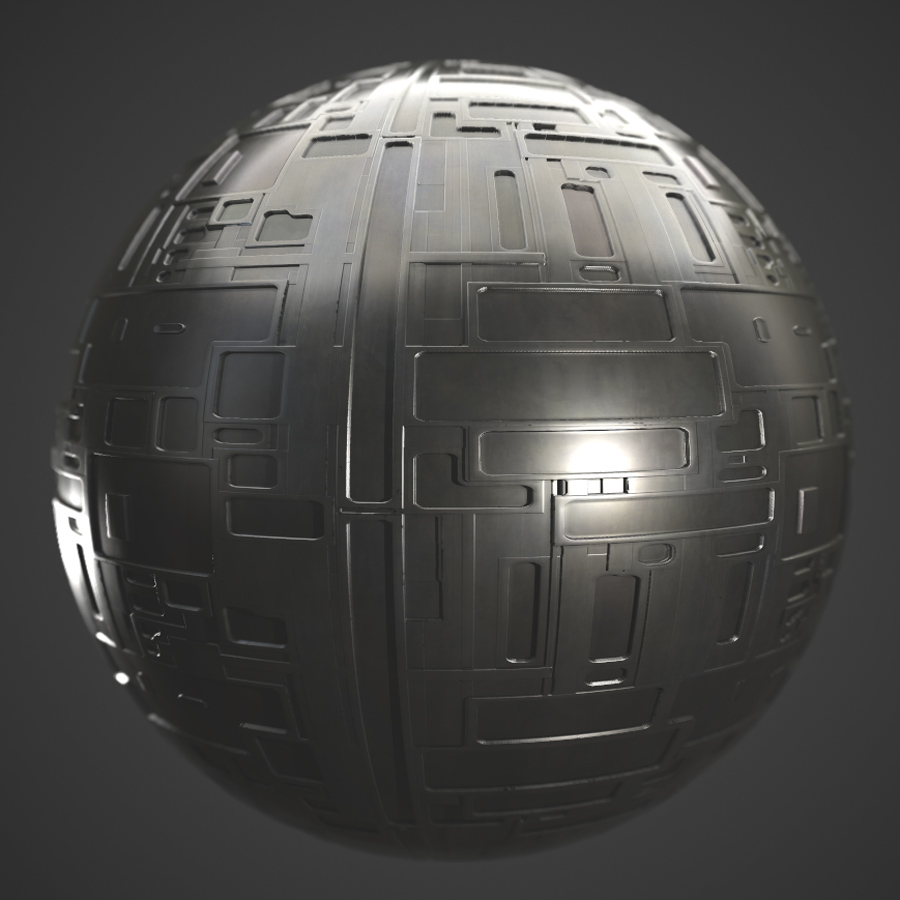
This Alien Panels PBR Material contains PNG image maps set at 2048×2048 pixels. This free material can be used in all video game engines that support a physically based rendering workflow, but are optimized for using a metalness/roughness workflow. I have texture sets for Unity, Unreal Engine, and many others. For the users of Blender, Maya, 3DS...
cloud rivet
wraith urchin
You can always do the metal stuff later tho
wraith urchin
yeah the GGX code I gave you should handle that
wraith urchin
Make the cube move now 
cloud rivet
fine to fix the linear sampling, but you guys point anything else out I'm just going to make github issues
it already moves
just not with clicks
wraith urchin
like WASD?
wraith urchin
What format are you recording the videos in? the playback for me is a bit stuttery
wraith urchin
h.264 from obs tends to work best on discord
cloud rivet
I had obs at some point but wasn't using it
wraith urchin
I make all my videos with OBS
cloud rivet
do you have capture hardware
wraith urchin
nah
cloud rivet
even obs stutters some for me
wraith urchin
Well I do have an HDMI capture thingy but I use that only for external footage
cloud rivet
I made a thread long about my stuttering and best results were in obs but it still stutters #1231757019418202122 message
wraith urchin
you need to make sure you are using "game capture"
oh right lmao, I vaguely remember this


 cloud rivet
I am spammy
this is not the only server I spam either lol
I tend to abuse new lines a bit I have been meaning to get better at that
 echo crystal
it's ok
 vagrant musk
cloud rivet
I tend to abuse new lines a bit I have been meaning to get better at that
vagrant musk
cloud rivet
I tend to abuse new lines a bit I have been meaning to get better at that
Press shift+enter
lets
you
do
multiple lines
in one message
cloud rivet
got a flecs system running on a query when it knows rosy wants to move, currently getting screen space coordinates, need to detect floor position next
just have to hold the mouse button down
once I have the floor position I will draw a debug circle there
then I will lerp rosy's orientation toward the position and then she'll move toward it
wraith urchin
Wait rosy is the robot right?
cloud rivet
ya
wraith urchin
robot dog?
wraith urchin
legs?
cloud rivet
yes, going to resemble a worker robot that looks similar to the actual real life rosy
wraith urchin
what breed is rosy
cloud rivet
she's a mutt
wraith urchin
she looks like a Chihuahua or smth from the silhouetted
cloud rivet
wraith urchin
she looks like a Chihuahua or smth from the silhouetted
maybe a really big chihuahua https://cdn.discordapp.com/attachments/1207745594488127490/1337294849405358121/image.jpg?ex=67a6ec61&is=67a59ae1&hm=8cf7010e36c7a73786dc7e7c8428ed5d465311efaaac92092377b0d2dfc2ce17&
 wraith urchin
oh damn yeah she looks waaay bigger there
beauty
My old dog was an Australian Shepherd / German Shepherd mix
unfortunately she passed away this summer 
 cloud rivet
she would prefer I spend less time doing game dev :P
wraith urchin
I'm sure she'd prefer you take her out for a walk
cloud rivet
I walk her like 2 - 3 miles a day
cloud rivet
I have never seen it
amazingly I have seen snow in Tucson AZ when I lived there
but not in the bay area
wraith urchin
My dog used to love the snow
cloud rivet
if we want to go to the snow we go to Lake Tahoe
wraith urchin
As you can imagine we get a decent amount every winter up in Toronto 
Not as much as Montreal mind you, but a decent amount
cloud rivet
wraith urchin
My dog used to love the snow
I'm not sure rosy likes it so much https://cdn.discordapp.com/attachments/1207745594488127490/1337300677872848896/image.jpg?ex=67a6f1cf&is=67a5a04f&hm=fc2ac00a07f9a454d4c5ac85d53ec84e7f509bbc01fe78a4f872204ea704465e&

I feel like I am getting a good ray in view space
whenever I first click into the window I don't get any coordinates, just nans
wraith urchin
hmm yeah thats a little odd
cloud rivet
now I need to transform the ray into floor space
and see where it intersects at y == 0
wraith urchin
{
    physics::ray_result ray{};
    vec start{};
    vec dir{};
};

mouse_cast_result cast_ray_from_mouse(float distance)
{
    auto renderer = render::renderer::activeRenderer;

    ImGuiIO& io = ImGui::GetIO();
    if (!io.WantCaptureMouse)
    {
        auto cam = renderer->getCurrentViewCamera();

        auto screen = renderer->get_resolution();

        auto pos = ImGui::GetMousePos();
        if (pos.x < screen.x && pos.x > 0 && pos.y < screen.y && pos.y > 0)
        {
            auto v = cam->get_ray_from_pixel(vec2(pos.x, pos.y), renderer->get_resolution());

            return { physics::ray_cast(cam->center, cam->center + v * distance), cam->center, v };
        }
    }

    return {};
}```heres how I go from screen space to world
cloud rivet
I am surprised you use imgui for it
I can disregard the click that focuses the window, it's not a huge deal
wraith urchin
Its because its in the editor code
vec get_ray_from_pixel(vec2 pixel, vec2 screen_size) const
{
  vec2 clip = (2.0f * pixel) / screen_size;

  vec nds = vec(clip.x - 1.0f, 1.0f - clip.y, 1.0f);

  vec4 ray_clip = vec4(nds.xy(), -1.0f, 1.0f);

  vec4 ray_eye = perspectiveMatrix.inverse() * ray_clip;

  ray_eye = vec4(ray_eye.xy(), 1.0, 0.0);

  return (getGlMatrix().inverse() * ray_eye).xyz().normalized();
}```ah
wraith urchin
this pther part is needed too
cloud rivet
this is my code so far:
            const float a = ctx->cam->aspect_ratio;
            const float d = static_cast<float>(ctx->cam->g) * -1.f;
            const float w = ctx->cam->viewport_width;
            const float h = ctx->cam->viewport_height;
            const float x_s = c_pos->screen_x;
            const float y_s = c_pos->screen_y;

            const float d1 = (2 * a) / w;
            const float d2 = 2 / h * -1.f;
            const float d3 = d;
            const float x = (((2.f * a) / -w) * 1) - 1.f;
            const float y = ((2.f/h) * 1) + 1.f;
            const auto screen_to_view = glm::mat3(
                glm::vec3(d1, 0.f, 0.f),
                glm::vec3(0.f, d2, 0.f),
                glm::vec3(x, y, d3));

            const glm::vec3 view_space_coords = screen_to_view * glm::vec3(x_s, y_s, 1.f);

            const glm::vec3 view_ray = normalize(glm::vec3(view_space_coords[0], view_space_coords[1], view_space_coords[2]));
seems to be correct
will see when it finds the floor
glm column major makes the matrix look weird
d1    0     x
 0   d2     y
 0    0    d3
is the actual matrix
the ray is easy because in view space the camera is at origin
I love coordinate systems
wraith urchin
I dunno coordinate systems are neutral to me
cloud rivet
oh I need to transform the camera position into floor space too
that's the ray's origin
wraith urchin
cloud rivet
oh I need to transform the camera position into floor space too
you need to find the floor plane then find the view vector in world space
then do a ray plane intersect
cloud rivet
No that’s not how I do it
wraith urchin
how do you do it
cloud rivet
I transform the vector into the floor’s object space by multiplying the camera position by the inverse of the floor’s model to view matrix
I only have to do one transformation that way, instead of transforming all of the vertices of the object
Into world or view
Or its aabb
wraith urchin
Yeah it might make most sense to do things in world space, but technically it could be done in any space
cloud rivet
I think world space is more intuitive but more work
cloud rivet
All the math people love doing stuff in object space, intersection, light etc
wraith urchin
its only one matrix mul to turn any space into any other
cloud rivet
It is more work to transform more than one thing
If you transform just the ray, that’s one transformation
true moon
wraith urchin
You guys don't get snow in the bay do you?
Every few years it'll snow on the surrounding mountains but not near sea level
cloud rivet
Otherwise you have to transform the boundaries of your bounding box, which is a number greater than one
wraith urchin
yeah but you could also just calculate the AABB in world space to begin
cloud rivet
If you have to test a lot of objects it adds up
I just have the vertices as they are in the asset
That’s how my lighting works also
Everything happens in object space
wraith urchin
yeah but then your AABBs are in different spaces, and can really benefit from the simplications you get from being AABBs
like being able to make an AABB tree
cloud rivet
They only ever get transformed for the vertex position in the vertex shader

 dry apex
Iran, Urmia
wraith urchin
Oh wow
cloud rivet
wraith urchin
yeah but then your AABBs are in different spaces, and can really benefit from th...
That’s true regarding the aabb tree
cloud rivet
dry apex
Iran, Urmia
Beautiful
dry apex
the other city i used to live (ardabil) had more snow actually lol
it's still raining so hopefully no uni for a few days haha
wraith urchin
dry apex
the other city i used to live (ardabil) had more snow actually lol
Are you Azeri?
cloud rivet
Sometimes I get that old school wow the internet is cool moment when I realize how I can talk now to people all over the world
dry apex
wraith urchin
Are you Azeri?
yeah
wraith urchin
Cool
dry apex
cloud rivet
Sometimes I get that old school wow the internet is cool moment when I realize h...
same
i don't know how old school feels tho 
wraith urchin
Well it was a cool thing then
cloud rivet
dry apex
i don't know how old school feels tho <:forgderp1:1322590418868637737>
Like a very small town in a world with far off lands. The world feels smaller now.
dry apex
1990/2000s was such a balanced era. at least i had a bit of childhood outside unlike kids now
wraith urchin
dry apex
1990/2000s was such a balanced era. at least i had a bit of childhood outside un...
Yeah lmao my childhood
cloud rivet
If you didn’t meet someone from somewhere or go to somewhere all you knew was from reading or like 3 tv stations or the movies
You ever seen that jodie foster movie contact
wraith urchin
I have yeah
cloud rivet
She’s on a long wave radio at the beginning as a child
As an adult she is using netscape navigator to browse the 90s web
That whole movie about the expansion of the world in a way, it captures that early internet transformation
I saw that movie in the theater as an adult it blew me away
I was like 19
wraith urchin
Well there was that whole bit with the aliens also lmao
cloud rivet
Movies are about the time in which they were made
dry apex
cloud rivet
You ever seen that jodie foster movie contact
i think i watched a similar movie about contacting with aliens. it's definitely based on this movie
Arrival (2016)
dry apex
bruh
cloud rivet
That’s the movie with the language that helps you see the future
That movie is too moody
I like it though
dry apex
there's even Arrival 2
dry apex
i guess they don't lol
it's friday btw (weekend here)
i love to hike mountains now but it might be very though for the first time
also need a good pair of boots
wraith urchin
cloud rivet
How do you even get in the car
no point getting into the car if the snow is too deep to drive it 
cloud rivet
I am in the progress of building debug UI for picking
heh, I learned that there was a better way to do bit masks from looking at flec's code 😅 I feel pretty dumb

my old way looked pretty cool though
cloud rivet
this explains why shit is fucked
I just can't look at numbers, I need those visualizations
was a lot of work just do the visualization but this is a really important part of the game once I get it right will be so valuable
cloud rivet
two days of pain resolved in minutes with a debug ui
I wasn't accounting for reverse Y in ndc and was not also accounting for fov 
I spent like a day thinking my ray cast math was wrong
I'm not done with this debug ui though, I am going to move that circle into world space and have it persist there so I know 100% that that part of it is right
then I'll find the floor plane intersection
anything involving perspective matrices really gives me so much trouble because my brain just has the hardest time with it, but I am getting so much better understanding the perspective operation
it's not really just a "perspective " transformation, it's a homogenous transformation involving preserving the z in clip space and then the perspective division by the homogenous coordinate that is done by a fixed pipeline stage
it's a combination of how depth works in your coordinate system & graphics API configuration, the NDC of your grpahics API, and the perspective matrix's configuration - aspect ratio, fov, projection plane distance
a reverse z, a z depth of -1 to 1 vs 0 to 1, row major vs column major, etc etc
it's just not intuitive at all and you can't just blindly follow some example in a book
anyway one hurdle overcome
cloud rivet
ok so my view world isn't right either
I think it's how I am scaling it for the draw I think it is right
I think I got it! :D
I need to draw a line
it's difficult to tell when I am not clicking the center
this is not correct, but it is fun

 wraith urchin
cloud rivet
this is not correct, but it is fun
wraith urchin
cloud rivet
this is not correct, but it is fun
Nice laser beam, looks like gameplay to me
cloud rivet
my ray angle is incorrect
idk how to fix it
I gotta read
it seems like a similar error to my fov error from before
wraith urchin
What does the math look like
this should all be pretty straightfoward matrix stuff
cloud rivet
there's no math, it's just I treat the view position of where I clicked as a 3D vector
because in view space the camera is at the origin
I am just advancing the vector in these images
the view position is on the projection plane, the projection plane is at 0.5f distance from the view
hrmmmm
oh
no that's not right
it's 0.5f distance from the near plane
maybe I need to add the near plane distance
I got it :D
it works!
:D:D:D:D:D:D:D:D
there's just no way I could have ever made this work without this debug ui
for 2 days I struggled with just doing the math
alright alright time to draw a circle on the floor
 cloud rivet
ok, circle drawn on the floor done ✅
time to move rosy, that's next
I kept my picking debugging lasers though 
I need to add a lerp and a slerp
oh glm has that nm
I'm going to do this tomorrow I'm done for today, I don't want something to frustrate me before bed I'm feeling good about achievements today
dry apex
cloud rivet
I'm going to do this tomorrow I'm done for today, I don't want something to frus...
cloud rivet
I should be working on moving rosy but I 've just been working on the lasers 😅

ok ok going to work on moving
 brisk chasm
 cloud rivet
it's a fun debug tool, and now actually just a single line per ray
brisk chasm
debug tools are always cool tbh
cloud rivet
and also life savers
cloud rivet
I haven't played the demo
it looks cool
I haven't had time yet
been so focused on this
I'm gonna make it up by buying the game 😅
cloud rivet
cloud rivet
idk what I am going to next tbh
I think maybe add the actual game play camera and increase the floor size to the actual level size
 astral hinge
what's the game you want to make?
cloud rivet
and then work good camera controls
a robot escape game where you escape levels via puzzles
there's a resource management component
where you have to manage the facilities resources
I am going to have to do a lot of work on UI
I should look at factorio ui for that
I should add a place holder model for the robot with skinning animation just so I have the animation built in before I go crazy with other stuff
I should add a second robot to have some idea of how I will do ai and something that can be interacted with in the environment
and also some walls so I can have collisions and maybe a ramp to have some elevation
astral hinge
cloud rivet
a robot escape game where you escape levels via puzzles
Like a sokoban?
What are the puzzles
I think you should work towards getting the first puzzle implemented, then a second to see what engine components need to be more flexible
That's the basic approach I'm taking with my game and it's working really well
cloud rivet
yeah I guess like a sokoban, but with enemies trying to get you
that's a good idea, thanks
cloud rivet
ok next is:
- Make it so rosy doesn't walk off the floor
- Make floor bigger
- New camera locked on Rosy and moves with rosy, and rotation is via mouse wheel/key
- Make a placeholder Rosy model in Maya with walking animation built in
- Add skinning animation to Rosy
wraith urchin
Wait have we decided to use Maya instead of Houdini now?
cloud rivet
no
houdini doesn't replace blender or maya
you can't use it for that really
3d modeling
it's more like a scene builder fx thing
you set up automations that generate things
I mean there's overlap
but building a model from scratch would be really painful in houdini
true moon
Asset pipeline accelerator
cloud rivet
houdini is basically my level editor
there's like built integrations for maya and houdini in everything, maya <-> houdini, and marmoset supports both
wraith urchin
You gonna pay for maya then?
true moon
How come
wraith urchin
I hate blender too, but I use it every day
cloud rivet
I'm miserable when I use it
cloud rivet
I will give it a try before my trial runs out
it seemed much better though than blender so far
just navigating and the 3d modeling UI
I don't know if it's $2k a year better though I guess, I think maybe I just am wanting to splurge a bit for fun
dry apex
Blender is better in every way and my empty pocket agrees with me
dry apex
cloud rivet
I don't know if it's $2k a year better though I guess, I think maybe I just am w...
Donate that to blender and get your name on their website
dry apex
I'm currently making a semi large scene in blender to make sure shaders are performing correctly for the style I've in mind. textures are also mostly auto-generated In shader nodes (I only drow the floor tiles). After that I'm going for animations and physics
cloud rivet
that sounds awesome
I haven't learned blender well enough to do any of that
I already know how to do physics in maya lol
I've just been watching maya and houdini tutorials whenever I'm bored
dry apex
Nice. I actually trid mana long before knowing blender. I was like 10 or something so can barely remember it
cloud rivet
I was playing with legos at 10
youtube algorithm is just giving me dwarf fortress, houdini and maya videos now
dry apex
I had a dvd box of 3000 pirated software. I literally installed all of them just to know what they are for lol
dry apex
cloud rivet
youtube algorithm is just giving me dwarf fortress, houdini and maya videos now
Mine is currently busted with elden ring runs and family guy clips. I really appreciate some good math/programming channels
true moon
You might just hate modeling
It's very slow going work
It takes a long time to be any good at it
Better tools only help that a small amount
dry apex
cloud rivet
I was playing with legos at 10
It's surely much easier to get obsessed with tech now than your time. Idk what I would do all day if we didn't have a computer at home
dry apex
true moon
You might just hate modeling
I love modeling objects but modeling a human/animal is a nightmare
dry apex
Animating is the hardest part imo. At this point I'm fairly sure that it's impossible for me to make a simple walk animation
cloud rivet
I accidentally deleted the ui in blender that shows up in the top right that lets you use the terrible nav system in blender in object mode and I have no idea how to get it back, and I just give two fucks to figure it out
and anyway
that nav even when it is there is garbage
I don't like it
I am not the same, me hating blender doesn't mean I hate modeling
it's a bad Ui, I don't like it, maybe you like, if you like the software great
true moon
The nav system is holding lctrl/alt and the middle mouse button
When 3D modelling you use the keyboard for everything
dry apex
cloud rivet
I accidentally deleted the ui in blender that shows up in the top right that let...
I didn't even know that's possible lol. Fwiw you can get everything back to normal by upgrading it (which you have to remove the old version first)
true moon
Theres probably a button to restore the default layout in the settings
But you should wean yourself of using the GUI for most things
3D modeling is like playing piano
You just need to build your muscle memory for the keys
dry apex
BTW don't forget that blender has wayyy bigger community and contents/tutorials
true moon
I've been tinkering with modelling for like 13 years
And although I had a lot of growth over a couple shorter periods when I did a bunch of it, it still takes a lot of time even at that pace
That's why intentionally shitty placeholder art is so valuable
When the goal is to make it shitty, then you'll never be disappointed with the output unless you somehow accidentally make it good
cloud rivet
pretty soon I will probably just be spending most of my time modeling, and creating puzzles and not a whole lot else, eventually I will work on the graphics side to make it look pretty
well and I need a really good ui
so graphics, I need a UI and I want stencils and decals
anyway it's just for me, it's just a hobby
cloud rivet
rosy knows her bounds now
unlike the actual Rosy
I am actually keeping the bounds for all surfaces now so I can use it frustum culling
and whatever else cares about it
collisions etc
wraith urchin
How does it work? Is this your own "physics"?
cloud rivet
it's not physics I just check if rosy is targeting beyond the min max bounds of the floor surface and set the coordinates that exceed the bounds to that of the bounds
the easing is just a linear easing of the distance left * dt
wraith urchin
Yeah you have some kind of acceleration
cloud rivet
that's just how the math works out, the greater the distance the bigger the step translate given distance left * dt as distance goes up
I like it though
wraith urchin
I often do something like new_position = lerp(old_position, target_position, 1.0f - expf(-rate * dt))
cloud rivet
lerp is so trivial with glm I didnt' even bother writing that function
                        const float t = 1.f * it->delta_time;
                        glm::vec3 new_rosy_pos = (rosy_pos * (1.f - t)) + rosy_target * t;
I prefer writing the lerp as its more expressive
cloud rivet
I have a no helper functions rule
wraith urchin
Ngl that seems like a bad rule
wraith urchin
why don't you want helper functions?
it makes it more obvious what you are doing
easier to read
cloud rivet
it's just me that's reading it
they're always getting in the way
when I rewrote this project
I had to reference my old code
and it was just helper functions all over
and I would have to have 3 or 4 tabs open just to write one thing
cloud rivet
I am very happy with how I am doing it
if I want to change something to be different I don't have to add or update any function I just change it right where the code is
I don't have to update any header files
I don't have less to link
it's just all win
lines of code are free
and I can read my own code
true moon
Lol interesting
cloud rivet
as RY is good
wraith urchin
DRY?
cloud rivet
don't repeat yourself
true moon
Don't repeat yourself
wraith urchin
ah

 astral hinge
cloud rivet
lerp is so trivial with glm I didnt' even bother writing that function
```cpp
...
astral hinge
cloud rivet
lerp is so trivial with glm I didnt' even bother writing that function
```cpp
...
no glm::mix?
cloud rivet
btw I do not write code like this at work lol
wraith urchin
I would not approve that PR yeah
wraith urchin
I would get fired for do_downscale_shitty_lanczos3
true moon
I write shit code too but I love my helper functions
They are such a boon to readability
Like in that grenade code I sent
If the helper doesn't quite cover my needs I can always copy and paste its contents instead of calling the function
But once you get more into gameplay code you'll see that helper functions become more useful
cloud rivet
I have been a professional engineer for nearly 20 years
I'm not new to writing code :P

this is going to be my camera distance
around this
I have a free camera I can switch to for dev
that'll be good for seeing frustum culling and stuff and all the things
see stuff close up
I don't have the game camera centered on rosy yet, it will move with rosy at a fixed distance
objects between the camera and rosy will be not rendered or rendered transparent
and you'll be able to rotate around rosy at a fixed distance
no zoom in, and can't adjust pitch
I can get the full screen into the shadow map and it looks ok I think
I'm trying write good code also, I'm not like purposefully writing bad code, this is how I want to write code because I think it's better.
cloud rivet
I documented my rosy move code in great detail
 astral hinge
The thing I hate about writing gameplay code is how ad-hoc it feels
There's no formula you can plug in to get good gameplay 
cloud rivet
idk I am just glad I got it working
I really have to get my brain to do more work than it is actually capable of is how it feels
 slim oak
cloud rivet
slim oak
cloud rivet
That’s going too far! C— would break even the strongest minds
C+ is a passing grade however, barely
 slender ember
C-- is an actual thing btw

C-- (pronounced C minus minus) is a C-like programming language, designed to be generated mainly by compilers for high-level languages rather than written by human programmers. It was created by functional programming researchers Simon Peyton Jones and Norman Ramsey. Unlike many other intermediate languages, it is represented in plain ASCII text...
cloud rivet
I figured
brisk chasm
true moon
They are such a boon to readability
looks like a typo, you meant to write bane, methinks
wraith urchin
brisk chasm
looks like a typo, you meant to write bane, methinks
Boon is a good thing, bane is a bad thing
brisk chasm
wraith urchin
Boon is a good thing, bane is a bad thing
exactly 😛
i was trying to be funny
wraith urchin
I though you were just being German
bronze socket
wraith urchin
Boon is a good thing, bane is a bad thing
for you
cloud rivet
I got a nice game camera now I think, I can rotate and it stays fixed on rosy
I use the mousewheel to rotate her view
going to work on making a skinned animation model for rosy next
I haven't ever done skinned animations before so will have to learn that for the very first time
I'll start with a really simple model, like a small stack of cubes or something
dry apex
for a better control when debugging (e.g. don't limit mouse movement to window size but also keep it normal when engaging with ui) you can copy what blender does by only rotating when mouse middle button is pressed
cloud rivet
I will try that. Can only rotate one one axis
I have a free camera for debugging still also
The mouse wheel idk though. I like the middle mouse button click
Will try
cloud rivet
so maya has flex tokens I can buy instead of a subscription 

and a calculator
hrm
opening maya in a day consumes 1 token
3d max/maya same price per token
brisk chasm
latest grift from autodesk?
cloud rivet
oh you can't just buy tokens as you need them
oh it costs 6 tokens per day
yeah this not worth it nm
dry apex
just pirate it 
true moon
cloud rivet
so maya has flex tokens I can buy instead of a subscription <:thinkeyes:58379083...
Yeah I saw that
On the one hand it's stupid that they don't have a good indie license
On the other hand the token thing is honestly not a bad idea for making it cheaper for people who don't use it as much
But I still wouldn't pay for it tbh
They should just charge a reasonable amount for it
brisk chasm
their target audience are probably not fundless highschool students, but studios with money
true moon
It is but there's no reason why the shouldn't offer a license to indies that doesn't cost $2000/yr
All it does is basically make their tools irrelevant for a large portion of the market at what seems like no benefit to themselves
It basically just cements Blender's superiority as an all-purpose 3D DCC for most people's needs
If they charged $200/yr a lot of people would probably pay that, probably 10x more people than the pro freelancers that pay for the full license
brisk chasm
yeah i agree
they could lure a lot of people into their ecosystem with that cheaper indie license
true moon
Exactly
true moon
Which one, Maya?
cloud rivet
I already know how to paint weights with it
yeah Maya
in like 3 days of using maya I know more than I have in a year of off and on blender
same with houdini
blender is much harder to use
than either houdini or maya
it's so much harder to use
like 10x worse overall
if you look at my most recent video ^^ you can see I increased the grid, I multiplied the number of vertices & texture coordinates with a few simple steps, it took like 3 seconds in houdini by using a grid geometry node and a uv multiplier node and then it just worked with my export script and went into my scene
I can add a noise component with all kinds of fx to have it do interesting things to textures too
like minutes of effort
 keen lance
I wonder how good/bad gltf export is with Maya
but maybe you talked about it further up and I missed it
cloud rivet
gltf export doesn't exist by default in maya
and based on my reading of it is painful
I plan to remove gltf from my project and just directly read the data from maya via their C++ library
modeling/animations in maya -> surface painting in marmoset -> scene setup in houdini -> output to maya via "houdini engine" a separate application -> C++ plugin to maya -> my engine
gltf support overall seems very poor
cloud rivet
you can, but all these applications are specialized, I don't have a goal to minimize the number of applications I use
brisk chasm
perhaps you need to program a bespoke modelling software, which is capable of handling gltf 🙂
brisk chasm
hehe
wraith urchin
I just find that its usually a lossy step to go between programs and it tends to kill my productivity
cloud rivet
I have been finding it fun personally
I feel like I am acquiring superpowers or something whenever I figure out a new thing
wraith urchin
I used to use gimp in my workflow but I have mostly cut it out now
cloud rivet
all these "just use blender" feel like the "we have mcdonalds at home" meme tbh
wraith urchin
I'm not telling you to just use blender lol
You can do it all in Maya too
But if you don't mind context switching then yeah, your workflow is fine if it works for you
cloud rivet
if I end up being unhappy I will stop doing the thing that makes me unhappy
for sure
the whole point of this is because I like doing it
this is a free time personal hobby
cloud rivet
I learn a lot from that though so I like and appreciate it
wraith urchin
Sometimes I wonder if I'm spending too much time saying "hey do my thing"
If you don't mind however I will gladly continue
cloud rivet
I don't at all
cloud rivet
I realized I broke a couple of things by using houdini incorrectly in my last video including lighting and bounds, but fixed it by sticking to geometry nodes that get exported instead of transforming things via the houdini UI manually?

it like applies all those transforms at a root node when I use the UI instead of where I want it to
so uv's and bounds were incorrect because I expected them to be on the floor's node, where they should be
looking and working pretty well, the distance the mouse is from rosy dictates the speed
I'm going to install and use obs for screen caps as demoing animations will not go well otherwise
 steady venture
cloud rivet
steady venture
cloud rivet
Solid vis  Also nice to see it immediately pay off by helping solve your problem.
steady venture
cloud rivet
how it's going
Nice. Stuff's coming along nicely
cloud rivet
Thanks, idk really though. I am unsure still about how I can get all the data out of Maya I want. I will probably be busy with figuring this all out for awhile
I got 18 days on the trial left, so I have some time
I guess I am just figuring out my asset pipeline for real now
cloud rivet
Maybe I should work on boats instead
cloud rivet
huh
maybe I don't have to buy a license, my trial has had 19 days left for the last three days?
 brisk chasm
maybe jake flipped a switch at the HQ somewhere
cloud rivet
it was counting down correctly until yesterday, I thought maybe it was a timezone thing
but this is like the third day I've seen 19 days left? maybe a client issue

probably is just a timezone/client cache thing
I can't actually see on the autodesk website that I have a trial at all
oh I do
yeah it is a client side thing, the website has the correct days left

so my goal is to have a skinned animation I created in maya working in my game
I haven't even been able to export an animation from maya that's viewable via the fbx viewer
correctly viewable
I think if I get it exported in a way that is viewable in autodesk's own fbx viewer I will be able to get it into my game
I have been watching some tutorials on animation exports from maya to unreal and I think I understand that exporting animations is more complex than just exporting the scene or selection
so I will create a new animation that adheres to the tutorials and see if I can export an fbx that works in fbx viewer
it is interesting that you can create complex animations in maya that do not work outside of maya and are not exportable I don't understand what those types of animations are used for if you can't get them out of maya
I guess people render animations to video directly in maya
or integrate directly with the maya C++ sdk
instead of stacking a bunch of cubes I will just subdivide a transformed cube, and just attach bones to it, think this will be easier to paint given all the extra vertices

bruh I am a maya wizard

paint weights in maya:
cloud rivet
progress!
fbx importing into houdini is a disaster, but in blender is also bad but still have some animation
none of these programs import the same asset the same way
there's an argument right there for sticking with just one app
this is truly a mess
I am not giving up yet though
there just has to be a way to get houdini to understand what is happening
marmoset gets it right
let me export a gltf from marmoset now
right it's just for painting surfaces so doesn't export any animation
I think I'm doing everything correctly in maya with respect to setting up the animation and exporting it and this is houdini ignorance, because fbx viewer and marmoset get it right. I discount blender as having a bad importer. So I think I need to now research houdini importing and animation
yup!
I don't care about the broken seams since this is just a test animation and mesh

ok time to export scene and see what's in the gltf
cloud rivet
ok I know what I need to do now
hrm
I have a lot of work to do
I realize now even if I used just blender I still need to build a level editor into my application, so that's work I have to do
and I am going to add the ability to import separate assets into my level editor
and I'm going to add fbx format support with animations
see ya in a month or two
wraith urchin
cloud rivet
and I'm going to add fbx format support with animations
Nooooo
As your friend im gonna suggest you don't try
wraith urchin
Up to you though
cloud rivet
seems unavoidable if I want to use Maya, also everything (except blender) does a great job supported fbx, and everything does not do a great job of supporting gltf. if I were to just stick to Blender gltf works, but I want to use all these apps
https://ufbx.github.io/elements/animation/ bakes animation channels
wraith urchin
see #1323084490997895198 message
cloud rivet
I had two problems: a write after write hazard with my buffer copy that was moving my dynamic entity and self shadowing where when rosy would be moving away from the light she would be running into her own shadow. At really low fps it was a comically distant trailing shadow trying to catch up.
I solved this by moving my transforms into per frame buffers. So each frame now has its own transforms, which is kind of nuts to me, but it works and has not impacted performance at all, and I update each frame's data the frame before it
that removed the sync hazard and removed the shadowing issues 
I have some weird shadows at certain angles and I think it's the PCF
the only other way to remove the hazard would have been to wait for a semaphore before updating, and that would have made the self shadowing problem unsolvable I think because the buffer copy takes longer than the frame. The longer the frame takes the worse the problem was, but now even at 30fps it looks correct. I just need to have per frame buffers is all
and that didn't require any additional sync barriers
echo crystal
is the cube named rosy
cloud rivet
the cube is a place holder for rosy
I need to build a model with animation to replace the cube
echo crystal
oh i see 👀
cloud rivet
the animation is blocked by being able to ingest .fbx format into my engine
which is blocked by having a level editor
so it's going to be a cube for a good couple of months while I work on that
echo crystal
fair
in my first engine i cheated loading animations by using a vertex animation texture
cloud rivet
well the issue is just knowing what the animations even are, they are in the fbx
cloud rivet
I have now just one buffer for vertices and one buffer for indices, and I'm just binding the index buffer once, instead of having one of each per mesh, I got it working first try 🎉

I love buffer device address
I'm reducing best practices VVLs
a lot of them
some of them are imgui
the too small buffer sizes I don't really care about, like my data is too small, sorry, you want me to overallocate lol?
I'm solving so many problems
the only really VVL best practices I still have left are the ALL_COMMANDS
wait
I bet updating debug lines must be a write after write hazard I'm not sure I am putting a barrier in there
nope, no hazards, nice

those are all imgui VVLs in the console
cloud rivet
so
I need to be able to load multiple asset files and have awareness of them
in the app
and their contents
then I need some sort of "what's in the level" state that I can save to disk and load
some sort of ui to CRUD to add, update and remove things from level
that requires updating all the GPU buffers
I probably want to be able to switch level files too
I probably want a good asset inspector see what's in it so I can pick those things, maybe inspect actual vertex, index, etc data
hrm
I kind of do not want to save level data as another asset format
I think I going to use sqlite for that
and just load stuff from the already existing assets, and handle if something saved in level is missing
once I have this I can load in textures, assets etc, and actually eventually define and assemble all those things in my level editor, load in animations separately from the mesh
I'll start with an asset inspector UI
then some sqlite crud and UI
then load the level based on the level data in the db instead of from the asset
then try and add content from two different asset files
then add an fbx to my asset format importer
then I can work on animation
but then I will also have a level editor, and can actually build a real game
that will also allow me to assign and load ECS components from the db instead of hacking in things into the gltf format as I am doing now
cloud rivet
well I think clang is a no go on msbuild as it is not seeing my include directories as configured
maybe time to ditch msbuild
cloud rivet
just not at all using my msbuild settings for include directories
I can over over an include directive and see it's not using them
I have just been using the gui project settings
I don't have a very complicated build
I am going to try out premake real quick
then my project can be built with cmake visual studio whatever
my Engine depends on like a couple of things, now that it's all in a git submodule it should be trivial I think
cloud rivet
I changed my mind about using sqlite
I am just going to use yaml
or some flat file for my level save file
so I can commit it
wraith urchin
why yaml instead of json?
wraith urchin
Yeye
cloud rivet
all you did was just switch the vs code config to clang and everythign built for you?
wraith urchin
Yeah there were a couple weird template errors I had to fix but nothing with paths
Although sdl is like C90 so it just worked
This is the page you set up right?

Oh wait, maybe check your "additional include directories" setting
 cloud rivet
oh
wraith urchin
But I think I have this set for MSVC too
cloud rivet
you are using C++14
wraith urchin
Yeah I'm using SDL2
cloud rivet
I think I got sdl working now though
going through other build errors now
thank you
cloud rivet
I got premake working 

alright
no more msbuild config 🎉
ok now let's try clang that way
I am so excited about this
you can build Rosy anywhere now I think
I think i can generate a cmake and it will work
I went from the worst build to a fully portable build
arligth let me try clang
lol same problem
oh I got it
I fixed so many things today
I fixed my best practices, my self shadowing, my write after write hazard, I'm about to solve my C++ errors too, and I now have premake 🙏 @obsidian spade premake is pretty awesome
workspace "Engine2"
   configurations { "Debug", "Release" }

vk_sdk = os.getenv("VULKAN_SDK")

project "Engine2"
   kind "ConsoleApp"
   language "C++"
   cppdialect "C++latest"
   targetdir "bin/%{cfg.buildcfg}"
   architecture("x86_64")
   toolset("clang")
   debugdir "./Engine/"

   links { "SDL3" }
   links { "vulkan-1" }
   links { "flecs" }
   links { "ktx" }

   includedirs { "libs/SDL/include/" }
   includedirs { vk_sdk .. "/Include/" }
   includedirs { "libs/imgui/" }
   includedirs { "libs/tracy/" }
   includedirs { "libs/KTX-Software/include/" }
   includedirs { "libs/flecs/include/" }
   includedirs { "libs/fastgltf/include/" }

   libdirs { "libs/SDL/build/Debug" }
   libdirs { "libs/KTX-Software/build/Debug" }
   libdirs { vk_sdk .. "/Lib/" }
   libdirs { "libs/flecs/out/Debug" }


   files { "Engine/**.h", "Engine/**.cpp" }
   files { "Packager/Asset.h", "Packager/Asset.cpp" }
   files { "libs/imgui/**.cpp" }
   files { "libs/Volk.cpp" }
   files { "libs/VMA.cpp" }

   filter "configurations:Debug"
      defines { "DEBUG" }
      symbols "On"

   filter "configurations:Release"
      defines { "NDEBUG" }
      optimize "On"
that's it
and that builds
Engine2 so it wouldn't overwrite my working project while I was testing it
cloud rivet
so my C++ is not clang compliant because of how I use constexpr and destructuring or something
but I got past the include issue
true moon
Yeah if you're coming from MSVC that's not too surprising
MSVC lets you get away with stuff
even with /permissive-
cloud rivet
I was just doing what resharper told me to do
true moon
When I first compiled my C++ projects on linux there were a bunch of things I had to fix
cloud rivet
well so much for builds anywhere because of premake
I mean it could
if my C++ wasn't shit
it's a lot of errors
true moon
Moving to gcc I always had to add explicit template keywords to disambiguate dependent names
like foo.template bar<T>() or whatever
cloud rivet
moving to premake is a big win though
true moon
what were you using before
cloud rivet
just the visual studio project solution mess
cloud rivet
now I have a nice tidy config
true moon
nor particularly readable
cloud rivet
yeah once I fix the C++
it will be better
I need to like
tell resharper I want clang compatible or something
true moon
I've never used resharper so idk what exactly it tells you
it could just not cover that stuff since the compiler is expected to
The general solution is to just compile on multiple platforms
astral hinge
I never had resharper suggest something to me that was msvc-only. that seems really weird
and I think I use a broader subset of C++ than bjorn, so idk what's up
true moon
If you know how you can set up a CI to build on MSVC clang and gcc on commit
astral hinge
I just made a cmake config for clang. it was really easy
oh wait, bjorn isn't using cmake
but I think changing the compiler to clang-cl is just a single switch in the project settings
astral hinge
like what?
cloud rivet
constexpr
astral hinge
?
cloud rivet
a lot of "value is not a valid integral constant-expression"
astral hinge
do you have an example
cloud rivet
oh maybe it's not constexpr

every line that destructures
for (const auto& [asset_img_name] : a.images)
astral hinge
tbh I don't know all the rules for destructuring
I wouldn't be surprised if msvc let you destructure something you shouldn't be able to
cloud rivet
let me just get rid of the destructuring
wraith urchin
cloud rivet
so my C++ is not clang compliant because of how I use constexpr and destructurin...
probably because you are on C++ latest
 wraith urchin
Yeah that means MSVC will activate all the latest features, including ones which are not available in clang
wraith urchin
C++latest is not the same as C++23
 wraith urchin
Ok yeah thats probably because clang doesn't have full 23 support
*yet
MSVC has tended to be faster at implementing new features for the last little while
wraith urchin
Yeah most people are not using 23 yet
cloud rivet
no std::format :((
wraith urchin
20 has std::format
cloud rivet
oh maybe a different import though
wraith urchin
it might not have a particular overload that you are using
true moon
Just <format>
cloud rivet
I didn't need that <format> import with 23 I see
wraith urchin
Probably header leakage in the impl
Clang devs are gonna be bikeshedding for a while before they finish the 23 implementation

 astral hinge
I guess you did an oopsie with linking. I can't see how else you'd get duplicate vulkan symbols


 astral hinge
what was wrong?
astral hinge
ah
cloud rivet
yay
astral hinge
yeah, volk dynamically loads the function pointers, so you don't need to statically link vulkan-1
cloud rivet
thanks for all the help everyone 🤗
I made so much progress on housekeeping stuff
I don't have anything to do now except making actual progress
oh I do need to convert my asset packager to premake also
I'm so glad to be rid of msbuild
I still use msbuild to actually debug and build
but it's all generated via premake
dry apex
I'm actually surprised you didn't use zig build lol
dry apex
Dunno about premake but if it's great if it offers similar features 
cloud rivet
it's lua
cloud rivet
gltf is the zig of asset formats, fbx is the C++, and obj is the C
wraith urchin
Nah C++ is USD
Fbx is not an open standard
And USD is like 10x the complexity of fbx
cloud rivet
I don't think C++ is an open standard
you have to pay a lot of money to buy the standard doc yes
$245
that's not open, sure it's not controlled by a single company
The Alliance for OpenUSD (AOUSD)
I agree though
USD is C++
hrm
wraith urchin
cloud rivet
$245
https://github.com/cplusplus/draft
The freely available draft is good enough for most purposes

GitHub
C++ standards drafts. Contribute to cplusplus/draft development by creating an account on GitHub.
cloud rivet
I don't understand this spam in my output

it doesn't affect my ability to build and doesn't seem like useful information
nice sponza works still

I am going to try a cmake premake build
when I first started Rosy in like October? or early November I had so much visual studio garbage in my project, now I have none
this mess right here https://github.com/btipling/Rosy/tree/b066faf6d132b40f12df83dc546c9ff0c54448c4
I didn't even know what most of it was https://github.com/btipling/Rosy/blob/b066faf6d132b40f12df83dc546c9ff0c54448c4/Resource.h
all gone now
cloud rivet
no visual studio needed at all actually
 cloud rivet
I'm going to stick with visual studio
I just tried neovim and visual studio code 😅 no thanks lol
dry apex
VS is the best when it comes to C/C++ and debugging
bronze socket
wraith urchin
https://github.com/cplusplus/draft
The freely available draft is good enough fo...
usually the most convenient thing to read is the eel.is site https://eel.is/c++draft/
cloud rivet
I feel much better about my lighting and shadows at this distance now, I don't have PBR lighting yet, but I fixed the weird shadow acne and such though
it's not perfect, but it is better
this isn't going to look good in sponza, sponza is just a totally different type of scene though, it kind of doesn't make sense to equate the graphics between sponza and this type of game I think
I mean it looks fine in sponza if the camera distance is the same
but it's just such an enclosed space you can't really see anything without hiding surfaces blocking the inner area
although that actually is something I have to do for this game
anything blocking the camera view of rosy will not be rendered, so once I have that I can put rosy in sponza and it should look good
hrm
I think though that sponza's surfaces are like not set up for that
primitives I mean
wraith urchin
I move the camera if something is in the way
but for your type of game a dissolve might be the right approach
cloud rivet
right that's easier though if the assets are setup for it, so I can dissolve the primitives, instead of like portions of a primitive with fragment shader math
hrm
vertex shader math
ok I am putting off the level editor stuff time to get on that
it was just that weird shadowing effect was really bothering me
solved now
the switch to premake increased my build time by 14 seconds

maybe it was the C++20 change
Due to differences between how the different toolsets handle precompiled headers, this subject is far more complex than it needs to be.
wraith urchin
make sure you didn't lose the /MP flag while switching to premake
cloud rivet
wraith urchin
make sure you didn't lose the /MP flag while switching to premake
that was it! and it's actually two seconds faster now

well 1+ seconds faster
I should figure out PCH at some point, I tried and it was really complex
I just add the imgui files as source files is part of the issue
wraith urchin
funny we both have chrono near the top lol
cloud rivet
I keep finding small things side tracking me, I think this is all done now
ok ok ok level editor let's go
cloud rivet
wraith urchin
funny we both have chrono near the top lol
thank you for your help btw, again
wraith urchin
no worries
cloud rivet
I really like premake
I will add a new Editor.h and Editor.cpp and just hello world in there to start
cloud rivet
hit 10k loc heh
 astral hinge
where's Game.cpp 
cloud rivet
Level.cpp has all that
cloud rivet
I stubbed out an editor that now loads all the assets and stores them so I can start inspecting them, that was a bit hairy because that was a lot of hard coded stuff I had at the beginning I had to rework and nothing would render without it and I don't commit things that dont' work so it was a huge diff to get a commit going which is a source of stress, but I got it all in, and now I can actually work on changing levels and inspecting assets and then I can even start loading multiple assets and maybe loading them into the active scene and then storing all that's loaded in a file, and then using that file to actually load stuff
this isn't a video of any of that, this is a video of me realizing I could put rosy in the air and she comes down like a boss with no problems or bugs because I write good code I guess, at least in this instance
also that nice shadow 🤗
cloud rivet
I have a minimum viable asset & model inspector now

this would be enough to build like bare minimum level editor where I can just add models from different assets into the game
which would be enough to just add stuff in for testing animations
next I am going to add the ability to load any of the available assets directly, fully replacing the current loaded stuff, then I can switch between sponza, the game, and deccer cubes without restating the application after a code change
then I will work on adding a level editor that to start with will just have a list of models and their locations and yaw
then I'll build a list to show available level files and the ability to load those and edit them and live reload
I'm going to hard code the list of assets and level files for now this will all have to get better eventually
but this will be enough to add different models.
then I can start working parsing fbx and then I can add an asset generated from fbx
then I can work on animation support
the ids for the models are the file path + node path which I like:

