#Iris - A Journey through OpenGL and beyond to learn Graphics
1 messages · Page 9 of 1
 wispy spear
 distant lodge
same
 wispy spear
didnt know bezos was a head model once
 runic surge

 wicked notch
every day that passes I lose more hope in meshoptimizer
DirectXMesh isn't any better, in fact it's worse 
runic surge
What's wrong with meshopt?
wicked notch
nothing, it's just bad for what I need
meshopt prefers topological locality to spatial locality, it allows meshlets to have any number of shared boundary edges and it is impossible to determine which meshlets are connected and which aren't natively because it uses a dumb kd-tree instead of a graph to represent the mesh
good decisions for general purpose meshletization
but poor decisions for what nanite is doing
But I have no idea how to write a general meshletizator, let alone a specialized one
Unreal's code also doesn't help (it's garbage )
runic surge
I love closed source game engines
They have the most bleeding edge tech then there are parts that not even god dares to touch
wicked notch
Unreal isn't closed source
runic surge
source-avaliable*
wicked notch
ye
runic surge
iirc Godot's lead developer talked about it how open source engines generally have a "better" baseline in terms of code quality compared to non-os since everyone is actively working on all parts
wicked notch
if only I could find a random blog post explaining meshletization algorithms
runic surge
wicked notch
alright the roadmap is as follows
- Make my own meshletizer based on meshopt's, but different
- Discrete LODs
- Understand what the hell graph partitioning is
- Build graph for per-meshlet LODs
- Understand what the hell a GPU job queue is
- LOD culling
- Contemplate life decisions because only an insane man would try to build Nanite alone
- Understand how the hell someone is supposed to select a cut of the meshlet LOD hierarchy
- Profit
And finally
post the issue on vulkan-docs for the raytracing thing, hope someone answers, if not I'll have to hack RADV and make my own fucking raytracing
wispy spear
for radv you can pull in pixelfrog

 wicked notch
As it turns out
building meshlets is hard
what the hell is a kdtree and why do I need it for my meshlets
wispy spear
here, perhaps some radiance cacheisms can distract you for a hot minute https://www.youtube.com/watch?v=8WEcE-mRoik
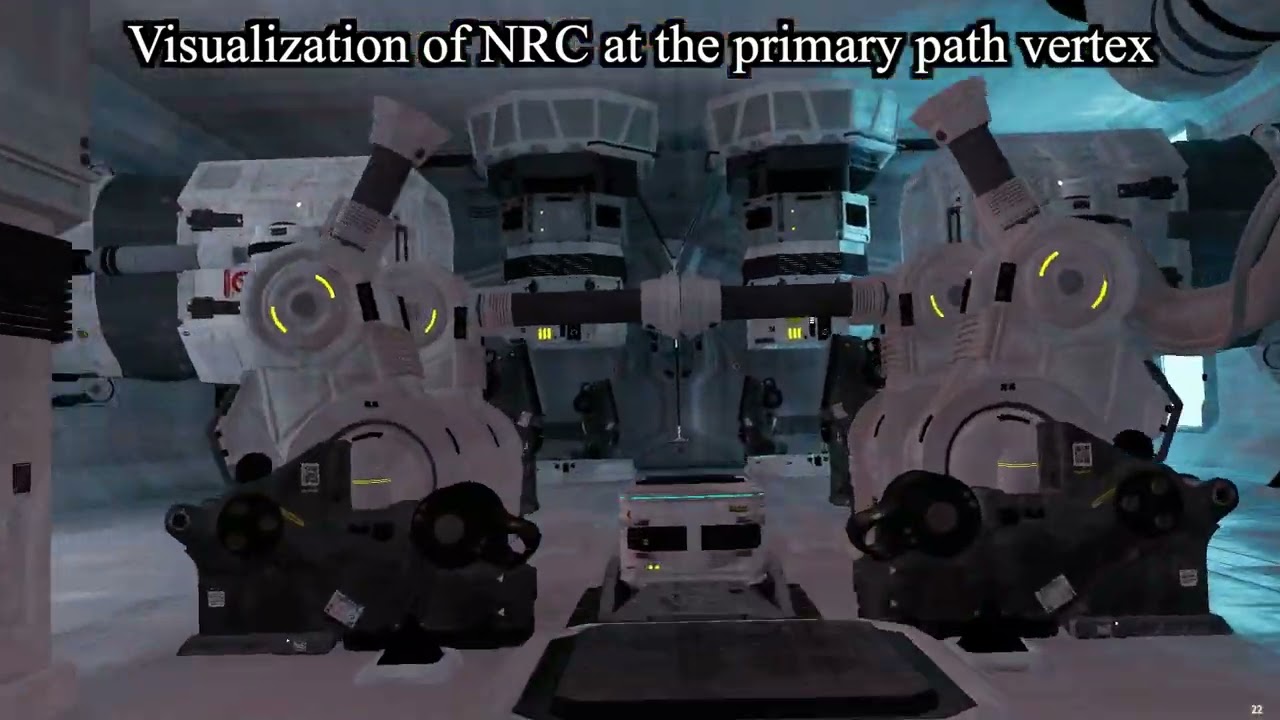
Neural Radiance Caching for Path Tracing
 frank sail
wicked notch
what the hell is a kdtree and why do I need it for my meshlets
frank sail
wicked notch
what the hell is a kdtree and why do I need it for my meshlets
A tree with two leaf nodes: k and d
distant lodge
the leaves have 2 colors, k and d, and must be balanced accordingly
wicked notch
Where the hell is the bottom red vertex coming from

I mean, I guess it's to conform to the definition of "Graph Dual" but this doesn't make any sense
Unless I'm severely misunderstanding stuff
wicked notch
I will just accept my cognitive limitations and use METIS
wicked notch
oh shit
metis has METIS_MeshToDual
holy pog
Glorious
Now onto figuring out the arguments
METIS_API(int) METIS_MeshToDual(idx_t *ne, idx_t *nn, idx_t *eptr, idx_t *eind,
idx_t *ncommon, idx_t *numflag, idx_t **r_xadj, idx_t **r_adjncy);```lovely naming for the args btw
frank sail
what is this
frank sail
ah, naniteisms
wicked notch
ye
but I am having a hard time figuring out what the hell this function wants from me
/*! This function creates a graph corresponding to the dual of a finite element
    mesh.

    \param ne is the number of elements in the mesh.
    \param nn is the number of nodes in the mesh.
    \param eptr is an array of size ne+1 used to mark the start and end
           locations in the nind array.
    \param eind is an array that stores for each element the set of node IDs
           (indices) that it is made off. The length of this array is equal
           to the total number of nodes over all the mesh elements.
    \param ncommon is the minimum number of nodes that two elements must share
           in order to be connected via an edge in the dual graph.
    \param numflag is either 0 or 1 indicating if the numbering of the nodes
           starts from 0 or 1, respectively. The same numbering is used for the
           returned graph as well.
    \param r_xadj indicates where the adjacency list of each vertex is stored
           in r_adjncy. The memory for this array is allocated by this routine.
           It can be freed by calling METIS_free().
    \param r_adjncy stores the adjacency list of each vertex in the generated
           dual graph. The memory for this array is allocated by this routine.
           It can be freed by calling METIS_free().

*/```I suppose ne is the number of faces (triangles) and nn is the number of vertices?
But then what the hell is eptr
frank sail
Is there an example
 wicked notch
no this is the documentation for metis
I'm trying to use the library
metis is slightly conchfusing though
frank sail
Has anyone else in the world used this lib
wicked notch
apparently unreal
 wispy spear
yeah
wispy spear
thats suslik 🙂
wicked notch
suslik?
wispy spear
hes on the server
wicked notch
oh
wicked notch
pog
I found this #wip message
Looks like they do use metis
I'll be sure to ask them, just gotta catch them
wispy spear
just boop him into here, im sure he wont be mad heh
wicked notch
btw
It doesn't help me that METIS literally doesn't compile out of the box
Or perhaps I'm just not reading the docs closely enough
wispy spear
a manual clusterfuck?
wicked notch
METIS legit screams "PLEASE DON'T COMPILE THIS ON WINDOWS I BEG OF YOU PLEASE"
Alright
it compiles
amazing
Now onto segfaulting 395816798319 times because I don't understand what METIS wants from me
wispy spear
: D
wicked notch
Alright let's suppose we have the simplest possible planar graph for a mesh
i.e the tringle
It will have 3 vertices, 3 edges and 1 face
huh
quite lovely how the dual of a tringle is a heart

ery nice
uh nope, don't get it
runic surge
the duality of man
frank sail
duality of tringle
distant lodge
don't get what? how to use METIS or how to find the dual?
wicked notch
How to use METIS
distant lodge
oh
wicked notch
me dumb
distant lodge
maybe its easier to find a paper on the algorithm metis is using and implementing it yourself
all those old graph theory algorithm papers are pretty approachable
wicked notch
perchance, but I hope to just use METIS
if only I could figure out what eind and eptr want from my life
This element node array is stored using a pair of arrays called eptr and eind, which are similar to the xadj and
adjncy arrays used for storing the adjacency structure of a graph. The size of the eptr array is n+ 1, where n is the
number of elements in the mesh. The size of the eind array is of size equal to the sum of the number of nodes in all
the elements of the mesh.
What is an "element"
wicked notch
What about the "node" then
frank sail
An element
wicked notch


 wicked notch
should I assume the index buffer of a mesh to be the "elements"?
I guess not because index[i] index[i + 1] is an edge?
wicked notch

I'll be saving the drawing here since tomorrow I'll forget everything, my name included
 glass sphinx
@wicked notch do you have perf numbers of your cluster culling?
nsight images or anything?
i wanna see
wicked notch
if you wait about 8 hours I will send the data
glass sphinx
in bistro the overhead of culling is actually making it slower then raw brute force drawing jn some perspectives
in my thing
wicked notch
I do recall it being faster with culling though
glass sphinx
which i gues smakes sense, if nothing is culled its just slower
wicked notch
eh actually fuck it, I'll quickly boot my pc
 wicked notch
I don't yet do two phase culling, but the plan is to do it the same as nanite
render what was visible last frame, build hzb, render disoccluded areas
glass sphinx
sounds good

 glass sphinx
so the first phase is basically missing right now, correct?
wicked notch
yes
glass sphinx
 dont be surprised if its slow
for me the first phase is consistenly like 2-4 times slower to draw
wicked notch
rip
glass sphinx
exactly
wicked notch
I'll have to try with two phase culling as well to get actual comparable data
I should also probably disable the compute raster
glass sphinx
what gpu do you have again?
wicked notch
3070
wicked notch
sure
I don't predict quality sleep tonight anyways
I'll be dreaming in graphs and duals and partitioning
glass sphinx

wicked notch
glass sphinx
Two phase with mesh shading and culling enabled

raw draw no culling, one phase mesh shader

you need to think away anything else in that image it still runs the cull shaders just ignores them
wicked notch
the subchannel switch overhead is real
glass sphinx
no culling + no mesh shading fallback.
Intrestingly the unit throuput is much larger, so the gpu works harder but its the same speed loool
 wicked notch
I guess the advantage kinda dies when both the code and the GPU are fast beyond human comprehension
wicked notch
glass sphinx
no culling + no mesh shading fallback.
Intrestingly the unit throuput is much la...
ye mesh shaders are cheats
literally cheating
frank sail
Tbf there is a lot of noise in those marker names
wicked notch
frank sail
Tbf there is a lot of noise in those marker names
that's what happens when your GPU is faster than light baby
glass sphinx
culling twophase + FALLBACK no mesh shader

intrestingly this is just slower due to the compute pass that is gone in mesh shading as i use task shaders for culling when enabled
I had a massive shit scene that doesnt work anymore on which this made a really big difference
wicked notch
glass sphinx
culling twophase + FALLBACK no mesh shader
how many subchannel switches are in the middle of the culling here
wicked notch
glass sphinx
I had a massive shit scene that doesnt work anymore on which this made a really ...
ye we need massive scenes
too bad unreal is incapable of exporting good gltf
glass sphinx
 wicked notch
just 2 aight not bad
glass sphinx
and again with mesh shaders on
 wicked notch
NV really hates subchannel switches
glass sphinx
eh its fine. They can swtich so fast i dont really care
they cant overlap compute with graphics still But they can ramp up and down so super fast
btw topology:
- clears some buffers, generates some indirect args. generates list of meshlets to draw and meshlet instance list for visbuffer for first pass. Also generates a per entity per mesh meshlet drawn bitmask. That bitmask is used in the second phase to instantly reject already drawn meshlets.
- hiz single pass gen.
- mesh cull + meshlet cull work expansion arg buffer generation
- visbuffer analyze. Generates list of unique visible meshlet list. Will soon also generate fat visbuffer (uv, ddxddy, tangent frame). Can optionally also emit visible trianlge list. This visible triangle list can be used to get perfectly efficient forward rendering after the visbuffer pass, practically perfect triangle culling for forward (learned that from my boss drobot, he made this for cod:aw)
 wicked notch
very noice
I commissioned darianopolis to do moana, pester him too so he is more motivated
glass sphinx
I should merge all my buffer clears to be compute so they may overlap nicer. Tho it looks like nv uses compute for lcears anyways so no clue what those subchannel switches in the start are (its only compute and clears)
wicked notch
ye NV does some random switches sometimes, Jaker and I observed similar behavior when doing some draws sequentially
it's so weird
frank sail
I get subchannel switches in gl every time there's a memory barrier
Regardless of workload
glass sphinx
btw jaker if you forgor we had a convo on work expansion and how i wanted dispatch indirect count. I solved it now.
frank sail
How?
glass sphinx
So,
When culling meshes, i have a thread per mesh.
After knowing a mesh is potentially visible, i write out indirect args to a buffer for a followup meshlet cull.
The problem with this was the asynmetry between threads, as thread = mesh but meshes have wildly differing meshlet counts (1 to 20000), so writing those args (1 per meshlet) out in a loop was ultra slow.
Solution is to have multiple arg buffers. Each ones args represent a differing amount of meshlets, basically combining multiple args into fewer, thus reducing writes and also mem bandwidth use.
Each buckets arg represent 2^(bucket index) meshlets total.
So if i want to write out args for 10 meshlets, i dont write 10 args out, no i write to the 2^3 = 8 arg buffer once and to the 2^1 = 2 arg buffer once, together they represent 10 meshlets to be culled.
Later when culling i have a dispatch per arg buffer and give per push constant so the threads know how far each arg reaches.
So effectively the bits in the meshlet count declare to what buffers i need to write, so at worst i get 31 writes with an omega mesh.
But even better, i condense this down to max 5 writes by just rounding up the meshlet count, so that it has at most 5 bits set. (not optional count be better by just moving up the lsb and some other tricks but this is really nice already).
The idea here was to reduce the writes per lane to be super low as the divergent writes were a big slowdown before. Having them below 5 may be overkill but its so fast and simple so why not :D.
This last trick causes some thread waste, but its always below 2.5% so who cares.
This is MUCH faster then the stupit prefix sum + binary search i did before
https://github.com/Ipotrick/Sandbox/blob/master/src/rendering/rasterize_visbuffer/cull_meshes.glsl <- mesh cull, arg write
https://github.com/Ipotrick/Sandbox/blob/00f3bab6d219be384dfd8c844ae5793ed9419ae2/src/rendering/rasterize_visbuffer/cull_meshlets.inl#L58 <- the dispatch of meshlet culls
https://github.com/Ipotrick/Sandbox/blob/master/src/rendering/rasterize_visbuffer/cull_meshlets.glsl <- shader culling
https://github.com/Ipotrick/Sandbox/blob/00f3bab6d219be384dfd8c844ae5793ed9419ae2/shader_shared/cull_util.glsl#L153 <- the function to get the arg from thread id
@frank sail
i had like 5 solutions for this now and this is by far the best so far
it also eliminates all need for additional barriers, as this makes it so the meshlet cull can run immediately after the mesh cull with one barrier only in between
quite simple but very powerful technique in the end
i hope that was reasonably understandable
frank sail
It's pretty clever 
glass sphinx
btw the arg buffers can be used later when doing task to mesh shader communication. instead of passing tons of data i only need 3 uints total for payload.
i decode the ids from a mask in the mesh shader
https://github.com/Ipotrick/Sandbox/blob/00f3bab6d219be384dfd8c844ae5793ed9419ae2/src/rendering/rasterize_visbuffer/draw_visbuffer.glsl#L150

GitHub
Toy Renderer to play around with gp techniques. Contribute to Ipotrick/Sandbox development by creating an account on GitHub.
frank sail
Horizontal scrolling in GitHub on mobile is so painfully slow and laggy for some reason
glass sphinx
yea it took me some time to get to the line lol
frank sail
Yet vertical is perfectly smooth
glass sphinx
https://github.com/Ipotrick/Sandbox/blob/00f3bab6d219be384dfd8c844ae5793ed9419ae2/src/rendering/rasterize_visbuffer/draw_visbuffer.glsl#L220
cusred mask decoding
GitHub
Toy Renderer to play around with gp techniques. Contribute to Ipotrick/Sandbox development by creating an account on GitHub.
i love encoding lists of integers into masks. so space efficient
frank sail
Y'all got any more of them qualifiers
https://github.com/Ipotrick/Sandbox/blob/00f3bab6d219be384dfd8c844ae5793ed9419ae2/src/rendering/rasterize_visbuffer/cull_meshlets.inl#L38
glass sphinx
 in german we say "doppelt hält besser"<-> double holds up stronger
constexpr const is a compiler cheat code for 20% faster binaries
in this case it actually makes sense
weirdo c arrays confusing me
wicked notch
auto adjacency = std::vector<std::vector<uint32>>(indices.size(), std::vector<uint32>());
for (auto i = 0_u32; i < indices.size() / 3; ++i) {
    const auto i0 = i * 3 + 0;
    const auto i1 = i * 3 + 1;
    const auto i2 = i * 3 + 2;
    adjacency[indices[i0]].emplace_back(i1);
    adjacency[indices[i0]].emplace_back(i2);
    adjacency[indices[i1]].emplace_back(i0);
    adjacency[indices[i1]].emplace_back(i2);
    adjacency[indices[i2]].emplace_back(i0);
    adjacency[indices[i2]].emplace_back(i1);
}
auto offsets = std::vector<uint32>();
offsets.emplace_back(0);
for (auto i = 0_u32; i < adjacency.size(); ++i) {
    offsets.emplace_back(offsets.back() + adjacency[i].size());
}```Possibly the worst way possible to convert a mesh into a graph in CSR format but it works
Alright new problem
What the hell is nn: number of nodes
frank sail
inshallah
wicked notch
   Current memory used:          16 bytes
   Maximum memory used:          16 bytes
***Memory allocation failed for CreateGraphDual: nind. Requested size: 18446744073574807540 bytes```mfw
Alright
second by second I realize mathematicians are crack addicts
Either that or my brain is fucked up beyond any repair
nptr = ismalloc(nn+1, 0, "CreateGraphDual: nptr");
nind = imalloc(eptr[ne], "CreateGraphDual: nind");

for (i=0; i<ne; i++) {
for (j=eptr[i]; j<eptr[i+1]; j++)
  nptr[eind[j]]++;
}
MAKECSR(i, nn, nptr);```You would think ismalloc would memset the mem as well
given the 0
frank sail
it actually indicates how many fucks they have left to give
average mathematician's code
wicked notch
it actually does
I swear it didn't init memory before
I'm too old for this shit
My heart is weak
frank sail
did you start compiling in debug mode
wicked notch
I was always in debug
frank sail
maybe you were in debug, but now you're in debugger 
soon, after you fix your problem, you will be debuggest
wicked notch
did metis just return to me the same exact graph as before
It is now time to use the fundamental rule of the universe™️
dual(dual(X)) = X
wicked notch
the fundamental rule of the universe didn't work
fuck
at least I know something is fucced
wicked notch
I am going insane
wispy spear
maybe thats necessary 🙂 great things came from insane people
wicked notch
%  The first line lists the number of elements, and their type.
%  The type code is:
%    1: 2D triangular elements (vertices can be listed in any order)

5  1

%  The following lines list the vertices making up each element.
1  2  3
2  4  6
2  6  3
4  5  6
5 6 3```So 5 elements of a triangular mesh
great!
I should expect 5 lines then right?
There are indeed 5 lines
but how can you express connectivity for a fucking triangle, with 5 lines
wispy spear
with an imaginary 6th one?
wicked notch
wispy spear
with an imaginary 6th one?
Yeah
Sure, but how do I know the imaginary value METIS wants
https://people.sc.fsu.edu/~jburkardt/data/metis_mesh/metis_mesh.html It's not documented anywhere in here
wispy spear
i actually dont know anything about it, but jwiggle mentioned or was it jasper mentioned an infinitnitely big something soemthing,
hmm i wonder if people on the mathematica discord would know something about it perhaps
or criver, our resident maffs professor
wicked notch
I'll bang my head against this wall for a little more
Then go plead in the math discord
 wicked notch
"For example, the graph in Figure 2 contains 11 vertices."
The graph in figure 2:

hm yes, 11 vertices indeed
runic surge
7 = 11
wicked notch
I am this close to abandoning metis
wicked notch
I'm calling in backup
runic surge
oh no
wicked notch
I shall take a break
Unreal doesn't even use METIS_MeshToDual apparently, they do it themselves
I also found another madman who uses METIS
It looks like I'm doing something right at least, assuming what he wrote works for him
But seriously, how can 5 numbers represent an entire triangle + connectivity
Suppose my input is actually correct:
eind = [0, 1, 2]```You can only represent a triangle if you assume that 0 connects to 1, 1 connects to 2, and 2 connects to 0
Does this work when scaled up? I don't know, maybe, maybe not
Assuming this is correct, how do you represent the dual of a triangle with the same representation?
I don't even know whether METIS will use the same representation, or if it switches back to CSR format
god fucking damnit
Let's do both cases, assuming METIS does NOT change format and still uses the Mesh repr for the dual, I should get back something with 2 faces, 2 vertices and 3 edges somehow
which is not a triangle
not even close to a triangle
Uh I guess the definition of a "face" is any space enclosed in 3 vertices and 3 edges?
It is then likely and sensible that METIS switches to a CSR format for the output
 drowsy jolt
wicked notch
no failure, but uninit
drowsy jolt
wicked notch
no failure, but uninit
does this debugger info show the value of r_adjncy when the program is at that line of code? or when the program has finished executing that function?
wicked notch
It is the last seen value at the end of the function yes
drowsy jolt
wicked notch
I don't even know whether METIS will use the same representation, or if it switc...
the docstring states the return values is the adjacency list of each vertex, so my guess is that it looks like this for the dual of a triangle:
r_xadj = {0,3,3,6}
r_adjncy = {1,1,1,0,0,0}
this is completey a guess though
wicked notch
Thank you, honestly anything at all is good
Even completely baseless claims, I just need something to see this problem in another light
But what you said is actually good, I confirmed it and you are right
We are going back to CSR
drowsy jolt
oh, this is the actual output of the function?
wicked notch
No that I didn't confirm
I still get uninit values for the dual of a triangle
but you are right in that the output is actually CSR
This actually explains why dual(dual(M)) =/= M
Because I'm a dumbass and I was feeding data in the wrong format
drowsy jolt
can you try printing out the values of r_adjncy and r_xadj manually for the triangle case? Sorry, I don't trust your debugger 😅
as far as i can see from reading the source, it seems to at least fill out r_xadj
so i don't understand how it could be unininted
wicked notch
valid
[dual] index_size = 3
[dual] max_index = 2
[dual] max_element = -33686019```r_xadj is actually not uninit
only r_adjncy is uninit
max_element refers to the max value in r_adjncy
*std::max_element(dual_adjacency, dual_adjacency + std::max(dual_offsets[element_count - 1] - 1, 0))```Stepping with the debugger, it appears FindCommonElements returns 0

Which makes sense, because there are no common vertices, it's just 3 unique vertices
drowsy jolt
okay my hypothesis is that this is for finding the dual of finite element meshes
and the dual of a finite element mesh is not the same as the dual of a graph
google shows this as an example dual of a finite element mesh

which isn't the dual of that graph
wicked notch
very interesting
drowsy jolt
this function is very likely not what you want
wicked notch
Indeed it isn't..
Or perhaps it is and I don't understand my own requirements..
That just a me problem though
 delicate rain
wicked notch
delicate rain
wicked notch
By vertices do they mean edges???
delicate rain
Pretty big typo
wispy spear
perhaps its time to activate criver
frank sail
eeper agent
 wicked notch
To my knowledge that guy is the only person in the whole world, besides unreal to have used METIS and succeeded
glass sphinx
yea is really good yea
wicked notch
mfw even maya is stuck

This is just the 20 or so buildings that are in the goddamn sample
glass sphinx
wicked notch
truly one of the functions of all times
ah you just export nanites stuff and rende rit
i wonder if thats possible
then i would try as well
wicked notch
I am currently failing very hard at exporting
wicked notch
alright so
somehow
nanite meshes do not export properly
however if I disable nanite, I can export everything properly
wicked notch
I just disabled nanite for all static meshes in the city sample
if my computer survives this I'll be amazed
amazing
 runic surge
most optimized unreal engine
wicked notch
cmon

just a little more
we are this close to achieving glory
YEEEEES

WE HAVE DONE IT BOYS
nanite is no more
My computer is screaming in agony
but I don't care
glass sphinx
how large is it
runic surge
Uh so how did it go?
wicked notch
it is still going
I expect at least 4 days of continuous operation for this to be done
runic surge
We're here today the celebrate the life of LVSTRI's CPU 🫡
wispy spear
all exporting attempts from UE only utilized 1 core, cool that it at least tries all of yours 🙂
wicked notch
ah no exporting is actually done
wispy spear
: )
wicked notch
it was quite fast
wispy spear
ah neat
wicked notch
I am now importing the FBX
wispy spear
oof
wispy spear
at least you found a way to warm your house in winter now
runic surge
wicked notch
too bad it's mid august
runic surge
just move to antartica: problem solved
wicked notch
singlehandedly contributing to global warming
 wicked notch
runic surge
why not use a smaller mesh 😭
wicked notch
runic surge
why not use a smaller mesh 😭
no
this probably won't even be enough to saturate our GPUs
I can render over 50M polys in 2ms
without any LODs
we'll run out of memory before we run out of compute power
wicked notch
Maya
it's the only thing that can import it probably
blender crashes, assimp crashes, fbx2gltf is unknown
runic surge
How has progress gone
wispy spear
https://www.youtube.com/watch?v=cF9uCyRH3sE looks like thats what lustri is doing while the other machine is exporting/importing assets

http://smarturl.it/still-innocence
In today’s callous world of over-inflated egos calling their ill-thought out shots, not to mention ruinous environmental politics, innocence among humankind is hard to come by. That is why we turn to the arts and to music in particular to reconnect with our long buried child-like sense of wonder. Fortunately L...
runic surge
praying for his pc in these trying time
wicked notch
I paid for this thing
I will use the thing.
and it better perform well
otherwise I will punish it
runic surge
wicked notch
Like I said, probably 24 hours are necessary, at minimum with my hardware
I have left my pc on, as he does not get any sleep
he must work overtime
unpaid of course
runic surge
Wait so are you creating meshlets from all the meshes you exported raw from ue5?
wicked notch
No, that I can do in a few seconds
I am shrimply exporting from FBX to GLTF
and working with FBX is a huge PITA
fortunately enough this is the last step before I can load it in
runic surge
is the conversion really that bad from fbx to gltf?
wicked notch
yes
for large meshes
it doesn't help that the only program that can effectively load this is Maya
Well, I don't mind a little waiting
I can always coerce someone with too much free time into making a more efficient fbx2gltf tool
wicked notch
there do be the sdk, too bad it's slow as fuck
so probably reverse engineering is the more efficient way
runic surge
praige blender cooks
wicked notch
yeah, too bad blender crashes while importing this
wicked notch
why would I
it's a ridiculously big 1 billion triangle mesh
why would anyone care
wicked notch
they would just be: "did you seriously try loading a 1 bil mesh on 64GB of RAM? "
wicked notch
runic surge
me (maybe?) i'm gonna make a rasterizer using just vulkan and co.
the first mesh you're going to load is this one right?
runic surge
absolutely
runic surge
i do it automatically returns if it detects useless format conversions
it's really textures tbfh
wicked notch
nono, all format conversions
I don't do any
except for casting integers to 32 bit if that counts
runic surge
hmmm ill look into it
wicked notch
you have my loading code don't you
runic surge
but i'm telling you format conversions aren't even the issue
its run pretty fast. it's images
wicked notch
what about images
runic surge
the image library i got
wicked notch
it's two memcpy's
runic surge
wicked notch
if there are no other libs, switch to a better language
runic surge
wicked notch
Rust is for weak men anyways
@minor root surely there must be a good image loading library in rust right?
I mean, heck you could use KTX and forget about it forever
Assuming there are KTX bindings for Rust
wicked notch
Looks like there are
A high-level Rust wrapper over KhronosGroup/KTX-Software, a library for reading, transcoding and writing Khronos Textures (KTX).
Go learn KTX
is good for you
runic surge
what is ktx...?
frank sail
It stands for Kentucky Tried Xicken
(xicken is an ancient bird species that got hunted to extinction after Kentuckians discovered it)
 minor root
wicked notch
<@190522027440865280> surely there must be a good image loading library in rust ...
minor root
wicked notch
<@190522027440865280> surely there must be a good image loading library in rust ...
image is most used
Its not too bad
wicked notch
yes
wispy spear

xD
i admire your patience
i would have written hate mails to autodesk by now already
wicked notch
btw small fun fact
Even unreal's most updated nanite version chokes on big tris

It looks like they can't properly evaluate the screen space size of clusters sometimes
well
"big tris"
my software rasterizer doesn't btw, I'm very conservative 😛
runic surge
runic surge
wicked notch
in the past few hours
runic surge
mhm
wicked notch
therefore now it will surely work
runic surge
wicked notch
because there is no way I could ever write bugs
runic surge
no way
wicked notch
it's impossible right?
wispy spear
i want your confidence 😄
wicked notch
do not worry my friend
I have none
I have been staring at my laptop for the past 30 minutes or so
wispy spear
heh
 wicked notch
but the good news is that it should not take anywhere near as much time as maya
because I don't consider animations, textures, materials, etc.
wispy spear
and you run it on all freds?
wicked notch
when I can yes
wispy spear
would that be even possible
wicked notch
The SDK's calls are not thread safe
wicked notch
you give it the FBX blob and it spits out some stuff
but part of the processing I have been able to multifred
wispy spear
ok
wispy spear
yeah and autodesk's sdk is different every year
there are also weird animation quirks in some of them versions
ah and
i just rember
nem0 wrote an fbx thing... hang on

GitHub
Lightweight open source FBX importer. Contribute to nem0/OpenFBX development by creating an account on GitHub.
not sure if that would help
wicked notch
nah no worries, if an error pops up I'll be sure to rewrite the importing part with this
wispy spear
heh if its even worth it
wicked notch
I will gladly exchange a few hours coding this garbage exporter once in my life than wait days for each model I want to get from unreal
wispy spear
openfbx seems to be an importer only
wicked notch
ye that's good
wispy spear
ah
wispy spear
oui
runic surge
why the hell would you export fbx
wicked notch
Also somehow my laptop is 2 orders of magnitute faster than my desktop somehow (at processing FBX)
wispy spear
faster ssd?
wicked notch
CPU time I mean
wispy spear
oi
wicked notch
it's a 3900x vs 12700H
wispy spear
crazy
wicked notch
I blame Jaker
wispy spear
hehe
wicked notch
make better CPUs smh
wicked notch
hm
it appears my math was wrong
Lads we have a GLB
but the export statistics are concerning
wispy spear
49hrs, 200kWhs, 6t of CO2 wasted?
wispy spear
i was close? 😄
 runic surge
hoyl shit
wicked notch
we got it
runic surge
he did it
wicked notch
it's finally over
 wispy spear
holy shit indeed
wicked notch
we did it
runic surge
what did it cost
wicked notch
everything + some more
wispy spear
and this city scpe renders in 2ms?
wicked notch
I don't even know
runic surge
bro that is fucking sick
runic surge
wicked notch
we have the damned city
textures when
 runic surge
wispy spear
holy shizzle
 twin bough
woah
wispy spear
time to impress the ladies potrick
wicked notch
notice how the hardware rasterizer is asleep, the entire city is software rasterized
 finite quartz
wicked notch
we have the damned city
finite quartz
wicked notch
we have the damned city
neat
 wicked notch
the fbx export was wrong
wispy spear
i think potrick is sulking and just doesnt react because he's jealous af
wicked notch
input: 1033555 nodes, 2735 meshes (6385 primitives), 2429 materials, 0 skins, 0 animations, 2 images
input: 6385 mesh primitives (3857003 triangles, 4039954 vertices); 1958412 draw calls (1958412 instances, 1627137929 triangles)
output: 6385 mesh primitives (3857000 triangles, 3865484 vertices); 1958412 draw calls (1958412 instances, 1627137905 triangles)
what the hell is that number
1 billion?
wispy spear
yeah
wicked notch
yeah 1 billion 627 million
wispy spear
2 images 🙂
wicked notch
twin bough
now shade that

wispy spear
how long did this thing run?
twin bough
wicked notch
<:frog_sweat:1096873898143920198>
do you get the UVs already on ur impl or ur not on that point yet
 wicked notch
not even my fault, Unreal devs were too lazy to export textures with their FBX exporter
smh
glass sphinx
wicked notch
I got good news
how many gigabytes
glass sphinx
lmao what\
runic surge
oh yeah baby 400 gb
wicked notch
Potrick I expect results
wicked notch
runic surge
"small"
This is actually the "small" version of the city sample
The actual city sample is 100x bigger
And unfortunately I cannot export it, don't have enough RAM (64GB)
distant lodge
try throwing it in a rar or 7z
this sample
I'm just curious to see how small it 'could' be as a transmitted file
glass sphinx
wicked notch
<https://drive.google.com/file/d/1kzSB26yA8pRWSRnjg4xivpg4fRJWnbr9/view?usp=shar...
massive
wicked notch
distant lodge
try throwing it in a rar or 7z
dayum. only 70 megs
runic surge
oh fuck i can't even load it
100gb
too brain dead to implement culling or meshlets rn
wispy spear
time to switch to fastgltf
glass sphinx
it really is
wicked notch
we have converted him
wicked notch
upgrade is due?
frank sail
wicked notch
<https://drive.google.com/file/d/1kzSB26yA8pRWSRnjg4xivpg4fRJWnbr9/view?usp=shar...
I'm finna try this in ff
 raven orchid
This Mesh Scene Will Crash Your Engine 2
wicked notch
wicked notch
```D:\Dev\CLion\IrisVk\models>call gltfpack -v -noq -kn -km -kam -ke -ac -tc -tq...
btw deccer can you pin this
I believe it is necessary and integral to the continuity of this thread
yes indeed
frank sail
wicked notch
<https://drive.google.com/file/d/1kzSB26yA8pRWSRnjg4xivpg4fRJWnbr9/view?usp=shar...
is this gltfpacked already
wicked notch
nope, I gave it raw
wispy spear
wicked notch
```D:\Dev\CLion\IrisVk\models>call gltfpack -v -noq -kn -km -kam -ke -ac -tc -tq...
i wanted to pin it earlier as soon as i saw, but you distracted me with soothtalking
wicked notch
hehe sorry
wicked notch
frank sail
hmm it probably doesn't even need to be packed tbh
I only packed it to see how many actual instanced triangles there were
finite quartz
For fun I started loading the glb in Blender, but looks like Blender never heard of multi-threading...
It's going to take ages, so I don't think I will go through it.
 wicked notch
yeah there is no way blender will import it sadly
frank sail
the blender gltf importer is written entirely in python
which means it's literally hundreds of times slower than it needs to be
wicked notch
 finite quartz
Okay, going to try Painter then
Will probably crash
Ha, there is draco compression enabled ?
Because we don't support that
wicked notch
There shouldn't be
wicked notch
I don't remember enabling draco anywhere, I might be hallucinating though
finite quartz
You could just use some heavy fog, no need for LODs if you can't see the geometry 👀
Bonus: great mood
frank sail
@wicked notch can you explain these lines?
https://github.com/LVSTRI/IrisVk/blob/master/shaders/0.1/main.task.glsl#L90-L91
my understanding is that you
- find the nearest depth on the projection of the object's transformed AABB
- find the farthest depth in the HZB texels spanned by the object's projected AABB
- determine if the object is occluded by seeing if the nearest object depth is farther than the sampled "farthest" depth (which means it is definitely behind an occluder)
now my confusion is the use of the>operator with reverse z. If higher z values are now closer to the camera, isn't this operator backwards?
wicked notch
ah
the task shader is an old remnant
only look at cull_classify
I use <= in cull_classify
frank sail
ah yep, it's <= now
I wonder if the issue is somehow caused by massive meshlet AABBs that go outside the screen
(I should mention that I did not in fact fix the bug earlier. that was a false alarm)
wicked notch
worst kind of false alarm
frank sail
I still fixed the incorrect maxHZB reduction thing at least
the only reason anything was drawing was because of a different bug

 wispy spear
i got that after baking out the startermap scene too
wicked notch
Alright lads, I'll be going MIA for about 2 weeks, during which I'll have plenty of time to study graphs (and also for the upcoming exams in september )
twin bough
After he emerges from the shadows he will have a fully featured nanite renderer...
wispy spear
@wicked notch have a save flight and enjoy your holidays with the cheesemunchers and tulip dealers
wicked notch
mfw I can't code anything on my shitty laptop
I got tons of things I wanna try but this goddamned intel iGPU has no feature support for anything
frank sail
wicked notch
I got tons of things I wanna try but this goddamned intel iGPU has no feature su...
Does it support gl 4.6 at least
frank sail
Well I made sure ff runs without bindless textures. Subgroup ops are required though
Though I think Intel supports bindless
wicked notch
it's a 12700H so it should be fine I guess
the thing I wanted to try isn't supported though
rip
frank sail
Sparse in vk?
frank sail
I heard that feature was a meme anyways
wicked notch
nano confirmed that it should be non meme by now
frank sail
Whoa
wicked notch
Windows should have fixed all issues with sparse
emphasis on the should
I didn't test yet because vkQueueBindSparse crashes the intel driver
plus I get hardware filtering and automatic page mapping
although differing image granularities are painful to manage
I really don't want to fall back on software sparse because I suck
no idea how it would work
wicked notch
iirc they only do that
because they want to stay compatible
not entirely sure though
raven orchid
interesting
I know they for sure have a way to deallocate pages
since they have so many giant textures running around
wicked notch
ye, everything is virtual
I gotta find the talk about virtual textures and megatextures
raven orchid
megatextures has some really good resources
virtual shadows... best I could find was some papers and also fortnite's blog about them
wicked notch
can you link
raven orchid
yeah
well let me find it
https://www.unrealengine.com/en-US/tech-blog/virtual-shadow-maps-in-fortnite-battle-royale-chapter-4

Unreal Engine
Explore how Virtual Shadow Maps combine with Nanite to efficiently render accurate shadows in ‘Fortnite Battle Royale’ Chapter 4.
seems like the approach is similar to megatextures except
they use sparse clip maps centered on the player
and I don't think it uses the disk at all
wicked notch
aye, many thanks
looks promising
at least there are more than 100 words, unlike their "official" VSM post
raven orchid
yeah it's terrible lmao
blog is pretty nice though
also apparently there is one person on earth that actually implemented it in unity
raven orchid

A virtual shadow map implementation for Unity. Will continue improve this if people need it.
#Shadowmap
#VirtualShadowMap
#Unity
he gave a tiny bit of info in a comment reply as well
raven orchid
yeah wish there was more
frank sail
So how do you efficiently render to all these tiny little pages
raven orchid
apparently each frame most pages aren't even touched
since data is reused so heavily
frank sail
Hmm does the whole vsm get trashed if the sun moves
raven orchid
yeah unfortunately
I think in that case UE staggers updates
since they deal with it in clipmap rings
frank sail
That'd make sense
If the clipmap is world space then it can scroll with the player's movement or something
wicked notch
- resolve visbuffer as usual except: for each pixel, fetch object ID, project the position of the fragment in shadow space and select appropriate mip level, translate the shadow space texel into the needed page and mark it as such, also check whether the light or object in question has moved, mark page as invalid if so, write all this data in a buffer
- readback the data and update the sparse bindings
- for each page marked as needed and invalid, rasterize
Oh, the page should be marked as invalid if it has transitioned from evicted to resident last time too
I have no idea how bad this is, but I can't think of other solutions
raven orchid
that sounds kind of right
I know UE does an analysis of the depth buffer to figure out which pages are needed
if the page is invalid for any reason, regenerate
otherwise reuse
wicked notch
ye, no idea how they extract useful information from just depth
raven orchid
the best I could get was that location in space determines which page it maps to
wicked notch
how do you extract the object ID for the caching part
likely a separate step, why not do it in the NaniteResolve step then
all the data you need is there already
raven orchid
maybe that's why VSMs work best with nanite? Like apparently it can be used for regular meshes
but performance isn't as good
but my guess is that analysis of the depth buffer produces a set of pages that are required
and as a separate step if a mesh moved, but it's part of a page not currently in view
it just skips it
wicked notch
perchance they check for that directly when they rasterize the shadow map
or they just async overlap the two steps
finite quartz
wicked notch
what's with people not sharing stuff smh
It's for Unity, there is money to make on the marketplace. So the secret sauce remains secret.
wicked notch
just deinvent money then
frank sail
wicked notch
1. resolve visbuffer as usual except: for each pixel, fetch object ID, project t...
Seems reasonable
frank sail
wicked notch
but how to figure out whether the object at that pixel moved
You just need to know if the objects moved, then any page they touch needs to be updated
The page/view itself doesn't need to figure it out
wicked notch
ye, this do reinforces the "it is just checked during the actual raster"
so many things to try
so little driver support
frank sail
just make an array of descriptions bruv
descriptors*
each one is a page
have an ssbo which indicates whether they are resident or whatever
boom done
wicked notch
frank sail
just make an array of descriptions bruv
array of texture descriptors?
frank sail
ye
frank sail
With the bit that allows them to be partially unbound
frank sail
I doubt it would be too horrible
if your vsm is 16k then you just need 128 128^2 pages, for example
I think
wait no you'd need 128^2 total pages
only 16k descriptors
frank sail
If ur pages are 256x256 then you only need 4096 descriptors
frank sail
wicked notch
fits in the cache like a glove
well you obviously wouldn't be accessing them randomly eh
well except during the part where you apply shadows
but who cares about that
wicked notch
which is exactly the part that matters the most, the sampling
frank sail
just make the pages thiccer
wicked notch
I could just make the pages 16384x16384
all my problems would vanish
I think I'll secure a good pc tomorrow
frank sail
how many shrimples of the vsm do you need to take anyways
wicked notch
I'll probably have to steal it, but it doesn't matter, I'm sure the locals won't mind
wicked notch
frank sail
how many shrimples of the vsm do you need to take anyways
uhh many I guess?
N samples in a cone towards light dir
frank sail
oh you're gonna be doin smrt
anyways uh you'd probably have to profile to see if having many descriptors actually rips perf
wicked notch
true
wicked notch
frank sail
oh you're gonna be doin smrt
I have a contact hardening fetish you see
it's just too good
I'm willing to sacrifice all for it
frank sail
I wonder how you would implement this in opengl without the sparse extension
wicked notch
I don't think I have the strength to try
frank sail
oh yeah bindless lol

 frank sail
yeah ARB_sparse_texture has pretty good support
all three vendors support it at some point
raven orchid
wouldn't you run out of available slots with 128^2 pages?
frank sail
what's a slot
frank sail
bindless means you can have as many descriptors as you want
raven orchid
I can't remember how many resident textures I had to allocate before it happened though
frank sail
oh for opengl bindless
raven orchid
yeah
I had to switch to bindless texture arrays to get around it

Khronos Forums
Your second result sound familiar 🙂 Are you on Windows? The limit you’re likely hitting is not the total amount of resident storage (particularly given your GPU mem stats), but instead the maximum number of graphics driver allocations of GPU memory (…if you’re on Windows). This applies to not just bindless textures but across all driver alloc...
frank sail
on Good™️ hardware, descriptors are just fat pointers, so you're really only limited by your vram
frank sail
raven orchid
https://community.khronos.org/t/bindless-textures-resident-textures-limits/10912...
dedicated allocation per image
yeah this is why you use vulkan
frank sail
wicked notch
<https://forums.developer.nvidia.com/t/sparse-texture-binding-is-painfully-slow/...
it's joever
but on the bright side, you still have descriptor spam as an alternative
wicked notch
Honestly it being slow on linux is even more worrying than if it were slow on Windows
do you know whether AMD's sparse binding is any better
wicked notch
god fucking damnit
wicked notch
I don't know, that's why I was hoping for salvation with automagic driver sparse
frank sail
so I know you don't like descriptor spam, but I have a remedy
the idea is that you have a fixed budget to allocate for this thing, right?
even though you pretend it's actually 16k^2
wicked notch
well, my idea was that I could suballocate images sparsely out of big chunks of memory
like I do with buffers
but ye, budget is somewhat fixed, even if it can grow, eventually
frank sail
my idea is that you can suballocate from actual memory, e.g., layers of an array texture
wicked notch
frank sail
my idea is that you can suballocate from actual memory, e.g., layers of an array...
ho
interesting
literally have an array of tiny tiles
frank sail
or it could be an atlas
wicked notch
It sounds too convenient to be actually valid
frank sail
regardless, the idea is that you just remap the tiles to where you want them to be, then use some other buffer or smth to indicate where they are
the assumption is that you have a budget for this system (which you should have in practicality)
I guess sparse just means you don't have to think about it as hard  (idk to be honest)
wicked notch
ye I really don't
I just need to keep track of the residency status of pages
and that's it
it all works automagically
honestly I might still use sparse even if prohibitively slow
frank sail
I guess you could try designing it in a way to allow you to switch to another system painlessly
but man when I read how vulkan sparse binding worked, I was like 
wicked notch
it's honestly not a bad API
you write some bindings into an array for VkBindSparseInfo
and you send it to vkQueueBindSparse
frank sail
wicked notch
it's honestly not a bad API
not bad, just clamplicated
wicked notch
if the deviceMemory member is null, the page is evicted, otherwise it's bound to the new mem
you probably never have to evict, so long as you manage it internally
frank sail
if you never evict, then what's the point of using it
wicked notch
you evict internally
like, you still have to manage pages yourself, where they are and stuff
you just don't waste a bind operation (which we know are stupid slow ) to let the driver know it should evict it
you can just overwrite it with another bind operation, pointing to a different offset or memory
At least this is the idea, I haven't actually used sparse so I dunno if it is correct
frank sail
sounds correct from my memory of reading a blog post about it a year ago, so it probably is
wicked notch
very reassuring dare I say
wicked notch
I've been scraping the interwebs for blogposts, github links, literally anything, w.r.t sparse in software
found nothing
this is so sad
The idea I had before was "textures become literally just memory"
you make a 16k byte texture and bind it
then you literally just sample bytes and interpret them yourself
so rip hardware filtering, aniso filtering, any kind of filtering