#Iris - A Journey through OpenGL and beyond to learn Graphics
1 messages · Page 1 of 1 (latest)
 wicked notch
If anyone actually tries to compile that please let me know of any issues either here or on GitHub
 wispy spear
ill give it a try in a sec
[build] ModuleNotFoundError: No module named 'jinja2'
tried with gcc 12, im on manjaro
wicked notch
Ah I forgot to include that in the README, you should install that python module for whatever reason.
wicked notch
pip3 install jinja2
 proven laurel
probably glad
wispy spear
i dont need that when i fetchcontented glad into my starter cmake template
hmm
im not fond of manually refering to this and that for something to work
building this thing works
wicked notch
wispy spear
i dont need that when i fetchcontented glad into my starter cmake template
I used that until I realized I had to redownload the whole repos everytime I decided to invalidate the cache, so unfortunately I decided to use this method.
wispy spear
your debug callback should look slightly differenty too...
im using a portable debug_break
https://github.com/deccer/OpenGL-Getting-Started/blob/main/src/01-BasicTriangle-nonDSA/Main.cpp#L157

GitHub
Kind of the A in Q & A for a lot beginner questions - OpenGL-Getting-Started/Main.cpp at main · deccer/OpenGL-Getting-Started
and
wicked notch
I see, I didn't think of debug_break to be honest.
wispy spear
glEnable(GL_DEBUG_OUTPUT_SYNCHRONOUS);
that goes together with debug break, then you can see the callstack where the gl error happened actually
its just an idea 🙂
same for logging
i also quite dont understand why literally EVERY one and every project cooks up their own logging ism 😄
when there are well established things like spdlog
no offense
wicked notch
Why would I be offended, if anything I'm glad you're taking your time.
I didn't know about spdlog but I'll definitely integrate it, you're right that my logging utility is pretty basic.
wispy spear
you can also steal it from the linked repo above or my cmake starter, if you like
wicked notch
I won't steal it but I will use it as a reference, I like doing things myself. 😄
By the way, do both targets work for you?
I.e: MousePicking and Framebuffers.
wispy spear
i can build both
but i have no idea how to run either, and downloading something thirdparty on top in a manual fashion is tiresome
wicked notch
That's very fair, I should really just do a quick Python script to download all the assets needed.
I provided links in [models/README.md] but you are very right.
wispy spear
if they sit in a repo, you could also submodule it
or provide a default model
something unique to your engine
wicked notch
Yeah but https://github.com/KhronosGroup/glTF-Sample-Models is very chonky.
wispy spear
or the deccer-cubes 😛
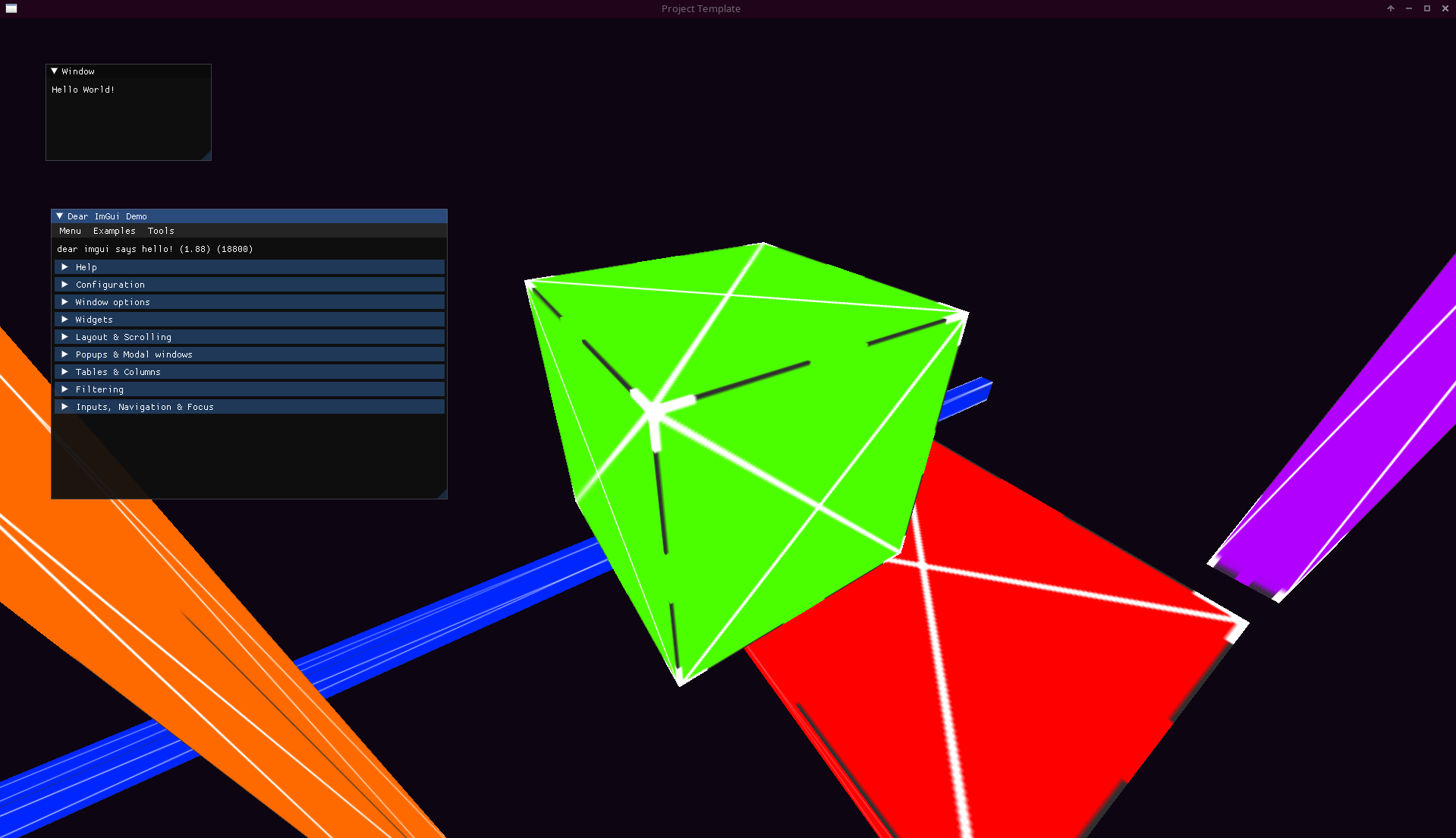
GitHub
CMake based C++ Project template with support for glfw, glad, imgui, spdlog, tracy, stb-image and cgltf - GitHub - deccer/CMake-Glfw-OpenGL-Template: CMake based C++ Project template with support f...
i have them submoduled here
proven laurel
you can also use cmake to download and unpack a zip folder
wispy spear
ye
somebody just posted code for that somewhere
for some KTX lib iirc
yestergestern or day before
wicked notch
For now I'll submodule the deccer-cubes, they are lightweight and fun.
Do you mind recloning/fetching the repo in a bit?
wispy spear
[deccer@neptune Iris]$ /home/deccer/Private/Code/External/Iris/build/Framebuffers
terminate called after throwing an instance of 'std::length_error'
  what():  basic_string::_M_create
Aborted (core dumped)
Could you try a cd build and then ./Framebuffers?
Because that's my working directory 😅
wicked notch
Yeah that makes sense.
 wicked notch
Yay! The keybindings are in the README btw
It's F to view the AABBs, F1 to recapture the frustum and display it (in the other target), etc.
wispy spear
ah
i have not checked the code but camera seems to be bound to xz plane as well
it doesnt get you where you point at
wicked notch
Yes, there is no sin(yaw) 😄
wispy spear
oki
wicked notch
You can use shift and space to move on the y-axis
wispy spear
i just noticed 😄
wicked notch
Thanks for trying my stuff, I really appreciate it.
Next on the list is:
- Understanding whatever the hell a
Rendererclass is. - Wrap my head around Uniform Buffers.
wispy spear
: >
any time, and feel free to boop me when you want me to try something out of yours
or want explicit feedback or whatever
wicked notch
Hmm I wonder if there is a way of sharing GLSL structs with C++'s structs.
They don't really have anything at all in common (memory layout, padding rules, etc.), but it would be nice if I could avoid repeating myself everytime.
 frank sail
vulkan has scalar block layout which makes it so glsl structs basically have the same alignment as C structs
wicked notch
That's quite nice, LearnOpenGL only talked about std140 and it's such a weird layout lol.
frank sail
std430 sucks a little bit less
btw, one lifehack you can do
struct packed_vec3 { float x, y, z; };
that will have alignment equal to 1 scalar
wicked notch
Interesting, but I guess rip usual vec3 semantics?
frank sail
yeah, though I suppose you could make a helper that constructs vec3s from this
wicked notch
Yeah, it's not great, this makes me wonder if more shading languages exist?
frank sail
you could even use macros to share code between C and GLSL
wicked notch
I mean, surely they exist, but do they actually help? (And can I use them in OpenGL)
frank sail
um 😄
spirv-cross means you can probably use any shading language (and even some non-shading languages) in OpenGL
wicked notch
Very interesting, one day I'll look into that.
frank sail
note that it's probably more cursed than it sounds
glsl is certainly the best-supported one, plus opengl in general is deprecated
wicked notch
By the way, I am currently declaring my uniform buffers like this:
layout (std140, binding = 0) uniform camera_t {
    mat4 projection;
    mat4 view;
} camera;

layout (std140, binding = 1) uniform transform_t {
    transform_data_t[MAX_INSTANCES] data;
} transform;

layout (location = 0) uniform uint transform_id;

void main() {
    gl_Position = camera.projection * camera.view * transform.data[transform_id].model * vec4(position, 1.0);
}``` Is this fine or am I completely off?that's fine
wicked notch
As far as I understand the "modern" way of doing things in OpenGL is allocating big buffers, so I thought I would allocate a transform buffer for all my meshes and index it when looping to draw them.
frank sail
I'd use an SSBO for the transform data since I don't need to hardcode the max size
wicked notch
SSBOs are still WIP, but they aren't much different from UBOs I've read.
They're just chonkier.
frank sail
it's just calling glBindBuffer{Base, Range} with GL_SHADER_STORAGE_BUFFER instead of GL_UNIFORM_BUFFER
wicked notch
This makes me wonder if I should really have two different types for uniform and storage buffer objects 🤔
frank sail
and changing uniform in the shader to buffer 😄
frank sail
wicked notch
This makes me wonder if I should really have two different types for uniform and...
you should have one type: buffer
I'm afraid you fell into the trap of thinking there are different kinds of buffers since GL has the different buffer binding points
wispy spear
: )
wicked notch
I see, well it's not a big change fortunately.
frank sail
somewhat unrelated, but I don't like that glsl has the "name" construct when declaring uniform/storage blocks
uniform camera_t
wispy spear
yah thats quite schtrange
frank sail
it only seems useful for querying from opengl
wispy spear
ja and mayhaps if you really have more than 2, 3 buffers
it also acts liek some namespace
materialBuffer.Materials[69], vs Materials[69]
frank sail
they should've just made it so you are required to provide a name at the end of the buffer layout(...) buffer {...} myBufferName;
then you can query that
wicked notch
Ah I see now, that's fair but I suppose they act as types for functions?
Although if you do have the name at the end you don't need to pass it to functions 😄
wispy spear
you can pass elements of a buffer iirc, like your typed element thing GpuMaterial instance
wicked notch
Oh I don't know, I'm purely talking fried air.
frank sail
not being able to pass buffers is an unfortunate (non)feature of glsl
wispy spear
a unifortulated feature
wicked notch
As a beginner I really don't like the fact that there are no pointers.
wispy spear
you dont need pointers in glsl
wicked notch
Yeah but it annoys me that arrays must be statically sized.
wispy spear
they dont have to, at least not in ssbos
frank sail
vulkan glsl has buffer "pointers" (which you can store in other buffers)
wicked notch
They don't?
frank sail
yup you can remove the fixed size in ssbo arrays
wispy spear
ssboblock {
    GpuMaterial Materials[];
};
I see, then I withdraw my complaint lol
frank sail
ssbos are awesome
wicked notch
I still have fear of "non-reference parameters", C++ teaches us that copying should be avoided
Then GLSL comes in and is completely opaque about copying things around.
frank sail
shader compilers aggressively inline everything
wicked notch
mat4 x = y;``` does this copy?maybe 🙂
wicked notch
😅
frank sail
you have to think about it from the compiler's perspective
all these code constructs are a means to an end
if you do mat4 x = y, but don't do anything with x, then that instruction might as well not exist
or if you do mat4 x = y, then only use the first column of x, then the other 3 columns probably won't be copied
wicked notch
And if I want to modify y through x I imagine the compiler tells me to fuck right off and just use y? 😄
frank sail
shader compilers apply the standard SSA transforms like dead code removal, common subexpression elimination, etc.
frank sail
wicked notch
And if I want to modify `y` through `x` I imagine the compiler tells me to fuck ...
you can install radeon gpu analyzer if you want to see actual real assembly that a shader compiler might generate
wicked notch
Unfortunately "Language design and Compilers" is in my third year sir.
frank sail
and AMD assembly isn't too difficult to read
wicked notch
I'll just trust the shader compiler for now lol
frank sail
wicked notch
Unfortunately "Language design and Compilers" is in my third year sir.
I never took a compilers class 
if you want to go further, here's a nice blog post
https://interplayoflight.wordpress.com/2021/04/18/how-to-read-shader-assembly/
wicked notch
I'm a graphics man now, compilers will be done at a later™️ date.
Bookmarked, thanks
frank sail
well tbh it's good to know how shader compilers work for graphics
at least for optimization
wispy spear
jaker selling carpets again : >
frank sail
 wispy spear
 wicked notch
Hmm in my Uniform Buffers journey I have run in quite a conundrum.
Currently my material_t struct looks like this:
struct material_t {
    sampler2D diffuse;
    sampler2D specular;
    uint shininess;
};```However the OpenGL specification says I only have 32 guaranteed texture units available.
Is this an example of: "don't just make everything a uniform buffer"?
frank sail
texture units are how many you can bind at once
also you can't even put samplers in buffers unless you have ARB_bindless_texture
wicked notch
Hmm I see, so no uniform buffers here.
wispy spear
if you dont/cant use bindless textures, you can also aways put your textures into texture2darrays
wicked notch
I'm not sure what this bindless is about?
frank sail
imagine being able to draw without binding textures
or doing one draw that has many textures
wispy spear
yep none of that
frank sail
both are gone, reduced to atoms
wispy spear
the "only" "caveat" with that is
you cant use renderdoc anymore for debugging your shizzle
but there are other tools which still work
frank sail
just yeet all your bindless handles into a buffer and index it*
wispy spear
nvidia nsight is useful even on non nvidia gpu, but its ui needs a little training to find all the things renderdoc can do
frank sail
*indices still need to be dynamically uniform or you get UB
wicked notch
frank sail
just yeet all your bindless handles into a buffer and index it*
So it's basically uniform bufferifying except for textures
wicked notch
frank sail
*indices still need to be dynamically uniform or you get UB
dynamically uniform = ?
frank sail
same value for all invocations
wicked notch
invocation = each fragment/vertex/whatever shader run?
frank sail
ye
wicked notch
Hmm, how would I even change the uniform midshader?
frank sail

btw, GPUs are SIMD (or SIMT) processors
and that's why you get funny UBisms from doing certain things
like putting dFdx in divergent branches
wicked notch
Sir this is a Wendy's
frank sail
wicked notch
Hmm, how would I even change the uniform midshader?
it can vary per sub-draw (as in an MDI call)
OR
on AMD: use the secret GL_EXT_nonuniform_qualifier extension to gain access to the secret weapon nonUniformEXT
on NV: use GL_NV_gpu_shader5 extension and nonuniform indexing will "just work"
 frank sail
the reason AMD needs this is because their GPUs store descriptors in SGPRs (registers that are shared across all threads in a wave (32 or 64 threads that execute in lockstep))
so nonUniformEXT makes the shader compiler emit a "waterfall loop" which turns your nonuniform access into a loop to access just one unique descriptor at a time
wispy spear
you can ignore all of that for now
frank sail
now it is our turn to learn about GPU hardware and shader compilers 
wispy spear
sounds like you are talking to me XD
frank sail
I'm talking to meverybody
wispy spear
(because i dont know any of that too)
frank sail
surely at this point you know what a wave/warp/subgroup is

 frank sail
(for LVSTRI) it's the minimal unit of execution on the GPU- there's one instruction pointer shared between those threads
 wicked notch
frank sail
(for LVSTRI) it's the minimal unit of execution on the GPU- there's one instruct...
wicked notch
frank sail
(for LVSTRI) it's the minimal unit of execution on the GPU- there's one instruct...
So... in John Von Neumann terms: A single FP32 unit in any CPUs ALU?
frank sail
GPUs operate efficiently by minimizing per-thread control units like instruction pointers, branch predictors, speculative execution nonsense in favor of cramming in more ALUs and a wider bus
wicked notch
🤔
frank sail
so you end up with having 32 or 64 (depending on the arch) threads per wave which are all controlled by a single sequencer
wicked notch
So in a GPU a wave has hyperthreading (somehow ??????)
A single FP32 unit can do multiple things in parallel?
frank sail
think of it as simd
one instruction, but it's issued to 32 or 64 threads which have their own ALU
anyways, on AMD most things are done in per-thread registers (vector GPRs)
but AMD also recognizes that some data is shared, so we have registers that are shared within a wave (scalar GPRs)
wicked notch
So if _mm512_fadd_ps does addition on one thread in a big 512 bit bus, _mm512_fadd_ps_except_on_the_gpu gives each thread 2 floats and then gets the result back?
frank sail
frank sail
but AMD also recognizes that some data is shared, so we have registers that are ...
that would be things like uniform control flow variables or math done on other uniform constants
frank sail
wicked notch
So if `_mm512_fadd_ps` does addition on one thread in a big 512 bit bus, `_mm512...
kinda
wicked notch
CPU would be:
FOR j := 0 to 15
    i := j*32
    dst[i+31:i] := a[i+31:i] + b[i+31:i]
ENDFOR```
and GPU is:
```basic
FOR j := 0 to 15
    SCHEDULE_WAVE
        i := j*32
        dst[i+31:i] := a[i+31:i] + b[i+31:i]
    END
ENDFOR```I'm a bit confused by that example
wicked notch
(I dunno the exact terms)
frank sail
in general, you can program the GPU like a CPU, except with the expectation that it's running with high parallelism
it's not like programming SIMD except in certain advanced scenarios
the hardware and shader compiler implements the SIMD rather than the programmer, if that makes sense (which makes it more like SIMT I suppose)
wicked notch
The CPU does the thing as usual, load the floats in XMM regs and perform 512 bit wide addition.
The GPU takes the floats, gives 2 to each thread (so each thread does 32 bit usual addition) and then back on the "main thread" the results are combined?
frank sail
if you used ISPC to generate SIMD code, it would be like that
frank sail
wicked notch
The CPU does the thing as usual, load the floats in XMM regs and perform 512 bit...
the GPU doesn't have a "main thread"
are you familiar with compute shaders?
frank sail
ok, I'll use different terms for my explanation
imagine the fragment shader
each invocation gets some information passed to it from the previous hardware stage
then it does some math as you would in a fragment shader, then writes it to a location that was passed to it from the previous hw stage
wicked notch
Mhm
frank sail
you can almost imagine that there aren't many other invocations being scheduled at the exact same time, running the same instructions
each invocation runs the same instructions, but operates on different data
wicked notch
Oh I see, so that's where it diverges from normal CPU SIMD?
frank sail
so you could imagine each instruction as being a SIMD instruction with the width of the wave
frank sail
wicked notch
Oh I see, so that's where it diverges from ~~normal~~ CPU SIMD?
CPU SIMD is the same in that you issue one instruction that operates on different data
wicked notch
But here are multiple instructions in parallel?
frank sail
well GPUs go to great lengths to hide latency and maximize throughput
one of the ways they do that is with a hyperthreading-like mechanism of being able to schedule multiple waves in flight
so if a wave stalls (e.g., on a memory read, which has very high latency), the scheduler can just swap contexts and issue an instruction for a different wave
and it can keep doing this as long as there are registers available to allocate to new waves (and if the in-flight limit of waves hasn't been reached)
so you can have, say, 10 waves waiting on different memory accesses at once instead of having to issue a memory instruction, then wait 10 times in a row
if your shader uses too many registers (e.g., if the shader compiler unrolled a loop a bit too aggressively), then it can limit the number of in-flight waves (or the occupancy), and your performance may suffer as a result of not being able to hide memory latency as effectively
wicked notch
I won't lie to you, I don't think I can keep up 😅
Could I ask you some resources for beginners on GPU architecture?
frank sail
let me find my link dump
@ mohamaxiety completed this for me after I semi-jokingly sent a bunch of links and told him to make a summary of each
they vary in complexity and depth
wicked notch
Thank you, this is awesome lol
frank sail
there's also this video, which explains both compute shaders and how (AMD) GPUs work
https://gpuopen.com/videos/compute-shaders-gic21/
lol that vid masquerades as "intro to compute shaders" but the first slide mentions the command processor, dual compute units, and more 
it's still good to expose yourself to this stuff if you want to learn, even if you don't get all of it right away
wicked notch
I also found this: https://nyu-cds.github.io/python-gpu/01-introduction/ is it good?
frank sail
seems fine, albeit brief
CUDA is a good way to learn about GPUs and compute because there are good resources for it
here's a middleish level explanation of how we arrived at GPUs and compute shaders
https://anteru.net/blog/2018/intro-to-compute-shaders/
wicked notch
I have pushed uniform buffers, I guess I'll go read these for now.
wicked notch
I think my brain reached max capacity for today.
I'll continue the crash course in GPU arch tomorrow.
I wish my Univsrsity had such a course 😢
frank sail
Take your time. You can dewit
wicked notch
Regarding SIMT, as far as I understood it's a "superset" of SIMD, in that each "thread" has its own SIMD lanes.
At least that's what I get from Hennessy & Patterson, I'm still reading NVIDIA's introduction to CUDA (https://docs.nvidia.com/cuda/cuda-c-programming-guide/index.html#hardware-implementation)
wicked notch
I'll put this here too so that I don't forget it:
NVIDIA:
- Thread: Basically just an instruction pointer and some registers on shared SIMD lanes
- Warp: A group of 32 threads, they are scheduled and partitioned by a warp scheduler
- Block: The maximum number of threads a Streaming Multiprocessor can schedule (it can happen across multiple blocks)
- Streaming Multiprocessor: A collection of Blocks who share the same memory resources
- Grid: The combination of Streaming Multiprocessors, Blocks and Threads makes "a grid"

Distributed Shared Memory: A memory space shared by all currently scheduled threads in a Streaming Multiprocessor

AMD:
- Work Item: Same as NVIDIA's "Thread"
- Wavefront: Same thing as NVIDIA's "Warp"s, except it can have either 32 or 64 work-items
- Workgroup: Same thing as NVIDIA's "Block"s, defined by AMD as: A collection of Wavefronts that can synchronize with each other quickly and can share data across the Local Data Share
- Workgroup Processor: A collection of Workgroups who share the same memory resources

Local Data Share (LDS): Same thing as NVIDIA's Distributed Shared Memory, on RDNA2 it's 128KB per Workgroup Processor
Could I bother you to fact-check this @frank sail?
frank sail
Blocks and grids are work-related concepts
The block size isn't a maximum, but rather a value that the programmer chooses
However, there is a maximum block size that is dictated by the hardware
Everything else looks correct
wicked notch
Yes, as I understood it there are only "warps" and "streaming multiprocessors" in hardware, "blocks" are just an abstraction to make it easier to index (? probably)
frank sail
Yeah
wicked notch
The maximum block size being how many threads a SM can effectively handle
frank sail
And you can use shared memory within a block
wicked notch
 frank sail
Hmm I actually didn't know about distributed shared memory
Can you access shared memory from other blocks though?
wicked notch
"Thread blocks that belong to a cluster have access to the Distributed Shared Memory. Thread blocks in a cluster have the ability to read, write, and perform atomics to any address in the distributed shared memory. Distributed Shared Memory gives an example of performing histograms in distributed shared memory."
Apparently yes.
frank sail
A cursory Google search only talks about "regular" shared memory
Are you looking at docs for a particular arch?
wicked notch
I would have no idea, I'm referencing this https://docs.nvidia.com/cuda/cuda-c-programming-guide/index.html#hardware-implementation
Wrong hyperlink but eh
It's just before 2.3. Memory Hierarchy.
frank sail
I think it's for the Hopper arch
https://developer.nvidia.com/blog/nvidia-hopper-architecture-in-depth/
Which is for HPC
frank sail
Distributed shared memory allows direct SM-to-SM communications for loads, stores, and atomics across multiple SM shared memory blocks.
frank sail
wicked notch
AMD wins once again
Well shared memory is intra-workgroup on AMD so rip
wicked notch
This is for SM-to-SM communication though, the docs are talking about memory sharing within the SM?
NVIDIA says: "Thread block clusters introduced in compute capability 9.0 provide the ability for threads in a thread block cluster to access shared memory of all the participating thread blocks in a cluster."
Also according to NVIDIA no GPUs support Compute Capability 9.0 
 frank sail
Yep
frank sail
Uh
wicked notch
Ah yes, how you could invoke undefined behavior by changing "dynamically uniform" data mid invocation
Now it makes sense I guess, two threads accessing the same data but having different results could be catastrophic.
frank sail
Something about bindless textures iirc
wicked notch
Yes the indexing part of that
frank sail
The problem is specifically related to AMD hardware
Resource descriptors being in sgprs means only one resource can be accessed by the wavefront at a time
wicked notch
Even atomically?
frank sail
Wdym atomically
wicked notch
If I change the value of a "supposedly dynamically uniform" value atomically, would I still run into UB?
frank sail
If multiple threads in a wave index different descriptors, then only one will be chosen arbitrarily
Because the sgpr is shared
You can inform the shader compiler that access is nonuniform and it'll generate a loop
That's what nonUniformEXT does
frank sail
On NV it's a noop since it seems like they can store descriptors in per-thread registers
wicked notch
It has only one Workgroup Processor with one Workgroup and a Wave32
Suppose I have this fragment shader and a 4x4 resolution
uniform sampler2D[16] textures;
uniform uint texture_index;

out = texture(textures[texture_index], uv);```I then issue these two commands:
somehow_set_the_textures_uniform();
glUniform1i(0);
glDrawArrays();

glUniform1i(1);
glDrawArrays();```Supposedly only one workgroup will be scheduled per glDrawArrays command?
Effectively handling the draw calls "sequentially" I guess?
Or does it not work like that and the driver can decide to "mix-and-match" gl commands?
frank sail
The invocations from separate draws will at least be scheduled on different warps, so there is no worry about UB here
wicked notch
Even if I ran this on a 6900XT?
frank sail
It's only a problem in the context of a single draw
wicked notch
I see, makes sense
frank sail
Regardless of the GPU
wicked notch
Yeah I was assuming my imaginary "worst-ever GPU with a single wave32"
frank sail
Since the API says this isn't UB, the AMD implementation is guaranteed to not pack invocations between draws into the same wave
wicked notch
This is all very interesting
So in the context of a single draw huh?
Would it be more correct to say: "in the context of all fragment shader invocations that draw generates"?
frank sail
As in multiple fragments in one draw can be scheduled in one warp/wavefront
wicked notch
Hmm yes
frank sail
wicked notch
Would it be more correct to say: "in the context of all fragment shader invocati...
The only caveat is that MDI can generate multiple "sub draws" within a single draw call which are considered separate draws for the purpose of this UB
wicked notch
MDI being?
wicked notch
Ah the thing where you draw more stuff
frank sail
More draws per draw
wicked notch
😰
frank sail
Do you know instancing?
wicked notch
Yeah, actually is this issue present with instancing too? lol
frank sail
Well MDI is like instancing in that it reduces your draws
But also yes you can get the UB with instancing
The spec defines dynamically uniform
wicked notch
 frank sail
wicked notch
Suppose I have this fragment shader and a 4x4 resolution
```glsl
uniform sampler...
frank sail
wicked notch
Suppose I have this fragment shader and a 4x4 resolution
```glsl
uniform sampler...
Basically this code is fine because the index is uniform
It'd possibly be problematic if the index came from the vertex shader or some other value
wicked notch
I am feeling slightly overwhelmed.
I will now implement storage buffers and then ponder the orb.
 wicked notch
By the way, does OpenGL specify how draws are to be scheduled in warps?
Or how multiple draws relate to each other?
frank sail
It specifies an ordering in which draws will appear to be executed
Each primitive in each draw will appear to be shaded serially
You can imagine that this requires some great effort to map to a massively parallel device
wicked notch
Yeah I was wondering just that
How the hell do you make a parallel beast "appear" to do things serially?
frank sail
For example, there are per-pixel queues that let the hardware order things at the fragment level
But those queues are fixed size, so there needs to be fancy scheduling elsewhere
wicked notch
Per pixel or per fragment?
frank sail
And this is where it starts getting into the nitty gritty hardware details that
A) I don't know a lot about, and
B) a lot of this info is probably proprietary
frank sail
wicked notch
Per pixel or per fragment?
Tomato potato
frank sail
"fragment" is a term that's really only used in Khronos APIs
wicked notch
I guess I'll have to master the dark arts and steal informations from NVIDIA/AMD engineers.
wicked notch

I want no responsibilities for possible company secrets you spilled
Also, that's insane, I can't even imagine how hard you worked to get there, 'grats.
frank sail
Don't worry, I'm not sharing any info that's not public
And fortunately for you, AMD makes a lot of info about their GPUs public
wicked notch
True, they have their GPUOpen thing which is pretty cool
frank sail
Ye
frank sail
wicked notch
Also, that's insane, I can't even imagine how hard you worked to get there, 'gra...
It's actually not as hard as you might think
Being passionate about graphics and GPUs (which you clearly are) will go a long way
frank sail
I can only warn that you don't burn yourself out by going too hard
wicked notch
Enabling MSAA made aliasing worse?
 wicked notch
I have not reached that chapter yet so nope, just your good old regular rendering.
frank sail
i c
I wonder if this is a centroid issue again
try adding the centroid qualifier to the interpolated normals
wicked notch
Looks like that worked, what is centroid?
frank sail
so MSAA means your pixels only get shaded once at the center of the pixel, and that value is broadcast to all the coverage samples that were visible
that phrasing is weird
the fragment shader will only be invoked once per pixel, even if multiple samples within the pixel are covered by the primitive
now imagine if a triangle only covers one sample at the edge of the pixel
the position at the center of the pixel will be used for interpolation, which means you will actually be extrapolating the value outside of the triangle
centroid means that the location that is chosen to be shaded must be inside the triangle so this extrapolation doesn't occur
so now if your triangle covers some samples at the side of the pixel (but not the center), one of those samples' positions will be used for shading
wicked notch
And because the sample is actually outside the triangle, we'd be extrapolating garbage values and everything goes to shit?
frank sail
I guess it's particularly bad for normals
as you can see, the issue only occurs where the normals are almost perpendicular to the view direction, and at the edge of triangles
wicked notch
Hmm since they are perpendicular I guess this dot(light_dir, normal) will be very wrong?
frank sail
you'll get 0 which probably screws up some calculation somewhere
wicked notch
I'd wager a NaN but I can't say for sure, I wish I could debug shaders lol
frank sail
can you show the shader?
frank sail
I don't see anything obvious that could cause issues
e.g., divisions by 0
and you're already clamping the dot products to 0
wicked notch
That was the "fix" by the way.
clamp(dot(light_dir, normal), 0.0, 1.0) does not require centroid.
frank sail
hmm so max(dot(...), 0) didn't work, but clamp(dot(...), 0, 1) did?
wicked notch
Yes
frank sail
that's weird, all the problem areas are at grazing angles to the camera, which should produce a dot product near 0
another thing to consider is that normals need to be renormalized after interpolation
wicked notch
Aha, that seems more reasonable indeed.
And it also works as well without centroid.
I guess I forgor to renormalize lol
frank sail
I'm still confused
the pic does not suggest to me that the issue has to do with dot products going over 1
wicked notch
Hmm
frank sail
well actually
if the dot product goes over 1, then your specular component is gonna blow up
const float specular_intensity = pow(max(dot(view_dir, light_dir_reflect), 0.0), material.shininess);
ah, so it's actually the reflected vector
wicked notch
That makes a lot of sense, I forgot to tell you this but to test I removed the specular component from the equation
And the issue almost went away.
wicked notch
I guess if OpenGL tries to extrapolate a value from outside the triangle, its normals could just barely have a magnitude >1 and blow up the spec
Assuming perspective-correct interpolation I guess?
frank sail
yeah
you can put noperspective on your fragment shader inputs if you want to see trippy things
wicked notch
In exchange for your help I will give you sponza

noperspective is definitely fun lol
wicked notch
So, roadmap of today: Enhance mouse picking, AABB are "good enough" but scenes like Sponza or San Miguel are really really bad, in that I will probably never select the actual object unless I'm 1 millimited away from it.
wicked notch
TIL C++ does not allow you to take the address of a temporary with std::addressof
frank sail
you normally can't take the address of an rvalue
wicked notch
Yeah I get it, but since the committee made a stupid decision I have concluded to ignore said decision.
template <typename T>
constexpr auto as_const_ptr(const T& value) noexcept -> const T* {
return &value;
}``` UB generator 🤤
wicked notch
As long as I use this in xvalue expressions where I know the address of the temporary will not be needed past the expression, this is not UB
But this is a BFG 10000 sized shotgun near my head at all times
frank sail
They need to add compound literals that you can take the address of like in C
wicked notch
That would be nice, yes
wicked notch
Hmm so far I'm seeing super fast mouse picking with the "draw all mesh ids to a framebuffer"
The only issue I can think of is glReadPixels which is really slow from what I've heard.
frank sail
It's slow because every command has to be flushed and you have to wait for the GPU to finish all work up until that point
And consider that it's normal and desirable for the CPU to run at least 1 frame ahead of the GPU
That means waiting for the GPU to finish a lot of work
wicked notch
Hmm makes sense, I wonder if I could "double-buffer" this and let the GPU run however it pleases?
frank sail
You can use a pixel buffer, which lets you read pixels into a buffer on the GPU
It won't cause a stall until you read from that buffer
But maybe the best way is to use a fence + persistently mapped pixel buffer
Then you can query the fence to see if the transfer completed, without stalling
frank sail
I'm referring to the gl sync primitive
For synchronizing the CPU and GPU
You insert a fence into the command stream, then querying it will tell you if all the commands issued before that point have completed
wicked notch
So... like this?
glGenFencesOrSomething(1, &fence);
// render loop
while ... {
    draw_all_the_things();
    glSignalFence(fence);

    if (glGetFenceStatus(fence) == GL_COMPLETE) {
        glReadPixels();
    }
}```?Oh yeah, replace that with whatever the equivalent for pixel buffer objects is
frank sail
yeah so you can render to a 1x1 texture, then unpack it into a pixel buffer
the trick is using persistent mapping to keep the pixel buffer mapped at all times, then you just need to read from it when your fence says that the pixel buffer has your value in it
not sure if you used buffer mapping before, but I'm sure you're familiar with memory mapped i/o and files
wicked notch
I read about it in LearnOpenGL and yes mmap my beloved.
frank sail
Normally, mapping a buffer in OpenGL induces a stall since everything before it needs to complete. With persistent mapping, we tell OpenGL that we can handle sync ourselves
wicked notch
I did not find a usage for glMap yet, I mean we have glBufferSubData right?
wispy spear
streaming perhaps?
frank sail
Yeah, but for reading without stalls you want mapping
wicked notch
But I guess we can't use glBufferSubData because we would induce stalling
frank sail
And persistent mapping can help for uploads in case the driver decides that it used enough memory and stalls on glBufferSubData
wicked notch
This is all very interesting, but it's time to learn what a BVH is, I don't think I'm going with the pixel perfect approach because it's too perfect 😅
wicked notch
Yeah but you are still checking a ray with an AABB
so even if you click not exactly on the mesh itself, it'll still pick it
frank sail
bottom-level nodes contain triangles
you traverse AABBs until you hit the bottom level, then you test against all the triangles in that node
I guess you could make a bastardized BVH with only AABBs if you "want" imperfect intersections
another thing to look at are octrees, in case you want something easier to construct
wicked notch
Yeah but I suppose it's still like this:
for aabb in aabbs {
    if aabb.intersects(ray) {
        for mesh in aabb.parent_mesh {
            if mesh.triangles().intersect(ray) {
                we_hit_the_thing();
            }
        }
    }
}```So we really only need to hit the AABB of the mesh right?
Triangles are only used to understand exactly what mesh we clicked on, right?
frank sail
I suppose one could say that 😄
wicked notch
I'll just shut up and actually learn instead of talking out of my ass lol
Any resources you can recommend for BVH's?
frank sail
Mad man’s corner
This site is a collection of posts on the topics of Computer Graphics, Programming Language Design, or Compilers. Opinions are mine and may not reflect my employer’s.
might be a bit too in-depth
this one is an easier start
https://www.scratchapixel.com/lessons/3d-basic-rendering/introduction-acceleration-structure/introduction.html
wicked notch
Added both to The Cache Browser™️
frank sail
BVHs are 'incidentally' a critical component of fast ray tracing, in case you ever want to explore RT'd graphics
wicked notch
I don't know about you guys but I actually use 3 browser instances
One for my personal stuff, one for my school stuff and another for things I'm working on right now (The Cache™️)
wicked notch
frank sail
BVHs are 'incidentally' a critical component of fast ray tracing, in case you ev...
RT is great, I think I like it more than regular rasterization
frank sail
I have like 5 browser instances and they vaguely contain different topics (e.g., one is for tonemapping stuff, one is for documentation), except all of them have a few random other tabs that throw it off
I love clicking on all the instances to see where the tab I was looking for went
wispy spear
is the madmann in #graphics-resources?
wicked notch
Hopefully I'll be able to do ray tracing soon

 wicked notch
The good old "trade memory for milliseconds" tradeoff.
Fancy octrees huh, I was never very good at implementing data structures 
proven laurel
wicked notch
This is just Algorithms and Data Structures
Always has been
wicked notch
The new Sebastian Lague video reminded me of my goal for this thing lol, I can't wait to raytrace all the things.
wicked notch
Today was not a very productive day, I spent half the day studying for uni and the other half still studying but this time BVHs
And I don't have a working BVH yet (nor do I fully understand how to effectively implement one)
wicked notch
when graphics programming is apparently 100% probabity theory and your university has only one course (for first years) in probability and statistics.

me right now:
 proven laurel
wicked notch
when graphics programming is apparently 100% probabity theory and your universit...
proven laurel
wicked notch
when graphics programming is apparently 100% probabity theory and your universit...
your graphics programming course is the stats course
wicked notch
I know only up until "Variance and Standard Deviation"
which is basically common knowledge lol
wicked notch
Day 2 of being stuck in Probability and Statistics:
I've bought the classic Pearson book, scratchapixel wasn't detailed enough but I think I understood enough to start implementing some of the stuff they talked about, hopefully I'll learn about BVHs sooner than expected.
wicked notch
All this just to accelerate a bit mouse picking, great.
frank sail
And to implement rt 😉
You don't need any probability theory unless you're doing some monte carlo light transport thing (e.g., path tracing)
wicked notch
I want to do that eventually so might as well get started early right?
Also yeah, I want to do RT properly, it's basically the end goal of this whole journey lol
I will make sure to give proper love to Rasterization too though, real-time rendering is the first rabbit hole I went into after all.
wicked notch
Day 3 of Probability and Statistics:
Apparently raytracing is stupidly simple to implement, accelerating it is what's super hard but Monte Carlo integration per se is easy to understand
I kind of want to make a CPU raytracer myself, but I promised I'd learn about BVHs soon so here it goes.
proven laurel
You can already start with a CPU raytracer. The BVHs would mainly affect your "hit" function
frank sail
Ye you can drop in a different implementation trivially since it's completely separate from ray generation and shading
wicked notch
Hmm
If I have
uint x = 0x3f800000;``` in GLSLI assume
float y = float(x);``` does not do what I think it does?If so, how can I do it?
uintBitsToFloat found it! Noice
wicked notch
const uint E_HITTABLE_NONE = 0;
const uint E_HITTABLE_SPHERE = 1;
const uint E_HITTABLE_TRIANGLE = 2;

struct hittable_t {
    uint type;
};

struct sphere_t {
    hittable_t hittable;
    vec3 center;
    float radius;
};

struct _proxy_hittable_t {
    // should be the max size of all hittable types or more
    uint[8] _data;
};``` Discount Polymorphysm in GLSL 😄Imagine a language where reinterpret cast is the default kind of cast
wicked notch
Yeah probably not ideal
By the way, on a scale 1 to 10, how cursed is this?
struct _proxy_hittable_t {
    // should be the max size of all hittable types or more
    uint[8] _data;
};

layout (std430, binding = 1) readonly restrict buffer hittable_buffer_t {
    _proxy_hittable_t[] hittables;
};```you can also reinterpret data by making two buffer blocks and binding the same range to both of them
as for your current thing, it's like a 6 on the scale of cursedness
wicked notch
Very nice, road to 10 then
wicked notch
frank sail
you can also reinterpret data by making two buffer blocks and binding the same r...
I see, that would probably be cleaner
frank sail
you basically have a DIY union right now
wicked notch
Yeah, I also have this very nice DIY reinterpret_cast:
sphere_t as_sphere_from_proxy(in _proxy_hittable_t proxy) {
    sphere_t sphere;
    sphere.hittable.type = proxy._data[0];
    sphere.center = vec3(
        uintBitsToFloat(proxy._data[1]),
        uintBitsToFloat(proxy._data[2]),
        uintBitsToFloat(proxy._data[3]));
    sphere.radius = uintBitsToFloat(proxy._data[4]);
    return sphere;
}```but yeah binding one buffer multiple times will probably be cleaner. just make sure you document that somewhere so you aren't conchfused in the future
wicked notch
I have to say, this is a very pleasant GLSL exercise

 frank sail
Ballin'
wicked notch
I have also discovered that GPUs are comically bad at RNG
frank sail
How so?
wicked notch
It seems like PCG is not very good, the scene basically "converges" every time (i.e: functionally no change after 100 frames or so)
Maybe it's a flawed implementation on mypart?
frank sail
most likely, since pcg is in fact pretty good
another thing to consider is that the reduction in noise is proportional to the square root of the number of samples taken
so if you take 4x more samples, you only halve the noise
wicked notch
I see, so far I have 4spp and I'm averaging the result over time
frank sail
it also depends on your temporal accumulation function, since having a higher alpha will practically limit the number of samples that contribute
wicked notch
Using a typical mix(old, new, 1 / frames) accumulation function
frank sail
hmm
what if you try using a very small constant instead of 1/frames
like 0.01
convergence will be slower at first
frank sail
alright, have a good night
wicked notch
By the way, I have used 0.01 constant and it produces... something weird?

uint state_init_pcg() {
    return uint(frame) * uint(resolution.x * resolution.y) + uint(gl_FragCoord.x + gl_FragCoord.y * resolution.x);
}

void pcg(inout uint state) {
    state = state * 747796405u + 2891336453u;
    uint word  = ((state >> ((state >> 28u) + 4u)) ^ state) * 277803737u;
    state = (word >> 22u) ^ word;
}

float random(inout uint state) {
    pcg(state);
    return float(state) / float(0xffffffffu);
}``` I don't see much wrong with PCGShamelessly copied from some random shadertoy
wicked notch
wicked notch
Looks like they really know their math 😄
frank sail
 wicked notch
I changed PCG implementation and the result is pretty much the same 🤔
At least I fixed the TDR
Turns out a while (true) in a shader is not a good idea
wicked notch


The shader is becoming more and more messy though
Can I use #include or does everything explode 🤔
frank sail
well yes, but actually no
I can hook you up (this is my const-correct fork)
https://github.com/JuanDiegoMontoya/stb/blob/master/stb_include.h
wicked notch
Huh I have to use a whole library just to include something in a shader..?
frank sail
there's also a horrible gl extension that makes you create a whole virtual filesystem
good APIs like d3d and vulkan don't consume source strings and instead make you use a separate compiler (which is capable of processing includes) to emit bytecode, which the API then consumes
technically you can use shaderc or glslang to preprocess or compile glsl to SPIR-V (which GL 4.6 can technically consume), but it's such a pain in the ass still
wicked notch
But can you write a GPU raytracer in Vulkan in one day?
frank sail
maybe if you use a vulkan wrapper
wicked notch
(probably yes, since Vulkan has native raytracing)
I'll stay with GL for a bit more time, I still have a lot to learn
frank sail
it makes the BVH and does ray traversal for you, but doesn't implement anything else like shading
wicked notch
I also appreciate the super quick prototyping capabilities of GL
frank sail
yeah I'm still using GL after all this time, despite its numerous deficiencies
using vulkan feels... unproductive
but there are a bunch of new features and extensions that make it more productive to use, relatively speaking
wicked notch
I'm sure it's more pleasant to use than poor old OpenGL 😄
For now I'll stay in this rabbit hole though
frank sail
oh yeah, gl is crusty as hell
wicked notch
I already have my head inside a lot of them
Anyways, back to CPU land, objective: BVH
frank sail
how long have you been doing  ?
?
it feels like weeks since you started being active here
wicked notch
I did not do anything serious before a few weeks ago, but I did take a course in graphics
We only did a few things in OpenGL so I had to rehearse a bit
frank sail
you're advancing pretty damn fast lmao
wicked notch
I'm dedicating all my time here basically 😄
Besides a few hours of study relegated to upcoming exams
frank sail
I had a summer where I did basically nothing but GP, and trust me, I didn't have as much interesting stuff to show for it 😄
but it seems like you're pretty comfortable with C++ already, and that's where a lot of my early GP learning time went
wicked notch
Oh yeah, I wrote a lot of C++ but then abandoned it for a bit when I got into university
So the plan was to study the C++20 that I had missed too
frank sail
C++20 has some dope features
wicked notch
There was also the "final project" of the Graphics course I took with a group, this was in Vulkan and I didn't do much though 😄
They decided "oh yeah Vulkan why not" and I was pretty lost at that point
We did manage to pass so all's well I guess
frank sail
nice
vulkan is a pretty well-designed API
barely any crust
it's just a pain in the ass to use since you're trusted to do so much more
wispy spear
LVSTRI, 's prodigy
wicked notch
After going back to CPU land, I realized I am worse than I thought at writing data structures, so I'll reread this chapter tomorrow with a fresh mind while depressingly reading the stats book I bought.
So onto Day 4 of the probability and statistics course I never took cause it's missing
frank sail
Which stats book did you get?
wicked notch
DeGroot's - Pearson
frank sail
Last time I took a stats class was in high school, so perhaps I should brush up on it
wicked notch
scratchapixel did a good job at explaining things, unfortunately I need proofs or I don't understand anything
I know it's a bit backwards but that's how my brain works apparently
frank sail
Proofs tend to give me a negative understanding of things
wicked notch
proofs are great, except if you are Thomas Cormen
I don't know why but Cormen's book is awful at explaining proofs
wicked notch
So, I thought I'd take a break from University and the Stats book to implement a camera in my raytracer and merge it with "Iris"
Here's the progress, I call this the Smudgy Tracer 9000 (Patent Pending)
frank sail
Time to learn reprojection
Look up temporal anti aliasing guides if you need more info
wicked notch
For now I have engineered™️ a simpler solution:
if (window.is_mouse_captured || glm::any(glm::greaterThan(glm::abs(fps_camera.position() - old_camera_position), glm::vec3(FLT_EPSILON)))) {
    frame = 0;
}```But yeah this is not ideal I guess.
Works somewhat well?
(Don't mind the artifacting, H264 really didn't like this video for some reason)
frank sail
Ah, I looked at the code and see that you basically restart accumulation when the camera moves
What if I told you that you can still accumulate when the camera/scene moves
wicked notch
 wicked notch
With this I will probably stop here and go back studying
 frank sail
wicked notch
https://tenor.com/view/curiosity-curious-intrigued-interested-interesting-gif-14...
frank sail
wicked notch
https://tenor.com/view/curiosity-curious-intrigued-interested-interesting-gif-14...
it's called reprojection (I mentioned it already)
🇷🇪 🇵🇷 🇬🇪 🇨🇰 🇸🇭 🇮🇳
wicked notch
I'm kind of surprised at how bad scratchapixel confused me in some cases.
I spent a lot of time trying to understand sample distribution and its mean/variance, only to realize that scratchapixel was wrong here.

There's a square missing, now granted this is my fault for not noticing but damn... I lost a lot of time here.
I confirm this theory by the way:

I was definitely lost by this point
wicked notch
Alrighty, I've merged the BasicRaytracing target with Iris and I'm at a pretty good point with my stats learning, I think I can go back to LearnOpenGL for a little while, all this raytracing has burned my little brain.
wicked notch
Hmm, I am reading the shadow mapping chapter on LearnOpenGL, but I'm having some trouble understanding how we sample from the shadow map.
Supposedly I have the screen space coordinates in [-1.0; 1.0] of any fragment of the shadow map.
Then we go [-1.0; 1.0] -> [0.0; 1.0]
I guess because UVs are in that range?
So, to sample from the shadow map we basically take the screen space coordinates of any fragment and we transform them in UV space?
Damn my english broke on the last sentence
Fixed
frank sail
you project the world position coord of the fragment into the shadow clip space, then convert to NDC (with an ortho proj this step is equivalent to doing nothing), then convert to UV space to actually sample the shadow map
wicked notch
I can feel my brain expanding with this.
I would've never thought of using NDC coordinates of a fragment to sample from a shadow map
frank sail
it helps to understand and visualize the coordinate space transformations
wicked notch
Yes, this makes perfect sense now.
But aren't we just checking the fragment's depth against its own?
frank sail
no
wicked notch
We are basically performing the depth-testing OpenGL automatically does for us
frank sail
you're comparing the depth of the projected fragment (in light space) to the depth that's stored in the shadow map at the same uv coordinate
wicked notch
Yeah exactly
float calculate_shadow() {
    const vec3 proj_coords = frag_pos_shadow.xyz * 0.5 + 0.5;
    const float closest_depth = texture(shadow_map, proj_coords.xy).r;
    const float current_depth = proj_coords.z;
    return current_depth > closest_depth ? 0.0 : 1.0;
}``` I could rename this function to `perform_depth_testing_on_fragment`I guess I misinterpreted your first statement
wicked notch
And it would be correct, right?
frank sail
it wouldn't be wrong I guess
you are essentially doing the same thing as the automatic depth test, yes
but the context is key
if I saw perform_depth_testing_on_fragment in someone's code, I wouldn't know that it was for shadows
frank sail
wait until you learn about variance shadow mapping and exponential shadow mapping
jk you can get away with PCF for now (which I think learnopengl introduces)
wicked notch
To further confirm my understanding of sampling from the shadow map, LearnOpenGL solves going out of bounds with the shadow map's uvs is solved by using CLAMP_TO_BORDER
But this is also solved by checking any(proj_coords.xy > 1.0) || any(proj_coords.xy < 1.0)?
This is quite nice, however there are some big issues with shadow acne 😅

If I use a big bias, they fix some of the problems but they introduce others, like here:
 wispy spear
jaker taught me to make the bias rely on NoL
wicked notch
Hmm so bias * max(dot(normal, light_dir), 0.0, 1.0)?
Would 2 require a higher or lower bias?
 wispy spear
        float bias = (1.0 - NoL) * shadowSettings.LinearBias;
        bias += shadowSettings.ConstantBias;
Right, so 2 would require a higher bias because the angle is bigger, makes sense.
It's still quite bad but a bit better, I guess this isn't enough
wispy spear
it helps a little, ye
there are probably better ways of doing, or perhaps other shadow algorismtmsmts like MSM do better itself

This video accompanies the publication "Moment Shadow Mapping" presented at the 19th Meeting of the ACM SIGGRAPH Symposium on Interactive 3D Graphics and Games in San Francisco, CA, February 27 - March 1, 2015. Download the paper and more material here:
http://cg.cs.uni-bonn.de/en/publications/paper-details/peters-2015-msm/
wicked notch
Oh boy, a big paper
wispy spear
i wish you luck
wicked notch
Alright
I am already lost, and I just read the Abstract

I have no idea what "Convolution Shadow Maps" or "Variance Shadow Maps" are
I guess they are other older techniques that combined make Moments Shadow Maps even better?
wispy spear
yes
frank sail
MSM is kinda poop imo
frank sail
wicked notch
Would 2 require a higher or lower bias?
Higher bias

Desmos
This shows the exact math you need to have a perfect bias
Also the code deccer linked doesn't use this because it's old and I didn't learn about this technique until recently
wicked notch
I had no idea Desmos could be this useful, what the fuck
wicked notch
Desmos Enthusiast™️
frank sail
Personally I use it to make shrimple graphs and such
wicked notch
Hmm there's a big artifact forming when N and L are orthogonal to each other (understandably since tan blows up and goes NaN at these angles)
const float bias = (width / 2.0) * clamp(tan(acos(clamp(dot(normal, n_light_dir), -1.0, 1.0))), -8.0, 8.0);```This works somewhat well, what do you think?
Hmm this breaks down at other angles though..
Perhaps a 1024^2 is too little a resolution?
I could clamp the bias directly though.
Oh yeah, this is better
frank sail
Ye you should clamp the bias anyways
Notice that it becomes infinite at glancing angles, which isn't great
Better some acne than infinite peter panning
wicked notch
Yeah it's really noticeable lol
I think clamp(bias, 0, width); is somewhat acceptable
Can I fetch the size of the triangle I'm currently shading from the fragment shader?
I could scale the bias based on each poly's size perhaps?
frank sail
I don't get why you'd do that
wicked notch
I was thinking that I could scale it a bit lower for polygons with a bigger area such as here:

The idea is "big polygon -> scale down bias"
frank sail
If you have multiple small polygons that make the same shape as a big polygon, the behavior will be different now
It looks like you need to raise the effective shadow map resolution in that pic
wicked notch
Hold up, there are more tricks I want to try before giving in and making the resolution higher.
I saw a video linked at the very bottom of LearnOpenGL that showed someone fitting the frustum of the light to the frustum of the camera of the player
I think I'll rewatch that video to get a better idea, hopefully this will mean more precise shadows.
frank sail
Yeah that's one way to increase the "effective" resolution
Or at least make better use of what you have
wispy spear
ogl-dev has videos about it too iirc
wicked notch
Hmm it looks like everything I've learned so far isn't enough
I'm trying to fit the shadow's frustum in my camera using nothing but my own little brain, but I'm having some trouble with it.
So I'll check in here to understand where I'm at:
struct ShadowFrustum {
    mat4 proj;
    mat4 view;
};

ShadowFrustum calc_shadow_frustum(camera, non_normalized_light_dir) {
    // step 1. get world position of frustum
    inv_pv = inverse(camera.pv());
    ndc_cube_points = vec4[](...);

    f_min = FLOAT32_MAX;
    f_max = FLOAT32_LOWEST;
    for point in ndc_cube_points {
        world_point = inv_pv * point;
        world_point /= world_point.w;
        f_min = min(f_min, world_point);
        f_max = max(f_max, world_point);
    }

    // step 1.5. calculate aabb center
    center = (f_min + f_max) / 2.0f;

    // step 2. make ortho projection with world-space points
    shadow_proj = glm::ortho(f_min.x, f_max.x, f_min.y, f_max.y, f_min.z, f_max.z);
    shadow_view = glm::lookAt(center + non_normalized_light_dir, center, __world_up);
}```How wrong am I with this, on a scale of 1 to 10?
wicked notch
Hmm I'd need to first convert the points to light space apparently.
wicked notch
And that's before I calculate the bounding box since it's not axis-aligned with the light's axes?
frank sail
There is a guest article on learnopengl about cascaded shadow maps
It has the math for aligning a frustum to another one
wicked notch
I figured it out in the end, but there's a small issue

This only makes the shadow's frustum as big as the camera's, it does not care about the scene...
static auto calculate_shadow_frustum(const iris::camera_t& camera, const glm::vec3 light_dir) noexcept {
    auto shadow_frustum = shadow_frustum_t();
    const auto ndc_cube = std::to_array({
        glm::vec3(-1.0f, -1.0f, -1.0f),
        glm::vec3(-1.0f, -1.0f,  1.0f),
        glm::vec3(-1.0f,  1.0f, -1.0f),
        glm::vec3(-1.0f,  1.0f,  1.0f),
        glm::vec3( 1.0f, -1.0f, -1.0f),
        glm::vec3( 1.0f, -1.0f,  1.0f),
        glm::vec3( 1.0f,  1.0f, -1.0f),
        glm::vec3( 1.0f,  1.0f,  1.0f),
    });

    const auto inv_pv = glm::inverse(camera.projection() * camera.view());
    auto world_points = std::vector<glm::vec3>();
    world_points.reserve(ndc_cube.size());
    for (const auto& point : ndc_cube) {
        auto world_point = inv_pv * glm::vec4(point, 1.0f);
        world_point /= world_point.w;
        world_points.emplace_back(world_point);
    }

    // frustum center
    auto center = glm::vec3(0.0f);
    for (const auto& point : world_points) {
        center += point;
    }
    center /= world_points.size();

    // world -> light view space
    const auto light_view = glm::lookAt(center + glm::normalize(light_dir), center, glm::vec3(0.0f, 1.0f, 0.0f));

    // calculate frustum boinding box in light view space
    auto min = glm::vec3(std::numeric_limits<float>::max());
    auto max = glm::vec3(std::numeric_limits<float>::lowest());
    for (const auto& point : world_points) {
        const auto light_space_point = glm::vec3(light_view * glm::vec4(point, 1.0f));
        min = glm::min(min, light_space_point);
        max = glm::max(max, light_space_point);
    }
    // make shadow frustum 10% bigger to account for objects outside the camera's view.
    min *= 1.10;
    max *= 1.10;

    // light projection
    shadow_frustum.projection = glm::ortho(min.x, max.x, min.y, max.y, min.z, max.z);
    shadow_frustum.view = light_view;

    return shadow_frustum;
}``` This is my implementation in the endNice
I remember struggling for days to implement csm when I was learning OpenGL. I never got it right and never tried again
I didn't understand the math or code I was copying at the time though
wicked notch
There is only one thing I don't understand here, why do we have to calculate the bounding box in view-space instead of world space?
That's what confused me the most and prompted me to look at other code
wicked notch
https://www.intel.com/content/dam/develop/external/us/en/documents/sampledistributionshadowmaps-siggraph2010-notes-181237.pdf
These slides look promising for what I want to do
frank sail
wicked notch
There is only one thing I don't understand here, why do we have to calculate the...
It probably doesn't matter, but I haven't thought about it too hard
wicked notch
Hmm the slides don't explain the actual algorithm though
 wicked notch
I have found the full paper on reasearchgate so hopefully this provides a bit more information.
So far the algorithm is explained in two steps:
- Take the camera's depth buffer, compute the world space position of each sample and project it into light space
- Find tight min/max lightspace z-values to partition the frustum so the wasted resolution is close to 0
There's also a "third step" in which we use the z-values to compute tight min/max x and y bounds for the bounding box, but that's something I will think about later (I have no idea what they're talking about here)
frank sail
typically in CSM you fit the light projection to a bounding box formed by the view frustum
wicked notch
Yeah but how would depth help?
frank sail
in this, the bounding box is found by analyzing what the eye actually sees
frank sail
wicked notch
Yeah but how would depth help?
you can unproject depth to get view/world space coordinates
that's how you make the AABB to fit your new light matrix to
wicked notch
Oh yeah, that's the first step, how would I unproject the depth hmm.
inverse_pv doesn't seem useful in this case, as depth is a scalar
wicked notch
inverse proj view yes
frank sail
that is the matrix you want
you can form an ndc space coord from window xy, and depth
wicked notch
Huge
Extremely large brain
so
frag_pos = inverse_pv * vec4(gl_FragCoord.xy / vec2(resolution) * 2.0 - 1.0, depth, 1.0);
frag_pos /= frag_pos.w```?vec3 UnprojectUV(float depth, vec2 uv, mat4 invXProj)
{
float z = depth * 2.0 - 1.0; // OpenGL Z convention
vec4 ndc = vec4(uv * 2.0 - 1.0, z, 1.0);
vec4 world = invXProj * ndc;
return world.xyz / world.w;
}
recall that depth buffers store depth in [0, 1], but in NDC space, Z is [-1, 1]
quite a "fun" quirk of GL compared to other APIs
wicked notch
Another 33% brain mass expansion
frank sail
(which can be fixed with glClipControl)
wicked notch
Alright now I have the world space pos, big achievement
frank sail
remember this technique. It'll be useful in many other places
wicked notch
Now projecting this in light space is as easy as light_view * vec4(world_pos, 1.0)
frank sail
it's as shrimple as that
wicked notch
How do I draw to a layered framebuffer (without a geometry shader)?
frank sail
There's an extension that lets you set gl_Layer from the vertex shader
wicked notch
I'm impressed by cascaded shadows, but should this really be tanking my frametimes down to 12 milliseconds?
My GPU is basically unused...
Still, results are very impressive, onto SDSMs for real now.
wicked notch
Compute shaders are so cool!
They can read from and write to whatever the hell they want.
Also it looks like the terminology I learned about threads, blocks and grids roughly applies to "groups" here too?
frank sail
ye
compute shaders are the scuffed graphics API version of a kernel that you write in cuda or OpenCL
they use the same basic concepts
wicked notch
So let me confirm one thing, compute shaders execute in groups, which have some local size, I think I can define this as a "block" or something?
A grid if the work-group is three-dimensional?
Then, you have invocations, how many invocations is defined by the compute shader itself such that one work-group can have many invocations
frank sail
In Khronos terms, we use "workgroup size" and "dispatch size"
workgroups are composed of threads or invocations
wicked notch
If I wanted to visualize this, I'd draw this?


 wicked notch
I think I get compute shaders, they're conceptually easy to be completely honest.
But I have no idea how to make a Parallel OP Reduction 😅
frank sail
Compute shaders are much simpler than graphics tbh
There is 0 pipeline state to worry about
They do force you to think about how the hardware works though
frank sail
wicked notch
But I have no idea how to make a Parallel `OP` Reduction 😅
Ez-but-slow way is to just use atomic ops
wicked notch
Yeah you just have input -> ✨magic computations✨ -> output
frank sail
Otherwise you can Google "cuda parallel reduction" and find a tutorial that you can translate to GL
wicked notch
Hmm it looks like they use buffers, which is reasonable.
I need to translate this into a "sampler2D"
frank sail
You can still write results to a buffer
It's just that you read from a sampler via texelFetch
wicked notch
Hmm
#define INVOCATION_SIZE 16
#define INVOCATION_THREADS (INVOCATION_SIZE * INVOCATION_SIZE)

layout (local_size_x = INVOCATION_SIZE, local_size_y = INVOCATION_SIZE, local_size_z = 1) in;

layout (location = 0) uniform sampler2D depth_buffer_in;
layout (binding = 0) writeonly restrict output_reduction {
    // should be textureSize(depth_buffer_in, 0).xy / INVOCATION_THREADS in size? Not sure.
    vec2[] data;
};

shared vec2[INVOCATION_THREADS] temp;

void main() {
    const uint current_thread = gl_LocalInvocationID.x * INVOCATION_SIZE + gl_LocalInvocationID.y;
    // how do I make sure I don't go out of bounds...?
    const vec2 uv = gl_GlobalInvocationID.xy / vec2(textureSize(depth_buffer_in, 0).xy);
    if (any(uv > 1.0) || any(uv < 0.0)) {
        return;
    }
    temp[current_thread] = texelFetch(depth_buffer_in, uv).xy;
    // all threads should reach here before continuing.
    barrier();

    // I have no idea how to do this properly...                           vvvvvvvvvvvvvvvvvvvvvv  ??????
    data[current_thread] = min(temp[current_thread], temp[current_thread + INVOCATION_THREADS / 2]);
}```I don't know what the hell I wrote.
frank sail
pass a uniform for the size of the texture or use textureSize to get it
ah nvm
Idk why you have that comment 😄
wicked notch
I don't know either
frank sail
Also you shouldn't be calculating uvs
wicked notch
 frank sail
Just use texels directly
texelFetch to sample actual texels
Wait you're already doing that 
Ok, texelFetch doesn't take normalized coords
You pass an integer
wicked notch
Like screen space xy coordinates?
frank sail
like 0 to texture size - 1
wicked notch
I thought about it.
I'm wondering if I should do 2x2 tiles or 128x128 tiles in which I compute min/max.
Also should tiles overlap? Hmm
frank sail
you could do 8x8 tiles and have each work group perform a reduction in shared memory
128x128 is too big to fit in a work group I think (you can query the max group size)
you shouldn't have overlapping tiles also
wicked notch
void main() {
    const ivec2 current = ivec2(gl_LocalInvocationID.xy);
    const ivec2 size = textureSize(depth, 0);
    // load
    const uint buf_index = current.x + current.y * INVOCATION_SIZE;
    shared_depth[buf_index] = texelFetch(depth, ivec2(gl_GlobalInvocationID.xy), 0).r;
    memoryBarrierShared();

    if (gl_LocalInvocationID.x == 0) {
        float c_min = shared_depth[buf_index];
        float c_max = shared_depth[buf_index];
        for (uint i = 1; i < INVOCATION_SIZE; ++i) {
            const uint index = buf_index + i;
            c_min = min(c_min, shared_depth[index]);
            c_max = max(c_max, shared_depth[index]);
        }
        shared_out[0] = vec2(min, max);
    }
}
``` Goodbye parallelism..Thinking compute is hard...
I just had a genius idea.
for (uint i = INVOCATION_THREADS / 2; i > 0; i >>= 1) {
    const vec2 d1 = shared_depth[i];
    const vec2 d2 = shared_depth[i + INVOCATION_THREADS / 2];
    shared_out[i].x = min(d1.x, d2.x);
    shared_out[i].y = max(d1.y, d2.y);
}
barrier();```(Not mine, NVIDIA's idea but eh)
wicked notch
So
Funny story
I was debugging Z-fighting after doing a depth prepass.
It turns out that if you use GL_LESS and then GL_EQUAL everything works fine.
Well, turns out I did not, in fact, mean GL_EQUAL, instead I meant GL_LEQUAL
How did it even work? I don't know, but it did.
Anyways, with this I'm back to square one sadly.
Am I doing it wrong or does OpenGL debug callback never actually helps...
Why in the hell are you green!? How does this even happen
 wispy spear
writing 0s into the red channel and 1s in the green one 😛
perhaps you need to specify the image format once more in the inputs/outputs of the cs
 wispy spear
: ) what was it?
wicked notch
Stupid Global Invocation, stupid out of bounds stupid me
wispy spear
oi
frank sail
Out of bounds is okay, just remember to return early 😉
wicked notch
Can I return early if I have barriers after the return early?
Khronos says any call to barrier must be dynamically uniform, so I guess I can't do this?
void main() {
    if (...) {
        return;
    }
    // somewhere later
    barrier();
}```yep
if the whole workgroup returns, then it might be legal though
or at least be the kind of ub that "works" in practice
wicked notch
I am thinking.
After I reduce the depth buffer, I need to project the min and max in light space, after that I can finally partition my projection.
But I don't need to do this on the CPU, I could write another compute shader that does just that, albeit that feels a bit wasteful since it's just one thread in one invocation.
wicked notch
I just realized I have to save the screenspace x and y coordinates of each depth value 😦
Well I could get away with a 32 bit integer split in two
uint xy = (gl_GlobalInvocationID.x << 16) | (gl_GlobalInvocationID.y & 0xffff);```Yeah...
frank sail
what if you reduce to a mip chain instead
wicked notch
Should I store just the unprojected Z?
wicked notch
frank sail
what if you reduce to a mip chain instead
A mip chain?
frank sail
as in, the mipmap of the texture you're reducing
it doesn't have to be a mipmap specifically
hmm, I'm actually confused why you would want to store the locations explicitly
if you reduce to a 2D texture, it should be enough that you can reconstruct the xy bounds of all the pixels that were reduced/folded/whatever into it
I hope that makes sense
wicked notch
I'm processing, one second, my brain is single-threaded
frank sail
I might be wrong
remembering what you're actually doing (trying to find min/max xyz bounds), I think I'm super wrong

wicked notch
I want to get the min and max Z values in my depth buffer, so that I can project these in light space to partition my cascades as tightly as possible
SDSM (Sample Distribution Shadow Maps) is the technique I'm trying to implement
frank sail
yeah
I thought you could also fit the bounding boxes to xy as well, but perhaps that's outside the scope of SDSM
wicked notch
Actually that is written in the paper too
frank sail
if you just need the min+max of Z, then I think you don't need to store XY
I'm not sure what you'd even do with it anyways
wicked notch
"In particular, the samples required for a given frustum partition often do not cover the entire projected footprint of the partition in
light space, due to occlusion or empty space. If we restrict the frustum to tightly bound the samples in light space then it will be more
compact, since any occluded or empty space around the samples
will not be included. To exploit this, we do a light-space reduction
over all of the samples that fall into each partition and compute a
tight axis-aligned bounding box that we use for the partition frusta."
Also
My reading comprehension might suck, regarding this


Can you confirm that I need to:
- Reduce my depth buffer
- Project Z values in light space
- Compute partitions
frank sail
yep
the only thing that confuses me is step 2
don't you need a light projection already in order to project into light space?
frank sail
that makes sense
the math should be similar to the math for fitting a CSM to the eye frustum
wicked notch
Alright, so back to "How do I save xy pls help"
frank sail
I don't think you need it actually
wicked notch
The idea is to already have Z values unprojected inside the (subsequent) depth buffer(s)?
frank sail
just reduce the Z values that are in the depth buffer, then reproject unproject at the end when you need to calculate the light projection
I mean unproject
wicked notch
I'm sorry for being , but how do I unproject at the end?
frank sail
you can unproject the same Z value multiple times to get the corners of the frustum (or at least the bounding box that the frustum needs to be fitted to)
you already know the math for unprojecting (reconstructing world space)
I'm thinking that you can make the bounding box by unprojecting minZ and maxZ at each corner of the NDC 'cube'
I haven't really thought about the math beyond that
this is what I'm picturing right now

you're trying to fit the light projection to the reduced frustum, which is the same as the original one except with a tighter near and far plane
NDC space becomes a rectangular prism instead of a cube because you shaved the front and back off
wicked notch
ndc_cube = vec3[](
    vec3(1.0,  1.0, min_z * 2.0 - 1.0),
    vec3(1.0, -1.0, min_z ... whatever),
    ...
    vec3(1.0,  1.0, max_z),
    vec3(1.0, -1.0, max_z),
    ...
);

foreach in """ndc""" cube unproject(point);
```?If only I had my orb with me
frank sail
ponder ye'orb
Learn OpenGL . com provides good and clear modern 3.3+ OpenGL tutorials with clear examples. A great resource to learn modern OpenGL aimed at beginners.
Somewhere in there is the final step
wicked notch
Sorry for not updating this in a while, been a little bit busy, I promise I will get this done tomorrow
frank sail
We're all counting on you
wicked notch
I'm sure you are 😄
I also have to wonder what to do next, since I probably won't touch anymore shadows for a while
wispy spear
dont worry, this fred is not running away 🙂
wicked notch
wicked notch
Sorry for not updating this in a while, been a little bit busy, I promise I will...
Narrator: He did not, in fact, do it tomorrow.
wispy spear
take your time my frog
wicked notch
There's something about GLSL that's driving me so mad
I can do this:
o[0][0] = 2.0 / (right - left);
o[1][1] = 2.0 / (top - bottom);
o[2][2] = 1.0 / (far - near);
o[0][3] = (left + right) / (left - right);
o[1][3] = (bottom + top) / (bottom - top);
o[2][3] = near / (near - far);
o[3][3] = 1.0;```
or this
```glsl
o[0][0] = 2.0 / (right - left);
o[1][1] = 2.0 / (top - bottom);
o[2][2] = 1.0 / (far - near);
o[0][3] = (left + right) / (left - right);
o[3][1] = (bottom + top) / (bottom - top);
o[3][2] = near / (near - far);
o[3][3] = 1.0;```And the result is still row-major instead of column-major.
And I have no idea why but transposeing works for some goddamn reason.
wispy spear
i just use glm
wicked notch
Unfortunately, there's no glm::ortho in GLSL, I wish there was though 😄
frank sail
wicked notch
And I have no idea why but `transpose`ing works for some goddamn reason.
schtrange, glsl and glm conventions should be the same by default
wicked notch
Just in case
Do cpp glm::mat4 x(1.0f); x[1][0]
and
mat4 x;
x[1][0]``` access the same element?I would say no right?
x[1][0] in C++ means 1st row 0th column
While in GLSL it means 1st column 0th row right?
Or have I gone completely mad
frank sail
you've gone bonkers, I'm afraid
wicked notch
Which of the two is wrong?
frank sail
the indices are the same
wicked notch
So both C++ and GLSL access matrices in row major order?
frank sail
don't confuse indexing conventions with memory layout
matrices in glsl and glm consist of column vectors (in usual contexts)
wicked notch
Alright so with this I know that glm::mat4 and mat4 are laid out exactly the same in memory
frank sail
so mat[0] gets the first column
frank sail
wicked notch
Alright so with this I know that `glm::mat4` and `mat4` are laid out exactly the...
the spooky part is that the glsl layout depends

 frank sail
there is no such thing as memory layout in glsl outside of buffer blocks
otherwise, if you declare a local matrix variable, you get column vectors (that is, if you put the matrix on the left side of matrix-vector muls as you should)
frank sail
ye
wicked notch
Same thing in GLM?
frank sail
ye
wicked notch
My conchfusion is now gone
frank sail
glm aims to match GLSL as closely as possible
wicked notch
I thank you my friend
frank sail
np
btw, for more conch, consider that putting the matrix on the right side of a matrix-vector mul turns it into row vectors
glsl is a very special language
frank sail
all I know is that before glsl, there wasn't even a question of "indexing conventions". It was always m[row][col] in math