#tech-support
1 messages · Page 784 of 1
 dusk spade
 fickle ibex
Hmm. Can you send a screenshot of your folder then?

 stark veldt
that seems correct, did you open the .exe?
dusk spade
yes i clicked open and nothing happened
fickle ibex
Not sure what the arrow symbol next to audio and the exe file means tho
dusk spade
Oh thats just my google being dumb
fickle ibex
In that case it really should run
or at least open a window and give you an error message or something
 stark veldt
did you try just double clicking the exe
fickle ibex
no message at all? In that case something seems to be very broken
All I can think of is to redownload it and try again
fickle ibex
yea, thats pretty rip


 stark veldt
Nope, nor on a ds emulator
Its not a rom hack but an actual fan game, so it won't work on drastic or something like that
dusk spade
Bruh
Now it works
I restarted my laptop 53 times and now it works
welp thanks anyway
dusk spade

 tranquil saffron
Also, I don’t know if you’re already doing this, I use winrar to extract zip files
 sand echo
am i able to run this on a mac?
 steep pond
I've heard of people using WINE to run this on a mac, with varying degrees of success.
 upbeat thorn
so for the custom sprite pack in #announcements , I just download the file, extract it, and dump all the files in graphics > custombattlers?
fickle ibex
upbeat thorn
so for the custom sprite pack in <#302158319886532618> , I just download the fil...
yes
 rough mauve
Hello I have a lot of problems with my savegame and it's annoying: first I had crashes after captures in certain areas or after finishing pokemon battles. I've put an autosave after each capture and fight. but now i'm doing 1 fps in each zone. i've downloaded the game again and it doesn't work. can you help me
dusk spade
you may have to restart Thats what i do when that happens bc it does not happen again till next restart so yeah but you should ask someone else tho or try doing auto save any at healing.
 deft drift
I was able to get it running on macOS fine - download a recent version of wine and it basically should work out of the box just like any other .exe
stark veldt
@Xeloti67#6612 remove autosave options, besides after healing
The others lag the game a lot
Oh they left it seems
 willow dagger
What

Oh wait my game didn’t actually crash tho
just happened again when i caught a magnemite
 fast horizon
since I updated to v4,9,0,3 I've been having crashes with no info in it. or at least not visible
is there anything I should do?
mainly with wild pokemon iirc
 silent quarry
So in the case of changing an overworked sprite, are the tchar00_10 files not needed? They have both the boy and girl in them so idk how they would be used
 sterile pivot
What do I do when my file gets corrupted. I was on the sevii islands or whatever and the sandstorm crashed my game and now I cant load it, I guess nothing can be done right?
fickle ibex
Maybe try updating to the newest version if you are not on it already
sterile pivot
I backed up my save file, but I was on the latest update. No modern mode or anything special. Im redownloading it and chalking it up as a backfire haha

 tranquil saffron
You’re gonna have to give more information than a random error screen, say what was happening when you crashed
deft drift
 drowsy spade
For starters, update to 4.9.0.3 (see announcements). If that doesn't work, we'll need more info as to what you were doing when the crash happened
drowsy spade
how do you update
sterile pivot
@drowsy spade did you download the update
drowsy spade
i dont know how im new to this stuff
sterile pivot
Kek
One min
I'll help ya dude just give me a moment to get stuff
@drowsy spade go to #fuand follow that link
There should be a walk-through
If you need more help just come and ask
drowsy spade
i dont see fuand
drowsy spade
nothing there showed me how to update
tranquil saffron
drowsy spade
how do you update
The updates are posted in #announcements, I don’t know what Azure was talking about
sterile pivot
@tranquil saffron the link to the download page
 hollow ridge
Thats also in #announcements 👀
 tranquil saffron
There’s no download link in #fusion-faq, there’s just a link to the wiki which I guess has the download link by extension
 crystal terrace
When battling Jasmine, when she sends out one of her Pokemon I get a string of error messages in pop-up windows beginning with this one: ---------------------------
Pokémon Infinite Fusion
Exception: NoMethodError
Message: undefined method `bitmap' for nil:NilClass
EliteBattle_Sprites:259:in `setPokemonBitmap'
EliteBattle_Scene:1167:in `pbTrainerSendOut'
EliteBattle_Scene:1137:in `each'
EliteBattle_Scene:1137:in `pbTrainerSendOut'
PokeBattle_Battle:1318:in `pbSendOut'
PokeBattle_Battle:1343:in `pbReplace_ebs'
EliteBattle_Battle:290:in `pbReplace'
PokeBattle_Battle:1356:in `pbRecallAndReplace_ebs'
EliteBattle_Battle:298:in `pbRecallAndReplace'
PokeBattle_Battle:2656:in `pbAttackPhase_ebs'
Press Ctrl+C to copy this message to the clipboard.
OK
fickle ibex
crystal terrace
When battling Jasmine, when she sends out one of her Pokemon I get a string of e...
Are you playing moder mode v1?
She has a stunfisk that crashes the game in that version
If you are, just download modern mode v2
crystal terrace
fickle ibex
Are you playing moder mode v1?
She has a stunfisk that crashes the game in that ...
I am playing modern mode, not sure what version but downloaded the game in the last month. I'm pretty sure the crashing Pokemon is a fusion, so I may be already playing V2. How do I download modern mode v2?
fickle ibex
Yeah, I think going to version 2 will fix this
Download it in #announcements and do the same thing you did when getting modern mode for the first time
crystal terrace
fickle ibex
Yeah, I think going to version 2 will fix this
Download it in #announcements an...
Perfect, thanks man. That worked
 weak vigil
Hey, I can't battle a pokemon trainer without the game crashing. I get to the end of the battle and it states the script is taking to long. Any advice?
tranquil saffron
Is it a Stunfisk fusion they’re using?
Best bet any way is to just skip that battle
fickle ibex
No, if it was Stunfisk the battle wouldnt even start
 turbid steeple
uh im scared of making progress since the game just keeps crashing
 prime thunder
You can copy your save and name it something else so you have a backup just in case
Are you using classic battle UI? That helps with stability
For me using turbo has also made things much less stable
So keeping that off is better for stability
 red pulsar
Hello, So I found out that i get a error when using the randomizer with the settings fuse everything is it possible to stop it from happening again?
tranquil saffron
You’re gonna have to describe what you did to get the error more than that
red pulsar
Alright well I have modern mode on also V2 btw, And I did replace the encounters to the modern one and same for the trainers. Then I enable the randomizer on a pre existing save, I enabled fuse everything for the randomizer and Randomize pokemon global, I believe the fuse everything caused the crash once I encounter something in the wild. With it off the fuse everything I can encounter pokemon normally with no problem except with the few catching freezing crashing
tranquil saffron
Was it a Stunfisk fusion? Those always crash the game
red pulsar
not sure, it doesnt show me at all
Oh might have been. rn the fuse evrything is working, its possible i just ran into a stunfisk fusion
 gleaming cosmos
Not sure if there's a fix for this, but when I try to start the game it gives me the "RGSS100J.dll could not be found" error, is there any way to resolve this?
stark veldt
Did you unzip the game? That seems to be the reason most can't start the game
gleaming cosmos
I didn't think there was a way to start it up without unzipping it
I'm fairly certain I did, at the very least
stark veldt
Can you show the folder?
 stark veldt
That.. seems to be correct
gleaming cosmos
Well, darn
stark veldt
Let me check my folder
right so the crash screen literally mentioned what you needed
in your zipped folder there should be a file called RGSS100J.dll
place that in the unzipped folder as well 
gleaming cosmos
Oh wow that was
So much simpler than I thought it'd be
Thanks so much for the help!
 rich flume
Does anyone know the solution to this?
tranquil saffron
Just try redownloading and extracting the game again
rich flume
I've already done that
 ripe bluff
Hi, I'm not sure this is the right spot for this, but it might be, so here we go: I record playthrough videos for my small YouTube channel, and I'm far from being the best or even good at it. But since I updated to 4.9 (I think I was previously 4.5.10 before I updated), when I use the Game Recorder on Windows 10 (I'm low budget YouTuber), the video records itself as only being in the upper left corner of the screen. I don't know why that is, and it doesn't happen with other programs I try to record. I just started using OBS, which I think I can sort of work, but it makes streaming hard since I can't hear audio while I record and the video gets real laggy. Does anyone have any advice as to why PIF records small in Windows Game Recorder or how to make the game run better when using OBS?
 broken storm
Okay, so first I had a "RGSSdillthingy is missing" error. Fixed that, I think. Now everytime I try to open the game, the script takes too long and closes the game. What do I do?
broken storm
broken storm
Okay, so first I had a "RGSSdillthingy is missing" error. Fixed that, I think. N...
nvm
sterile pivot
Does this have controller support?
fickle ibex
sterile pivot
Does this have controller support?
Download "joytokey"

 sudden eagle
Hello, I have a problem, when I try to fuse body buneary with head evee it does that each time, why ?
 tranquil saffron
Looks like you deleted the sprite for it, don't ever delete things from the game folders
ripe bluff
ripe bluff
Hi, I'm not sure this is the right spot for this, but it might be, so here we go...
I didn't solve the Windows Game Recorder issue, but I think I found settings that fixed my OBS issue.
steep pond
@sudden eagle try replacing 133.403 in Graphics/CustomBattlers with this one

 young swan
So I'm trying to enter into the Post-Game, but my game crashes whenever I try to continue after the Hall of Fame. Would it be possible for someone to take my save and progress it past the credits so it wouldn't be a problem?
It says 'Script is taking too long' so I'm assuming my computer probably isn't able to run it too smoothly, even with nothing else running in the background.
I have tried reinstalling the game to see if there were any corrupted files, but it crashes at the same point after reinstalls (On different files, both on Modern Mode and not)
prime thunder
young swan
I have tried reinstalling the game to see if there were any corrupted files, but...
sure, I think that would work. Just send it here and I can do that for you
young swan
Should I just put the file here or send it in DMs?
prime thunder
putting it here works best if you don't mind :)
young swan
Sounds good. Here it is
prime thunder
Should be past the credits and in the player's room now!
young swan
Looks like that worked. Thank you :>
 topaz prawn
any idea how i can fix this

 rugged plover
 sudden eagle
steep pond
<@!519276175885860887> try replacing 133.403 in Graphics/CustomBattlers with thi...
sudden eagle
steep pond
<@!519276175885860887> try replacing 133.403 in Graphics/CustomBattlers with thi...
It worked ! Thanks @steep pond you saved my life ! I really wanted this cutie ! Have a wonderful day
 atomic shard
I found this when trying to open the game :(
Don't know what version I have.

Whenever I hit OK it goes it a bigger screen, and goes to the title screen.
And then gives me this

And then tells me "The save file is corrupt. The previous safe file will be loaded." and then just crashes and restarts when I try to open the game again.
And THEN gives me this:

That's when it closes and I have to reopen it.
atomic shard
atomic shard
And THEN gives me this:
What I mean is this is what appears before the game crashed, then when I hit OK it crashes.
prime thunder
did you unzip all the files?
atomic shard
?
All files were extracted.
Also I'm getting the newest version right now and might also get the modern mode patch, haven't decided yet.
atomic shard
Tried again, got the modern mode v2 thing, got sprite packs 1-66, and it had the same problem.
prime thunder
Since the error mentions the save file being corrupted you might want to try going in and deleting your save file data
atomic shard
Small brain did not think of that, I'll be right back and tell you if it worked 😐
i don't like the emoticons turned into emojis thing :((
where do i find the save data?
Because I don't see it :((
prime thunder
this shooould link you to it
it's a shortcut with a variable for "your name"
this is assuming you have windows
atomic shard
So, you can't get to it in the game's files?
prime thunder
nope
that's how you can update the game without losing your save progress
"%USERPROFILE%\Saved Games\Pokémon Infinite Fusion" is the link
atomic shard
I was just told I need to delete the save because it's corrupted.
prime thunder
no I mean, it being not in the game files is how you can update the game without losing your save progress
that information isn't related to deleting the save file to see if that fixes it it's just a fun fact 😅
atomic shard
Ohhh, ok :))
prime thunder
it might just work to copy and paste that that link to your save data in the windows explorer address thingy
this place, dunno what that's called
 atomic shard
prime thunder
"%USERPROFILE%\Saved Games\Pokémon Infinite Fusion" is the link
atomic shard
prime thunder
"%USERPROFILE%\Saved Games\Pokémon Infinite Fusion" is the link
The thing here?
prime thunder
yes
 prime thunder
hmm the .bak is interesting, never seen that
atomic shard
?
prime thunder
might want to start with just deleting that one and see if it runs
prime thunder
lol
atomic shard
I'll try
prime thunder
if that doesn't work, then I'd try deleting both the game.rxdata files
atomic shard
Are those the save things?
prime thunder
yes
I've only ever seen the one Game.rxdata though, .bak files I've only ever seen from working with AutoCAD as the automatically generated backups when you save a file there 🤔
atomic shard
Is it not supposed to be there?
prime thunder
not sure, but that's why I think it might be the problem
atomic shard
I'll cut it instead of deleting it, in case i still need it.
Nevermind it doesn't go away if I do that
Same error message.
prime thunder
It'd try deleting both then
if you don't have one it creates a new one when you launch the game
and hopefully that new one will work alright
atomic shard
It worked :DD
prime thunder
nice!
atomic shard
Thank you :DD
prime thunder
glad I could help!
 chilly kayak
@atomic shard the .bak file is a backup save file in case your main file gets corrupted. To use it you have to rename it to Game.rxdata and replace the other one
atomic shard
Ohhh
I was about to say "Well, it's already gone" but I can just hit Ctrl+Z a few times.
I'll do that when I get back to playing.
Thank you :D
chilly kayak
You're welcome :)
atomic shard
Actually I might just restart anyway because I started a new save file on Modern Mode v2, but still, thank you :D
 chilly kayak
Missing the trainer sprite maybe?
Check if there is a file called "trainer012.png" in the Graphics/Characters folder
Or maybe it's the sprite for whatever Pokemon it's trying to send out that's missing
atomic shard
My save file did the exact same thing as last time and I tried using the backup thing instead, but if didn't work and just caused the program thing the game ran on to crash.
It*
Now it says this after deleting both save things:

A different error this time, "80000004".
 unreal patio
How do I turn on randomizer and nuzlocke mode?
I've been unable to get the options to even show up for me
ripe bluff
I don't know about Nuzlocke mode, but start a new game with an existing save file for randomized mode.
atomic shard
atomic shard
Now it says this after deleting both save things:
Do I need to redownload the whole game and everything?
 finite galleon
every other pokemon I catch I get this error


 eternal berry
please help I want to play the game
prime thunder
did you unzip all of the files? It seems like you're missing files from the errors
 eternal salmon
So in the menu and options I'm only able to stay on the first option (Text Speed or Pokedex) idk if it's computer issue or something else
topaz prawn

anyone can help me with this game crashed then this happend
If anyone can dm id be grateful :))
tranquil saffron
You’re gonna have to give more information than that
chilly kayak
Try to plug in some headphones @topaz prawn
Rpg maker doesn't like it when it can't find any speakers
 split sphinx
Hey I’m renamed the game.rx file and it won’t reset. It worked before so I don’t get what happened
 pure sun
How do I delete a save game without opening a new one or entering the save? It's glitched out, and I can't move, only escape works to open the menu, but I can't navigate it. Nor can I navigate the main menu before entering a game.
fickle ibex
pure sun
How do I delete a save game without opening a new one or entering the save? It's...
That sounds very weird. Not sure if it will fix it, but your save file is located in: C:\Users\User\Saved Games\Pokémon Infinite Fusion
There should be a file you can delete
pure sun
Yeah...
I created a new game, caught a torchic bidoof fusion near the start, and now my game is glitched agian.
I can't move.
i can open the menu, but not navigate it.
pure sun
is this a randomized mode thing?
fickle ibex
pure sun
is this a randomized mode thing?
Start a new game while having a save file and it wilm give you the option to randomize
pure sun
yes.
but I mean is this bug tied to using randomnized mode.
I know how, but so far every time it has happened has involved that. But that may just be a coincidence.
 civic walrus
Hi - not sure if this is the right place sorry if its not - but after about 50-70% of my battles I come back to no tiles at all - its just all black - I either have to fly to another city or save and reset to get tiles back? Any idea how I can fix this?
Its just happened again...I took a screenshot

I just beat the Sudowoodo - although it was a Muchlax/Ralts fusion since i randomised static pokemon so i'm not sure if thats a cause of this?
ripe bluff
I get the same bug, I'm not playing randomized. It just randomly happens after battles.
tranquil saffron
Just reload the area and it should be fixed
Like, walk through a gate and back into the area
civic walrus
Mmhm I know thats worked for me too - but at the same time its not always easy to find a gate when it looks like that
 bold elbow
any recommendations on making the game run a bit smoother? pc can normally run other games that are seemingly more complicated than this game but its still running slow
tranquil saffron
Don’t play in the larger screen sizes
 hazy zenith
How to I enter the options screen in game (what’s the button on keyboard to open it)
fickle ibex
Should be "x"
 frozen plank
Not sure if I should be posting here or #bug-reports-older-versions. Anybody know why I'm getting this crash? It seems to happen occasionally when I leave a battle.
 ripe bluff
My game froze and had the script time out during the start of a wonder trade. I then got this error message.

Once I get past that one, this one appears after the title screen.

Then I get this. Does anyone know how to restore a game? I tried changing the .bak file to a regular file, but that didn't work either.

Also, apparently have this error screen if I don't want to delete my data.
 chilly kayak
Try to see if there's anything in there when you right click the file

should be called "Restore previous versions" in English
ripe bluff
It does not have any previous versions. I'll check my .BAK file real quick.
Yeah, no previous versions. It looks like it is gone then. Thanks for your help!
chilly kayak
Aw sorry... yeah, not much else we can do unfortunately 😦
ripe bluff
It's okay. I'll probably upload what footage I have to YouTube, then just explain to them the game crashed. That's life, and it's something kids can learn about too. I had a little girl tell me she wants to get a laptop so she could play your game, but I figured she should wait til she is older since she struggles a fair bit with Shield. But your game is popular!
chilly kayak
That's nice! Yeah the game is a bit unstable right now. Hopefully the next version should crash less
 wintry solar
ripe bluff
wintry solar
ripe bluff
That probably is better asked in #general or #playthrough-talk , but it should be late in the post game you can triple fuse. When, I'm not exactly sure.
 runic zinc
The game keeps on saying error and kicking me out
prime thunder
When? And what error?
runic zinc
prime thunder
When? And what error?
Just randomly usualy in battle


The top kicks me out
fickle ibex
runic zinc
The top kicks me out
Try using the classic battle UI in the options
it makes the game more stable
 lapis bough
one of my sprites doesnt load ingame
i have a sprite in the graphics folder but when i use the pokemon who's sprite it is it doesnt show the correct sprite
stark veldt
Whats the mon, and can you show the sprite in the custombattlers folder?
 stark veldt
Should be correct, weird
ripe bluff
Just installed the new patch, and it is giving me error messages. Keeps saying something about the save file not being compatible. I'll send screenshots later, I need to run to the bank.
tranquil saffron
What version were you using before getting the patch
ripe bluff
I was using 4.9.03
Here is the first message it pops up.

Here is the first message it pops up.

Here is the second, and sorry for the double post, Discord didn't like the error message I guess.

The last message appears three more times before it takes me to the title screen.
This appears once I get past the title screen.

Then this appears after that one.

That message then appears three more times.
Then this screen shows up.

I am considering just trying to start over, since I had only just gotten to Cerulean. I'm not sure what is causing the glitch.
Yeah, I think I'll just start over if that makes the game work. Lost progress, but it's not like I was that far into the game.
chilly kayak
@ripe bluff Did you make sure that the game wasn't running when you installed the patch?
ripe bluff
Yeah. Not sure why it happened. Just dealing with it for now.
chilly kayak
That's very strange... I'll look into it
ripe bluff
Just dmed you a theory.
 silent talon
I need some help with installing the 4.9.0.3 patch with the 4.9.0.3 full
silent talon
I cant move the data pack from the patch to the full without changing the name of the data pack in patch
stark veldt
Whut?
silent talon
 chilly kayak
You need to unzip it
silent talon
I thought the ones that looked zipped up were zipped. And the ones that werent were unzipped

 violet coyote
When you download this game is it mega .zn?
tranquil saffron
It’s a zip file when you download it, then you need to unzip the contents to play
 latent garnet
is it possible to play IF on an apple laptop?
stark veldt
Yes, you need something called wine?
latent garnet
Alright, how do I set that up
latent garnet
apparently the version of wine for my laptop is outdated
is there any other way to do it?
fickle ibex
can't you download a new version?
latent garnet
the newest versions are 5.0 right?
or like 5.7 developing?
to word it better, wine needs to be updated for my laptop to run it
ok, i found a temporary program that can run it. but how do i transfer my save file to the game
i'm currently using crossover
latent garnet
alright, maybe i'll try this later, it's a bit too complicated right now and i don't wanna break the laptop
 coarse zinc
latent garnet
alright, maybe i'll try this later, it's a bit too complicated right now and i d...
coarse zinc
latent garnet
alright, maybe i'll try this later, it's a bit too complicated right now and i d...
Use Wineskin Winnery, and watch tutos about it, it's not that hard to run
latent garnet
hm.
 amber fiber
I caught a Nidoran Male and my game crashed

 lucid jacinth
I was recently playing through the game,when I managed to get to Viridian River,a place that I've never seen before.I went into a house and talked to a person,and then after that,I went back outside to find a charmander sitting in a patch of grass outside his house.I went to save,and then the game crashed,went to re-open,and my save file is corrupted.Is there any way to fix this?or is it something to do with only having 6 badges?I was on version 4.5.9 at the time of this.(i'm also looking for help on how to download the newest patch if anyone can help with that.)
 hexed ice
so, i just installed the game for the first time (version 4.9) and everytime i try to launch the game it instantly stops responding and crashes, it doesn't give me any errors or anything
ripe bluff
hexed ice
so, i just installed the game for the first time (version 4.9) and everytime i t...
You made sure to unzip all of the files, right? As in, you did an extract of every file in the download? Checking this first to see if that can resolve your problem.
hexed ice
as far as i know i did, the download only gave me one file to extract which gave me all of this
 ripe bluff
Unfortunately, this is beyond my ability. It really should work right. I apologize.
hexed ice
all good, thanks for trying
 sharp iris
I'm trying to randomize my game through the update man. If I try to set the wild randomization to "area" it crashes, but global works.
is there a way around this?
latent garnet
coarse zinc
Use Wineskin Winnery, and watch tutos about it, it's not that hard to run
i'm looking at the tutorial and nothing happens when i click the +
 latent garnet
no.
latent garnet
coarse zinc
🤔 So you have that screen right ?
yes to the first, no to the second
coarse zinc
I have the same issue idk why...
Seems that the person who hosted wineskin had shut it down
latent garnet
great.
latent garnet
ok.
coarse zinc

GitHub
Wineskin Unofficial Update. Contribute to Gcenx/WineskinServer development by creating an account on GitHub.
I found this but it seems hard
latent garnet
it works.
latent garnet
lemme see
looks like it?

when i click there's a list of them
which one am i supposed to install?
latent garnet
20.0.2?
latent garnet
ok. now what?
coarse zinc
It will maybe take some time
latent garnet
it's done
latent garnet
i don't
coarse zinc
Hm can you show me ?
latent garnet
 coarse zinc
wtf
Try to click update then
The wrapper is the file where your game will be
So if you can't create any...
latent garnet
now it works.
coarse zinc
Oh well fine
latent garnet
so create new blank wrapper?
latent garnet
 latent garnet
it was created, now what?
latent garnet
 latent garnet
 latent garnet
should i like apply all the patches and whatnot before doing so
coarse zinc
Patches of what ? IF ? Yes you should
latent garnet
yes.
coarse zinc
But you can modify it whenever you want tho
When this is done, close everything
And try double click on your wrapper
If it does not work then I'll help you
latent garnet
whenever i try to move the sprite folder to the main one it freezes up
oh
nvm
it just took a bit
coarse zinc
Ye, not anything to do with wineskin lol
latent garnet
yeah
waiting for all the files to load so i can like move them around takes so long
coarse zinc
Yes :/
latent garnet
ok, how do i move folders around? i'm not at all familiar with this laptop
do i just have to copy/paste everything?
@coarse zinc i've forgotten where to put the files and everything for the base game, cause it's been a while
coarse zinc
You mean the patches and all? What Version of the game did you have downloaded ?
latent garnet
lemme check
4.9.03 with sprite pack 1-67 downloaded and the 4.9.04 patch
i'm gonna looks at the files on the other computer to see where things go
coarse zinc
I think that's better to do so
latent garnet
so yeah, seems like i'm missing some folders so i may have to redownload the original again
latent garnet
coarse zinc
When this is done, close everything
btw, will this take a while?
ok. the game works. my only other question now is how do i transfer my save file?
i have the file itself, just don't know where to put it
coarse zinc
I was busy lol, cool that it works
coarse zinc
latent garnet
ok. the game works. my only other question now is how do i transfer my save file...
I will search for it
Open your wrapper with right click - show wrapper content - drive_c - users - your user name - Saved Games - infinite fusion folder, or just paste it in the Saved Games folder
It should work then
Just be sure to not have a save with the same name. Your save must be named Game.rxdata to work
 coarse zinc
Wtf
Sorry but idk about this
I think you must share it in #bug-reports-older-versions
latent garnet
it happens after i go past the title screen.
latent garnet
coarse zinc
Sorry but idk about this
so the unmodified game works fine
but the one with like all the patches applied doesn't
coarse zinc
Maybe an issue with the patches themselves
Wait for an answer in bug reports
latent garnet
latent garnet
so the unmodified game works fine
but the one with like all the patches applied ...
at the very least, up to the character maker
that's as far as i checked.
latent garnet
coarse zinc
Maybe an issue with the patches themselves
Wait for an answer in bug reports
nobody did help : /
coarse zinc
Idk myself so I can't help
tranquil saffron
Did you unzip the game zip file
latent garnet
tranquil saffron
Did you unzip the game zip file
yes.
 sharp pollen
When I try to do the beedrill mission where you get the fossil the game immediately crashes. Anyone else had this? It's happened three times and I've given up trying to complete it
sterile pivot
Hello, am french, can you help me ?
Im french and i need help !!
He ho !!!
I want too much help,
Thanks
stark veldt
seeing as you specified youre french im guessing you dont understand english as well, there is a french channel where you can speak french so people can help you there
 wise jay
Hello! I have problem with quest "Field Research (Part 2) - I think I found all pokemon on route 24 (land,swimming, rods) but quest giver keeps talking that I must find two more and Poke Radar keeps shining red colour. I'm playing on randomizer nut I'm using spawn list from wiki to check that I find all of them - that why I think I found all. You have an idea what to do? Actually I can send you my save so you can check it.
sterile pivot
how i dowland pokemon infinity fusion
stark veldt
sterile pivot
how i dowland pokemon infinity fusion
download link is in #announcements, make sure to get the latest patch in there as well. dont forget to unzip the game when downloaded
stark veldt
did you unzip everything from the full download folder
sterile pivot
but what to unpack
sterile pivot
ok
stark veldt
says "full version" and then the link
stark veldt
send a screenshot of the folder you just downloaded

 stark veldt
you need to download winrar and then open the folder i put an arrow at

then unzip is using winrar

 stark veldt
yeh i have no idea what that says
sterile pivot

fickle ibex
I think you have only opened it with winrar
You need to unpack it. By right clicking the file
sterile pivot
Hello, can download the game in android ?
tranquil saffron
No
 stark surge
Hi, I’m on version 4.9.0.4, and there is no other options in the main menu other than these. I want to change the UI to reduce crashes, but that’s not one of the options listed. Help?

 surreal surge
Is there supposed to be files in the gameovers file?
chilly kayak
@stark surge The in-game options menu has a few more options than the one on the title screen
@surreal surge nah
steep pond
sterile pivot
me does not show can not be found RGSS100J.dll.
#tech-support message
get this file
 tough forge
I am here, but I am not able to swim back to the surface. I mean, when I come into that light and click the "c" key, "enter" key or "space bar", it does not answer. No message whatsoever. I do not know if this is a bug or technical issue, but usually we can resurface without any problems, but that is not the case. I am not able to swim back to the surface, no matter how hard I try. 😦 Please fix this issue. Thanks.

It's not my trainer sprite that's the problem. It is this message not displaying when entering that light and clicking "c"

It works fine with these crevices, but it does not work on that light at this sea level. That is why I am posting here for help. We should be able to swim back to the surface from here.
eternal salmon
If you've encountered kyogre you can take a vortex to the surface
 zealous moon
I keep getting those things when I idle for a little bit, especially on battle victory screens- any ideas on how to at least get the text to show :'D

And it just made my game crash
I've had ONE with text and it was what I think was an animation error, it was on a victory screen again
prime thunder
Do you have it on turbo?
Clicking away on evolve screens with turbo on almost always crashed my game so I just don't use turbo now except sometimes to breed and hatch eggs
tough forge
Even turbo mode allows you to resurface at some point, but in this case, it did not.
However, I found another way out of the ocean -- I found a way to go to a distant island where wild Togepi resides. On that island, I flew to Indigo Plateau because I am short on money and ran out of Ultra Balls for me to catch another Togepi
prime thunder
sorry, the turbo response was to prince gordon's issue
 hot coyote
im using wine stable to play pokemon infinite fusion on my mac but almost immeadietly i get an error from wine saying that the application needs to be closed and i dont know why, i can choose my name but when i submit my trainer card thing i get the error
 umbral ingot
Hey guys so I am playing 4.9 was 4.8.4 but for some reason every now and then the game just closes no error message nothing does anyone have any idea what could be causing it?
@zealous moon I have also been having these issues just leave it idle for a bit and they pop up and game closes after don't know why I hope it gets sorted
zealous moon
prime thunder
Do you have it on turbo?
on that moment I didn't have it no- I thought of adding it but I forgot QQ,,
 ripe bluff
 chilly thunder
Not that I know how to help you, but it is helpful if you post exactly what was going on when you got that error screen. Otherwise, they might not know how to fix your issue.
chilly thunder
ripe bluff
Not that I know how to help you, but it is helpful if you post exactly what was ...
well i just opened the game to continue playing but it kept saying this over and over again and then closed
ripe bluff
Okay, that's a helpful description. As I said, I don't know how to help (I'm not that technical when it comes to the game), but knowing it's crashing at the start is helpful.
hot coyote
im using wine stable to play pokemon infinite fusion on my mac but almost immeadietly i get an error from wine saying that the application needs to be closed and i dont know why, i can choose my name but when i submit my trainer card thing i get the error
steep pond
In the past I've heard updating wine might help
 lean hemlock
Is there a way to increase the amount of ram given to the game
 coarse salmon
Windows itself should have an option for that, but I can't imagine it helping much if you close unnecessary stuff running in the background.
the bottleneck is single core performance of your CPU afaik
 light oasis
hi, when i try the randomizer and select custom sprites only, it doesn't seem to work, it only selects sprites/mons from the regular battlers folders/the auto generated ones. I have 4.9.03 installed fresh and sprite packs 1-67 copied in to custombattlers folder. Maybe I am missing something? Thank you for any help. 🙂
stark veldt
You don't have any custom sprites for the trainers?
Cause I think it only affects them
light oasis
oh, I guess I'm dumb then, haha.
steep pond
make sure the .png files themselves are in Graphics\CustomBattlers, not in a subfolder of that folder
 patent elbow

Hello :)
Plank is in a wrong place that don't allow me to pass when i put the water..
Any idea ?
(Sorry for my english mistakes)
hollow ridge

Google Docs
These are the guides to some of the puzzles that players tend to struggle with the most. Add a comment to this document to request a new puzzle to be added Celadon Sewers Walk here when the sewers are drained The plank falls down Flood the sewers and come back to the plank to cross o...
patent elbow
Sorry 😂
 river pilot

game is just going in ultra slow mode
tried restarting and the save file is just broken now
fickle ibex
river pilot
tried restarting and the save file is just broken now
Turn off autosave
 muted dirge
hello when i try to start the game it say im missing the rgss100j.dll file could someone help me
stark veldt
Did you unzip everything from the main download folder?
stark veldt
Re-download the game id say, from #announcements
muted dirge
ok
steep pond
steep pond
muted dirge
hello when i try to start the game it say im missing the rgss100j.dll file could...
the file in the newly pinned message should be what you need
muted dirge
ok i did that but now there just a bunch of ? when i try to play
tranquil saffron
stark veldt
Did you unzip everything from the main download folder?
Answer this question
 queen field
when i dive in here I get placed inside the wall and cannot move. any suggestions? can't progress in game 😦

sorry think i dropped it in the wrong channel
 slender granite
Why is this happening? I don’t get it. But it crashes ALL the time
 ripe bluff
slender granite
Why is this happening? I don’t get it. But it crashes ALL the time
ripe bluff
slender granite
Why is this happening? I don’t get it. But it crashes ALL the time
First five major tech answers:
- Do you have the latest version? See #announcements for that.
- Are you using the Classic UI? Go to options in the pause menu if you are unsure of how to find it.
- Are you using Turbo?
- Are you repeatedly mashing the C or Enter keys (button for confirming options/text) to pass through text?
- Do you have Autosave on?
Using the latest version, using the Classic UI, having Turbo off, and not mashing buttons are all good ways of reducing crashes.
Autosave can just make the game laggy.
chilly kayak
ripe bluff
First five major tech answers:
1. Do you have the latest version? See <#302158...
 spiral zephyr
pls help me i rly wanna play the game
stark veldt
We can't help you when you only say "I'm having troubles loading the game"
spiral zephyr
yea thats a good point, let me show you the error

it says somthing about sprite resizer
stark veldt
Did you unzip all the stuff from the main download?
Main download being found in #announcements
spiral zephyr
When i enter the download in announcements it says "enter decryption key"
prime thunder
@chilly kayak when you follow the mega link to the full download here it asks for a decryption key 😅
#announcements message
 devout trench
i keep getting entirely blank errors during battle to the point where i cant progress
ripe bluff
devout trench
i keep getting entirely blank errors during battle to the point where i cant pro...
There is a pinned message in this channel with a list of suggested ways to reduce crashes. I also found that I got blank errors more often when I was rapidly pressing the Enter or C key (the button to confirm options) like when I was trying to quickly pass through text.
 opal thorn
Does anyone know why the tilesets in the game keep moving around when my player is walking in certain areas ?
steep pond
spiral zephyr
yea thats a good point, let me show you the error
go to Users\ [yourname] \ Saved Games and make sure there's a folder called "Pokémon Infinite Fusion". If there isn't, create a folder with that name and try running the game
devout trench
ripe bluff
There is a pinned message in this channel with a list of suggested ways to reduc...
i'll see if chilling out helps
ripe bluff
Yeah, I used to jam the buttons a lot when I was busy grinding battles with the same trainer for experience, but now I try to pace myself, and I haven't had any problems in a while.
devout trench
ill have to kinda learn that
 tawdry stone
so i am getting this error when i try to pick a starter in elms lab, it happens when i pick from all 3 starters. i am playing randomized and with the latest patch
 spiral zephyr
steep pond
go to Users\ [yourname] \ Saved Games and make sure there's a folder called "Pok...
spiral zephyr
steep pond
go to Users\ [yourname] \ Saved Games and make sure there's a folder called "Pok...
Wont work
:(
spiral zephyr
I had just to put a file in the folder you told me to creat and it worked!!!!
Thank you so much @steep pond !
 junior vigil
tawdry stone
so i am getting this error when i try to pick a starter in elms lab, it happens ...
junior vigil
tawdry stone
so i am getting this error when i try to pick a starter in elms lab, it happens ...
Try again. Some fusions cause crashes apparently.
 uncut crown
Getting this error trying to access my boxes

 drifting dragon
fighting the person with the bricks/wood for rocky helmet crashes my game after i take out the mankey/geodude
nevermind, i think it was cheatengine (i was using cheatengine for faster turbo)
 rancid hazel
for some reason my music isn't playing in certain places (gyms, pokemon centers). Can anyone show me a screenshot of their BGM folder so I can see what the filenames are supposed to be?
or I guess 1 screenshot wouldnt be enough to see all of them
actually nevermind it seems like all midi files just arent working in the game for me
and yes, I hit F1 and everything is checked, and yes, BGM volume is turned up. Music works in most places just not in Pokemon centers, Gyms, or Mt. Moon
steep pond
can you play one of the midi files outside of the game?
rancid hazel
yes
I've also tried replacing the audio files with the ones from previous versions, but it made no difference
fickle ibex
Did you try the fix man?
rancid hazel
also, oddly enough the Pokemart theme does play, which I think is also a midi
I guess I can try that, but wont that fuck with my randomization?
fickle ibex
No idea 👀
rancid hazel
nah, fixman did nothing
also maybe I'm crazy but I swear the pokemon center music was playing correctly earlier, and now it's not, so it's like music is slowly being corrupted or something
Okay I tried replacing the PokeMart.mid file with the PokeCenter.mid file and it successfully played the pokecenter theme in the pokemart
so the problem isn't with the files, it's something with the game itself
rancid hazel
alright well I tried changing my system locale to English just to check (since it was in Japanese) and that made no difference. I've tried switching the exe with various past versions, and I've searched around for other people having similar problems and found nothing helpful. I can't figure this out and it's annoying me and making me not want to play, so I just won't. 🤷
fickle ibex
Looks like you have 2 options right now
- Wait for a response from Frogman 🐸
- Turn off the music and put on some Eurobeat

Other music is not prefered but also possible
 pseudo garnet
My save got corrupted while trying to save because Windows Update is a damned moron. It says the backup is corrupt as well. Any help I can get?
pseudo garnet
I don't understand how it corrupted the backup as well as the main save. I got an "end of file" error.

After saying the first save is corrupt, it says this when trying to use the backup.
 prime thunder
unfortunately I don't know any solutions for corrupted save files 😔
I've kept multiple backups just in case
pseudo garnet
Now I know both files can get corrupted at the same time. Don't know if I'll play again, but I will keep backups if I do =/
 humble forum
how do i store my save file so i dont lose my normal playthrough but also play randomizer
hollow ridge
Your save file is located in: C:\Users\User\Saved Games\Pokémon Infinite Fusion
If you want to have multiple save files, just move the file in there somewhere else and put it back once you want to use that save again.
 trail dune
How do you open encounters_randomized.dat?
fickle ibex
You can't. Only Frogman can edit those files
trail dune
fickle ibex
You can't. Only Frogman can edit those files
I don't remember entirely but, I'm pretty sure it said you could open it to see where the pokemon can be found.
steep pond
RPGMakerXP might be able to read the file if you have it, but I wouldn't expect it to be readable any other way. Except maybe opening it as a .txt file in notepad, which could be Messy
 sacred tinsel
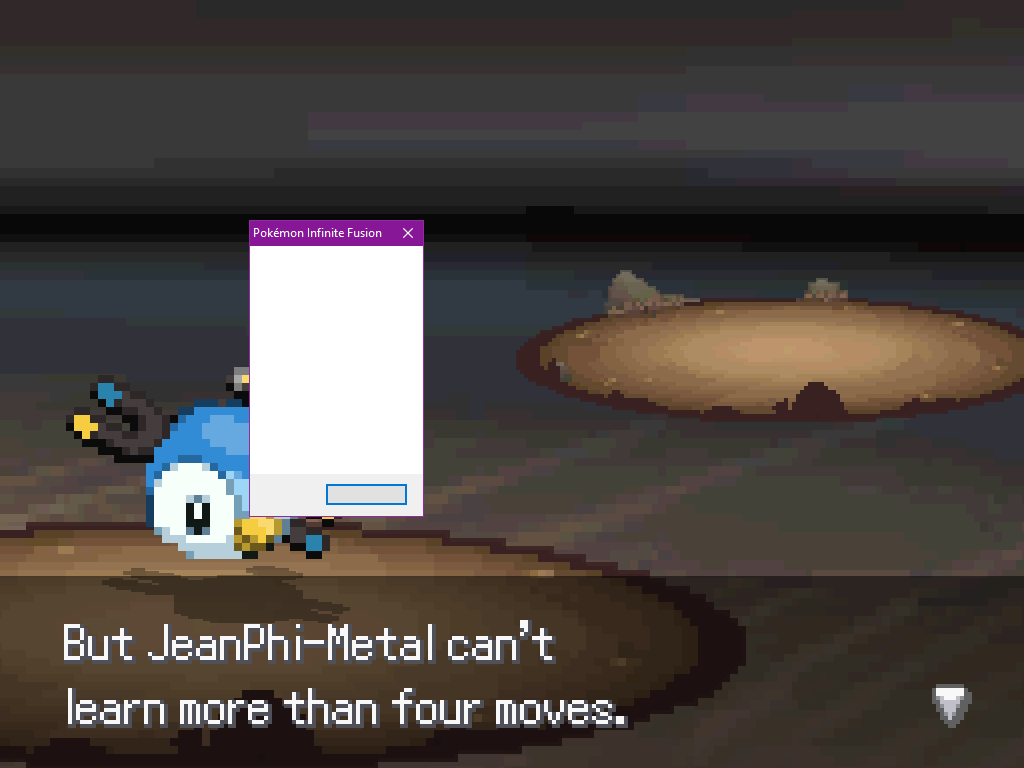
Someone is playing on 4.9.0.4 and is getting an empty error message whenever a mon tries to learn a new move (and then the move is not learnt)
Is that a known bug ?
sacred tinsel
 ripe bluff
Are you/they repeatedly pressing the C or Enter Keys rapidly to pass through text?
 flint rose
i don't remember but, i play whit the speed up
sacred tinsel
Hmmm could make the issue worse (like making you skip the option to learn a move)
ripe bluff
I found that when I repeatedly press the C or Enter Key too fast, specifically when trying to pass through text quickly, it can cause a blank error and close the game.
 spiral monolith
is there no way to fix my corrupted save or is it lost forever?
prime thunder
I haven't heard of anyone being able to recover a corrupted save unfortunately
 hot gate
I'm getting similar issues but mine seems less likely to be related to pressing buttons

in fact, i have only ever gotten this after not pressing buttons for a bit
and only ever in battle, not had it happen in the overworld yet
 languid pivot
hello pls hear my bug
in a place where we have to catch kyogre there i caught kyogre and the portal opened but when i steppeed in it nothing happened i have to use that debug thing to go back to pokecenter and when i gone back there i cant step in the portal still help me
can you fix this pls
 sacred tinsel
languid pivot
hello pls hear my bug
in a place where we have to catch kyogre there i caught ky...
sacred tinsel
languid pivot
hello pls hear my bug
in a place where we have to catch kyogre there i caught ky...
ok i understand you have an issue but please just be patient and dont spam in other channels it aint gonna fix jack shit
spiral zephyr
I tried downloading the game on android and play on joiplay but i gave up, i deleted the zip of infinite fusion in my phone, and when i want to send a pic from my gallery, its only the sprites from the game
(just saying, it only happens on discord. Everywhere eles everything's fine)
spiral zephyr
Pls help
languid pivot
ok cub but i have one more thing to say
how much time will it take to hatch dialga plkia and giratinas egg
ripe bluff
languid pivot
how much time will it take to hatch dialga plkia and giratinas egg
This is not a tech support question. This is better asked in other channels and waiting to see if you get an answer.
ripe bluff
#general , #playthrough-talk , etc., depending on questions. This is a channel for technical issues, which asking how long to hatch an egg is not.
languid pivot
oh ok btw do u know ?
ripe bluff
Look at the message you left in #playthrough-talk .
spiral zephyr
spiral zephyr
I tried downloading the game on android and play on joiplay but i gave up, i del...
Pls help
spiral zephyr
 prime thunder
I think that's more of a question of phone tech support, and I'm not sure we can help here
 wraith wyvern
I have an issue with the game
You're probably not online right now but my issue is that the frame rate glitch seems to have happened to me
Everything is closed
Except of course the game
steep pond
Did you disable autosave in the options?
wraith wyvern
Does that make it better ill try
steep pond
that setting may have been making the game autosave every step, which is a bit too often
wraith wyvern
Thank you now I can get back to my adventure
I know what happened
I accidentally turned on the step one 1 time and then when I turned it off it didn't accept that that would also explain why I could still have a fluid FPS rate in battles again thank you
 sudden canopy
Tried editing the battle background, and it's just oddly zoomed in for some reason. 😦

 river spoke
anybody know what these menu options are?
 steep pond
something, something, BackGround Music, and BackGround Sound effects.
 queen inlet
The first one should be about sth with the CPU
rancid hazel
2nd one is something about reducing flickering, so probably vsync
ripe bluff
river spoke
anybody know what these menu options are?
In case you didn't get it solved, it looks like a screenshot in English was posted here: https://discordapp.com/channels/302153478556352513/302153478556352513/871840497415622696
river spoke
Yeah I got it
 maiden mesa
So i think i just broke my game while transfering all the fires fron the 4.9 patch. I think i put the wrong files in the script folder
prime thunder
It takes a long time because the file is big but if you just delete all your files and download the full latest game your save file will be still intact, since it's stored in a different place than the rest of the files
 vivid heron
i need help i downloaded the game and its not full screen + i dont know how to change the controls
dm me if u can help
wraith wyvern
I think my game literally upped and corrupted my save for no reason
 marsh cape
Hey guys
i get this error message after i start a new game

would appreciate if someone could help 🙂
 glad turtle
hey poeple, can anyone help me with this one?

it appears when the enemy trainer wants to send in "Stunvile"
latent garnet
glad turtle
it appears when the enemy trainer wants to send in "Stunvile"
stunfisk fusions tend to crash the game unless you use the latest version
 elfin escarp
when I try to access to the Wonder Trade in a pokemon center the game says me that the "script is taking too long, the game will restart" and when I press "OK" it shows a little tab whith the name of the game at the top and below "???????????" can we explain where is the problem ? Knowing that i'm on 4.9.0.3
marsh cape
marsh cape
fixed it 🙂
 buoyant cairn
Yo, the game doesnt give me the option to randomize when starting. Do you guys know if I need to do smth different? currently I have just downloaded it and started a new game
stark veldt
Start a game, save the game, restart then start a new game
Then you'll be able to randomize
buoyant cairn
ok thx Stan (:
 dusk gull
i downloaded the game i extracted the files i launched it it said to me that it could't find the RGSS100j.dll i opended the RGSS100j.dll file and now it says ??????????? when i try to launch it.What is happening? (i forgot to be polite so please help me)
 steep pond
dusk gull
i downloaded the game i extracted the files i launched it it said to me that it ...
steep pond
dusk gull
i downloaded the game i extracted the files i launched it it said to me that it ...
you downloaded RGS file from a pinned message in this channel and put it in the game's main folder (the folder containing the Audio, Data, and Graphics folders), right?
 silver thorn
Hey guys, my game runs very very slow. It was running properly it suddenly went into slow motion. When it happens I usually keep moving forward and it goes away, but it stayed the same. When I go into battle the speed goes back to normal, but once out it goes back to running very slow. Any idea what is happening? V.4.9.0.3
steep pond
It may be autosaving after every step. In Options you should be able to change that
silver thorn
steep pond
It may be autosaving after every step. In Options you should be able to change t...
Thank you so much, it got fix
 snow saffron
Hi, I'm playing on Joiplay emulator for Android and whenever I send out Bulbasaur to start the battle it takes a very long time to load
stark veldt
Well yeh the game is far from intended to be played on phone
So thats to be expected
stark veldt
Wait while it loads, or play on pc
snow saffron
🤷
 plush escarp
I'm trying to use an alternate trainer sprite. And it just does not whant to work
steep pond
did you put the files in Graphics/Characters/Players? If so, they need to just be in Graphics/Characters
plush escarp
I fixed it
river spoke
My game keeps crashing and throwing an error. A window pops up that just says "Error" in the title and there's no error message or other info in the window that pops up. There are three buttons on the bottom of the window but none of them do anything. When the window closes, so does the game. This has been happening the whole time I've been playing at apparently random intervals and I am unable to reproduce it. I think it most often happens during battles or immediately after, but I've crashed while just running around too. I tried fixing the game via the guy in the Pokecenter, but that didn't help. Can somebody please help?
Extra info: 4.9.0.3, Classic UI, Turbo on but the crashes have also occurred w/o turbo, not mashing
 slim steppe
river spoke
My game keeps crashing and throwing an error. A window pops up that just says "E...
slim steppe
river spoke
My game keeps crashing and throwing an error. A window pops up that just says "E...
are you using controller companion from steam?
river spoke
No
slim steppe
okay
I was just asking because I had a similiar problem but it was because of my key bindings in controller companion
I didnt realize that it double binded some of my controls and I was accidentally closing the game as a result when an error message poped up
because controller companion thought that I was no longer playing the game
and switched back to desktop mode
all i had to do to fix it was unbind the keys that allowed it to mess with anything else but the game
slim steppe
river spoke
My game keeps crashing and throwing an error. A window pops up that just says "E...
what level are your pokemon at, and are you playing on hard mode?
Because I just found a bug on hard mode that will sometimes causes trainers to have pokemon with levels higher than level 100 and that will crash your game when you talk to one of those trainers.
river spoke
slim steppe
what level are your pokemon at, and are you playing on hard mode?
Normal mode, around 35, been happening since the game began
slim steppe
odd
slim steppe
river spoke
Normal mode, around 35, been happening since the game began
Sorry can't really help you then if you have already talked to the fix it guy at the pokemon center.
dusk gull
steep pond
you downloaded RGS file from a pinned message in this channel and put it in the ...
nope
i did it it still says to me that it cn't find it
coarse salmon
can you show us a screenshot of your game folder?
 dull gull
I'm currently trying to download the game (a friend sent me the link so I could ask for help), and so far I've only been able to get to having the zip file on my desktop. Trying to unzip it does basically nothing, as it gets frozen on "not responding" and never goes anywhere other than that, but when I try to open it, it just gives me this
It will close and respond just fine, but the tab just stays blank and doesn't load
How do I fix this? So far I've tried restarting, then uninstalling/reinstalling, both with no luck
actually sending in the right chat now that I've read the top bar right

... ah okay apparently all I needed to do was threaten the application with getting tech support, cause it decided to fix itself
nevermind then lol
tranquil saffron
Hopefully you’re using winrar to extract the zip file
 stoic raven
hey im just trying to find where to download this game it looks awsome
ripe bluff
stoic raven
hey im just trying to find where to download this game it looks awsome
Check #announcements
river spoke
tranquil saffron
Hopefully you’re using winrar to extract the zip file
Better yet, use 7-zip. In speed tests 7-zip > WinRar > windows default
dusk gull
coarse salmon
can you show us a screenshot of your game folder?
There ya go so what is happening?

 modest leaf
I have installed the fr patch on the game, but it is still in English, what should I do?
stoic raven
k i found the game and installed it but it says RGS100J.ddl couldn't be found
steep pond
you can download it from a pinned message here
 ashen spear
 sly blaze
has anyone ever tried this? is it legit?
https://www.reddit.com/r/PokemonInfiniteFusion/comments/hed32j/rpg_maker_lag_fix/
broken storm
Entered Lavender Town, saved, came back a few later and my save wouldn't open. Instead I got a bunch of "end of file reached" popups. I got frustrated so a started a new one (this time randomizer) and it works fine now. Can anyone tell me what happened and how to avoid that in the future, please? Because that's 85 hours I can't get back.
junior vigil
broken storm
Entered Lavender Town, saved, came back a few later and my save wouldn't open. I...
Did you have that save for a long time? Some older saves have issues when you update
broken storm
junior vigil
Did you have that save for a long time? Some older saves have issues when you up...
No. I started just a couple months ago. I figured out the issue, though. The game lagged right while it was saving last, and exited itself.
junior vigil
then it's a corrupt save file
broken storm
junior vigil
then it's a corrupt save file
Is it possible to reload from an older save to overwrite the corrupt one? If that made sense?
junior vigil
not unless you're a mod
broken storm
junior vigil
not unless you're a mod
Well, crapadoodle. Thank you for answering.
junior vigil
could try asking blaq
broken storm
junior vigil
could try asking blaq
I will in the event that something like that happens again; Thanks!
 steep fractal
i just down loaded the game and i can't get the zip file to open properly
fickle ibex
steep fractal
i just down loaded the game and i can't get the zip file to open properly
download winrar and use that
 proud spoke
happens sometimes after finishing a wild pokemon battle. i did have turbo on at this point.
playing w randomized wild pokemon.
fixed with the Debugger in bag, but is there any way to prevent/fix this? thanks
 junior vigil
I stop it by going into buildings
ripe bluff
proud spoke
happens sometimes after finishing a wild pokemon battle. i did have turbo on at ...
Going to a different area (typically entering a building) or entering a battle usually fixes this.
proud spoke
okay, thanks
proud spoke

crashed again. i think it has to do with one of my mons leveling up and learning a new move? not sure
every time i let my pokemon forget Sand Attack and remember Rock Throw, it crashes. ill try again.
ok, it worked this time. hopefully smooth sailing from here

 plain torrent
Hi I can't go to next room and I want to know that will I fix that somehow or I have to start game again (I am in celadon city sewers)

 strong oasis
huh...
tranquil saffron
plain torrent
Hi I can't go to next room and I want to know that will I fix that somehow or I ...
You can’t go in either room?
plain torrent
tranquil saffron
You can’t go in either room?
no
tranquil saffron
Maybe try using the debugger key item
plain torrent
tranquil saffron
Maybe try using the debugger key item
still nothing
tranquil saffron
Maybe try talking to the agent in the Pokémon center top floor
 north pulsar
I want to have a second save of pokemon infinite fusion, but when I unzipped a fresh copy it still pulls up my other file and I don't want to delete it :/
fickle ibex
north pulsar
I want to have a second save of pokemon infinite fusion, but when I unzipped a f...
To see how to have multiple save files, check the pins in #general
north pulsar
ty ty
 amber cargo
I had an issue earlier with thr game not starting, I've fixed that, but how do I put the game fullscreen?
stark veldt
game is not intended to be played at full screen, play it at screen size large if you need it to be bigger
plain torrent
tranquil saffron
Maybe try talking to the agent in the Pokémon center top floor
I had tried it before
 weary lichen
Is it possible to change controls
I don’t really like using arrow keys for my games because I put my phone there while playing games
ripe bluff
weary lichen
I don’t really like using arrow keys for my games because I put my phone there w...
There should be an option to set controls in the menu. Try doing that.
weary lichen
ripe bluff
There should be an option to set controls in the menu. Try doing that.
Thanks!
dusk gull
I have not been able to play the game yet and it says This

 vague belfry
Hey my game crashes constantly, im using the newest version, and it happens after battles. what is the most stable version of the game?
vague belfry
thx
ripe bluff
vague belfry
Hey my game crashes constantly, im using the newest version, and it happens afte...
Did you try the tips for reducing crashes as mentioned in the pins?
amber cargo
This feels like a stupid question to ask, but you don't get answers unless you ask, so I was just curious but are there anyways to play infinite fusion on emulator devices, like the ones that let you play other older pokemon games
I guess an example of one of these devices would be a anbernicrg351p
ripe bluff
amber cargo
This feels like a stupid question to ask, but you don't get answers unless you a...
Pretty sure the answer is no since this game essentially emulates itself.
 sweet kite
yes, but only in an emulator that emulates windows :^)
wise jay
Hello! I have problem with quest "Field Research (Part 2) - I think I found all pokemon on route 24 (land,swimming, rods) but quest giver keeps talking that I must find two more and Poke Radar keeps shining red colour. I'm playing on randomizer nut I'm using spawn list from wiki to check that I find all of them - that why I think I found all. You have an idea what to do? Actually I can send you my save so you can check it.
 pastel leaf
Im very new to this the whole pokemon roms and everything and i have the file and everything but i have no idea what to do with it or how to get it to work. can anyone help? im on mac btw
pastel leaf
thats not my point
pastel leaf
ok thanks
 north musk
im trying to start the game but it just gives me a black screen with a text box in front of it saying 'DirectX Audio ????????????' not sure what to do to fix this
 wooden trench
Hey my friend just had his save file corrupted and the game won't lauch since and we were wondering if we could do anything to repair all that and keep his progress ?
sweet kite
probs not
sterile pivot
no saving a corrupted file
 lilac meteor
So my title screen is failing to display the 'mons to be fused at all, just the fusions after a delay where the animation freezes. When I continue past it, I get this. I've tried reinstalling to no avail so far.

tried renaming my save in case that was the problem, now along with the title screen weirdness i'm getting this when i try to name myself

oh, looks like Im running 4.9.0.3, updating to see if anything changes
and that fixed it, huh. weird.
 civic swift
Is there any way I could play this on my phone?
ripe bluff
Short answer, no, as it is sometimes even too intense for some computers to run.
prime thunder
can't joiplay run it okay?
ripe bluff
I guess they could try that on their phone. But it wasn't intended to be run on mobile, so no guarantees.
 tall shore
 fathom vector
- turn off autosave
ripe bluff
Added the autosave thing to my pinned message about major tech solutions.
 tame bronze
My game file got corrupted. My game crashed while I was wonder trading.
 marble salmon
My buddy and i attempted to create two different folders of this game he saved over for a new file so we could have to saves of our games. he lost his original save how do we go back for that old save and go about this correctly
sterile pivot
the save file is not located in the game folder
so him overwriting his file is not something you can fix
he lost his old file
C:\Users\YourUserName\Saved Games\Pokémon Infinite Fusion
this is the location of the save file
its the Game.rxdata file
if you want to start a new game and keep your old save file
just copy the Game.rxdata file and put it somewhere else as a backup
and if you want to play it again move it back to the save folder
just make sure to always backup your current save file
 timid acorn
Hey, i've got an issue. My game crashes every time i try to randomize the wild encounters through the guy in the pokemon center.
Okay I randomized in by starting a new game and it worked. But randomizing mid game still causes the game to crash
 upper palm
 livid violet
Hey , I have a problem installing the game.
I finish downloading the .zip and when I click on it, nothing happens. The file explorer does not respond, is this a known problem?
prime thunder
did you extract the files? it doesn't sound like you did
livid violet
when i try to extract it, my screen freeze for a second, then go black and then my nvidia icon disapear but my file don't move
prime thunder
what are you using to extract it?
livid violet
classic winrar
 restive girder
is there controller support for this? i feel like that would make it a lot easier to play at times over just KMB
 mild rune
you'll have to use separate software like JoyToKey or something similar
 vale saffron
As a Mac user I'm about to attempt installing the game and playing it on Wine but before I try, is there already an existing how-to for Macs in existence? Don't want to mess up (because I've never used Wine before aside from installing it, possibly only partially, over a year ago for school).
 south topaz
 ripe bluff
south topaz
ripe bluff
south topaz
The game is not a Rom like you would run through an emulator. If you extract the Zip folder, inside there is a file named Game that is the actual game itself, no emulator needed.
south topaz
ripe bluff
The game is not a Rom like you would run through an emulator. If you extract the...
Thank you
ripe bluff
south topaz
Thank you
Make sure you extract everything in the folder and keep them in the same file folders; the Game looks for files to be in the right location in order to find the assets of the game, such as game sprites and trainer data.
wooden trench
 analog panther
how to fullscreen plz
analog panther
how to fullscreen plz
you can't
analog panther
okay thx
analog panther
can i cheat or not ?
ripe bluff
analog panther
can i cheat or not ?
This seems more like a philosophical question than a #tech-support question.
mild rune
Is this supposed to be in a different location? or is there a way to move it that I'm just not figuring out
 ripe bluff
To be fair, it is a puzzle that doesn't inherently make sense.
mild rune
i tried while the water was up
 calm venture
Hey, friends. I just got on the SS Anne and just before a trainer battle begins, I receive this error. Anyone know what this means or how to fix it?
 steep pond
looks like an issue that will have to be fixed on the dev's end. Are trainers randomized?
calm venture
@steep pond thanks for asking that - I turned off randomization and it fixed it. I'm new to the game so I didn't realize that could be an issue. thanks dude:)
vale saffron
Anyone here know anyone who uses Wine to play the game?
mild rune
I've been getting a lot of error message boxes that just have actually no text in them, not even on the buttons. Sometimes they crash the game, but other times it does things like prompts me to choose a battle option after I've caught a pokemon, or leaving an opposing fainted pokemon out on the field with 0 hp until they get hit again
 mossy widget
^^^ this
vale saffron
So I'm trying to install for the first time and am somewhat nervous about messing up.
I installed 4.9.0.3 and am looking through the #announcements page and it seems like 4.9.0.4 is just a patch but not the full game, right?
So there's no 4.9.0.4 full-game download? I must patch 4.9.0.3?
ripe bluff
Yeah, 4.9.04 is just a patch. Their fairly easy to install.
Assuming you extracted 4.9.03 and have the folders set up for the game, just copy the contents of the 4.9.04 download into the matching folders (for example, stuff in the Data folder goes in the Data folder, etc). You should be able to just copy the folders into the same place, and it will prompt asking for you to replace certain files. Just say yes, and it should all work out.
vale saffron
Ok thanks. Currently unzipping the 4.9.0.3 file so I'll come post here again if I have any Qs about this or the sprites patch
Thanks again!
ripe bluff
I think there are README files in the patches that explain again how to install them if you get concerned. And when you go for the sprites patch, just install the latest full patch.
vale saffron
Thanks and will do. Hoping I copy over the new files in the simplest, as much all-at-once as possible way I can. I can see myself doing things one at a time forever
For the sprites patch I have a question:
the "CustomBattlers" folders in the basegame download and the patch download...I'm not sure whether they are identical aside from the "doubles" folder.
Would copying the CustomBattlers folder from the sprite patch into the basegame folder (to replace its CustomBattlers folder) be what I want to do?
The short version:
Should I replace the base "CustomBattlers" folder with the patch's?
Also not seeing "Unfused Icons" in the base game folders and am only seeing it in the patch folders
vale saffron
vale saffron
Should I replace the base "CustomBattlers" folder with the patch's?
just did this
ripe bluff
So, yes, you do want to just copy the CustomBattlers folder from the patch and replace what is in the base game. As for the others, most of them go in the CustomBattlers folder if you want. Icons go in the Icons folder, and Triple Fusions and Eggs go in the Battlers\Special and Battlers\Eggs folders. The README should outline most of where things go, but it shouldn't be too hard to piece together where things go.
vale saffron
Triple Fusions
Wait those sprites actually get in-game usage?
ripe bluff
Yes, but almost all of them are very late game, so it won't affect most players. But they are there and can be unlocked.
vale saffron
ripe bluff
So, yes, you do want to just copy the CustomBattlers folder from the patch and r...
just to clarify, those other ones all go "into" and there's no more "full replacing?"
ripe bluff
There may be some replacing, but yeah, they go into those folders. If it asks to replace, replace them.
Also, there are plenty of sprites with Alts. If you like a particular alt, remove the letter from its file name and then place it in the appropriate folder.
vale saffron
Thanks again so much. Really don't want to mess anything up
ripe bluff
No problem. Also, take a look at the pins in this channel. There are some tips to reduce crashes in there, as occasionally the game gets a bit buggy or crash-y due to the sheer size and complexity of the game. It is a fantastic game, so always let us know if something is giving you grief.
vale saffron
little nuance:
One of the added Windowskins "choice_1.png," was the underscore not supposed to be there?
in the new sprites patch
I'm guessing it's just there as an option for replacing the white one if we want to remove the underscore?
ripe bluff
You know, I don't know. I guess you can try loading the screen and see what happens.
The game looks for certain file names, so replacing the files with the chosen names will work. That's how you apply, for example, the trainer mods, such as the Mewtwo trainer sprite set that I made.
vale saffron
I was just looking at those. Was interested in the Yoshi one but was sad they didn't have a vs trainer transition sprite yet
PS: nice job with that Mewtwo one. I like that he leans when he runs from what I can guess from the pngs. Looks neat.
vale saffron
Getting
-bash: /usr/local/bin/wine: Bad CPU type in executable
when I try to run it.
I'll update this if I figure out the issue
EDIT:
Catalina and later OS's do not run normal Wine and instead you need to do:
brew install --cask wine-stable
and then use a wine64 command instead of a wine command
I am officially stuck:
As a Mac user, I know people have been able to successfully use Wine to play this.
When trying to open the game, it doesn't let me because it doesn't recognize the developer and can't guarantee it is free from Malware.
Normally Mac users can bypass/override this issue by right-clicking an executable and clicking Open, but since I'm trying to open it via "wine64" command in a terminal, that override method is not possible
Giving up for the night
vale saffron
Friend suggests disabling security through:
sudo spctl --master-disable; wine64 game.exe; sudo spctl --master-enable
calm venture
@vale saffron I've had issues with Wine in the past so I use parallels now. Might be a potential work around, just make a copy of your savefile
vale saffron
calm venture
<@!593667676589785090> I've had issues with Wine in the past so I use parallels ...
Thanks. Any parallels software recommendations?
I thought there were multiple free options but I guess there's only the one Parallels option that costs a bunch of $?
PS: Does the game allow a Randomizer option or is that an additional patch?
prime thunder
the game does have a built-in randomizer but you can only select it if you start a new game with an already-existing save file
 vale saffron
I’m beginning to think the only way to play this now is to shell out a bunch of money to buy parallels
stark veldt
 sour bison
Did you unzip the full game?
steep pond
sour bison
need help
Ggo to Users\ [yourname] \ Saved Games and make sure there's a folder called "Pokémon Infinite Fusion". If there isn't, create a folder with that name and try running the game
vale saffron
Is the executable 32 or 64 bit?
vale saffron
Knowing that could help me problem solve as to why my wine command isn't working
When I use wine to try and run it I get a popup saying the game is "not supported on this system"
So I'm wondering if it's a 32 bit or 64 bit executable
vale saffron
anyone?
 worthy skiff
I need help
ripe bluff
vale saffron
anyone?
Sorry, I don't know much about the Mac issues.
ripe bluff
worthy skiff
I need help
That's nice. Do you need help with something specific? Have you read the pins?
worthy skiff
I read the pins my main confusion is in global and area randomization I don’t understand the difference
ripe bluff
Global does one for one replacement in all areas. For example, if Bulbasaur replaces Rattata, then all areas with Rattata will have Bulbasaur. Area will randomize by area. A Rattata on Route 1 might be a Pidgey, but on Route 2 it could be a Caterpie. Make sense?
At least, that's how I understand it.
worthy skiff
Okay so does it lock in a Pokémon for that region for the entire game?
 weak path
Looked around for a bit in the folders / documents and tried to find an answer on google, but I still don't quite know what the problem is. Thank you very much for every piece of help 🙂
 ripe bluff
worthy skiff
Okay so does it lock in a Pokémon for that region for the entire game?
ripe bluff
worthy skiff
Okay so does it lock in a Pokémon for that region for the entire game?
I mean, until you randomize again, yes.
ripe bluff
weak path
Looked around for a bit in the folders / documents and tried to find an answer o...
Can you give some more context? What were you doing when you got the error message, etc. More details the better.
weak path
I have not been playing IF for about 3 weeks
But last time everything was working perfectly without any crashes or anything
This was the first message I received after opening the game and pressing enter
weak path
ripe bluff
Can you give some more context? What were you doing when you got the error messa...
I tried to get the game to go nearly full screen via ALT + ENTER, but that was when I downloaded the game for the first time. I tried to find settings in the documents as well, to change the length of the borders, but otherwise I just normally played the game
All of that was before I started a normal playthrough, which was working perfectly fine
vale saffron
ripe bluff
Sorry, I don't know much about the Mac issues.
Thanks for the response. Do you know of any users here who might?
ripe bluff
vale saffron
Thanks for the response. Do you know of any users here who might?
Someone posted this before: additionally, I used the instructions for pokemon uranium to run with just wine:
https://appdb.winehq.org/objectManager.php?sClass=version&iId=35607
Open Source Software for running Windows applications on other operating systems.
weak path
ripe bluff
Can you give some more context? What were you doing when you got the error messa...
If my files are somehow corrupted I can just download the game again and copy my save files over. I just didn't manage to find out where the save files are locatedxD
Do you know where I can find them?
weak path


I have found an article that may be explaining the cause of the problem. It's an explanation for the NoMethodError: undefined method for nil:NilClass...
Sadly other than "print" or "if", "else, I am not much of a scripter myself, which is why I am really depended on your guys knowledge
weak path
Ok, I am still curious on how to solve the problem, but reinstalling the game and opening it over the new instance fixes the mistake. I am sure that there is something in the code that doesn't have the right properties assigned to it, but me not smart enough to read code properly. Thanks for the help. A really confusing bug, considering I didn't change anything about the code at all
vale saffron
ripe bluff
Someone posted this before: additionally, I used the instructions for pokemon ur...
thanks, I'll look into that. What's made Wine so iffy lately is that in 2019 Mac had a "Catalina" update and now Macs can't be used to play 32 bit games and started having Wine trouble as well. So I'll just cross my fingers and hope his solution still works
ripe bluff
weak path
Do you know where I can find them?
The game's save files are typically stored in C:\Users[Your Name]\Saved Games\Pokemon Infinite Fusion (or something like that). If the save file itself became corrupt (which can happen), you will need to delete the old file and begin anew. As for some of the other issues, they seem to be beyond my knowledge of how to help. Try this and see if that works.
weak path
ripe bluff
The game's save files are typically stored in C:\Users\[Your Name]\Saved Games\P...
Save File is doing good. Reinstalling the Scripts fixed the error. Somehow the game ate itself up
ripe bluff
Glad it is working now! Enjoy the game!
weak path
Thanks a bunch :3
 limber flame
My game just loads into a black screen and does nothing. Gives a RGSS script seems to be stuck. Infinite fusion will now force quit if I exit.
ripe bluff
limber flame
My game just loads into a black screen and does nothing. Gives a RGSS script see...
What version are you playing (or trying to play)? V 4.9 or V 5?
limber flame
- Just got the newest. Should I go with the 4.9?
ripe bluff
limber flame
5. Just got the newest. Should I go with the 4.9?
First, if this is your first playthrough, play with 4.9 because 5.0 is in early beta. Second, 5.0 takes a while to load (can be a long time), so you'll have to be patient. Third, if you choose to stick with 5.0, post issues in #bug-reports-newest-version so we can work on fixing them.
limber flame
How long would it take to load on average, out of curiosity. It took a while to unzip and I'm just considering my options
limber flame
Ok. I'll load it up and give it ten. See if it's still having issues. Then go with 4.9 if it doesnt
Thanks
junior vigil
just stick with 4.9 anyway
ripe bluff
limber flame
Ok. I'll load it up and give it ten. See if it's still having issues. Then go wi...
Personally, just go with 4.9.04. That should give you what you are looking for. 5.0 is really early beta, so it's mostly playtesters playing it.
limber flame
Thanks
 versed night
Okay, i've searched discord for similar cases, but haven't found a solution.
Problem: game launches for like 3-4 seconds(just black windowed game screen), and then just closes without any error or textbox.
What i've tried:
- Running as admin
- .04 patch
- No sprite pack
- Compatibility mode
- Installing runtimes
im on windows 10, trying the 4.9 game version. Any ideas?
stark veldt
Did you unzip the game?
versed night
of course, yea
versed night
stark veldt
Did you try this?
nope, tried it now, both with "Pokémon Infinite Fusion" and "Pokemon Infinite Fusion", but its the same
i will try setting the DEP
Oh, it works! <3
Thanks for help, i was searching for "game closes" but "black screen" like u showed me yielded better results and i found the faq page on wiki
maybe it should be pinned?

 solemn imp
I have a Probleme I can't start the game
It's says "the script takes to long the game will restart" but nothing happens then
 queen saddle
guys i downloaded the game im opening game.exe and nothing happens how do i fix this ?
ripe bluff
queen saddle
guys i downloaded the game im opening game.exe and nothing happens how do i fix ...
First, which version did you download?
queen saddle
4.8.4
ripe bluff
You should download 4.9.03, then apply the patch for 4.9.04. Also, it should open. Did you extract the ZIP?
queen saddle
yes
ripe bluff
Hmmm... Well, try doing what I said first (since it is the latest version of the game barring Version 5 beta). It should load. And you aren't playing on a Mac or something, right?
ripe bluff
If you don't download 4.9.04 patch, it should work still, but the patch fixes some bugs such as making Stunfisk fusions more stable.
stark veldt
did you unzip the game?
aka everything from the folder you downloaded, unzipped and moved to another, normal folder
solemn imp
solemn imp
I have a Probleme I can't start the game
Can someone help me xD
 keen bolt
solemn imp
Can someone help me xD
keen bolt
solemn imp
Can someone help me xD
someone will help u if u describe the full problem (what it says, what you can hear, etc.)
solemn imp
I did
solemn imp
solemn imp
It's says "the script takes to long the game will restart" but nothing happens t...
.
ripe bluff
Let's start with the basics. What version are you trying to run? What operating system (mac vs windows), and did you unzip the whole download?
 fast pawn
Pokémon Infinite Fusion
Exception: TypeError
Message: cannot convert Fixnum into String
EliteBattle_Animations:88:in `+'
EliteBattle_Animations:88:in `animateBattleSprites'
EliteBattle_Animations:61:in `each'
EliteBattle_Animations:61:in `animateBattleSprites'
EliteBattle_Scene:1747:in `pbDisplayPausedMessage'
EliteBattle_Scene:1746:in `loop'
EliteBattle_Scene:1762:in `pbDisplayPausedMessage'
EliteBattle_Battle:390:in `pbDisplayPaused'
PokeBattle_Battler:656:in `pbFaint'
PokeBattle_Battler:2437:in `pbProcessMoveAgainstTarget_ebs'
Press Ctrl+C to copy this message to the clipboard.
OK

Pokémon Infinite Fusion
Exception: TypeError
Message: cannot convert Fixnum into String
EliteBattle_Animations:88:in `+'
EliteBattle_Animations:88:in `animateBattleSprites'
EliteBattle_Animations:61:in `each'
EliteBattle_Animations:61:in `animateBattleSprites'
EliteBattle_Battle:328:in `pbAttackPhase'
EliteBattle_Battle:327:in `times'
EliteBattle_Battle:327:in `pbAttackPhase'
EliteBattle_Battle:238:in `pbStartBattleCore'
EliteBattle_Battle:237:in `logonerr'
EliteBattle_Battle:237:in `pbStartBattleCore'
Press Ctrl+C to copy this message to the clipboard.
OK
 ripe bluff
fast pawn
---------------------------
Pokémon Infinite Fusion
---------------------------
...
ripe bluff
fast pawn
---------------------------
Pokémon Infinite Fusion
---------------------------
...
What was happening when this happened?
fast pawn
ripe bluff
What was happening when this happened?
rematching this lady on Route 7
in battle was just spamming Confusion to KO all of the enemy Pokemon
the crash happened after KOing the 3rd of her 3 Pokemon, which was a Pidgey
 ripe bluff
Were you button mashing? Sometimes that causes crashes, though I don't think you usually get a specific error when you do. 
fast pawn
maybe? i dont remember but its very possible
ripe bluff
Yeah, specifically in battles, mashing the button(which doesn't really speed it up) can cause it to skip things (which causes the crashes), so slowing down a bit in battle is the way to go.
solemn imp
ripe bluff
Let's start with the basics. What version are you trying to run? What operating ...
I am on windows, and I unzip the whole download
ripe bluff
And what version? Version 4.9.04 or Version 5?
solemn imp
I think something sith 4.8 I need to start my laptop wait
It's "infinig fusion-4.8.2_full" @ripe bluff
And that's the message the game gives me when I wanna start it

And after that, the game is dead nothing happens no sound nothing
ripe bluff
solemn imp
And that's the message the game gives me when I wanna start it
Download version 4.9.03 from the #announcements channel, install patch 4.9.04 (there is a README that explains patch installations), and see if that works. It should help to have a newer version, but it could be a different issue entirely.
solemn imp
Okay I will try to later when I got time ^^
Uhhh can I delete the old file and stuff?
Because I don't need the game twice 😅
All the stuff from the 4.8.2 version the whole file
ripe bluff
Yeah. Or you can copy and paste over, but since you'll download v4.9.03, deleting the old data should be fine. Don't delete the file in C:\Users[Your Name]\Saved Games\Pokemon Infinite Fusion, as that is the actual save file, and if you have a save file already it should carry over.
solemn imp
I don't have a safe file I never could start the game this message with the script is always there, and I can't find the download for v4.9.03
solemn imp
ripe bluff
Yeah. Or you can copy and paste over, but since you'll download v4.9.03, deletin...
So because I don't have a file already at the game I can just delete everything?
ripe bluff
solemn imp
So because I don't have a file already at the game I can just delete everything?
Yeah, you can just delete everything.