#tech-support
1 messages · Page 625 of 1
 regal geyser
 slender mesa
it ok now it finlly load
regal geyser
They're saved in your local app datas
 pearl magnetBOT
Your save files and backups are in: C:\Users\YOURNAME\AppData\Roaming\InfiniteFusion
- The game folder includes a shortcut to the location above named
Savefileyou can double click. Each save corresponds to a slot (e.g., Slot A saves as File A.rxdata). - To transfer, copy the save file to the same location on the new device.
- For non-Windows devices, refer to the workaround guide for your device: [HERE](#tech-support message)
https://cdn.discordapp.com/attachments/700790080175996938/1327016763719684226/image.png?ex=6781882b&is=678036ab&hm=f10dd293ef9e2c0e6a8b1944e6a5a2e0e5539ca0fe75de7a0f948414df861b88&

 still pendant
so, for a new install, the whole thing is safe to be deleted, regardless of where the .exe is, right?
for the new update
I think the real question I want to know is if the process for an update is different if you downloaded the launcher vs not the launucher? I am helping someone update to 6.6.0 and don't want him to lose his files
due to my own misunderstandings
 verbal timber
still pendant
I think the real question I want to know is if the process for an update is diff...
verbal timber
still pendant
I think the real question I want to know is if the process for an update is diff...
saves are not tied to your game folder unless you are on android [or steamdeck if you need to do a fresh install]
the guide above your message mainly applies to windows, but each install guide "should" have the locations of your save [and how to keep them]
still pendant
we are on windows
 robust osprey
Is there any way to download all sprites on 6.6.0?
robust osprey
robust osprey
Is there any way to download all sprites on 6.6.0?
Ive updated and now am missing lots of sprites, often they are the placeholder witn question marks
 hollow hinge
can someone help me, after update it's send me errorlog.txt and i can't open my game.
 turbid terraceBOT
Hey @hollow hinge! Black screen in this game is the loading screen. The duration of the black screen depends on YOUR computer and YOUR internet.
- If you get the message below while opening the game, this means to stop clicking/pressing buttons on the screen as it is loading.
- If you get the message while in game, this means your computer is struggling.
- Use our performance tips to help your issues: [More Info](#tech-support message)⬅️⬅️

Hey @hollow hinge!
How to Update to the Latest Version (Windows)
- If you're on or above 6.4.2, double click
INSTALL_OR_UPDATE.batto update. - If you're below 6.4.2, you must either reinstall in a NEW folder (since the updater won't work due to bugs) or use the New Launcher to update.
- Reinstalling doesn’t remove or require you to move any Save Files.
- If playing on a Randomized save, make sure to reshuffle after updating. Use
?tag reshuffleif you need help.
For Non-Windows devices (Android, Mac, Steamdeck, Linux, Chromebook): Check our extended guides post
verbal timber
hollow hinge
can someone help me, after update it's send me errorlog.txt and i can't open my ...
fresh install
verbal timber
robust osprey
Ive updated and now am missing lots of sprites, often they are the placeholder w...
current game download has all but the 3 most recent sprite packs
pearl magnetBOT
 No tag
 reset found.
verbal timber
?tag resetcache
pearl magnetBOT
For missing sprites on the 6.6 update, talk to the help man in any Pokémon center and navigate to Advanced Options -> Other -> Reset -> Clear Sprite Cache. Video
verbal timber
?tag missingsp
pearl magnetBOT
If you're encountering invisible sprites
**The game comes with all sprites preinstalled, up until the February 2025 Pack.
The remaining packs will be downloaded as you play, as long as you have "Download Data" turned on and your device is connected to wifi. You do not need to do anything for them.
Keep in mind, the auto download does not have infinite speed or capacity and will not trigger if you are not actively encountering new sprites (ex; battling, checking the Pokedex, etc.).
After downloading X amount of sprites per time unit Y, it will be paused for a bit. We cannot adjust this limit and there is nothing you can do as the player to skip it or make it go faster.
Attempting to view sprites that have not been downloaded through this feature yet will show them as invisible.
The first time you encounter a base Pokemon, it will select a random one of all sprites, if it is a new one that hasn't been downloaded yet, it will show as invisible.
The same goes for fusions but with a little more nuance. To keep it simple, think of it the same.
Again, nothing wrong with your game. You just hit a download cap.
Note: Updating your game resets all your auto-downloaded sprites. do not attempt to "fix" this with updating. It will just make everything start from the beginning.
If you would like to manually import the latest sprite packs, further instructions can be found HERE
 short forum
verbal timber
fresh install
short forum
verbal timber
fresh install
probably a stupid question, but how do you safely fresh install?
 regal geyser
What version is your launcher?
 dense heart
regal geyser
What version is your launcher?
dense heart
regal geyser
What version is your launcher?
Also having this issue, my game launchers version is v1.1.0
regal geyser
Your launcher is outdated, you need to delete and reinstall the launcher and the game
dense heart
alright, thank you 🐱
 sterile pivot
so i updated my game to my latest update and the script just ends up freezing
and it wil then force close
 remote osprey
regal geyser
What version is your launcher?
remote osprey
regal geyser
What version is your launcher?
Umm.. 6.6.1 I believe
 strange hinge
why most of the sprits gone
 lofty bear
in downloads it says i need to delete my current files for the new ones do they mean everything or just like instal_or_update
 glad kindle
Guy's I updated the Game now It wont Load. It just show's a black screen and crashes what should I do?
turbid terraceBOT
Hey @glad kindle! Black screen in this game is the loading screen. The duration of the black screen depends on YOUR computer and YOUR internet.
- If you get the message below while opening the game, this means to stop clicking/pressing buttons on the screen as it is loading.
- If you get the message while in game, this means your computer is struggling.
- Use our performance tips to help your issues: [More Info](#tech-support message)⬅️⬅️
regal geyser
remote osprey
Umm.. 6.6.1 I believe
launcher not game
regal geyser
strange hinge
why most of the sprits gone
?tag resetcache
regal geyser
lofty bear
in downloads it says i need to delete my current files for the new ones do they ...
everything
pearl magnetBOT
For missing sprites on the 6.6 update, talk to the help man in any Pokémon center and navigate to Advanced Options -> Other -> Reset -> Clear Sprite Cache. Video
regal geyser
glad kindle
Guy's I updated the Game now It wont Load. It just show's a black screen and cra...
?tag olddata
pearl magnetBOT
The most likely reason your game is opening and closing is due to improperly updated game files. We mention in #downloads to not update ANY files versions below 6.6.0.
If you're using the Launcher:
- Reinstall version 1.1.2 of the launcher from #downloads
- Open the settings tab
- Click "Reset Config"
NOTE: The original path that the launcher shows will be your old game folder. That folder should be deleted. The new game folder will be inPIFLauncher(#.#.#)/GameFiles/InfiniteFusion
If you're not using the Launcher:
Use the Lightweight installer guide to install in a NEW folder ➡️ Click Here⬅️
If you are on a non-Windows device, follow the [guide](#tech-support message) for your device to reinstall.
Reinstalling on Windows does not affect Save Files in any way.
 sly horizon
Hey guys, running into an Android issue here. I've reinstalled joiplayer and the RPG maker plugin about three times now, can't figure out what I'm doing wrong. All rtp downloads are .exe files, so those are unhelpful

Weirdest part is that I got the game to work flawlessly yesterday, only to learn of the taboo 3rd-party site thing. I cleaned all those files out though and ran a scan to make sure my device is still clean.
 ionic tendon
Did you follow the android guide from here?
ionic tendon
sly horizon
Read and reread 3 times
Common problem #5 bottom of the guide
 ionic tendon
I had to double check too, sometimes you just need an extra set of eyes.
 inland comet
What is happening here?

 regal geyser
Is it about the Zoroark ability?
sly horizon
The plot thickens
 ionic tendon
sly horizon
The plot thickens
ionic tendon
sly horizon
The plot thickens
Common problem #2 I believe
sly horizon
We did it boys
 visual tangle
What should I do if there is no overworld bgm?
 opaque remnant
are the sprites for some fusions suppose to be missing?
 pearl magnetBOT
For missing sprites on the 6.6 update, talk to the help man in any Pokémon center and navigate to Advanced Options -> Other -> Reset -> Clear Sprite Cache. Video
sterile pivot
Help

 cedar tree
When i try to open the game it instantly closes too, ive already reinstalled

 outer palm
cedar tree
When i try to open the game it instantly closes too, ive already reinstalled
outer palm
cedar tree
When i try to open the game it instantly closes too, ive already reinstalled
same
 dusk lake
regal geyser
Try resetting cache
dusk lake
regal geyser
Try resetting cache
I had the same problem and all of my sprites disappeared, including the auto-generated ones
I even asked the Help Man to reset all parameters
Now nothing has sprites, even unfused Pokemon
regal geyser
That sounds like there's more issues at hand than just the sprite cache tbh
dusk lake
I just updated
If that helps anything
Any ideas?
TBH I kind of regret updating now because it broke everything
regal geyser
Did you update from 6.4 or 6.5 without reinstalling?
dusk lake
I... Don't think I did?
That could be the problem
The little symbol of Infinite Fusion changed from a pokeball to a splicer if that helps
regal geyser
Usually you're expected to reinstall everything when you update between major versions
dusk lake
Got it. I'll try that
Thanks
Actually, how do I do that? Do I just have to manually delete the files? I don't want to accidentally delete my save
pearl magnetBOT
Your save files and backups are in: C:\Users\YOURNAME\AppData\Roaming\InfiniteFusion
- The game folder includes a shortcut to the location above named
Savefileyou can double click. Each save corresponds to a slot (e.g., Slot A saves as File A.rxdata). - To transfer, copy the save file to the same location on the new device.
- For non-Windows devices, refer to the workaround guide for your device: [HERE](#tech-support message)
https://cdn.discordapp.com/attachments/700790080175996938/1327016763719684226/image.png?ex=6781882b&is=678036ab&hm=f10dd293ef9e2c0e6a8b1944e6a5a2e0e5539ca0fe75de7a0f948414df861b88&
dusk lake
regal geyser
Your save is stored in another folder
Okay so I just completely delete the Infinite Fusion folder?
Not the appdata one, the main one
regal geyser
Yeah
dusk lake
👍
 rose thorn
so i just reinstalled the latest launcher, and it would run then close, so i reset the config and now its running but the sprites are gone what should i do to get them back?
regal geyser
Just the fused sprites or all of them?
rose thorn
just the fused sprites
 red spoke
Hello I am having the same problem as Hello-I-Exist and I am confused on what to delete to reinstall the game and fix everything
 frozen grove
rose thorn
so i just reinstalled the latest launcher, and it would run then close, so i res...
frozen grove
rose thorn
so i just reinstalled the latest launcher, and it would run then close, so i res...
?tag resetcache
pearl magnetBOT
For missing sprites on the 6.6 update, talk to the help man in any Pokémon center and navigate to Advanced Options -> Other -> Reset -> Clear Sprite Cache. Video
frozen grove
red spoke
Hello I am having the same problem as Hello-I-Exist and I am confused on what to...
Delete the entire game folder. (Or if using the launcher, the entire launcher folder)
rose thorn
thank you it worked
red spoke
Then where do I go to redownload or has it changed?
frozen grove
red spoke
Thank you very much
dusk lake
I cleared the cache and it didn't work
 livid ivy
the update didnt update correctly and told me to send the error log on the discord for help can some one help please
dusk lake
dusk lake
I cleared the cache and it didn't work
And I made sure to update the game properly
regal geyser
livid ivy
the update didnt update correctly and told me to send the error log on the disco...
Try launching the game
livid ivy
it opens for a split second then shuts
regal geyser
That is weird
regal geyser
livid ivy
it opens for a split second then shuts
Then download the launcher, it might be out of date
regal geyser
dusk lake
And now the automatic sprites are gone too
Are you running the game from the performance version?
regal geyser
Ah no that explains it
The performance version does not automatically download/update sprite packs 😄
I believe you then need to install the sprite packs manually? Unsure, I'll wait for a porygon to confirm that
dusk lake
Okay so if I want to use th online-sprite-download mode, I have to play the non-performance mode
Thanks!
Okay so NOW something else is up
The sprites are working, but some of the ones I've always used for my Pokemon are gone
I used to use a sprite of Sylveon/Gallade fusion that has a staff
But now that one's gone
And I have to use a different one
It's a much more minor problem but still a bit annoying
regal geyser
Some sprites were removed
#sprite-gallery message is this the sprite you're talking about?
dusk lake
regal geyser
https://discord.com/channels/302153478556352513/543958354377179176/1250695226784...
Yep
Also, the Delphox/Jirachi sprite I requested and got drawn never appeared in-game
This one
regal geyser
Well, likely not a bug then as some spriters ask for their sprites to be taken down when they leave. For the Jirachi one, I'll let a sprite person or a mod answer
verbal timber
given that was plopped into the gallery last month it should be in the repo by now
so assuming download data is turned on, and you haven't hit the download cap, making the fusion should grab the sprite
dusk lake
Ohhh I fused Apology a while ago
(The Pokemon's name is Apology, I accidentally gave her to the meowto guy)
verbal timber
but at any rate, only reason the sprite wouldn't show up in your game is either you hit the download cap for sprites [which resets after an unknown period of time]; you have download data turned off...or you weren't using the pokemon
worst case scenario you can manually add the sprite
?tag importsp
pearl magnetBOT
To successfully import your own custom sprite, please follow these steps:
Sprite Requirements:
- Format: The sprite must be in
.pngformat. - Naming Convention: Name your sprite according to the game's dex numbering. For example, a fusion of Aegislash and Goodra should be named
329.446.png.
Importing Your Sprite:
- Ensure your sprite meets the criteria above.
- Open your game folder and navigate to
Graphics/CustomBattlers/Sprites to import. - Paste your sprite into this folder.
In-Game Instructions:
- Launch the game.
- The game will automatically detect the new sprites.
- If you have an existing sprite that you're replacing, select the option "Replace All the old sprites with the new ones" when prompted.
Once completed, you can view your custom sprite in-game from the Pokedex's Sprite tab.
verbal timber
right click the sprite you want
choose to save it
it should be already prenamed correctly and set as a png file so save it again, then just follow the above
dusk lake
verbal timber
but at any rate, only reason the sprite wouldn't show up in your game is either ...
So I'd need to use her in battle to get the sprite?
livid ivy
regal geyser
Then download the launcher, it might be out of date
how do i update the launcher or do i have to reinstall the entire game
turbid terraceBOT
Hey @livid ivy!
How to Update to the Latest Version (Windows)
- If you're on or above 6.4.2, double click
INSTALL_OR_UPDATE.batto update. - If you're below 6.4.2, you must either reinstall in a NEW folder (since the updater won't work due to bugs) or use the New Launcher to update.
- Reinstalling doesn’t remove or require you to move any Save Files.
- If playing on a Randomized save, make sure to reshuffle after updating. Use
?tag reshuffleif you need help.
For Non-Windows devices (Android, Mac, Steamdeck, Linux, Chromebook): Check our extended guides post
regal geyser
livid ivy
how do i update the launcher or do i have to reinstall the entire game
You have to reinstall everything
livid ivy
yay
 supple vigil
i reinstalled everything but some of the sprites are not showing for me anymore
regal geyser
?tag resetcache
pearl magnetBOT
For missing sprites on the 6.6 update, talk to the help man in any Pokémon center and navigate to Advanced Options -> Other -> Reset -> Clear Sprite Cache. Video
supple vigil
ty
 half crown
Question: I arrived to Lavender Town and did Celadon City's Hotel Old Lady's mission before talking to her. Now she says I discovered the secret, but I can't get the mission done or the Eviolite from the tomb. Is there any solution?
Is an error from the game?
frozen grove
Known bug; https://discord.com/channels/302153478556352513/1327637233343271013 no fix
inland comet
The Grovyle x Frogadier Fusion has pixels missing

 proud junco
hi anyone know what is this? and how can i fix it ? please
 inland comet
frozen grove
<#1052360360172199977>
inland comet
frozen grove
<#1052360360172199977>
mb didnt see that channel
verbal timber
proud junco
hi anyone know what is this? and how can i fix it ? please
?tag randerror
pearl magnetBOT
When randomizing the game, you can only randomize Trainers and Gym leaders if you are playing Classic or Randomized Mode.
Randomizing trainers on Remix and Expert Mode will crash trainer battlers.
Steps:
- Go to a Pokemon Center and talk to Help Man (guy in black suit)
- Select Advanced Settings -> Randomizer Settings -> Turn Trainers/Gyms OFF
 proud junco
ty
 elder moth
How to use F8 on pc
 ashen salmon

 latent dock
did the same for me
ionic tendon
You’ll wanna reinstall, your launcher is out of date
frozen grove
elder moth
How to use F8 on pc
You click F8 and it takes a screenshot
 glossy falcon
Found a bug in the Fuchsia City gym. One of the trainers is invisible until you obtain the gym badge. PC version 6.6.1

 ionic tendon
However 6.6.1 is the correct game version
 simple sandal
question is there a way to fix quests that are done but not counting? i did the building materials and krabby legs quests and got the rewards but they wont clear or count
frozen grove
simple sandal
question is there a way to fix quests that are done but not counting? i did the ...
Known issue, dev is looking into it
simple sandal
roger that
 elder moth
Can I do this on PC?

 trail badge
I did some other quests but the game is saying my completed quests are the same number
verbal timber
elder moth
Can I do this on PC?
that is a joiplay exclusive which is cheating
and
well
?tag rule23
pearl magnetBOT
Rule 23. Any modifications to the game's code (that includes mods, edited gamefiles and "cheats") voids your support ( tech-support / gameplay-help )
 serene flax
i downloaded the whole folder and sent it to myself in an email, would that be a way i can access my save data across devices?
 hearty jetty
I'm getting this error when getting to the third trainer on the bridge north of cerulean city and it crashes and closes my game
 regal geyser
serene flax
i downloaded the whole folder and sent it to myself in an email, would that be a...
regal geyser
serene flax
i downloaded the whole folder and sent it to myself in an email, would that be a...
Yeah, if you grab your save you can use it across any device that has the same version afaik
frozen grove
hearty jetty
I'm getting this error when getting to the third trainer on the bridge north of ...
?tag randerror
pearl magnetBOT
When randomizing the game, you can only randomize Trainers and Gym leaders if you are playing Classic or Randomized Mode.
Randomizing trainers on Remix and Expert Mode will crash trainer battlers.
Steps:
- Go to a Pokemon Center and talk to Help Man (guy in black suit)
- Select Advanced Settings -> Randomizer Settings -> Turn Trainers/Gyms OFF
serene flax
regal geyser
Yeah, if you grab your save you can use it across any device that has the same v...
How would I be able to verify it? When I just tried running the game it didn’t seem to have any saves (I’ll have to triple check later)
regal geyser
serene flax
How would I be able to verify it? When I just tried running the game it didn’t s...
Are you putting it in the correct folder?
frozen grove
serene flax
How would I be able to verify it? When I just tried running the game it didn’t s...
Saves aren’t stored in the game folder
You’d need to manually grab them from appdata
?tag save
pearl magnetBOT
Your save files and backups are in: C:\Users\YOURNAME\AppData\Roaming\InfiniteFusion
- The game folder includes a shortcut to the location above named
Savefileyou can double click. Each save corresponds to a slot (e.g., Slot A saves as File A.rxdata). - To transfer, copy the save file to the same location on the new device.
- For non-Windows devices, refer to the workaround guide for your device: [HERE](#tech-support message)
https://cdn.discordapp.com/attachments/700790080175996938/1327016763719684226/image.png?ex=6781882b&is=678036ab&hm=f10dd293ef9e2c0e6a8b1944e6a5a2e0e5539ca0fe75de7a0f948414df861b88&
frozen grove
(Unless on Android, then your save is located in the game folder)
hearty jetty
frozen grove
?tag randerror
thank you, this worked!
 regal geyser
It should work now
The launcher is the dumb one, it looks for 6.6.0 not 6.6.1, but it should have updated properly
 gaunt moon
Can I change the what each buttons from the controller do?
regal geyser
?tag keybinds
pearl magnetBOT
You can press F1 (FN + F1 on laptops) to change your keybindings!
Be aware, controllers will be auto mapped to buttons depending on which controller you plug in.
If you want to remap buttons on controller, you need to use Steam since this game doesn't support it. How to use Steam: [Guide](#tech-support message)

 glad solstice
some of the custom sprites i was using are no longer there
it happened after i updated
livid ivy
after redownloading the game some custom sprites are not there i pressume i just have to wait for them to load as i play or is there a way i can do it manualy
glad solstice
yeah what they said
 harsh epoch
?tag resetcache || First step
pearl magnetBOT
For missing sprites on the 6.6 update, talk to the help man in any Pokémon center and navigate to Advanced Options -> Other -> Reset -> Clear Sprite Cache. Video
harsh epoch
Then just keep playing. Your sprites got reset, so the game has to start redownloading, which only happens as you play
?tag missingsp
pearl magnetBOT
If you're encountering invisible sprites
**The game comes with all sprites preinstalled, up until the February 2025 Pack.
The remaining packs will be downloaded as you play, as long as you have "Download Data" turned on and your device is connected to wifi. You do not need to do anything for them.
Keep in mind, the auto download does not have infinite speed or capacity and will not trigger if you are not actively encountering new sprites (ex; battling, checking the Pokedex, etc.).
After downloading X amount of sprites per time unit Y, it will be paused for a bit. We cannot adjust this limit and there is nothing you can do as the player to skip it or make it go faster.
Attempting to view sprites that have not been downloaded through this feature yet will show them as invisible.
The first time you encounter a base Pokemon, it will select a random one of all sprites, if it is a new one that hasn't been downloaded yet, it will show as invisible.
The same goes for fusions but with a little more nuance. To keep it simple, think of it the same.
Again, nothing wrong with your game. You just hit a download cap.
Note: Updating your game resets all your auto-downloaded sprites. do not attempt to "fix" this with updating. It will just make everything start from the beginning.
If you would like to manually import the latest sprite packs, further instructions can be found HERE
livid ivy
pearl magnet
For missing sprites on the 6.6 update, talk to the help man in any Pokémon cente...
yippee it worked
 dapper jolt
It won't allow me to do steps 5 and 6
harsh epoch
Step 5 and 6 of what?
What's the context
hi saph did you catch that bug report someone sent while you were asleep
frozen grove
Uh
harsh epoch
sec
frozen grove
If I wasn't pinged, then probably not
harsh epoch
.
 harsh epoch
What version launcher does it say
 frozen zealot
 zinc salmon
what do i do
zinc salmon
what do i do
launcher version ?
zinc salmon
i have 6.6.1
harsh epoch
That's the game version
zinc salmon
launcher version is 1.1.1
frozen zealot
no, the launcher, not the game
harsh epoch
What's the launcher version
frozen zealot
zinc salmon
launcher version is 1.1.1
then delete it
dapper jolt
I am trying to download the game
harsh epoch
Delete the files /folder that you have and redownload the new launcher
frozen zealot
nights quicker to finish this answer 
harsh epoch
?tag update
pearl magnetBOT
How to Update to the Latest Version (Windows)
- If you're on or above 6.6.0 double click
INSTALL_OR_UPDATE.batto update. - If you're below 6.6.0 you must either reinstall in a NEW folder (since the updater won't work due to bugs) or use the New Launcher to update.
- Reinstalling doesn’t remove or require you to move any Save Files.
- If playing on a Randomized save, make sure to reshuffle after updating. Use
?tag reshuffleif you need help.
For Non-Windows devices (Android, Mac, Steamdeck, Linux, Chromebook): Check our extended guides post
zinc salmon
alright send the new launcher link
frozen grove
It's in the message from Deino
 zinc salmon
is the new version 1.1.2
dapper jolt
It says I am unable to install by this user
frozen grove
dapper jolt
It says I am unable to install by this user
We need to know which guide you’re talking about. You’ve given very little information
dapper jolt
I am using the android guide
frozen grove
That's something on your end that you're gonna have to figure out

 timber turret
Hey sorry if this is an easy fix but how do i make this sprite actually custom? i just updated to the new version and it changed my jellyka sprite to the auto-generated one 😦 it's so ugly 😦
 timber turret
okay thank you ❤️
harsh epoch
Ah of course do
timber turret
i love the actual sprite sm i'd be sad to change it lol
harsh epoch
?tag resetcache first
pearl magnetBOT
For missing sprites on the 6.6 update, talk to the help man in any Pokémon center and navigate to Advanced Options -> Other -> Reset -> Clear Sprite Cache. Video
harsh epoch
If you haven't after updating to 6.6.x
 frozen grove
@harsh epoch I updated the missingsp tag to mention reset cache. It’s still a long tag but I don’t know that I can condense it any more 
(Still use the resetcache tag cause it’s smaller and easier to follow)
 harsh epoch
What version launcher do you have
 harsh epoch
Delete files/folder you have and redownload new launcher option from #downloads
Outdated launcher wont work
You'll get the error again with the 1.1.2 launcher, but you can ignore it
 swift robin
how do I delete all of the files from this old launcher?
harsh epoch
Delete the folder it's in
swift robin
ah alr
swift robin
so i delete this entire thing>
 harsh epoch
yep
harsh epoch
Save data stored separately
swift robin
alr tysm
harsh epoch
You're basically just reinstalling the game as if you never had pif before, so new folder
sterile pivot
So I'm new to infinite fusion, how do I get the custom sprites and all that?
Also I'm kind of a moron with computers
swift robin

 final wren
Any idea how to downgrade from 6.6.1 to 6.6.0? Cuz it updated to the wrong version of the game o-O
Told me to give y'all the error log
turbid terraceBOT
Hey @final wren!
How to Update to the Latest Version (Windows)
- If you're on or above 6.6.0 double click
INSTALL_OR_UPDATE.batto update. - If you're below 6.6.0 you must either reinstall in a NEW folder (since the updater won't work due to bugs) or use the New Launcher to update.
- Reinstalling doesn’t remove or require you to move any Save Files.
- If playing on a Randomized save, make sure to reshuffle after updating. Use
?tag reshuffleif you need help.
For Non-Windows devices (Android, Mac, Steamdeck, Linux, Chromebook): Check our extended guides post
verbal timber
final wren
Any idea how to downgrade from 6.6.1 to 6.6.0? Cuz it updated to the wrong versi...

6.6.1 is the current version
no version between 4.9.2 and current exists in any capacity
 dense jolt
?tag reshuffle
pearl magnetBOT
After any new game update, you need to rerandomize the settings you have enabled.
If you have only pokemon randomized, you need to Reshuffle Wild Pokemon. If you have more options, reshuffle each.
This is done in the Pokemon Center -> Update Man (guy in black suit) -> Click Advanced Settings -> You will see the Reshuffle options
final wren
verbal timber
https://tenor.com/view/thats-the-neat-part-you-dont-invincible-gif-27194608
then...?

Any idea how to fix this, then? Cuz it just crashes when I try to play now DX
Launcher update, too. Whoops, I see the automod now 😂
 arctic fable
final wren
then...?
arctic fable
final wren
then...?
im experiencing the same issue... not sure what to do
frozen grove
final wren
then...?
What version is your launcher?
arctic fable
1.1.1 beta
 raven vigil
After the update, i can't see fused icons anymore.
 final wren
frozen grove
What version is your launcher?
final wren
frozen grove
What version is your launcher?
1.1.1 beta ^_^
I did notice in the auto mod message the current launcher is 1.1.2, so thinking that might be causing my issue?
Updating that part now, so will see if it fixes everything ❤️
 trim raptor
My game just crashes anytime i click randomize, any1 know how to fix
 lyric hare
waterfall doesnt work on this for whatever reason. This normal?

 tall hearth
final wren
Updating that part now, so will see if it fixes everything ❤️
tall hearth
final wren
Updating that part now, so will see if it fixes everything ❤️
Did it work? Experiencing the same issue
trim raptor
idk what to do
 light compass
The gym leader says I beat them even though I didn't ever fight them, I am missing the badge from the gym as well


 solid spade
hey, just updated my game to the latest version, now it wont boot up anymore. A blackscreen with the InfiniteFusion Icon pops up for a second, before closing itself again
turbid terraceBOT
Hey @solid spade! Black screen in this game is the loading screen. The duration of the black screen depends on YOUR computer and YOUR internet.
- If you get the message below while opening the game, this means to stop clicking/pressing buttons on the screen as it is loading.
- If you get the message while in game, this means your computer is struggling.
- Use our performance tips to help your issues: [More Info](#tech-support message)⬅️⬅️
trim raptor

 small parcel
How i can install the last version in androrid?
 ruby ether
yo could someone help me update to the new version without losing save progress
i'm a little stupid
and it literally WILL NOT let me uninstall the old one
frozen grove
ruby ether
yo could someone help me update to the new version without losing save progress
...
Can you be a bit more specific as to what you mean by will not let you? A screenshot of an error would help too
frozen grove
small parcel
How i can install the last version in androrid?
?tag android || not updated yet
pearl magnetBOT
Check our Official Android guide ➡️ HERE.⬅️ If you didn't follow this guide, DELETE and UNINSTALL everything.
All Android bugs/workarounds are in the guide. If your issue isn't listed, there's no fix. No dedicated mobile version of IF will be developed in the future.
Note: Android has not yet been updated to 6.6! Please be patient while we wait for a stable build.
final wren
tall hearth
Did it work? Experiencing the same issue
Still not working, even after the launcher update
frozen grove
trim raptor
Try using performance mode to setup randomizer
frozen grove
final wren
Still not working, even after the launcher update
Send a screenshot of the settings tab in the launcher
final wren
 trim raptor
I got my randomizer working but all the sprites are invis
 daring ruin
hmmm... Did a fresh install on the steam deck, I have the new "These sprites were created by fans, etc" but then it claims I'm still outdated with a prompt saying Version 6.6.1 is available still
frozen grove
final wren
Click reset config
ruby ether
frozen grove
Can you be a bit more specific as to what you mean by will not let you? A screen...
says it was open elsewhere, but i think i got it
frozen grove
daring ruin
hmmm... Did a fresh install on the steam deck, I have the new "These sprites wer...
Sounds like you didn’t delete the old files and change the target in steam. Where did you download from?
frozen grove
trim raptor
I got my randomizer working but all the sprites are invis
?tag resetcache
pearl magnetBOT
For missing sprites on the 6.6 update, talk to the help man in any Pokémon center and navigate to Advanced Options -> Other -> Reset -> Clear Sprite Cache. Video
frozen grove
solid spade
hey, just updated my game to the latest version, now it wont boot up anymore. A ...
?tag olddata
pearl magnetBOT
The most likely reason your game is opening and closing is due to improperly updated game files. We mention in #downloads to not update ANY files versions below 6.6.0.
If you're using the Launcher:
- Reinstall version 1.1.2 of the launcher from #downloads
- Open the settings tab
- Click "Reset Config"
NOTE: The original path that the launcher shows will be your old game folder. That folder should be deleted. The new game folder will be inPIFLauncher(#.#.#)/GameFiles/InfiniteFusion
If you're not using the Launcher:
Use the Lightweight installer guide to install in a NEW folder ➡️ Click Here⬅️
If you are on a non-Windows device, follow the [guide](#tech-support message) for your device to reinstall.
Reinstalling on Windows does not affect Save Files in any way.
final wren
frozen grove
Click reset config
Oh! That fixed it, thank you! ^_^
daring ruin
frozen grove
Sounds like you didn’t delete the old files and change the target in steam. Wher...
Deleted all my old files in both the app data infinite fusion folder and everything in my desktop infinite fusion folder, also changed the target in all my steam settings
ruby ether
frozen grove
Can you be a bit more specific as to what you mean by will not let you? A screen...
nvm i did not get it
 frozen grove
ruby ether
nvm i did not get it
frozen grove
ruby ether
nvm i did not get it
You’ll need to figure out where it’s open/being used. Unfortunately that’s not something we can help with
solid spade
pearl magnet
The most likely reason your game is opening and closing is due to improperly upd...
thats what i did already
frozen grove
daring ruin
Deleted all my old files in both the app data infinite fusion folder and everyth...
Where did you download from?
solid spade
I'm missing the 'InfiniteFusion.exe'
frozen grove
solid spade
I'm missing the 'InfiniteFusion.exe'
Send a screenshot of your game files
daring ruin
frozen grove
Where did you download from?
From the discord. The tech support link for Steam Decks.
solid spade
frozen grove
Send a screenshot of your game files
wait a sec
frozen grove
daring ruin
From the discord. The tech support link for Steam Decks.
Send a screenshot of your game folder
 daring ruin
frozen grove
Send a screenshot of your game folder
daring ruin
frozen grove
Send a screenshot of your game folder
 solid spade
Doesnt boot up tho
verbal timber
in what way
solid spade
It just pops up for a second and closes itself again
verbal timber
?tag olddata
pearl magnetBOT
The most likely reason your game is opening and closing is due to improperly updated game files. We mention in #downloads to not update ANY files versions below 6.6.0.
If you're using the Launcher:
- Reinstall version 1.1.2 of the launcher from #downloads
- Open the settings tab
- Click "Reset Config"
NOTE: The original path that the launcher shows will be your old game folder. That folder should be deleted. The new game folder will be inPIFLauncher(#.#.#)/GameFiles/InfiniteFusion
If you're not using the Launcher:
Use the Lightweight installer guide to install in a NEW folder ➡️ Click Here⬅️
If you are on a non-Windows device, follow the [guide](#tech-support message) for your device to reinstall.
Reinstalling on Windows does not affect Save Files in any way.
verbal timber
you updated from a verison you weren't supposed to
solid spade
I followed the instructions
verbal timber
delete the folder all that is in, get a fresh download
solid spade
Aight...
daring ruin
frozen grove
Send a screenshot of your game folder
Currently trying another fresh install, deleted everything again. We shall see how it goes
 floral coral
I got an error saying the update failed and to report it here in tech-support with the following errorlog
 floral coral
1.1.1 Beta launcher
harsh epoch
delete what you have, files/folder
download new launcher option from #downloads
reinstall to fresh folder
floral coral
o7 ty
daring ruin
frozen grove
Send a screenshot of your game folder
Unfortunately after another fresh install, same issue even if I don't port over my saves
 quasi abyss
daring ruin
Unfortunately after another fresh install, same issue even if I don't port over ...
quasi abyss
daring ruin
Unfortunately after another fresh install, same issue even if I don't port over ...
she asked you to send a screenshot
so, do so
daring ruin
I did
daring ruin
quasi abyss
she asked you to send a screenshot
I did, just fyi
quasi abyss
missed it 😔 absolute not cinema
daring ruin
quasi abyss
she asked you to send a screenshot
Here it is so you can see it too
 harsh epoch
daring ruin
Here it is so you can see it too
harsh epoch
daring ruin
Here it is so you can see it too
-# typod Oblivion
frozen grove
daring ruin
Here it is so you can see it too
Send a screenshot of the target path in steam too please
daring ruin
frozen grove
Send a screenshot of the target path in steam too please
Hoping this is what you meant.
 frozen grove
daring ruin
Hoping this is what you meant.
frozen grove
daring ruin
Hoping this is what you meant.
What version shows on your title screen?
daring ruin
frozen grove
What version shows on your title screen?
It shows 6.6.0 but I followed instructions and installed from correct source.
frozen grove
daring ruin
It shows 6.6.0 but I followed instructions and installed from correct source.
We got em bois
Update your game as normal, no need to reinstall.
I haven’t updated the workaround files to 6.6.1 yet
Megamans video that’s linked in the guide shows how to update
That was my bad, I misunderstood and thought you were still showing 6.5.1
daring ruin
frozen grove
We got em bois
Update your game as normal, no need to reinstall.
Alright thanks, I'll give it a go!
 nova parcel
My quest aren't shown as complete after completing them. I've deleted and reinstalled game. I've clicked on fix game. Nothing seems to be clearing these quest.
 quasi abyss
thats a normal thing for some quests
not normal as in not a bug, but its an acknowledged bug
nova parcel
quasi abyss
thats a normal thing for some quests
Oh alright, but it shouldn't effect gameplay?
quasi abyss
nope. just wont mark as complete
nova parcel
quasi abyss
nope. just wont mark as complete
Copy, Thank you so much.
final wren
I'm now missing, like, 80% of my fusion sprites o_O
harsh epoch
?tag missingsp
pearl magnetBOT
If you're encountering missing sprites
**If you just updated to 6.6, do the reset cache steps mentioned in this #announcements message post.
**The game comes with all sprites preinstalled, up until the February 2025 Pack.
The remaining packs will be downloaded as you play, as long as you have "Download Data" turned on and your device is connected to wifi. You do not need to do anything for them.
Keep in mind, the auto download does not have infinite speed or capacity and will not trigger if you are not actively encountering new sprites (ex; battling, checking the Pokedex, etc.).
After downloading X amount of sprites per time unit Y, it will be paused for a bit. We cannot adjust this limit and there is nothing you can do as the player to skip it or make it go faster.
The first time you encounter a base Pokemon, it will select a random one of all sprites, if it is a new one that hasn't been downloaded yet, it will show as missing.
The same goes for fusions but with a little more nuance. To keep it simple, think of it the same.
Again, nothing wrong with your game. You just hit a download cap.
Note: Updating your game resets all your auto-downloaded sprites. do not attempt to "fix" this with updating. It will just make everything start from the beginning.
If you would like to manually import the latest sprite packs, they are located in #spritepack-releases and further instructions can be found HERE
 kindred crystal
?tag guides
pearl magnetBOT
All of our Official Guides to install the game are located here: [CLICK HERE FOR GUIDES](#tech-support message)
kindred crystal
What's the tag or where do I find the link to the Google Doc sheet walkthrough
pearl magnetBOT
Here's the full walkthrough of the game: Walkthrough HERE
kindred crystal
Perfect, thank you.
 prisma radish
did they fix the sprite problem yet?
harsh epoch
pearl magnet
# If you're encountering missing sprites
**If you just updated to 6.6, do the re...
.
 slow fossil
im trying to move the file to linux but it says theres not enough space
frozen grove
slow fossil
im trying to move the file to linux but it says theres not enough space
Soo clear some space on your device
slow fossil
i have done
it says in my downloads that the file is 3gb and when i check how much space i have ihave 8gb free
frozen grove
 that’s smth with your device. Make sure you empty out your trash can too. Sometimes it won’t say that it’s using space even though it is.
But device specific issues are outside the scope of our tech support team
 short raven
Hello, where can i download the new update?
frozen grove
short raven
Hello, where can i download the new update?
?tag download
pearl magnetBOT
Our Windows download links are in our installation guides in #downloads
For all non-Windows devices: [CLICK HERE FOR WORKAROUND GUIDES](#tech-support message)
short raven
I might be dumb but... i don't see the new version anywhere.
only the instalation method
ionic tendon
Blue words are links. The links take you to the guides with the files
short raven
ionic tendon
Blue words are links. The links take you to the guides with the files
Yeah im dumb.
oh nvm, the 6.6 is not here for android yet.
ionic tendon
Ah, yea not yet. Soon hopefully
 past cipher
hey i don't know if this the right channel but i've noticed ever since the update the pokemon won't change during night
 tired smelt
how do you get it so it displays the like inbattle sprites in your pc, i see other people seem to have it all the time when showing off fusions?
 thorny gate
Howdy! I hate to pile on another tech support problem, but I'm not able to use my controller since the latest update. I'm on PC, and the controller works perfectly fine with other games. I also checked the mapping, and it doesn't register the inputs.
turbid terraceBOT
Hey @thorny gate!
How to Update to the Latest Version (Windows)
- If you're on or above 6.6.0 double click
INSTALL_OR_UPDATE.batto update. - If you're below 6.6.0 you must either reinstall in a NEW folder (since the updater won't work due to bugs) or use the New Launcher to update.
- Reinstalling doesn’t remove or require you to move any Save Files.
- If playing on a Randomized save, make sure to reshuffle after updating. Use
?tag reshuffleif you need help.
For Non-Windows devices (Android, Mac, Steamdeck, Linux, Chromebook): Check our extended guides post
thorny gate
Ignore the bot
trim raptor
frozen grove
?tag resetcache
Im sry but i have no idea what this means
 wary elk
@edgy thistle you probably want to ask here. And, uh, maybe don’t refer to things as “cunty”. I can’t tell if you’re expressing your dissatisfaction at the situation or complimenting the sprite.
slow fossil
im typing in the terminal commands and when i type the 2nd command it says IO Error saving source cache
E: The package lists or status file could not be parsed or opened.
trim raptor
If any1 got a tutorial on how to fix the pokemon not being invis pls let me know
ionic tendon
trim raptor
If any1 got a tutorial on how to fix the pokemon not being invis pls let me know
Sapphire tagged the bot that tells you what to do
Read the message the bot sent after the message you responded to
 normal beacon
Does this mean im fine?

 plush fog
OK so I followed the guide for andriod, I got to last step where I select .exe file but I don't have it, I have all the other files just not that one. Anyone heard of this?
ionic tendon
normal beacon
Does this mean im fine?
As long as your launcher is version 1.1.2 yes
normal beacon
is 1.1.1
 thorny token
so idk if im misreading stuff for all my missing sprites to come back after i updated i just gotta play right? (yes im actually dumb)
ionic tendon
normal beacon
is 1.1.1
Reinstall the launcher, it’s out of date
ionic tendon
thorny token
so idk if im misreading stuff for all my missing sprites to come back after i up...
?tag resetcache || this first then yea
pearl magnetBOT
For missing sprites on the 6.6 update, talk to the help man in any Pokémon center and navigate to Advanced Options -> Other -> Reset -> Clear Sprite Cache. Video
thorny token
thank u sorry for the bother ill try now!!! <3 ( IT WORKED OMG TYYYYY!!!!)
 keen plover
I just uploaded the latest version of the game but some of my favorite sprites are missing
also getting this message
 frozen grove
keen plover
also getting this message
frozen grove
keen plover
also getting this message
You can ignore that message
As for the sprites
?tag resetcache
pearl magnetBOT
For missing sprites on the 6.6 update, talk to the help man in any Pokémon center and navigate to Advanced Options -> Other -> Reset -> Clear Sprite Cache. Video
keen plover
I did not have the same options as the video, but it brought some of the sprites back but not all, game also seems to be running slow and launcher isnt working at all

OKay good on sprites but launcher is still not working
its okay atleast i can play without launcher
 hardy rivet
im having a problem with the new update it won't launch the game and when i update i get a error log what do i need to do to get it working
keen plover
Me too
hardy rivet
i can't play at all do i need to uninstall it and download it to get it working
 hardy rivet
i don't seem to have that as far as i can see
frozen grove
keen plover
atm im just using this to load game without launcher
Send a screenshot of the settings tab in the launcher
frozen grove
hardy rivet
i can't play at all do i need to uninstall it and download it to get it working
?tag olddata
pearl magnetBOT
The most likely reason your game is opening and closing is due to improperly updated game files. We mention in #downloads to not update ANY files versions below 6.6.0.
If you're using the Launcher:
- Reinstall version 1.1.2 of the launcher from #downloads
- Open the settings tab
- Click "Reset Config"
NOTE: The original path that the launcher shows will be your old game folder. That folder should be deleted. The new game folder will be inPIFLauncher(#.#.#)/GameFiles/InfiniteFusion
If you're not using the Launcher:
Use the Lightweight installer guide to install in a NEW folder ➡️ Click Here⬅️
If you are on a non-Windows device, follow the [guide](#tech-support message) for your device to reinstall.
Reinstalling on Windows does not affect Save Files in any way.
sterile pivot
is there a way i can install a specific version of pokemon infinite fusion? i need v. 6.5.1. the reason is because i need to transfer my data to a new pc. I have uploaded my Savefile in Appdata to the cloud already but im assuming I'll need the same version of the game to make the save file transfer
frozen grove
sterile pivot
is there a way i can install a specific version of pokemon infinite fusion? i ne...
You don’t need the same version to transfer a save
You can go up but can’t go down
So a save from 6.5.1 works with 6.6.0 but wouldn’t work with like 6.4.6
sterile pivot
mkay gotcha tysm
 brazen patio
How do I fix this? The game came like this for me

I grabbed it from the website btw
brazen patio
 upbeat sage
What website
upbeat sage
What website
The infinite fusion one
upbeat sage
brazen patio
The infinite fusion one
post the url
 gritty coral
Any ideas on what is causing this? Same thing is what happens on title
 upbeat sage
gritty coral
Any ideas on what is causing this? Same thing is what happens on title
upbeat sage
gritty coral
Any ideas on what is causing this? Same thing is what happens on title
?tag missingsp
pearl magnetBOT
If you're encountering missing sprites
**If you just updated to 6.6, do the reset cache steps mentioned in this #announcements message post.
**The game comes with all sprites preinstalled, up until the February 2025 Pack.
The remaining packs will be downloaded as you play, as long as you have "Download Data" turned on and your device is connected to wifi. You do not need to do anything for them.
Keep in mind, the auto download does not have infinite speed or capacity and will not trigger if you are not actively encountering new sprites (ex; battling, checking the Pokedex, etc.).
After downloading X amount of sprites per time unit Y, it will be paused for a bit. We cannot adjust this limit and there is nothing you can do as the player to skip it or make it go faster.
The first time you encounter a base Pokemon, it will select a random one of all sprites, if it is a new one that hasn't been downloaded yet, it will show as missing.
The same goes for fusions but with a little more nuance. To keep it simple, think of it the same.
Again, nothing wrong with your game. You just hit a download cap.
Note: Updating your game resets all your auto-downloaded sprites. do not attempt to "fix" this with updating. It will just make everything start from the beginning.
If you would like to manually import the latest sprite packs, they are located in #spritepack-releases and further instructions can be found HERE
upbeat sage
brazen patio
The infinite fusion one
?tag fakefiles
pearl magnetBOT
Beware of Unofficial Websites That Claim To Be Official.
The only official sources to download the game are here, the game's subreddit or the pokecommunity thread.
To clean out your computer:
- Delete all the save files from the fake files. It's not recommended to keep these, as they have bugs and fake data that the normal game doesn't have.
🔵 Your game folder has a shortcut that you double click namedSavefileto take you to the location to delete all save files. They are namedFile A.rxdata. - Delete any zipped/unzipped folders from there
- Run a virus scan
After doing all the steps, use #downloads to download the real files.
@quasi abyss ff
upbeat sage
You downloaded from a malware site
brazen patio
shit okay Ill delete it
brazen patio
okay thank you sm
why does the official lightweight launcher say hackmd
just making sure its safe because i accidentally sent a friend the website and I dont want to accidentally send an unsafe site again and I dont know what Hackmd is
ionic tendon
It’s the site the guides are hosted on, it’s safe as long as it’s from here
brazen patio
okay thank you
gritty coral
my sprites are stll messed up and missing sprites with just base game, no remix etc. its 6.6.1 that i downloaded yesterday
frozen grove
gritty coral
my sprites are stll messed up and missing sprites with just base game, no remix ...
?tag resetcache
pearl magnetBOT
For missing sprites on the 6.6 update, talk to the help man in any Pokémon center and navigate to Advanced Options -> Other -> Reset -> Clear Sprite Cache. Video
 ashen nymph
After the update when doing a randomized run, is it necessary to reshuffle the randomizer?
 spice nacelle
AHHAHAHAHAA im stucked
 frozen grove
spice nacelle
AHHAHAHAHAA im stucked
frozen grove
spice nacelle
AHHAHAHAHAA im stucked
Bag -> key items -> debugger
 serene forge
Weird small bug on mobile, the default controls don't do anything. C and Shift left do not work like normal, space and D do however. Games working as normal and I don't need help just no clue why it started happening
 coral apex
I updated the game and now when I try to run it the game window pops up and then closes
frozen grove
coral apex
I updated the game and now when I try to run it the game window pops up and then...
?tag olddata
pearl magnetBOT
The most likely reason your game is opening and closing is due to improperly updated game files. We mention in #downloads to not update ANY files versions below 6.6.0.
If you're using the Launcher:
- Reinstall version 1.1.2 of the launcher from #downloads
- Open the settings tab
- Click "Reset Config"
NOTE: The original path that the launcher shows will be your old game folder. That folder should be deleted. The new game folder will be inPIFLauncher(#.#.#)/GameFiles/InfiniteFusion
If you're not using the Launcher:
Use the Lightweight installer guide to install in a NEW folder ➡️ Click Here⬅️
If you are on a non-Windows device, follow the [guide](#tech-support message) for your device to reinstall.
Reinstalling on Windows does not affect Save Files in any way.
coral apex
thank you
 bronze raft
why might my game be clozing after beating 4/4 necrozma quest?
closing*
[Infinite Fusion version 6.6.0]
Exception: RuntimeError
Message: Script error in event 97 (coords 28,12), map 472 (Fuchsia City):
Exception: NoMethodError
Message: undefined method `name' for nil:NilClass
***Full script:
finishQuest(51)
pbAcceptNewQuest(52,99)
Backtrace:
QuestLogScript.rb:206:in pbAcceptNewQuest' (eval):2:in execute_script'
003_Interpreter.rb:137:in eval' 003_Interpreter.rb:137:in execute_script'
004_Interpreter_Commands.rb:1024:in command_355' 004_Interpreter_Commands.rb:116:in execute_command'
003_Interpreter.rb:127:in block in update' 003_Interpreter.rb:87:in loop'
003_Interpreter.rb:87:in update' 002_Scene_Map.rb:195:in block in update'
Backtrace:
003_Interpreter.rb:189:in rescue in execute_script' 003_Interpreter.rb:135:in execute_script'
004_Interpreter_Commands.rb:1024:in command_355' 004_Interpreter_Commands.rb:116:in execute_command'
003_Interpreter.rb:127:in block in update' 003_Interpreter.rb:87:in loop'
003_Interpreter.rb:87:in update' 002_Scene_Map.rb:195:in block in update'
002_Scene_Map.rb:194:in loop' 002_Scene_Map.rb:194:in update'
it left me with this error code
frozen grove
Update your game
frozen grove
Porygons aren’t mods, sino sasses people all the time
-# Kitsu just told me about this 
hardy rivet
i have tried to update it's not working and i have reinstall nothing seem to be working
frozen grove
hardy rivet
i have tried to update it's not working and i have reinstall nothing seem to be ...
You already reinstalled?
hardy rivet
yh
frozen grove
hardy rivet
yh
Are you using the launcher?
hardy rivet
yh i tried updateing it from there
frozen grove
You need to fully reinstall the launcher, did you do that?
 rugged olive
can someone point me in the correct direction to download the Zip? I would like to add this game to my Anbernic 406V
turbid terraceBOT
Hey @rugged olive! You can download the game from: [#downloads](#downloads message)
If you need a guide, they are located: [HERE](#tech-support message)
bronze raft
im back it worked, thank you very much, and now i will be gone as my final act
hardy rivet
i uninstall everything and reinstalled it when it downloaded i did the steps get it up and updated it and nothing happened
frozen grove
hardy rivet
i uninstall everything and reinstalled it when it downloaded i did the steps get...
Send a screenshot of the settings tab in the launcher
 sterile kindle
 frozen grove
sterile kindle
frozen grove
sterile kindle
What version of the launcher are you using?
rugged olive
Thank you, I was able to find the Zip file
sterile kindle
frozen grove
What version of the launcher are you using?
6.5.1 but the error message says 6.6.1??? im lost is why im asking
frozen grove
sterile kindle
6.5.1 but the error message says 6.6.1??? im lost is why im asking
Launcher version, not game version
verbal timber
fresh install
i.e., delete your existing piflauncher folder, get a new download of the launcher files
sterile kindle
how do i go about transfering my save or will it just be fine as is?


 plain kettle
I completed 2 quests from the goldenrod hotel, but the quest guy's stats aren't updating and the quest symbols above the hotelers heads aren't disappearing. Is anyone else running into this issue?
ionic tendon
hardy rivet
this is the error i get
Ignore it, you’re good to play
hardy rivet
i will try it
it's working now but the sprites are all gone i tried the debug guy but nothing happened
plain kettle
hardy rivet
it's working now but the sprites are all gone i tried the debug guy but nothing ...
check that download data is on in options, I found that solved my issue
 smoky briar
where did you get the updated one at im at a lost
hardy rivet
plain kettle
check that download data is on in options, I found that solved my issue
do i need to be in game to find it?
plain kettle
hardy rivet
do i need to be in game to find it?
Yup! When you go to the menu, it'll be near the bottom.

 plain kettle
smoky briar
where did you get the updated one at im at a lost
plain kettle
smoky briar
where did you get the updated one at im at a lost
The announcements server has the updated download
sterile kindle
why wasnt i born with a bigger brain bruh, i feel so dumb having to come back here again
 hardy rivet
plain kettle
Yup! When you go to the menu, it'll be near the bottom.
hardy rivet
plain kettle
Yup! When you go to the menu, it'll be near the bottom.
it on and it's still got no sprites
brazen patio
I didnt get the red line
 harsh epoch
brazen patio
I didnt get the red line
harsh epoch
brazen patio
I didnt get the red line
whats the last line in the very bottom that you posted
brazen patio
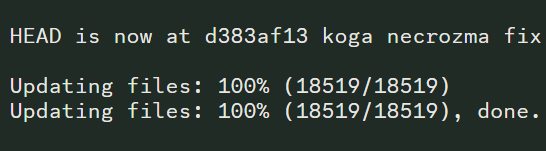
Head is now at
Is that supposed to be there and means it worked?
harsh epoch
yes
brazen patio
wow Im kinda stupid
harsh epoch
frozen grove
Porygons aren’t mods, sino sasses people all the time <:heehee:94580036545714999...
still pass......
give me my freedom 
frozen grove
sterile kindle
why wasnt i born with a bigger brain bruh, i feel so dumb having to come back he...
You can ignore that
plain kettle
hardy rivet
it on and it's still got no sprites
I know that the sprites download while playing so it might take time? (And or close the game and restart it?) What I also did is tried the reset cache with the debug guy again after turning downloads on. If it still doesn't work, then I'm not sure, maybe a mod will know more
hardy rivet
plain kettle
I know that the sprites download while playing so it might take time? (And or cl...
i have it working now thank you some much for the help
plain kettle
hardy rivet
i have it working now thank you some much for the help
Eyyy, I'm glad it worked 😄
normal beacon
Is there a way of changing the chosen sprite of a fusion? All the fusions in my party got reset to base sprite and not custom ones
The ones in the PC are fine
frozen grove
normal beacon
Is there a way of changing the chosen sprite of a fusion? All the fusions in my ...
?tag resetcache
pearl magnetBOT
For missing sprites on the 6.6 update, talk to the help man in any Pokémon center and navigate to Advanced Options -> Other -> Reset -> Clear Sprite Cache. Video
plain kettle
Are there still issues with some quests not completing and the quest stat guy not being updated (since the quest is considered incomplete?)
Oof, ok xD thank you!
brazen patio
how do I fix this?

 zealous hamlet
Im having the same problem
Do i just ignore it or???
Game version sayd 6.6.1 on the top of the launcher but the launcher version is 1.1.1
quasi abyss
zealous hamlet
Game version sayd 6.6.1 on the top of the launcher but the launcher version is 1...
you update to 1.1.2
quasi abyss
brazen patio
how do I fix this?
you can pretty much ignore this -- we cant help it for now
brazen patio
kk
zealous hamlet
How do i update the Launcher? to 1.1.2
zealous hamlet
Okay
quasi abyss
but we dont update it often anyway
gritty coral
so im looking through my things, all the fusion sprites work but the base sprites for mons like bulbasaur etc dont work and show as a ? sp any ideas on how to solve it?
ive tried the reset man etc but still nothing
 rare gate
plain kettle
Oof, ok xD thank you!
rare gate
plain kettle
Oof, ok xD thank you!
Just came here to ask about the quests too lmao good to know that it’s a known problem
frozen grove
gritty coral
so im looking through my things, all the fusion sprites work but the base sprite...
?tag missingsp
pearl magnetBOT
If you're encountering missing sprites
**If you just updated to 6.6, do the reset cache steps mentioned in this #announcements message post.
**The game comes with all sprites preinstalled, up until the February 2025 Pack.
The remaining packs will be downloaded as you play, as long as you have "Download Data" turned on and your device is connected to wifi. You do not need to do anything for them.
Keep in mind, the auto download does not have infinite speed or capacity and will not trigger if you are not actively encountering new sprites (ex; battling, checking the Pokedex, etc.).
After downloading X amount of sprites per time unit Y, it will be paused for a bit. We cannot adjust this limit and there is nothing you can do as the player to skip it or make it go faster.
The first time you encounter a base Pokemon, it will select a random one of all sprites, if it is a new one that hasn't been downloaded yet, it will show as missing.
The same goes for fusions but with a little more nuance. To keep it simple, think of it the same.
Again, nothing wrong with your game. You just hit a download cap.
Note: Updating your game resets all your auto-downloaded sprites. do not attempt to "fix" this with updating. It will just make everything start from the beginning.
If you would like to manually import the latest sprite packs, they are located in #spritepack-releases and further instructions can be found HERE
 slate swift
Hey, if I downloaded off a website, how do I uninstall what I got? just delete the files and empty recycle bin?
gritty coral
frozen grove
?tag missingsp
its my base sprites that are missing from the game, so bulbasaur etc and not fused sprites
 ember dirge
how do i delete the game without deleting my saves?
frozen grove
gritty coral
its my base sprites that are missing from the game, so bulbasaur etc and not fus...
Still applicable
frozen grove
slate swift
Hey, if I downloaded off a website, how do I uninstall what I got? just delete t...
?tag fakefiles
pearl magnetBOT
Beware of Unofficial Websites That Claim To Be Official.
The only official sources to download the game are here, the game's subreddit or the pokecommunity thread.
To clean out your computer:
- Delete all the save files from the fake files. It's not recommended to keep these, as they have bugs and fake data that the normal game doesn't have.
🔵 Your game folder has a shortcut that you double click namedSavefileto take you to the location to delete all save files. They are namedFile A.rxdata. - Delete any zipped/unzipped folders from there
- Run a virus scan
After doing all the steps, use #downloads to download the real files.
@quasi abyss ff
frozen grove
ember dirge
how do i delete the game without deleting my saves?
Saves aren’t stored in the game folder (unless on Android)
ashen nymph
In a randomized run, is there a way to fix the poke radar to where it doesn't just show the dna sprite?
ember dirge
frozen grove
Saves aren’t stored in the game folder (unless on Android)
ohh okay cool, thank you
frozen grove
ashen nymph
In a randomized run, is there a way to fix the poke radar to where it doesn't ju...
Don’t randomize static encounters
sterile kindle
frozen grove
You can ignore that
alright thanks a bunch
ashen nymph
frozen grove
Don’t randomize static encounters
Static encounters are off
frozen grove
Do you have fused icons or dna icons turned on in the settings?
 frozen grove
Did you update recently?
ashen nymph
It has been like that for the two most recent updates, and I didn't play randomizer before then
frozen grove
Did you reshuffle after updating?
ashen nymph
No
sterile kindle
updating my launcher seems to have broken a bunch of sprites, fused and not?

 frozen grove
ashen nymph
No
frozen grove
ashen nymph
No
?tag reshuffle
pearl magnetBOT
After any new game update, you need to rerandomize the settings you have enabled.
If you have only pokemon randomized, you need to Reshuffle Wild Pokemon. If you have more options, reshuffle each.
This is done in the Pokemon Center -> Update Man (guy in black suit) -> Click Advanced Settings -> You will see the Reshuffle options
frozen grove
sterile kindle
updating my launcher seems to have broken a bunch of sprites, fused and not?
?tag resetcache
pearl magnetBOT
For missing sprites on the 6.6 update, talk to the help man in any Pokémon center and navigate to Advanced Options -> Other -> Reset -> Clear Sprite Cache. Video
sterile kindle
ohhhhhhh, tysvm
gritty coral
frozen grove
?tag resetcache
This is what is showing when I load the game and the same is when I select all base pokemon. All sprites in Pokedex are empty except for fused

 gloomy dagger
Trying to update the game, but apparently my ver is 6.6.1 and the update is 6.6.0, so it's not updating. But 6.6.0 is the most recent ver right?
quasi abyss
if the launcher is telling you the latest is 6.6.0
its lyyingggg
how it works is that it checks for the version "6.6.0" and if the game is anything but that version, itll yell at you
we cant actually... change that right now
gloomy dagger
O
quasi abyss
the launcher will still work itll just give you a bit of grief
gloomy dagger

quasi abyss
but 6.6.1 is fully updated 🫡
gloomy dagger
ty ty
ember dirge
so the current version will have all the current sprite packs?
gritty coral
@quasi abyss you have any idea what is going on with my sprites?
ashen nymph
frozen grove
?tag reshuffle
I reshuffled everything and it is still doing the dna sprites
quasi abyss
gritty coral
<@962475643784818728> you have any idea what is going on with my sprites?
sprites right now are a little wonky -- base sprites should fix themselves as you play
i had a similar issue with kingdra
i just scrolled through the sprites and selected a few and it kinda remedied itself
gritty coral
ahh right literally at the start of the game and none of the sprites in the dex are ashowing for any base game mons
quasi abyss
yeah, just see if itll fix itself -- if you see an invisible sprite, select a different alt, etc etc
gritty coral
yea thats what is confusing me as on dex there is no selection for alt sprite, theyre all blank :/
quasi abyss
gritty coral
yea thats what is confusing me as on dex there is no selection for alt sprite, t...
thats my point
quasi abyss
quasi abyss
i just scrolled through the sprites and selected a few and it kinda remedied its...
refer to this
gritty coral
okay thank you, ill see if it sorts itself out then
 rose robin
I tried racing the girl in Fuchsia City for the Racing bike, but even after getting all the checkpoints, the race didn't end, and I'm stuck with this timer. The game works, but I can't complete the quest nor get rid of the timer. Even using an old save file, it's the same and using the debugger and help-man isn't changing this.
 frozen grove
rose robin
I tried racing the girl in Fuchsia City for the Racing bike, but even after gett...
frozen grove
rose robin
I tried racing the girl in Fuchsia City for the Racing bike, but even after gett...
During the race, you need to exit the route via the northern entrance
Not try and talk to her
ashen nymph
frozen grove
Do you have fused icons or dna icons turned on in the settings?
I did more research. Apparently randomizer always does this
There is no fix currently
rose robin
frozen grove
During the race, you need to exit the route via the northern entrance
BRUH I tried again and it worked, idk how I messed up this badly 
This is my 2nd time playing and first time I did it but it was long ago I thought it was def a bug rn. Goddamn
kindred crystal
Yeah I don't think Randomizer is the issue there, I exclusively play Randomizer on PC and Mobile and never had sprite issues
At worst I had blank encounters where there is no Pokemon at all, but that only happened when in my machine shop where the signal is trash
 wise ruin
How do i recover a past save if ive overwritten it
rose robin
wise ruin
How do i recover a past save if ive overwritten it
(Idk either wait till mod tells it)

 shut stag
wild pokemon / trainer sprites are showing as blank after the update. I have cleared the cache sprites with the man on the second lfoor of the pokemon center already. any suggestions?
rose robin
Umm, so I did the Cupid Quest in Cerulean City, I even got the 5 love balls prize, but it didn't go from my Quest Journal. What to do? (I'm using remix mode)
 fathom rose
Hello, I don't know if they already talked about the subject, but recently the game is slow at times or freezes for seconds, any advice to solve it?
rose robin
fathom rose
Hello, I don't know if they already talked about the subject, but recently the g...
ooh ye i have this problem too
 halcyon belfry
Updated the game just now and have none of the sprites? Any way to fix this?
Nvm I just figured it out
frozen grove
rose robin
Umm, so I did the Cupid Quest in Cerulean City, I even got the 5 love balls priz...
Quests are a bit borked rn. Dev is aware and working on it
frozen grove
fathom rose
Hello, I don't know if they already talked about the subject, but recently the g...
?tag performance
pearl magnetBOT
Performance Issues - Freezing? Lag? Long Black/Loading Screens? [More Info](#tech-support message)
 inland hearth
New issue - I changed into the lass's clothes inside the Cerulean Rocket House, get kicked out, to the roof of the Cerulean Hotel
 ivory slate
halcyon belfry
Nvm I just figured it out
ivory slate
halcyon belfry
Nvm I just figured it out
I'm having the same problem. How did you fix it?
 broken warren
A bug i found. In cerulean when in the team rocket hideout after clearing the wimpods underground I took off the uniform. It kicked me out but had me soft locked in the building to the left
 strong aspen
so i updated it and my custom sprites for alot of my pokemon from my previous play data went to default sprites, how to i fix this. was playing 5.1
 restive elm
strong aspen
so i updated it and my custom sprites for alot of my pokemon from my previous pl...
restive elm
strong aspen
so i updated it and my custom sprites for alot of my pokemon from my previous pl...
I'm having the same issue.
harsh epoch
?tag missingsp
pearl magnetBOT
If you're encountering missing sprites
**If you just updated to 6.6, do the reset cache steps mentioned in this #announcements message post.
**The game comes with all sprites preinstalled, up until the February 2025 Pack.
The remaining packs will be downloaded as you play, as long as you have "Download Data" turned on and your device is connected to wifi. You do not need to do anything for them.
Keep in mind, the auto download does not have infinite speed or capacity and will not trigger if you are not actively encountering new sprites (ex; battling, checking the Pokedex, etc.).
After downloading X amount of sprites per time unit Y, it will be paused for a bit. We cannot adjust this limit and there is nothing you can do as the player to skip it or make it go faster.
The first time you encounter a base Pokemon, it will select a random one of all sprites, if it is a new one that hasn't been downloaded yet, it will show as missing.
The same goes for fusions but with a little more nuance. To keep it simple, think of it the same.
Again, nothing wrong with your game. You just hit a download cap.
Note: Updating your game resets all your auto-downloaded sprites. do not attempt to "fix" this with updating. It will just make everything start from the beginning.
If you would like to manually import the latest sprite packs, they are located in #spritepack-releases and further instructions can be found HERE
 lapis wing
have that problem if i enter viridian forest almost everything turns black exept some sprites like the mushroom, the trainers and some parts of the character
nova parcel
Hello, I get the following message before my game crashes. What can I do to fix it?

 umbral adder
How do I update my version of infinite fusion on android
umbral adder
Ok
 soft plinth
strong aspen
so i updated it and my custom sprites for alot of my pokemon from my previous pl...
soft plinth
strong aspen
so i updated it and my custom sprites for alot of my pokemon from my previous pl...
i also have the same issue.
harsh epoch
?tag missingsp
pearl magnetBOT
If you're encountering missing sprites
**If you just updated to 6.6, do the reset cache steps mentioned in this #announcements message post.
**The game comes with all sprites preinstalled, up until the February 2025 Pack.
The remaining packs will be downloaded as you play, as long as you have "Download Data" turned on and your device is connected to wifi. You do not need to do anything for them.
Keep in mind, the auto download does not have infinite speed or capacity and will not trigger if you are not actively encountering new sprites (ex; battling, checking the Pokedex, etc.).
After downloading X amount of sprites per time unit Y, it will be paused for a bit. We cannot adjust this limit and there is nothing you can do as the player to skip it or make it go faster.
The first time you encounter a base Pokemon, it will select a random one of all sprites, if it is a new one that hasn't been downloaded yet, it will show as missing.
The same goes for fusions but with a little more nuance. To keep it simple, think of it the same.
Again, nothing wrong with your game. You just hit a download cap.
Note: Updating your game resets all your auto-downloaded sprites. do not attempt to "fix" this with updating. It will just make everything start from the beginning.
If you would like to manually import the latest sprite packs, they are located in #spritepack-releases and further instructions can be found HERE
 opal elm
howdy folks, getting a weird error
will post up error message in a sec

Updating files: 86% (15927/18519)
Updating files: 87% (16112/18519)
Updating files: 88% (16297/18519)
Updating files: 89% (16482/18519)
Updating files: 90% (16668/18519)
Updating files: 91% (16853/18519)
Updating files: 92% (17038/18519)
Updating files: 93% (17223/18519)
Updating files: 94% (17408/18519)
Updating files: 95% (17594/18519)
Updating files: 96% (17779/18519)
Updating files: 96% (17960/18519)
Updating files: 97% (17964/18519)
Updating files: 98% (18149/18519)
Updating files: 99% (18334/18519)
Updating files: 100% (18519/18519)
Updating files: 100% (18519/18519), done.
wot?
regal geyser
What is your launcher's version?
opal elm
1.1.2
regal geyser
Then it should launch just fine
It's just the launcher being dumb because it wasn't updated for the minor patch
soft plinth
harsh epoch
?tag missingsp
i did this and now its just blank space for the custom sprites
regal geyser
Are you using the Performance exe?
soft plinth
normal one wasnt opening so i did performance
wise ruin
How do i recover a past save if ive overwritten it
 pale pine
wise ruin
How do i recover a past save if ive overwritten it
pale pine
wise ruin
How do i recover a past save if ive overwritten it
?tag backups
regal geyser
soft plinth
normal one wasnt opening so i did performance
Performance does not automatically download the spritepacks so that may be your issue, you should head to #spritepack-releases and see if you cannot import them manually
 knotty spade
Hey ive updated my game just tried clearing my Sprite cache but al mt Sprites even for normal ons are just blank
regal geyser
knotty spade
Hey ive updated my game just tried clearing my Sprite cache but al mt Sprites ev...
If you're on performance, you might need to manually install the sprite packs
knotty spade
Im on performance
knotty spade
regal geyser
If you're on performance, you might need to manually install the sprite packs
How do i manually instal them
regal geyser
wise ruin
pale pine
?tag backups
im gonna take a guess that the bot broke
pale pine
wise ruin
im gonna take a guess that the bot broke
found it
lapis wing
lapis wing
have that problem if i enter viridian forest almost everything turns black exep...
?
pale pine
lapis wing
?
where did u download the game?
regal geyser
That means the game is struggling to load I believe
lapis wing
pale pine
where did u download the game?
discord link
pale pine
from this discord?
lapis wing
pale pine
from this discord?
yes
pale pine
ok just making sure
lapis wing
regal geyser
That means the game is struggling to load I believe
tried starting it like for the thierd time still doesnt work q.q and i was hyped to play it but if i dont see anything i cant progress
regal geyser
Try running performance?
lapis wing
regal geyser
Try running performance?
wait can try give me a minute
knotty spade
regal geyser
<#1347708775318159442>
Ive downloaded the Sprite pack do i need to put it in a folder or something?
regal geyser
Click on the guide in the post, it tells you where to put everything 😄
lapis wing
regal geyser
Try running performance?
same issue
wise ruin
pale pine
found it
Do i
Delete the current thing thats my save A cause im tryna recover a version that got overwritten
knotty spade
If i redownload the game do i lose my save files i got half off the Sprites
regal geyser
knotty spade
If i redownload the game do i lose my save files i got half off the Sprites
No your saves are safe
lapis wing
so reinstalled the game after uninstalling it same problem dont know how to fix its viridian forest idk if its just me

 drowsy anchor
I picked the darkrai side of the lunar feathers quest. Immediately after exiting the water puzzle on half moon island, I tried doubling back and got this error?

The game also proceeded to crash
 merry parrot
hello
quasi abyss
merry parrot
hello
is there a step you're stuck on specifically? like which download are you using?
merry parrot
i used to play and i cant get it to updata
 toxic forge
im having this error when i try to update my game
merry parrot
it keeps giveing eruor
merry parrot
toxic forge
im having this error when i try to update my game
tf is dis
quasi abyss
toxic forge
im having this error when i try to update my game
theres no error here
quasi abyss
merry parrot
it keeps giveing eruor
show me the error
toxic forge
is the errorlog it generated in my desktop after i couldnt update my game
 quasi abyss
have you reinstalled the launcher?
you cant update the launcher within the launcher, you have to reinstall it
merry parrot
i dont kown how to do that
merry parrot
ok
 merry parrot
i cant finde the fille
merry parrot
ik
merry parrot
quasi abyss
that's gonna be your job
i check all my fills and its not in dare
tf
am so comefused
merry parrot
i check in downloads its not there
i cleard my downloads 4 mounts ago i olayd it last 5 mouhts ago
quasi abyss
dude, i cannot help you here. i don't know where you put the folder or files on your pc
toxic forge
reinstalling the launcher worke for me tx so much
merry parrot
die shoud be in my pokemon folder and its not
quasi abyss
¯_(ツ)_/¯
 quasi abyss
you can try to just download the launcher files from downloads
merry parrot
ok
quasi abyss
it shouldnt conflict, i dont think
quasi abyss
you are supposed to be downloading the new launcher
merry parrot
i am
quasi abyss
what stage are you at right now
half crown
I want to report something that could be interesting. I'm playing Expert Mode and my Milotic/Swampert had Soft Sand as held item. Route trainers had Life Orb as held item and one of them changed items with my Pokemon, giving me the Life Orb. I thought after the battle I will have my Soft Sand back, but instead my held item was Life Orb. Is that a bug or something, or it works like that? I ask because before I had been attacked with Trick and never lost the held item before.
 quasi abyss
so... you are showing me your game files
merry parrot
yes
 spice nacelle
another issue i encountered , heeee....after the forest stucked, and yeah i installed the game directly from this discord link ya this time
 merry parrot
quasi abyss
version will be top left
merry parrot
quasi abyss
version will be top left
so i need to go 2 game fills
quasi abyss
no you do not need to go to your game files you just need to open the launcher
literally all i need you to be at is this screen

just so you can see the top left
quasi abyss
spice nacelle
another issue i encountered , heeee....after the forest stucked, and yeah i inst...
this happens when the game is either loading and is interacted with or gets stuck on something, i.e a looping code
spice nacelle
i think it is the wifi problem, haahhaha
quasi abyss
merry parrot
now
we don't wanna pay 300/month to be a registered developer
more info -> run anyway
spice nacelle
the game is automatically downloading sprites everytime and when my wifi is poor i get this issue, i think
hahhahhaa
but overall, i am having fun with this game!!!! gosh!! i wish there will be more to come!! completing quests and getting the legendaries are sooo much fun!!! i love this!! and combining regions!! but just my 2 cents-perhaps you guys can add a feature, a travel log something like that
quasi abyss
i wish there will be more to come
there's a second game in development
but this channel isnt for suggestions
merry parrot
dare needs to be vc
quasi abyss
nope
merry parrot
man that woud make it way ezer
quasi abyss
VCs are impossible to moderate in big servers
merry parrot
true
spice nacelle
and oh i noticed that the quest log got bug, it doesnt says completed when i just literally completed them
quasi abyss
spice nacelle
and oh i noticed that the quest log got bug, it doesnt says completed when i jus...
thats a known bug
merry parrot
but it is a problem for my deslxcya
quasi abyss
an updated report for 6.6 was just made
quasi abyss
merry parrot
but it is a problem for my deslxcya
i get it, truly, but
- a lot of the tech staff are uncomfortable getting in VCs w/ strangers and
- the mods are not willing to deal with VCs
 unreal jetty
hallo can anyone teach me how to download the game when i click the link it take me to here
turbid terraceBOT
Hey @unreal jetty! You can download the game from: [#downloads](#downloads message)
If you need a guide, they are located: [HERE](#tech-support message)
merry parrot
quasi abyss
i get it, truly, but
1. a lot of the tech staff are uncomfortable getting in VC...
ik its just hard for me and more ppl who are desabled and stuff
quasi abyss
but for the launcher, this is all i am asking you to do
quasi abyss
merry parrot
ik its just hard for me and more ppl who are desabled and stuff
ive explained this already
merry parrot
i do that but it puts me in the fills
quasi abyss
what are you clicking on?
merry parrot
pfi lancher
quasi abyss
show me
merry parrot
to sec got to pie
quasi abyss
right then
merry parrot
brb
 pine quest
hello, i have a problem with a quest. I already manage to catch Necrozma put the second part of the quest said that she isn't complete
merry parrot
am back


 merry parrot
i click on that one
quasi abyss
and
 quasi abyss
click
 merry parrot
done
 quasi abyss
and when it closes, is there a shortcut in the files?
yes
please
click that last file
merry parrot
click on that one
quasi abyss
yes
merry parrot
its back
 quasi abyss
same process
merry parrot
now update game i prosume
quasi abyss
sure
 quasi abyss
sssssure, i cant read this error
merry parrot
let me trans it
pine quest
quasi abyss
known issue
sorry to disturb you again, i read the post you send me but i dont understand how i can resolve it. Do I have to go in the files and change the data by my self ?
quasi abyss
there's no resolution
pine quest
ah
quasi abyss
the fix is being worked on
pine quest
okay ! Im gonna install the next update when she's upload !
merry parrot
quasi abyss
the fix is being worked on
 quasi abyss
yeah just continue
 merry parrot
quasi abyss
yeah just continue
merry parrot
quasi abyss
yeah just continue
i dont tink its working
its still at the same ting

 acoustic kite
question, is it normal that the game is in 6.6.1 but tells me the latest ver is 6.6.0?
The question might have been answered already so if you could send me the thread it'd be helpful, thanks
merry parrot
acoustic kite
question, is it normal that the game is in 6.6.1 but tells me the latest ver is ...
idk man i cant even get in the game
regal geyser
acoustic kite
question, is it normal that the game is in 6.6.1 but tells me the latest ver is ...
If the game opens you're fine, the launcher just looks for a specific version
regal geyser
merry parrot
idk man i cant even get in the game
I'm sorry, but we can't help more than giving you the guide
regal geyser
(The creator is not responsible for this launcher)
acoustic kite
regal geyser
If the game opens you're fine, the launcher just looks for a specific version
it doesn't, I have this error
 merry parrot
acoustic kite
it doesn't, I have this error
merry parrot
acoustic kite
it doesn't, I have this error
o
merry parrot
regal geyser
(The creator is not responsible for this launcher)
who is den
regal geyser
acoustic kite
it doesn't, I have this error
Is this a fresh install?
acoustic kite
yeup, still have the guide on there too
regal geyser
I'll wait for a porygon to be online then :x
regal geyser
merry parrot
who is den
I mean, we don't even know if there is any issue or anything
merry parrot
regal geyser
I'll wait for a porygon to be online then :x
is that your freind
regal geyser
Porygons are the tech specialists, they're the one who know more about debugging
But I'll anticipate and say : they can't work from a black screen, they need an error/log to work
merry parrot
regal geyser
Porygons are the tech specialists, they're the one who know more about debugging
o good to kown so i wait for him
acoustic kite
well thanks in advance, @me when you know more
merry parrot
me to plz
acoustic kite
regal geyser
But I'll anticipate and say : they can't work from a black screen, they need an ...
The update screen told me to send the errorlog.txt, but I couldn't find it, where am I meant to find it or generate it?
merry parrot
i got dis for 1 hour already
 regal geyser
acoustic kite
The update screen told me to send the errorlog.txt, but I couldn't find it, wher...
regal geyser
acoustic kite
The update screen told me to send the errorlog.txt, but I couldn't find it, wher...
If the launcher is 1.1.2 there's actually no error
It should work
If it fails to update chances are the game will just close immediately
merry parrot
shoud i reopen the ting
acoustic kite
regal geyser
If the launcher is 1.1.2 there's actually no error
Well it says 1.1.2 but also .0 so idrk?
 regal geyser
Yeah, they didn't update the name of the folder, you're on 1.1.2
acoustic kite
cause the guide says if the launcher is 2.X or 3.X you have to do some things, but here it's not, but there are things they advise to do
acoustic kite
regal geyser
Yeah, they didn't update the name of the folder, you're on 1.1.2
k, nice
regal geyser
I'll just wait for a tech support person to be online
merry parrot
now i wait for pyogone to ping me
acoustic kite
regal geyser
I'll just wait for a tech support person to be online
okay, no worries, thanks
 bronze flume
For the randomizer custom bst range
If I put 100
It means the Pokemon will have stats +/- 100 of the og Pokemon right
Not that all Pokemon will be around 100 bst
And what is it for insane
acoustic kite
merry parrot
now i wait for pyogone to ping me
hem
I found a way to launch the game without going through the lancher if it interests you
dunno if it will work for you but if you go setting, game files, and run this one, it launched the game for me
Dunno if it's safe or what we're meant to do, but it worked?
 merry parrot
bronze flume
For the randomizer custom bst range
merry parrot
bronze flume
For the randomizer custom bst range
you the tech suport person
bronze flume
bronze flume
And what is it for insane
If u also know moderate that would be crazy helpful
bronze flume
merry parrot
you the tech suport person
?
acoustic kite
merry parrot
you the tech suport person
they ain't, they don't have the role
merry parrot
acoustic kite
they ain't, they don't have the role
just notescd
acoustic kite
acoustic kite
hem
I found a way to launch the game without going through the lancher if it int...
try this it may work
regal geyser
acoustic kite
hem
I found a way to launch the game without going through the lancher if it int...
Performance is completely safe, however it won't download new sprite packs for you so you'll need to add them manually
harsh epoch

regal geyser
Check #spritepack-releases for a guide on how to do that
harsh epoch
-# get em nugat
merry parrot
acoustic kite
hem
I found a way to launch the game without going through the lancher if it int...
i need it to be safe
acoustic kite
regal geyser
Check <#1347708775318159442> for a guide on how to do that
ohhhh right that's the one I used to have
will do that, thanks again
 lime prawn
Is the Necrozma quest broken atm? Every time I try to come out of the safari, Koga starts a conversation and the game crashes
harsh epoch
lime prawn
Is the Necrozma quest broken atm? Every time I try to come out of the safari, Ko...
6.6.1 fixes the issue. if you are on 6.6.0, update
bronze flume
What's the bst range for moderate and insane
harsh epoch
?tag bst
pearl magnetBOT
 bronze flume
Oh so 50 for balanced and 200 for insane
 harsh epoch
weird. it shouldve been fixed. give the updater another go
lime prawn
harsh epoch
weird. it shouldve been fixed. give the updater another go
Will do, brb
Problem fixed, thanks! @harsh epoch
 verbal timber
there was a weird variant of 6.6.1 where the bug w necrozma still existed
lime prawn
Lmao I swear Ive been on 6.6.1 since before yesterday xD
lime prawn
lol
harsh epoch
ok best wishes
 subtle mural
Hey, so is there a specific key for speed up? I'm playing on PC and can't find how to use speed up. I mean to make the game go faster not an X speed btw
turbid terraceBOT
Hey @subtle mural! To Speed Up your game, hold Q (or Spacebar if you are using Game-performance).
You can change the settings in game to be hold or toggle, see the image below!
- When set to Hold, the speed multiplier can be set up to x10
- When set to Toggle, the speed will cycle through x1, x2, and x3
 quasi abyss
lime prawn
Lmao I swear Ive been on 6.6.1 since before yesterday xD
quasi abyss
lime prawn
Lmao I swear Ive been on 6.6.1 since before yesterday xD
there was a shadow patch
basically means an "unmarked" update with minor fixes
it fixed necrozma
bronze flume
harsh epoch
people generally run 500 for true rando
Ohhhh u can do that?
I didn't know 🥲
Is this like confirmed info?
verbal timber
bronze flume
Is this like confirmed info?
500 nets you the biggest spread of mons
the randomness degree you choose is added/subtracted from the pokemon that you would normally encounter, then the game will pick something randomly in that range
 lime coral
Hi everyone
I started to play this game, but the sprites are not custom, when i fuse a pokemon it shows up as default, like one pokemon has the head and the other has the body, is there a way to fix this? I tried redownloading it and it didnt fix it.
regal geyser
?tag resetcache
pearl magnetBOT
For missing sprites on the 6.6 update, talk to the help man in any Pokémon center and navigate to Advanced Options -> Other -> Reset -> Clear Sprite Cache. Video
 pearl peak
for sprite categories just normal?
 regal geyser
?tag alts
pearl magnetBOT
To change a Pokemon's sprite to an alternative one, go to their Pokedex entry (this can be done from their summary screen) and go to the "Sprites" tab. Here you can scroll through the different available sprites.
https://www.youtube.com/watch?v=VOY_mxJ-Bx8


 lime coral
regal geyser
?tag resetcache
lime coral
regal geyser
?tag resetcache
This seems to fixed it
regal geyser
Basically, alt sprites are sprites that are not fit to be a main sprite
So by changing the category to "anything", you could have joke, meme or sprites with other issues
pearl peak
after selected the pokemon starter i got freeze what does i do?
 upbeat sage
pearl peak
after selected the pokemon starter i got freeze what does i do?
upbeat sage
pearl peak
after selected the pokemon starter i got freeze what does i do?
?tag moreinfo
pearl magnetBOT
When asking for help, please be as specific as possible! We cannot help you if you don't give us the information we need!
Info we need:
- Explain the issue. Do not just say "Game won't work"! This does not help us at all!
- Where did you get the game files from? Discord, google doc from discord?
- Are you using the Launcher?
- Did you update to 6.4 from old files or install in a new folder?
- What version are you on? (Open the game, title screen says)
- What device are you playing on? (Windows, Android, Mac, etc.)
- Send a screenshot if applicable. Often times, it is hard to describe your issue. Send a screenshot so we can see what you are seeing. Especially if you are getting an error.
pearl peak
why not fused pokemon?

 dire lake
I reinstalled the game but it still says it can’t update the game to the newest version how do I fix that?
turbid terraceBOT
Hey @dire lake!
How to Update to the Latest Version (Windows)
- If you're on or above 6.6.0 double click
INSTALL_OR_UPDATE.batto update. - If you're below 6.6.0 you must either reinstall in a NEW folder (since the updater won't work due to bugs) or use the New Launcher to update.
- Reinstalling doesn’t remove or require you to move any Save Files.
- If playing on a Randomized save, make sure to reshuffle after updating. Use
?tag reshuffleif you need help.
For Non-Windows devices (Android, Mac, Steamdeck, Linux, Chromebook): Check our extended guides post
regal geyser
try launching the game
dire lake
It launched just fine does that mean it’s updated despite that error message?
dire lake
Thanks for the help
 serene mauve
i can't manage to make the ingame sound to work... it all seems to be allright, but the game still has no sound... how can i fix it?
 safe idol
hello everyone, i think i have a problem, i have some quests that should be completed but they still count as "in progress", is there anything i can do to fix it?
 median raptor
how do you install the .bat file above?
 fossil owl
how can i upload my own sprite??
 merry gate
i just updated the game, but now a lot of custom sprites are gone for me
verbal timber
safe idol
hello everyone, i think i have a problem, i have some quests that should be comp...
nope, known bug, dev is looking into it
verbal timber
median raptor
how do you install the .bat file above?
follow the lightweight installer guide
verbal timber
fossil owl
how can i upload my own sprite??
you mean add it to your game personally? or submit it so it can maybe be added to the game for everyone?
verbal timber
merry gate
i just updated the game, but now a lot of custom sprites are gone for me
?tag missingsp
pearl magnetBOT
If you're encountering missing sprites
**If you just updated to 6.6, do the reset cache steps mentioned in this #announcements message post.
**The game comes with all sprites preinstalled, up until the February 2025 Pack.
The remaining packs will be downloaded as you play, as long as you have "Download Data" turned on and your device is connected to wifi. You do not need to do anything for them.
Keep in mind, the auto download does not have infinite speed or capacity and will not trigger if you are not actively encountering new sprites (ex; battling, checking the Pokedex, etc.).
After downloading X amount of sprites per time unit Y, it will be paused for a bit. We cannot adjust this limit and there is nothing you can do as the player to skip it or make it go faster.
The first time you encounter a base Pokemon, it will select a random one of all sprites, if it is a new one that hasn't been downloaded yet, it will show as missing.
The same goes for fusions but with a little more nuance. To keep it simple, think of it the same.
Again, nothing wrong with your game. You just hit a download cap.
Note: Updating your game resets all your auto-downloaded sprites. do not attempt to "fix" this with updating. It will just make everything start from the beginning.
If you would like to manually import the latest sprite packs, they are located in #spritepack-releases and further instructions can be found HERE
verbal timber
?tag resetcache
pearl magnetBOT
For missing sprites on the 6.6 update, talk to the help man in any Pokémon center and navigate to Advanced Options -> Other -> Reset -> Clear Sprite Cache. Video
fossil owl
verbal timber
you mean add it to your game personally? or submit it so it can maybe be added t...
i mean add to it personally
merry gate
Got a trainer battle with missing music, but can't make a bug report. Anything i can do?
verbal timber
fossil owl
i mean add to it personally
?tag importsp
pearl magnetBOT
To successfully import your own custom sprite, please follow these steps:
Sprite Requirements:
- Format: The sprite must be in
.pngformat. - Naming Convention: Name your sprite according to the game's dex numbering. For example, a fusion of Aegislash and Goodra should be named
329.446.png.
Importing Your Sprite:
- Ensure your sprite meets the criteria above.
- Open your game folder and navigate to
Graphics/CustomBattlers/Sprites to import. - Paste your sprite into this folder.
In-Game Instructions:
- Launch the game.
- The game will automatically detect the new sprites.
- If you have an existing sprite that you're replacing, select the option "Replace All the old sprites with the new ones" when prompted.
Once completed, you can view your custom sprite in-game from the Pokedex's Sprite tab.
 brave swift
The link for the game is not working for me. I tried the discord link and it won't download. The link provided in the document won't work either. Does anyone know of a fix?
verbal timber
merry gate
Got a trainer battle with missing music, but can't make a bug report. Anything i...
restart the game and see if that fixes it, music tends to break randomly, dev is aware of it but because it isn't something "big" it is low priority
verbal timber
brave swift
The link for the game is not working for me. I tried the discord link and it won...
the links work fine, try a different browser, try a vpn
regal geyser
(I am currently downloading the lightweight launcher and it worked fine)
brave swift
I even tried downloading directly from Mega, but it just freezes at the end. My internet connection is perfect so its not an issue with that.
 verbal timber
ah, specifying it was android would have helped
- the android download isn't updated yet
- there is a mediafire link right below the mega one in the event you have an issue with mega...but it seems you didn't notice it or are not following our android guide
brave swift
I don't have permission to use the media fire link.
I'm on the android guide. I couldn't use the link provided, the mediafire link, so I came here and searched for "?tag mobilealt" as instructed. That provided me with the Mega link, which doesn't work. That's why I'm asking for some help.
I had this installed on my last phone and would like to install it on my new Galaxy s24, which is listed in the supported devices section. I am following the android guide, but I am still running into issues regarding the download.
verbal timber
brave swift
I'm on the android guide. I couldn't use the link provided, the mediafire link, ...
those are the only 2 links we have
also wdym by you don't have permission to use the mediafire link?
brave swift

 steady lily
Can someone help me my game black screen
turbid terraceBOT
Hey @steady lily! Black screen in this game is the loading screen. The duration of the black screen depends on YOUR computer and YOUR internet.
- If you get the message below while opening the game, this means to stop clicking/pressing buttons on the screen as it is loading.
- If you get the message while in game, this means your computer is struggling.
- Use our performance tips to help your issues: [More Info](#tech-support message)⬅️⬅️
verbal timber
brave swift
try editing the site name and deleting everything before the https part
verbal timber
steady lily
Can someone help me my game black screen
did you follow our android guide exactly
steady lily
verbal timber
did you follow our android guide exactly
Yes, I installed it while watching the tutorial video.
verbal timber
steady lily
Yes, I installed it while watching the tutorial video.
try using the performance application and see if that helps
if not, then your device might not be compatible
[always double check to make sure your phone/tablet is not listed in the incompatible section]
if it is there, nothing can be done to change that
if it isn't there, and also isn't in the compatible section, there's always about a 50/50 chance of it working
if it is listed as compatible, it is possible a recent update broke that compatibility
steady lily
verbal timber
[always double check to make sure your phone/tablet is not listed in the incompa...
my device is infinix hot20s i have checked but it is not in the list of incompatible devices
brave swift
Deleting everything before the https fixed the mediafire link that was in the android guide. Thank you!
verbal timber
I'll poke sapp to try and fix that
though not sure it is something that can be fixed
 twilit bloom
Hi, I played pokemon infinite fusions awhile back and wanted to revisit it but when I open the installer it says to open the game I need to double click game.exe in my folder but I cant find it