#archived-modding-help
1 messages · Page 410 of 1
 limber egret
 proven olive
hello, will a room and item randomizer will be added to the scarab mod installer ?
limber egret
It will be. No idea how long
proven olive
ok thx 🙂
if i dont want to wait, the only option is to set HK back to a previos patch and us another mod sintaller or?
 umbral sky
i did it now i open the file
 real jacinth
proven olive
if i dont want to wait, the only option is to set HK back to a previos patch and...
real jacinth
proven olive
if i dont want to wait, the only option is to set HK back to a previos patch and...
yes
doesn't take long to do, so may as well
umbral sky
i think i did it
 crimson lynx
Hey y'all. My friend and i were using the hollow knight multiplayer mod and was wondering why we couldn't see each other's custom knight skins
Does anyone know anything about how to fix it?
limber egret
If you're using the regular multiplayer client/server mods then you cannot
If you were using HKMP then you can. There should be a link to the multiplayer server in the pins where you can get more help with that specific mod.
real jacinth
Multiplayer Procedure (HKMP) [Recommended MP Mod]
#archived-modding-help message
and skins must be used through hkmp, not using customknight
umbral sky
hey tami jo i have everything into the folder but the open mods isnt working
limber egret
If it's in the folder you don't need to click that now
umbral sky
hm ok
limber egret
Just open your game
limber egret
Options
 pliant lantern
:this:
 limber egret
In case anybody was wondering blocking people on discord does nothing
real jacinth
just shows an annoying bar across the screen
pliant lantern
It depends on your definition of nothing lol
real jacinth
it's almost worse
limber egret
It's definitely worse
umbral sky
what do i do in options?
pliant lantern
It prevents pings from pinging
pliant lantern
umbral sky
what do i do in options?
Mods > custom Knight
real jacinth
pliant lantern
:this:
this
must be Friday. reading comprehension at an all time low
limber egret
pliant lantern
It prevents pings from *pinging*
Oh this is good actually
umbral sky
this time it will work
real jacinth

pliant lantern
pliant lantern
It prevents pings from *pinging*
I've become more liberal with blocking people here recently, in that if someone reply-pings me more than once while I'm actively here, I'm just blocking them.
I figure I can see the messages if I want to, but I don't want the pings every 30 seconds when I'm checking the support channels of multiple servers lol
umbral sky
oh god
real jacinth
is there no +1 reaction?
umbral sky
what am i doing wrong now
real jacinth

pliant lantern
umbral sky
what am i doing wrong now
Did you disable Satchel?
umbral sky
what is satchel
pliant lantern
For 1.5 you need Custom Knight and Satchel. Satchel should automatically install when you got custom Knight.
I asked because "oh God" usually means that something wentterribly wrong, and that can be a cause
real jacinth
pc exploded
umbral sky
i just need to put evrything in folder and activate custom knight?
my custom knight isnt enabling
real jacinth
unfortunate
real jacinth
you click the install box
real jacinth
 real jacinth
 proven olive
so, i have set my HK in steam to 1.4.3.2 ( it says 32- bits compatible does this mean anything important?) and i have downloaded the modinstaller 2, but there it says modding api out of date, how do i fix this?
real jacinth
click the orange box
real jacinth
wasn't talking to you
umbral sky
ook
proven olive
real jacinth
click the orange box
thats it?
umbral sky
mod installer not work for 1.5 right
real jacinth

 ruby lance
pls help :(
 real jacinth
?pins
 dense shuttleBOT
Check the pinned messages for more information - https://cdn.discordapp.com/attachments/187137504393035776/823796522751623168/unknown.png
 umbral sky
i cant enable with scarab please help
pliant lantern
umbral sky
how do i use custom knight in scarab?
In Scarab, you need Custom Knight and Satchel to have a ✅ next to Installed and Enabled.
Then start Hollow knight. On your main menu, at the top left, you should see the names of both of those mods.
umbral sky
i need to instal satchel?
pliant lantern
It should have automatically installed, but if you don't have it, then yes
umbral sky
where do i download it?
pliant lantern
The same place you got Custom Knight
real jacinth
pliant lantern
In Scarab, you need Custom Knight and Satchel to have a ✅ next to Installed and ...
this
umbral sky
in scarab?
real jacinth
 umbral sky
where i get satchel for scarab
 umbral sky
ok nob
real jacinth
unfortunate
is your game open
are all the scarab files on your desktop?
you have to provide some actual info
instead of saying "it's not working" over and over
umbral sky
my game is open and all the scarab files are on my desktop
real jacinth
you can't mod your game when it's running
close it
that's like changing a tire while the car is driving
doesn't work
umbral sky
i think its a file
real jacinth
what a useful sentence
umbral sky
i have the files clrcompression clrjit coreclr libHarpBuzzSharp mscordacore Scarab and Scarab.pdf
that may not be useful
pliant lantern
Scarab comes in a folder
umbral sky
its closed bruh
real jacinth
 umbral sky
i closed it alredy
real jacinth
so then do the next steps
pliant lantern
pliant lantern
Scarab comes in a folder
That folder should be on your desktop.
The only thing you need to run in that folder, is Scarab.Exe
The other files are what let's Scarab work. Your just ignore them.
umbral sky
i cant click the enabled button
umbral sky
i clicked it and it closed scarab that means it worked?
real jacinth
no
umbral sky
bruh
real jacinth
bruh
limber egret
That's going to cause more problems than it solves
umbral sky
ok but i dont know whats wrong when i click to install it closes scarab
real jacinth
neither do we. cuz you're not saying anything of use
and not providing any screenshots
or really helping in any regard
umbral sky
ok i will send a video of what happens
 past bramble
I am using the randomizer and i only get one geo for one geo is that because i checked the cursed thingy or am I missing a mod?
 pliant lantern
umbral sky
ok but i dont know whats wrong when i click to install it closes scarab
pliant lantern
umbral sky
ok but i dont know whats wrong when i click to install it closes scarab
-
close HK and Scarab
-
run this script to reset Scarab's memory
https://cdn.discordapp.com/attachments/879138066961424405/890824593848299550/HKModInstaller_Reset.bat -
use Steam's Verify Integrity on hollow knight
Image if you need to know how to do that:
https://media.discordapp.net/attachments/910762350267744276/910762714807291946/hk_verify_integrity.png -
if you still have the Scarab .zip on your downloads folder, then extract it again. Leave the files in the folder, and move that folder to your desktop. If you don't have that .Zip anymore, then redownload Scarab, and do this.
-
run Scarab. Exe, and reinstall Custom Knight. Wait a about 30 seconds, and check to see if Satchel was also installed. If they both were, then launch Hollow Knight
umbral sky
i didnt buy it on steam
real jacinth
where'd you buy it
umbral sky
i bought it in GOG
real jacinth
so do the same thing with gog galaxy
real jacinth
right click -> manage installation -> verify/repair
 serene estuary
Hey guys I downloaded a mod app for HK and my game can't launch
dense shuttleBOT
Check the pinned messages for more information - https://cdn.discordapp.com/attachments/187137504393035776/823796522751623168/unknown.png
umbral sky
i think im installing the wrong scarab
real jacinth
screenshot your title screen
umbral sky
imma instal the right one i got it wrong
real jacinth

real jacinth
screenshot your title screen
umbral sky
the game title screen?
real jacinth
yes
 pliant lantern
Your modding API isn't currently enabled, which is one of the things that Scarab will install when you install a mod.
The instructions I gave you should cover all of what to do.
One thing about the gog version, is that Scarab will default to assuming you have the steam version. So after you first open it, it asks "where is hollow knight installed?" And you need to tell it where you have it installed
umbral sky
ok
pliant lantern
Your should be able to change this if you accidentally selected the wrong folder
At the bottom-left, click "change install location" or whatever is called
umbral sky
im very tired
 umbral sky
okay so what do i do in that file
 fair marsh
I’m on scarab download do i download the source code or just the windows zip since I’m playing on windows
past bramble
start the exe
umbral sky
im in pain
fair marsh
Then I just enable the mods I want and boot up the game right?
umbral sky
please help it says the folder is invalid
i just wanted to change the appearance of my knight
ok ill not play with skins
desisted
real jacinth
What folder did you select
umbral sky
Hollow Knight Data
umbral sky
which should i choose?
umbral sky
it also says invalid
past bramble
fair marsh
Then I just enable the mods I want and boot up the game right?
yeah
umbral sky
please help i just wanted to get skin
past bramble
how does one use player data tracker I cant find a readme file
 real jacinth
Screenshot what you're selecting
real jacinth
past bramble
how does one use player data tracker I cant find a readme file
There's nothing to use with it in game
past bramble
yeah i know but I mean how to use it
I didnt find a readme file that tells you how to connect it with obs
real jacinth
You pull up the webpage it exports data to
And add that as a source in obs
=> Still compatible with the web UI at https://kaydeetee.github.io/HollowKnightRandomizerTracker2.8/Index.html.
This one
umbral sky
im back
im gonna do it now
im with more patient
these are the files which are not working hollow_knight_Data and Hollow Knight Data

and scarab asks for them
real jacinth
no it doesn't
it asks for the folder that CONTAINS them
Hollow Knight
one level up
real jacinth
delete your game files and reinstall with galaxy
you shouldn't have two data folders in the first place
umbral sky
so your asking me to delete the game?
real jacinth
and reinstall, yes
 radiant latch
how can i find the mod installer?
real jacinth
?pins
dense shuttleBOT
Check the pinned messages for more information - https://cdn.discordapp.com/attachments/187137504393035776/823796522751623168/unknown.png
umbral sky
ok reinstalled it
real jacinth
then it's wherever you put it
radiant latch
it isn't in any hk folders
real jacinth
the game is 9 GB, there's no way you uninstalled and reinstalled
real jacinth
radiant latch
it isn't in any hk folders
you didn't put it there. it's probably still in your downloads folder
radiant latch
it's not

 real jacinth
so look in the game files now and check to be sure there's only 1 data folder
then tell scarab where your hollow knight folder is that you just installed
radiant latch
real jacinth
you didn't put it there. it's probably still in your downloads folder
what is the application's name?
real jacinth
i don't know what you downloaded
umbral sky
its working
real jacinth
but it'll be modinstaller or similar
 fresh horizon
i have tried to download the latest mod installer for windows, but after i download it it says that i am not using a recent update of the game. the problem is i checked on steam and there are no available updates for HK for me.. what do i do?
radiant latch
modinstaller.exe?
real jacinth
fresh horizon
i have tried to download the latest mod installer for windows, but after i downl...
read pins
your installer and game patch don't match
?pins
dense shuttleBOT
Check the pinned messages for more information - https://cdn.discordapp.com/attachments/187137504393035776/823796522751623168/unknown.png
umbral sky
thx @real jacinth
fresh horizon
real jacinth
your installer and game patch don't match
i have game version 1.5
 novel bronze
how do i find the hollow knight data folder withouth using steam?
umbral sky
it worked
fresh horizon
and the installer is also for 1.5
real jacinth
installer 1 is for 1432
 untold hill
Which link do i install for the mod loader?
real jacinth
and gives that message
umbral sky
lets see if it works
real jacinth
untold hill
Which link do i install for the mod loader?
?i
dense shuttleBOT
Mod Installers
For up-to-date info, check the pins!:small_blue_diamond:Scarab (1.5 Mod Installer)
Windows | MacOS | Linux:
#archived-modding-help message:small_blue_diamond:Mod Installer 2 (1.4.3.2)
Windows | MacOS | Linux:
#archived-modding-help message:small_blue_diamond:Mod Installer 1 (1.4.3.2)
Windows:
https://radiance.host/mods/ModInstaller.exe
untold hill
Ah thank you
fresh horizon
ok i downloaded the scarab, but now it sends me to a bunch of files and i dont know how to add it to the game
umbral sky
because i placed my folder with the skin in skins and it didnt work
fresh horizon
i dont know how to operate the scarab one
does anyone know how to use the scarab mod installer?
novel bronze
wich one is the skin mod? (in the mod installer)
umbral sky
novel bronze
wich one is the skin mod? (in the mod installer)
custom knight
novel bronze
thanks
serene estuary
dense shuttle
Check the pinned messages for more information - https://cdn.discordapp.com/atta...
I installed this and it didnt launch the game
real jacinth
fresh horizon
does anyone know how to use the scarab mod installer?
click the install box of mods you want to install
fresh horizon
but how do i get to the list of mods
 quartz sandal
Where can I find mod descriptions (what they do)
real jacinth
?mods
dense shuttleBOT
Mods
Google Drive with Mods - https://drive.google.com/drive/u/0/folders/1lnjtSYMfRe1LyA_qSq2CoXKI6NRm_I-e
1.4 Installer - https://radiance.host/mods/ModInstaller.exe
1.5 installer - https://github.com/fifty-six/Scarab/releases/latest
Mod Summaries - https://docs.google.com/document/d/1cz5tcggpGofrBcM90XyTkMWjMelDHzugvQM6HpB13Ew
real jacinth
or the readmes from #modding-discussion 1st pin
quartz sandal
what if I don't find one of the mods I'm looking for? example now, GodSoul
real jacinth
if you click the arrow next to the mods in the installer, it gives a short description
 shrewd bramble
to what version is it recommended to downgrade in order to use the 1.4 ModInstaller?
real jacinth
1.4
shrewd bramble
but what version precisely because I tried the download command I found on the speedrun.com guide for 1.4.2.4 but the steam console says there's no manifest available
 shrewd bramble
OHHHH, thx
 mossy smelt
why do you want to use 1.4.2.4 specifically?
shrewd bramble
because the modinstaller was telling me to use the most recent stable version, and in the speedrun.com guide that was the most recent one I could find... I'm completely new to modding HK, i've got no clue what the hell i'm doing XD
shrewd bramble
mossy smelt
unless you want to do a randomizer
yeah thats exactly what I was planning to do XD
mossy smelt
then yeah, 1.4.3.2
shrewd bramble
but using this beta thing keeps reinstalling my game, is there a way to get the normal version AND this beta?
 lethal notch
Which version is best for the multiplayer mod? (Sorry to interrupt btw)
real jacinth
the beta thing overwrites your main game branch
changes it to 1432
if you want both patches, follow the multiple installed patches paragraph of the speedrun.com downpatching guide
and just copy your game files to another location after the beta finished downloading
then change back to "none"
mossy smelt
lethal notch
Which version is best for the multiplayer mod? (Sorry to interrupt btw)
hkmp, what version depends on your game patch
shrewd bramble
ohhh, yeah that makes sense actually, so just:
download beta
move gamefiles elsewhere
download normal version again
add moved beta as a nonsteam game?
mossy smelt
0.7.2 I think for 1.4.3.2, most recent for 1.5
real jacinth
shrewd bramble
ohhh, yeah that makes sense actually, so just:
download beta
move gamefiles else...
yes
shrewd bramble
aight, thx
lethal notch
mossy smelt
0.7.2 I think for 1.4.3.2, most recent for 1.5
Gotcha
real jacinth
and don't forget the special instructions from the downpatching guide
you need some extra steps
dense shuttleBOT
Mod Installers
For up-to-date info, check the pins!:small_blue_diamond:Scarab (1.5 Mod Installer)
Windows | MacOS | Linux:
#archived-modding-help message:small_blue_diamond:Mod Installer 2 (1.4.3.2)
Windows | MacOS | Linux:
#archived-modding-help message:small_blue_diamond:Mod Installer 1 (1.4.3.2)
Windows:
https://radiance.host/mods/ModInstaller.exe
shrewd bramble
huh, I feel like i've done something wrong... @real jacinth , i did the steps, and now when I try to run it, it says HK (original) is running for a short moment, but then it stops again, an nothing happens...
real jacinth
did you add the steam_appid file?
did you add any mods?
I've no clue what you've actually done
shrewd bramble
srry, yeah i did already try to add randomizer 3, and I added the appid of 367520
real jacinth
did you add the modding api? which installer are you using?
is it pointing to the right location? and not your main branch install?
shrewd bramble
dense shuttle
> __**Mod Installers**__
> For up-to-date info, check the pins!
>
> :small_blue...
i'm using this one, the installer 1
yeah I pointed it to my own beta thing that I moved elsewhere
real jacinth
screenshot where you put the beta files, the folder with the exe
shrewd bramble
 real jacinth
looks like it was installing things in the right spot. how long did you wait when you changed to the beta before copying the files? and did you try to run that copy before you copied them?
my guess is it wasn't done downpatching and you copied the files
shrewd bramble
i think I waited long enough, it was done with everything, I'm uninstalling the mods again to see if its even able to run
real jacinth
the downloads progress in steam would have completed
it tends to get stuck at 100% for awhile while the disk does some stuff
shrewd bramble
yeah it doens't run without mods either, imma try reinstalling the beta
real jacinth
yeah. and try running the game before you copy the files over.
if it still doesn't work after trying again, lemme know
quartz sandal
So I putted some mods, and I can't heal, I know there is a big chance that its a mod doing that, but I just wanted to verify by any chance, maybe some mod combination, if there's no help for me, don't mind I'll just keep playing without healing
The mod I have on are:
- God Soul (which may be the cause, it makes hk alot harder so maybe removed healing but I don't know, if someone knows tell me pls)
- Golden Godhome
- Infinite Notches
- MoreSaves
- SFCore
real jacinth
did you install hollow point ever
if not, sounds like something a difficulty mod would add. makes it like dark souls, only heal at bench (god soul)
kinda thing
 wispy mortar
what do i do after scarab
real jacinth
run it
wispy mortar
did
wispy mortar
how do i get the mods
real jacinth
click the install box
wispy mortar
i did
real jacinth
then you have the mods
wispy mortar
it didnt work
real jacinth
what about it didn't work
wispy mortar
i clicked install and enable
real jacinth
don't click enable
real jacinth
enable will auto check when the mod finishes downloading
wispy mortar
its has a check mark
quartz sandal
real jacinth
did you install hollow point ever
I did a long time ago, in downpatched version, and then stopped playing with mods, went back to unmodded 1.5, was able to heal and came back to modded with 1.5
but yes probably a mod, and if it isn't, just gonna play like that, makes harder for me
thx anyways for all the help
real jacinth
if you were healing fine in between, then it's probably not the hollow point bug
sounds like the god soul mod then
shrewd bramble
real jacinth
if it still doesn't work after trying again, lemme know
yo, I tried the whole downloading thing again and its running now, thx
real jacinth
nice
real jacinth
wispy mortar
does custom knight break the point mod?
no
real jacinth
quartz sandal
thx anyways for all the help
something with this description would definitely make me believe that all healing is removed

maybe even healing with benches
wispy mortar
what sachi and vasi?
wispy mortar
oh
quartz sandal
real jacinth
maybe even healing with benches
no  with benches still work, thx again

 tame charm
I've recently had a problem, where healing takes much too little time (like .3s a mask) and it takes only 1/9 of the soul bar, what mod could be causing this?
real jacinth
check the pins for hollow point fix
the mod changes your save file
so you'll have to edit it
tame charm
thanks
novel bronze
can i have some help, my hollow knight suddenly crashes after i applied the skin mod
what should i do?
 west bane
what version is your game, what installer are you using
 zenith kiln
anyone know how i can reinstall modding api for 1.4 i downpatched from 1.5 and my modding api has stopped working
 spark valve
I might be misremembering, but is there a mod that added "snow"? I think I've seen someone use that for a xmas stream last year.
wispy mortar
the point mod isnt working still
west bane
zenith kiln
anyone know how i can reinstall modding api for 1.4 i downpatched from 1.5 and m...
west bane
spark valve
I might be misremembering, but is there a mod that added "snow"? I think I've se...
i know there was a wind mod but idk about snow
west bane
wispy mortar
the point mod isnt working still
hollow point mod?
west bane
screenshot main menu
 deft dune
Been a while since I've played Hollow knight, so whats the newest update of the game with a working randomizer mod?
wispy mortar
..?
spark valve
west bane
i know there was a wind mod but idk about snow
Cranky streamed it, I just remembered. Not that it matters, I was just curious.
wispy mortar
here zaliant
 west bane
yeah that one, but also now scarab lol
wispy mortar

 tawdry lodge
hi the mod instaler say this
 novel bronze
?pins
dense shuttleBOT
Check the pinned messages for more information - https://cdn.discordapp.com/attachments/187137504393035776/823796522751623168/unknown.png
zenith kiln
hi i'm trying to run mods with 1.4 but everytime i run the game it crashes
mod list:
 west bane
is your game on version 1.5
wispy mortar
it was still unsuccesfull
zenith kiln
doing this so i can play rando
wispy mortar
how do i do "It should automatically re-install the Modding API.
west bane
zenith kiln
no it's 1.4
can you screenshot HK on steam
west bane
wispy mortar
it was still unsuccesfull
which mods are you running
zenith kiln
west bane
can you screenshot HK on steam
 west bane
are you using a controller or is one plugged in
west bane
wispy mortar
just the point mod and custom knight
?saves navigate to your save files and delete the customknight.globalsettings files
dense shuttleBOT
Saves
Windows File Paths: (Assumes Default Steam Install Path, Adjust accordingly for DRM Free or Non-Standard Steam Path)
Game Files: C:\Program Files (x86)\Steam\steamapps\common\Hollow Knight\```
** **
Mac File Paths:
```Save Files: ~/Library/Application Support/unity.Team Cherry.Hollow Knight/
Game Files: ~/Library/Application Support/Steam/steamapps/common/Hollow Knight/hollow_knight.app/```
** **
Linux File Paths:
```Save Files: ~/.config/unity3d/Team Cherry/Hollow Knight/
Game Files: ~/.local/share/Steam/steamapps/common/Hollow Knight/```
west bane
also uninstall/disable customknight since it's not compatible with hollow point anyway
wispy mortar
oh
zenith kiln
west bane
are you using a controller or is one plugged in
wait are you asking me?
west bane
zenith kiln
wait are you asking me?
yes
wispy mortar
it is disabled
and also
i have the old custom knight from the old mod installer i belive
zenith kiln
west bane
yes
yes i have a controller plugged in
west bane
zenith kiln
yes i have a controller plugged in
unplug it and launch the game, should load, once you hit the title screen you can plug it back in
west bane
wispy mortar
i have the old custom knight from the old mod installer i belive
delete it and the globalsettings files
deft dune
just tried installing randomizer mod, anyone know why my game looks like this lol
 zenith kiln
west bane
unplug it and launch the game, should load, once you hit the title screen you ca...
zenith kiln
west bane
unplug it and launch the game, should load, once you hit the title screen you ca...
wireless controller
west bane
disable it / the software
west bane
deft dune
just tried installing randomizer mod, anyone know why my game looks like this lo...
art mods
wispy mortar
hmm
deft dune
ahh thanks, guess I'll wait with them for now
tawdry lodge
tawdry lodge
hi the mod instaler say this
can somebody help me?
west bane
tawdry lodge
can somebody help me?
read the message directly below that
west bane
wispy mortar
everytime i load into my main save in godhome
readme covers that
lethal notch
I'm trying to play hollowpoint too, and it works alright on a new save
The bullets just don't hit enemies for me, for some reason.
real jacinth
Screenshot your title screen
wispy mortar
 real jacinth
well it's not top left of this screen, so it's not installed
 river flint
does gun work with randomizer?
 native ice
river flint
does gun work with randomizer?
native ice
river flint
does gun work with randomizer?
yes
river flint
can i use my controller to swap?
lethal notch
lethal notch
The bullets just don't hit enemies for me, for some reason.
Anyone know how to fix this?
river flint
ok nothing is showing up
zenith kiln
wispy mortar
you don't have modding api installed
limber egret
river flint
ok nothing is showing up
Check the pinned messages for the list of readmes and read the readme for hollow point
limber egret
wispy mortar
Screenshot your installer
native ice
lethal notch
Anyone know how to fix this?
quit to menu and reload the save
and make sure you have mod common (1.4) or Vasi (1.5)
novel bronze
is there any way to instal mods in the 1.4.2.4 version? or i need to upload it
real jacinth
why do you have that patch
novel bronze
i dont know man
real jacinth
lethal notch
Even changed Scarab's path
why would you do this? screenshot your title screen
lethal notch
 novel bronze
real jacinth
you don't know how you got that patch?
novel bronze
real jacinth
you don't know how you got that patch?
i didn't downloaded it from steam, so i dont rlly know why is that patch
real jacinth
buy the game
real jacinth
lethal notch
do you have vasi enabled
lethal notch
real jacinth
do you have vasi enabled
Yup
novel bronze
real jacinth
buy the game
i tried but in my country is a bit hard to buy games from steam withouth visa
real jacinth
not my problem
novel bronze
ik
real jacinth
lethal notch
Yup
did you have any other mods on ever? are you reloading a save after making one?
have you tried on an existing save?
like, what you have done so far
novel bronze
so, in case i want to use mods i need 1.4.3.2 ?
lethal notch
real jacinth
like, what you have done so far
Not on an existing save, no. I've been making new games, exiting out the game completely each time I change something, and then making a new game again
real jacinth
well that's why
hollow point doesn't work on fresh saves
like the readme says
and like river told you
exit a save you make, and then go back into it
 cyan tree
hey can anyone help? I installed the mod installer but when i open hollow knight it doesn't show that it's loaded in the top left
limber egret
lethal notch
Well thanks lol
You were literally told this before
limber egret
cyan tree
hey can anyone help? I installed the mod installer but when i open hollow knight...
What did you download
Where did you get Hollow Knight
cyan tree
steam
i reinstalled it bc of a glitch i was getting tho but i fixed that
do i need to delete the mod folder and try again?
limber egret
What did you download
cyan tree
the modinstaller from this chat
cyan tree
modinstaller 2
real jacinth
does modding api say out of date?
cyan tree
umm it was customknight, randomizer, benchwarp, Qol, and that's all i can remember
yeah the modding api did say out of date
real jacinth
click the button next to it to update it
and i'm not asking for your memory. if you don't know for sure, or don't have screenshots, guessing is worse
cyan tree
ok i updated it
limber egret
Sad
If only there was a channel where you could describe your problem
Instead of just stating it doesn't work
 neat viper
ok when i start up hollow knight it just does not show up
limber egret
What doesn't show up?
What are you expecting to see, what have you downloaded, where did you get Hollow Knight, do other mods work?
Literally any information
limber egret
Okay, where did you get Hollow point from? The same place you got the other mods that do work?
limber egret
Screenshot scarab and your main menu
neat viper
just the installed
limber egret
Yes that would do
neat viper

 tight orbit
Ok so I am trying to use the TwitchMod from Scarab, and it keeps saying Unknown in the top left corner? I don't see anything wrong but I havent been able to get it to work yet

 real jacinth
neat viper
real jacinth
neat viper
what does the bottom left of your scarab say?
and you can also try this: #archived-modding-help message
neat viper
 real jacinth
tight orbit
real jacinth
tight orbit
unknown doesn't matter
just means it's not given a version number in the code
 digital matrix
what's the newest installer
real jacinth
scarab
digital matrix
this shows up and idk what to do
 neat viper
should i deleat the .bak file
real jacinth
Yea
limber egret
digital matrix
this shows up and idk what to do
Did you use scarab?
neat viper
thanks allot
digital matrix
limber egret
Did you use scarab?
I don't know, I know nothing about mods
limber egret
You literally asked a question then when given the answer ignored it then?

Use the correct installer
digital matrix
I didn't ignore it
I don't know which installer I got
this is the one

english isn't my first lenguage so sorry if I don't understand some things
real jacinth
?pins
dense shuttleBOT
Check the pinned messages for more information - https://cdn.discordapp.com/attachments/187137504393035776/823796522751623168/unknown.png
digital matrix
oh thank you
 strong bear
I am not sure as to what to do to get the mod istaller
I went to the mod installer thing
but I don't know what to do now
real jacinth
?pins
dense shuttleBOT
Check the pinned messages for more information - https://cdn.discordapp.com/attachments/187137504393035776/823796522751623168/unknown.png
real jacinth
Download appropriate installer for your OS and game version. Unzip as needed. Run the program you unzipped
real jacinth
It's the big number on your title screen
If you haven't done anything, you probably have 1.5
limber egret
Where did you get Hollow Knight?
If it's steam, make sure your game is updated to the most recent version
novel bronze
how accessible is it make a customKnight mod? im not very good at these kind of things but i wanted to make a skin
limber egret
It's extremely time consuming
But if you can draw you have all the skills you need
You can use Go Dump to generate individual pngs of each frame of each animation, then use Sprite Packer to put them back together as atlas files.
novel bronze
thanks, im watching a vid rn to learn how to make a customKnight mod. just wanted to ask, can spritePacker work with other programs?
real jacinth
no
and you can't use any installers for 1221
what command console thing are you talking about
 jovial crane
hey i cant install my mods it doesnt run the installer
pls help

i have the latest version
 atomic latch
im pretty sure you gotta switch to version 1.4.3.2
jovial crane
ah
atomic latch
i also got an issue
atomic latch
im trying to do randomizer and i have the right version but when i open the game the mods just aren't there
atomic latch
jovial crane
i want christmas theme hollowknight
imagine some Christmas lights in the background of NKG
jovial crane
would look awsome
atomic latch
atomic latch
im trying to do randomizer and i have the right version but when i open the game...
i still dont know how to do this
it just wont load the mods and its kinda annoying
jovial crane
ill try doing it and let u know
atomic latch
aight
 shy relic
could u give me a link to the mod instaler?
atomic latch
check the pinned messages it has them
and the specifics
@jovial crane i got it working
jovial crane
yep
 glacial heart
xgcbdv
 sweet pivot
ok so i have Hollow Knight working on vanilla 1.4.3.2 but when i go to install mods using the modinstaller and launch the game, no mods pop up in the top left corner like they did earlier today and i can't view save files at all
native ice
sweet pivot
ok so i have Hollow Knight working on vanilla 1.4.3.2 but when i go to install m...
?saves
dense shuttleBOT
Saves
Windows File Paths: (Assumes Default Steam Install Path, Adjust accordingly for DRM Free or Non-Standard Steam Path)
Game Files: C:\Program Files (x86)\Steam\steamapps\common\Hollow Knight\```
** **
Mac File Paths:
```Save Files: ~/Library/Application Support/unity.Team Cherry.Hollow Knight/
Game Files: ~/Library/Application Support/Steam/steamapps/common/Hollow Knight/hollow_knight.app/```
** **
Linux File Paths:
```Save Files: ~/.config/unity3d/Team Cherry/Hollow Knight/
Game Files: ~/.local/share/Steam/steamapps/common/Hollow Knight/```
sweet pivot
i don't have a save issue
native ice
go to your saves and delete the modding api globalsettings files
sweet pivot
ohhhhh thanks
ok so i should now be able to run the installer?
hmm mods still don't show up in top left
do i have to like reset my pc?
sweet pivot
1
i've already tried uninstalling and reinstalling the game
i've also tried using 2
native ice
sweet pivot
ok so i have Hollow Knight working on vanilla 1.4.3.2 but when i go to install m...
wait, what do you mean by you can't view save files? they're blank?
native ice
was the game closed when you deleted the files?
native ice
try deleting them again, and also delete customknight and/or benchwarp globalsettings files, if they're there
native ice
no don't uninstall
sweet pivot
oh
too late
i'm also going to try deleting the suggested modinstaller folder in appdata
native ice
that won't help, if your save files are blank that usually means mods are installed but that a globalsettings file is broken, resetting the installer won't do anything to fix that
sweet pivot
where would i be able to find said file
the mods are installed, they just don't pop up in the top left
sweet pivot
and well the mods button is there
native ice
didn't you say you already did it?
sweet pivot
oh shoot i was looking in the wrong location
native ice
Uh, I'm not really familiar with how those things work
mossy smelt
Is hollow knight working on your new drive?
native ice
Have you tried changing where steam installs the game to?
mossy smelt
You'll need to change scarab's path to point to the new folder
native ice
oh, well that's a different problem then what it seemed like...
native ice
If you just manually moved the mods over, then you probably forgot the modding api
mossy smelt
open scarab, hit "change path", select the folder that has hollow_knight_Data or Hollow Knight_Data inside
sweet pivot
got it working thanks @native ice
mossy smelt
you're on 1.4.3.2?
native ice
Which installer? 1 or ?
Then reset your installer #archived-modding-help message
make sure it's closed while doing so
and then afterwards when you run it again it'll prompt you to select a new path
mossy smelt
the older mod installers lack so many QoL things 
native ice
Not exactly
It has more mods, but many of the mods that are updated to the latest are a bit more updated
Mainly you play on 1.4 if you want randomizers
native ice
ah
native ice
mossy smelt
wdym by this?
They're asking if the installer they're using is outdated
native ice
native ice
It has more mods, but many of the mods that are updated to the latest are a bit ...
kind of yes, but
mossy smelt
for 1.4.3.2, mod installer 2 is the most up-to-date one
native ice
^
mossy smelt
The biggest reason to be on 1.4.3.2 and not 1.5 is the ability to do randomizers, since that mod hasn't updated
native ice
if you want the most updated one, you'll need to update your game to 1.5 and download scarab (mod installer 2 but for 1.5) from the pins
mossy smelt
Scarab is for 1.5, mod installer 1 and 2 are for 1.4.3.2
native ice
native ice
Then reset your installer https://discord.com/channels/283467363729408000/462200...
^
mossy smelt
use whichever mod installer is appropriate for your version
native ice
Doing this allows you to change where the mod installer installs mods to
mossy smelt
blank?
native ice
did you select the new file path?
 native ice
then install things?
 native ice
I'm sorry but you're making it really unclear what you've done, did you select your new game file path on the installer?
mossy smelt
screenshot it
and send it here
the main menu, not the loading screen before the menu
but well
if you see that, somethings already gone wrong
like river said, when you opened mod installer 2 after resetting it it should've asked for a game path
did it?
native ice
When opening mod installer 2 for the first time it'll ask you something along the lines of "Is this your game installer (file path)?" if you say "No" then it will ask you to select your file path. If it's not asking you this, then you need to reset your installer, reset not reinstall. To reset the installer follow these instructions: #archived-modding-help message
mossy smelt
did it say anything about automatically detecting a path?
mossy smelt
native ice
When opening mod installer 2 for the first time it'll ask you something along th...
do this
 exotic willow
how do I make the equivilant of a resource pack?
like replace sounds/textures in hk
mossy smelt
appdata is just %appdata%, your OS's path variable pointing to where your appdata folder is
native ice
appdata isn't in any HK folders, it's a folder that's for your pc, if you're on windows you can reach it by pressing Windows + R and type in %appdata%
mossy smelt
you definitely didn't delete your whole appdata folder
go there and delete HKInstallerSettings.json
native ice
exotic willow
how do I make the equivilant of a resource pack?
like replace sounds/textures in...
I know textures can be changed with Swapper, which is built into the 1.5 version of custom knight, as for sounds, I think there's something for that but i can't remember what it is
exotic willow
native ice
I know textures can be changed with Swapper, which is built into the 1.5 version...
I'm mostly looking for sounds tbh
should I like ask in the modding discord?
native ice
press Windows + R on your keyboard, type/paste %appdata% into the box that shows up in the bottom left, click "Ok", scroll down in the folder that opens to find a folder called "HKModInstaller" delete that entire folder
native ice
exotic willow
I'm mostly looking for sounds tbh
should I like ask in the modding discord?
You can if you want, the response time is a bit slow since there's not too many users yet
Yep
And when it says it automatically detected a path
say no
exotic willow
native ice
You can if you want, the response time is a bit slow since there's not too many ...
alright ¯_(ツ)_/¯
mossy smelt
you shouldn't be needing to move any folders anywhere
native ice
Select your game folder that's in your extension
mossy smelt
ah, if you mean selecting a folder in the installer, select the folder that has hollow_knight_Data or Hollow Knight_Data inside
native ice
the former
mossy smelt
what file?
answer this with a yes or a no: you have opened mod installer, and it is asking you for a folder
select the **folder **that has hollow_knight_Data or Hollow Knight_Data inside
I think unityplayer.dll is inside the folder you want to select? I don't remember the folder structure that exactly, but it shouldn't be too hard
??
 tiny heath
do you have to downpatch for mods to work?
tiny heath
where can i get 1.5 mods?
native ice
?pins
dense shuttleBOT
Check the pinned messages for more information - https://cdn.discordapp.com/attachments/187137504393035776/823796522751623168/unknown.png
tiny heath
ah my bad should have thought about that
native ice
?i
dense shuttleBOT
Mod Installers
For up-to-date info, check the pins!:small_blue_diamond:Scarab (1.5 Mod Installer)
Windows | MacOS | Linux:
#archived-modding-help message:small_blue_diamond:Mod Installer 2 (1.4.3.2)
Windows | MacOS | Linux:
#archived-modding-help message:small_blue_diamond:Mod Installer 1 (1.4.3.2)
Windows:
https://radiance.host/mods/ModInstaller.exe
native ice
keep forgetting that's updated
tiny heath
native ice
keep forgetting that's updated
i extract the file, right?
native ice
yes
native ice
or a folder somewhere else, but avoid putting it in downloads or your game files
open the folder and run the .exe
tiny heath
@native ice what do i do about this? the dropdown doesnt work
 native ice
click ok
tiny heath
ah ok
and i just put it into my hollow knight folder? or a specific folder in it
@native ice
native ice
yep, the hollow knight folder
tiny heath
does this mean im done?

oh sick it lets me install from the mod loader
thank you so much for the help! and sorry for bothering you lol
native ice
 vapid torrent
I download Scarab but where i can see what make the mods?
vapid torrent
I download Scarab but where i can see what make the mods?
Sorry what?
vapid torrent
Sorry, I just found it
novel bronze
Does anybody have a recommendation for a guide to get multiplayer running on the steam edition
native ice
novel bronze
Does anybody have a recommendation for a guide to get multiplayer running on the...
 timber owl
hello i wish to download a few mods(item rando, room rando, benchwarp, stuff like that) but. have no idea what im doing is there like a short explanation doc or video i missed
knight skins might also be cool
native ice
timber owl
hello i wish to download a few mods(item rando, room rando, benchwarp, stuff lik...
 dense shuttleBOT
Mod Installers
For up-to-date info, check the pins!:small_blue_diamond:Scarab (1.5 Mod Installer)
Windows | MacOS | Linux:
#archived-modding-help message:small_blue_diamond:Mod Installer 2 (1.4.3.2)
Windows | MacOS | Linux:
#archived-modding-help message:small_blue_diamond:Mod Installer 1 (1.4.3.2)
Windows:
https://radiance.host/mods/ModInstaller.exe
native ice
dense shuttleBOT
Check the pinned messages for more information - https://cdn.discordapp.com/attachments/187137504393035776/823796522751623168/unknown.png
spark valve
Yo I found the Snow Mod, Christmas special let's go!
timber owl
whoa i was not expecting it to be this straightforward?? sorry im used to the ridiculously complicated world of rain world modding but thanks again for the help
 bronze island
ok so I've installed the ModInstaller 2 and downpatched to 1.4.3.2, but can someone explain to me what I need to do from there? I think I downloaded the .dll for Debug Mod but I have no idea what to do with it or... literally anything
real jacinth
open the installer
bronze island
I'm on Mac, running the game through Steam by the way
bronze island
oh! like click the "installed?" checkbox?
real jacinth
yes
bronze island
oh ok neat! and then how do I open the mod in game? like, how does it work?
 quasi veldt
guys tell me why my game crashes when I have mods enabled. Throws Unity error. why?
native ice
quasi veldt
guys tell me why my game crashes when I have mods enabled. Throws Unity error. w...
You're using the wrong installer for your game version. Download Scarab, or if you want to play randomizers, change your game version and then get mod installer 1/2
?i
dense shuttleBOT
Mod Installers
For up-to-date info, check the pins!:small_blue_diamond:Scarab (1.5 Mod Installer)
Windows | MacOS | Linux:
#archived-modding-help message:small_blue_diamond:Mod Installer 2 (1.4.3.2)
Windows | MacOS | Linux:
#archived-modding-help message:small_blue_diamond:Mod Installer 1 (1.4.3.2)
Windows:
https://radiance.host/mods/ModInstaller.exe
 prime leaf
hello, i have never touched any mods for hollow knight before, can someone tell me what to do?
native ice
prime leaf
hello, i have never touched any mods for hollow knight before, can someone tell ...
literally the message above yours, download scarab from there
quasi veldt
native ice
literally the message above yours, download scarab from there
Very thank you!!
 molten oxide
is there randomizer on the 1.5 scarab mod installer?
novel bronze
No
 junior gulch
how do I setup item sync for multiplayer?
novel bronze
junior gulch
how do I setup item sync for multiplayer?
I think there's a mod called Itemsync multiworld
 pliant perch
my screen is just black with a white bar an anyone help?
 fallow torrent
pretty sure that means it's loading the mods
pliant perch
oh lol sorry then
novel bronze
hey i can't find this skin on the google drive they sent
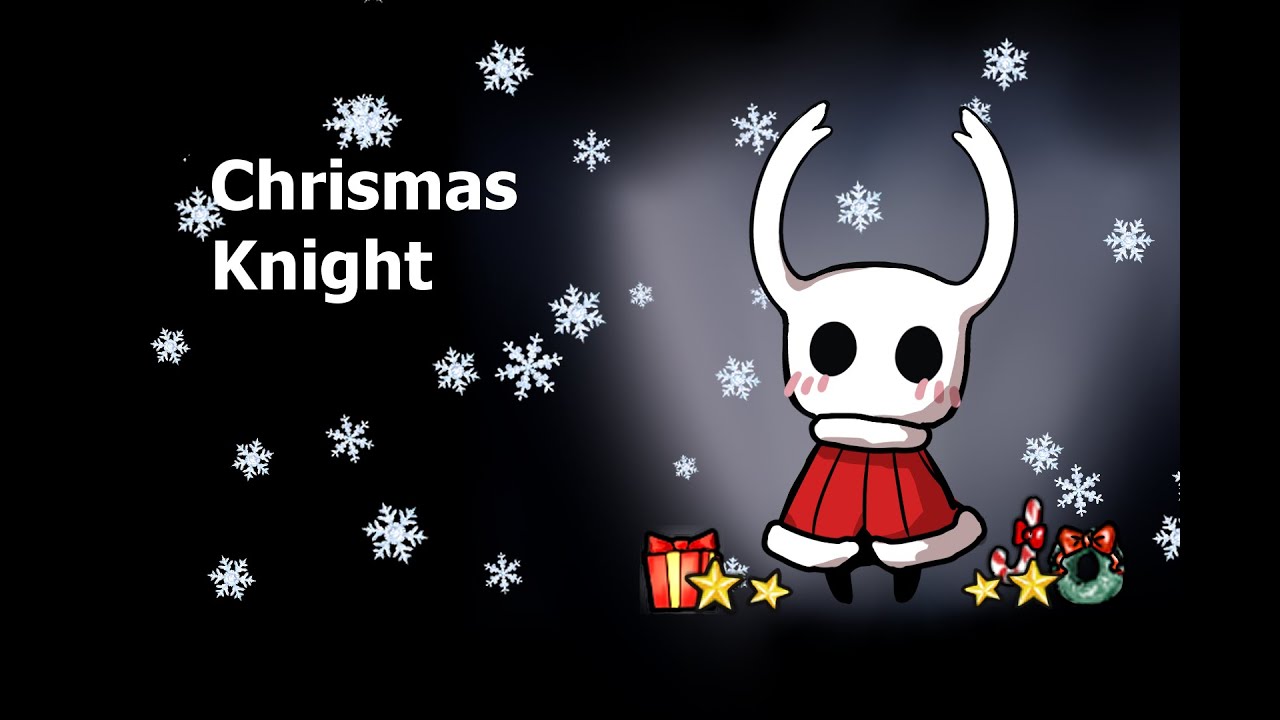
It was made by members of TWP, for the Chrismas event last year. There is also a Chrismas mod made for it called snow.
We put some of the published custom knight sprites at https://drive.google.com/drive/folders/16BUDS5e4_5eRId3It318OI4jCCSIZzjx
According to the will of the original author, there will be a challenge for this skin.
For further...
anyone knows how to get it?
 fair briar
 novel bronze
what does it mean
fair briar
novel bronze
what does it mean
It means there was a challenge you needed to do to get the skin, but I think it's over now.
There is still this tho: https://drive.google.com/file/d/1AgWucMoQWO41v1FH-t4DuPyEYUOqh0dv/view?usp=sharing
limber egret
To make what work
 whole prawn
like i mean that things
umm
the modcommon
and that things
because i change my HDD
and i have to install again the mods
limber egret
Different mods require different library mods so it depends.
Which installer are you using? Mod installer 1 downloads library mods automatically
whole prawn
yes im using mod installer 1
 hard ruin

 oak umbra
how do i get the randomizer mod?
novel bronze
if i switch to modinstaller 2 do i have to delete all my mods first
novel bronze
oak umbra
how do i get the randomizer mod?
do u already have modinstaller installed
oak umbra
yeah scarab
novel bronze
i dont think randomizer is on scarab
if u download modinstaller for 1.4.3.2 there will be randomizer there
limber egret
novel bronze
if i switch to modinstaller 2 do i have to delete all my mods first
No. If your mods are working there's no need to switch, though. They both have the same list of mods.
novel bronze
ok
 ashen drum
I need help, my game just crashes after I installed the mods and I don't know what is happening
 honest swan
are there any mods that make me invincible iv been grinding and lost my shade with a good amount of money and its too far away to get there and not die so are there any mods that will make me 100% not die
quartz sandal
1.5's Infinite Notches mod isn't working, I don't have my infinite notches
fallow torrent
it works for me
limber egret
ashen drum
I need help, my game just crashes after I installed the mods and I don't know wh...
What did you download
Where did you get your game
limber egret
honest swan
are there any mods that make me invincible iv been grinding and lost my shade wi...
Debug mod
limber egret
quartz sandal
1.5's Infinite Notches mod isn't working, I don't have my infinite notches
Does it show up in the top left corner of your main menu?
 oblique cipher
are mods available for the current version or do i have to use 1.4?
limber egret
They are available for the current patch. Check the first pinned message.
quartz sandal
limber egret
Does it show up in the top left corner of your main menu?
It does not for some reason
limber egret
Where did you get them infinite notches mod?
quartz sandal
limber egret
Where did you get them infinite notches mod?
Scarab
limber egret
quartz sandal
Scarab
I would simply try redownloading it.
limber egret
oblique cipher
click on windows.zip?
Yep! (Assuming you're on Windows.)
oblique cipher
yea
limber egret
Extract that folder to your desktop, then open it. Click scarab, then you just start clicking install on the mods you want.
 quartz sandal
limber egret
I would simply try redownloading it.
quartz sandal
limber egret
I would simply try redownloading it.
I just pressed on Installed to uninstall it, and it removed the check, installed it again, the check popped again, its enabled, open the game again and it still doesn't show up
quartz sandal
oblique cipher
it says unable to detect hollow knight what not
Do you have the official hollow knight? or did you download/cracked it on the internet?
quartz sandal
oblique cipher
no i bought it off steam
It should ask for the file location when you open it, or pressing that upwards arrow in the "Info" window

 thorny gale
when i try to get in a randomized game, it sets the camera way off to the left and i cant press esc to open up the menu so i have to alt+f4 to stop being stuck. what is happening I'm so confused
quartz sandal
oblique cipher
this is it ye?
Yes, now just press Install on the mods you want, it will enable it automaticly
quartz sandal
yes, just go on steam and open it, it should appear in the left up corner
oblique cipher
ait
 quartz sandal
thorny gale
when i try to get in a randomized game, it sets the camera way off to the left a...
quartz sandal
thorny gale
when i try to get in a randomized game, it sets the camera way off to the left a...
I don't know about that, wait for someone more experienced to come and help you with that, hope you get that fixed
 mossy forge
what's world sense?
oblique cipher
huh whats this
 quartz sandal
oblique cipher
huh whats this
quartz sandal
oblique cipher
huh whats this
I don't know, I think its only a mod that you cant change gravity, I think you go upside down when you press R
thorny gale
ok i got it to work
mossy forge
ohh nvm i know what world sense is now
limber egret
thorny gale
when i try to get in a randomized game, it sets the camera way off to the left a...
Sounds like you need Vasi
quartz sandal
@limber egret My InfiniteNotches it's still now working
limber egret
I honestly don't know how to make it work, however I can give you a workaround?
If you get the more saves mod you can edit your save files to just have however many notches you want. (This is all the infinite notches mod does.)
quartz sandal
limber egret
If you get the more saves mod you can edit your save files to just have however ...
Ok, but how do I change the save files?
limber egret
It's in the options for the more saves mod
Get that, go into options on the main menu, then click through until you see it
quartz sandal
Well thx, but I actually installed the infinite notches mod for the third time and it's working now, thx for all the help, and sorry for putting you through that
oak umbra
how do i make it so benchwarp only works for benches i've used?
oblique cipher
wait does anyone know where or how u can fight pale prince
oak umbra
oblique cipher
wait does anyone know where or how u can fight pale prince
in the 4th ||pantheon||
he's the final boss there
oblique cipher
but can i fight him as the statue in hog?
limber egret
oak umbra
how do i make it so benchwarp only works for benches i've used?
Settings, turn off unlock all
oak umbra
thanks
limber egret
oblique cipher
but can i fight him as the statue in hog?
You should be able to. Most of these mods don't work on a godseeker save file, you'll need to go to Godhome in the main game.
oak umbra
oblique cipher
but can i fight him as the statue in hog?
sometimes those mods put a switch on the statue in hog
limber egret
They probably conflict, so you will be to use one at a time
oblique cipher
ait
wait i cant find him anymore in the mod packs what
nvm
hm pv statue is normal now
 worthy junco
hey guys i tried downloading the mod installer but now i cant open HK it gives me an error message with the knights face and then it closes instantly does anyone know how to fix this?
 kind stream
Wrong mod installer probably
worthy junco
so..... what do i do now?
kind stream
- Verify file integrity if you're on steam (idk what to do on gog)
- Check pins
- Install Scarab also from pins


 whole prawn
guys in my mods foulder is the customknight are my skins but there isn´t appear on the game
someone knows what is happening
oblique cipher
i cant find a download link to a pv custom knight download
worthy junco
ok i found it guys its working aigain ty (:
 cinder bone
oblique cipher
i cant find a download link to a pv custom knight download
cinder bone
oblique cipher
i cant find a download link to a pv custom knight download
its included with scarab
 viral harness
I'm new to modding what mod installer do i get for windows
west bane
what versoin is your game
viral harness
1.5
west bane
?i
dense shuttleBOT
Mod Installers
For up-to-date info, check the pins!:small_blue_diamond:Scarab (1.5 Mod Installer)
Windows | MacOS | Linux:
#archived-modding-help message:small_blue_diamond:Mod Installer 2 (1.4.3.2)
Windows | MacOS | Linux:
#archived-modding-help message:small_blue_diamond:Mod Installer 1 (1.4.3.2)
Windows:
https://radiance.host/mods/ModInstaller.exe
viral harness
yea I think I got it now thx 👍
limber egret
whole prawn
guys in my mods foulder is the customknight are my skins but there isn´t appear ...
Try pressing the "fix my skins" button in game.
If that doesn't work then you will need to make sure your file structure is correct. Look at the default skin and make sure the file path for your skins match that. (Only it will be the name of your skin instead of "default*.)
 floral harness
Hi, does the "item sync" in "co-op room rando" comes in with the modinstaller ?
west bane
No. See #modding-discussion pins
 pulsar pier
how do u get get hollow knight to go to the 1.4.3.2 version?
limber egret
?pins
dense shuttleBOT
Check the pinned messages for more information - https://cdn.discordapp.com/attachments/187137504393035776/823796522751623168/unknown.png
 molten elk
hey guys where can i find infinite notch mod ?
limber egret
On the mod installer
 midnight grove
How to use skins on 1.5?
whole prawn
idk
novel bronze
I tried to install 3 different modinstallers and now no mods work. I’m getting tired of vanilla and desperate for help, can someone please help me?
 jovial glacier
does someone know how to get both instances of the game on steam without downpatching every time?
midnight grove
I guess we're all screwed with our needs, help will probably come though
novel bronze
midnight grove
How to use skins on 1.5?
I think you have to use 1.4.3.2 actually
midnight grove
I tried but it doesn't work
wispy mortar
why isnt my custom knight mod working
i added the hornet skin to the swap folder
and its enabled
?
hello?
anyone
 quasi brook
is there any way to use randomizer on mac currently because you can't run 1.4.3.2 on mac
limber egret
wispy mortar
why isnt my custom knight mod working
Please cool it. Somebody will reply when they get a chance.
In the meantime there's a pinned message about custom Knight
novel bronze
@wispy mortar 1.5 or 1.4
limber egret
quasi brook
is there any way to use randomizer on mac currently because you can't run 1.4.3....
If you're unable to use 1432 you'll have to wait until they're updated
limber egret
wispy mortar
current version
Did you check the pinned messages
limber egret
midnight grove
I tried but it doesn't work
- Get scarab
- Get custom Knight
- Download a skin (check the pinned messages for a folder with skins in it)
- Extract your skin into your "skin" folder.
limber egret
wispy mortar
allready have scarab
Did you find the pinned message about custom Knight and follow all 4 steps?
novel bronze
@wispy mortar in hollowknight go to setting-mods-custom knight-select the skin you want-apply
midnight grove
I have Custom Knight, I got scarab but I don't know if I should put it into Hollow Knights files, and where
novel bronze
You need it in the skin folder
wispy mortar
it it in the game files?
limber egret
midnight grove
I have Custom Knight, I got scarab but I don't know if I should put it into Holl...
Scarab can go anywhere. Your desktop us best.
midnight grove
Okay thanks
limber egret
wispy mortar
it it in the game files?
It's next to the swap folder
wispy mortar
i have it in were my cursor is
 novel bronze
Dont replace them just add the skin to the skin folder
midnight grove
Is the "skin" folder really called that? I put my skins into custom knight and it still doesn't work
wispy mortar
it has the knights sprites innthem
 ionic heath
im using scarab, 3 mods in particular, HKMP, BingoUI, and DebugMod, say they have "Failed to initialize" does anyone know what to do about this?
wispy mortar
the knights sprites did change to gornet

hornet
sorry i type at mock 10 speed
i tend to have spelling mistakes
novel bronze
ionic heath
im using scarab, 3 mods in particular, HKMP, BingoUI, and DebugMod, say they hav...
Some mods need other mods to run like vasi satchel