#archived-modding-help
1 messages · Page 150 of 1
 real jacinth
 abstract oasis
my modinstaller is having a seizure
i try to open it, it downloads a bunch of random other things onto my desktop, it says its updating, and then my pc asks what app i want to open it with
help
 tired tartan
i can't seem to open the mod installer for mac, can anyone help?
 silent talon
why wont it let me download poorly translated
 west bane
you need to manually download it, .dll is pinned in #archived-modding-development
silent talon
thanks zal!
tired tartan
i cannot open it what so ever
i have tried the other version
but it loads forever
west bane
drag it out of your downloads folder
tired tartan
where is the file supposed to be default, its not in my HK folder
real jacinth
what
west bane
we don't know where you download things
 wheat orchid
where did you download the mod installer to
tired tartan
my mac version is 10.14.6 and the mod installer didn't let me choose where i downloaded it to? it was in my downloads folder and now its in my desktop
wheat orchid
then what problem are you having?
tired tartan
i cant find the custom knight folder
wheat orchid
where are you looking and did you install customknight yet?
tired tartan
yes i did, i am looking at my application support folder
tired tartan
may i ask where it is
wheat orchid
does the installer let you view readmes in it?
tired tartan
no
tired tartan
wheat orchid
?saves
 proud quailBOT
Saves
Windows File Paths: (Assumes Default Steam Install Path, Adjust accordingly for DRM Free or Non-Standard Steam Path)
Game Files: C:\Program Files (x86)\Steam\steamapps\common\Hollow Knight\```
** **
Mac File Paths:
```Save Files: ~/Library/Application Support/unity.Team Cherry.Hollow Knight/
Game Files: ~/Library/Application Support/Steam/steamapps/common/Hollow Knight/hollow_knight.app/```
** **
Linux File Paths:
```Save Files: ~/.config/unity3d/Team Cherry/Hollow Knight/
Game Files: ~/.local/share/Steam/steamapps/common/Hollow Knight/```
wheat orchid
you are looking in the game files path, right?
tired tartan
yes
wheat orchid
go into the contents folder
tired tartan
mhm
wheat orchid
go into/make the next folders if they don't exist
go into managed
go into mods
go into CustomKnight
done
silent talon
How do i unbind things in the debug mod?
wheat orchid
?saves
proud quailBOT
Saves
Windows File Paths: (Assumes Default Steam Install Path, Adjust accordingly for DRM Free or Non-Standard Steam Path)
Game Files: C:\Program Files (x86)\Steam\steamapps\common\Hollow Knight\```
** **
Mac File Paths:
```Save Files: ~/Library/Application Support/unity.Team Cherry.Hollow Knight/
Game Files: ~/Library/Application Support/Steam/steamapps/common/Hollow Knight/hollow_knight.app/```
** **
Linux File Paths:
```Save Files: ~/.config/unity3d/Team Cherry/Hollow Knight/
Game Files: ~/.local/share/Steam/steamapps/common/Hollow Knight/```
real jacinth
you can rebind in the mod itself by clicking the white circle by the name and then clicking whatever you want to bind it to
silent talon
I want to unbind it
real jacinth
what is "it"
silent talon
Increment quake
wheat orchid
do you have file extensions on or off
 frozen kelp
The thing is, when i use dream sheild the notch still costs 3
wheat orchid
bro
press 9 or 7 on the numpad
like mickely said, use the numpad
with or without the charm
frozen kelp
Oh wait
Oh im incredibly dumb
Well i do it the next time i get to play hollow knight
I forgot that the keyboard has a num pad at all
silent talon
How do i unbind :(
silent talon
ok
where's saves again? sorry if im asking a bit much this is my first time using mods
west bane
?saves
proud quailBOT
Saves
Windows File Paths: (Assumes Default Steam Install Path, Adjust accordingly for DRM Free or Non-Standard Steam Path)
Game Files: C:\Program Files (x86)\Steam\steamapps\common\Hollow Knight\```
** **
Mac File Paths:
```Save Files: ~/Library/Application Support/unity.Team Cherry.Hollow Knight/
Game Files: ~/Library/Application Support/Steam/steamapps/common/Hollow Knight/hollow_knight.app/```
** **
Linux File Paths:
```Save Files: ~/.config/unity3d/Team Cherry/Hollow Knight/
Game Files: ~/.local/share/Steam/steamapps/common/Hollow Knight/```
 long verge
Hey does anyone else have missing textures when you use custom knight
Geo becomes invisible but i can still collect them and the hollow knight just fully disappeared
frozen kelp
Is the reworked charms to op for me to continue my playthru with?or is it ok and balanced
 loud mason
west bane
loud mason
west bane
?i
proud quailBOT
Reminder: The mod installer (https://radiance.host/mods/ModInstaller.exe) and other modding resources can be found from the pinned messages.
 novel bronze
I want to install enemy randomizer mod in read me file it says THIS MOD REQUIRES BOTH THE MODDING API AND MODCOMMON, BOTJ OF WICH CAN BE FOUMD ON THE DISCORD so can anyone send me API and ModCommon please
 jovial flume
Hello there
I was trying to install the Custom knight
And it shows up on the mod list
but the skin list doesn't appear on the left
Could I have some help?
wheat orchid
@novel bronze get modcommon and enemy rando from the installer. The installer automatically installs the api, without it you wouldn’t be able to use any mod
@jovial flume do you have modcommon, what operating system are you on, did you get any skins yet?
jovial flume
I have modcommon, I am on a Mac, and I have downloaded multiple skins and put them in the correct directory.
wheat orchid
Just making sure game files > contents > managed > CustomKnight is where you put them?
jovial flume
contents>managed>mods>CustomKnight
wheat orchid
Oh forgot the mods folder lol
jovial flume
lol
jovial flume
The api and the ones automatically installed
wheat orchid
K
jovial flume
Here
proud quailBOT
Saves
Windows File Paths: (Assumes Default Steam Install Path, Adjust accordingly for DRM Free or Non-Standard Steam Path)
Game Files: C:\Program Files (x86)\Steam\steamapps\common\Hollow Knight\```
** **
Mac File Paths:
```Save Files: ~/Library/Application Support/unity.Team Cherry.Hollow Knight/
Game Files: ~/Library/Application Support/Steam/steamapps/common/Hollow Knight/hollow_knight.app/```
** **
Linux File Paths:
```Save Files: ~/.config/unity3d/Team Cherry/Hollow Knight/
Game Files: ~/.local/share/Steam/steamapps/common/Hollow Knight/```
wheat orchid
It is ModLog.txt located in the save files path
jovial flume
i can double check
I put them beside the Default folder with the vanilla images
Wait I'm dumb
I put the folders in hollow_knight_data > managed > mods >customknight
Not content > managed > mods>customknight
so sorry, I found the wrong customknight folder.
wheat orchid
Np
frozen kelp
Um.. i installed dreamsheild mid and now i cant heal, how do i fix that?
 prime saddle
can i have some help with installing mods please
 ivory gull
me too pls
real jacinth
Check the pins
prime saddle
oh thanks
frozen kelp
Nvm i somehow fixed it by double pressing the thing on the controls area
But now d sheild doesnt work anymore even tho its enabled with mod common, my friend is stuck sonewhere with a red tint
 drowsy kraken
Help I set force pause to mouse 0 and not I can't click anything
how do I unbind something in the debug mod
without using the mod
Or unbind all
frozen kelp
Im in fungal wastes and d sheild wont come out
wheat orchid
@frozen kelp please send the modlog. The shield flashing a color means that it has changed between fast/slow
@drowsy kraken ho to your saves path and delete all files with debug.globalsettings in their name
proud quailBOT
Saves
Windows File Paths: (Assumes Default Steam Install Path, Adjust accordingly for DRM Free or Non-Standard Steam Path)
Game Files: C:\Program Files (x86)\Steam\steamapps\common\Hollow Knight\```
** **
Mac File Paths:
```Save Files: ~/Library/Application Support/unity.Team Cherry.Hollow Knight/
Game Files: ~/Library/Application Support/Steam/steamapps/common/Hollow Knight/hollow_knight.app/```
** **
Linux File Paths:
```Save Files: ~/.config/unity3d/Team Cherry/Hollow Knight/
Game Files: ~/.local/share/Steam/steamapps/common/Hollow Knight/```
wheat orchid
NOT THE GAME FILES PATH
frozen kelp
Dude i barely have no idea what your talking about b cause im dumb, but i understand the path to the debug thing kinda
wheat orchid
I did not say that to you bro
frozen kelp
Let me save first
wheat orchid
Look at who I pinged in that message
wheat orchid
Anyway, open file explorer
Copy the save files path for windows in the bot message
Paste it into the bar that says what folder you are in
Ping me when you respond
frozen kelp
@wheat orchid can i just dm u the images and stuff
@wheat orchid i cant find the bar that says what folder im in
frozen kelp
how do i screen shot on pc again..
@wheat orchid i think i got it
the first two are crashed and old mod logs
@wheat orchid so i just delete the dream sheild text?
frozen kelp
nothing im just sitting here
wheat orchid
Send me the one that is called ModLog.txt and is not in the old modlogs folder
wheat orchid
Just screenshot the save files folder
frozen kelp
i sent it
 vale sentinel
Hi! I just started a run where I wanted to try Child of Light, but I've kept having a weird glitch: when I try to heal, the game keeps consuming soul (the whole jar is emptied out and the healing animation keeps going even afterwards) and no mask is healed, aka the game soft locks except that I can thankfully pause and quit the game. Still, that's very hindering...
PS: It's also an item randomizer, so maybe the two mods are conflicting somehow???
wheat orchid
what are all the mods you have?
most likely you dont have a dependency for child of light and it's causing that
vale sentinel
What do you mean by dependency?
vale sentinel
Also the list:
- CustomKnight
- HPBar
- Child of light
- RandomizerMod3.0
And the cores/others
- QoL
- UHKP
- ModCommon
- ModCommon006
- SeanprCore
- SFCore
- Vasi
- WeaverCore
vale sentinel
As far as I know I have all of the current cores in existence active
wheat orchid
get rid of one
vale sentinel
That one is a mystery yeah
wheat orchid
also get rid of weavercore
vale sentinel
Oh?
wheat orchid
only use it for ikg since it has had bad effects on some other mods in the past
you probably got 006 from a customknight skin
vale sentinel
Huh, okay :o I'll give it a try and let you know! Thanks
wheat orchid
np
vale sentinel
Just fyi, it worked! The glitch is gone.
wheat orchid
yay
 rocky pulsar
program files (x86) > steam > steamapps > common > hollow knight > hollow_knight_data > managed > mods > customknight > put the file in that folder
wdym?
when you download custom knight, it doesnt come with any preinstalled skin
usually some skins are not available to the public
if you want to find skins, i recommend going on public docs
or you can download my skin i made https://drive.google.com/drive/folders/1Eexl8ppNR0al5yEHl3IdQ7CwEs4ICDp1?usp=sharing
np
 hollow hare
Oh you finished it?
 tight storm
hey just had a question for some reason custom knight was working just fine for me but just right now my game is crashing on start is there a way to fix this?
tight storm
thx alot @real jacinth
 mighty iron
i need some help on the random enemy mod i dont have modinstaller
proud quailBOT
Reminder: The mod installer (https://radiance.host/mods/ModInstaller.exe) and other modding resources can be found from the pinned messages.
 uncut ibex
how do i download hollow mods?
 trail flint
Reminder: The mod installer (https://radiance.host/mods/ModInstaller.exe) and other modding resources can be found from the pinned messages.
 sweet orchid
So I did all of the steps to install a custom skin and it shows up as there but when I click on it to actually change the skin it doesn't work
I've checked many times that I downloaded it right and spent about 6 hr trying to figure out what's wrong and it still doesn't work
west bane
do you have modcommon
sweet orchid
Oh no I dont
Is it necessary to work?
I'll come back tomorrow but I'm sorry it took me so long to respond I had housework to do
real jacinth
yes
 loud oracle
Hi I need some help with a "Save corrupted", it was working previously but when i tried to reopen the game this appeared on my save. Is there a way to restore this?
 mortal skiff
hello, i just want to ask about Indie crossover mod, it's any updated? because when i'm try cuphead mod, i can't play it.. uh, like the boss not in the game.. 
sorry my bad english
proud quailBOT
Mods
Google Drive with Mods - https://drive.google.com/drive/folders/0B_b9PFqx_PR9Um9MeFZMV21oWGs
Installer - https://radiance.host/mods/ModInstaller.exe
Mod Summaries - https://docs.google.com/document/d/1cz5tcggpGofrBcM90XyTkMWjMelDHzugvQM6HpB13Ew
mortal skiff
this is for me? alright, thank you uwu
 vapid lintel
how do you enable nightmare god grimm on the infinite grimm mod
proud quailBOT
Saves
Windows File Paths: (Assumes Default Steam Install Path, Adjust accordingly for DRM Free or Non-Standard Steam Path)
Game Files: C:\Program Files (x86)\Steam\steamapps\common\Hollow Knight\```
** **
Mac File Paths:
```Save Files: ~/Library/Application Support/unity.Team Cherry.Hollow Knight/
Game Files: ~/Library/Application Support/Steam/steamapps/common/Hollow Knight/hollow_knight.app/```
** **
Linux File Paths:
```Save Files: ~/.config/unity3d/Team Cherry/Hollow Knight/
Game Files: ~/.local/share/Steam/steamapps/common/Hollow Knight/```
west bane
Set the values for nightmare god Grimm to true
vapid lintel
i cant even find where that is
west bane
Saves folder
vapid lintel
And where is that XD
west bane
Listed above
vapid lintel
My hollow knight is downloaded on a D drive
 vernal rain
steam?
vapid lintel
And when I access the hollow knight folder I can’t find anything that involves saves
Mhm
vernal rain
oh wait nvm, it's in the appdata part
Save Files: %APPDATA%\..\LocalLow\Team Cherry\Hollow Knight\
vapid lintel
thank you both ^^
i found it
wait which do i edit?
every time i edit the .json one it just goes back to false when i launch the game
 wispy crow
i highly doubt that this is worthy of becoming a public skin, but here it is
it's just a visual refresh
gives the Knight, charms, abilities, crystals, etc a bit more vibrance
that's it
i also have no idea whether or not this should go in here
sorry if it shouldn't :/
vernal rain
if you want to release it (as a zip or something, idk), do it in #modding-discussion
wispy crow
but i have no idea if it's worthy to be a public skin, that's why
 spring bane
It's not gonna take away space from other public skins, go ahead and post it
wheat orchid
Everything is worthy of being a skin! (That way we have more chance of having the skin we want to not be blocked behind a challenge even though they are fun)

 hollow wadi
hey anyone may help me
wheat orchid
I can help
hollow wadi
I'm trying to install the debug mod but it crashes my game
wheat orchid
I’m not anyone but I’m someone
Unplug your controller
Plug it in after you reach the title screen
hollow wadi
I have it off rn
like the title loads but none of the buttons load
like play settings or quit
wheat orchid
What other mods did you have?
hollow wadi
just the mod installer
wheat orchid
That’s not a mod
hollow wadi
well yeah
wheat orchid
What other mods did you install
wheat orchid
Ok
hollow wadi
idk maybe I'm using an outdated version
wheat orchid
Is there any text at the top left of the main menu?
hollow wadi
yea
wheat orchid
Modding api?
hollow wadi
yes
hollow wadi
Tbh I never did modding before lol
wheat orchid
Ok
lol
If you are using a controller, do what I told you to do before and you should be fine
hollow wadi
wait lemme try the modding installer from this channels topic
I tried one off of this video
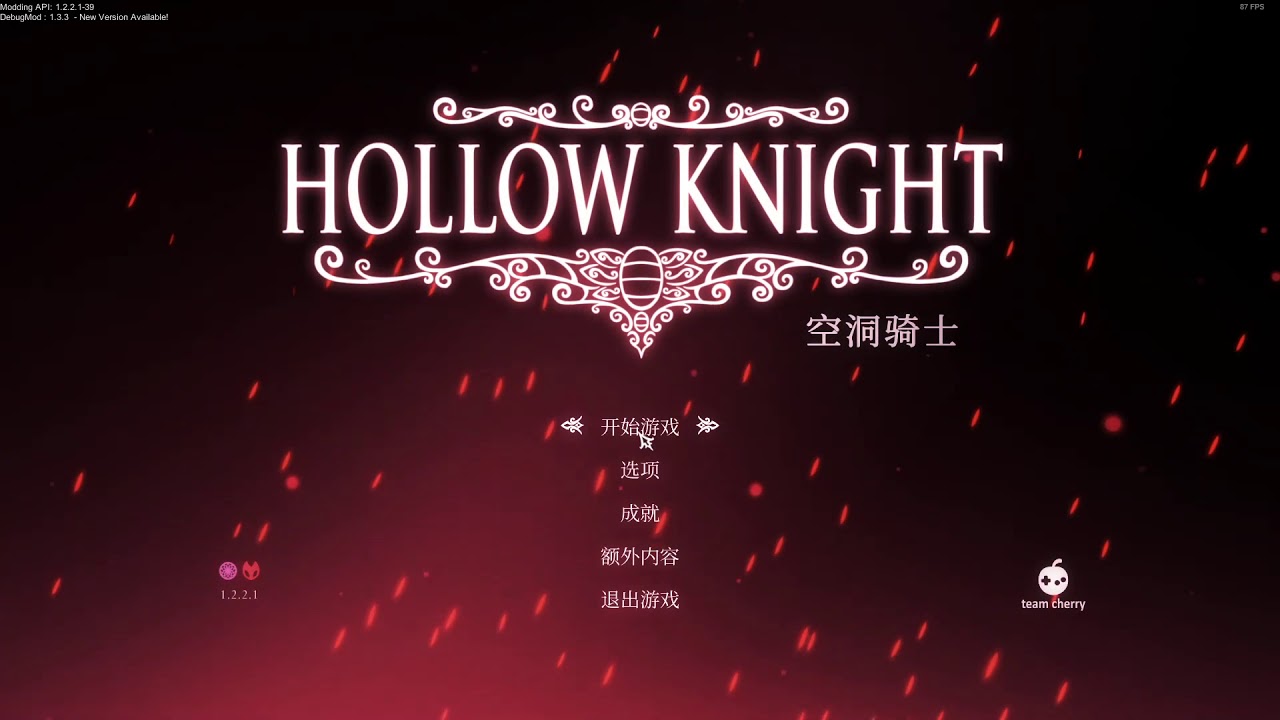
is this the right one or nah
hollow wadi
So it's outdated?
hollow wadi
okay I got it
hollow wadi
it's f1?
wheat orchid
Yes
hollow wadi
okay thank you man so much
time to get insane dmg to skip zote boss
it's so stupid I just want to skip it
3rd time same boss
yuck
 spiral echo
Hey
Could someone help me?
I have a mac and im trying to download the mod insaller but when i open it th exec stops responding
it opens it but then it doesn't
I'm playing on cp with a maOS Mojave ver. 10.14.6
gaargh
maybe im just incompetent
 digital copper
does modding remove my old savefiles
because i don't wanna lose my original file and steel soul file
proud quailBOT
Saves
Windows File Paths: (Assumes Default Steam Install Path, Adjust accordingly for DRM Free or Non-Standard Steam Path)
Game Files: C:\Program Files (x86)\Steam\steamapps\common\Hollow Knight\```
** **
Mac File Paths:
```Save Files: ~/Library/Application Support/unity.Team Cherry.Hollow Knight/
Game Files: ~/Library/Application Support/Steam/steamapps/common/Hollow Knight/hollow_knight.app/```
** **
Linux File Paths:
```Save Files: ~/.config/unity3d/Team Cherry/Hollow Knight/
Game Files: ~/.local/share/Steam/steamapps/common/Hollow Knight/```
wheat orchid
Take the save files path and copy user#(# is the save slot number).dat to a safe location
digital copper
oh alright, great
wheat orchid
The others are backups
digital copper
so whats the best way to install mods
wheat orchid
Are you on windows?
digital copper
yes windows 10
wheat orchid
?i
proud quailBOT
Reminder: The mod installer (https://radiance.host/mods/ModInstaller.exe) and other modding resources can be found from the pinned messages.
digital copper
ah great
wheat orchid
If it has a button on the bottom that says enable all installed mods, click it to be able to start using mods
Also get modcommon, seanprcore, Vasi, and SFCore because they are dependencies for some mods. Get weavercore too but disable it as it is only a dependency for inferno king Grimm and has had a history of bugging some other mods.
digital copper
and now the mod installer doesnt work anymore 
and now it.... works again?
deleting and installing the api 4 times always works
 lone lion
If one wanted to put Jinn in a plando (instead of Jiji), is there a way to go about it? I believe the randomizer does this by default? (Although I could be wrong about that)
digital copper
it suddenly doesn't allow me to install more mods, has this ever happened to someone else
and now it does the same thing again aaaaa i guess that's the end of my modding adventures
frozen kelp
I have modcommon and easy mode, when i die on easy mode it tps to the dreamers area thing. How do i fix it?
real jacinth
what is "dreamers area thing"
frozen kelp
The thing the three people send u and u have to do parkour then u wake up and get the dream nail i think. I dont know for sure because the camera is at a weird area
 rapid night
why does the installer always say inferno king grimm and weavercore are outdated
 twilit hollow
I have a problem involving my saves. My saves just say their loading and I can’t access them in any way
 mighty minnow
Anyone know how to mod Hollow Knight on MacOS Catalina?
twilit hollow
Nvm I am no longer in need
 silk sparrow
I was playing around with the debug mod and now all bindings are Mouse0  🤟
🤟
wheat orchid
Oof bot not working
proud quailBOT
Saves
Windows File Paths: (Assumes Default Steam Install Path, Adjust accordingly for DRM Free or Non-Standard Steam Path)
Game Files: C:\Program Files (x86)\Steam\steamapps\common\Hollow Knight\```
** **
Mac File Paths:
```Save Files: ~/Library/Application Support/unity.Team Cherry.Hollow Knight/
Game Files: ~/Library/Application Support/Steam/steamapps/common/Hollow Knight/hollow_knight.app/```
** **
Linux File Paths:
```Save Files: ~/.config/unity3d/Team Cherry/Hollow Knight/
Game Files: ~/.local/share/Steam/steamapps/common/Hollow Knight/```
wheat orchid
Nvm
west bane
it heard you
silk sparrow
thanks gamers
 modern saffron
how do I change the sprites of enemies and then add them to the game?
wheat orchid
Make your own mod
modern saffron
Ok - is ther a guide to do that?
wheat orchid
Not exactly, but the transtrans mod is a good example
I can guide you to making a mod though
modern saffron
Sure, thanks.
frozen kelp
oof d sheild is still broken for me
spiral echo
im using macOS Mojave but i downloaded the modinstaller for mac and it didn't work
wheat orchid
spiral echo
but then i download the one for catalina and it works?
modern saffron
oh there are docs! think ill be se them - ill let you know if i need help
real jacinth
do that
real jacinth
modinstaller 2 works fine too
spiral echo
but can i use the catalina one?
real jacinth
if you want
real jacinth
the other one will auto download dependencies though
spiral echo
ooooh
wheat orchid
Just open it
spiral echo
ye but to install the mods
spiral echo
cuz it says all are enbled already?
spiral echo
ye but i small brain
real jacinth
you do own a mac
wheat orchid
Good point
spiral echo
thx for the hlp anyways
oh ok
ye moving it to dektop worked
thanks idk that that would help
wheat orchid
For some reason it doesn’t exist if it’s in downloads or something
spiral echo
mac
wheat orchid
How is it glitching
spiral echo
everytime i touv=ch something on it it just dies
wheat orchid
Wdym by dies
frozen kelp
@wheat orchid i fixed it, when you press num lock you get locked in placed and thats whqt happened i think
wheat orchid
?
spiral echo
now that i have the installer what else should i download?
wheat orchid
By pressing num lock, you can no longer control it as pressing the keyboard buttons coresponds to different buttons on the code until you turn num lock on again
real jacinth
nothing. you just need the installer
spiral echo
modcommon and vasi?
real jacinth
and press the buttons for mods you want
wheat orchid
Modcommon, seanprcore, Vasi, SFCore
spiral echo
and where do i get those?
real jacinth
vasi and modcommon should auto download if you click mods that require them
novel bronze
Hello, I was wondering how do I get the mod with skins
wheat orchid
Bruh
spiral echo
i cant find the links in the pins
real jacinth
they're on the installer list
spiral echo
sorry i small brain today
west bane
?i
proud quailBOT
Reminder: The mod installer (https://radiance.host/mods/ModInstaller.exe) and other modding resources can be found from the pinned messages.
spiral echo
they r?
spiral echo
oh ok
real jacinth
the installer has a huge list in it
wheat orchid
@spiral echo CustomKnight
real jacinth
@novel bronze get the installer. click customknight
novel bronze
Thanks
spiral echo
woah there r so many mods
spiral echo
oh lol
real jacinth

spiral echo
hah
wheat orchid
lol
I’m remaking Uuwuu and lifeblood master to be a cool boss combo in a new area I’m adding to the map. Hopefully they are harder and cooler
wheat orchid
But you can’t read readmes
spiral echo
wha--
real jacinth
and it doesn't auto download stuff
real jacinth
installer 1 was written for windows
spiral echo
wtf r readmes
real jacinth
and packaged so mac could run it
spiral echo
ohhhhh
real jacinth
so yeah, it's not gonna run as well
spiral echo
makes sense
real jacinth
installer 2 was meant to be multi OS compatible
spiral echo
oh ok
real jacinth
but was never fully finished
spiral echo
so if i use installer 2 does that mean i have to manually install things?
spiral echo
oh
real jacinth
you still click the boxes
spiral echo
ye i see
spiral echo
kk thx
novel bronze
@real jacinth So, I downloaded and changed the skin but my character became a white rectangle
spiral echo
sorry this is like the first time i've even touched this type of stuff
wheat orchid
Did it stay as that?
real jacinth
readmes are mod specific "manuals"
wheat orchid
Did you get modcommon too?
real jacinth
written by the makers
spiral echo
oh ok
ohhhh those things yea?
what about dependecies? Things that the mods depend on to run properly?
real jacinth
modcommon, seanprcore, vasi
wheat orchid
SFCore
spiral echo
oh ok
wheat orchid
Weavercore only for ikg
spiral echo
so if i just download all those i should be fine?
wheat orchid
Yee
real jacinth
yeah
wheat orchid
Weavercore has had a history of doing unintentional stuff sometimes tho
wheat orchid
So only use for inferno Grimm
spiral echo
yep
novel bronze
I managed to activate the mod, but how do I change the skin?
real jacinth
do what the readme says
novel bronze
thanks
modern saffron
is there any current mod that changes how a character other than the knight looks? i.e. changes hornet's colors or something
real jacinth
transtrans
 humble apex
Hey can I ask for some help real quick? I'm having some issues with the mod installer 🤦♀️
spiral echo
um
real jacinth
that would be what this channel is for
spiral echo
i clicked install customknight but it just crashed th installer
real jacinth
it's probably just downloading
spiral echo
ok
humble apex
Alright so. I have the modinstaller set up and ready to. I also installed modcommon and a couple other of the cores like sfcore and such. However, only some of the mods are installing. Like, tribe of battle and godlynightmares work fine for example. But some other ones like the pale prince and pale champion don't install. I know this cause I'll install them and they don't show up in the top left corner of the main menu screen. Know a fix for this?
spiral echo
is the mac installer supposed to download Modding API evertime i open it?
west bane
so pale prince and pale champion install but don't show up on the top left, or they don't install at all or?
humble apex
The first one. They install (I can click modinstaller "install pale prince" and the message 'download completed' pops up when it's done) but then when I load the game it doesn't show in my list of active mods in the top left corner
I'm just confused because some mod bosses work but those ones don't 🤷♀️
spiral echo
I downloaded some mods and now there's a giant opaque black box on the right side of my screen
wheat orchid
?saves
proud quailBOT
Saves
Windows File Paths: (Assumes Default Steam Install Path, Adjust accordingly for DRM Free or Non-Standard Steam Path)
Game Files: C:\Program Files (x86)\Steam\steamapps\common\Hollow Knight\```
** **
Mac File Paths:
```Save Files: ~/Library/Application Support/unity.Team Cherry.Hollow Knight/
Game Files: ~/Library/Application Support/Steam/steamapps/common/Hollow Knight/hollow_knight.app/```
** **
Linux File Paths:
```Save Files: ~/.config/unity3d/Team Cherry/Hollow Knight/
Game Files: ~/.local/share/Steam/steamapps/common/Hollow Knight/```
spiral echo
ok
spiral echo
how do i reach that?
wheat orchid
Bruh
spiral echo
hahaha
wheat orchid
Look at the bot message
do not go to the save files path
Go to the game files path
spiral echo
wait do i tye those in?
wheat orchid
Copy paste
wheat orchid
Your file explorer
wheat orchid
Yes we know
 marsh zodiac
oh aight
hollow hare
It does that for some really strange reason.
wheat orchid
Do the mods you have installed show up on the top left?
marsh zodiac
yes
marsh zodiac
unrelated but doesnt the game automatically save after you beat a boss in hall of gods
wheat orchid
After you move
wheat orchid
F
 ocean pilot
Hi, I'm trying to get the debug mod working and I used the modinstaller and installed it to a seperate folder that I copied all the HK files into and F1 doesn't seem to bring up a menu of any sort. Am I missing something?
west bane
mac?
ocean pilot
no, windows 10
west bane
hit pause, is the mod displaying top left
ocean pilot
no, not that I can tell
west bane
reset the installer via the pins, you never got the modding api
ocean pilot
okay, I'll try that
spiral echo
if i cant find the managed/mod folder becuase it doesn't exist can i just make it manually?
 craggy shuttle
How do you get the gimp change colors of the cloak to work.
wheat orchid
@spiral echo if it doesn’t exist then don’t make it. The mods are stored somewhere and making this won’t change that. Try replacing hollow_knight_Data in the path I gave you with contents
wheat orchid
If it still doesn’t exist, Contents > hollow_knight_Data > managed > mods
ocean pilot
Okay, I figured out the API issue. Thanks for the help!
 hasty trout
Hello. Trying to get started with mods; have successfully run ModInstaller and gotten certain mods (ModCommon, QoL, EnemyHPBar, a few others) to run (verified by launching game), but both Benchwarp and Custom Knight cause the game to shut down when I try to boot up. Any recommendations?
wheat orchid
@hasty trout unplug the controller until you reach the title screen
hasty trout
That's hilarious. Thank you very much.
wheat orchid
Np
west bane
dont enter that menu if it wont allow you to go back
 warm abyss
no like, i want to get the mods, they're already downloaded but nothing shows and i can't go back
west bane
thats only to disable mods that have the option to in game
west bane
this is modding help
 next flume
Oh
west bane
but no
next flume
Smooth brain 🥴
marsh zodiac
what does Naildmg 50 (flat 33, x1) mean
from the debug mod overlay
am i doing 50 or 33 damage
it feels like im doing more damage but idk if i changed something
marsh zodiac
wait nvm im actually a dumbass
craggy shuttle
How do you install the gimp cloak customization mod
wheat orchid
@warm abyss go to your save files path and delete all files with ModdingApi.globalsettings
?saves
proud quailBOT
Saves
Windows File Paths: (Assumes Default Steam Install Path, Adjust accordingly for DRM Free or Non-Standard Steam Path)
Game Files: C:\Program Files (x86)\Steam\steamapps\common\Hollow Knight\```
** **
Mac File Paths:
```Save Files: ~/Library/Application Support/unity.Team Cherry.Hollow Knight/
Game Files: ~/Library/Application Support/Steam/steamapps/common/Hollow Knight/hollow_knight.app/```
** **
Linux File Paths:
```Save Files: ~/.config/unity3d/Team Cherry/Hollow Knight/
Game Files: ~/.local/share/Steam/steamapps/common/Hollow Knight/```
spiral echo
I have the lightbringer mod on but whever i swing my nail nothing happens
wheat orchid
Do you have modcommon?
craggy shuttle
@proud quail was that answering my question
wheat orchid
lol
warm abyss
thanks 👍
wheat orchid
Pinging Dyno
@craggy shuttle there is no gimp cloak customization mod
There is CustomKnight tho
craggy shuttle
Ya it's in the google drive I downloaded it and it's on my game screen right now but I click on it and nothing happened
real jacinth
gimp is a graphic design program
wheat orchid
wheat orchid
Yeah
craggy shuttle
I mean as far as doing it I have no idea
wheat orchid
You
real jacinth
#learning
wheat orchid
@spiral echo you as I said it under your message
craggy shuttle
I read the file and tried 3 times
wheat orchid
I think gimp won’t read it
craggy shuttle
The read me part
real jacinth
then you export what you do in gimp as png files
wheat orchid
Like how I made a 3D model for a class project and I can’t read it in paint 3D now
craggy shuttle
Ok cause it saves as xcf file
wheat orchid
Just screenshot
real jacinth
saving != exporting
wheat orchid
Ooo I see code being brought into every day conversation. Tell me more
craggy shuttle
Ok just a sec will u walk me threw plz
real jacinth
no
wheat orchid
Me neither
real jacinth
is your friend
it's gimp
people have a shit ton of guides on basic functions of gimp
craggy shuttle
Ok pretend I have no idea what that means
wheat orchid
B r o
real jacinth
on what google is?
wheat orchid
S e a r c h
craggy shuttle
No gimp
real jacinth
google is a search engine
real jacinth
here
craggy shuttle
I know what Google is
wheat orchid
I’m going to go prepare for my first day of in person school tomorrow
wheat orchid
Yes
spiral echo
oh kk
wheat orchid
Some people reported it deleting their saves
wheat orchid
Also kills some other mods
craggy shuttle
Ok does it get saved in the hollow knight folder from steam
spiral echo
what r the bndings for hollowpoint?
craggy shuttle
The gimp file
spiral echo
key bindings
real jacinth
the normal ones
real jacinth
switch weapon with focus
spiral echo
oooh
real jacinth
use attack button to attack
spiral echo
ok
wheat orchid
Use spells with quick cast
wheat orchid
Suggest not using weapon changing mods together
wheat orchid
They probably tear eachother apart when it comes to charms
wheat orchid
imagine adding Blackmoth and redwing to the mix
real jacinth
lol
 candid coyote
anyone know if theres a mod that gives you infinite soul energy?
candid coyote
alright thanks
 nimble sky
Are you allowed to use elegy for the nail only onikiri challenge? Don't really know where to ask
 frail stump
Anyone know where I can find the sprite sheet for the characters ?
trail flint
All the sprite sheets for EVERY character in the game?
frail stump
I actually want just the one from The knight
trail flint
https://discordapp.com/channels/283467363729408000/610754780461006848/715892456645853265 if youre planning on making a skin then this
frail stump
<< Ohh, thank you @trail flint, just what I needed >>
trail flint
<<No problem Sol 1>>
 wintry granite
Yo I'm having some trouble getting the randomizer working, the modding API won't show up in game
as far as I can tell, i've followed all the directions in the rando guide on speedrun . com
as much as I could anyway, the Mod Installer didn't have the 1.4.3.2 Modding API listed like it said it would, so I installed it myself
trail flint
API should automatically install itself when you start the modinstaller, im guessing youve already manually overwritten the AssemblyCsharp?
trail flint
sorry if i cant help much, im not sure why your API isnt showing up but you dont really need to do a full fresh install since the API only overwrites 1-2 files anyway
wintry granite
hmm ok. I'll see if I can figure something out
does the mod installer itself need to be anywhere specific?
does it need to be IN the game folder itself?
trail flint
afaik no, it just needs to install the files correctly in the appropriate folder
wintry granite
I thought so. and that appropriate folder is just the game folder, not the folder inside called hollow_knight_Data, correct?
trail flint
API is basically a modified Assembly-CSharp file right
it should go into
common\Hollow Knight\hollow_knight_Data\Assembly-CSharp.dll
and overwrite that Assembly-CSharp.dll
wintry granite
right. Yeah it seems like that's what happened when I launched the mod installer
and that's what I did when I manually installed
but it won't work for some reason. hmmm
wintry granite
well the 1.4.3.2 API isn't working at all, for some reason. Even when I install it by itself, from the API google drive
Well I'm completely stumped, modding 1.2.2.1 worked just fine. I can't think of anything else I could try.
OKAY I needed to get the steam_appid text file that's not mentioned anywhere in the guide lol
it's working now 
I've only seen the steam_appid file mentioned in fireborn's speedrun setup guide, but it seems important enough to be included in the rando guide
wheat orchid
@wintry granite go to your save files path and delete all files with ModdingApi.globalsettings
?saves
proud quailBOT
Saves
Windows File Paths: (Assumes Default Steam Install Path, Adjust accordingly for DRM Free or Non-Standard Steam Path)
Game Files: C:\Program Files (x86)\Steam\steamapps\common\Hollow Knight\```
** **
Mac File Paths:
```Save Files: ~/Library/Application Support/unity.Team Cherry.Hollow Knight/
Game Files: ~/Library/Application Support/Steam/steamapps/common/Hollow Knight/hollow_knight.app/```
** **
Linux File Paths:
```Save Files: ~/.config/unity3d/Team Cherry/Hollow Knight/
Game Files: ~/.local/share/Steam/steamapps/common/Hollow Knight/```
frozen kelp
How can i get custom skins for hollow knight?
 misty vigil
it has it?
real jacinth
of course
real jacinth
are you on mac
misty vigil
no
proud quailBOT
Reminder: The mod installer (https://radiance.host/mods/ModInstaller.exe) and other modding resources can be found from the pinned messages.
misty vigil
but I dont see it on the list??
real jacinth
scroll down?
real jacinth
?i
proud quailBOT
Reminder: The mod installer (https://radiance.host/mods/ModInstaller.exe) and other modding resources can be found from the pinned messages.
misty vigil
getting that one now
okay yea I couldnt scroll I had an outdated version
thanks @real jacinth appreciate the help and quick responses man!
real jacinth
👍
misty vigil
one more question does it usually take forever to download? bar isn't even moving?
misty vigil
it doesn't the seancore.dll and then just sit's there on the second download
real jacinth
close and reopen the installer
misty vigil
trying that now
 grim bobcat
my pc says the hk beta has a trojan virus and stops the download, what do i do?
real jacinth
option 1: download anyway
option 2: don't download
grim bobcat
option 1: download anyway
novel bronze
any mods to make the plain hollow knight experience better
real jacinth
?mods
proud quailBOT
Mods
Google Drive with Mods - https://drive.google.com/drive/folders/0B_b9PFqx_PR9Um9MeFZMV21oWGs
Installer - https://radiance.host/mods/ModInstaller.exe
Mod Summaries - https://docs.google.com/document/d/1cz5tcggpGofrBcM90XyTkMWjMelDHzugvQM6HpB13Ew
silent talon
For some reason whenever I click on the cheats tab with the debug mod I cant click anything on that tab, but i can click on the items tab and bosses and other stuff
 fringe vigil
 thorny whale
ok this might not have much to do with modding but i got the modinstaller today and finally completed 112%. But i didn't get the achievement Nvm I just had to beat The Hollow Knight 
real jacinth
okay
 quiet ether
do i need to select my .exe or the whole folder?
 plush niche
Trying to get a custom knight, followed a guide and it resulted in this but wont actually change my knight
Any help would be appreciated
frozen kelp
Im thinking of getting a custom skin for hk too
real jacinth
do you have modcommon cromalisc
 lavish hound
Hello, so I have Hollow Knight both on my switch AND on my PC. Thing is, I got the PC version more recently so my Switch save has much more of the game completed. Is their a way I could possibly transfer the progress I have on my switch save to PC without doing any homebrew apps on my switch or something? I have so much done on my switch but I have modded on PC and would like to copy my save over.
real jacinth
you have to save it to an SD card, insert the SD card into your pc, then change the encryption format with a save editor
and then copy the newly encrypted save to the pc save location
lavish hound
Alrtight I will try it, any way to know which is my save and which isn't? I ask as everything may show as a random ID
real jacinth
PC saves are labeled as User#.dat
where # is the save slot
no clue how switch saves are formatted tho
if you just want a save with a ton done on it though, you could either give yourself things with debug mod, or copy an existing resource save file from somewhere else.
there's save files everywhere
lavish hound
ah alright ima copy an existing file if I can't figure it out.
 glad rock
Is the modinstaller safe to download? Cause it says that it might put my PC at risk
real jacinth
nope you're fucked. I have all your info now
gottem
the installer is just an elaborate scam run by the modding staff of the official HK discord to get thousands of credit card numbers to sell on the deep web
we've been found out
glad rock
real jacinth
your future children and/or pets have also been notified
glad rock

frozen kelp
@glad rock when i asked the same question the answer was that it comes from the official bot of the OFFICIAL hk server. It didnt do anything to my computer so i dont think anything will happen to you
novel bronze
does anyone know where I can get grimmchild and little weavers sprite sheets?
vernal rain
some of the #modding-discussion pins
novel bronze
ok thanks
frozen kelp
Does dream sheild have a co op for grimm child?
glad rock
It didn't do anything
||Except that I forgot about achievements and got all the charms and apparently defeated the trial of the warrior or whatever it's called. And I actually wanted to do everything legit :/||
I really only got the mod just for skins
frozen kelp
Wait what happened?
glad rock
||There’s an achievement to collect all the charms and I didn’t realize that it would do that. It was just before I defeated the 3rd dreamer||
frozen kelp
Thats spoliers for me lol
frozen kelp
||use the double | for soilers plz||
vernal rain
yes
glad rock
Aight 👌🏻
spring bane
I don't think people generally worry about spoilers in the mod channels
frozen kelp
Ok
 uncut acorn
the mod instaler is not working?
help
im on a mac
what am i supposed to do now aftere mod instaleer works?
glad rock
Um... I don’t know much about Macs, but can you send me your hollow knight files? Like if you go on steam, click hollow knight, right click on it, browse local files, and you should try to make the mod installer download into the game card.
Oh, you can download whatever mod you want from the mod list
uncut acorn
oh ok
glad rock
The debug mod is really nice to have, since you can almost do anything with it. Except teleport to certain areas :/
hollow hare
You can use a mod called benchwarp to teleport you to whatever bench you want.
craggy shuttle
So how do I set up all the icons for player data tracker. I made profile on obs with the url and did all that. Now where or how do I get icons for the screen
real jacinth
the url
craggy shuttle
What url
real jacinth
I made profile on obs with the url
real jacinth
that is obs
not a web browser
you put the url in a web browser, and edit the layout there
with the game running
craggy shuttle
So I did all that for nothing
real jacinth
did all of what
craggy shuttle
Made that profile on obs
real jacinth
the url still goes in obs
wheat orchid
Does dream sheild have a co op for grimm child?
@frozen kelp yes. Go to your save files and edit all the files with Dshieldcoop.globalsettings in their name
frozen kelp
And that turns d sheild to grimm with out needing thhe charm?
novel bronze
does anyone have a sprite sheet for the little weavers?
novel bronze
ok thanks
craggy shuttle
I put that url into chrome and nothing is happeneing
real jacinth
what url do you have
craggy shuttle
The one I used to make the profile on obs
real jacinth
smh
link it
i want to see it
like this
you could even open this link if you want and build a layout of your own
craggy shuttle
craggy shuttle
craggy shuttle
real jacinth
yeah, and now open up your game in a save so it says it's connected
and move things around
then get the url again, and post that in obs
real jacinth
open up the thing full screen
so you see all of the green box
the green box is the canvas space
real jacinth
you don't see all of the green box
craggy shuttle
Ya
real jacinth
so put what resolution you want there
and pls screenshot
these screen photos with your phone are awful
real jacinth
if you can't see the whole box, then zoom out in the browser
craggy shuttle
How
real jacinth
craggy shuttle
real jacinth
there we go
you might want to start with profile 2 or 3 or whatever
but you move shit around here
and then grab the url whenever you're happy with it
craggy shuttle
Ok so I clicked profile 2 now move stuff around then when in happy with it then what do I do
real jacinth
you click "get config url"
craggy shuttle
Ok so then it'll be saved in the mods folder in game right