#archived-modding-help
1 messages · Page 145 of 1
 ivory aurora
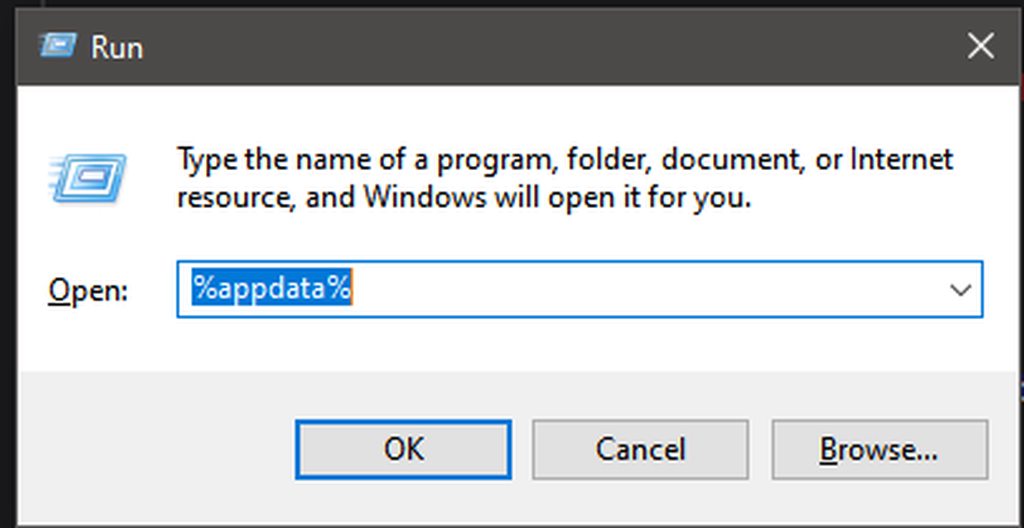
 weary scaffold
i mean i cant find locallow within appdata
ive already done that link
i keep windows+r to %appdata% for easy access
it just doesnt have the folder in appdata
ive tried searching for it
 raw wolf
Im not the most knowledgeable on this so I would wait for a mod or smth
@wheat orchid helped me
ivory aurora
and idk how to help u
Well hopefully someone else will come along
 wheat orchid
@weary scaffold just copy the path
Also %appdata% takes you to the roaming folder inside appdata
I would prefer if you responded quickly as I am in school rn
 lucid jungle
@lucid jungle go to your saves path and delete all files with debug.globalsettings in their name
@wheat orchid thanks man
wheat orchid
Np
 real jacinth
And make sure you have the option to show hidden files turned on
 vernal rain
there's a \..\ in the path, so go one folder up and then search locallow
real jacinth
or just copy the whole path and put it in the address bar
weary scaffold
doesnt work
 weary scaffold
ive already tried it
weary scaffold
i know how to use a computer
i didnt search the address
i put the address in the address bar
it doesnt work
is there any way the saves could be anywhere else?
real jacinth
no
weary scaffold
is there an appdata in c drive
real jacinth
and will be at C:\Users[username here]\appdata\locallow\team cherry\hollow knight
weary scaffold
well thats prolly why then
so it can be saved in a different location
i cant access c drive bc im on a school pc
so imma have to go to another laptop, install steam, sync with the cloud and get the files that way
real jacinth
lol
vernal rain
debugmod
weary scaffold
what does debugmod do?
wheat orchid
Cheats menu
No clip
Nail damage modifying
More
I don’t care to list everything that debug can do because it’s a lot
weary scaffold
kk
 golden jungle
Hey I’m trying to install the glass soul mod but I’m not exactly sure how to since I’m not very computer smart any help?
real jacinth
?i
 proud quailBOT
Reminder: The mod installer (https://radiance.host/mods/ModInstaller.exe) and other modding resources can be found from the pinned messages.
golden jungle
Oh thank you
real jacinth
you're on windows right?
golden jungle
Yes
wheat orchid
Is glass soul on the installer?
golden jungle
No
wheat orchid
Did you download the .dll file for it?
wheat orchid
It’s on discord somewhere
Once you download it, get modcommon on the installer
Then click manually install mods
Then direct it to the file you downloaded
golden jungle
when i start the game its just a black screen with the cursor
wheat orchid
@golden jungle are you using a controller
golden jungle
no?
golden jungle
no
wheat orchid
And you are using the most recent version of the game?
golden jungle
yes
wheat orchid
Did you try getting the things anyone said?
golden jungle
Yes I have them and it’s still just a black screen with a cursor
wheat orchid
Ok
vernal rain
?saves
wheat orchid
Saves
Windows File Paths: (Assumes Default Steam Install Path, Adjust accordingly for DRM Free or Non-Standard Steam Path)
Game Files: C:\Program Files (x86)\Steam\steamapps\common\Hollow Knight\```
** **
Mac File Paths:
```Save Files: ~/Library/Application Support/unity.Team Cherry.Hollow Knight/
Game Files: ~/Library/Application Support/Steam/steamapps/common/Hollow Knight/hollow_knight.app/```
** **
Linux File Paths:
```Save Files: ~/.config/unity3d/Team Cherry/Hollow Knight/
Game Files: ~/.local/share/Steam/steamapps/common/Hollow Knight/```
vernal rain
thx RedDyno lol
golden jungle
it still happens when i disable all the mods for some reasom
wheat orchid
Depends
Pale court is coming
Test of teamwork is coming
Multiplayer is here
You decide
Small price for a great game
@golden jungle did you send the modlog?
real jacinth
if you think you'll get more than 8 hours of modded gameplay, it's worth it
I like to use $2/hr of entertainment value as the cutoff point
 novel bronze
how do i open the mod menu after i have quit the game for the first time?
wheat orchid
Just open the mod installer
 spring bane
Wherever you downloaded it to
novel bronze
ok
 stiff cliff
i bought the game on steam and im trying to use the modinstaller but it dosent recognise hk on steam and it says i need the newest ver of hk but i have the newest ver
help
vernal rain
stiff cliff
its not even bringing that up
wheat orchid
Make sure you don’t have a pirated version installed anywhere
stiff cliff
on my computer atg all?
wheat orchid
Yes
stiff cliff
ok
 tired ocean
How can I open the mod menu
 livid fractal
Is the pale king skin chelleneg available?
cause i cant find it on the chellenges list
wheat orchid
@tired ocean open the installer whereever you downloaded it to
@livid fractal you can no longer get it
livid fractal
ahh
wheat orchid
@stiff cliff did you reset the installer
livid fractal
thanks for replying
wheat orchid
Np
wheat orchid
B r u h
stiff cliff
what im new to this
wheat orchid
Look at the link anyone sent
wheat orchid
?saves
proud quailBOT
Saves
Windows File Paths: (Assumes Default Steam Install Path, Adjust accordingly for DRM Free or Non-Standard Steam Path)
Game Files: C:\Program Files (x86)\Steam\steamapps\common\Hollow Knight\```
** **
Mac File Paths:
```Save Files: ~/Library/Application Support/unity.Team Cherry.Hollow Knight/
Game Files: ~/Library/Application Support/Steam/steamapps/common/Hollow Knight/hollow_knight.app/```
** **
Linux File Paths:
```Save Files: ~/.config/unity3d/Team Cherry/Hollow Knight/
Game Files: ~/.local/share/Steam/steamapps/common/Hollow Knight/```
stiff cliff
ty
 fathom rover
Hey, i'm new to the modding stuff, i'm trying to get it to work on mac, but idk what to do
wheat orchid
Pin 4
fathom rover
can someone tell me the basic stuff?
fathom rover
Yeah! i have Os Catalina! is it posible then? cool.... what's 3rd?
vernal rain
fathom rover
Oh Cool! thank you guys! n.n
 old scaffold
Wut are the best hkmods
real jacinth
?mods
proud quailBOT
Mods
Google Drive with Mods - https://drive.google.com/drive/folders/0B_b9PFqx_PR9Um9MeFZMV21oWGs
Installer - https://radiance.host/mods/ModInstaller.exe
Mod Summaries - https://docs.google.com/document/d/1cz5tcggpGofrBcM90XyTkMWjMelDHzugvQM6HpB13Ew
 wheat orchid
Debug


 wheat orchid
@devout current look in the 3rd pin for the Catalina installer and the the Mac installer is on pin 4
 devout current
kk
raw wolf
so i was testing reverting backl to my old save
but when I click revert back to un modded
it says nah
raw wolf
steam
wheat orchid
Right click the game on steam
Click properties
Click local files
Click verify integrity of local files
1 file fails to validate
Don’t open mod installer until you are ready to play mods again
wheat orchid
Yes
wheat orchid
Yeah
real jacinth
only saves that were opened while mods were active can be affected
wheat orchid
The rando saves will be hard tho
 amber aurora
hey, i need some help if someone's up for it?
i have no idea if the issue is related to the recent patch/update (not sure of the difference, English isn't my native language)
but all my mods have stopped working
yet the modinstaller still says the mods are installed and enabled and their files are still in the common/hollow knight steam files, so they're obviously not uninstalled
but when i launch the game, i don't have the mods listed on the top left corner and of course no mods are working ingame
any idea what might have caused this and how to fix it?
oh and also, before it all stopped working, steam did something weird. basically instead of "play", i had an "install" button. of course i knew the game was installed because all the files were still there, so i clicked install, it verified the files and turned the button back to "play". and since then, the mods are broken
my everlasting devotion if you can help, because the mods i have are mandatory for me to be able to even play hollow knight because of my disability, so i can't play until the mods are back online
thank you to anyone who takes the time to answer!
wheat orchid
@amber aurora the same thing with steam is happening to me on my alt computer. If there is a button at the bottom of the installer that says Enable All installed mods, click it. If there isn’t, go to your saves path and delete all files with api.globalsettings in their name
?saves
proud quailBOT
Saves
Windows File Paths: (Assumes Default Steam Install Path, Adjust accordingly for DRM Free or Non-Standard Steam Path)
Game Files: C:\Program Files (x86)\Steam\steamapps\common\Hollow Knight\```
** **
Mac File Paths:
```Save Files: ~/Library/Application Support/unity.Team Cherry.Hollow Knight/
Game Files: ~/Library/Application Support/Steam/steamapps/common/Hollow Knight/hollow_knight.app/```
** **
Linux File Paths:
```Save Files: ~/.config/unity3d/Team Cherry/Hollow Knight/
Game Files: ~/.local/share/Steam/steamapps/common/Hollow Knight/```
 uncut kestrel
hey, i need some help if someone's up for it?
@amber aurora hi
i have the same problem
wheat orchid
I just explained how to fix it
At least that SHOULD work
If it doesn’t, it’s a little more complicated
uncut kestrel
I saw it
I don't have any file with api.globalsettings
steam, hk, mod installer and windows are up to date
the modding api doesn't appear in the top corner. mods section and saved game section don't load
sorry for bothering :(
but since the steam update i can't play HK
 dull wyvern
is there any way to respawn grimm or the grimm troupe quest? I beat both grimm and nkg, but it says i still need to fight grimm one more time to get the hunters journal for it. I tried just fighting in the hall of gods but it didnt work
either that or can i somehow change the hunters journal data to say i beat it
i think this is the right place but im also gonna put it in help
 long cloak
Say, anyone knows if it is at all possible to install Blackmoth with all the changes but abstain from the Nail nerf?
Like, you end up with the Blackmoth gameplay but ALSO with a viable Nail?
spring bane
Could try using debug to change the nail damage back up
long cloak
Hum... I wonder if that would still, say, activate Fragile/Unbreakable Strength or Long Nail, instead of just going to the dash...
spring bane
Oh, I thought it just nerfed the damage. I don't think debug would help you there, you'd have to edit the mod's code
If it changes what charms do or what buttons do what things
long cloak
Hum... Damn, wasn't intending on going that deep...
spring bane
perhaps somebody else will know better
 marble marsh
i dont think its worth it
long cloak
Hum.... Guess not.
I just wanted to add it for style points, while also retaining a normal Nailable gameplay.
uncut kestrel
I saw it
I don't have any file with api.globalsettings
steam, hk, mod installer and windows are up to date
the modding api doesn't appear in the top corner. mods section and saved game section don't load
@uncut kestrel help me pls
 limber olive
sorry if this is a silly question but i cant figure how to give myself max hp/soul useing the debug mod
 brittle adder
Is there a way to make skins persist through a game restart?
limber olive
i know how to do that i was wondering if there was a fast way to get all the mask shards/soul vessels not unlimited
 glass sequoia
hey guys
i havea question
my damage reset
and its set to 0
and i want to turn it back to norma
so
whats the value of a pure nail?
dull wyvern
21
glass sequoia
it i increase to 21 it will be normal again or i have to consider the charms?
wheat orchid
@brittle adder There is a default skin option you can set in the globalsettings
@glass sequoia it will be normal
@uncut kestrel screenshot the folder you were looking for the api.globalsettings files
dull wyvern
how do i change my hunter's journal data
real jacinth
save edit
dull wyvern
how would i go about that
real jacinth
google a save editing program
or use QoL
then go to saves and open the json for the save you want to change
limber olive
hey is there a way to give your self all
mask shards/soul fragments in the debug mod?
dull wyvern
no
limber olive
.......ok
proud quailBOT
Saves
Windows File Paths: (Assumes Default Steam Install Path, Adjust accordingly for DRM Free or Non-Standard Steam Path)
Game Files: C:\Program Files (x86)\Steam\steamapps\common\Hollow Knight\```
** **
Mac File Paths:
```Save Files: ~/Library/Application Support/unity.Team Cherry.Hollow Knight/
Game Files: ~/Library/Application Support/Steam/steamapps/common/Hollow Knight/hollow_knight.app/```
** **
Linux File Paths:
```Save Files: ~/.config/unity3d/Team Cherry/Hollow Knight/
Game Files: ~/.local/share/Steam/steamapps/common/Hollow Knight/```
real jacinth
saves are here^
to to that spot in your pc and find the userX.json
and edit it in a txt editor
after you've run your game once with QoL
uncut kestrel
@uncut kestrel screenshot the folder you were looking for the api.globalsettings files
@wheat orchid I looked at C: \ Program Files (x86) \ Steam \ steamapps \ common \ Hollow Knight \ hollow knight Data and all the folders that were in hollow_knight Data
dull wyvern
ok
vernal rain
use the save file path for the globalsettings
wheat orchid
@uncut kestrel I told you the saves path
proud quailBOT
Saves
Windows File Paths: (Assumes Default Steam Install Path, Adjust accordingly for DRM Free or Non-Standard Steam Path)
Game Files: C:\Program Files (x86)\Steam\steamapps\common\Hollow Knight\```
** **
Mac File Paths:
```Save Files: ~/Library/Application Support/unity.Team Cherry.Hollow Knight/
Game Files: ~/Library/Application Support/Steam/steamapps/common/Hollow Knight/hollow_knight.app/```
** **
Linux File Paths:
```Save Files: ~/.config/unity3d/Team Cherry/Hollow Knight/
Game Files: ~/.local/share/Steam/steamapps/common/Hollow Knight/```
wheat orchid
Which shows the saves path
brittle adder
I can't seem to find the option for setting the default skin.
wheat orchid
@uncut kestrel that’s fine
@brittle adder CustomKnight.globalsettings in the saves path. If you have show file extensions on then add .json to the end of it
brittle adder
there's isn't a file with that name in my saves directory
real jacinth
I don't think that exists, someone
wheat orchid
Did I type it wrong?
wheat orchid
Huh
real jacinth
in an update
wheat orchid
Guess it was
real jacinth
tibu, open your installer and screenshot it
did you check for a button at the bottom that says "enable all installed mods"
like someone asked
I never know whether to call you someone or redfrog
wheat orchid
Idc
wheat orchid
Ok
real jacinth
lol
uncut kestrel
the game is fixed
brittle adder
So there's no way to set a default skin, then?
brittle adder
Yeah, but having to do it every time you load the game and waiting through the lag is tedious
real jacinth
how bad is your pc
wheat orchid
If it’s too much work, make a good not rng heavy modded boss
vernal rain
there is a way to set default skin
brittle adder
tell me!
wheat orchid
Was removed or something
real jacinth
you can't set a folder with "default" anymore
vernal rain
at least in my globalsettings there is a place for that, idk if it works tho
brittle adder
...can you just send the the file?
real jacinth
it wouldn't even be run
wheat orchid
If it isn’t programmed, it doesn’t do anything
real jacinth
if it's not being generated in the first place
well I guess that may not technically be tru
it could just never generate it, but still check for it
wheat orchid
Good point
wheat orchid
I think I’m getting something wrong with globalsettings, as I have copied the code from my other mods for it, but they aren’t generated
brittle adder
it's worth a shot...
vernal rain
just checked, i don't have customknight globalsettings
wheat orchid
Problem solved everyone!
real jacinth
lol
doesn't exist
it'd be a good PR to make though
should only be a couple of lines
not to make a settings file, but to check for a specific folder first
brittle adder
it seems like such a no-brainer though, might be more difficult to implement
real jacinth
could be named anything
wheat orchid
Shouldn’t be that difficult to implement
I would do something, but I’m going somewhere rn
brittle adder
so... mysterious!
real jacinth
with... someone?!?
wheat orchid
lol
real jacinth

wheat orchid
Having dinner with family
uncut kestrel
@wheat orchid @real jacinth thanks! the game is fixed
real jacinth
👍
 autumn bolt
Can you mod on console?
wheat orchid
No
autumn bolt
😦 dang
 dim juniper
anyone know some good 'god mode' mods? The website it was supposed to be on was deleted
wheat orchid
?i
proud quailBOT
Reminder: The mod installer (https://radiance.host/mods/ModInstaller.exe) and other modding resources can be found from the pinned messages.
dim juniper
yep
wheat orchid
After clicking install on debug, open the game
dim juniper
alrighty
wheat orchid
Cheats is probably what you want
wheat orchid
You can also clone enemies and all sorts of other stuff
dim juniper
do you know how I can hide the menu?
dim juniper
ok thanks again
dull wyvern
?saves
proud quailBOT
Saves
Windows File Paths: (Assumes Default Steam Install Path, Adjust accordingly for DRM Free or Non-Standard Steam Path)
Game Files: C:\Program Files (x86)\Steam\steamapps\common\Hollow Knight\```
** **
Mac File Paths:
```Save Files: ~/Library/Application Support/unity.Team Cherry.Hollow Knight/
Game Files: ~/Library/Application Support/Steam/steamapps/common/Hollow Knight/hollow_knight.app/```
** **
Linux File Paths:
```Save Files: ~/.config/unity3d/Team Cherry/Hollow Knight/
Game Files: ~/.local/share/Steam/steamapps/common/Hollow Knight/```
 quartz canopy
Trying to set up randomizer on my Linux box, but apparently the Modding API breaks controller support (verified by testing without any mods installed, and then only the modding API). The API version matches the game version, and I've tried both the "Linux/Mac" and "Universal" flavors from https://drive.google.com/drive/folders/0B_b9PFqx_PR9Um9MeFZMV21oWGs
Vanilla HK's Player.log contains
Game controller set to None.
Game controller set to Generic Controller.
Controller Support Not Yet Verified
Unable to match controller of known type (Generic Controller), will attempt default mapping set.
Whereas with Modding API it says
[InControl] Joystick 1: "Logitech F310 Gamepad (XInput)"
[InControl] Joystick 1: "Logitech F310 Gamepad (XInput)"

# Next two lines many times in a row
(Filename:  Line: 485)

DontDestroyOnLoad only work for root GameObjects or components on root GameObjects.

Game controller set to None.
Game controller set to Unknown Device.
Controller Support Not Yet Verified
Unable to match controller of known type (Unknown Device), will attempt default mapping set.
I am fairly certain I had this working before using the same Linux distribution and controller, but now it's not. Any thoughts on problems that could be on my end?
real jacinth
go into steam settings, generic controller options
and make sure you have generic gamepad support checked
quartz canopy
Forgot to mention, I'm using GOG
real jacinth
alternatively, you could use another mapping program like joy2key to map controller inputs to keyboard
real jacinth
the API doesn't like non-native xinput controllers for whatever reason
quartz canopy
Huh
real jacinth
logitech ones usually have issues
I don't know if GoG has controller options, but if not, you could always add the exe to steam and launch it thru there
quartz canopy
I remember there being a beta option for enabling native input support, but I couldn't find that
real jacinth
to get steam's controller support
that beta option doesn't work
well.... it might, but it'll cause your game to crash every time you save/quit
which if you're okay with that, could be an option
quartz canopy
Huh. Good to know. But again, can't find it 🤷♂️
real jacinth
also, I love when linux users show up for help. they all know how to ask good questions with background info. 
quartz canopy
Yeah, not seeing that. Just downloaded the latest version from GOG, too.
quartz canopy
Myself
real jacinth
cuz you might have grabbed an old api
real jacinth
yeah, you can run it thru mono
quartz canopy
ah
real jacinth
I've seen t his before on linux where that option wasn't there
quartz canopy
well I grabbed them from the google drive linked on speedrun.com, so it seemed recent. I think the modification date was this month
real jacinth
but I don't know why
quartz canopy
🤷♂️
real jacinth
so is antimicro working out for you then?
quartz canopy
Yeah, seems to be. I'll use that for now.
quartz canopy
Thanks for the help 👍
quartz canopy
True, but you responded. And confirmed it's an issue beyond my setup (I think)
thanks
real jacinth
yeah yeah. you're good. 👍
 prime moon
?mods
proud quailBOT
Mods
Google Drive with Mods - https://drive.google.com/drive/folders/0B_b9PFqx_PR9Um9MeFZMV21oWGs
Installer - https://radiance.host/mods/ModInstaller.exe
Mod Summaries - https://docs.google.com/document/d/1cz5tcggpGofrBcM90XyTkMWjMelDHzugvQM6HpB13Ew
 silk yoke
What should I be doing if the ModInstaller isn't installing certain mods?
It says they're downloaded and even makes a ZIP in the proper folder(that's empty), but then tells me something went wrong, asks to Continue or Exit the program
Tested just now, and it's not all mods
 vagrant stratus
manually install them ig
 sinful sonnet
Thanks! I thought that was for painting/illustration only
vernal rain
music is art

 keen sentinel
modinstaller isnt working ..
idk what is the problem :c
should i delete the game and download it again ?
oh wait i guess i know what is the problem .. nvm
wheat orchid
@keen sentinel try resetting the installer. look in the pins for how to reset the installer.
keen sentinel
yea now i know the problem , ty anyway
 lean turtle
someone can help me please
i'm trying to made a downpatch but, doesn't even work
i'm trying to use console of steam
gog galaxy
but don't work at all
i don't know why
wheat orchid
Idk how to do it on gog
vernal rain
game page -> options (top next to the play button) -> manage installations -> configure -> deselect automatic updates -> more versions -> click the version that you want -> ok, then it should download that patch, but i never tested it
 mellow rapids
i need help, a lot of the mods that i'm trying to install are not being loeaded correctly because it says that some files of them are being used in another process
anyone has any idea on how to fix this?
I'm sorry for the error being in a different language than english, but this is the error I'm constantly getting
wheat orchid
@mellow rapids did you try opening the installer as administrator
mellow rapids
yep
wheat orchid
Try resetting it. Look in the pins for how
Also make sure you only have one mod installer open
mellow rapids
the problem is that it does this problem on some of the mods
for example mods like benchwarp its totally fine
but custom knight or redwing? he does that problem
wheat orchid
That’s because CustomKnight also installs images and redwing assets installs video files
mellow rapids
so it's technically a non-issue? or do i need to install them manually?
wheat orchid
You can install them manually if they continue not to work
mellow rapids
alright
 dreamy moat
So I’m not sure what to do, I think it’s a custom knight problem but my geo isn’t showing up, like I’m getting geo and I see the counter but the sprites aren’t there when it drops
dull wyvern
could someone please upload their 112% all things done save folder so i can have a reference or where could i find a reference?
real jacinth
A reference to what
 dry oak
Hey guys I got a modding question
Is it possible to mod rooms, like add spikes or move saws, etc?
 shell radish
On my main save, I used the debug mod to do some stuff, and even though I didn't add any extra damage, I now 2 shot a watcher knight, I wanna fix it because the game isn't fun if I do that much damage, can you help?
shell radish
when I press -4 damage, it adds +4 damage
real jacinth
So fix your binds
Click the white circle by it and then press what you want it bound to
dull wyvern
a reference for how the journal is normally filled out
because im changing the save data and the file doesnt change at all
dry oak
Oh you can mod rooms? That's kinda sweet ngl lol
dull wyvern
and i dont understand
real jacinth
there's probably a flag for hasHuntersMark
or something
are you sure you're changing your save properly?
dry oak
How would I begin changing things in certain rooms?
shell radish
I can lower my damage now, but how will I know how much damage I do?
real jacinth
the menu on the left
nail dmg is in there
ljosh, look how other mods do it
like randomizer
shell radish
there are 2 numbers there, which one is my damage?
real jacinth
there should be way more than just 2
and it's the one next to naildmg
and I was right. there's the flags for hunter's mark
shell radish
real jacinth
do you have nail charms on
shell radish
yes
real jacinth
so take those off
shell radish
ook
dull wyvern
i haven't changed the hunter's mark data i'm just trying to make it so i have grimm's journal data
dull wyvern
yeah
shell radish
what should the number on the left be?
real jacinth
what nail upgrade do you have
shell radish
pure
real jacinth
21
shell radish
ok
real jacinth
shell radish
now time to hate myself by doing the path of pain
real jacinth
look. grimm flags
for journal
change killsgrimm to whatever you want
make it 200 if you want
dull wyvern
i tried that but it makes it so you need 200 kills to get the entry
so i tried 0
but then it didnt change
real jacinth
so change killedgrimm to true
and you're doing this with the game closed right
you can't make changes with it open
and you have to have QoL installed
 stark spear
i've got stacked unreadable text, help
real jacinth
make sure you have all dependencies
vasi, seanprcore
and if you do, get rid of bonfire mod
stark spear
bonfire isn't the problem, have all dependencies, should i just go mod by mod til it works then?
dull wyvern
ok thank you ill try it
stark spear
yeah it was glorious combos causing duplicate text somehow
which i'm kinda happy about, bonfire is one of my favorite mods, a tad broken a times but real fun
dull wyvern
it worked thank you
 clear niche
how can i use the ak-47 in hollow point mod ?
vernal rain
focus or quick cast
wheat orchid
@LJosh#3260 you can also add new rooms
dry oak
Okay so I'm using this Hollow Knight World Editor using Unity and it's telling me to install a mod called 'WorldLoader' but I'm unable to find it anywhere
wheat orchid
what's worldloader
wheat orchid
it the thing you are using called hkedit?
wheat orchid
can you link the page?
dry oak
The GitHub page?
wheat orchid
yeah
dry oak
Nope, I'm using the first two you linked
vernal rain
ah ok
dry oak
Not HKWorldEdit2
wheat orchid
those are old from what it looks like
wheat orchid
idk
vernal rain
idk if those even work reliably, judging from the "Fix mod to be compatible" part on the github page of hkworldedit
dry oak
Am I allowed to link a video here?
vernal rain
yea
dry oak
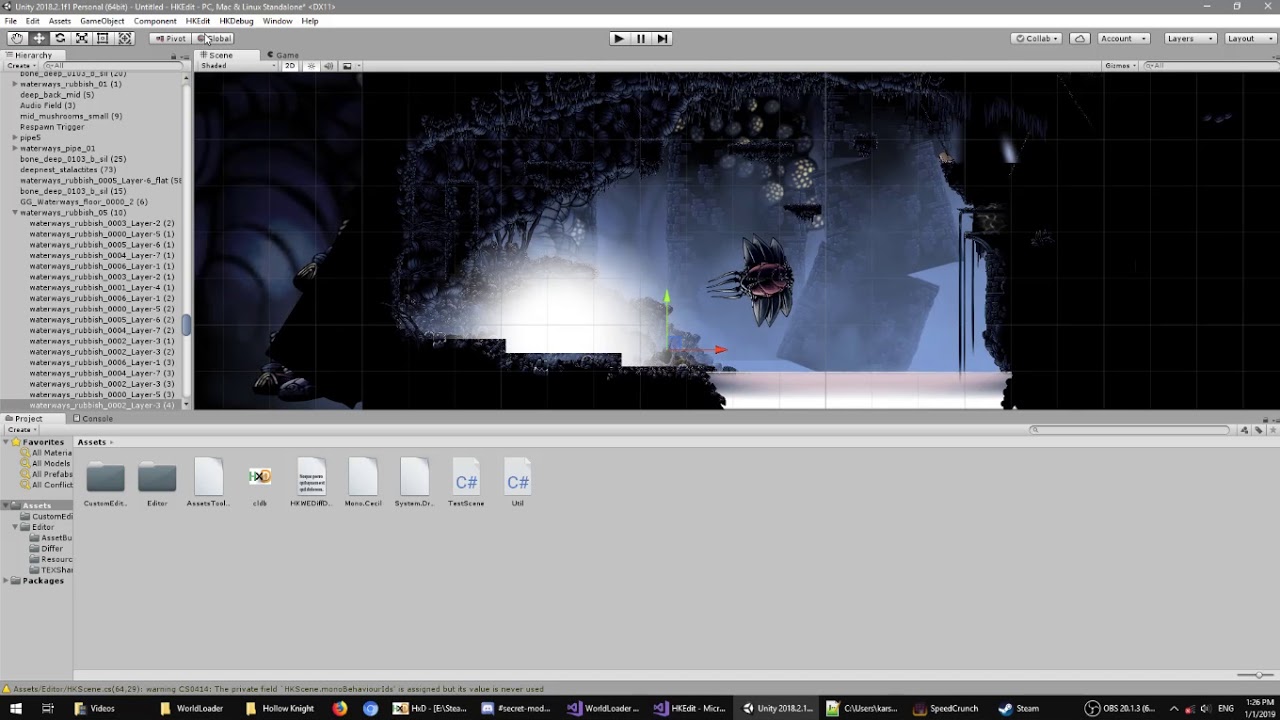
HKWE allows editing of built levels by importing the sprites into the editor and diffing the changes made into a diff file then intercepting the scene load with the changes.
Idk if this helps but this is what I was going off of.
I got Unity to open the levels and everything
When he opened the game in the video, that's where I saw the WorldLoader mod in the top left
wheat orchid
idk where that mod would be located
vernal rain
<#archived-modding-help message> may or may not work
dry oak
I'll give it a shot, hold on
It was recognized by the Modding API but said 'FAILED TO LOAD! Check ModLog.txt.'
proud quailBOT
Saves
Windows File Paths: (Assumes Default Steam Install Path, Adjust accordingly for DRM Free or Non-Standard Steam Path)
Game Files: C:\Program Files (x86)\Steam\steamapps\common\Hollow Knight\```
** **
Mac File Paths:
```Save Files: ~/Library/Application Support/unity.Team Cherry.Hollow Knight/
Game Files: ~/Library/Application Support/Steam/steamapps/common/Hollow Knight/hollow_knight.app/```
** **
Linux File Paths:
```Save Files: ~/.config/unity3d/Team Cherry/Hollow Knight/
Game Files: ~/.local/share/Steam/steamapps/common/Hollow Knight/```
vernal rain
it's located next to your save files
dry oak
Oh alrighty, I'll go find it
That's the most recent one in the folder
Or perhaps you mean this
vernal rain
yeah, imma ping the creator @round wolf with this, i can't get it to compile, but https://github.com/nesrak1/AssetsTools.NET appears to also be needed (which i can't compile on my machine)
 round wolf
Why can't you compile it
vernal rain
errors
vernal rain
yea, i tried that version
dry oak
Oh shoot
vernal rain
#archived-modding-help message but i just found this
round wolf
World loader 2 will be uploaded at some point
amber aurora
@wheat orchid thanks so much for answering (i asked for mods disappearing, if you don't remember me), I had already tried that before asking and it didn't work, so i uninstalled the whole game and tried installing it again, except now i get an error saying one of the files is protected and the new install can't be completed. there seems to be no solutions and i didn't get any answers on steam either
dry oak
So as of right now there's no way to edit levels?
round wolf
Technically hkwe1 still can but very limited
Hkwe2 can do a lot more but the world loader 2 hasn't been finished
dry oak
I'm alright with the limited version for now
I just am unable to actually load the level I replaced
vernal rain
you also could program a whole custom mod and do pretty much everything with levels
round wolf
I just am unable to actually load the level I replaced
What isn't working?
dry oak
When I pop the edited version of level381 (First Path of Pain level), none of the changes I have made show up
round wolf
Do you have debug mod installed
round wolf
You don't need it but if you had it installed you could verify if the map was loaded or not
By changes, did you place new objects in the scene or what?
dry oak
I tried a simple edit first, like putting one of those 'hmm' blocks at the start of the Path of Pain
round wolf
Did you press ctrl+g on it to track the change?
dry oak
Ohhh
round wolf
Should add a script to it
wheat orchid
lol
round wolf
Hkwe2 uses a different method so you don't have to do it
But for hkwe1 you have to press ctrl+g on new objects
round wolf
If you want, try installing debug mod and see if the modded level name comes up
round wolf
It will be called levelxxx-mod
Instead of the name of the scene
Like on the bottom left somewhere in the debug mod it has the scene name
vernal rain
where it says "White_Palace_18"
vernal rain
no, i tried the github versions, it was misnamed variables/class names
dry oak
It just says 'New Scene Loaded: White_Palace_18'
vernal rain
tried a bit to rename those, but then <#archived-modding-help message> happened
dry oak
Well wouldn't I need WorldLoader for it to change it?
round wolf
Oh, are you not using world loader?
dry oak
I don't have a working WorldLoader.dll, Nope.
round wolf
Oooo did I not make a release for that?
dry oak
I wasn't able to find one
round wolf
Worldloader1 uses an ancient version of assetstools I know
vernal rain
#archived-modding-help message has a zip with both worldloader and assetstools
round wolf
Does that not work?
dry oak
I didn't understand how to install it
vernal rain
should be able to download the zip and hit "manually install mods" on the mod installer
if that doesn't work, extract both DLLs from the zip and hit the button (and navigate to the dlls)
round wolf
I don't remember where but there's a mod folder somewhere you can just drag n drop them in
But I guess mod installer has some manual install so try that
dry oak
I think I got it this time
vernal rain
the button puts the mods there automatically
dry oak
Hold on, lemme try loading it
So I manually install the two zip files, 'AssetTools.NET-master' and 'WorldLoader'
right?
vernal rain
yes
round wolf
Wait why does it have -master
round wolf
That worldloader zip has an older but compatible version
The version on github runs on v2, but worldloader needs v1
dry oak
So I need a different AssetsTools?
round wolf
Just use the one that comes in the zip :) no need to do anything crazy
round wolf
Yes
round wolf
The exception from at is just about Cecil missing so I don't think it matters
The exception from worldloader is just the first scene loading too fast
So there may not be any problems, just try loading the scene in
dry oak
alright
I went to the scene with the Path of Pain enterance and it's stuck on a black screen
round wolf
Yeah I figured
I think that first exception probably stopped the whole mod from working
dim juniper
best/worst multiplayer mods? iydm answering
round wolf
Previous me was too stupid to add a null check
wheat orchid
there is only one multiplayer mod
dry oak
So what do I do now?
round wolf
I think it could be random since it looks like a race condition
But yeah nothing you can do now, I don't want to support hkwe1 anymore, so maybe just wait for hkwe2's world loader to be finished
dry oak
Hopefully I'll still be interested in this game by the time WorldLoader for HKWE2 comes out, lol
wheat orchid
stay interested by waiting for pale court
vernal rain
oof
wheat orchid
that sounds like a nightmare
dry oak
Yeah that doesn't sound fun at all
round wolf
Also got college online so it makes that fun too
dry oak
Dang
vernal rain
for the time being, you can try https://radiance.host/apidocs/EditScene.html @dry oak
dry oak
I don't think I'd be able to program lol
wheat orchid
just copy the example mod
vernal rain
was that ever updated?
vernal rain
oh wait, another example mod was linked in the getting started guide lol
wheat orchid
lol
dry oak
Wait question about HKWE
wheat orchid
also I am trting to see if I can still assetbundle if I tried to add the playmaker editor to the extracted hk project and messing everything up
NOOOO error in build :(
dry oak
What if I were to replace the normal level file in the hollow_knight_data folder?
round wolf
This is what I open the project to 🤔
It doesn't work the same way
Because hkwe only puts out your changes not the whole level file again
dry oak
Ohh okay
wheat orchid
going to go cry in a corner now while I wait for another extraction of hk....
round wolf
55 files changed and no commit lol
wheat orchid
lol
vernal rain
262 changes, but it's a unity project, so it's still much, but not that much
round wolf
Yeah but your game probably has assets in it
vernal rain
yea, that unity project (which i use for custom scenes, so no game) also has wip stuff multiple times copy-pasted for safety in it
novel bronze
Good night, I tried to play hollow knight with skins using the mod but the game closes whenever the bar finishes loading (the one at the beginning of the game that the mod adds) I saw that some people went through something similar, does anyone have any solutions?
Sorry for poor quality English rsrsrs
wheat orchid
@novel bronze Are you using a controller? also I don't see anything wrong with your english
wheat orchid
Unplug it until you get to the main menu
 mint otter
hey can someone help me Im trying to get redwing but when i go into the game, it isnt on! Its so annoying. ):<
 modest ginkgo
So I was just chilling doing a modded playthrough, and I wasn't able to see any of my geo, Has this happened to anyone else, and is there any way that I can fix it?
I cant kill my shade
modest ginkgo
nvm fixed the shade problem
 wintry forum
hi guys i have problems installing customknight, it tells me another process is aready using a file in C:\tmp\HKmodinstaller\hollow_knight_Data\Managed\Mods\CustomKnight\Default
wintry forum
nvm fixed it
 steady niche
What exactly can be modded in hollow knight?
vernal rain
everything
there is pretty much no limit, you can have randomizers, change bosses, make entirely new bosses, change levels, make new levels, custom ingame achievements, custom inventory items, custom charms, ...
steady niche
So I can make a whole new area on the map?...
steady niche
TYSM I got really disheartened when my sis’s hacker bf said I could only edit ingame characters ; ;
I’m entirely new to mods so I wasn’t sure what I could do
vernal rain
the only thing limiting mods is what c# (the language mods are coded in) can do
steady niche
So what coding can do? Is that the limit?
vernal rain
yes
steady niche
Awesome :3
vernal rain
if you want to start creating mods, there is #archived-modding-development and https://radiance.host/apidocs/Getting-Started.html
steady niche
Ty!
all this currently makes absolutely no sense to me
Can’t wait till this stuff makes sense-
 lament tree
hey hey can someone tell me how i can edit mods without a globalsettings.json file?
vernal rain
you can ask the creators of the mods to implement a globalsettings file
lament tree
yea, cuz im bad at the game so to make it more fun for myself and actually motivate myself to play i use easy mode, but i cant respawn when i die in a godhome bossfight or pantheon for some reason
wheat orchid
@lament tree try this #archived-modding-help message
lament tree
i'll do that thank youuu
wheat orchid
Np
novel bronze
hello, does anyone know how to open the mod API menu thing where you install and uninstall mods
do I have to execute .exe file again
wheat orchid
Yes
 autumn sorrel
cosmetics
novel bronze
ah ok
novel bronze
Is there a mod which shows like grub locations on the map or somethin
wheat orchid
That’s already in the game
novel bronze
heeeeeeeeeeeeeeey
i have a question about the new randomizer mod
v3 i think
so uh Does that randomizer changes everything on each run
or like it's a specific run that doesn't change
wheat orchid
it randomizes each time you make a save
novel bronze
oh
because it seems impossible to find the mantis claws
so maybe it's in a place that i can't reach without the mantis claws then
well gee gee
wheat orchid
it should be reachable
did you do everything you can think of with the areas you have access to?
novel bronze
imma do a double check and tell ya
 odd hemlock
Hey, is there a resource to the Custom Knight mod? I saw mentions of labeled sheets and a decompiler but I couldn't find where they were.
novel bronze
Yep i give up
there is no place for it to be found
i even did a pogo on mobs to unlock all areas (except howling cliffs cause you can't reach it without mantis claws)
and there are other places i can't reach without it like the Hallownest's crown, Dung defender, All dreamers, & others
also didn't unlock the hive cuz the tram card thing is no where to be found
wheat orchid
@odd hemlock look in the pins for spritepacker and godump
@novel bronze try looking in the spoiler log
odd hemlock
It's there? Thanks!!
novel bronze
@wheat orchid uh do you have the time to tell me how ..
wheat orchid
idk
novel bronze
oh keh
Create spoiler log: creates a file in the save directory with all item/transition placements
wheat orchid
?saves
proud quailBOT
Saves
Windows File Paths: (Assumes Default Steam Install Path, Adjust accordingly for DRM Free or Non-Standard Steam Path)
Game Files: C:\Program Files (x86)\Steam\steamapps\common\Hollow Knight\```
** **
Mac File Paths:
```Save Files: ~/Library/Application Support/unity.Team Cherry.Hollow Knight/
Game Files: ~/Library/Application Support/Steam/steamapps/common/Hollow Knight/hollow_knight.app/```
** **
Linux File Paths:
```Save Files: ~/.config/unity3d/Team Cherry/Hollow Knight/
Game Files: ~/.local/share/Steam/steamapps/common/Hollow Knight/```
wheat orchid
save directory is the saves path
novel bronze
oh
spring bane
You can also use randomapmod to show what else the game expects you to be able to reach
 sterile wedge
This is a pretty dumb question but how do i unbind keys in debug mod?
wheat orchid
Close the game then go to your saves path and delete all files with debug.globalsettings in their name
?saves
proud quailBOT
Saves
Windows File Paths: (Assumes Default Steam Install Path, Adjust accordingly for DRM Free or Non-Standard Steam Path)
Game Files: C:\Program Files (x86)\Steam\steamapps\common\Hollow Knight\```
** **
Mac File Paths:
```Save Files: ~/Library/Application Support/unity.Team Cherry.Hollow Knight/
Game Files: ~/Library/Application Support/Steam/steamapps/common/Hollow Knight/hollow_knight.app/```
** **
Linux File Paths:
```Save Files: ~/.config/unity3d/Team Cherry/Hollow Knight/
Game Files: ~/.local/share/Steam/steamapps/common/Hollow Knight/```
sterile wedge
I deleted the ones in the save file directory but it didn't change
wheat orchid
Did you close the game first?
sterile wedge
yup, restarted it
sterile wedge
yeah it looks like in the json file the commands i dont have binds for arent there so maybe i should manually delete them
wheat orchid
Ok
wheat orchid
Np
 stone bluff
hey I downloaded the radiance installer and it says that it cant locate the files
wheat orchid
Did you get the game on steam or gog?
stone bluff
steam
wheat orchid
And it’s not a shared game?
stone bluff
no
stone bluff
yes
wheat orchid
?saves
proud quailBOT
Saves
Windows File Paths: (Assumes Default Steam Install Path, Adjust accordingly for DRM Free or Non-Standard Steam Path)
Game Files: C:\Program Files (x86)\Steam\steamapps\common\Hollow Knight\```
** **
Mac File Paths:
```Save Files: ~/Library/Application Support/unity.Team Cherry.Hollow Knight/
Game Files: ~/Library/Application Support/Steam/steamapps/common/Hollow Knight/hollow_knight.app/```
** **
Linux File Paths:
```Save Files: ~/.config/unity3d/Team Cherry/Hollow Knight/
Game Files: ~/.local/share/Steam/steamapps/common/Hollow Knight/```
wheat orchid
Direct it to the game files path
wheat orchid
Unless you changed where steam is installed or where steam installs games
Does it bring up a file explorer tab?
stone bluff
ok
wheat orchid
Then it will probably get the path for you
wheat orchid
Np
wheat orchid
you needed to do a challenge for it, but it was taken down
 grand heron
uh so my friend is havin issues and their hollow knight mod installler asks for a path... soooo what do we do

 covert oasis
?saves
proud quailBOT
Saves
Windows File Paths: (Assumes Default Steam Install Path, Adjust accordingly for DRM Free or Non-Standard Steam Path)
Game Files: C:\Program Files (x86)\Steam\steamapps\common\Hollow Knight\```
** **
Mac File Paths:
```Save Files: ~/Library/Application Support/unity.Team Cherry.Hollow Knight/
Game Files: ~/Library/Application Support/Steam/steamapps/common/Hollow Knight/hollow_knight.app/```
** **
Linux File Paths:
```Save Files: ~/.config/unity3d/Team Cherry/Hollow Knight/
Game Files: ~/.local/share/Steam/steamapps/common/Hollow Knight/```
wheat orchid
in the bot message
grand heron
so we gotta look for thos files?


 wheat orchid
np
grand heron
uh... what path?
covert oasis
do you have multiple drives
grand heron
uh
covert oasis
when you click on This PC, do you see a C: and D: drive
grand heron
yes
covert oasis
click on the D: drive, then go to a folder that's probably called SteamLibrary
modest ginkgo
is there an infininte geo mod
wheat orchid
debug can give you geo
modest ginkgo
where is the option
modest ginkgo
👍
novel bronze
@wheat orchid it turns out that the randomizer wanted me to pogo on the primal aspid to enter the camp in the kingdom's edge (the bench where you fight hornet)
e p i k .
wheat orchid
oh I did that. that was fun
grand heron
anyone know how to make the multiplayer mod work? we are trying to use fireborns guide but it doesnt work, do we have to use hamachi?
 lavish lake
modinstaller doesnt work after reinstalling the game? have tried reinstalling both the game and the modinstaller but it doesnt work while i have played with mods
the mods dont show up on the top left on the game
and no mods setting
wheat orchid
@lavish lake if there is a button at the bottom of the installer that says enable all installed mods, click it. If there isn't, look in the pins for how to reset the installer. If it still doesn't work, @ me
lavish lake
yep it worked, had to reinstall the mods so its working now! ty!
wheat orchid
np
 oblique bronze
Hi, so im trying to start up the randomizer mod. But everytime I start a new file, it starts me in a small cave and the knight never spawns
Here is a screenshot as a reference
spring bane
install vasi
oblique bronze
got it, ty
so does this randomizer not include enemy randomization?
just rooms and items?
 bold pumice
henlo, can someone link the mod installer for me?
wheat orchid
It’s in the channel description
bold pumice
o hecko thanks!
wheat orchid
If your not on windows look in the 4rd and 3rd pins
wheat orchid
Well and not well depending on your description of well
Players are almost completely synced
Nothing else is
bold pumice
oooooooh
wheat orchid
Still worth trying to me
bold pumice
id try
wheat orchid
I would tell you how to set it up but I gtg
oblique bronze
does the enemy randomizer mod not work with the room/item randomizer?
spring bane
you have to install the mod and hit a button on the main menu to activate enemy rando, since it takes so long to load
if they conflict i'm not aware of it
oblique bronze
hm, i see that it is enabled and that it says enemyrandomizer is on in the options
are there other mods i need to have in conjunction with it?
oblique bronze
i opened the game, before selecting start game i selected options->mods and thats where i saw that it was on. Then I started a new game with the item randomizer. But the enemies are still the same as the base game
wheat orchid
There is an option in the main menu for activating it. The option only appears if you have not opened a save yet. If you opened a save, quit and open the game and the option will be back
oblique bronze
yeah, thats what I have been doing. The options menu I am checking is before i opened a save
wheat orchid
No
Not the options menu
The main menu where you have the option to start a save, options, extras, achievements
At the top right of the title
Left
Bottom?
Some where on the left of the title
oblique bronze
there might be some miscommunication here, I am sorry. Could you help me by watching me screenshare?
wheat orchid
No
real jacinth
Top left of title
Button that says load enemies
If there is no button there, you're probably missing a dependency
The screen will freak out when you press it cuz it's loading all rooms
oblique bronze
this is what my main menu looks like
wheat orchid
You are probably missing seanprcore
Since modcommon is there and qol was able to load
wheat orchid
Screenshot the mods folder
oblique bronze
proud quailBOT
Saves
Windows File Paths: (Assumes Default Steam Install Path, Adjust accordingly for DRM Free or Non-Standard Steam Path)
Game Files: C:\Program Files (x86)\Steam\steamapps\common\Hollow Knight\```
** **
Mac File Paths:
```Save Files: ~/Library/Application Support/unity.Team Cherry.Hollow Knight/
Game Files: ~/Library/Application Support/Steam/steamapps/common/Hollow Knight/hollow_knight.app/```
** **
Linux File Paths:
```Save Files: ~/.config/unity3d/Team Cherry/Hollow Knight/
Game Files: ~/.local/share/Steam/steamapps/common/Hollow Knight/```
oblique bronze
the "Old ModLogs" folder?
oblique bronze
so i can just copy and paste this txt folder in chat?
wheat orchid
Yes
oblique bronze
wheat orchid
I see errors
Can’t read them well bc I’m on my phone
So you didn’t go into any saves at all last time you tried?
vernal rain
something in enemyrando crashes
oblique bronze
well when i saw that it said "on" in the options and it said that it was loaded, then I started a new save to test it out
wheat orchid
Ok
I said if you went into a save, restart
There is an option in the main menu for activating it. The option only appears if you have not opened a save yet. If you opened a save, quit and open the game and the option will be back
oblique bronze
oh, i thought i did that. I just started it up again and now it is there
wheat orchid
lol
oblique bronze
how strange, thank you though!
wheat orchid
Np
oblique bronze
quick question, do you know if those armored bugs used for platforming in greenpath are also part of the randomizer?
wheat orchid
Idk
 sterile plume
Can someone help me with randomizer 3? whenever i load it it says failed to load
wheat orchid
do you have modcommon, seanprcore, qol, and vasi?
sterile plume
I dont think so
wheat orchid
randomizer 3 depends on them
sterile plume
is it in the mod menu?
wheat orchid
in the mod installer
wheat orchid
what was it?
sterile plume
"Unhandled exception has occurred in your application."
wheat orchid
when you were installing which mod?
sterile plume
I dont know but it was one of the 4 that are used for randomizer 3
wheat orchid
try again
sterile plume
I clicked continue and it opened and nothing happened, im going to try and relaunch hollow knight
wheat orchid
ok
sterile plume
It worked thank you
wheat orchid
np
 wise knoll
i keep trying to open my mod installer and it keeps trying to install the modding api even though i already have it
im on mac btw
 valid oxide
saw a video of a mod that translated hk really badly, where would i get that?
nvm, i got it
dry oak
Hey, can anyone help me with this whole Multiplayer fiasco?