#archived-modding-help
1 messages · Page 142 of 1
 kindred trench
i didn't make the folder it made itself once i ran the mod installer
 real jacinth
show your title screen
kindred trench
real jacinth
you're missing modcommon
 spring bane
@novel bronze idk, make sure you downloaded the right one for catalina/non
real jacinth
thru the installer
 small rain
this is from earlier, but I was trying to play multiplayer with my friend, and we got it to work, but it wouldn't update the position of the other character properly, or at all. In any given room the mod would just set them to one spot unless the room was small enoguh in which case each time we disconected and recconected it would place us in the right place, but we can't see each other move.
 wheat orchid
bad connection :(
no solution for that
oh
didn't read the part where it only works on reconnwct
have the host start hk first and connect before anyone else starts hk
other than that, bad connection
real jacinth
you can give yourself everything using debug. won't give you the percent tho
just all the items
save edit
or just get a save file
there's save files on speedrun.com/hollowknight
 cobalt junco
how do I install the ak47 mod and uninstall it easily?
 proud quailBOT
Reminder: The mod installer (https://radiance.host/mods/ModInstaller.exe) and other modding resources can be found from the pinned messages.
cobalt junco
cobalt junco
ty
cobalt junco
is there another mod that can add vertical movement without crashing the game?
 mortal kraken
hay why dose the debug mod always give all charms when i use cheats
it is realy anoying
 west bane
because you clicked the all charms button
mortal kraken
no i mean when i use no clip it actervates all charms with out me tuching the all charms button
i presed the give skills cheat and it worked and also gave me all charms
west bane
looks like you bound it to the same key
mortal kraken
thanks i fixed it
 teal heart
do modded bosses only function in godhome or do they also work in their normal encounters
west bane
depends how they're coded
teal heart
hm
 wooden bough
Guys,i am new here.So can you guys teach me how to make a mod for Hollow Knight? I don't know anything about it 😩
teal heart
do you know c#
teal heart
if you dont know c# you gotta learn that first
wooden bough
Hmm,yeah i will try to learn it
teal heart
good luck i hope it goes well
wooden bough
Thanks
 rocky heart
I'm currently stuck downloading the mod installer, iIcannot find the installation folder and have tried many times to find it. Does anyoe know how to help?
west bane
?saves
proud quailBOT
Saves
Windows File Paths: (Assumes Default Steam Install Path, Adjust accordingly for DRM Free or Non-Standard Steam Path)
Game Files: C:\Program Files (x86)\Steam\steamapps\common\Hollow Knight\```
** **
Mac File Paths:
```Save Files: ~/Library/Application Support/unity.Team Cherry.Hollow Knight/
Game Files: ~/Library/Application Support/Steam/steamapps/common/Hollow Knight/hollow_knight.app/```
** **
Linux File Paths:
```Save Files: ~/.config/unity3d/Team Cherry/Hollow Knight/
Game Files: ~/.local/share/Steam/steamapps/common/Hollow Knight/```
wheat orchid
What
Why are you installing hollow point like that
It is literally on the installer’s list to download for you
rocky heart
it wont allow me to do it like that because i cant find the installation file
real jacinth
of what
rocky heart
the mod installer
real jacinth
you downloaded it right?
rocky heart
yes
real jacinth
then it's probably still in downloads
rocky heart
sorry i was saying the wrong thing
the hollow knight installation folder
but it is installed
i even re-installed it to see if that would help
proud quailBOT
Saves
Windows File Paths: (Assumes Default Steam Install Path, Adjust accordingly for DRM Free or Non-Standard Steam Path)
Game Files: C:\Program Files (x86)\Steam\steamapps\common\Hollow Knight\```
** **
Mac File Paths:
```Save Files: ~/Library/Application Support/unity.Team Cherry.Hollow Knight/
Game Files: ~/Library/Application Support/Steam/steamapps/common/Hollow Knight/hollow_knight.app/```
** **
Linux File Paths:
```Save Files: ~/.config/unity3d/Team Cherry/Hollow Knight/
Game Files: ~/.local/share/Steam/steamapps/common/Hollow Knight/```
wheat orchid
Game files path
rocky heart
steam
wheat orchid
Right click > properties >local files > browse local files
rocky heart
what next?
 ancient sky
So
When I try to open the mac installer it pops up another application named "mono-sgen32"
Help?
oh nvm
it worked
lol
 tacit spire
Me and my friend are trying to get the co-op mod to work, we have been following fireb0rn video, one of us has the Multiplayer client and the other has multiplayer server (this is form the mod manager). we have tired to join each other, with one of us having the client and the other having the server installed, but we dont seem to be connecting. I was wondering if someone maybe able to help us figure out what's wrong (we do not have Hamachi installed if thats the problem)
spring bane
I know the server player has to have both server and client. I don't know enough about multiplayer to troubleshoot but other questions have been asked about it in this channel
wheat orchid
@tacit spire I happen to know a lot about multiplayer. you may or may not want to look at the description of fire's vid where there is a server specifically for helping people with multiplayer
 bronze pasture
Hey can anyone help me with adding custom skins? I have the mod installer already and i have custom knight but i dont know what to do next,
wheat orchid
?saves
proud quailBOT
Saves
Windows File Paths: (Assumes Default Steam Install Path, Adjust accordingly for DRM Free or Non-Standard Steam Path)
Game Files: C:\Program Files (x86)\Steam\steamapps\common\Hollow Knight\```
** **
Mac File Paths:
```Save Files: ~/Library/Application Support/unity.Team Cherry.Hollow Knight/
Game Files: ~/Library/Application Support/Steam/steamapps/common/Hollow Knight/hollow_knight.app/```
** **
Linux File Paths:
```Save Files: ~/.config/unity3d/Team Cherry/Hollow Knight/
Game Files: ~/.local/share/Steam/steamapps/common/Hollow Knight/```
wheat orchid
locate your game files
bronze pasture
I got that open
bronze pasture
Im trying to get stary knight in my game
wheat orchid
have you already downloaded stary knight?
bronze pasture
Yes
bronze pasture
Doing that now
wheat orchid
once it is finished, go into the folders until you find .png files
wheat orchid
the folder with the .png files should be put in the customknight folder
wheat orchid
yes
wheat orchid
Do you have modcommon
 fossil hill
Is there a certain mod installer for mac?
 covert oasis
which version of mac are you on
fossil hill
macos High Sierra 10.13.6
covert oasis
use the normal installer
fossil hill
Where is that?
covert oasis
pins/channel description
fossil hill
Thanks
When i try opening it, it says You can’t open the application “ModInstaller.exe” because Microsoft Windows applications are not supported on macOS.
fossil hill
I cant seem to get the custom knight mod to work on mac
 livid wave
 west valve
I'm having trouble downloading a certain skin, daughter of hallownest to be exact
 last vector
my edge browser blocked the installer.
west valve
it turned from 7z into some Internet Explorer stuff and now it doesn't work. I need help
ok now it's stuck being opened as internet explorer or other things and now i can't reverse it.
 versed isle
every time i try to install this https://radiance.host/mods/ModInstaller.exe
it tells me that i dont have adequate permissions to run it. I am using an administrator account and i have tried many different things, but it's still not working. help?
last vector
benchwarp doesn't work. other mods work fine.
last vector
enabling benchwarp crashes the game before the main menu
 pure cipher
Hey guys does the progress from modded stay when u revert to non modded?
I also cant revert to non modded but its fine rn
 vagrant stratus
Go on steam and check your files' integrity to reverse to unmodded
 dry atlas
hi any one here can help me with the bonfire mod? I don't understand how to level up.
 cloud trail
I'm getting a timeout when trying to goto https://radiance.host/mods/ModInstaller.exe to download the installer
Does anyone know what's going on or if there's another place to download it?
 wintry forum
Is the modinstaller page down?
wheat orchid
Probably not
wintry forum
I cant download, it gives me timeout
wheat orchid
K, let me find out why I have 22 pings first
wheat orchid
Are you on windows?
 strange blaze
yeah
proud quailBOT
Reminder: The mod installer (https://radiance.host/mods/ModInstaller.exe) and other modding resources can be found from the pinned messages.
strange blaze
pain moment
wheat orchid
?saves
strange blaze
oboye
wheat orchid
Go to your saves path
(When the bot complies)
Then delete all files with api.globalsettings in their name
 shut raven
wait @wheat orchid can i clear all my hollow knight files and reinstall it
wheat orchid
?saves
proud quailBOT
Saves
Windows File Paths: (Assumes Default Steam Install Path, Adjust accordingly for DRM Free or Non-Standard Steam Path)
Game Files: C:\Program Files (x86)\Steam\steamapps\common\Hollow Knight\```
** **
Mac File Paths:
```Save Files: ~/Library/Application Support/unity.Team Cherry.Hollow Knight/
Game Files: ~/Library/Application Support/Steam/steamapps/common/Hollow Knight/hollow_knight.app/```
** **
Linux File Paths:
```Save Files: ~/.config/unity3d/Team Cherry/Hollow Knight/
Game Files: ~/.local/share/Steam/steamapps/common/Hollow Knight/```
shut raven
oh
wheat orchid
No
shut raven
nice
wheat orchid
That won’t do anything to the saves(I think)
shut raven
aight
wheat orchid
It will unmod hk though
shut raven
yeah but you can unmod using the modloader
strange blaze
ping me if the site comes back up sOOOoOon
shut raven
ill remove the files you said
shut raven
wait should i also remove the .json.bak globalsettings files
wheat orchid
Just if they include what I said in their names
shut raven
alrighty
strange blaze
is there other way i can get the installer?
strange blaze
yea
wheat orchid
so even if there was, no installer would work
you can try a manual mod install
?mods
proud quailBOT
Mods
Google Drive with Mods - https://drive.google.com/drive/folders/0B_b9PFqx_PR9Um9MeFZMV21oWGs
Installer - https://radiance.host/mods/ModInstaller.exe
Mod Summaries - https://docs.google.com/document/d/1cz5tcggpGofrBcM90XyTkMWjMelDHzugvQM6HpB13Ew
wheat orchid
get everything from the google drive
strange blaze
i just want to take off qol i can just take it out lul?
proud quailBOT
Saves
Windows File Paths: (Assumes Default Steam Install Path, Adjust accordingly for DRM Free or Non-Standard Steam Path)
Game Files: C:\Program Files (x86)\Steam\steamapps\common\Hollow Knight\```
** **
Mac File Paths:
```Save Files: ~/Library/Application Support/unity.Team Cherry.Hollow Knight/
Game Files: ~/Library/Application Support/Steam/steamapps/common/Hollow Knight/hollow_knight.app/```
** **
Linux File Paths:
```Save Files: ~/.config/unity3d/Team Cherry/Hollow Knight/
Game Files: ~/.local/share/Steam/steamapps/common/Hollow Knight/```
wheat orchid
game files path
then go into hollow_knight_data
then managed
then mods
then put qol.dll in the disabled folder
strange blaze
lowercase disabled?
wheat orchid
doesn't matter
strange blaze
k
wheat orchid
as long as it is moved
 novel bronze
i've tried to ask it in #hk-help, so them recommended to ask my question in this channel
i've installed mods before, but returned it back to unmoded by "verify integrity of game files"
So, it may be difficult to answer, but i'll try
Every time i press "Save and Exit to Main Menu" button (idk how it's named, i'm playing in russian translation) game just crashes. I've already re-installed game by Steam, but it doesn't help me. Any advices?
 gentle anchor
hey, i just downloaded the mod installer and some of the mods say i need modding api but that isnt an option on the installer
wheat orchid
?
Wdym
Api is automatically installed by installer unless one of the bottom buttons says enable all mods. If it says that click it
gentle anchor
oh word
wheat orchid
If mods are in your game, then you already have the api
real jacinth
@novel bronze Turn off the option for native input beta in game for the controller
 finite moat
How long does it usually take for your skin challenge submissions to be reviewed?
 sleek tiger
wheat orchid
sleek tiger
wheat orchid
If it was pale king, you aren’t getting it
real jacinth
it's just benji reviewing them, so.... whatever his schedule is
which changes
1-2 weeks at most probably
finite moat
ohhh i did the one where you beat abs radiance with only spells for the pale king skin 2ish months ago, but i guess you cant get it?? idk
i sent benji the youtube link when i beat the moth but idk if it was even rejected or not
novel bronze
how do i change my nail damage value in debug mod?
 vernal rain
- and - on the keypad i think
novel bronze
while in the debug menu?
 serene charm
Hey, I am new here but I have a question, I've played HK for a while and I want to try and instal a mod... but the game is on the xbox. Is it possible to get it installed there?
novel bronze
no
serene charm
okay, that's a shame, but thank you
novel bronze
yeah np
last vector
figured out benchwarp crashing before the main menu. disabled native controller support in hk's settings. it works fine now.
 limber hull
hiya, I'm trying to get the Hollow Twitch mod working, but it's not seeming to be reading chat commands and I'm not sure what I'm missing
wheat orchid
Did you remove oauth from it?
Try taking a screenshot of the global settings without the token
limber hull
I had the token with the "oauth:"
wheat orchid
Np
 tawny pendant
ive installed hollowpoint, but i cant switch to the gun, does anyone know why this might be?
wheat orchid
Do you have modcommon?
tawny pendant
yes but apparently it was not enabled, thank you!
wheat orchid
Np
 inner marten
how do i use randmoizer it wont work
 prisma vapor
Are you using randomizer 3? Do you have vasi installed?
wheat orchid
Probably
prisma vapor
Yeah. You can change up what gets randomized or if you want it to be room rando or item, but other than that, do whatever
prisma vapor
Didn't what? work?
inner marten
the randomizer
wheat orchid
Do you have modcommon, seanprcore, Vasi, and qol?
inner marten
just vasi
wheat orchid
Bruh
inner marten
and mod common
wheat orchid
You need all of those
inner marten
okay its good
now can i do it
does cursed make it stop reponsding
or do i just let it load
west bane
let it load
wheat orchid
Depends if your pc is trash
novel bronze
so i just tried modding hollow knight with the debug mod and the enemy hp bar mod. i loaded the game and i have no idea what im looking at
wheat orchid
My bad pc can take infinity to load to 30 mins with only Qol modcommon and Vasi
inner marten
should i press wait for the program to respond
real jacinth
cursed does not work with easy settings
real jacinth
so it's taking forever because the logic cannot resolve
inner marten
doesd it work with medium?
real jacinth
yeah
inner marten
what does it even do?
real jacinth
all non-essential items are 1 geo
inner marten
kings brand?
real jacinth
that's a key
inner marten
i just want random enemies
real jacinth
then you need to install enemy rando
inner marten
where is it in mod installer
 nimble sky
How do I get a completed savefile
Just downloaded the game on pc after playing on console and I don't want to replay everything
wheat orchid
I think someone else said there are some in #speedrunning
nimble sky
I'm not seeing anything, but I don't know exactly what I'm looking for
I found a file, but I don't know where to put it
spring bane
?saves
proud quailBOT
Saves
Windows File Paths: (Assumes Default Steam Install Path, Adjust accordingly for DRM Free or Non-Standard Steam Path)
Game Files: C:\Program Files (x86)\Steam\steamapps\common\Hollow Knight\```
** **
Mac File Paths:
```Save Files: ~/Library/Application Support/unity.Team Cherry.Hollow Knight/
Game Files: ~/Library/Application Support/Steam/steamapps/common/Hollow Knight/hollow_knight.app/```
** **
Linux File Paths:
```Save Files: ~/.config/unity3d/Team Cherry/Hollow Knight/
Game Files: ~/.local/share/Steam/steamapps/common/Hollow Knight/```
nimble sky
Yeah, I'm here. And then what.
 delicate nova
Hey guys how does the randomizer work
The one I got from the modinstaller is acting weird
prisma vapor
Enemy or item randomizer? I'd guess if it doesn't work you don't have the required mods for it installed (qol, modcommon, vasi, seanprcore)
 proud gale
how do I make my own skin
spring bane
Either you can edit spritesheets directly, or you can edit sprites which have been sorted into animations and turn them into the spritesheets with Spritepacker, a program made by MageGi from TWP (I think?).
Spritesheets are pinned in #art-discussion ; not all of those you can modify using CustomKnight, just what's in the default folder when you download it I believe. Start with the Knight.png atlas 0 one; those are the main sprites. Here's a map of what sprites go to what animations. https://mobile.twitter.com/jocat105/status/1192333513636425728?lang=en
For Spritepacker, there's a software tutorial and unpacked sprites in pins, and you can ask Q's in here. It doesn't work with Mac unfortunately. The SP way lets you preview animations and fix problems before they go in the game so if your edit is slightly complicated I recommend it

Ever wanted to make a custom vessel for Hollow Knight but the sprite sheet was just too hard to decode? Thanks to Seanpr, a modder from Speedrun . com here are the sheets with color coded labels and numbered order! in psd png and pdn formats https://t.co/7dr1qe4tzc
Likes
369

 Twitter
@proud gale
 vocal fern
I can not use the multiplayer with my friend, can someone teach me how to host a server?
wheat orchid
Are you going to use port forwarding or hamachi or some program like hamachi
vocal fern
Hamachi
vocal fern
Yes
wheat orchid
Ok
wheat orchid
Do you have modcommon?
vocal fern
Yes
vocal fern
I have both
wheat orchid
Ok
vocal fern
Installed
wheat orchid
You can’t have server on if you are joining someone else’s server
The host needs both though
vocal fern
Should Idisable client ?
vocal fern
Yes
vocal fern
Yes
wheat orchid
Ok
vocal fern
I used links from fireb0rns video
wheat orchid
On hamachi click the numbers next to the power button then click copy ipv4
vocal fern
Should I use the ones in mod installer ?
wheat orchid
Ok
On hamachi click the numbers next to the power button then click copy ipv4
@wheat orchid
wheat orchid
Send it to your friend
wheat orchid
Ok
vocal fern
Sorry for the wait
wheat orchid
Host opens hk now
Go into a save
Then press pause
At the top right corner there is a connection menu
In the top box put the ipv4
The 2nd box will be left alone
The 3rd will be the name you use for multiplayer
vocal fern
We
Connected
But
In each others pcs we dont seem to movd
I can see him and he can see me
But we stand still
He cant see when I move and I cant see when he moves
 obtuse trout
is it still possible to get TPK skin for custom knight?
vernal rain
if by TPK you mean pale king, no
obtuse trout
was it only a timed thing? i saw some things online saying the time limit was removed but idek what challenge they were talking about
real jacinth
the maker of it removed it from distribution
obtuse trout
dang, thanks for the help
finite moat
Anyone know how to use the hornet skin mod? when i try to install it like how i do the other skins it doesnt work
west bane
need more context than that
finite moat
you know how usually with the other skins you can download from the google drive you just extract the folder into the custom skins spot (C:\Program Files (x86)\Steam\steamapps\common\Hollow Knight\hollow_knight_Data\Managed\Mods\CustomKnight)? when i do that with the Daughter of Hollownest skin only the minion skins work, the knights body doesnt change nor does the ui
wheat orchid
Go inside the files of the skin
Extract the .7z file
Go inside until you find the folder inside the CustomKnight folder
finite moat
got it, im assuming ill need winzip or something to extract the .7z file?
finite moat
winrar* is what i meant sorry
wheat orchid
K
 pallid coral
is it possible to swap out enemies and adjust their health with a mod?
for example replace all the vengeflies with vengefly kings with reduced hp
west bane
yes
pallid coral
which mod would be able to do that?
west bane
no such mod exists
real jacinth
you could influence any mod to do it with more code
because it doesn't currently exist
 radiant forge
if you have a shortcut on your desktop for it you can right click it and open the file location
thats probs your best bet if you dont remember where you installed it to
 long sand
uh
covert oasis
@long sand what do you have it on
long sand
nvm
covert oasis
ok
https://store.steampowered.com/app/367520/Hollow_Knight/
here it is on steam

Hollow Knight Expands with Free ContentGodmaster - Take your place amongst the Gods. New Characters and Quest. New Boss Fights. Available Now!Lifeblood - A Kingdom Upgraded! New Boss. Upgraded Bosses. Tweaks and Refinements across the whole game.The Grimm Troupe - Light the Ni...
Price
$14.99
Recommendations
95161
Metacritic
87
https://www.gog.com/game/hollow_knight
here it is on gog
radiant forge
is there any place i could pick up the individual sprites for all of the animations? the sprite packer seems like it takes an eternity to get each animation
 hollow hare
long sand
hollow hare
long sand
there goes half of my weekly money
 knotty patrol
Hi, I'm new around here. I played HK and got all the achievements legit but the Embrace the Void and I can't handle it anymore, I need a little bit of help. I want to use the mod but I change PC and the save files are downloaded from the Steam cloud services. Can I still modify the game since I don't have any userx.dat file?
west bane
yes
knotty patrol
Ohh nice. Thanks for the quick response
knotty patrol
Oh oh and one last question. Is there any way to read what the mod does without install it?
wheat orchid
?mods
proud quailBOT
Mods
Google Drive with Mods - https://drive.google.com/drive/folders/0B_b9PFqx_PR9Um9MeFZMV21oWGs
Installer - https://radiance.host/mods/ModInstaller.exe
Mod Summaries - https://docs.google.com/document/d/1cz5tcggpGofrBcM90XyTkMWjMelDHzugvQM6HpB13Ew
wheat orchid
Summaries
knotty patrol
@wheat orchid Thanks!!
cloud trail
How do you change the settings for a mod? I noticed that Enemy-HP-Bars has settings for the scale of the hp bars but can't find where to update them
west bane
?saves
proud quailBOT
Saves
Windows File Paths: (Assumes Default Steam Install Path, Adjust accordingly for DRM Free or Non-Standard Steam Path)
Game Files: C:\Program Files (x86)\Steam\steamapps\common\Hollow Knight\```
** **
Mac File Paths:
```Save Files: ~/Library/Application Support/unity.Team Cherry.Hollow Knight/
Game Files: ~/Library/Application Support/Steam/steamapps/common/Hollow Knight/hollow_knight.app/```
** **
Linux File Paths:
```Save Files: ~/.config/unity3d/Team Cherry/Hollow Knight/
Game Files: ~/.local/share/Steam/steamapps/common/Hollow Knight/```
west bane
globalsettings.json
cloud trail
Thanks!
knotty patrol
So I've enable easy mode and charm overhaul in the 5th pantheon. Even with that I died to Grimm (lol) and the screen when completely white but sound come out of it. Is that a known issue?
long sand
So is there a mod to unlock all charms?
covert oasis
debug mod
wheat orchid
@knotty patrol try this version #archived-modding-help message
knotty patrol
@wheat orchid thanks for replying. I'll try it, the odd thing is that I appeared in the next pantheon area (where there's a bench) with no life but alive...
wheat orchid
It probably called the white palace death instead of the Dream death
I thought that version would be on the installer
knotty patrol
I died again with Absolute Radiance (of course, she's insane) but the screen hasn't changed in a while. I'll leave it there in case it resolves itself like before
Damn, not even with mods I can beat that 5th pantheon
*can't
proud quailBOT
Saves
Windows File Paths: (Assumes Default Steam Install Path, Adjust accordingly for DRM Free or Non-Standard Steam Path)
Game Files: C:\Program Files (x86)\Steam\steamapps\common\Hollow Knight\```
** **
Mac File Paths:
```Save Files: ~/Library/Application Support/unity.Team Cherry.Hollow Knight/
Game Files: ~/Library/Application Support/Steam/steamapps/common/Hollow Knight/hollow_knight.app/```
** **
Linux File Paths:
```Save Files: ~/.config/unity3d/Team Cherry/Hollow Knight/
Game Files: ~/.local/share/Steam/steamapps/common/Hollow Knight/```
knotty patrol
Sure, I'll keep you updated
west bane
iirc it was charm overhaul that was problematic
wheat orchid
?
west bane
last time this happened i thinkt hey had easy mod and charm overhaul or like exhaltation
knotty patrol
Ohh ok. Gonna unistall the mod then
 granite forge
I tried checking the modding summary list but couldnt find it: Is there any mod that can simply just give you some geo?
I died to a glitch & Im p upset so I just want my geo back lol
west bane
debug
granite forge
ok, ty
 tepid trail
Hey @fair ibex, did you want to continue off on that issue you had with IKG?
 fair ibex
yeah sure
hold on i haven't played since i got the new weavercore, lemme just launch and grab modlog
tepid trail
ok
fair ibex
alright here ya go
tepid trail
And the boss is still not spawning in?
fair ibex
nope
the statue description says inferno king grimm but in the fight the title card says nkg and the boss doesn't change
tepid trail
ok. it look like the mods are loading correctly, but something different is happening when it tries to replace NKG with IKG. I'll send you another build to try out in a bit, I'm going to need a bit more info on what's going on
fair ibex
ok, thanks!
 vagrant rampart
does anyone know how to get skins on mac?
spring bane
 for mac modinstallers and custom sprites, you have to create some sort of directory for the sprites which is prolly somewhere in the chat history gimme sec
tepid trail
@fair ibex just finished a new build that should print out lots more information. Try and get IKG to spawn and show me the new log
fair ibex
@tepid trail here
tepid trail
Apparently, IKG is appearing as null in your version for some reason. Not sure why yet, so I'm going to have to look into it
 grim coral
hello
 south sleet
Hey! I was following Fireborn's install tutorial but then someone pointed out to me that I can just use the mod installer since I'm running current patch. I downloaded the mod installer, but the HK folder I have with the modded API files won't seem to notice things like the debug mod being installed. I think the mod manager is looking for the wrong file but when I try and make the install path go to \managed\mods for that folder it says that folder isn't a valid path. Also, this is the steam version of the game. What am I messing up exactly?
real jacinth
you point it to the game folder
not a mods folder
and the installer can be anywhere
like your desktop
south sleet
Awesome! Thanks!
real jacinth
so if you've found the managed/mods folder path, point it to like 3 levels up
the "Hollow Knight" folder
not hollow_knight_data
grim coral
my issue is that modinstaller cannot find my game. it asked me to select the correct "path" figured it meant select the file my game is in so i did still didn't work. if anyone hays a faint clue how to help it would be VERY much appreciated.
south sleet
Will do. Thanks so much, @real jacinth !
fair ibex
Apparently, IKG is appearing as null in your version for some reason. Not sure why yet, so I'm going to have to look into it
@tepid trail oh ok, thanks for helping me with this issue lol
grim coral
to be specific its saying access to that path is denied
real jacinth
where is your game from
grim coral
tbh i didnt pay i got it from a friend of mine who has a TON of games on this little flash drive. where he gets em i dunno
wheat orchid
@tepid trail maybe you need to build ikg for a different os? Idk
novel bronze
what
tepid trail
The assetbundle that is loading for him is built under BuildTarget.StandaloneOSX, so it should be working. Not sure on how I should tackle this yet
novel bronze
oh
tepid trail
That's the only build target that is for mac, according to this https://docs.unity3d.com/ScriptReference/BuildTarget.html
 wheat orchid
Oh sorry, I haven’t had the need to build for other operating systems yet
granite forge
@west bane I just got debug mod and I dont see anywhere where I can give myself geo o-o You sure it works?
real jacinth
have you clicked on the buttons in the top right
 stark fable
I was using this doc (https://docs.google.com/document/d/e/2PACX-1vTXjwmjpzMcm4GuZNeiSiX8rp2neYwHeX1IwNn0mi7xnvCxBzEJlnlLnkp_HvVf4u4S6vhAJQTVH8xE/pub#h.hl034129n1oy) to install mods for randomizer 3, looks like vasi is required but it's not listed in the first section, any chance someone could update it?
 simple arch
Hey, I heard I could find the unpacked Hollow Knight sprites here?
 tropic wind
hello, can someone help me with installing "custom knight" mod?
this window shows up when im trying to download it
 past swallow
that happened to me once and i needed to manually install it
tropic wind
how to install it mannualy?
past swallow
there is a button at the bottom of modinstaller
tropic wind
yeah
past swallow
and u need to get the files for customknight from somewhere
tropic wind
from where?
past swallow
im not really sure but i got the hollow point mod from github so it might be there
tropic wind
i will check it out
past swallow
maybe do a google search and u might find it
when u have the files i think u had to do manual install and select them
im not that good with mods if that doesnt work ig just wait for someone to help
tropic wind
how to install these files?
simple arch
Hey, so I can't get SpritePacker to recognise the sprite location and in general I am having troubles, can someone help?
spring bane
if the modinstaller isn't working for some reason, the google drive with up-to-date dll's is in the pins
@simple arch unpacked Knight sprites are also in the pins and unpacked a bunch of sprites are in the desc of InkScarlet's video in pins
what else you having trouble with?
simple arch
well, I have sprite packer, but it says there is no sprite folder
even though I installed the sprites from the pinned comment
spring bane
you've placed them in the saves location?
spring bane
?saves
proud quailBOT
Saves
Windows File Paths: (Assumes Default Steam Install Path, Adjust accordingly for DRM Free or Non-Standard Steam Path)
Game Files: C:\Program Files (x86)\Steam\steamapps\common\Hollow Knight\```
** **
Mac File Paths:
```Save Files: ~/Library/Application Support/unity.Team Cherry.Hollow Knight/
Game Files: ~/Library/Application Support/Steam/steamapps/common/Hollow Knight/hollow_knight.app/```
** **
Linux File Paths:
```Save Files: ~/.config/unity3d/Team Cherry/Hollow Knight/
Game Files: ~/.local/share/Steam/steamapps/common/Hollow Knight/```
spring bane
first one
spring bane
so the path to each sprite is \Hollow Knight\sprites\Knight[sprite name].png or the equivalent
tropic wind
rip
simple arch
so, about that, all of the files in the folder are text files????
so the path to each sprite is \Hollow Knight\sprites\Knight[sprite name].png or the equivalent
can I get a link to the actual sprites? seems I downloaded the wrong ones
spring bane
all the files in what folder? there's other stuff in the Hollow Knight folder you don't have to worry about for this, if that's what you mean?
oh, the sprites / video w more sprites are in #modding-discussion pins, sorry to direct you wrong
simple arch
ah np, but I found the sprites that are not sprites there! which pin is it exactly?
Knight.zip?
simple arch
Alright, thanks
spring bane
np glhf
simple arch
Now I will try it and proceed on my way to make an abomination
Stock Images Knight
or smthin like that
tropic wind
sounds good\
spring bane
sounds excellent
tropic wind
that customknight mod doesnt work for me :(
spring bane
more shitpost skins are good... i've been toying with the idea of making Knight but With Angry Eyebrows Drawn On
spring bane
if i have the time/motivation i will
slowbrainerperson, the issue is that you can't download it? have you tried manually installing it?
simple arch
Last question, I put the Knight sprites in a folder, correct?
folder called "sprites"
spring bane
when you open the installer, there's a manual install button, I believe it opens the folder where the dll's go, and you download the dll yourself from gdrive and put it in there
yes you do @simple arch
simple arch
do I create this folder or?
spring bane
you do create it if it does not exist
spring bane
ok, screenshot the Knight folder?
past swallow
@tropic wind do u have HK open?i think that might be a problem when installing mods
spring bane
oh yeah that's a thing
tropic wind
no i dont
past swallow
then ig the manual install is the way
tropic wind
im kinda smoothbrain, so i dont really know how to install it manually
 raw summit
or the installer
simple arch
ok, screenshot the Knight folder?
What
Well, it is full of folders
that contain stuff
spring bane
could you send me the path it's at
silly question but did you restart spritepacker after putting the sprites in the sprites folder
simple arch
C:\Program Files (x86)\Steam\steamapps\common\Hollow Knight\sprites\Knight
spring bane
wrong Hollow Knight folder, I said the first one in the bot msg
tropic wind
?saves
proud quailBOT
Saves
Windows File Paths: (Assumes Default Steam Install Path, Adjust accordingly for DRM Free or Non-Standard Steam Path)
Game Files: C:\Program Files (x86)\Steam\steamapps\common\Hollow Knight\```
** **
Mac File Paths:
```Save Files: ~/Library/Application Support/unity.Team Cherry.Hollow Knight/
Game Files: ~/Library/Application Support/Steam/steamapps/common/Hollow Knight/hollow_knight.app/```
** **
Linux File Paths:
```Save Files: ~/.config/unity3d/Team Cherry/Hollow Knight/
Game Files: ~/.local/share/Steam/steamapps/common/Hollow Knight/```
spring bane
yeah
@tropic wind
when you open the installer, there's a manual install button, I believe it opens the folder where the dll's go, and you download the dll yourself from gdrive and put it in there
?mods this gdrive
proud quailBOT
Mods
Google Drive with Mods - https://drive.google.com/drive/folders/0B_b9PFqx_PR9Um9MeFZMV21oWGs
Installer - https://radiance.host/mods/ModInstaller.exe
Mod Summaries - https://docs.google.com/document/d/1cz5tcggpGofrBcM90XyTkMWjMelDHzugvQM6HpB13Ew
simple arch
so, what is the bot msg
Bot msg?
tropic wind
so i click that first link, find that mod, and i click download button and then waht
is that how i do it?
spring bane
@simple arch I am referring to the message from the bot Dyno which is 8 posts up from this one. put sprites folder @ the first link
@tropic wind after you download, go to the installer, and click the manual install button, put the file you just downloaded in the folder it opens
i gtg gl
novel bronze
hey am i the only one getting the microsoft .NET framework error? if so can anyone tell me the easiest way to fix it?
long sand
?mods
proud quailBOT
Mods
Google Drive with Mods - https://drive.google.com/drive/folders/0B_b9PFqx_PR9Um9MeFZMV21oWGs
Installer - https://radiance.host/mods/ModInstaller.exe
Mod Summaries - https://docs.google.com/document/d/1cz5tcggpGofrBcM90XyTkMWjMelDHzugvQM6HpB13Ew
novel bronze
hey does anyone know a debug mod download thats NOT google drive?
real jacinth
on the installer
novel bronze
yeah but my installer keeps getting a .NET error
real jacinth
saying....
and where'd you get the installer from
and what OS are you on
and where did you get your game
novel bronze
first I got the installer from here second i have no idea what OS i have and third i got the game from steam
real jacinth
you don't know if you're mac or windows?
novel bronze
im on windows
real jacinth
okay, so where did you put the installer. and what does the error actually say
and what have you done so far
need context
novel bronze
the installer is in my C:Downloads and it says "Unhandled execption has occurred in your application"
real jacinth
screenshots my dude
and move the installer to your desktop
you got it from here right?
?i
proud quailBOT
Reminder: The mod installer (https://radiance.host/mods/ModInstaller.exe) and other modding resources can be found from the pinned messages.
real jacinth
make sure your system is up to date
novel bronze
k
past swallow
can i ask how to make a HK mod in this channel
covert oasis
past swallow
that channel is a desert but sure
 round wolf
OSPlatform is new in .net 4.7.1
wheat orchid
?
round wolf
screenshot
round wolf
yes
I'm pretty sure there are other ways to detect platform, I do it in .net 3.5 all the time
wheat orchid
Other mods have done it
round wolf
yeah that's what I meant
 final prism
Hello
New to the discord
I am trying to install mods, but my game crashes every time I boot it up. I have benchwarp, enemyhp, and randomizer3 installed, along with their dependencies. Any idea what could be wrong?
real jacinth
unplug controller, launch, plug it in at title screen
 weary dune
Does anyone know how to use the debug mod?
nimble sky
Is there any reason I keep turning invisible? Pretty sure the only mods I have on are compatibility mods, QoL benchwarp and bindings
real jacinth
"pretty sure"
you don't even know what mods you have on? lol
and you click things for debug
pause the game and click stuffs
nimble sky
I mean I do but if there's a mod you know about that always turns people invisible and it's not one I mentioned I don't want to discard the possibility I downloaded it on accident
weary dune
I just couldn’t get it to give me the charm I wanted
real jacinth
or you could just show your title screen
or installer
which lists all the current active things
real jacinth
and what do you mean "people"
nimble sky
ah, there it is. Health bars are on too.
As in the main character, ghost, for multiple different individuals.
real jacinth
bosses turning invis is a vanilla bug. the main player doesn't tho
nimble sky
then what is happening to me
real jacinth
ghost?
do you have customknight on
just show some of your stuff
you're probably missing a dependency like vasi
@weary dune if you want only 1 specific charm, you'll have to edit your save
debug has a button to grant all charms
nimble sky
this would be what it looks like
real jacinth
not individual ones
weary dune
Oh, well I know how to do that. Thanks
nimble sky
real jacinth
yeah, you dont have modcommon
real jacinth
I can't flame you though for saying you had all the dependencies already, because you did say "pretty sure"
dammit
nimble sky
Oh, I didn't mean to make it sound like I had all compatibility mods. I just meant the only ones that were on were for compatibility and the aforementioned few.
real jacinth
well hopefully that fixes it
nimble sky
looks like it so far. only thing left is for me to get better
nupe, didn't fix it
wait i might just be dumb
I was but that wasn't why it's not working
yes it was
nevermind
real jacinth
what a rollercoaster
nimble sky
I know right?
Anyways, it's still happening but I don't have time to fix it.
I installed seanprcore, which is another compatibility I was missing, but it didn't really help.
Thanks for all the help though, not having those compatibility mods woulda definitely come back to bite me somewhere down the line
 subtle sorrel
does anyone know how to shoot with the hollow point mod?
real jacinth
yes
vernal rain
lol
wheat orchid
Same
vagrant rampart
does anyone know how to get skins on mac?
real jacinth
yes
vagrant rampart
how?
real jacinth
learning
real jacinth
- download installer
- run installer
- install customknight and dependencies
- read customknight readme
- download skins you want
- unzip skins and put skins where readme says they go
vagrant rampart
kk ty
it says it wasnt able to locate my installation folder for hollow knight? how do i find it?
real jacinth
did you get it on steam
vagrant rampart
yes
real jacinth
then you can find it thru native steam functionality
vernal rain
go to steam -> right click hollow knight -> properties -> local files tab -> browse local game files button
 plain warren
Hi ça n someone help me ? I have à Microsoft. Net framework error. It's happend when i finish download all the mod with the mod installer. Then i can install mod by myself (i tried) . I try other games and everything is Fine, can you help me?
real jacinth
i don't understand the problem you're having
real jacinth
It's happend when i finish download all the mod with the mod installer. Then i can install mod by myself (i tried)
what does this mean
and screenshots are a big help.
especially if you have an error message
saying "i have an error message" tells me nothing
plain warren
Yeah.
I install the mod installer, choose my hollow knight file and it say that
real jacinth
Please fill out the following information:
- I have the game from (steam, GoG, or Windows store): _____________
- My OS is (mac, windows, or linux): _______________
- Provide screenshots of any issue details, including your title screen, the installer, and/or any error messages:
real jacinth
what does that say
plain warren
An unexpected error appeared in your application. Press continue and the application will ignore the error, press quit your exit the application
real jacinth
what's the bottom line
that looks really weird
do you have the game running
is that where your game is?
hollow knight\modding ??
plain warren
It show me a lot of text that say...
Wait
What is hollow knight modding api?
.zip?
 autumn thorn
would this be the right place to ask about help with some custom knight skins?
plain warren
Because its tell me this fil is missing
vagrant rampart
im hitting browse local files and its not opening anything
autumn thorn
whenever i try to use skins that have anything to do with hornet it uses the default skin
plain warren
No my game isn't running and yeah my game is in my programex86 files
And I correctly chose this at the start of the modinstalker
autumn thorn
by that i mean the Daughter of Hallownest skin doesnt work
real jacinth
or you didn't unzip the skin
autumn thorn
i unzipped it and i never disable mod common?
plain warren
Windows-SSD(C:) > Programmes(x86) > Hollow knight
I that enough or do you need a screen?
real jacinth
show your game location with a screenshot
you too dab. show where you put your skins
autumn thorn
real jacinth
and none of these are showing in game?
autumn thorn
no daughter of hallownest is the only one that doesnt work
plain warren
real jacinth
what's in the DoH folder
autumn thorn
real jacinth
yeah, you didn't unzip it
autumn thorn
huh
real jacinth
that's a 7z file
so you'll have to unzip that and put the PNG files inside into this spot
like the others
real jacinth
yes.
the PNGs should be in the data folder, in like 3 more folders
the DoH zip file contains a lot
autumn thorn
wish there was a step by step guide on this because i'm sorta confused
real jacinth
it's the same as using the other skins
DoH also includes a mod file that changes other things
which if you just want the skin, you don't need
autumn thorn
it never does that for other skins
real jacinth
DoH is special
autumn thorn
oh ok
real jacinth
because it's meant to be used as a package
autumn thorn
i see
real jacinth
to change it to "hornet's story"
or something
so just search in the data ->managed->mods->custom knight folder for the skin PNGs
vernal rain
but that overwrites game assets
autumn thorn
o
real jacinth
DoH is packaged weird
autumn thorn
ok
autumn thorn
i did
real jacinth
you don't need to delete anything in this spot
autumn thorn
ok
real jacinth
just move the knight.png spring.png, etc etc to the folder up above like you have for all the other skins that are working
actually, is this the right spot already?
hard to tell where you're moving stuffs
this might be the right spot in this most recent shot
all the extra stuff should be fine. it won't get run
real jacinth
@plain warren is there more to this error message that's not shown in this screenshot?
vagrant rampart
i got the folder to open but idk what to do now
real jacinth
when are you getting this error. what are you doing right before this
plain warren
I get this error when I try to open the mod installer
autumn thorn
so i only have a single problem left with DoH the hatchlings are still the same as in base game
real jacinth
that means the hatchling png file is named wrong
autumn thorn
oh ok
real jacinth
yeah, so remove the first part, so it's just hatchling
real jacinth
sveet
round wolf
did people really use to use resources.assets hacks
real jacinth
for a very short time
like.... a long time ago
we moved on to runtime interruption with different files pretty soon after
vernal rain
doesn't twp still do that?
real jacinth
in DoH, yeah
round wolf
I didn't realize doh had asset hacks
real jacinth
because they changed a lot of things with it
round wolf
and it caries original and the modified so it's like super beefy
real jacinth
the DoH pack intends you to use the customknight.dll that it comes with too
to get full use of the pack
vagrant rampart
i was able to open the folder but its still not being recognized
vagrant rampart
hollow knight folder. anyone told me to open it from steam but idk what to do now
real jacinth
that's where your game is. so now when you run the installer, you point it to that folder
@plain warren getting back to you. I think you just need to start over downloading the installer. I'm not sure what version of it you even have.
?i
proud quailBOT
Reminder: The mod installer (https://radiance.host/mods/ModInstaller.exe) and other modding resources can be found from the pinned messages.
real jacinth
Download the blue link here, move the exe to your desktop, and run it. Delete any previous version you may have
and when it asks you what folder your game is, tell it this
plain warren
Ok i go to hollow knight data and the managed file. I found on the Internet I need à assembler C fil or something like that
real jacinth
the installer does everything for you
real jacinth
don't use the installer and try to add files yourself if you don't know exactly what you're doing
it could make it worse
vagrant rampart
it says its the invalid path
plain warren
Im gona to sleep I will try on my other pc tomorrow
real jacinth
what path did you select, angel
did you select the exe? if so, you need to select the "Hollow Knight" folder
plain warren
Before I go to sleep, thx for helping me
real jacinth
not the exe, not the hollow_knight_data folder
vagrant rampart
i did
vagrant rampart
now its not even letting me open the folder, one sec
steam just isnt letting me open it. never mind, i give up
real jacinth
letting you open what
did you put the installer where your game is?
you should just have the installer on your desktop
and double click it there
nimble sky
I'm invisible again
vagrant rampart
real jacinth
what am I even looking at here
why do you have an installer.exe, a hollow_knight exe, and a hollow knight folder here
vagrant rampart
the hollow_knight is from when i first downloaded the game, and the folder is from steam, i figured i had to select the folder from the desktop
real jacinth
okay, I have no clue what state your machine is even in right now
if you grabbed the entire game and moved it, there's no wonder that steam doesn't open it anymore
you've changed the flags for it and not told it to
you need to point the installer to where the game is installed thru steam
so really.... delete everything, reinstall with steam
so you're starting from 0
then download the installer, and don't move any game files
and you point it to where the game is
vagrant rampart
k, sorry about the complications i dont know crap about this stuff
real jacinth
that was the only purpose of doing the file search in steam
was to show you where the game files are
not to move them somewhere
 runic niche
Does anyone know if it is possible to open the Absolute Radiance gate in the hall of gods via save editing? Im currently using a save that sets my stats to the equivalent of all bindings
vernal rain
don't say it like that, only discourages others from genuinly (however you spell that) wanting to make sure things are correct
wheat orchid
Ok
 sonic spruce
Where does the ModInstaller install itself to?
wheat orchid
It’s just the exe
vernal rain
whereever you download it
wheat orchid
If you mean where it stores data
sonic spruce
Oh yeah, duh. ta!
sonic spruce
Thank you! :3
runic niche
Does anyone know if it is possible to open the Absolute Radiance gate in the hall of gods via save editing? Im currently using a save that sets my stats to the equivalent of all bindings
Okay tried setting all statues so that all ascended bosses were beaten (and a bunch of other stuff) but no luck, if anyone knows the specific trigger to edit than id like to know, thanks
wheat orchid
Probably the pantheons being complete or something
Did you edit the has been seen part for radiance?
wheat orchid
Yes
 dreamy moat
ok
west bane
tahts what a hacker would say
dreamy moat
ok so i installed it and now my gam is in a language i dont understand i can change the language but english isnt an option
real jacinth
did you install art mods
wheat orchid
They change the language
dreamy moat
yes
real jacinth
so it's working as intended
wheat orchid
Disable or uninstall
dreamy moat
ok
wheat orchid
If you want it to be normal
wheat orchid
Bruh
real jacinth
that does....
wheat orchid
Modconsole
real jacinth
you're probably wanting debug
wheat orchid
Yeah
real jacinth
modconsole adds other stuffs
wheat orchid
Unless you actually want a console
dreamy moat
like to give items or geo
wheat orchid
Debug
dreamy moat
thx
wheat orchid
What’s dumb radiance
 azure stratus
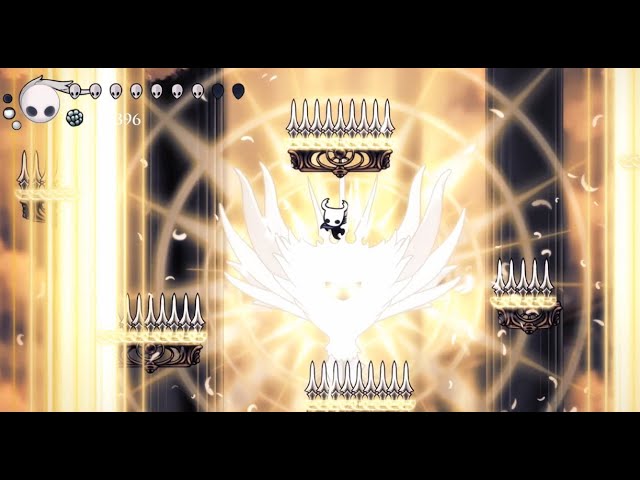
A mod by EternalAlexander.
Another Radiance mod! It's being my current favorite, more difficult than ultimate, less laggy than atomic, and not meme-ish like any.
I'm not pretty sure if you can download this mod in discord, so I may give ya a link in pined comment.
wheat orchid
Idk where link would be
azure stratus
rip it's ok