#archived-modding-help
1 messages · Page 135 of 1
 wheat orchid
Ok
 past swallow
idk how to fix it
 hoary bear
srry i was playing hk didnt see ur message until now, it worked btw
wheat orchid
Is it a part that is unintended or intended
past swallow
Is it a part that is unintended or intended
@wheat orchid very unintended
wheat orchid
What exactly happens
past swallow
the camera teleports to 50 locations, teleports me and makes the game run at 50000000 ping
it happened just today
past swallow
im joking
hoary bear
so, how does it work?
past swallow
i will send a screenshot if i can of the camera being crap
i dont think that is normal
hoary bear
nothing happened
hoary bear
yeah nothing happened when i installed the mod intaller
wheat orchid
@past swallow you probably binded some keys to random debug features
Go to your saves and delete all files with debug.globalsettings in their name
?saves
 proud quailBOT
Saves
Windows File Paths: (Assumes Default Steam Install Path, Adjust accordingly for DRM Free or Non-Standard Steam Path)
Game Files: C:\Program Files (x86)\Steam\steamapps\common\Hollow Knight\```
** **
Mac File Paths:
```Save Files: ~/Library/Application Support/unity.Team Cherry.Hollow Knight/
Game Files: ~/Library/Application Support/Steam/steamapps/common/Hollow Knight/hollow_knight.app/```
** **
Linux File Paths:
```Save Files: ~/.config/unity3d/Team Cherry/Hollow Knight/
Game Files: ~/.local/share/Steam/steamapps/common/Hollow Knight/```
 flat light
how do i download mods ?
 west bane
?i
proud quailBOT
Reminder: The mod installer (https://radiance.host/mods/ModInstaller.exe) and other modding resources can be found from the pinned messages.
 high sandal
how can i add teleports to certain locations with the debug mod?
 crystal bay
bench warp lets you teleport to benches
 willow hazel
weird question but if I were to uninstall hollow knight with modding stuff what would happen
high sandal
it is in the debug mod or is it other?
 real jacinth
The game would be uninstalled
And you can add infinite dream gate locations with debug
And select which to go to
willow hazel
whut happens to the modding stuf
does it just stay there
real jacinth
The installer isn't installed anywhere
willow hazel
wat
real jacinth
But yes, you'd have to run the exe again
willow hazel
soo
basically if i were to uninstall hollow knight, the modding program would go with it?
aka deleting it
real jacinth
No
willow hazel
oh
willow hazel
oHHH
real jacinth
So you run the installer again
willow hazel
so
the mods would be gone, just the not the installer
so i would have to install the mods again?
crystal bay
yes
willow hazel
o k
.-.
ok when i install the modder for windows, my windows security blocks it ;-;
real jacinth
So tell it not to
real jacinth
Yes
real jacinth
Yeah, a program written by us is super malicious
willow hazel
e
i think the only reason it does that is because it does not know who the publisher is
 long escarp
where do you do the challenges for different CKs?
real jacinth
on your computer
willow hazel
screwing around with the debug mod, but how do you teleport >->
 sinful thorn
Hey! I'm new to Hollow Knight modding and I was wondering if there was a way for me to be able to play on Godseeker mode without having to play through the whole game again.
wheat orchid
Wdym
west bane
i guess unlocking godseeker without having to go to p3 agin
 fair ibex
i mean you can grab a godseeker save file from speedrunning resources
with everything maxed
sinful thorn
I already beat the game twice on my switch, so I bought it
west bane
there's a 112 save but it will bug out lmao
so i guess launch that save, exit to main menu, or close, then restart and should be able to make a godseeker mode
fair ibex
you can get a godseeker mode save file with all lifeblood from speedrunning resources though
west bane
that works too
 strange blaze
is there a hp bar mod just for bosses? kinda just downloaded the installer and confusion for 10 minutes
wheat orchid
Why not have them for everything?
 stable roost
ok so uhh i know this isn't related to modding but i'm not sure where else to ask this, and i figured some of you may be able to help. my steam overlay isn't working for hk, even tho it works for literally every other game (i wanna use it for screenshots and such)
wheat orchid
It works for me
stable roost
ok but not for me lol
wheat orchid
Brb
stable roost
yes i already googled and apparently no one else is having this issue
strange blaze
Why not have them for everything?
no idea but i still only want it only on bosses lul
stable roost
which is pretty weird
strange blaze
uhm i'm trying to install a mod but it's closing the installer
 limpid parcel
Is there a way to disable the binds for the debug mod cause its really annoying having to reduce my nail damage again and again while im doing stuff in another tab
Ik its something to do with the global settings but how do I get there
Oh wait i can also map it to buttons i never use too
I’ll do that instead
wheat orchid
?saves
proud quailBOT
Saves
Windows File Paths: (Assumes Default Steam Install Path, Adjust accordingly for DRM Free or Non-Standard Steam Path)
Game Files: C:\Program Files (x86)\Steam\steamapps\common\Hollow Knight\```
** **
Mac File Paths:
```Save Files: ~/Library/Application Support/unity.Team Cherry.Hollow Knight/
Game Files: ~/Library/Application Support/Steam/steamapps/common/Hollow Knight/hollow_knight.app/```
** **
Linux File Paths:
```Save Files: ~/.config/unity3d/Team Cherry/Hollow Knight/
Game Files: ~/.local/share/Steam/steamapps/common/Hollow Knight/```
wheat orchid
Debug.globalsettings in your saves
If that doesn’t seem to exist, debug.globalsettings.json
limpid parcel
Mk thx
I just put the button to activate those to one I never use but if I wanna do that I’ll do it
 hollow fossil
may someone walk me through how to install the gun mod
proud quailBOT
Reminder: The mod installer (https://radiance.host/mods/ModInstaller.exe) and other modding resources can be found from the pinned messages.
wheat orchid
Awwww
hollow fossil
?!
hollow fossil
?i
proud quailBOT
Reminder: The mod installer (https://radiance.host/mods/ModInstaller.exe) and other modding resources can be found from the pinned messages.
hollow fossil
whats the mod called
wheat orchid
Is there a button at the bottom of the installer that says enable all installed mods?
 slow mason
There is, actually
wheat orchid
If it’s there, click it
slow mason
You click "Change back to Unmodded" and then the button changes to "Enable all installed mods"
wheat orchid
Np
slow mason
In other news, I have enabled Rando 3, and all the mods it comes with, and uh
The mod folder in my files says they're there
But Hollow Knight isn't registering that they are
wheat orchid
Is any text appearing at the top left?
hollow fossil
which button is the gun
wheat orchid
To swap it’s either focus or quick cast
slow mason
Ah, the magic button makes the sword button into the gun button
hollow fossil
thanks!
slow mason
C o o l
hollow fossil
that other mods would you reccomend for a crazy modded playthrough
wheat orchid
Play Uuwuu
west bane
easy mode
hollow fossil
what is Uuwuu
west bane
?mods
proud quailBOT
Mods
Google Drive with Mods - https://drive.google.com/drive/folders/0B_b9PFqx_PR9Um9MeFZMV21oWGs
Installer - https://radiance.host/mods/ModInstaller.exe
Mod Summaries - https://docs.google.com/document/d/1cz5tcggpGofrBcM90XyTkMWjMelDHzugvQM6HpB13Ew
wheat orchid
Wdym?
slow mason
Is any text appearing at the top left?
@wheat orchid This
Where is it supposed to appear?
wheat orchid
Umm
west bane
title screen
wheat orchid
That’s this supposed to mean?
slow mason
I don't know, you brought up the text thing
But no, there isn't any
Like, I have some mods installed that would appear on the Mods section in options but they're not appearing
hollow fossil
any reccomended hollow knight skins
slow mason
And when you start a new game with Randomizer enabled, it's supposed to bring up a menu where you input randomizer settings
I have Randomizer enabled
wheat orchid
Screenshot the main menu?
wheat orchid
That’s nice
slow mason
All right, re-installed my mods, let's try this again
wheat orchid
But did you click the button at the bottom of the installer?
slow mason
Wait what?
wheat orchid
On the mod installer click enable all installed mods
Because you would have at least some text at the top left if the modding api was installed
hollow fossil
im having a weird issue
i think it might be with the skins?
the knight isnt showing up
the screen is just shaking
i added custom knight
wheat orchid
Screenshot pause menu or main menu
slow mason
Issue is, only way to access that particular button is to "revert to unmodded" but the installer won't let me
wheat orchid
Ok
slow mason
I'm just gonna restart my computer, see if that helps
slow mason
The saves load
slow mason
But, the thing is that the mods were working earlier today
proud quailBOT
Saves
Windows File Paths: (Assumes Default Steam Install Path, Adjust accordingly for DRM Free or Non-Standard Steam Path)
Game Files: C:\Program Files (x86)\Steam\steamapps\common\Hollow Knight\```
** **
Mac File Paths:
```Save Files: ~/Library/Application Support/unity.Team Cherry.Hollow Knight/
Game Files: ~/Library/Application Support/Steam/steamapps/common/Hollow Knight/hollow_knight.app/```
** **
Linux File Paths:
```Save Files: ~/.config/unity3d/Team Cherry/Hollow Knight/
Game Files: ~/.local/share/Steam/steamapps/common/Hollow Knight/```
wheat orchid
Then delete all files that have api.globalsettings in their name
slow mason
I was playing Redwing a few hours ago, and then I disabled it to try to run a randomizer
hollow fossil
want palleteswapper
slow mason
I did that already, is the issue.
wheat orchid
Idk
slow mason
I did that back when the saves didn't wanna work
hollow fossil
okay so
i dont know if theres a cutscene issue
but when i start the game
ims tuck on this
im stuck*
idk what ic an do
wheat orchid
What mods do you have installed?
wheat orchid
Which randomizer?
hollow fossil
3
wheat orchid
Did you have the dependencies for it?
hollow fossil
wdym
slow mason
Did a menu show up with Randomizer settings when you started the save?
hollow fossil
yes
slow mason
Okay, so it is me
hollow fossil
my computer 100% could run it
idk
i disabled a lot of mods
it was still broken
slow mason
Hmm... All right, restarted the computer, let's see if Hollow Knight will process my mods
 outer kiln
I am having trouble getting hollow twitch working
I have the mod installed and I got the token and pasted it in the twitchglobal but commands wont work
wheat orchid
is there any parts that say null?
hollow fossil
it says qol failed to load
outer kiln
I changed all the null boxes to my user
outer kiln
banned user doesnt say null
wheat orchid
Ok
outer kiln
do I need that in the token and user?
wheat orchid
No
outer kiln
ok
wheat orchid
Only to the stuff that was null
Or sounds like it could contain multiple things
@hollow fossil get the mod called vasi
outer kiln
oh so on my user and channel i put [] around it instead of ""
hollow fossil
@wheat orchid now it is giving me an error message
outer kiln
yeah so hollowtwitch wont work
hollow fossil
i think we are having the same issues jaybee
well no
but kinda
hollowpoinjt fucks up stuff
outer kiln
we aren't
@wheat orchid I have done everything you told me but am still having issues
am I supposed to put my user and channel in the user and channel sections?
 versed remnant
With?
Do you have a picture of what it looks like
The readme is prob a good starting point
slow mason
Wait, I have moddingapi... Oh, it's moddingapi.globalsettings
wheat orchid
Gid for the last time, my fork of multiplayer isn’t updated from the original yet
I have the files on a different pc
You need a c# ide for that such as visual studio
Plus when I update mine, I’ll give you the dll
slow mason
Do you have to delete modding api from the saves?
versed remnant
Maybe don't share your token btw
wheat orchid
Yea
outer kiln
uh
wheat orchid
You did
versed remnant
It would let anyone stream to your twitch channel
outer kiln
yeah I realized that
versed remnant
Generally speaking any token you don't want to share
slow mason
Hey, so, I was told to delete files with "api.globalsettings" in them. Does this include "moddingapi.globalsettings" files?
From the saves, I mean
slow mason
Okay, with those gone, let's see if it'll FINALLY fuckin work.
wheat orchid
You should probably fill out username and channel
outer kiln
do I keep the []?
hollow fossil
do charms affect the gun
wheat orchid
@hollow fossil yes
outer kiln
That what I had at the beginning lol
wheat orchid
Look at fotf
wheat orchid
You really need to look at fotf though, a lot of people get confused at why strange stuff happens when it’s equipped
slow mason
F u c k
wheat orchid
Also look at the charm descriptions
hollow fossil
whats fotf
outer kiln
ok so anything else?
wheat orchid
Fury of the fallen
slow mason
Wait... I started Hollow Knight, and a new "moddingapi.globalsettings" file appeared
I don't...
slow mason
Nope!
I'm just gonna delete ALL the mod-related files from my saves
And start the hell over
 tranquil lagoon
Yo, how do you open the modding api after installing it for the first time?
wheat orchid
Open hk
tranquil lagoon
I mean like the menu that you add mods from
outer kiln
I am having an issue where whenever I exit from the game to the menu the game crashes and I need to restart my pc in order to open hk again
I think it has something to do with my mods
wheat orchid
Probably
outer kiln
anyone know how i can fix?
slow mason
And now Hollow Knight just won't start
Uninstalled it
Steam won't let me reinstall
Fuckin hell...
Finally
Time to wait an hour
real jacinth
Turn off the controller beta input option in settings
That's causing your quit crash
wheat orchid
Global settings
outer kiln
do I keep the []? do I add ""?
outer kiln
ok
wheat orchid
Maybe do “” inside it
outer kiln
alright ill try it
wheat orchid
Then put the command inside those
outer kiln
one specific person keeps softlocking me and preventing me from fighting bosses
 west ledge
does anyone know how to download the mod installer?
wheat orchid
Are you on windows?
west ledge
yes
wheat orchid
?i
proud quailBOT
Reminder: The mod installer (https://radiance.host/mods/ModInstaller.exe) and other modding resources can be found from the pinned messages.
west ledge
Thanks!
wheat orchid
Np
west ledge
😄
hollow fossil
hi im having a lot of trouble with custom skins
is anyone willing to help me for a bit
wheat orchid
What’s the problem?
hollow fossil
wait nvm
wheat orchid
lol
outer kiln
Turn off the controller beta input option in settings
@real jacinth it wasn't fixed
real jacinth
you have not yet described a problem
help cannot be given when there is no problem presented
 noble flicker
I'm trying to install a item randomizer but it starts installing a few different mods
real jacinth
and why is that a problem
noble flicker
And when ever I play the whole games bugs out
When I heal,it doesn't show any mask coming back,the geo counter is gone,and when I interact with the tablet and bench it's stuck there
 late lynx
hello i am here to ask if anyone knows a simple way to get the mod installer on linux?
 silver yew
bug in debug where no matter what I do I can't cast spells
anyone know the fix?
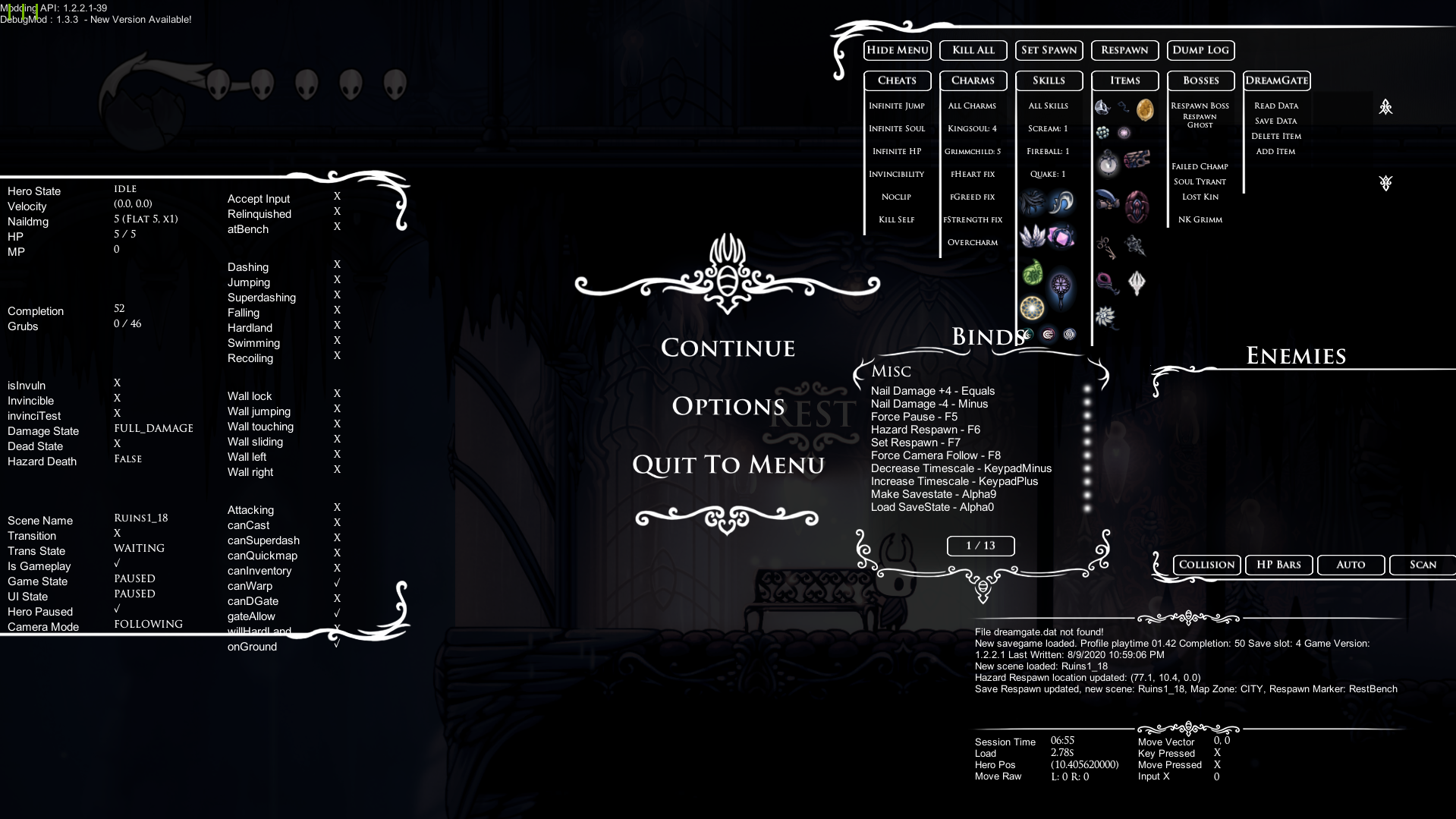
tried restarting the game, reloading the save, different save files, giving and taking away spells. Nothing works. Worth noting that this is on 1.2.2.1 with the 1.3.3 version of debug mod
silver yew
yeah but everyone on 1.2.2.1 uses the 1.3.3 version
real jacinth
then it's totally not you doing something wrong
and totally everyone else
not experiencing the bugs you are
with basic functionality
silver yew
so what do you think I should do @real jacinth
silver yew
???
real jacinth
to install correctly
silver yew
Okay. I never assumed it was the mods fault I just started having a problem and I don't want to have the problem because I want to practice
real jacinth
bug in debug where no matter what I do I can't cast spells
silver yew
so what is the more correct way of installing?
real jacinth
i have no idea what your current state is. you've given no info there
silver yew
yes. It is a problem so I said it's a bug. That not make sense?
wheat orchid
Are there modlogs in 1.2.2.1?
silver yew
http://prntscr.com/ty4kuv does this help anything
Idk what a mod log is or where to find it
real jacinth
did you give yourself soul?
silver yew
yeah
I'm gonna try some more stuff and restart my computer hold on
wait
actually I am the stupidest person in the entire world
@real jacinth sorry for waisting your time lmao
I'm braindead after practicing mantis pogo for an hour and a half my bad
real jacinth
and the issue was..... you not having any soul or the spells?
wheat orchid
Guess we’ll never know
real jacinth
pretty hard to cast spells when you don't have them and/or don't have the mp to cast them
lol
silver yew
not having soul
seemed like a yes or no question in my head
again very braindead right now
wheat orchid
lol
 quick yarrow
Hey guys
I just got HK on my pc after 112% on switch and I want to play around with mods how do I install them?
quick yarrow
ok
 novel bronze
novel bronze
novel bronze
there is a mod in the modinstaller called custom knight
quick yarrow
i got that
novel bronze
here is a video by fireb0rn explains it

A guide that explains how to install the CustomKnight mod and add your very own custom sprites to the game!
ModInstaller: https://radiance.host/mods/ModInstaller.exe
CustomKnight Skins: https://drive.google.com/open?id=1VlXmvI6KT2vzsGItY2w3rHjeCFx8DN0n
CustomKnight Skins (Th...
quick yarrow
ok
novel bronze
bye now
 novel kernel
 proud quailBOT
Reminder: The mod installer (https://radiance.host/mods/ModInstaller.exe) and other modding resources can be found from the pinned messages.
proud quailBOT
Mods
Google Drive with Mods - https://drive.google.com/drive/folders/0B_b9PFqx_PR9Um9MeFZMV21oWGs
Installer - https://radiance.host/mods/ModInstaller.exe
Mod Summaries - https://docs.google.com/document/d/1cz5tcggpGofrBcM90XyTkMWjMelDHzugvQM6HpB13Ew
 void dove
why
west bane
Buy the game
 real topaz
How do i find the port for the multiplater mod?
real topaz
Nm
 sleek tiger
use the installer?
 fickle wyvern
Has anybody played blackmoth recently? I've been trying to unlock the upgraded crystal heart and had just beaten NKG. What do I have to do now to upgrade it?
novel bronze
Hi can somebody please help. The modder won't install it says that it could not extract "T" from the Unarchiver. I'm on Mac.
 upbeat dagger
Can somebody help me get the mod installer back open?
When I open ModInstaller.exe it gets an unhandled exception
nvm
 vernal gorge
lads i do be havin a slight problem
i had to disable custom knight because suddenly all my save files were blank
i tried reinstalling the game and the mod installer but the problem persists even though it was fine before(?)
 tacit ember
 slim kayak
I'm having a problem playing certain mods, if i download and enable blackmoth and/or redwing, i can start up the game, but get stuck in a certain screen, and it wont do anything after that, i cant open the menu or anything, my health, coins and soul also dont show up, no matter how long i wait, is there something else i also have to have enabled to play? or is this some other problem? i can send the screen im suck on as well
this is the sceen, although the animations do work
 winged flare
Hello, trying to downgrade for the first time, but I'd like to keep a copy of CP because I haven't beaten P5 yet. I've followed the instructions on the most recent guide on speedrun.com, but when I try to open my 1.2.2.1 copy of the game from Steam it just opens my CP version. Anything simple I might have missed?
Edit: Woops, completely missed the step to add the steam_appid.txt file. Thought I had done it, but that was on my practice folder. Disregard!
real jacinth
You're probably missing QoL or a mod dependency, jace
slim kayak
i have QoL installed, and the readme of the mod doesnt say any other neccecary mods
real jacinth
Seanprcore, mod common, and you need vasi for qol
 pale talon
Is there any mod that let's me rebuild all objects from the background OR respawn at different locations?
I'm trying to see how little you need to jump to beat hollow knight and many jumps require to be very precise, but re trying each jump takes 30 seconds. With said option it'd be much faster.
Does such a mod exist for PC?
wheat orchid
Benchwarp or debug are good
pale talon
And how do I install mods? I'm not that much of a Modder._.
wheat orchid
Are you on windows?
pale talon
Yes
wheat orchid
?i
proud quailBOT
Reminder: The mod installer (https://radiance.host/mods/ModInstaller.exe) and other modding resources can be found from the pinned messages.
wheat orchid
There
pale talon
Thanks!
wheat orchid
Np
pale talon
Someone is a great person 
wheat orchid
Make sure to also download modcommon seanprcore and Vasi
pale talon
What are those for? 🤔
pale talon
when the mod instalation program asks me for what the Hollow Knight installation path do I need to direct it to my saves or somewhere else?
wheat orchid
?saves
proud quailBOT
Saves
Windows File Paths: (Assumes Default Steam Install Path, Adjust accordingly for DRM Free or Non-Standard Steam Path)
Game Files: C:\Program Files (x86)\Steam\steamapps\common\Hollow Knight\```
** **
Mac File Paths:
```Save Files: ~/Library/Application Support/unity.Team Cherry.Hollow Knight/
Game Files: ~/Library/Application Support/Steam/steamapps/common/Hollow Knight/hollow_knight.app/```
** **
Linux File Paths:
```Save Files: ~/.config/unity3d/Team Cherry/Hollow Knight/
Game Files: ~/.local/share/Steam/steamapps/common/Hollow Knight/```
wheat orchid
Go to your game files path
 vague ledge
?plando
wheat orchid
No u
vague ledge
?plandos
pale talon
game files path, ok, thanks!
 drifting swan
how to i use mods? =/
vague ledge
?i
proud quailBOT
Reminder: The mod installer (https://radiance.host/mods/ModInstaller.exe) and other modding resources can be found from the pinned messages.
wheat orchid
Are you on windows?
drifting swan
ye
wheat orchid
Use that link then
wheat orchid
@pale talon good luck on your jumping challenge
drifting swan
where i put
proud quailBOT
Saves
Windows File Paths: (Assumes Default Steam Install Path, Adjust accordingly for DRM Free or Non-Standard Steam Path)
Game Files: C:\Program Files (x86)\Steam\steamapps\common\Hollow Knight\```
** **
Mac File Paths:
```Save Files: ~/Library/Application Support/unity.Team Cherry.Hollow Knight/
Game Files: ~/Library/Application Support/Steam/steamapps/common/Hollow Knight/hollow_knight.app/```
** **
Linux File Paths:
```Save Files: ~/.config/unity3d/Team Cherry/Hollow Knight/
Game Files: ~/.local/share/Steam/steamapps/common/Hollow Knight/```
drifting swan
ah k
pale talon
someone i already have the run, but now that im recording im finding more skips ._.
but they're harder to d
wheat orchid
Oh ok
real jacinth
Just move the installer exe to your desktop and run it
Then answer the pop-up questions it asks
If you installed your game on D or C drive
pale talon
at first the run required a total of 263 jumps, but I have already shaved 2 in the first section bc im blind in 1 part and bc I am bad in another
wheat orchid
Yes
wheat orchid
It’s what you downloaded, or is it not?
drifting swan
wait
real jacinth
?i
proud quailBOT
Reminder: The mod installer (https://radiance.host/mods/ModInstaller.exe) and other modding resources can be found from the pinned messages.
pale talon
after downloading the mods I simply run the game and the mods should be enabled, right?
wheat orchid
Yee
real jacinth
Where did you buy the game from dark fire
vague ledge
run it as administrator
vague ledge
Run it as administrator
real jacinth
Yeah, you answered the popups wrong
Please don't guess with advice msp
That ain't it
vague ledge
Thats how it worked for me
real jacinth
Reset your installer darkfire
vague ledge
I ran modinstaller as administrator and it fixed my problem
real jacinth
Following pinned instructions
wheat orchid
drifting swan
oka wait
real jacinth
And read what the popups say. Don't just answer yes
pale talon
Someone I have installed the mods and im trying to understand what to do to respawn the broken objects, but idk where to press ._.
or anyone with mod knowledge
wheat orchid
Oh, idk how to do that. Maybe qol
pale talon
what does qol mean?
wheat orchid
Idk if qol will do what you want, but it does other helpful stuff
 manic jetty
im unsure what vasi is but i have it on all the time
pale talon
is there any form of guide on the mods or is it just do what you want and learn on the way?
wheat orchid
?mods
proud quailBOT
Mods
Google Drive with Mods - https://drive.google.com/drive/folders/0B_b9PFqx_PR9Um9MeFZMV21oWGs
Installer - https://radiance.host/mods/ModInstaller.exe
Mod Summaries - https://docs.google.com/document/d/1cz5tcggpGofrBcM90XyTkMWjMelDHzugvQM6HpB13Ew
manic jetty
thanks
wheat orchid
Np
real jacinth
Can't you just leave the room and come back to respawn background shit
And you might want save states. Which is on the speedrunner debug version
Which is pinned in #resources
 novel bronze
Hi can somebody please help. The modder won't install it says that it could not extract "T" from the Unarchiver. I'm on Mac.
 gusty abyss
I’m trying to install bench warp mod in 1221 and i don’t know how
wheat orchid
Idk if there is a 1.2.2.1 version
 rocky pulsar
does anyone know why geos become invisible when i use a customknight mod?
or is it my side thats the problem?
novel bronze
any mod can stop of using the shade soul?
like
the animation still goes on
but nothing leaves of knight's body
this started to happen after i downloaded some modded boss
this happen just with the shade soul
the others i can use
i think its bindings
but i'm not sure
how is the mod with the bindings called?
@novel bronze bindings?
any mod can stop of using the shade soul?
i fixed
what the mod modcommon do?
A hollow knight mod that provides an API of helpers and other utilities for modding hollow knight.
i uninstalled this mod and the shade soul started to work again
@novel bronze the one where you can practice with bindings and i found it now, but thanks anyways
@novel bronze Oh...Ok good game!
 river ocean
Whenever I use mods for Hollow Knight, my saves do not load. I tried validifying the integrity of Hollow Knight but the mods got uninstalled when I did that. I've tried everything, but nothing seems to let me use the mods.
proud quailBOT
Saves
Windows File Paths: (Assumes Default Steam Install Path, Adjust accordingly for DRM Free or Non-Standard Steam Path)
Game Files: C:\Program Files (x86)\Steam\steamapps\common\Hollow Knight\```
** **
Mac File Paths:
```Save Files: ~/Library/Application Support/unity.Team Cherry.Hollow Knight/
Game Files: ~/Library/Application Support/Steam/steamapps/common/Hollow Knight/hollow_knight.app/```
** **
Linux File Paths:
```Save Files: ~/.config/unity3d/Team Cherry/Hollow Knight/
Game Files: ~/.local/share/Steam/steamapps/common/Hollow Knight/```
river ocean
Thanks for the help!
wheat orchid
Np
 vital moth
don't know if this is supposed to go here, but i'm doing redwing and blackmoth, and i'm confused if i'm supposed to have infinite soul. seems op
vital moth
is it from redwing or blackmoth?
wheat orchid
Red
vital moth
yeah, there's no reason to dash attack now
 wind glacier
I used Debug mode ans i set my damage to 0
And
My damage is 8 but it should be 9
Because i upgraded my nail to Sharpened Nail
Wth i gonna do?
fickle wyvern
I'm currently doing a blackmoth run and have just beaten NKG. Does anybody know how do I now upgrade my super dash?
wheat orchid
@fickle wyvern you don’t upgrade the super dash
@wind glacier lower your nail damage to 0 then raise it to what it should be
fickle wyvern
In the readme file it said that you can super dash in mid-air and change directions after beating him.
fickle wyvern
No, I've beaten him regularly, went for the ritual route. I'll try it in godhome.
nope.
fickle wyvern
yeah.
 shadow mica
This has probably been asked a bunch, but does anyone know what's going on with the mod installer? The download page just says "Don't download this" and I was gonna get back into randomizers.
wheat orchid
?i
proud quailBOT
Reminder: The mod installer (https://radiance.host/mods/ModInstaller.exe) and other modding resources can be found from the pinned messages.
wheat orchid
Are you on windows?
shadow mica
Yeah. Looking at the ModDB page.
shadow mica
Ah. I assume use the bot link?
wheat orchid
Yes
shadow mica
Thanks!
wheat orchid
Np
river ocean
For some reason, the mods I have downloaded don't work. When I go ingame and check Options, there's a Mods section but it is empty.
It keeps on telling me to verify the integrity of game files, but I've done that multiple times and it hasn't worked.
river ocean
I have mods that can be enabled/disabled without restarting.
They used to work, but suddenly after I've fixed a loading issue they don't.
wheat orchid
Look at the top left of the main menu or pause menu
river ocean
I've reinstalled ModInstaller but it won't work.
wheat orchid
Mod installer won’t work?
river ocean
It will run and function as normal, as far as I can see.
There is nothing at the top left of the pause menu.
wheat orchid
Or title screen?
river ocean
Nor the title screen.
river ocean
But it said it was successfully installed?
wheat orchid
There is still a mods section in options though?
river ocean
Yes. There is.
wheat orchid
Hmmm
river ocean
That might be because ModInstaller was working previous, though.
proud quailBOT
Saves
Windows File Paths: (Assumes Default Steam Install Path, Adjust accordingly for DRM Free or Non-Standard Steam Path)
Game Files: C:\Program Files (x86)\Steam\steamapps\common\Hollow Knight\```
** **
Mac File Paths:
```Save Files: ~/Library/Application Support/unity.Team Cherry.Hollow Knight/
Game Files: ~/Library/Application Support/Steam/steamapps/common/Hollow Knight/hollow_knight.app/```
** **
Linux File Paths:
```Save Files: ~/.config/unity3d/Team Cherry/Hollow Knight/
Game Files: ~/.local/share/Steam/steamapps/common/Hollow Knight/```
wheat orchid
Try going to your saves and deleting anything with api.globalsettings in Its name
river ocean
Just api.globalsettings, not all .globalsettings?
wheat orchid
Just those
river ocean
Done.
wheat orchid
Now open the game
river ocean
1 file failed to verify and will be reacquired.
west bane
reset the installer
west bane
how-to in the pins
river ocean
Okay. I've reset it and opened it.
west bane
did it install the moddingapi
river ocean
Yes.
river ocean
I just finished getting all the mods I had back, and reopened the game.
west bane
they should appear in the top left now, they should have before as well but 
river ocean
For some reason, the mods are not there.
west bane
can you screenshot the installer
river ocean
I mean, the mods are in the installer and "installed", but they are not in the game.
west bane
screenshotto
river ocean
my screenshot function seems to be broken
i dont know how
i think i broke my windows key
wheat orchid
Prtsc then press ctrl + v here
west bane
and now screenshot the title screen
river ocean
west bane
is your default install path set to your hk folder
and can i see your hk folder
https://puu.sh/Ghh0C/e663de0f27.png should have this kind of heirarchy

 river ocean
It's sent to my Hollow Knight folder, not the Managed one. For some reason it wouldn't let me set the Managed folder as my path destination nor the Mods folder.
west bane
yeah it wont let you
itll read the hollow knight folder itself
ok last resort manual installation time
?mods
proud quailBOT
Mods
Google Drive with Mods - https://drive.google.com/drive/folders/0B_b9PFqx_PR9Um9MeFZMV21oWGs
Installer - https://radiance.host/mods/ModInstaller.exe
Mod Summaries - https://docs.google.com/document/d/1cz5tcggpGofrBcM90XyTkMWjMelDHzugvQM6HpB13Ew
west bane
go to the google drive
river ocean
I don't think so.
west bane
yeet any past pirated versions as well, if you have them
 gleaming grove
My Modinstaller keeps "quitting unexpectedly" after i start it
west bane
wen did you get your installer
west bane
what OS
gleaming grove
The one posted in pinned by Homothety
west bane
mac / windows?
wheat orchid
What operating system are you on?
west bane
@river ocean go to the google drive link, type in "modding api" and grab that
 lilac flax
So I recently installed the mod installer and skins for CustomKnight and I followed all the steps right but when I click on the skin I want to change to in-game nothing happens???
lilac flax
Oh I dont think I have Modcommon enabled
wheat orchid
Get it
And seanprcore
And Vasi
And weavercore if it were used by more than 1 mod and didn’t break some other mods
river ocean
I'm probably being an idiot but i dont see "modding api"
wheat orchid
In the google drive?
river ocean
no
west bane
did you type it in
river ocean
i searched in drive and didnt see it
wheat orchid
That’s probably searching your drive
wheat orchid
It’s not there
wheat orchid
It’s one of the last folders in the drive
river ocean
OH
wheat orchid
?
river ocean
i found it
wheat orchid
yay
wheat orchid
Replace the assembly-Csharp.dll file in your managed folder with the one there
After you extract the .zip
lilac flax
Instructions unclear, started game and immediately caught on fire(lol jk it’s redwing mod I think, thanks for the help! @wheat orchid )
river ocean
done
wheat orchid
Start the game
river ocean
nothing in the top left
wheat orchid
Awwwwwww
river ocean
river ocean
2 installs of Hollow Knight?
wheat orchid
Ye
real jacinth
yes
river ocean
how
wheat orchid
Do you use steam?
river ocean
yes
real jacinth
did you do the install process more than once
river ocean
i dont think so
wheat orchid
Can you check for anything on D: ?
river ocean
to be honest im not even sure how to use D:
river ocean
"D:\ is unavailable. If the location is on this PC, make sure the device or drive is connected or the disc is inserted, and then try again. If the location still can't be found, it might have been moved or deleted."
wheat orchid
Maybe you have multiple on the same drive
river ocean
should i uninstall and reinstall hollow knight?
wheat orchid
Idk
river ocean
i dont really mind losing my save
wheat orchid
Check where you installed it
real jacinth
saves aren't stored in the game spot anyways
wheat orchid
It shouldn’t loose the save
real jacinth
right click the game in steam and browse to game location
wheat orchid
Right click > properties > local files > browse
river ocean
I only see one Hollow Knight in common
wheat orchid
Steam might have it somewhere else
river ocean
i could search PC for 10 minutes in order to find it
river ocean
i did the right click way
wheat orchid
Hmmm
real jacinth
and is that the same spot you just copied the api file to?
wheat orchid
Didn’t you say you still have mods in the options menu?
real jacinth
and also silly question.... you're doing this all with the game closed yeah?
wheat orchid
Would be funny if they did it with the game open
river ocean
yes the game is closed
wheat orchid
Wait
river ocean
and is that the same spot you just copied the api file to?
@real jacinth looks like it is
wheat orchid
Is there a mods folder in the managed folder?
river ocean
yes
river ocean
i can load saves
you helped me with that earlier
the mods section is still in the options menu
but the mods section is empty
wheat orchid
What is wrong with the api
river ocean
unsure
real jacinth
well they also picked up the universal one, which I don't think is used anymore
wheat orchid
It isn’t?
real jacinth
?mods
proud quailBOT
Mods
Google Drive with Mods - https://drive.google.com/drive/folders/0B_b9PFqx_PR9Um9MeFZMV21oWGs
Installer - https://radiance.host/mods/ModInstaller.exe
Mod Summaries - https://docs.google.com/document/d/1cz5tcggpGofrBcM90XyTkMWjMelDHzugvQM6HpB13Ew
river ocean
it wasnt in Outdated
wheat orchid
I wonder why it’s doing this
river ocean
maybe my mods aren't in the right spot?
wheat orchid
That’s not the problem
real jacinth
show your mods folder
wheat orchid
The api would appear
river ocean
river ocean
river ocean
yes
wheat orchid
Also why is non mod stuff in there?
river ocean
theres non mod stuff in there?
wheat orchid
Like mono.csharp.dll
wheat orchid
I wanna know why.dll you have all this
wheat orchid
lol
river ocean
oof ok
wheat orchid
At least disable them
wheat orchid
How did other stuff like why.dll and mono.csharp.dll get there though?
wheat orchid
What file?
river ocean
i thought it was just some big brain coding stuff
wheat orchid
Probably still is
river ocean
Mods, i think
wheat orchid
What file did you open though? Do you mean mod installer?
wheat orchid
Do you mean the mods folder?
river ocean
yes
wheat orchid
That’s a folder
wheat orchid
How many???
wheat orchid
Yea
river ocean
ill just delete ones i havent used yet
wheat orchid
Also, how did the mono stuff appear??
wheat orchid
What is wrong with it??????????
wheat orchid
Maybe the modlog can help?
river ocean
then when i tried to reopen the ModInstaller it ran into some "unexpected issue" or something
yesterday morning the save files didnt load, but then earlier today you helped me out and i fixed that issue. the mods still worked then.
reinstalled ModInstaller
then it worked again
yes
wait
no i uninstalled ModInstaller
then I installed it again
wheat orchid
Well, that’s probably your problem
When we asked if you reset the installer with the stuff in the pins, you said yes
river ocean
ok
wheat orchid
Also it’s probably not
river ocean
idk
river ocean
everything from the mod folder?
wheat orchid
Yeah
river ocean
how
river ocean
only modcommon?
wheat orchid
Yes
river ocean
wheat orchid
Remove a mod until it works
wheat orchid
Repeat until it work
wheat orchid
Yay
river ocean
adding darkness back
wheat orchid
Try adding seanprcore
river ocean
just to see if its only benchwarp
any idea why its acting this way?
i just want to know so i can avoid further issues like this
wheat orchid
Try doing the same combo but with seanprcore
real jacinth
pretty sure benchwarp requires QoL and vasi
wheat orchid
Add seanprcore
river ocean
maybe some mods arent compatible?