#archived-modding-help
1 messages · Page 90 of 1
 versed needle
 unborn veldt
a) I'm trying to use the debug menu using my mouse
b) I'm using a 360 controller which should work natively with windows
Oh
I'm the other guy
Oops
versed needle
These things happen
 glass leaf
@versed needle yes, i´m one 100% sure
 real jacinth
holy shit 100%
versed needle
Try turning native controller support to whatever it isn't right now
glass leaf
what?
glass leaf
one of the joystick changes the funcion
versed needle
Now it's my turn to be confused
glass leaf
go ahead
versed needle
That means I didn't understand your sentence
glass leaf
it does change something
versed needle
In what way?
glass leaf
in the joystick way
glass leaf
the function
 upbeat sail
GrammaticallyOffensive and Sean, this is also an issue i've had
regarding some parts of the debug menu not working, clicks are unresponsive
at times they do, but they mostly dont
to work around it i binded the keys that i needed that didnt work, so its not too bad of a problem
still annoying
 elfin jasper
I can't believe seanpr would ruin mouse support
versed needle
I literally haven't touched the mod in like 2.5 years
If anyone ruined it it's yusuf
 daring peak
freaking yusuf
 serene lake
getting this while trying to install poorly translated mod
 crystal bay
yea I think the translation mod hasn't been added to the modinstaller correctly
you should be able to just get the mod from the gdrive and add it manually
 glass meteor
I touched it like once just to swap to hm
 ocean raven
Trying to install the randomizer mod (Seanpr's randomizer). Having problems. When I drag and drop it, then launch the game, it says the mod failed to load and to check a log, but there is no long, and I don't know how to get it to load.
Also, Kerr1291's enemy randomizer has a 'scenes' folder, where does that go?
nvm, I'm a stupid idiot who needs to pay attention to the fact that there are core mod files on the google drive
But I still have questions where the 'scenes' folder goes
ocean raven
I got it all installed, but HK crashed and now shops and items are no longer randomized, and the room textures are all messed up
 graceful elm
at Sean: you have the patience of a saint.
@glass leaf
I play HK with a ps1 controller, and have used 2 different universal ps1/2 to USB adapters, and both work with joy2key.
I recommend leaving the game's standard control settings alone and in joy2key, map your ps2 buttons to the keyboard bindings. ie keyboard Z (jump) = ps2 X, etc. (the ps2 buttons will be named something different in the joy2key window).
The second adapter I used disabled native support, so I had to bind L2 and R2 to '[' and ']', which scrolls the inventory screens.
If you try all that and still struggle, I can give you my config file for joy2key.
 tough fiber
Is it possible to install mods on Mac?
 tawny carbon
yes
 covert oasis
📌
tough fiber
Okay haha thanks
tawny carbon
?i
 proud quailBOT
Reminder: The mod installer (https://radiance.host/mods/ModInstaller.exe) and other modding resources can be found from the pinned messages.
tawny carbon
wait fuck
covert oasis
😩
glass leaf
@graceful elm dude, thank you for the hint but i already fix my controller, BTW thanks!!!
 winter lagoon
I can't change my knight sprite with the mod... I swapped out the original sprites with the new ones but it stays with the default ones, even I changed the sprite folder... Uh... Am I missing something?
tawny carbon
can you screenshot your custom knight folder?
winter lagoon
There
This is the sprites I want, but it still uses the original ones
Confusion 100
real jacinth
yes. the mod only runs if all PNGs are present, even if vanilla PNGs
you're missing the last one
winter lagoon
Okay then
That makes sense
Surprised it used the default ones I removed though... How?
winter lagoon
I mean the original sprites
I removed them from this folder
Yet they still show up
just curious as to how the game uses files that aren't there
real jacinth
because the base game has them
how else would the game run
we don't put all sprite sheets in that folder for normal play
winter lagoon
Aha... Sorry I'm a noob at this lol
tawny carbon
yeah basically what mick said
winter lagoon
but thank you, it's working now 😄
real jacinth
the mod first checks for the presence of all those sprite sheets first, if they're not all there, the mod just doesn't run and runs the base game
winter lagoon
I see
That's good to know in case this happens again with some other mod
Thank you
 woven grotto
I see we can remove the vignette with the debugmod, but after every load it comes back. Is there a way to remove it permanently?
real jacinth
Get rid of the mod
Or you're saying the UI
Make a new mod
That deletes it every load
woven grotto
Hmm
Yes, after each screen transition you have to hit the hotkey to remove it again
 worn marlin
Hey hopefully this is the right place, I installed the randomizer as instructed and turned on enemy randomizer it says moding api and does have enemy randomizer stated in game in the left top corner but all the enemys are exactly the same Ive been through most of the forgotten crossroads. So I completly uninstalled everything and tried again and its still the same, can anyone help me out?
 keen trout
you have to click the [LOAD ENEMY RANDOMIZER] button on the title screen
worn marlin
I had to quite and reopen the game like 4 times but the button finally showed hopefully this works thank you for your quick responce
it seems to have worked but at the very first boss room it locked me out instead of in so I can't continue to the shamen >.< lol this game does not want me to mod! I'll keep playing with it ^.^
 dense pine
Just use noclip in case you're stuck.
worn marlin
I'm. Going to sound dumb what is that...
tawny carbon
cheat
 sleek tiger
that lets you pass through walls n stuff
 narrow pollen
How do i use customknight to change the knight's cloak color?
real jacinth
Put Sprite sheets with changed cloak colors in the spot the mod wants them
real jacinth
Install them
tawny carbon
color range
narrow pollen
that does not help at all
worn marlin
The read me files are not working for me is there a list somewhere of what all the mods do? some are self explanatory but others not so much...
glass meteor
?mods
proud quailBOT
Mods
Google Drive with Mods - https://drive.google.com/drive/folders/0B_b9PFqx_PR9Um9MeFZMV21oWGs
Installer - https://radiance.host/mods/ModInstaller.exe
Mod Summaries - https://docs.google.com/document/d/1gqAd1y3xbNnNY2XWUZ7j6n1LX8FNdMj2zeoclSOTLyM
glass meteor
summaries
ocean raven
Whenever I exit the game after item and enemy randomizer is installed, when I restart, all the shops are reset to normal and the level is all messed up, a lot of things in the foreground that shouldn't be there
tawny carbon
enemy rando is known to be fucked
 tawny carbon
np


 drifting talon
how do i back up my saves so that i can recover them if a mod breaks them
versed needle
ctrl c ctrl v
drifting talon
which files are the saves
versed needle
?saves
proud quailBOT
Saves
Windows File Paths: (Assumes Default Steam Install Path, Adjust accordingly for DRM Free or Non-Standard Steam Path)
Game Files: C:\Program Files (x86)\Steam\steamapps\common\Hollow Knight\```
** **
Mac File Paths:
```Save Files: ~/Library/Application Support/unity.Team Cherry.Hollow Knight/
Game Files: ~/Library/Application Support/Steam/steamapps/common/Hollow Knight/hollow_knight.app/```
** **
Linux File Paths:
```Save Files: ~/.config/unity3d/Team Cherry/Hollow Knight/
Game Files: ~/.local/share/Steam/steamapps/common/Hollow Knight/```
drifting talon
all of the files in that folder?
versed needle
Just the ones you care about
 novel bronze
how do i revert back
real jacinth
Verify file integrity
novel bronze
ok'
 lilac notch
sorry if this is the wrong place, but i need help launching the mod installer. it won't open when i double click it. all that happens when i double click it is the auto updater (AU.exe) shows up in the folder (Program Files (x86)/Steam/steamapps/common/Hollow Knight) but nothing else happens. do i have it in the wrong folder? Or is something else wrong?
proud quailBOT
Reminder: The mod installer (https://radiance.host/mods/ModInstaller.exe) and other modding resources can be found from the pinned messages.
lilac notch
yeah, i've tried that. should i click "run" instead of "save"?
real jacinth
the old version from a few weeks ago broke the auto updates, so you need to redownload it from here again
lilac notch
ok
in the "Program Files (x86)/Steam/steamapps/common/Hollow Knight" folder?
just making sure
real jacinth
for game location?
lilac notch
yeah, the game app location
real jacinth
is that where your game is?
lilac notch
yeah
real jacinth
then yes
tawny carbon
yeah
lilac notch
hmm, it crashed as soon as the white bar finished loading. why is that?
real jacinth
depends
unplug your controller, launch game, then plug it in
if that doesn't fix it, then you're missing dependencies or installed some wrong mods
lilac notch
ok, that fixed it. thanks, but i have another dumb question...how do i know it's randomized? lol
like where do i find the rando related options/info (like seed numbers and stuff) in game?
is it in the extras menu?
real jacinth
start a new save file
lilac notch
ohhh, i see. thanks
 fierce anchor
 ashen osprey
does anyone know how to get appdata on while im searching for the installation path
 wide rampart
Why modding staff
wide rampart
Modding staff can't mute or ban people. Moderators are the ones with the power
 unique sky
Oh modding staff is game modding
tawny carbon
yes
 winged void
Hey is HK code bad?
glass meteor
yes
tawny carbon
simple @winged void
sleek tiger
?saves
proud quailBOT
Saves
Windows File Paths: (Assumes Default Steam Install Path, Adjust accordingly for DRM Free or Non-Standard Steam Path)
Game Files: C:\Program Files (x86)\Steam\steamapps\common\Hollow Knight\```
** **
Mac File Paths:
```Save Files: ~/Library/Application Support/unity.Team Cherry.Hollow Knight/
Game Files: ~/Library/Application Support/Steam/steamapps/common/Hollow Knight/hollow_knight.app/```
** **
Linux File Paths:
```Save Files: ~/.config/unity3d/Team Cherry/Hollow Knight/
Game Files: ~/.local/share/Steam/steamapps/common/Hollow Knight/```
 bleak roost
why am i pinged here
also this is MODDING help
sleek tiger
user1
 somber arch
so if I change the number, will it change the order?
bleak roost
this is MODDING help
sleek tiger
and then all the user1 to userX
somber arch
ok
sleek tiger
to flip the 2's positions
make sure not to have any 2 files with overlapping names, while you're at it
Albino
tawny carbon
albino
sleek tiger
you said save files can't be renamed
bleak roost
this is MODDING help
sleek tiger
I'm here
to
fuccin
prove you wrong
saves files are here
and named user1/2/3/4
with a bunch of backups in case of corrupted file
bleak roost
well thanks for that its not like i manipulated Oris save files to beat 1 life mode
and its also not like i even knew this existed which i didnt
sleek tiger
you seem mad at me 🤔
bleak roost
still MODDING help
tawny carbon
ok buddy
sleek tiger
bich this ain't modding
bleak roost
then why are we in MODDING help right now
tawny carbon
what the fuck is your problem
bleak roost
listening to the rules whats YOUR problem
tawny carbon
this is the most suitable channel
bleak roost
why not regular help though
tawny carbon
regular help is about game
sleek tiger
because regular help is regarding in-game stuff
this is file manipulation
not modding and not in-game either
I don't see the problem
upbeat sail
people are more knowledgeable regarding files here. help is more in-game
bleak roost
really just mods from what i see though but ok then
sleek tiger
hmm
save reordering = save editing = adding new in-game features through modification
bleak roost
i never messed with HK files so
narrow pollen
The noclip and invincibility buttons in debug won't work.
glass meteor
x
 upbeat pond
So, i've just tried for the umpteenth time to install the mod manager, i download it, click it, and nothing. I've watched tutorials about it and usually when you click it it asks you for your hollow knight directory path.
It doesn't do that.
I've uninstalled and re-installed the game twice now
keen trout
is the Poorly Translated mod just permanently broken
upbeat pond
Should i just install mods manually or what
real jacinth
downloaded it from where
you're probably doing something wrong
but hard to say what. You haven't really described much
upbeat pond
I'm downloading it from radiance, the "official" modding site.
glass meteor
if you rename it to cheese.exe does it work
upbeat pond
Are you being serious or what.
glass meteor
100%
upbeat pond
No, it's not working.
upbeat pond
When i click on it, my computer tries to load something, but then stops.
i've also got these "auto updaters" which dont do anything either.
glass meteor
when did you download the installer
upbeat pond
Like 4 hours ago.
glass meteor
try it in a different folder
 polar bronze
Mantis god don`t work... I downloaded modinstaller and dowloaded this mod... but nothing
dense pine
Where did you fought Mantis Lords?
If you fought them in fungal wastes, they are the normal ones. The mantis gods are only fight able in the godmaster dlc.
tawny carbon
@polar bronze you gotta fight them in godhome
polar bronze
Noo..
tawny carbon
did you unlock sisters of battle yet?
polar bronze
Hmmm
tawny carbon
they are in p5 i guess
tawny carbon
what
polar bronze
Normal*
tawny carbon
what
tawny carbon
try in normal mode
polar bronze
Oh... Okey...
 slow fable
I wanna do a HK randomizer but have no idea how
Im using this https://drive.google.com/drive/folders/0B_b9PFqx_PR9QVZSN29ULU5lQkE
and this
https://scripterswar.com/hollowknight/randomizer
and I have no clue what im doing
Randomizer Helper for the game Hollow Knight.
slow fable
nevermind
tawny carbon
?i
proud quailBOT
Reminder: The mod installer (https://radiance.host/mods/ModInstaller.exe) and other modding resources can be found from the pinned messages.
tawny carbon
@slow fable
tawny carbon
channel for that is modding dev
 fiery umbra
is ModInstaller just broken for anyone else and if so, is there a known fix. Because knowing my piece of shit computer I wouldn't doubt this solely being a "me" problem.
 round wolf
I used the mod installer just yesterday
winged void
Whats the problem?
fiery umbra
I double click it, a small window appears for a couple frames, disappears, and then nothing happens afterwards. When I’m in game it still says “modding API” up in the corner since I did use it for a while before it just gave out on me.
winged void
Reinstall modinstaller
fiery umbra
did that already
as I said, my computer is a piece of shit. Last week it straight up just, deleted the internet. My wifi adapter had been wiped away. So I think this is just something I need to accept as a "fuck you and your old laptop" situation lol.
tawny carbon
?i
proud quailBOT
Reminder: The mod installer (https://radiance.host/mods/ModInstaller.exe) and other modding resources can be found from the pinned messages.
tawny carbon
@fiery umbra downlload from here
 onyx pulsar
i have a problem
everytime i open the modloader it never shows
double click on the modloader
it opens some windows and closes it
and it never shows
real jacinth
?i
proud quailBOT
Reminder: The mod installer (https://radiance.host/mods/ModInstaller.exe) and other modding resources can be found from the pinned messages.
real jacinth
redownload it
elfin jasper
The installer is broken, but 56's fingers are also broken, so no one can fix it right now
onyx pulsar
i only installed the healthbar mod
i desactivate it for the colosseum
now i want to activate it again for the hollow knight boss
and it doesnt want to open
real jacinth
?i
proud quailBOT
Reminder: The mod installer (https://radiance.host/mods/ModInstaller.exe) and other modding resources can be found from the pinned messages.
real jacinth
redownload it
onyx pulsar
dont tell that everytime i want to activate a mod i have to redownload it again and again and again
real jacinth
no
the installer auto updates were broken like 1.5 weeks ago
you need to just update to the new version once
onyx pulsar
so the two installers i had were broken cause of the updates?
real jacinth
why did you have two? and if the one you downloaded was more than 2 weeks ago, then yeah, it's old
onyx pulsar
both are old versions i suppose
the last time ive played this game was
27 oct
the school is killing me
real jacinth
oct 27 is indeed older than 2 weeks
onyx pulsar
its almost a month now
novel bronze
Hi there!
I've seen many people asking this but didn't get the answer I needed. It's about the Grimmchild Upgrades mod. How can I customize him?
I know in the 'AppData.LocalLow...' there's this file where you can change values, but only opacity, color and volume, you can't change damage, fireball size, etc., there are only maximun values, not in game current ones.
I already defeated NKG and my Grimmchild charm reached 3 notches.
What are the values to determine such variables? Or what do I have to do to make Gc stronger?
Also, how does Inifinite Grimm mod affect Gc's power?
Thank you in advance.
 quasi perch
In a randomizer run, should I be worried about Grimm Troupe? Like, could I get locked out of anything depending on what route I pick? If so, which choice would be optimal?
real jacinth
you don't get any items from finishing it, so it doesn't matter
quasi perch
I thought you got a charm from ||banishment||?
real jacinth
no. banishment changes your charm from grimmchild to carefree melody
it's the same charm slot
quasi perch
Ok, cool. Thanks!
narrow pollen
I'm pretty sure this is a modding problem: Everything one shots me. I've heard a mod called "glass soul" does this but no such mod is on mod installer and i use mod installer.
real jacinth
turn off elderbug god
narrow pollen
that mod does that?
narrow pollen
How do i make it so with randomizer rooms don't get merged together? The randomizers i have on are enemy randomizer and randomizer 2.
 trim turret
I cant get custom knight to work I went and tried adding a zip and a non zip version of a downloaded sprite in the folder but it didn't work. Then I noticed there was a zipped version of the custom knight mod that had a file named the same thing so i tried replacing the files there that didn't work either so idk how to get this thing to work. I'm even more confused since I have 2 CustomKnight files with almost the same directories.
a screenshot of the directory
the two files named CustomKnight
the deeper second mods folder only has custom knight
also i did try to uninstall custom knight and i got a error message
trim turret
I managed to uninstall but when i install again it goes in but has a error?
so it seems that when customknight installs it installs the .dll then a zip that contains the mod folder directory and the mod and then another folder named customknight which contains images from the base game
ima jsut try reinstalling the whole mod installer
I think i found the problem
what could possibly be accessing this file?
i tried ending steam as a task but they didnt do a thing
proud quailBOT
real jacinth
The customknight folder with the pngs goes in managed, mods, customknight
The extended directory where it goes managed, mods, customknight again is wrong
Put them in the first one
And there have to be all pngs
Which I believe we're up to... 7 now?
If all aren't present, even if they're vanilla pngs, the mod won't activate
trim turret
yes it says that under the mac section
i read that too
i get this error everytime i install the mod
real jacinth
I don't know what to tell you. Cuz you've probably made a shit soup of your mod folders
trim turret
real jacinth
So I have no idea what state it is currently in to tell you how to fix it
trim turret
all of the mods i have rn
trim turret
it shouldnt be a zip?
real jacinth
No
trim turret
is it suppsoed to auto unzip that?
trim turret
i've installed it and uninstalled the mod and the mod manager a bunch of times
real jacinth
Doesn't matter at this point
Unzip it
Put the pngs in a folder at that location called customknight
real jacinth
So check for the presence of all pngs
trim turret
should i deleted the zipped version of the mod
trim turret
trim turret
well i guess it's 8 then
trim turret
my trash bin is probs full of tons of mod files now
nada
ok it made another file fiddled around and finally it works
real jacinth
K
tawny carbon
proud of you
trim turret
it only took 5 years and the directory duplicating it's self somehow?
 thick cipher
hi i have HK from windows store, does anybody know where i can find the game files to use mods ??
i checked on the pinned messages and theres nothing about it
 stone mist
would anyone have an idea where i would find sprites when the game is on steam?
Not for modding but they told me to go there
 shy stag
does the randomizer move the lantern as well?
 tiny island
winged void
tiny island
winged void
Disable it in-game and then disable from modinstaller 👏
thick cipher
@tawny carbon sorry i missed that im not perfect and by the look not even close as you ...
versed needle
Sugar really is the perfect person
narrow pollen
Does anyone know where i can find the game's sounds? Not music, i mean like actual sounds.
glass meteor
?assets
proud quailBOT
Assets
Assets can be found pinned here - https://discordapp.com/channels/283467363729408000/301227786658381825/425062958058569738
You can get Asset Studio to get assets from the game files here - https://github.com/Perfare/UnityStudio/releases
You can get UABE to directly edit assets here (but using a API mod is better) - https://7daystodie.com/forums/showthread.php?22675-Unity-Assets-Bundle-Extractor
narrow pollen
that doesn't help
glass meteor
hmmmm
I really do wonder
what sounds are
it's almost like they're assets
that you can get
using asset studio
which was in the message
narrow pollen
i have no idea what thing to open with asset studio
narrow pollen
there's more than 100 things that end with .assets
 crystal knot
or you could use omega brain and get the ones already extracted by someone https://www.dropbox.com/sh/faqjj2ekftj1nb4/AADu5kD3mmbAJ-G-J84AmzBra?dl=0
 narrow pollen
oh cool
crystal knot
literally 1 google search 
round wolf
there's more than 100 things that end with .assets pick one, the file you are looking for is bound to be connected by the thousands of references
quasi perch
In Randomizer 3, what does the "cursed" setting do?
glass meteor
level 1 spells and stuff which isn't charms or skills turn into 1 geo
quasi perch
Oh fuck
That sounds awful. Hard pass
What does "1.2.2.1 levers" mean?
Under QoL?
trim turret
what is QoL?
novel bronze
hey fellas, so i literally just installed custom knight and i would like to make my own skins, how would i go about it?
real jacinth
Edit the sheets
novel bronze
alright i didnt know if it was that simple thanks you
glass meteor
yeah just things which make stuff a tiny bit nicer
like shortening pv's intro so you can fight him in hog without wasting 80 years
novel bronze
PV?
 night sail
@chrome oceanQuazar#3741 you have to delete a file from another directory i think in appdata
ok he has direct messaging disabled so i don't know if i even helped
 chrome ocean
fiery umbra
chrome ocean
fiery umbra
Is loading the randomizer supposed to cause my menu screen to go batshit crazy or no
 fringe fog
hi guys I am a new player, nice to meet you guys.
I wonder why the modinstaller not working anymore
real jacinth
?i
proud quailBOT
Reminder: The mod installer (https://radiance.host/mods/ModInstaller.exe) and other modding resources can be found from the pinned messages.
real jacinth
download it again
fringe fog
ok I will try
 gloomy perch
Hi I just recently downloaded hollow knight mods and I had some trouble with downloading the Custom Knight mod
The error message pops up after it says it successfully downloaded it
pressing continue does nothing
fringe fog
Yeah , same as you
night sail
@chrome ocean i know, the mention bugged out and picked you so i went to private message him but i couldn't
keen trout
where can I find the mod to apply Bindings outside of the Pantheons
keen trout
thank
upbeat sail
Np
 sterile crater
the modinstaller closes every time i want to open it. anyone with similar issues?
nvm, fixes it
tawny carbon

round wolf
ah yes the good ol "never mind I figured it out" without any steps how they fixed it
 kind forge
@olive linden#4067 burada mısın emir ?
 olive linden
wrong sugar
covert oasis
sugar left lol
olive linden
;w;
round wolf
big confusion
olive linden
me too me too
kind forge
discord channel leave ?
covert oasis
it was because an emote that he didn't like was added
olive linden

round wolf
which
covert oasis
covert oasis


covert oasis
they are very good
olive linden
all of them are 
kind forge
@covert oasis why leave bro ?
 safe stirrup
babyrage
round wolf
what part isn't working
round wolf
so you tried pressing the fn keys
 sly smelt
not yet..
round wolf
f1 f2 f3 etc
narrow pollen
it wasn't broken at all. why are you saying fixed.
covert oasis
?assets
proud quailBOT
Assets
Assets can be found pinned here - https://discordapp.com/channels/283467363729408000/301227786658381825/425062958058569738
You can get Asset Studio to get assets from the game files here - https://github.com/Perfare/UnityStudio/releases
You can get UABE to directly edit assets here (but using a API mod is better) - https://7daystodie.com/forums/showthread.php?22675-Unity-Assets-Bundle-Extractor
covert oasis
i need this for something just ignore me
novel bronze
no
covert oasis
h
glass meteor
no
covert oasis
shoutout to 56
round wolf
everyone always says ?assets but no one searches ?assets
 unborn isle
Can I disable this text somehow? I want my game to look pretty :) https://i.imgur.com/0QcHaGT.png
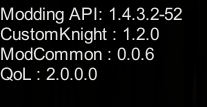
Yeah it's not a big deal just wondering
thanks
narrow pollen
unless you pause
 mental garden
Will the mods be ever available for the Switch?
Since appariently you can install mods(not talking about HK ones) on the Swich, don't exactly renember how tho
real jacinth
No
sly smelt
i uninstall mods but in the modmanager it says they are still installed, but no readme exists
tawny carbon
mod summaries

Google Docs
Legend Functional Changes Asset Changes Quality of Life Helpers Modding/Speedrunning Boss Mod ModInstaller Mods ‘Art’ Mods: Not intended for serious use Shitmothst: Procedurally generated dashes (read: breaks the game) Nukememe: Modifies ending cutscene for Redwing mod I...
sly smelt
but the mods still exist in the manager even though they're uninstalled
real jacinth
What
 honest sandal
just because you uninstalled a mod doesn't mean it'll disappear on the mod loader.
?i
proud quailBOT
Reminder: The mod installer (https://radiance.host/mods/ModInstaller.exe) and other modding resources can be found from the pinned messages.
 onyx bolt
Hey, sorry if this is a dumb question and if its been answered a ton, but how do I actually start modding the game?
real jacinth
Right above your question
onyx bolt
Thank you
 hearty summit
Randomizer 3 does not seem to work on mac
Upon attempting to create a save or enter an existing save, the game crashes with randomizer 3 installed on mac
real jacinth
Ah yes. No way there's anything you did wrong. All the other users using it successfully are wrong
hearty summit
Not the first one to say this
Plus no need to take a sarcastic tone before you confirm this being an issue or not
hearty summit
If anyone gets this issue in the future, downloading the randomizer 3 mod from the google drive and putting it in manually fixed the problem for me.
round wolf
I doubt this but is the zip above 25 mb? @hearty summit
hearty summit
Oh I see
That makes sense
That's what it was
Does the mod installer glitch on zips larger than 25 mb? @round wolf
round wolf
Google drive shows a message that says "this file cannot be virus scanned because the file size is too large" and has a button that says like "download anyway" but it breaks the direct link
hearty summit
Interesting
But does that affect the mod installer?
Because that might explain it in my case actually
round wolf
Yes I already confirmed this was the problem with custom knight
hearty summit
Ahhhh
Thanks mate
No wonder
That's actually pretty important information imo
Didn't know that's why it wasn't working for me
Somebody should address/pin that in my opinion, caused a bunch of confusion for me.
round wolf
Idk why nobody had noticed/fixed this yet
hearty summit
^^^ Honestly
round wolf
I can, there's already an already working script here https://gist.githubusercontent.com/yasirkula/d0ec0c07b138748e5feaecbd93b6223c/raw/8dd69e9e15e180807b87e0756c6d980af336fb5a/FileDownloader.cs so it takes 0 effort
hearty summit
Nice 👍
By the way randomizer 3 is not larger than 25 mb in .zip form, but another one of the mods I was using was, and when I downloaded from the google drive manually I cleaned out my mods folder, re-downloaded everything from the google drive, and inadvertently fixed it.
Thanks for the info, now I know why this problem occurred though
onyx pulsar
is there a .docx or something that explains what mod does what?
round wolf
Google Docs
Legend Functional Changes Asset Changes Quality of Life Helpers Modding/Speedrunning Boss Mod ModInstaller Mods ‘Art’ Mods: Not intended for serious use Shitmothst: Procedurally generated dashes (read: breaks the game) Nukememe: Modifies ending cutscene for Redwing mod I...
onyx pulsar
thanks
tawny carbon
he has a bug that crashes when he enters the thk boss room
so he tries to manually load it
 mellow cloak
Guys, for some reason the Mod Installer doesn't open
round wolf
any errors? or just not opening
tawny carbon
?i
proud quailBOT
Reminder: The mod installer (https://radiance.host/mods/ModInstaller.exe) and other modding resources can be found from the pinned messages.
tawny carbon
redownload
mellow cloak
When I try to open it, a new icon called "AU" appears in my desktop
But opening it doesn't do anything
tawny carbon
remove the older one
 gray anchor
hi folks I am trying to get the enemy randomizer mod working and it keeps screwing with the world geometry
seems like it's loading 2 rooms at once or something wacky like that
does anyone know how I could go about fixing that?
 meager finch
Can mods break previous non modded files?
 warm patio
please help me i see mod Trianer (I very bad Guy (( ) I don't may Kill Hornet!!!
What doing mod Traitor?
 solid perch
 edgy gust
How download the mods?
upbeat sail
and if you dont have hk on pc, then tough luck because there's nothing for console users
gray anchor
does anyone know at least the person who made the enemy randomizer so I could get in touch with them?
elfin jasper
It was neither, so maybe try not spamming pings?
elfin jasper
It's ok, I forgive you 
elfin jasper
enemy randomizer is abandoned though
elfin jasper
We will have to deal with people complaining about crashes, load buttons, and broken scenes forever 
gray anchor
is there no way to remove it from the list?
if you don't want people asking about it that might be a place to start.
regardless that's a shame. I hope someone makes a functional version of it at some point!
unfortunately that one doesn't seem to load at all for whatever reason! but I appreciate the tip.
elfin jasper
neither randomizer 2 nor randomizer 3 have any connection to enemy randomizer
And there's no problem with asking questions about enemy rando either; just understand that no one presently in the community is interested in the work necessary to fix all of its bugs
 stray hamlet
 pallid rune
hey i recently duckedup by beating the path of pain before getting the kingsoul charm is there a mod that i can give myself items with
 gentle island
Hello modding community of Hollow knight
i'm curius, the longer a session of hollow knight is runnign and i play the laggier it gets when i get hit or kill smoehting
it's only when i have mods installed
not in vanilla
os ot my computer or did i do something wrong in the instalation
 haughty viper
^
gentle island
@vernal rain yes
i did have it
ty
is there a replacement hp mod that doesn't have memory leaks?
i unmodded the game 2 weeks ago
because the lag was unbearable
got used to not using it
ty for the ingo
 loud mango
I downloaded the mod but don't know where the application to use mod again
real jacinth
add another one to the list of "where did I put a file on my computer"
if you didn't move it anywhere, look in Downloads
crystal bay
add another one to the list of Mickely abusing innocent people
haughty viper
how is that abusing 
upbeat sail
he's done much worse he's oddly patient here 
 magic dagger
what are the mods written in?
real jacinth
C#
magic dagger
C# got it,
magic dagger
thanks sean, im making an owo knight mod using custom knight and paint rn
 mossy prairie
So I am about to make a pc purchase but now I found out that the game is in steam and gog. Any preference?
covert oasis
steam is a more fleshed out platform but gog is DRM free
 scenic pulsar
Potentially dumb question. Does the randomizer spit out a spoiler log / list of items to a directory somewhere?
(I'm not sure where to ask it other than here so if the question is in the wrong section I apologise.)
proud quailBOT
Saves
Windows File Paths: (Assumes Default Steam Install Path, Adjust accordingly for DRM Free or Non-Standard Steam Path)
Game Files: C:\Program Files (x86)\Steam\steamapps\common\Hollow Knight\```
** **
Mac File Paths:
```Save Files: ~/Library/Application Support/unity.Team Cherry.Hollow Knight/
Game Files: ~/Library/Application Support/Steam/steamapps/common/Hollow Knight/hollow_knight.app/```
** **
Linux File Paths:
```Save Files: ~/.config/unity3d/Team Cherry/Hollow Knight/
Game Files: ~/.local/share/Steam/steamapps/common/Hollow Knight/```
scenic pulsar
Sweet, thanks. I couldn't find the directory ._. ❤️
 silent thunder
Where is mod?
real jacinth
?mods
proud quailBOT
Mods
Google Drive with Mods - https://drive.google.com/drive/folders/0B_b9PFqx_PR9Um9MeFZMV21oWGs
Installer - https://radiance.host/mods/ModInstaller.exe
Mod Summaries - https://docs.google.com/document/d/1gqAd1y3xbNnNY2XWUZ7j6n1LX8FNdMj2zeoclSOTLyM
silent thunder
Thank you
 simple bison
with the bonfire mod, in i upgrade my nail after i upgraded my strength, will it reset my damage back to the nail's damage, or does it add up to damage i have?
keen trout
it adds up
also Strength increases your damage based on the level of your Nail so it'll increase by more after you upgrade it
tho FYI the Strength stat doesn't affect Nail Arts
real jacinth
256 kb/s
real jacinth
get moar internet
novel bronze
just downloaded
installed*
@real jacinth how do i change how my knight looks?
in main menu options?
real jacinth
?guides
proud quailBOT
haughty viper
read the text
real jacinth
Speedrunning leaderboards, resources, forums, and more!
novel bronze
what
covert oasis
the guide is there
haughty viper
so what, read the text
novel bronze
ok
real jacinth
what part of the guide are you hung up on?
haughty viper
by opening the path said
novel bronze
%appdata%?
haughty viper
"your game's location"
real jacinth
?saves
proud quailBOT
Saves
Windows File Paths: (Assumes Default Steam Install Path, Adjust accordingly for DRM Free or Non-Standard Steam Path)
Game Files: C:\Program Files (x86)\Steam\steamapps\common\Hollow Knight\```
** **
Mac File Paths:
```Save Files: ~/Library/Application Support/unity.Team Cherry.Hollow Knight/
Game Files: ~/Library/Application Support/Steam/steamapps/common/Hollow Knight/hollow_knight.app/```
** **
Linux File Paths:
```Save Files: ~/.config/unity3d/Team Cherry/Hollow Knight/
Game Files: ~/.local/share/Steam/steamapps/common/Hollow Knight/```
real jacinth
go to your game files
you can also find out where your game is by right clicking it in steam
and going to properties
haughty viper
yes
covert oasis
go into hollow knight data
real jacinth
you put the PNGs in the customknight folder
like the guide says
which is further into the data folder
just copy paste them into that folder and overwrite what it asks you to overwrite
narrow pollen
no
novel bronze
ok
real jacinth
"just copy paste them into that folder and overwrite what it asks you to overwrite"
haughty viper
poor excuse
novel bronze
bruh
covert oasis
oddly specific
narrow pollen
119
real jacinth
just like 1+1 is 11
novel bronze
replace or skip
real jacinth
replace
covert oasis
replace
novel bronze
waht
real jacinth
all 8 of those that you posted above are the vanilla files
you're replacing those with changed sprite sheets
real jacinth
I keep tons of different customknights in the same location, just with different folder names
novel bronze
ok
real jacinth
then change the one I want active to "customknight"
and change the other to like.... customknightvanilla
or customknightblue
or whatever
the mod will only run the folder that is exactly named customknight
mossy prairie
is installing mods hard?
is there a way to install several mods and keep the original game?
upbeat sail
you could copy your current game and keep them somewhere else as a back up, then install mods on your game
most of these mods can be enabled and disabled pretty easily though, so i dont see the point except for keeping your files safe
your choice though
as for whether installing them is difficult, the modinstaller in the pins makes installing them easy
upbeat sail
as soon as you download it, click on it and a list of mods you can download, enable and disable will open
mossy prairie
oh so the mods has like an installer app?
by the way any boss mods you guys recommend?
I have seen the daughter of hollownest
looks like fun
upbeat sail
literally the first thing in the pins is the application
most of them are fun in terms of added difficulty, though some parts can be tedious. thats just my opinion though
choose whatever sounds most interesting to you
haughty viper
randomizer is the best one
mossy prairie
hmm I will probably try mods after getting all the endings
mossy prairie
I might go as far as replaying the game on pc later
haughty viper
lol
mossy prairie
since all I do right now is handheld on switch
haughty viper
I replayed the game more than 10 times thanks to randomizer
and I still have that itch to replay it
mossy prairie
I have a felling I will love this game even more after I have played it on a monitor
haughty viper
I usually hate replaying games
mossy prairie
Do you use a controller?
upbeat sail
with or without mods, this game has so much replayability. but mods definitely open up options for players looking for some. checking them out after completing the game is sound
trim turret
the mantis gods mod is not working for me am i missing anything here i tried doing the mantis lords and the sisters of battle in god home on god home mode on attuned neither were the mantis gods
wait why does the mod only work on normal mode y no god home?
i guess i figured it out
but y
crystal bay
mantis gods was made before godhome
real jacinth
cool
crystal knot
u work in godhome
glass meteor
It presumably doesn't work in god home mode because I never bothered checking for godhome mode
Because the extent of me updating the mod for 1432 was just hitting compile again
It checks if you've killed mantis lords to determine whether or not to spawn the upgraded version
🐌
crystal bay
 trim turret
welp i guess time to get my normal file up to date so i can fight the sisters of battle on god mode
 vivid fern
does anyone know how to use hollow knight mods on mac
crystal bay
pins
crystal knot
np
 cinder swallow
does glorious combos not work?
 split sapphire
no, obviously by communicative property, it needs to follow superposition:
|Ψ> = a0|10019> + a1|19100>
because 10019 obviously doesnt equal 19100, but by communicative property you can add it both ways
duh
versed needle
what
split sapphire
exactly
versed needle
Are you responding to something?
versed needle
If you say so bud
split sapphire

magic dagger
what line is the unlock ability to warp to any bench no matter what on benchwarp.dll?
that and why are there so many weird characters? in every mod
real jacinth
"?" What a detailed question
novel bronze
what does it mean by load enemy randomizer
@real jacinth
nvm
as i said yesterrday4
 tawny carbon
nah fam , use ms paint
 wraith elbow
how do you mod on mac
upbeat sail
check the first pins on this channel
wraith elbow
thanks
 real shell
The ModInstaller gives me an error whenever I try to install a mod.
Part of me thinks I need a new version?
Does anyone have a link to where I can get it again?
actually I'm dumb I'll just look at the pinned messages haha
ok it still pops up, it says "Unhandled exception has occurred in your application. If you click Continue, the application will ignore this error and attempt to continue. If you click Quit, the application will close immediately.
End of Central Directory record could not be found."
Anyone know how to fix this?
cinder swallow
Do you select the mod files when clicking "manually install mods"?
glass meteor
cinder swallow
what is mono
glass meteor
open source implementation of the .net framework
covert oasis
it's also a disease
glass meteor
covert oasis
don't elderc me fool i am right
crystal knot
he's actually right
 outer night
my mod installer wont work like the mods ive loaded are ok but the installer itself wont work

real shell
What do you mean by that, @outer night ? Is there an error message, or does it just not open?
proud quailBOT
Reminder: The mod installer (https://radiance.host/mods/ModInstaller.exe) and other modding resources can be found from the pinned messages.
 dawn grail
I would very much like to make this a mod xD
covert oasis
do it then
 static wasp
Hey guys, is there a way to make the background of the Radiance's fight darker?
My legally blind friend has reached the Radiance, but he's having trouble with visibility on her specifically
He says it'd help if the background was darker
crystal bay
maybe he can try decreasing his screen's contrast and brightness?
 fallow flower
daw
 lethal arrow
it seems that i cannot download custom knight through the launcher
it keeps giving me an error
nevermind...
 wispy violet
I keep getting an unhandled exception when trying to install the custom Knight mod. It says download complete and then gives the unhandled exception warning. Continuing doesn't add any files and quiting just closes it.
novel bronze
Isn't there an infinite charm notches mod?
novel bronze
hello, I have this game downloaded from Microsoft store, and I wonder how do I add the mod to it? cause I legit can't find the file location only got the AppData one
sleek tiger
I'm not even sure you can, from the windows store
novel bronze
fuck
legit
fuck
do i have to buy the game again on steam too?
prob gonna do that lol
ugh
why windows have to be like this
;-;
i really want that mod XD
 calm geyser
There’s a mod guide on speedrun.com by Mickley for how to change your character’s Sprite with custom sprites and he provides a google drive with a bunch of custom sprites but I can’t view them since they’re zip files
Does anyone know how I can see them before I download them?
This is the google drive
 shut crown
wispy violet
shut crown
wispy violet
Nevermind, after an hour of searching, I found what I needed and fixed my issue
novel bronze
is it possible to mod on switch?
 wise ermine
if it is emulated yes otherwise no
quick question how would I go about modding in lan coop for hollow knight? I'm thinking co-op game together in one world with few people would be interesting. Everyone does whatever they want, items/equipment could be shared but abilities could be acquired individually. Boss battles could be fought with more than 1 person, depending on how many enetered boss arena and started fight at the same time. (Boss' health scaled to number of players)
And pvp duels in Colosseum of Fools.
That's how I would imagine multi Hollow Knights.
novel bronze
thanks for your response! @vernal rain
glass meteor
that is not a quick question
you'd obviously make a mod but you'd have to implement a second player and change enemy ai and camera etc
real jacinth
The closest thing that currently exists is the multiworld randomizer mod
 noble hazel
anyone having an issue with loading custom knight through the mod installer, i keep getting a script error on download complete, and only that mod
versed needle
I think the download is too big for direct links to work
You can manually download it from the modding google drive folder in the pins
 silent pasture
having trouble downloading custom knight through modinstaller and i do not know how to install it manually
versed needle
Google drive folder in the pins
silent pasture
where are the pins sorry im dumb
versed needle
Top right
silent pasture
btw best name change i ever made
silent pasture
sorry cannot find google drive folder but thanks for the help
versed needle
?mods
proud quailBOT
Mods
Google Drive with Mods - https://drive.google.com/drive/folders/0B_b9PFqx_PR9Um9MeFZMV21oWGs
Installer - https://radiance.host/mods/ModInstaller.exe
Mod Summaries - https://docs.google.com/document/d/1gqAd1y3xbNnNY2XWUZ7j6n1LX8FNdMj2zeoclSOTLyM
versed needle
It's apparently not pinned here
Just in #archived-modding-development I guess
But that's the link there
silent pasture
thank you 
 finite pollen
hey, uhm, just wanted to know, i still get acheviements after installing mods or nah?
versed needle
yes
 versed needle
Steam achievements still work


 eager arrow
Look at the pins
silent pasture
where?
real jacinth
In this channel
real jacinth
finite pollen
hey, where do i find a topic explainning all the mods
covert oasis
?mods
proud quailBOT
Mods
Google Drive with Mods - https://drive.google.com/drive/folders/0B_b9PFqx_PR9Um9MeFZMV21oWGs
Installer - https://radiance.host/mods/ModInstaller.exe
Mod Summaries - https://docs.google.com/document/d/1gqAd1y3xbNnNY2XWUZ7j6n1LX8FNdMj2zeoclSOTLyM
covert oasis
bottom link
finite pollen
ty
 wind crag
Trying to install custom knight through the mod installer gives an "unhandled exception" and "end of central directory record could not be found"
it places a compressed file in the mods folder, but when i try to unzip it with 7.zip it gives an error as well, does anyone know how to get the .dll file for it? (I'm assuming that's the component i'm missing, since I created my own "Custom Knight" folder and placed the sprites in there but nothing changed)
elfin jasper
Download it from the google drive linked above
wind crag
many thanks
tawny carbon
?i
proud quailBOT
Reminder: The mod installer (https://radiance.host/mods/ModInstaller.exe) and other modding resources can be found from the pinned messages.
tawny carbon
@ivory ravine
 ivory ravine
ok
 stiff gyro
I get this error message when trying to install Custom Knight, after it says download completed
If anyone answers this message or has a solution, please DM or ping me
stiff gyro
sorry for probably being stupid, but what am I trying to download from the google drive link?
stiff gyro
wait
do I just put the dll file and the custom knight folder (from google drive) inside my Managed folder

 brittle wren

