#archived-modding-help
1 messages · Page 63 of 1
 real jacinth
delete the json file where your saves are located
 stuck jay
Awesome, ty
 runic oriole
@novel bronze it's related to ram and vram. It requires some ram/vram to run and if you don't have that amount, it crashes. But sometimes, for some people, even if you do have that much ram it still crashes so
Also, does it crash on 94 or just get stuck?
real jacinth
it memory leaks
 tawdry moon
Where do i find the installer for custom knight?
it's part of mod installer
didn't know
thanks
okay, installed it
how do i edit the knight now?
 novel bronze
**Mods**
runic oriole
actually
tawdry moon
oke, thanks
novel bronze
it uh gets stuck
tawdry moon
why does the mod break the game>
runic oriole
which one?
tawdry moon
custom knight
runic oriole
it doesn't
tawdry moon
it broke it for me
tawdry moon
I'ma show
first i'ma check without mod
broken with mod disabled
validating game files
tawdry moon
don't know why but the mod installer breaks the game
it's not the mod itself
it's mod installer
most probably modding API
tawdry moon
I dunno why 😛
 pure tendon
Is there any way to make enemies hit each other?
I can make one enemy attack an other enemy but the attacks don't hit..
 gray saffron
Hey, I tried downloading the 1.2.2.1 debug mod from the drive, but when i load up my game its reading it as 1.3.3 . Did I get the wrong file?
real jacinth
debug mod version number doesn't equal the patch number
gray saffron
cool thank. just wanted to make sure i wasnt messing anything up. i tried to use the mod installed but it didnt work because i had it down patched
 shy wing
From my understanding, the 94% bug with enemy randomizer is caused by it being incompatible with godmaster. If this is correct, is it possible to downgrade to a different version? If not, is there any other solution to the problem, as I've seen some people be able to use it.
 sacred glade
Debug readme says to install debug mod to 1.2.2.1 you need to apply the API first - instructions say to do that in the steam dir. Is that still true if you followed the "multiple patches" guide when downpatching?
real jacinth
the mods need to be applied to whatever version you want. if the 1221 version is somewhere else, then install them there
sacred glade
Ta
real jacinth
you can't use the installer though
cuz that's only for current patch
steam directory will most likely house current patch
but you can put files wherever you want to
sacred glade
I think I'm good fn
runic oriole
@shy wing it's technically not a godmaster issue, but rather an issue made worse with godmaster
sacred glade
Worked like a charm! Thanks, you guys are awesome. I'm so impressed with the modding platform.
 charred pollen
Quick question: are Lightbringer and Bonfire compatible?
sacred glade
Tips on respawning wn? Seems like you have to exit room before it's effective, room takes annoying time to traverse
 daring peak
who
sacred glade
Sry?
daring peak
what is a wn
 versed needle
@solid raven
 solid raven
ty!
 keen flare
Accidently posted this in #archived-modding-development bc I’m dumb so I’m reposting here, if anyone could DM me the player vessels sprites then I’d be super grateful 
 sleek tiger
@keen flare I will, gimme a minute
 hearty harbor
@keen flare I found the sprite sheet but it's too big for discord. do you have an email i can send it to or maybe papers already took care of it for you
keen flare
I’ve got em now, but thanks anyways dapper
 sturdy iron
anyone else just fall into the floor of dirtmouth with bindings mod?
 nova orbit
anyone have any advice for getting a randomizer set up? I've been looking into it and have yet to find a guide
I found this page but im unaware of where to go from here
should I just check the pins?
great, thanks
I got a failed to load
where is modlog.txt?
wait nevermind
I fixed the problem
 grizzled epoch
hey, i'm trying to install the mod installer on mac os following the instructions on the pin, but when i try to do the terminal bit i keep getting the error "unknown command line option". does anyone know what might be causing it?
novel bronze
**Mac**
Yes, mods can be installed on a mac.
You can use the installer
To run the installer:
- Open the Terminal
- Type
cd $(dirname - Drag the exe onto the terminal.
- Type
)then hit Return/Enter - Type
mono --arch=32(Note the space at the end) - Drag the exe onto the terminal and then hit Return/Enter
If this fails with bash: mono: command not found then
- install mono here
- Open a new terminal window
- Type/paste in
export PATH=/usr/local/bin:${PATH}and hit Return/Enter - Repeat steps 2-6 above.
hearty harbor
Any mods out there that have custom map pins that anyone knows about? I'd like to add some and am curious if there are any examples anywhere. If not that's fine just wondering 😃
real jacinth
no
hearty harbor
"no" not that you know of, "no" those aren't out there, "no" they aren't possible...? just "no"? 😛
real jacinth
yes
hearty harbor
oh got it. perfect thanks mickely!
real jacinth
- map markers exist in base game
- mods are usually made by and for people who are familiar with the game, so adding pins is fairly pointless
- If you're looking to only reskin existing pins, then customknight is a good start. You'd then have to move them to.... places
 old estuary
Hey, uh, how do i replace the sprites of the knight? a friend of mine gave me custom sprites (Those being Knight.png and Sprint.png), and i was wondering if anyone knows if i need an API or something to place them into the game or do i just drag-and-drop? he sent me like 30 tutorials at once and i decided it was simpler to just ask here. i'm sorry if i'm bothering someone!
novel bronze
**Mods**
keen flare
haha oops
real jacinth
install customknight
hearty harbor
- That's true, but irrelevant
- Also true, but I'm not really doing anything with them that relies on knowledge of the base game, so also irrelevant
- Nope, need to add extra pins to the map
old estuary
Thank you, Mickely!
hearty harbor
okay fair enough 😃 ilu
old estuary
Hey.
The modding API literally killed my computer.
well, not, literally
as soon as i opened hollow knight everything got super slow
and when i fixed it i got a popup to reinstall it because it may have been installed wrong (despite everything working well)
oh. I opened it again and it works fine.. n-nevermind..
runic oriole

 echo hatch
Does anybody know where in the save editor one can manually reacquire grimmchild? Charms aren't named so I'm not sure which is which.
Excerpt of the charms list in the raw files
 trail flint

Pastebin
echo hatch
Ty. So charm 40?
But carefree melody is 40 too. How do I make the data differentiate between them?
 glass meteor
grimmChildLevel
 gleaming aspen
if i install a randomizer mod, will that affect all my saves?
runic oriole
no, but back them up just in case
novel bronze
 tiny blade
thanks
tiny blade
mod abuse
runic oriole
I'll abuse a mod anyday
tiny blade
hot
sleek tiger
abuse me, daddy Gradow
hearty harbor
Hey dudes! Does anyone know of any resources that label all the rooms in the game with the scene name it belongs to?
novel bronze
debug mod
hearty harbor
Ah. durp. Thank you 😃
echo hatch
Ty
hearty harbor
Well Debug mod didn't do quite what I wanted... so I did it meself. lel
Far from perfect but it should work
novel bronze
why is abyss 3 b in the middle of nowhere
there's not a room there
I think you mislabled
hearty harbor
Yeah it's far from perfect... Also I didn't manually label anything, I just added TextMesh labels to the map object
I don't see abyss 3 b, but i'm assuming it's a subroom possibly?
You'll see some rooms with extra-bold first parts of the name, like Deepnest_30_b; there's actually two labels there, Deepnest_30 and Deepnest_30_b but they overlap so it makes it bolder
Oh I see abyss 3b... That is weird
It's part of the Deepnest area. Maybe it's the tram "room" when you're in deepnest?
Which would make sense, kinda, because there's abyss_03_c at kingdom's edge, and abyss_03 in ancient basin
Crossroads has the tram room in Crossroads_46, and there's a Crossroads_46b in Resting grounds so that would make sense
Oh yeah if you need this map I guess ignore the custom pins. 😛
echo hatch
why are all the greenpaths labeled "fungus"
 vapid bolt
how to change sound files?
 glass grotto
Does anyone know why the Charming mod doesn't work? Every time I enable it, in game it says:
"CharmingMod: FAILED TO LOAD! Check ModLog.txt"
And I have no clue where ModLog.txt is located.
 clear sapphire
how do i configure redwing mod?
runic oriole
does it have config options?
clear sapphire
it says in the description that it has a hard mode, and its fully configurable
 cinder swallow
How do you do the 8 unique attacks in redwing
 queen umbra
how does the more saves mod work?
real jacinth
it gives you more saves
queen umbra
how do i access them?
real jacinth
]
echo hatch
managed to fix the grimmchild, thank you! @runic oriole @tiny blade @glass meteor
glass grotto
Every time I try to use the mod called "Charming", it says "failed to load" in the top left.
ModLog.txt displays this:
[INFO]:[API] - Adding GitHub SSL Cert to Allow for Checking of Mod Versions
[INFO]:[ModManager] - Initializing
[INFO]:[ModManager] - Initialized
[INFO]:Loading ModdingApi Global Settings.
[INFO]:GameLoading
[INFO]:[API] - Trying to load mods
[INFO]:[CharmingMod] - Instantiating Mod
[INFO]:[CharmingMod] - Loading Global Settings
[INFO]:[ModCommon] - Instantiating Mod
[INFO]:[ModCommon] - Loading Global Settings
[INFO]:Loading ModdingApi Global Settings.
[INFO]:[ModCommon] - Mod Common initializing!
[INFO]:[ModCommon] - Global settings version match!
[INFO]:[ModCommon] - Saving Global Settings
[INFO]:[ModCommon] - Mod Common is done initializing!
[ERROR]:[API] - Error: System.TypeLoadException: Could not load type 'orig_Disable'.
  at (wrapper managed-to-native) System.Reflection.MonoMethodInfo:get_method_info (intptr,System.Reflection.MonoMethodInfo&)
  at System.Reflection.MonoMethodInfo.GetMethodInfo (IntPtr handle) [0x00000] in <filename unknown>:0
  at System.Reflection.MonoMethod.GetPseudoCustomAttributes () [0x00000] in <filename unknown>:0
  at System.MonoCustomAttrs.GetPseudoCustomAttributes (ICustomAttributeProvider obj, System.Type attributeType) [0x00000] in <filename unknown>:0
  at System.MonoCustomAttrs.GetCustomAttributesBase (ICustomAttributeProvider obj, System.Type attributeType) [0x00000] in <filename unknown>:0
  at System.MonoCustomAttrs.GetCustomAttributes (ICustomAttributeProvider obj, System.Type attributeType, Boolean inherit) [0x00000] in <filename unknown>:0
  at System.MonoCustomAttrs.GetCustomAttributes (ICustomAttributeProvider obj, Boolean inherit) [0x00000] in <filename unknown>:0
  at System.Reflection.MonoMethod.GetCustomAttributes (Boolean inherit) [0x00000] in <filename unknown>:0
  at ModCommon.CommunicationNode.RefreshCallbackBindings () [0x00000] in <filename unknown>:0
  at ModCommon.CommunicationNode.EnableNode (System.Object nodeOwner) [0x00000] in <filename unknown>:0
  at CharmingMod.CharmingMod.Initialize () [0x00000] in <filename unknown>:0
  at Modding.ModLoader.LoadMod (IMod mod, Boolean updateModText, Boolean changeSettings) [0x00000] in <filename unknown>:0
  at Modding.ModLoader.LoadMods () [0x00000] in <filename unknown>:0
[INFO]:Saving Global Settings
[INFO]:[CustomKnight] - Starting texture load
[INFO]:[CustomKnight] - Texture load done
[INFO]:Saving Global Settings
Anyone have any ideas?
real jacinth
what patch are you on, what versions of each mod do you have
glass grotto
I've installed everything today, so I assume latest version of everything.
Hollow Knight: 1.4.3.2
Modding API: 1.4.3.2-46
Mod Common: 0.0.6
Charming Mod: 0.0.2
Oh and Custom Knight: 1.2.0, but disabling that doesn't fix anything.
glass grotto
Yeah, that's the sad part. I really wanted to use it, and was wondering if there was a simple solution to the issue. But I guess I'll have to wait for it to be updated.
 nova pilot
can somebody tell what 'all skills/charms/bosses' mean inrandomizer 2?
does it mean that they are reachable or...?
got it, sry im dump
novel bronze
Would it be possible to use a mod to fight zote in godhome after neglecting him?
 waxen heart
I think you just need to edit your save that you "met" grey prince statue
novel bronze
Yeah I assumed it wouldn't be too difficult because it would just be essentially like a checkpoint that you meet other bosses for example, like how killing bosses unlocks p4
just don't know how lmao
waxen heart
It worked when I wanted to NOT fight him in Godhome , but should work this way too
novel bronze
ah tysm
waxen heart
This is what it looks like if you defeated him once:
(use F3 to find these lines)
"killedGreyPrince": true,
"killsGreyPrince": 0,
and:
"greyPrinceDefeats": 1,
"greyPrinceDefeated": true,
"greyPrinceOrbsCollected": true,
And this is how it looks like for White Defender that I have not defeated:
"killedWhiteDefender": false,
"killsWhiteDefender": 1,
and
"whiteDefenderDefeated": false,
"whiteDefenderOrbsCollected": false,
"whiteDefenderDefeats": 0,
(for some reason White Defender has OrbsCollected and Defeats lines in different order, but this does not change anything)
clear sapphire
how do i configure redwing?
runic oriole
@noble basin
 night quartz
glass meteor
night quartz
glass meteor
@clear sapphire edit the redwing config file in your saves folder
@night quartz there's a custom knight pin in #archived-modding-development and you replace your sprites with one from the pin
tiny blade
🤔
 tawny carbon
i cant belive someone made a zote mod for custom knight
tiny blade
incredible, i know
tawny carbon
im gonnna try it know, wish me luck
tiny blade
good luck
vapid bolt
where are the sound files of the game located?
runic oriole
.assets files
vapid bolt
and how do i access them?
runic oriole
check pins
 hexed glade
hey so ive been trying to get that player data mod with rando working and the website for the overlay always says not connected. tried to do it manually before then tried auto mod, which broke debugging mod, switched back to manual. tried opening obs>HK>website, didnt work, then tried HK>OBS>website, still not working. anyone have that hot tip to get it working?
runic oriole
can you open the website on your browser?
hexed glade
yeah i have those menus on the top left and at the bottom of that it says in red not connected
runic oriole
is the game open?
hexed glade
sec ill try it again. just woke up and i was doing this last night before bed. let me start everything up again
alright now im having issues with auto mod and the game is just a black screen haha
hexed glade
mod installer w/e it is
k yeah games on and still not connecting
this is what i see when i try and go to that website for the overlay
runic oriole
I assume you have playerdatatracker installed?
hexed glade
the player data tracker i installed on the google drive only has 2 dll player datadump and websocket
hexed glade
yeah im not very good at computer modding. just wanted to do some random when i get tired of practicing watcher knights
real jacinth
I'd just do it on current patch
hexed glade
is that stuff easy to balance or am i going to have to figure out how to get this modinstaller thing working?
real jacinth
you can have multiple patches installed
so you can have a modded game, your downpatched game, etc etc
the mod installer is just an exe that you run
that copy/pastes the mod files
 spiral tusk
How do I use the MoreSaves mod? I installed it through the installer but idk how to make more pages
real jacinth
]
spiral tusk
?
real jacinth
that's how you page over
 wintry blaze
So I just installed the modloader
How does it work and what do the mods do
I installed Custom Knight but no idea what it does
spiral tusk
Anyone knows why the charming mod fails to load?
real jacinth
because it's not updated
spiral tusk
Oh
wintry blaze
Where do you put custom knight sprite sheets?
daring peak
cinder swallow
how do you access infinite grimm
novel bronze
Does the enemy randomizer work with the latest game version?
 marsh dragon
Hello,can anyone tell me how to install mods on a Mac? I've looked at the tutorial video but it doesn't exactly have the same things as I do
real jacinth
;mav
novel bronze
**Mac**
Yes, mods can be installed on a mac.
You can use the installer
To run the installer:
- Open the Terminal
- Type
cd $(dirname - Drag the exe onto the terminal.
- Type
)then hit Return/Enter - Type
mono --arch=32(Note the space at the end) - Drag the exe onto the terminal and then hit Return/Enter
If this fails with bash: mono: command not found then
- install mono here
- Open a new terminal window
- Type/paste in
export PATH=/usr/local/bin:${PATH}and hit Return/Enter - Repeat steps 2-6 above.
marsh dragon
oh thanks
 unique dawn
hey i need a tiny bit of help with randomizer stuff
i go into the room right of the black egg temple and it spawns the brooding mawlek and crashes and game
marsh dragon
I know I sound stupid but this is my first time doing this stuff so what the hell is a Terminal
Neverming
nevermind**
marsh dragon
I did all the instructions,now what?
marsh dragon
okay but if I click on it it brings me to Dr Cleaner or smthn
I ran mono and did everything in the terminal though
hexed glade
how do you hotkey stuff in debug mode? i saw vys do it in his tutorial and i havnet been able to figure it out
hexed glade
sorry like click and hold it then press a button?
unique dawn
@sleek tiger wow i didnt know xd but seriously
im saying it crashes
so i wanna know how to fix that
sleek tiger
I dunno, sadly
 old orchid
im EXTREMELY sorry if im interrupting something, but i was wondering where i can find the Hollow Knight Randomizer in here?
novel bronze
**Mods**
sleek tiger
no worries tho!
old orchid
i appreciate it!
marsh dragon
Okay so I understand now,I ran mono,but I now see that when I type in the stuff in Terminal, at the end it tells me Unknown command line option: '--arch=32/Users/(my name)/Documents/0-HOLLOW KNIGHT MODS-0/ModInstaller (1).exe'
novel bronze
**Mac**
Yes, mods can be installed on a mac.
You can use the installer
To run the installer:
- Open the Terminal
- Type
cd $(dirname - Drag the exe onto the terminal.
- Type
)then hit Return/Enter - Type
mono --arch=32(Note the space at the end) - Drag the exe onto the terminal and then hit Return/Enter
If this fails with bash: mono: command not found then
- install mono here
- Open a new terminal window
- Type/paste in
export PATH=/usr/local/bin:${PATH}and hit Return/Enter - Repeat steps 2-6 above.
runic oriole
read 5 carefully
 brittle bridge
can somebody give me the link to the drive where all the mods are
novel bronze
**Mods**
 gloomy crater
if you're installing API mods on current patch you can just use the installer
why did you do this gradow
this was unnecessary
runic oriole
Unnecessary is my middle name
waxen heart
What do I do if a statue in Hall of Gods stops working?
I literally broke Massive Moss Charger statue using Time Fracture charm from Lightbringer
gloomy crater
did you try quitting to menu and reloading
waxen heart
Haha it works, but every time I spam the ability after defeat, I break the statue lol
Oh no, entering another battle fixes it too
Ok, another question: is this normal that DoH/Mantis Gods mod does some wierd shit to the loading screen?
Like some broken images, random Mantis Lords voices, and then 5 seconds of black screen?
Oh, just realised its not a black screen, its just your camera is somewhere else during spawn cutscene
 white tinsel
does the most recent version of the debug mod work with godmaster? it seems like it was released before godmaster came out and i can't figure out how to install it
i've installed the API as instructed but no matter where i copy the debug mod files nothing happens with it
novel bronze
**Mods**
real jacinth
use the installer
white tinsel
ok, thanks
 scarlet marsh
hey is there a modcommon 0.0.6? i just reinstalled my randomizer etc mods and i swear there was a .6, but the one on the drive is .5
or am i just crazy
nevermind fixed it
 quiet moss
Hi, I don't know if this is the right place to ask but I just need the Assembly-CSharp.dll file of version 1.4.2.4 because I messed mine up by using some mods 😅 thanks in advance 🙂
novel bronze
k, so you're very likely a pirate, which we do not condone.
otherwise you would A) have the most recent patch, B) be able to verify cache to restore the game
and C) the modding API is designed in a way that makes pirated games not work
gloomy crater

novel bronze
wtf
daring peak
the man just wants to find the right place to ask
 mossy badger
does anyone have a readme for the "charming" mod?
novel bronze
charming is broken
novel bronze
uh I didn't make it with a config
mossy badger
ah
novel bronze
what changes would you suggest?
gloomy crater
u str gives 9999 nail dmg
novel bronze
no
gloomy crater
😔
mossy badger
I have no suggestions, there's nothing wrong with it, i would just opt to be able to disable some of the charm interactions
novel bronze
I'll probably make compass 0 notch, remove its combos, and make it so compass enables some charms when equipped
like glass fury
daring peak
it takes 0 notches to use your brain and know the game
novel bronze
it would be 0 because it's a worthless charm so using it as an enabler for combos could work
mossy badger
How is the compass useless?
mossy badger
True, which makes it less than useless for people with a terrible sense of direction
novel bronze
maybe I could change the toggle between kingsoul/melody and voidheart/grimmchild from "beat PV/NKG with compass equipped" to something else?
mossy badger
Possibly, I am not here to criticize your work
novel bronze
maybe dream warping out of the fight could be the trigger instead?
or perhaps attempting to place a dream gate in front of the respective statues
mossy badger
It's your mod friend, I haven't delved into it much, my only reason for asking about toggles was I liked the geofly animations, i've been making an op character for a laugh with all the charm s equipped at once and wondered if I could turn off the instant teleport of geo
novel bronze
well that actual is one of the combos i'm removing
novel bronze
you'll have to open the installer for it to download
I'll ping you when it does
sound good?
mossy badger
sure, ty
novel bronze
dreamshield cost down to 2 notches(I kept forgetting to do this), homeward swarm(instant geo collection) removed, compass now costs 0, glass fury(fury auto proc on overcharm) requires compass,
I'm still working on changing the kingsoul/melody toggles
when I finish that I'll probably upload it
mossy badger
is dreamshield part of the base game?
 topaz galleon
where ı fınd mods
novel bronze
@mossy badger I have updated it, however I ended up keeping the toggle function the same for now, because what I tried to change it to wasn't working
 robust pollen
Could someone help me install the Hollow Knight Randomizer
mossy badger
Thanks for your work aeternalis
runic oriole

 floral marsh
So i installed a few mods and now my language looks like stylized gibberish
I realize that it is a readable alphabet, but I’m hoping there’s a way to fix it as it replaced english
Disabled Art mods and it fixed neverminf
 serene lake
i used debug mode once but i still one shot bosses even though i've verified my game files
novel bronze
because it saved the nail damage in the save file
you need to manually lower your nail damage with debug mod
 noble basin
that's wingshade you uncultured swine /s
serene lake
how do i reset the binds in debug?
i accidentally set a bind to left click and now i can barely do anything
and the binds menu isnt here at all
wait got the menu back but
installing and uninstalling does nothiugn
real jacinth
delete the json file in the saves location
serene lake
thanjks
 sand escarp
Or just set all the things you don't want to a key you never use, like backslash or something.
If you don't want to quit and reload.
real jacinth
customknight
topaz galleon
How can i use it i download before but it dosent work
real jacinth
Hollow Knight - Changing CustomKnight Sprites. - by Mickely
novel bronze
custom knight mod doesnt do anything
i installed it and it says its installed in top right corner as well as in the mods section but it doesnt change the knights colour
is there anything else i have to do?
 rigid flame
replace the sprites with the one linked by mick above
real jacinth
man, if only a guide was posted immediately before your message
also, if it's listed in top right..... something is very wrong
novel bronze
top left exuse me
 supple coral
So I'm trying to get the Player Data Tracker overlay working. I'm following the instructions but I see no containers in browser when I'm trying to get the layout set up. Anyone know if there are any specifics to getting that working?
real jacinth
is your game running
supple coral
I have attempted both with game running and not.
In either case, I get "not connected"
Is there one browser that's more reliable with this than the others? Like should I be using IE instead of Firefox? Or vice versa?
supple coral
I have confirmed that the mod is installed. It's version number and name is displayed when I run the game.
I used ModInstaller to install it but did move the websocket_sharp dll to the Managed folder because that's how I saw it organized in the zip file I downloaded manually.
real jacinth
yeah, don't do that
playerdatadump mod and the web page are all you need
don't do extra stuffs
supple coral
So you mean I don't need this websocket dll that came with the mod?
Or I need to just put it back in the Mods folder with PlayerDataDump?
real jacinth
if you did another step after that, you probably undid part of the install
supple coral
Okay. I'll re-install the mod then.
real jacinth
if that doesn't work, then we'll start getting into screenshots
supple coral
Time for some screenshots then.
I uninstalled the mod and re-installed Player Data Tracker through ModInstaller. Then started Hollow Knight. Then went to the website. And this is all I see:
And this is what I see in Hollow Knight (high up in the left):
real jacinth
what is your window size set to on the tracker
supple coral
1920x1080
real jacinth
this is all on the same PC right?
supple coral
Yeah. 😃
real jacinth
try loading this UI
it's the same one we're using for the invasion tournament
you have all the correct mod versions
so it's probably not the game
have you tried starting a new file?
supple coral
I have not tried that yet.
But I did just try that link in Chrome (I've been using Firefox) and it loaded up
real jacinth
and try it out with chrome too maybe. I don't think it'd matter, but I don't think anyone uses firefox
supple coral
I can at least see the item containers.
supple coral
Yeah. The pop-up that you sent mentioned 2.1. The pop-ups I've been seeing from the original link mentioned 2.0.
I removed the "profile=1" from the end of the link you sent in Chrome and now everything is working. xD
Thanks for stepping me through this Hax. I appreciate it.
real jacinth
o7
 hollow wraith
i have a question about a charm in the exaltation mod is this the correct place to ask?
 burnt abyss
Is there a tracker for the HK rando? Other than setting up an OBS overlay?
gloomy crater
yea press the inventory button
burnt abyss
Nvm
 normal pike
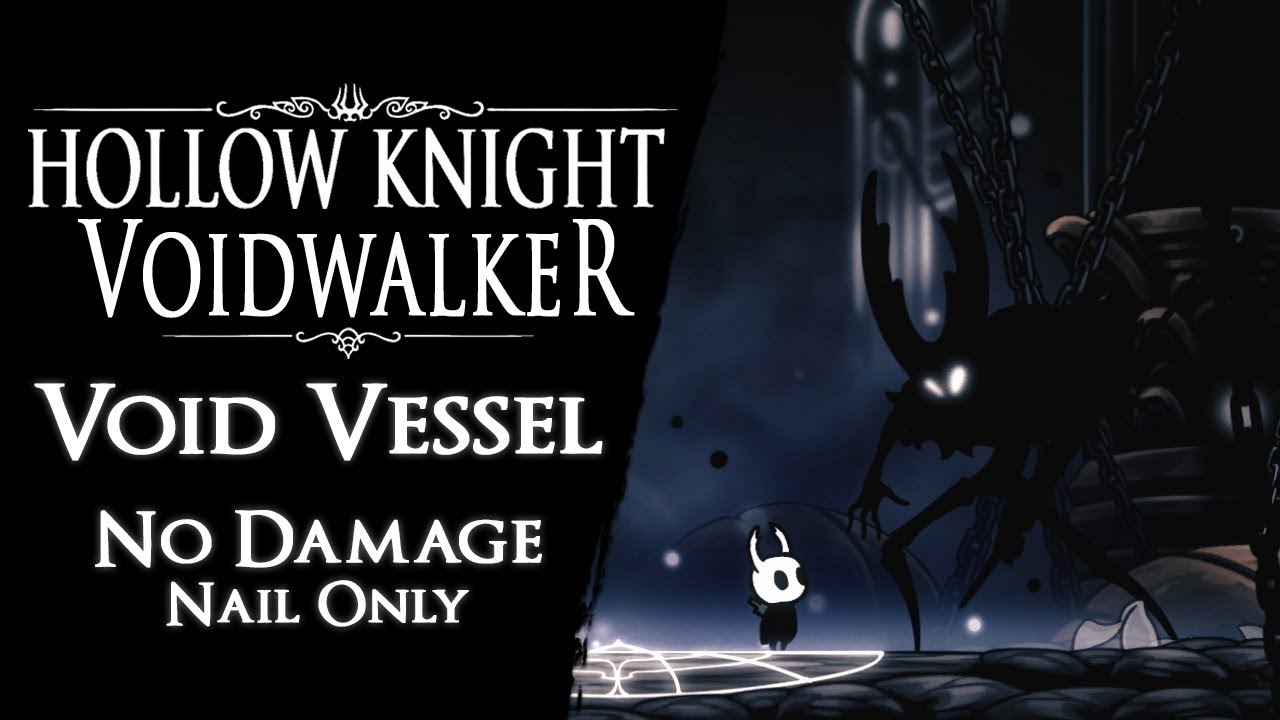
Void Vessel defeated without taking any damage and using magic. It's one of the bosses (Pure Vessel) i have modified for my mod in progress "Voidwalker". It'...
Since this isn’t on the installer, it wasn’t finished yet right
 candid island
sleek tiger
candid island
sleek tiger
I want back my super cool spells and Baldur Shell
 marsh stump
real jacinth
marsh stump
real jacinth
No
sleek tiger
No
sand escarp
Long answer: only if you jailbreak the switch and write the mod yourself since all the mods are made for PC.
Short answer: no.
 safe canopy
long answer no
as code mods don't really work, you'd have to code your mod in playmaker, and mod the game files to load those files 
 daring ermine
hi! can i still unlock achievements on steam while i have mods installed (i have the hp bar mod only tbh)?
tawny carbon
yes
daring ermine
cool thx 😃
 junior forge
Hey guys I was able to install the mod installer on mac and even installed the mods, but now my wireless controller won't work with the game, it works with keyboard but not with the controller, can you please help?
 mighty rose
you can edit all the stages of the custom knight souls container
hollow wraith
What are all 8 ability redwing gives?
mighty rose
I do not understand the question 
hollow wraith
Sorry phone typing sucks
In the mod redwing it says it gives the player 8 new fiery ability I'm asking what those 8 are sense I can't find anything like a readme that says what they are
mighty rose
ask someone who has that mod to tell you they are or the creator (if you have contact with him) because I can not find the sense either
real jacinth

GitHub
A fiery Hollow Knight mod/addon for Blackmoth. Contribute to natis1/redwing development by creating an account on GitHub.

A small video showing some of the effects from my new Hollow Knight mod, Redwing. Coming early 2018, this mod adds several new fire and light based effects t...
vapid bolt
whats the deal with the hero_damage asset? i've tried changing but i cant get this one to work. i did it with the hero_dash and hero_double_damage tho
im trying to change the audio clips from the game with my own btw
sleek tiger
vapid bolt
i thought this would be the place for asking for help
glass grotto
Alright, so, I need some advice.
This is gonna sound silly, but I'm trying to make a multiplayer mod (for starters, it's simple local MP on a single machine). I'm fairly skilled in C#, but I'm completely new to Hollow Knight modding. The way I want to go about it is by having a clone of the player in game that is controlled by another controller (or keyboard).
What I'm asking is this:
What's the best possible way to go about doing this?
A) Create a new player class that just inherits the regular player class(es).
B) Create a new player class with manually written in new behavior, animation code, etc.
Moreover, I need to know some specifics like how the other player should be created, i.e. should it be created on game load or every new scene?
And of course I need some info on making new assignable buttons/keys, if possible.
glass grotto
Oh okay.
 torn glade
Heyyo, so I just downloaded the pale prince mod, and dropped it on into managed, but I can't find it anywhere in hall of gods
torn glade
Uhm.. the mod installer is only .exe, and I'm running on mac
So I just went and dropped the mod folder into managed
real jacinth
well you need the API
torn glade
Ye
real jacinth
and modcommon
torn glade
Do those work for mac?
real jacinth
yes
novel bronze
**Mac**
Yes, mods can be installed on a mac.
You can use the installer
To run the installer:
- Open the Terminal
- Type
cd $(dirname - Drag the exe onto the terminal.
- Type
)then hit Return/Enter - Type
mono --arch=32(Note the space at the end) - Drag the exe onto the terminal and then hit Return/Enter
If this fails with bash: mono: command not found then
- install mono here
- Open a new terminal window
- Type/paste in
export PATH=/usr/local/bin:${PATH}and hit Return/Enter - Repeat steps 2-6 above.
torn glade
Wellll
i did it
But uh
Now it's like terminal is trynna figure out wth to do
Oh that's why lol
Oh hey, I just gotta leave it lol
Second run I left it and now it's installing
torn glade
Ooookay so here we go again
So I installed everything
Updated Pale prince and all
But uh, I don't know where to find him
 marble tundra
ooo I was wondering how you do it on mac too
torn glade
Ye, quite tasty lol
torn glade
Lmao
marble tundra
I have never been so glad to see Zote's face in my life
 rough hawk
I'm having some issues with the player tracker, I don't really know how to change profile on it and I'm not sure if it's bugged or not for me?
https://puu.sh/CSg3t/34f2dc3938.png This is what the site looks like for me
 marble tundra
idk how to help but I do have a question, specifically @torn glade how long did it take to finish? lol
rough hawk
2 and 3 look identical, like this. https://puu.sh/CSgbX/7d32a23a22.png
But that doesn't change how it looks in OBS, I imagine I should be able to modify the stuff in the website but I don't see any options for it or anything.
I tried your layout that you put in announcements but it just looks like 2/3 for me.
real jacinth
When you click the link, it should give an option to import to whatever profile you want
rough hawk
Yeah, I've imported it to profile 2, and profile 3 in case I was doing something wrong? But it just ends up looking like the second image I posted.
real jacinth
Being cut off you mean?
real jacinth
The white screen is normal
rough hawk
Okay, I seemed to remember it being black way back when I first set this up for normal randos
rough hawk
That's strange, profile 3 has the squiggly but profile 2 does not, despite them being identical otherwise.
Oh well, guess I just gotta figure out how to make OBS show profile 2 then.
rough hawk
There we go
real jacinth
Same as you did to look at it
rough hawk
I mean that was probably months ago, I didn't remember how I did it back then 😛
Anyways, I figured it out. Line should finally be gone.
Thanks. 😃
marble tundra
I have a question, how long does it take the mod installer to start working?
gloomy crater
3 months
marble tundra
o h g osh ahah
marble tundra
aaaaaaa it's taking longer, hm
torn glade
TBH I tried it twice, third time it worked
Out gotta force quit mono32 and then redo it
marble tundra
I think I need to do it again ahahah
tiny blade

marble tundra

marble tundra
I see, I'll try that again
Okay. Zote is back and it's waiting time
welp gotta do that agai n
marble tundra
I tried it again andddddd I'm just staring at Zote's head
torn glade
I only had chrome, discord, and steam open
runic oriole
e
marble tundra
maybe I should open Steam s h it
gloomy crater
eeeeeeeeeeeeeeeeeeeeeeeeeeeeeeeeeeeeeeeeeeeeeeeeeeeeeeeeeeeeeeeeeeeeeeeeeeeeeeeeeeee
runic oriole
meeeeeeeee
torn glade
LMAO yeah
glass meteor
eeeeeeeeeeeeeeeeeeeeeeeeeeeeeeeeeeeeeeeeeeeeeeeeeeeeeeeeeeeeeeeeeeeeeeeeeeeeeeeeeeeeeeeeeeeeeeeeeeeeeeeeeeeeeeeeeeeeeeeeeeeeeeeeeeeeeeeeeeeeeeeeeeeeeeeeeeeeeeeeeeeeeeeeeeeeeeeeeeeeeeeeeeeeeeeeeeeeeeeeeeeeeeeeeeeeeeeeeeeeeeeeeeeeeeeeeeeeeeeeeeeeeeeeeeeeeeeeeeeeeeeeeeeeeeeeeeeeeeeeeeeeeeeeeeeeeeeeeeeeeeeeeeeeeeeeeeeeeeeeeeeeeeeeeeeeeeeeeeeeeeeeeeeeeeeeeeeeeeeeeeeeeeeeeeeeeeeeeeeeeeeeeeeeeeeeeeeeeeeeeeeeeeeeeeeeeeeeeeeeeeeeeeeeeeeeeeeeeeeeeeeeeeeeeeeeeeeeeeeeeeeeeeeeeeeeeeeeeeeeeeeeeeeeeeeeeeeeeeeeeeeeeeeeeeeeeeeeeeeeeeeeeeeeeeeeeeeeeeeeeeeeeeeeeeeeeeeeeeeee
marble tundra
WELP GOTTA START THAT AGAIN
glass meteor
Any output in the terminal?
marble tundra
forth time the charm, eh?
runic oriole
don't ignore us green names, bois
gloomy crater
r
r
r
r
tiny blade
🤔
marble tundra
hmmm yeah actually
glass meteor
any give output
marble tundra
waitwhatimstillnewtothis
torn glade
Prolly "program terminated"
glass meteor
copy paste the stuff
marble tundra
boyithasmyrealnamebutsurewhy not
torn glade
Lmao mine does too
glass meteor
wow ok steve
runic oriole
no one is gonna judge you, yusuf
marble tundra
it'S NOT EVEN IN MY NAME LMAO so I can't do that
glass meteor
ok ricardo
tiny blade
so toxsic
glass meteor
gradow fix ur modinstaller
marble tundra
it's empty
torn glade
Jesus Christ what the fuck did you do?
runic oriole
and try again
marble tundra
i DK
tiny blade
loks like ur computer is corrupt
 torn glade
Prolly a typo somewhere
glass meteor
Did you not have hk installed
novel bronze
**Mac**
Yes, mods can be installed on a mac.
You can use the installer
To run the installer:
- Open the Terminal
- Type
cd $(dirname - Drag the exe onto the terminal.
- Type
)then hit Return/Enter - Type
mono --arch=32(Note the space at the end) - Drag the exe onto the terminal and then hit Return/Enter
If this fails with bash: mono: command not found then
- install mono here
- Open a new terminal window
- Type/paste in
export PATH=/usr/local/bin:${PATH}and hit Return/Enter - Repeat steps 2-6 above.
glass meteor
you
marble tundra
I do have it installed man
glass meteor
ok what's the omg
torn glade
Lol
gloomy crater
hollOwOmg
marble tundra
does the modinstaller have to be in the hk data-managed....
torn glade
Bruh
marble tundra
if so then, let me commit die
torn glade
You're fuck wack
glass meteor
no it doesn't
torn glade
Fucking
marble tundra
ITS 3 AM OKAY
torn glade
I ran mine through downloads folder
marble tundra
Mine is too
gloomy crater
time shouldn't matter 56 does homework at 3 am
marble tundra
I'm multitasking rn lmao
daring peak
you mean he ditches the boys at 3am
daring peak
56 corrupted the world
torn glade
Ooof
daring peak
you hate to see it
marble tundra
So how do I do this,,,, I have been trying to get this to work for 3 hrs gdi
tiny blade

tiny blade
hi a go upstairs to my mac
torn glade
Bc I'm on my phone
marble tundra
Lmao more reasons to hate my mac
torn glade
Lol
glass meteor
that one doesn't matter
tiny blade
aaron ptsd kicking in
novel bronze
**Mac**
Yes, mods can be installed on a mac.
You can use the installer
To run the installer:
- Open the Terminal
- Type
cd $(dirname - Drag the exe onto the terminal.
- Type
)then hit Return/Enter - Type
mono --arch=32(Note the space at the end) - Drag the exe onto the terminal and then hit Return/Enter
If this fails with bash: mono: command not found then
- install mono here
- Open a new terminal window
- Type/paste in
export PATH=/usr/local/bin:${PATH}and hit Return/Enter - Repeat steps 2-6 above.
runic oriole
did you try moving to installer to literally anywhere else?
torn glade
runic oriole
did it work?
marble tundra
nope
marble tundra
jfc its a glitchy mess
gloomy crater
that means you're doing it right
marble tundra
Oh wow I hope the school doesn't mind me hogging the WIFI for anything but schoolwork
marble tundra
,, HOLY fuck wtf help
runic oriole
?
runic oriole
@marble tundra exist
 river swallow
question
how do i open modding api
or rather where the hell did it get installed on my computer
river swallow
the what
river swallow
but i want to activate and/or deactivate some mods
real jacinth
so do that in the mod installer
river swallow
h o w d o i o p e n i t
real jacinth
the mod installer?
river swallow
y e s
real jacinth
did you not use this?
river swallow
yes, but only once as i do not know how to open it again
real jacinth
you double click it
river swallow
b u t w h e r e i s t h e .exe f i l e
runic oriole
wherever you downloaded it to?
real jacinth
I D O N T K N O W I M N O T O N Y O U R C O M P U T E R
runic oriole
possibly Downloads folder
river swallow
it ain't it chief
real jacinth
where's that photo that sean posted
river swallow
i checked in downloads, hollow knight folder, steam, it's nowhere to be found
runic oriole
where did you download it to then?
river swallow
IDONOTREMEMBER
runic oriole
just download it again
real jacinth
^
river swallow
i don't even think it ASKED for location
runic oriole
what
runic oriole
you click the link, your browser opens and asks you where to download the file
that's it
runic oriole
it's in Downloads then
river swallow
except it's not
river swallow
i never delete anything in downloads
river swallow
wack
runic oriole
what browser are you using?
 river swallow
google chrome
runic oriole
chrome autodownloads to Downloads
real jacinth

runic oriole
then
did you download it again?
also
you can use windows search function
just search for ModInstaller
real jacinth
it ain't there chief
river swallow
y'all know what custom knight mod does by any chance?
real jacinth
Guide on how to use the mod: https://www.speedrun.com/hollowknight/guide/7zarz
Hollow Knight - Changing CustomKnight Sprites. - by Mickely
also
novel bronze
**Mods**
 short hazel
How do i disable the randomiser mod?
marble tundra
I GOT IT TO WORK
 queen pendant
ok, I decided to try HK modded. I found google drive with (all) mods (on the #archived-modding-development ). Is there an easy way to know what each mod does? Like description or something.
novel bronze
**Mods**
river swallow
why my grimmknight custom knight skin not work
or am i supposed to swap the already existing assets with the ones from the mod?
queen pendant
oh god, i'm so stupid. I was reading descriptions in mod summaries but thought that there was only one page.
thanks
hollow wraith
@river swallow are you talking about the custom knight mod from the installer?
river swallow
already figured it out
hollow wraith
ah my bad then
wintry blaze
"Randomizer 2" is the item randomizer right?
river swallow
why does lightbringer override custom knight skins? 
hollow wraith
because lightbringer itself as a custom knight skin
and sense its not like redwing and redwing assets as 2 seperate mods
its just priority or something
river swallow
reeeeeeeeeeeeeeeeeeeee
hollow wraith
also im pretty sure lightbringer uses the white clock custom knight from the folder
i love the custom knight stuff btw last time i was into hollow knight modding it was just lightbringer and blackmoth just came out
so custome skins for the knight is amazing
(grimmknight is my personal favorite)
 full cedar
heyyall! im coming back to the game after a while and my q is if the blackmoth/redwing mods still work on the current patch?
 brisk knoll
Is there a mod to mute salubra
hollow wraith
kapu do you have the mod installer?
also yes they should atlest via installer
if you do wana install that combo just install redwing first it will install the rest with it
@full cedar
real jacinth
muting salubra is part of QoL mod
wintry blaze
In the randomizer are shop items randomized too?
real jacinth
yes
wintry blaze
I'm hoping yes
wintry blaze
Epic gamer moment
full cedar
i cant find it there but its ok, i found it on "moddb .com"
full cedar
ohh thanks fam ❤
hollow wraith
im pretty sure every mod on there is updated to the current version of hollow knight
real jacinth
not on the moddb version of the installer
full cedar
its the same 😄
full cedar
i mean theyre both 8.5.2
hollow wraith
eh
real jacinth
so what's the problem then
full cedar
i dont know man u said the moddb one wasnt good
real jacinth
what version is your game
full cedar
1.4.3.2
real jacinth
are you trying to install them with the game running?
real jacinth
k. well with the current installer, current patch, and pressing the install button for those, it should work
so unless you're not telling information, I have no troubleshooting info for you
runic oriole
I think it was working fine for them mick
Also, I updated moddb installer some time ago, to stop people from complaining here about it not working
But if I ever do any changes to the installer ever again, I might just delete the moddb one
real jacinth
could just post a link there to send them here instead
¯_(ツ)_/¯
we've been getting less complaints though I've noticed
so whatever
river swallow
does lightbringer's bloodlust and bloodsong make support one another, as in do some extra stuff when used together?
 solid birch
zzzzzzzzzzzzzzzzzzzzzui\
sorry my keyboard for some reason started to shit z's on the chat
hollow wraith
mine does to but with wwwws instead
noble basin
so what ever happened to the auto updating thing @runic oriole ?
and why doesn't it work it seems like it should given its code
noble basin
then why do people always complain about it being broken when they download from moddb
 snow notch
How do I change skins in custom knight?
noble basin
shouldn't that get auto updated
runic oriole
yeah
noble basin
but hopefully now if there are updates it will just update for those people
 snow notch
How do I change skins in custom knight?
real jacinth
3rd pin in #archived-modding-development
snow notch
Alright, thanks
 echo nimbus
Is there any mod to change xbox buttons to ps4? (icons)
real jacinth
no
game should be auto detecting you're using PS controller tho
and change icons accordingly
 silk cloud
Hello! Does anybody know what this means? "object reference not set to an instance of an object". I'm on Linux and I get this message whenever I try to run ModInstaller.exe
silk cloud
It also says "libgluezilla not found. To have webbrowser support, you need libgluezilla installed". Looks like this:
And if I press any buttons it gives this and opens another window of it
Sometimes it also tells me to update the game to latest stable version, but it's the latest one already
 leaden vessel
Where do I download the mods. And is there a Boss HP mod? Thanks!
tawny carbon
and yes there is a mod called EnemyHPBar
silk cloud
Can I ping someone so my problem gets noticed? I just really want to be able to install mods...
runic oriole
Weird Rognin
Try moving the installer to a different folder and try again
@noble basin can you help? They're on Linux
silk cloud
Moving it to another folder didn't help
 void rune
hey! does anyone know how to use custom knight?
it says nothign about it at the "readme"
void rune
ok, new question, why can't i use mighty zote skin?
runic oriole
wdym
topaz galleon
what is hollow knight patch
 warm narwhal
where is hollow knight patch
full cedar
hey! soo the readmes of some mods say that theyre completely costumizable, but i cant find like i guess settings files for them anywhere, do i have to download those from somewhere else or does the mods installer put them somewhere and im just dumb
like from the drive or sg
real jacinth
what mod
 novel orbit
is there any fix for getting controllers to play nice with modding api on linux?
full cedar
@real jacinth glorious combos & redwing for example
full cedar
that should be in appdata locallow right?
real jacinth
yes
full cedar
thank you fam
novel orbit
actually i dont notice a difference using controller>kb bindings so not a big deal at all
noble basin
you shouldn't need libgluezilla at all but you do need internet and offline mode is broken on linux and idk why @silk cloud
so uh retry until it does download and if it keeps not downloading then
well you can install mods manuallly
silk cloud
How?
I thought I can't)
My internet connection was good when I tried running it
Can trying over and over really help? That sounds weird...
void rune
fixed my problem!
hey, is there any way to disable lightbringer skin and use the custom skin one?
real jacinth
disable lightbringer
void rune
i meant, while still using it.
i like lightbringer
noble basin
uh maybe? it shouldn't be running into any networking issues @silk cloud
if it is it should dump something to the terminal maybe
if it doesn't work tho uhhh
you can install mods manually but it means something broke
works for me
silk cloud
This is what I get when I run it
Retry gives this
Second retry gives this:
On pressing OK it closes and terminal says this:
Since it will probably not work, how can I install mods manually? In readme they specifically say they need modding API.
runic oriole
just
download the api and replace your assembly-csharp.dll with it
and download the mods and place them under Managed/Mods
noble basin
I have a dumb idea. try renaming the modinstaller.exe file to anything else and then running it @silk cloud
and also you're using the one from pins right?
silk cloud
Yes
Renaming didn't work(
That would have been cool though)
Gradow, do I just rename the modinstaller.exe into assembly-csharp.dll?
Because I did that and the game is now a black screen with a mouse
runic oriole
noooo
novel bronze
**Mods**
runic oriole
get it from the first link
silk cloud
I put the mods I downloaded in the "Mods" folder, right?
But what do I do with assembly-csharp.dll?
runic oriole
did you download the api from the drive?
real jacinth
what is your patch number for the game?
novel bronze
**Mods**
silk cloud
I downloaded the api from the drive, the patch number is 1.4.3.2
silk cloud
I don't understand how...
 native quail
Hey um... One of the mods turned a bunch of the text into a cipher and the rest into purple blocks. Anyone know which one did that?
runic oriole
that's not the api
like I said, check the drive
Nihil, that's part of the art mod
silk cloud
It works! Gradow, Angle, thank you so much for the help! (And everybody else who helped) 
leaden vessel
Is there any mods that displays the bosses hp?
gloomy crater
EnemyHPBar
leaden vessel
ty!~
 dense sage
Hey, is their a way to open up hollow knight to look at all the code. As in opening it up in Unity and having it open so I could edit the game?
runic oriole
 hollow axle
okay I'm trying to install an API mod and I'm having trouble I'm not sure what to do. I've got the modding API installed but I'm not sure where to put the mod to have it work.
 crystal bay
@hollow axle
Did you use this?
get that file, open it, and choose the mod you want from the list
 sharp gulch
Dont know if this is a modding problem or not but after 1-2h game starts getting random lag spikes and slows down a bit.
Seems like a memory leak.
Anybody else experiencing that?
Normaly after launch game is butter smooth at 1080p. Problem is solved by closing and then restarting the game.
Mods used are the three charm mods, hb bar, unofficial Patch and Bonfire.
 gray bloom
wheres modlog.txt
sharp gulch
I am on a trip right now, thought someone may Spot a canditate from the mods used.
Could take a day or two till i am at the PC again.
Normaly i check for logs first but since I am traveling thought to ask first
If its not obvious from a known Problem with certain mods/combination then i will have to wait for log.
Vanilla has not that issue
gray bloom
found it
what does this mean
CharmingMod.CharmingMod.Initialize () [0x00000] in <filename unknown>:0
and this
GrimmchildUpgrades.GrimmchildUpgrades+<>c.<Initialize>b__5_0 (System.Reflection.Assembly assembly) [0x00000] in <filename unknown>:0
also whats newtonsoft.json.dll
[INFO]:[Glorious Combos]You have a broken assembly named 'Newtonsoft.Json, Version=11.0.0.0, Culture=neutral, PublicKeyToken=30ad4fe6b2a6aeed' You should probably remove it
runic oriole
Charming is broken. Don't use it
 cobalt sedge
Hello. I wanted to ask if there is a comparatively simple way in which I can change how much Geo I receive. I installed the Bonfire mod and now I am always dry on money, unless I farm for a very long time.
sharp gulch
Luck and trial of fools
cobalt sedge
I meant editing the game files to apply a geo multiplier.
I still want to go through the game normally. but the mods I installed cause me to go through a lot more geo than usual. MUCH more.
Also, the "Luck" stat from the bonfire mod is bugged. As well as the health modifiers. When entering specific rooms (such as the one east of the False Knight arena), neither the Geo increase nor the health increase are applied to the enemies on those screens.
Multiple screens in "Forgotten Crossroads" seem to be affected y this (no idea about infected crossroads)
cobalt sedge
The bugs only occur when entering the room for the second and consecutive times btw
First run through is fine.
And it resets upon resting on a bench


 candid oxide
whats wrong with bonfire
gray bloom
i dont like bonfire either it seems very op to me
novel bronze
you know bonfire is unbalanced when gradow, its creator, says its unbalanced