#archived-modding-help
1 messages · Page 33 of 1
 rigid lark
 toxic mango
 midnight kraken
Someone ?
 light tundra
Yes
midnight kraken
I just discovered mods about HK and need help installing them
light tundra
Finna
midnight kraken
cuz there is no webpages at all in youtube to help
light tundra
light tundra
Download and follow these instructions and download the Modding API
 real jacinth
Pins
midnight kraken
nice
light tundra
This has all the mods
And put this in your Mods folder when you are done installing the API
midnight kraken
Well
real jacinth
The installer will do it
midnight kraken
I need a file per each mod, right ¿?
midnight kraken
In the program appear a list with all mods
real jacinth
Just use the installer. It downloads everything you need
midnight kraken
I just select one and it install it ?
real jacinth
And say yes when it asks for dependencies
midnight kraken
nice
Now the question is....
I want to install the lightbringer
Do you recomend me more mods ?
real jacinth
Yes
light tundra
Enemy Randomizer if you're not on laptop
midnight kraken
Does it also affect bosses ¿
real jacinth
Blackmoth, randomizer, etc etc
light tundra
Bosses spawn where they should but regular enemies can be turned into bosses
midnight kraken
what does blackmoth do ?
light tundra
Weakens your nail but turns your dash into a weapon
midnight kraken
em
light tundra
Vanilla upgrades can modify the new dash also
Like diagonal dash or repeated air dash
midnight kraken
the dash is already a weapon in the base game right ?
I mean, the black dash already does damage
light tundra

real jacinth
With sharp shadow, yes
But this turns that mechanic up to 11
And does other things
 sleek tiger
there's one YT video on downloading mods
 low heart
why isn't any of that pinned in here
light tundra
Not pinned in modding-help

Hollow Knight Discord: https://discord.me/hollowknight
low heart
fricken SLACKERS
light tundra
Pin that™
midnight kraken
lol
I openned the game
And appears at the top left corner: Lightbringer : Unknown
And the others mods with theirs respective versions
light tundra
Seems like you installed it right then
midnight kraken
but.... Ubknown ?
low heart
If you need help installing any mod, please watch this video made by Verulean: https://youtu.be/c40y5PSH-sw
Hollow Knight Discord: https://discord.me/hollowknight
sleek tiger
don't worry about the UNKNOWN
light tundra
Ree I already posted it
low heart
low heart
yeah sorry i am not gonna pin your message since you could edit it at any time to anything else 
light tundra
low heart
If you don't want to use an installer, or if you prefer a more textual guide, please follow this easy and simple step-by-step guide. (This is assuming you have a Windows system. Check the File Paths in the pins if you are using a Mac.)
- Make sure your Hollow Knight version is up to date.
- Download all the mods you need from the Google Drive. You need the Modding API first and foremost, together with the API mod of your choosing (also found there).
MAKE SURE YOU DOWNLOAD FOR THE CURRENT VERSION OF THE GAME WHEN YOU DOWNLOAD THE MODS.(current version: 1.4.2.4) - Locate your Hollow Knight data folder. (Usually found in
C:\Program Files (x86)\Steam\steamapps\common\Hollow Knight - Merge the folders from the download (hollow_knight_Data) with the mods you just downloaded. A simple drag and drop should work, the folder names just have to match up.
- Make sure
\Hollow Knight\hollow_knight_Data\Managed\Modsexists and has the mod .dll of the mod you want to download. If not, place it in there. It should just be there as a .dll and not as a folder. - Boot up the game and see if in the top left corner, mod information is displayed (just a name and a version number). If not, verify game integrity (Right-click on the game on Steam, click
Properties, go to theLocal Filestab and pressVerify integrity of game files.) and install the Modding API again as shown in Step 3.
Enjoy your modded Hollow Knight experience!
midnight kraken
the enemy randomizer mod does affect an already created save ?
low heart
yeah it does
midnight kraken
Well
low heart
better back up your saves
midnight kraken
Then its randomizing shit xd
low heart
have you even enabled the mod tho
low heart
yeah but enemy randomizer requires additional stuff
midnight kraken
mmm
midnight kraken
I see the randomizer meny
real jacinth
And modcommon should already be installed automatically when he installed enemy rando
light tundra
Enemies are completely randomized rather than by types
real jacinth
Randomization changes every time you enter a room
 runic oriole
Enemy rando is fun, but not much so if you want to do a full run
Unless kerr changed the rando logic
real jacinth
You talking about the arenas?
runic oriole
No, I'm talking about rooms filled with Traitor Lords and Brooding Mawleks
real jacinth
I don't think he's changed that
low heart
hey gradow could you post the mod installer link in here
runic oriole
What, isn't it in pins?
low heart
with like, basic info
runic oriole
Also, sorry, mobile
real jacinth
It's pinned....
low heart
yeah it's not in here but it is in #archived-modding-development
light tundra
This is in modding-help ree
real jacinth
Yes it is.....
light tundra
low heart
nevermind
real jacinth

low heart
oh now i remember
@halcyon charm could you post your info for crossroads in here thanks
runic oriole
Spoiler: it doesn't ask to install dependencies anymore

People kept saying "no" when prompted to install api and modcommon
So I removed their choice
Less power to the masses imo
real jacinth
Lol. Good
 dire kite
hey modding people
how good are you guys with using bootcamp and stuff to install windows on a macbook
@glass meteor my dude are you educated on this subject
light tundra
56 fucking dies F
dire kite
F
 undone mirage
don't tag him he's playing killing myla
dire kite
@safe canopy ????
real jacinth
Can you not just tag people
real jacinth
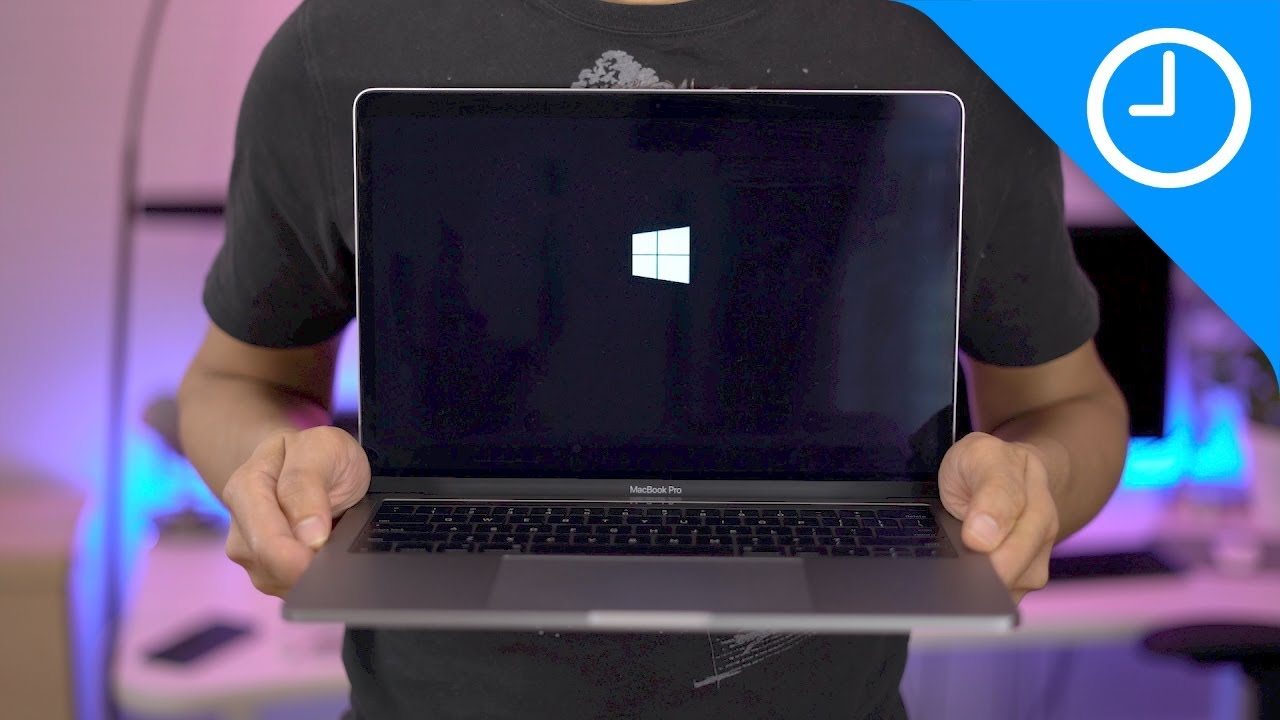
Subscribe ► http://bit.ly/9to5YT | Windows 10 ISO download link ► https://bit.ly/2ui2H4i Installing Windows 10 on a Mac running macOS Sierra is super-easy us...
Hey look I Google it for 3 seconds and found this
dire kite
but my guy
ofcourse ive watched a few vid tutorials
but i have this specific problem that someone with knowledge or experience may know the answer to
light tundra
Googled not Google ree
real jacinth
Ree
light tundra
What is specific problem you speak of?
dire kite
eveyrtime i start up boot camp and click the first continue, it tells me i dont have enough free disk space and that i need at least 40 GB free
while my macbook tells me i have 199 GB free if i open About Mac
undone mirage
idk what i'm talking about as I only have basic knowledge, but can you try manually creating the partition?
real jacinth
real jacinth
Discussion forum thread on how to clear time machine things
dire kite
the time machine thing i already did
i looked at the forums on apples website and already turned it off and deleted the "ghost" stuff
dire kite
do i just do the same amount of nines ?
ill try
guess i have to restart my macbook now
brb lol
midnight kraken
Well
I have kept playing since before and there is no room with random enemies
So there is something wrong here xd
light tundra
Did you put ModCommon into Mods?
real jacinth
Read gradows statement above
real jacinth
midnight kraken
And put all randomizer modes in ON on the the ramdom menu in the game
real jacinth
There's a button on The main menu at the top
dire kite
uuuuh it didnt work
light tundra
I don't have a Mac so I can't help you beyond Google
real jacinth
The button on the top of the menu loads all enemies
Need to do that until it finishes
dire kite

real jacinth
Takes a few minutes to load them all
dire kite
real jacinth
Apple Support
Get help fixing the 'Not enough space' error message you might see when you install Windows on your Mac using Boot Camp Assistant.
midnight kraken
At the top of what menu ?
real jacinth
Main menu of the game
midnight kraken
I am looking for it in all the menus and cant find it
real jacinth
Title screen
dire kite
what the hell i never foudn that thanks mickely
real jacinth
Like mid top left of the title screen
dire kite
oh wait but i already have done the steps given on the website
midnight kraken
In the top left corner appear all the mods
midnight kraken
I just oppened a menu on the title screen to choose enemy seeds
Dont know if thats what you mean
low heart
does it say "modcommon" there too
real jacinth
There should be a button to the right of the mod list that says load enemies
midnight kraken
ye
low heart
then there should be a button
midnight kraken
nope
real jacinth
What game version are you on? 1.3.1.5?
real jacinth
Lightbringer might be messing with it
midnight kraken
Should I try uninstalling it ?
real jacinth
Yeah
midnight kraken
Well, I already have things from the lightbringer
And I preffer it instead of the randomizer xd
lol
Now there appeared that button
Just restarting
real jacinth
Well there you go
midnight kraken
In the other hand, I pressed the button and the game exploded
light tundra
Are you on a laptop?
real jacinth
Your machine probably isn't strong enough then
midnight kraken
fuck
Well, its strange
cuz its like the button start the save
But at the same time I keep in the title screen
real jacinth
You didn't wait for it to finish loading?
midnight kraken
I just pressed it and waited
midnight kraken
oh
real jacinth
It tells you when it's done
midnight kraken
After these minutes should it work ?
real jacinth
Takes minutes to load all enemies
midnight kraken
oooh
The question is... will it make the game unplayable ?
Like spawning false knights in little rooms
real jacinth
Maybe
midnight kraken
Or things that make me impossible to continue
real jacinth
It's random. You get what you get
light tundra
Nothing that makes it impossible but it will make it extremely difficult
midnight kraken
Well
real jacinth
Can always reset rooms by leaving and coming back
midnight kraken
If I played dark souls 1 randomized with 5 gwins in the first area i can do this
real jacinth
Plus no clip is an option
midnight kraken
Dudeu
There was mawleks in the area where the mantis were in the original game ? xd
I ask because its strange to see them in that place, but they are very well placed, so its like something a developer could have done
midnight kraken
wtf
midnight kraken
The enemies that were in the base game keep in the same place
The only difference i have seen is that there is added enemies
And one of these spectre bosses appeared in the mantis area for free
But he didnt even attack or something
 glossy dagger
Does anyone here know how they made it so the camera focuses on a point between the player and important places (like holes and etc) on Unity?
 glossy dagger
ty
 lapis yarrow
i wonder if they use cinemachine for the camera or is a custom one
midnight kraken
omg
I am in dirthmouth and I just noticed that there is a fucking huge Primal Aspid next to the bench
I think i will stop using the randomizer xddd
He is so huge that he seems to be in 480p and i am playing at max resolution
With like unlimited hp bar and fucking huge speed
runic oriole
Dafuq
 versed needle
He's talking about this https://clips.twitch.tv/SplendidPrettyTrollTheTarFu
light tundra
Oh my goodness
 rare rivet
woooah wtf
 nova latch
lmao
 next totem
So I tried installing lightbringer, i copied all the files and put them into the hollow knight folder, and now the start up screen is just always black. Any ideas?
runic oriole
install the api and modcommon
 noble basin
hey gradow did you ever actually update blackmoth to work with that hook you modified in modding api?
noble basin
ok making sure because I just released redwing and if people's blackmoth dashes are broken in it I'm gonna be sad
runic oriole
I'll update the version on gdrive
 gloomy crater
shade cloak cooldown doesn't proceed if you spam shade cloak so the fire trail never comes back 
gloomy crater
no just if you spam dash
noble basin
yeah
that's by design
so
you have a choice
dash carefully to get more damage
or dash often and get more speed
I thought you meant like the cooldown got stuck
and never came back
gloomy crater
oh is redwing+blackmoth just full strength nail
noble basin
your nail is normal strength with blackmoth yes
it's a setting
if on your first launch you start a new game it tells you to look in the global settings file
next totem
I installed the modding api and mod common, nothing seems to work :/
gloomy crater
did you install any other mods
runic oriole
what version of the game are you playing?
does the game crash or do you only get a black screen?
next totem
Just black
runic oriole
what's inside your Mods folder?
runic oriole
there's your problem kiddo
put the mods inside a Mods folder
inside the Managed folder
next totem
Oh wait
there is a mods folder
Inside managed
Didn't nitice it was there.
notice*
noble basin
is your modcommon in there
next totem
Yes
runic oriole
and lightbringer?
next totem
runic oriole
what version of the game are you playing?
real jacinth
Inb4 beta
noble basin
nah it's cool we got beta modding api dlls
 daring peak
next totem
daring peak
next totem
I should be on the most recent update
noble basin
do you see this when you look at the game
next totem
Not in the beta
next totem
Where would I find the save folder?
noble basin
Save Files: %APPDATA%\..\LocalLow\Team Cherry\Hollow Knight\
can you just do windows+r and paste that there
I think
next totem
real jacinth
Copy the mod log here
next totem
real jacinth
Looks like it Loaded everything fine. Maybe just double check what versions you downloaded. Or use the installer
Or start from the beginning and be sure that the vanilla game loads. Cuz that could be the issue too
next totem
So should I just reinstall HK?
undone mirage
verify first
noble basin
if it's on steam just verify
real jacinth
We're you on beta at any point?
next totem
Never
noble basin
right click, properties, local files, verify
next totem
Got it.
So with the mod installer, is it just "Click the check box" and it will auto install?
next totem
Validation done, game runs.
noble basin
ok now you should be able to get away with just installing the modding api
next totem
Game runs after installing mods thru mod manager
Mod manager says that modding api is already installed
We good?
And should I start another save, or can I continue an old one?
noble basin
I mean you can do either but like it kinda defeats the point of playing lightbringer on an old one
 glass meteor
imo new save
runic oriole

ok, reworked the whole modinstaller
instead of having multiple dicts keeping track of filenames, links etc., now I added a new class which has Name, Filename, Link, Dependencies and Optional as properties
and I just use those
so, for those of you who actually know what they're doing
should I revert back? Or is this better?
I mean, it sure is easier to understand what's going on
versed needle
Should be a struct
That's their exact use case
Only complaint I have with what you've said
noble basin
 and yeah structs are perfect, They're basically a thing you can put arbitrary data in.
glass meteor
Mod Summaries:
https://docs.google.com/document/d/1xRcL7LJHQbN_lpNYWKYggGA_st0ewnLd1s5X20ukD7s/edit?usp=sharing
KDT's Save editor:
https://github.com/KayDeeTee/Hollow-Knight-SaveManager/releases/latest

Google Docs
Key: Functional Changes Asset Changes Quality of Life Helpers Modding/Speedrunning Non-API Mods Unending Dreams: Respawns Dream Warriors upon defeat to allow refighting them Cut Content: Introduces inaccessible content to the game 110 Percent: Adds new completion percentage r...

GitHub
Hollow-Knight-SaveManager - Manage and edit Hollow Knight saves
noble basin
ida64 is crazy powerful and way over my skill level
but kdt is right ima need to look at assembly to get this to work
 safe canopy
i'm getting 0x0ade to solve it for me
I asked him about monomod hooking fields and he basically reverse engineered unity for me FeelsGoodMan
glass meteor
nice
next totem
Hey, I'm back. I had to go yesterday due to personal reasons. Back to trying to mod the game, problem being now, the mods are installed but they don't seem to be working.
I think it has something to do with API
runic oriole
Omg 56, you had me completely fooled for a second there, well done
What was your issue, mr. Printer?
next totem
Mods are in my "mod" folder, everything seems good, but HK is still vanilla.
After I verified files through steam, I downloaded the mod manager, installed the mods I wanted, as well as the modding API.
runic oriole
So the game runs, but no message on the upper left corner?
next totem
None.
okay....
Well...
Sorry to waste your time, just started it up again, now it works?
runic oriole
Great
next totem
Yeah... I guess so.

 next totem
Thank you for the mods 
runic oriole
Np! Glad the installer worked
noble basin
good
 rocky moss
can someone help me with installing mods?
glass meteor
yes
rocky moss
k
noble basin
there's mod summaries pinned if you need more help on deciding which ones to pick
rocky moss
scalemod is not in the list,how do i install him?
glass meteor
doesn't work on lifeblood
rocky moss
redwing is a dash only mod? last question q-p
glass meteor
@noble basin
glass meteor
also you can still use your nail at normal damage, right?
rocky moss
thx :p
glass meteor
use blackmoth if you use redwing btw
rocky moss
blackmoth makes the nail weak and the dash strong,right?
 crystal bay
ye
noble basin
just a little strong
rocky moss
k thx
rocky moss
o,now its the rlly last question,there is already a multiplayer mod?
(not that shield mod)
glass meteor
dreamshield co-op only
noble basin
no and it's probably not happening for a while
glass meteor
more like ever tbh
rocky moss
dreamshield co-op is local,?
noble basin
I might make one but that's super far down the line
and if I do it will be local only too
real jacinth
Making a multi-player mod would be an enormous challenge
rocky moss
wait
noble basin
that's why if I ever do it's gonna be local only
rocky moss
how about it ?
https://www.youtube.com/watch?v=DOt-CLCuJUY
 noble basin
lol
versed needle
Team Berry
noble basin
team berry
rocky moss
ow this isnt a mod
real jacinth
Lol
rocky moss
i'm dumb '-'
real jacinth
Nice meme vid
rocky moss
;-; i got trolled
noble basin
it did come out april 1st
rocky moss
wait,rlly?
real jacinth
Yes
real jacinth
Any idea on how youd make it work AA? I'm super curious. Wouldn't that have huge challenges with triggers and collision, etc?
Even the camera would have to be reworked
noble basin
If I do it, and it's still a maybe at this point I was just gonna do it as a second content pack for redwing where player 2 using the mouse can shoot enemies with various weapons
runic oriole
make second player control spiderlings/spawnlings/grimmchild
noble basin
you know that slugcat machinegun mod?
real jacinth
No
noble basin
hold on let me find a gif
https://cdn.discordapp.com/attachments/445366035584122894/449178501476646914/slugcatgun.gif
anyway this is the kind of feel I want to go for in redwing

and since multiplayer is basically objectively gonna make the player stronger I figure it makes perfect sense for it
noble basin
you rest at a bench bonfire
rocky moss
'-' my friend is with problems
glass meteor
who why ping what
rocky moss
ow srry
my friend is with problems
(he's thinking in what to say)
his mod installer doesnt works(idk if this matters but he have win7)
versed needle
Gonna have to be more specific than that
 rocky moss
say with dino
noble basin
oh
 dim junco
one second
dim junco
this dont work
rocky moss
runic oriole
do you get any errors?
noble basin
everything looks fine to me /s
versed needle
He was being sarcastic
runic oriole
Dino do you get any errors?
I just redownloaded it to be sure it wasn't an issue with the most recent version
rocky moss
his windows version is 7
runic oriole
I know
rocky moss
this matters?
runic oriole
dunno
rocky moss
oof
runic oriole
don't think it should matter, at least
rocky moss
ow k
runic oriole
I changed some stuff, Sean
made Mod into a struct
but, then again
nothing that would break on win7
Dino u there?
dim junco
yep
runic oriole
did it give you any messages when you first opened it?
dim junco
yes
rocky moss
well,this is in another language,but says the app wasnt installed correctly
dim junco
wait
runic oriole
that is fine
versed needle
Should be something before that
runic oriole
also it's technically never "installed"
versed needle
That's something you should fix but idk how
versed needle
Windows shouldn't think it needs to be installed
Yes that window
Click the bottom left button
versed needle
Actually the window title is "Hollow Knight not found!"
That's probably all you need to know here
runic oriole
"path can't be an empty character string or only empty spaces"
rocky moss
k wait ima tell to him
runic oriole
ok
he prolly just skipped the confirmation for the install path
smh
nightfull2 or Dino, please DM me
versed needle
These screenshots are so blurry
runic oriole
such low res
rocky moss
ya,that's because this is a screenshot of a screenshot
runic oriole
wth
rocky moss
?
noble basin
you can copy and paste the discord link directly
or just copy the image and paste it
to upload it in full res
right click any image copy link. then do control v
anyway that's neither here nor now
rocky moss
ow
anyway,dino is dm'ing with a mod and its working
i think
he dont said anything bad or good or nothing,i think he's saying with him and its working
but thx for help
grub wins
anyway ima play
a new game
a new lightbringer game
i'm excited and bored because i lost all my progress,but its ok,THIS GAME IS NICE AND I DONT MATTER
bye :p
 slim topaz
Does the lightbringer mod require the mod installer?
slim topaz
Cool, thanks
 cursive rock
What does the debug menu mod do?
light tundra
Gives you a bunch of cheating shit
Clone enemies, give yourself items, respawn bosses/dream bosses, noclip, etc
real jacinth
clone enemies
 teal plank
what does the charm notch mod do? I installed it and nothing seems to have changed. It says it is installed in the corner
light tundra
Or maybe that is The Hollow Knight is exclusive I only tested that on him
Salubra's notches are given to you once you meet the charm threshold rather than having to buy it from her after meeting the threshold
teal plank
ah okay thank you!
real jacinth
What's the keybind for that?
light tundra
No keybind iirc
real jacinth
Where do you do it then?
light tundra
You have to open the enemy panel and pause the game
Hover the mouse over the enemy names and 3 circles with a + - and one other I cannot recall
real jacinth
Ah. Infinite hp. Makes sense
So you can practice bosses over and over if you want. Was a feature of the info program too
noble basin
woah there's an infinite hp thing in debugmod
I need this
so I can practice bosses without having to leave the room
Need to practice traitor lord because I've breezed through all the other ones in SS but that one might kill me because I fought it pre lifeblood by rushing it down
and apparently it's crazy hard now
same with nosk
light tundra
no wait
slim topaz
Do I have to be on a certain version of the game for the lightbringer mod to work?
noble basin
no but you have to use the lightbringer api
slim topaz
I have that installed but when I open the game it crashes
real jacinth
Are you on beta?
noble basin
@slim topaz
slim topaz
Yes
light tundra
no wait it comes with api now ree
noble basin
for the beta you need a beta built mod api like this one https://cdn.discordapp.com/attachments/455231776248299520/462804221234905109/Assembly-CSharp.dll
so replace the old one with this one
it's in hollow_knight_Data/Managed/Assembly-CSharp.dll
slim topaz
Now I get a black screen when I launch the game
I downloaded the Lightbringer API, ModCommon and the Assembly-CSharp.dll thing, and followed the instructions
noble basin
ok
verify your game integrity if it's on steam
and then reinstall just the assembly-csharp
and then launch it
slim topaz
Lightbringer: UNKNOWN
slim topaz
Thank you
midnight kraken
do someone use the blackmoth mod ?
I have been using it since i started my save, but now i noticed that i can no longer dash in any direction
Instead of that, i can only dash vertically
low heart
@runic oriole that's a new one
runic oriole
That is... Weird to say the least
Play the game some and then post modlog and output_log here please @midnight kraken
glass meteor
moflog be
low heart

midnight kraken
I actually dont know what "post moflog be output_log" mean xd
The only thing i changed from the game is that I removed the randomizer mod from the game
Yesterday it worked, but today i started playing and the game freezed against grimm boss because of the randomizer
Then i closed and tried to open the game but it did nothing, then I instaled the game and the mod API again and then it stoped working
low heart
actually gradow was having an aneurysm and actually wants you to post the mod log and the output_log
runic oriole
Mobile
glass meteor
mobile is death
low heart
same thing, really
runic oriole
Go to your saves folder
midnight kraken
I am in the hollow knight folder right now
I see 4 folders which names are dates
With a folder named crash in each one and another file named output log
midnight kraken
I guess this is
There is 3 more of these from yesterday late, if you dont see anything strange I can try to send you the others
runic oriole
do you know where your appdata folder is?
@glass meteor Lightbringer is giving some NRE's ```NullReferenceException: Object reference not set to an instance of an object
at Lightbringer.Lightbringer+<SceneLoaded>d__43.MoveNext () [0x00000] in <filename unknown>:0
at UnityEngine.SetupCoroutine.InvokeMoveNext (IEnumerator enumerator, IntPtr returnValueAddress) [0x00000] in <filename unknown>:0
(Filename: Line: -1)```
glass meteor
pain
runic oriole
Ok Jose, go to locallow/team cherry /hollow Knight
And send us the modlog.txt file you find there
midnight kraken
i think i dont have a team cherry folder
Well, i just looked for it in the files browser and didnt appear
low heart
type this into the file browser
%APPDATA%\..\LocalLow\Team Cherry\Hollow Knight\
or copy paste
w/e
midnight kraken
ok, i am in the said folder
runic oriole
Send the modlog.txt
midnight kraken
too heavy
Should i just copy the text ?
Well, actually the text have like 123098120398 lines
glass meteor
@runic oriole
[INFO]:[BonfireMod] - Checking inventory open
[INFO]:Inventory object Inventory (UnityEngine.GameObject)
[INFO]:Inventory control fsm Inventory (PlayMakerFSM)
[INFO]:Inventory open False
why
midnight kraken
what does that mean ? xd
runic oriole
  at System.Reflection.MonoMethod.Invoke (System.Object obj, BindingFlags invokeAttr, System.Reflection.Binder binder, System.Object[] parameters, System.Globalization.CultureInfo culture) [0x00000] in <filename unknown>:0
  at System.Reflection.MethodBase.Invoke (System.Object obj, System.Object[] parameters) [0x00000] in <filename unknown>:0
  at System.Delegate.DynamicInvokeImpl (System.Object[] args) [0x00000] in <filename unknown>:0
  at System.MulticastDelegate.DynamicInvokeImpl (System.Object[] args) [0x00000] in <filename unknown>:0
  at System.Delegate.DynamicInvoke (System.Object[] args) [0x00000] in <filename unknown>:0
at Modding.ModHooks.DashVelocityChange (Vector2 change) [0x00000] in <filename unknown>:0```this errror makes me think it's somehow the fault of my cached private fields/methodsso, for now, I'm resetting them every scene load
runic oriole
np!
 exotic ingot
do i have to finish the game to play with mods?
exotic ingot
oh ok thanks
real jacinth
Some mods are meant to be played on a fresh save file. So yeah. suggested to beat the game once vanilla before jumping into mods.
but the choice is yours really
midnight kraken
If i dont use the "custom enemies" option in the randomizer mod the huge enemy in dirthmouth doesnt appear, right ?
Or he appear just using the mod ?
rocky moss
can someone pass me the first version of the mod installer?
glass meteor
y
runic oriole
Angle
runic oriole
btw did you fix the modinstaller where it would crash when disabling a mod that is already disabled?
just asking
noble basin
no
noble basin
the only issue I fixed is if you don't have internet
noble basin
otherwise it was just making it work on linux
runic oriole
tbf I had considered adding a handling for offline
but, then
why?
it's a modinstaller
you can't install mods from the internet if you're offline
rocky moss
ow i'm back
noble basin
normally the modinstaller crashes when you're offline
rocky moss
so...
noble basin
but I made it so it gives you an error message
and lets you exit out
instead of just crashing
or retry
I did it because sean complained about crashing when he tested my thing and his crash was from it being unable to download the mod list
and it was in code I had not modified
noble basin
I know, only someone who hates the user would make a folder selection window without a close button
glass meteor

noble basin
hey 56 u should try it
I know you're very lazy
so it should make installing mods for you easier
runic oriole
56 has been my dummy for testing this bad boi since day 1
noble basin
I made it work on linux but I'm never gonna use it.
which I guess makes me the biggest monster of them all
runic oriole
no
you already are the biggest monster of us all
because you compile all binaries
noble basin
tbf I made it possible to play modded on lifeblood beta.
glass meteor
tbf anyone can do that in like twenty seconds
glass meteor
ur granny tranny
glass meteor
explain
safe canopy
hook IsPressed /WasPressed / WasReleased / WasRepeated
runic oriole
lemme check
safe canopy
so I can x button is pressed
glass meteor
ok
 sharp moon
hey, I'm trying to get the debug menu mod working on patch 1.1.1.8, but am failing somewhere along the line. I can get it working on 1.2.2.1, but not on 1.1.1.8. I was wondering if there was another version of the debug mod or anything that I should be using, as there was only the one on the modding drive that I saw. Or if i was just doing something wrong. Any help would be appreciated, thanks!
versed needle
I think this is the 1.1.1.8 one
sharp moon
that fixed it! thank you so much
rocky moss
BOIS
i have an idea
and i need to say it now before i forget it
soo...
damage indicators
like,when u attacks a monster,it shows the damage you will do
¯_(ツ)_/¯
undone mirage
there's a mod that shows healthbars
rocky moss
different things
undone mirage
and all damage values are known
undone mirage
what would it be used for?
rocky moss
show numbers indicating damage when someone attacks
aw idk
but this looks nice
:3
undone mirage
you do know that hk is very hard to mod right
undone mirage
i didn't approve anything but sure, yw
slim topaz
Are there descriptions of what charms actually do in the Lightbringer mod?
the added charms, that is
sleek tiger
don't think there's one, or at least I couldn't find one
 potent atlas
Part of the adventure is experimenting with the new charms
runic oriole
^
undone mirage
yes, something a normal everyday person can do
runic oriole
It's actually true. And dnspy trivializes that
glass meteor
it's also on github
GitHub
Contribute to Lightbringer development by creating an account on GitHub.
gloomy crater
just load a 107% save 
 wanton oak
Hey there, how do I use the debug mod console?
wanton oak
I pressed F1 but it did nothinh
runic oriole
is it installed?
wanton oak
Yes
real jacinth
do you not see a bunch of things on screen?
wanton oak
Nope
real jacinth
then it's not installed
real jacinth
top left of main menu
glass meteor
imo
real jacinth
^
real jacinth
then you should see things on your screen in-game
wanton oak
and yet for some reason nothing does :/
glass meteor
hit fn and f1
real jacinth
okay. so the API is installed
runic oriole
SJWgamers 
real jacinth
but not the debug mod
wanton oak
I put the debug mod files in the mod map
real jacinth
i bet you put the whole folder there
if you have the installer, just click the nice little box next to it
real jacinth
^
gloomy crater
install divorce papers

 real jacinth

 white venture
correct chat now
so im having issues with enemy randomiser
ive installed it but the load randomiser option doesnt appear
and therefore no enemies are randomies
send help
runic oriole
Is it correctly installed? Do you see text in the upper left on the title screen?
runic oriole
Use the installer in pins
gloomy crater
or learn how to install manually
runic oriole
Don't tempt me veru
gloomy crater
ur right only hackermans copy files and create folders
runic oriole
I'm gonna rewrite the installer so it teaches you how to install instead of installing for you
gloomy crater
just make a flowchart
runic oriole
You click a mod and it says "ok, good, here's the link so you can download it. After it's done go to this folder and put it there. Fin"
gloomy crater
wow NCIS: Los Angeles
@gloomy crater big meme
@gloomy crater thanks
@gloomy crater why do self tags get highlighted
white venture
its telling me the installer wont load
noble basin
omg you know what this is
gradow's silly installer checks every drive that's mounted
so if you have a floppy disk drive or a cd drive
it can break
or a mounted network folder
gloomy crater
~~lol who has a cd drive
white venture
I do, sadly
midnight kraken
someone knows how to show the UI of the debug mod ?
white venture
He looks like pacman
real jacinth
F1
white venture
So, is there any way to get round the issue with Gradow's installer?
midnight kraken
The double jump i had dissapeared dude
real jacinth
install mods manually
real jacinth
or move the modinstaller .exe to another location
then try again
running as admin
like, put it on your desktop
gloomy crater
what if i don't have a c drive
white venture
How can you not have a c drive
I really need help
I did both the installer and manually, and the mod still isnt working
No numbers show up on the loading screen
No enemies are randomised
white venture
1.3.1.5
Folder
Installer
Oh thank god I got it working
I just had to reinstall the API
runic oriole
Angle: thank 56
My installer was breaking for him because his steam was in the D drive
To fix that, I can make it not look for removable media
But I figure someone out there might have steam installed on a removable flash drive
rocky moss
can someone send me a print of...any blackmoth charm?i'm triying to do a thing
i know, this is weird,dont ask
noble basin
what do you mean
rocky moss
q-p
i'm triying to make a traduction to blackmoth
so i want to know where are the things
noble basin
translation?
rocky moss
k
noble basin
here's all the custom text
https://gitlab.com/gradow/Blackmoth/blob/master/BlackmothMod.cs#L648

from there until line 772
noble basin
that's the wrong approach
rocky moss
o