#what am i doing wrong its basic ?!
1 messages · Page 1 of 1 (latest)
 wanton marten
 restive blazeBOT
<@&987246399047479336> please have a look, thanks.
 abstract solstice
Can you upload your saved source file ?
 restive blazeBOT
Please use this format for posting code:
```java
// Example java program
int value = 5;
System.out.println(value);
```
Which results in:
// Example java program
int value = 5;
System.out.println(value);
For syntax highlighting, you have to add the name of the language after the three backticks, like ```java. Please make sure to use exactly this format, so no space between the backticks and the language name, and a newline before the code starts. If done right, the syntax highlighting will even be applied to your text as you type, before sending.
simon_verhoeven • used /tag id: code
·
 terse vortex
And which error do you see when you hover over line 3?
 terse vortex
No, the one from your initial screenshot.
But delete that module file for now.
That'll bring you into areas you don't need yet.
 terse vortex
Delete the module-info as well. And you really should update your JDK.
restive blazeBOT
Download latest Java from https://adoptium.net/, run the installer.
Open a CMD and type java -version and javac -version, if both show your new Java version, you have successfully installed Java! 🎉
https://i.ibb.co/X8Kms8q/CurMujt.png
In order to prevent issues with old installations you may want to remove them. Type where java and where javac. They should only show the new and no old entries:
https://i.ibb.co/fkKHv0b/x5k1GxG.png
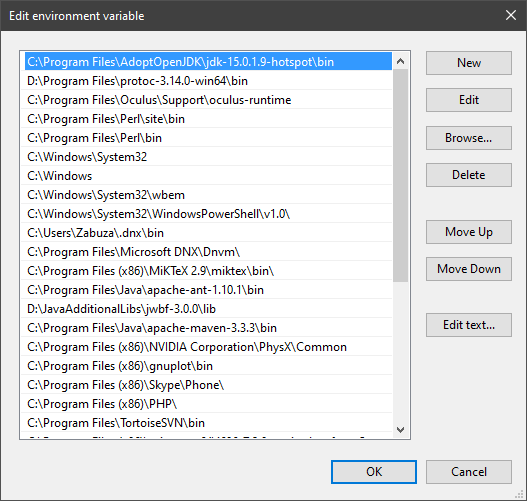
If that is not the case, you may want to clean up. Therefore, type "environment variable" into the Windows search and follow the dialog. You will see two entries for a variable called Path, one for your user and one for the system. This variable tells Windows where to look for commands, like java and javac.
https://i.ibb.co/BwvMpM6/3bN9QE2.png
Edit both. Make sure that they only list the entry to your new Java installation and remove all the old entries you have seen with the where command before:
https://i.ibb.co/9GTnHsm/JAYog1U.png
Confirm and close all dialogs. Restart your CMD window and try where java and where javac again. It should only list the new installation now and nothing else.
Congratulation, your Java is now finally ready, happy coding 🎉
simon_verhoeven • used /tag id: install
·

Eclipse Adoptium provides prebuilt OpenJDK binaries ...