#adding dependencies to javafx project (maven)
1 messages · Page 1 of 1 (latest)
 novel orioleBOT
Here is an AI assisted attempt to answer your question 🤖. Maybe it helps! In any case, a human is on the way 👍. To continue talking to the AI, you can use </chatgpt:1108714622413963314>.
ple:AppleJavaExtensions:1.0.0 to the dependencies section, it gives me an error saying that it cannot resolve the dependency. Can someone help me with this issue?
 safe leaf
where did u get that details ? a quick search on maven central does not find it
apple java extention
- Saved the pom and updated maven ?

2010
not necesarry, but if u saved your pom and updated your maven after, and it doesnt download nor find. It might
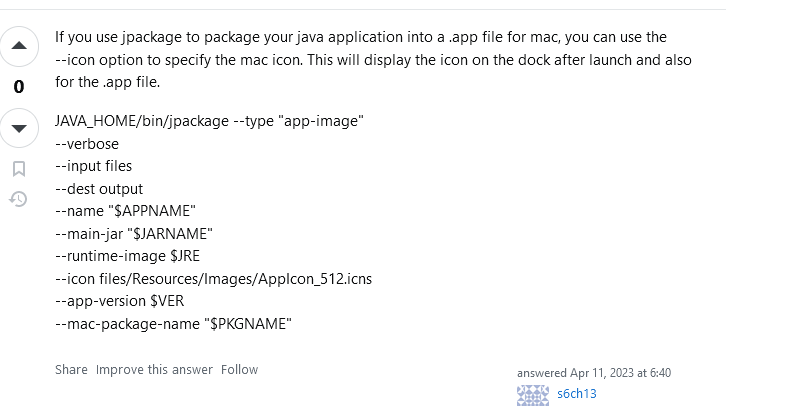


found this on SO
might be better then to use a lib that ancient
 simple parrot
you do that during the packaging phase, not within code
simple parrot
dont think so, but you can configure it if using a packaging tool like jpackage
 ionic sand
@river stag you are just wrong about the module name
its an old ass library so it probably doesn't have an explicit module name
requires AppleJavaExtensions; would be my guess
lol
so it seems like that dependency is incompatible with the module system
because it has a split package

...no sources jar
idk, why did you want this dependency?
isn't that something you set up when you package your app
then maybe jump ahead and try to package what you have now
see if you run into any issues