#game-development
1 messages · Page 73 of 1
 spring oasis
I should probably mention I coded it using the pygame module for a game I've been coding which is why I put it in this channel
 empty orchid
how do i make it so pyperclip.copy() doesn't delete other text in other boxes in pygame
 maiden ore
these are some great games
empty orchid
also how do you make a backspace function that works like the discord backspace in pygame? like it deletes one letter then after some after some time it deletes characters rapidly
oh nvm i can use key.set_repeat
what is the discord interval for key.set_repeat
is it 50?
 ebon helm
line up 4 code chunk heres all 54 winning lines for a 6x6 grid
winningLines = [[1,2,3,4],[2,3,4,5],[3,4,5,6],
[7,8,9,10],[8,9,10,11],[9,10,11,12],
[13,14,15,16],[14,15,16,17],[15,16,17,18],
[19,20,21,22],[20,21,22,23],[21,22,23,24],
[25,26,27,28],[26,27,28,29],[27,28,29,30],
[31,32,33,34],[32,33,34,35],[33,34,35,36], #horizontal lines
[1,7,13,19],[7,13,19,25],[13,19,25,31],
[2,8,14,20],[8,14,20,26],[14,20,26,32],
[3,9,15,21],[9,15,21,27],[15,21,27,33],
[4,10,16,22],[10,16,22,28],[16,22,28,34],
[5,11,17,23],[11,17,23,29],[17,23,29,35],
[6,12,18,24],[12,18,24,30],[18,24,30,36], #vertical lines
[33,28,23,18],[32,27,22,17],[27,22,17,12],
[31,26,21,16],[26,21,16,11],[21,16,11,6],
[25,20,15,10],[20,15,10,5],[19,14,9,4],
[34,27,20,13],[35,28,21,14],[28,21,14,7],
[36,29,22,15],[29,22,15,8],[22,15,8,1],
[30,23,16,9],[23,16,9,2],[24,17,10,3]]#vertical
i plonked em in a list for anyone who needs em(josh)
 exotic laurel
What equation should i use for basic jumping in pygame?
 limpid gyro
@exotic laurel can u check this
i think it's the video which has the most physical jump
exotic laurel
limpid gyro
<@!368671236370464769> can u check this
Yep Thanks!
limpid gyro
np
ebon helm
😀
 fervent rose
Yeah, no
 grave charm
oh ok
 hardy venture
Qui est fr
 scarlet fossil
can be I make a much better game using pygame or I should continue use Unity for GameDev?
 dawn quiver
scarlet fossil
can be I make a much better game using pygame or I should continue use Unity for...
dawn quiver
scarlet fossil
can be I make a much better game using pygame or I should continue use Unity for...
My personal opinion:-
use pygame for learning
use unity or any other that kinda game engines for professional work
scarlet fossil
dawn quiver
My personal opinion:-
use pygame for learning
use unity or any other that kinda ...
Thanks!
dawn quiver
np
 reef path
hey, so im trying to write a game with a similar setup to this one, i want the player to stop moving if they jump upwards and collide with a platform, i have all my platforms in a list and i go over the list with a for loop, but it just goes over all the platforms and stops if there is any platform above the player, any idea how to fix this or if there is a better way to implement this?
 elfin frost
I am thinking on creating reddit community 🤔 , pybullet forum is... dying or dead already :D
But I can't decide on name as its one time and can not be changed later
1 PyBulletRobotics
2 PyBullet&Robotics
3 PyBulletAndRobotics
How can I keep the pygame window up longer?
Once I run the code on VSC, it automatically closes it :/
@frank field
 potent ice
what does your main loop look like?
 clear jasper
oh
you need
a while loop
import sys
import pygame
pygame.init()

screen = pygame.display.set_mode(size)
pygame.display.set_caption("Game")

while 1:
    for event in pygame.event.get():
        if event.type == pygame.QUIT:
            sys.exit()
see
the for loop
it is checking
in the while loop
if the user
clicks
 tawdry cobalt
I'm trying to make a simple 2048 game. What's the best way to do this with a ui? It would be cool to have animations similar to the original and be able to put it in a website(though I have no idea how that works)
 frozen knoll
Here's one I did: https://github.com/pvcraven/2048
 limpid gyro
hardy venture
Qui est fr
limpid gyro
hardy venture
Qui est fr
im not, but i talk french
limpid gyro
clear jasper
```py
import sys
import pygame
pygame.init()
screen = pygame.display.set_mode(s...
while 1 lmao
 rigid bluff
'morning
 proud bough
is it possible to make a mario like game with pygame???
 tranquil girder
yes
proud bough
can u direct me to some good sources or documentation regarding pygame ?
potent ice
 strange halo
guys does anyone know AR development in unity?
exotic laurel
TypeError: 'pygame.Surface' object is not subscriptable``` What does this error mean? I'm trying to get an imagine from a list of images. dense creek
self.duck_img is a pygame.Surface (image)
proud bough
i trying to make a mario like game ,is there any good map editor?
dawn quiver
proud bough
i trying to make a mario like game ,is there any good map editor?
as far as i know,
u have two options,
- use Tiled to create maps and pytmx to import them in python
- make a simple map editor urself :)
dawn quiver
exotic laurel
Is there a way to do a fade out in pygame?
u can use
img.set_alpha(50)
to make a function for the fading effect maybe
proud bough
dawn quiver
as far as i know,
u have two options,
1) use Tiled to create maps and pytmx to...
which is the least time consuming ??
exotic laurel
dawn quiver
u can use
`img.set_alpha(50)`
to make a function for the fading effect maybe
What does set_alpha do?
dawn quiver
exotic laurel
What does set_alpha do?
it's just sets the opacity of the image to the value specified
exotic laurel
Does high means more visible?
dawn quiver
proud bough
which is the least time consuming ??
i think making a map editor is lengthy
dawn quiver
exotic laurel
Does high means more visible?
yep
maximum value is 255
and minimum is 0
exotic laurel
Oh alright
 steel zealot
import pygame
import random
import math

# Intialize the pygame
pygame.init()

# creat the screen
screen = pygame.display.set_mode((800, 600))

# background
background = pygame.image.load('yeet2feet.jpg')

# Title and Icon
icon = pygame.image.load("ufo.png")
pygame.display.set_icon(icon)

# player
playerImg = pygame.image.load("space-invaders.png")
playerX = 370
playerY = 480
playerX_change = 0

# enemy
enemyImg = pygame.image.load("ufo.png")
enemyX = random.randint(0, 800)
enemyY = random.randint(50, 150)
enemyX_change = 0.3
enemyY_change = 40


bulletImg = pygame.image.load('bullet.png')
bulletX = 0
bulletY = 480
bulletX_change = 0
bulletY_change = 1.2
bullet_state = "ready"

# score
score = 0
def player(x, y):
    screen.blit(playerImg, (x, y))

def enemy(x, y):
      screen.blit(enemyImg, (x, y))

def fire_bullet(x, y):
    global bullet_state
    bullet_state = "fire"
    screen.blit(bulletImg, (x + 16, y + 10))


def isCollision(enemyX, enemyY, bulletX, bulletY):
    distance = math.sqrt ((math.pow(enemyX-bulletX,2)) + (math.pow(enemyY-bulletY,2)))
    if distance < 27:
        return True
    else:
        return False
running = True
while running:

    # RGB   =  red green blue
    screen.fill((0, 0, 0))
    # back ground
    screen.blit(background, (0, 0))
    for event in pygame.event.get():
        if event.type == pygame.QUIT:
            running = False

    # keystroke is pressed check whether its a or d
    if event.type == pygame.KEYDOWN:
        if event.key == pygame.K_LEFT:
             playerX_change = -0.4
        if event.key == pygame.K_RIGHT:
             playerX_change = 0.4
        if event.key == pygame.K_UP:
             if bullet_state is "ready":
                  bulletX = playerX
                  fire_bullet(bulletX, bulletY)

    if event.type == pygame.KEYUP:
        if event.key == pygame.K_LEFT or event.key == pygame.K_RIGHT:
            playerX_change = 0
    playerX += playerX_change

    # checking for boundaries of space ship
    if playerX <-0:
        playerX = 0
    elif playerX >=736:
        playerX =736
    # enemy movment
    enemyX += enemyX_change
    if enemyX <-0:
        enemyX_change = 0.3
        enemyY += enemyY_change
    elif enemyX >= 736:
        enemyX_change = - 0.3
        enemyY += enemyY_change

    # bullet movement
    if bulletY <= 0:
        bulletY = 480
        bullet_state = "ready"

    if bullet_state is "fire":
        fire_bullet(bulletX, bulletY)
        bulletY -= bulletY_change
    # collision
    collision = isCollision(enemyX, enemyY, bulletX, bulletY)
    if collision:
        bulletY = 480
        bullet_state ="ready"
        score += 1
        print(score)


    player(playerX, playerY)
    enemy(enemyX, enemyY)
pygame.display.update() ```the colishion is not working
limpid gyro
can i set a real-time server using heroku ?
 frail wing
Hey guys I’m kinda new to this chat. Recently I’ve been trying to make a snake game in python, but came to a road block. When my snake eats the apple a curtain number of times a segment of the snake appears somewhere on the window randomly. You guys would be a god sent if you could check out my code or potentially fix my error. Keep in mind my coding skills aren’t the best, so don’t roast me too hard lol😂. Here’s the link to my GitHub: https://github.com/GavinGonzalez/Snake-Game/blob/master/main.py

GitHub
Contribute to GavinGonzalez/Snake-Game development by creating an account on GitHub.
 sonic sleet
hey guyz
hardy venture
limpid gyro
im not, but i talk french
Oh nickel
 vapid dove
hey, im new to pygames and need help dropping meteors in my pygame
vapid dove
its ok,
hardy venture
Ok
vapid dove
@ebon helm could you help me in pygames, im new to it
limpid gyro
yes @elfin frost
it’s called : when the 3D meshes arent ready for physics, and so, they cant collide with each other, they go through others, but i really like the animation
limpid gyro
more cursed++ @last moon
exotic laurel
I'm using pyinstaller to compile my pygame but I'm facing an error fail to execute script main
exotic laurel
limpid gyro
that isn't very supposed to be posted here @exotic laurel
exotic laurel
Oh okay
limpid gyro
cause the problem is with pyinstaller, but if ever the problem comes from the file itself, then u can post here @exotic laurel
elfin frost
I wonder if its possible to use opengl with opencv 🤔 im not big fan of pygame
limpid gyro
i am
elfin frost
what pros are of pygame ?
elfin frost
limpid gyro
i am
? 😛
elfin frost
elfin frost
what pros are of pygame ?
this
limpid gyro
elfin frost
you are fan of pygame
yeah it's very very good
i make GUIs too but only GUIs when i want them to have cool graphics and customizations
frozen knoll
Arcade 2.5 release is out: http://craven-arcade.s3-website-us-east-1.amazonaws.com/release_notes.html
limpid gyro
can anyone tell me why :
when i move left everything looks perfect : when i release the left button, the car adapts to be more "straight" but it adapts the bottom side of the car with the upper one, now when i move right, it adapts the upper side of the car with the bottom one which is not what i want ( the adaptation done when moving to the left is the good one )
does anyone know what can cause this and how to fix it
also sorry for the very bad quality
limpid gyro
frozen knoll
Arcade 2.5 release is out: http://craven-arcade.s3-website-us-east-1.amazonaws.c...
cool is that your own website ?
frozen knoll
I'm the main owner, but the Arcade library (https://arcade.academy) has had 76 contributors so far, so I can't take credit.
limpid gyro
@frozen knoll wow creator ?
 onyx crow
hey yall. I'm working on a command line dungeon crawler type game . I've generated a matrix of rooms and walls and I can print the whole map, but what I would like to do is only print four squares around the player for a total visibility of 16 squares. like a fog of war... any tips on how I can print out a section of a string matrix like that?
 grim lodge
https://paste.pythondiscord.com/equfigigix.apache can anyone tell me how to make the movement keys arrow keys instead of wasd
 blissful depot
Is this where I should be if I want to get some resources to learn more about Pygame?
 ashen temple
yes
dawn quiver
Hey, would anyone be able to help with my connect 4 game code?
potent ice
@dawn quiver Much better to ask more specific questions. For example a smaller section of your code.
blissful depot
ashen temple
yes
Thank you!
dawn quiver
potent ice
<@456226577798135808> Much better to ask more specific questions. For example a ...
This is where I am having trouble
I am not giving the human turn the chance to make a move if the first attempt is not correct
If the move is not allowed the game proceed to the AI turn
potent ice
aha. You can use a while True: (infinite loop) and break out of it when the input is correct
dawn quiver
Great I am going to try that. Thank you
potent ice
@dawn quiver Silly example ```python
while True:
... value = input("Guess the letter: ")
... if value == "x":
... print("correct!")
... break
... else:
... print("try again")
...
Guess the letter: e
try again
Guess the letter: r
try again
Guess the letter: x
correct!
uh ok
potent ice
break will just exit the entire while loop
We're just continue forever until the player enters x
potent ice
This is just written in the python console (REPL). That's why the format is a bit strange. It's a great place to do small tests
dawn quiver
ok, I am just a bit confused on where I should start the while loop
do I start it before the first input?
potent ice
Definitely. Otherwise it will only ask for the input once
limpid gyro
dawn quiver
Hey, would anyone be able to help with my connect 4 game code?
connect 4 ?
dawn quiver
yess
limpid gyro
what is that module
dawn quiver
but @potent ice solved it
limpid gyro
also yes
dawn quiver
thank you @limpid gyro tho
limpid gyro
u cant copy/paste code from stackoverflow in hope that itll work
u have to understand what each line those
but the more u code, the better u get at it
potent ice
We already solved it. Sali understands the code
limpid gyro
wait did #web-development just got out of topical channels ?
limpid gyro
potent ice
We already solved it. Sali understands the code
yeah that’s just a lil recap of the problem somehow
potent ice
That is something to discuss in #community-meta
limpid gyro
anyway lets just move on
i have to go to school
btw
@potent ice can u check my problem
just scroll up
dawn quiver
wait are you the lead of the page @limpid gyro
limpid gyro
it seems that pygame is having some bugs in pygame.transform.rotate()
@dawn quiver no
im just so active in here ( when i can )
dawn quiver
@limpid gyro GOOD so then let me tell you this you cannot just assume that my code was copy past from the slackflow
dawn quiver
I have been working on this for the past month
limpid gyro
i just used that example as example
limpid gyro
dawn quiver
I have been working on this for the past month
i didnt say that i was sure that’s 100% stackoverflow
limpid gyro
just some lil coder examples i use
dawn quiver
since coding is based on thinking
limpid gyro
dawn quiver
so a piece of advice, THINK before you speel
bruh, u mean change my habits, ill try
dawn quiver
I think you need to do that more often
potent ice
@limpid gyro It looks like the center of rotation is in the lower right corner of the sprite?
potent ice
Rotate it 360 to confirm
limpid gyro
its weird really, so i have to adapt the code to it
( i hate adapting my code to bugs )
i cant
im afk
gtg
also did u read the explanation under the vid
potent ice
Just write a code snippet that rotates the car 360
limpid gyro
it’s my problem
limpid gyro
potent ice
Just write a code snippet that rotates the car 360
like += 1
or set to 360 directly
potent ice
smoothly rotate it so you can observe the actual center of rotation
limpid gyro
the center of rotation isnt really the problem
since the code for right and left move is the same
just the rotation direction is different
anyway gtg
ttyl
potent ice
kk. Find ways to narrow down the problem. Simplify the code etc.
limpid gyro
yeah as always
thanks tho
ill ask this in reddit in case someone knows the problem
bye
limpid gyro
potent ice
We can only guess the problem from the video 😉
u mean « we can’t » ?
potent ice
Nope. Read it again. Also, you don't have to tell us when you go afk or have to leave. It's a public text conversation that can be resumed in an hour or the next day. Not a problem 🙂
limpid gyro
alright
@dawn quiver also sorry for the stackoverflow, thought that’ll make u laugh, but it didn’t, also i bet u made some great job out there !!
 frank adder
How to develop games with Python?
Is there a game engine for python?
Or can I make a game with visual studio python?
How to develop games with Python?
Is there a game engine for python?
Or can I make a game with visual studio python?
 wet wedge
 sturdy rune
Hi guys! I would like to get .exe file based on mine .py file. Could you recommend utilities / libraries for this?
 crisp junco
sturdy rune
Hi guys! I would like to get .exe file based on mine .py file. Could you recomme...
crisp junco
sturdy rune
Hi guys! I would like to get .exe file based on mine .py file. Could you recomme...
Pyinstaller is the one that everyone recommends , tho it never worked for me for converting pygame to exe
sturdy rune
I've tried it, but it didn't work with programs with third-party libraries. At startup .exe returned an error. May require specific installation or configuration?
 fiery bay
Godot game engine is also good
Anyone who knows python will get it easily
there is only 1 difference
you add var for variables at the start
and the other function are from Godot
so if you want to move the player, you do move_and_slide()
godot function
it isn't but it is literally the same, but 1 difference LOL
I never said it was python
but it is so alike, you can take it as python
and also def is func, but that is only 2 differences and I think a human brain can remember those 2 differences
fiery bay
frank adder
How to develop games with Python?
Godot is a good one, it isn't the same as python, but it is so alike, it can be taken as python, 2 differences, you add var at the start so instead of doing "x = y", you do "var x = y", and also instead of def being def, it is func
and it only 75 mg
it is*
unlike unity
tranquil girder
GDScript is barely similar to Python. Try using keyword arguments or list comprehensions. You can't.
 remote bane
One question, how can I make python run a window?
dawn quiver
tranquil girder
GDScript is barely similar to Python. Try using keyword arguments or list compre...
Yeah I think people who say they are similar don't know python or something
ebon helm
all langaiges are different but once you know one well a smart person can pick up the enxt one reletivly easy
 young bolt

itch.io
For the story, I’ve introduced three other main characters. First, if you haven’t guess, is your character, Ash . Second, Ash’s best friend for years, Mark . Third, lucky pal in the woods, Atlas...
vapid dove
can someone help me fix the error "No video mode has been set" in pygames
background = pyg.image.load("space_background.jpg").convert()
Could you please share your complete code?
vapid dove
I got it man, but will need some help in like a min to fix something else
crisp junco
Ah! Fine
vapid dove
@crisp junco you still here?
im trying to change my background from a fill color to a jpg but am having some trouble with this line of code
screen.fill(background,(0,0))
 frank fieldBOT
Hey @topaz raft!
Uh-oh! It looks like your message got zapped by our spam filter. We currently don't allow .txt attachments, so here are some tips to help you travel safely:
• If you attempted to send a message longer than 2000 characters, try shortening your message to fit within the character limit or use a pasting service (see below)
• If you tried to show someone your code, you can use codeblocks
(run !code-blocks in #bot-commands for more information) or use a pasting service like:
crisp junco
vapid dove
im trying to change my background from a fill color to a jpg but am having some ...
Again I'd say SHARE YOUR COMPLETE CODE
crisp junco
vapid dove
im trying to change my background from a fill color to a jpg but am having some ...
BTW what does the error say?
 green crypt
ello?
fiery bay
@tranquil girder, that’s because you don’t need keyword arguments.. have you tried using Godot and being at least good at it? If you were good at it, you would know how similiar it is, we was talking about what is a good Engine, and Godot is one, or is the basics too hard for you?
 last moon
the syntax similar for sure but the language isn't really (except for a couple keywords) (also unless I'm missing smthing, you don't have low level access?)
I do like the idea of it coming with c[++/#] integration
 vital sky
Can someone help me to download PES20 for PS2 ISOs???
empty orchid
anyone know how to fix it so that when i scroll down click and the eleventh button it doesn't highlight the tenth one
https://paste.pythondiscord.com/kezawaqolu.apache you can replicate it by clicking the "Click Here" button 10 times then scrolling down a bit and clicking on the last button
empty orchid
ok i figured it out i just needed to adjust the position of the mouse pos on the y axis depending on the value of scrollY
also i changed a few things like right clicking the button turns it green and left click you can enter text
https://paste.pythondiscord.com/ekatibavub.apache
fiery bay
the syntax similar for sure but the language isn't really (except for a couple keywords) (also unless I'm missing smthing, you don't have low level access?)
@last moon Well that’s is like any other game engine, Unity uses C++ but has some Unity functions, so does Godot, move_and_slide and way more, but what I was saying was that Godot is a good engine if you know a bit of python.
last moon
do you know how low level you can get while still using the language?
like arcade has direct access to OpenGl
frozen knoll
With Python you can also write methods in C. It isn't that hard to do.
In fact, in working with the Arcade library, a lot of performance is lost in the translation between C ints and floats to Python numbers.
 glad mirage
Would it be sensible to store player data from a game written in python, using a json format?
 marble lava
 pure nebula
Who uses pycharm?
 little summit
no one
 dim carbon
i need help in turtle
square(head.x,head.y,9."red")
^
SyntaxError: invalid syntax
PS C:\Users\mason\Desktop\discord bot>``` valid seal
@dim carbon Looks like you may have meant square(head.x, head.y, 9, "red")
You had a . instead of a ,
dim carbon
fr?
Traceback (most recent call last):
File "game.py", line 3, in <module>
from freegames import square,vector
ModuleNotFoundError: No module named 'freegames'
@valid seal
valid seal
Looks like you don't have a module called freegames
I'm not sure if you're following a tutorial or something along those lines, but they should have a section covering how to install that
Whether it be through pip or some other means
dim carbon
ok
i fixed it
sped
Traceback (most recent call last):
File "game.py", line 26, in <module>
snake.append()
TypeError: append() takes exactly one argument (0 given)
what does this mean
dim carbon
what do you reccomend
valid seal
Whatever you're meant to be appending
I don't have a clue, it depends what you're expecting and wanting it to do
 tranquil locust
 mint zenith
It's decent depending on your goals
 past fable
C and C++ is way better for 3d games
than python
if you are serious with game development
last moon
for more intensive stuff for sure but you can still do quite a bit
https://www.youtube.com/watch?v=lZUsVdE_Lps this is probably my favourite example of it
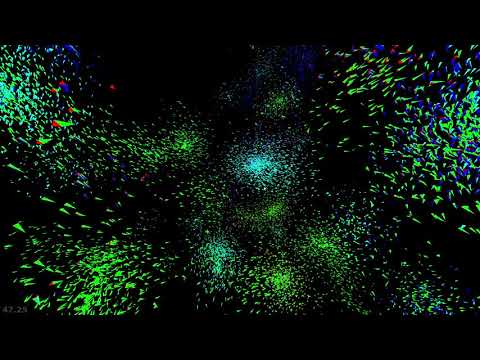 last moon
past fable
C and C++ is way better for 3d games
last moon
past fable
C and C++ is way better for 3d games
or if you have to work with server/multiplayer/packet stuff then c([++/#]) would definitly be better
frank adder
I'm new to game development with python can you give me some help?
 worldly trench
hi guys
i wan to ask
about i had enter the fastboot oem unlock
but that say my device is lock
got any idea of this
 torn heath
last moon
https://www.youtube.com/watch?v=lZUsVdE_Lps this is probably my favourite exampl...
torn heath
last moon
https://www.youtube.com/watch?v=lZUsVdE_Lps this is probably my favourite exampl...
that is so immporessive, and sooooooooooooooooooooooooooooooooooooooo** coooool!!**
last moon
right??
torn heath
is it open source?
cause my yt is broken, and i have to watch it using discord.
so i can't read the description
torn heath
oh thx
last moon
cause honestly I could watch it for hours with some music
actually lemme just
@potent ice
frank adder
Who is develoing games with python in this channel?
last moon
I'd assume most people 🙃
there's some pretty neat stuff in here occasionally too tho, it's always fun to see what people are working on
frank adder
So there are peoples that develops games with python in this channel.
last moon
yep
frank adder
Can one these peoples help me?
last moon
if you ask your questions then somebody might be able to
frank adder
My question is which program do you preffer for python based game development?
last moon
uh it depends on what you're trying to develop, there's quite a few options
frank adder
Tell me the options
last moon
well you can always do something text-based with pure python: for 2d there's arcade, pygame, renpy - for 3d you can use panda3d, arcade - you can also use a (g)ui library (pyqt, pyside, kivy) too
frank adder
Thank you
last moon
oh also pyglet can be used for 2/3d
torn heath
wait arcade can handle 3d game dev as well?
last moon
arcade is built on pyglet which is essentially OpenGl hooks
frank adder
how to download pygame?
last moon
arcade.gl iirc
frank adder
how to download pygame?
torn heath
@frank adder python -m pip install pygame
frank adder
Is this is all?
torn heath
yes
last moon
you might have to download the c++ tools if you haven't already
do we have the tag for that yet?
frank fieldBOT
Microsoft Visual C++ Build Tools
When you install a library through pip on Windows, sometimes you may encounter this error:
error: Microsoft Visual C++ 14.0 or greater is required. Get it with "Microsoft C++ Build Tools": https://visualstudio.microsoft.com/visual-cpp-build-tools/
This means the library you're installing has code written in other languages and needs additional tools to install. To install these tools, follow the following steps: (Requires 6GB+ disk space)
1. Open https://visualstudio.microsoft.com/visual-cpp-build-tools/.
2. Click Download Build Tools >. A file named vs_BuildTools or vs_BuildTools.exe should start downloading. If no downloads start after a few seconds, click click here to retry.
3. Run the downloaded file. Click Continue to proceed.
4. Choose C++ build tools and press Install. You may need a reboot after the installation.
5. Try installing the library via pip again.
last moon
sweet
@frank adder you'll probably have to follow this too
frozen knoll
Might want to look at https://arcade.academy and https://learn.arcade.academy too.
last moon
last moon
https://www.youtube.com/watch?v=lZUsVdE_Lps this is probably my favourite exampl...
@potent ice is the code for this open source + do you have a link?
potent ice
@last moon Not yet
last moon
do you mind letting me know when it is, i'd love to play around with it
potent ice
I helped Rafale make it, but I don't control the source code. Worst case I might have something close I could share
They are just made with transform feedback with opengl. All logic in shaders. The version you posted are made with arcade.gl (subset of moderngl)
I think there is a compute shader version as well, but it's a tad slower than tranform feedback
- and optimized compute shader version that is about 50% faster
last moon
hm ya I understood about half of that 😄, the most experience I have is unsuccesfully drawing triangles
oh nvm I made a cube once
I thought arcade.gl was from using pyglet tho?
isn't that opengl?
potent ice
arcade.gl is basically a subset of moderngl using pyglet's gl bindings.
It's the low level rendering api arcade use internally
It's a higher level abstraction of opengl 3.3 making it easier to reason with
last moon
potent ice
It's a higher level abstraction of opengl 3.3 making it easier to reason with
moderngl or arcade.gl?
 surreal rain
How can I anchor the right of a text to a position?
Like if it were text.get_rect(center=(x,y)) but for the right instead
Oh, doesn't matter. Found out a work around by changing other thing
potent ice
@last moon both are higher level abstractions
but still fairly low level
We hide the difficult parts so you can focus on simple objects like a buffer, texture, program/shaders etc
.. and really just need to know how the data flows
 novel snow
pygame.init()
screensize=pygame.display.set_mode((500, 500))```Traceback (most recent call last):
File "/data/user/0/ru.iiec.pydroid3/files/pygoon.py", line 2, in <module>
pygame.init()
AttributeError: module 'pygame' has no attribute 'init'
How do I fix this error
frank fieldBOT
You are not allowed to use that command here. Please use the #bot-commands channel instead.
 olive parcel
@novel snow have you named a file pygame.py? If so it is conflicting with the pygame module
frank fieldBOT
Hey @surreal rain!
It looks like you tried to attach file type(s) that we do not allow (.zip). We currently allow the following file types: .3gp, .3g2, .avi, .bmp, .gif, .h264, .jpg, .jpeg, .mkv, .mov, .mp4, .mpeg, .mpg, .png, .tiff, .wmv, .svg, .psd, .ai, .aep, .xcf, .mp3, .wav, .ogg, .webm, .webp, .flac, .afdesign, .m4a, .csv.
Feel free to ask in #community-meta if you think this is a mistake.
Hey @surreal rain!
It looks like you tried to attach a Python file - please use a code-pasting service such as https://paste.pythondiscord.com
 pulsar thunder
im trying to make a game but i dont know how to code
i now how to do javascript html and css tho
last moon
what kind of game?
last moon
last moon
well you can always do something text-based with pure python: for 2d there's `ar...
I don't mean to use this as a copypasta but I've got a list here (not too sure if it's 100% complete)
last moon
i'd suggest arcade and you can check out https://arcade.academy/ and https://learn.arcade.academy/ for tutorials + guilds n' stuff
potent ice
@last moon You could mess around with this one : https://github.com/pythonarcade/arcade/blob/development/arcade/experimental/examples/transform_feedback.py
potent ice
It's really just a demo showing tranform feedback in action (simple variant)
There are some comments at least 😄
Points positions and velocities are ping pong transformed between two buffers in gpu memory
One shader for changing the points and another shader for drawing them
There is only one point of gravity affecting the points
This point is moving around to create some chaos
last moon
pong pong transformed?
 obtuse birch
can anybody help me real quick
potent ice
ping pong, sorry lol
last moon
ok well still 😄
ping pong transformed?
ohh I didn't see the ctx.program() I thought it was just a bunch of c code commented in
potent ice
Two buffers/arrays. You transform the points to the second array.
last moon
you're gonna have to dumb that down a bit more lol
wdym by transform?
potent ice
Like pouring water between two buckets
last moon
what does that do?
potent ice
There are two types of shaders. The most common one draw to the screen. The second type writes data to an output buffer
One of the shaders is a transform shader that moves the points.. aka applies gravity affecting the position and velocity of the points
We swap what is source and destination buffer ever frame so we move the data between two buffers
last moon
ah ok and I'm assuming having multiple shaders improves the performance?
potent ice
As few as possible
A render call will execute a shader and it will process all the input data one by one in parallel across all your shader cores
one point is processed per iteration (on whatever core is avaialble)
@obtuse birch Just ask the question. Don't ask to ask 🙂
obtuse birch
im creating a guessing game
but its not working propperly
here is the code
#input data
num = int(input("Enter a number between 1 and 20:"))
#output data
import random
secretnum=random.randint(1,20)
print("computers number is", num)
print("players number", num)
if num == secretnum:
print("you win")
else:
print("please try again")
last moon
are you getting an error?
obtuse birch
hahah im on mac it opens fast
last moon
oh I see
secretnum=random.randint(1,20)
print("computers number is", num)```you've got the player's number + the random one both printing as num
last moon
well if you assign the random number to secretnum and print num, those are going to be 2 different values
(unless the random number is the same as the player's)
obtuse birch
how do i do that
last moon
I'm saying that's what you're currently doing
print("computers number is", num)
print("players number", num)```those are going to print the same number
last moon
ya well I'm assuming you want to print the number that you got from random.randint()
so try changing it to that variable
obtuse birch
where do i put the random.randit()
#input data
num = int(input("Enter a number between 1 and 20:"))
#output data
import random
secretnum=random.randint(1,20)
print("computers number is", num)
print("players number", num)
if num == secretnum:
print("you win")
else:
print("please try again")
last moon
obtuse birch
#input data
num = int(input("Enter a number between 1 and 20:"))
#output data
im...
you already have it in here
secretnum = random.randint(1,20)
obtuse birch
what do i change
last moon
well if you need to print that value
obtuse birch
i need it so the com guesss a random number
last moon
and you're assigning it to secretnum
obtuse birch
not the number i guess
last moon
you've got that part right
you just need to print that value
which you're assigning to secretnum
obtuse birch
this is what happens
Enter a number between 1 and 20:2
computers number is 2
players number 2
please try again
i need it to guess a random numbe r
last moon
yes because you're printing the same value twice
last moon
last moon
```py
print("computers number is", num)
print("players number", num)```
right here
obtuse birch
so how do i change that
last moon
you're printing num both times, but num is the user's value not the random one that you've given to secretnum
last moon
nope you don't need to do that because you've already given it to secretnum
obtuse birch
but i need it to be random
The Guessing Game is a number guessing game played between the computer and
one player. The Guessing Game algorithm follows:
- Determine a secret number between 1 and 20.
- Prompt the player for a number between 1 and 20.
- Compare the player’s number to the secret number.
- Display the secret number and the player’s number.
- If the player’s number matches the secret number, then display a “You won!”
message.
Otherwise display a “Try again!” message.
Create a GuessingGame application. The application should look similar to:
Enter a number between 1 and 20: 14
Computer’s Number: 20
Player’s Number: 14
Try again!
last moon
ya what you're got with the rng works, it's just the print() that isn't
so you've got two values in your program
num, this is the user inputsecretnum, this is the random number
you need to print the user's number and the random number
not just the user's number twice
obtuse birch
can you do it really quickly cause i dont understand lol
last moon
I'm trying to help you understand yourself
obtuse birch
im more of a visual learner and i just got into code so i dont really understand it as much
last moon
we can't give straightforward answers for homework because it kind of defeats the purpose of learning - it becomes copy + paste
obtuse birch
yeah i understand
last moon
import random
#this is the user's number
num = int(input("Enter a number between 1 and 20:"))
#this is the computer's random number
secretnum = random.randint(1,20)
#you're printing `num` in both statements
#'num' is the user's number
print("computers number is", num)
print("players number", num)
if num == secretnum:
    print("you win")
else:
print("please try again")```@potent ice I shouldn't have any issues with using arcade with linux right?
obtuse birch
yeah and it never prints out a random number but you tell me it does
potent ice
@last moon Not with py38 at least.
last moon
obtuse birch
yeah and it never prints out a random number but you tell me it does
you're assigning the random number to secretnum but you're not printing it
last moon
potent ice
<@!359028858344833025> Not with py38 at least.
does 39 have it yet?
obtuse birch
okah i got it
you shoudlved just told me to change num to secretnum
but thanks anywahys
last moon
that's a straightforward answer tho 🙃
but np
potent ice
There are some deps having issues with 3.9. Should be resolved soon. Worst case use arcade==2.4.3
last moon
I thought 3.9 didn't change that much
last moon
ah
does that example studder?
I can't tell if it's my eyes being bad, just an illusion or my graphics card struggling
potent ice
It's hard to tell when dealing with points 😉
You can reduce the numbers if needed
It's not set up to have 100% smooth frame rates atm. It's just a test
That will be resolved when we we upgrade to pyglet 2.x (soon)
last moon
ah that might be it then
pylance doesn't like this 😆
ah it's not studdering, the points are just moving at sharp angles
ik it's a basic example and all that but this is super cool
it's a bunch of moving points
kinda hard to capture with a screenshot 😄
potent ice
It's a nightmare to capture
oh the pixel ratio is a pyglet thing I guess.
The cool thing with transforms is that you can do things on the gpu that you would normally do with python
- they are not as difficult as compute shaders
last moon
that's honestly one thing that's kept me on py for as long as it has, the more I've learnt, the more ways I've realised it's not actually that slow of a language if you know what you're doing
provided pyglet's barely python but still
potent ice
pyglet is pure python
last moon
OpenGl is not
potent ice
Yes, you can do a lot in pure python.
But with real time rendering it has its limitations.
last moon
ya I kinda figured I couldn't do UE5 level portals 😄
potent ice
Why not? 🙂
last moon
- I'm not well versed in basic stuff nvm advanced rendering + drawing (+I'm pretty sure it'd have to be done in blender which I'm also not familiar with), 2)I'm pretty sure it would either crash, not work, or set my laptop on fire
potent ice
😄
potent ice
Setting latop on fire is plausible 😄
last moon
but I was thinking like a hyper-realistic portal in a hyper-realistic setting, I'm not too sure if py could handle that
idk by the time ue5 comes out, hopefully ill know enough to do smthing in it
potent ice
The gpu will probably do most of the work. Maybe possible with panda3d even
last moon
I think if I just had a portal frame in a boxed area I could do it, but I think the level of detail I want will be limited
potent ice
I've ported my C++ projects to python lately. Depending on what you do in python it will have similar performance
last moon
why??
just for fun?
that seems like a nightmare why would you put yourself through that 
potent ice
It's pretty fast to port over. Can be more productive in python etc etc
Can port a project in a day
last moon
hm
doesn't it like also make it less accessible?
considering you don't need a program to run a .exe?
potent ice
Pyinstaller
It's not like the C++ project is trashed and forgotten about. There are definitely projects that should stay in C++ land 😄
last moon
pyinstaller is a hack solution and I refuse to acknowledge it's legitimacy as a compiler
.
potent ice
It's just amazing to me what you can do with opengl and python by using the modern opengl features
last moon
it is pretty cool, I didn't know you could do so much until I saw the boids
potent ice
Fun project playing a pyglet game in a 3d scene : https://www.youtube.com/watch?v=r9UB52okfcY

Would it be possible to combine pyglet and ModernGL? Apparently yes.
Code: https://github.com/einarf/moderngl-pyglet-asteroids
https://github.com/moderngl/moderngl
https://github.com/pyglet/pyglet
Terrible shaders, but ..
Can play with edge detection shaders : https://www.youtube.com/watch?v=Qx9snYMZGQE

It's not that pretty, but everything in there is realtime
last moon
wow to both of those
potent ice
With panda3d you get nice shaders for free I guess. Maybe a better option
last moon
potent ice
Fun project playing a pyglet game in a 3d scene : https://www.youtube.com/watch?...
this reminds me of the pc benchmark tests
but not really and asteroids is there too 😄
potent ice
haha
last moon
with 2d plants!
potent ice
Beat Saber level player in python : https://youtu.be/iyqYZt_ud-c?t=138

Beat Saber light shot player using python, moderng, moderngl-window and pyglet.
https://github.com/einarf/beatsaber
It's a lot of custom shaders and postprocessing
potent ice
Thanks. We made it to test the pyglet media player 😉
100% correct time reporting etc
Well. A couple of us are beat saber junkies 😉
last moon
actually speaking of vr, have you heard of harfang3d?
potent ice
Yes. Haven't looked at it yet
last moon
one of the devs dm'ed me (mostly because I said it looked like an abandoned school project 😄) but apparently they're working on a overhaul of the engine
last moon
I'm not sure, i'll ask them next time I see them online
do you know of any other libraries that have vr support tho?
potent ice
Blender game engine has BlenderVR I guess
I know @cold storm have been posted some VR stuff here lately
last moon
oh I thought that was just blender stuff, didn't look like vr to me
ig i never watched them either 😄
potent ice
last moon
that gun sound scared me
that's neat tho
I knew blender had integrations but I didn't know there was an engine
potent ice
I think panda3d and blender game engine are the two higher level options for 3D and python
I have only played with VR a bit in Unity
last moon
whoops sorry I'm dosing off
I've got like next to no interest in unity tbh, ik it's great and all that but I'd rather go big an use ue + idr want to learn c#, I've got too many other languages on my list rn
 onyx jungle
Can you develop phone games using pygame?
 wet hare
i want to make a text based adventure game but cant figure out how to begin... should i make the game mechanics first or should i make the story line?
 cold storm
It's called UPBGE @potent ice
potent ice
right. That is probably an important distinction
cold storm
They chopped bge out and threw it in a casket. Youle did some necromancy and chopped out the render and scene graph and replaced it with eevee integration
Now it is stronger, but it still has a few things that need improvement to take on unreal 5.
Namely, vulkan port needs finished, and we need a GPU armature skinning system.
frank fieldBOT
Hey @dawn quiver!
It looks like you tried to attach a Python file - please use a code-pasting service such as https://paste.pythondiscord.com
dawn quiver
DAMN IT.
https://paste.pythondiscord.com/yagozevabo.lua This a good intro to a game?
frank fieldBOT
You are not allowed to use that command here. Please use the #bot-commands channel instead.
frank fieldBOT
Hey @dawn quiver!
It looks like you tried to attach a Python file - please use a code-pasting service such as https://paste.pythondiscord.com
 keen moss
does anyone have any experience creating pokemon rpg discord bots that can lend me some advice on how to go about it? i'm planning on learning sql (pain) but does anyone do something differently with it?
obtuse birch
does anybody understand string
i just got it as a assighnment and i dotn understand it lol
tranquil girder
strings are text
 severe saffron
obtuse birch
severe saffron
obtuse birch
thabnks
 haughty lava
does anyone know how to move the cursor in a circle using pyautogui?
cold storm
itch.io
A game jam from 2021-02-11 to 2021-02-14 hosted by sonicworkflow & Zeel2020. 100% Free To Enter! $1,000 cash pool: 1st Place: $500 2nd Place: $350 3rd Place: $150 More Prizes may be announced! Rules: Coming Soon Judging Criter
 deft heart
um
is turtle.gif in the file or directory of your script?
@haughty lava iirc you can set the position of the cursor using x,y coordinates on the screen
novel snow
import random
#discord dank mener ice x copy
print ("hello player r u ready to do this epic battle")
player1health=40
player2health=30
totalshit =5
time.sleep(1.1)
player=input("player1 enterer ur name")
player2=input("player2 enter ur name")
age=int (input ("enter ur age player1"))
age2=int (input ("enter ur age player2"))
#printing the  re make of their orogbal name to replacket thair profioe
print('ur name is:  ',player)
print ('ur age is:', age)
time.sleep(1.1)
print ("2nd player states is")
print ("ur name is:",player2)
print("ur age is:",age2)
time.sleep(1.4)
player2_attack = [" kick" ," yeet"           " spinsoxpoisen"]

print (player2 + " used" + random.choice(player2_attack))
damage = random.randint (5,
20)
print (damage)
print ("damage")
player1health =player1health - damage
print (player1health)
print("left") ```How can I put a while loop with the condition of looping till the health is below the number of dammage
dawn quiver
Z
 odd nest
while health < damage :
odd nest
novel snow
```import time
import random
#discord dank mener ice x copy
print ("hello playe...
i am not sure if this works
if your damage is a number you can simply write
while health<x
here i have assumed x as the number you will set a value for
for example x=10.
odd nest
yup that should work
novel snow
👍
odd nest
novel snow
How can I put a while loop with the condition of looping till the health is belo...
what do you exactly mean by "number of dammage"
i can probably help you in a better way
novel snow
EOF it said
@odd nest I made a random dammages for attacks so if my health runs out of bar the loop will end
Kinda like that
The enemey will also make random attacks which I've given in the storage
odd nest
novel snow
EOF it said
what ide are you using
try to copy the code on idle if its showing eof
novel snow
What's idle im prity new to this launge :?
while player1health > 0:```Is the line some whare off ?
Traceback (most recent call last):
File "/data/user/0/ru.iiec.pydroid3/files/accomp_files/iiec_run/iiec_run.py", line 31, in <module>
start(fakepyfile,mainpyfile)
File "/data/user/0/ru.iiec.pydroid3/files/accomp_files/iiec_run/iiec_run.py", line 30, in start
exec(open(mainpyfile).read(), main.dict)
File "<string>", line 31
while player1health > 0:
^
SyntaxError: unexpected EOF while parsing
[Program finished]
The error
 rigid hull
You need something that has to be looped while Player 1's health reaches zero
WIthout - there's an error
@novel snow
novel snow

I need the last 13 lines to keep repeeting
And I have no idea how the algorithm will know wht I want and how I let it know that
rigid hull
So paste these last 13 lines with an indent (a tab or 4 spaces) in the while loop
while player1health > 0:
    # here should be the last 13 lines
can you combine pygame with some ui? like tkinter? or opencv buttons? 😄
 high pulsar
hi
can someone tell me how to keep my screen running in pygame cause it closes the moment i run the code
crisp junco
high pulsar
can someone tell me how to keep my screen running in pygame cause it closes the ...
import pygame
pygame.init()

screen = pygame.display.set_mode(desired_height,desired_width)
pygame.display.set_caption("Your_Game_Name")

running = True
while running: #You need to use a while loop to keep the screen showing up until it's not closed
  for event in pygame.event.get():
    if event.type == pygame.QUIT:
      pygame.quit()

  screen.fill(Your_desired_RGB_background)
  pygame.display.update()
This is the most basic code to make up a pygame window
Feel free to DM me if you need any help, I'll be glad if I can be of any use.
 delicate cairn
Please help if you know pygame!
#help-bagel
 urban hare
Can somebody help me do a sidescroller with a stamina bar?
Heres the concept art. You have to maneuver in the sky (loses stamina every second) and drop presents into the chimney.
last moon
elfin frost
can you combine pygame with some ui? like tkinter? or opencv buttons? 😄
I'd assume not considering they're 2 different windows, but you can do quite a bit strictly with gui's
 junior flower
Why dont people make games more often in python? what are its drawbacks
 wary citrus
junior flower
Why dont people make games more often in python? what are its drawbacks
wary citrus
junior flower
Why dont people make games more often in python? what are its drawbacks
C++ is faster. Making it ideal for game development. Games have a lot to do with hardware and data management on the system..both of which python isn't that good at.
 zealous palm
does mods count as game development?
 turbid hatch
Hello.
I'm running this code:
def levels(): global score global level global invader_cooldown global speed if score > 14: for row in range(rows): for item in range(cols): invader = Invaders(100 + item * 100, 100 + row * 70) invader_group.add(invader) level = 2 invader_cooldown = 500 speed = 6
I could just call the function but it's better if you can see
there are 3 rows and 5 columns
I want to fill up the group after all of the sprites are dead
but it just keeps filling like
it just never ends
high pulsar
@crisp junco thank you very much brother
dawn quiver
can someone help me shorten this code with parameters and arguements I keep having problems with I try https://paste.pythondiscord.com/lulotesube.apache I dont want to dublicate to much code that have similar meanings and do the same thing but defferent lists and enemys
potent ice
For those who use OpenGL / moderngl I made a simple sprite shader using a geometry shader. This greatly simplifies the geometry we need to build because each sprite is defined as a point : https://github.com/moderngl/moderngl/blob/master/examples/geometry_shader_sprites.py
Combining this with texture atlases or texture arrays can dramatically boost the number of sprites you are able to render per frame.
elfin frost
last moon
I'd assume not considering they're 2 different windows, but you can do quite a b...
i consider everything, one window or two, or maybe pygame has features to add buttons and stuff
crisp junco
Time to move on to unity guys, bye-bye 🥲
tranquil girder
Have fun 🙃
 misty shell
um, how unlikely is it that I could write a full sandbox game in 3d with voxels for everything in the game using straight python (OpenGL and PyQt5 for graphics) and still manage to achieve 60 frames per second?
potent ice
It's doable depending on the scope
you could check out https://github.com/XenonLab-Studio/TerraCraft
Of course possible to make it more complex, but you might need to take advantage of the gpu for performance
chunk calculations are a bit expensive
 merry oak
Hi, could I write a game like Travian/Ogame/MMORTS browser-based with python?
dawn quiver
Is it possible to add ads to a game made in pygame?
dawn quiver
dawn quiver
Is it possible to add ads to a game made in pygame?
i mean you maybe could but u might need to use google ads which i don't think u could link with python
python is not the best tool for games
godot game engine maybe easy if you know python
so big chance you can't
dawn quiver
dawn quiver
i mean you maybe could but u might need to use google ads which i don't think u ...

Google Developers
but i should wait for our game to complete first
frozen knoll
New example: https://arcade.academy/examples/turn_and_move.html
This is a cool game one of my first-semester programming students did:
last moon
elfin frost
i consider everything, one window or two, or maybe pygame has features to add bu...
iirc arcade has a gui library, idk if pygame does too but i'd assume so?
dawn quiver
 warm crow
If someone can help to create a game and idea for my project proposal
warm crow
If someone can help to create a game and idea for my project proposal
sure we can work as a team
dawn quiver
warm crow
If someone can help to create a game and idea for my project proposal
but python isn't the best tool for games
@dawn quiver
 sand thorn
hi everyone
sand thorn
hello
crisp junco
frozen knoll
This is a cool game one of my first-semester programming students did:
That's super cool!
dawn quiver
 mossy fern
i wanna a game engine that use phyton
mossy fern
i wanna a game engine that use phyton
maybe godot is kinda same to python
 paper latch
Ok I got python and everything downloaded I need to make a super simple game involving some sort of recycle or trash can anybody help?
 sour dirge
is turtle good for game development
potent ice
I would say turtle is not very good for game development. Still, it's a simple and fun concept. Other game libraries are way more powerful.
It's an awesome teaching tool for doing complex thing with simple tools I guess.
potent ice
Depends on your requirements I guess 🙂
These libraries are great in the way that even early beginners can work with it. Just saying there are way more powerful ones out there.
novel snow
import random
#discord dank mener ice x copy
print ("hello player r u ready to do this epic battle")
player1health=40
player2health=30
totalshit =5
time.sleep(1.1)
player=input("player1 enterer ur name")
player2=input("player2 enter ur name")
age=int (input ("enter ur age player1"))
age2=int (input ("enter ur age player2"))
#printing the  re make of their orogbal name to replacket thair profioe
print('ur name is:  ',player)
print ('ur age is:', age)
time.sleep(1.1)
print ("2nd player states is")
print ("ur name is:",player2)
print("ur age is:",age2)
time.sleep(1.4)

player2_attack = [" kick" ," yeet"           " spinsoxpoisen"]

print (player2 + " used" + random.choice(player2_attack))
damage = random.randint (5,
20)
print (damage)
print ("damage")
player1health =player1health - damage
print (player1health)
print("left")
Indent error , line 22 how do I fix it,idk even know what error it is
rigid hull
why didn't you put a comma there? @novel snow
rigid hull
You didn't lmao
novel snow
Hmmm
Wait I'll try saving agian
Traceback (most recent call last):
File "/data/user/0/ru.iiec.pydroid3/files/accomp_files/iiec_run/iiec_run.py", line 31, in <module>
start(fakepyfile,mainpyfile)
File "/data/user/0/ru.iiec.pydroid3/files/accomp_files/iiec_run/iiec_run.py", line 30, in start
exec(open(mainpyfile).read(), main.dict)
File "<string>", line 22
player2_attack = [" kick" ," yeet" , " spinsoxpoisen"]
^
IndentationError: expected an indented block
[Program finished]
Nope
Wont work
rigid hull
Can you send your code again? I think you've upgraded it
novel snow
import random
#discord dank mener ice x copy
print ("hello player r u ready to do this epic battle")
player1health=40
player2health=30
totalshit =5
time.sleep(1.1)
player=input("player1 enterer ur name")
player2=input("player2 enter ur name")
age=int (input ("enter ur age player1"))
age2=int (input ("enter ur age player2"))
#printing the  re make of their orogbal name to replacket thair profioe
print('ur name is:  ',player)
print ('ur age is:', age)
time.sleep(1.1)
print ("2nd player states is")
print ("ur name is:",player2)
print("ur age is:",age2)
time.slfeep(1.4)
while player1health >1:
player2_attack = [" kick" ," yeet" ,          " spinsoxpoisen"]
print (player2 + " used" + random.choice(player2_attack))
damage = random.randint (5,
20)
print (damage)
print ("damage")
player1health =player1health - damage
print (player1health)
print("left") ```Ya it works
rigid hull
Wow
novel snow
?
rigid hull
You spelled it slfeep
novel snow
What is that wow for
Lol
Fuck
But before I did the loops it worked even when it was wrong??
rigid hull
Everything you want to loop has to be in an indent
novel snow
Like if casus
novel snow
ahhh ok
rigid hull
The tab button is over the left shift button if you're on PC, btw
novel snow
Im so dumb now ut works
rigid hull
What ID||L||E are you using?
novel snow
U mean app
novel snow
Yea
rigid hull
Oh
novel snow
That's the only thing I can code with I dont have a pc ....
novel snow
Pydroied.3
rigid hull
Ahh
novel snow
It's kinda alsome it also runs graphic codes like py game
rigid hull
Ik
novel snow
Ya like mini pc
 hybrid vine
Hey
rigid hull
Hello
novel snow
Now I made the enemy attack him till hes fkd up then how do i make the character attack and the enemey and player take equal turns :/
Ello
rigid hull
FKD?
 prime crag
guys, i made a pygame project some time ago, and i just forgot it, it's a flappy bird copy, can you guys help me with the low frame rate?

GitHub
A Flappy bird remake using only python. Contribute to italoseara/Flappy development by creating an account on GitHub.
my friend made something that caused the low frame rate
crisp junco
prime crag
https://github.com/italoseara/Flappy
clock_fps  = pygame.time.Clock()
clock_fps.tick(your_fps_value)```the line clock_fps.tick(your_fps_value) should be inside the while loop
Feel free to DM me if you have anything to ask , I'll be glad if I can help 🙂
prime crag
ok, ty
dawn quiver
what should i use to make a game? eg: pygame or something else-
prime crag
dawn quiver
what should i use to make a game? eg: pygame or something else-
i use to use pygame, but it's a little bit bugged
there is some problems, python isn't the best language to program a game
dawn quiver
true
prime crag
i made the flappy as a personal challenge, but you should try c#
dawn quiver
oki
 stark condor
I find python isn't great for anything that needs a fancy UI or smooth physics handling. Basically any full stack app is not going to go well with just python. Python is either for building small automated tools or being the glue in a bigger stack of tools.
limpid gyro
i found the absolute way to make a function be played once when a specific keyboard key is down
in pygame, but valid for any domain
truevar1 = True

while True:
    if truevar1:
        if keys[K_1]:
            #insert your desired code here
            truevar1 = False
    if keys[K_1] and truevar1 == False:
        truevar1 = False
    elif keys[K_1] == False and truevar1 == False:
        truevar1 = True
 red hawk
does anyone do roblox development ?
im curious
i made a game
here one second
import random

num = random.randint(1,50)
guess = 0


while True:
    print("Would you like to start Round \n y/n" ,end=" ")
    exit = input()
    if exit == "n" :
        break
    while True:
        print("guess my number between 1:50",end=" ")
        guess = input()
        if not guess.isdigit() :
            print("Invalid! Enter only digits between 1:50")
            break
        elif int(guess) < num :
            print("Too low try again",end=" ")
        elif int(guess) > num :
            print("Too high try again",end=" ")
        else:
            print("Correct... my number is " + guess)
            break
its a Guess game woohoo
sure
if you can make true random i will call you a god
yeh it took me like 10 minutes to think up and make XD
i could make it better and like create a dictionary and map the objects properties to make a guess game about objects XD
his game is open source so by all means make it better Xd
rigid hull
LMAO I made the same but in a Discord bot!
I'm currently working on the alphabetical More or Less :)
frank fieldBOT
Hey @red hawk!
It looks like you tried to attach a Python file - please use a code-pasting service such as https://paste.pythondiscord.com
sand thorn
hello
limpid gyro
 thin valve
what's ur prob ?
thin valve
what's ur prob ?
nothing
thin valve
ok
thin valve
discord france
limpid gyro
u talk french ?
thin valve
yes
limpid gyro
cool me too
thin valve
ah ok x=)
limpid gyro
i'm currently making a car game with realistic sounds and gearing
sand thorn
hello im new in this group
sand thorn
wassup
limpid gyro
no u XD
limpid gyro
what module
sand thorn
turtle
rigid hull
hi
limpid gyro
u new ?
rigid hull
no
rigid hull
^^
limpid gyro
what are u making ?
rigid hull
from: SuperMarioFreak#4803 in: game-development
37 results
limpid gyro
?
sand thorn
who me?
rigid hull
limpid gyro
what are u making ?
discord bots and other text based projects
do you mean me?
rigid hull
lmao
sand thorn
ok
rigid hull
?
limpid gyro
like car sound
rigid hull
yes?
rigid hull
rigid hull
I'm currently working on the alphabetical More or Less :)
ahem
never saw you in this chat SuperFreak
limpid gyro
rigid hull
ahem
> never saw you in this chat SuperFreak
?
yes i mean i saw you the first time 2 days ago
but that's it
rigid hull
oh
limpid gyro
sand thorn
i think they disconect
k
dawn quiver
red hawk
i made a game
i made it random number but every round you need to restart it
sand thorn
hello im back
dawn quiver
hi
dawn quiver
red hawk
```py
import random
num = random.randint(1,50)
guess = 0
while True:
pri...
guess = num
but every round it needs to be restarted
that is everything i can do
 wind smelt
can you get the mask of a line in pygame?
i tried:
line = pygame.draw.line()
mask = pygame.mask.from_surface(line)
i`ve put the needed parameters in .draw.line()
dawn quiver
i never done that but i will try
 lethal torrent
he going like
none
rigid hull
oof
 analog sierra
hi
high pulsar
has someone made hang man game before
 raw shadow
!e
gamemap = [
        [1, 1, 1, 1, 1, 1, 1, 1, 1, 1],
        [1, 0, 0, 0, 0, 0, 0, 0, 0, 1],
        [1, 0, 0, 0, 0, 0, 0, 0, 0, 1],
        [1, 0, 0, 0, 0, 0, 0, 0, 0, 1],
        [1, 0, 0, 0, 0, 0, 0, 0, 0, 1],
        [1, 0, 0, 0, 0, 0, 0, 0, 0, 1],
        [1, 0, 0, 0, 2, 0, 0, 0, 0, 1],
        [1, 1, 1, 1, 1, 1, 1, 1, 1, 1]
        ]
print(gamemap)
frank fieldBOT
You are not allowed to use that command here. Please use the #bot-commands channel instead.
sand thorn
hello
dawn quiver
i want to get into game developement in python, do you guys recommend any yt tutorials or websites
to learn from
limpid gyro
idk @dawn quiver
@dawn quiver we sure have a guy who is facing alot of problems
btw why do u use Visual Studio
rigid hull
Yes, I agree
frozen knoll
@dawn quiver You might want to look at https://learn.arcade.academy and https://arcade.academy
sour dirge
hey im making something very simple but i got stuck can anyone help me?
heres the code:
import random as rm
print("welcome to "Bullseye".\nthis is a game where the computer will decide on 4 numbers and you'll have to guess "
"them\nif you get the right place and the right number then you get a bullseye if you get only the number you "
"get a cow\nlets start!")
nums = [0, 0, 0, 0]
for i in range(4):
nums[i] = rm.randint(1, 9)
num = set(nums)
def check():
global num
while len(num) <= 3:
for x in range(4):
nums[x] = rm.randint(1, 9)
num = set(nums)
if len(num) <= 3:
check()
check()
numt = nums
Won = False
answer = [0, 0, 0, 0]
print(numt)
while Won == False:
print("restarted")
for i in range(4):
answer[i] = input("Enter answer here: ")
if answer == numt:
Won = True
print("you won")
output:welcome to "Bullseye".
this is a game where the computer will decide on 4 numbers and you'll have to guess them
if you get the right place and the right number then you get a bullseye if you get only the number you get a cow
lets start!
[8, 7, 4, 6]
restarted
Enter answer here: 8
Enter answer here: 7
Enter answer here: 4
Enter answer here: 6
and then it doesnt say you won. why?
rigid hull
what if you print answer?
sour dirge
it was answer = ['1'] lets say but real answer was [1]
rigid hull
ohhhhh
 slow cairn
Guys.. I tried to implement this bouncing ball in pygame..the ball would reverse its velocity whenver it collides with the screen edges.. but why does the ball stop at times? I mean there isnt much graphics involved in this simple program?
dawn quiver
Hi
Can someone help me with my snake game made with turtle
I don t know how to implement food
?
?
If somebody can help me contact me
rigid hull
... 😳
dawn quiver
Good day, all! I'm having a problem with displaying an image for a game. It is an image with a transparent background. And the transparency is working fine. The problem is that the transparent background still seems to be factoring in the calculation for its coordinates, so the image is displaying in the incorrect area.
I'm trying to figure out how to make it ignore the transparent background altogether, but I am not sure how.
 maiden egret
 silver kayak
 limpid gyro
not me
@dawn quiver have u installed the py extension ( apparently yes ) if yes, what’s your problem again ?
limpid gyro
off course
sour dirge
how do i turn ['1', '2', '3', '4'] to [1, 2, 3, 4]?
rigid hull
for i in list:
otherList.append(int(i))```thank you
sour dirge
no wait its not what i wanted
i wanted to turn a list of strings into the same numbers just with intergers
sour dirge
['7', '4', '6', '2', 6, 4, 9, 5]
[6, 4, 9, 5]
rigid hull
wtf
sour dirge
thats the string list and you just added the other list on top of it
['7', '4', '6', '2'
yes i fixed it
i just needed to add a different empty list
rigid hull
this worked:
lis = ["1", "2"]
otherList = []
for i in lis:
    otherList.append(int(i))
print(otherList)
oh yes
right
i forgot to do that in the snippet
wait, didn't it produce an error before?
sour dirge
no...
rigid hull
huh
slow cairn
I am not able to run even flappy bird (that was developed in pygame) smoothly on my pc. I mean there is lag..These are my specs. I am on Linux. could it be because linux doesnt leverage graphic capabilities as much as windows does
 hybrid blaze
Hello guys. I was going to make a hangman game. With the words different every time you play it. I was thinking to find a module that has all the english words. I would random.choice(list with all english words) then use that as the word for each round. Im not sure if there is a module with all english words. Do you guys know any modules to suggest?
dawn quiver
You can look on youtube at tech with tim he did a project like this
Idk you can use turtle
Or pygame
But look on his video
I think he will help you
dawn quiver
slow cairn
I am not able to run even flappy bird (that was developed in pygame) smoothly on...
Try to restart your Pc
I had the same problem but it was not made in pygame
And I did restart my Pc and worked great
exotic laurel
Is there a way to colorize the rectangle you get from .getrect() method in pygame?
elfin frost
opengl and stl mesh, is there any quick trick for drawing? or I have to do iteration over all triangles and draw
 calm yarrow
slow cairn
I am not able to run even flappy bird (that was developed in pygame) smoothly on...
calm yarrow
slow cairn
I am not able to run even flappy bird (that was developed in pygame) smoothly on...
cpu? to my knowledge pygame doesn't utalize gpu that much.
 fallen compass
elfin frost
opengl and stl mesh, is there any quick trick for drawing? or I have to do itera...
fallen compass
elfin frost
opengl and stl mesh, is there any quick trick for drawing? or I have to do itera...
only stl link i could find: https://pypi.org/project/numpy-stl/
 potent ice
@elfin frost you just need to render the mesh. Using what tools? Anything?
dawn quiver
Are there any text based game lovers? I have a wonderful project i'd like to share with someone and maybe even get some input on.
I worked on it for about 6 months, and it is reaching a new threshold of difficulty. Could use a fresh set of eyes on it.
 foggy night

Exploring the computational complexity of chess. Code snippets in Python so you can do the same.
 obtuse shadow
foggy night
https://healeycodes.com/building-my-own-chess-engine/
obtuse shadow
foggy night
https://healeycodes.com/building-my-own-chess-engine/
i will follow the philosophy!!
elfin frost
potent ice
<@147795752943353856> you just need to render the mesh. Using what tools? Anythi...
I got numpy matrix of triangles, this one found by @fallen compass , but to draw it iterate over all trangles wich is not effective in python
I got shapes 4k x 1 x 3, , so in every row I got 3 vertices saying about 1 triangle
foggy night
obtuse shadow
i will follow the philosophy!!
i was surprised on how simple the idea is, at least in that basic engine.. just calculates a bunch of moves and uses different values for the pieces
potent ice
@elfin frost You can use moderngl-window to render an stl file. Can pretty much just copy this and change what file is loaded: https://github.com/moderngl/moderngl-window/blob/master/examples/cube_model.p
Should run smooth even with a million triangles on average hardware
elfin frost
???
potent ice
You said your code was not very effective so I offered another alternative
elfin frost
potent ice
You said your code was not very effective so I offered another alternative
python is not effective
elfin frost
            for vex in vect:
                for pt in vex:
                    glVertex3f(*pt)
                glVertex3f(*vex[0])
That is slow even in C
It's what people did 20 years ago. There are more modern ways to draw meshes 🙂
elfin frost
elfin frost
opengl and stl mesh, is there any quick trick for drawing? or I have to do itera...
.
😦
its would be faster in C 🤔
potent ice
The code I posted uploads the geometry to graphics memory in a buffer and renders it. It uses the gpu directly. Doing it this way is equally fast as using C or C++ because it's the gpu doing the work
It would be faster yes, but still very slow
ah wait. there is one trick you can do!
You can use display lists
That works with your code
elfin frost
do you use glBegin and end? I read it was deprecated, but it was in C/C++ discussion 😄
I just begun and Im confused If I am using opengl or mordergl or some GLU
potent ice
Yeah it was deprecated 10 years ago, but if you use it with display lists it can still be fast 🙂
elfin frost
does this window* moderngl works in XYZ or XZY? 😂
potent ice
Anyway. Read the articles I posted glGenLists / glCallList can be used to batch draw your geometry. Just 3-4 lines more and you boost the performance 1000-fold
elfin frost
ok, one shape renders in real time, but If I want to add more... then it may be slow