#game-development
1 messages · Page 67 of 1
 placid oxide
 exotic aurora
Oh
placid oxide
is your raycaster just using lines on the canvas?
 jovial yoke
8Bitbtw would you mind sharing the code or a video of the raycaster? 100 FPS in python in hella impressive
 jolly sparrow
likkeeeee im gonna start on python after my exam i just want to make a small game
exotic aurora
Secret content 😎
jolly sparrow
lmao
exotic aurora
@jovial yoke
jovial yoke
aight
placid oxide
@jolly sparrow have you tried any of the pygame tutorials?
placid oxide
that would be a good place to start
placid oxide
jolly sparrow
thanks
placid oxide
jolly sparrow
i did code with asm before
jovial yoke
Has anyone done stuff with OpenGL or PyOpenGL?
placid oxide
on what kind of machine? which assembler?
jolly sparrow
6800
jovial yoke
cool
placid oxide
I like assembly language but it's been a while since I played with it
jolly sparrow
its pretty limited
jolly sparrow
yeah
it depends on the game engine
sonic 2 uses object ids but sonic 3 doesnt so sonic 3 is better
a good example
placid oxide
probably much different on a gaming device than on an actual PC
jolly sparrow
yeah
jovial yoke
Has anyone done stuff with OpenGL or PyOpenGL?
jovial yoke
im doing a 3d pong game with pyopengl rn
the math behind 3D graphics is complicated AF
exotic aurora
A se
Sec*
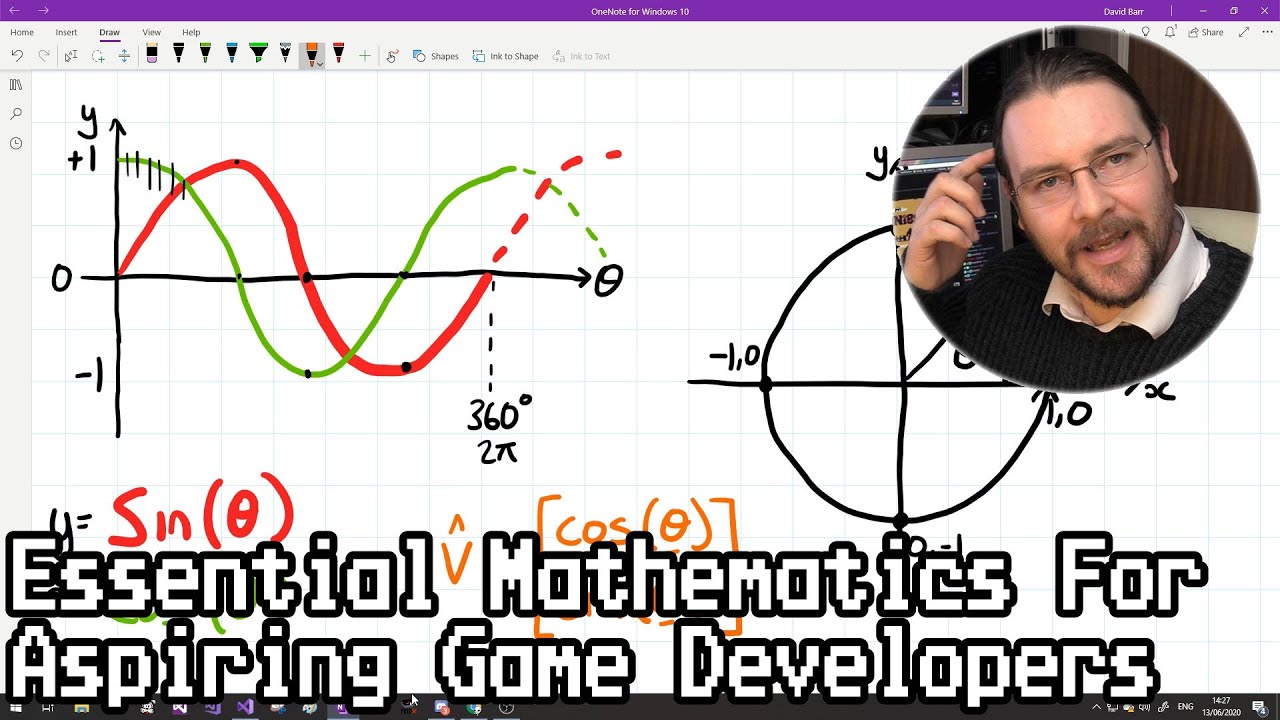
This video outlines what I believe are some of the core principles you need to understand to make dynamic computer games, covering vectors, angles and motion. I've tried to present it in such a way that highlights the relationships between these principles, so you can identify...
jovial yoke
thanks, i'll check that out sometime
 merry echo
Yeah its pretty complicated
exotic aurora
I know math feels af smtimes, but can be interesting and fun too,
jovial yoke
fortunately OpenGL does most of the hard stuff for you though
exotic aurora
Hmm
jovial yoke
yeah, i like math. It's really cool. Im in grade 10 though, I haven't learned trigonemtry and stuff yet
merry echo
Though there's this article on khanacademy that describes how to make a simple orthographic view
exotic aurora
@jovial yoke yeah I have been thru that stage when I wanted to make every 3d game in this world, I didnt know the math xD
That was sadge :(
jovial yoke
I went through a bunch of these turorials: https://www.scratchapixel.com/. it teaches you the theory behind 3d graphics pretty well
merry echo
Here's a much more complex article thats about perspective
https://jsantell.com/3d-projection/
That's pretty good too
merry echo
Have you done anything about shaders?
exotic aurora
Can I suggest something?
jovial yoke
yes
exotic aurora

In this tool-assisted education video I walk through the creation of a Duke Nukem 3D style (or Doom-style) software-rendering pseudo-3D engine from scratch. It supports non-Euclidean geometry. Topics such as vector rotation and portal rendering are at the core. SUBTITLES ARE A...
All the stuff u need
Just convert the first part into python code and you all gyd
I made my first raycaster using yhis only
jovial yoke
ok ill try that
merry echo
Its a part of OpenGL, shaders are the ones that handles the info you pass onto the GPU
exotic aurora
The accent of this guy might seem weird, but he is the best person for 3D games
merry echo
Yeah Bisqwit's pretty nice
jovial yoke
ive seen a couple of his vids but i didn't think it would be applicable to python. Is there a substitute for pointers?
exotic aurora
Wait he made thefirst part in qbasic and u can translate it to python
merry echo
There was another guy that goes in-depth about 3d rendering too

With a bit of time on my hands, I decided to have a go at making a 3D engine using nothing but ASCII at the Windows Command Prompt. I was surprised how sophisticated you can be with just 200 lines of hastily written C++ code.
This video shows it off, talks about how it works,...
jovial yoke
@exotic aurora, oh ok
exotic aurora
Thus might be a bit complex since its written in C++
merry echo
Since we're talking about raycasting, here's the absolute reference about it
https://lodev.org/cgtutor/raycasting.html\
exotic aurora
@jovial yoke u got ton of resources! Get set go now ! 😀
jovial yoke
I converted that raycaster to the arduino language a while ago. It ran at like 110 FPS, but at 84x48 monochrome lol. You could barely tell it was anything more than a blob of pixels
Yeah, thanks guys! I will definitely go check out all those videos and tutorials
😄
merry echo
🙂 Good luck on your ventures my friend
jovial yoke
thank you
 true willow
been trying to work on an online game, currently having the client script and the server script
when i run everything on the same computer, everything works fine, but when i run it on two computers. The computer which has the game server seems to display everything fine, but the other one's display is so laggy for the second player
any solutions ? (the code is pretty big, thats why i didnt send it)
 solar rose
def checkmod(unkmod):
if unkmod == 7 or 6: return -2
if unkmod == 9 or 8: return -1
if unkmod == 10 or 11: return 0
if unkmod == 12 or 13: return 1
if unkmod == 14 or 15: return 2
if unkmod == 16 or 17: return 3
if unkmod == 18: return 4
Everytime i call this function it's returning -2, help?
 high locust
if unkmod == 7 or unkmod == 6: return -2
if unkmod == 9 or unkmod == 8: return -1
if unkmod == 10 or unkmod == 11: return 0
if unkmod == 12 or unkmod == 13: return 1
if unkmod == 14 or unkmod == 15: return 2
if unkmod == 16 or unkmod == 17: return 3
if unkmod == unkmod == 18: return 4
sorry last line should be the same as before
 last moon
def checkmod(unkmod):
  code = -2
  for i in range(6, 19, 2):
    if unkmod == i or unkmod == i + 1:
      return code
    else:
code += 1```regardless, you should be using elif is this senario
@solar rose
 dawn quiver
hey guys
 tame linden
I need help downloading pygame on mac
exotic aurora
@tame linden here :
https://cs.hofstra.edu/docs/pages/guides/InstallingPygame.html
Scroll down to the mac section
tame linden
Looks like i need to download xcode😩
I got like 28 GB free still it says need more space
Im so done with mac
 frank fieldBOT
Hey @cold storm!
It looks like you tried to attach file type(s) that we do not allow (.blend). We currently allow the following file types: .3gp, .3g2, .avi, .bmp, .gif, .h264, .jpg, .jpeg, .mkv, .mov, .mp4, .mpeg, .mpg, .png, .tiff, .wmv, .svg, .psd, .ai, .aep, .xcf, .mp3, .wav, .ogg, .webm, .webp, .flac, .afdesign, .m4a, .csv.
Feel free to ask in #community-meta if you think this is a mistake.
 cold storm
Hey - can we allow .blend here ?
I want to share some stuff for upbge 0.3.0 - based on blender 2.91x
merry echo
That’s nice! They dont sadly 😦 I have been wanting to get into blender + python sometime. How good does upbge run?
You could go into the OpenVFX Blender Server. Theres a channel for upbge there
exotic aurora
I got like 28 GB free still it says need more space
@tame linden one of the few reasons i hate mac xO
 smoky zephyr
Does anyone have an idea on how to center this grid ?
Like get it in the center of the window
 mystic elm
What are you making
smoky zephyr
Basically a game to test your reflexes
mystic elm
Oh
smoky zephyr
One of the boxes is going to change color
And you have to click it as fast as you can
The faster you do, The better your reflexes are
You have any idea ?
I'm using pygame
merry echo
Add (screen_width - grid_width) / 2 to the grid. Do the same for height
grid_width being the total width if the grid
merry echo
Does pygame not handle floats when rendering?
 exotic laurel
Is there a way to remove a set color (like greenscreening) from an image when loading?
exotic aurora
Yes you can.
last moon
Does pygame not handle floats when rendering?
I'm not 100% sure but coming from c++/pyglet it's just good practice even pygame does handle it
exotic aurora
it does handle floats
only that it passes some errors some times
otherwise it tends to work pretty fine with floats @merry echo
last moon
you know what's better than some errors..
merry echo
I think it's Rects that pygame turns into ints
last moon
no errors
merry echo
The renderer should be the one handling that, not the user
exotic laurel
@exotic aurora how can i do it?
last moon
"Be aware that `range(..)` will not work reliably with float values"
"You should keep track of the "real" position of your object and only round the moment you draw you object on the screen. This prevents rounding errors to add up."```
<https://stackoverflow.com/questions/28257255/how-do-i-deal-with-pixels-in-pygame>
you don't have to but again, it's bad practice not toThat's because pygame uses SDL, which doesn't handle floating point rendering
Other libraries like pyglet and arcade uses OpenGL, which does handle the rasterization for you
last moon
I'm not saying pygame/other libraries can't handle it, I'm just saying using // won't hurt
merry echo
Yeah for pygame, do pass integers for drawing, other libs no need
Wait, does that mean in pygame you can't scale and scroll the viewport in floats
exotic aurora
@exotic laurel u use pil and you just go thru each pixel on the image,using 1 or more loops, and just replace the pixels with the required color
merry echo
How about pygame.Surface.set_colorkey?
https://www.pygame.org/docs/ref/surface.html#pygame.Surface.set_colorkey
exotic aurora
for @exotic laurel 's ques?
last moon
found what I was looking for
"Floating point (float, or double types in C,C++) are most often used to represent fractional units but these are not always available (no hardware support or on low end microcontrollers no library software support). If hardware support is not available then floating point can be provided via a software library, however these libraries are generally atleast an order of magnitude slower than hardware implementations. If the programmer is clever, integer math can be used instead of software floating point resulting in much faster code. In these cases fractional units can be represented with integer registers (short, int, long) if a scaling factor is used"```The renderer should be the one handling that, not the user
if the user handles it, the renderer doesn't have to
exotic aurora
🙂 👍
here is the code
`
from PIL import Image
from IPython.display import display
MyImg = Image.new( 'RGB', (250,250), "black")
pixels = MyImg.load() # creates the pixel map
display(MyImg) # displays the black image
for i in range(MyImg.size[0]):
for j in range(MyImg.size[1]):
pixels[i,j] = (i, j, 100)
display(MyImg) # displays the changed colourful image
`
some sample code i got from one of my resource websites
merry echo
if the user handles it, the renderer doesn't have to
GPUs are designed to handle floating point numbers, so much that it didn't even have integer support before. Not really good design to give that task to the user, but really this is an SDL problem, not so much on pygame
exotic aurora
true
merry echo
too bad
can't have viewport scrolling like this 😛
last moon
GPUs are designed to handle floating point numbers
single-precision floating point numbers
"They do support 64bit calculations but not at full speed. Its gimped to 1/16 speed."
py floats are double-precision
checkmate :)
exotic aurora
lol true
last moon
that took wayy too much googling
exotic aurora
nvm u gotit
last moon
like abstract research tho
exotic aurora
hmm
exotic aurora
python is wayyy too slow in terms of almost everything
last moon
I mean with openGl hooks it's not too bad
exotic aurora
hmm
last moon
and if you batch properly you can do quite a bit
merry echo
That's why I only code in GLSL frag shader /s
Well, go convert every float into int, I'll lay back here and let Mr. GL do the work for me 🏖️ 😀
exotic aurora
and if you batch properly you can do quite a bit
@last moon i prefer to use pyglet with opengl. that is actually a magic mix
last moon
ya same
realistically if you've got smthing super intensive, py's just not the language
exotic aurora
yeah
last moon
but pyglet can handle quite a bit from what I've seen
merry echo
Cause it uses modern gl
last moon
no
exotic aurora
i made a minecraft engine out of it by watching some tutorials
last moon
I hate how there's barely a community for it
I think the fact that it's barely py turns people away
last moon
I did say barely
merry echo
it's barely py
wdym
last moon
not to the same degree
dawn quiver
what is this for?
last moon
pyglet
merry echo
where's the c there
dawn quiver
C is barely used anymore
last moon
have you opened those files?
dawn quiver
only some old games used C
last moon
wrong one lol
merry echo
lol
 spare cloak
Looking for a Developer to take lead for making a game that uses our crypto currency as the in-game economy system. If someone wants to do it, please contact me. 🙂
The base of the game is on you, no restrictions on that.
last moon
"It's correct that Pygame does not use the 3D acceleration capabilities of your video card. This is because it is based on SDL which has the same limitation. One alternative is to rewrite your game in a system like pyglet which does natively support OpenGL accelerated sprites, to find a similar library for graphics only, or to write the OpenGL code yourself for this."```that's the other thing
exotic aurora
What are u guys discussing?
last moon
arcade is written with pyglet/OpenGl
I'm not too sure why pygame is still the default for new programmers
(other than the abundance of tutorials)
exotic aurora
Pygame is just horribly slow
merry echo
Probably because it's just more popular and more established (older)
exotic aurora
From what I can remember of speeding up a program, the best thing is
DOSBox
U can increase cpu clock speed by pressing some keyboard keys
Quite impressive tbh. I wonder if theres a way to implement this is python
last moon
eh even then you're limited by the amount of cores
it'd just be better to use the gpu
ei not sdl
I already do, it's just overall a better library especially for basic game dev topics
also arcade's examples are hella extensive (includes basic concepts, stress tests, pymunk physics, (g)ui's, etc)
merry echo
arcade could benefit in having video tutorials and more community support overall
merry echo
I just realized pygame is actually open source
There's no direct link to the github source anywhere on the docs
last moon
like it's just not good
it's not bad but it's not good
But I think pyglet and arcade need more exposure
merry echo
Also why are there comments on the docs lmao
last moon
yikes
merry echo
u mad! 🤣
last moon
I actually spoke with one of the pyglet devs about the lack of use
I think most of the time people are turned away, it's mostly because the docs expect you to know quite a bit already
merry echo
indeed
last moon
but they said it's a hard line to tread because they don't want to explain every minute detail
idk I think a couple decent tutorials + better docs would make it better
exotic aurora
indeed
merry echo
Yes my thoughts exactly
exotic aurora
lol
similarly for panda3d
there are ton of things in the docs ,but no vid
absoloutely seems like a ded thing
merry echo
How about we making some yt tuts? 😛
last moon
I'm actually looking at panda3d rn
exotic aurora
panda3d seems existent, but still non-existent
last moon
^ Nobody's ever mentioned it outside of listing 3d libraries
merry echo
I haven't gotten into panda3d but it looks great, played a game made on it this last pyweek
exotic aurora
cuz its rarely used, only because theres no decent tut
yeah its real cool
especially if u want to build fps styled games
merry echo
https://pyweek.org/e/space-e/
this is the game, its actually amazing
exotic aurora
actually, a new game engine was launched for python
made out of panda 3d
called ursina engine
last moon
engine?
last moon
ya I was gonna say
exotic aurora
for making fps styled games
last moon
there's no way there's a fast py 3d engine
exotic aurora
it even has a function called FirstPersonController() which helpps u walk around 3d objs u created
last moon
ah see i've implemented that in pyglet
exotic aurora
open sourced, made out of panda3d
last moon
if it's pretty slow tho I can't say I'm too willing to use it
last moon
that's not really a benchmark tho
you could probably get away with making a 'half'-decent one in pygame
exotic aurora
it isnt. but the ability to have such a clean example, right there when u start, its just amazing
last moon
true
exotic aurora
have u ever seen such an example for opengl?
last moon
but that's built on top of a pre-existing 3d library
last moon
so wrappers would be expected
well it's like pandas vs numpy
but less of a difference
tic-tac-toe in 67 lines is impressive tho
the lack of OOP is not
merry echo
I'm just gonna plug this one here:
https://www.shadertoy.com/view/4dfGzs
Made entirely in glsl fragment shader
 merry echo
haha lol
the guy that made this has a lot of articles about 3d graphics and specifically raymarching
https://www.iquilezles.org/www/index.htm
last moon
hm I'll check it out when I get up
after I finish this console rpg game I'm making, I'm gonna try out 3d fractals
merry echo
that's cool
what lang are you using for that
last moon
for the rpg?
merry echo
the 3d fractals
true willow
Any of you guys have networking experience with pygame ?
last moon
pretty sure that's not a thing
true willow
Like in making games in general
last moon
web based?
true willow
But im implementing that in pygame
No
I was trying to mess around with pygame and sockets
last moon
pygame's got no networking in it, you'll just be dealing with passing arguments (positions, etc, etc) - basically just variables
might be a better question for #networks
true willow
i know but i am using sockets to send and receive these positions
Among clients
So every movement or screen update appears on both clients screens
It all works fine if that is being done on one laptop, but when i use two, there is a big delay on one laptop
last moon
ah I remember you were asking about this before
It's either an issue with the speed of sending/getting the sockets, the speed of pygame updating, or both
how are you creating the sockets?
exotic laurel
Is there a way to get the rate at which the mouse is moving in pygame?
exotic aurora
u mean fps?
exotic laurel
well, i was thinking of a number something similar to when you move an object
is it called pixels per frame? idk
need some help regarding pygame in #help-donut!
 versed hare
any one could help me plese
i have started python in local class
and have a douth making a simple game called guss the numbers
but having esuee making a program in new window ???? how to make that and tell me how to do it ??????
 exotic aurora
I cant trll why this works like this, but u can try putting the bg of the img , same as the sky
dawn quiver
@exotic laurel have you set PYGAME.SRCALPHA?
when setting your rect surface you can also use rects.set_alpha(128)
rects being the surface (rect)
 craggy rain
I am making a number guessing game and I want the player to be able to choose how many number there will be but idk how to get a variable into a random generator. For example
RandomNumber = random.randint(1,(UserMax))
how can I put a user input as user max there
 knotty geode
@craggy rain ```py
max_num = int(input('What is the maximum number?'))
random_num = random.randint(1, max_num)
I was gonna give some half-assed answer but it looks like the docs already did it for me
last moon
@merry echo I found something else!
https://stackoverflow.com/a/4365616
merry echo
Yeah implementations differ from each graphics provider
merry echo
Its a bit hard to find some info about OpenGL
But I found this document that mentions adding full integer support
https://www.khronos.org/registry/OpenGL/extensions/EXT/EXT_gpu_shader4.txt
Seems like this is where integer support was added. Thats opengl version 2.0
 visual linden
can someone point me to best pixel art tools?
like sprite editors/tilemap editors and etc
last moon
I could be wrong, but pos might be getting a new Rect every time you call it
screen.blit(background, pos, pos) isn't how you use blit tho
dawn quiver
i have tried pos.x += 20 and this
so if .move() makes a new rect or something i got the same results with pos.x and y
oh wait
oops i did anoth pos
last moon
try screen.blit(background, pos)
dawn quiver
it works thanks
 narrow timber
Can anyone show me the snake game python code
last moon
this one's a bit more complicated than i'm assuming you're looking for but it looks decent:
https://github.com/nigel-maher/snake-arcade
 modern marsh
hello
i wanna learn a framework for making games
which should i learn pygame or arcade
any idea
last moon
Depends what you want to do, if you want to make a 2d game I'd suggest arcade, if you want 3d, pyglet or apperantly ursina's decent
But you can also make games in (g)ui's like pyqt, kivy, etc (I can't think of any more decent ones but there're more)
@modern marsh
modern marsh
ok @last moon
smoky zephyr
@merry echo def drawGrid():
blockSize = 20 #Set the size of the grid block
for x in range(20):
for y in range(20):
rect = pygame.Rect(x * blockSize, y * blockSize,blockSize, blockSize)
pygame.draw.rect(screen,WHITE,rect, 1)
Thats the code, i didnt quite get where i have to add screen_width - grid_width
merry echo
add it to the x value of your rect
smoky zephyr
so x+(sw-gw//2)*blockSize ?
merry echo
# outside the for loop
offX = (screen_width - grid_width) // 2
# . . .
x * blockSize + offX
but ive set both as 640, so x*blockSize +(640-640)//2 wont make a difference will it ?
merry echo
grid_width would be 20 * 20
smoky zephyr
screen_wdith ?
merry echo
the width of your application
merry echo
np : ) just do the same for the height
merry echo
ok just ask
smoky zephyr
What i want to do now is to fil a box on that grid with a particular colour
not sure how to proceed
smoky zephyr
okay thank you
dawn quiver
anyone?
i want to create enemies in my game(Pygame), i want enemies to come from the top of the surface like we have in dodger game
 shy canyon
Hey! I don't know if some of you can help me. But I recently started learning to code. I am using Visual Studio Code. I am trying to make a little story in NETcore. But everytime I run. it doesn't show the text. Does someone know how to fix?
It does not show any errors
exotic laurel
Hey does anybody know an efficient way to recreate momentum, acceleration and so on? I just want to create movement with some realistic features, my code at #help-pineapple Come over if you can help me out! Thanks
merry echo
For reference, here's some links about simulating Newton's law of motion, though the code is written in Processing/JS.
https://natureofcode.com/book/chapter-2-forces/
https://www.khanacademy.org/computing/computer-programming/programming-natural-simulations/programming-forces/a/newtons-laws-of-motion
dawn quiver
this
import pygame
import random
pygame.init()
display = pygame.display.set_mode((500, 500))
RADIUS = 7
BLUE = (66, 135, 245)
GREEN = (29, 222, 90)
class BlueBlob():
blue_list = []
def __init__(self, coords):
self.coords = coords
BlueBlob.blue_list.append(self)
@classmethod
def generate(cls):
for b in BlueBlob.blue_list:
if random.randint(1, 20) == 20: # 5% chance
if random.randint(1, 10) == 10: # 10% chance
new = GreenBlob((random.randint(0, 500 - RADIUS), random.randint(0, 500 - RADIUS)))
else:
new = BlueBlob((random.randint(0, 500 - RADIUS), random.randint(0, 500 - RADIUS)))
if random.randint(1, 10) == 10: # 10% chance
BlueBlob.blue_list.remove(b)
class GreenBlob():
green_list = []
def __init__(self, coords):
self.coords = coords
GreenBlob.green_list.append(self)
@classmethod
def generate(cls):
for g in GreenBlob.green_list:
if random.randint(1, 20) == 20: # 5% chance
new = GreenBlob((random.randint(0, 500 - RADIUS), random.randint(0, 500 - RADIUS)))
if random.randint(1, 10) == 10: # 10% chance
GreenBlob.green_list.remove(g)
new = BlueBlob((50, 50))
running = True
while running:
pygame.time.delay(1000)
for event in pygame.event.get():
if event.type == pygame.QUIT:
running = False
BlueBlob.generate()
for b in BlueBlob.blue_list:
new = BlueBlob((random.randint(0, 500 - RADIUS), random.randint(0, 500 - RADIUS)))
pygame.draw.circle(display, BLUE, b.coords, RADIUS)
GreenBlob.generate()
for g in GreenBlob.green_list:
pygame.draw.circle(display, GREEN, g.coords, RADIUS)
pygame.display.update()
display.fill((0, 0, 0))
pygame.quit()
``` launches a not responding window... pls help? light rampart
I'd guess pygame.time.delay(1000) happening every frame has something to do with that
I'd go as far as saying it has everything to do with that
dawn quiver
changed it to 50 to try and still nothing
light rampart
What happens when you remove it?
dawn quiver
still not responding
light rampart
All I can say is running it on my end starts using both the CPU and the memory extremely heavily
dawn quiver
just to clarify, the window isn't automatically not responding, but doesn't do anything and when i click it once it becomes non resposping
huh
so i just have a bad pc?
light rampart
No, it's not responding for me either
dawn quiver
oh
light rampart
Debug it, I can't boot something serious up right now
Run it in a debugger and see where the program hangs up, the .generate methods look sus to me
dawn quiver
do i have to download a debugger?
last moon
if you have a half decent ide it should already be there
if debugging doesn't give you an answer, profiling would be the next step
last moon
there're other ones out there but the one I've settled on is pycharm
having a debugger (if your system can handle an ide) is pretty useful in general
modern marsh
yah
 inner kayak
can someone help me install pygame?
merry echo
Tell us what are you having problems with
 cunning sedge
Hey all, I have a rather perplixing issue, as I am relatively new to python - wondering if someone could point me in the right direction on what im doing wrong?
here is my issue
I can further elaborate
modern marsh
ok
@cunning sedge which is your text editer debug it if u can and tell me
it looks correct
modern marsh
hi
cunning sedge
LogPython: Error: Traceback (most recent call last):
LogPython: Error: File "<string>", line 44, in <module>
LogPython: Error: TypeError: Skeleton: Failed to convert 'outer' (str) to 'Object'
LogPython: Error: TypeError: NativizeObject: Cannot nativize 'str' as 'Object' (allowed Class type: 'Object')
i got a scull did that post?
cunning sedge
ill post the code correctly
cunning sedge
im pretty noob, it all works expect for skeleton = unreal.skeleton
modern marsh
oh
cunning sedge
this is python for unreal, i just dont know what an 'oputer' is
cunning sedge
trust me im trying
modern marsh

In this video I discuss the top 5 biggest beginner programmer mistakes. These are mistakes that are common to most beginner programmers and hinder your ability to improve your skills. Here I'll introduce some ways to avoid these mistakes
⭐ Thanks to Simplilearn for sponsoring...
here is why
trust me im trying
its not aout trust is out ua re pasting code u dont know
i am not mad
on you
cunning sedge
lol never thought you were
im sort of on a timeline and i will definately be learning python correctly as time moves on
modern marsh
leanrn that statement then u will know
cunning sedge
but im prety much one variable away from all my code working then im done with it
modern marsh
ok
just learn it yar
u can make your codee better i know it
i have amny suggestions
dawn quiver
b
 tall abyss
i have a general question. im somewhere between beginner and intermediate. probably closer to beginner dont need an exact answer, just a quick mention of what to look for or a general idea of how you would do it.
if i were to make a small game with turn-based-battle and i want my combat to be something like this:
character1 selects up to 3 attacks/spells and targets for each attack, and then character2 selects up to 3 attacks/spells and targets for each attack,and then character3, and then character4... and then the turn ends.
when the turn ends, all attacks are calculated.
my character's health/stats are going to be in classes and the spells/attacks are functions with 2-3 parameters/arguments based on target hp/attackpower/res/etc.
if each player took his own turn individually and only did one attack it would be easy and i would already know how to do it. but how would you do it the way i want to do it? i need some way to 'queue' the functions up, and then for them all to be announced at the end of each turn. i've tried fiddling around with lists, but every time i try to append a function to a list it gets called when it's appended lol and i'm not sure if that's the best way anyways??
🙏
and here's what an attack would look like if it helps.
def firebolt(caster, target):
    pre_damage = (caster.intelligence * 0.4) + 20
    post_damage = pre_damage - (target.fire_resistance/100 * pre_damage)
    target.Current_HP = target.Current_HP - post_damage
 mint zenith
Yes, a list works. To avoid the problem of calling the function, keep in mind functions are "first class citizens" in Python, meaning you can pass around the functions themselves like you could any other object. e.g. ```py
actions = []
actions.append(some_action)
later on...
for action in actions:
action() # call the stored action function
To deal with storing the arguments along with the function, you can create partial functions (functools.partial), which bind/store some or all arguments along with the function object.
Or you can store the args in a list along with the function object.
 sacred lark
!bot
frank fieldBOT
 Command Help
!bot
Bot informational commands.
 fierce wraith
@foggy python just watched your new devlog. wow. considering you are using pygame and PAINT. PAINT?! it looks amazing
i've never really gone into pygame beyond the basics, but i often hear people say its slow/outdated, does it ever hinder you? or have you just gotten used to its quirks?
dawn quiver
!bot
frank fieldBOT
Command Help
!bot
Bot informational commands.
exotic laurel
How can i recreate scrolling backgrounds/camera movement in pygame?
 foggy python
@fierce wraith Pygame’s limits only become an issue if you want to do shaders or non-pixel art stuff. It really doesn’t give me performance issues anymore (especially with Pygame 2, which is around 2x faster).
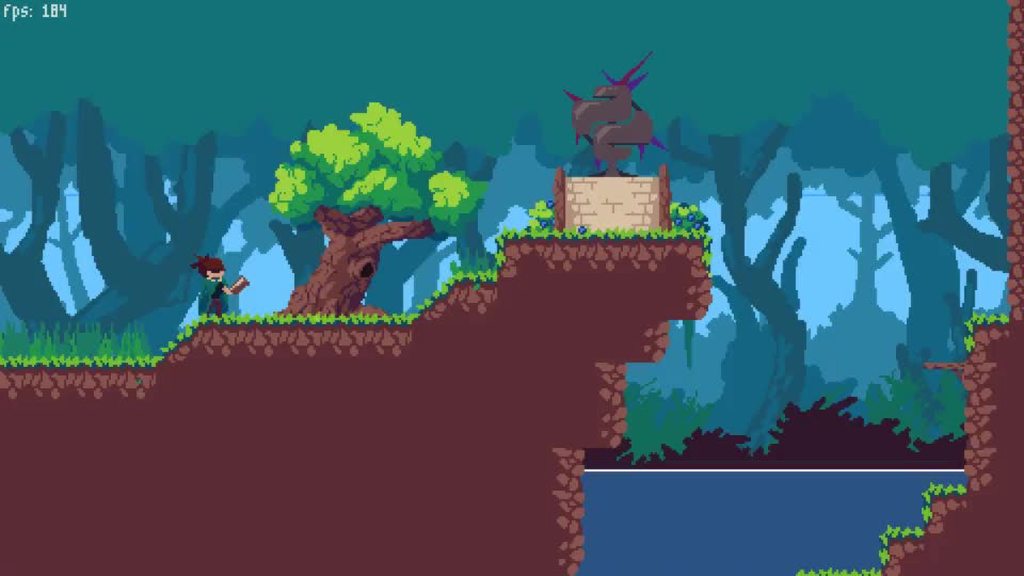
With the habits I have and the types of games I make, I rarely have to consider performance. I have been cutting it close with my devlog project, but that’s because of the grass, water, and cloth. Not Pygame.
@exotic laurel I have a video on that.
exotic laurel
Oh btw, I love your videos DaFluffyPotato, they're really helpful, really thanks for making them.
Yeah but I didn't quite understand the whole concept unfortunately.
foggy python
The concept is just that you move everything in the game instead of moving the “camera”, because there is no “camera” in Pygame.
exotic laurel
Oh alright, so how do we derive how much we'll move?
Would it be equal to the velocity/movement of the player?
foggy python
Move everything on the screen?
It’s not directly related to the player position unless you want a locked camera
exotic laurel
Yeah, that's what I'm trying to get
foggy python
The amount you move everything is the position of the “camera”
exotic laurel
Including the player?
 green plover
 wanton swan
@green plover lol
 acoustic gulch
can someone help me make a database
@green plover this is not the database channel
last moon
I'm trying to calculate the angle of displacement with this:
class Displacement:
def __init__(self):
self.north = 0
self.west = 0
self.south = 0
self.east = 0
def __call__(self, direction):
exec(f"self.%s += 1" % direction)
vertical = self.north - self.south
horizontal = self.west - self.east
if horizontal == 0:
print(vertical)
elif vertical == 0:
print(horizontal)
else:
print((math.atan(vertical / horizontal))```
but it's only giving me values between ±0-90 degrees (±pi/2 rad) whereas I want the answer within 0-360 (0-2pi), any way to do this with `math` or am I going to have to add more logic to it sly grove
(small things: seems weird to bring out a class for what could be a function; __call__ method can feel nice but makes search harder; exec is a bazooka where here you can use getattr and setattr)
last moon
exec is a lot easier to use in this case, and I don't need to search, I just need it to return an angle
merry echo
atan returns -pi to pi so can you just add pi to it so it goes 0 to 2pi?
last moon
- I can't use a function unless I return every value each time it's run
sly grove
(I meant searching in the codebase, later when you want to find what displacement1("north") does)
merry echo
Also what is this for
sly grove
(you could use a function that returns a function)
last moon
(but it's user input so idk why i'd have to do that)
displacement
so if the character walks north-north-east
I want the overall angle of displacement
so I can choose which landscape to print
merry echo
Wdym by angle of displacement
last moon
give me a sec ill draw it
merry echo
By landscape do you mean tiles?
last moon
nope
so in this case the moves would be north-east-north
x displacement = 1
y displacement = 2
angle = arctan(y/x)```Ah ok
last moon
~63 degrees
merry echo
Whats your use case here
last moon
im separating the 360 degrees into quadrants (45-135 = North, 135-180 = West, etc, etc) and choosing a display to print depending on the quadrant + a bit of rng
if angle > 45 and angle < 135:
print(mountain)```that sort of thing
merry echo
If you just want the quadrants, wouldn’t the sign of the diff in movement be enough to find it
last moon
no I specifically need the angle
sly grove
could you add the vectors then convert to angle? (I don’t know much about trig!)
merry echo
So what else do you need
last moon
that's what im doing in my class
literally just an angle that represents the full unit circle
like I could do if vertical > 0 and horizontal > 0 and angle < 45 but that's a lot of cases and it's not what I want
merry echo
This is to find the quadrant?
last moon
'quadrant' ya
last moon
merry echo
angle += 45
dir = angle % 90
sly grove
I have done this a week or two ago but in lua!
merry echo
Its hard typing on mobile man
last moon
but I still need to find the angle??
merry echo
Lol nice
dawn quiver
Hi can we make game with python
last moon
what kind of game
 tranquil girder
yes
merry echo
epic
last moon
yikes I think I'm going to have to use trig identities
I was hoping those would be useful one day
sly grove
ah I found my code! I am using turn quarters like you but not to react to movement but to automatically face an enemy
so I compare the coordinates of the two entities then use atan2
last moon
see that almost works
south-east is giving me 125
ya no I don't think that's gonna work
merry echo
add 180 to your angle
merry echo
how are you getting these numbers
 proper peak
@last moon Why not use math.atan2 which is made for this specifically?
It gives angles from -pi to pi.
(normally you can replicate the same functionality by using the arctangent and also some details about the signs of x and y)
cold storm

@last moon
I would use the matrix of the agent vs the position of the player
local = matrix.inverted() @ position
then the cord is in local space
you can use this to know if the target is in a cone or behind you etc
if local.x<0:
    #target behind you
elif abs(local.y) - local.x <0:
    #target is inside 2d vision cone
you can use this to decide which way to turn also
if local.y<-.05:
    #target is to left
elif local.y>.05:
    #target is to right
else:
     target is ~180 degree behind
left/right flips for forward vs back
 severe salmon
can anybody help me out with making a crash sound effect in pygame
def crash():
    pygame.mixer.music.play('crash.mp3')
pygame.mixer.music.stop()```this is what i have for the sound effect
        while game_close == True:
            dis.fill(red)
            message("You crashed Press C-Play Again or Q-Quit", green)
            Your_score(Length_of_snake - 1)
            crash()
pygame.display.update()```this is where i have it play
but its not seeming to function properly
TypeError: an integer is required (got type str)
this is the error
severe salmon
the full code?
last moon
!traceback
frank fieldBOT
Please provide a full traceback to your exception in order for us to identify your issue.
A full traceback could look like:
Traceback (most recent call last):
    File "tiny", line 3, in
        do_something()
    File "tiny", line 2, in do_something
        a = 6 / 0
ZeroDivisionError: integer division or modulo by zero
The best way to read your traceback is bottom to top.
• Identify the exception raised (e.g. ZeroDivisionError)
• Make note of the line number, and navigate there in your program.
• Try to understand why the error occurred.
To read more about exceptions and errors, please refer to the PyDis Wiki or the official Python tutorial.
severe salmon
ohhh gotchya
Traceback (most recent call last): File "c:/Users/name/Downloads/MyPyGame/mygamepython.py", line 136, in <module> gameLoop() File "c:/Users/name/Downloads/MyPyGame/mygamepython.py", line 74, in gameLoop crash() File "c:/Users/name/Downloads/MyPyGame/mygamepython.py", line 36, in crash pygame.mixer.music.play('crash.mp3') TypeError: an integer is required (got type str) PS C:\Users\name\Downloads\MyPyGame>
severe salmon
allrighty
last moon
you need to load the mp3 with pygame.mixer.music.load() first, then play it
severe salmon
allrighty let me give that a go
merry echo
block craft mine game world
 quaint fog
will pygame 2 be any different than 1 how different will it be
fierce wraith
@merry echo cool, do you have code for that?
 austere bough
How do u make a game
 winged vine

 molten cape
Is there any way I can deploy my pygame program somewhere?
Like can i make it into an .exe file and host it online
Like i wanna showcase this as a project online
 tawny crest
@molten cape http://www.pyinstaller.org/ might be what you're looking for
molten cape
Yeah pyinstaller can convert it into .exe but where can i deploy it then?
Heroku doesnt support gui apps
 half swift
I am trying to make a small scale top down hotline miami style open world game any ideas?
merry echo
@merry echo cool, do you have code for that?
@fierce wraith It's still WIP but here it is
https://www.shadertoy.com/view/wsGcRK
 dawn quiver
any game developer?
merry echo
uh oh it brokey
molten cape
Creeper aw man
last moon
That's what happens when you have too much noise smh
merry echo
what the hell?
last moon
that looks pretty cool
merry echo
yeah I had used a procedural color palette and trying out putting different inputs to it
last moon
It kinda reminds me of that one mc map
 muted ridge
guys i need help with a snake game
the screen doesn't close
and i don't understand the error
last moon
@merry echo that error sound familiar?
I swear I wasn't pulling it out of thin air
@muted ridge you need to use // when you do division
or cast it to an int
merry echo
ye
I swear I wasn't pulling it out of thin air
@last moon I know that, I was talking about it from a design standpoint
muted ridge
@muted ridge you need to use
//when you do division
@last moon C:/Users/S&M Tech Source/PycharmProjects/snake/main.py:98: DeprecationWarning: an integer is required (got type float). Implicit conversion to integers using int is deprecated, and may be removed in a future version of Python.
pygame.draw.rect(dis, green, [foodx, foody, snake_block, snake_block])
this is the error showing rn
merry echo
you have to cast foodx and foody to int
last moon
it's trying to convert it to an int, but that's no longer a thing pygame does
so you can either do // when you do division
or cast it to an int
muted ridge
how to cast it to an int
last moon
int(num)
last moon
why do you have game_close in a loop?
you're only running it once
or is that some non-OOP pygame shenanigans
last moon
oop's super useful when it comes to stuff like this + (g)ui's
altho I'm having trouble finding decent examples of OOP'd turtle
 spiral skiff
I'm trying to create a gif from pygame, for creating a gif im using the Pillow library, problem is that pygame only allows exporting surfaces as images as a string buffer, which is not supported by pillow. how do i pass pygame's surface data into pillow?
 stoic leaf
why does this code doesn't show the character and it doesn't display anything to the window
any help?
 shrewd robin
guys i need to make a android app with recyclerview and cardview, is there any tutorial?
 halcyon elm
guys what do I need to learn besides code to be able to make a fps game
Using unity and C#
is there a feature that lets me drag walls and buildings into existance or do I have to modle them myself
 lost needle
!warn 412751904783859733 try not memeing in our topical channels right after you've joined
frank fieldBOT
:incoming_envelope: :ok_hand: applied warning to @carmine yarrow.
 cobalt trail
@merry echo wht library did u use for that? Doesnt look like pygame. Sorry, still a beginner
 golden basalt
I was not able to get my head around python's syntax after coming from c++, so I just made an ascii game with destructible environment using pure python :)
merry echo
@cobalt trail Its a different language called GLSL, for making shaders (programs that run in the gpu)
cobalt trail
ah ok, thanks @merry echo
 ionic tundra
Can a 2d platformer like Terraria be made with PyGame?
golden basalt
Probably
 little eagle
Hi I am new to pygame . I saw a tutorial on youtube and decided to give it a shot . But I was not able to add images to my projects . When I run the code it is showing that it could not open the image pls help me
 mighty estuary
can you paste some code here? Paste the code that imports the image and draws it on the screen
 sullen sigil
Hi
little eagle
can you paste some code here? Paste the code that imports the image and draws it on the screen
@mighty estuary import pygame
pygame.init()
screen = pygame.display.set_mode((800,600))
pygame.display.set_caption("Space Invaders")
icon = pygame.image.load('space-invaders.png')
Player=pygame.image.load('player.png')
playerX = 370
playerY= 480
def player():
screen.blit(player,(playerX,playerY))
running = True
while running :
screen.fill((0,0,175))
for event in pygame.event.get() :
if event.type == pygame.QUIT:
running == false
screen.fill((0,0,175))
player()
pygame.display.update()
My error message
😦
Picture is 64pixel
tutorial is from free code camp orf
*org
Even RGB is not working
interpreter is 3.9 and IDE is pycharm
mighty estuary
there is no problem with the player icon, you issue with icon of the window up in icon = pygame.image.load("space-invaders.png")
Do you have image space-invaders in your folder?
little eagle
yeah
mighty estuary
Also you are starintg Player variable with uppercase letter and you are calling it later with lowercase letter
mighty estuary
Player = ...
And then you are typing screen.blit(player...
ill be right back nad ping you when i can
 olive parcel
@sharp rampart not sure how you expect people to be able to help without seeing the error message
dawn quiver
Can a 2d platformer like Terraria be made with PyGame?
@ionic tundra I dont think so
Terraria is quite complex
little eagle
@sharp rampart not sure how you expect people to be able to help without seeing the error message
@olive parcel Good point
merry echo
trying out weird ways to generate terrain, looks trippy so far 🤪
little eagle
import pygame
pygame.init()
screen = pygame.display.set_mode((800,600))
pygame.display.set_caption("Space Invaders")
icon = pygame.image.load('space-invaders.png')
#player=pygame.image.load('player.png')
playerX = 370
playerY= 480
screen.blit(icon,(playerX,playerY))
running = True
while running :
screen.fill((0,0,175))
for event in pygame.event.get() :
if event.type == pygame.QUIT:
running = False
screen.fill((0,0,175))
#player()
pygame.display.update()
☝️ The above is my code a error
Basically I am trying to add a picture in pygame
Picture is 64pixel
tutorial is from free code camp org
Even RGB is not working
interpreter is 3.9 and IDE is pycharm
pls help
ionic tundra
Terraria is quite complex
@dawn quiver Hmm🤔. Ok then, is it possible to make a game like the one in 1960s SUPER MARIO BROS?😂😂😂
little eagle
import pygame
pygame.init()
screen = pygame.display.set_mode((800,600))
pygame.display.set_caption("Space Invaders")
icon = pygame.image.load('space-invaders.png')#player=pygame.image.load('player.png')
playerX = 370
playerY= 480
screen.blit(icon,(playerX,playerY))
running = Truewhile running :
screen.fill((0,0,175))
for event in pygame.event.get() :
if event.type == pygame.QUIT:
running = Falsescreen.fill((0,0,175)) #player() pygame.display.update()
@little eagle Can someone pls help
merry echo
Where is your space-invaders.png image located?
 sharp rampart
Yup my bad , I figured it out, Thanks
austere bough
do u code a game in python?
merry echo
I finally got the block placement to work! (Framebuffers are a headache)
olive parcel
@reef gazelle You missed the most salient part of the error message. However it looks like PyGame doesn't have macOS wheels for Python 3.8 but does have for Python 3.7, so maybe using Python 3.7 might prove slightly more fruitful
Or install a dev version, pip install pygame>=2.0.0.dev18
Or pip install --pre pygame might work too
 low isle
I need help.
It is for HTML.
<audio controls autoplay loop preload="metadata" style=" width:0;">
<source src= https://cdn.glitch.com/67a6d67d-dba1-4495-9736-9eddf4e0eb70%2Frainy%20lo-fi.%20%5B10%20min%20chill%20mix%5D%20-%20BlueConvert.com.mp3?v=1602953660319 type="audio/mpeg">
   <style="position: middle; width: 100%; height: 100%; margin: 0;">
      </audio>
Why doesn't it autoplay the audio?
 sinful frost
For a project, what things should I plan before starting to code?
I would appreciate some feedback here
and I would like any answers to be in my dms
last moon
@sinful frost it depends on your knowledge/the project/how you function, but if I'm working on smthing more complicated, I usually like to write down what I need to do + pseudo code is always a decent way to wrap your head around the required logic. Imo it's important to distinguish between what you need and what you want for your project - as in not overcomplicating it until you have at least a framework down (as an example (and) to keep this on topic, I'm working on a console rpg and I want to eventually add more landscapes and enemies but I won't be doing it until I have a functioning game)
- github projects are a great way to plan it out
 reef gazelle
@olive parcel holy... your a legend mate.
last moon
@merry echo i swear it looks more and more corrupted every time you post an update
foggy python
 lone kite
@foggy python always love seeing your work dude! Very smooth. Love it
 wide grove
hi, i need help installing pygame, i have downloaded the python module and i know that pygame is with the python module, but when i write "import pygame" it says "Traceback (most recent call last):
File "<pyshell#0>", line 1, in <module>
import pygame
ModuleNotFoundError: No module named 'pygame'" i am using IDLE (python 3.7 64 bit) and i dont know what to do!
in command prompt i say pip 3
and it just says error
 unkempt wren
@wide grove are you still there?
unkempt wren
you said the command you did was pip 3 install pygame?
it should be pip3, without a space
wide grove
yes sorry it was that
unkempt wren
though it's not guaranteed that pip3 will install to the version of python that you're using depending on how your computer is set up, but we can deal with that
if it's that
oh you got it working?
wide grove
'pip3' is not recognized as an internal or external command,
operable program or batch file.
thats what it said
unkempt wren

alright
in idle can you put these lines at the top of your file and run it?
import sys
print(sys.executable)
exit()
SyntaxError: multiple statements found while compiling a single statement
it said that
unkempt wren
can you copy and paste the code into this chat like this?
wide grove
yes
unkempt wren
```py
code
```
 unkempt wren
what's wrong?
wide grove
ohhhhhhhh
wide grove
Python 3.7.8 (tags/v3.7.8:4b47a5b6ba, Jun 28 2020, 08:53:46) [MSC v.1916 64 bit (AMD64)] on win32
Type "help", "copyright", "credits" or "license()" for more information.
import sys
print(sys.executable)
exit()
SyntaxError: multiple statements found while compiling a single statement
unkempt wren
how about just a screenshot of IDLE
wide grove
ok
unkempt wren
usually text is preferred but let's just do a screenshot for now
wide grove
here
unkempt wren
oh you're using a shell
wide grove
what is a shell
unkempt wren
when it's executing individual commands rather than running the whole program
wide grove
oh ok
unkempt wren
could also be called a python console or an interactive python session
wide grove
how do i turn that off?
unkempt wren
I don't use IDLE so idk
wide grove
pycharm?
unkempt wren
do you have a text editor like sublime or notepad++?
unkempt wren
I think so
wide grove
windows 10 pro
unkempt wren
alright, you can use cmd or powershell
yeah but they should learn how to run python from the terminal
soon enough everyone's going to assume they can do everything from the terminal if need be.
unkempt wren
the command might be python3 depending on what you have installed.
wide grove
so i type that in sublime?
unkempt wren
nope, terminal
wide grove
powershell?
unkempt wren
yeah, you can use powershell
wide grove
ok thanks
unkempt wren
yes, when you have a terminal window open, the terminal is "in" a certain directory
unkempt wren
bye
little eagle
Where is your
space-invaders.pngimage located?
@merry echo I have draged and dropped it in pycharm . I am having a another copy of it in one of my desktop folders
 tacit sorrel
    pygame.time.delay(1)

    for event in pygame.event.get():
        if event.type == pygame.QUIT:
            run = False

        keys = pygame.key.get_pressed()

        if keys[pygame.K_LEFT]:
            x -= vel
        if keys[pygame.K_RIGHT]:
            x += vel
        if keys[pygame.K_UP]:
            y -= vel
        if keys[pygame.K_DOWN]:
y += vel```anybody have any idea why I cant get this to work? Im trying to make it so if I hold down any of those keys that the object keeps moving in that direction but instead it makes me click them over and over
merry echo
@little eagle Check in file explorer if its in the same place as your main python file
little eagle
actually no
merry echo
Oh it should be in there then
little eagle
do u mean the folder which contains the idle certificate and those things?
wait let me try to run now
still not working
is there any specific version of python to be used for pygame
?
merry echo
are you still getting a file not found error?
merry echo
What's in your folder where the main file is?
little eagle
These are the things in the python file which comes when dowloaded
merry echo
no I'm talking about the main.py file
little eagle
you mean in pycharm?
merry echo
yeah
little eagle
wait a sec
little eagle
I am learning from a youtube tutorial froma channel named free code camp .org
If i click it , it is showing only one thing: main.py the place wehre i am
what to do
merry echo
Yes that's where you should put the space invaders picture
merry echo
the name is wrong
little eagle
ok
new thing now
before the page would close . Now it is open but RGB and the image is not loading
atleast a new imporvment
merry echo
you have to blit the image inside the loop
little eagle
ok
merry echo
after you clear the screen screen.fill
little eagle
after you clear the screen
screen.fill
@merry echo I cannot understand
little eagle
you have to
blitthe image inside the loop
@merry echo I did that then wa to do?
little eagle
ok
I will have my lunch and come
If you are free you can help
When you are free then help
little eagle
why did you
fillit after the blit
@merry echo i tired still does not work
little eagle
is there any specific device it works on like on mac it does not work because the RGB is not working and the problem is it is not even coming in black
merry echo
What does it look like right now
little eagle
it looks white and image is not loading
merry echo
have you removed the screen.fill call after you blit the texture?
reef gazelle
@little eagle are y r rendering the stuff in
quaint fog
will pygame 2.0 be very different from pygame 1
tranquil girder
no
 carmine yarrow
Ugh my cs class wants me to make tetris in a day, I'm fucced
 ancient sable
I scraped IMDb's top 1,000 movies and made it into a hangman game. The more you get correct, the more the confetti! How many can you get right? https://www.hollywoodhangman.com
 merry echo
Awesome! I got up to 6, some movies aren't in English they're so hard to guess haha
last moon
@quaint fog https://www.reddit.com/r/pygame/comments/ebd6rh/pygame_2_vs_pygame1/ there's really not much of a difference
idk how much it's going to improve either
 bronze wyvern
yo i need to make a team
 idle rain
@bronze wyvern how experienced so we have to be?
bronze wyvern
dms @idle rain
solar rose
ok so basically i have a variable defined by an input, for this example lets say that input is dex, and i have a list of variables of the same name as the input, i want to call a function, using the values in the list, but when i do dex[0] it prints "d", is there a way to do this?
heres a shortened version of the issue that you can try for yourself:
dex = [False, "Dexterity", 3]
v0 = input("To see the problem, input 'dex': ")
def dexfunction(vone, vtwo, vthree)
print(vone + "," + vtwo, + "," + vthree)
dexfunction(v0[0], v0[1], v0[2])
 stark anvil
@solar rose what you're thinking
is that you can access a variable through a string representation of its name.
don't do that.
use a dict instead.
solar rose
i had that idea as well but im not sure how specifically i would use the dictionary in this instance
stark anvil
something like that.
but with a wrapping list
>>> fruits = {
...     'apple': ['red', 10],
...     'banana': ['yellow', 16]
... }
>>> def f(fruit):
...     fruit_data = fruits[fruit]
...     print(fruit_data[0], fruit_data[1])
...
>>> f(input())
apple
red 10
mydict = {dex: [False, "Dexterity", 3}
stark anvil
you're missing a ]
solar rose
but besides that thats what you mean?
solar rose
awesome, thanks
stark anvil
yw!
little eagle
@little eagle are y r rendering the stuff in
@reef gazelle I cannot understand
I am trying the basics of adding images
Now no error is coming but the image is not coming . It is showing that apple error as shown before
 elfin frost
what is good pygame for? Open cv has better input 😛
 fervent rose
I don't like PyGame, so IMO it is just good for the garbage bin
elfin frost
for simulations I don't see any advantages using any library other then opencv
last moon
I haven't tried it yet, but from the looks of it arcade is a better alternative
fervent rose
Yeah, Arcade is way better IMO
merry echo
There's still some things that Arcade is slow with, but overall its much better
tranquil girder
I don't think pygame is bad, but it's obvious it's too complicated for newbies to get started with
last moon
but like even the docs aren't great
like why are there comments?
also ik it's not a big issue but why is it still green
merry echo
Top 10 questions scientists still can't answer
fervent rose
I don't think pygame is bad, but it's obvious it's too complicated for newbies to get started with
@tranquil girder
the lack of complexity is sadly an issue. The PyGame devs decided to go for the easiest way everytime, which lead to a pretty bad API, with a total lack of OOP.
PyGame wants to be an introduction to programming and game dev, although it forces you to do some pretty bad practice because of their "simple" API, and for the game dev part, the lack of OOP is just a no-brainer, there's no way that one would ever do game dev without OOP.
Last but not least, still because of their "simple" API, if you strat making a somewhat advanced game, it will just turn into a nightmare, because you'll have to provide all those boilerplate code and more complex features that PyGame does not provide. I wouldn't be surprised if a production ready game made in PyGame made their own OOP wrapper around it.
Finally, outside of the library itself, their online docs are also pretty bad, they are very hard to navigate and to read, and they aren't many example available on it, let alone the fact that you can stare at them more than a minute, or your eyes will be burned by the green background.
merry echo
hrub moment
fervent rose
Very hrub
merry echo
what in the world is this compression
Anyways, pygame indeed makes you do some wacky practices without OOP, which wouldn't be a good starting point esp. for beginners. Not to mention the lack of modern graphics support which is quite a limitation when you want to do more than just drawing on the screen.
 sacred trout
wow
little eagle
then what is good to create small games or projects with for a person who knows only python ?
little eagle
?
last moon
@little eagle arcade
fierce wraith
arcade is awesome
especially if you want to do something like a platformer or roguelike
little eagle
but there is not enough rescources for a complete beginner like me who knows only the spelling of arcade but know the python basics on online
Guess this is the platform
tranquil girder
No, there's an incredible amount of information available online. You can learn anything you want, just google it
last moon
arcade has a whole swack of examples of different complexities
- they encourage OOP usage
which is useful across quite a bit
 sonic imp
ugh i remember creating pong with arcade
last moon
I really only know the speeling of arcade so i am sorry
@little eagle idrk what you mean by that, but eventually you'll have to learn more than one library
little eagle
why 'ugh'
@little eagle idrk what you mean by that, but eventually you'll have to learn more than one library
@last moon It means i know that there is a thing called arcade
@little eagle idrk what you mean by that, but eventually you'll have to learn more than one library
@last moon yes i have to learn
last moon
from what I can see too, arcade's methods are more universally game-dev oriented
little eagle
ok
last moon
so you'll have less of an issue transitioning to another language
little eagle
i have never tried to learn becoz it contains a lot of classes and making me forget what are classes
i saw in the link someone sent
last moon
I mean I avoided classes/OOP for a while and I really wish I hadn't
there're super useful + quite a few libraries use them so knowing how they work is a plus
little eagle
i had'nt what
I mean I avoided classes/OOP for a while and I really wish I hadn't
@last moon this ? i had'nt what
last moon
avoided learning OOP
little eagle
ok
dawn quiver
Am I able to create a fully transparent background (the canvas) in pygame? If so, how?
 hazy cliff
How would one fill a polygon given with a pointlist in pygame?
sacred trout
@hazy cliff there is a method for that in gfxdraw iirc
 fair tulip
is their any library or package specific to gpu accelerated video capturing?
or gpu accelerated tasks in that manor
 vernal kettle
 fair tulip
pygame is surprisingly easy, and very comfortable to program with.
once you get the base down, and how things work
it will be a very smooth ride
last moon
@vernal kettle I'd suggest reason the above conversation before you commit to pygame
Specifically Akarys' points
 inland arrow
im having a problem with pygame in python3
i have this function running inside my main while loop and inside it i have this:
global keys
keys = pygame.key.get_pressed()

for event in pygame.event.get():
  ...
and for some reason the for loop (for event in pygame.event.get():) wont run even when i do something that most definitely should make it run (and i know that the function is running because i tried putting a print inside it to print some stuff and it did print so thats not why) so i have no idea why its not working (and yes i did initialize pygame)
ping me if you want to help
 sly agate
hey so you guys are going to say im stupid but im trying to learn python and pygame as i go and watch youtube, and i want to know if i could get some help on somethings
inland arrow
@sly agate what do you need help with?
sly agate
@inland arrow im trying to do simple things in pygame like coloring the display and all of the tutorials and stuff i find are out of date
inland arrow
can i see your code?
sly agate
import pygame
pygame.init()
import pygame.display
red = (255, 0, 0)
green = (0, 255, 0)
blue = (0, 0, 255)
black = (0, 0, 0)
white = (255, 255, 255, 255)
pygame.display.set_mode((500, 500))
pygame.display.set_caption("game")
gameExit = False
while not gameExit:
for event in pygame.event.get():
if event.type == pygame.QUIT:
gameExit = True
exit(1)
pygame.display.update()
inland arrow
yup, looks good
sly agate
i deleted the lines i had about coloring because they were bad
inland arrow
except you also did import pygame.display which is useless bc you already imported the entire pygame library on the first line but whatever
i deleted the lines i had about coloring because they were bad
@sly agate i wont judge, i mean cant help you if youre not willing to show
but you want to know how to color the display right?
sly agate
yes
inland arrow
ok
sly agate
ive tried figuring it out on my own because the tutroials were for older versions i think