#game-development
1 messages · Page 66 of 1
 celest iron
Sprite() because it is a class
 dawn quiver
i meant where should i put it
@celest iron
Sprite = pygame.sprite.sprite()
sprite.image = 'assets/player.png'
sprite.rect = sprite.image.get_rect()
this right?
dawn quiver
ok whats wrong with it and where should i put it
oh ok
sprite = pygame.sprite.Sprite()
sprite.image = 'assets/player.png'
sprite.rect = sprite.image.get_rect()
celest iron
yes
dawn quiver
should i put it on the event loop?
celest iron
but the image should be loaded hmm
This could also be an image loaded from the disk.
dawn quiver
like this?
sprite.image = ('assets/player.png')
or this
pygame.image.load('assets/player.png')
celest iron
hmm but you have yet this variable
player = pygame.image.load('assets/player.png')
so
celest iron
sprite.image = player
celest iron
sprite = pygame.sprite.Sprite()
sprite.image = player
sprite.rect = sprite.image.get_rect()```hmm
celest iron
outside main loop
celest iron
works?
celest iron
not working because
player = pygame.image.load('assets/player.png')
because player and tornadoe are images
ok do this for player sprite:
sprite1 = pygame.sprite.Sprite()
sprite1.image = player
sprite1.rect = sprite1.image.get_rect()```for sprite tornadoe:
sprite2 = pygame.sprite.Sprite()
sprite2.image = tornadoe
sprite2.rect = sprite2.image.get_rect()```and then
hits = pygame.sprite.spritecollide(sprite1, sprite2, False)
should work
and rename the variables sprite1, sprite2 for your choice
let me know when you implement
because the objects must collide not images
shorter
sprite1 = pygame.sprite.Sprite()
sprite1.rect = player.get_rect()
for sprite tornadoe:
sprite2 = pygame.sprite.Sprite()
sprite2.rect = tornadoe.get_rect()``` stiff cipher
Do you guys recommend podsixnet for networking with pyglet? I'm used to Twisted but it's not quite flexible with pyglet I'm afraid
 fierce wraith
if you just need something super easy and fast id just use UDP sockets 🙂
i've never worked with twisted or pdsixnet, but setting up UDP is super easy if you dont care about dropped packets etc
stiff cipher
i guess a mixture of tcp and udp would be optimal
 main lotus
is python good for game dev?
stiff cipher
depends on the game u want to make
dawn quiver
I have a quick question: should I put my button class in another file?
 void spade
if putting it in another file will make your project more well structured, why not?
dawn quiver
Ok thanks
 gilded grove
import math
import random

import pygame
#Intialize pygame

pygame.init()
#screen size
screen = pygame.display.set_mode((800, 600))

#background
background = pygame.image.load("forest.png")

#player ninja
playerImg = pygame.image.load("player.png")
playerX = 370
playerY = 480
playerX_change = 0
playerY_change = 0

#enemy ninja
enemyImg = []
enemyX = []
enemyY = []
enemyX_change = []
enemyY_change = []
num_of_enemies = 6


#game loop
running = True
while running:
  pygame.time.Clock().tick(60)
  #RGB
  screen.fill((0,0,0))
  #background image
  screen.blit(background,(0,0))
  for event in pygame.event.get():
    if event.type == pygame.QUIT:
      running = False

    if event.type == pygame.KEYDOWN:
      if event.key == pygame.K_LEFT:
        playerX_change = -5
      if event.key == pygame.K_RIGHT:
        playerX_change = 5
      if event.key == pygame.K_SPACE:
        bulletX = playerX
      #fire_bullet(bulletX, bulletY)
pygame.display.update()
so I moved the clock under while running but now it doesn't show a background anymore
celest iron
when I have attached camera to the car, the car doesnt move but only can rotates
panda3d
 hasty sand
hey python game devs 👋 , i have a question about an attribute error...😇
in the interactive shell this works fine:
e = Entity()
>>> e.__dict__
{'id': '5afec678-4c4e-44a9-be74-8764f62b61fd', 'components': []}
>>> e.attach(Component('pc'))
>>> pprint.pprint(e.__dict__)
{'components': ['pc'],
'id': '5afec678-4c4e-44a9-be74-8764f62b61fd',
'pc': <ecs.Component object at 0x108a1e400>}
>>> e.pc.name = 'PC Name'
however this raises an attribute error:
def create_pc(game):
  new_pc = Entity()
  new_pc.attach(Component('pc'))
  new_pc.pc.name = '@' + questionary.text('What is thy name?\n >').ask()
this is my pc component:
{
  "type": "pc",
  "schema": {
    "name": "",
    "edge": 0,
    "heart": 0,
    "iron": 0,
    "shadow": 0,
    "wits": 0,
    "health": 0,
    "harm": 2,
    "momentum": 2
  }
}
any help is much appreciated🙏 thank you
the next line raised an attribute error, not the line i was concerned about. 😅 so nevermind...😂
hasty sand
vscode is still not happy with this... it doesnt break and seems to work fine, but there these errors in the problems section of vscode
 quiet jasper
(Beginner Q) Does anyone have any experience adding animations in pygame? All i want to do is for wherever my character image is displayed, it rotates between 2 images. pygame doesn't use gifs so I'd have to animate it another way.
hasty sand
vscode is still not happy with this... it doesnt break and seems to work fine, but there these errors in the problems section of vscode
@hasty sand adding this to the settings.json file solved it:
"python.linting.pylintArgs": ["--generate-members"]
gilded grove
@hasty sand did you just tag yourself the solution to the problem
hasty sand
yep in case someone else reads it and runs into a similiar issue with the errors, or i want to remember it
gilded grove
that's smart
@quiet jasper idk I'm new to pygame too
also don't know what's wrong with my code
 tranquil girder
maybe it's because you only call pygame.display.update() once?
gilded grove
@tranquil girder where else should i call it
tranquil girder
In the loop would be my guess
 silver coral
@blazing fog
 blazing fog
yup
silver coral
ok
the game follows general rules of rock paper scissors
if you get that the game makes sense. but it gets werid
its a turn based rpg. basically there are 3 attacks and three defenses
each one counters each other
slash is defeated by a block, and so on for the other three. if two different attacks hit you both take damage, if the same attakc hits you get into a tie, two blocks doesnt do anything.
so there is also mutiple types of attacks within each catergory of attacks
like ex for now there is three slash attacks
they do different things
but they are have the same slash attack value
so i used a dictionary
and i made menus
but now i dont know how to include the dictioanry into it too now
this is what i have rn
so i need to start including the dictionary
each attack and defense has a value
blazing fog
let me looks at the code
silver coral
i want to have the value lets say slash to be like activated?
slash is s
then the enemy randomly choses their value
lets predend it b for block for now
then when whatever happens after that happens we go back to the main fight menu
and the values are reset again
sorry im like trying to think what im planning and need to do next
blazing fog
I will edit the code and get back to you in 3 minutes
silver coral
ok
why whats wrong with it?
but yeah i want the dictionary to compare the type of attack no matter what attack is selected
blazing fog
just give me few mins please
it can be improved to avoid repetition
my internet got disconnected, I'm back now
@silver coral are u still here?
@silver coral I cut your code to half, it's cleaner this way
before I continue fixing it, do I need to uncomment the commented parts or you're not planning to use them anymore?
silver coral
sorry
i had to take my dog out
for the bathroom
@blazing fog sorry for being gone so long
so certian parts can be deleted that are commented out, exepct the dictionary
if i specifed that it is there as reference dont
but the others are commented out becuase they are in the way and are there in case things go to crap
blazing fog
ok
silver coral
ok so for the combat menus
i dont see how it works for what im trying to do
both in my limited understand and in the way i need it to work
blazing fog
I haven't fixed, I was waiting for you
blazing fog
I just minified the code
silver coral
ah
ok
so the dictionary is very important
becuase there is a huge varity of moves
all under each catergory
of the six
i am also unfamilar with some of the code/way you format stuff so i might need to see it in action
anyway
you still there?
is there anything you need to know spefically?
silver coral
where is that one sec
blazing fog
Code/help
dawn quiver
import pygame, sys
pygame.init()


#screen
win = pygame.display.set_mode((500,500))
pygame.display.set_caption('BoxBoxTriangle')
clock = pygame.time.Clock()
running = True
wall = pygame.image.load('assets/wall.png')

#variables

#player
player = pygame.image.load('assets/player.png')
player = pygame.transform.scale2x(player)

down = False
up = False

x = 150
y = 150
width = 100
height = 100
vel = 5


#tornadoe
tornadoe = pygame.image.load('assets/tornadoe.png')
tornadoe1 = pygame.transform.scale2x(tornadoe)

tx = 50
ty = 64
twidth = 100
theight = 100

#earthquake
earthquake = pygame.image.load('assets/earthquake .png')
earthquake1 = pygame.transform.scale2x(earthquake)

ex = 50
ey = 64
ewidth = 100
eheight = 100

#bullets


#end of variables


#functions
#if collide with another sprite


#main loop
while running:
  for event in pygame.event.get():
    if pygame.event == pygame.QUIT:
      pygame.quit()
      sys.exit()


  #playermovementkeys

  keys = pygame.key.get_pressed()

  if keys[pygame.K_DOWN]:
     down = True
     up = False
  if keys[pygame.K_UP]:
     up = True
     down = False
  if down == True:
     y += vel
  if up == True and y <500 - width - vel:
     y -= vel

  win.fill((199, 199, 190))
  win.blit(player, (x,y))
  win.blit(tornadoe, (tx,ty))
  win.blit(wall, (0,0))
  pygame.display.update()
  pygame.time.delay(60)
  clock.tick(100)
how can i assign an rect to the player and the tornadoe so when the player collide with the tornadoe it quits
the game'
 void spade
Read the link I sent ^^
dawn quiver
any help
 uneven olive
 merry echo
For 3D there’s panda3d and ursina that supports python
hasty sand
hey there, is anyone using snecsfor their game?
i am new to snecs and need some help figuring out how to query for entities with certain components...
 random ledge
Best way to create small assets like pixel space ships or lasers?
dawn quiver
why is my png image not transparent?
on pygame
nvm it was the sprite's problem
ok but why is the window not responding?
dawn quiver
is that like a space invaders game?
 finite mantle
Hello guys its here who could me help?
dawn quiver
class Button:
    def __int__(self, display, col, x, y, width, height, func):
        self.display = display
        self.col = col
        self.x = x
        self.y = y
        self.width = width
        self.height = height
        self.func = func

    def draw(self):
        while True:
            pygame.draw.rect(self.display, self.col, (self.x, self.y, self.width, self.height))
            clicked = False
            for event in pygame.event.get():
                if event.type == pygame.QUIT:
                    pygame.quit()
                    sys.exit()

                if event.type == pygame.MOUSEBUTTONDOWN:
                    clicked = True

            mouse = pygame.mouse.get_pos()
            if self.x + self.width > mouse[0] > self.x and self.y + self.height > mouse[1] > self.y:
                self.display.fill((0, 0, 0))
                pygame.draw.rect(self.display, (255, 0, 0), (self.x, self.y, self.width, self.height))
                pygame.display.update()
                if clicked:
                    self.func()

            pygame.display.update()

start = Button(display, light_green, 500, 500, 200, 50, main_game)
why are there unexpected arguments for my start button?
 olive parcel
@dawn quiver you called it __int__ instead of __init__
(Also you probably don't want to have your entire game loop in the draw method of a Button class…)
dawn quiver
do sprites that are not on screen still make performance worse?
well, costs nothing to remove them.
 cold vessel
Hi guys, is there any way to change bg color of png image?
for debugging purpose, trying to understand how img.get_rect() works
or maybe somehow draw borders of image
 echo wadi
is there a sprite limit in pygame ?
dawn quiver
any Panda3D devs here?
I'm looking at the best way to get a start-up screen for my program
a video intro, that is
olive parcel
any Panda3D devs here?
@dawn quiver Yup, which aspect are you struggling with?
When you get this point it's usually a good idea to wrap your application in an FSM so that you can switch between a cutscene state, menu state, game state, etc
You can use a MovieTexture to load a video and show it on an onscreen card (an OnscreenImage would work for this).
If you want to do non-prerendered cutscenes, it's usually easiest to animate those in Blender using joint animations (attaching objects to the various joints in Panda)
dawn quiver
Can someone help me make a Discord but but I don't know how to use Python
celest iron
make normal map in blender or p3d?
dawn quiver
Or someone can teach me python
olive parcel
@dawn quiver You're in the wrong channel and your nickname violates the rules
@celest iron you can bake a normal map in blender, or in third party software like crazybump (There are others but I forgot the name), and then load it into Panda3D
celest iron
ok
finite mantle
pyglet?
dawn quiver
When you get this point it's usually a good idea to wrap your application in an FSM so that you can switch between a cutscene state, menu state, game state, etc
@olive parcel
I see, i originally started off with a the media-player sample but I'd never used CardMaker before so i was having issues transiting from the video to the regular 3d simulation
olive parcel
You'd usually use an FSM of some sorts, and in your exit method you can hide the card or do a colorScaleInterval to fade it out.
dawn quiver
I've only used FSM for my character and AI states, but i think I've underestimated it's use
olive parcel
And the enter method of your Game state (or Menu, or Loading, or what have you) would load and/or show the 3D simulation.
dawn quiver
Thanks a lot!
And the enter method of your Game state (or Menu, or Loading, or what have you) would load and/or show the 3D simulation.
@olive parcel good to know 👍
 foggy python
 ionic depot
@foggy python wo
foggy python
wo
ionic depot
wowo
foggy python
owo
gilded grove
it’s better than what I’m making lmao
foggy python
I’m done. It was for the Ludum Dare.
foggy python
lol
dawn quiver
can anyone teach me how to use classes
foggy python
the Ludum Dare I just finished was my 20th game jam, so I have a lot of small projects
dawn quiver
hi @foggy python you're how to make an platformer third episode
felt like an how i did it
episode
is this right
 bright jungle
What's the best way to export game so user without python can play them easy?
 cinder nacelle
Does pygame have a built-in function to kill and reset sprites so i can spawn them in again?
void spade
I suppose you can look into the sprite class https://www.pygame.org/docs/ref/sprite.html
 true willow
What's the best way to export game so user without python can play them easy?
@bright jungle convert it to an exe using pyinstaller
foggy python
@dawn quiver I already made another video to cover the section there was an issue with. (the physics). Also, I haven’t used Pygame’s sprite system
 topaz solstice
hello, is it possible to combine tkinter and pygame?
 rotund talon
oh wait
1 sec
space_rect = spaceship.get_rect()
    vx, vy = 5,5
    posx, posy  = 0,0
    pygame.display.flip()
    pygame.mouse.set_visible(False)
    flag = False
    while not flag:
        for event in pygame.event.get():
            if event.type == pygame.QUIT:
                flag = True
            if event.type == pygame.KEYDOWN:
                if event.key == pygame.K_w:
                    posy -= vy
                if event.key == pygame.K_s:
                    posy += vy
                if event.key == pygame.K_a:
                    posx -= vx
                if event.key == pygame.K_d:
                    posx += vx
                screen.blit(background, (0,0))
                screen.blit(spaceship, [posx, posy])
                pygame.display.flip()
            screen.blit(background, (0,0))
            mouse_point = pygame.mouse.get_pos()
            screen.blit(spaceship, mouse_point)
            pygame.display.flip()
            clock.tick(60)
anyone has any idea why keyboard input doesnt work?
as in
w a s d dont really move the player
while mouse movement does work
rotund talon
nvm, figured it out 🙂
 visual linden
is pygame the best game dev module for python?
foggy python
depends
it's the most popular and has the largest community
so there are the most resources and references for it
if you're new, arcade is supposedly easier to get into
ionic depot
How hard is to create a terrain? @foggy python
foggy python
but it might be more restricted (not sure about that though) and it's slower in some areas.
define terrain
ionic depot
The lane *
foggy python
what
ionic depot
I watched your vids about the platform
But , I didn't understand how can you set the player on the blocks
foggy python
the collision physics?

The code written in this video can be found here: https://pastebin.com/W04srBRq
My Twitter: https://twitter.com/DaFluffyPotato
In this tutorial video, I give an in-depth explanation about how I handle tile based physics in Pygame.
Video and code released under: Creative Com...
visual linden
@foggy python i want to create my first real 2d game project with pygame, but if i want to move over to 3d stuff, will python help me with that?
or do i need to learn c#/unity for that?
foggy python
Godot is probably the easiest to transition to
visual linden
@foggy python ah okay, ill look into that. I heard a lot of people talk aboout Godot
 last moon
Pyglet's a pretty decent library for 3d too
There's definitely a pretty steep learning curve tho
ionic depot
Easy to use?
last moon
Time to time, I don't have anything to show for it tho
Ya I mean I've got a text based rpg game I started working on like a couple days ago if that counts
ionic depot
Sounds cool
last moon
That's actually the only thing I have on my github
ionic depot
Link?
last moon
https://github.com/The1Divider/_insert-name_-rgp
The only thing I have 'functioning' is the inventory + the save tho

GitHub
WIP python adventure rpg in console. Contribute to The1Divider/insert-name-rgp development by creating an account on GitHub.
ionic depot
One more question
I recently started using classes
And , it's kind of hard
Do you know any good tutorials for the classes
Or tips
last moon
Yes OOP is super important for game-dev imo
last moon
I actually learnt it by doing game-dev and ui
ionic depot
By yourself?
last moon
Ye
Idk I learn by picking apart examples and finding out what each component does
last moon
Well like as an example, I didn't know what *args, **kwargs meant until yesterday
I just knew it allowed you to pass 'ambiguous' arguments
ionic depot
Okay
I go look into your project
Almost forgot
How do you import a module in your main .py file
Like
Importing a .py into an other .py
last moon
if they're in the same dir/parent folder it's just import Filename
last moon
but if you've got project\folder\file and project\file2 it'd be import folder.file
last moon
Ya lemme just open paint
ionic depot
Thank you
last moon
That sort of thing
In this case tho cat could be a function or a variable (or a class ig but CamelCase so not really)
ionic depot
I went into your code and the idea seems interesting
Have you done any game projects before?
last moon
I mean I made a cube in pyglet once?
ionic depot
Btw , thank you for the explanation ... I hope it will work for me
I will try tomorrow if it works
last moon
Ya you should be good, most libraries (except for pyglet) have decent videos/documentation
last moon
Ya idk I kind of want to at least have something and I'm using this to try to learn more advanced topics
last moon
I think I'm making it overly complicated tho but coming back from 2 static languages I miss that rigidity
last moon
I'd say around like 8-9/10
ionic depot
Not bad
last moon
It's possible but if you're not familiar with c or OpenGl it's kind of a pain
ionic depot
I'm not :))
last moon
And OpenGL is written in C so there's no easy translation
Like pyglet just uses the hooks to it
Which is why you can do 3d rendering
cause like
python's kinda slow (with heavy loads)
last moon
Ya I know you mentioned pygame but personally I'm biased against it
ionic depot
And you can make interesting projects with it
last moon
I know you cannn make a decent 2d game in it if you know what you're doing but there are better alternatives
ionic depot
Should I aim for c++ or c# for game dev?
ionic depot
I know
But those 2 I mentioned above are much faster
Anyway , I have to keep in mind that python is not a really good option if I want to go for game dev
last moon
Imo it's a good/easier way to learn the basics properly
ionic depot
I loved python from the beginning of the programming journey
But , the further I went into the programming thing
Game dev became an 'addiction'
I'm so confused
Should I stick to python and learn other programming language
?
Or , should I change ...
:(
last moon
I mean imo It's useful to learn both a static and a dynamic language
there're different situations where you'll need/want/prefer a specific languages and knowing multiple makes it easier
Also (this applies to human languages too) the more languages you learn, the easier new ones will become
ionic depot
Right
The thing , I don't know that well python
And , If I want to aim to game dev
Some say
I have to learn c++ or...
last moon
Like I started with python, c++ was a pain to learn, c was slightly easier because of c++, java's a breeze because of c++ and c, R's basically a dumbed down python (and lowkey painful)
ionic depot
C++ is hard :))
last moon
C++, js, java are the ones you'd probably want to look at
ionic depot
?
ionic depot
That won't be a problem
last moon
Also compile-time errors can be painful
your code won't run if there're any of those
whereas with py it'll run up to that point
ionic depot
An interesting journey awaits me
last moon
learning about how the compiler stage works (gc, memory allocation + management, etc) as well as the basics of a static language (variable/type definition, methods, pointers, etc) worked well for me
last moon
||redacted||
ionic depot
Eh , doesn't matter anymore
It won't be harmful for the server
I stop here
I will not bother you anymore
Have a nice day
last moon
Ya you too
 torpid pewter
how do i play a video with pygame?
pygame.movie.Movie is deprecated so i can't use that
cinder nacelle
C works as well @ionic depot although there is a lot of syntax needed but it’s good practice.
 grave carbon
Anyone know any alternatives to gifamage for py game??
Gif image helps to render gifs
topaz solstice
hello, does somebody know if pygame can be combined with tkinter?
i tried to make a menu with tkinter and a screen with pygame and get two windows ... so it looks like it is not possible
 mortal yew
Are there any game engines that allow using Python for scripting that don’t have a restrictive license, such as an LGPL? I’m looking for a game engine for Python that has a GPL or similar license.
also, does pyglet have one? I can’t seem to find anything
 stable chasm
godot has unofficial python support, idk if it's good though
merry echo
Their scripting language GDScript is similar to Python in syntax
 silver viper
Yeah I have tried GDScript it's just similar to Python. With a pinch of C.
 misty igloo
 fervent rose
I dislike it
 bleak jackal
can you guys give me ideas for a new game?
fervent rose

Do you need a cool idea for a new game but you’re struggling to think of anything interesting?
It is actually a fun challenge
merry echo
Here's another one
https://orteil.dashnet.org/gamegen
cinder nacelle
nice time lapse @foggy python
 orchid locust
is buildbox good for game dev
foggy python
thanks
dawn quiver
Hey guys, so I have a pygame game and I would like to scale all sprites 4x but retain their coordinate positions and hitboxes
is there like a camera i can zoom with?
All my sprite's textures are quite small and I want to automatically upscale them at runtime if possible
 small ermine
hi guys, how do i pick an installed font with pygame.font.SysFont?
foggy python
@dawn quiver redefine the variable for your window to be a normal surface, create a new window at the desired resolution and scale up the surface itself before blitting onto the new window.
alternatively, just multiply everything by 4.
there is no "camera"
visual linden
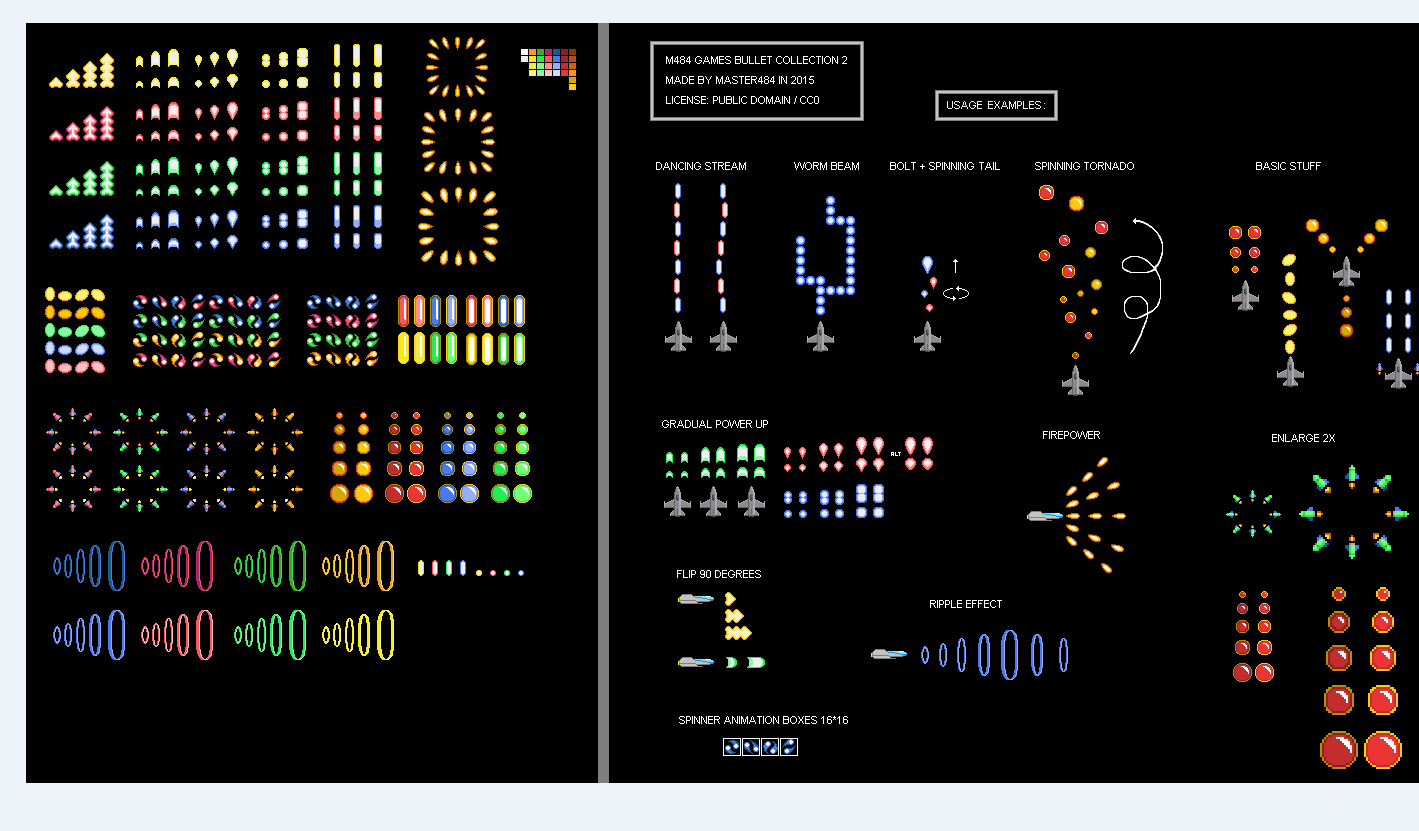
anyone know how i can get one single asset from this?
many opengameart graphics are in this png format, cant really use it when its like this
dawn quiver
https://i.imgur.com/2amCCIy.png
@visual linden That's a spritesheet
visual linden
@dawn quiver oh, is there any way I can get only 1 item from it?
dawn quiver
visual linden
or do i need to edit it out myself with photoship
visual linden
oh ill check that out, thanks
dawn quiver
np
 open eagle
any recommendation on a book for pygame or some youtube series about it, took a course in college for game dev and we will be using python
 shy kite
I created a rect with pygame as follow: pygame.draw.rect(wn, (100,200,100), (200, 100, 20,20)).
Now I want to delete it, what should I use?
dawn quiver
i have been using lua as my programming language and it is much easier than pygame its been 2 days and i already made an game
merry echo
Lua with Love2D eh?
finite mantle
where find discord paste guys
cinder nacelle
topaz solstice
hello, may i ask a question regarding initialising cards:
i created a class card with variables value,colour,imgpath
i created every card on my own with the filepath to the image
i watched tkinter videos and know how to open an image and how to place it in a grid, but i need to exchange the placed with new cards.
now my question
how is it possible to rotate 5 cards in a row for one player and 5 cards for another player with a stack and card in the middle graphically?
 rancid oyster
Hi I am creating Pacman and I want to make it more interesting so I ant to add a little AI. Which type of AI should I use to make this efficient and simple? Thanks a lot
 near wedge
@rancid oyster I would suggest looking into behavior trees for decision making.
Goal oriented action planning (GOAP) and Utility Theory are other options for decision making, but they are not as simple as behavior trees. Also, behavior trees are very popular, so there should be plenty of resources available.
rancid oyster
@near wedge can you suggest any tutorial?
near wedge
@rancid oyster no specific tutorial comes to mind. These books (http://www.gameaipro.com/) are free online and provide a lot of resources. Artificial Intelligence for Games by Ian Millington is also a fantastic book for game AI.
If you're looking to pick up Artificial Intelligence for Games, see if you can find a used copy of the first edition to save some money. The second edition doesn't really provide much over the first if I recall correctly. I think the second edition just tried to make the book more "textbook" like.
If you do some googling for "behavior trees" you'll probably find something pretty quickly. As a I said, it is very popular.
rancid oyster
Thanks a lot!
 cunning topaz

Stack Overflow
I just picked up image processing in python this past week at the suggestion of a friend to generate patterns of random colors. I found this piece of script online that generates a wide array of
 unique kernel
Hello Guys I am new to game devolopment and I wanted to know if I should use Ursina Eingine
https://www.ursinaengine.org/
or should I use Unity
merry echo
What programming language/s do you know? Ursina uses Python with Unity has C#
There would be more resources for Unity as its more popular and all
 wicked grotto
@orchid locust it didnt
at all
im simply trying to make a rect rgb.
and it keeps giving me dumb errors
ionic depot
how do i set jump sprites in the jump function
Or make them work as a jump animation
 minor marlin
hey i wanna make a game
 frail kite
Has anyone tried to use Allegro game library with python. I know it comes with a ctypes binding to python but I wanted to see if anyone had had experience with using it?
 wind smelt
hey
in pygame
i want a user to be able to write sth on the screen. How can i do this the most efficient way? do i have to cehck for each keydown event?
you know what i mean?
foggy python
sth?
topaz solstice
hello, is it possible to change a card object in a button ... their image from front to back?
dawn quiver
so this is basically pygame lol
topaz solstice
no i use tkinter
rotund talon
question
lets say in pygame that I drew a 10x10 grid
ill send the code
 for row in range(10):
        for column in range(10):
            pygame.draw.rect(screen,
                             WHITE,
                             [(margin + width) * column + margin, (margin + height) * row + margin, width, height])
now lets say it draws the grid properly
but now
I want to draw sprites inside of it
as in it creates a 10x10 grid, and I want to draw 4 sprites randomly inside 4 of the squares
how would one do that?
grave carbon
Ok
So for a grid I would recommend individual squares so that this task is way easi
er
and then put the squares in a list
Then generate a random number from one to 100 and then put the coords of the square chosen into the draw function of the sprites
Do this 4 times and woo hoo you have your 4 randomly generated sprites
I have done work quite similar to this @rotund talon so I could definitely help u more if you share screen and walk me through your current code
merry echo
Messing around with non-euclidean geometry by adding portals to a raymarcher 😄
dawn quiver
omg
topaz solstice
hello, i want in pygame to make an eventfunction on click on an image ... how can i do that?
fierce wraith
@merry echo thats awesome
merry echo
Thanks! It's still not yet finished, I'll have to add some lighting and animations inside the cube.
fervent rose
@merry echo that's so cool! What are you using to do that?
merry echo
shhh Its in Shadertoy (GLSL) don't tell anyone
merry echo
wait I haven't finished it yet : P
fervent rose
and the preview?
rotund talon
squares.add(pygame.draw.rect(self.__screen, self.__color, (x,y, 60, 60)))
whats wrong with this line? (pygame)
squares is a sprite group
Traceback (most recent call last):
  File "c:\Users\User\Desktop\Main_Folder\py\ooppygame\assessment.py", line 31, in <module>
    main()
  File "c:\Users\User\Desktop\Main_Folder\py\ooppygame\assessment.py", line 26, in main
    grid.create_squares()
  File "c:\Users\User\Desktop\Main_Folder\py\ooppygame\grid.py", line 17, in create_squares
    squares.add(pygame.draw.rect(self.__screen, self.__color, (x,y, 60, 60)))
  File "C:\Users\User\AppData\Local\Programs\Python\Python37-32\lib\site-packages\pygame\sprite.py", line 377, in add
    elif not self.has_internal(sprite):
  File "C:\Users\User\AppData\Local\Programs\Python\Python37-32\lib\site-packages\pygame\sprite.py", line 327, in has_internal
    return sprite in self.spritedict
TypeError: unhashable type: 'pygame.Rect'
this is the error I get
i know its because of (x,y,60,60) but how else am I supposed to define the rectangle?
fervent rose
Haha
 crude lark
hi
unique kernel
What programming language/s do you know? Ursina uses Python with Unity has C#
@merry echo I use python and I am learning c#
 regal shadow
@north harness
dawn quiver
pygame.error: Couldn't open Game_sprites\Idle_000.png
help
i have the file there
or do i have to specify the whole path?
fixed 👍
cunning topaz
try putting it into your executable folder and see if it works in the first place
dawn quiver
Does anyone know how to implement a Dungeons and Dragons character street to pygame?
The UI bit.
Would you have to use TKINTER?
 magic cove
Actually
No
You dont need to use anything to be honest
You can make your own library
 mystic isle
You could also use pygame
 strange cypress
How do I make a IDLE game
Like adventure capitlist
I have some blue prints
I just don’t know what engine to use
last moon
unless you have the game running in the background 24/7, it doesn't really matter what library/engine you use. Idk if there's another way to do it but I'd suggest saving the current time when you exit the game and do some quick maths to figure out how long the player's been gone + do whatever you want with that number
@strange cypress
last moon
Are you doing this in python?
but also like literally anything would work, you could probably get away with using pygame if you had to
dawn quiver
if you're wondering how to get money while offline, just save the date when leaving and read it when opening the game
idk if there's another way
dawn quiver
when i say date i mean time
date and time
you might be away for more than 24 hrs too
@last moon
 potent ice
Arcade now has the hacktoberfest topic on the repo. PRs are welcome. Especially doc improvements 🙂 https://github.com/pythonarcade/arcade
 light dagger
oh gosh
grave carbon
Hey
If I wanted an object to move towards my mouse how would I do that without a lot of calculations and trig in pygame
strange cypress
How would I make a idle game through pygame
Not for the App Store or anything just a fun solo project
@dawn quiver
light dagger
i ditto that
grave carbon
@strange cypress what exactly do you mean by that
strange cypress
It’s ok I’m gunna use flask to make it
grave carbon
!
?
flask wait wut
Is it a web game
Or are you using flask for api
And also there’s a rlly simple way to do that without flask
With the time module
dawn quiver
Hello im new to python but i have a class where we have to write some python code can someone help me pls
I need help on making a button where when i click it shows some text
 lost bough
uh
strange cypress
I would use tkinter
 hallow agate
Just make it in scratch and act like it's in python
strange cypress
Why would u need to lie that is such a simple project
With the time module
@grave carbon the game is a little more complicated I don’t think using just time module would work
last moon
@strange cypress if by "which game engine", you mean which library - it depends on how you want your game to look. If you want something simple and 2d, i'd suggest arcade
strange cypress
Ok
last moon
No clue why you'd use flask, if you're thinking it'll be easier to figure out the offline stuff, it won't be
strange cypress
Someone told me to use flask
last moon
ok but let's say you do use it
you'll have to have a server running constantly
and you'll have to check when the user connects
imo it'd be easier to use time and store the current time in a json (or smthing similar)
then you can pull that value out, compare it to the new current time (find the elapsed time), and figure out the idle part that way
last moon
ya you can always look at (g)ui libraries too
considering you're basically just doing a lot of arithmetic + displaying it, rather than a 'true' game
merry echo
If I wanted an object to move towards my mouse how would I do that without a lot of calculations and trig in pygame
@grave carbon You would subtract the mouse position (which should be in world coordinates) from the object position, then normalize it to get the direction vector. Then just multiply it by the speed you want to get the move speed vector.
You could also use atan2(y,x) to get the angle then use cos and sin to get the vector
merry echo
You spin my cube right round, right round
dawn quiver
hi how do u install godot
fervent rose
@merry echo and were is the link at!
merry echo
@fervent rose Here you go 😄
https://www.shadertoy.com/view/wsGyzW

Code is in Buffer A, the edge detection is in Image
 red haven
You spin my cube right round, right round
@merry echo Idk why but that made me really uncomfortable im pretty sure its because the caption
 low whale
any games that are mdodable via python?
merry echo
do you mean moddable or doable?
if you meant moddable, there are a lot of games in python that are open source, esp. in python game jams like #pyweek-game-jam (pyweek.org) don't have exactly mod support, but the code is open for you to tinker with
low whale
like u have done game , lets say mc
and u create mods for it in python
merry echo
oh you mean games that support modding in python
no popular game that I know of, most are usually in the same language their coded in.
There's one software, though not a game, that is scriptable in python, which is Blender
 digital cradle
Ok does anyone know how to make a bot censor out curtain words with discord.py
visual linden
will making a 2d game like stardew valley or terraria be easier with unity/c# or pygame?
or even godot
merry echo
depends on what engine are you more skilled in
visual linden
for example, setting up a project. in pygame i can setup up classes before i start coding
are those like built already on the other engines
merry echo
yes engines like unity have tools for making your workflow easier
you just need to become familiar with the engine
merry echo
yeah godot's scripting language is quite similar to python in syntax
should be easier getting used to, idk about the engine though havent used it yet
visual linden
yeah ive heard it's similar to python. Also, I hear people make their own game engines, isn't that kind of tedious when there are already full featured engines?
it's like reinventing the wheel
merry echo
It is, most usually its done to learn how the systems work
visual linden
ahh i see.
 shy canyon
Hey! does anyone have tips on how to learn game development fast?
Dm or ping me if you do please :D
 royal harness
maybe learning game development slow, its never fast D:
shy canyon
Yeah, I don't mind the speed of learning. I am just trying to find a way to learn it
 kindred elm
merry echo
dawn quiver
kindred elm
merry echo
dawn quiver
basically a among us minigame but on text
@oak fractal me????
dawn quiver
wdym
 dawn quiver
i thought u needed it
dawn quiver
ill work on it later
 oak fractal
U can make it so it dms every person playing it
Then when emergency they all talk together
oak fractal
it would be difficult tho i think its possible
dawn quiver
i thought u meant just a text game
dawn quiver
yeah the voting parts would be good but not sure about the movement and stuff..
oak fractal
well itd tell the person where she wants to head
and her tasks
then it like moves all of them in turns so like if u choose to go admin then at the same time u go there another person chooses to go somewhere else for example
hard to explain
dawn quiver
oh wait
like !goto admin
and it would display notifications
"player entered admin"
oak fractal
Yeah maybe
But itd be better that the bot dms the person for example
because impostor wouldnt wanna do !kill
in front of everyone

oak fractal
Ye
dawn quiver
its a private channel because the channel is muted when theres an eject animation for example
channel locked
coolguy123 was not The Impostor.
channel unlocks
dawn quiver
no you dont understand
the player can only see one channel, and thats their own private channel
oak fractal
Oh
dawn quiver
the only people in the channel are the bot and player
oak fractal
But I meant if lets say its in a server with #general chat
someone could just go type it out there
so itd be better if they get muted
dawn quiver
nah im only doing this for one server
dawn quiver
okay
 rustic mauve
Anyone knows Sam Hogan?
merry echo
ye minecraft in 24 hours
shy canyon
I do
 solid mantle
I'm making a basic space invaders game with pygame for a school project. I am making it so the ship can move up down left and right, but I can't figure out how to make it move diagonally. Can anyone show me?
 solid mantle

solid mantle
I'm on python 3.7
solid mantle
I want it so if I press down and right, it will go diagonally down and right
Right now it only does one or the other
merry echo
You would want to have boolean values for each direction (up, down, left, right) that gets set depending if the relative key is pressed
Then in your update loop you do the check if you move in a certain direction instead of having it in the key event code
 lusty oyster
Who need shelp
dawn quiver
why does it have a red line under init in pygame.init()?
Module 'pygame' has no 'init' member
this is what it says
 gaunt haven
Hi guys I'm new to this server
Started learning python and have also been experimenting with pygame, just ran into a trouble before nearly finishing my first game
The sound file (wav) is unable to open when I use mixer. Sound() but opens if I use it as mixer.music.load() for the background music
 jade stag
Hello guys
I have a problem with pygame
Hopefully someone can help
I am trying to convert my game to an executable using pyinstaller
And it keeps giving me this error:
 File "main.py", line 65, in <module>
    font_needed = pygame.font.Font("freesansbold.ttf", 32)
  File "pygame\pkgdata.py", line 50, in getResource
  File "pkg_resources\__init__.py", line 1135, in resource_exists
  File "pkg_resources\__init__.py", line 1405, in has_resource
  File "pkg_resources\__init__.py", line 1474, in _has
NotImplementedError: Can't perform this operation for unregistered loader type
[18868] Failed to execute script main
Something to do with the font
I'm new to pygame BTW, so I probably won't understand technical terms
The sound file (wav) is unable to open when I use mixer. Sound() but opens if I use it as mixer.music.load() for the background music
@gaunt haven I may be able to help if you send me the code
jade stag
 File "main.py", line 65, in <module>
    font_needed = pygame.font.Font("freesansbold.ttf", 32)
  File "pygame\pkgdata.py", line 50, in getResource
  File "pkg_resources\__init__.py", line 1135, in resource_exists
  File "pkg_resources\__init__.py", line 1405, in has_resource
  File "pkg_resources\__init__.py", line 1474, in _has
NotImplementedError: Can't perform this operation for unregistered loader type
[18868] Failed to execute script main
Never mind fixed it.
dawn quiver
how to draw a diagonal line in pygame?
me i know
wait
2 seconds
here : pygame.draw.line(window, color,(coordonnes,inclinaiso,),(coordones,inclinaison))
im not sure for ,(coordonnes,inclinaiso,),
but try random numbers to see what are this numbers
pygame.draw.line
draw a straight line
this is what is on the pygame docs
im sure for here : pygame.draw.line(window, color
yes
and
what is the prob
i wanna draw a diagonal line
go
nvm
lol
i'm dumb
f-string gang #No .format()
what is this name
thanks
where dou from
you re welcome
gn
im french
and its not my head on the photo of my profil
who need some help ?
!invit @spare phoenix
@spare phoenix hi i was "kevin l aubergine"
dawn quiver
This might be better fit in GUI.
lusty oyster
yes
dawn quiver
My bad.
dawn quiver
hey
does anyone know why my line is flickering
instead of always appearing on the screen?
jade stag
try putting it in a while loop or contantly updating the display using pygame.display.update()
im new so what I said might not work
gaunt haven
The while loop thing seems about right
@gaunt haven I may be able to help if you send me the code
@jade stag
Turns out outside the actual file itself, nothing else wanted to open it so I'm assuming it was a problem with it instead of the code
jade stag
ok
 glossy raven
bruh
dawn quiver
I want to make one for play store
glossy raven
bruh
glossy raven
bruh
dawn quiver
hi
@dawn quiver
I WANT TO MAKE A GAME LIKE FORNITE
@dawn quiver ya man, but fortnite is overrated
@dawn quiver
@dawn quiver ya man, but fortnite is overrated
@dawn quiver bruh
if u wanna spend the hardwork use pnda3d or godot
 shadow crow
Why not Unity? I really like it
dawn quiver
import pygame, sys

pygame.init()
this works but it gives me a problem and has red line under pygame.init() this is the problem: Module 'pygame' has no 'init' member
 green juniper
Is there any good YouTube channel to teach game development using python?
 exotic laurel
Need some help with pygame collision simulation in #help-donut!
 waxen vessel
where to get 8bit character for pygame?
cinder nacelle
f {frame} for frame in f indeed.
 stark temple
guys and everyone else
merry echo
how about the non guys?
stark temple
im making a script that moves your cursor around with a gamepad, but when im holding the axis down the script plays once, how do i make it to repeat itself while the axis value is 1 for ex
merry echo
when the axis is pressed you store it to a value, then you check in the update loop if its pressed, then you do the moving there
stark temple
whatts the error
merry echo
whats the error?
stark temple
when the axis is pressed you store it to a value, then you check in the update loop if its pressed, then you do the moving there
@merry echo the update loop is different than the main one isnt it
merry echo
its just where you do the code where you update the game
could be the same as the main loop
stark temple
ye but its gets stuck if tthe value is met once it keeps on playing the same shit
even if the value is different after the firstt time
merry echo
set the value to true if its pressed, false when its released
stark temple
ok ima try n get back
merry echo
you could post the code snippet of the relevant parts so we can see
merry echo
well you have a while loop
change it into an if statement
and then try it without this
stark temple
the original one is with an if statement
it only gets played once
also the second part is important later on
merry echo
you don't really want a loop for it since it already runs inside the event loop
stark temple
yes it makes sense but it doesnt workj like that idk
 frank fieldBOT
Pasting large amounts of code
If your code is too long to fit in a codeblock in discord, you can paste your code here:
https://paste.pydis.com/
After pasting your code, save it by clicking the floppy disk icon in the top right, or by typing ctrl + S. After doing that, the URL should change. Copy the URL and post it here so others can see it.
stark temple
while not done:
axis0_old = 0
axis1_old = 0
axis2_old = 0
axis3_old = 0
# EVENT PROCESSING STEP
for event in pygame.event.get(): # User did something.

    if event.type == pygame.QUIT: # If user clicked close.
        done = True# Flag that we are done so we exit this loop.
    elif event.type == pygame.JOYBUTTONDOWN:
        print("Joystick button pressed.")
    elif event.type == pygame.JOYAXISMOTION:
        axis0_raw = joystick.get_axis(0)
        axis1_raw = joystick.get_axis(1)
        axis2_raw = joystick.get_axis(2)
        axis3_raw = joystick.get_axis(3)
        axis0 = math.ceil(axis0_raw)
        axis1 = math.ceil(axis1_raw)
        axis2 = math.ceil(axis2_raw)
        axis3 = math.ceil(axis3_raw)

        if axis1 == -1 and axis0 == -1 and axis1_old > axis1_raw and axis0_old > axis0_raw:
            print("up left diagonal")
            x -= speed
            y -= speed
            pgui.moveTo(x,y)
            axis0_old = axis0_raw
            axis1_old = axis1_raw

        elif axis1 == -1 and axis0 ==1 and axis1_old > axis1_raw and axis0_old <axis0_raw:
            axis0_old = axis0_raw
            axis1_old = axis1_raw
            x+= speed
            y -= speed
            pgui.moveTo(x, y)
            print("up right diagonal")
 sullen sigil
hi ! actualy I'm developing a 2d game using arcade library, it's about a spacde that players try to avoid rockets in space (as MVP) so I began with set up the window game and the for the spaceship image i used a resource from arcade library website, the code is fine however the image of the spaceship didn't display.
following is my code :
import arcade

SCREEN_WIDTH = 800
SCREEN_HEIGHT = 600
SCREEN_TITLE = "Starting Template"
SCALING = 2.0


class MyGame(arcade.Window):
    """
    Main application class.
    """

    def __init__(self, width, height, title):
        super().__init__(width, height, title)

        self.enemies_list = arcade.SpriteList()
        self.clouds_list = arcade.SpriteList()
        self.all_sprites = arcade.SpriteList()
        self.player = arcade.Sprite()


    def setup(self):
        """ Set up the game variables. Call to re-start the game. """

        arcade.set_background_color(arcade.color.SKY_BLUE)

        self.player = arcade.Sprite(":resources:images/space_shooter/playerShip1_green.png", SCALING)
        self.player.center_y = self.height / 2
        self.player.left = 10
        self.all_sprites.append(self.player)

    def on_draw(self):
        """
        Render the screen.
        """
        arcade.start_render()


def main():
    """ Main method """
    game = MyGame(SCREEN_WIDTH, SCREEN_HEIGHT, SCREEN_TITLE)
    game.setup()
    arcade.run()


if __name__ == "__main__":
    main()
you could use the posted site next time since its a bit too long
stark temple
ye mb
sullen sigil
merry echo
@stark temple try to move the code outside the event processing step, probably before it
then you would want to do the x and y axis separately, and do it something like this
if axis1 != 0:
  x += speed * axis1
do the same for the y axis and do the moveTo only if they're both pressed (not 0)
@sullen sigil I'm not here most of the time but if you have other questions you could as them here or in the arcade server
dawn quiver
    pygame.init()
    surface = pygame.display.set_mode((screen_width, screen_height))
    pygame.display.set_caption(title)
    surface.fill(green)
    return surface```

error:
```TypeError: 'int' object is not callable```nvm, I remember how to fix it
 untold bramble
holy crud torchlight uses ogre
 onyx ridge
Hi, I have a question which is not so technical
If you’ve played Tetris a lot, you probably know about a T-Spin move, and you usually get awarded additional points for doing it
I’m trying to implement this in my game
However I’m not sure how to really detect a t-spin, if anyone knows ping me
 jovial yoke
can you perform a T spin? or you just need to detect it
onyx ridge
@jovial yoke yes I can perform it, I just need a way to detect it
Like I’m not sure what the exact difference between a T-spin and a normal spin is though
jovial yoke
So for a T spin, it's impossible to just drop it straight down, no matter the rotation. What you could try is once the block is fully placed, check if it's possible to drop it straight in to its final position. So if the blocks place isn't possible by dropping the block down, regardless of it's inital rotation, then the player must have performed a T spin
@onyx ridge
onyx ridge
@jovial yoke but what if there was a “roof” over the T and all they did was slide the piece under it? That would still be considered to be a T-spin using that method
jovial yoke
ah, good point
do what i originally said but backwards? start from where the block ended, and with out rotating it see if you can move if up/sideways to the top of the screen?
jovial yoke
thanks. no problem
exotic laurel
For a rectangle in pygame, what does rect.top give?
Does it gives us the size of it? The coordinate of it?
 dark sedge
is this a transparent image? cause if i put in my version of flappy bird the background still shows
pls help me
 placid oxide
I don't think it is. are you saying the light gray checker board background shows up in your game?
@dark sedge
placid oxide
that kind of background is often used in image editors to show a transparent background, but if you took a screen clip of it, it would take what's actually on the screen and make it opaque when you save it. did you do something like that?
placid oxide
like right click and save as?
dark sedge
yup
placid oxide
or screen clip?
placid oxide
seems like the original was not transparent then
dark sedge
oh
placid oxide
is that from an editor or tutorial or something else?
placid oxide
you may need to click through to the image either in Google's viewer or on the source website
I don't know, but the image displayed on the search results page may be converted from the original
frank fieldBOT
:x: According to my records, this user already has a mute infraction. See infraction #13763.
:incoming_envelope: :ok_hand: applied mute to @dark sedge until 2020-10-16 11:40 (9 minutes and 59 seconds) (reason: duplicates rule: sent 4 duplicated messages in 10s).
exotic laurel
What is the best way to detect rectangular collisions in pygame?
 iron inlet
pygame.Rect.colliderect
exotic laurel
right but how can i use it in the most efficient way? I'm currently calculating distance of two points in two rectangles to see if they're close for collision detection, is there a better way?
 exotic aurora
@exotic laurel can u please share the code?
exotic laurel
ye
def collision_check():
    count = 0
    for rectangle in rectangles:
        if rectangle.top <= 0:
            velocities[count][1] *=-1
        if rectangle.left <= 0:
            velocities[count][0] *=-1
        if rectangle.right >= screen_width:
            velocities[count][0] *=-1
        if rectangle.colliderect(terrain):
            if abs(rectangle.bottom - terrain.top) >= 0:
                velocities[count][1] *= -1
                if rectangle.bottom > terrain.top:
                    rectangle.y -= rectangle.bottom - terrain.top
        count += 1
that is the code used to detect collisions for objects already in motion


My problem is that its phasing through the boundaries time to time
exotic laurel
I'm not actually trying to build anything, I just want to learn about collision physics in pygame. Then i stumbled upon this phasing glitch that gets even worse as the velocity increases
 maiden dune
@placid oxide ye there's always a problem with transparent images
exotic aurora
hmm
glitches are inevitable, as far as game dev in python is concerned, especially pygame
exotic laurel
well i don't think this is a glitch within pygame, i think this just needs some improvements
but yeah, i guess that could be the case too
placid oxide
he posted a couple others that clearly were transparent background
then he got muted! 🙂
exotic aurora
yeah. what i meant exactly was the glitches occur due to pygame, not glitches inside of pygame itself
exotic laurel
right
placid oxide
haha, clearly transparent!!
exotic laurel
can you think of anything i could do to prevent this
exotic aurora
umm..yeah i can try my best
what exactly r u doing here in?
just some rect collision tests?
exotic laurel
Yeah, i just want to see how i could detect a collision
Sometimes when the velocity is high, the rectangle kinda phase through into each other but it does bounces back off
exotic aurora
oh
exotic aurora
the bug is maybe due to pygame's utterly slow speed
it just gets freakin slow in terms of large calcs
gaunt haven
Hi guys I read through the messages since yesterday, I might be able to help with some stuff so who needs some stuff that they haven't fixed yet
exotic laurel
yup i got some frenki
8bit, so there is no fixes i can done from my side? ;-;
if we focus on the red line
the rectangles phases through them time to time
is there any way to avoid that?
Although collisions are detected and they bounces back off, it looks buggy
def collision_check():
    count = 0
    for rectangle in rectangles:
        if rectangle.top <= 0:
            velocities[count][1] *=-1
        if rectangle.left <= 0:
            velocities[count][0] *=-1
        if rectangle.right >= screen_width:
            velocities[count][0] *=-1
        if rectangle.colliderect(terrain):
            if abs(rectangle.bottom - terrain.top) >= 0:
                velocities[count][1] *= -1
                if rectangle.bottom > terrain.top:
                    rectangle.y -= rectangle.bottom - terrain.top
        count += 1
above is the code
thanks in advance
gaunt haven
Making my food so ill, read through the code in a bit, if you haven't already(you might have) you can either just specify the red line coordinate and make the velocity stop and reverse
exotic laurel
Right but the thing is, since sometimes the moving rectangles moves 10 pixles or say 20 pixels at a time, they bypasses the red line
but then it gets detected and gets reversed but it already sank into the ground
gaunt haven
Right I had that problem too with boundaries, but in my case I could just make the width of the object bigger as to cover that area where they would bypass sometimes plus I had a certain movement increase
In your case though it's random movement right
exotic laurel
its constant at a given movement
for instance 10
It moves in random direction, yup
gaunt haven
How about you make a invisible boundary in front of the visible red line and then even if they bypass that it will still look like it's only hitting the red line
exotic laurel
mhm that is a possible solution
Is there anything i could do that would avoid bypassing into the line in the first place?
gaunt haven
I'm assuming so as we can witness it many games that certain objects have specific boundaries that nothing can pass e.g. Walls
exotic laurel
Mhm indeed
I'm going to try random fixes, I'll let you know if i made anything work! Also let me know if you found any solution(if its not a big deal)
gaunt haven
Sure I'm gonna search into it, right now the only ideas I have come to mind is either making an invisible boundary for the walls or the objects, that of course each other can pass through but not the boundaries
exotic aurora
@exotic laurel pygame is, as I said, horribly slow and some glitches are totally inevitable. SoI I suggest u should try smthin else
In place of pygame
exotic laurel
Ahh, could you possibly recommend me a viable option if I really need to change?
gaunt haven
Would it be inevitable if the frame rate was increased?
exotic aurora
I have made a raycaster out of it, soI 2d games are much easier
placid oxide
the Tkinter Canvas is very powerful, but not really the same as a game lib
exotic aurora
Yeah but no wonder u can push limits
placid oxide
raycaster, cool!
exotic aurora
Possible looking to add lightmaps and optimisations
exotic aurora
Hmm
I have been working with it for soo long, but it still takes me some time to fix bugs
The canvas can do wonders for sure
placid oxide
I made a few programs that use Tkinter with Pillow and Aggdraw to do some simple animations
exotic aurora
Hmm
placid oxide
it works well, but pretty slow
exotic aurora
Thats cuz pillow is a bit slow
placid oxide
the whole chain is!
exotic aurora
My raycaster is pretty much okay, considering Its made out of python. Runs at a steady 100frames
 jolly sparrow
how did you guys make a simple game from scratch i would like to ask