#game-development
1 messages · Page 62 of 1
 pine forge
 steady trench
Hey guys, can you help me with that?
I would like to make a use of a pygame on VS Code, but something goes wrong.
 rapid smelt
@steady trench do you use faradars?ur code is so familiar to one i saw on that course
steady trench
no, I don't@rapid smelt
I ran this code on pyharm and everything went well, but on VSC it doesn't
rapid smelt
ok
 wet hare
hey im making the og asteroids game but in it i cant figure out how to make my asteroids point in a random direction and move in it like the spawn on the top part of the screen and then choose a random direction and move in it
 proper peak
Use the random library?
generate two random numbers, use that as the velocity vector.
 frozen knoll
Here's a sample: https://arcade.academy/examples/asteroid_smasher.html
 spring fern
hi! a want to make repeating lines every 40px
for start_poz in linia_poz:
    start_poz + 40
    linia_poz
but idk how to make it work
frozen knoll
See the first part of this where it makes a grid: http://programarcadegames.com/index.php?chapter=array_backed_grids&lang=en#section_16
 potent ice
@shrewd sequoia Depends what you mean by that. Do you have a main loop flipping the window etc?
 shrewd sequoia
I only have Pygame.update only
I use Pygame.display.update instead of flipping
It’s working now
Tks
wet hare
hey im making a space game where i want to spawn multiples of the enemy spaceship but i cant figure out how to do that
this is the enemy class
class Enemy_spaceship(pygame.sprite.Sprite):
    def __init__(self):
        super().__init__()
        self.image = pygame.image.load('assets/spacepixels-0.2.0/pixel_ship3_red.png').convert_alpha()
        self.rect = self.image.get_rect(center = (X / 2 , Y / 2))

    def update(self):
        super().__init__()
        self.rect.y += 3
then i did
enemy = Enemy_spaceship()
enemy_group = pygame.sprite.Group()
enemy_group.add(enemy)
and to put them on screen
    enemy_group.draw(screen)
    enemy_group.update()
this works fine but only 1 spaceship spawns how do i make it so the i can specify how many of them to spawn?
 dawn meadow
for loop?
wet hare
meaning? what do i put inside a for loop? im sorry im new to all this...
dawn meadow
its ok
enemy_group = pygame.sprite.Group()

for i in range(amount):
  enemy = Enemy_spaceship()
  enemy_group.add(enemy)
i guess it will work
wet hare
oh thanks ill try this
wet hare
code what? i suggest clear code on yt if ur learning pygame or godot
i had another question, how do i add delay between the spawning of my enemies in my for loop
dawn meadow
i had another question, how do i add delay between the spawning of my enemies in my for loop
time module
but it will freeze the whole program
so if you don't want it to happens you need to use threading or to set a timer
wet hare
oh
dawn meadow
lol
wet hare
how would i do that?
dawn meadow
search threading module in google
wet hare
oh ok thanks
dawn meadow
you also can do:
max_time = #the time you want
start_time = time.time()
while (time.time() - start_time) < max_time:
    #whatever you want to do
how can you do it?
🤔
pygame.time.get_ticks()?
oh yeah it is better way
so just do
start_ticks=pygame.time.get_ticks()
while mainloop:
  seconds=(pygame.time.get_ticks()-start_ticks)/1000
  if seconds > 5:#number of seconds(for example 5)
    #whatever
thank u ppl so much
 timber bolt
can someone teach me how to create a game using python laguga
language*
i mean where do i start?
frozen knoll
 reef escarp
Can someone say how to display score(in %) in pygame?
For example:- Say i have a red rectangle. When i move it suppose 10 pixels to the right, then the 10 pixels will be covered in red. If i move it along the whole screen the whole screen will be red. So if the whole screen is red i want the score to display 100% .... if i didn't move the rectangle a single pixel from its initial point, then the score should display 0%.
 strange niche
Hey,
I'm trying to make a space invaders game and am a total beginner in Pygame.
I'm using Python 3.8 and have installed pygame too. When I run the code given below, it does compile without any errors but if I press the left arrow key the Hi statement does not print in the terminal.
I'm on a windows machine (Windows 10)
Following is the code:
import pygame

# initialize the pygame
pygame.init()

# create the screen
screen = pygame.display.set_mode((800, 600))
screen.fill((0, 0, 0))

# Title and Icon
pygame.display.set_caption("SPACE INVADERS")
pygame.display.set_icon(pygame.image.load("Resources/Images/spaceship_icon.png"))

# Player
playerImg = pygame.image.load("Resources/Images/spaceship.png")
playerX, playerY = 360, 480
playerX_change = 1

def player(x, y):
    screen.blit(playerImg, (x, y))

# game loop
running = True
while running:

    for event in pygame.event.get():
        if event.type == pygame.QUIT:
            running = False
        if event.type == pygame.KEYDOWN:
            if event.type == pygame.K_LEFT:
                print("Hi")

    # playerX += playerX_change
    player(playerX, playerY)
    pygame.display.update()
so what exactly do you have problems with? @reef escarp
@dawn quiver I want to display score(in %)...check out paper.io .. u will understand, its the same concept
for example... if i move a red rect...the percentage should increase
check out the game paper.io
u will get what i m trying to say
strange niche
you should do if event.type == pygame.KEYDOWN: if event.key == pygame.K_LEFT @strange niche
@dawn quiver Oooh, damn what a nood mistake
@dawn quiver thanks a ton
reef escarp
@dawn quiver Here I have two rects and they covered a specific amount of the screen... I want display the percentage of the screen covered by white(in White: ) .... and also i want to display the % of the screen covered by red (in Red: )....The score(in %) is out of 100
I hope you get what i m trying to say
outputting the percentage in real time... that means as the rects are moving the percentage should change
timber bolt
thanks!
wait thats new, what is indentantion? sorry for asking, i am just a begginer
 dawn quiver
!indent
 frank fieldBOT
Indentation
Indentation is leading whitespace (spaces and tabs) at the beginning of a line of code. In the case of Python, they are used to determine the grouping of statements.
Spaces should be preferred over tabs. To be clear, this is in reference to the character itself, not the keys on a keyboard. Your editor/IDE should be configured to insert spaces when the TAB key is pressed. The amount of spaces should be a multiple of 4, except optionally in the case of continuation lines.
Example
def foo():
    bar = 'baz'  # indented one level
    if bar == 'baz':
        print('ham')  # indented two levels
    return bar  # indented one level
The first line is not indented. The next two lines are indented to be inside of the function definition. They will only run when the function is called. The fourth line is indented to be inside the if statement, and will only run if the if statement evaluates to True. The fifth and last line is like the 2nd and 3rd and will always run when the function is called. It effectively closes the if statement above as no more lines can be inside the if statement below that line.
Indentation is used after:
1. Compound statements (eg. if, while, for, try, with, def, class, and their counterparts)
2. Continuation lines
More Info
1. Indentation style guide
2. Tabs or Spaces?
3. Official docs on indentation
 last moon
tabs are better don't @ me
frozen knoll
HERESY!
timber bolt
thanks
last moon
tabs provide more readability + take 4x less memory (but noooo let's use spaces to be sPEcial)
 light rampart
I assume you're missing a = between food and nf in the while loop
last moon
It's less a question of spaces taking up too much memory and more the fact that they take up more space
light rampart
Spaces are more configurable and consistent across editors
timber bolt
wait ill try
dawn quiver
Oh, the amount of spaces in a tab differs across text editors/languages/platforms?
last moon
- if you use spaces, you still have to use 4 to follow PEP
you can usually change indentation/spacing across editors (I haven't come across one that you can't)
light rampart
Some editors treat tabs as 4 spaces, some as 8, but all of them treat a space as a single character, there's no ambiguity. 2 spaces per indentation level is actually fairly common in larger projects
dawn quiver
interesting
last moon
Some editors treat tabs as 4 spaces, some as 8
that can be changed tho
also you can tabify/untabify
timber bolt
@light rampart wont work
last moon
but either way if you're using spaces you're using 2+ characters
light rampart
that's... not what I mean when I said you're missing a = @timber bolt
between food and fn
inside the loop body
timber bolt
ahhh
last moon
= is used to define a variable, == is used to determine equality (+returns a bool)
dawn quiver
In your ternary conditional: food = nf if nf not in snake else None
is what he meant
last moon
while food is None should be while food == None
proper peak
No, is None is fine.
light rampart
is None is actually considered better practice
proper peak
All Nones are the same; it's perfectly fine to check for None this way.
dawn quiver
Yeah is None is convention over == None
pylint actually does the opposite
with None
or True and False
last moon
is Noneis actually considered better practice
is that true with bools too?
dawn quiver
proper peak
sure
if you want, say, 1 (and other truthy objects) to not register as True
then you'd use if a is True and not just if a
light rampart
== True will only give True for 1 and True though, it doesn't cast the other operand to bool
last moon
ah ok thanks good to know
timber bolt
which is better, sublime or pycharm?
dawn quiver
sublime has plugins
that do the same thing pycharm does natively
VS code over any text editor imo
last moon
sublime has plugins
vsc also has plugins (quite a few do)
dawn quiver
Yeah I was comparing it to pycharm
timber bolt
im still wondering why wont the code i created wont work lmao
timber bolt
markdown?
dawn quiver
```py
code
i can send a picture tho
last moon
use markdown plz
frank fieldBOT
Pasting large amounts of code
If your code is too long to fit in a codeblock in discord, you can paste your code here:
https://paste.pydis.com/
After pasting your code, save it by clicking the floppy disk icon in the top right, or by typing ctrl + S. After doing that, the URL should change. Copy the URL and post it here so others can see it.
frank fieldBOT
Discord has support for Markdown, which allows you to post code with full syntax highlighting. Please use these whenever you paste code, as this helps improve the legibility and makes it easier for us to help you.
To do this, use the following method:
```python
print('Hello world!')
```
Note:
• These are backticks, not quotes. Backticks can usually be found on the tilde key.
• You can also use py as the language instead of python
• The language must be on the first line next to the backticks with no space between them
This will result in the following:
print('Hello world!')
import random
import curses
s= curses.initscr()
curses.curs_set(0)
sh, sw = s.getmaxyx()
w = curses.newwin(sh, sw, 0, 0)
w.keypad(1)
w.timeout(100)
snk_x = sw/4
snk_y = sh/2
snake = [
[snk_y, snk_x],
[snk_y, snk_x-1],
[snk_y, snk_x-2]
]
food = [sh/2, sw/2]
w.addch(food[0], food[1], curses.ACS_PI)
key = curses.KEY_RIGHT
while True:
next_key = w.getch()
key = key if next_key == -1 else next_key
if snake[0][0] in [0, sh] or snake[0][1] in [0, sw] or snake[0] in snake[1:]:
    curses.endwin()
    quit()

new_head = [snake[0][0], snake[0][1]]

if key == curses.KEY_DOWN:
    new_head[0] += 1
if key == curses.KEY_UP:
    new_head[0] -= 1
if key == curses.KEY_LEFT:
    new_head[1] -= 1
if key == curses.KEY_RIGHT:
    new_head[1] += 1

snake.insert(0, new_head)

if snake[0] == food:
    food = None
    while food is None:
        nf = [
            random.randint(1, sh-1),
            random.randint(1, sw-1)
        ]
        food nf if nf not in snake else None
    w.addch(food[0], food[1], curses.ACS_PI)
else:
    tail=snake.pop()
    w.addch(tail[0], tail[1], ' ')

w.addch(snake[0][0], snake[0][1], curses.ACS_CKBOARD)
oh wrong
last moon
backticks!!!
last moon
^
timber bolt
import random
import curses

s= curses.initscr()
curses.curs_set(0)
sh, sw = s.getmaxyx()
w = curses.newwin(sh, sw, 0, 0)
w.keypad(1)
w.timeout(100)

snk_x = sw/4
snk_y = sh/2
snake = [
    [snk_y, snk_x],
    [snk_y, snk_x-1],
    [snk_y, snk_x-2]
]

food = [sh/2, sw/2]
w.addch(food[0], food[1], curses.ACS_PI)

key = curses.KEY_RIGHT

while True:
    next_key = w.getch()
    key = key if next_key == -1 else next_key

    if snake[0][0] in [0, sh] or snake[0][1] in [0, sw] or snake[0] in snake[1:]:
        curses.endwin()
        quit()

    new_head = [snake[0][0], snake[0][1]]

    if key == curses.KEY_DOWN:
        new_head[0] += 1
    if key == curses.KEY_UP:
        new_head[0] -= 1
    if key == curses.KEY_LEFT:
        new_head[1] -= 1
    if key == curses.KEY_RIGHT:
        new_head[1] += 1

    snake.insert(0, new_head)

    if snake[0] == food:
        food = None
        while food is None:
            nf = [
                random.randint(1, sh-1),
                random.randint(1, sw-1)
            ]
            food nf if nf not in snake else None
        w.addch(food[0], food[1], curses.ACS_PI)
    else:
        tail=snake.pop()
        w.addch(tail[0], tail[1], ' ')

    w.addch(snake[0][0], snake[0][1], curses.ACS_CKBOARD)
is that it?
timber bolt
this
last moon
you might have a mix of tabs/spaces
your ide should have an option to untabify selected lines, i'd suggest ctrl+aing and trying that
@timber bolt you figure it out?
timber bolt
nope
i already did change the spacing and i tried to change the is none in to ==
this snake game is hella problematic
last moon
idk if it works per say my PATH is all messed up
but my ide's not throwing back anything
timber bolt
well, good for you
last moon
copy + paste this https://pastebin.com/mwT9fvFF
Pastebin
Pastebin.com is the number one paste tool since 2002. Pastebin is a website where you can store text online for a set period of time.
timber bolt
nvm, im gonna create a new one
 last moon
what's your problem?
 sleek valve
hi
anyone would like to see my game and help me degub?????
its a stupid tic-tac-toe that works partially
 sinful flicker
how do you put width and length for a png in pygame
 last badger
when it comes to edge detection for maps to check if you are on the corner or edge of a map is there any better way to check other than doing a else if? I know this isnt python but it's obvious what its doing
    if (x == 0 && y == 0) {
        map[x][y] = 7
    }
    else if (x == 0 && y == map.length - 1) {
        map[x][y] = 11
    }
    else if (x == map.length - 1 && y == map.length - 1) {
        map[x][y] = 9
    }
    else if (x == map.length - 1 && y == 0) {
        map[x][y] = 5
    }
    else if (x == 0) {
        map[x][y] = 6
    }
    else if (y == 0) {
        map[x][y] = 10
    }
    else {
        map[x][y] = 0
    }
I have a boat racing game that I am designing in PyGame. I currently have implemented a Home Screen, Pause functionality, Shop, and credits screen, I have ran out of ways to spruce up my game. Any ideas?
dawn quiver
use resize.
sinful flicker
wdym
sinful flicker
howww
dawn quiver
dawn quiver
I had a fun challenge in my game where I had to take an image, resize it and rotate it, and then turn it into a button.
sinful flicker
ok...
timber bolt
uh guy? where did i go wrong?
it wont run
im basicaly making a snake game and it keeps saying error, i already tried everything
dawn quiver
@timber bolt DM me.
Does anyone know a good place to upload exe files of my games to show other people?
 jaunty fern
You could probably build the executables yourself and then upload them to GitHub Releases
dawn quiver
@jaunty fern I hadn't seen releases, its an interesting idea.
jaunty fern
You can find it in the repository for your game if you have it on GitHub
dawn quiver
I looked it up, I can see how to do it now.
@jaunty fern Do you mind taking a look at my source code see if there is anything I should clean up?
jaunty fern
Feel free to ping me with the repo in an hour or so
 somber bramble
guys
any good resource of information for strategy games?
i want to make a web based game, but i'm not finding anything about it :x
the game is suposed to be full browser based with no animations, it'll be a resource based strategy game
 cold storm
WYSIWYG world streamer in the blender viewport / game engine
in upbge / the GE
top is viewport / bottom is game engine
 sturdy horizon
@somber bramble You can find a bunch just by searching "Strategy game design". I did so and actually got wholly distracted reading this one:
https://www.gamedev.net/tutorials/game-design/game-design-and-theory/the-strategy-game-designers-constitution-r2758/
last moon
@timber bolt if you find a solution for that can you ping me plz
frank fieldBOT
Hey @dawn quiver!
It looks like you tried to attach a Python file - please use a code-pasting service such as https://paste.pythondiscord.com
timber bolt
@last moon i already did find the solution
last moon
which was?
timber bolt
I installed window_curses in py charm
and @The_Man20 helped me fix the code.
dawn quiver
Yah.
dawn quiver
Anyone mind playtesting a game for me?
 vast shore
I would love to!
sinful flicker
Can anyone explain why
playerImg = pygame.image.load('sword.png')
picture = pygame.transform.scale(playerImg, (64,64))
doesn't work?
timber bolt
picture = pygame.image.load('sword.png')
picture = pygame.transform.scale(playerImg, (64, 64))
try that
dawn quiver
No.
You are still bliting the original image.
And not the resized one.
@sinful flicker
sinful flicker
oh
dawn quiver
Lol.
sinful flicker
thanks
dawn quiver
@sinful flicker Is it working now?
dawn quiver
hii
I'm new to python(only created some turtles in the past) and so I followed a tutorial on pong and I'm running into and error which the tutorial doesn't have and wondered if any1 could help me
Im running into an issue at the last 5 lines of code
Paddle and ball collisions:
if (ball.xcor() > 340 and ball.xcor() < 350) and (ball.ycor() < paddle_b.ycor() + 40 and ball.ycor() > paddle_b.ycor() - 40):
    ball.setx(340)
    ball.dx *= -1

if (ball.xcor() > -340 and ball.xcor() < -350) and (ball.ycor() < paddle_a.ycor() + 40 and ball.ycor() > paddle_a.ycor() - 40):
    ball.setx(-340)
    ball.dx *= -1
when the ball bounces to the left paddle (A), it just ghosts through like the A paddle doesn't even exist
if anyone knows, tag me pls!
proper peak
ball.xcor() > -340 and ball.xcor() < -350)
These should be the opposite.
A number can never be simultaneously >-340 and <-350 😛
The right condition is:
-350 < ball.xcor() < -340
, and it will be easier to see if you rewrite it like this.
sinful flicker
  for event in pygame.event.get():
    if event.type == pygame.QUIT:
      running = False

    if event.type == pygame.KEYDOWN:
      if event.key == pygame.K_LEFT:
        playerX_change = -0.3
      if event.key == pygame.K_RIGHT:
        playerX_change = 0.3

    if event.type == pygame.KEYUP:
      if event.key == pygame.K_LEFT or event.key == pygame.K_RIGHT:
        playerX_change = 0
does anyone know why this doesn't work?
 clever turtle

Yay first vid here.
also link-
https://tucan444.itch.io/keyboard-snake
sup
i made a game on keyboard anyone interested?
last moon
That's awesome
the one thing i'd suggest is if you're using the main 'body' of your keyboard, using wasd to control the snake kinda covers up a portion of the 'board'
so maybe just switching that to the arrow keys?
dawn quiver
@proper peak it worked! Tysm!!
proper peak
👌
 narrow shale
hi, just looking for some advice. going to code one of thouse 'choose your own adventure' books. should i have each page be a class object or have them as a dictionary?
 tardy terrace
Hi, I was wondering if Kivy uses actual python code or if it uses "OOP" instead?
narrow shale
OOP is more a way of coding rather than it's own language
proper peak
@narrow shale probably better to use a class.
you can have a class that can do anything a dict can, but not the opposite 😉
tardy terrace
I see, but I'd rather just prefer using the standard way of coding with Python. does kivy offer that?
proper peak
and this is an application in which you might need to add features later.
narrow shale
thanks mate
timber bolt
@dapper elbow hi there mate, i already fixed the code and also the indention problems and i also installed the windows_curses in pycharm, the game works proerly now.
 quick jackal
https://paste.pythondiscord.com/wulafixapo.rb
this is one of the program file code i made with pygame for my game
the player is supposed to blink white when self.damaged
however when damaged, the player turns invisible
 vale swift
I like game
quick jackal
help
 neon horizon
So I’m pretty new to Python but I really want to make a metroidvania. Anything I could use to be efficient aside from the arcade library?
 burnt mason
pygame
but if you want an easier solution and already know c# then consider learning about unity
its a little easier than coding most of the game yourself
last moon
pygame's not really the way to go for efficiency
quick jackal
c++ is good for unreal engine
https://paste.pythondiscord.com/wulafixapo.rb
this is one of the program file code i made with pygame for my game
the player is supposed to blink white when self.damaged
however when damaged, the player turns invisible
 inner kiln
quick jackal
inner kiln
quick jackal
use c++
dawn quiver
hello?
when i use pygame.mouse.get_pos() my program crashes
if i click on the window
nvm
dawn quiver
hi
im having a problem with my pong game
the pong ball enters in the 2 paddles and I can't seem to figure out how to make it bounce with the paddle, not enter it
 patent lantern
Can you recommend some Pygame tutorials?? I only built a few dumb games and I wish to level up my skills
dawn quiver
too bad I can't show video
my only clue is that the problem should be here:
Paddle and ball collisions:
if (ball.xcor() > 340 and ball.xcor() < 350) and (ball.ycor() < paddle_b.ycor() + 40 and ball.ycor() > paddle_b.ycor() - 40):
    ball.setx(340)
    ball.dx *= -1

if (ball.xcor() > -350 and ball.xcor() < -340) and (ball.ycor() < paddle_a.ycor() + 40 and ball.ycor() > paddle_a.ycor() - 40):
    ball.setx(-340)
    ball.dx *= -1
if (ball.xcor() > 340 and ball.xcor() < 350) and (ball.ycor() < paddle_b.ycor() + 40 and ball.ycor() > paddle_b.ycor() - 40):
        ball.setx(340)
        ball.dx *= -1

    if (ball.xcor() > -350 and ball.xcor() < -340) and (ball.ycor() < paddle_a.ycor() + 40 and ball.ycor() > paddle_a.ycor() - 40):
        ball.setx(-340)
        ball.dx *= -1
use this pls\
clever turtle
no its not
dawn quiver
nvm it worked thx
and also
how do I make it register multiple keys so the 2 players can move the paddle at the same time
?
I mean how do I make it register multiple keys so the 2 players can move the 2 paddles at the same time? Pls I need an answer asap
dawn quiver
ok help
@clever turtle after 5 mins I got an error and ur code doesn't work
I tried copy pasting it directly into VS code and it still has an error
I mean it doesn't have an error but it's the same as before
clever turtle
nooooo
i meant how to format the code
not the actual code itself
like use this
@dawn quiver
dawn quiver
oh
it doesn't matter my power just cut off and I forgot to save the code so I spent 3 hours for nothing
clever turtle
f
dawn quiver
ik
 hasty herald
Hey guys. I was wondering if someone could make me some code. I just need like a really really simple, beginner level, login system but for 2 people.
BTW this isnt for some big thing im tryina make money off. its for school and i need help cuz im stuck so i just need someone to do that bit for me. i've pretty much done the rest of the code
 turbid beacon
Login system, hm i could make you a database to store all of usernames and passwords, although i am not good at security so be weary it will probably be easy to hack into @hasty herald
i have made this before so it will be relatively easy, DM me if you actually want to @hasty herald
hasty herald
@turbid beacon ill DM u the details but i need something even simpler lol. just something in the python IDLE to ask for 2 peoples usernames and passwords
 tall summit
  if keys[pygame.K_LEFT]and x > vel:
    x-=vel

  if keys[pygame.K_RIGHT] and x < 500-width-vel:
    x+=vel

  if keys[pygame.K_UP] and y > vel:
    y-=vel

  if keys[pygame.K_DOWN] and y < 500 - height - vel:
    y+=vel


``` Hey I was just watching Tech with Tim's Pygame tutorial. Can someone explain the second half of the if statements to me(They are for movement)? This is not the full code.ultimate nu
proper peak
Looks like they are so that you can't go out of bounds.
x > vel is equivalent to x-vel >0
so it guarantees that x-=vel won't cause it to go below 0.
same for the other ones.
Though this one is wrong, lol:
y > 500 - height - vel
should be <
proper peak
What do you mean?
Well, the y axis points down here.
Likely because it's the canvas's coordinate system. So 0,0 is the top-left corner. That's how windows usually track coordinates.
proper peak
What part of them?
 fervent rose
An if statement will execute the code indented (the code underneath that is fartehr to the right) only if the condition to the right is True
tall summit
no i get basic if/else statements in python i just don't get how the numbers work in that particular one
tall summit
yes
fervent rose
Yeah, it is to check if you aren't going out of bounds
tall summit
yea but how/why does it work?
fervent rose
500 is the edge of the screen, to that you substract the size of the player character and the position it'll gain at the next tick, and check if it is higher than zero
You can simplify that actually
You can say that if the current position of the player plus the position it'll gain is greater than 500, you are out of bound
That's actually the same thing
quick jackal
https://paste.pythondiscord.com/wulafixapo.rb
this is one of the program file code i made with pygame for my game
the player is supposed to blink white when self.damaged
however when damaged, the player turns invisible
how do i fix this?
 midnight wave
@quick jackal I'm guessing this is your problem:
self.damage_alpha = chain(DAMAGE_ALPHA * 3)
[...]
self.image.fill((255, 255, 255, next(self.damage_alpha)), special_flags=pg.BLEND_RGBA_MULT)
If DAMAGE_ALPHA start as a low number, then MULT will turn the image transparent. (result = (alpha1 * alpha2) / 256)
Use this flag instead. While testing, make sure to hit the player multiple times.
special_flags=pg.BLEND_RGBA_ADD
progress ;-P
cold storm

Gumroad
Included in the system is 3 filesGenerator - for generating terrains and baking height mapsStreamer - for making games in upbgemodal test - a system to view heightfields using the viewport / paint on them and move the streaming area using a modal operator demo bellow https://w...
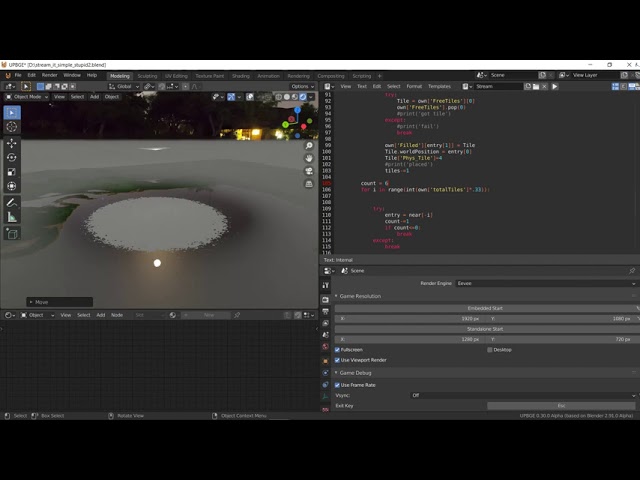
I have a few projects that I need to fund (B_pecs / Wrectified / eating etc)
I was thinking I should sell this pack on gumroad sans the textures - and allow the user to plug in there own sand , grass 1, grass 2, dirt1, rocks, rocks2, textures and label the nodes in the graph....
midnight wave
You know what/where the problem is.
This link suggest you actually could do without a flag:
self.image.fill((255, 255, 255, next(self.damage_alpha)))
https://stackoverflow.com/a/625476/10699171

Stack Overflow
Surface.blit has a new parameter in 1.8: blend. The following values are defined:
BLEND_ADD
BLEND_SUB
BLEND_MULT
BLEND_MIN
BLEND_MAX
BLEND_RGBA_ADD
BLEND_RGBA_SUB
BLEND_RGBA_MULT
BLEND_RGBA_MIN
quick jackal
it just makes me a white rectangle after
and then turns me back
    def update(self):
        self.get_keys()
        self.rot = (self.rot + self.rot_speed * self.game.dt) % 360
        if self.weapon == 'none':
            self.image = self.game.player_img_start
        else:
            self.image = self.game.player_img
        self.image = pg.transform.rotate(self.game.player_img, self.rot)
        if self.damaged:
            try:
                self.image.fill((255, 255, 255, next(self.damage_alpha)))
            except:
                self.damaged = False
        self.rect = self.image.get_rect()
        self.rect.center = self.pos
        self.pos += self.vel * self.game.dt
        self.hit_rect.centerx = self.pos.x
        collide_with_walls(self, self.game.walls, 'x')
        self.hit_rect.centery = self.pos.y
        collide_with_walls(self, self.game.walls, 'y')
self.rect.center = self.hit_rect.center```ok it works
i moved around the self.image stuff and added the special flag again
last badger
anyone have experience with random map generation?
I was wondering what kind of implementations you did for 2D and ask if my implementation is rather ridiculous and I should redesign it
turbid beacon
any arcaders?
frozen knoll
Woo Arcade!
turbid beacon

neon horizon
Best software to make music for a game in unity?
 main lotus
 ebon mauve
 hallow agate
Why is that even in a class
 halcyon ocean
how can i create a game on unreal engine ?
last moon
learn c++ or UE blueprint
 bold moss
Hi guys, bit of a newbie question. Which framework-library is best for creating games to be used as a reinforcement learning environment? Also, is it difficult to create a hide-and-seek like game in 2D?
 desert sorrel
how should i make a gui for sudoku in python?
 limpid mural
Hi guys i have a question Can i use the python for creating games ?
 vestal vessel
yes sir
limpid mural
What i Can Do with python ?
 drifting fable
 upbeat dragon
Hey guys, I'm wanting to get started developing mods for the sims 4. I'm a big fan of the game and I already have used python to automate tasks and build web apps. Can anyone point me to any tutorials for modding the game?
frozen knoll
@drifting fable Try Arcade. Https://arcade.academy
 spice flame
Ok, I don't know exactly how to ask this so please bare with me here. I'm building a game engine and want to define things like monsters outside the code in a text file, like TOML. I don't want to hard code each monster type. For example: a wolf has four legs a body and a head but a spider has eight legs a body and a head. I am trying to avoid hard coding things like body layout in a class structure.
potent ice
Defines the monster types separately and require each monster to have a type?
upbeat dragon
I'd have suggested the same
create a base monster class and then import the data from the file, use a type property and include the type in your text file
spice flame
@potent ice I had started down the road of a generic creature type then specific monsters would inherit that type and expand as needed.
potent ice
I guess it depends if the monster is linked to something visual. If it's a generic system with generated monster types that's of course a very different approach.
but at least some categorization is probably good
spice flame
maybe a plugin is what I'm looking for. The engine would feed a front end but not house the display portion. This is just for the rules side of things.
Oh... maybe something like this https://github.com/mammo0/py-simple-plugin-loader

GitHub
Dynamically load other python modules to your project - mammo0/py-simple-plugin-loader
potent ice
Why is the number of legs important? 🙂
spice flame
You can hit body parts. so things like legs head and the like are targetable.
proper peak
More body parts to cripple until they start losing mobility 😅
You can hit body parts. so things like legs head and the like are targetable.
oh lol, guessed it 🙂
potent ice
That's a very specific feature for a game engine.
upbeat dragon
can you describe the game in more detail so we know more about the game mechanics required?
spice flame
it is an RPG turn based game. supports melee and ranged weapons it has some fine grain detail like hit location you standard D&D fare.
proper peak
oh nice, like Cataclysm DDA
spice flame
yep
well "yep" as in a body target system. Cataclysm DDA and Dwarf Fortress are just bonkers as far as complexity and emergent gameplay goes.
This thing started looking like "turtles all the way down" so I decided to stop and rethink it a bit.
 elfin frost
@kindred dagger it is easier if you just ask
 kindred dagger
k then
proper peak
Not really. Though honestly, Java isn't super good either.
 thin iris
a lot of game engines are based on java tho so it might be useful to know it too
for example unity uses java
 gritty field
ok I'll just 0010101011
see if I don't turn my computer into Kombucha by the end of it
elfin frost
if you are not sure, you can always try to make 2 simple games in both
gritty field
perhaps lol--I'm gonna start my computer science major in under a few weeks anyway
see if I can flex on all you with a doctorate if I survive the 10+ years or something
That's Doctor Python to you
xD
 reef prawn
hello. so i began to learn python one year ago and a few months ago i started do code a program and it worked, but after a few days it stoped working. i dont know if i accidentally deleted something and it stoped working. can someone take a look at it? (if yes, please write to me in dm)
 tough shard
paste a link to everyone and whoever can help will help ?
frank fieldBOT
Hey @reef prawn!
It looks like you tried to attach a Python file - please use a code-pasting service such as https://paste.pythondiscord.com
proper peak
What do you need help with?
kindred dagger
I made the chess board with a png
And I got the pngs, for all the pieces
I'm just seeing the best areas to blit everythin
g
guess i could try alone
proper peak
You still haven't asked anything 😛
kindred dagger
ya i know lol
just how do you detect the mouse button
so if u click something
how do u detect that
proper peak
https://www.pygame.org/docs/ref/mouse.html
When the display mode is set, the event queue will start receiving mouse events. The mouse buttons generate pygame.MOUSEBUTTONDOWN and pygame.MOUSEBUTTONUP events when they are pressed and released.
proper peak
You'd have to check what square the click's position corresponds to.
Since you know the coordinates of every square, it's easy - just a bit of math.
kindred dagger
Oh ok then
proper peak
Something like
pos = pygame.mouse.get_pos()
x = pos[0]//square_width
y = pos[1]//square_height
where x,y is the coordinate of the clicked square.
dawn quiver
what do you guys think about my code?
I based it on a super successful game dev
Else if else if else if Else if else if else if Else if else if else if Else if else if else if Else if else if else if Else if else if else if Else if else if else if Else if else if else if Else if else if else if Else if else if else if Else if else if else if Else if else if else if Else if else if else if Else if else if else if Else if else if else if Else if else if else if Else if else if else if Else if else if else if Else if else if else if Else if else if else if Else if else if else if Else if else if else if Else if else if else if Else if else if else if Else if else if else if Else if else if else if Else if else if else if Else if else if else if Else if else if else if Else if else if else if Else if else if else if Else if else if else if Else if else if else if Else if else if else if Else if else if else if Else if else if else if Else if else if else if Else if else if else if Else if else if else if Else if else if else if Else if else if else if Else if else if else if Else if else if else if Else if else if else if Else if else if else if Else if else if else if Else if else if else if Else if else if else if Else if else if else if Else if else if else if Else if else if else if Else if else if else if Else if else if else if Else if else if else if Else if else if else if Else if else if else if Else if else if else if Else if else if else if Else if else if else if Else if else if else if Else if else if else if Else if else if else if Else if else if else if Else if else if else if Else if else if else if
I mean, I'd say #esoteric-python, but it doesn't even work, so...
dawn quiver
Ikr idk y it does not work
kindred dagger
lol
timber bolt
Lol
 shadow dock
can i paste my full game code?
frank fieldBOT
Hey @shadow dock!
Uh-oh! It looks like your message got zapped by our spam filter. We currently don't allow .txt attachments, so here are some tips to help you travel safely:
• If you attempted to send a message longer than 2000 characters, try shortening your message to fit within the character limit or use a pasting service (see below)
• If you tried to show someone your code, you can use codeblocks
(run !code-blocks in #bot-commands for more information) or use a pasting service like:
shadow dock
Simple Pong in Python 3 for Beginners
By @shadow dock
import turtle
import os
wn = turtle.Screen()
wn.title("Game by AaTherf")
wn.bgcolor("red")
wn.setup(width=800, height=600)
wn.tracer(0)
Score
score_a = 0
score_b = 0
Paddle A
paddle_a = turtle.Turtle()
paddle_a.speed(5)
paddle_a.shape("square")
paddle_a.color("white")
paddle_a.shapesize(stretch_wid=5,stretch_len=1)
paddle_a.penup()
paddle_a.goto(-350, 0)
Paddle B
paddle_b = turtle.Turtle()
paddle_b.speed(5)
paddle_b.shape("square")
paddle_b.color("white")
paddle_b.shapesize(stretch_wid=5,stretch_len=1)
paddle_b.penup()
paddle_b.goto(350, 0)
Ball
ball = turtle.Turtle()
ball.speed(0)
ball.shape("square")
ball.color("white")
ball.penup()
ball.goto(0, 0)
ball.dx = 2
ball.dy = 2
Pen
pen = turtle.Turtle()
pen.speed(0)
pen.shape("square")
pen.color("white")
pen.penup()
pen.hideturtle()
pen.goto(0, 260)
pen.write("Player A: 0 Player B: 0", align="center", font=("Courier", 24, "normal"))
Functions
def paddle_a_up():
y = paddle_a.ycor()
y += 20
paddle_a.sety(y)
def paddle_a_down():
y = paddle_a.ycor()
y -= 20
paddle_a.sety(y)
def paddle_b_up():
y = paddle_b.ycor()
y += 20
paddle_b.sety(y)
def paddle_b_down():
y = paddle_b.ycor()
y -= 20
paddle_b.sety(y)
Keyboard bindings
wn.listen()
wn.onkeypress(paddle_a_up, "w")
wn.onkeypress(paddle_a_down, "s")
wn.onkeypress(paddle_b_up, "Up")
wn.onkeypress(paddle_b_down, "Down")
Main game loop
while True:
wn.update()
# Move the ball
ball.setx(ball.xcor() + ball.dx)
ball.sety(ball.ycor() + ball.dy)

# Border checking

# Top and bottom
if ball.ycor() > 290:
    ball.sety(290)
    ball.dy *= -1
    os.system("afplay bounce.wav&")
elif ball.ycor() < -290:
ball.sety(-290)
ball.dy *= -1
os.system("afplay bounce.wav&")
# Left and right
if ball.xcor() > 350:
    score_a += 1
    pen.clear()
    pen.write("Player A: {}  Player B: {}".format(score_a, score_b), align="center", font=("Courier", 24, "normal"))
    ball.goto(0, 0)
    ball.dx *= -1

elif ball.xcor() < -350:
    score_b += 1
    pen.clear()
    pen.write("Player A: {}  Player B: {}".format(score_a, score_b), align="center", font=("Courier", 24, "normal"))
    ball.goto(0, 0)
    ball.dx *= -1

# Paddle and ball collisions
if ball.xcor() < -340 and ball.ycor() < paddle_a.ycor() + 50 and ball.ycor() > paddle_a.ycor() - 50:
    ball.dx *= -1
    os.system("afplay bounce.wav&")

elif ball.xcor() > 340 and ball.ycor() < paddle_b.ycor() + 50 and ball.ycor() > paddle_b.ycor() - 50:
    ball.dx *= -1
    os.system("afplay bounce.wav&")
my new game
please try it
game by @shadow dock a.k.a me
potent ice
@shadow dock Better to use share your code using https://paste.pythondiscord.com/
 remote leaf
@dawn quiver Yandere dev is famous here as well hmm...
dawn quiver
@remote leaf yep
dawn quiver
Hi I want to make a game but i dont Know what software to use.Can someone help me out
@shadow dock I will try it
 tepid walrus
2D: Gimp, Photoshop, Substance Painter
3D: Blender, 3d Studio Max / Maya, ZBrush
Engines: Godot, Unity, Unreal
 near wedge
@dawn quiver For Python game libraries/frameworks, see the channel topic.
tepid walrus
Godot is open source and uses GD Script, which is based on Python.
near wedge
It's still not Python though...
If all I wanted from Python was the syntax, then GD script is great. If I want the Python stdlib and ecosystem, then GD script isn't even close.
This isn't a knock on Godot or GD script (I think both are great).
tepid walrus
Although charming, Godot is limited compared to Unity and Unreal.
 mellow ore
Hello, I wrote text version of CS:GO, but really minimalistic, can you check please, may be somewhere I could write code shorter, or may be you can improve it: https://paste.pythondiscord.com/bomutoguqo.rb
dawn quiver
What platform was Call of Duty made on?
Because unity seems like a less advanced platform
 uneven perch
Hey, I'm trying to create my first online game. I want it to be a card game written in python and be fully-standalone. What are some useful resources for this kind of project?
 timber belfry
can i use python in unity?
just dm me if someone can answer
or ping me
your wish
frozen knoll
@uneven perch Not on line, but here's a tutorial to get started on solititaire. https://arcade.academy/tutorials/card_game/index.html
 gentle oasis
@timber belfry@ameydhurgudeno if you are doing game development use c# not python, if you want 2d use Godot, 3d games unity but use C# cause python isn't compatible with it
 prisma pebble
@uneven perch Not on line, but here's a tutorial to get started on solititaire. https://arcade.academy/tutorials/card_game/index.html
@frozen knoll I actually think online Solitaire would be fun and nice to make in Python. I’ll keep that in mind.
I had a project which was a roguelike with a 2.5D ground plane. I know how to make a rotating 2.5D ground plane, it’s just I use GLSL access for the plane itself.
Python’d be fun 🙂
dawn quiver
So, I am working through the Beeware tutorial, and want to use my PyCharm IDE, how do I run the configuaration for the main, init, and app files? Or am I misunderstanding something?
 stoic beacon
I need music for a 2D snake game, any ideas?
 next estuary
Anybody know of a python tool to convert images to animal crossing bar codes?
I made a pixel art editor / gif maker with tkinter and PIL and it would be perfect for making acnh art.
vestal vessel
so i want to improve my skills for pixel art
i wanna create something like this but i wanna do it in more spirtishh...
what are some idea tools to achieve something like this
next estuary
Like closer to 8 bit?
vestal vessel
something like that
next estuary
That's what I'm developing but I don't know of anything similar
vestal vessel
how do i learn this artstyle concept
next estuary
I've never actually used a pixel editor 😩
vestal vessel
me either
vestal vessel
this is for different game that im making
but i wanna adapt different artstyle that i showed ya
but a bit in 8bit form
it sud look pixelated but in detail form
next estuary
Gimp might be a good choixe for higher resolution stuff like that
Rescale using box or no antialiasing in code for good results
 rich scroll
if you make svg you get infinite resolution
fervent rose
This are some really good pixel arts here
To draw something like that, I'd do like you'd draw a scene on paper
First the outlines, basic coloring, details, and then shading
And then details: place them, draw, and then shade
You'd also need some reference images for this
next estuary
I can't draw well at all
fervent rose
I'm afraid that'll be an issue then
But art is mostly practice 
Also, I hardly see someone doing those pixel arts using a mouse, they probably used a drawing tablet 
 dense creek
I do that. Using a mouse.
fervent rose
This one #game-development message
dense creek
Using Paint 3D (Probably not the best software for pixel arts but i am too lazy do download one)
fervent rose
With a mouse it would be almost impossible
Aseprite is quite good for that
Piskel is also a good choice
vestal vessel
thnx heaps
dense creek
Are there any additional features in those software which might consider me switching?
vestal vessel
hmm
dense creek
I feel pretty normal using Paint 3D
vestal vessel
ye i use paint too
but still
i need to adapt to different artstyle that is quicker for me to make
vestal vessel
i just cant do except one artstyle lol
vestal vessel
i wanna go like reall y pixelated ones
dense creek
Oh
vestal vessel
this one is pg 18 so i will delete that one
vestal vessel
i need to learn a new artstyle for pyweek lol
vestal vessel
u can check on the pyweek channel
dense creek
yt?
vestal vessel
same here
dense creek
Oh i found it
vestal vessel
sweet
dense creek
is it only for game development?
vestal vessel
👍
fervent rose
PyWeek is a game jam yup
 brazen night
@dawn quiver you could do a calculator or to do app
 dull laurel
@dawn quiver did you use python to make that app?
 placid wigeon
I'm creating a game in Ren'py, the Python-based VN engine, that I want to have more involved gameplay features than a "pure" VN - the gameplay elements is sending characters out on expeditions. I am pretty much a beginner in Python, but already started to appreciate modularity and avoiding copy-pasting and excessive if/else-ing as much as possible.
The way it's programmed, both the tasks and the characters are objects - one of the attributes of the task objects is a list that tracks the names of characters that were assigned to a given task and is later used to give the status report at the end of the expedition ("<character1> and <character2> are now tired!" and such kind of stuff), the second one is a "groupgathering" attribute, which is a combined sum of skills in that particular task of all characters that were assigned to that task. It is later used to compare it against the difficulty of the task and determine failure/success.
I'm trying to create a class method for making the necessary calculations for this, but I can't seem to grasp how exactly do the class attributes and methods work - what is wrong with my code and why doesn't it want to work?
def send_out(self, assignment, gathering, expstate):
  assignment.list.append(self.name)
  assignment.groupgathering += self.gathering
Why doesn't it want to take my input and use it as the "gathering" argument in the function but instead claims that it's undefined?
 stark anvil
Why doesn't it want to take my input and use it as the "gathering" argument in the function but instead claims that it's undefined?
@placid wigeon the problem is not with the function you pasted
but with where it's being called from.
cold storm
 abstract thicket
Check out my little game 👍 https://play.google.com/store/apps/details?id=com.Galax.Matty.dev.Boatn

Boatn is a one-button game. Tap to release the container.
Keep them sailing to the harbor.
How long can you keep them sailing?
vestal vessel
is there something in pygame that helps me make a multiplayer game ??
dawn quiver
nice
fervent rose
is there something in pygame that helps me make a multiplayer game ??
@vestal vessel there's no replication system build it if this is what you are talking about, you have to build it yourself using networking
What's the gist of your game?
fervent rose
That's two pretty different games, but I see
What you'd usually do is have your client send user inputs to the server, the server will move the player and transmit the data to all the clients (including the player that pressed the button, in order to make sure that you are in sync with the server)
Data is usually transmitted using UDP for speed reasons
vestal vessel
oh thnx i know about this a bit but incase if i want to create multiple server
and each server (as guild) and how do i manage the concurrent user
?
in those server
fervent rose
Well, you can just make the user transmit data only to a specific server
And about concurrent users, since you are using UDP, you can send one package to multiple users, and the net switches will duplicate the package themselves
vestal vessel
ohhh i c i think i got the idea. thnx heaps
and also since u said i have to write my own code for this .. can i implement elixir together with python codes in pygame?
for the whole process(mostly the networking bit)
?
potent ice
You can write the client in python and the server in some other language at least
vestal vessel
ohhh i c. thats what i was thinking of. THnx heaps guys for ur valuable insights .
 elder elbow
is dis game dev for pygame only or unity allowed as well
 tough cairn
 sharp ermine
hi
dawn quiver
hi
hello everybody,
I don't arrive to use a joystick with pygame on neo pixel
can i use the joystick with other that pygame ?
can I use curses for the joystick ?
yes but I can't use pygame
abstract thicket
Check out my little game 👍 https://play.google.com/store/apps/details?id=com.Galax.Matty.dev.Boatn
Boatn is a one-button game. Tap to release the container.
Keep them sailing to the harbor.
How long can you keep them sailing?
dawn quiver
Thank you very much
placu
I will try inputs thank you !
I tried to install it but :
pip install inputs
Downloading/unpacking inputs
Downloading inputs-0.5-py2.py3-none-any.whl
Installing collected packages: inputs
Cleaning up...
Exception:
Traceback (most recent call last):
File "/usr/lib/python2.7/dist-packages/pip/basecommand.py", line 122, in main
status = self.run(options, args)
File "/usr/lib/python2.7/dist-packages/pip/commands/install.py", line 295, in run
requirement_set.install(install_options, global_options, root=options.root_path)
File "/usr/lib/python2.7/dist-packages/pip/req.py", line 1436, in install
requirement.install(install_options, global_options, *args, **kwargs)
File "/usr/lib/python2.7/dist-packages/pip/req.py", line 672, in install
self.move_wheel_files(self.source_dir, root=root)
File "/usr/lib/python2.7/dist-packages/pip/req.py", line 902, in move_wheel_files
pycompile=self.pycompile,
File "/usr/lib/python2.7/dist-packages/pip/wheel.py", line 214, in move_wheel_files
clobber(source, lib_dir, True)
File "/usr/lib/python2.7/dist-packages/pip/wheel.py", line 208, in clobber
shutil.copy2(srcfile, destfile)
File "/usr/lib/python2.7/shutil.py", line 130, in copy2
copyfile(src, dst)
File "/usr/lib/python2.7/shutil.py", line 83, in copyfile
with open(dst, 'wb') as fdst:
IOError: [Errno 13] Permission denied: '/usr/local/lib/python2.7/dist-packages/inputs.py'
Storing debug log for failure in /home/pi/.pip/pip.log
I can not install it
I will try the second install
Finished processing dependencies for inputs==0.5 : Yes its goood !
Thank you bro 🙂
Hum, are u a game pregrmmer ?
ta*
a**
ok
thank you very much of your contribution !
And sorry if my english is bad its bc i am french and I am 13 years old
placu I have a new probleme
first I import this : from inputs import devices
and I have a import error
I am in python3 bro
Do I run the program in terminal ?
I will try
sorry i dont unserstand !
my french is so bad
tenglish*
Bro pygame is installed on py3
vestal vessel
in windows only
dawn quiver
I will try that you say
vestal vessel
i was just installing pygame lol
dawn quiver
thx placu
vestal vessel
what the hell, my whole pc starts to lag when i run a pygame instance
;-;
is there any specific reason for this
potent ice
What pygame version?
turbid beacon
can someone help me with pyinstaller regarding arcade, because i use it on projects without textures and it works fine, but if i use it on a project with textures it just doesn't work, DM me if u wanna help
 safe swift
Hey, I'm relatively new to pygame, I got this error after I tried to build my project using Pyinstaller:
The error: pygame.error: Failed loading libmpg123.dll: The specified module could not be found.
It happens on this line pygame.mixer.music.load('Song.mp3')
potent ice
@turbid beacon Possibly a related issue : https://github.com/pythonarcade/arcade/issues/737
turbid beacon
thank you
 lusty oyster
I have
import pygame
import sys

pygame.init()
window = pygame.display.set_mode((800, 600), pygame.RESIZABLE)
w, h = pygame.display.get_surface().get_size()

logo = pygame.image.load('Logo.png')
logo_scale = (500, 500)
logo_pos = (w / 2, h / 6)
logo = pygame.transform.scale(logo, logo_scale)

fade = 255
fade_colour = (fade, fade, fade)

started = False

def startupScreen():
    if started:
        return
    else:
        started = True
        window.blit(startupScreen)
        while fade > 0:
            fade -= 1
            window.fill(fade_colour)

while True:
    for event in pygame.event.get():
        if event.type == pygame.QUIT:
            sys.exit()
        if event.type == pygame.VIDEORESIZE:
            window = pygame.display.set_mode((event.w, event.h), pygame.RESIZABLE)
        startupScreen()
    pygame.display.update()
and when i run it i get
UnboundLocalError: local variable 'started' referenced before assignment
proper peak
You can't do started = True in a function without doing global started first.
proper peak
https://realpython.com/python-scope-legb-rule/ Here's a detailed explanation.
basically, you can't modify a global variable (like started here) from a function without specifying that you intend to do so with global started
turbid beacon
he is right
dense creek
Hey, I'm relatively new to pygame, I got this error after I tried to build my project using Pyinstaller:
The error:pygame.error: Failed loading libmpg123.dll: The specified module could not be found.
It happens on this linepygame.mixer.music.load('Song.mp3')
@safe swift
Lol I just encounter this issue today, and the fix is simple.
Go to <Python Folder>\lib\site-packages\pygame and copy that file and paste in the same directory as your .exe file
 dreamy walrus
HI is there anybody that have free time and can help?
turbid beacon
@dreamy walrus what is it?
dreamy walrus
I need to make chess moving on the board but I am beginer and I don't know how I can do that
can we go priv?
turbid beacon
yea
dreamy walrus
ok still if someone can help me with moves in pygame (chess) I will be thankful
for more info write on priv
 brazen night
Hi there, I have a very simple question, is there something like playerprefs (that's from unity, it saves variables even when you close the app, like highscores and money) for Python?
 fierce wraith
Yeah, you can just write to a file
brazen night
how
potent ice
Create a dictionary and dump to file as json
Create whatever structure with key/value pairs you want (even nested or with lists).
abstract thicket
Check out my little game 👍 https://play.google.com/store/apps/details?id=com.Galax.Matty.dev.Boatn
Boatn is a one-button game. Tap to release the container.
Keep them sailing to the harbor.
How long can you keep them sailing?
dawn quiver
hey
i have a python game and i have some audio clips and photos
i want to compile inside the exe
so when sending i send only the exe
how do i do so?
dawn quiver
Hello everybody
I have a problem wit the module inputs, I have an ImportError when I put this : from inputs import devices
do I install the module devices ???
proper peak
What's the inputs module supposed to be?
proper peak
https://pypi.org/project/inputs/
this is the correct use of it, so you've probably not installed the inputs module.
dawn quiver
Yes but its not a problem with inputs but with devices
My computer don t know devices
do i install it ?
proper peak
Yes but its not a problem with inputs but with devices
No, it is a problem withinputs, because that's what you're importing from. Unless, of course,import inputsworks for you whenfrom inputs import devicesdoesn't.
dawn quiver
So I must install devices ????
And I can not install it in my terminal
I tried to write sudo apt-get or sudo pip and My computer can not install devics.
what is devices ?
is it a module ?
ImportError: cannot import name 'devices'
can you help me ?
plz
 rapid imp
@olive grotto Is this the right place to ask for help?
 olive grotto
|no, this channel is in use
rapid imp
lol
rapid imp
yes
 keen timber
#help-pancakes seems to be open
olive grotto
2. If not, send a message to a channel in Python Help: Available
keen timber
nvm
olive grotto
there are two channels available
use one of them
as described in #❓|how-to-get-help
these two are available right now
use one of them
notice it says Python Help: Available
 icy quartz
Ok so i've got Microsoft Visual Studio and Python downloaded on my PC, is that enough for making a game?
rapid imp
hey can someone help me with my game?
potent ice
Do you have a specific problem?
 faint bloom
i installed pyinstaller
now how do i upload my pygame game
(it has pics and audio in the same folder as the project)
rapid imp
@potent ice I am making a card game that deals and reviews the handshttps://github.com/Ewawoowaa/Poker-simple/tree/master

GitHub
A simple game of poker without money. Contribute to Ewawoowaa/Poker-simple development by creating an account on GitHub.
Is it okay if you can review the code and help me find out why it doesnt work?
Any help is greatly appreciated
hallow agate
Those aren't py files (I'm guessing they are on your machine?)
hallow agate
You
rapid imp
Ahh
lol
I just coplied and pasted it onto github
Is that not how you are supposed to do it?
hallow agate
well you're supposed to use git init add the files make a commit and push it to a repository but that's fine I guess lol
 wet bridge
How can I install pygame?
 unique dragon
Are you on windows?
wet bridge
Yes
unique dragon
Then I would suggest opening cmd / powershell and doing py --version
unique dragon
Make sure it's the correct version of Python and then run py --list-paths if that seems like the correct directory then to install you can run py -m pip install pygame
wet bridge
Installed Pythons found by py Launcher for Windows
-3.8-32 C:\Users\Anonymous\AppData\Local\Programs\Python\Python38-32\python.exe *
Output for list command
unique dragon
Sounds right, that's generally the default install location
unique dragon
Write code now, I'd suggest having a look at the docs
Or some tutorial on getting started with pygame
 proud atlas
hmmm
 valid seal
Just a question about arcade
i know you can use the collides_with_list to check for collisions
Is there anything that also tells you what face the object collided with
Or do i just have to set up that check up myself
 slender olive
can someone help me with pygame please?
dawn quiver
@slender olive What exactly do you need?
slender olive
never mind, I already figured it out
 sand goblet
**Hey, if you need a discord server for your game lmk! I’m making servers for free!
I have been staff on many servers, dm me for more information**
Ahh 👀
rapid imp
Hiii
 untold garnet
Hello, i'm creating a game and having some troubles with saving datas. Can someone give me some tips about how to manage saves with a json? I mean when do I have to update the save file, what is the better way to manage saving game.
thx to ping
valid seal
Just a quick question
self.Sprites.update()
time.sleep(0.5)
So i'm trying to make a reset function in arcade to move things back to their original positions and for some reason the sprites don't update until after the sleep
Anyone know why?
untold garnet
maybe the sprites are updating but the time.sleep stops the time before the sprites are all updated
valid seal
But the sleep is being called after
Its not going to be ran until the function above is finished
valid seal
what do you mean
slender olive
is anyone else having problems with converting pygame projects into .exe file using pyinstaller?
dense creek
is anyone else having problems with converting pygame projects into .exe file using pyinstaller?
@slender olive is it the .dll problem or the sound import problem? I found the solution in the internet
slender olive
When I am running the .exe file it starts and closes off immediately
@dense creek
dense creek
There is an error
To get the error do the following
Create the exe file as pyinstaller yourfile.py --onefile
Don't disable console of the pygame application. You will get the error there
slender olive
I didn't disable the console, it also closes the console so I can't see the error
dense creek
Yes
slender olive
it does the same thing
slender olive
no
slender olive
no
dawn quiver
Hi everybody,
I installed the module inputs and it installed on python2, how can I install it on python3
?
rapid imp
Please help me at help-potassium
 ornate merlin
 jade owl

GitHub
Contribute to Portal2056/Solitaire development by creating an account on GitHub.
For people that wanted to see my card sprites a while ago
here ya go
The base-game code is done, I'm just working on the interface code as of now
This was just a "just-for-fun" project
Proud of how everything has turned out so far!
 fierce inlet
how do you import images or import things that you can move or something idk python
potent ice
@fierce inlet Move images inside a window like a game?
fierce inlet
yeah
potent ice
Maybe you can play around with https://learn.arcade.academy
Eventually you get to play with sprites (images you can move around)
Both of them are fairly similar, but I think Arcade is a bit more newbie friendly.
Will not judge what you end up using. They are both good.
Pygame zero is maybe even simpler : https://pygame-zero.readthedocs.io/en/stable/
jade owl
My project uses pygame
valid seal
Quick arcade question
self.Sprites[2].centre()
self.Sprites.update()

self.on_draw()
time.sleep(0.5)
So in a reset function that i call, i'm centring one of my sprites in the middle of the screen, updating the sprites and then attempting to draw them and then wait .5 seconds
The on_draw function is just
    def on_draw(self):
        arcade.start_render()
        self.Sprites.draw()
For some reason it doesn't get drawn until after the sleep though
 molten thorn
i believe the way it works is you're drawing to a buffer but that buffer hasn't been flipped into place yet
but i'm still learning arcade
molten thorn
honestly it seems weird to put a sleep in an event loop. no other computation can occur. if you want to reset and not move you can use the delta_time passed to on_update
abstract thicket
Check out my little game 👍 https://play.google.com/store/apps/details?id=com.Galax.Matty.dev.Boatn
Boatn is a one-button game. Tap to release the container.
Keep them sailing to the harbor.
How long can you keep them sailing?
last moon
a sleep would completely stop your program, I can't see a reason to do it in the first place, but like gary said passing it to on_update or create some sort of async function
fervent rose
Hey @abstract thicket, your game looks pretty cool, but it is the third time that I see you posting it, it might be a bit much
 open thicket
You cant print a library after importing it
Try adding t=turtle.Turtle()
Even before that adds
s = turtle.getscreen()
Even before that add:
s = turtle.getscreen()
proper peak
You cant print a library after importing it
I mean, you can, evidently, but it's probably not what you want to do 😉
open thicket
yea probably xd
rapid imp
plz help me at help-lithium
fervent rose
Lads and gents, Blender 2.90 got released!
 true agate
how can python be used for blender? is it just procedual modeling?
fervent rose
Well, blender can be used for python
It is more or less just a modeling software yeah
true agate
ok can it procedurally genorate shapekeys?
 tepid ferry
hi everyone, I am new here I was wondering if anyone can help me with python, I've use java but I wanna learn python, I have some codes that I have and I would like to show you guys.
 hardy prism
can i store the highest scores in a sql database?(game is made in pygame)
potent ice
Sure you can
fervent rose
ok can it procedurally genorate shapekeys?
@true agate yeah sure, juts gotta find (or write) the appropriate plug-in
 true agate
that makes sence i was just curious as shape keys are the only animations unity will take (for the most part)
 fiery vortex
Hey guys can I know some modules that can help in developing games with python for beginners (except) pygame
 sleek lake
I just won a game jam 😎😎😎🥳🥳🥳
fiery vortex
Gg
frozen knoll
@fiery vortex Arcade? http://arcade.academy
sleek lake
Gg
frozen knoll
Gg
frozen knoll
Might look at https://learn.arcade.academy if you want to go through it step by step
fiery vortex
Ohh ok
Lol
I get it
Arcade types you are talking about
Ohhkk
I just wanted to know some modules for game dev
frozen knoll
@valid seal Did you ever figure out your arcade question?
valid seal
Ah i haven't got around to it yet
fiery vortex
Modules in python to be precise
frozen knoll
I couldn't tell enough from what you posted. If you share more code on pastebin or git hub or something I might be able to help.
frozen knoll
So the on_draw doesn't seem to always be drawing for you?
valid seal
        arcade.start_render()
        self.Sprites.draw()
        time.sleep(0.5)
```Its just that it doesn't seem to draw herewhen i try to force it to draw and then pause for a second
frozen knoll
Oooh, no, it won't draw there.
It won't draw until the after the function call is done.
Let me look at the code a bit.
valid seal
Ah
frozen knoll
At the start of your on_update I'd do something like this:
    def on_update(self, delta_time):

        # Don't update if we are pausing
        if self.pause:
            self.pause -= delta_time
            if self.pause <= 0:
                self.pause = 0
            return
was actually just thinking the same thing
Just a question though
Why doesn't it draw there?
I haven't really looked at the inner workings of arcade
frozen knoll
Drawing happens about 60 times per second. If you draw, then pause, the game will "freeze" during that pause. Can't exit the game or anything. Becomes unresponsive.
For event-driven programming you want to always try to grab the computer's attention for the shortest time possible.
valid seal
Ah i see
frozen knoll
If something happens over time, you need to use a timer to track. Annoying and not as simple as sleeping, but it is the "sharing is caring" method of managing the computer.
frozen knoll
Great!
@fiery vortex Arcade is a Python module for 2D game development. It is like Pygame, but uses OpenGL more for faster drawing and more advanced hardware support. Pygame is great because it runs on lower-end hardware (like Raspberry Pi's) and has been around forever so a lot of people know it.
fiery vortex
@fiery vortex Arcade is a Python module for 2D game development. It is like Pygame, but uses OpenGL more for faster drawing and more advanced hardware support. Pygame is great because it runs on lower-end hardware (like Raspberry Pi's) and has been around forever so a lot of people know it.
@frozen knoll ohhhkkkkk thanks a lot brother
 deep prairie
show me
 sinful nebula
1 min
deep prairie
btw i dont know anything about 3d graphics i just wanna see
sinful nebula
it's only the basics
for now
btw i dont know anything about 3d graphics i just wanna see
@deep prairie me neither , all i know are things i learned watching yt today
deep prairie
while True:
    turtle.speed("fastest")
    turtle.tracer(0, 0)
    cube3d(x,y,z,100)
    cube3d(x1,y,z,100)
    x+=50
    x1-=50
    z+=0.5
    #
    turtle.update()
    #time.sleep(0.5)
speed @sinful nebula
deep prairie
np
deep prairie
i remember using turtle sometime ago so i googled the trace function
sinful nebula
dawn quiver
Hey everybody :
I want to put some musics on my game with pygame and I have this error :
pygame.error: Unable to open file '/home/pi/Musique/pain.wav'
My Python is Thonny Python IDE
And I tried to put ogg and not wav and its not good !
Please help me
And I insttaled the last version of pygame
sinful nebula
What library can i use to make a 3D game engine
except OpenGL because it is too complicated
i am looking for something simple
i tried turtle but it is event based which is i don't want
 hushed osprey
I've heard positive things of Panda3D or Pyglet but have no experience using those myself.
sinful nebula
Aight i'll check 'em . Thats the second time you're helping , thanks!
potent ice
@sinful nebula Also check out : https://github.com/pokepetter/ursina (based on panda3d)
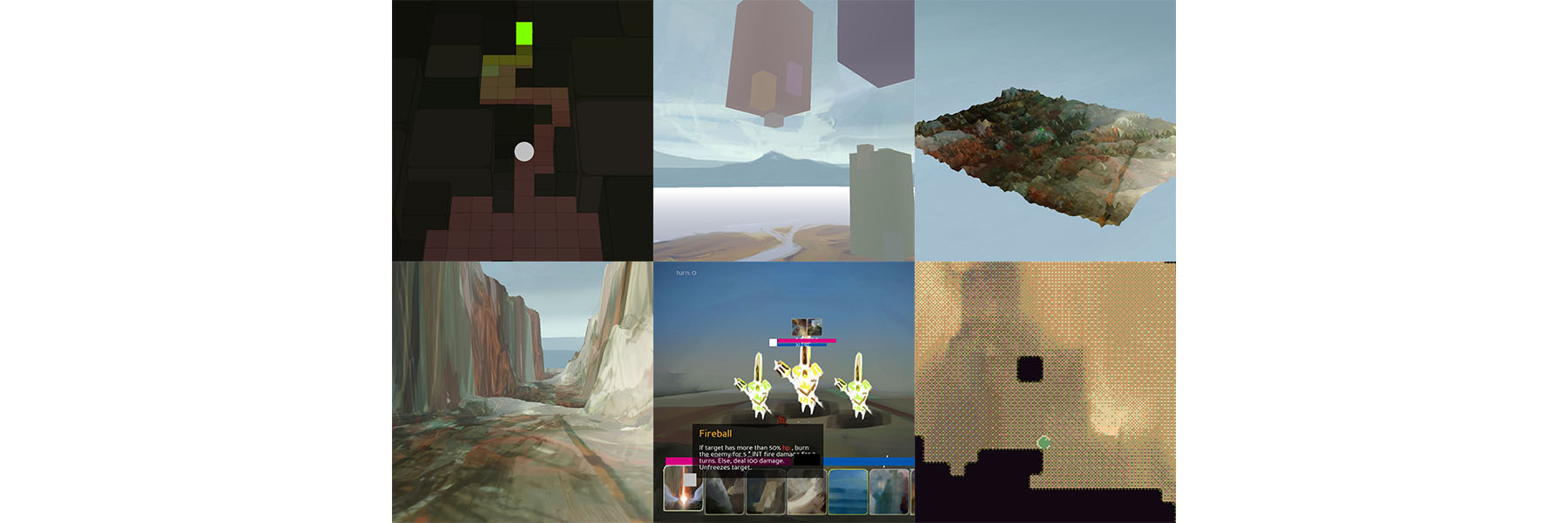
GitHub
A game engine powered by python and panda3d. Contribute to pokepetter/ursina development by creating an account on GitHub.
 hexed girder
Help!!! How do i make MCPI?