#game-development
1 messages · Page 57 of 1
 crimson lava
 lunar dawn
Hello, python noob here. Need some help with bunny and badgers
lunar dawn
I followed step by step, even copied the whole thing, and then I get this
error: Couldn't open
resources/images/dude.png
 dreamy swan
Do you have a folder in the same location as the code named resources, a folder inside of that named images, and a file named dude.png?
lunar dawn
I'm currently putting the 2 separately. You think that's what I'm doing wrong?
dreamy swan
Is your image in the same folder as your code?
 quaint fog
how do you make enemy clones shoot at you in pygame scroller?
So you create clones of them and then what do you do with the projectile?
lunar dawn
@dreamy swan not atm
dreamy swan
Replace the resources/images/dude.png
With the path to the picture file
lunar dawn
So same place as the code
 frozen knoll
@quaint fog Not sure exactly what you are looking for, but there are several examples here:
http://programarcadegames.com/index.php?chapter=example_code
There are non-pygame examples at https://arcade.academy/examples/index.html#shooting-with-sprites that you might be able to take the concepts from and apply to pygame.
lunar dawn
@dreamy swan i see. Thank you so much for the help.
quaint fog
ok thanks!
dreamy swan
No problem
 visual tangle
Can we get some feedback on the latest episode of Side Quest Completed where we talk about giving and receiving feedback? kthxbye! http://sidequestcompleted.com/episode-thirty-third-what-did-you-think-about-my-feedback.html
Side Quest Completed
The 33rd episode of the Side Quest Completed podcast, a podcast about game development hobbies. Calvin and Jaycie talk about giving, receiving, and asking for feedback. Length: 46 minutes Listen Now MP3 OGG Show Notes Jaycie is seeking beta readers on their Patreon We talk abo...
 echo olive
has any 1 played oldschool runescape at all i have a project to do with it if any 1 has played it feel free to @ me
 frank fieldBOT
6. No spamming or unapproved advertising, including requests for paid work. Open-source projects can be showcased in #show-your-projects.
 potent ice
It should be possible 🙂
echo olive
u ever played osrs ?
potent ice
Not much, but I have played around with it
It sounds like a lot of work to replicate, but it'd doable in theory
echo olive
i have a script alredy from github but its for runelite and its in java
 gritty bay
What is a good professional graphics tool like OpenGL but with a more straightforward setup
 cold storm
UPBGE
@gritty bay
you use eevee
so you can use nodes or even write your own frag / vert shaders

GitHub
UPBGE, the best integrated game engine in Blender. Contribute to UPBGE/upbge development by creating an account on GitHub.
GitHub
UPBGE, the best integrated game engine in Blender. Contribute to UPBGE/upbge development by creating an account on GitHub.
 near wedge
@gritty bay You might want to check out moderngl (might still be too low level though)
Panda3D is pretty easy to get going with and provides a lot of control over graphics (has high-level utilities for a lot of OpenGL stuff), but it may be too abstracted away from OpenGL for your needs. However, I'm mostly speculating as to what those needs may be.
Pyglet is another lower-level option.
 merry echo
I finally got rigid body collision to work now! 😃
 fierce wraith
Nice
 fervent rose
That’s pretty cool
 jovial fable
Looks awesome
frozen knoll
Love it!
lunar dawn
Do you guys remember a game called Rocket Mania?
merry echo
Oh the pipe connecting game?
lunar dawn
Yes, that game
I want to try recreating that game in Python, with tiny twist
But I'm still new to it, so I'd be glad if anyone can help me
 mint yacht
import pygame
def music(file):
pygame.init()
clock=pygame.time.Clock()
pygame.mixer.music.load(file)
pygame.mixer.music.play()
b=False
while pygame.mixer.music.get_busy():
clock.tick(1000)
c=input()
if c=='p' and b==False :
b=True
pygame.mixer.music.pause()
if c=='p' and b==True :
b=False
pygame.mixer.music.unpause()
pygame.mixer.init(22050,-16,2)
file = 'Test.mp3'
music(file)
yHelp me gays
 dawn quiver
Hey, Im working on MMO rpg on pygame O.o, I write my own serwer and i need to make some authentication, did you know how i can easily add to pygame client input type text box which will save writen str(login and password) on variable?
 proud fern
What’s happened?)
dawn quiver
i need help
 clear wraith
print ('''Hi guys, few of few will have to guess the correct number between 0 to 10. ''')
@dawn quiver PEP says to use single-quotes/double quotes for strings. https://www.python.org/dev/peps/pep-0008/#string-quotes
Those triple quotes are for multi-line comments, and more recent, Docstrings documentation 🙂 Check it out: https://www.python.org/dev/peps/pep-0257/

Python.org
The official home of the Python Programming Language
 thin cliff
making ping pong, let's go!
dreamy swan
Nice!!!
thin cliff
wanna work on multiplayer gaming, so what better way then to make a Python arcade game run over the internet
also prepping for the next game jam
potent ice
There is a talk on that if you search on youtube (related to arcade)
thin cliff
oohh
potent ice
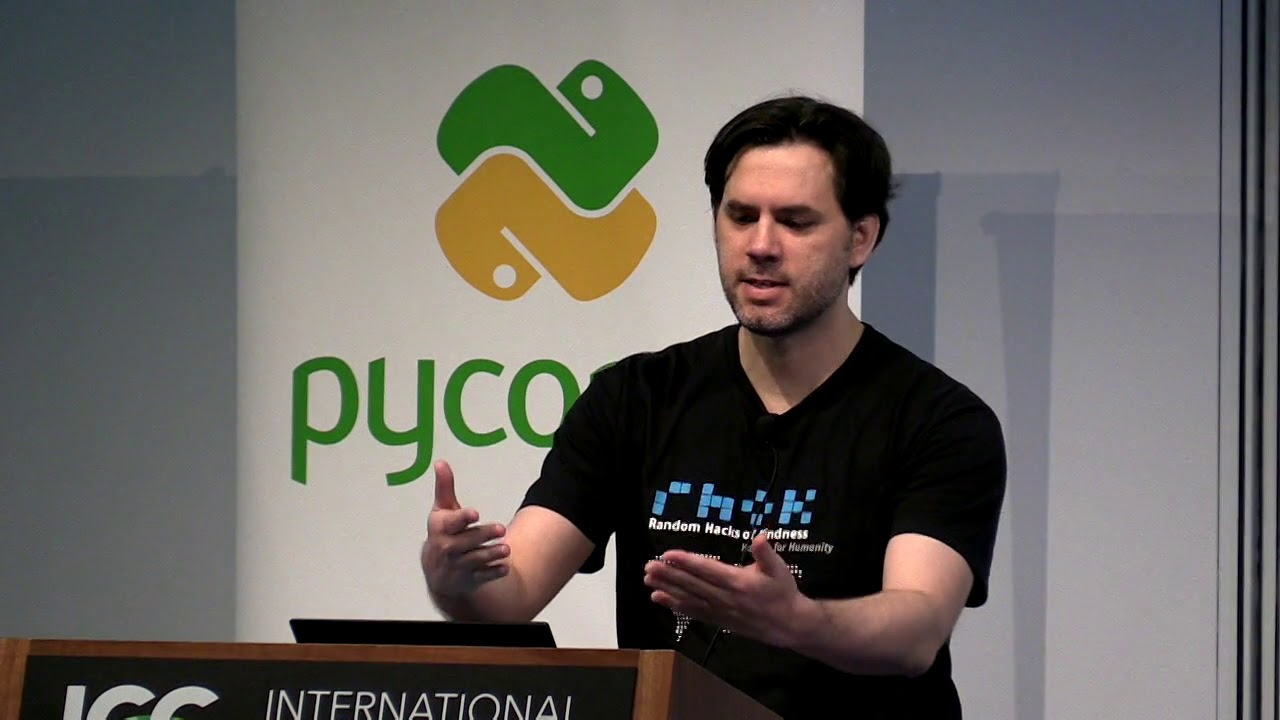
Caleb Hattingh
https://2018.pycon-au.org/talks/45332-multiplayer-2d-games-with-python-arcade/
The Python Arcade library makes it very easy to create 2D games--especially for beginners--and there are many examples provided with the package. This talk will show how to make a ...
potent ice
Might not be exactly what you want, but it should point you in the right direction I guess
thin cliff
it's all good thank you very much
potent ice
First half of the video is useful in general I guess
clear wraith
@potent ice I watched the whole thing, great vid
potent ice
Clicking a button for example?
potent ice
You can check for mouse click events and get the mouse position
You know were the button is
 supple blade
k
potent ice
There are some GUI libraries for pygame as well, but that might be overkill for this
Might be worth looking at? https://www.pygame.org/wiki/gui
supple blade
k
potent ice
Most of those are fully fledged UI libraries. Not sure what you actually need
If you just need to support a few textured buttons I would make it myself.
dawn quiver
How do i get the shortest distance to a triangle in 3D space? (Please mention me if you know the answer)
dawn quiver
hello
 lyric surge
I'm trying to make a super basic text rpg game
Very shoddy code as I've been using python for only 2 days now
I have a list of all the weapons, and a dictionary with the weapons and their prices, and a dictionary with the weapons and their "damage" values(simplistic combat it actually just makes it more likely to win)
clear wraith
@lyric surge I made a novice text RPG with a customizable set of CSVs for modifying the game , and creating your own turn-based RPG. My project isn't perfect, and I need to revisit it, but helped my close friend and I start to understand classes.
GitHub
A small Python RPG, focused on RPG elements like battle and grinding - crawsome/PyRPG_Mini
jovial fable
@lyric surge if it works and you're still discovering python it's probably fine
You will want to make objects with property later, so you can have a weapon object with a price and damage attributes
jovial fable
yeah they're handy
lyric surge
not like this is object-oriented-programming
Would it be like class { (stuff) } ?
I stopped doing c# right as they started getting into classes lol
jovial fable
nearly, python just use class Stuff:
jovial fable
class Weapon:
  def __init__(self, price, damage):
    self.price = price
    self.damage = damage

axe = Weapon(100, 2)
big_axe = Weapon(200, 10)
probably something around those lines
lyric surge
_init_?
jovial fable
it's something called when you create the object
lyric surge
Initializing?
jovial fable
yes
jovial fable
you tell it you want the weapon to have this price and this damage
just python thing for any internal stuff, i dont exactly know why
clear wraith
dbader.org
The various meanings and naming conventions around single and double underscores (“dunder”) in Python, how name mangling works and how it affects your own Python classes.
"Underscores and "Dunderscores"
The __init__() is a special method, that is inside of every single class in Python, and it automatically called when a copy of that class is created in memory by the script you are running (instantiated)
I didn't read up fast enough, lol good explanation @jovial fable
jovial fable
ah yeah i forgot, then you can just do smthg likeprint(axe.price)
so that makes it handy and readable
lyric surge
bro
jovial fable
but for now if you have only 2 stuff and you just want to have fun
lyric surge
I'm gonna put a note that I need to go back and redo my text rpg
jovial fable
dicts are okay
lyric surge
I wasn't intending to add anything more
lyric surge
I just wanted to get it functional
jovial fable
yeah thats the first aim
clear wraith
That's where it always starts 🙂 Mine started <100 lines and was a simple battle between a monster class and a hero class.
 untold lodge
@dawn quiver If you add an open-source compatible license to your project, you can share it in #303934982764625920
 rancid inlet
has anyone ever coded a chess engine from scratch?
rancid inlet
im trying to code my own, and i was wondering if anyone had any tips to make my code less repetitive
lol
i want to try it though
right now im checking for legal king moves
 grim jasper
I think I can't really provide any specifics, the rule in any code repetition is "figure out what they have in common, and how to encapsulate that"
rancid inlet
but ive only checked for if the king is in 1 of the 4 corners and already have several if statements
grim jasper
 viscid venture
@rancid inlet when you are next here, would you mind editing your nickname to comply with our policy in #rules. Thanks!
 hot bolt
Can I get help with pygame? It was to do with classes and stuff. I have object, in which I want all of them to share one texturem instead of all of them having their own.
 foggy python
 surreal furnace
Damn, that's some top notch water physics right there
foggy python
there's water "physics", wind "physics", cloth "physics", particle "physics", collision "physics", and grass "physics"
frozen knoll
That is first rate work @foggy python
 fast root
does PySDL2 have a discord?
foggy python
I haven’t heard of one. Pygame 2 uses SDL2 though, so I think it’s somewhat obsolete now.
fast root
I am just trying to figure out... there must be a way to pass a BytesIO to a sprite factory?
because I am using the Resources class
and when I try to get my resource from it it will return a BytesIO object
I did try using SpriteFactory.from_object but it complains that my file is not a BMP
(file I am using is a PNG)
so maybe I need to convert it? SpriteFactory.from_image expects a filename afaict
 solid obsidian
I am trying to get a minmax search algo to work I have generated all the game states in the proper DFS order in a list but im not sure how to now get the values from the list..
Im super frustated if anyone could help itd be greatly appreciated
fervent rose
there's water "physics", wind "physics", cloth "physics", particle "physics", collision "physics", and grass "physics"
@foggy python are they actually physics based or hand-animation based? That looks pretty good! 😄
 candid sandal
@foggy python what engine did you use to create the map
foggy python
@fervent rose they’re all dynamic. None of it was hand animated, but I say “physics” because most of them are simple systems meant to look good, but not be entirely physically accurate.
@candid sandal I made my own level editor in Pygame.
 magic girder
so you didnt use an engine? just all your own work?
 halcyon hinge
@foggy python mate, how did you do that?!
It looks so good
Makes my beginner game seem ultra bad
foggy python
@magic girder yeah. I’m just using Pygame 2 and a custom framework I’m making.
magic girder
@foggy python thats awesome
potent ice
That's the way to go. Make it look good using some simplified version of physics when you can get away with it 😉
cold storm
Nice work @foggy python
 nocturne shuttle
can someone help me with minesweeper?
potent ice
@nocturne shuttle That's a lot to ask. If you are stuck on a specific problem you can always ask for help
foggy python
did that name just format your message to right aligned? lol
(edit: twas only on mobile for some reason)
 burnt stump
Hi
I'm having a problem with Pygame.
Default rendering is horrible, so I'm trying to use freetype
mod = pygame.key.get_mods()
text = font.render_to(screen, (640, 480), u'This is a test', fgcolor=pygame.Color('white'))
pygame.display.flip()
This displays nothing
What am I doing wrong?
magic girder
how hard is it to make a python game online multiplayer
dawn quiver
@burnt stump Do you mean the font, and isn't your code wrong?
# This is initialized before the game loop
font = pygame.font.SysFont('Calibri')
# This is in the game loop
text = font.render('Text here', True, (255, 255, 255))
window.blit(text, (0, 0))
@magic girder It depends, if you are wondering for the module to use, socket would do.
dawn quiver
On how hard, usually you would implement all sort of per key instructions and store the items, positions, attribute on server side, client side would hold as little as possible.
Pygame for me.
dawn quiver
I think you shouldn't always take somebody else's word.
Just search it up first and see which one is easier for you.
Although i think pyglet is a bit too hard, but whatever...
 stray ember
have u tried combining them?
dawn quiver
No
stray ember
I've seen people do that, with pretty impressive results.
dawn quiver
Up to you. I haven't tried pyglet yet, but what i saw the references, it's a bit hard than pygame.
stray ember
yea
dawn quiver
I don't really have a game developing experience in python, really. I know how to use pygame because i have been learning it for 1 and 1/2 years. I usually only use pygame for testing individual parts. Heheh... It's sometimes boredom takes place. My only game dev exp. is using Scratch back then. I am familiar to Python but just don't have the same feelings from using Scratch
Although i've made several programs using python. But haven't made any big plans.
stray ember
I've used scratch, I think.
stray ember
try combining tkinter, pygame, pynput, pyglet, random. it has mass ability.
 ionic citrus
Y is scratch that famous??
dreamy swan
Are we thinking of https://scratch.mit.edu ?

Scratch is a free programming language and online community where you can create your own interactive stories, games, and animations.
 gritty crescent
Hey! How could i make that if i have project1.py that has wood = 0 and project2.py that has wood = 0 and (somehow) produces 1 wood each second, project1.py could display the basic value of wood + 1 each second ? so project2.py is a background process
stray ember
@dreamy swan yep.
@gritty crescent The harder way is to do it like you said, with it running in the background. However, the easier way, I think, is to use classes. Here's a link to the way to run the project in the background.
gritty crescent
@stray ember it doesn't work...
 jaunty crane
@stray ember tkinter and pygame wont work well imo because they are both gui-based modules
@gritty crescent i dont understand the use for project2.py since the only real functionality you described is for project1.py to add 1 to the wood variable each second and display it
gritty crescent
it's because in my game the wood variable stops 1 from working
@jaunty crane because project1 displays other functions that stops working if i add the wood variable in project 1
stray ember
@jaunty crane i dunno. I use tkinter to make pre-made GUI stuff, and pygame + pyglet for game stuff, but I prefer not to use pyglet as much as pygame.
jaunty crane
@gritty crescent do you get any tracebacks ? or they just dont work ?
@stray ember i used to make gui s with tkinter before but i got into game dev more and i found out its not exactly easier but its more centralized and for me its much more logical tbh
gritty crescent
@jaunty crane what are tracebacks
jaunty crane
but everyone had their own opinion and likes nothing wrong there bro
they are errors
in the command line
or shell
gritty crescent
no sorry
jaunty crane
none ?
gritty crescent
yes
jaunty crane
do you by any chance get one that says "variable referenced before assignment"?
gritty crescent
the problem is it returns a blank screen
jaunty crane
hmm
gritty crescent
may i sned you a screenshot ?
jaunty crane
of the code ?
gritty crescent
yes
this is the variable that has to run on background
and basically, the project on the left runs woodprod() among other functions and display the wood variable
jaunty crane
did you try importing the function into the other one
like, using
from woodprod.py import woodProd
dunno if it helps but you could try that
gritty crescent
Thx
 dreamy timber
Hi! Is there a tutorial for Arcade available in text doc or pdf format, that isn't just walls of lists of documentation?
dreamy timber
Oh, I know about that. I can't find the text/pdf version.
stray ember
@jaunty crane Yeah, I agree. I don't use it very much, but I do use it for GUI based-stuff where I have to something simple.
 steady kiln
I understand that this is a python server, but some here might know. I am making a test plugin for Minecraft spigot, I have no idea how to actually compile it. Using InteliJ IDE.
 regal moth
i wanna make minesweeper, whats a good module? Im new to python so id prefer one simple and used for small games like this
is pygame good? or that turtle one?
 mint zenith
Don't wait for someone to be around. If you have a question, just ask right away
burnt stump
@mint zenith I want to simulate a console, and I can't get backspacke to properly erase a character on the screen. It's buggy.
Can you help me identify what is wrong?
burnt stump
Sure
I've been experimenting with it a bit, so some parts will be buggier than they should be
@mint zenith https://nopaste.linux-dev.org/?1318630
there you go
I'm clueless on how I should blit the text to make it disappear after a backspace
burnt stump
What am I doing wrong?
mint zenith
I'm looking into it
Some other issues I've spotted are the blinking cursor being too far to the right
And the debug output not showing the last character I typed until i type a new one
burnt stump
I figured that each character will take 10 pixels with the font I'm currently used
mint zenith
Oh that last one is a simple fix, just need to print after doing +=
mint zenith
Ahh it's a font thing
burnt stump
Let me give you my fonts
mint zenith
yeah i just changed it to arial cause I didn't have whatever you're using
burnt stump
Just place them on the program folder
mint zenith
You won't be able to send fonts here unfortunately
I don't think it's important for now, don't worry about it
mint zenith
here
                print("Debug: user input is, ", user_input)
                user_input += event.unicode
I guess it depends on how you interpret the debug message. I was expecting it to show the new message after I typed, not the old one
burnt stump
Don't worry too much about that
I'm specifically concerned about the GUI
I can't redraw the user interface properly when backspace is pressed
@mint zenith How exactly am I supposed to blit the text after backspace is pressed?
mint zenith
One approach you can try is to just cover up the entire previous text and then blit the new contents
But that may cause flickering, not sure
What you're currently doing doesn't make sense
You're blitting the last character in black but it's starting from the very left position
burnt stump
I guess I don't understand screen.blit well
The problem is that I thought I'd have to blit the whole line
so, how do I blit only the last character?
@mint zenith How do I fix this?
mint zenith
Like I said, cover up previous text and blit new contents
You can do this by generating the text in black and blitting it, then removing the last character and blitting it again in green
That's my naïve approach to it
burnt stump
So, like this?
cursor_width += len(user_input)
cursor_surface = font.render(user_input, True, pygame.Color('black'), (0,0,0))
screen.blit(user_render,(user_render.get_width(),10))
user_input = user_input[-1]
cursor_surface = font.render(user_input, True, pygame.Color('green'), (0,0,0))
screen.blit(user_render,(user_render.get_width(),10))
pygame.display.flip()
yeah, that won't work
Hello?
mint zenith
You need to do user_input = user_input[:-1] to cut off the last character
Notice the colon in there
burnt stump
Still buggy
mint zenith
Right cause you blit the wrong thing
burnt stump
What am I supposed to blit?
mint zenith
Change the name of cursor_surface here to user_render
You created the black font but you didn't blit it!
burnt stump
Like this?
cursor_width += len(user_input)
cursor_surface = font.render(cursor, True, pygame.Color('black'), (0,0,0))
cursor_surface = font.render(user_input, True, pygame.Color('black'), (0,0,0))
delete_line = len(memory_text + cursor + user_input) * 10
screen.blit(user_render,(delete_line,10))
screen.blit(cursor_surface,(delete_line,10))
user_input = user_input[:-1]
#cursor_surface = font.render(user_input, True, pygame.Color('green'), (0,0,0))
screen.blit(user_render,(len(user_input * 10),10))
screen.blit(user_render,(len(cursor * 10),10))
pygame.display.flip()_
@mint zenith
mint zenith
No
Here is what needs to be done (I'm ignoring the cursor for now):
- Render the font with the old text in black
- Blit the black text
- Remove the last character from the user input
- Render the font in green without the last character
- Blit the green text
burnt stump
Ok, so first like this:
cursor_width += len(user_input)
text_surface = font.render(user_input, True, pygame.Color('black'), (0,0,0))
screen.blit(user_render,(len(user_input * 10),10))
pygame.display.flip()
@mint zenith right?
mint zenith
No
You aren't blitting text_surface
You need to blit that
user_render is not the same thing as text_surface
burnt stump
@mint zenith But do I have to? It doesn't change when the user press backspace
You can think of that as part of the prompt
[100] (User input) |
mint zenith
I don't understand
burnt stump
This is supposed to simulate the interface of a BASIC computer
[100] is the current (initial) memory address
(user input) is whatever the user types, similar to a dos command prompt
mint zenith
You're gonna re-render everything in green afterwards so it's ok if you make it black here
Maybe having a separate surface for each line would have been better 🤔
burnt stump
Ok, so blit text_surface, user_render and cursor_surface, right?
mint zenith
Like this
if event.key == pygame.K_BACKSPACE:
    # Blit the old text in black, which effectively clears all text from the line.
    user_render = font.render(user_input, True, pygame.Color('black'), (0,0,0))
    screen.blit(user_render,(70, 10))

    # Remove the last character from the text stored.
    user_input = user_input[:-1]


# later on... (this is the same exact code you already had)
user_render = font.render(user_input, True, pygame.Color('green'), (0,0,0))
screen.blit(user_render, (70, 10))
pygame.display.flip()```I feel so stupid :/
It's not deleting the text though
It stops at the last char
if event.key == pygame.K_BACKSPACE:
user_render = font.render(user_input, True, pygame.Color('black'), (0,0,0))
screen.blit(user_render,(70, 10))
user_input = user_input[:-1]
user_render = font.render(user_input, True, pygame.Color('green'), (0,0,0))
screen.blit(user_render, (70, 10))
pygame.display.flip()
That's how it's supposed to be, right?
mint zenith
Let me look into it
hmm
It starts to work if I comment out this ```py
if mod & pygame.KMOD_CTRL and event.key == pygame.K_c:
quit()
        elif mod & pygame.KMOD_ALT and event.key == pygame.K_RETURN:
            if fullscreen == False:
                fullscreen = True
                screen = pygame.display.set_mode((640,480), pygame.FULLSCREEN | pygame.HWSURFACE | pygame.DOUBLEBUF, 8)
                pygame.display.flip()
            elif fullscreen == True:
                fullscreen = False
                screen = pygame.display.set_mode((640,480), pygame.RESIZABLE | pygame.HWSURFACE | pygame.DOUBLEBUF, 8)
            pygame.display.flip()
It does? It doesn't really type anything here if you comment this out
mint zenith
Ah right
i think I see the problem
You need to prevent it from appending the backspace character to the user input
Yes, backspace is a character too
mint zenith
Here
user_input += event.unicode
The backspace is part of event.unicode so you append it
burnt stump
oooooooooh
Ooooh
yes, that's exactly what's wrong
Cursor is still a little glitchy though :/
mint zenith
I think it'd be a lot easier for you if you had separate surfaces for these
That way you could simply clear the surface and blit again
Without having to worry about blitting exactly over the old position in black like you did with the text
The same thing applies to your cursor
burnt stump
@mint zenith you mean a single surface for each line, right?
mint zenith
Yeah
And then a single surface for the cursor, which you will clear and move when you go to a new line
Something like that, rough idea
burnt stump
Gotcha
I'll do that later today
Just tell me
Why was backspace causing that strange bug?
mint zenith
Backspace is a character
It's part of ASCII even
Pygame feeds you all characters, even those that aren't a-z and 0-9
burnt stump
Ok, so in reality it was just adding and removing the backspace character, right?
mint zenith
Yea
It got "locked" cause you remove the last character, but right after you add a backspace in
burnt stump
yes, it makes sense now
Do you have any suggestions on how I can manage more than 1 command line?
(i,e the command is longer than one line)
mint zenith
When you render the font, get its width and see if its wider than the screen's width
Hmm ok
You'll want to split the text so that it fits within the screen, but I'm not sure how you'd find out exactly where to split
mint zenith
yes
I thought you were asking how to move text to a new line to prevent the text being cut off at the edge of the screen
i.e. text wrapping
burnt stump
yep, that's what I was talking about
mint zenith
OK, I think it's a bit complicated
burnt stump
but since we can only have one surface per line, I'll need something that automates this
burnt stump
Thanks
You know, I might reuse that code to make a new shell
Windows' 7 default shell is so crappy
@mint zenith I don't think I'll manage to have just one surface per line, btw
I need a flashing cursor
I can't just make one part of the surface to flash, can I?
mint zenith
That's why I suggested a separate surface for the cursor
You can have like a cursor_height variable which you use when blitting the cursor
And whenever enter is pressed, you do cursor_height += height_of_single_line
Then clear the cursor surface and blit again with the new height
Hope that makes sense
burnt stump
It'll probably have to be something like cursor_width += (width_of_single_line + 10)
we need some space from last character
mint zenith
This is height, not width
burnt stump
yep
mint zenith
Oh right
I see
I was assuming your line height would already account for padding rather than being a snug fit to the font
burnt stump
How do I account for padding?
mint zenith
Make the surface slightly taller than the font height and then blit the font in the middle of the surface
But yeah, you could also space out the surfaces.
Either way achieves the same thing ultimately
 heady edge
Heyy, anyone good with Ren’Py here, plz DM me if so, or tag
mint zenith
gn
burnt stump
thanks
merry echo
If the way your program allows it, you might want to redraw everything instead
gritty crescent
How could i make that in name.py comes out the value of name changed by namechanger.py ?
 knotty galleon
Hello guys :)
Just for fun I wrote a multiplayer version of BabaIsYou with trivial maps edition : https://github.com/r4mbo7/babaisyou

GitHub
Contribute to r4mbo7/babaisyou development by creating an account on GitHub.
gritty crescent
@knotty galleon lol i don't even know how to use it
knotty galleon
Yes it as terribly poor documentation, sorry... I should have fixe that before posting it sorry
First difficulty, find how to start the game haha ^^
gritty crescent
lmao but it seems too complicated for me sorry
knotty galleon
I gonna fixe that in 10 minutes 🙂
gritty crescent
thanks
gritty crescent
@deft vine Velazuse could you help me with my issue pls
knotty galleon
@gritty crescent README updated : https://github.com/r4mbo7/babaisyou 🙂
gritty crescent
where do you clone the repo
knotty galleon
I don't think I should add that in the setup instructions :p
gritty crescent
@deft vine could you tell me how to run the 2nd script in the bg
 deft vine
Idk I am very new
gritty crescent
yeah me too lol
deft vine
._.
gritty crescent
@knotty galleon sorry i suck
frank fieldBOT
Hey @deft vine!
Uh-oh! It looks like your message got zapped by our spam filter. We currently don't allow .txt attachments, so here are some tips to help you travel safely:
• If you attempted to send a message longer than 2000 characters, try shortening your message to fit within the character limit or use a pasting service (see below)
• If you tried to show someone your code, you can use codeblocks
(run !code-blocks in #bot-commands for more information) or use a pasting service like:
burnt stump
@mint zenith I've restructured my deletion code
instead of blipping the whole line, it just blips the last char
it's more efficient
I've also created that console class I've told you of
Wanna see how it looks like?
 mint zenith
Yes, it is
burnt stump
There are just some changes I'll make. E.g, that multiline thing
Can I just leave the accelerated 3D code there?
mint zenith
I don't know what you are referring to
burnt stump
I added some 3D acceleration into the code
pygame.display.set_mode((event.w, event.h), pygame.RESIZABLE | pygame.HWSURFACE | pygame.DOUBLEBUF, 8)
mint zenith
I don't know anything about that
burnt stump
It's supposed to make screen drawing faster and smoother if you have a 3D card
I'm always amazed at how compact Python can be, btw
Even though it's still not very functional, this app only has 132 lines and has quite a few advanced features
heady edge
How do I add mutagen to my files?
 iron galleon
@knotty galleon you should post your game in #303934982764625920 once you've added an open source license. it looks awesome!
 sullen pewter
anyone here good with f sharp or fable? I need help, i can pay too!
gritty crescent
@noble shore If you're a total newbie there's an interesting free course for basic python dev : https://www.youtube.com/watch?v=rfscVS0vtbw

This course will give you a full introduction into all of the core concepts in python. Follow along with the videos and you'll be a python programmer in no time!
⭐️ Contents ⭐
⌨️ (0:00) Introduction
⌨️ (1:45) Installing Python & PyCharm
⌨️ (6:40) Setup & Hello World
⌨️ (10:23...
@noble shore and if you are interested in basic game dev : https://youtu.be/XGf2GcyHPhc
Learn Python in this full tutorial course for beginners. This course takes a project-based approach. We have collected five great Python game tutorials together so you can learn Python while building five games. If you learn best by doing, this is the course for you.
🎥 Learn...
 noble shore
Thanks @gritty crescent
potent ice
@noble shore If you want to learn in the context of games : https://learn.arcade.academy/
noble shore
Thanks @potent ice
 zinc pike
is there a way to make an android app in python?
frozen knoll
I think Kivy is your best bet for that.
zinc pike
okay thank you so much
zinc pike
do I really have to pay 25 bucks to get a google play store developer account?
gritty crescent
yup
fervent rose
Steam is 100 bucks, be happy 
gritty crescent
lmao i didnt even know that was possible
fervent rose
Oh and steam is per freakin' game
gritty crescent
true
zinc pike
Steam is 100 bucks, be happy :rooThink:
@fervent rose but i have no credit crad -.-
fervent rose
EGS is free though
gritty crescent
you do not need a credit card
dreamy swan
EGS is a pain
Their EULA is confusing
 cedar pendant
Hello! Well am a novice in python. I have a project that demands me to create an app so I decided to go in for tic tac toe. Am at the level of making the buttons work now i.e the function I need to make the buttons work properly. Am using classes just to note. Need some help please.
deft vine
EULA is bad
 frigid cipher
 onyx granite
@frozen knoll Very cool project i write my snake game 🙂
 spark river
hello guys, I'm having a small issue
I'm willing to put a small instruction on my object as soon as it is created, but i get this error
    def __init__(self, image, position, kind = False):

        self.image = pygame.image.load(image)    #image a text directory
        self.kind = kind                         #if the ship is an ally ship or not (a boole)

        self.position = position                 #The position of the ship (x, y)

        self.Rect = pygame.Rect(self.position[0], self.position[1], self.image.get_size[0], self.image.get_size[1])                #hitbox

shipsList.append(self) #to add it in the list```the code
and here is the error
the name 'self' is not defined
if someone can help me out please 
shipList is a list and it is already created
 warped spire
@spark river Your last line is badly indented, so it's out of the __init__ scope.
warped spire
you could create an instance of ship and add it to the list (outside of the initialization) though.
exactly 🙂
warped spire
o/
 tame chasm
I have a doubt, what's the reason for the attribute name "kind"?
 desert crypt
hey im a noob at python but what does elif means
near wedge
@desert crypt It's what Python uses for "else if"
desert crypt
ohhhh ok thanks!
dreamy swan
Ok, so two questions.
1: How possible is it to make a text based rpg without using many libraries...
2: How good would this work as a start to a weapon system?
class weapon:
    type = "melee"

    def __init__(self, name, damage, range):
        self.name = name
        self.damage = damage
        self.range = range


knife = weapon("Knife of Kings", 20, .5)
sword = weapon("Guardsmen's Sword", 50, 1) ```Sorry... the print is so I could test it a bit
There
 umbral fulcrum
I can imagine what you're trying to do. But i didn't quite understand why you're worrying about using too many libraries
If you want to make a simple input based game, i don't think you'll need too many libraries
And as I have no idea about format of your game, I'm not able answer your second question
dreamy swan
The second question was more of a broad statement
I just started using OOP today
And I’m making it on mobile rn so libraries are a pain
As in using a mobile IDE
 pearl urchin
it's not as bad as using an ide that can't indent on mobile
umbral fulcrum
I had this issue when i tried to run my game on a computer that doesn't have audio drivers installed. Because there were some sound effects in game, i had an error. Than I removed all sound effect code lines but it was too unnecessary. I thought maybe I can play the sounds if i can, but it requires too many if-else statement. What would you guys do in this situation?
I was using pygame
dreamy swan
Just use try: except statements
If it throws an error, runs the exception
umbral fulcrum
Same with if-else way, there'll be too many try-except statements
dreamy swan
I’m biased in the fact that my code usually has way too much of else anyway, so I would just start typing the statements, but you can probably make it easier by using an if statement to make a variable true if the drivers are there, and only use that variable instead of the whole thing to check
 atomic sigil
Quick question: Anyone know why the window opened from my code doesnt line up with my monitor?
Its the same exact dimensions but the window is a bit off to the right of my screen
merry echo
What library are you using? Have you tried setting the window position to 0, 0?
atomic sigil
I'm using arcade, do you know the function to set where the window is?
merry echo
It's set_location(x, y)
Looks like they've also added center_window() now aswell for centering the window if you want that
atomic sigil
Sweet! thanks
 pliant dust
@umbral fulcrum with that many if/else statements, would you be better off creating a single function for playing a sound, which takes an argument of the sound played, and within the function is the try/except statement?
 visual pelican
so idk if you can call this game-development (I am not using pygame) I am a beginner and trying to figure out why my script is not working properly. (I am making a hangman game)
pretty much when I run it and then I write a letter in, it just doesn't finish the script of anything
 frank oriole
do this: if x.upper() in word_list: for i in range(len(word_list)): if word_list[i] == x.upper(): word_solve[i] = x.upper()
 indigo ermine
Is Kivy better than Pygame for windows game development?
frozen knoll
What are you trying to make? What are you looking for? "Better" depends on this and more.
Take a look at the examples on their websites. Maybe look at Arcade and Pyglet too for even more good options so.
dreamy swan
Arcade is best
runs
indigo ermine
I'm just trying to make a basic game
Like I want to make an over the top snake game
with powerups and stuff
but I can't even make snake game yet lol so I should start with that
 limpid grail
I'm relatively new to Python, what should I do to get from outputting to a console, to coding things in a web browser
Like is there anything to look into? I heard about pygame but idk much about it
indigo ermine
You wanna make a game in a browser?
 tacit spruce
Hi, where should I start if I want to start coding games?
gritty crescent
Hi, how could I add a background music in loop?
indigo ermine
Do a while True with the music?
But then I think all of your code needs to be in the while loop
Not sure
gritty crescent
it already is
what i meant is that i've seen a command with play(music) and you have to type -1 but i don't have the basic structure and lines
umbral fulcrum
What are you working with? Which framework or engine? @gritty crescent
@pliant dust I'll probably do something like that. But I kinda wondered how people deal with these problems in bigger projects.. In games, there too many options like this
gritty crescent
@umbral fulcrum i'm working on pycharm
pliant dust
@umbral fulcrum the way I have heard it is follow the idea of DRY code, Don’t Repeat Yourself. Anything that you code a second time should be changed to a function/ condensed down. In this way, you only ever have to worry about try/except items for certain areas. Furthermore, there are ways to normalize the code, so that it accesses the right area every time if you are grabbing images, or other files. Other games will ensure that anything that is in question for a computer will have those unknown items in the files with the game(such as a font). The simple answer is that they troubleshoot, and do what they need to do so the game is accessible.
 echo harness
How is python, being an interpreted language, is viable for game dev. I don't mean this in a nasty way, I just want to know how people are using it, I love Python and I want to use it to make games, but I just want to make sure it works
fervent rose
It can be used as the main language for 2d games very easily, and it is often embedded in bigger 3d games (even AAA), used by artists most of the time
dawn quiver
lua just use lua
 formal forge
frozen knoll
formal forge
frozen knoll
I'd suggest https://learn.arcade.academy
pliant dust
@dawn quiver this is off topic of this thread, but I’m curious, why Lua, and what engine are you using to run/code it?
dawn quiver
i personally use godot game engine
but i saw lua code and some videos on it, and as a python guy, it looks almost identical or at least very easy to learn
there are many frameworks and engines / editors for lua
mainly because it's fast compared to python

This is a list of game engines actively under development that use the Lua programming language to script game logic. Unlike the earlier C# and C++ lists, this one includes both 2D and 3D game engines.
Links:
http://www.gamefromscratch.com/post/2018/09/06/Lua-Game-Engines.as...
pliant dust
Interesting, thanks for sharing!
 astral quiver
lua game engines
dawn quiver
godot is also very great
 static quail
hey hello i code on with pygame and i have many problems can you help me ?
dawn quiver
problems with pygame or gamedev
static quail
my code
umbral fulcrum
You can paste your code and show us where you're struggling at @static quail
static quail
okay so when i blit my picrutre she unblit right away ````
morte = pygame.image.load("img/mort.png")
    p = 5
    i=0

    while i < len(pommes):
        if x_perso < (xp[i]+25) and x_perso > (xp[i]-25) and y_perso < (yp[i]+25) and y_perso > (yp[i]-25):               # on cherche les collisions avec les coordonnées entre les boite et le perso

            del pommes[i]
            del xp[i]
            del yp[i]
            p -= 1
            mort = False
                                             #si on rentre en collision avec les boites on perds un coeur et on affihe une tete de mort

            i-=1
        i+=1

    if p == 4 and mort == False:
        win.blit(morte,(380,0))
@pliant dust Thanks for information, I'll search more about this topic
@static quail it would be great if you add python after first line of ```
umbral fulcrum
'''python
#code
'''
static quail
 morte = pygame.image.load("img/mort.png")

        p = 5
        i=0

        while i < len(pommes):
            if x_perso < (xp[i]+25) and x_perso > (xp[i]-25) and y_perso < (yp[i]+25) and y_perso > (yp[i]-25):               # on cherche les collisions avec les coordonnées entre les boite et le perso

                del pommes[i]
                del xp[i]
                del yp[i]
                p -= 1
                mort = False
                                                 #si on rentre en collision avec les boites on perds un coeur et on affihe une tete de mort

                i-=1
            i+=1

        if p == 4 and mort == False:
            win.blit(morte,(380,0))
like this ?
umbral fulcrum
exactly
and it seems like there are some wrong tabs or spaces, it makes it really hard to read on mobile
static quail
I don't know how make differente
umbral fulcrum
I guess this isn't the entire code, i'm not able to understand what is pommes
static quail
this is my game
and pomme it's name of objet who down
and when objet who down touch fish , the red heart replace to dead head
umbral fulcrum
So, what's the error?
static quail
img blit on 1 juste 1frame
and i want blit all time that fish have heart
I want that when the fish comes in colision with the object the hearts this face replaced by another image
and I do the condition and I put display the image , the image appear only for 1s
umbral fulcrum
Alright, the first thing came to my mind is like this:
health = 5 #as much as you want
death = 0 #default

offset = 5 #pixel

heart_image = None
skull_image = None #these last two will be your images

starting_position = (0, 0) #the position where will you first heart image will be
for x in range(death):
  surface.blit(skull_image, (starting_position[0] + x*offset, starting_position[1]))
for x in range(health-death):
  surface.blit(skull_image, (starting_position[0] + (x + death)*offset, starting_position[1]))
There might be a better and optimized way to do this task, but I might use this
as your fish loses his health, death number will increase
static quail
you mean as soon as the picture gets displayed on the screen it disappears?
umbral fulcrum
I didn't quite understand what you meant, but let me explain what I've done
After declaration, first for loop blits the skull images, second one blits heart images
offset is the distance between images
Every time you blit and image, the position must increase by offset
So the next image wont be blitted to same position
To do that, I used x variable from for loops
After blitting every skull image, as the hearts will be next the and after skull images, we need to increase by death * offset , and as usual`we'll use x * offset too. Shortly, (x+death)*offset
static quail
mh no sorry it' s not this
i want juste blit image but
this image
pucture appears and desappears
umbral fulcrum
If you're trying to make everything easily in minutes like in Unity, no. But when you get used to it, it gives you wide-open space to build so many things you want.
umbral fulcrum
But there is also Arcade that i haven't tried before
You can check their documents and decide which one you want to use
umbral fulcrum
This might be a good start for you
umbral fulcrum
To understand game mechanics step by step
This might be a good start for you
There are plenty resources, but i personally laerned Pygame by it's own documents
 tough bridge
what is better
umbral fulcrum
I can't decide that, but if you're a beginner, you can search on youtube and see what's going on
tough bridge
im willing to learn anything
even hard stuff
just have to understand it
u can use unity with python?
umbral fulcrum
pucture appears and desappears
@static quail does that appearing and dissappearing happen continuously?
Or, just one time?
frozen knoll
@tough bridge There's a tutorial here if you are interested:
https://arcade.academy/tutorials/pymunk_platformer/index.html
indigo ermine
So i'm about to post a large sum of text
import arcade

width = 600
height = 600
title = "Drawing with Functions"

def draw_background():
    arcade.draw_lrtb_rectangle_outline(0, width, height, height/3, arcade.color.SKY_BLUE)
    arcade.draw_lrtb_rectangle_outline(0, width, height/3, 0, arcade.color.DARK_SPRING_GREEN)

def draw_bird(x, y):
    arcade.draw_arc_outline(x, y, 20, 20, arcade.color.BLACK, 0, 90)
    arcade.draw_arc_outline(x + 40, y, 20, 20, arcade.color.BLACK, 90, 180)

def draw_pine_tree(x, y):
    arcade.draw_triangle_filled(x + 40, y, x, y - 100, x + 8, y - 100, arcade.color.DARK_GREEN)
    arcade.draw_lrtb_rectangle_outline(x + 30, x + 50, y - 100, y -140, arcade.color.DARK_BROWN)

def main():
    arcade.open_window(width, height, title)
    arcade.start_render()

    draw_background()
    draw_pine_tree(50, 250)
    draw_pine_tree(350, 320)
    draw_bird(70, 500)
    draw_bird(470, 550)

    arcade.finish_render()
    arcade.run()

if __name__ == "__main__":
main()```import arcade
# Constants - variables that do not change
SCREEN_WIDTH = 600
SCREEN_HEIGHT = 600
SCREEN_TITLE = "Drawing With Functions Example"
def draw_background():
"""
This function draws the background. Specifically, the sky and ground.
"""
# Draw the sky in the top two-thirds
arcade.draw_lrtb_rectangle_filled(0, SCREEN_WIDTH, SCREEN_HEIGHT, SCREEN_HEIGHT * (1 / 3), arcade.color.SKY_BLUE)
# Draw the ground in the bottom third
arcade.draw_lrtb_rectangle_filled(0, SCREEN_WIDTH, SCREEN_HEIGHT / 3, 0, arcade.color.DARK_SPRING_GREEN)
def draw_bird(x, y):
"""
Draw a bird using a couple arcs.
"""
arcade.draw_arc_outline(x, y, 20, 20, arcade.color.BLACK, 0, 90)
arcade.draw_arc_outline(x + 40, y, 20, 20, arcade.color.BLACK, 90, 180)
def draw_pine_tree(x, y):
"""
This function draws a pine tree at the specified location.
"""
# Draw the triangle on top of the trunk
arcade.draw_triangle_filled(x + 40, y, x, y - 100, x + 80, y - 100, arcade.color.DARK_GREEN)
# Draw the trunk
arcade.draw_lrtb_rectangle_filled(x + 30, x + 50, y - 100, y - 140, arcade.color.DARK_BROWN)
def main():
"""
This is the main program.
"""
# Open the window
arcade.open_window(SCREEN_WIDTH, SCREEN_HEIGHT, SCREEN_TITLE)
# Start the render process. This must be done before any drawing commands.
arcade.start_render()
# Call our drawing functions.
draw_background()
draw_pine_tree(50, 250)
draw_pine_tree(350, 320)
draw_bird(70, 500)
draw_bird(470, 550)
# Finish the render.
# Nothing will be drawn without this.
# Must happen after all draw commands
arcade.finish_render()
# Keep the window up until someone closes it.
arcade.run()
if __name__ == "__main__":
main()```Could someone compare the two?
Because even though I followed along
the result I got was completely different
fervent rose
yo bois is pygame logical stuff and phsyics hard
@tough bridge physics is hard yeah, but I yet to see a case where you actually need to implement your own physics engine, there will always be an open source one that fits your needs
fervent rose
That's a cool setup, the nodes looks like hell haha
umbral fulcrum
Which program are you using @cold storm, it looks awesome
fervent rose
It is blender
 broken sequoia
hey guys, I'm making a text based rpg
how do I make it balanced
e.g. enemy hp and dmg, cost of buying heals, etc.
cold storm
it's UPBGE fork of blender @umbral fulcrum
and I am using nodes + python to get the effect
umbral fulcrum
Sounds fun
@broken sequoia What do you mean by balanced?
You need to create many classes to keep your game tidy, and work organized. A class for messages, every character, effect, attack, weapon etc.
At least, this is how I would do it
broken sequoia
balanced as in game balance:
not too hard, not to easy
is it a good idea to have enemy health scale w player damage and enemy damage skill with player health
 bright jungle
@broken sequoia you gotta just keep play testing it and change it as you go. there's not really a go to formula for it. I guess you could always look at stats for D&D monsters compared to players and get an idea of HP and damage done.
broken sequoia
ok lol
 willow pecan
pygame
atomic sigil
any reason why?
fervent rose
Arcade for sure, for its OOP nature, and all the fancy stuff it has, like tilemap support and levels
cold storm
because no one knows about upbge 😛
pygame and pyarcade are good don't get me wrong
but if you understand how to use blender bpy + bge
you become quite godlike with that engine.
I need to get better at C though to be able to help maintain the thing
@near wedge you helped make the orignal eh?
have you tried the fork lately?
frank fieldBOT
Hey @cold storm!
It looks like you tried to attach file type(s) that we do not allow (.blend). We currently allow the following file types: .3gp, .3g2, .avi, .bmp, .gif, .h264, .jpg, .jpeg, .m4v, .mkv, .mov, .mp4, .mpeg, .mpg, .png, .tiff, .wmv, .svg, .psd, .ai, .aep, .xcf, .mp3, .wav, .ogg.
Feel free to ask in #community-meta if you think this is a mistake.
near wedge
@cold storm I didn't help with the initial BGE implementation, but I did work on it for quite a while.
cold storm
it's at feature parity with the old upbge now
a few things need fixing though
(TAA is still pretty weird)
like if anything moves it throws out all the samples
near wedge
Erwin Coumans was one of the main people behind the initial BGE. I'm sure there were others, but his name was on some docs and such.
cold storm
yeah we are still wrapping bullet too
nothing has changed really except soft body needs re-wrapped
(as we are using bpy mesh structures now instead of KX_MeshProxy)
there is a system to make vehicle constraints easier
oh tristan added in breaking threshold for rigid body joint
so you can hit things hard enough and they break
basically though it's ready for more developers I think - youle cut out all the old unused includes the other day
we are using the same format as master too
clang or whatever
astral quiver
have any of you heard of pyglet?
 ashen sleet
@astral quiver You can just ask your question
astral quiver
how do i install pyglet?
indigo ermine
It's taking me a long time
Just to get used to arcade's draw function
I'm still on drawing polygons lol
what's a more beginner friendly lol
 earnest canyon
Have anyone an idea to make a procedural solar system generator?
These days I have been working on a program that was capable of procedurally creating galaxies and, at the same time, their solar systems, I have done the first and the results have left me somewhat satisfied, although for the second I am not sure how to start doing it.
Galaxy examples:
earnest canyon
Use pip
 whole goblet
pip install pygame? I tried it gives some error
earnest canyon
Go to command promp
And write:
py -m pip install pygame
pip install pygame? I tried it gives some error
@whole goblet what it say?
 minor mortar
haha I guess you don't keep up with current events
potent ice

Pygame 1.9.6 API documentation with instant search, offline support, keyboard shortcuts, mobile version, and more.
fierce wraith
@earnest canyon choose number of stars (1-3), then choose number of planets and distribute randomly into stable orbits then add moons if you feel like it
grim jasper
cough cough if you scroll down
dawn quiver
has it been hacked or has the creator changed it
grim jasper
latter
jaunty crane
does anyone here know how to make pixel art pretty well? im looking for someone who can help me with some sprites for the game im developing
im not much of an artist lol
earnest canyon
@earnest canyon choose number of stars (1-3), then choose number of planets and distribute randomly into stable orbits then add moons if you feel like it
@fierce wraith maybe it'll work, ty!
 distant flare
has anyone used Google Firebase with python ? I am using Firebase library for it and have already setup Sign Up system with it but now want to setup a persistent login system with it... How could I do that ?
 buoyant python
Hey. Pretty new to python and pygame specifically. But basically is there any way of turning a polygon in pygame?
frozen knoll
In pygame it isn't that easy.
I think the easiest way it to blit it to a surface, then rotate the surface.
You'll need to keep the original, and show the rotated one.
Pygame is kind of annoying for rotated sprites and shapes in my opinion.
buoyant python
Right. See originally I was thinking I would have to changing the coordinates of the points
dreamy swan
Hey Paul, that is for arcade I think lol
frozen knoll
Yes, but the math there lets you rotate points.
You can take that function and use it in your own work.
dreamy swan
Ah i see
frozen knoll
Rotating polygons, shapes, and sprites in Arcade is pretty easy if you aren't set on Pygame. But it is still totally possible in Pygame with a few extra hoops to jump through.
 civic glacier
Hi
I have with my code!
Problem
Is the thing I am creating a pangame using class method but I have problems with key movement how can add that mine class?
Using tertle module
umbral fulcrum
@civic glacier If you paste you code using (`) three times before and after your code, and also paste your error message here, we may try to help you
@jaunty crane And I think it isn't nice to mock with someone's wrong usage of language, you don't have to involve in this, you can simply stop reading and continue minding your own business
frank fieldBOT
Hey @civic glacier!
It looks like you tried to attach a Python file - please use a code-pasting service such as https://paste.pythondiscord.com
civic glacier
Exception in Tkinter callback
Traceback (most recent call last):
File "D:\anacoda3\lib\tkinter_init_.py", line 1705, in call
return self.func(*args)
File "D:\anacoda3\lib\turtle.py", line 701, in eventfun
fun()
TypeError: a() missing 1 required positional argument: 'y'
import turtle
class Objective:
def init(self):
self.wn = turtle.Screen()
self.Pad = turtle.Turtle()
def win(self):
    self.wn.title("hallo")
    self.wn.bgcolor("black")
    self.wn.setup(width=800, height=600)
    self.wn.tracer(0)

def a(self, y):
    self.Pad.speed(0)
    self.Pad.shape("square")
    self.Pad.color("white")
    self.Pad.penup()
    self.Pad.goto(-350, 0)
    self.Pad.shapesize(stretch_wid=5, stretch_len=1)
    y += self.Pad.ycor()
    self.Pad.sety(y)

def b(self):
    self.Pad.speed(0)
    self.Pad.shape("square")
    self.Pad.color("white")
    self.Pad.penup()
    self.Pad.goto(350, 0)
    self.Pad.shapesize(stretch_wid=5, stretch_len=1)

def ball(self):
    self.Pad.speed(0)
    self.Pad.shape("square")
    self.Pad.color("white")
    self.Pad.penup()
    self.Pad.goto(0, 0)

def keys(self):
    self.wn.listen()
    self.wn.onkeypress(self.a, "w")

def update(self):
    self.wn.update()
sc = Objective()
sc.win()
p1 = Objective()
p1.a(20)
p2 = Objective()
p2.b()
b = Objective()
b.ball()
p1.keys()
run = True
while run:
sc.update()
 full slate
@civic glacier try using the code block feature for easier reading
For example your code would look like
import turtle

class Objective:
    def init(self):
        self.wn = turtle.Screen()
        self.Pad = turtle.Turtle()

    def win(self):
        self.wn.title("hallo")
        self.wn.bgcolor("black")
        self.wn.setup(width=800, height=600)
        self.wn.tracer(0)

    def a(self, y):
        self.Pad.speed(0)
        self.Pad.shape("square")
        self.Pad.color("white")
        self.Pad.penup()
        self.Pad.goto(-350, 0)
        self.Pad.shapesize(stretch_wid=5, stretch_len=1)
        y += self.Pad.ycor()
        self.Pad.sety(y)

    def b(self):
        self.Pad.speed(0)
        self.Pad.shape("square")
        self.Pad.color("white")
        self.Pad.penup()
        self.Pad.goto(350, 0)
        self.Pad.shapesize(stretch_wid=5, stretch_len=1)

    def ball(self):
        self.Pad.speed(0)
        self.Pad.shape("square")
        self.Pad.color("white")
        self.Pad.penup()
        self.Pad.goto(0, 0)

    def keys(self):
        self.wn.listen()
        self.wn.onkeypress(self.a, "w")

    def update(self):
        self.wn.update()

sc = Objective()
sc.win()
p1 = Objective()
p1.a(20)
p2 = Objective()
p2.b()
b = Objective()
b.ball()
p1.keys()

run = True
while run:

    sc.update()
 floral ginkgo
I love making game but is it the hardest way to make a more or less game ?
import random


class suites:
    def __init__(self, f):
        self.f = f

    def __call__(self, *args, **kwargs):
        returner = []

        def genrator():
            for i in range(args[0]):
                yield i * random.uniform(0.4, 0.7)

        for i in genrator():
            returner.append(int(i))

        return returner


@suites
def foo(start):
    return start


bornA = random.choices(foo(43))[0]
bornB = random.choices(foo(43))[0]
finale = {True: True, False: False}[bornA > bornB]
if finale:
    try:
        var = random.randint(bornB, bornA)
    except ValueError:
        raise EnvironmentError('Fail')
else:
    try:
        var = random.randint(bornA, bornB)
    except ValueError:
        raise EnvironmentError('Fail')

for i in range(4):
    number = int(input('Wich number ? '))
    if number > var:
        print("it's less")
    else:
        print("it's more")
    if number == var:
        print('YOu just got me')
        break
print(var)
So I want to make a class inside of a class...
So I know how to make and use a class, as I already have it implemented. But I want to do something like Enemies.Melee but can’t figure out how to... any ideas?
Because having a Melee class is annoying when I have melee weapons
 gaunt monolith
Defining classes inside classes can work, but it's not really that common. Why aren't you just leaving them in the same module, and then not using from imports?
ashen sleet
@unique laurel Sorry this is a few days late, but regarding your question in #cybersecurity a good license to use if you want to open-source but retain all copyrights is Apache 2.0
 unique laurel
Ooo! Thank you!
dreamy swan
@gaunt monolith ?
I don’t understand what you mean by “the same module”
gaunt monolith
@dreamy swan In the same .py file, so when importing you can reference them as enemy.Enemy, enemy.Melee
dreamy swan
I’m sorry, but I still don’t understand
I guess I’m just stuck on using classes
gaunt monolith
Nesting classes doesn't do anything special in Python. Do you just want to inherit?
dreamy swan
I’m guessing that is what I want
I’m wanting something like a main class called weapons
Then a class inside of that called melee so I can do something like sword = Weapon.Melee(<params>) to define it
gaunt monolith
That wouldn't be a class, that would just be a module - the .py file the class is contained in.
dreamy swan
I’ll take a look at it...
 lapis lantern
is anyone available right now for a call need to discuss a few things regarding pygame
umbral fulcrum
Not available for a call, I can try to help
lapis lantern
import pygame
import sys

pygame.init()

size = width, height = 800,600
speed = [1,0]
black = 23, 23, 3

screen = pygame.display.set_mode(size)

ball = pygame.image.load("ball.gif").convert()
ballrect = ball.get_rect()


counter = 0
while 1:
    counter +=1
    for event in pygame.event.get():
        if event.type == pygame.QUIT: sys.exit()
    ballrect=ballrect.move(speed)
    print(ballrect.left,speed[0])

    if ballrect.right > width or ballrect.left < 0:
        speed[0] = -speed[0]

    screen.fill(black)
    screen.blit(ball, ballrect)
    pygame.display.flip()
    if counter % 100:
        speed[0] += 0.2
why this is making the ball go offscreen
umbral fulcrum
You're not using any clock or something else to make your game work in a decent frame rate. Maybe that's why your game might be finishing very fast.
lapis lantern
maybe thats why the ball starts to gain more speed when the simulation runs longer even if i don't increment speed
umbral fulcrum
Yeap, every 100 frame, you're incresing you speed by 0.2, and i don't know the amount but there must be too many frame in a second right now
lapis lantern
so how do i implement clock as u said
umbral fulcrum
pygame.time.Clock() is the object
lapis lantern
also can u link me the official documentation can't find it
umbral fulcrum
lapis lantern
thanks a lot
umbral fulcrum
You're welcome, good luck
lapis lantern
im thinking a making an animation like buttons vibrate on an html page
any idea how to go about it
umbral fulcrum
I don't know about web animations but I'm pretty sure you can find such things on internet easily
dawn quiver
how to make highscore thing in your game?
minor mortar
a global high score thing?
frank fieldBOT
Hey @civic glacier!
It looks like you tried to attach a Python file - please use a code-pasting service such as https://paste.pythondiscord.com
 frank fieldBOT
Hey @civic glacier!
Uh-oh! It looks like your message got zapped by our spam filter. We currently don't allow .txt attachments, so here are some tips to help you travel safely:
• If you attempted to send a message longer than 2000 characters, try shortening your message to fit within the character limit or use a pasting service (see below)
• If you tried to show someone your code, you can use codeblocks
(run !code-blocks in #bot-commands for more information) or use a pasting service like:
civic glacier
I juyst create a small pangame but the code not excute as a imagine will anyone know how to implament the code https://paste.pythondiscord.com/youcan get
umbral fulcrum
I'm sorry @civic glacier, I forgot you pasted your code
civic glacier
and anyone want work togther create a game development just let me know
umbral fulcrum
Do you still have problems with the previous code you pasted yesterday?
civic glacier
nop I solve that but here's another issue but is not error somthing but it not working as expected
@umbral fulcrum Yesterday you show that and i did'n get now will you explaine how to do that?
umbral fulcrum
The link you shared is empty by the way @civic glacier
@dawn quiver do you wanna make a offline or online game? If online, you'll need a database. If you want to make something that will count the players score and display it on the screen whenever needed, you can simply store the data in a json file and then maybe if you don't want the player to change the score by hand, you can try encrypting your data.
 azure ravine
try this one
viscid venture
@azure ravine we're not going to have that around here thanks. you shouldn't be targeting users of that age on Discord anyway since Discord is for users over the age of 13.
azure ravine
its for tennagers and above
civic glacier
@umbral fulcrum sorry I don't know what happened I did paste there! But I did figure out my self after hours of time checking and fix it and thank you for concern
dawn quiver
is it possible to make multiple boundaries in pygame
 warped peak
I’m a bit new to python and im getting started with pygame. Can anyone tell me why this code says it’s an invalid destination position for blit?
PlayerImg = pygame.image.load(‘pixel_ship_yellow.png’)
PlayerX = 500
PlayerY = 500
Def player():
Screen.blit(playerImg, playerX, playerY)
It still says that it is an invalid destination for blit
dawn quiver
@warped peak blit wants a tuple, try Screen.blit(playerImg, (playerX, playerY))
iam planning to change the icon for my game, when I use this code:
pygame.display.set_icon(filename)
it says: argument 1 must be pygame.Surface, not str
@dawn quiver
icon = pygame.image.load(filename)
pygame.display.set_icon(icon)
Need to load it as an image first, you're just passing in the string of the filename
warped peak
Oh wow! It worked, thank you @dawn quiver
dawn quiver
yw 🙂
dawn quiver
how to load image with time interval
dawn quiver
Any Unity pluggins for python code available at the moment?
dawn quiver
Please help. The error is: pygame.error: Couldn't open logos/logo.png
SCREENWIDTH = 288
SCREENHEIGHT = 512
pygame.display.set_mode((SCREENWIDTH, SCREENHEIGHT))
pygame.display.set_caption("logo")
logoss = pygame.image.load('logos/zenlogo.png').convert_alpha()
pygame.display.set_icon(logoss)
#logo
gamelogo = pygame.image.load('logos/logo.png').convert_alpha()
window = True
while window:
for event in pygame.event.get():
if event.type == pygame.QUIT:
window = False
screen.blit(gamelogo(288, 512))
pygame.display.flip()``` steel scarab
Have you check if the image file is actually called logo.png, I had that error before and that was my issue
I have a quick question, If I rotate an image does the hitbox rotate as well or do I need to make a new rectangle for the rotated image?
Because the dimensions of a bullet going vertically should be the reverse of a bullet going horizontally
civic glacier
I have code in there will anyone tell what's wrong with code
problem is ball not touching pad that's problem
dawn quiver
how to load images with time interval?
civic glacier
@dawn quiver are you checked the path is correct?!
dawn quiver
yea i just used .png instead of .jpg lol
civic glacier
@dawn quiver lol!
Is there anyone help me analysis the code I written and how can access the function
And I analysis hours and find problem but I couldn't solve it any one have tips that would help full
umbral fulcrum
Hey, I'm in a hurry so i needed to ask this question here. I'm using pygame and i couldn't figure out how to stop the time with pygame.time.wait() or anything else in a local space like a function, without interrupting the main loop and decrease fps amount.
 storm temple
Hello, Question. Is anyone here experienced with roblox studio scripts?
civic glacier
@umbral fulcrum you can use pygame.time.sleep ()
dawn quiver
Hello, Question. Is anyone here experienced with roblox studio scripts?
@storm temple Roblox use their own modified version of a language I don't remember
storm temple
its lua
dawn quiver
Yeah, and it's terrible
Most people probably wouldn't have even heard of it much less used it...
civic glacier
Do anyone try to create a mobile game using python ?
mint zenith
Lua isn't as unpopular as you make it out to be. Other games have embedded it to allow for mods and scripting e.g. World of Warcraft and Gary's mod
Anyway this is a python server, not a lua server. So you can't expect to get help with that here @storm temple
dawn quiver
I'm talking about Roblox's version of Lua
 forest pebble
c# sucks lol
umbral fulcrum
Why? @forest pebble
umbral fulcrum
@forest pebble c++ is much complicated to use actually, I used both before, not in advanced level but even trying to understand some features of c++ on stack overflow was a nightmare
 silent nebula
I'm using pygame zero to make games, and I don't know how to detect mouse clicks inside an on_mouse_down(pos) function like so:
def on_mouse_down(pos):
if ...... :
if ...... :
......
steel scarab
Use pygame events to detect a mouse click event
I forgot the exact syntax, googling it will suffice
And if you want to do something like clicking button the method I used was to detect if the position of the mouse click collides with the hitbox of my button
silent nebula
thanks
 vernal terrace
Guys, just a question, as a language is Python capable to create a online game? (But not a complex one, I was thinking about something a little more like Clash Royale but more simple)
I'm just asking because I want to know if I'm not wasting my time learning the wrong language
rancid inlet
if you have 2 hours to kill, there is a tutorial i found

This Python online game tutorial will show you how to code a scaleable multiplayer game with python using sockets/networking and pygame. You will learn how to deploy your game so that people anywhere around the world can play against each other.
You will learn and understand ...
@vernal terrace
im trying to search through an 8x8 matrix made up of 1s and 0s
and i want to find a specific 0
so right now i have the matrix:
[[0 0 0 0 0 0 0 0]
 [0 0 0 0 0 0 0 0]
 [0 0 0 0 0 0 0 1]
 [0 0 0 0 0 0 1 0]
 [0 0 0 0 0 1 0 0]
 [1 0 0 0 1 0 0 0]
 [1 0 1 0 1 1 1 1]
 [1 1 0 1 1 1 1 1]]
and i want to find the 0s in row 6
so i assume i would need to loop through the matrix
but how would i tell the matrix to remember the first 0s it encounters on the corresponding diagonal
or i should say the program, not the matrix
hmm
maybe i can use a while loop
while the values are 1, keep checking
until it hits a 0
then save the coordinates
vernal terrace
@rancid inlet thanks mate, I'll watch that tutorial
rancid inlet
np
 vagrant crescent
@rancid inlet if you already know which row and column the specific element is in, you can just use x[5][1] where x = the matrix to find the element on the 6th row and 2nd column :)
rancid inlet
the thing is its going to change
im coding a chess engine
this represents the legal moves for one of white's bishops
or will once i finish it
rancid inlet
it might help if i post my code
vagrant crescent
yeah, i cant guarantee i can help, but i'll try my best :)
rancid inlet
import numpy as np

class White_Pieces:
    def __init__(self):
        self.Board_Pos = [[25, 26, 27, 28, 29, 30, 31, 32],
                           [17, 18, 19, 20, 21, 22, 23, 24],
                           [ 0,  0,  0,  0,  0,  0,  0,  0],
                           [ 0,  0,  0,  0,  0,  0,  0,  0],
                           [ 0,  0,  0,  0,  0,  0,  0,  0],
                           [ 0,  0,  0,  0,  0,  0,  0,  0],
                           [ 1,  2,  3,  4,  5,  6,  7,  8],
                           [ 9, 10, 11, 12, 13, 14, 15, 16]]

    def Bishop_Moves(self):
        self.bishop_board = np.zeros((8, 8)).astype(int)
        self.board_pos = np.zeros((8, 8)).astype(int)
        for x in range(8):
            for y in range(8):
                if self.Board_Pos[x][y] >= 1 and self.Board_Pos[x][y] <= 16:
                    self.board_pos[x][y] = 1
                if self.Board_Pos[x][y] == 11:
                    self.bishop_board[x][y] = 1
                    for i in range(1, 8):
                        #northeast diagonal
                        if x - i >= 0 and y + i <= 7:
                            self.bishop_board[x - i][y + i] = 1
                        #northwest
                        if x - i >= 0 and y - i >= 0:
                            self.bishop_board[x - i][y - i] = 1
                        #southeast
                        if x + i <= 7 and y + i <= 7:
                            self.bishop_board[x + i][y + i] = 1
                        #southwest
                        if x + i <= 7 and y - i >= 0:
                            self.bishop[x + i][y - i] = 1
        legal_bishop_moves = np.bitwise_and(self.bishop_board, self.board_pos)
        print(self.board_pos)
        print(self.bishop_board)
        print(legal_bishop_moves)
this is what i have so far
so im using a bitwise_xor operator on the bishop's potential legal moves which is assigned to self.bishop_board
and the board position
which is assigned to self.board_pos
im just checking the white pieces first
then i will check the black pieces
and then bitwise_and the two resulting matrices
which should give me a final matrix with 1s only in the legal squares for the bishop
but what i need to do first is turn off all illegal squares
since bitwise_xor doesnt get all of them
it just turns off the squares if a white piece is already there
not the empty squares behind it
hmm
maybe instead of checking from row 0 to row 7
i check from row 7 to row 0
that way
if the adjacent square is a legal move
it would be a 1
and i continue to check until i hit a 0
then every square after that gets flipped to 0
yeah i think that will work
vagrant crescent
well, now i think i'm more lost than you are
but i'm glad you figured it out(?)
rancid inlet
lol
vagrant crescent
but if you're looking to save coordinates, maybe you could create a list and append it with the coordinates whenever a requirement is met?
rancid inlet
actually i dont think a while loop will work
but i should be able to use a for loop and an if statement
vagrant crescent
yeah, that sounds good
rancid inlet
hmm
vagrant crescent
and you can append the i, j directly to the list
rancid inlet
is there a way to stop a for loop before it exhausts its range?
vagrant crescent
yeah, you can use break
rancid inlet
how do i use that?
vagrant crescent
you can have an if statement within a for loop, and the if statement states under what condition should the for loop be broken
vagrant crescent
something like this
rancid inlet
for i in range(7):
  if legal_bishop_moves[x][y] == 0:
    for ...:
      code to turn the rest of the squares to 0
    break
and that will stop the first for loop?
ok
cool
vagrant crescent
did it work
rancid inlet
havent written the code yet
vagrant crescent
oh yeah, i just noticed
are you using
for x in range(8):
            for y in range(8):
to scroll through the entire board?
rancid inlet
yes
its to find where the bishop is
and also to find the position of the other white pieces so i can create matrices and perform bitwise operations on them
vagrant crescent
oh alright :D
rancid inlet
is there a more efficient way of doing that?
vagrant crescent
no, i just saw the bottom part of the code and realized that it needed to be done that way
vagrant crescent
yeah it helps with code readability
but honestly, it seems like you pretty much know what you're doing :D
rancid inlet
im surprised honestly
vagrant crescent
it's a good thing haha
rancid inlet
im pretty new to coding
vagrant crescent
yeah, but your logic ability looks pretty good
rancid inlet
well thats good
vagrant crescent
much better than mine anyways
rancid inlet
wdym by logic?
vagrant crescent
like the ability to organize your code, know what has to be done etc
vagrant crescent
i think you're gonna do well on programming honestly
anyways, it's pretty cool to see people working on bigger projects like these, and i hope it works out really well for you
 tall pewter
potent ice
tall pewter
potent ice
There is no answer to that question.
warped peak
He meant to say, which is your prefered choice, so that he can make an educated choice.
dawn quiver
its rhetorical
frozen knoll
Kind of like chocolate chip, snickerdoodle, or peanut butter cookie. What's the best?
...and there's a good chance your favorite cookie was left out.
cold storm
yeah there are many good pipelines
and some are better for certain sections than others
upbge for instance is really good for content creation / WYSIWYG but lacks many publishing options like consoles / mobile
Armoury has a ton of potential / + bugs (and does not use py 😦 )
Godot is pretty cool but again - the fact that it does not use real py is a deal killer
panda3d looks cool to me
but I wish someone wrapped it in blender with a UI in a addon
(so it was WYSIWYG like upbge)
dawn quiver
godot is a deal killer for not using a language that is just slow at games? like what
 fiery magnet
Hi, a python noob here. Want to make an AI that can play the board game RISK with me. Any tips on how I can get it to 'visualize' a gameboard? If possible, I'd like to also make the game playable on the computer..