#game-development
1 messages · Page 54 of 1
 frozen knoll
Agreed. I'd love to have some bloom support.
 fierce wraith
isnt bloom just a Gaussian blur and then combine it?
doesnt seem too hard to add
probably just sounds simple lol
frozen knoll
Well, if you are bored, see if you can write a shader for it and I'll add it.
See the start of: https://github.com/pvcraven/arcade/blob/master/arcade/sprite_list.py
Shaders are there. I'm not very good at shaders yet.
fierce wraith
so the bloom effect would be run on a entire sprite list?
frozen knoll
If you can get it to work for the sprite list, I figure I could create a selectable shader for it. So, turn on 'bloom' for a sprite list drawing.
That would be incredibly cool.
 fluid turret
Is there a way to run arcade on a limited subset of features for OpenGL 2.0
fierce wraith
is your pc that old?
frozen knoll
It is 3.3 only. Which means it can't run on a raspberry pi as far as I know. Or other lower-end hardware or some virtual machines.
 potent ice
Supporting both 2.1 and 3.3+ is a nightmare, so I don't blame you. 3.3 makes it simple and clean
fierce wraith
what kind of hardware do you need to support 4.6?
potent ice
Especially when you think of cross platform support. OS X for example don't have compatibility contexts. That complicate things a lot!
4.6 I guess would mostly be for people with graphics cards. 4.1 and 4.3 support is pretty widespread on integrated gpus
fierce wraith
oh wow. i didnt expect that
i thought it would only be like 10 series and up
on nvidias side
potent ice
My integrated amd gpu supports 4.5
Well. I guess that's really about drivers.. "support" is a strong word 😄
Still pretty impressive what the integrated gpus can do these days
Because of integrated gpu support I try avoid using 4.1+ features or at least provide fallbacks when higher gl version is not available.
Then you also have OS X support
fierce wraith
are you on OS X?
potent ice
I'm on Win, linux and osx
fierce wraith
all on one pc? triple-boot!
potent ice
macbook + home pc with dual boot, but lately I've been lazy running win 10 and VMs when needed
Got WSL anyway
Work PC is linux of course, but I can't really mix fun and work on that one. Struct rules.
fierce wraith
WSL is pretty great
fluid turret
@potent ice I see.
fierce wraith
but i still dual boot on my pc and laptop. but i almost never switch lol. most of the time my pc is win10 and my laptop is linux
potent ice
Just to show evidence 🙂
But it was probably enough to trust what Paul said
Pyglet is also trying to upgrade to gl 3.3 in their 2.0 branch.
But most of the development is happening in 1.x and they sync it with 2.0
So in theory they are compatible (for now at least)
I don't blame them for wanting GL 3.3. It opens up for so many amazing things
 near wedge
Even my Intel HD 630 has 4.6 support on Linux/Mesa. It's core-only with 3.0 being the highest compatibility profile available.
potent ice
ah right, so they went that path as well. It makes sense
I can imagine compatibility above 3.0 can turn into a huge clusterfuck 😄
glsl 1.2 -> 1.4 works well together. After that (3.2/3.3) it's a big red reset button on many things
No more automagic matrix uniforms and no more matrix stack
 dawn quiver
I want to make game screen rendering with pyglet but i aso want to use kivy's gui like widget,drop downn menu .... etc.So is there any possible way to combine both of them
 fervent rose
I'm pretty sure there is a way to render kivy to a buffer and use it through pyglet, but I don't know how
 grim jasper
Does arcade have its own clock or am I fine with just using time.monotonic()
oh I guess I can just get it from on_updates delta
 tulip basalt
Hey, shouldn't this draw a line from the center of the ball to where the mouse is pointing?
    def on_mouse_motion(self, x: float, y: float, dx: float, dy: float):
        arcade.draw_line(self.balls[0].position_x, self.balls[0].position_x, x, y, arcade.color.BLACK)
@tulip basalt You are using position_x twice. You need to use y the second time.
 safe brook
hello im using pygame to make a game and im having an issue
I added a shootlaser function, it lets me shoot a laser but if I try to shoot a 2nd one it crashes
nvm now it doesnt even let me shoot one
TypeError: 'laser' object is not callable
>>> ``` is the error worn fractal
What is the code of laser?
safe brook
nvm its been fixed ty anyways
dawn quiver
cool there's a game-dev channel. I've made a few basic ones in python
tulip basalt
@frozen knoll I am blind 😛
Hmm, it still doesn't seem to work
Basically I want to draw a line that starts from the heart of the heart of this, and extends to w/e the mouse is
frozen knoll
import arcade

SCREEN_WIDTH = 500
SCREEN_HEIGHT = 600
SCREEN_TITLE = "Starting Template Simple"

class MyGame(arcade.Window):

    def __init__(self, width, height, title):
        super().__init__(width, height, title)

        arcade.set_background_color(arcade.color.WHITE)

        self.circle_x = 260
        self.circle_y = 260

        self.mouse_x = 0
        self.mouse_y = 0

    def on_draw(self):
        arcade.start_render()
        arcade.draw_circle_filled(self.circle_x, self.circle_y, 40, arcade.color.RED)
        arcade.draw_line(self.circle_x, self.circle_y, self.mouse_x, self.mouse_y, arcade.color.BLACK, 5)

    def on_mouse_motion(self, x, y, dx, dy):
        self.mouse_x = x
        self.mouse_y = y

def main():
    window = MyGame(SCREEN_WIDTH, SCREEN_HEIGHT, SCREEN_TITLE)
    arcade.run()


if __name__ == "__main__":
    main()
How many times does on_draw get called?
dawn quiver
ah a cultured human who uses if name == "main":
tulip basalt
🙂
frozen knoll
@tulip basalt About 60 times per second.
tulip basalt
I thought update is what gets called so many times
I basically have this rn :
import arcade
from ball import Ball

MOVEMENT_SPEED = 3


class Game(arcade.Window):

    def __init__(self, width, height, title):

        # Call the parent class's init function
        super().__init__(width, height, title)

        # Set the background color
        arcade.set_background_color(arcade.color.SKY_BLUE)

        # Attributes to store where our ball is
        self.ball_x = 50
        self.ball_y = 50

        self.balls = []
        ball = Ball(50, 50, 3, 3, 25, arcade.color.AUBURN, 'eddie', self.width, self.height)
        self.balls.append(ball)

        ball = Ball(100, 150, 2, 3, 25, arcade.color.PURPLE_MOUNTAIN_MAJESTY, 'brand', self.width, self.height)
        self.balls.append(ball)

        ball = Ball(150, 250, -3, -1, 25, arcade.color.FOREST_GREEN, 'corki', self.width, self.height)
        self.balls.append(ball)


    def on_draw(self):
        arcade.start_render()
        self.balls[0].draw()
        arcade.draw_line(self.circle_x, self.circle_y, self.mouse_x, self.mouse_y, arcade.color.BLACK, 5)

    def update(self, delta_time):

        self.ball_x += 1
        self.ball_y += 1
        self.balls[0].update()
        print(self.ball_x, self.ball_y)

    def on_key_press(self, key, modifiers):
        """ Called whenever the user presses a key. """
        if key == arcade.key.LEFT:
            self.balls[0].change_x = -MOVEMENT_SPEED
        elif key == arcade.key.RIGHT:
            self.balls[0].change_x = MOVEMENT_SPEED
        elif key == arcade.key.UP:
            self.balls[0].change_y = MOVEMENT_SPEED
        elif key == arcade.key.DOWN:
            self.balls[0].change_y = - MOVEMENT_SPEED


    def on_mouse_motion(self, x: float, y: float, dx: float, dy: float):
            self.mouse_x = x
            self.mouse_y = y


def main():
    window = Game(640, 480, "test")

    arcade.run()


main()
It is kind of a copy paste of an example you have on your website but I have changed it up a bit
 potent zinc
can someone help me prep for pygame. I have to do an assignment in like 2 months which will be a pygame.
not do the assignment
just get familiar with collision/gravity/camera in pygame
frozen knoll
Check out samples in http://programarcadegames.com
dawn quiver
pygame is stressful af
potent ice
Isn't that just because you know it better?
tkinter doesn't have the features pygame has. Depending on what game you make, it would be very labour intensive and slow in tkinter.
So.. this is more about using the right tools for the job
I could make a game faster in moderngl than arcade. It doesn't mean it's the right choice for the game I am making.
 bright hull
i am trying myself on a coding competition
i need an algorithm that moves a sumarine on a 15*15 board ( divided into 9 5x5 sectors )
i need to get close enough to an opponent to attack it
i can move up,down,left, right, as can the opponent (but not revisit an already visited cell, without surfacing in between, which A: gives away which sector i am in and B: makes me loose one of my 6 lives)
i don't know his starting position only his moves (most of the time), target cell of a torpedo he fires (max range of path of 4 cells), and if he surfaces or i use my sonar what sector he is in
now i know how i can create an array with an "heatmap" of possible positions
but how to decide on what path to take ... any ideas for keywords i might google to enlighten myself
 rain socket

Thought I would show a project I have worked on in which I had to program a system to represent 3 dimensional objects in a 2 dimensional engine. The frame rate is not great as pygame is not using my GPU, yet it still demonstrates that this is possible.
Someone have an idea on how to do this ?
fierce wraith
what part of this?
rain socket
How did he do for the cubes perspective
fierce wraith
its called perspective projection
rain socket
is there any code ?
 jovial fable
Hmm i have troubles rotating my sprite, to the direction they're moving
When they change direction, i would calculate the difference between two velocity vectors
But since it does it frame by frame the angle is very very smoll
Not sure pooling this is the solution
If anyone have idea/ressource/tutorial
(I dont want to move in the direction they face, but face in the direction they move btw)
jovial fable
i just pooled every 10 frames it's dirty
now second problem is they only turn in one direction, since the calculation i'm using doesn't have a way to know if it's + X angle or - X angle
in what direction to rotate
 still shard
I am not one to spam store links lightly, but this tool really caught my eye and wondered if anyone here is using it: https://store.steampowered.com/app/1244040/Crocotile_3D/
 low tide
Dumb question: I'm looking at BSP because it's heckin' cool
There's one thing I don't understand: how are maps parsed? Like, say I have a map file. A .png file.
Okay, I divide it and whatnot. But how do I actually parse the map into something I can work on AND display the contents in a way that looks good?
 lost needle
@jovial fable have you tried atan2?
potent ice
@low tide That's actually pretty neat. I hope the obj export is done in a clever way so you can separate different types of geometry
low tide
I...have no idea what I'm doing. I'm trying to figure it out 😦
potent ice
If you export without the MTL option, each .obj file will contain tiles from one tileset, which means that your scene will be split up into multiple parts
yup. you can split them like that at least!
low tide

potent ice
Never mind lol 😄
low tide
I'm not that good. I'm trying to understand BSP and whatnot.
Idk how to handle map files and the likes. 
potent ice
wow. I responded to the wrong person. It was for @still shard, so your confusion is valid!
I guess with that tool you can import parts created in blender and make a proper scene out of it.
low tide
I think I'm being dumb with arcade
I tried to call draw only when the space is pressed, didn't work lol
still shard
@potent ice Hmm, I just ponder if this is really a good tool to make 3d scenes for someone who has no talent doing 3d scenes
I may get a few nice tile sets together though
3D modelling is something I was never able to pick up
I lack the imagination 😛
potent ice
Can probably make some cool stuff with that if you can render it
low tide
 how can I say "draw a circle if space is pressed"?
I can get a circle but it goes away immediately
still shard
Set a bool to true
still shard
if render_cirle:
  do_render_cirle()

def on_press_space():
  render_cirle = not render_cirle
yes
still shard
With rendering of any kind, you need to think on a frame basis, not on a flow basis. A key press happens before the frame get's drawn (or after, just as valid). So the next frame, you need to test if the circle is supposed to be rendered
low tide
Oh I can call functions inside the on_draw?
still shard
yes, you can
still shard
But you should only call functions that render something during the draw call
Separate all logic to the update loop
still shard
yes
low tide
But I can't draw in the update
still shard
Generally, no
The reasoning behind this lies in the low level api
Generally, you tell the GPU "I start drawing now" and once all calls are done, you tell the GPU that you are done
then you update your game data and begin rendering again
if that makes sense
low tide
yes
But in this example drawing and logic are intertwined
I feel kinda dumb like how do you separate logic and drawing if the two are related?
Like "draw a bridge if the key has been found"
still shard
Well, a simple if isn't really logic in that sense, it is a test if the object should be rendered
But bigger updates, such as moving actors or updating the world time, that should only happen outside the draw call
low tide
Oooh gotcha
I think I'll do the examples, maybe I'll understand more than just asking everything that comes to mind 
I thought I could freeball it but no. 
I'm sorry
still shard
No need to apologize
I have done DirectX and OpenGL on bare C++, that really helps understanding how that works
 still shard
yeah, don't run learning C++ 😄
It is fun
OpenGL in Python is kind of meh though. Had a really tough time getting the vertex data to OpenGL with Python
low tide
hurray for coding! Thanks for the help!
Also idk why but arcade makes my laptop go to 70C
 fringe wind
so today ive started to learn arcade for the upcoming game jam and i keep seeing values like delta_x, delta_y and delta_angle now i know what delta time is being the time between frames so what is the values i was just saying referring to?
low tide
ok so
delta is basically a variation
so delta x is the difference between the current x and the new x
or the current x and the previous x
delta y is the same, just vertically instead of horizontally
delta angle is the, well, angle. Say you go from 0 to 90° delta angle would be 90
fringe wind
so it is pretty much the same as delta time as in what its referring to?
low tide
yes, it's the variation of something
fringe wind
just the difference between new and old
fringe wind
alright cool that clears some things up ive never done anything with game dev so i have to learn all these new terms
low tide
Honestly I suggest following a tutorial using arcade
like, search for game tutorial and try to translate it to python and arcade
that'll teach you a bunch
I suggest sentdex (spelled wrong probably). He has a good tutorial on pygame
potent ice
You can learn a lot just from the arcade examples and docs
low tide
yeah but I feel the examples have a like...uh.. what's the word.
Like you can just copy paste it
instead a video tutorial forces you to write, which makes you remember it better and understand it better
because you see it working bit by bit instead of as a whole right off the bat
 elder jackal
I'm a newbie so sorry if this is a really stupid problem. I'm using pygame and getting the error:
"AttributeError: module 'pygame' has no attribute 'timer'".
I've looked online and the only source of error I could find was naming another folder "pygame". I change the folder name to "Pigame" and it still isn't working. The only other folders named "pygame" are the ones that hold all the stuff to run pygame itself. Does anyone know what might be causing this issue?
 iron galleon
hm seems like the pygame site is down
since the site is down, i can't see the docs, but do you mean pygame.time ?
elder jackal
yeah that works! Thanks, for some reason the tutorial I was watching used .timer
iron galleon
no probs!
dawn quiver
Hey, I’m new and was wondering how could I create a background for my game? I just want an Oregon Trail-esc look and a green and black text box where my prints and such are sent, how would I do that?
frozen knoll
Create it in your favorite paint program. Then draw it as a textured rect across the whole screen.
fervent rose
If you feel fancy, use pillow to render it 😄
 restive hazel
Hello everyone! I tried running the example from arcade.academy (https://arcade.academy/examples/sprite_collect_coins.html), and i got this error raised
raise XlibException('Could not create UTF8 text property')
pyglet.window.xlib.XlibException: Could not create UTF8 text property```I think i had this problem in the past, something with the locale and the languages
 quiet surge
hello, I am a beginner python and I followed a tutorial to make a game. But I am not how to do so that when my character shoots a snowball on the cake it disappears and spawns a cake at random in the map every 8 seconds. Here is all the program: https://drive.google.com/open?id=1RcK6eoUMpVtqh_XOowFxMVfE5A81odAA
will you help me ?
frozen knoll
@restive hazel That error usually happens because of a character encoding issue. Some issue with UTF-8 vs another encoding. It can be particularly difficult to figure out because the poorly encoded character can look correct and the error is almost 'invisible'.
 plush bear
hello
have question for pygame.
I have it set up to detect collision. however how do I change color of rect if there is collision. I tried: ```py
r = random.randint(0,255)
g = random.randint(0,255)
b = random.randint(0,255)
pygame.draw.rect(screen, (r,b,g), ball)
pls ping me.
restive hazel
@frozen knoll That happens because i have some other language on my pc
I had that issue in the past
I changed the locales but it didn't really work\
Traceback (most recent call last):
  File "/home/iddos/Documents/Github/Python/learn_arcade/app/main.py", line 76, in <module>
    main()
  File "/home/iddos/Documents/Github/Python/learn_arcade/app/main.py", line 70, in main
    window = MyGame()
  File "/home/iddos/Documents/Github/Python/learn_arcade/app/main.py", line 14, in __init__
    super().__init__(SCREEN_WIDTH, SCREEN_HEIGHT, SCREEN_TITLE)
  File "/home/iddos/.local/share/virtualenvs/learn_arcade-JeJ0aERS/lib/python3.8/site-packages/arcade/application.py", line 70, in __init__
    super().__init__(width=width, height=height, caption=title,
  File "/home/iddos/.local/share/virtualenvs/learn_arcade-JeJ0aERS/lib/python3.8/site-packages/pyglet/window/xlib/__init__.py", line 171, in __init__
    super(XlibWindow, self).__init__(*args, **kwargs)
  File "/home/iddos/.local/share/virtualenvs/learn_arcade-JeJ0aERS/lib/python3.8/site-packages/pyglet/window/__init__.py", line 638, in __init__
    self._create()
  File "/home/iddos/.local/share/virtualenvs/learn_arcade-JeJ0aERS/lib/python3.8/site-packages/arcade/application.py", line 470, in _create
super()._create()```File "/home/iddos/.local/share/virtualenvs/learn_arcade-JeJ0aERS/lib/python3.8/site-packages/pyglet/window/xlib/__init__.py", line 386, in _create
self.set_caption(self._caption)
File "/home/iddos/.local/share/virtualenvs/learn_arcade-JeJ0aERS/lib/python3.8/site-packages/arcade/application.py", line 482, in set_caption
super().set_caption(caption)
File "/home/iddos/.local/share/virtualenvs/learn_arcade-JeJ0aERS/lib/python3.8/site-packages/pyglet/window/xlib/__init__.py", line 545, in set_caption
self._set_text_property('_NET_WM_NAME', caption)
File "/home/iddos/.local/share/virtualenvs/learn_arcade-JeJ0aERS/lib/python3.8/site-packages/pyglet/window/xlib/__init__.py", line 819, in _set_text_property
raise XlibException('Could not create UTF8 text property')
pyglet.window.xlib.XlibException: Could not create UTF8 text property```sudo locale -a
C
en_IL
en_IL.utf8
en_US.utf8
POSIX
Update the code to create the window without a title.
restive hazel
Did it already, but it didn't work
What i actually did to solve this was to remove the external language
But now im stuck with english only, i will try to solve it
Thank you anyways 😄
restive hazel
Ok i solved it, Added another layout
grim jasper
I'm following this example https://arcade.academy/examples/background_music.html#background-music but the music played is very distorted, is there some simple caveat I've missed
seems to be fine if I set the volume to 0.1 which is uh strange to say the least
frozen knoll
@grim jasper What platform are you running it on?
grim jasper
Windows 10 home
frozen knoll
Interesting. If turning down the volume makes it sound better, it would seem that you are getting clipping from the volume being too high. But I can run the same thing with a volume of 1.0 with no clipping. Also on Windows 10.
Python 32 or 64?
grim jasper
3.8.2 64
frozen knoll
Ok. If I get a chance later I'll also try it with that combo.
I'm running off a 32 bit 3.7 Python.
grim jasper
is there a concept of palettes built-in
i.e. re-using the same texture with different colours
frozen knoll
Oh, you can create a transparent/white texture.
Then set mysprite.color = 0, 0, 255
grim jasper
excellent
 surreal furnace
Big brain time
dawn quiver
Don't know why people have never used this, but https://www.reddit.com/r/learnpython/comments/fsekqq/how_do_i_make_it_in_my_python_while_loop_so_that/fm17qun/
reddit
0 votes and 4 comments so far on Reddit
potent ice
For games input event queues with callbacks are usually better. That's what most window libraries use.
Of course if you are making a text based game, that might be a solution if you need to control input timeouts etc
 ember sun
I really need help importing pygame in VSC
dawn quiver
I'm making an rpg but I have no clue how to progress the story, obviously passing a "path" variable that is assigned a value to be checked by an if statement to represent the state of the game, is just sloppy
but that is what everyone says
potent ice
If things are pretty linear that should work fine
If you have many different "quests" with more complex dependencies that could be a lot harder
Then you probably need to make a system for quests and quest goals. Then you can query the players quest state. All this needs to be serialized to disk as well if you want save games.
But at least a system like that could also have fail conditions and branching to detect player choices
"At what point do I need to make a quest editor?" ... or keep it simple. That's pretty much the choices 😄
dawn quiver
because using classes as nodes, and methods as routes, doesn't feel right
class ForestEntry(Node):
  @branch
  def main(cls):
    """The main() method of a Node is to be called when the node is called. For example, ForestEntry()"""

    print("You enter the forest. There are two clear paths. Which one do you take?")
    print("1. Left. 2. Right.")
    choices = {"1":"enterLeftRoad","2":"enterRightRoad"}
    choice = choices[input()]
    cls.jump(choice) # jump() is a classmethod of Node, it automatically calls a branch with a matching name of the argument passed.

    @branch
    def enterLeftRoad(cls):
      print("You walk down the road on the left. The road is long, but eventually, you reach the end. Well, it was a dead end. Game over.")
      return "game over"

    @branch
    def enterRightRoad(cls):
      print("You take the right road. It turns out, the right road was the way to go. You reached town. Game win.")
      return "game win"
ForestEntry()
Don't try to run that code btw, it won't work for you, it's just the syntax
@oblique viper is there a better way to do it? because using classes as nodes, and methods as routes, doesn't feel right
 ember grotto
That's not what classes are for, I think
dawn quiver
Bruh
dawn quiver
What do you mean by "more general?", and an example @oblique viper
 oblique viper
You don't use your class to represent one node
You use your class to represent all nodes
class Node:
  def __init__(self, question, options):
    self.question = question
    self.options = options
options could be a dictionary or some similar structure that maps the options to other nodes
Then you just instantiate each node to be each of your possible options
dawn quiver
But then there can't be actions associated with them
oblique viper
I mean what does the function do
Because you shouldn't need it to be a function at all depending on your context
You'd just have it lead to another node
Which then has its own question
dawn quiver
But a choice is just a list of menu options
oblique viper
Yes
oblique viper
It'd help if you explained what you're trying to do
Because this is all new information you've not raised.
dawn quiver
So the game goes along based on choices the player makes
so like the player could do something or not do something
oblique viper
I also think you're fixating on what you want to do too much which is restricting you from seeing another solution
dawn quiver
and that affects the entire game
oblique viper
Because the nodes just map out the routes
All other alternatives can be managed by external processes
Even if that means updating routes on some nodes
Although it'd be better to have each node's options have some flags or something
Then those flags are checked when a node is reached
Anyway I have to go now
And please don't make it a habit to directly ping people.
 somber bramble
@dawn quiver is that an rpg?
i made an inventory system, could you guys check it out?
class Inventory:

    def __init__(self):
        self.items = ["Life Potion", "Sword", "", "", "", "", "", ""]

        self.slot1 = self.items[0]
        self.slot2 = self.items[1]
        self.slot3 = self.items[2]
        self.slot4 = self.items[3]
        self.slot5 = self.items[4]
        self.slot6 = self.items[5]
        self.slot7 = self.items[6]
        self.slot8 = self.items[7]

    def drop_item(self):
        a = 0
        print()
        print("Which item do you want to drop?")
        for item in self.items:
            a += 1
            print(f"{a} | {item}")

        print()
        b = int(input("I want to drop the item no. "))
        a = b - 1

        print(f"Are you sure you want to drop the {self.items[a]}?")
        print()
        sure = input("[y/n] > ")
        print()
        if sure == 'y':
            print(f"Item [{self.items[a]}] dropped.")
            self.items.pop(a)
            sleep(2)
            clear()
        elif sure == 'n':
            print(f"Item [{self.items[a]}] kept.")


    def check(self):
        a = 0
        for item in self.items:
            a += 1
            print(f"{a} | {item}")
You're right about having the inventory as a class
But items themselves should be objects
dawn quiver
Like
somber bramble
i'm just doing the inventory now, but like
weapons
are classes already
ops
class Weapon:

    def __init__(self, name, description, damage, on_atk):
        self.name = name
        self.description = description
        self.damage = damage
        self.on_atk = on_atk

    def check(self):
        clear()
        a = len(self.description)
        print((a + 5) * "=")
        print(f"  You see a {self.name}")
        print(f"  Damage: {self.damage}")
        print(f"")
        print(f"  {self.description}")
        print((a + 5) * "=")
        input("  press 'enter' to continue")

    def __str__(self):
        return self.name
i've restarted my rpg project, i was making it when i first learnt classes, so i used no inheritance
my old code has 1600 lines
but it could have 800
but weapon will not be kept in the inventory, it will have an fixed slot on player
that's why it does not inherits
but, how's the code? what can i make better?
 dreamy swan
do you guys recommend pygame or arcade?
dreamy swan
and of course the pygame website hasn't changed since yesterday...
somber bramble
what you meant to do with it?
dreamy swan
figure out the command to download pygame and get the docs to learn it
somber bramble
pip install pygame ?
dreamy swan
I got that
but I can't see the docs at all
because of the website being down
 frank fieldBOT
Hey @somber bramble!
It looks like you tried to attach file type(s) that we do not allow (.pdf). We currently allow the following file types: .3gp, .3g2, .avi, .bmp, .gif, .h264, .jpg, .jpeg, .m4v, .mkv, .mov, .mp4, .mpeg, .mpg, .png, .tiff, .wmv, .svg, .psd, .ai, .aep, .xcf, .mp3, .wav, .ogg, .md.
Feel free to ask in #community-meta if you think this is a mistake.
dawn quiver
 fleet basin
not really, the way he implemented it with "subfunctions" and string lookup
that way every time do is called, it will re-define all the functions inside before picking one to call. And you don't need to put function name strings in the dictionary and then do another lookup, just have the functions defined globally or as methods of a class, and put them in the dict directly
 honest scarab
I am looking for a good freeware tool to create sketches, preferably uml complaint. For modelling classes and such. please @ me
 minor mortar
@honest scarab I use plantuml because it saves so much time having to redraw everything
 tawny stratus
@honest scarab draw.io is by far the best software for diagramming that I'm aware of
honest scarab
thanks for the feedback!
frozen knoll
@dreamy swan If you try Arcade and have any questions, I hang around here on a pretty regular basis. I created Arcade when I got frustrated with PyGame.
dreamy swan
Will do!
 flint tree
Does anyone here have any good github repo where I can look at good reference projects that use the pygame library?
I learn by examples, and so it would really help me out, thanks in advacne
frozen knoll
@flint tree There's a lot of examples here: http://programarcadegames.com/
Not a github though.
flint tree
Though that will definitely help, thanks
dreamy swan
pip install arcade will put arcade inside of my project if I do it in a venv correct?
dawn quiver
Oh and I just tested the code
it sucks
it doesn't even work lol
i just did locals().get(self.state)
flint tree
Does pygame not work on mac?
I have it installed but when I run it, it won't open the window
I can't find a single solution on the internet, did anyone else run into the same issue?
On second thought, I am switching to Arcade, just realized that's the requirement for the game jam
flint tree
Can I ask for some advice on the arcade library? Should I mix game logic (like keeping track of scores) with the MyGame class (responsible for drawing)?
Or should they be kept separate?
honest scarab
@flint tree I had a similar problem trying to display an imagine in Google Colab with TKinter using img.show()
When I just wrote img (by accident lol) it worked and displayed the image in console
I am developing a small RPG. How would you call the "Class" (Priest, Knight, ...) to not have a homonym with the same named programming construct?
fervent rose
@flint tree gameplay wise, it is a good idea to have a base Game class which take care of loading your levels, player data and whatnot, and a GameState class that store data related to the current session, such scores, remaining life, which is instantiated (an object is created from this class) by the Game object when the game is launched, and it is recreated when you want to restart a game, so you don't have to manually set everything back to default, you can just delete your game state and create a new one
honest scarab
@tawny stratus wow draw.io is really good, thanks a lot. if I only knew about it when I used UML in university
tawny stratus
text input and text output?
somber bramble
yes
i want it to be very complete
i'm making it modular
so i can add new adventures
i will add stuff as dlcs
;P
but idk what mechanics i can use
my battlesystem is working fine
i created a class weapon, and i have some weapons ingame already, my battle mechanic considers 3 things, one D20 roll, the body part that had a hit (head = max damage) and the weapon damage
i'll not have any visuals ingame, my map is fully text as follows:
        print(""""                                                                             # Game Map
                                Norway


            U.K

Ireland


                              Netherlands
                                          Germany
                          Belgium


                       France


                                           Italy

Portugal

            Spain

        """)
the player can travel to these locations, inside every location has some more locations
pubs, hotels
but idk what kind of mechanics i can add
honest scarab
this is not Py related, but Java
in Java, you have Classes
but if you develop an RPG, your player character has a Class as well. What would be a good naming convention for the player class? I have some in mind, but I don't want to spoil the answers
 shrewd thunder
This is more of a general question. If a game developer / game company decides not to work on a game anymore, and they shut down its servers and playability, is it still copyrighted? Hypothetically, can they take me to court if hypothetically I reverse engineer their game and hypothetically open source the code?
Hypothetically
frozen knoll
Yes, it is still their code.
shrewd thunder
So, I assume their assets too (3d models etc)
Alright
thank you for the answer!
dawn quiver
is this a better version? I included decorators instead of nested functions, it looks much cleaner honestly

eidhernan
Repl.it is a simple yet powerful online IDE, Editor, Compiler, Interpreter, and REPL. Code, compile, run, and host in 50+ programming languages: Clojure, Haskell, Kotlin (beta), QBasic, Forth, LOLCODE, BrainF, Emoticon, Bloop, Unlambda, JavaScript, CoffeeScript, Scheme, APL, L...
flint tree
On a side note, for the python arcade library, is there a way to get the coordinates of the mouse position? Currently, I can do that by create a sprite for debugging purposes, then make that follow the mouse position and find the center_x and center_y of it. If anyone has any other ideas, I am all ears
flint tree
Using the python arcade library, I am impressed by its simplicity and utility!
honest scarab
wow, that looks and loops nicely, ignoring the pixel artifacts that stay on screen when jumping and the imperfect hitboxes!
flint tree
I implemented the collision, but then because I imported the character as an enlarged 16x16, and the hitboxes would hit even when there is empty space in between them
 hoary zephyr
This might sound stupid but can someone send me a game to look at since I am learning python?
flint tree
May I suggest this beautiful link? https://arcade.academy/sample_games.html
It uses the python arcade library though
Lots of cool examples there
hoary zephyr
Thank you
potent ice
@flint tree you can draw the sprite with gl.GL_NEAREST filter to avoid the artifact : https://arcade.academy/arcade.html?highlight=gl_nearest#arcade.SpriteList
 quaint fog
hey i am trying to get some spritesheets and i dont know where to wfind good ones. any good sites?
 round obsidian
@quaint fog https://itch.io/game-assets
 quaint fog
thank you
 acoustic basin
Hello, I am sort of a beginner to Python. I am currently in grade 11 so don't know much about advanced python coding. I am trying to make a 2d game where upon screen update the enemy will go towards the player. My problem is it happens too fast and i would like to make it so it takes a while for the enemy to get there. If anyone can help me with that it would be awesome
frozen knoll
Ah. I mostly do Arcade.
There are a couple examples here for 'follow the player' that you can get concepts from:
acoustic basin
thank you very much
frozen knoll
I don't have a pygame version of that one though.
 vital steeple
Hello, i want to learn OpenGL. Ive seen lot of tutorials and stuff but i still dont get it.
Can someone recommend me good source?
Thanks :)
dawn quiver
Hey There ! Does anyone now if there is a way to lauch game written in python from retroPie
potent ice
@vital steeple Depends what if you want to learn new or old opengl
Also depends on what you are going to use it for
And I guess you mean OpenGL in python as well
@ me if you want the entire menu of options 🙂
 fast cobalt
are there any documentation for arcade?
flint tree
@fast cobalt , you are in luck: https://arcade.academy/arcade.html
fast cobalt
thanks
flint tree
Omg, that's the animal crossing guy
 fallen gyro
so this is my game right now.
It's not, cuz i've been mostly working on the gui and the entities abit too much, but it still a solid start when comparing to my old games.
In this version, it has:
-A tile map so you can place your troops there to defend your player
-An ability bar, but not much, just the gui right now
-A working health bar
-Some enemies, movements for both the player and the enemies
.so yea
flint tree
It's looking good
potent ice
oh my god.. when everything is crashing and you don't even know where to start looking! 😱
dawn quiver
Should I try WOW or ESO?
 raw shadow
wow
    elif keyPressed("w"):
        yPos -= y_Speed
        moveSprite(player, xPos,yPos)
        yPos += y_Speed
        moveSprite(player, xPos,yPos)
does anyone know how i can make my jumps not look like teleportations
flint tree
What library are you using?
raw shadow
pygame_functions
flint tree
Quite generally, your character you should only move a tiny nudge between each frame
raw shadow
its way better and easier than pygame but its running off pygame
would you like to try it out its really easy
flint tree
It's a little hard for me to help since I am not really sure about that
But if you are putting the change in motion all in one function
raw shadow
its basicly pygame but more like python
raw shadow
right
flint tree
That's why it is so fast
You need to spread out the movement
Ideally, a library should have an update() function that updates the frame
raw shadow
right , how can i do that so it decreases slowly
flint tree
That's where motion should happen
Well, I am not really sure how to help you since I am unfamiliar with that library, I suggest giving their documentation a quick look
raw shadow
how wuold you make a platformer jump in normla pygame

GitHub
A set of functions that make working with Pygame and Python much easier. - StevePaget/Pygame_Functions
flint tree
Plenty of examples and help out there, such as this: http://programarcadegames.com/index.php?chapter=example_code_platformer
raw shadow
oh i know that website
they have those cube platformers
with screen scrolll and everythin
thanks man forgot about that website
flint tree
Yeah, lots of others as well
flint tree
For the python arcade, has the draw_text() replaced create_text() function?
The documentation only says that create_text() is deprecated, but it doesn't say what is its replacement
potent ice
Could also check the examples : https://github.com/pvcraven/arcade/tree/master/arcade/examples
 flint tree
Yeah, that's how I found out about the deprecated functions. I was looking at old code, but after some fiddling around, the draw_text seem to be the modern version of create_text annd render_text, so .I am goinng . with that.
restive hazel
Im having some problems with arcade https://cdn.discordapp.com/attachments/693177507683369010/696118035274006528/2020-04-05_01-04-16.mp4
Seems like the horizontal movement while colliding with walls is a little buggy
 modest fulcrum
What's the best arcade tutorial?
potent ice
oh. I think Paul fixed a bug related to this earlier
Try with latest master or something
potent ice
There are many things with that name
flint tree
@modest fulcrum , I learnt the library by looking at sample code, which you can find at their website, while referring to their documentation
potent zinc
So im trying to make a pong game in pygame
Does anyone know how to create an AI that sometimes misses
pls ping
raw shadow
@potent zinc bro like the ai can trace the ball but be off by like a random amount ??? i dont know a code sample but you can try to make a algorithm for it
pong is hard and it involes alot of angles
and if you can trace the ball
potent zinc
If I put a random amount off in my while loop, there' a 50/50 chance 60 times a second that it does it
so then it has an aneurysm
or it cant decide, and it looks weird
raw shadow
and its end positiion and generate a random percentage between a reasonable amount
and it will be off by that amount generated
so like randint(10,40)
possibly its just like an idea you could try to impliment and see if it works
@potent zinc you could try to use tensorflow to deternmine the end location of the ball
potent zinc
what is that
raw shadow
tensorflow is a ml lib
its really famous
if you want i can make a pong game and show you
raw shadow
how about you set a certain amount of times the other "ai " can correctly hit the ball
and after those certain times
the "ai" has 2 really crooked shots like 20% off
and after the 2 crooked shots the ai is perminantly off by 15%
ill dev the game for you tho no worries
dawn quiver
so, I did some searching, and I couldn't easily find answers
but what are the advantages/disadvantages of arcade over pyglet?
what I think I've got so far, is that it is simpler? and has more documentation
but it seems to be a bit new, so it has some issues
but it is actively supported, and it should be regularly updated
anyway, reason I'm asking, I'm trying to make a few lightweight mostly-2d apps. to assist in game theory, and a bunch of machine-learning related stuff, later down the road.
I've just finished converting a chess app I made a few years ago from tkinter to pygame. but I'm quite new to pygame, and now that I hear of pyglet and arcade, I'm unsure whether to switch or to stick with pygame.
potent zinc
@raw shadow any update?
dawn quiver
I wanna learn basic game development with python. What's a good library and any advices?
potent ice
Offscreen rendering / framebuffer support in Arcade experimental branch 🙂
It's the skyline example rendered to a texture. Then we rotate and zoom the texture (texture repeat enabled. The scene repeats nicely)
It's a step closer to adding lighting, postprocessing, shadows etc..
 light forge
@dawn quiver well usually I and other people get recommended the Pygame library
idk it's what i started with
potent ice
Depends what you want to do. I'd say a beginner is more productive in Arcade
Not that there is anything wrong with pygame. It depends on what you want to make. The right tool for the job.
Retro style pixel games probably better in pygame
But there are also many things pygame cannot do.
raw shadow
@potent zinc sorry bro gonna have to give me some time
@dawn quiver learn pygame but use pygame_functions
search it on google pygame_functions , its a concentraied pygame module which makes things easier
potent ice
It depends on what he wants to make...
Maybe he wants to make a 3D game.
or not something in the style pygame offers
raw shadow
i dont think you can "just" learn 3d game dev and pop out games
fervent rose
You can learn how to render 3d scene
Making game out of it is a completely different field
raw shadow
didnt say it wasnt
dawn quiver
so, how about my question?
which framework would be best for my work?
mainly board games and probably inject some machine-learning into them later
fervent rose
didnt say it wasnt
@raw shadow I was agreeing with youknowing a 3d library isn't really enough to create a game
@dawn quiver I guess any 2d library would do the job, I'd recommend you arcade
fervent rose
I personally really dislike pygame, and I don't know about pyglet
dawn quiver
why?
iron galleon
pygame gets really messy
fervent rose
Pygame is really bad, because it doesn't really follows the standards of a game engine design, and so it is a really bad introduction to game making
iron galleon
it isn’t based on using OOP and squishes the game logic and display code together, unlike something like arcade
raw shadow
i never understood the concept of a "3d game ""engine"
fervent rose
Do you know what a game engine is?
dawn quiver
ok, I guess I'll give arcade a try then
dawn quiver
@fervent rose What do you suggest if not Pygame?
fervent rose
Arcade is a pretty good replacement
dawn quiver
As a new to programming games with python. Should I start with Arcade?
fervent rose
If you know python pretty well, it should be fine
dawn quiver
Thanks for help.
quaint fog
hey if we get tilesets and edit them on tiled, if we add collisions on tiled and then import the map by .tmx will python read it
because tiled has a collision editor
frozen knoll
@restive hazel Hey, update to Arcade 2.3.11 and see if it fixes the issue you were having with colliding.
quaint fog
so if we implement it in python will it follow the collision rule we put in tiled
restive hazel
Alright, will do @frozen knoll
frozen knoll
Arcade will auto-guess hitbboxes. That will sometimes work without extra work. It will also read a polygon or rect for doing a collision editor.
...from tiled.
quaint fog
what about pygame
frozen knoll
You have to do your own tmx loading and hitbox stuff if you want to use pygame as far as I know.
frozen knoll
There are other libraries though that help with pygame and tmx loading, but I don't think pygame has it built-in
frozen knoll
Cool! Pygame is good too. Competition is good, but it does make choosing which engine to go with a bit confusing.
I'm interested to see how the 2.0 version goes that they are working on.
frozen knoll
Ha, I'm biased. So I'll not register an opinion on that one.
quaint fog
ok
i like pygame
so i will continue with that
and yes using tiled with pygame requires a bit of code but it does react to the collision rules the user will put in tiled
just researched
dawn quiver
@frozen knoll how about pyglet vs arcade?
frozen knoll
Both are fine platforms.
Pyglet is a little 'lower level' and can give you a bit more power if you are doing that coding on your own.
Arcade is easier and handles more of the lower-level stuff for you.
The sprite implementation on the platforms are completely different. The windowing/event implementations are similar.
dawn quiver
im trying to go for something that I can use for like the next 20 years or something
quaint fog
pygame
i actuallly feel like learning pygame and aracde at same time
arcade looks easier than pygame
not sure what i am saying is right
frozen knoll
I taught students for 10 years or so with Pygame. I collected a lot of things that seemed to be unnecessary 'hang-ups' and tried to smooth them over with Arcade. And then update to use Python 3.x stuff, and OpenGL.
So it is a lot like pygame because it does a lot of great things I tried to keep.
dawn quiver
I must admit, the OOP style and documentation for arcade is captivating
iron galleon
it's one of the beautiful things about arcade
potent zinc
@raw shadow did you get some of it to work. Sorry for the ping
potent ice
No matter what game library you use.. things will translate to other libraries as well.
 lunar sleet
flint tree
lunar sleet
flint tree
Don't ask to ask, just ask
potent zinc
Say the question is what he meant to say
raw shadow
trying to figureuout the ball rn
 bright roost
How do I import pygame?
fervent rose
You probably need to install it first
Which tool are you using to type your code (IDE)?
potent ice
hmm. https://www.pygame.org/ have been down for 2-3 weeks now
API Docs here at least : https://devdocs.io/pygame/

Pygame 1.9.6 API documentation with instant search, offline support, keyboard shortcuts, mobile version, and more.
potent ice
?
 ember cloud
How to create a 3d world just a plain land in Python.
I have no idea where to start.
dawn quiver
3d game dev isn't something for Python, unfortunately
I'm sure there are libs out there though
flint tree
You mean 3d, right?
I have heard of OpenGL and Panda3d
But I have never used them myself
 tranquil robin
Hello, is there anybody here experienced in manipulating sprites and whatnot? I'm making an RPG and I want to use a pale and naked base sprite that can be changed to the skin color of the character the sprite is representing as well as having armor and equipment layered on top of the sprite
dawn quiver
Yes I mean 3d
dreamy swan
does someone have a piece of code written for pygame that makes a small shape follow the mouse?
I am having trouble understanding the docs I have and would work better if I had a reference to see
 keen agate
Is pythong good for making multiplayer games or its only for offline games eith 1 characters in 2D
???
near wedge
I feel like the language is really not the limiting factor there, but yes, you can use Python for making multiplayer games, and there are a lot of libraries for communicating over networks. Now, not all of those libraries may be suitable for particular game types (e.g., twitchy shooters).
fervent rose
Yep, you just need to be able to serialize your game data and send it through an UDP socket, which is actually pretty trivial
near wedge
Yeah, the hard part is designing the game to be serializable and sync-able and what to do for lag-compensation, which is all fairly language-agnostic.
fervent rose
Yep
Although for a 2D game, serializing and interpolation shouldn't be that complicated
Here is a really interesting explanation of how the source engine handle networking and lag compensation, if you're interested https://developer.valvesoftware.com/wiki/Source_Multiplayer_Networking
raw shadow
guys whats better ? pyglet? or arcade
i want a lib that is the most easiest to use
im also not interested in 3d games
potent ice
Just use arcade if you want to keep it simple.
Then you can always move to pyglet later.
Arcade is using pyglet. Pyglet is the media / graphics library. Arcade is a game engine for simple 2D games
@dawn quiver There are good libraries for 3D in python. I would not discourage people to explore that area.
raw shadow
betty
potent ice
@ember cloud Pyglet, panda3d and moderngl do 3D
Most people stick with 2D because it's simpler, but 3D is more than possible in python.
The learning curve is a bit higher though
raw shadow
is python a better lang than c# in terms of game dev?
near wedge
I would be more worried about finding a good technology stack (e.g., engine, framework, libraries) than the language itself. C# and Python are both fine depending on your needs. If you just starting out, then pick something and start learning. There is a ton to learn before language choice matters, if it does at all. A lot of gamedev concepts transfer easily between engines/frameworks/languages
raw shadow
hey guys anyone good at pycharm?
im getting this error for some reason
H:\python\AI\Tensor\tensor\pythonw.exe "C:\Program Files (x86)\JetBrains\PyCharm Community Edition 2019.3.4\plugins\python-ce\helpers\pydev\pydevd.py" --cmd-line --multiproc --qt-support=auto --client 127.0.0.1 --port 4040 --file H:/python/game-projects/platformer_sheldon/platform.py
Traceback (most recent call last):
  File "C:\Program Files (x86)\JetBrains\PyCharm Community Edition 2019.3.4\plugins\python-ce\helpers\pydev\pydevd.py", line 20, in <module>
    from _pydevd_bundle.pydevd_constants import IS_JYTH_LESS25, IS_PYCHARM, get_thread_id, get_current_thread_id, \
  File "C:\Program Files (x86)\JetBrains\PyCharm Community Edition 2019.3.4\plugins\python-ce\helpers\pydev\_pydevd_bundle\pydevd_constants.py", line 25, in <module>
    IS_CPYTHON = platform.python_implementation() == 'CPython'
AttributeError: module 'platform' has no attribute 'python_implementation'
i tried debugging with python import __hello__
and that is the error i get
and if i dont debug i get no output and it doesnt return a 0
nevermind just made a new project
soz for the semi spam
potent ice
Do you have a local python module called platform or something?
dawn quiver
So instead of creating a bunch of automatons, I decided to use rooms instead
There will be a bunch of "Room" objects, each with a function bound to it to be run, and optionally, a list of choices that direct to other rooms
If there are no choices, it simply directs straight to another room
dreamy swan
How do I get a rect in pygame to follow the mouse?
I can't seem to get the x and y of the mouse seperately
 swift girder
x, y = pygame.mouse.get_pos()
then you can set your Rect's x and y attributes to the corresponding x and y in the game loop
dreamy swan
thank you!!
I got it in another discord but thank you very much!
tranquil robin
Can someone help me with sprites?
Mainly sprite manipulation such as changing color and possibly merging sprites?
frozen knoll
You have specific pixels you want to change? And layer the sprites?
dreamy swan
So I get the error that an image cannot be found even thought it is in the same folder as the code
carImg = pygame.image.load("racecar.png") is what I am using to load the image
and yes, the name is correct
potent zinc
uh..
are you sure?
because as it seems, there's no problem with the actual code.
Are both in the same directory/folder?
potent zinc
are you sure it's that image?
dreamy swan
pygame.error: Couldn't open racecar.png
is the error
potent zinc
Maybe you tried to load another image
dreamy swan
let me try the whole path then
the r in racecar make the \ react...
how do I nullify it?
dreamy swan
ya
potent zinc
try making it a raw string
putting r before the first quoatation mark
just like a f-string
dreamy swan
oh god no...
it makes it worse
dreamy swan
it makes EVERY \ react... so every time it goes into a file
potent zinc
try ```py
carImg = pygame.image.load(r"users\me\area_where_it_is_saved\racecar.png")
np
dawn quiver
the
rin racecar make the\react...
how do I nullify it?
@dreamy swan you can escape backslashes\by adding another backslash:\\
you need to do this with all backslashes, not just the ones next to r or n or anything
dreamy swan
that would probably be useful for later...
thank you
honest scarab
Hi, I want to have a Battle between 2 Characters
A Character has variables like HP, Attack and Defense
the question is now - how do I manipulate these values in the Battle without changing them outside?
For example, if a Character uses an ability that destroys the enemy Defense, I would like this value to reset.
Should I create copies of the characters? Or how would you do it?
please @ me
 cold storm
@honest scarab have temp modifiers that adjust the final value
enemyDefense = enemy['baseDefense']+enemy['modDefense']
modDefense is set to zero at the end of combat
or even after a timer runs out etc
honest scarab
@cold storm thanks.
it is a round-based fight.
So have a base value and a mod value for every variable?
cold storm
yeah or even have a table 'currentFX'
and have it add to the base or whatever
and have it undo it when removed\
('Strength',+1, 5 minutes)
(when the battle is over you can 'undo' each status in the status table 1 at a time)
honest scarab
thanks! I will go with the 2nd variable option
tranquil robin
@frozen knoll Yeah, as well as change the color of the sprite as a whole and layer the sprites
honest scarab
followup on my question:
I want to have effects that last for an amount of turns/until a condition is met/until end of battle and buff/debuff the fighter. Is there a way to implement triggers?
Note: I use Java, so Python-only stuff will not work
For example:
bleed: at start of turn, loose hp (4 turns)
shields up!: decrease the damage of the next enemy attack by 50% (1 attack or until end of turn)
shield broken: seems like the enemy destroyed your shield. You can not use the ability "shields up!" any more (until end of battle)
if sb perhaps knows Darkest Dungeon, I want something like that
cold storm
for effect in roundEffects:
    doRoundEffect(effect)
shield broken would break the item and unequip it
potent ice
Glow with shaders in Arcade .. attempt # 1
cold storm
'bloom'

check this out
this uses a temporal bloom buffer
and render attachments for the bloom infuence
(so blue things can bloom red etc) or bright white can not bloom at all
gives you really fine control
dawn quiver
BLENDER
dawn quiver
the. what.
cold storm
there is a new version 😄

B-Pecs - everything is working :D
it grows super fast - https://www.youtube.com/watch?v=e8xKCoPBeWY

Last new features:
- Multi engine support (Eevee, Grease Pencil, Workbench)
- Level of Detail at Viewport and Game Engine (Experimental phase, use with care :-))
- Image Render (Decklink cards, Render to texture, Videoplayer)
You can test last build from here as always: https...
there are builds in the description of Jorge Bernal / lordloki's video here
potent zinc
Any progress @raw shadow ?
cold storm
here is my game in - upbge 0.3.0 - https://www.youtube.com/watch?v=j512ObmplEo

Wrectified Systems Demo - 3/6/2020
(uses lots of custom py)
potent zinc
graphics may look bad, but code looks advanced
 main valley
Hey Im new and I want to know which is the easiest frameworks?
honest scarab
gamepy or arcade
I don't know about arcade, but as far as I know the way gamepy works is not the preferred way of doing it for games. You basically are in an infinite loop that prints a new screen on every frame, meaning if you - lets say - remove an item, but the pixels dont get updated at that position on your screen, it remains there.
A bit like if you would use microsoft paint and with every frame, you overpaint your current image.
Correct me if I am wrong tho or missing functions, only used it for a minesweeper implementation
fervent rose
An engine where you have to implement the main loop yourself seems like an unfinished engine to me, I'd not recomment those
honest scarab
I am programming a simple rpg with different enemy types - for example a koopa and a goomba.
they have different movesets and behaviours
my idea would be to create a subclass for every enemy type, I code the behaviour() for all of them seperately.
For goomba, you can have a basic goomba and a hyper goomba, they only differ in stats. So I would write a superclass goomba that is subclass of enemy type, basic goomba, hyper goomba, ... are subs of goomba.
Would this be the way to do it?
Btw: I use Java
potent ice
https://www.pygame.org/ silently went back online. Hopefully it will stay up 🥳
fervent rose
@honest scarab OOP for sure
frozen knoll
Yay for Pygame getting back online!!
near wedge
@honest scarab If things only differ in stats, you should look into separating data from behavior. If you just want to swap some behaviors, you should take a look at the strategy design pattern. However, your proposed approach is a pretty classic one and will probably be good enough.
 limber minnow
hello guys i need some help
not being able to install pygame in pycharm
i have python 3.8
when i check on python IDLE pygame works normally
but i want to use it on pycharm
i tried installing but gives error
EOFError: EOF when reading a line
pip version 19.0.3
setuptools version 46.1.3
honest scarab
@near wedge Thanks, I thought about using a worse approach of the Strategy Design Pattern: Saving Code in a String and executing it - to have interchangable code.
But Strategy Design Pattern sounds much better than that, executing Code that is in a string will only get the Velociraptors hunting for me.
I will stick to my class approach, but good to hear something like Strategy Design Pattern exists.
https://imgs.xkcd.com/comics/goto.png
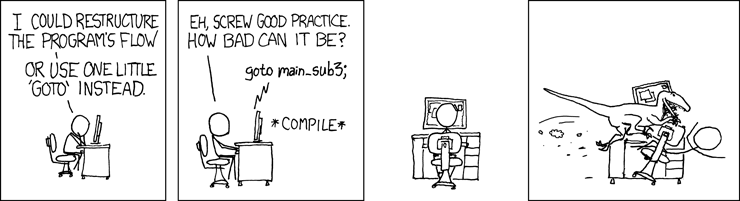
@limber minnow please dont
write like that
also, it would be great to send code with your problem
limber minnow
sorry
honest scarab
and you can encapsulate code literals like `this`
limber minnow
its not a code problem
tranquil robin
Anyone here experienced with sprite or image manipulation in PYthon please PM me
honest scarab
!ask @tranquil robin
frank fieldBOT
Asking good questions will yield a much higher chance of a quick response:
• Don't ask to ask your question, just go ahead and tell us your problem.
• Don't ask if anyone is knowledgeable in some area, filtering serves no purpose.
• Try to solve the problem on your own first, we're not going to write code for you.
• Show us the code you've tried and any errors or unexpected results it's giving.
• Be patient while we're helping you.
You can find a much more detailed explanation on our website.
tranquil robin
Does anyone know how to manipulate sprites and layer them with things such as hair and clothing
It's an RPG and for each member of the party a base sprite would be drawn on the display window, have it's color changed based on the party member as well as a layer for hair and clothing placed on top of the sprite
        rostercontainer = [x, char.getint(x, 'str'), char.getint(x, 'spd'), char.getint(x, 'mag'), 20 + char.getint(x, 'str') * 5, 10 + char.getint(x, 'mag') * 10, 'player']
battleroster.append(rostercontainer)```This is the function that iterates through a party list that contains the names of party members and places them in another list called battleroster, each item in the battleroster list containing the name, str, spd, and mag of a character
For each x in party I also want a base sprite to be placed on screen and be manipulated to match the color of the character while having clothing and hair layered above it
It would be a battle screen similar to classic Final Fantasy
honest scarab
Does anyone know how to manipulate sprites and layer them with things such as hair and clothing
@tranquil robin
As additional recource why you dont want to write like this:
https://sol.gfxile.net/dontask.html
The way you did it now is better, but just as a text to explain you why you shouldnt ask like that
also, annotate your code blocks for syntax highlighting:
```python
increases readability
dawn quiver
I need some big time help
I'm done with the libtcod roguelike tutorial and have started to flesh things out into a real game (even made a d20-esque system for attacks and damage) and it works great. You know what doesn't work? Me trying to make a module that can generate this
cold storm
Cool to see you here @near wedge !
near wedge
@cold storm Hello again 🙂
cold storm
my b_pecs thing is just about ready to release
I was looking at getting ahold of a DamnLinuxTablet first
B-Pecs - everything is working :D
(this uses upbge 0.3.0 / blender 2.83)
but I am unsure how well this will run on a jetson nano
dawn quiver
When making a game how do you make your character move in pygame. I've tried to do it but it doesn't work
frozen knoll
dawn quiver
Thanks
frozen knoll
'glow' and mini-maps by using frame buffers
Thanks to @potent ice , looking to add some really cool features on the next major Arcade release. Here's a preview of mini-maps and a 'glow' effect.
potent ice
Did video compression kill the glow? 😄
frozen knoll
Only the bullets and stars have it.
potent ice
ah right
frozen knoll
I can see it if I full-screen it.
potent ice
I'm blind apparently 😄
cold storm
it's called bloom @frozen knoll :3
check this out though - you can use render attachments and pass animated static or noise to it
and have the bloom not tied to the object color
upbge 0.2.4x has it and blender eevee will soon
(*they are called "AOV" though now)
fervent rose
eevee will support bloom?
fierce wraith
Hahha einarf I couldnt find it either ;)
fervent rose
If you get really really close to the screen you can see it haha
dawn quiver
best framework?
fervent rose
It depends
potent ice
Yeah it looks nice if you run example locally 😄
There is no such thing as "best framework". It's so situational.
There are also graphics/media libraries vs game libraries vs game engines.
Different kinds of abstractions
@fierce wraith I'm just going to link this module without saying much: https://github.com/pvcraven/arcade/blob/shader_experimental/arcade/shader.py
fierce wraith
it looks a lot like moderngls api no?
fierce wraith
is that support for shaders?
potent ice
Yes! The first version is already in master and released versions (I think Benjamin from Pyglet project added that). I just extended it in that branch.
.. because it was so close to moderngl interface anyway
potent ice
You can
But remember the opengl wrappers in arcade 2.x is a bit more minimal, but it supports instancing at least.
fierce wraith
compute shaders? 😉
potent ice
Haha no 😄
fierce wraith
in arcade each sprite is its own vao right?
fierce wraith
can you access the entire "screen" to run some frag shaders on it?
potent ice
yeah
fierce wraith
i never understood how that works
do you have to render to a texture?
or can you run a frag shader on a framebuffer directly
potent ice
Nono. We added Framebuffer with texture attachments in the branch i linked, so you would have to borrow that wrapper in current releases.
fierce wraith
so the framebuffer renders to one of the texture attachments
then you have a fsquad that reads from there?
potent ice
yup
fierce wraith
seems wastefull
potent ice
why? 😄
fierce wraith
isnt there a way to run directly during the final frag pass?
to cut out the "render to texture -> read from texture -> render to texture"
for postprocessing effects that run on the entire window
potent ice
It's just "render scene to texture using fbo" -> "render that to screen with fullscreen quad with some effect"
(for simple things at least)
I'd say 99% of game engines render to offscreen in framebuffer by default. It's normal.
Because the default framebuffer is very limited when it comes to pixel formats
You of all people know how fast GPUs are these days. It's not a problem 🙂
tranquil robin
        rostercontainer = [x, char.getint(x, 'str'), char.getint(x, 'spd'), char.getint(x, 'mag'), 20 + char.getint(x, 'str') * 5, 10 + char.getint(x, 'mag') * 10, 'player']
        battleroster.append(rostercontainer)```
This is the function that iterates through a party list that contains the names of party members and places them in another list called battleroster, each item in the battleroster list containing the name, str, spd, and mag of a character
For each x in party I also want a base sprite to be placed on screen and be manipulated to match the color of the character while having clothing and hair layered above it
It would be a battle screen similar to classic Final Fantasyfair enough
potent ice
I can render an arcade scene to 10 fullscreen textures on this old macbook and still run 60fps
(well at least 1000 x 500)
fervent rose
Oh oh, leterax will have the power of shaders
potent ice
Just make sure he's doesn't get distracted by experimenting with how many millions of instances of something he can render at 60 fps 😂
I'm not sure it's worth the time unless you want to use it for something very specific. There are no geometry ready or anything. You are on your own 100% if using that.
- you can't really make your shaders interact directly with arcade objects easily.
I would only explore it if there is something important you want to do visually that arcade cannot do.. and you have the time.
potent ice
@fierce wraith
And because it's a code jam I am not sure if I am even allowed to help with hacks like this, so play with it in advance. Just keep in mind that the VertexArray doesn't hold references to buffers in arcade. You need to hold them somewhere or they get garbage collected and the universe implodes if you try to render something.
There is no release() in arcade. OpenGL objects gets destroyed automatically.
(Talking about arcade 2.3.x. I don't think 2.4 will be ready for the jam)
tranquil robin
        rostercontainer = [x, char.getint(x, 'str'), char.getint(x, 'spd'), char.getint(x, 'mag'), 20 + char.getint(x, 'str') * 5, 10 + char.getint(x, 'mag') * 10, 'player']
        battleroster.append(rostercontainer)```

For this iteration function I'm going to have the program blit every item in the battleroster list to a designated location. How exactly does dirty blitting work though?Don't even know what library you are using. If blit is involved it would be a handful of them.
tranquil robin
Pygame
tranquil robin
I want to learn dirty blitting because I want to be able to change one sprite on the screen rather than updating the entire screen
potent ice
Could check with the people in the pygame discord. Maybe there are some tricks specifically for pygame. I don't know really.
.. other than keeping track of the state of what you have in the screen to some degree
cold storm
EEVEE wraps openGLSL 3.3
it has Fragment shader nodes currently but could definitely use vertex shader nodes still
so upbge is using pretty modern GLSL compared to old bge
youle added HBAO + some uniforms yesterday
dawn quiver
Does anyone know how I can take my code from pycharm and turn it into a game?
near wedge
@dawn quiver Are you asking how to make a distributable form of your game? If so, look into PyInstaller.
tranquil robin
Can someone help me with dirty rect animation
I understand the first part is to blit the background over the position of the sprite, but how do you code something like this?
Is it a fill function or blit?
 foggy python
do you mean normal movement or actual animation
fierce wraith
@potent ice @frozen knoll will the shader stuff be ready for the jam?
and im pretty sure im allowed to ask you for help during the jam einarf, i just think you arent allowed to help me by writing stuff for me
but other than that you can help me just like any other helper
frozen knoll
Magic eight-ball says 'no'.
fierce wraith
oh no! 😉
restive hazel
Hello! ive built a map in tiled, the buggy part is looking like this
But in my game, it looks like this -
I used x shortcut to flip the torch, what is wrong with it?
frozen knoll
Oh, doesn't support flipping very well. I'd recommend just creating another image, flipped.
It is on the 'wanted enhancements' list.
frozen knoll
Yes, but just have it as separate image. So you'll see it right in tiled.
restive hazel
Ok, thanks
But how can i export a tile from a tileset, then get it back in?
Flipped
frozen knoll
Oh, you are using a sheet? Or individual images? I'd just use an image editor.
frozen knoll
I'd use an app like aseprite or similar to edit.
 sly swift
hello guys
i've been thinking of a pygame input method
similiar to what NES used back in the day,
basically for every button ( keys usable in the program for this case ) an array is created
like
array = [0, 0, 0, 0, 0, 0, 0, 0]```is you hold for instance up
the corresponding value is turned into 1;
array = [0, 1, 0, 0, 0, 0, 0, 0]```like
if you hold up, z and x at the same time;
array = [0, 1, 0, 0, 0, 0, 1, 1]```and give input to actual pygame, according to the code
if array[0] == 1:
plr.movedown(value)```would that be efficient, or should i just trigger keyevents upon key press?
round obsidian
@sly swift I don't know Pygame too well, but it sounds like triggering events on keypress may be the simplest way to handle it, because then you're not constantly polling input
round obsidian
I'm not sure what you mean
sly swift
like instead of
looking out for seperate keypresses
u can just point to a index at the array
or dictionary
if you want it to be more human readable
round obsidian
well, there's no reason you can't use both -- have a keypress event change the array, and then you can look at the dict/array to find out what buttons are currently being mashed when you reach the appropriate point in your event loop
sly swift
keypress = {'up': 0, 'down': 0 and so on}```I don't know how PyGame handles it
sly swift
like
computer side
would some kind of input lag occur
even if its 1 frame, or tick
round obsidian
No way to know without trying it
I doubt there would be any lag significant enough to make a difference on modern hardware, though
round obsidian
well, that's what things like cProfile are for
my guess is if you're getting lag significant enough to impact your framerate it'll show up pretty darn quickly
round obsidian
and be quite obvious
 chilly lark
anyone know of a good resource for learning pygame
?
besides the docs because i need it dumbed down lol
 hollow apex
@sly swift
keypress = {'up': False, ...}
I think this is more elegant and little bit more optimized
fervent rose
@frozen knoll @fierce wraith eight ball might have said no, but you can instruct pipenv to use source built package and choose the branch to use, like I don't know, pvcraven/arcade@shader_experimental 
restive hazel
Is there a simpler way to make a physics engine for a list of players? so lets say i have an enemy and a player, should I make an engine for each sprite or there is a better way?
fierce wraith
@fervent rose do you think thats allowed for the game jam?
fervent rose
I think it is, as long as it is easy to install
tranquil robin
If I blit an image with a transparent background in pygame will it automatically be transparent or will I need todo something first
dawn quiver
i need help with list and objections
there's two objects, and im giving them their own variable
var1 = obj1
var2 = obj2
then im trying to combine them into list
so its one thing
but i cant use it with attibrutes
 verbal carbon
I have never made a game with python before, what are some good things to use for it? Surely not core?
dreamy swan
Pygame and arcade
They are great libraries people have made to make games in python
The creator of arcade is here so we have a straight line for that
verbal carbon
Right I will look into it thanks man
 gaunt monolith
There's also Pyglet.
frozen knoll
Kivy
foggy python
and Panda3D or Ursina for 3D stuff.
 small fulcrum
Ke
 hallow halo
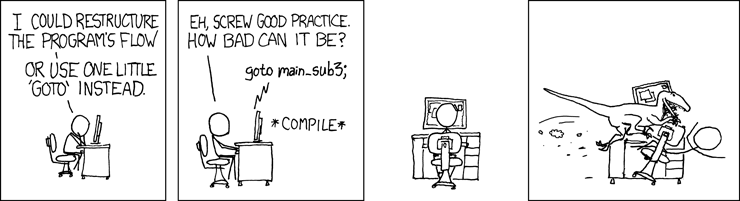 flint tree
@hallow halo , this channel is usually less active than the others. May I recommend giving this a read: https://arcade.academy/examples/index.html#sprite-player-movement
Arcade comes with pretty good documentation
 brave glade
Is there a channel for python xlib?
quaint fog
anybody know where to find free soldier spritesheets i cant find because they all cost money and i want a free one.
 olive grotto
@silver juniper we do not allow advertisment or recruitment here. we are stricktly a helping, learning/teaching server
olive grotto
yeah i see. just keep it in mind 😄
you can look into our #303934982764625920 and #680716760134975491 channels though @silver juniper
to see if they fit your needs
 silver juniper
Alright thank you
olive grotto
we have some requirements there, just read about them
silver juniper
Alright
olive grotto
pinned messages or topic should tell you what you need to know
sly swift
i need some help at #help-croissant
near wedge
@quaint fog Have you checked https://opengameart.org/ ?
OpenGameArt.org
tranquil robin
Can Pygame run a screen display at the same time as it's command line
I made a text game in python useing just the essentials and have just now implemented Pygame to display the sprites of characters
 dull nimbus
I assume you're already familiar with moving sprites if you're moving on to jumping now; if that's the case, check out a discussion on programming the physics thereof. This seems good for a cursory overview of it:
https://gamedev.stackexchange.com/questions/60008/smooth-jumping-in-2d-platformers

Game Development Stack Exchange
I have a very simple 2D game, similar to old-school Mario or Metroid. I'm having a lot of trouble figuring out the proper way to handle player jumping. I've tried several different methods. The first
frozen knoll
Here's an example: