#game-development
1 messages · Page 52 of 1
 lunar jetty
and putting in delta time makes it very unsteerable
like running on very very slippery ice
 severe saffron
Because you're lerping or something?
lunar jetty
I had an epiphany when I sat down with this code without mush head
that I can do some of the things I did easier
and easier on the machine
two types of easiers at once
hooray for not-exhausted brains
in fact most of what I was doing was completely unnecessary
isn't it amazing, what the human mind can block out when you're near passed out
lunar jetty
also I pimped up the jump code from yesterday a bit
        if self.z_pressed:
            if self.can_ext_jump:
                self.player_sprite.change_y = self.player_jump_accel
                self.player_jump_accel *= GRAVITY
                print(self.player_jump_accel)
                if self.player_jump_accel < 1:
                    self.can_ext_jump = False

        if not self.z_pressed:
            if not self.physics_engine.can_jump():
                self.can_ext_jump = False

        if not self.physics_engine.can_jump():
            self.player_sprite.change_y += GRAVITY / 1.15
        else:
            self.can_ext_jump = True
            self.player_jump_accel = PLAYER_JUMP_POWER
can I have a cookie now
the print statement is there for debug purposes ignore
 frozen knoll
Great work! Here's the cookie: 🍪
lunar jetty
yey
I couldn't think of any better way to weaken gravity than
if not self.physics_engine.can_jump():
            self.player_sprite.change_y += GRAVITY / 1.15
but it works
it's pretty much just a counterforce to the gravity in the platformer physics engine
that's where I got the idea in the first place
frozen knoll
You should just be able to change the gravity constant you feed into the creation of the simple physics engine.
lunar jetty
doesn't cut it
unless I use a different constant for jumping
like jump power decrease rate
or something
lunar jetty
also is there any way I could go about having more complex shapes than rectangular tiles to walk on?
because I don't know to what extent does Arcade support Tiled
one way to go about it is create the non-rectangular pieces of ground as objects and edit their polygons from there but I'm not sure if Arcade supports object layers
lunar jetty
well, if things get too hairy I'll just have to pick a different option
like Godot with its GDScript which is basically Python with a little tweak-tweak here and a little tweak-tweak there
 mortal forge
Well, what do you guys think of Pygame?
 primal apex
Are there any cool examples of pygame? I'm kinda bored and want to play something that someone has made
frozen knoll
@lunar jetty I'm not sure what you are saying, so I'm a bit confused how to respond. How is your code different than the platformer examples?
You can have more complex shapes than rectangular tiles. Ramps are easy. Arcade will auto-create a hitbox based on the transparency for most shapes.
lunar jetty
What I mean is I would need a separate constant to use for calculations of my jump velocity decrease, otherwise by changing the gravity constant I would change the way jumping works completely
frozen knoll
On the hit-box subject, if you take a look at example 11, lines 285-287 you can turn on hit-box drawing by uncommenting those lines. That example has irregularly shaped tiles.
frozen knoll
...and sorry to be dense and unable to understand what you are trying to do with gravity.
Hit-boxes are slow to draw, if you draw very many though.
lunar jetty
Don't say that, if you are dense then I am a barnacle lol
I'm still pretty new to programming, I've been doing this for two weeks or so
So if something's not clear it's probably on my end
frozen knoll
Well, coding it is a lot of fun. Keep at it.
Oh, and this is the link I meant to include. Example 11:
lunar jetty
Yeah it can be time consuming and mentally exhausting but I'm enjoying it
It's also fun to see my general coding competence improve in contrast with day one
 fossil ether
Is there some well coded open source games i can look at
 iron galleon

GitHub
Unknown Horizons official code repository. Contribute to unknown-horizons/unknown-horizons development by creating an account on GitHub.
it was archived a week ago, and they're moving to godot
but it's still very much up to date
since it's only been a week
fossil ether
Hello. I found this game.. https://play.prospectors.io it’s something I am interested in making
 fervent rose
_Godox? Poor devs.. _
frozen knoll
@fossil ether you might want to check out http://arcade.academy/examples/index.html
iron galleon
https://www.youtube.com/watch?v=2SMkk63k6Ik&t this video is worth the watch; just wanted to share

Caleb Hattingh
https://2018.pycon-au.org/talks/45332-multiplayer-2d-games-with-python-arcade/
The Python Arcade library makes it very easy to create 2D games--especially for beginners--and there are many examples provided with the package. This talk will show how to make a...
 gray stump
anyone wants to join us with making this project of ours improved? if yes give us a direct message and we will test you first yet then u can join us :3
there might be some critism but look its not done

 worldly echo
I want to, but school is taking too much time to get involved properly
 leaden loom
what did you use to make it
gray stump
yes
leaden loom
show
gray stump
pyglet is open source
leaden loom
ah I meant the game
leaden loom

gray stump
lol
fervent rose
Which license did you used for your game too @gray stump?
fervent rose
I don't think you can recruit people here then
gray stump
;-;
fossil ether
MagicalFelix I am interested in helping
 potent ice
@gray stump Closed source project and no license means you own the entire code base. Most people will not even consider joining such a project. It's a recipe for disaster. A closed source project implies someone is planning to benefit from it financially in the long run, so why would anyone sink time into that if they have no legal right to the source code?
 calm bloom

A short compilation of my favourite and best works.
Some projects were in collaboration with my team, majority is entirely my own work.
2020 was my year for Houdini and I've put a lot of hours into developing my skills and learning how to build tools to benefit my team.
 jovial fable
Not sure if i should post here on gamedev or computer science, i've been doing some BOIDS on arcade, but they don't react well and i feel like i forgot something important.
Here is the whole code : https://hastebin.com/gisagasenu.rb Boid logic is mostly in Boid Class and on_update method
Here is what they look like: https://i.imgur.com/Jf75VC8.gifv
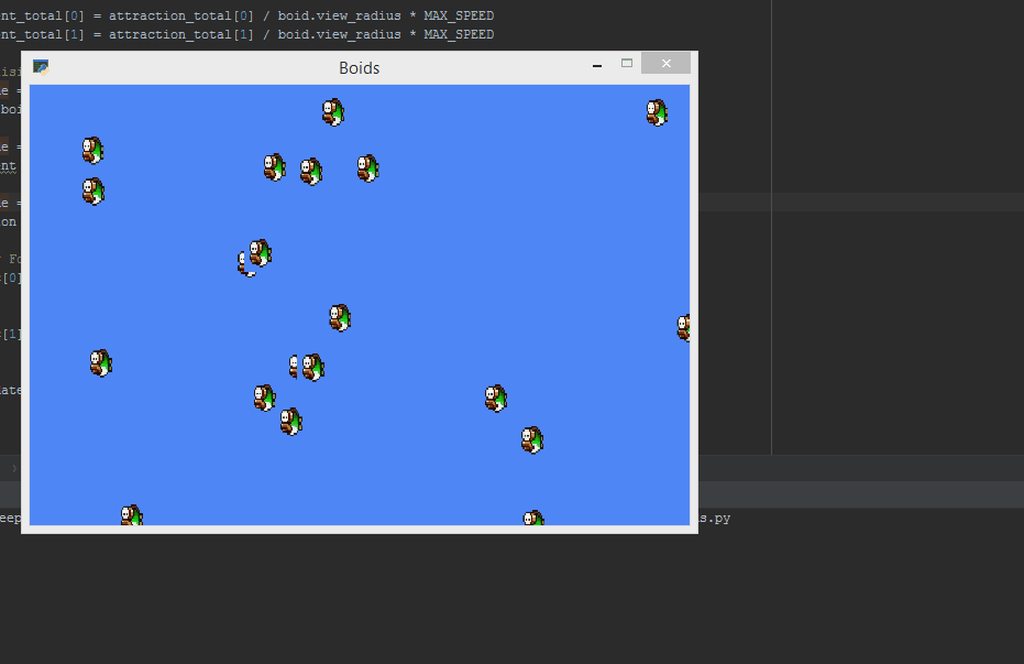
The problem is them stopping at the edges and having big acceleration then stop
Code can be more pretty/refactored but i want to get it right before doing so
@fierce wraith if you have some time to go through it and see something i missed
I didn't use numpy nor any fancy things because i do not care about permance or have high number of boids
Just want basic algo
fervent rose
Aren’t the boids supposed to have a constant speed?
jovial fable
it's one of the problem, i don't think i normalise them right, just cap them to a max speed
fervent rose
What happen if you give them a constant for vel?
I mean, just put them to the max speed
Because I don’t think they are supposed to slow down
jovial fable
can's install at work, will have to wait
 fierce wraith
@fervent rose @jovial fable boids dont have a constant vel, but a max speed. this allows them to speed up/catch up with others
the speeding up at borders is kinda weird, i would assume it has something to do with your distance function
fervent rose
Interesting!
fierce wraith
@jovial fable you are using the Euclidian distance for avoidance, is there a reason for it? not sure but that might be it
jovial fable
i think a part come from here : ´ magnitude = self.magnitude(self.pos, self.velocity)´ where self.velocity refers to the Arcade sprite and not my self.vel
fierce wraith
ah that might be it too
jovial fable
i will try to replace the euclidian distance too
i started with this because it's the only distance i could remember with manhatan
i think i google thoroidal when someone mentioned it at some point
probably you and salt
fierce wraith
yup 🙂
jovial fable
i will try to fix it tonight, can't upgrade my python at work and last releases of arcade are 3.7 because of dataclasses
fierce wraith
i'm gonna try my hand at boids again, been a while 🙂
jovial fable
i'm really behind on maths so it's mega new for me
fervent rose
I love maths for things like this, like for the dot product for example
Here is the wikipedia description
While the actual implementation is just
def dot(vec1, vec2):
    total = 0
    for dim in vec1:
        total += vec1[dim] * vec2[dim]
    return total```
Assuming that the vectors are dictionaries or lists of the same lengthIt is quite fun
 grim jasper
Yours only works for 2d-vectors while the one on wikipedia works for any dimensional vectors
 queen surge
sum(x * y for x, y in zip(vec1, vec2))```yes?Yes, but it is Friday
fervent rose
Let’s just pretend it was for the readability
jovial fable
@fierce wraith / @fervent rose i changed some stuff and my typo + the euclidian distance were part of the weird very sudden move
but they still lose a lot of momentum when they pass a screen
and i think my normalisation function is fucked up
because you get nearly only [1, 1] direction i think
 restive hazel
Unable to find match for ffmpeg sound library at expected location: /home/iddos/.local/share/virtualenvs/immortals-SS7Euna6/lib64/python3.8/site-packages/pyglet_ffmpeg2/linux_x86_64/libavcodec.so.58.*
Another traceback ^
fierce wraith
hey @frozen knoll can I tell a sprite to use a texture directly instead of a image path?
i see there is a set_texture function, but how do i create the textures in the first place?
fierce wraith
also, do you know why the text is looking kinda weird?
only happens if i use a "small" font (i.e. less than ~16)
arcade.draw_text("Simple line of text in 12 point", *self.pos, arcade.color.BLACK, 12, anchor_x="center", anchor_y="center")
fervent rose
It isn't but okay
potent ice
@fierce wraith That looks like the font texture has GL_REPEAT
fierce wraith
How do you know that?! Amazing. Ill check if its on in a bit :)
potent ice
You probably want GL_CLAMP_TO_EDGE
frozen knoll
@fierce wraith You can load a texture with the load_texture command.
If you are manually creating a texture, use the Texture class:
You can pass in a PIL image.
jovial fable
i made a lot of changes for my boids and they look more normal than before
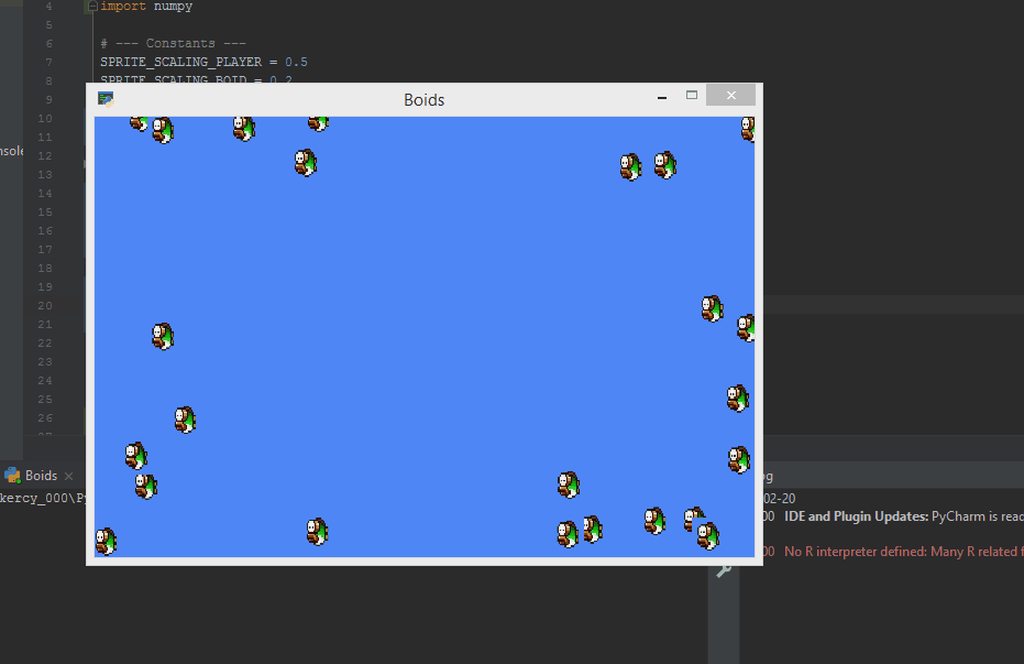
still, they don't "align" to each other
main change is to use np.linalg to normalise my vectors
idk i tried to do it by hand but i'm too dumb i guess
potent ice
Posting this here as well because it's kind of game related. Pyglet 1.5 has a new media player running on a separate thread no longer needing the event loop, so I made a beat saber lightshow player to stress test it a bit 🙂 (Time seeking and whatnot) : https://www.youtube.com/watch?v=iyqYZt_ud-c

Beat Saber light shot player using python, moderng, moderngl-window and pyglet.
https://github.com/einarf/beatsaber
Millisecond precision time reporting I guess is more important in this case as the timeline is based on the location in the music
fossil ether
What is the best program for groups to work on a project together?
potent ice
git? 🙂
 still shard
How are you guys tracking your game status? Let me explain. I have lots of interface controls down now with pygame, also stuff like SceneManagement, AssetManager etc, and I am slowly going from the realm of writing the underlying code to actually making a game. I have all interface elements in their own module and "actual game code" goes into a different module. Do you guys just write an uber class that tracks the game's status and go from there or do you teach the elements to read the save file so they can adjust? I know an answer cannot cover my specific case, but a general answer would be worth a lot.
 umbral fulcrum
are talking about something like;
assume there is a player. If player shootes a projectile with a gun towards a box, should a kind of game manager do these motions and actions? or should all objects make their move by themself
Are you asking about this?
still shard
No, the general game state. For example, if the player has finished certain tasks
umbral fulcrum
arp entries? infiltrated certain servers?
still shard
forget that 😄
umbral fulcrum
let me learn at least
still shard
My game revolves around networking, but my question is really just about the general game state
tracking tasks, tracking progress
fierce wraith
@frozen knoll any tips on how to fix my text? what einarf said sounds good, but i dont know how to set GL_CLAMP_TO_EDGE in arcade..
still shard
can you do direct opengl calls leterax?
because you could force it via glTexParameter to clamp
fierce wraith
i have no idea if arcade can do that
still shard
If arcade draws in opengl, you just need to call it
fierce wraith
yes, but how do i access arcades opengl context?
still shard
That is the fun stuff. You don't have to.
If the context is active, you can set any opengl parameter
OpenGL is a state machine
fierce wraith
but how can i then tell it what texture to clamp?
still shard
it applies to the next used textures, which makes it kind of expensive
fierce wraith
oh yikes
still shard
but you could push the state, set clamp, pop it back
after drawing text
and yes, its hacky
If you draw the text on an extra surface, try making it smaller
or draw it on a surface, buffer it
fierce wraith
i dont think arcade has support for any of that
the whole point was that i wanted to use arcade instead of opengl in order to avoid having to do text rendering from scratch, that was way to much work..
still shard
What kind of gpu do you have?
fierce wraith
1070, i doubt ill have performance issues
fierce wraith
haha
yeah opengl works fine, ive been doing a lot of moderngl without any problems
still shard
Best to open an issue on the arcade tracker
Hope it's okay to share a screen
the commands are not piped to Windows, it's my own implementation with delays
fierce wraith
ok, i ended up just making the texture from scratch...
also added some aa because it looks terrible otherwise
fierce wraith
@frozen knoll i'm gonna be changing the texture on the sprite quite a bit, so the append_texture method seems kind of wrong, since ill only ever need the texture once
is there a better way?
should i use _set_texture2?
 dawn quiver
Ellow everybody, i hope this is the right place here for that by all means. Some dudes and i are working on Kobayashi Maru, a mod for Star Trek Bridge Commander (2002) that is existing for an eternity now. It is written with Python 1.x :/ If there´s a true Trekkie or idealistic fool like we are here and can help us reforging the code that would be neat! I´ll post this just once, since it is not my intention to raid any chat or thread. Thanks in advance!
restive hazel
Unable to find match for ffmpeg sound library at expected location: /home/iddos/.local/share/virtualenvs/immortals-SS7Euna6/lib64/python3.8/site-packages/pyglet_ffmpeg2/linux_x86_64/libavfilter.so.7.* using python-arcade and linux manjaro os
ffmpeg is located in /usr/bin/ffmpeg
restive hazel
and also this one -
Traceback (most recent call last):
  File "/home/iddos/Documents/Github/Python/immortals/immortals/main.py", line 42, in <module>
    main(**config['resolution'])
  File "/home/iddos/Documents/Github/Python/immortals/immortals/main.py", line 20, in main
    window = Immortals(*args, **kwargs)
  File "/home/iddos/Documents/Github/Python/immortals/immortals/core/client.py", line 40, in __init__
    super().__init__(width, height, title=title)
  File "/home/iddos/.local/share/virtualenvs/immortals-SS7Euna6/lib/python3.8/site-packages/arcade/application.py", line 70, in __init__
    super().__init__(width=width, height=height, caption=title,
  File "/home/iddos/.local/share/virtualenvs/immortals-SS7Euna6/lib/python3.8/site-packages/pyglet/window/xlib/__init__.py", line 171, in __init__
    super(XlibWindow, self).__init__(*args, **kwargs)
  File "/home/iddos/.local/share/virtualenvs/immortals-SS7Euna6/lib/python3.8/site-packages/pyglet/window/__init__.py", line 642, in __init__
    self._create()
  File "/home/iddos/.local/share/virtualenvs/immortals-SS7Euna6/lib/python3.8/site-packages/arcade/application.py", line 469, in _create
    super()._create()
  File "/home/iddos/.local/share/virtualenvs/immortals-SS7Euna6/lib/python3.8/site-packages/pyglet/window/xlib/__init__.py", line 352, in _create
self.set_caption(self._caption)```File "/home/iddos/.local/share/virtualenvs/immortals-SS7Euna6/lib/python3.8/site-packages/arcade/application.py", line 481, in set_caption
super().set_caption(caption)
File "/home/iddos/.local/share/virtualenvs/immortals-SS7Euna6/lib/python3.8/site-packages/pyglet/window/xlib/__init__.py", line 511, in set_caption
self._set_text_property('_NET_WM_NAME', caption)
File "/home/iddos/.local/share/virtualenvs/immortals-SS7Euna6/lib/python3.8/site-packages/pyglet/window/xlib/__init__.py", line 785, in _set_text_property
raise XlibException('Could not create UTF8 text property')
pyglet.window.xlib.XlibException: Could not create UTF8 text property```Maybe @frozen knoll Knows 
frozen knoll
@fierce wraith Create a reproducible example with as few lines as possible and post a bug report.
You might be able to rid the issue by moving the text up/down a bit so that it aligns with pixel boundaries.
@restive hazel Make sure you have ffmpeg installed as a package. Might need to create symbolic links from where it is looking for ffmpeg to where you have it installed.
restive hazel
I installed it using snapd
How can i install in another way?
and also what is the UTF problem? (i already added .UTF-8 to my settings)
frozen knoll
@restive hazel As for the exception, take a look at the caption. Looks like it can't create a window with a title equal to the value being passed in. Maybe a special character, or parameter ordering is mixed.
restive hazel
Oh ok, i will take a loog
Looks like it is working on my mac, but not on my linux manjaro
restive hazel
Yeah it is indeed
ffmpeg is a warning, but the encoding is my error
Why is it working on my mac but not on my manjaro?
ill try to see it
frozen knoll
Arcade comes with pre-built binaries for Mac. I can't cover all the Linux distributions.
 noble minnow
What are the advantages and disadvantages of different modules?
noble minnow
Well, I'm not sure which one to go for, so I'm wondering what's better for different things
frozen knoll
For game development?
noble minnow
@frozen knoll yes.
frozen knoll
2D or 3D
noble minnow
2D at first, 3d would be a bit out of my league, especially on my laptop
frozen knoll
Kind of depends on experience level, and what you want to get out of it.
Easiest to start: Arcade and PyGame.
Kivy can target Android phones I think.
Pyglet is pretty good, and isn't bad if you know OpenGL.
ModernGL if you know OpenGL and what to do that programming.
@restive hazel The title only fails to work on Linux?
noble minnow
I'm not bothered about mobile support. Mainly looking for something that performs fairly well and is well documented, along with not insanely difficult.
restive hazel
Alright
noble minnow
How well documented is Arcade?
noble minnow
Okay, thank you.
frozen knoll
Are you running and IDE where you can easily set a breakpoint and see what's in the caption?
noble minnow
ohno
frozen knoll
Oooh
restive hazel
aight
i guess im gonna work on my laptop from now lol
Until this issue will be fixed or ill figure out what i should do
noble minnow
I'd be looking at some sort of strategy game really, how well would arcade perform there? it'd be almost purely mouse focused
frozen knoll
Thanks to OpenGL it can handle a lot of stationary sprites, which makes large maps easy to work with.
If you want to create your own landscapes, the Tiled Map Editor is supported.
frozen knoll
Working in a venv? In which case it has to start from scratch.
frozen knoll
Still with the title thing?
restive hazel
Yeah
frozen knoll
I'd probably edit/set breakpoint and print out each byte value:
File "/home/iddos/.local/share/virtualenvs/immortals-SS7Euna6/lib/python3.8/site-packages/pyglet/window/xlib/init.py", line 511, in set_caption
self._set_text_property('_NET_WM_NAME', caption)
frozen knoll
Where is this? You can always flip it and see.
frozen knoll
print(ord(c))```Yeah
frozen knoll
Totally doesn't make sense to me why it is tossing an exception then.
restive hazel
/home/iddos/.local/share/virtualenvs/immortals-SS7Euna6/lib/python3.8/site-packages/pyglet/window/xlib
Is python 3.8.1 supported?
frozen knoll
I haven't had much luck getting all the dependent packages to install.
Pillow on Windows wants to compile everything. That whole PIP 20 fiasco I think.
Might try a byte array as a title.
b"Immortal"
restive hazel
AttributeError: 'bytes' object has no attribute 'encode'```That is hitting other stuff
frozen knoll
Hm. If you comment out the set_caption line, do things work?
Not with the byte array. Give that up.
restive hazel
Process finished with exit code 139 (interrupted by signal 11: SIGSEGV)
Oof
i didn't know i was doing C code
lol
frozen knoll
Wait, you can't create a window without setting any caption?
restive hazel
Which line did you want me the comment?
i commented the function itself
Like its content
frozen knoll
Oh, no.
/home/iddos/.local/share/virtualenvs/immortals-SS7Euna6/lib/python3.8/site-packages/arcade/application.py
line 481
Only that line
restive hazel
Same result
frozen knoll
If you reenable it, do you go back to the UTF error?
restive hazel
You mean uncommenting?
frozen knoll
Correct
frozen knoll
Does this run?
window = pyglet.window.Window()

@window.event
def on_draw():
    window.clear()

pyglet.app.run()```Nope
frozen knoll
UTF error or seg?
restive hazel
Got the problem fixed
Look
I removed my other languange
and only kept en.US
But when i have 2 langs
Its using the other one
frozen knoll
Wild.
I bet there's some other setting you need to get it to work. I have no idea what that is though.
restive hazel
Oh wait????
Why can i still type in both?
Insane
what
Well
i think its fixed
Omg, that took some time
Thanks for your time

frozen knoll
np
noble minnow
What's the most basic a sprite can be? All I want to do with it is to show it when it's needed
Edit: using Arcade
frozen knoll
To make your own subclass?
 teal crane
Do any game engines use python?
 minor mortar
panda3d, godot if you stretch that definition a bit
teal crane
i know godot has its own python like language
fierce wraith
I have a number of squares i want, in this case 12 horizontal, 7 vertical. i also have the resolution of the entire image, how to i make sure i dont get that missing edge on the right/bottom?
i can also change how thick the lines are
fervent rose
Calculate the maximum number of cells you can fit in the screen, and divide the remaining pixels by the number of borders to get the thickness of the borders?
fierce wraith
i already know how many cells i want
i need to figure out how big they should be and how big the borders should be
i guess i could upscale the image a bunch so that it works out perfectly and then downscale it again..
fierce wraith
fixed it 🙂
@frozen knoll is it possible that you renamed
draw_lrwh_rectangle_textured to
draw_xywh_rectangle_textured but forgot to change the docs?
umbral fulcrum
Are those green lines borders or green is the background and you're using offset between squares?
fierce wraith
the background is red and im drawing lines onto it
here it is working, ignore the red circle:
umbral fulcrum
As far as i see, you only need to enlarge your frame
fierce wraith
hm?
i ended up resizing to the nearest multiple and then adding one border width
seems to work fine for now
fierce wraith
@frozen knoll hmm, i have a var window_size and im trying to set the window size to it
print(window_size)
self.set_size(*window_size)
print(self.get_size())```that outputs:
(715, 715)
(720, 720)```doesnt seem to be working
fierce wraith
oh well. i think im gonna go back to moderngl.
frozen knoll
@fierce wraith Oh, interesting. I think at one point I thought about changing draw_lrwh_rectangle_textured's name. Or I can't remember exactly what was up with that. I did see a unit test use a different name, but because of Pyglet bug #105 the error got suppressed.
Anyway, actual name is draw_lrwh_rectangle_textured right now.
There's no 'xy' defined.
fierce wraith
For me xy works and lrwh isnt defined
umbral fulcrum
@fierce wraith You're using Arcade, right?
frozen knoll
What version of Arcae?
fierce wraith
@frozen knoll 2.2.8
@umbral fulcrum yeah
AttributeError: module 'arcade' has no attribute 'draw_lrwh_rectangle_textured'
vs
TypeError: draw_xywh_rectangle_textured() missing 5 required positional arguments: 'bottom_left_x', 'bottom_left_y', 'width', 'height', and 'texture'
xy works great
frozen knoll
Try upping to the current version.
potent ice
That's the equivalent of quad/quad_fs? 🙂
fierce wraith
Yup, for rendering a texture
Ah
No its the same as quad2d, you can set the size @potent ice
But im using it as quadfs
 green galleon
Hello @gray stump. We don't allow recruiting in this server
gray stump
sorry
potent ice
Is it still closed source? 🤔
fierce wraith
also, @frozen knoll the set_size function for the window isnt working for me. any ideas on how i could fix that?
fierce wraith
i've been working on this for quite some time now and i just cant figure it out. id love some help ;)
So i want to create a grid that you can move around on and i want to display that grid
the grid is always square and i want to generate it based on the number of cells it should have
still shard
whats the question?
fierce wraith
well how do i do that?
still shard
Go from the size of the window. Find the next square size possible for width and height. Then take that size and generate a grid
fierce wraith
i have this, the red dot is the player
but if i move all the way over:
the player kind of drifts in his cell
still shard
is your move() function based on cells or pixels? I'd do the move based on cells and ask the pixels from the class that holds the grid
fierce wraith
i assume its caused by the cell borders
pixels
oops
the whole problem is i can only use full pixels
still shard
The grid class should calculate the pixels you need to move, to have all that logic in one place. If it's a half pixel issue, then I'd find a cell size that guarantees a full pixel in the middle
or, well, the size of your player
or scale the player so it fits
idk what your grid logic is
fierce wraith
well i need all the cells to fit on the screen
still shard
and if someone has a smaller screen than yours?
fierce wraith
i dont really care about that haha its just for me 🙂
its just so i can debug a algo
fierce wraith
well i must have been doing something wrong, the set_size function now works without any problems
maybe i was giving it floats?
no, that would throw a error
frozen knoll
No clue, haven't had a chance to look at it.
fierce wraith
well it works fine now
 slow ingot
i just cant get it how to make game mulitplayer using sockets
fervent rose
Well, what do you don't understand?
 waxen valley
do you guys like the new ursina game engine?
 near wedge
@waxen valley It looks interesting to me. I haven't tried to do anything with it, but I am a big fan of the engine it's built on (Panda3D). I think Ursina could be pretty nice for game jams.
umbral fulcrum
Is there any other game engines like ursina that uses Python?
fierce wraith
i think panda3d supports some game-engine-ish stuff
quick question
whats a good way to implement this:
so you have one player (in this case green) and a bunch of red cells
the player can run into the red cells and that will exchange their numbers
so because i ran into the 3 i now have the number 3
but underneath me the other cell is still there, now with my old number
the way ive been doing this so far is that the cells have this function:
def __eq__(self, other):
  return isclose(self.pos[0], other.pos[0]) and isclose(self.pos[1], other.pos[1])```
and i just loop over all the other non-player cells and check if any of them are in the same grid as mebut thats ofc O(n) for n non-player cells
minor mortar
FYI PyWeek 29 will be happening 2020-03-22 (pre-registration already open)
It's a one-week game jam for making games in python
https://pyweek.org/29/
jovial fable
Could you access only the cells that are in the same grid than players @fierce wraith ?
fierce wraith
@jovial fable what do you mean?
jovial fable
Ah i think i misunderstood what you meant by cell
seen round thing on a grid, i thought round thing were cells
counted too much
I was thinking of storing reference of round thing in a 2D list/dictionary with (x, y) tuple so checking if something is there would be O(1)
 summer pond
Hey @frozen knoll I've been having some trouble with Arcade. I've noticed that my code significantly slows down over time, and I was wondering if you could help me
Can I send you a pastebin of my code?
jovial fable
you can always post it here and/or the help channel
summer pond
sure
jovial fable
maybe another user will have the same problem than you or know about it
summer pond
I'll link the paste bin

If you start to draw lines by clicking and dragging, it severely slows down over time
Also, don't worry about the red lines, those are just to help me bug test
I hav a feeling it's cuz I'm saving stuff to memory too much, but I don't see where that's happening
anyone else had this problem?
jovial fable
did you try commenting out your check overlap and draw as many line to see if it's as slow?
because i see that you do line * line work here, so eventually as the number of line grow, this function will be very slow
summer pond
no D:
What's weird too
is that even with a bunch of lines
it starts fast, but slows down
frozen knoll
Looking...
summer pond
thank you ^_^
frozen knoll
What's "bresenham"?
summer pond
oh
it's a function to basically assign points on top of all the lines
like it creates approximations of all the lines with individual points
frozen knoll
Can you pastebin it so I can run?
frozen knoll
Oh ok
Hm, I'd suggest you create a ShapeElementList for each of polyline and batch of lines you create.
Right now each line segment of the line you draw with the mouse is a separate line, with points sent to the the graphics card 60 times per second.
summer pond
is that not what creatlines does?
frozen knoll
Don't do that in the on_draw.
Create_lines loads it to the graphics card.
The idea is to do that once, then hold that reference.
So outside of on_draw you'd call create_lines or load into a shapeelmentlist just once.
Then in on_draw you call it over and over.
creating a line is expensive. Drawing it is not.
You are probably slowing down more and more because you keep loading a new set of lines to the card 60 times per second.
summer pond
o ok
so I have to call it every time a new line segment is added in on update
that would make sense
right?
frozen knoll
Right. Create it in on_update or mouse move or whatever. Draw it in on_draw.
See if that works better.
 modest jewel
Is Panda3D the best for 3D games?
fervent rose
Using python? Probably
And if you don’t want to use embedded python in bigger game engines, like ue4 or unity
still shard
Does anyone know an okay svg renderer besides cairo?
I need at least a png memory buffer from it
and it needs to mit licensed or compatible
Considering all the scaling issues in modern game development and the resolution fragmentation in mobile, I really don't get why we are still using rasterized base images and svg rendering isn't more widespread.
still shard
okay, then svg based input files that get rasterized on first load
fervent rose
You'd need to include an svg rendering engine, plus it would take more time to start the game
still shard
So far, I have gotten by in pygame with just rendering everything from surfaces with rects and circles. But the more complex stuff I'd like to do with svg, so I can scale properly. I have rendered everything in a way that it scales nicely from low resolutions to high resolutions
I thought about using pixmaps for the surfaces, but that just amplifies the scaling issues
fervent rose
Again, are you talking about UIs?
fierce wraith
Often games already ship with different LOD (level of detail) meshes and textures. By using a svg file youd just get the benefit of a smaller size on disk. You still have to rasterize to a normal texture at runtime, so ram usage would be the same
still shard
@fervent rose not specifically, also sprites and everything else
fervent rose
I can't imagine making svg textures 😬
fierce wraith
And at that point the extra disk size is preferred over a longer startup time/having to rasterize every time
fervent rose
It doesn't matter
fierce wraith
But then you have to keep them all in mem
fervent rose
Loading time is preferred to disk space
still shard
cache it = write png to disk on the first run. But it scales down the work required
fierce wraith
With png you can load whenever you need and fast
fervent rose
Plus most of the things that could be SVGed are already generated on fly, like UIs
fierce wraith
Its a good idea and would be great for low end pc, but pc are so powerfull today, we have hundreds of gb of disk space
fervent rose
Rendering one svg is okay, but imagine for a bigger game, how much svg would you have? Thousands?
I don’t think it is a good idea for low end computers, since it increase load time and they are slower at rendering svg
still shard
I am not talking about large 3d games here, but the 2d arcade games. I think it would have merit, especially if man hours are little, in small teams. I can't just magically scale up a png to 4k
fervent rose
You aftually should
still shard
but I can do that with svg
fervent rose
Most game are shipped with 8k textures
still shard
I'd like a reference on that
fervent rose
And I do work with 8k
still shard
I have never seen 8k sprites in 2d games
fierce wraith
For 2d games it might be viable
fervent rose
Even 3D AAA games now use 8k
still shard
Maybe when they are produced, but I am not talking about some grass texture
I mean sprites, where you have to design every detail
like cute characters and space ships
scaling them simply up produces bad results
fervent rose
You should always scale down, never up
If you target 4k computers, you should have 4k textures (if the texture can take the entire screen)
still shard
This is the kind of stuff I am making right now, real simple things. So I thought this would be perfect as svg.
I am actually using inkscape
fervent rose
I mean, what is the issue if you package a HD version in your game?
still shard
not really an issue, it was a thought that crossed my mind
for this stuff, it is simple, but as I said, for more complex things it'd be nice
fierce wraith
Ui is mostly generated as a set of instructions
They are then rendered through the normal pipeline
But that only works fast for simple things
still shard
Yeah, as I said, I've been using simple surfaces until now. But the network icons are really not that simple to do with code.
fervent rose
Yeah, UIs are generated on fly to handle resizing fine
fierce wraith
Everything gets rasterized on the gpu when it gets drawn, but if you used svg you'd have to rasterize once to a texture and then have that rasterized again when drawing
Most rendering libs (opengl) have something called primitives, so if your svg is only made of then it might be pretty fast
But then you are really generating vertices instead of showing a texture
So textures are really the way to go if you want to draw a 2d image
still shard
I know that
Finally found something, I knew I need to look for opengl when researching this
but no implementation for desktop
fierce wraith
Oh awesome
fervent rose
No implemetation for desktop? 
still shard
from a cursory reading this does not seem to be hardware accelerated on desktop, at least for pygame
still shard
Reading more about it, it seems to common on mobile
so there is that
I wasn't too far off, that the benefit is high on mobiles resolution fragmentation
still shard
Seems to be good enough for now, scaling wise
fervent rose
Looks good
Although you should make the bottom one ticker, or the lines can disappear on smaller resolution
still shard
I've adjusted the loading code to scale with aspect ratio in mind (forgot that :P), looks a lot better now with labels.
@fervent rose
fervent rose

Mika Likes 👍™
Here's a super easy guide for using Python with Unity with the help of IronPython. I have done all the work for you, just download, extract and enjoy!
@still shard perfect! :D
 vestal vessel
so suppose if im working on the project with C# now i wanna start using python from that point?? can i do it
@fervent rose thnx for the link bud
vestal vessel
oh sweet thnx again 😄
 ionic raft
Working on a project with some friends, it's an arcade racing game with fans tied to player speed. A water mister for hitting water barrels. A hacked PS2 racing wheel, the wheels buttons and potentiometer go to an Arduino that plugs in/shows up as a joystick with the pi 4/pygame. The rumble packs and water mister go to an Adafruit motor HAT and the fans go to a Cytron Dual Motor Driver HAT. There is much work to be done making the arcade cabinet but the underlying functionality is all there. The gifs are from testing the fan/rumble packs
restive hazel
@ionic raft That is super cool!
leaden loom
 looks awesome
ionic raft
The wheel gets reassembled tonight, so we will get to test all the work so far
The game uses 75%-85% of the CPU of the pi 4 overclocked to the maximum non warranty voiding level
ionic raft
If anyone ever needs a custom pygame joystick. This is the Arduino library that will work with a Leonardo or Micro and be recognized by pygame. (I tried half a dozen libraries)
https://github.com/MHeironimus/ArduinoJoystickLibrary
This is the code I wrote with that library for the potentiometer and buttons
https://gist.github.com/matt-desmarais/0b9aa05d91cbcc5acd57050ffd37169a

GitHub
An Arduino library that adds one or more joysticks to the list of HID devices an Arduino Leonardo or Arduino Micro can support. - MHeironimus/ArduinoJoystickLibrary

Gist
Potentiometer and 2 button controls for racing game - gamecontrols.ino
dawn quiver
I need help making a game, I am just starting so it would help if anyone could teach me to make a simple game.
fierce wraith
can i just disable a sprite using arcade?
i dont want to completely remove it, i just dont want to draw it
fervent rose
You could switch to an empty texture
frozen knoll
Remove the sprite from the spritelist. You could shuffle it to a different list that isn't drawn.
@dawn quiver See here: https://arcade-book.readthedocs.io/en/latest/
 teal charm
 viscid venture
@tawny tartan more appropriate for #algos-and-data-structs I think
 dreamy swan
What are you guys using for games?
I have looked and cannot find anything for development that is python based
 tawny stratus
Arcade, PyGame, and some others are all Python based game engines
dreamy swan
Which one would you recommend?
fierce wraith
Depends on what you want to do
dreamy swan
Make a platformer...
iron galleon
either one used with pymunk would be fine
we do have the creator of arcade here to help, Paul Craven
sample arcade games: https://arcade.academy/sample_games.html
sample pygame games: https://www.pygame.org/tags/all
comparison: https://arcade.academy/pygame_comparison.html
frozen knoll
@dreamy swan Here's a tutorial for getting started with a platformer in Arcade: https://arcade.academy/examples/platform_tutorial/index.html
frozen knoll
I've been working on a rogue-like with the Arcade library: https://youtu.be/_H9_v3yDzbg
 dawn quiver
Hello. Would anyone be willing to look through my code any please give me your opinion if I should be using classes or not, and if so how would you organize the functions? Would they also need to have classes?

GitHub
text based rpg engine. Contribute to blinkakawize1/Project-Azure development by creating an account on GitHub.
Also any other suggestions are welcome.
still shard
@dawn quiver I wouldn't call it Azure to start with
And yes, I'd have a lot of OOP going on. But, I am kind of a nut when it comes to that. Polymorphy is awesome. In my python game, everything is a class and the main function only does the basic work. But all that is something I can't summarize well in a chat.
But to give one example, this serves as a base class for every object that wants to be rendered: ```python
class Renderable:
def init(self, position: tuple):
self.surface = None
self.position = position
def set_position(self, position: tuple):
    self.position = position

@abstractmethod
def rebuild(self) -> None:
    pass```
It is then added to the RenderManager via a function. So my code in my Scene classes looks kind of like this: ```python
self.renderer.add(nmap)
@still shard what's wrong with azure?
Also, I want to know more about what you're talking about. Are you willing to go into discussion with me?
still shard
It's a trademark

Invent with purpose, realize cost savings, and make your organization more efficient with Microsoft Azure’s open and flexible cloud computing platform.
dawn quiver
Oops.
dawn quiver
@still shard I have a question about the @ symbol. What does it do? I ahve seen it used also for dataclass.
still shard

In this introductory tutorial, we'll look at what Python decorators are and how to create and use them.
dawn quiver
Thank you.
 calm thistle
Hi folks, the PyWeek game jam is happening again in March: https://pyweek.org/29/
fierce wraith
@ is also the __matmul__ operator:
class A:
def __matmul__(self, other):
print(self, other)
a = A()
a @ 5
<__main__.A object at 0x000001FA2810F978> 5``` foggy python
The Alakajam is starting in a couple days if anyone wants to join. I'll be participating. (for those who don't know, it's a game development competition)
https://alakajam.com/

A community for game development enthusiasts, organizing regular events and competitions.
fierce wraith
hey @frozen knoll i have a sprite class and im trying to call one of its functions in the on_key_press function of the app. for some reason it doesnt get called
and it somehow silently exits the on_key_press function
do i need to call the sprites update function for it to process other function calls?
this is the function im calling:
    def set_energy_level(self, value) -> None:
        print('here')
        self.battery.charge = value
        # by default the text is 100 wide, so calc the percent of 100 that it should be,
        # then make sure it only occupies 85%
        text_scale = (max(self.cell_size) / 100.) * .85
        texture = generate_battery_texture(self.battery.charge, scale=text_scale, color=self.color)
self._set_texture2(texture)```here never gets printed
if i add: self.set_position(*self._calculate_screen_pos()) it works
seems like _set_texture2 is somehow messing stuff up and not actually setting the texture correctly
frozen knoll
Put a try/catch around the whole thing. Pyglet eats exceptions. I'm hoping they'll have that fixed in their next version.
try:
    # Blah, my code here
except Exception as e:
    print(e)
I'm guessing you have an error that is getting ignored.
frozen knoll
I usually just create a brand new one, but you can.
fierce wraith
for s in self.spritelist:
  s.kill()```
doesnt seem to work for mei only have one sprite list
frozen knoll
self.spritelist = arcade.SpriteList()
fierce wraith
what am trying to do is rest everything to how it was when i started
 rare hull
Hi, i start in Python and one usefull idea i have for friend is a project or reference cards to print for rpg.
Needs :
- input and store a set of data (a yaml file ?)
- a generator of an image (or something to print) including the data on a template
goal is to take a magic the gathering format card, but with data of the rpg.
card types could be : spells sheet cards, monster sheet cards,...
i try to do it manually until here in a monolithic manual script to generate an image with data in the script, and start to work for "easiest" part.
What techno/tools would you recommand (maybe generate a .png image file not the best).
Later developments : maybe store all those data generated on a server (to be reuse by other players), user account/data management, online data manipulation (input, modify, generate,...)
tools : i have a gitlab instance on a vps, an able to add a docker image for an app if needed
fervent rose
To generate the image, I'd use PIL and use some smart masking and post processing to render a good looking card, like I'd do in a image editing software like photoshop. Not sure if yaml is a good choice, but having a static resource file and generate cards based on that seems like a good way to go
If you want to build a game based on those card, you should focus on the card first, design them and the different rules
Do some play test to rebalance the game and then start creating the actual game
rare hull
i'd used pillow and numpy (after many help).
if i don't do mistake, i have a project visible on gitlab (https://gitlab.com/dcpc007-dnd/fichescreatures)

not sure i have all up-to-date, i stop the project in december for new job, and restart a "real" python formation from scratch
no game playing, it's only reference cards to print (or have on phone/computer) during RPG table game
i don't plan anything for input method, data storing and output (unless generate manually images for me and save the image files after
 shy birch
Been hard at work for the past 5 months but my game will finally have a working GUI
Next problem will be publishing cause me don’t no how to do dat yes me now jar jar binks
near wedge
@shy birch For freezing Python applications, I've had pretty good luck with PyInstaller.
 stable remnant
question for object orientation of game stuff
i have things that have an inventory and also a list of processes. Processes take things from inventories, do something and then put stuff into an inventory. right now i have process.start(inventory) and then process.tick(inventory) for that ... is that a good organisation? because another object is mutating an objects internal storage?
dawn quiver
this question is out off topic but with what help you nitro games?
fervent rose
\o/
jovial fable
Nice
You had some issues on arcade about translating libtcod tutorials to arcade iirc ?
Actually what i'm seeing are the first step right ?
frozen knoll
Doing the rogue-like has been reasonably straight-forward so far. I had to re-implement a Python field-of-view calculation, as that is done in C++ with the tcod library.
jovial fable
the tutorial is what originally got me into python some years ago
it was fun but way too hard (i had 0 programming skill)
i dropped after some weeks, stopped for some months and picked it up again to never stop
 sweet knoll
Yep, that tutorial got me into Python as well. The revised libtcod version anyway. Always planned to extend it but didn't know enough after finishing the series. Might go back to work on it at some point
minor mortar
how were you expecting it should work?
potent ice
Arcade has great docs and examples if you look
iron galleon
yeah arcade isn’t too difficult to use
frozen knoll
The rogue-like example I'm working on now supports an inventory, healing potions, a ranged lightning spell, and an area-of-effect fireball spell.
https://github.com/pythonarcade/roguelike
 surreal furnace
it just doesn't click for me like pygame did
umbral fulcrum
I'm making a game with pygame. I need work with multiple screens like menu, options,
actual game screen etc. Should I use just if-else statement to detect which screen I'm going to show?
still shard
Use scenemanagement
I do that and it's a breeze
hold on, I toss you some code
Mind you, you can't just copy this, since it is from a game of mine and you miss the imports
But the first class is a scene manager, where you add scenes. Scenes have a name. You can activate the scene by name. Then it calls leave_scene() on the previous one and enter_scene() on the new one. there you can load things and initialise the world etc. Whatever you need. It also handles input, as in, it delegates input to the scenes, if they are active. The window class has an instance of SceneManager and feeds it the input.
This is quite an elegant system
@umbral fulcrum
I have a variance of this somewhere, where more than one scene at the time is allowed and they have different z values, by which they are rendered. So you can have the game world in one scene and the gui in another scene and render them on top of each other.
The next step would be a complete scenegraph, but that is a very advanced topic
 ornate tree
Need a team
umbral fulcrum
@still shard wow, i forgot to check this channel after i send my question, I'm sorry for that. I examined your code and couldn't understand what 'tuxstash' is.
the idea of making a scene manager and coordinating the entire work init is a great idea though
umbral fulcrum
oh, i see : )
so, I guess I'm not going to make a scene class. I only need to make a pygame.surface object stand still and change what to draw on it. Maybe i can create different scripts for scenes and in the main scene i create a main surface and blit the side surfaces on (0, 0). I'll try
still shard
I've been down that route
My rendermanager once rendered each surface on it's own and that resulted in very bad performance
my latest approach was to collect the surfaces, then blit them all together at the start of the frame with blits(), which allows multiple surface at once
That improved performance a lot
blits() expects a list of lists with the format [surface, position] where position is a tuple
umbral fulcrum
wait, why are you blitting all of them together?
still shard
Because I use a modular approach where each element on the screen draws itself to a surface
It allows me to better manage the code
I hate large source files
within reason of course
umbral fulcrum
I see, all scenes has a list of blits and you're blitting them all to the main surface
still shard
no, each scene has many objects which each have a surface
and each scene has it's own render manager
umbral fulcrum
but, with this way, isn't it going to close the window after you change your scene and open new one
still shard
The object registers itself with the render manager and at the start of the frame the render manager walks the list and puts the data of each surface nito a list, then blits them
No, because the game window is managed by another class
However, a scene can return false in the input events, which then effectively ends the game
umbral fulcrum
I'll see what i can do, thanks for helping
@still shard btw, what do you mean by render manager
umbral fulcrum
makes sense
still shard
It's always a good idea, because many API support batching
which means drawing many things at once
umbral fulcrum
I assume, surfaces will add themselfs to rendermanager every frame
umbral fulcrum
what if they change their positions?
still shard
The object is added to the render manager, not only the surface
so the rendermanager reads the position
hold on
    # ------------------------------------------------------------------------
    def rebuild_batch(self) -> None:
    # ------------------------------------------------------------------------
        for each in self.render_list:
            if each.surface is not None:
                each.rebuild()
                self.surface_list.append([each.surface, each.position])
else:```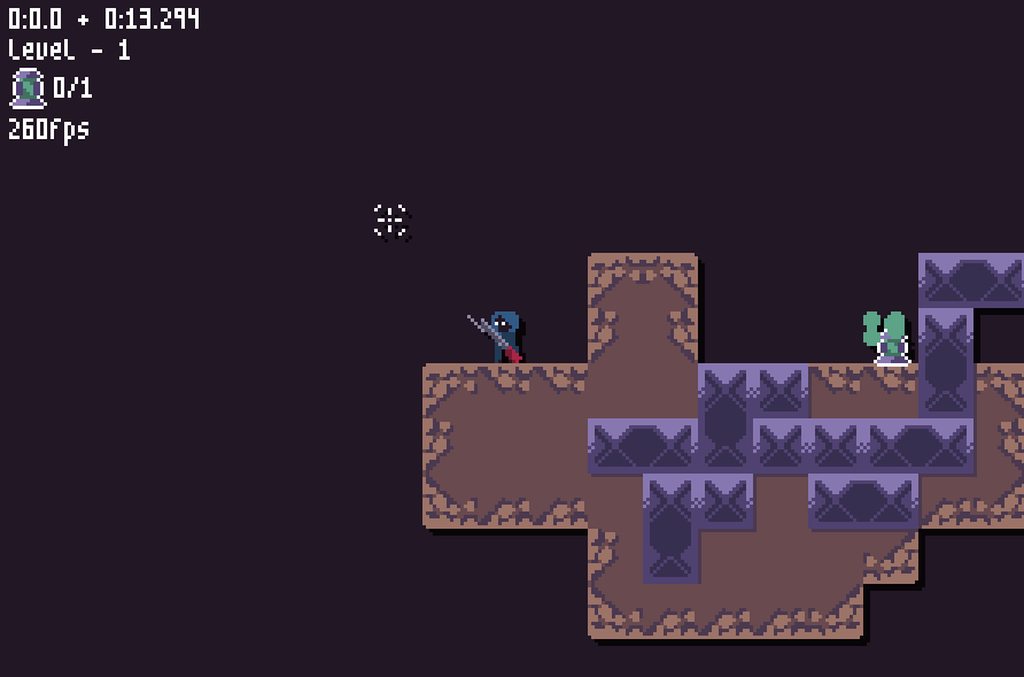 frozen knoll
Nice!!!
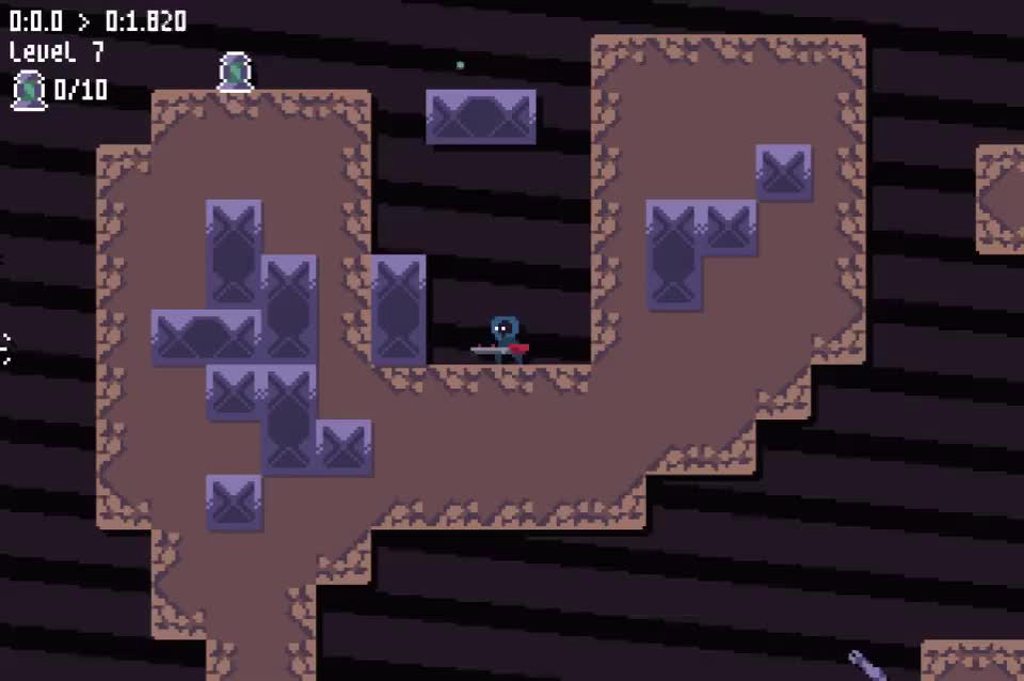
foggy python
 acoustic locust
https://youtu.be/XKEACGigNb0 Context for...

The code for this has no while statements. All statements are for each frame. This hurts to look at.
The creator is insane, but no one knows why Haloscript has no while statements.
This has been your random-ass coding fact for the evening.
 round grail
Spread awareness of this maniac.
 mortal bridge
i think it's not a totally novel idea to purposely have no loops in a scripting engine for such real time systems, as it makes it a lot harder to create infinite loops or anything that slows down the game loop (or anything at all, but hey).
dawn quiver
The best way of creating a game in python is pygame?
iron galleon
there is no “best way”
dawn quiver
i want start creating a simple pong game in python but idk what can i use
iron galleon
pygame or arcade are good choices then
frozen knoll
Example arcade code is available here:
https://arcade.academy/examples/index.html
foggy python
is the red stuff game of life?
lol
I made a timelapse of my game jam game. \o/
https://www.reddit.com/r/Python/comments/f8k1ug/i_just_finished_a_48_hour_game_jam_with/
reddit
0 votes and 1 comment so far on Reddit
source is here:
https://cmlsc.itch.io/aeroblaster
 mighty rose
@foggy python Nice job re: your gifs above from last night, looks great!
foggy python
thanks!
 undone sleet
I am interested in building (or getting help from someone) in making a bot that can play the game Fun Run Arena, on either ios or android. Anyone knows where to start?
fierce wraith
@round obsidian how does your game work?
 agile flume
Hi I wanted to start arcade but idk how to import it in my code
frozen knoll
@agile flume What environment are you working in? Mac, Linux, Windows? Are you using PyCharm or something else?
 round obsidian
@fierce wraith Collect green, avoid red, shoot everything else :D
@foggy python Yes, the game field is Conway's Life
fervent rose
That's super cool!
Using the game of live to generate the area
And DaFluffy game is just.. Wow !
agile flume
@frozen knoll im using Mac and I use anaconda because Idk how to use pycharm( could you explain me this also plz)
 frank fieldBOT
:incoming_envelope: :ok_hand: applied mute to @lost canyon until 2020-02-25 04:59 (9 minutes and 59 seconds) (reason: mentions rule: sent 7 mentions in 10s).
 azure seal
We don't allow advertising nor pinging everyone on staff.
!tempban 270898185961078785 1H Decided that pinging every staff member was a smart idea rather than asking a community question in #community-meta. You said you didn't know our rules since you joined a long time ago, so feel free to rejoin in an hour where you will need to re-read our rules and accept them.
frank fieldBOT
:incoming_envelope: :ok_hand: applied ban to @lost canyon until 2020-02-25 05:55 (59 minutes and 59 seconds).
 spiral skiff
im a newbie in pygame, trying to blit a png in my game, but for whatever reason it has white borders when being displayed ingame if i do image.load("...").convert , but not when image.load("..."), should i leave the image without convert? I've heard that its bad practice, but im confused.
code:
screen = pygame.display.set_mode(res)
TILE_GRASS = pygame.image.load("assets/tile_grass-Copy-Copytest.png").convert()
TILE_GRASS.set_colorkey(cc.COLORKEY) # (255,0,255)
screen.blit(TILE_GRASS,(tile.spriteX,tile.spriteY))
could you send the actual png image as well? @spiral skiff
looks like something that happens when your image has alpha
try:
.convert_alpha() instead
spiral skiff
yea convert_alpha() works fine, this is the file, used gimp to delete bg color and i dont really know what am i doing right now xd
frozen knoll
@agile flume Try following these instructions: https://arcade.academy/installation_mac.html
dawn quiver
Have you see the new 3d engine for python: https://www.youtube.com/watch?v=aCpBzdciU0o

There aren't a ton of options when it comes to Python based game engines, but we now have a new option. The Ursina Engine is built on top of the capable Panda3D game engine and makes it incredibly easy to just start writing code and get immediate results. An excellent option...
agile flume
@frozen knoll thx so much for ur help
 vivid agate
Im trying to install Ursina, I have run everything it says from cmd but when i test a program with it it tells me "no module named ursina"
vivid agate
When i got to install everything again, it says that the requirement is already satisfied. But still when i use python it tells me the module is not there.
Anyone know how to fix this?
round obsidian
@vivid agate That's almost certainly due to you having more than one Python instance on your machine. Make sure the one you installed it on is the one you're actually trying to run your scripts from
vivid agate
@round obsidian how could i fix that?
when looking i only have python 3.8.1 installed
vivid agate
Okay i fixed it because i use pycharm, and it wasnt working there or thru the regular idle. But now it works thru the idle and i learned that pycharm has its own things for modules
 carmine wharf
Anybody have any references or advice for creating a physics engine in python from scratch?
frozen knoll
I really liked this book:
But just a warning, it isn't easy. A degree in physics would help.
PyMunk is great for 2D if you don't want to create one from scratch.
carmine wharf
Awesome, thank you so much!
 graceful cairn
imagine making games in python
dawn quiver
that looks like a wordy book
fierce wraith
And quite expensive!
frozen knoll
I really don't recommend making your own physics engine unless you really like advanced math and physics.
I have that book, but only made use of the first half. The last half I learned it was too much.
 quiet kelp
is there any more known game written in python?
I only know metin2, but it's written in. python with cpp
mortal bridge
Eve online is probably the most well known python game
(i didn't see the source code, but i read both server and client were in python)
it's not exactly python though, it's a fork called stackless python, which is supposedly better at concurrency, at least better than python2 was, it's unlikely it'll ever be updated to python3 because it's such a massive change.
but still, it's mostly python.
Panda3D, a 3D game engine made to be used with python specificaly, was used (and funded) by Disney for a couple games as well, something called caribean seas or something, i would have to lookup the details.
fierce wraith
@mortal bridge no way eve rendering is python?! Thats so cool!
mortal bridge
https://en.wikipedia.org/wiki/Eve_Online#Development
Both the server and the client software for Eve Online are developed in Stackless Python, a variant of the Python programming language. Stackless Python allows a relatively large number of players to perform tasks without the overhead of using the call stack used in the standard Python distribution. This frees the game developers from performing some routine work and allows them to apply changes to the game universe without resetting the server.[87] However, the Eve cluster is taken offline daily for database and server maintenance.[88]
any python program that needs to do intensive operations uses binding to C or C++ libraries, it's the only way you are going to crunch numbers fast enough, but just like python itself is programmed in C, that doesn't mean you are not doing mostly python.
(pypy wasn't really a thing when eve online was developped, let alone the jit patch for it, or i'm sure they would have had a look)
fierce wraith
Thats pretty similar to what im doing rn! I have the logic of my game in python and all the math etc in c extensions
Just ofc way smaller ;)
mortal bridge
can't blame you 😂
but yeah, that's pretty much normal, kivy is also python on top of cython extensions for the intensive stuff, and binding to libgl and stuff.
fierce wraith
I've tried numbas jit system but c/cpp is just so much faster
I also love that so many c "libs" are self contained in 2 files. Makes it so easy to write the bindings for it
And it just works!
Im suprised writing extensions isnt more common in normal python
Ive been having a hard time finding good tutorials/examples outside of the python docs
mortal bridge
turns out it takes some time before the speed of python is your main problem
and people more easily throw hardware at the problem than invest time into compiling stuff
fierce wraith
Fair enough
quiet kelp
oof ty for answer
 wind vault
 sage bluff
dawn quiver
sage bluff
dawn quiver
Maybe scale the player turtle a little larger each time he eats another turtle
 steady stratus
Snake but with turtle?
umbral fulcrum
Kind of slither.io?
dawn quiver
I'm very confused about my choice, What's better, pygame, arcade or pyglet?
fervent rose
Depends on what you want to do
fervent rose
Arcade seems like the best choice
dawn quiver
Ok, thanks brother
 shell scroll
My game Candy Wrapper is now Open Source!
Hopefully someone can find it useful.
https://github.com/harrisonmonroe/CandyWrapper
GitHub
Godot Engine 3.1.2 | 2D Pixel Platformer Arcade Game | https://monroegames.itch.io/candy - harrisonmonroe/CandyWrapper
fervent rose
rouguelike? 
 neon hinge
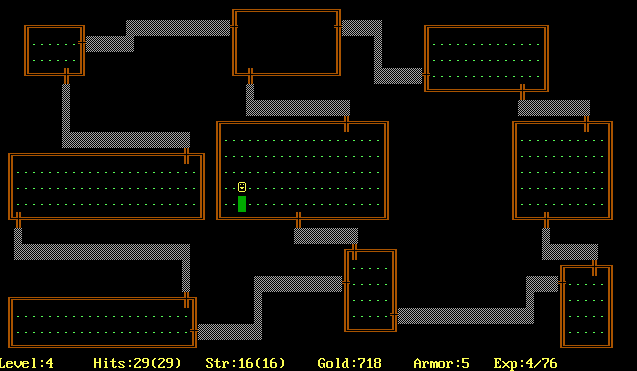
Roguelike (or rogue-like; sometimes capitalized) is a subgenre of role-playing video game characterized by a dungeon crawl through procedurally generated levels, turn-based gameplay, tile-based graphics, and permanent death of the player character. Most roguelikes are based on...
fervent rose
rouguelike
 cyan geyser
At least it's not rougelike
fervent rose
Looks pretty cool anyway
umbral fulcrum
@frozen knoll How do you design your map?
mighty rose
@frozen knoll That is a great example! Awesome! ❤️
frozen knoll
@umbral fulcrum It is basically the same dungeon generator from http://rogueliketutorials.com/tutorials/tcod/part-3/ I just abstracted it a bit.
 normal osprey
Anyone good with pygame? I'm trying to call pygame.event.get() and i want to pass a sequence of events so it only gets those events.
For example: pygame.event.get((pygame.QUIT, pygame.KEYDOWN))
My problem is that when I do that, the event queue eventually fills up because I'm not clearing all the events like it normally does if I just do pygame.event.get().
I also can't explicitly clear the event queue by doing pygame.event.clear() because I call pygame.event.get() in other places and it doesnt pick up any of those events since I'm clearing it.
So does anyone know how I can pass in a specific sequence of events without filling up the event queue?
also are there any python libraries that provide a way to deal with events other than pygame
foggy python
Go through them all and dump the ones you want to use later in a list
round obsidian
"Rougelike" sounds like a great game concept
dawn quiver
"Rougelike" sounds like a great game concept
tensorflow gains sentience and wants to overthrow us
dawn quiver
i'm not close to the level of starting to learn pygame, but I wanna know if any games i make will run on a raspberry pi
because that means i can make weird shit with motion sensors and have it not be extremely hard
umbral fulcrum
@dawn quiver You can simply download pygame to raspberry, i just did it a few days ago, don't worry
 umbral herald
@normal osprey what do you want to do with the events that aren't in your list?
like, there's no reason to leave them in the queue if you're not planning on handling them eventually, right?
["calling event.get other places" sounds weird too, unless you mean, like, handling different types of events one after the other - how is your loop structured?]
normal osprey
well right now they way my code is set up i have two classes, one that deals with input events and one that deals with userevents
there really is no reason to set it up like that
i could technically put it all in one loop
but it gets too confusing and if there is a way i would want to break up
if i cant figure it out ill probably just put it under one for event loop
umbral herald
hmm i don't know
you could just have a single main loop that dispatches each event type to the right class
umbral herald
i don't know how to make it more clear than that sorry
i don't have code for you since i haven't actually done a lot in pygame specifically
 hollow mica
Is it correct that GLSL 4.5 has only 32 bit integers without precision specifiers from earlier versions of GLSL?
And is it correct that almost all datatype variations possible in glVertexAttribPointer will be simply converted to [arrays of] 32 bit integers/floats/doubles?
 obtuse isle
Hello
I have a question about which library might be best for creating a DOS like text adventure game?
With maybe top-down combat ala zelda 1 or similar NES games if entering combat?
hollow mica
urwid maybe
ncurses
probably there are some specialized libraries for roguelike games
 main sable
guys what do you recommend for game development? suggestions for beginners
fervent rose
Depends on what you want to do
 graceful rock
@main sable I would suggest starting with pygame
fierce wraith
@hollow mica you can check out ARB_gpu_shader_int64
it adds int64_t and uint64_t (and vector versions)
but otherwise:
Unsigned integers have exactly 32 bits of precision.
Signed integers use 32 bits, including a sign bit, in two's complement form
from https://www.khronos.org/registry/OpenGL/specs/gl/GLSLangSpec.4.50.diff.pdf "4.1.3 Integers"
i hope i understood the question right haha.
if you meant the precision qualifiers, highp is -2^16-2^16, and the gpu will always choose the highest precision it can if you don't explicitly tell it to use something else
but if you overflow a int, it wont raise a error or go to nan, instead it will just wrap, so be sure to watch out for that!
hmm. scratch that part about the qualifiers.
Precision qualifiers are added for code portability with OpenGL ES, not for functionality. They have the
same syntax as in OpenGL ES, as described below, but they have no semantic meaning, which includes no
effect on the precision used to store or operate on variables.
hahahaha
hollow mica
I was looking for some native format for GPU, but later discovered that it's the best practice to use the minimal possible bits per element of data, since it helps to utilize cache. https://www.khronos.org/opengl/wiki/Vertex_Specification_Best_Practices
Yea, that is funny place in specification. But it makes sense. Lower precision formats were introduced for mobile devices, there are many vendors and lots of custom hardware.
near wedge
By the way, the smallest number of bits may not always be the best choice.
I don't know if this is true any more, but AMD GPUs used to prefer 32bit aligned vertex data.
So, you could get performance boosts by padding vertex data.
And the extra bits didn't seem to have much effect for other GPUs.
fierce wraith
Yeah padding is still a thing
Especially with structs because the packing it does sucks!! Layout std430 or whatever will absolutly mess stuff up if you mix types such as doubles and floats etc.
But it wont raise a error! You just have to inspect the buffer and figure out its writing one position to the right/left....
I spent hoouuuurrss on that...
You have to use multiples of the largest datatype in the struct, so if you have a double in there, 8bytes
And it doesnt support double vectors correctly
 visual cedar
I am working with steam library in pypi, in unreal the api 'knows' which steam user is logged into the actual steam client, is there a similar functionality in pythons steam lib?
fervent rose
Unreal as in unreal engine?
spiral skiff
Hi, im trying to blit a sprite to a grid using pygame 1.9.6
here's the code:
def drawBombs(screen,grid,limX,limY,TILE_BOMB):
    BOMB = pygame.Surface(TILE_BOMB.get_size()).convert_alpha()
    BOMB.fill(cc.MAHOGANY)
    TILE_BOMB.blit(BOMB,(0,0),special_flags = pygame.BLEND_RGBA_MULT)
    for i in range(limX):
        for tile in grid[i]:
            if tile.isBomb:
                screen.blit(TILE_BOMB,tile.spritePOS)       #Blit Bomb sprite
                pygame.draw.aalines(screen,cc.BLACK,0,tile.poly) #Draw a nice outline
my question is: is there any way to add a delay between each blit?
if i use pygame.time.delay or even pygame.time.wait, the entire program freezes for the (duration*no of calls) and then skips to the frame where all the images are blitted at the same time anyway. Any tips/suggestions?
spiral skiff
figured it out, had to include display.flip() function in it
fervent rose
Oh well, it has been postponed >.>
 safe glade
question , between java and python , which is better for game development !??!?!
safe glade
so.....what's for java , is it for like websites ?
 fierce rose
no
fervent rose
It is for applications in general
safe glade
ah ok , thanks
also....question
should you learn 2 languages
coding
not the language language
 somber bramble
hey guys, any good tutorial for class inheritance for text based rpg games?
safe glade
@somber bramble just go to goggle bro O_O
tawny stratus
It sounds like quite a niche thing you're looking for. You might just have to generalise from another tutorial
somber bramble
hmm, alright then
fierce wraith
Java is often used for small scale game dev
 dry jacinth
 grizzled sinew
Hey guys, I'm trying to come up with an algorithm for distributing payouts for a pool/leaderboard (similar to daily fantasy/poker tourny where top x% of ranks receive payout) but struggling. Was wondering if anyone else has ever had to do this and how? The prize pools and number (not %) of players will vary based on the number who enter
 elfin blade
Just a heads-up. HumbleBundle is having cool sales on tutorials about building games, apps, and websites, including HTML, CSS, JavaScript, Unity, Python, Java
https://www.humblebundle.com/software/learn-to-code-bundle?partner=limitedtimeoffer

 limpid sentinel
So ive been doing discord bot for quite a while and wanted to start game development with py and i wanted to know few things.
Could u make a multiplayer with python that doesnt require other clients/players to have python?
Do i need socket for that?
iron galleon
yes multiplayer games are possible
here's a little talk about creating a multiplayer game using arcade https://www.youtube.com/watch?v=2SMkk63k6Ik
limpid sentinel
Ah thank u
near wedge
Also, you can freeze the application (e.g., using PyInstaller) so the end-users do not need Python installed.
limpid sentinel
Yeah i might need that
Basically i want to make a web based game where people that has the link could join, it probably would be a bit complicated
 crimson prawn
@elfin blade any thoughts on that bundle? Sometimes those are kinda meh, not sure it's worth it. I'd pick it up if someone gave it accolades.
 crimson zenith
I’d try the $1 bundle
fervent rose
It does look decent
vestal vessel
can i really use python instead of C# in unity ?? ive looking hard to how to do it after someone told me u can achieve it but i cant find it how ??
fervent rose
It isn’t perfect but https://assetstore.unity.com/packages/tools/integration/python-interpreter-645
This plugin adds an interactive Python interpreter (based on IronPython) to Unity. It allows you to run commands outside of the normal MonoBehavior context. Whether you want to try out a mathematical formula, create a bunch of GameObjects methodologically or just execute code...
fervent rose
I found this too https://mikalikes.men/use-python-with-unity-3d-the-definitive-guide/
Mika Likes 👍™
Here's a super easy guide for using Python with Unity with the help of IronPython. I have done all the work for you, just download, extract and enjoy!
fervent rose
It is gonna be way slower than C#
You shouldn’t use it for intensive tasks
But for smaller thinsg like UI, it is fine
vestal vessel
oh i guess not gonna use it ;-; thnx again bud
vestal vessel
ohh i c thnx for the enlightmeant
 grave rock
hello, I am trying to load an image in pygame
but the grayscale shows as this color
can anyone please help me?
 untold axle
(paste some code, it helps people to help you)
crimson prawn
Hi there. I'm looking to create a text based MUD-like rpg. I've been fooling around with curses* but I'm not sure it's the best terminal module to use. Anyone have any suggestions or would I be better off trying to do something from scratch?
frozen knoll
You could just use graphics, but draw your sprites out of the code page 437 that old-style games use.
vestal vessel
can u ask about only game development with python or gamedevelopment in general?
here
fervent rose
Yes
Either something about a python framework, or about general game dev, like game design and stuff
vestal vessel
sweet thnx that would help a lot
so im trying to automate the dungeon and then, i was just thinking of doing a maze algorithm for the dungeon. BUt then i think its going to look weird. so is there any other algorithm i can use to create my inside of dungeon layout ?
dreamy swan
maybe make a dump of premade segments and have the code link them together in random ways
crimson prawn
https://www.youtube.com/watch?v=EXnoHTqO7TE
If you're looking for tips on it. I can't grasp the code behind it but the principles I understand.

A talk by Rhys Abraham, a senior programmer at Grinding Gear Games. Recorded at Exilecon 2019.
vestal vessel
oh sweet thnx heaps guys
 frigid portal
Oh you made that game?
crimson prawn
Oh heavens no. Just sharing wisdom.
dawn quiver
i found a database of 20 gb of free game sound effects
for free
no piracy or anything, though you can download it using torrents
i'll link the website

reddit
446 votes and 56 comments so far on Reddit
well, the post links the website
i re-searched it for this, and just found out they have a 30gb one
near wedge
Sonniss has been releasing a free pack when every GDC for the past few years.
near wedge
Yes, very awesome of them 🙂
vestal vessel
so do u get sprite suggestion too here ?
anyway i will delete my post later if im not allowed to ask it
so
i was making sprite that was in higher pixels
so i had to put more effort to make stuffs coz of it
so i decided to go for small for productivity coz i was making this alone and too much stuff to work on with it
the small one is my new sprite. so do u reckon its better to stick with the old one. does my new small sprite looks bad?
so it took me like 10 mins something like that to create old one but new one takes me like 2 or 3 mins and max like 5mins
vestal vessel
its my first game ever so idk much about it >;-;<