#game-development
1 messages · Page 30 of 1
 limber veldt
 manic totem
you say i should change it
limber veldt
It just says how many enemies you want to create
That's fine, if you want 10 enemies
limber veldt
Great
limber veldt
Well, that's another story
limber veldt
You can put it on a timer, you can make a condition that checks if your enemy_grup is empty then call create_enemies() again, many possibilities
manic totem
i really appreciate it
limber veldt
I get it, have fun
 stuck spade
 zinc marsh
hey i wonder if i can get unbanned from pygame community i did join and leave several times because i was kinda dumb ^^ i wonder is there a way to reach someone
 hidden wolf
This code works perfectly, really appreciate you!
and yes I did just get home from work 😉
 vast walrus
Guys, my manager challenged me to make a multiplayer game in Python, i am thinking in create an Doom like game or an CS 1.6 copy ( please leave suggestions )
 normal silo
vast walrus
Guys, my manager challenged me to make a multiplayer game in Python, i am thinki...
normal silo
vast walrus
Guys, my manager challenged me to make a multiplayer game in Python, i am thinki...
What kind of suggestions are you asking for? Game ideas? Libraries/frameworks?
Game networking information?
vast walrus
3D libraries
normal silo
vast walrus
3D libraries
Panda3D/Ursina, Pygame + OpenGL, there are more IDR right now.
 bold hill
I could use some help with abilities my apologies
limber veldt
hidden wolf
This code works perfectly, really appreciate you!
A little refactor ```py
if self.draw_rect:
sx = self.box_start[0]
sy = self.box_start[1]
mx = pygame.mouse.get_pos()[0]
my = pygame.mouse.get_pos()[1]
left, right = (mx, sx) if sx > mx else (sx, mx)
top, bottom = (my, sy) if sy > my else (sy, my)
        width = right - left
        height = bottom - top
        self.my_rect = (left, top, width, height)
        pygame.draw.rect(self.screen, 'red', self.my_rect, 1)``` maybe a little easier to look at
 wild oracle
Anyone wana checkout my checkers game with pygame and using the minimax algorithm? https://github.com/Ekansh38/Checkers-With-Minimax
GitHub
Contribute to Ekansh38/Checkers-With-Minimax development by creating an account on GitHub.
maybe you could help refactor and make the code better?
limber veldt
Implemented with moving ball sprites to box select/deselect them https://paste.pythondiscord.com/26WA
 vagrant saddle
limber veldt
Implemented with moving ball sprites to box select/deselect them https://paste.p...
limber veldt
vagrant saddle
limber veldt
Implemented with moving ball sprites to box select/deselect them https://paste.p...
limber veldt
Hey neat
limber veldt
vagrant saddle
btw github gist can be run via the raw link https://pygame-web.github.io/showro...
How'd you do this?
vagrant saddle
you copy the [raw] link button from a gist eg https://gist.github.com/pmp-p/96809d650677968a660d6a3e23bad08d and put it right after that base url https://pygame-web.github.io/showroom/pythongit.html#

nb: the gistfile must have .py extension
to get 3.13 use https://pygame-web.github.io/showroom/pythongit.html?cpython3.13# as base url
limber veldt
Oh I see the create gist button, I get it, thanks
 dawn quiver
how should i go about balancing a number that will endlessly go up
slow its speed of growth?
soft cap?
 sly vapor
dawn quiver
how should i go about balancing a number that will endlessly go up
sly vapor
dawn quiver
how should i go about balancing a number that will endlessly go up
https://www.reddit.com/r/incremental_games/comments/3zx50i/how_do_you_balance_your_idle_game/ has a bunch of ideas on balancing "big number games"
i personally like introducing new mechanics that slowly but multiplicatively / exponentially affect the main one instead of just making the same number get crazy big
Reddit
Explore this post and more from the incremental_games community
dawn quiver
alr
hidden wolf
limber veldt
A little refactor ```py
if self.draw_rect:
sx = self.box_sta...
ooh cool, thank you
hidden wolf
limber veldt
Implemented with moving ball sprites to box select/deselect them https://paste.p...
awesome, this code going to take me a bit to understand, but will line by line it 🙂 can't thank you ernough
limber veldt
hidden wolf
awesome, this code going to take me a bit to understand, but will line by line i...
If having any questions, lemme know, I can try to explain
hidden wolf
limber veldt
If having any questions, lemme know, I can try to explain
I'm getting an error in the code when I try to run it
hidden wolf
Traceback (most recent call last):
File "D:\Desktop\pygames\Testing code\fancy_select_box.py", line 105, in <module>
game = Main()
File "D:\Desktop\pygames\Testing code\fancy_select_box.py", line 53, in init
self.selection_rect = pygame.Rect()
TypeError: Argument must be rect style object
hidden wolf
py -m pygame
pygame 2.6.0 (SDL 2.28.4, Python 3.12.3)
Hello from the pygame community. https://www.pygame.org/contribute.html
limber veldt
Maybe that's why, that code won't run for you anyway, sorry about that. It will (should?) run for you if you update your pygame to pygame-ce
Pygame-ce has .get_frect(), a feature I always use and regular pygame doesn't, just get_rect()
CE is the Community Edition, forked from the old pygame (by some of those here) and still getting updates, it's totally backward compatible with the old pygame so updating to it should have no side-effects
hidden wolf
just updated to it using pip install, still same error
limber veldt
hidden wolf
just updated to it using pip install, still same error
@vagrant saddle any ideas here?
Just for comparison, here's mine pygame-ce 2.5.0 (SDL 2.30.3, Python 3.12.2
limber veldt
hidden wolf
just updated to it using pip install, still same error
I wonder if the link pmp-p posted above that runs the demo on github (in a browser) works for you?
hidden wolf
limber veldt
I wonder if the link pmp-p posted above that runs the demo on github (in a brows...
this is the line that is an issue. self.selection_rect = pygame.Rect() --> does rect need an argument maybe?
limber veldt
It's weird that it's erroring for you but not for me or the pygbag version on github
You could try giving it args (0, 0, 0, 0) might do
hidden wolf
what is the link to the github? will put in there and try
limber veldt
hidden wolf
ok 0,0,0,0 solved that, now it'c complaining no frect funciton
limber veldt
Ok, so you didn't uninstall pygame before installing pygame-ce
hidden wolf
oh didn't realize I had to
limber veldt
You should try that, uninstall first then reinstall
Yeah, I didn't get to that part of the explaination before you had already updated
limber veldt
Ok, so your right mouse drag should be able to draw a box and toggle balls moving or not moving
limber veldt
frects can have floats and regular old rects only have integers, only real difference between them. Using rects in place of frects will lose precision because of it
Just showing a box select and how to implement it to affect other sprites or objects
hidden wolf
limber veldt
Just showing a box select and how to implement it to affect other sprites or obj...
ok the original code now works.
boy is it achore to fix it if you install pygames-ce on top of pygames
Ihad to manually find and delete the ce folder which was empty
anyway, really appreciate the code
hidden wolf
limber veldt
Just showing a box select and how to implement it to affect other sprites or obj...
I needed this info on how to affect other objects so you save me a bunch of time!
limber veldt
hidden wolf
Ihad to manually find and delete the ce folder which was empty
Glad you were able to work that out
If you can use sprites for your objects, the code should be ready for them, just have to make a few changes here and there. If not, you might want to (or use other collision methods without sprites and only with rects)
The sprite group is really helpful in the code I shared, without that, the code changes quite a lot
bold hill
Is there a way of making a chat for a game I'm still working on the basics I'm just planning on making a chat because it'll make it easier to iron out bugs if I can make it multiplayer so that if somebody gets a bug on their side while I don't have a bug on my side at least there's communication although discord probably would work not all computers are made to run multiple applications at once I'm sorry
limber veldt
bold hill
Is there a way of making a chat for a game I'm still working on the basics I'm j...
Everything is possible, just a matter of doing it
bold hill
Well I was trying to make a dashing ability when you hit a specific key but it only lasts for a couple of seconds so nobody abuses it then it has to go through a one minute timer or half a minute timer to use so that it's not over abused making the games unfun but then I have to make another ability I was thinking some type of teleportation allowing you to teleport to the next room or the next player part of the randomly generated map my apologies
bold hill
limber veldt
Everything is possible, just a matter of doing it
How do you think I could implement a dashing system because this is going to be a war game it's going to be multiplayer and it's about pools pool war chlorinated pools and salt water pools I kind of freshwater pools but that's just a lake sorry
hidden wolf
limber veldt
The sprite group is really helpful in the code I shared, without that, the code ...
Thank you will definitely look at this group, might be very useful for the project I’m working on
limber veldt
I made waaaay too many comments but if they help you (or anyone), it was worth it https://paste.pythondiscord.com/CKOQ
limber veldt
Pygame sprites, groups, vector math methods, and the event loop are my favorite features
Pretty powerful stuff
Oh and get_frect or frects in general
hidden wolf
thank you, just downloaded this code and read through the comments.
The more I'm seeing the faster I'm realizing how to do things in other code ideas
Trying to make a drawing app with layers that will eventaully be able to do animations, so making the pictures into sprites can be useful for moving them around
limber veldt
For sure, sprites and groups can really help
hidden wolf
I appreciate the line by line comment also
limber veldt
You can have multiple groups, many sprites in any of them, update, draw the groups. Just makes organizing code easier and thus easie rto maintain, work with, write and read
hidden wolf
and pygame-ce is compatible with all pygame regular stuff + the frect and sprites, etc?
limber veldt
It's just slightly advanced stuff, like understanding classes but they aren't really super hard, challenging for beginners
limber veldt
hidden wolf
and pygame-ce is compatible with all pygame regular stuff + the frect and sprite...
Yes
I've been writing pygames for a few years and all my old stuff still works with CE just fine
Of course, new projects using features of CE won't work on old pygame
hidden wolf
well, I see you inherited the ball class. I'm going to brush up on inheritence.
I was using classes and ran into a wall in my code, so I really need to work out the actual flow of my program and I'm currently making mini projects (such as moving pixels across the screen, making a color wheel you can click on to hose a color)
limber veldt
But once we're using CE, I don't see any reason to ever go back to old pygame
hidden wolf
once I've learned enough from mini projects, I'll combine them all to make the finished idea
limber veldt
hidden wolf
well, I see you inherited the ball class. I'm going to brush up on inheritence. ...
Mini projects are good for me, too, I learn a lot from them
hidden wolf
this way I don't get mad when it's slow progress (which it is, solving any single small thing can take whatever free time I have in a day)
limber veldt
Right on, takes time and practice
Only thing with pygame.sprite.Sprite subclasses...they must have a .rect and a .image attribute if they're going to be in a group, this is how the group knows what to draw and where to draw it. When we do like self.ball_group.draw(self.screen) We call the group and it uses the image and rect for all of its sprites to draw them at the right positions
hidden wolf
cool
I actually made (and [stupidly?] deleted) some code to put surfaces in a list - it was a list ofa tupele with 3 items: surface, the location on the display to draw them, and the data on the screen
The purpose was so when I resize the window to redraw the surface at the same spot proportionally on the new display and then put back the data that was on it
then I found the scale functions and replaced with that
I'm newish to programming. dabbled in c++ and C# over the years briefly, always quit because I couldn't think what to do with this, so I'm trying to get python to stick
I've made a few scripts to automate some things at work
limber veldt
That's pretty much what the groups do for us, just a fancy list of sprites with attributes
hidden wolf
cool, well I see where it can be useful, and I plan to read the docs and your comments on your code and learn from it to use in my project 🙂
limber veldt
Good luck
 minor cloak
@haughty nova I can't use BeastChiller or MalevolentShrine on the first enemy. And how does "typing faster" work to have chances of doing more damage?
You have MalevolentShrine and BeastChiller special attacks
Type faster to have chances of doing more damage!
You have the following things: {'Name': 'FeyVeilGate', 'Items': {'MagicRing': 35, 'Flask': 63}}
Enter the name of the item you want to use: 'n' if you don't want to use anyhting: Flask
Your current health is 263
Enemies are attacking you!!!Press '1' to attack them: 1
Your health is 249
The enemy's health is 259
Enemies are attacking you!!!Press '1' to attack them: MalevolentShrine
Enemies are attacking you!!!Press '1' to attack them: BeastChiller
Enemies are attacking you!!!Press '1' to attack them: 1
Your health is 244
The enemy's health is 214
Enemies are attacking you!!!Press '1' to attack them:
 haughty nova
minor cloak
<@802441662474354719> I can't use BeastChiller or MalevolentShrine on the first ...
haughty nova
minor cloak
<@802441662474354719> I can't use BeastChiller or MalevolentShrine on the first ...
why cant u? i can
oh lol
u can only do '1' to them
u can do attack names on the ones the computer tells u to
minor cloak
haughty nova
why cant u? i can
 minor cloak
haughty nova
u can only do '1' to them
minor cloak
haughty nova
u can only do '1' to them
You have MalevolentShrine and BeastChiller special attacks
haughty nova
minor cloak
`You have MalevolentShrine and BeastChiller special attacks`
they dont work on everyone
only bosses
or mini bosses
minor cloak
The instruction text is misleading. You might need to fix that
haughty nova
minor cloak
The instruction text is misleading. You might need to fix that
yeah i made that long ago
minor cloak
Just mention it only works on bosses/mini bosses
minor cloak
haughty nova
yeah i made that long ago
Worth fixing. Want me to raise it as a github issue?
haughty nova
if names work
haughty nova
minor cloak
Worth fixing. Want me to raise it as a github issue?
. i will fix it rn
done
try?
minor cloak
I just lost in my first dungeon run lol
Cool you made it clearer
hah no matter what attacks I do, I keep losing to the first dungeon boss
haughty nova
minor cloak
hah no matter what attacks I do, I keep losing to the first dungeon boss
lmao
u need to understand
which attack is better
@minor cloak You prob dont take the etheral ring
minor cloak
haughty nova
<@930453529192181770> You prob dont take the etheral ring
i did
haughty nova
let me solo the boss for u
You dealth 103.5 damage to the boss! He now has -15.5 hp left!
The boss dealt 70 damage to you! You now have 225 hp left
You defeated Vindicator!
Your current hp right now is 225
beastchiller is better xd
notice how malevolent is also same damage but it lets the boss do more damage
so u need to care for that
minor cloak
haughty nova
```py
You dealth 103.5 damage to the boss! He now has -15.5 hp left!
The boss ...

 haughty nova
minor cloak
haughty nova
minor cloak
type faster?
or u want me to decrease the boss hp for u
I do 120+ damage maybe once in 3 times
minor cloak
haughty nova
I do 120+ damage maybe once in 3 times
BC or MS?
minor cloak
meh
haughty nova
it lets the boss deal more damage
🙂
type faster
class Dog

def __init__(self,name,age):
    self.name = name
    self.age = age
```whats a method call?The Typing speed is set outside of the loop
minor cloak
haughty nova
```py
class Dog
def __init__(self,name,age):
self.name = name
self.age ...
you call the method from the class
haughty nova
minor cloak
you call the method from the class
whats the method
minor cloak
!e
class Dog:
  def bark(self):
    print("Bark!")
dog = Dog()
dog.bark()
 frank fieldBOT
minor cloak
!e
```py
class Dog:
def bark(self):
print("Bark!")
dog = Dog()
dog.bark()
...
frank fieldBOT
minor cloak
!e
```py
class Dog:
def bark(self):
print("Bark!")
dog = Dog()
dog.bark()
...
:x: Your 3.12 eval job has completed with return code 1.
001 | Traceback (most recent call last):
002 |   File "/home/main.py", line 4, in <module>
003 |     Dog.bark()
004 | TypeError: Dog.bark() missing 1 required positional argument: 'self'
erm
minor cloak
!e
class Dog:
  def bark(self):
    print("Bark!")
dog = Dog()
dog.bark()
:white_check_mark: Your 3.12 eval job has completed with return code 0.
Bark!
Calling the bark method
haughty nova
minor cloak
!e
```py
class Dog:
def bark(self):
print("Bark!")
dog = Dog()
dog.bark()
...
u dont have self parameter so how?
minor cloak
I just did
haughty nova
minor cloak
Calling the bark method
so so in a class the function is a method?
haughty nova
haughty nova
```py
class Dog
def __init__(self,name,age):
self.name = name
self.age ...
what does creating an instance of dog mean
minor cloak
!e
class Dog:
  def __init__(self, name, side, level):
    self.name = name
    self.side = side
    self.level = level
  def bark(self):
    print(f"{self.name} barked!")

playerdog = Dog(name="Fido", side="Ally", level=1)
enemydog = Dog(name="Hellhound", side="Enemy", level=1)
playerdog.bark()
enemydog.bark()
Keeping in the context of game dev, creating an instance of a dog, means that you've created a game object of a Dog class with its own attributes (name, side and level) @haughty nova
frank fieldBOT
minor cloak
!e
```py
class Dog:
def __init__(self, name, side, level):
self.name = nam...
:white_check_mark: Your 3.12 eval job has completed with return code 0.
001 | Fido barked!
002 | Hellhound barked!
wth u typing
haughty nova
minor cloak
!e
```py
class Dog:
def __init__(self, name, side, level):
self.name = nam...
i have created a game object of dog class with its attricutes? like parameters/
minor cloak
you pass the values into a class object's parameters. These parameters are set as class attributes
So when I pass the value "Fido", it goes into the name parameter of the __init__
Then the name is set to the class self's attribute name with that value
minor cloak
!e
class Enemy:
  def __init__(self, name, level, hp, strength):
    self.name = name
    self.level = level
    self.hp = hp
    self.strength = strength

zombie = Enemy("Zombie", 1, 100, 10)
print(zombie)
print(dir(zombie))
print(f"{zombie.name} is level {zombie.level} and has HP: {zombie.hp} with Strength: {zombie.strength}")
Zombie is created from the Enemy class. It has the attributes name, level, hp and strength. The values are passed via the parameters of __init__. You can access the values of the attributes that its been set by calling zombie.hp or zombie.name etc
frank fieldBOT
minor cloak
!e
```py
class Enemy:
def __init__(self, name, level, hp, strength):
self....
:white_check_mark: Your 3.12 eval job has completed with return code 0.
001 | <__main__.Enemy object at 0x7f777c8e7cb0>
002 | ['__class__', '__delattr__', '__dict__', '__dir__', '__doc__', '__eq__', '__format__', '__ge__', '__getattribute__', '__getstate__', '__gt__', '__hash__', '__init__', '__init_subclass__', '__le__', '__lt__', '__module__', '__ne__', '__new__', '__reduce__', '__reduce_ex__', '__repr__', '__setattr__', '__sizeof__', '__str__', '__subclasshook__', '__weakref__', 'hp', 'level', 'name', 'strength']
i see
minor cloak
!e
class Enemy:
  def __init__(self, name, level, hp, strength):
    self.name = name
    self.level = level
    self.hp = hp
    self.strength = strength

zombie = Enemy("Zombie", 1, 100, 10)
print(zombie)
print(dir(zombie))
print(f"{zombie.name} is level {zombie.level} and has HP: {zombie.hp} with Strength: {zombie.strength}")
:white_check_mark: Your 3.12 eval job has completed with return code 0.
001 | <__main__.Enemy object at 0x7f205e083fb0>
002 | ['__class__', '__delattr__', '__dict__', '__dir__', '__doc__', '__eq__', '__format__', '__ge__', '__getattribute__', '__getstate__', '__gt__', '__hash__', '__init__', '__init_subclass__', '__le__', '__lt__', '__module__', '__ne__', '__new__', '__reduce__', '__reduce_ex__', '__repr__', '__setattr__', '__sizeof__', '__str__', '__subclasshook__', '__weakref__', 'hp', 'level', 'name', 'strength']
003 | Zombie is level 1 and has HP: 100 with Strength: 10
i have a question
minor cloak
haughty nova
i have a question
You're always permitted to ask. you don't have to wait for permission to ask.
haughty nova
minor cloak
!e
```py
class Enemy:
def __init__(self, name, level, hp, strength):
self....
Zombie has attricbutes name level hp and strength but arent they parameters of def init?
minor cloak
haughty nova
Zombie has attricbutes name level hp and strength but arent they parameters of d...
Yes and yes
minor cloak
I've used the attributes in the print statement
print(f"{zombie.name} is level {zombie.level} and has HP: {zombie.hp} with Strength: {zombie.strength}")
oh
minor cloak
You'd see this more if you call an attribute that doesn't exist (AttributeError)
haughty nova
what is this..when i run this its error..
 minor cloak
!e
class Enemy:
  def __init__(self, name, level, hp, strength):
    self.name = name
    self.level = level
    self.hp = hp
    self.strength = strength

zombie = Enemy("Zombie", 1, 100, 10)
print(zombie.defense)
:x: Your 3.12 eval job has completed with return code 1.
001 | Traceback (most recent call last):
002 |   File "/home/main.py", line 9, in <module>
003 |     print(zombie.defense)
004 |           ^^^^^^^^^^^^^^
005 | AttributeError: 'Enemy' object has no attribute 'defense'
defense lol
haughty nova
haughty nova
what is this..when i run this its error..
?
minor cloak
haughty nova
defense lol
But as you can see, there's no defense attribute, because its never set or passed or made
minor cloak
haughty nova
what is this..when i run this its error..
What error?
haughty nova
minor cloak
What error?
File "e:\vs code work\practice.py", line 2
    --snip--
            ^
SyntaxError: invalid syntax
PS E:\work\.vscode>
```its prob incomplete maybe?class Dog:
--snip--
my_dog = Dog('Willie', 6)
print(f"My dog's name is {my_dog.name}.")
print(f"My dog is {my_dog.age} years old.")
You don't copy --snip--
minor cloak
haughty nova
what is this..when i run this its error..
Look in the previous page, there should be the complete class Dog code
haughty nova
there is
 modern flint
"--snip--" meant they want you to fill it in yourself based on the previous examples
haughty nova
oh..-.
class Dog:
    def __init__(self,name,age):
        self.name = name
        self.age = age
```idk how much i need to fill inbut aside that
minor cloak
haughty nova
oh..-.
thats good enough
minor cloak
haughty nova
idk how much to fill in
its already correct. You don't need to fill in as much. But do you understand what its doing as is?
haughty nova
haughty nova
```py
class Dog:
def __init__(self,name,age):
self.name = name
...
this?
minor cloak
yes
haughty nova
i create a dog class and it has attributes self name and age then i make a special method def init in which i pass i have parameters self name and age and then i create variables from the parameters?
minor cloak
haughty nova
i create a dog class and it has attributes self name and age then i make a speci...
💯
minor cloak
haughty nova
```py
class Dog:
--snip--
my_dog = Dog('Willie', 6)
print(f"My dog's name is {...
Then if you continue from here ☝️ it shows that you can create an instance of the Dog class in my_dog and then use its attributes name and age in those print statements
haughty nova
class Dog:
    def __init__(self,name,age):
        self.name = name
        self.age = age
my_dog = Dog('Willie',6)
print(f"My dog's name is {my_dog.name}")
print(f"My dog is {my_dog.age} years old")
classes are so cool
im getting the full developer feeling 💀
minor cloak
yes and you've made an instance of it
haughty nova
whats the instance
minor cloak
my_dog
haughty nova
oh
so thats instance
We assign that instance to the variable my_dog
```?isnt my dog an instance
minor cloak
yes and its also a variable
haughty nova
oh
minor cloak
If you just call Dog('Willie', 6) you've made an instance but its not saved anywhere
haughty nova
class Dog:
    def __init__(self,name,age):
        self.name = name
        self.age = age
my_dog = Dog('Willie',6)
print(f"My dog's name is {my_dog.name}")
print(f"My dog is {my_dog.age} years old")
```so my dog is an instance and i the willie and 6 are its attributes?No. name and age are the attributes.
haughty nova
willie 6 arguments?
minor cloak
yes
haughty nova
ok
 slow copper
haughty nova
```py
We assign that instance to the variable my_dog
```?
slow copper
haughty nova
```py
We assign that instance to the variable my_dog
```?
To be precise Dog('Willie', 6) is the instance and my_dog holds the instance of the class.
Instance is just basically a copy of the original class
hidden wolf
When you use blit, is itr drawing the surface into the surface? like am I left with 1 surface with a second surface drawn on top, or are they two separate surfaces drawn one on top of another
 pine smelt
im confused whats the difference between what uve said
modern flint
I thought blitting over a surface basically erases what's underneath
hidden wolf
modern flint
I thought blitting over a surface basically erases what's underneath
that's what I'm trying to ask, is this true
what I'm trying to figure out is if I have two surfaces can I put part of one onto another to be 1 surface with half of each?
pine smelt
oh yes definitely
uhh quick example
surf1 = pygame.Surface((100, 100))
surf1.fill((255, 0, 0))

surf2 = pygame.Surface((50, 100))
surf2.fill((0, 0, 255))

surf1.blit(surf2, (50, 0))

#probably blit it onto the screen
screen.blit(surf1, (0, 0))
surf1 is iniitally fully red, then when u blit surf2 onto it
the right side of surf1 becomes blue
u basically just paste over it, effectively erasing anything under
slow copper
It's more like overwriting than erasing
modern flint
Is the outcome the same? That the previous part of the surface 1 doesn't exist?
I'm sorry that this is phrased kind of aggressively, I don't know how to phrase it in a different way 😵💫
 candid blaze
I have been building a sandbox strategy game for the last 2 and a half months, some of my other devs have been ghosts so its been me and only one or two or other people most of the time. I could use some more active hands that would be willing to help 🙂
 flint dagger
C#
hidden wolf
pine smelt
u basically just paste over it, effectively erasing anything under
thank you
limber veldt
All my chess pieces can find and highlight the squares they can move to when picked up
So it can play a complete game, no AI and no rule enforcement yet
Still a few features to add though
Captured piece areas instead of just removing them
Started the project this morning, not bad for a few hours
modern flint
Oooh nice!
 supple lantern
Hi guys. I've installed arcade just to test it out and I can't even create a window because some pytiled_parser has an error. I've installed the latest version I think:
$ uv pip install arcade
Resolved 7 packages in 143ms
Installed 7 packages in 13ms
 + arcade==2.3.15
 + attrs==23.2.0
 + numpy==2.0.1
 + pillow==10.4.0
 + pyglet==2.0.16
 + pytiled-parser==2.2.5
 + typing-extensions==4.12.2
def read_tmx(tmx_file: str) -> pytiled_parser.objects.TileMap:
                                   ^^^^^^^^^^^^^^^^^^^^^^
AttributeError: module 'pytiled_parser' has no attribute 'objects'
Does anybody know how to solve this? Should I use an older version of arcade or pytiled_parser?
supple lantern
supple lantern
Hi guys. I've installed `arcade` just to test it out and I can't even create a ...
Solved by running this: pip install -I arcade==3.0.0.dev31
bold hill
I I can use some help making a randomly generating maze enough for the player to get by
My apologies
limber veldt
Without sharing your code with a specific question or two, good luck with your maze generating. Do you want someone to write the whole thing for you?
bold hill
No no I'm just away from my terminal I'm just trying to figure out and ask people who might know what might need to be done I want it to be almost claustrophobic like a like in the DMV my apologies
limber veldt
I did this one many years ago https://i.imgur.com/6WuRR8q.mp4 Generated and solved
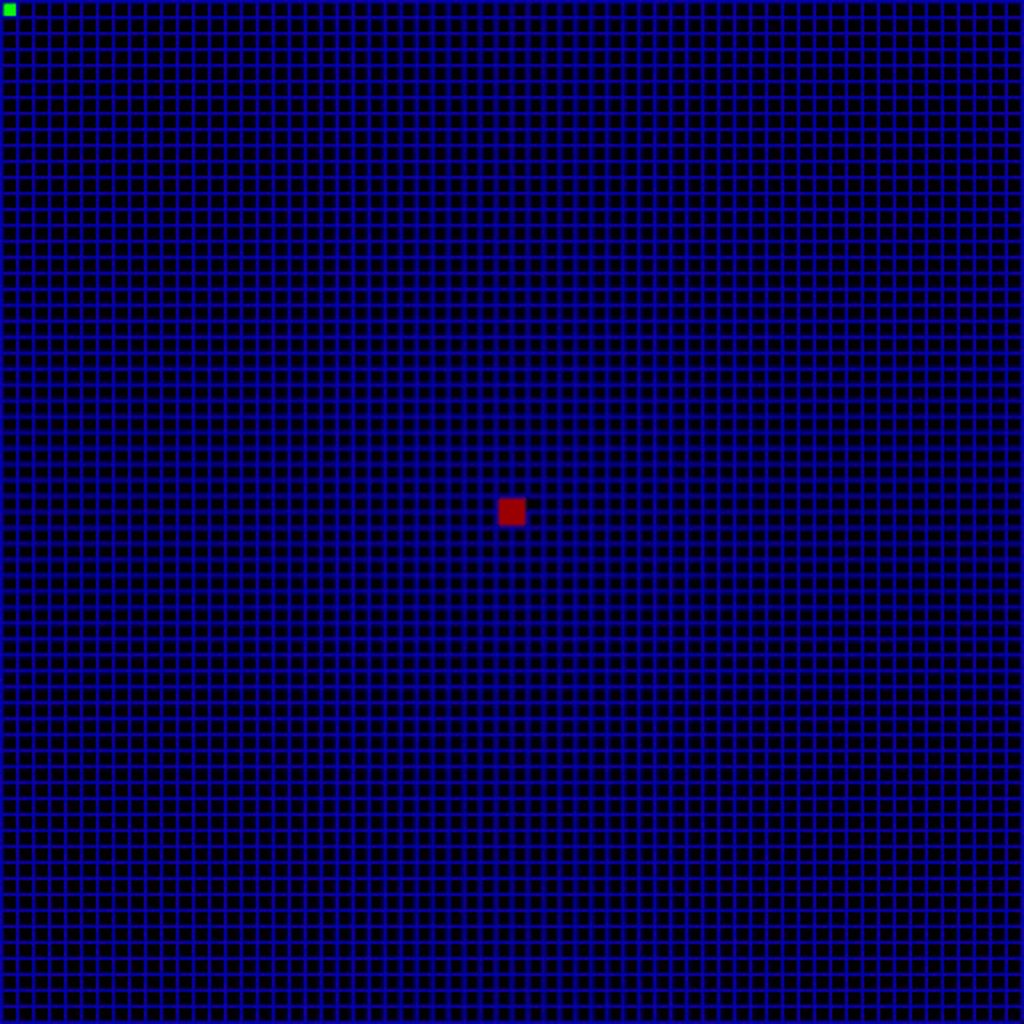
I was just starting to learn classes and oop back then
I think you need to focus your energy. Every two days you're in here with another project and, as far as I can tell, never posting finished projects or talking about how yesterday's project is going
bold hill
I'm saying my focus on this game my apologies I just have a lot I want to do I'm focusing on one thing but then something pops into my head but I've been trying to work on my game with math generation if it's completely random nobody gets to be able to hide in the same spot if it's always randomly generated I'm sorry
Then after I figure a way of making it multiplayer which everyone's going to have to spawn in a random location far away from each other so it's not an easy kill first on well each team I should say have to make a health bar system and inventory for technical weapons flash items to heal other players if they have no items and ones to sit down minds or pressure plates with doors which I know is going to be an abuse over certain mechanics together but I'll cross that bridge when I get to it sorry
@limber veldt
limber veldt
And you do all of it by writing good, bad, or any code and working through it
Nobody knows exactly how to implement the ideas you always share, we all have to write code and work through it
If you have a question about iterating a list or some other python issue is one thing, but how to make a maze gen or a dashing mechanic or any of those things is well beyond the scope of the help I can offer. I would have to work through it just like you would
bold hill
Would you like to see what I did although this was some code that I saw that somebody else helped me on a form here with
Player_speed=1
#===[abilities]===#
def Dash ():
Player_speed += 2
Sleep(5)
Player_speed -= 2
Cool down
The cooldown is basically a timer so you don't use that ability to often and then make the game unfunded play have to figure out how to add that but that's hopefully water under the bridge when I come to it my apologies
Any thoughts my apologies
@limber veldt
limber veldt
I can tell you that isn't going to work, you do realize that sleep() puts the entire program to bed, right? So while it's sleeping, player_speed makes no difference at all
bold hill
Darn it was really hoping that would work what do I need to do to make it so that it has 5 seconds of can be used and then River back to their previous speed I'm sorry
@limber veldt
bold hill
#===[imports]===#
import pygame
import random
#===============#

#===[window]===#
SCREEN_WIDTH = 800
SCREEN_HEIGHT = 600

screen =pygame.display.set_mode((SCREEN_WIDTH, SCREEN_HEIGHT))
pygame.display.set_caption('pool war')
#===============#
player=pygame.Rect((300, 250, 50,50))
player_speed=1
#===[generateion]===#
walls=[]
Maze_wall =pygame.Rect(random.randint(0,79), random.randint(0,79),random.randint(0,50),random.randint(0,50))
#===================#

#===[shooting]===#

#================#

#===[colors]===#
Green = (0, 255 ,0)
Red = (255, 0, 0)
Blue = (0, 0, 255)
Yellow = (255, 255, 0)
Black = (0, 0, 0)
#==============#
run = True

while run:

    screen.fill(Black)
    #===[colision]===#
    col = Green
    if player.colliderect(Maze_wall):
        col = Red
   #=================#
    pygame.draw.rect(screen, col, player)


    pygame.draw.rect(screen, (255, 255, 0),Maze_wall)

     #===[player movement]===#
    key = pygame.key.get_pressed()

    new_player_rect=player.copy()

    if key[pygame.K_a] == True:
        new_player_rect.x -= player_speed


    elif key[pygame.K_d] == True:
        new_player_rect.x += player_speed

    elif key[pygame.K_w] == True:
        new_player_rect.y -=player_speed

    elif key[pygame.K_s] == True:
        new_player_rect.y +=player_speed

    if not new_player_rect.colliderect(Maze_wall):
        player = new_player_rect
    #===={player actions}====#
    key = pygame.key.get_just_pressed()

    new_player_rect=player.copy()

    #========================#

    for event in pygame.event.get():
        if event.type == pygame.QUIT:
            run = False

    pygame.display.update()

pygame.quit()
@dawn quiver
If anyone knows how I could implement a dashing ability just let me know I'm sorry
pine smelt
one way would be to have a dash timer/counter and then multiply the player_speed by it if its above 0
like
#===[imports]===#
import pygame
import random
#===============#

#===[window]===#
SCREEN_WIDTH = 800
SCREEN_HEIGHT = 600

screen =pygame.display.set_mode((SCREEN_WIDTH, SCREEN_HEIGHT))
pygame.display.set_caption('pool war')
#===============#
player=pygame.Rect((300, 250, 50,50))
player_speed=1
dashing = 0
#===[generateion]===#
walls=[]
Maze_wall =pygame.Rect(random.randint(0,79), random.randint(0,79),random.randint(0,50),random.randint(0,50))
#===================#

#===[shooting]===#

#================#

#===[colors]===#
Green = (0, 255 ,0)
Red = (255, 0, 0)
Blue = (0, 0, 255)
Yellow = (255, 255, 0)
Black = (0, 0, 0)
#==============#
run = True

while run:

    screen.fill(Black)
    #===[colision]===#
    col = Green
    if player.colliderect(Maze_wall):
        col = Red
   #=================#
    pygame.draw.rect(screen, col, player)


    pygame.draw.rect(screen, (255, 255, 0),Maze_wall)

     #===[player movement]===#
    key = pygame.key.get_pressed()

    if pygame.key.get_just_pres[pygame.K_SPACE]:
        dashing = 10

    dash_multiplier = 1
    if dashing > 0:
        dash_muliplier = 2
        dashing -= 1

    new_player_rect=player.copy()

    if key[pygame.K_a] == True:
        new_player_rect.x -= player_speed * dash_multiplier


    elif key[pygame.K_d] == True:
        new_player_rect.x += player_speed * dash_multiplier

    elif key[pygame.K_w] == True:
        new_player_rect.y -=player_speed * dash_multiplier

    elif key[pygame.K_s] == True:
        new_player_rect.y +=player_speed * dash_multiplier

    if not new_player_rect.colliderect(Maze_wall):
        player = new_player_rect
    #===={player actions}====#
    key = pygame.key.get_just_pressed()

    new_player_rect=player.copy()

    #========================#

    for event in pygame.event.get():
        if event.type == pygame.QUIT:
            run = False

    pygame.display.update()

pygame.quit()
not a perfect solution since u can spam the spacebar but u can find a workaround to that
hidden wolf
can add a variable like able_to_dash = True and set it to False after hitting spacebar. You would have to know (which I don't yet) how to set a timer function to set it back to true though and then call that function
pine smelt
can't access my computer rn but if I can remember in the morning I'll send my timer class here
pine smelt
class Timer:
    def __init__(self, duration: float, speed: float):
        self.t = 0
        self.end = duration
        self.speed = speed
        self.finished = False

        self.run = True

    #turn on/off
    def switch(self, flag:bool=None):
        if flag != None:
            self.run = flag
        else:
            self.run = not self.run

    def reset(self):
        self.t = 0
        self.finished = False

    def change_speed(self, speed: float|int):
        self.speed = speed

    def update(self):
        if self.run:
            if self.t < self.end:
                self.t += self.speed
            else:
                self.finished = True
to use it with the dash would be smthn like
dash_cooldown = Timer(duration=60, speed=1)

#main loop
dash_multiplier = 1

dash_cooldown.update()
if dash_cooldown.finished:
  if pygame.key.get_just_pressed()[pygame.K_SPACE]:
    dash_cooldown.reset()
else:
  dash_multiplier = 2

#update speed
new_player_pos += player_speed * dash_multiplier
is there any way to make the enemy not overlaping when spawing using random
pine smelt
either spawn them in a grid with spacing, and randomly offset them within the spacing
or after spawning, add some collision between them all
and push them apart from each other
manic totem
pk
ok
after i add collision how do i push them apart and go to position that havent been fill
minor cloak
haughty nova
i have 4 files of code...i need help can someone help me in help thread?
Either ask here or ask in help thread (as in share the details of the problem now instead of waiting for someone to ask for it)
haughty nova
ok
https://discord.com/channels/267624335836053506/1267474013186162689 can someone help
manic totem
i hit a brick wall(again). how do i make it so the enemy not overlap. as you can see its only spawn 7 enemy instead of 10 so the other 3 must be overlapping other enemy.
here the full code
https://paste.pythondiscord.com/NN6Q
limber veldt
What is the question, Gri?
limber veldt
haughty nova
here <@355791171231940620>
Hell yeah, nice job so far
haughty nova
thx
limber veldt
Sometimes I even make a get_event(self, event) method in the object (the ship in your case) and in the event loop, call the object.get_event(event), no real difference but except it puts the event code for the object in the object
Then the object can condition the event itself
pine smelt
manic totem
i hit a brick wall(again). how do i make it so the enemy not overlap. as you can...
with ur current implementation,
remove the positions u randomly choose from the list
so
def create_enemies():
    X_position = [100, 200,300, 400, 500]
    Y_position = [-100, -200, -300, -400]


    for e in range(10):
        x = X_position.pop(random.randint(0, len(X_position)))
        y = Y_position.pop(random.randint(0, len(Y_position)))

        enemies = Enemy(x, y)
        enemies_grup.add(enemies)
wait that approach wont work
u need 10 x and y positions
since it removes 1 every iteration
manic totem
what is pop?
pine smelt
removes an item in a list depending on the index position u provide
also returns the item being removed
for example
fruits = ["apple", "banana" "cherries"]

x = fruits.pop(1)
print(x)

>> "banana"


print(fruits)

>> ["apple", "cherries"]
so its remove an item and return the item back?
pine smelt
yes
manic totem
im still confuse but we geting out of topic here. so what do you mean by i need 10 x and y position
pine smelt
when u do ur for loop
for e in range(10)
ur removing an x value from ur x_positions, same with y
but u only have 5 elements in x_positions and 4 in y_positions
meaning eventually the lists will be empty before ur 10th iteration
manic totem
i see
limber veldt
Remember how I showed the list a few days ago? #game-development message This list has [x, y] in it and would save a couple lines of code, but you can pop() from two lists too
pine smelt
def create_enemies():
    X_positions = [100, 200,300, 400, 500]
    Y_positions = [-100, -200, -300, -400]
    exists = []

    for e in range(10):
        while True:
          x = X_position.choice(X_positions)
          y = Y_position.choice(Y_positions)

          if [x, y] not in exists:
              exists.append([x, y])
              enemies = Enemy(x, y)
              enemies_grup.add(enemies)
              break
honestly not the best implementation but should work
pine smelt
"breaks out" or stops the while loop
manic totem
ah
pine smelt
so the stuff within the while True happens again and again
until break
so what it does is randomly pick x and y positions
sees if it exists already
if it doesnt, add it to the exists list and break out of that loop
and move onto the next iteration in the for loop
manic totem
is that [x, y] is x and y position that i made?
pine smelt
yes
pine smelt
creating lists (+ list comprehensions), indexing and string slicing
#lists + list comprehnsions
fruits = ["apple", "banana", "cherries"]
ages = [i for i in range(18, 30)]

#indexing
fruit = fruits[1]
print(fruit) # "banana"
print(ages[2]) # 20

#string slicing
first = fruit[:4]
remaining = fruit[4:]
last = fruit[-1]

print(first) # ban
print(remainig) # ana
print(last) #a
This pops all items from the list randomly ```py
from random import randint
my_list = [[0, 0], [1, 1], [2, 2], [3, 3], [4, 4], [5, 5], [6, 6], [7, 7], [8, 8], [9, 9]]
for i in range(len(my_list)):
index = randint(0, len(my_list) - 1)
x, y = my_list.pop(index)
print(x, y)```
Oh, I just thought of another way, we could shuffle() the list and pop(0) for each iteration too
limber veldt
shuffle() the list then pop(0) ```py
from random import shuffle
my_list = [[0, 0], [1, 1], [2, 2], [3, 3], [4, 4], [5, 5], [6, 6], [7, 7], [8, 8], [9, 9]]
shuffle(my_list)
for i in range(len(my_list)):
x, y = my_list.pop(0)
print(x, y)
# print(my_list)```
That's not actually working
The first works though
Oh wait, just going though it again, it does work
manic totem
is thuffle() do what i exactly imagine
manic totem
i still confuse with this pop thing. like, its remove thing from the list but then return it? like im still dont understand what the purpose of this fuction for
 wraith harness
limber veldt
wraith harness
limber veldt
I demonstrated one purpose of it. You have a list, you need an item from it but you don't want to get the same item again, so it removes it from list. So next time, there's no way to get that item, it's not in the list
limber veldt
Say you want 10 random spawn positions but don't want any of them to overlap. you can use this to get those positions from a list. You could even make the list longer than 10 items (spawn positions) and only get 10 from it for even more randomness without overlapping
Cause like spawning one right after the other in a loop of 10 items that are the same 10 items for each wave is essentially not random (even if they're shuffled)
A for loop to spawn 10 items from a list with 10 items will spawn all of them, and all means all regardless of how they're shuffled
A timer like the one @pine smelt shared a while ago could be used to spawn them in sequence 1 at a time, and that may be an approach too
They'd never overlap so long as each one moves before the next one spawns
This is a timer, not a for loop
bold hill
I need help with the design for a game camera like I mean an overlay onto the screen that somebody would see want them character to go behind it almost cuz it's for a game that I'm going to call dystopia basically everyone's being monitored down to even than my new reactions and I want to make an overlay to make it seem like the characters always being watched by the cameras placed everywhere my apologies
pine smelt
can u send a pic or drawing of what u want
bold hill
The rough sketch my apologies
 bold hill
@pine smelt
pine smelt
sry about to go to bed
I'll think of an implementation tmr if some hasn't answered alr
haughty nova
 covert girder
when is the next game jam at?
hidden wolf
so, I'm seeing that pygame.Rect can be moved around pretty easily. Is there a way to draw a custom image on a rect so I can move it around or am I misunderstanding Rects?
 raven kernel
hidden wolf
so, I'm seeing that pygame.Rect can be moved around pretty easily. Is there a wa...
raven kernel
hidden wolf
so, I'm seeing that pygame.Rect can be moved around pretty easily. Is there a wa...
So you can definitely draw custom images, but you are misunderstanding the usage of rects with that yes
You don't draw images on rects, you draw images at the position of rects
# blit means draw
your_screen.blit(your_custom_image, your_rect)
Your image is being drawn on your screen at the topleft position of your_rect
hidden wolf
got it
So I'm trying to make a drawing type app/game
what I'm trying to do is draw pivot points the user can move which will move the underlying pixels
I don't want the pivot points to be drawn on top of the pixels they control since that would delete them, I want it drawn "in front of"
is that a possibility?
raven kernel
hidden wolf
So I'm trying to make a drawing type app/game
what I'm trying to do is draw pivo...
Yes I understand what you mean
You wouldn't draw the pivot points on the underlying pixels, you need to create layers of pygame.Surfaces
so the pivot points are drawn after the pixels, but not on them
you should still be able to access the pixels regardless of the things that are drawn after them
Do you have an example of what you mean? Maybe a tool in GIMP?
hidden wolf
are you familiar with blender?
3d application
basically I want the pivot to be like a vertex that when you move it, the edge between vertex also moves
hidden wolf
raven kernel
You wouldn't draw the pivot points on the underlying pixels, you need to create ...
actually, now that you mention it, I have code for creating layers
so to get an idea what you mean:
layer 1 - drawing was done on it
layer 2 - transparent so you can see layer 1, draw the pivots on this and when moving the pivots it affeects layer 1 pixels?
limber veldt
pygame rects define where a image will be drawn, we don't draw on top of them, we draw at them. If blitting an image at a rect, moving the rect moves the image
 merry lodge
Hi, I want to create an airport layout and probably want to use Reinforcement learning to train different aircrafts (agent) to traverse from the runway to the taxiway and vice versa. I want to use Pygame for this. Is it possible to use Pygame to create the layout, or maybe something simpler and then import the layout as an xml file to work on that? Was thinking of using Unity as well?
hidden wolf
class PivotPoint():
    def __init__(self, parent_screen):
        self.global_pos = pygame.mouse.get_pos()
        self.size = (20,20)
        self.surface = pygame.Surface(self.size, pygame.SRCALPHA)
        self.surface.fill((255,255,255,0))
        self.rect_pos = self.surface.get_rect(center = self.global_pos)
        self.center = (self.size[0]/2, self.size[1]/2)
        self.color = (0, 255, 0)
        #pygame.draw.circle(self.surface, self.color, self.center, radius = 6, width = 3)
        self.draw_circle()
        self.display_screen = parent_screen

    def change_color(self):
        mouse_pos = pygame.mouse.get_pos()
        if self.rect_pos.collidepoint(mouse_pos):

            self.surface.fill((255,255,255,0))
            self.color = (255, 0, 0)
            self.draw_circle()
            self.rect_pos.move_ip(1,0)
        else:
            self.color = (0, 255, 0)
            self.draw_circle()

    def draw_circle(self, radius = 6, width = 3):
        pygame.draw.circle(self.surface, self.color, self.center, radius, width)

    def draw_to_screen(self):
        self.display_screen.blit(self.surface, self.global_pos)

    def run(self):
        self.draw_to_screen()
        self.change_color()
        if pygame.mouse.get_pressed()[1]:
            print(self.global_pos)
            print("Mouse:",pygame.mouse.get_pos())
        else:
            pass
Dummy airport layout for reference
 hidden wolf
```py
class PivotPoint():
def __init__(self, parent_screen):
self.gl...
hidden wolf
hidden wolf
```py
class PivotPoint():
def __init__(self, parent_screen):
self.gl...
when I use the change_color function the position my mouse has to be does change to the right, but the circle I draw doesn't move
raven kernel
You mean like this?
hidden wolf
raven kernel
You mean like this?
yes exactly like that
raven kernel
and you want the black lines pixels not be covered/"deleted" by the red dots?
hidden wolf
I know I can draw lines between the pivots, I just don't know how to move them with the pivots
hidden wolf
raven kernel
and you want the black lines pixels not be covered/"deleted" by the red dots?
yes
or at least I can hide the red dots and they will be "replaced" by the black pixesl
raven kernel
so you just draw the red dots on a difference surface
your main surface is called what?
hidden wolf
drawing_surface
raven kernel
the thing you get from pygame.display.set_mode i mean
hidden wolf
main_screen
raven kernel
okay
hidden wolf
I create a main_screen, blit a drawing surface on in adn then do all my functions if things collide with the drawing surface
eventually will have controls on other parts of the screen
raven kernel
so you create another surface, called black_line_surface which is the size of main screen
then you create another one called red_dot_surface which is the size of main screen
you draw red dots on red dot surface, and black lines on black line surface
then you draw the black line surface on main screen and then red dots surface on main screen
black_line_surface = pygame.Surface(main_screen.get_size(), pygame.SRCALPHA)
red_dot_surface = pygame.Surface(main_screen.get_size(), pygame.SRCALPHA)

pygame.draw.line(black_line_surface, ...)
pygame.draw.circle(red_dot_surface, ...)

main_screen.blit(black_line_surface, (0, 0))
main_screen.blit(red_dot_surface, (0, 0))
you could even not create a red_dot_surface and just draw it directly on main_screen
whereas black_line_surface will always ONLY have the pixels you care about
hidden wolf
ok so both surfaces are see through (alpha = 0?)
hidden wolf
raven kernel
You mean like this?
you put this together so fast!
limber veldt
These points can be clicked to pick up and again to drop https://paste.pythondiscord.com/FDTA
There are issues with them though, they need a condition to enable picking up only one at a time because if you stack one on the other, there's currently no way to separate them
hidden wolf
limber veldt
There are issues with them though, they need a condition to enable picking up on...
thank you.
I'm actually interested in how you learnt to solve these types of problems. I wish I could figure things out instead of coming here after 3-4 hours of trying and failing
raven kernel
hidden wolf
ok so both surfaces are see through (alpha = 0?)
yes, they start off with no pixels and thr availability of an alpha channel
thats what pygame.SRCALPHA does
limber veldt
limber veldt
There are issues with them though, they need a condition to enable picking up on...
We an sort of fix that issue with just two more lines, return self.grabbed from the click() method and toss the sprite.click() into an if statement and in it's code block, add a next
limber veldt
hidden wolf
thank you.
I'm actually interested in how you learnt to solve these types of pr...
So much practice, really, just practice
raven kernel
hidden wolf
thank you.
I'm actually interested in how you learnt to solve these types of pr...
its just practice
but i mean its not as gut wrenching as math homework, its more like enjoyable free-time practice
something one wishes to do
limber veldt
I focus on the projects, they're important to me, so I've been practicing for a long time, and still
hidden wolf
limber veldt
We an sort of fix that issue with just two more lines, `return self.grabbed `fro...
can we shove it into a list in index 0, and everytime a new one is selected replace index 0? that would make it only one point at a time can be seleted
limber veldt
Perhaps, surely there are a few ways to break that click() loop
hidden wolf
cool. Will play with this code a bit
hidden wolf
raven kernel
something one *wishes* to do
agreed. I just get frustrated a bit when I can't figure things out 😉
limber veldt
I watched a lot of ClearCode on youtube
That's for sure
His style is kind of reflected in mine
Though I am no where near as good as he is
raven kernel
dunno about that, you're pretty good yourself xD
limber veldt
Thanks : )
He makes long tutorials, maybe not perfect for a beginner unless they're really motivated, but they cover every aspect of what he's making
hidden wolf
thank you, will look into his channel!
I really appreciate you both
limber veldt
Small side missions (like that Point class up there), they're really helpful too because you can focus on just one thing, one mechanic, one idea at a time
And, being a class, I could then import it to any project and it will still work
limber veldt
I need to study his (ClearCode's) z_layer sorting subclassed group. Every sprite has a z_layer attribute and the group uses it to sort drawing order, really good stuff
limber veldt
Most of my stuff just uses multiple groups, drawing one after the other == layers
There is y_sort too, so like a player can walk under a bridge but over the sides of it
More functionality than simple layers
Or draw the player behind a tree when above it but over the tree when below it
hidden wolf
limber veldt
Small side missions (like that Point class up there), they're really helpful too...
I actually took the code you gave me for moving things and ported it to my point class and it almost works.
Will try to finish it once I get home from work, but I’m learning why it works rather than copy paste code
One thing I realize I keep forgetting to do in these classes is if I move something I need to “clear” the old version of it or else two items are displayed on screen
I had to look it up but turns out the sprite.group.draw draws to the rect position so I had to change my draw function to mimic that - this way I move the rect and the surface at the same time
limber veldt
If drawing to a rect, you don't need to move the surface, just the rect
And in games where things move around, it's common to clear the entire screen screen.fill('black') as the first line in the main draw method and draw everything else after
pygame.rects are just numbers, not real things, sure we can draw them but that's only because we use its numbers when we want to draw a rect but a rect just provides coordinates for where to draw something, not a rectangle
That's why the Point() class just updates the sprite's rect, the group will use the rect to draw the sprite, the image/surface doesn't matter at all
hidden wolf
limber veldt
And in games where things move around, it's common to clear the entire screen `s...
Yes, but I purposely was not doing that currently since I want what is printed on the screen to stay there. Perhaps this is wrong. Will experiment with storing which pixels were changed in a list or something, clearing the screen and redrawing them
limber veldt
limber veldt
pygame.rects are just numbers, not real things, sure we can draw them but that's...
Sorta like using x and y to draw something at a particular place and changing their values as the game progresses. A rect provides the x an y but also a width and height so it can used for other things too, like collisions
limber veldt
hidden wolf
Yes, but I purposely was not doing that currently since I want what is printed o...
To stay there? That's why we draw everything else after clearing the screen (or our background), things stay where they are because they get instantly redrawn at whatever position they are
hidden wolf
limber veldt
To stay there? That's why we draw everything else after clearing the screen (or ...
Yes, basically up until now I haven’t stored any data for things you draw with the program so if you clear the screen there is no way to redraw the data.
The workaround is to use pixel array to access the pixels I want to move
But maybe I should store changes made in a list/array and redraw it every frame
pine smelt
is that not really slow
limber veldt
There is no storing changes of surfaces or images though, nobody stores changes, they just redraw everything in new places
Or in the same place if the rect (position) of those things hasn't changed
Brings up an idea though, one could implement a framebuffer to store images as they change in order to support undo
modern flint
Oooh I always wondered how undo is implemented/could be implemented
hidden wolf
pine smelt
is that not really slow
Not for what I’m using it. Since the more access the array does 1-2 actions and then closes the array
(If you don’t close it locks the surface and it crashes)
limber veldt
Yeah, I'm not sure how the pros do that (undo drawing), whether or not they save the action or the results between each action
pine smelt
hidden wolf
Not for what I’m using it. Since the more access the array does 1-2 actions and ...
oh ok
pine smelt
modern flint
Oooh I always wondered how undo is implemented/could be implemented
a really crappy way i did it for a drawing gui was
storing the drawn sprite, and then using pygame.BLEND_RGBA_SUB when blitting over the same location
using that last sprite
i cant remember how i took care of the colours underneath
hidden wolf
Can’t you create a list of locations for say 10 locations and if player uses undos can revert back to second to last index in list for the redraw? And if len (list grater than 10) list.pop(0) when saving the next state?
limber veldt
For my chess game, I'm going to stare the moves in file/rank notation. So like e5-f6 and, given an entire list of moves, any position could be undone
pine smelt
sounds good ye
pine smelt
hidden wolf
Can’t you create a list of locations for say 10 locations and if player uses und...
can u directly copy the screen surface
i dont think ive ever tried
modern flint
yeah with chess seems like it'd be more straightforward
pine smelt
ye
hidden wolf
pine smelt
can u directly copy the screen surface
Surface.copy()
limber veldt
Pygame surfaces have their .copy() method, and the screen is just another surface
hidden wolf
store it in in a variable I guess
pine smelt
limber veldt
Pygame surfaces have their `.copy()` method, and the screen is just another surf...
ye i just never thought about it
hidden wolf
I’m not really up to the whole undo stuff, I can’t get what I want done
pine smelt
what r u working on?
hidden wolf
Once I have a basic working item I’ll figure out these types of functions
hidden wolf
pine smelt
what r u working on?
I basically want to make blender for 2D
pine smelt
so ms paint?
hidden wolf
So like vertexts and faces but the end result isn’t a 3d mesh but a 2D sprite I can animate easily
pine smelt
oh right
hidden wolf
I want the ability to give it bones and move parts of the sprite
pine smelt
gl with that i wouldnt even know how to start
hidden wolf
Well clearly neither do I but the great people here are helping me along that way make basic stuff and I will try to put it together
I only have 1-2 hours at home I can work on it currently at work so will counting chugging away tonight
pine smelt
alr all the best ill try help as well if i can
limber veldt
I've had many dead days because I couldn't put my brain to sleep the night before, thanks code
'Just gotta fix this one bug' next thing ya know, it's 3am and work starts in 3 hours
limber veldt
hidden wolf
So like vertexts and faces but the end result isn’t a 3d mesh but a 2D sprite I ...
My first substantial project and the reason I started python was to code Blender's api, the project took nearly ten years but I learned a lot of python along the way
hidden wolf
limber veldt
My first substantial project and the reason I started python was to code Blender...
Ahh you worked on blender! All my questions relate to stuff you did probably.
Tbh learning to use the python in blender would be faster than my project but then I wouldn’t learn as much I think
limber veldt
I didn't actually work on blender's api, no, I just learned how to use it with python, basically how to use bpy
 plucky frost
Hey can you accept voice chat for me
limber veldt
I would recommend anyone wanting to learn python, or any language for that matter, find an free online intro to python course. I can't say which are good but the structure helped me a lot, due dates, progressively harder problems, quizzes, community
bold hill
I'm sorry
 upper cairn
    def __init__(self,x,y):
        super().__init__()
        self.x=x
        self.y=y
        self.Rect = pygame.Rect(self.x,self.y,25,25)`
i do something like snk = snake(0,0)
i change my snk.x and snk.y (snk.x=1 snk.y=1 )but snk.Rect (should be 1 ,1,25,25 / its 0,0,25,25) remains unchanged even tho i made dependent on its own x and y values
help?
bold hill
@pine smelt I'm sorry
pine smelt
bold hill
<@692739242883022898> I'm sorry
do u want smthn like that
 pine smelt
upper cairn
```class snake(pygame.sprite.Sprite):
def __init__(self,x,y):
super(...
pine smelt
upper cairn
```class snake(pygame.sprite.Sprite):
def __init__(self,x,y):
super(...
u need to change the x and y values of the rect itself
so
snk.Rect.x = 1
snk.Rect.y = 1
upper cairn
pine smelt
snk.Rect.x = 1
snk.Rect.y = 1
this is because of pygame and pygame Rect
but for like a general situation
self.y = y
self.sum = x + y```im confused what are u asking
upper cairn
pine smelt
im confused what are u asking
ur solution works ty
but thats bcz of pygame and the way Rect works
upper cairn
pine smelt
im confused what are u asking
    def __init__(self,x,y):
        super().__init__()
        self.x=x
        self.y=y
        self.sum = self.x +self. y
if i change snk.x snk.y sum
pine smelt
u cant really do it like that
an alternative would be to use a class property
class snake(pygame.sprite.Sprite):
    def __init__(self,x,y):
        super().__init__()
        self.x=x
        self.y=y

    @property
    def sum(self):
        return self.x +self. y


sn = snake(1, 1)
print(sn.sum) #prints 2

sn.x = 5
sn.y = 7
print(sn.sum) #prints 12
alr tysm
bold hill
Well I wanted to have it over the screen overlay for the camera my apologies
pine smelt
is it something you enable, like you press a button and it shows up
or is always on screen
bold hill
It's always on the screen it's supposed time and make the player feel uncomfortable like every movement that they're making is being watched by security camera in tunnels in the streets ect
pine smelt
oh i see
something like this?

thats just overlayed on top of the actual gameplay
or like this

just taking pictures off google images
bold hill
Yes
Overlapping the gameplay because there's going to be a secret section turn off this area so it looks like a normal game but it's going to be in the middle and be very hidden and I have a few needed materials that you can find in the world to get past security guards etc
pine smelt
alright this is an interesting idea ill try make something
whats the size of ur window?
well display surface
bold hill
Full screen but maybe a smaller screen too I was wondering on how I would be able to do something like that but I didn't know if I needed to make a separate asset to put on top my apologies
pine smelt
in that case ill try do it without making assets, using just the inbuilt pygame methods
.draw and font.render etc
so it just scales to whatever size the window is
bold hill
I want what I do for the thin square in the middle of object one?
pine smelt
something like this good?

ignore the background gameplay thats just my current project, u can overlay this over anything
theres a crosshair in the middle as well u just cant see it cuz of the player
i also added a variable to turn the screen grey, as well as the camera lines if u want it
for the time i just took my current local time and parsed it
it updates automatically
did u want the inner box to follow the player or anything? i can add functionality for that
heres the code in the meantime, ask any questions or stuff u want me to add if u need:
sorry the formatting is really chunky
oh also, define constants at the top, WIDTH and HEIGHT being ur screen's default width and height
raven kernel
Interesting
So you just write
Directly what you want to achieve
Indeed very dafluffypotato-esque
pine smelt
is there a different approach?
raven kernel
Yes
But it's not necessarily better
It's just more presentable, but me personally in my accumulated views of programming matter I believe its way more valuable to present your project rather than your code
pine smelt
raven kernel
Directly what you want to achieve
im confused what u mean by this then
surely u write the code for stuff you want to make, what else would u write
bold hill
pine smelt
something like this good?
It's amazing
raven kernel
it's indeed very cool
raven kernel
pine smelt
im confused what u mean by this then
i guess i just feel your code has lesser abstraction than most, which is totally fine
pine smelt
oh right
i think its cuz usually i end up over-abstracting it or over-engineer a larger solution
to the point i end up spending more time on it
than if i just directly coded all of it
raven kernel
true
pine smelt
so its just faster
im sure ppl more experienced and able to think ahead can do it more efficiently
raven kernel
i notice some people end up going in circles with their code rather than progressing
usually because they want to make it look/architect right
pine smelt
ye
ultimately it doesnt matter what it looks like under the hood as long as it looks good to the user
raven kernel
totally agree
pine smelt
tho it shouldnt be absolutely terriblly structured to the point u cant understnad it urself lol
pine smelt
i mean i keep most of it locally
my current project's on my github but im the middle of re-doing it
i have been considering making a project-dev post in the pygame discord but i feel like i should add more stuff before i do
raven kernel
ye
pine smelt
especially with my pitiful storage capacity
raven kernel
just a git push at the end of each day ez (and git add . and git commit but yk what i mean)
pine smelt
ye true
are there any other useful git commands
ive only used those 3 i think ever
oh git pull sometimes but rarely
limber veldt
Finally worked out the logic for players' returns py elif event.type == pygame.MOUSEBUTTONDOWN: mouse_pos = pygame.mouse.get_pos() if mouse_pos[0] < GRIDSIZE*8: result = self.players[self.player_index].play(mouse_pos) if isinstance(result, Piece): print('player picked up Piece') next elif result == None: print('clicked empty spot') next elif result == False: print('clicked wrong color') next else: # result == True print('changing player') self.player_index = 1 - self.player_index using four return values, I can change player only when appropriate
pine smelt
oh ok
limber veldt
Just not sure how to handle the logic after that but as it turns out, all the logic for what the player does remains in the Player()
pine smelt
can u put that logic in its own larger function
pine smelt
limber veldt
Finally worked out the logic for players' returns ```py
elif event.t...
and call it after this
limber veldt
What happens when mouse is clicked depends a few factors, whose turn it is, whether that player is aleady carrying a piece, if so, can it be dropped at the spot? If so, is there another piece there? Is it the opposite color, if so capture it, if not, don't switch player, the move was invalid, and so on
That play() method so far ```py
def play(self, pos):
clicked_spot = None
captured_piece = None
for spot in self.spots_group.sprites():
if spot.rect.collidepoint(pos):
clicked_spot = spot
break
    print(f'clicked_spot.piece', {clicked_spot.piece.name if clicked_spot.piece else 'None'})
    if clicked_spot:
        if self.carrying:
            captured_piece = None
            print('clicked_spot when carrying', clicked_spot.file, clicked_spot.rank)
            piece = clicked_spot.piece
            if piece is self.carrying:
                self.drop(clicked_spot)
                return None
            if piece:
                if piece.name[0] != self.color:
                    captured_piece = piece
                else:
                    return False
            if captured_piece:
                print('captured_piece', captured_piece.name)
                self.capture.add(piece)
            self.drop(clicked_spot)
            return True

        else:
            if clicked_spot.piece:
                if clicked_spot.piece.name[0] == self.color:
                    self.pickup(clicked_spot.piece)
                    return self.carrying
                else:
                    return False```
And I worked out Clear's y sort in a group ```py
class CaptureGroup(pygame.sprite.Group):
def init(self):
super().init()
def draw(self, screen):
    for sprite in sorted(self.sprites(), key = lambda sprite: sprite.rect.centery):
        screen.blit(sprite.image, sprite.rect)```
So pieces overlapping other pieces will draw last in the capture area, like so, still not sure if I will leave them overlapped but it is what it is so far, time to work on other IU elements

Oh and my colors are wrong, dark is supposed be lower left
Not light
I need reset, flip (to flip the player positions), and some kind of turn indicator. Like a timer ticking next to that player, maybe other buttons too
A moves list would be nice too, maybe just showing the 10 or so most recent moves
Pawn promotion might just have a little popup that displays all the pieces and asking for a click to select
Castling will need a special case too, if the conditions for castling are met, maybe a little popup that asks if you want to castle after moving the king into that position, so it can move the rook itself
raven kernel
pine smelt
are there any other useful git commands
ye, theres a website that has a bunch of command sequences for specific scenarios
but thats mostly for foreign repositories, for your own one you just need to know
git add .
git commit -m "added xyz"
git push
and if you ever need to permanently destroy n previous commits and go back to earlier state
3 for example
git log -n 3
git reset --hard <commid_id>
git push --force
i wanna drop everything and make a game lol
maybe i should join another game jam
limber veldt
raven kernel
maybe i should join another game jam
That sounds so fun, one of these days maybe but I struggle with quick game ideas
raven kernel
ngl its all about the visual polish
ive been in like 6 and 6/6 times the one with the best polish wins 
which makes sense though, people enjoy those more
limber veldt
Do they usually need to be new projects, like for the jam, not something one has been working on for weeks or months?
raven kernel
there are jams that allow those too!
there are "finisher" jams where you just try to finish a project you've been working on for a long time
limber veldt
I should enter my cribbage game, one of my orignals
raven kernel
but usually i find the most enjoyable "game jam" experience comes from starting from beginning along with everybody else and seeing how things go :)
limber veldt
Understandable, community is part of the fun and if everyone's on the same page, so to speak, even more
raven kernel
raven kernel
there are "finisher" jams where you just try to finish a project you've been wor...
like this one
https://itch.io/jam/finally-finish-something-2020

itch.io
A game jam from 2020-01-01 to 2020-02-16 hosted by Second Dimension Games. Get 2020 off to a flying start by finally finishing that game you've been working on for years. Welcome to Finally Finish Something 2020! Chat Discord...
pine smelt
limber veldt
Understandable, community is part of the fun and if everyone's on the same page,...
its quite impressive to see what ppl come up with as well in the same time frame as you
limber veldt
Yeah, that would be cool
pine smelt
afaik the next pygame jam is in halloween but theres plenty of others
like entered the "kuba jam" last week
i think its starting again next week, it happens monthly
limber veldt
Maybe I toss project ideas around for the next few weeks
I could make a small game out of my robot sim!
And that would win, surely
raven kernel
can just surf around the calendar here, even allows filtering
https://itch.io/jams
itch.io
limber veldt
Holy shit, there's hundreds of them
pine smelt
lol yeah
raven kernel
Apart from our programming style being vastly different, if we three teamed up we could totally cook something insane
limber veldt
For sure, not out of the realm of possibilities
pine smelt
that sounds fun
limber veldt
It's interesting how different people learn different patterns and techniques, together making up a 'style'
Same with any language, even spoken ones sometimes
raven kernel
True, we all gain inspiration from different sources
hidden wolf
how important is git?
I don't know how to use it, so thus far what I change is permanent
vagrant saddle
hidden wolf
how important is git?
it is mandatory
hidden wolf
any suggestions on good resources to learn it? how involved do I have to get?
sorry, limited time to learn/work on anything so trying to "optimize" time allocation
vagrant saddle
basic commands are quite simple, associated with black formatter it is the ideal tool for collab. And if you use pygame/panda3d you can publish (for free) the game proto in realtime eg from github https://github.com/pmp-p/pygame-breakout-wasm see url link on the right
limber veldt
Chess progress, everything's working, now feature time
vagrant saddle
multiplayer web maybe ?
limber veldt
Nah, that space is already full, just personal project
hidden wolf
design question -
I'm restructuring my code to make it more reuseable
I have a window class dedicated just to the window properties
I created a pivot class to draw circles (pivots) which are baiscally vertices I will eventually connect with lines
to draw the pivots on screen though, you need information from the window class
do you make it that the pivot class needs to know data from the window class, or do you make a 3rd class to bridge the two?
like a pivot manager class that handlers which screen they get drawn to, where they are located etc?
pine smelt
is there any reason to group the pivots together
hidden wolf
not 100% sure. at least initially I want to experiment with looping the list of pivots and drawing a line from idx to idx-1 (when !=0 and not = len(list)
but I kinda want the pivot class not to have to worry about the window class, so I went and made the manager class and it seems to work ok.
the manager class glues the pivot class and window class together
I may be doing things wrong but this is the 3rd time I'm restructuring the project
normal silo
hidden wolf
but I kinda want the pivot class not to have to worry about the window class, so...
This is pretty ok.
In general, you don't need pivots to have anything other than the data they hold. You can have all behavior happen in one place that holds a list of them.
If you know you are going to have multiple of something, a good design is often to have each of those things be small and only hold data, all processing on that then happens in a central place (often called a system or manager).
(And you usually do have multiple of something)
(You can structure your entire program as a bunch of systems that operate (transform) on a bunch of arrays of plain data (this often results in best performance and avoids a tangled mess of logic))
(see data oriented design (DOD) for more info)
hidden wolf
normal silo
(see data oriented design (DOD) for more info)
thank you so much! I will look into it, program design seems a bit difficult to me and I don't want to end up with spagetti code because I know it's easy to break the system
 outer hawk
guys i got a question. i built a minimax algorithm with python. if you dont know what it is its basically an algorithm that beats you at board games like chess or tic tac toe. i built one for tic tac toe and the wya it works is it recursively goes down the game tree looking at every single possible move, and at the end, assigns it a score of -1, 0, or 1, corresponding to whetrher the AI won, lost, or tied, and it then predicts if the player will go here or there (depending on the player it will go for the highest score or lowest to make the AI win or lose) and when it goes all the way back up it chooses the best move.
I made several enhancements to the algorithm. currently on my computer its not an actual tic tac toe game its just a program that simulates the algorithm and gives you data on the time complexity.
With the first version each match of tic tac toe took 2657 milliseconds. After all the enhancements i got it down to 0.89934 milliseconds, which is pretty fast.
It calls the recursive method 45 times in the first move, then 8, then 7, and slowly goes down. (this is on average)
The issue is that i tried upping it to a 4x4 board to get more data points and the program ended up running for like 2 whole minutes and threw a "MemoryError".
How do i fix this? What can i do with my program to lower the memory usage
pine smelt
have u added alpha beta pruning
thats the main one for minmax algorithms
i havent researched at all extensively but apparently tictactoe for any n x n board is solved asw, so minmaxxing it wont be the most efficient method anyway as u go up in board size
limber veldt
I recently watched a Sabastian vid about his chess project, he doesn't go into any depth but it still seems very complex
How to minmax and alpha beta prune, interesting
pine smelt
his videos are so good
ive tried recreating a couple of his works in pygame, and i can easily say its much harder than it looks lol
i remember the ant pathing simulation one being really interesting
outer hawk
pine smelt
have u added alpha beta pruning
yes ive added i think everything you could imagine
heres the list of stuff i added
Base
Alpha/Beta Pruning
Transposition Tables
Depth Limit
Move Order
Variations
String Data Type
"String data type" is when i converted the board from a nested list to a string of 9 characters, each char representing a spot
Base
2657 milliseconds
BASE
Alpha/Beta Pruning
646 milliseconds
4.1x
Transposition Tables
266 milliseconds
2.4x
Depth Limit
265 milliseconds
1x
Move Order
249 milliseconds
1.1x
Variations
126 milliseconds
2x
String Data Type
0.899 milliseconds
140x
here is how much each thing improved the runtime
but even then the 4x4 board is still too large
the only thing that could possibly take up so much space is the dictionary that stores each variation of the board (which is the transposition tables, and the variations are the variations)
outer hawk
pine smelt
i havent researched at all extensively but apparently tictactoe for any n x n bo...
this is for a school project where im investigating the efficiency of this specific algorithm so its not about finding the most efficient way but exploring this alg
outer hawk
outer hawk
the only thing that could possibly take up so much space is the dictionary that ...
and this (the transposition tables) is basically like a dictionary that stores all the computed boards and their values so i dont have to compute the same state multiple times (you can see how effective it is). the variations are like, the mirrored board (vertically and horizontally), and the rotated board (there are 4 ways to get the "same" state but just rotated), and mixes of those, so like, vertically mirrored, and rotated once, or twice, or thrice. or horizontally and twice, or both and once, etc etc.. that dictionary could be the only thing taking up so much space but i dont know how to lower it. the only thing i though of that could lower the storage is using bitboards instead of strings but i dont know how those work and i wanted to see if there was something a bit easier to do first
limber veldt
Undo working, more progress (just placeholder buttons)
raven kernel
noice
modern flint
limber veldt
Undo working, more progress (just placeholder buttons)
Nice!
hidden wolf
I realized my pivots were able to be moved off the drawing screen so I put this logic together. Does anyone know a more compact way to do it?
    def keep_pivots_on_screen(self, pivot):
        pivot_center = pivot.get_rect()
        pivot_size = pivot.get_size()
        window_max_x = self.window.get_size()[0]
        window_max_y = self.window.get_size()[1]

        low_limit_x = pivot_size[0]/2
        low_limit_y = pivot_size[1]/2

        up_limit_x = window_max_x - pivot_size[0]/2
        up_limit_y = window_max_y - pivot_size[1]/2

        """check corners first, then check x limits and then y limits
        if check x or y before the corners(combo logic) then it returns true and
        corners are never checked"""
        if pivot_center[0] < low_limit_x and pivot_center[1] < low_limit_y:
            pivot.set_rect((low_limit_x, low_limit_y))
        elif pivot_center[0] < low_limit_x and pivot_center[1] > up_limit_y:
            pivot.set_rect((low_limit_x, up_limit_y))
        elif pivot_center[0] > up_limit_x and pivot_center[1] < low_limit_y:
            pivot.set_rect((up_limit_x, low_limit_y))
        elif pivot_center[0] > up_limit_x and pivot_center[1] > up_limit_y:
            pivot.set_rect((up_limit_x, up_limit_y))

        elif pivot_center[0] < low_limit_x:
            pivot.set_rect((low_limit_x, pivot_center[1]))
        elif pivot_center[0] > up_limit_x:
            pivot.set_rect((up_limit_x, pivot_center[1]))

        elif pivot_center[1] < low_limit_y:
            pivot.set_rect((pivot_center[0], low_limit_y))
        elif pivot_center[1] > up_limit_y:
            pivot.set_rect((pivot_center[0], up_limit_y))
 fringe harbor
I'm making a bot on a host, I get an error and I think it's something with the token, can I send you the code of my bot and you can check what's wrong? My bot doesn't turn on because of that error and I don't know what's wrong.
haughty nova
screen.fill(ai_settings.bg_color)
        ship.blitme()
        pygame.display.flip()
```since the flip updates the entire screen it should always come at end?might help
hidden wolf
Thank you will check
limber veldt
Made some buttons
 limber veldt
My player switching mechanic, really just a switch that can be used for most switching logic players = [Player(), Player()] player_index = 0 loop forever: players[player_index].do something player_index = 1 - player_index
pine smelt
a goofy way ive seen to do that for 2 player systems is
player_index = int(not player_index)
for the last line i mean
limber veldt
pine smelt
`player_index = int(not player_index)`
Oh yeah, interesting. I like those kind of things, just little logic ideas
Anyone know how to make this not ugly? I have it in a 2d list comp too, but that's even more unsightly. I just don't know how to format something so messy py self.spots = [] for i in range(8): row = [Spot((j * GRIDSIZE + GRIDSIZE//2, i * GRIDSIZE + GRIDSIZE//2), COLORS[1] if (i+j)%2 else COLORS[0], self.spots_group) for j in range(8)] self.spots.append(row)
I guess I could pin the topleft to the position instead of the center and lose part of it
pine smelt
limber veldt
Anyone know how to make this not ugly? I have it in a 2d list comp too, but that...
in terms of just formatting the code?
limber veldt
Yeah
pine smelt
uhh
        self.spots = []
        for i in range(8):
            row = [
                Spot(
                    (j * GRIDSIZE + GRIDSIZE//2,
                     i * GRIDSIZE + GRIDSIZE//2),
                    COLORS[1] if (i+j)%2 else COLORS[0],
                    self.spots_group
                ) for j in range(8)
            ]
            self.spots.append(row)
its still rough
limber veldt
        # self.spots = [[Spot((i * GRIDSIZE + GRIDSIZE//2,
        #                 j * GRIDSIZE + GRIDSIZE//2),
        #                 COLORS[1] if (i+j)%2 else COLORS[0],
        #                 self.spots_group)
        #                 for i in range(8)]
# for j in range(8)]``` the 2d versionOh hey, that does look nice
pine smelt
a bit better ye
the position thing is a bit iffy, but if i indent that one more it looks massive
        self.spots = []
        for i in range(8):
            row = [
                Spot(
                    (
                       j * GRIDSIZE + GRIDSIZE//2,
                       i * GRIDSIZE + GRIDSIZE//2
                    ),
                    COLORS[1] if (i+j)%2 else COLORS[0],
                    self.spots_group
                ) for j in range(8)
            ]
            self.spots.append(row)
I was thinking pulling those positions to variables before the row = but what you did looks fine
Thanks, will use it
pine smelt
np
 summer gull
Hello everyone, I am a student at SNHU.I like python because of its simplicity. I was trying to use python to create basic games like tic tac toe, pac man, asteriods etc .My goal is to be familiar with the use of python. I recently tried to create a pac man game but i ran into problem. Is there anyone who can help me ?
pine smelt
ask the question im sure many of us are happy to help
limber veldt
        self.spots = [
                        [
                            Spot(
                                (i * GRIDSIZE + GRIDSIZE//2,
                                j * GRIDSIZE + GRIDSIZE//2),
                                COLORS[1] if (i+j)%2 else COLORS[0],
                                self.spots_group
                            ) for i in range(8)
                        ] for j in range(8)
]``` not too bad even using that idea for the 2d compcan i send a link to my replit ?
limber veldt
!paste You can also share code here if necessary
frank fieldBOT
Pasting large amounts of code
If your code is too long to fit in a codeblock in Discord, you can paste your code here:
https://paste.pythondiscord.com/
After pasting your code, save it by clicking the Paste! button in the bottom left, or by pressing CTRL + S. After doing that, you will be navigated to the new paste's page. Copy the URL and post it here so others can see it.
summer gull
Here you go.
replit
Build and deploy software collaboratively with the power of AI without spending a second on setup.
pine smelt
and whats the problem?
summer gull
So When I run the program , the screen is blank and there is no player and ghost character.Its just blank .I dont know where i should be making changes.
pine smelt
repl is just being stupid
it works locally

maybe refresh ur page a few times
repl just has low processing power
summer gull
Let me try it out . Which IDE do you use to run your program?
pine smelt
visual studio code
summer gull
I got a ipad so i cant run that. thats why i was using replit. It seems i need to trade in the ipad for a macbook.
limber veldt
If coding is in your future, a laptop will be well worth having for sure
summer gull
Yes, thats right.Which laptop do you folks use?
limber veldt
I have a MSI with a 1650ti gpu, nothing special but handles pygame (and even some chill aaa games) just fine
limber veldt
Nope, just hobby, media, streaming, coding
summer gull
Hello, I was trying to install pygame in visual studio, on terminal -I entered pip install pygame but it shows error CommandNotFoundException.
Does anyone know how to fix it?
 autumn galleon
A question for you guys.
I'm new to coding and have been following tutorials for a bit now. I saw someone build a chess game; that was my idea and was pretty cool to see someone doing that here.
...anyways, I want to learn hands on with a project, but my project ideas always turn out to be too 'big' for the knowledge I have. Do any of you have suggestions for something to start working on that can help with learning the language?
or is it just better to go through 12-24 hour vids on youtube and start a project afterwards
raven kernel
autumn galleon
A question for you guys.
I'm new to coding and have been following tutorials fo...
well learning the language on its own for a bit is usually what i'd suggest
then you can make small projects with your library of choice and work your way up to that chess game
autumn galleon
I'm so used to brute forcing everything in my life, and with coding, this is one of the few times where I really just have to sit down and learn the language before diving in.
Plus, I have to understand Why my code works. Thank you btw
limber veldt
Sounds like you're quite motivated to do that chess game or similar, maybe follow some tutorials and keep practicing
autumn galleon
limber veldt
Sounds like you're quite motivated to do that chess game or similar, maybe follo...
Definitely. I've been playing chess for majority of my life, so being able to make one would be awesome.
slow copper
summer gull
Hello, I was trying to install pygame in visual studio, on terminal -I entered p...
You need to add pip to PATH to do it
But if you have python set to path you can try doing python -m pip install pygame
vagrant saddle
or python -m pip install pygame-ce
hidden wolf
for me I need to type py -m pip install pygame-ce
sometimes you need python3 instead of py
don't know why it's different commands for everyone but 🤷♂️
slow copper
It's probably for if you have python 2 and 3 installed in your machine I think
modern flint
py
is default on windows
python
is default on windows if you install from the Microsoft store (don't do that)
 lost garden
hidden wolf
don't know why it's different commands for everyone but 🤷♂️
lost garden
hidden wolf
don't know why it's different commands for everyone but 🤷♂️
depends on your OS
windows is py/python, linux/macos is python3
lost garden
modern flint
py
is default on windows
python
is default on windows if you install from the Mi...
also this is not correct, py and python are both default on windows
no matter where you got it from
hidden wolf
lost garden
depends on your OS
Thank you for the explanation, I couldn’t figure it out.
Glad to know all I need is py
Someday I’ll figure out how to set pip to PATH
manic totem
i try to use timer to make the enemies keep spawning but it doesnt work. can someone help me
this is the code: https://paste.pythondiscord.com/UA6A
lost garden
hidden wolf
Someday I’ll figure out how to set pip to PATH
which OS are you using?
hidden wolf
Windows
lost garden
hidden wolf
Windows
in your searchbar, search for "Edit environment variables". then in the top panel, search for Path. in there, press new and then add the file path leading to your python.exe (should be the same folder as pip.exe). default location is C:Users/<user>/appdata/local/Programs/Python/<version>
hidden wolf
Thank you Does this work for pip?
hidden wolf
Is there a way to set an optional variable in a method to a class variable by default without the extra code?
pine smelt
manic totem
i try to use timer to make the enemies keep spawning but it doesnt work. can som...
the thing i immediately notice is that
self.deactive is missing a ()
activate as well
i think ur just confusing ur active variable and activate method
#timer
class Timer:
    def __init__(self, duration, repeat = False, autostart = False, func = None):
        self.duration = duration
        self.start_time = 0
        self.active = False
        self.repeat = repeat
        self.func = func
        if autostart:
            self.activate()

    def activate(self):
        self.active = True
        self.start_time = pygame.time.get_ticks()

    def deactivate(self):
        self.active = False
        self.start_time = 0
        if self.repeat:
            self.activate()

    def update(self):
        if self.active:
            current_time = pygame.time.get_ticks()
            if current_time - self.start_time > self.duration:
                if self.func: self.func()
                self.deactivate()
i THINK thats what u wanted?
pine smelt
hidden wolf
Another program related question: I noticed I can’t pass self.variable to a clas...
why are using a class method if u need the instance variable?
manic totem
pine smelt
i THINK thats what u wanted?
its still doesnt work
hidden wolf
pine smelt
why are using a class method if u need the instance variable?
I’m not sure I understand. I’ve been using the class methods to interact with thr instance variables in two ways:
- Change the variable inside the method.
- For methods I want to be able to change the name but want a default I have used the logic you see in my question
I’m relatively new to programming so if this is wrong let me know correct way to do things and I’ll fix to
pine smelt
manic totem
its still doesnt work
in ur main loop,
    spawning.update

    if spawning.activate:
        for e in enemies_grup:
            e.update()
this should be:
    spawning.update()

    for e in enemies_grup:
         e.update()
can u send some code of what u do
hidden wolf

The get resized window data method is called when the main window gets resized so the class has the up to date surface info to draw on
modern flint
!paste could you send code as text?
frank fieldBOT
Pasting large amounts of code
If your code is too long to fit in a codeblock in Discord, you can paste your code here:
https://paste.pythondiscord.com/
After pasting your code, save it by clicking the Paste! button in the bottom left, or by pressing CTRL + S. After doing that, you will be navigated to the new paste's page. Copy the URL and post it here so others can see it.
manic totem
pine smelt
this should be:
```py
spawning.update()
for e in enemies_grup:
...
i have try that too and it still doeesnt work. my terminal say "SyntaxError: invalid syntax"
pine smelt
manic totem
i have try that too and it still doeesnt work. my terminal say "SyntaxError: inv...
does it say the specific line with the error
manic totem
pine smelt
does it say the specific line with the error
it say line 1
manic totem
huh?
hidden wolf
modern flint
!paste could you send code as text?
I can’t the computer I am using doesn’t have internet access it’s a laptop I brought to work
modern flint
oh ok
manic totem
your using discord rn...?
modern flint
phone probably
hidden wolf
manic totem
your using discord rn...?
Phone
This is the second way

Draw circle method
I basically need to be able to switch the color to red if the user clicks on a pivot
pine smelt
oh right
hidden wolf
So I want default green, but red can be given to the function
hidden wolf
When I tried putting self.color in the method signature I got an error
pine smelt
u cant really do that
one ooption would be to
def draw_circle(self):
    color = self.color
    ...

def draw_to_screen(self):
    if self.clicked:
        self.color = "Red"
    else:
        self.color = (0, 255, 0)
    ...
otherwise use this
def draw_circle(self, color=None):
    color = color or self.color #if a color is provided, it uses that. if not it uses the "default" self.color
    ...
Ah ok this option is what I’m already doing
I was hoping there was a better way but if not this is fine, just wanted to make sure not doing something wrong
I’ll read about instance methods vs class methods
I suspect all my methods are instance methods because they use and work on variables of the instance I’m working with 🤷🏻♂️
I appreciate all your help sorry if these are basic questions.
Thanks to you and sst I finally have the first part of my program


Can’t upload video from phone but I pulled that point down with my mouse
modern flint
nice
hidden wolf
I can also delete points and the will auto reconnect and a few other basics features I can now expand on.
My next objective is to figure out how I can click on a line and it auto selects the points that make the line up
And to hide the pivots (green circles) but that seems easy enough to give an instance property of is visible and set it to true or false based on a button pressed.
Actually maybe a class property so I can hide them all with 1 variable
pine smelt
hidden wolf
I can also delete points and the will auto reconnect and a few other basics feat...
u can probably just use algebra for the line clicking
get the equations of thelines and see if theres a valid value
or make a really small rect around the mouse cursor then using rect.clipline
hidden wolf
pine smelt
u can probably just use algebra for the line clicking
Yes my first plan to use the line formula to calculate all points/pixels on an edge, store in a list or dictionary along with the pivots that make the endpoints and on click check if it hit a pixel and return the endpoints as selected
I might copy blender where to select an edge you have to be in edge mode so it doesn’t make it difficult to select the points alone
pine smelt
hidden wolf
Yes my first plan to use the line formula to calculate all points/pixels on an e...
wont that be 100s of pixels especially with longer line widths
hidden wolf
pine smelt
wont that be 100s of pixels especially with longer line widths
Yes probably
Oh your idea is so much better
Don’t store the pixels just check a click points against all the equations
pine smelt
my idea's probably slower tho since u'd have to iterate through every single line segment every frame
but its more memory efficient i suppose
ur choice
hidden wolf
I’ll try both
pine smelt
sounds good
hidden wolf
Problem is I don’t know how to tell if one is better - do you use time.time or is there a better way to check efficiency
pine smelt
oh ive never understood the benchmarking stuff
theres a time.perf_counter() method i think
someone else will know more about it
hidden wolf
Best would be if I could just draw a thin transparent surface from point a to b, but problem is diagonal lines - I don’t know how to draw the surface diagonal
pine smelt
i dont think you can
hidden wolf
There is a way to rotate
pine smelt
surfaces are all rect style objects
pine smelt
hidden wolf
There is a way to rotate
if u use .get_rect() on a rotated surface
it just gives a larger bording rect
pine smelt
oh one thing that might help, not sure for this scale, but is masks
they give u pixel perfect collisions as opposed to the normal rect ones
hidden wolf
Will check into that.
I didn’t realize how many challenges I would run into with this project.
I haven’t even added brush color, size, shape, layers, etc
pine smelt
well the first 2 wont be too difficult
hidden wolf
I do have some code for layers and switching I made on a previous iteration before I realized how bad organization was
pine smelt
o thats good
hidden wolf
I’ve started over twice for bad organization. Costs 1-2 days every time I want to redesign so idk if it’s worth but I wasn’t sure how to solve problems otherwise.
This time I think I can reorganize what I have instead of starting over and add the layer add/switch code in once I’ve got this working properly
I guess the part they tell you where you sit with a pen and paper and draw how the flow of the program is was not a suggestion but mandatory 😂
limber veldt
I used to paint myself into a corner all the time, now only sometimes, lol
It's like I don't know what I need until I need it, and sometimes that point is already too far to be logical with what came before
limber veldt
Kind of like a little refactor atm. I originally created my board and it creates the pieces. Changing to main creating both and sending the pieces to the board right after. This way main has direct access to the pieces
hidden wolf
old code
    def keep_pivots_on_screen(self, pivot):
        pivot_center = pivot.get_rect()
        pivot_size = pivot.get_size()
        window_max_x = self.window.get_size()[0]
        window_max_y = self.window.get_size()[1]

        low_limit_x = pivot_size[0]/2
        low_limit_y = pivot_size[1]/2

        up_limit_x = window_max_x - pivot_size[0]/2
        up_limit_y = window_max_y - pivot_size[1]/2

        """check corners first, then check x limits and then y limits
        if check x or y before the corners(combo logic) then it returns true and
        corners are never checked"""
        if pivot_center[0] < low_limit_x and pivot_center[1] < low_limit_y:
            pivot.set_rect((low_limit_x, low_limit_y))
        elif pivot_center[0] < low_limit_x and pivot_center[1] > up_limit_y:
            pivot.set_rect((low_limit_x, up_limit_y))
        elif pivot_center[0] > up_limit_x and pivot_center[1] < low_limit_y:
            pivot.set_rect((up_limit_x, low_limit_y))
        elif pivot_center[0] > up_limit_x and pivot_center[1] > up_limit_y:
            pivot.set_rect((up_limit_x, up_limit_y))

        elif pivot_center[0] < low_limit_x:
            pivot.set_rect((low_limit_x, pivot_center[1]))
        elif pivot_center[0] > up_limit_x:
            pivot.set_rect((up_limit_x, pivot_center[1]))

        elif pivot_center[1] < low_limit_y:
            pivot.set_rect((pivot_center[0], low_limit_y))
        elif pivot_center[1] > up_limit_y:
            pivot.set_rect((pivot_center[0], up_limit_y))
new code - I think the logic is more understandable
    def get_pivot_limit(self, pivot):
        pivot_center = pivot.get_rect()
        pivot_size_x, pivot_size_y = pivot.get_size()
        window_max_x = self.window.get_size()[0]
        window_max_y = self.window.get_size()[1]

        low_limit_x = pivot_size_x/10
        low_limit_y = pivot_size_y/10

        up_limit_x = window_max_x - pivot_size_x/10
        up_limit_y = window_max_y - pivot_size_y/10

        return (low_limit_x, low_limit_y, up_limit_x, up_limit_y)

    def is_allowed_pivot_pos(self, pivot, pos):
        low_x, low_y, upper_x, upper_y = self.get_pivot_limit(pivot)
        x_pos, y_pos = pos

        if (x_pos >= low_x and x_pos <= upper_x and
            y_pos >= low_y and y_pos <= upper_y):

            return True
        else:
            return False
I now just called is_allowed_pivot_pos before any draw call and it decides if it should do the action
I can now use it for moving pivots and drawing new ones - if it tries to draw at a position not allowed, it skips the create and draw logic
if tries to drag out of bounds, the destination is checked and move is only done if allowed
sorry for the spam, I'm very proud of this fix
I also just spent 3 hours refactoring everything but now I get to compartmentalize everything and class A doesn't care about B, C ect.
only the Manager class knows everything but even that doesn't know how the other classes do what they do, just that they do it. (IE it can call the create pivot function but doesn't know what's going on, just that a pivot will appear at the position it sent
limber veldt
I haven't really looked through the change but it certainly looks wayyy nicer
Just a small tip py return True else: return False
can usually be
            return True
return False``` because the else is kind of implied, if the first condition is not met, it will still get to the return False even without the else. Where it matters is when there is other logic following the late return that is part of the `if condition` above itHard to explain that, but I try
Working on more methods here, stuff like spot = self.board.get_spot_at_string('e5') making getting a specific spot in chess notation easier
hidden wolf
limber veldt
Just a small tip ```py
return True
else:
...
ah yes, I understand this because if it falls through the inner true, the next thing that runs is the return False
limber veldt
Yeah, you got it
hidden wolf
I'm getting a little faster at understanding reading code, which was a challenge for me earlier. Stll have a lot to learn
limber veldt
I can tell just by what you shared above that you are improving
hidden wolf
I'm actually using this trick a little bit in some of my code, not with return statements but other things that I want to run without an else statement
limber veldt
You're getting these abstractions down
hidden wolf
or if I want to run regardless of the if or the else is true
like pick one, do something based on that, and then do these next few lines anyway
I appreciate all the support I got here from you and the others helping me
limber veldt
Right on, totally get it
Some programmers don't really like using those 'early returns' as they're sometimes called. I suppose they'd rather assign a variable and return that with a single return
hidden wolf
I was doing that earlier, but it's extra lines, and I understand what I'm doing so this makes more sense
limber veldt
My list of pieces py PIECES = [ ['w_pawn', 'a2'], ['w_pawn', 'b2'], ['w_pawn', 'c2'], ['w_pawn', 'd2'], ['w_pawn', 'e2'], ['w_pawn', 'f2'], ['w_pawn', 'g2'], ['w_pawn', 'h2'], ['w_rook', 'a1'], ['w_knight', 'b1'], ['w_bishop', 'c1'], ['w_queen', 'd1'], ['w_king', 'e1'], ['w_bishop', 'f1'], ['w_knight', 'g1'], ['w_rook', 'h1'], ['b_pawn', 'a7'], ['b_pawn', 'b7'], ['b_pawn', 'c7'], ['b_pawn', 'd7'], ['b_pawn', 'e7'], ['b_pawn', 'f7'], ['b_pawn', 'g7'], ['b_pawn', 'h7'], ['b_rook', 'a8'], ['b_knight', 'b8'], ['b_bishop', 'c8'], ['b_queen', 'd8'], ['b_king', 'e8'], ['b_bishop', 'f8'], ['b_knight', 'g8'], ['b_rook', 'h8'] ] that second item turns into an attribute in the piece, so I can do things like this in the playerpy def setup_pieces(self): for piece in self.pieces: spot = self.board.get_spot_at_string(piece.home_string) piece.move_to_spot(spot)
So the piece knows how to move itself to the center of that spot and make the assignments, both itself to spot and spot to itself
And the board knows how to convert a string like e5 to a row and a column in its 2d list of spots
I'm not totally sure how useful this will be but if there comes a time when I want to read chess moves or setup boards from lists of moves and pieces in any kind of chess notation, I should be able to pretty easily implement it
I could even give it a keypress interface instead of mouse too, not sure why I'd want to do that but I could
hidden wolf
cool
limber veldt
I should animate the pieces sliding across the board for setup
easy enough to do
Like I already have methods that do that kind of thing
Like these cards sliding around
raven kernel
limber veldt
Like these cards sliding around
Did you make this too?
limber veldt
Yeah
Couple years ago
Another of my bigger projects
The cpu plays a pretty decent game, winning about 40% of the time in my playing
I mean, it's cards so there's only so much the player can do, but sometimes it matters
If given the chance to score during the 'pegging' phase of the game, it will
So a smart player can maybe sometimes lead it into an advantage
itertools, my beloved, though that's the only real use of it I've had, it is a massive help
It's doing all the scoring of hands and during play
I had to do something with the arrive() methods I learned how to do from The Coding Train's NoC series, so why not make those cards move nice
hidden wolf
limber veldt
Like these cards sliding around
currently far beyond what I can do but it looks really nice! 🙂
pine smelt
limber veldt
Like these cards sliding around
oo that's really smooth
hidden wolf
refactoring can be dangerous - The way I keep track of the selected pivots is using a list, but when I refactored I accidently deleted the logic that prevented them from being added to the list more than once
it took me an hour to find that was the issue why when I tried to move them they were flying all over the place
I couldn't figure out what was wrong with my move logic
design question: I've found that for button presses I need to use if/elif for specific buttons (left shift down = can select multiple objects, left shift up cannot select, then can't use elif for next button because it gets skipped because left shift is up so it also needs to be if/elif style)
do I abstract it to different functions and then just call all the functions or do I have one long function like this:
def button_press(self):
        keys = pygame.key.get_pressed()

        if pygame.mouse.get_pressed()[0]:
            self.mouse_left_click_mode()

        elif keys[pygame.K_TAB]:
            self.mode_switch()
            self.can_mode_switch = False

        elif not keys[pygame.K_TAB]:
            self.can_mode_switch = True

        if keys[pygame.K_LSHIFT]:
            self.select_multiple_objects = True

        elif not keys[pygame.K_LSHIFT]:
            self.select_multiple_objects = False

        if keys[pygame.K_g]:
            self.objects_moveable = True
            self.store_mouse_pos = pygame.mouse.get_pos()
the advantage of moving the separate functions is I can put variables like "self.can_mode_switch = False " to a local variable to that function instead of a class instance variable I think
pine smelt
is that all the code for each button
hidden wolf
oh nevermind it can't be local
pine smelt
oh ok
hidden wolf
    def_mode_switch(self):
        can_mode_switch = True

        if self.keys[pygame.K_TAB]:
            self.mode_switch()
            can_mode_switch = False

        elif not self.keys[pygame.K_TAB]:
            can_mode_switch = True
problem is the function sets can_mode_switch to true every call which defeats the purpose of the elif statement
(I probably should be using MOUSEDOWN and MOUSEUP events for this, but i rather set flags and work with the pressed for now)
but to answer your question, yes I'm basically making a very long function for each button press that does something
I'm abstracting some - like the mouse left click does different things in draw mode and select mode, so I have a function for draw_left_click and a different one for select_left_click and a 3rd function self.mouse_left_click_mode() that checks the mode first and then calls the function for that mode
is there a way to use help() to get all the key names that pygames recognizes?
hidden wolf
also, is it bad design to have pivots themselves keep track of which lines they create to and lines to keep track of which pivots make them up?
pine smelt
hidden wolf
is there a way to use help() to get all the key names that pygames recognizes?
scroll down a bit
pine smelt
hidden wolf
also, is it bad design to have pivots themselves keep track of which lines they ...
i dont see why not
pine smelt
hidden wolf
but to answer your question, yes I'm basically making a very long function for e...
in which case seperating it into individual functions is fine
hidden wolf
pine smelt
scroll down a bit
Oh yes, I am checking it here, just wondering if I'm offline is there a way to find the list. If not I can just screenshot or look it up on my phone
thank you for both replies above! (don't want to keep tagging you but I really appreciate your help)
I was concerned about the reciprocal data exchange but it does make sense for pivots to be aware of lines they belong to for later and they basically otherwise are just images. I figure they should store some useful data I can access from them directly
pine smelt
its a personal thing but i prefer having the information i need within the sprite itself, even if its less memory efficient
rather than having a manager storing the values of everything and accessing that
just tends to be easier to implement or change stuff without having to affect every other object
hidden wolf
makes sense. I was thinking a manager doing it would get messy. I'm not 100% up to using the data yet so will see when I get there but I probs want to put this info inside the sprite itself
modern flint
hidden wolf
refactoring can be dangerous - The way I keep track of the selected pivots is us...
Quick question, do you use any form of version control? Like git?
If you're working on a large project, version control is quite important
hidden wolf
I don't - I know I need to learn git, will do over the weekend
for now it's mostly basic functionality so I'm not at risk of deleting something that I will need later
modern flint
Okay cool
hidden wolf
437 lines of code over 5 files (I'm putting classes in their own files and importing them where needed)
I also guess I should get a better IDE than IDLE
 dusty spindle
limber veldt
Like these cards sliding around
dusty spindle
limber veldt
Like these cards sliding around
smooth animation
limber veldt
dusty spindle
smooth animation
Thanks
All current features working in my current project, now to add more functioonality, pawn promotion first
I'm just gonna pop a message to the screen to click a promotion piece, once clicked, I'll instance another of that type and capture the pawn
It's at 800 lines in 15 classes, shouldn't take too many more
limber veldt
hidden wolf
Oh yes, I am checking it here, just wondering if I'm offline is there a way to f...
Those constants are also in a file in your pygame installation. On my system, that's C:\Users\<username>\AppData\Roaming\Python\Python312\site-packages\pygame There's a file in there called constants.pyi They maybe in other files too but I found that one first
hidden wolf
limber veldt
Those constants are also in a file in your pygame installation. On my system, th...
Thank you will go check for it
limber veldt
Like just in case you need a reference while offline, that's one way to get it
Or even copypasta the list from the site
One of these days, I'll look into exactly what these .pyi files do, I think they call them stubs?
The sprite.py file in there is interesting too, can see how groups work
Probably better to browse those files on github than files, just don't mess with em, looking can't hurt though
GitHub
🐍🎮 pygame - Community Edition is a FOSS Python library for multimedia applications (like games). Built on top of the excellent SDL library. - pygame-community/pygame-ce
dawn quiver
Yo
limber veldt
Time for more refactors. I have the event loop completely in main but I should probably send the events to the current player, let them logic it into actions then just return a flag for when to change player
This will make it easier to keep the same player playing for more than one 'inning' like when promoting a pawn and needing to select a piece
limber veldt
dawn quiver
Yo
Hi
raven kernel
dawn quiver
Any tips to start career in gaming
in making games employed? you'd probably want to ask in #career-advice
but you'll probably be told to use something different for it, like godot or unreal maybe
limber veldt
Welp, that's it, I'm just going to make the undo buffer hold a list of dicts
Much easier than trying to get the pieces and the captures and the promoted pawns and the pieces they were promoted to
I mean from the file and rank of the move, like if the move is just 'e5 d6', I have to convert those to the spot objects at those coords, get the piece that's on the second part, ask it what piece it captured, if any, and all this....just use a dict and be done with it. Give it keys for all those things, holding the spots (instead of a string) and the piece that was moved, the piece that was captured, the piece that was promoted, whatever else
limber veldt
Oh and the piece a pawn was promoted to, if any, makes it super easy to kill it with an undo or re-instance with a redo
pine smelt
when u say undo does it literally move the last move
or does it just show u the last played move, like chess.com