#game-development

1 messages ยท Page 26 of 1

pine smelt
#

so change the EnhanceDialogue class to this:

class EnhanceDialogue:

    def __init__(self,text:str,speed=0.1) -> None:
        self.text = text
        self.speed = speed

        self.print_input()
    
    def print_input(self):
        parsed = ""
        colours = []

        i = 0
        flag = False
        while i != len(self.text):
            if flag:
                if self.text[i] == "m":
                    flag = False
                parsed += "2"
                colours[-1][0] += self.text[i]
                colours[-1][1].append(i)

            else:
                if self.text[i] == '\x1b':
                    parsed += "1"
                    colours.append(['\x1b', [i]])
                    flag = True

                else:
                    parsed += "0"
            i += 1  

        col = ""
        style = ""
        for i in range(len(self.text)):
            if colours:
                for c in colours:
                    if i in c[1]:
                        if len(c[0]) == 5:
                            col = c[0]
                        elif len(c[0]) == 4:
                            style = c[0]
            if parsed[i] == "0":
                print(col + style + self.text[i], end="", sep="", flush=True)
                time.sleep(self.speed)
        print()
#

and the rest of the code in main.py that u wanted me to change to this:


EnhanceDialogue(f"{Fore.RED + Style.BRIGHT}LUCID DREAMS!\n")
EnhanceDialogue(f"{Fore.MAGENTA}What is your name?")
name = input(">>> ")
print(f"{Fore.CYAN}Good luck {name}!\n")

EnhanceDialogue(f"{Fore.RED}1.abandoned hospital{Fore.RESET}, {Fore.GREEN}2.forest{Fore.RESET}\n{Fore.RED}[1]{Fore.RESET},{Fore.GREEN}[2]{Fore.RESET}")
choice = input(">>> ")
if choice == "1":
    EnhanceDialogue("You chose abandoned hospital.\n")
    EnhanceDialogue(f"You walk into the abandoned hospital and {Fore.LIGHTRED_EX}'shiverr'")
    EnhanceDialogue(f"Do you explore the {Fore.LIGHTRED_EX}1.hospital{Fore.RESET} or 2.quit?\n{Fore.LIGHTRED_EX}[1]{Fore.RESET}, [2]")
    choice = input(">>> ")
    if choice == "1":
        EnhanceDialogue("\nalright. you win gg")
    elif choice == "2":
        EnhanceDialogue("\nyou lose")
        exit()


elif choice == "2":
    EnhanceDialogue("you chose forest\n ")
    EnhanceDialogue(f"Do you 1.wander around the {Back.RED}forest{colorama.Back.RESET} or 2.quit?\n {Back.RED}[1]{Fore.RESET},[2]")
    choice = input(">>> ")
    if choice == "1":
        EnhanceDialogue("\nalright you kinda win gg")
    elif choice == "2":
        EnhanceDialogue("\nyou lose")
        exit()

print(Fore.RESET)
#

i cant really explain the typewriter change cuz i basically just kept doing random crap till it worked but i can explain the rest of it in the morning

quartz junco
#

@sst thanks that makes so much more sense now

grave inlet
chrome pewter
#
    finish_collider = player_car.collision(FINISH_MASK, *FINISH_POSITION)
    if finish_collider != None:
        print(finish_collider)
        if finish_collider[1] == 8:
            player_car.bounce()
        else:
            pass
#

Why doesthis not work

#

i want the player not to go backwards in the finish line but it does not work

pine smelt
#

can u send the collision method

#

of the car

chrome pewter
#

Im in break now i will send it later

barren topaz
#

alr ill check if it works

chrome pewter
# pine smelt can u send the collision method
def collision(self, mask, x=0, y=0):
        car_mask = pygame.mask.from_surface(self.image)
        offset = (int(self.x - x), int(self.y - y))
        collide = mask.overlap(car_mask, offset)
        return collide
pine smelt
chrome pewter
#

print(finish_collider)??

pine smelt
#

ye

#

does it actually detect any collision

chrome pewter
#

yes

#

this is when i drive over it

pine smelt
#

ok well immediate problem

#

if finish_collider[1] == 8:

pine smelt
chrome pewter
#

i think that it is the problem but i just cant solve it tried many things

pine smelt
#

what are u actually trying to do

#

like what does bounce() do

chrome pewter
#

it bounces you back when you go in the finish line the wrong way

#

i got it from the tutorial of techwithtim

pine smelt
#

right ok uh

#

maybe try >= 8

chrome pewter
#

imma send you a clip when i try that

pine smelt
#

alr

chrome pewter
pine smelt
#

Looks good

#

Does it work from the other side

#

Oh

#

Maybe have it only bounce if the player's x value is greater than the finish line's center

chrome pewter
#

so can i do like ```py
player_car.x > finish_collider[1]:

pine smelt
#

no

#

player_car.x > finish_collider[0]

#

cuz finish_collider is in the form of [x, y], so 0 would be its x position

barren topaz
#

@pine smelt

#

i add it to a file

#

then import it?

#

@pine smelt @grave inlet unresolved reference for time

#

do i import time?

#

u did the whole code for me thanks

pine smelt
pine smelt
barren topaz
#

alright

barren topaz
#

@pine smelt

pine smelt
#

oh

#

add

#

from scratch_8 import EnhanceDialogue at the top

barren topaz
#

ah alright

pine smelt
#

im assuming it in scratch_8

barren topaz
#

nah

#

i changed it

#

do i have to remove import scratch_11?

#

or keep it

#

it worksssssssss

#

@pine smelt

#

thanks bro

pine smelt
#

nice

#

np

barren topaz
#

ill check the type writer code now

pine smelt
#

oh gl understanding that lmao

#

i barely understand it myself

barren topaz
#

๐Ÿ’€

#

so enhancedialogue

#

only prints stuff right?

#

we have to put input as seperate

#

now i can work on de code

pine smelt
barren topaz
#

alright

pine smelt
barren topaz
#

wait

#

what does parsed do

#

and i?

pine smelt
#

its kinda complicated/confusing

barren topaz
#

im going to have a stroke

pine smelt
#

i might write it down on paper with diagrams acc

#

gimme a min that'll be easier

barren topaz
#

alrights

#

thanks

#

how dont u have the helper role?

chrome pewter
#

Im still fighting with that finish line

#

it works sometimes but sometimes it blocks me

pine smelt
pine smelt
#

maybe try

#

if player_car.x > finish_collider[1] + 10

#

anoter solution would be

#

the only time the car would be going backwards

#

is if the velocity is backwards / the player is holding the button to go backwards / the player is facing backwards and moving that direction

#

so try add one of those if statements

grave inlet
#

The classes gives you the ability to just get
normal input
input converted into all lowercase
Input converted into all uppercass
Input that only takes integers

pine smelt
#

you got any idea how to simplify the code after i absolutely tarnished it

barren topaz
barren topaz
#

ill see if i can do it ngl

#

i gotta learn

barren topaz
#

the last part not so much tho

#

prob need to learn whats lens

pine smelt
#

ye had a feeling

#

wuh

#

as in

#

len()?

barren topaz
#

ye

pine smelt
#

wait have u not learnt python

barren topaz
#

i know de basics

pine smelt
#

but not len()?

barren topaz
#

yup

pine smelt
#

it just finds the length of wutever u put inside

barren topaz
#

ooh

#

alright

#

oh till 2 more images

#

didnt see that

pine smelt
#

ah

barren topaz
#

you a real one for talking your time and explaining

pine smelt
#

np

barren topaz
#

alright i understod

pine smelt
#

u sure??

barren topaz
#

yee

#

just need some explaining for whats the following:
time.sleep(self.speed) how does that work?
and self.text

pine smelt
#

self.text just stores all the text u inputted

#

and the time..sleep is used to delay the code, literally pause after each character is printed

#

if u removed it, all of it would happen practically instantly so u wouldnt get that typewriter effect

stuck spade
#

Lets say in the tiled map i want the player to start here

#

I was able to set the position of the player there

#

But by default the tiled map starts rendering from (0,0) (topleft)

#

How can i change its start position?

pine smelt
#

i havent worked with tiled but

#

is the map basically just a big surface

#

and u blit it at (0, 0)

#

or does tiled have its own functions

stuck spade
#

Kind of

#
class Tile(pygame.sprite.Sprite):
    def __init__(self,pos,surf,groups):
        super().__init__(groups)
        self.image = surf
        self.rect = self.image.get_frect(topleft=pos)

def load_tmx(tmx,group1,group2):
    path = join('tiled resources','tmx',tmx)
    tmx_data = load_pygame(path)
    for layer_name in ['pathway','grass','water']:
        print(layer_name)
        for x,y,surf in tmx_data.get_layer_by_name(layer_name).tiles():  
            tile = Tile((x*32,y*32),surf,group1)
    
    for obj in tmx_data.objects:
        obj = Tile((obj.x,obj.y),obj.image,group2)
#

32 is the tilesize

pine smelt
#

Where does it actually draw stuff to the screen

stuck spade
#

width and height

stuck spade
pine smelt
#

Ah that makes it more difficult uhh

stuck spade
pine smelt
#

I'm assuming u want the camera at the players position right

stuck spade
#

Yeep

pine smelt
#

OK this won't be too efficient but

pine smelt
#

Sry typing in phone is painful

#

I'll redo it when I'm on my laptop again

pine smelt
#

There's prolly so many syntax errors

#

Basically manually blit each tile, but offset them by the player position

stuck spade
#

Seems like a few

pine smelt
#

And then offset onto the center of the screen

stuck spade
#

I fixef the errors anyway

stuck spade
pine smelt
#

Is that not what u wanted

stuck spade
#

I mean yeah

#

whynot i was about to make one

#

Do u have some fix for this tho

#

When the map side ends

It stretches for some reason

pine smelt
#

Before ur group for loop

#

Fill the window with some colour

#

The best fix would be to make some screen bounds but I would rly need to use a computer to give some proper code for that

stuck spade
#

Nice workin

pine smelt
#

Was cuz ur player was near the edge of the map

#

So when u offset it, ur basically seeing what's "outside" of the map, which is nothing

#

The way to move past that is either filling it with some colour as void

stuck spade
#

Also somehow the objects blitten are kinda

#

Weird

pine smelt
#

Or limiting the camera offset

stuck spade
#

this one isnt related to player

#

In pygame window

#

In tiled

pine smelt
#

Oh

#

OK give me like half an hr that's a blitting order problem

#

I'll be on a computer by then

stuck spade
#

Or something like that

marble jewel
#

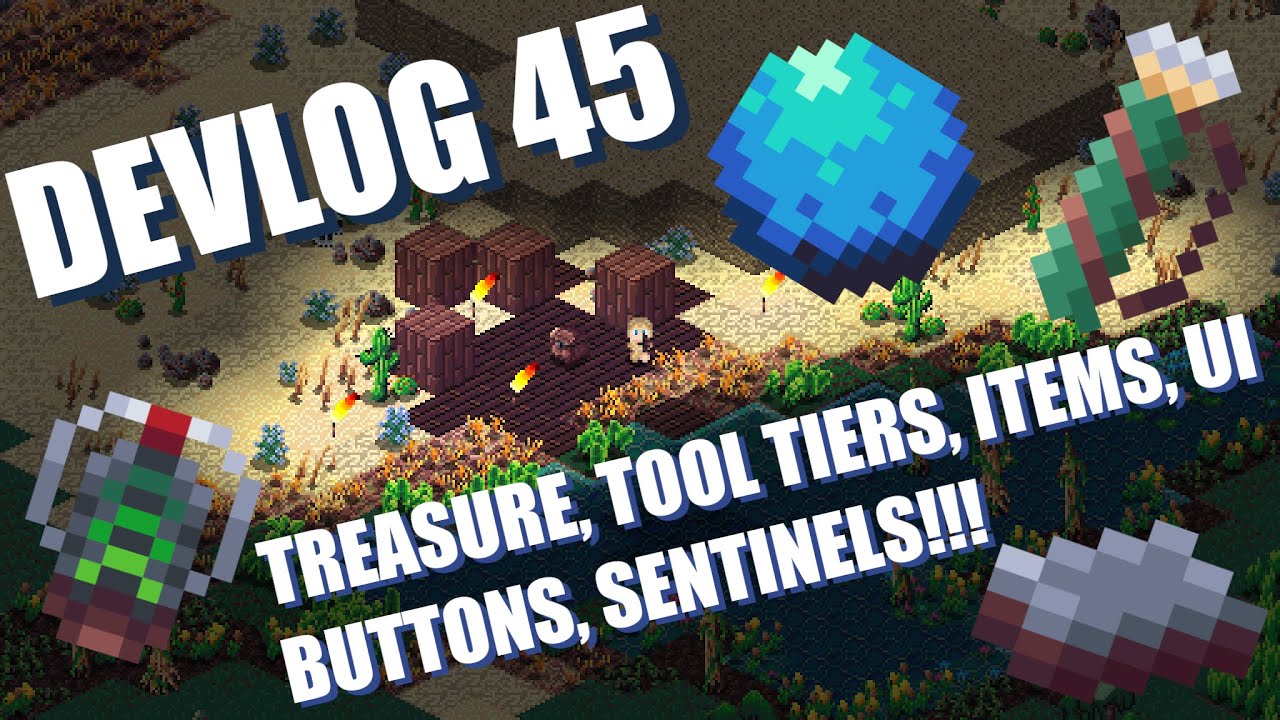
Isometria Devlog 45 - Treasure, Tool Tiers, Items, UI Buttons, Sentinels! https://youtu.be/P-FA6tJfiU4

Wishlist and play the Isometria demo here: https://store.steampowered.com/app/2596940/Isometria

https://bigwhoopgames.itch.io/isometria-demo

In Today's devlog I discuss changes to the overworld and the addition of treasure rooms to discover. I also discuss the addition of many new items and new enemies. Quality of life improvements to the UI h...

โ–ถ Play video
stuck spade
#

Damn thats good

pine smelt
#

ye it always is

#

will the treasure thing be biome specific?

pine smelt
stuck spade
#

are you trying to become some indie organisation

pine smelt
#

can you send the current draw() function

stuck spade
#

i wonder if i should do this-

pine smelt
stuck spade
# pine smelt can you send the current draw() function
class Game:
    def draw(self,groups):
        window.fill("black")
        for group in groups:
            for spr in group.sprites():
                window.blit(
                    spr.image,
                    [spr.rect.x-player.rect.x+WIDTH/2, spr.rect.y-player.rect.y+HEIGHT/2]
                )
        pygame.display.update()

    def main(self):
        while True:
            player.loop_movement()
            handle_actions(player,PLAYER_VELOCITY)
            self.draw([tile_group,obj_group,player_group])
        
if __name__ == "__main__":
    game = Game()
    game.main()
stuck spade
marble jewel
pine smelt
#

sounds good

#

will the decoratoin itself be different though

pine smelt
#

it might be cool to have desert themed pots or make it sandswept in a desert

marble jewel
#

the whole game is pygame yes

pine smelt
#

or covered in ice in a tundra

stuck spade
#

Wow

marble jewel
#

I can add biome specific tiles and objects in the rooms

#

right now its just the same basic room wherever I place it

pine smelt
# stuck spade ```py class Game: def draw(self,groups): window.fill("black") ...
class Game:
    def draw(self,groups):
        window.fill("black")
        for group in groups:
            for spr in sorted(group.sprites(), key=lambda spr: spr.rect.y): #changed this 
                window.blit(
                    spr.image,
                    [spr.rect.x-player.rect.x+WIDTH/2, spr.rect.y-player.rect.y+HEIGHT/2]
                )
        pygame.display.update()

    def main(self):
        while True:
            player.loop_movement()
            handle_actions(player,PLAYER_VELOCITY)
            self.draw([tile_group,obj_group,player_group])
        
if __name__ == "__main__":
    game = Game()
    game.main()
marble jewel
#

but in the future it will have more control over specific and exact layout

pine smelt
#

nice cant wait

marble jewel
#

It just takes time to make all the tiles and blocks and things and I have so many other things to add to the game

stuck spade
#

Do i show u other files

pine smelt
#

uh

#

replace

#

for spr in sorted(group.sprites(), key=lambda spr: spr.rect.y): #changed this
with
for spr in sorted(group.sprites(), key=lambda spr: spr.rect.y, reverse=True): #changed thi

#

reverse*

stuck spade
#

Trees are on more top of each other now

#
import pygame
from pytmx.util_pygame import load_pygame
from os.path import join

x_offset = 230.37
y_offset = 1896.32

class Tile(pygame.sprite.Sprite):
    def __init__(self,pos,surf,groups):
        super().__init__(groups)
        self.image = surf
        self.rect = self.image.get_frect(topleft=pos)

def load_tmx(tmx,group1,group2):
    path = join('tiled resources','tmx',tmx)
    tmx_data = load_pygame(path)
    for layer_name in ['grass','pathway','water']:
        print(layer_name)
        for x,y,surf in tmx_data.get_layer_by_name(layer_name).tiles():  
            tile = Tile((x*32,y*32),surf,group1)
    
    for obj in tmx_data.objects:
        obj = Tile((obj.x,obj.y),obj.image,group2)

import pygame
from pytmx.util_pygame import load_pygame
from Classes.player import Player
from Classes.actions import handle_actions
from Classes.tile import load_tmx

WIDTH,HEIGHT = 1280,800
PLAYER_VELOCITY = 10
TILE_SIZE = 64

player_group = pygame.sprite.Group()
tile_group = pygame.sprite.Group()
obj_group = pygame.sprite.Group()

player = Player(230.37,1896.32,player_group)
window = pygame.display.set_mode((WIDTH,HEIGHT))
pygame.display.set_caption("Ethereal Odyssey")
load_tmx('Mystic_Grove.tmx',tile_group,obj_group)
pine smelt
#

what layer are the trees on

#

"grass"?

#

or are they objects

stuck spade
#

they are objects

pine smelt
#

im so confused did the sorted() not work at all

#

without the reverse

stuck spade
#

Let me.show u 3 ss

#

with sorted w and without reverse, without sorted

pine smelt
#

ok

stuck spade
#

Without sorted

#

Without reverse

#

With reverse

#

As far

#

As i can understand

#

reverse fixes rocks
non reverse fixes trees?

pine smelt
#

well that sbrilliant uh

#

oh new plan

pine smelt
#

give the Tile class an attribute self.id

#

and the parameter id in the init()

stuck spade
#

value

#

Ok

pine smelt
#

then in load_tmx, when u do obj = Tile(...)

stuck spade
#

Id should be?

pine smelt
#

hold on ima just write it

#
class Tile(pygame.sprite.Sprite):
    def __init__(self,pos,surf,groups, id=0):
        super().__init__(groups)
        self.image = surf
        self.rect = self.image.get_frect(topleft=pos)
        self.id = id

def load_tmx(tmx,group1,group2):
    path = join('tiled resources','tmx',tmx)
    tmx_data = load_pygame(path)
    for layer_name in ['grass','pathway','water']:
        print(layer_name)
        for x,y,surf in tmx_data.get_layer_by_name(layer_name).tiles():  
            tile = Tile((x*32,y*32),surf,group1)
    
    for i, obj in enumerate(tmx_data.objects):
        obj = Tile((obj.x,obj.y),obj.image,group2, id=i)
stuck spade
pine smelt
#

cant really do that

#

its a True or False

stuck spade
#

2 for loops?

pine smelt
#

definitely wont work

#

it would just blit them all twice

#
    def draw(self,groups):
        window.fill("black")
        for group in groups:
            for spr in sorted(group.sprites(), key=lambda spr: spr.id): #changed this 
                window.blit(
                    spr.image,
                    [spr.rect.x-player.rect.x+WIDTH/2, spr.rect.y-player.rect.y+HEIGHT/2]
                )
        pygame.display.update()
pine smelt
#

did it work?

stuck spade
#

Did some tempo solution just to find out only rocks fixed ๐Ÿ˜”

#

@pine smelt i wonder if it matters for objects layers to be drawn in order? Like trees first then rocks
if thats the case something to iterate with the "Type" or "Name" of Tiled Object would be better

pine smelt
#

thats a thing??

stuck spade
#

Ye well it can have names and stuff

#

I willl just have to sit and.name like 100 layers

pine smelt
#

oh dont bother with that then

#

uh

#

wait so when did it look normal

#

when u had the original draw method of

#
for group in groups:
  group.draw()

?

stuck spade
#

this iis probablt my original grpup method

pine smelt
#

oh it always funky??

stuck spade
#

Ye this is my original code

#

It always was messy , but why...

pine smelt
#

is

#

objects

#

a layer

#

oh no nvm ignore me

#

uhh

stuck spade
#

Z index?

pine smelt
#

thats wut i was thinking but idk how u implement that in top-down

#

usually u just use the y value

#

since u want stuff "further back", which is just visually higher on the screen,

#

to be blit first

stuck spade
#

Should take 2 hrs atmost

pine smelt
#

bro no I WILL do this for u

#
  def draw(self,groups):
        window.fill("black")
        for group in groups:
            for spr in sorted(group.sprites(), key=lambda spr: spr.rect.centery): #changed this 
                window.blit(
                    spr.image,
                    [spr.rect.x-player.rect.x+WIDTH/2, spr.rect.y-player.rect.y+HEIGHT/2]
                )
        pygame.display.update()

what happened with this again

#

oh

pine smelt
#

replaced it with centery rather than just y

stuck spade
#

Ok

#

rocks down trees up

#

There is a pattern..

pine smelt
#

hm

#

is there anyway to differentiate between a tree object and rock object

#

oh new plan

pine smelt
#

so its based off the bottom of the tile rather than the center which can be different for different sizes

stuck spade
#

bottomy ? it asks to replace it with bottom

#

now both trees and rocks are.up.hmm

stuck spade
pine smelt
#

ok add the reverse=True back

stuck spade
#

Wait

#

i was supposed to remove it?

pine smelt
#

oh

#

yes

stuck spade
#

This deserves a party

#

๐Ÿ™

pine smelt
#

w

stuck spade
pine smelt
#

ok

#
  def draw(self,groups):
        window.fill("black")
        for group in groups:
            for spr in sorted(group.sprites(), key=lambda spr: spr.rect.bottom): #changed this 
                window.blit(
                    spr.image,
                    [spr.rect.x-player.rect.x+WIDTH/2, spr.rect.y-player.rect.y+HEIGHT/2]
                )
        pygame.display.update()

This ur current draw function right

stuck spade
#

I will do collision tomorrow so someway, when player collides with obstacles camera does not move

pine smelt
#

alr lemme just move the x and y positions then

#

do you know the

#

map size

stuck spade
#

holup

stuck spade
pine smelt
#

so

#

(64*32, 64*32)

#

for the actual pixel size

stuck spade
#

Should i mask

#

Every single tile

#

Somehow

#

no wait no point for tiles

pine smelt
#

ye dont bother with that

#

anyway so

#
  def draw(self,groups):
        window.fill("black")
        for group in groups:
            for spr in sorted(group.sprites(), key=lambda spr: spr.rect.bottom): #changed this 
                screen_x = spr.rect.x-player.rect.x+WIDTH/2
                screen_y = spr.rect.y-player.rect.y+HEIGHT/2
                window.blit(
                    spr.image,
                    [screen_x, screen_y]
                )
        pygame.display.update()
#

just moved the screen_x and screen_y

stuck spade
#

no change in logic?

pine smelt
#

no sry i was making a diagram

#

ignore my amazing art skills

stuck spade
pine smelt
#

currently the map is blit at (0, 0)

#

the topleft

#

and every sprite like the player is blitted in respect to that

#

so in the code that would be

#
screen_x = spr.rect.x
screen_y = spr.rect.y
stuck spade
#

so thats each individual sprite position in the variables

pine smelt
#

ye

#

but we want the player's position to be in the middle

#

first handling the x offset,

#

lets consider just the player's sprite

#

if we do player_x - player_x

#

we just get 0, the left edge of the screen

#

so to put him back in the middle, we add the screen_width / 2

stuck spade
#

ohh

pine smelt
#

same thing with y

#

so combining the two puts the player in the middle

stuck spade
#

isee

#

what is key=lambda though

pine smelt
#

ah right

#

lambda defines an "anonymous function"

#

quick example

#

lets say u have an add function as so

#
def add(a, b):
  return a + b
#

u can make that into an anonymous one-liner by doing

stuck spade
#

O anonymous

pine smelt
#
add = lambda a, b: a + b
stuck spade
#

I got confused by async

pine smelt
#

oh mb

#

anyway its the same logic

#

the sorted() function has 3 paramters

#

the first is whatever iterable ur sorting

#

and then a key

#

which takes in a function

#

and orders it based on the values that function returns

#

in this case ordering it by the y values of each tile

stuck spade
#

O the key rn returns bottom of the rect

pine smelt
#

ye

#

so it blits stuff thats higher up on screen first

#

and then stuff lower down on top

stuck spade
#

Isee

#

Is there something extra i must do to avoid the camera movin when player is in a collision

#

Or it will work fine with this

pine smelt
#

if the collision stops the player moving

#

i.e. stops the rect

#

then it will change the camera accordingly

stuck spade
#

hm last time it didnt work when i made a player centered camera

#

but my logic was different

#

i was moving the sprites to the opposite direction of where the player is going

#

Anyway that is for later

#

Thanks for the help see ya

pine smelt
#

Np cya

modern spade
#

Hello, by any chance does anyone know how to check how long it takes for a user to press a key ?

#

I am trying to create a game similar to that of "Bop it" where the user has to click the correct key and click it within a certain amount of time. However, I am having a difficult time checking if the correct key is being pressed in the desired time.

marble jewel
#

detect the key down store the time, detect key up, get the time and subtract the difference

modern spade
#

^

marble jewel
#
from collections import defaultdict
last_pressed = defaultdict(int)

running = True
while running:
    for event in pygame.event.get():
        if event.type == pygame.QUIT:
            running = False
        elif event.type == pygame.KEYDOWN:
            last_pressed[event.key] = time.time()
        elif event.type == pygame.KEYUP:
            time_pressed = time.time() - last_pressed[event.key]
            print("Time Pressed:", time_pressed, "seconds")

something like this

modern spade
#

But wouldn't that just count the amount of time that a key was pressed for?

marble jewel
#

oh you mean you want time difference between when they should press the button and when they actually pressed it?

#

you can just set a variable when they need to and subtract it from last_pressed

#

then if you get a nagative number it means they pressed it too early and if its positive they pressed it late

grave inlet
#

this somehow does the same thing

#

i was just goofing around lmao

#

apparently if i use a for loop on a str, it will separate it for every words, and if i put another for loop for the words, the words will be just letters but stuff like "\n,\x1b" doesnt get separated

#

so basically its like this

1: Hello there -> [ 'Hello' , 'there' , '\n']
2: [ 'Hello' , 'there' ] -> [ 'H' , 'e' , 'l' , 'l' , 'o' , ' ' , 't' , 'h' , 'e' , 'r' , 'e' , '\n']

but it doesnt do the same things to \n or \1xb

pine smelt
#

Uve got to be kidding me

grave inlet
stuck spade
#

when i draw objects from tiled tmx, i have to use if obj.image then it will not draw the invisible rectangles i want to use for collision, as gate enter/leave area etc

#

how can i draw objects that do not have image while keeping them invisible as they are

#

if i remove the line i will get error obj.image : NoneType

pine smelt
#

do all objects have an obj.image

#

jut that the inviisble ones have an inviisble one?

stuck spade
#

Except the invisible ones

pine smelt
#

ok im still confused, do all of them including invisible tiles

#

have a .image attribute

#

or do they just have an image that is invisible

stuck spade
#

The invisible ones are just rectangles

#

.

#

net lag ;-;

#

These are the invisible ones

#

rectangles

pine smelt
#

right ok

#

why do u need to draw them

stuck spade
pine smelt
#

ur updating them then, not drawing them

#

drawing them is just blitting it onto the screen

#

so u gotta edit ur draw function to not draw anything

limber veldt
#

Maybe use another layer for collision objects and create different collision sprites from those objects, sprites that don't go into any group that is drawn

#

Clear Code's latest tutorial goes over how he did similar, around here he starts working with collision objects https://www.youtube.com/watch?v=fo4e3njyGy0&t=3678s

Thanks to Brilliant for the support, you can find them here: https://brilliant.org/ClearCode/

A RPG that is inspired by Pokemon and Final Fantasy in Python. We will use pygame-ce to create it and in the process you will learn database management, ui design and how to handle a really complex project.

Find/support me on other channels
Patreon...

โ–ถ Play video
pine smelt
#

do you know what softwar he uses to just start drawing diagrams on screen

#

while hes coding or doing other stuff

limber veldt
#

I don't, but I'm in his discord and put the question there

limber veldt
# pine smelt do you know what softwar he uses to just start drawing diagrams on screen

A tutorial on how to record coding tutorials. I go through the process of how I make tutorials and explain what you would need to copy it and the various apps you can use.

Attributions:
video at start: Stock Footage provided by sheyno, from Pond5
code owl: https://unsplash.com/photos/7o2SMHJMNp8
screaming kid: https://unsplash.com/photos/ASKe...

โ–ถ Play video
pine smelt
#

oh thx

#

oh i shouldve realised it costs money

limber veldt
#

He spends quite a lot on stuff, hopefully makes it back

stuck spade
#

Just that its the player himself fighting in open world and not pokemons

stuck spade
limber veldt
#

Nice, I'm still watching that tut, haven't coded any of it yet

pine smelt
#

no hate to the genre but wut r some good top down rpgs u guys have played or seen

#

for me they end up feeling too slow or repetitive, not sure if i just have a really low attention span

limber veldt
#

I don't really know, never been a fan of the top down rpg genre either

#

Phantasy Star, maybe a couple of others are all I've played though

stuck spade
#

Else it wont be suffering frfr

limber veldt
#

I think it's good to try working these things out and if you need pointers have something like that

pine smelt
#

oh the original

raven kernel
pine smelt
#

oh ok might look into those more

#

ive only really seen the old nintendo style ones

#

pokemon, zelda etc

stuck spade
#

Pokemon was gold though

raven kernel
#

yeah im not a huge enjoyer of the pokemon game, or the original zelda

#

but they are entertaining for lots of people

pine smelt
#

u walk at snail's pace somewhere, freeze to beat up a pokemon that u stepped on

#

and repeat 30 times till u get to the next town or area

raven kernel
#

its just not for everybody

pine smelt
#

ye

raven kernel
#

some people do enjoy that

pine smelt
#

entirely fair enough

raven kernel
#

me personally i like cool vfx and snappy gameplay

#

like if one of dafluffypotato's platformers were online, i'd really enjoy playing those

pine smelt
#

you pretty much need money to sustain multiplayer games online right

#

port forwarding seems slightly risk prone

raven kernel
#

but yeah, dafluffypotato would have to setup a business model to sustain hosting the game for people to play and make money with it

valid moon
#

making game in python only using pygame?

pine smelt
#

what about it?

pine smelt
fossil sail
#

what websites and services do you guys use for downloading images for games? iโ€™m currently making a card game but cant find italian stile playing cards

stuck spade
pine smelt
#

idk specifically but

#

in like pokemon it's normalised in every direction

#

there's no friction or anything asw so it feels the same everywhere

pine smelt
#

or make it urself in ms paint or photoshop

fossil sail
fossil sail
pine smelt
#

rly

#

are u not using pixel art

#

and if so what resolution

fossil sail
fossil sail
pine smelt
#

i mean u dont have to

#

pixel art just tends to go better with pygame

fossil sail
#

oh fairsโ€ฆ i can try switch wouldnโ€™t hurt

pine smelt
#

since u dont have fancy effects and such like with unity's particle system or easy access to shaders

pine smelt
#

whatever u prefer tho, there has been a few non pixel-art pygames

fossil sail
#

its just that i managed to find poker cards online but italian style are nowhere to be found

pine smelt
#

oh theres a difference?

fossil sail
#

the style of the cards, suits and how ever you is displayed

#

iโ€™m trying to make a feature to switch between either card style depending on preference

pine smelt
#

oh thats cool

fossil sail
#

yeah its nice as long as i can make the italian style cards ๐Ÿ˜ญ

pine smelt
#

good luck lol

#

pixel art should make it easier

fossil sail
#

thanks

fossil sail
pine smelt
#

on the downside, obviouslly will have less detail

#

like less realistic

#

tho i suppose that makes it more "game-like"

fossil sail
#

yeah its the essence of games anywas

pine smelt
#

ye

stuck spade
#

How can i change hitbox of player's rectangle without changing the sprite size-

pine smelt
#

when u define

#

self.rect = self.image.get_rect(topleft=pos) or whatever u had

#

just change the value to ur own rect

#

self.rect = pygame.Rect(pos.x, pos.y, width, height)

limber veldt
#

Sometimes I make a separate rect as collision hitbox and when updating player position, update that rect too

stuck spade
pine smelt
#

the image and rect are always two different things

#

its just that u blit the image where the rect is

#

the image itself has no effect on the rect, movement or collisons

chrome pewter
#

What is a good way to path finding for a computer car

limber veldt
#

Depends how smart the computer car needs to be. Seeking and iterating waypoints is one way but that requires at least knowing how to seek a target

limber veldt
#

Tech with Tim did a tutorial on it, I should watch it and see how he approached this, I haven't yet

#

It looks like that's what he's doing, iterating waypoints

finite lava
pine smelt
#

Is that python?

dawn quiver
pine smelt
#

??

#

Using what

brisk yew
pine smelt
#

Are macros illegal?

#

Or is it just an ethical thing

acoustic sorrel
#

So, I am trying to make a programming game. I'm working on sandboxing the code the user can run. I think I saw some one said I should use os.fork() but that apparently is Unix only.

pine smelt
#

python's equivalent is probably using the multiprocessing module

proper peak
#

sandboxing code is hard. os.fork alone won't save you anyway, you also need to jail the other process somehow.

#

you could take a look at how snekbox is implemented, but a good chunk of its security is that it's a separate server.

pine smelt
#

wont shoving all the code in a multiprocessing.Process have the same effect

#

cuz its in its own environment

lunar venture
#

No. It's in its own process running on the same environment

pine smelt
#

oh ok

stuck spade
#

im trying for a projectile throw on key press 0 (for now a fireball sprite)

It works, it animates but when i change my player's direction the shot fireball changes its direction and when i press 0 Again it resets and comes back to the position i set it to

this is the main attack logic (not finalised code will refactor later after full basic thing is done)

#
from settings import *
from os.path import join
from fetch_files import attack_sprites,rotate_sprite,attack_info


class Attacks(pygame.sprite.Sprite):
    def __init__(self,groups,window):
        super().__init__(groups)
        self.all_sprites = attack_sprites()
        self.window = window
        
    def magic_attack(self,name,entity,fired=False):
        self.fired = fired
        self.current_attack_sprite = 0
        self.path = join('sprites','attacks','Fireball',self.all_sprites["Fireball"][self.current_attack_sprite])
        self.rotated_img = rotate_sprite(self.path,attack_info["Fireball"]["default_direction"],entity.direction)
        
        
        self.rotated_img = rotate_sprite(self.path,attack_info["Fireball"]["default_direction"],entity.direction)
        self.image = self.rotated_img
        self.imglist = []
        self.imglist.append(self.image)
        for i in self.imglist:
            self.rect = i.get_frect(topleft=(entity.rect.x,entity.rect.y))
        
        
    def move(self):
        self.rect.x += 10
    def loop(self,entity,grp,attack_group):
        if self.rect:
            self.move()
            self.current_attack_sprite += 0.2
            self.path = join('sprites','attacks','Fireball',self.all_sprites["Fireball"][int(self.current_attack_sprite)])
            self.rotated_img = rotate_sprite(self.path,attack_info["Fireball"]["default_direction"],entity.direction)
            self.image = self.rotated_img
            self.imglist.append(self.image)
            self.rect = self.image.get_frect(topleft=(self.rect.x,self.rect.y))
            if self.fired:
                grp.append(attack_group)
                self.fired = False
    def draw(self):
        if self.fired:
            for i in self.imglist:
                self.window.blit(i,(self.rect.x,self.rect.y))
        pygame.display.update()
#

(The draw function is useless in this)

#

Action is handled here

if event.key == pygame.K_0:
                attacks.magic_attack("Fireball",player,fired=True)
#

This is the main game loop and draw function

Which uses sprite groups to draw on screen

def draw(self,groups):
        window.fill("black")
        for group in groups:
           
            for spr in sorted(group.sprites(),key=lambda spr:spr.rect.bottom):
                window.blit(
                        spr.image,
                        [spr.rect.x-player.rect.x+WIDTH/2, spr.rect.y-player.rect.y+HEIGHT/2]
                    )
        pygame.display.update()

    def main(self):
        all_groups = [tile_group,obj_group,player_group]
        while True:
            player.loop_movement()
            handle_actions(player,PLAYER_VELOCITY,attacks,all_groups,attack_group)
            attacks.loop(player,all_groups,attack_group)
            self.draw(all_groups)
pine smelt
#

whats the problem

#

the fireball's position gets reset?

stuck spade
#

(The fired one)

pine smelt
#

ye

pine smelt
#

when u change direction

stuck spade
#

Nop

pine smelt
#

also when does it reset

#

?

stuck spade
#

When i press 0

#

Again

stuck spade
pine smelt
#

can u send a recording of what its like currently and what u want it to be

#

cuz i rly dont understand

#

if u change direction ur facing another direction, surely the bullet should face that way

stuck spade
#

Ah thats gonna lag

#

holdup

pine smelt
#

screenshots maybe with some annotations is also fine

stuck spade
#

I shot it

#

I pressed 0 again (It teleported to the x,y i assigned to the fireball)

#

Without the shot one being desyroyed, it just teleportef

#

I changed direction

stuck spade
pine smelt
#

so u need to create a new fireball?

stuck spade
#

Yes and disconnect it with the current one

#

So when i change direction

#

It does not change

pine smelt
#

i would put it in my own class i think

#

ur implementation links everything together oddly

#

im assuming the fireball wont be the only thing in Attacks

stuck spade
#

It wont

stuck spade
limber veldt
#

When you set the fireball direction, I presume you're sending the player's direction?

stuck spade
#

Yes

pine smelt
#

but not the player location i think

limber veldt
#

Don't do that, send the player's x and y then set fireball direction using those

stuck spade
#

See the code

stuck spade
#

mjust for testing

#

I would send it a bit infront later

limber veldt
#

If you set the fireball direction directly from the player's direction, the fireball will always face the direction of the player, you need to copy that direction, so to speak

#

Other than that, your code is really strange and hard to tell what anything is really supposed to do

stuck spade
#

Even if i copy it wont it return the same.thing? ._.

limber veldt
#

fireball_direction = Vector2(player_direction.x, player_direction.y) This creates a new vector for your fireball instead of using the player's

stuck spade
#

Oh

#

I suppose same can be done for coordinates?

limber veldt
#

I haven't seen that be an issue

pine smelt
#

imo i always i use vectors to store coordinates, directions and whatever else

#

since u can just add them together for movement and such

#

or multiply to apply force

stuck spade
limber veldt
#

Yeah, me too

limber veldt
#

A fireball sprite (or any projectile really) needs a few things. It needs a position to spawn, a direction to move, along with any images it uses, and a group to belong to so it can be updated and drawn

stuck spade
limber veldt
#

Your code is doing a lot more than that

stuck spade
limber veldt
#

I suggest looking into tutorials about vectors in the context of game animations

stuck spade
#

Do you have one

#

I will recreate the whole thing after seeing if thats the sol

limber veldt
#

Well, the ones I watched most recently (a few years ago now) weren't in python so I won't recommend them, but there must be many

pine smelt
#

is 3b1b's linear algebra course too complex

limber veldt
#

Maybe, that is hard stuff (even for me still)

#

But it's a start

#

Vectors and using them properly are like the keys to animating movement in games, imo

pine smelt
#

100%

limber veldt
#

That's why pygame has an awesome Vector library

pine smelt
#

are there any niche functionality u use often

#

i dont think ive gone past like

#

.lerp()
.magnitude()

limber veldt
#

I use them to get directions to (0, -1) and skip polar coords with sin and cos

pine smelt
#

wait im confused how do u convert that to polar

#

with just pygame vectors

limber veldt
#

Let's say I have a fireball that can move in any direction but its images are all facing a specific direction, so they need to be rotated to some angle. I can get the direction, compare it to the direction the images are facing to get the angle that each image needs to be rotated

#

You can get that angle using atan2()

#

Or you can just compare the vectors using .angle_to()

pine smelt
pine smelt
limber veldt
#

Right

#

I don't know the pros or cons of either way, but both get that angle

#

Both are probably using atan under the hood, but I haven't looked at .angle_to() code

pine smelt
#

alr

limber veldt
#

I tried looking at some of the vector code in pygame but I just found stubs

#

To c libraries

pine smelt
#

does that automatically make it faster than most python implementations?

limber veldt
#

I would think so but that's just assuming, I have no real idea, maybe Matiss would know

#

I'm still learning these things too, but have made some progress

pine smelt
#

only way to improve ๐Ÿ‘

limber veldt
#

My continued struggle is still saving game, I'm stuck so taking a break from it

#

Saving all the sprite location, direction, room (it's a multi-room game) is easy

#

But it gets complicated at the recursion that I need, since some rooms can be moved into and out of other rooms, even nested within each other

pine smelt
#

maybe assign each room in some sort of way that

#

idk like

#

[prev_room, current_room, next_room]

#

and somehow parse that when u initialise the save

#

not sure if thats what u mean

#

or save the current path for nested rooms, still in the array format

#

and just put the player in the last room in the list

limber veldt
#

A little clip of the game, the first few seconds is just a bunch of items spawned in a room, but those robots are all rooms inside that main room, and each robot can be taken into or out of other robots

#

So it's like an editor, game items and objects can be placed anywhere in any room, including a toolbox full of logic gates for making circuits and a solder pen for making connections (wires) between them

#

And it all needs to be saved

#

As is now, I'm iterating the sprites and creating a dict of objects with location, rotation, pretty much all relevant attributes, as values and parsing them back into objects on loading

#

I can then do whatever with that dict, save as json or pickle it, and load/save it

#

The game has six save-able levels so each save is level based

pine smelt
#

its like ur controlling everything from within the game itself

#

well ig that is literally what ur doing

limber veldt
#

It's a wonderful game, not mine, a remake

#

But in python

#

I mean, I wrote all this code (~30k lines) but this game idea is not originally mine, Robot Odyssey from The Learning Company in the mid-80s

#

Remade once already by Thomas Foote in ~2000 with java for play on modern machines, his repo i spublic

#

When I remake games, I try learning as much as I can in any way I can

#

I've literally stared at hours and hours of disassembled Defender (1981) code, I can still read 68k assembly alright

#

Or 68 family

pine smelt
#

ur like an end-game programmer lol

#

what i aspire to

pine smelt
limber veldt
#

I dunno how good I am at it, but I have fun

#

Kinda 1 to 1, that's my goal usually

#

I make some artistic choices here and there but 1 to 1 is the idea

#

It's usually resolution, those old game ran at sometimes like 248x360 res, super low, and sometimes maintaining the aspect ratio takes some...considerations

#

Close but not quite the same, but it has the startup sequence too (I skipped most of it)

limber veldt
#

426 total rooms in the entire game, plus the robots and a suitcase

#

And they're all linked in various ways, all rooms have up_room, down_room and so on attributes, also teleporters from one level to another and a main hub level that ties them all together

#

Six game playing levels and like 11 tutorial levels, just teaching about digital logic gates and circuit building, a chip burning level, big game

#

So saving and loading game is essential. Stuck on a puzzle in level 4? Save game, load the chip factory so you can try circuit ideas (without losing robots like you can in the game's levels), maybe burn a circuit into a chip. Reload level 4, load your saved chip into one of the few found laying around, wire it up in a robot, solve the puzzle and carry on

#

I've learned a few new things lately that I want to try too, like alternate constructors with class methods. I have an idea of where I can implement it

#

Practice practice practice

quartz junco
#

My images load correctly in my platformer but the hit boxes are really big becuase the collision always returns true. Is this becuase i didn't crop the images correctly

quartz junco
#

I created them in a 600 by 1000 grid to make sure that they scaled right with the level

#

*1000 by 600

#

but i cropped them afterwards

limber veldt
#

You don't want them the size of your pygame screen

#

You want them the size they need to be, not huge

quartz junco
#

they're regular sized in the level itself

limber veldt
#

When you py player_rect = player_image.get_rect()
it sets the size of the player_rect to be the size of the image. If you then try using that rect for collisions, it won't work because it's huge. It needs to be just the size of the image itself

quartz junco
#

yes so what youre saying is i made them on a 1000 by 600 gird and because of that they're 1000 pixels by 600 pixels

limber veldt
#

Yeah

#

The image needs to be the size of the image without all that empty space padded around it

quartz junco
#

yeah so how to i remove all that empty space

#

would i just crop them?

limber veldt
#

Yes, just crop them

quartz junco
#

i already did that

limber veldt
#

Not if they're 1000x600

#

You understand that cropping an image is to cut out part of it and create a new image from that, an image the same size of that which was cut out from the original

quartz junco
#

so if i crop a 1000x600 images it will still be 1000x600

limber veldt
#

It will be whatever size you crop it to

quartz junco
#

so if i cropped it to the edges of my charecter it would be that size

limber veldt
#

Wanna make it 1x1, crop it to 1x1, wanna make it 33x56, crop it to 33x56, totally arbitrary

#

Your image is like this

#

It needs to be like this

#

Cropped

#

How you going to know if something collided with a rectangle the size of that first image when it covers the entire screen?

#

Just because you made it transparent, the white area is still in your image, it still the size of your image

quartz junco
#

okay so im pretty sure i figured it out in my code i was using a png file from before i cropped it the cropped file was a gimp xcf file what i did was i just exported the xcf files as png and deleted the original pngs and that seems to have worked

#

thanks for the help

limber veldt
#

np

#

You almost always want to crop your images to include only what they show. In some cases, we might pad a little transparency on the edges but usually not

pine smelt
#

i think the only time i had white space to the edges is some buffer space for attack animations and what not

#

assuming i use the image rect as the hitbox rather than defining my own

pine smelt
#

@stuck spade did u end up getting it working btw

#

just remembered

stuck spade
#

ye i figured it out without vectors

stuck spade
pine smelt
#

uh huh

#

can i see ur implementation at all

#

that sounds a bit messy

stuck spade
#

for now it is

#

i will refactor it tomorrow

pine smelt
#

alr

limber veldt
#

Thanks

stuck spade
#

Is there a better way to dynamically handle keypresses tho

#

instead of typing if event.key ==...

#

every single time

limber veldt
#

No, but these lines should only appear once in your code for each key you're using. How many keys does your game use?

proper peak
#

well, you could use a dict, I suppose. wouldn't be much better.

stuck spade
#

Im gonna make even more so i just thought if theres another

barren topaz
#

you're really good

limber veldt
#

I've been at it for a few years, just a lot of practice

barren topaz
#

alright

limber veldt
# stuck spade Is there a better way to dynamically handle keypresses tho

This does make me curious about your event loop though, because we can use get_pressed() to read keys being held down and that doesn't have to be within our event loop. Like if arrows are being held and used for movement, they don't need to be checked with the event.key conditions inside the loop

stuck spade
#

get_pressed is too slow for movement

#

like it needs a very long hold before a movement

limber veldt
#

It shouldn't, care to share that code?

stuck spade
#

Um i will make a demo code and share

#

Since my actual code is split in a lot of files

limber veldt
#

If not, I really suggest you watch some tutorials

stuck spade
#

I dod

#

Did

#

Infact i copied thee exact same code

limber veldt
#

What is the meaning of things like this

stuck spade
#

Oh forget that

#

I fixed it-

#

lemme.show

#

Now its this

#

Whwre now its called in player class

#

And the magic() being called in event loop

limber veldt
#

That's good, you're making good progress

stuck spade
#

I was really having brainfog yesterday lol

limber veldt
#

I had so many events in my robot game that I had to make handlers for them and dispatch events to them where they can all be handled and organized

#

    def get_events(self):
        for event in pygame.event.get():
            self.handle_quit(event)
            self.handle_player(event)
            self.handle_key_down(event)
            self.handle_mouse_wheel(event)
            self.handle_mouse_buttons(event)
            self.handle_pen(event)
stuck spade
#

Oh damn thats a lot cleaner

#

good idea

limber veldt
#

Yeah but that's not showing all those handlers either, so while that may look cleaner, the events are still being checked with conditions and other methods or logic called

stuck spade
#

Ok so here is the demo code

#
import pygame

width,height = 1280,800

screen = pygame.display.set_mode((width,height))

player = pygame.Rect(100,100,50,50)

def draw():
    screen.fill("white")
    pygame.draw.rect(screen,"red",player)
    pygame.display.update()
def main():
    run = True
    keys = pygame.key.get_pressed()
    while run:
        for event in pygame.event.get():
            if event.type == pygame.QUIT:
                pygame.quit()
                run = False
        if keys[pygame.K_RIGHT]:
            player.x += 10
        draw()

if __name__ == "__main__":
    main()
#

Are u able to move the player

#

typo-

limber veldt
#

Your keys = line needs to be within the while loop but other than that, it should be fine

stuck spade
#

did

#

moved it

#

still not moving until a very long hold

pine smelt
#

ive always preferred to event based handling but it seems a bit taboo for some reason

stuck spade
#

seems a bit long

#

But its better for some things

pine smelt
#

logic wise?

#

also i didn't acc read the other msgs

stuck spade
#

nah code wise

stuck spade
# limber veldt Your keys = line needs to be within the while loop but other than that, it shou...
import pygame

width,height = 1280,800

screen = pygame.display.set_mode((width,height))

player = pygame.Rect(100,100,50,50)

def draw():
    screen.fill("white")
    pygame.draw.rect(screen,"red",player)
    pygame.display.update()
def main():
    run = True
    clock = pygame.Clock()
    while run:
        clock.tick(60)
        keys = pygame.key.get_pressed()
        for event in pygame.event.get():
            if event.type == pygame.QUIT:
                pygame.quit()
                run = False
            if event.type == pygame.KEYDOWN:
                if event.key == pygame.K_RIGHT:
                    player.x += 10
        """
        if keys[pygame.K_RIGHT]:
            player.x += 10
        """
        draw()

if __name__ == "__main__":
    main()
#

event.key workin

limber veldt
#

But that's not the same thing

stuck spade
#

keys[pygame.K_RIGHT] very long hold

stuck spade
pine smelt
#

wdym long hold

stuck spade
limber veldt
#

KEYDOWN is a one time event, like a trigger, it can't tell you if the key is held, only that it was perssed down

stuck spade
#

i have to hold -> for a long time till it moves once

pine smelt
#

that shouldnt happen?

#

ur talking about with keys[pygame.K_RIGHT] right

stuck spade
pine smelt
#

ima try run that gimme a sec

stuck spade
# pine smelt ima try run that gimme a sec

Here

import pygame

width,height = 1280,800

screen = pygame.display.set_mode((width,height))

player = pygame.Rect(100,100,50,50)

def draw():
    screen.fill("white")
    pygame.draw.rect(screen,"red",player)
    pygame.display.update()
def main():
    run = True
    clock = pygame.Clock()
    while run:
        clock.tick(60)
        keys = pygame.key.get_pressed()
        for event in pygame.event.get():
            if event.type == pygame.QUIT:
                pygame.quit()
                run = False
            """
            if event.type == pygame.KEYDOWN:
                if event.key == pygame.K_RIGHT:
                    player.x += 10
            """
        
        
        if keys[pygame.K_RIGHT]:
            player.x += 10
        
        draw()

if __name__ == "__main__":
    main()
limber veldt
pine smelt
stuck spade
#

;-; my device

#

problem

#

then

pine smelt
#

might be a virtual environment thing, repl.it online has the same latency problem

stuck spade
#

it is a virtual environment

limber veldt
#

See, once a key is pressed, it no longer sends a KEYDOWN event, so the event loop no longer sees it in a event.KEYDOWN condition

pine smelt
#

i think his problem is that the keypress itself doesn't get registered for a few seconds

limber veldt
#

Tha twon't fix the misunderstanding of how the event queue works

pine smelt
#

oh i see ok

stuck spade
#

Ohh

limber veldt
#

Holding right arrow shows 'pressed' once, holding left arrow shows 'held' every time through the main loop

stuck spade
#

btw

#

any way to make a "wave" attack

pine smelt
#

what

#

what is a wave attack

limber veldt
#

Pretty much everything is possible yeah, I mean within the scope of pygame

#

Even more with some of the OpenGL stuff lately

pine smelt
#

have there been any like

#

idk the right term but

#

libraries that integrate opengl more naturally into pygame

limber veldt
#

Not that I know of yet, but I can't wait

pine smelt
#

๐Ÿ’ฏ

limber veldt
#

I'd love to learn shaders

pine smelt
#

absolutely

#

the stuff by people like dafluffypotato using shaders are truly mesmerising

limber veldt
#

Absolutely, there are a couple of demos in the pygame/examples folder too, just showing some simple effects

pine smelt
#

oo ill need to have a look at that

limber veldt
#

It should be on your drive whereever you put python

#

I'm using pygame-ce 2.4.1, I don't know what examples are packaged with other releases

limber veldt
#

!pypi moderngl

frank fieldBOT
#

ModernGL: High performance rendering for Python 3

Released on <t:1705947537:D>.

stuck spade
limber veldt
#

Yeah, it's a dark art to me

#

Like magic

stuck spade
#

this all seems hard at first glance ngl

#

till yet i have only seen videosfor syntax

#

and been wrking on this project all on my own

pine smelt
limber veldt
#

As long as you're having fun, sure is a lot to learn and it kinda never ends

stuck spade
#

making games is very fun until it comes to the maths

limber veldt
#

I started learning python because I needed to code animations in Blender using its API, and it's in python

pine smelt
#

everyone has their dislikes but the maths problems are fun to figure out

#

especially the satisfaction afterwards

#

maybe im just a nerd idk lol

limber veldt
#

I did that, even made a couple of games on Blender, then switched to pygame when Blender's game engine lost official support

limber veldt
#

The API is, yeah

stuck spade
#

Do u officially make games in pygame

limber veldt
#

No

#

Just for funsies

stuck spade
#

ye same

limber veldt
#

Unfortunately, the addon I made doesn't work with the latest Blender. It worked until 3.0 and maybe a couple of versions later, but recent versions must have changed something in the API

#

I haven't debugged it yet

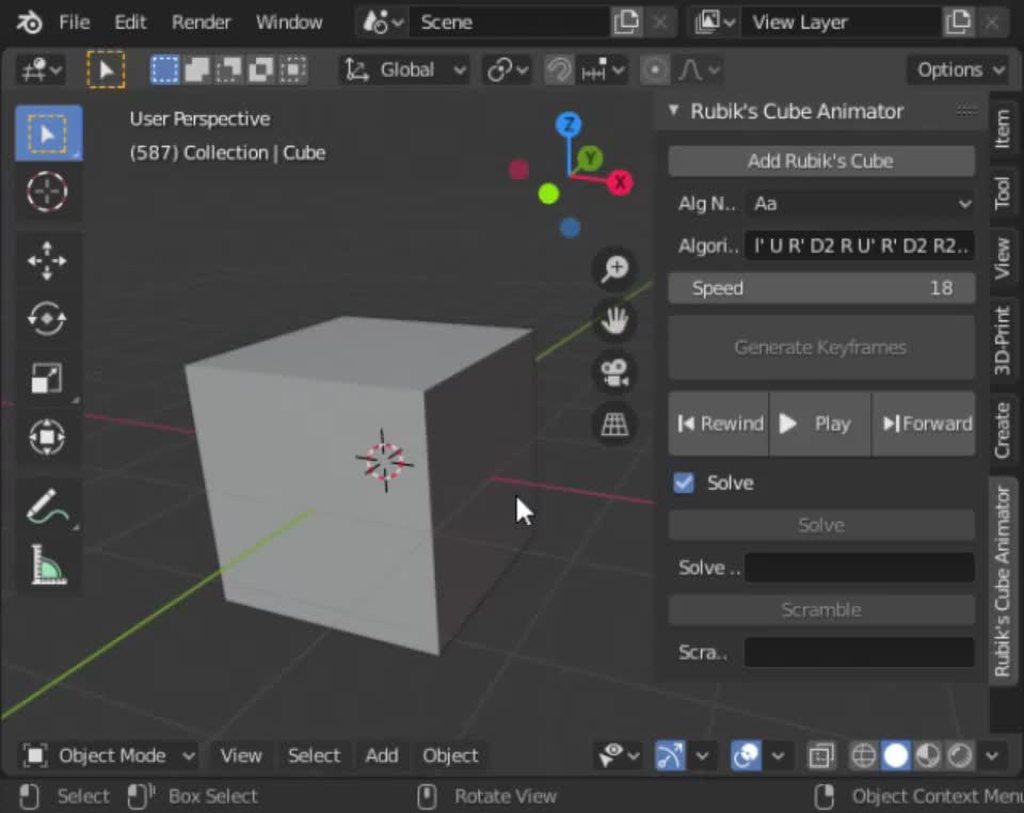
#

It just animates rubik's cube, can parse cube notation and animate any alg in no time. I used it to learn a few PLL algs, but it can animate anything, even solve cubes

stuck spade
#

Damn thats good

limber veldt
#

There are more complicated solving algs bbut I kept it organic, the same algs that I use called CFOP

pine smelt
#

ima try do tht in pygame

#

3d's always a pain but has some good maths

#

ty for project idea

limber veldt
#

Yeah deep shit

pine smelt
#

ye

limber veldt
#

Frustums and planes and rays and all that hard stuff

#

It only took about eight years from idea to done for me to do it in Blender

#

I had to learn python

#

I had to learn some of the api

#

And I am, after all, just a hobby coder so how long really doesn't mean much

pine smelt
#

has code helped at work or anything

limber veldt
#

Not really, I was a mechanic/supervisor

#

But knowing how to solve problems is massive

pine smelt
#

oh i can see that ye

#

decomposing stuff and just thinking algorithmically helps pretty much anywhere

limber veldt
#

Yeah, that's all it is really

#

Just break it down

#

With the animator as a visual aid, I was able to get my fastest solve to 32 seconds, not fantastic but my goal was to average less than a minute and I had, when I practiced a lot, that down to 45 seconds

#

Knowing how to solve the cube has probably indirectly helped by impressing my boss, he's like, "this guy can solve problems"

#

lol

stuck spade
#

lol

past thistle
#

Is there a visual editer for python that's not blender

limber veldt
#

You mean like an IDE?

past thistle
#

what is that im kind of new

limber veldt
#

Or something visual using python?

past thistle
#

like you can edit the game visually

limber veldt
#

An IDE is basically an editor, like VSCode or PyCharm or Sublime, among many others

past thistle
#

I have Pycharm but i don't think you can edit a game visually.

#

with the one i have

limber veldt
#

Godot uses something similar to python called GDSCript, it's a visual game engine/editor, maybe a couple of others too

past thistle
#

ok

#

I'll look into it

limber veldt
#

There's a few game engine-ish libraries for python too, but those are strictly coding

#

Like pygame

stuck spade
pine smelt
#

I think he's talking about some like roblox's lua system or unity

#

Where u can interact with objects while still writing scripts

stuck spade
#

ohh

stuck spade
#

I was thinking about trying godot once

pine smelt
#

ye godot has a similar system

#

i dont think ill use it tho i prefer making stuff from scratch

raven kernel
pine smelt
#

trueth

stuck spade
# pine smelt

yall so pro it makes me realise my level ๐Ÿ’€

sly vapor
#

this is godot's official demo, not his

stuck spade
#

oh bru

#

i thought hes making this

stuck spade
pine smelt
sly vapor
#

godot is very good if your goal is to make a game and publish it

#

very fast iteration speed, decent performance even with a "scripting" language

#

but, yeah, if your goal is to learn gamedev from the lower level, then you might prefer using something else

stuck spade
pine smelt
#

do it once u get the pygame (and therefore gamedev) basics down

pine smelt
#

well whats the alternative

stuck spade
#

godot uses python right

sly vapor
stuck spade
#

then

#

Oh

#

Dang

#

hmm new language

pine smelt
#

its a mix of python and lua right

sly vapor
#

not really

pine smelt
#

oh

stuck spade
#

i cant really run blender so 3d is out of question

#

๐Ÿ˜”

pine smelt
#

3d isnt everything yk

#

and there are ways to pseudo render 3d in 2d

sly vapor
#

you can make 3d without modelling stuff in blender

stuck spade
#

thats why im making 2d rpg fr

sly vapor
pine smelt
#

maybe look into sprite stacking? ive seen it work well in 2 rpgs

stuck spade
#

sprite stackin?

pine smelt
#

he is not ready for shaders or moderngl

sly vapor
#

why?

stuck spade
#

ye no

loud plaza
#

yooo

stuck spade
#

not shaders yet

sly vapor
#

godot shaders are easy

#

they're just different

loud plaza
#

anyone can hit me in private dms

pine smelt
stuck spade
#

i will try shaders soon

#

in pygame itself

pine smelt
pine smelt
sly vapor
#

im not sure why learn pygame if you will end up using godot

loud plaza
#

a unlock all

#

ill pay yall

pine smelt
#

bruh

loud plaza
#

i js need help w one

sly vapor
frank fieldBOT
#

9. Do not offer or ask for paid work of any kind.

sly vapor
loud plaza
#

its a game think i cant code it because its more difficult

#

thing

stuck spade
#

from scratch

sly vapor
#

you wont be doing things "from scratch" in godot

stuck spade
#

game engines have some stuff not from scratch

pine smelt
#

thats what makes it easier to use

#

u wont have to worry about any of that pesky maths u talked about either most of the time

stuck spade
#

still its good to do some raw code before it

pine smelt
#

ig

past thistle
#

Is there a visual editor that uses python?

pine smelt
#

havent seen one

#

the closest u'll get are pixel art ediors based in python/pygame

#

like py'xel

amber sky
#

who codes games with python

#

better off with c#/c++

normal silo
raven kernel
#

You can make maps in Tiled and load them through pytmx

stuck spade
#

how to get mouse click 1 (left button) event for pygame?

raven kernel
# stuck spade how to get mouse click 1 (left button) event for pygame?

You can check if event.button == 1

import pygame

pygame.init()
win = pygame.display.set_mode((500, 500))
clock = pygame.Clock()
while True:
    events = pygame.event.get()
    for event in events:
        if event.type == pygame.QUIT:
            raise SystemExit

        if event.type == pygame.MOUSEBUTTONDOWN and event.button == 1:
            print("Left click")

    win.fill("black")
    pygame.display.flip()
stuck spade
#

is that type neccesarry

raven kernel
#

but this isnt a click, this returns true for however long you hold it

stuck spade
#

No i mean im using event.type == pygame.KEYDOWN

#

Do i need to make a different event.type

raven kernel
#

you cannot check for mouse input using keydown

stuck spade
#

Ohok

raven kernel
#

yes

pine smelt
stuck spade
#

then device based latency difference

pine smelt
raven kernel
stuck spade
#

Is there some diff library to make ui in the game window

raven kernel
#

yeah theres pygame_gui

stuck spade
#

O

raven kernel
#

pretty good

pine smelt
raven kernel
#

it does, yeah

stuck spade
#

U can make a function outside then call it in the evrnt loop

#

works with class too