#game-development

1 messages · Page 21 of 1

dawn quiver
#

im following a tutorial on how to make my sprite move while tweaking my code a bit i stumbled on this problem where when i run the code it just shows a black screen
this is my code :

import pygame as py


py.init()

#_______________window-zone___________
py.display.set_caption("To Nowhere")
screen = py.display.set_mode((970,490))

pygame_ico= py.image.load("D:/code storage/py/images/medium_rocket.png")
py.display.set_icon(pygame_ico)
clock = py.time.Clock()


#___________player-zone__________

player_img = py.image.load(r"D:/code storage/py/images/small_rocket.png")


fps = 60
x = 100
y = 100


velocity = 12

py.display.flip()

runing = True

while runing:

    clock.tick(fps)
    screen.fill((0, 79, 169))
    screen.blit(player_img, (x, y))
    

#__________genarator_output_______
    for event in py.event.get():

        if event.type == py.QUIT:
            runing = False
            py.quit()
            quit()

#___________player_inputs__________
key_pressed = py.key.get_pressed()

if key_pressed[py.K_LEFT]:
    x -= 8
if key_pressed[py.K_RIGHT]:
    x += 8
if key_pressed[py.K_UP]: 
    y -= 8
if key_pressed[py.K_DOWN]:
    y += 8

    py.display.update()
    ```
#

the tutorial

# Importing pygame module 
import pygame 
from pygame.locals import *

# initiate pygame and give permission 
# to use pygame's functionality. 
pygame.init() 

# create the display surface object 
# of specific dimension. 
window = pygame.display.set_mode((600, 600)) 

# Add caption in the window 
pygame.display.set_caption('Player Movement') 

# Initializing the clock 
# Clocks are used to track and 
# control the frame-rate of a game 
clock = pygame.time.Clock() 

# Add player sprite 
image = pygame.image.load(r"D:\code storage\py\images\small_rocket.png") 


# Store the initial 
# coordinates of the player in 
# two variables i.e. x and y. 
x = 100
y = 100

# Create a variable to store the 
# velocity of player's movement 
velocity = 12

# Creating an Infinite loop 
run = True
while run: 

    # Set the frame rates to 60 fps 

    fps = 120
    clock.tick(fps) 

    # Filling the background with 
    # white color 
    window.fill((255, 255, 255)) 

    # Display the player sprite at x 
    # and y coordinates 
    window.blit(image, (x, y)) 

    # iterate over the list of Event objects 
    # that was returned by pygame.event.get() method. 
    for event in pygame.event.get(): 

        # Closing the window and program if the 
        # type of the event is QUIT 
        if event.type == pygame.QUIT: 
            run = False
            pygame.quit() 
            quit() 

    # Storing the key pressed in a 
    # new variable using key.get_pressed() 
    # method 
    key_pressed_is = pygame.key.get_pressed() 

    # Changing the coordinates 
    # of the player 
    if key_pressed_is[K_LEFT]: 
        x -= 1
    if key_pressed_is[K_RIGHT]: 
        x += 1
    if key_pressed_is[K_UP]: 
        y -= 1
    if key_pressed_is[K_DOWN]: 
        y += 1

    # Draws the surface object to the screen. 
    pygame.display.update() 

#

please help

#

i have tried a lot of thing

#

still no worky

random oyster
# dawn quiver im following a tutorial on how to make my sprite move while tweaking my code a b...


py.init()

#_______________window-zone___________
py.display.set_caption("To Nowhere")
screen = py.display.set_mode((970,490))

pygame_ico= py.image.load("D:/code storage/py/images/medium_rocket.png")
py.display.set_icon(pygame_ico)
clock = py.time.Clock()


#___________player-zone__________

player_img = py.image.load(r"D:/code storage/py/images/small_rocket.png")


fps = 60
x = 100
y = 100


velocity = 12

runing = True

while runing:

    clock.tick(fps)
    screen.fill((0, 79, 169))
    screen.blit(player_img, (x, y))
    

#__________genarator_output_______
    for event in py.event.get():

        if event.type == py.QUIT:
            runing = False
            py.quit()
            quit()

#___________player_inputs__________
    key_pressed = py.key.get_pressed()

    if key_pressed[py.K_LEFT]:
        x -= 8
    if key_pressed[py.K_RIGHT]:
        x += 8
    if key_pressed[py.K_UP]: 
        y -= 8
    if key_pressed[py.K_DOWN]:
        y += 8
        
    py.display.flip()```
#

idrk what you're tring to do but i assume you just want the character to move

#

hope this helps

honest heron
#

@dawn quiver I ran into a similiar problem I think the issue was updating the display. I looked around and another fix would be to fill the color with a screen so that it cna update

#

I filled it with 0,0,0

#

and it fixed itself

cinder spire
#

I'm working on my Pygame project and it works fine so far, except when I press a key, it registers more then 1 event, which means a number goes from 1 to 5 in one press instead of 1 to 2. I can't add some sort of wait because that would block the entire game. Any solutions?

brisk yew
unreal river
#

I've been waiting for the pygame-ce Window class and it feels great that I don't have to use pygame.display anymore

rancid stone
#

currently i use fixed world size to generate a numpy array keeping track of the world and a list of chunks and i build the vertex array or vao when its in frustum view of the user and render it

fallow finch
#

huh

#

its coder space's engine Dosecat

rancid stone
#

yeah

#

rewriting it watched his yt

fallow finch
#

if you're beginner i don't really recommend this codebase

#

some parts like the bit packing to reduce vram use arent beginner friendly

rancid stone
#

i get the idea of it tho i am more of a beginner to game dev than "programming"

#

kinda like c struct packing also ig but more bit manipulation i suppose

fallow finch
#

its like c struct packing

#

same concept

rancid stone
#

yeah

fallow finch
#

but the packing is done in python and the unpacking in glsl

#

C can just use __attribute__((packed)) so the python code is actually more complex Dosecat

#

but manual packing is still more common in C

rancid stone
#

right well here its 32 bits so its fine i said bit like c struct packing cause over ur word size cpu cycles also come into play

fallow finch
#

its not a problem for python

#

but it can be with numba i guess

#

(the thing that compiles to llvm)

rancid stone
#

mhm

#

python be like "infinite" numbers lemon_swag

fallow finch
#

yea but a simple bitwise operation is slow as fuck Dosecat

#

python can't even make a fast enough NES emulator because of this

rancid stone
#

😔

fallow finch
#

numba is good but it adds complexity

rancid stone
#

lmao i used walrus op in the numba code it fked me up for over an hour debugging b4 i realised it doesnt work in numba for some reason

fallow finch
#

numba didnt support it yet i guess

#

i'm average walrus enjoyer too

rancid stone
#

do u have an idea on how u might approach infinite generation in this?

fallow finch
#

do you know how it works in minecraft

rancid stone
#

not really i would assume its more of like generating chunks on demand based on camera position and (near, far) and at certain point where ur some delta away from old chunks its yeeted out from memory

fallow finch
#

you have to create a region system in the world class

#

like minecraft does

#

the regions have to be saved to files too

rancid stone
#

that saving is done if u modify the blocks in that region right i would assume thats the point of saving it

fallow finch
#

it would be too heavy to save each time a block is modified

#

minecraft saves when you open a menu

#

like when you press Esc

rancid stone
#

no like when its yeeted out of memory? thats when its saved right?

fallow finch
#

you have to save the regions that are unloaded yea

rancid stone
#

i see

fallow finch
#

you start at region (0 0)

#

and then exploring the world can create more around it

rancid stone
frank fieldBOT
#

mugen/components/world.py line 21

self.voxels = np.empty([WORLD.VOLUME, CHUNK.VOLUME], dtype=np.uint8)```
fallow finch
#

yea this looks a bit limitating for infinite world generation

rancid stone
#

mhm

upper dove
#

Which is an easier library? Pygame or Arcade?

unreal river
upper dove
#

cuz pygame is a time waster library

#

so many things to do to make it work

unreal river
unreal river
upper dove
#

i was just testing how fast i can right

unreal river
upper dove
unreal river
upper dove
unreal river
upper dove
#

how do you make this game? made with https://store.steampowered.com/app/2596940/Isometria/

Welcome to IsometriaEmbark on an epic journey into the boundless realm of Isometria, an isometric world brimming with awe-inspiring wonders. Immerse yourself in this procedurally generated universe, where every step unveils new biomes, unique creatures, and a treasure trove of craftable items.Prepare to face a myriad of formidable foes, includin...

Release Date

Coming soon

▶ Play video
unreal river
unreal river
upper dove
#

yea but how to make it?

#

or something similar

unreal river
#

It's up to you how you make it... how you want the gameplay to be, the theme, the difficulty, etc.

#

Basically gather ideas and put them in your game

patent apex
#

@upper dove if you look up the game on youtube he has devlogs those might help

dawn quiver
limber veldt
dawn quiver
dawn quiver
limber veldt
#

Those lines should be indented one time

#

To be inside the while loop

#

Changing the final line to py.display.flip() from .update() made no difference, as they both refresh the display, but since that line never happens, it can't work

dawn quiver
#

ye

#

i hate working with tab

#

🥲

#

pain in my ass

#

anyway

#

thank you for troubleshooting for me

#
import pygame as py


py.init()

#_______________window-zone___________
py.display.set_caption("To Nowhere")
screen = py.display.set_mode((970,490))

pygame_ico= py.image.load("D:/code storage/py/images/medium_rocket.png")
py.display.set_icon(pygame_ico)
clock = py.time.Clock()


#___________player-zone__________

player_img = py.image.load(r"D:/code storage/py/images/small_rocket.png")


fps = 60
x = 100
y = 100


velocity = 12

py.display.flip()

runing = True

#__________while_loop__________
while runing:

    clock.tick(fps)
    screen.fill((0, 79, 169))
    screen.blit(player_img, (x, y))
    py.display.update()


#___________player_inputs__________
    key_pressed = py.key.get_pressed()

    if key_pressed[py.K_LEFT]:
        x -= 8
    if key_pressed[py.K_RIGHT]:
        x += 8
    if key_pressed[py.K_UP]: 
        y -= 8
    if key_pressed[py.K_DOWN]:
        y += 8


#__________genarator_output_______
    for event in py.event.get():

        if event.type == py.QUIT:
            runing = False
            py.quit()
            quit()
    
    ```
#

so what i did is put py py.diplay.update()
in the while loop

#

and fliped player_inputs and gen_ouput

limber veldt
#

Everything from while running: down is inside the while loop

#

As it shoudl be

dawn quiver
#

sorry bro im kind of new to py
ik what while loop is but i don't exactly know how use it

limber veldt
#

py.display.update() had the proper indentation before, but since the lines above it were not indented, that line was inside the last if key_pressed: condition

limber veldt
dawn quiver
dawn quiver
#

thats normal right

limber veldt
#

I was going to post something else, but forget it

dawn quiver
limber veldt
#

Yes, as you practice and get better, you won't need to do as much debugging

dawn quiver
dawn quiver
#

@limber veldt well again thank you

#

super man saves the day lol

limber veldt
#

No problem, lol

limber veldt
#

What's a good way to store and load a python list? I know json, I could even use xml but no need for that kind of structure, it's just a 3d list, options?

limber veldt
#

I think pickle is a good choice

#

I haven't used it much, pickle that is, but I know how, already have some working methods for pickling

proper peak
#

why not json?

proven frigate
#

i was thinking the same thing?

rancid stone
proven frigate
#

JSON would be more secure, I'd think.

proper peak
# rancid stone isnt pickling faster than dumping and loading jsons?

Hmm, I haven't measured this before but it seems to be true for the builtin json, though a higher-performance json library fixes that. Mostly I don't want pickle because it's unsafe (loading untrusted pickle executes arbitary code), and can represent anything which is overkill if what you're representing is json-like objects (you can get weirdness with, e.g., the unpickled object being an instance of an old version of one of your classes, which is an unpleasant thing to debug).

#

(oh, and also json is human-readable)

limber veldt
#

No reason

#

json would be fine, too

fallow finch
#

its about game levels

#

afaik the game uses its own levels so the json/pickle files arent intended to be user provided

#

json is also pretty limited when it comes to python objects while pickle isnt

#

ujson or bson are maybe faster than pickle but json isnt btw

#

but what i wanted to say is that most of you are just spamming "unsecure" when you hear pickle

#

while the things the people make don't need security (they're just code files anyway where's the security here)

fallow finch
#

you can also use a csv file

limber veldt
#

Pickle is limited for my use case

fallow finch
#

why

limber veldt
#

Since I'd have to work around the surface issue

fallow finch
#

you CAN serialize surfaces

#

use pg.image.tostring()

limber veldt
#

And that is the workaround

fallow finch
#

surfaces are wrappers around objects made in C code (SDL_Surface)

#

they're not python objects like lists or dicts

limber veldt
#

Of course not

fallow finch
#

but like i said

#

levels shouldnt include assets imo

#

its a good way to have duplicate assets are too big loading times

limber veldt
#

My actual levels don't have assets, they only use them

fallow finch
#

instead of including a surface you include "box" and your asset manager defines box as an image

fallow finch
limber veldt
#

For levels, no, for saving sprites, yes

fallow finch
#

why would you save sprites as serialized objects

#

just save an image

#

why are you saving sprites anyway

limber veldt
#

I don't really want to, but it'd make serializing them for save_game() a lot easier

fallow finch
#

there's no reason to save images in the save

#

images are assets from the game right

limber veldt
#

Dude, I don't even want to save the images, you're not getting it

fallow finch
#

yea i don't get it

#

there's no reason to save surfaces since they're the game assets
a game save should just be dicts and lists

#

thats what i know

limber veldt
#

Sprites have images, for me to pickle them, I would have to remove their images, the images that all sprites must have

fallow finch
#

oh by sprites you mean pygame.sprite objects

limber veldt
#

Yes

#

As in Sprite()

fallow finch
#

pygame.sprite is the limitating thing

#

pickle isnt

limber veldt
#

No it isn't

fallow finch
#

pygame.sprite is limited and that's a thing

#

btw why would you pickle the sprite objects anyway

#

the sprites are the same all the time in a game generaly

#

they don't have to be saved

limber veldt
#

So as is now, I'm back to square one with saving levels. I'll need to just write the methods for parsing all item positions and wires connected to them into a list or dict and saving that

fallow finch
#

yea

#

this is totally pickle-able

#

even json-able

limber veldt
#

And that's what I already have working, just not all objects and wires being parsed to it yet

#

Like I can save locations

#

But haven't yet done the code for building the list of wires and their connections to devices within the item list

#

So like build a list of all items, then parse the wires, saving the index of the item they're connected to within the list of all items, and which port of that item it is connected to

#

And an attribute or two, like the wire's .value and .flip

#

Both are just bools

#

So I made a class SavedLevel. It has attributes for storing .items, .wires, .pos all that stuff, with methods to parse them from the current level, and that is picklable, already tested and works

#

So I'm making progress on it

#

Pickle being insecure is not a big issue for saved games, as they are user-generated files, but for package files, that's a con

#

Ideally, I think, the objects, including wires, would have their own write_references() method. I could iterate the levels list, calling each item's write_ref() and send the list along with it, so they can all add themselves to it

#

Then, of course, the corresponding read_ref() for parsing it back into existence

#

I have most my objects now getting their images from an imported dict, which is quite nice actually

#

There are workarounds for pickling sprites, just considering as many options as I can discover

#

I really don't need to pickle them though

#

I just need their attributes

#

Also, I need to save each room in a level room array, that which defines where tiles are placed

#

They are all placed by the level's populate_room() method but some objects within the levels, locks and switches, add or removes blocks here and there

#

And I'd need to save those too

#

Or player would be able to get through an area, save and load game and be stuck

#

I suppose I just need to grind it out, the logic is there, the details aren't

#

Or make states for every level

brisk yew
#

pygame.sprite is very convenient and you can expand it as much as you need

dawn quiver
#

anyone wanna join a challange to see who can make the best game in pygame?

limber veldt
#

My skill , or lack thereof, is more a limiting factor than Sprite()

marble jewel
#

Pushed Isometria version 0.4.10 today on both Steam (https://store.steampowered.com/app/2596940/Isometria/) and Itch (https://bigwhoopgames.itch.io/isometria-demo). Here is the changelog:

V 0.4.10

    UI:
        Walls, Windows, Fences, Blocks, Tiles, and Posts can now be place in lines by dragging the mouse during placement
        Added Rx port input and verification to the add host screen

    Objects:
        Reduced the resource cost of walls
        Doubled non-ore block resource drop rate
        Ore blocks now have varied drop rates

    Networking:
        The local network server will not start until hosting a game
        Local Rx and Tx ports can now be set before hosting a game
        Network save settings now contain both the Rx and Tx port settings
        Fixed a bug where unresolvable hostnames would crash the game
        An "Unable To Connect" message will now appear if the initial network connection fails
        Using an invalid port combination in the settings file will now result in the default ports being used
        Default values will be used if the settings file is missing a setting

    Other:
        Upgraded to pygame-ce-2.4.0
        Fixed a bug where the framerate would dip if multiple tiles were placed at the same time

Welcome to IsometriaEmbark on an epic journey into the boundless realm of Isometria, an isometric world brimming with awe-inspiring wonders. Immerse yourself in this procedurally generated universe, where every step unveils new biomes, unique creatures, and a treasure trove of craftable items.Prepare to face a myriad of formidable foes, includin...

Release Date

Coming soon

▶ Play video
itch.io

An open world isometric pixel art sandbox game made using python and pygame-ce.

limber veldt
#

The effects are fantastic

#

The whole thing is, but those effects, just awesome

upper dove
#

how to install arcade on visual studio code?

marble jewel
#

yes

upper dove
#

amazing!

marble jewel
#

thanks

upper dove
#

also, how to install arcade?

#

on visual studio code

marble jewel
#

pip install arcade ?

upper dove
# marble jewel yes

also, how did you make the game? Entirely by python or you used another software with python?

upper dove
#

gives me errors

marble jewel
#

python and pygame-ce

#

and the opensimplex module

#

thats it

upper dove
#

how to install pygame-ce?

marble jewel
#

pip install pygame-ce but you need to pip uninstall pygame first if you have it installed

#

remove pygame, install pygame-ce

upper dove
upper dove
marble jewel
#

-ce is community edition

#

which is more features, faster, more devs

#
pip uninstall pygame
pip install pygame-ce
upper dove
#

why not have them both

#

which i have both rn

marble jewel
#

I think they will conflict with each other

#

really important that you dont have both install, will cause issues

proper peak
#

they share a package name so that just won't work I think, yeah

limber veldt
#

Considering updating to ce myself, I don't know why I haven't yet

#

I could make use of some of its features right away

#

Multiline texts

limber veldt
#

And already implemented a multiline text

#

The code difference isn't much, but certainly handy

#

There we go

#

I like that line spacing

limber veldt
#

Now moving all the texts to dicts, and parsing it in the level instead of adding them one at a time

pastel current
#

Yay!

limber veldt
#

Just gotta fill in the placeholders

#

A dict of lists of dicts

limber veldt
#

How this works is so cool. The editor spawns a ghost when hit by a crystal but also edits sensors to detect ghosts

#

A tutorial level

dawn quiver
#

is there a way to take a key input

#

and store it in a variable

#

then print it out

#

.

#

so like a way count how many time i pressed a key

brisk yew
# cinder spire .get_pressed()

right, that returns the current state of the keys, if they are held down, it'll return True
if you upgrade to pygame-ce (see #python-community)
you can use key.get_just_pressed() instead
but if the order of key presses is important you should actually use the event loop

brisk yew
dawn quiver
#

and if it is how can i do it

cinder spire
#

could I use pygame-ce and pygame together? some of the keys are held down

#

or does ce include .get_pressed()?

brisk yew
brisk yew
cinder spire
dawn quiver
dawn quiver
#

but how do i get the keyboard module

brisk yew
#

also you'll prob need to work with callbacks

dawn quiver
#

it says theres noting called a "keyboard module"

#
import keyboard as key

while True:

    print(key.read_key())
    if key.read_key() == "a":
        break```
#

i mean if it would work

dawn quiver
#

i should show what key i perss

dawn quiver
brisk yew
#

could use SimpleNamespace ig or just a class

#

for storing the counter that is

inland wedge
#

@brisk yew I is it possible to automate online basketball game where you have to shoot from 6 different angles places and repeat the whole cycle until the time is up ?

brisk yew
dawn quiver
#

sorry man im just a idiot i know noting \🥲

inland wedge
dawn quiver
brisk yew
# dawn quiver i still don't get it

just look at the example from the docs
add a counter = 0 to that and in the on_press function just add global counter and under a condition or whatever you need do a counter += 1

limber veldt
#

All those missing lines are still there, just in other file and outta the way

#

I added a hidden cam to every level, level 4 is the only one that's supposed to have one, but it makes it easy to check out all the rooms on keypresses

limber veldt
limber veldt
#

This pygame._sdl module looks interesting, just looking at, and running some of the examples

round obsidian
limber veldt
#

You're almost done

round obsidian
limber veldt
#

It pretty much looks and plays as Robotron should. I wonder if you're seeing any kind of performance increase over your previous version?

round obsidian
#

It isn't huge but I understand now how to do things like not busy-wait

limber veldt
#

Did you use the same engine on the this one, Pyglet?

#

I mean, on both

round obsidian
#

I did, but at the time I thought I could write a better event loop, haha

limber veldt
#

Looks like you know it well

#

I don't know any of them very well, pygame sprites and groups are easy for me though

gritty gorge
#

Can someone help me i need help with a pygame_gui function? I don't understand some of UiTextEntryBox paramaters.

limber veldt
#

Just ask edge or chatgpt, they know everything

tacit lance
#

so i am making a game simular to a game called "StellwerkSim" as a school project now the question is can i make a Train(Object) a class that has a predetermend shape so when i say B173 = Train it will right away get that shape and i just need to then put the starting cordinants?

gritty gorge
limber veldt
#

Yeah, I was actually

gritty gorge
#

oh

limber veldt
#

I know nothing of pygame_gui though

gritty gorge
#

well i decided to make my own function

#

only problem is i forgot how to center font objects

#
gui.TextBox("New Project",screen,False,35,(0,0,0),(255,255,255),screen.get_width()/2,screen.get_height()/2)
#
import pygame

def TextBox(Text,surface,antialias,font_size,font_color,bg_color,x,y):
    font = pygame.font.Font("Engine/Fonts/Swansea-q3pd.ttf",font_size)
    font_rendered = font.render(Text,antialias,(font_color),(bg_color))
    surface.blit(font_rendered,(x,y)).fit(surface.get_rect())
limber veldt
#

Give them a rect, center the rect, blit them at the rect

#

Or put the rect anywhere, but blit at the rect

gritty gorge
#

how do i get the text to stay on the rect?

limber veldt
#

When we draw at the rect like screen.blit(my_surface, my_rect) no matter where we move my_rect, that's where my_surface will be drawn. Notice we don't move our surface, we move the rect when we want to draw the surface elsewhere

#

So we don't draw on the rect, we draw at it

#

Say we want my_surface to be drawn with its center right at 100x and 200y (100, 200), we say my_rect.center = (100, 200) and that's where my_surface will be centered

round obsidian
#

Last night I started experimenting with using Pyglet to create a turn-based RPG dungeon crawler:

#

I went for a deliberately retro look and feel

limber veldt
#

Gotta love the pixels

#

Blocky ones especially

#

The artwrok is awesome, yours?

round obsidian
#

It's from a free to use resource, one sec

#

someone else was doing a recreation of the original Wizardry in C++ and the art is from their repo.

#
pixiv

Javardry用のモンスター画像フリー素材を作ってました。
↓ここで全部まとめてDLできます。

https://drive.google.com/drive/folders/0BzzUx0NE2xYAekdJTkhVTDNmZWc?resourcekey=0-xSXx1dWAGr9aYrT3qntYjQ

Monstre_basic のZIPが基本モンスター群で、あとは追加したものです。dungeon用画像 のZIPにはJavardry用の壁画像が入っています。

素材は完全フリーで、商用でも何でも利用するのは自由です。ただし何かあったときの責任は、あなた持ちで頼みます。
なお素材の中にはウィザードリィのオリジナルまんまなモンスターがいくつかあるので注意が必要です。以下に名前を列挙...

marble jewel
#

Isometria Devlog 37 - Better Construction, Network Options, Pygame-CE 2.4.0, Artwork, and Wishlists! https://youtu.be/x8Vg-9ZJrrk

Wishlist and play the Isometria demo here: https://store.steampowered.com/app/2596940/Isometria

https://bigwhoopgames.itch.io/isometria-demo

In this week's devlog I will show you the new construction system which allows for clicking and dragging to place lines of walls and tiles. A huge improvement! I also show you new networking options. Disc...

▶ Play video
void forge
#

e

brisk yew
limber veldt
#

So here's a look at how I'm making all the wall sprites for a levels, this just a small level with only a few rooms, but it's the main level with a bunch of portals to other levels in it. I'm wondering if there's a better way? https://paste.pythondiscord.com/2LRA

#

A dict of items might be my next challenge

#

That will start getting me closer to being able to save them

#

Because then I'll have the parser to populate items according to a dict

#

There's like a hundred or so unique items

#

From gates to keys to tokens to chips

#

My image dict is currently holding 56 image lists

#

So I'm thinking I should give the parent class of all items Item(), a set_postition() method that will take a position and I'll feed it from the parser

#

Scuse me while I think out loud

frosty knot
#

Hi

#

All

limber veldt
#

So I can iterate a list like this pretty easily, adding items anywhere

#

The reason I gave everything an .item_id attribute and global reference to a list of them

#

Yet to be refactored but that time has come

forest canopy
#

I want to beging coding a 2D game, does anyone reccomend a good editor that can also run visuals?

limber veldt
#

What do you mean by run visuals?

#

If you mean engine or game library for python, there are many. Just google python game engines

forest canopy
#

i got pyagme, its working.

#

I was just wondering

#

pygame*

limber veldt
#

I love pygame, good choice

limber veldt
#

There's a certain satisfaction in not having to send images to objects and just pulling them from a dict

#

I just pygame primitive drew this vent fan , six more images that I don't have to load anymore

vivid citrus
#

Looking for collaboration in a game mod
**Name: **Ibrahim K.
**Description: **A traffic simulation app in python for Live for speed game
This program will add a feature to the game without the game's source code idea is from Asseto Corsa's Shutoku Servers
**Technologies: **Python, pyautogui, sock, ...

**Revenue: **Players and servers owner's may pay for the software because its unique

Repo: Hidden
() Experience in Python
() Fun person to code with
() Test maker for small features

proper peak
limber veldt
#

Please explain dataclass?

proper peak
#

dataclasses.dataclass is a decorator for, pretty much, quickly defining simple classes (ones meant mostly for holding data). you just do

@dataclass
class Item:
    item: ItemIDs
    pos: tuple[int, int]
    room: int

and this defines a class with 3 instance variables, automatically generating an __init__, and some other methods like __repr__ and __str__.

limber veldt
#

Interesting, I'll check that out

ruby crest
#

It also implements eq.

#

Two items will be equal if all attributes match, not just if they are the same instance.

limber veldt
#

That's pretty cool, tested and working

#

So I'll need to import that little class into a few files, all those that define the level_datas

#

And redefine my ITEMS lists and slightly adjust the method that parses it

#

But I like that

#

I can see myself using this idea a lot

#

Thanks

#

I often do a side by side tests of these things, usually suffixing 2 to the name

#

It will need a differnt name though, Item conflicts with one of my base classes

brisk yew
# limber veldt

probably should be item_id: ItemIDs
and then might as well do pos: tuple[float, float] too

limber veldt
#

Good point, especially with the tuple

random oyster
#

im completely confused about vector2 is there a tutorial(youtube video or something) or a quick explanation anyone can give?

brisk yew
random oyster
#

the entire concept

#

as in im not sure how to use them and i dont know what to use them for

brisk yew
#

most common uses would be position, velocity and acceleration

brisk yew
#

forgot Oxford comma, dang it

old cove
#

yo im a newbie in programming and would like to know waht programming software yall recommend for programming games in python

#

like pygames or smth?

brisk yew
old cove
#

thanks : P

woeful plume
#

hey im making a video game and i need an opinion
im adding tooltips, should i make them follow the mousecursor, or make them static at the top of the screen?

icy valve
woeful plume
#

its already made

#

sorry

limber veldt
#

I would say static above the hovered item

limber veldt
limber veldt
#

One of the members here who I didn't want to ping

vagrant saddle
#

ha ok

#

well i'm still searching for a pyglet use case for webgl since Arcade cannot use the port yet ( no geom shader on web )

#

you may want to try pygame-ce+ZenGL/Panda3D too

fallow finch
#

or some opengl implementation like pygame + moderngl

#

i prefer pygame + moderngl but its not the easiest thing for a beginner

limber veldt
#

Yeah, that looks great, moderngl especially!

fallow finch
#

wait are you trying to make an online game

fallow finch
# limber veldt Yeah, that looks great, moderngl especially!

OpenGL Tutorial for creating a Voxel 3D Engine like Minecraft using Python. Libraries and modules used: Pygame, ModernGL, Numpy, PyGLM, Numba, OpenSimplex

Code for each stage:
https://drive.google.com/file/d/1zb-UgWbZJw9HhAnhIIxcuJKBGf2RNTTj/view?usp=sharing

Source Code:
https://github.com/StanislavPetrovV/Minecraft

00:00:00 Intro
00:00:55 Op...

▶ Play video
#

its a voxel game using pygame, moderngl, glm, numpy and numba which are modules you'll most likely use to make a 3d game in pygame

limber veldt
fallow finch
#

yea so check this tutorial

#

you can make games for desktop linux/windows/mac

#

with these

limber veldt
#

That's amazing

leaden bane
#

what do you guys think of this board

#

this is the original one

limber veldt
#

Still working on getting all my levels in compliance with my new parsers, so much work

limber veldt
#

Every level will have a few things added manually...so far

limber veldt
#

Yesterday I had populate_room() and populate_items() methods in BaseLevel(), today, I put all those along with a few other things in one method, populate_level() which parses six lists/dicts and works with every level

#

Some of the levels are still sending empty lists/dicts to it, they're not done yet

limber veldt
#

Also stopped adding the level and room text to each room and just blit the current level and room in the main draw() method

quasi patrol
leaden bane
#

although im thinking on rewriting how the tiles get shown

leaden bane
#

finally I could generate terrain correctly

vivid citrus
#

GitHub I think

queen remnant
#

thanks

#

finally I see one give answer quick

leaden bane
vivid citrus
#

Didn't get ir

#

It

leaden bane
vivid citrus
#

Not my fault the 4 yr old insim library was broken so I imported classes from it and just started if chain and there are a lot of packet types ALOT

Ngl it also bugs me the damn curve in my code is visible from miles away

ebon marsh
#

how to send

#

long amiutn of code

pine plinth
frank fieldBOT
#
Pasting large amounts of code

If your code is too long to fit in a codeblock in Discord, you can paste your code here:
https://paste.pythondiscord.com/

After pasting your code, save it by clicking the Paste! button in the bottom left, or by pressing CTRL + S. After doing that, you will be navigated to the new paste's page. Copy the URL and post it here so others can see it.

hollow flicker
#

hello everyone,

#

can anyone pls tell how to debug this code

#

in pymunk.Segment ()

leaden bane
#

what's even pymunk.Segment?

rocky blaze
#

anyone know a bit of here and there on pygame?

#
class Ship():

  def __init__(self):
    self.shiprandom = [50,100]
    self.shipheight = self.shiprandom[random.randrange(0,2)]
    self.shipwidth = self.shiprandom[random.randrange(0,2)]
    if self.shipheight == 100:
      self.shipwidth = 50
    elif self.shipwidth == 100:
      self.shipheight = 50
    self.shiptop = [0,50,100,150,200,250]
    self.shipleft = [0,50,100,150,200,250]  
    self.shipleftrand = self.shipleft[random.randrange(0,5)]
    self.shiptoprand = self.shiptop[random.randrange(0,5)]
    rect1 = pygame.Rect(self.shipleftrand, self.shiptoprand, self.shipheight, self.shipwidth)
    pygame.draw.rect(DISPLAYSURF,(255, 255, 255),rect1, 1)


griddraw()
while True:
  for event in pygame.event.get():
    if event.type == QUIT:
      pygame.quit()
      sys.exit()
    if len(shiplist) < 3:
      shiplist.append(Ship())
    if event.type == pygame.MOUSEBUTTONUP:
      pos = pygame.mouse.get_pos()
      if Ship(rect1).collidepoint(event.pos):
        print("hit")```
#

how would i get the rect1 inside of the class to detect the hit?

#

I sorted the battleships into a battleship class, but now I don't know how to get their position in an if statement as they are no longer an actual pygame surface. Can how would you get their position if they are in a class?

leaden bane
#

!paste

frank fieldBOT
#
Pasting large amounts of code

If your code is too long to fit in a codeblock in Discord, you can paste your code here:
https://paste.pythondiscord.com/

After pasting your code, save it by clicking the Paste! button in the bottom left, or by pressing CTRL + S. After doing that, you will be navigated to the new paste's page. Copy the URL and post it here so others can see it.

leaden bane
#

there's no need to do
self.shiptop = [0,50,100,150,200,250]
self.shipleft = [0,50,100,150,200,250]

#

!d pygame.Rect

frank fieldBOT
#

pygame.Rect```
 pygame object for storing rectangular coordinates Rect(left, top, width, height) -> Rect Rect((left, top), (width, height)) -> Rect Rect(object) -> Rect
leaden bane
#

just pass the rect

#

and get the points via rect attributes

#

and you also passed the rect1 parameter to Ship but did not define it in the init

#

and created it manually

rocky blaze
rocky blaze
leaden bane
#

or a range

#

so you basically passed the rect1 to the Ship class

#

and did not use it

rocky blaze
#

so it can create multiple and it definetly does use it as its visible in the program it just isnt called as a surface i belive

leaden bane
#

it is not used

rocky blaze
#

heres the full code just incase

import random
import pygame, sys
from pygame.locals import QUIT


Window_Height = 300
Window_Width = 300
clock = pygame.time.Clock()
dt = 0
shiplist = []
pygame.init()
DISPLAYSURF = pygame.display.set_mode((Window_Width, Window_Height))
pygame.display.set_caption('Battleships simplified')

def griddraw():
  cubesize = 50
  for x in range(0, Window_Width, cubesize):
    for y in range(0, Window_Height, cubesize):
      rect = pygame.Rect(x, y,cubesize, cubesize)
      pygame.draw.rect(DISPLAYSURF, 100, rect, 1)

class Ship():

  def __init__(self):
    self.shiprandom = [50,100]
    self.shipheight = self.shiprandom[random.randrange(0,2)]
    self.shipwidth = self.shiprandom[random.randrange(0,2)]
    if self.shipheight == 100:
      self.shipwidth = 50
    elif self.shipwidth == 100:
      self.shipheight = 50
    self.shiptop = [0,50,100,150,200,250]
    self.shipleft = [0,50,100,150,200,250]  
    self.shipleftrand = self.shipleft[random.randrange(0,5)]
    self.shiptoprand = self.shiptop[random.randrange(0,5)]
    rect1 = pygame.Rect(self.shipleftrand, self.shiptoprand, self.shipheight, self.shipwidth)
    pygame.draw.rect(DISPLAYSURF,(255, 255, 255),rect1, 1)


griddraw()
while True:
  for event in pygame.event.get():
    if event.type == QUIT:
      pygame.quit()
      sys.exit()
    if len(shiplist) < 3:
      shiplist.append(Ship())
    if event.type == pygame.MOUSEBUTTONUP:
      pos = pygame.mouse.get_pos()
      if rect1.collidepoint(event.pos):
        print("hit")


  pygame.display.flip()
  pygame.display.update()
pygame.quit()
leaden bane
#

yeah you're not using it

#
class Ship():

  def __init__(self):
    self.shiprandom = [50,100]
    self.shipheight = self.shiprandom[random.randrange(0,2)]
    self.shipwidth = self.shiprandom[random.randrange(0,2)]
    if self.shipheight == 100:
      self.shipwidth = 50
    elif self.shipwidth == 100:
      self.shipheight = 50
    self.shiptop = [0,50,100,150,200,250]
    self.shipleft = [0,50,100,150,200,250]  
    self.shipleftrand = self.shipleft[random.randrange(0,5)]
    self.shiptoprand = self.shiptop[random.randrange(0,5)]
    rect1 = pygame.Rect(self.shipleftrand, self.shiptoprand, self.shipheight, self.shipwidth)
    pygame.draw.rect(DISPLAYSURF,(255, 255, 255),rect1, 1)```
#

the code is now different

rocky blaze
#

thats weird because on the display it does display the rects added it probably just doesnt use them as so because its in a class

limber veldt
# leaden bane why dont you use math?

I see this kinda shit often in coder chats. Why don't you do this or that? When someone doesn't know how or hasn't discovered something is always the reason, not because the person is trying to do things weird

leaden bane
limber veldt
#

I know, but it's still rude

leaden bane
#

you think it's rude

#

this is the first time i've heard something like this

limber veldt
#

I love these smart sentries. They won't allow player to pass even if they're inside a robot, it's pins the robot. And the method is recursive so even if player is inside a robot inside another robot, no matter how far, it will know

#

So one must use robots to press those two buttons and can't go along for the ride

peak briar
#

can someone send me a simple coded game asap please

#

ill give nitro who ever does it first

fierce turret
limber veldt
#

So does pygame-ce's FRect mean that we no longer need to round a position vector's elements when assigning? Like my objects usually have a self.pos attribute that gets updated for movement then I round its elements and assign to the sprite.rect

fallow finch
#

using float values was possible in pygame functions before FRects

limber veldt
#

Because you can't use them for positions

fallow finch
#

Rects are storing integer values and FRects are storing float values thats the thing

limber veldt
#

But now I don't need to use .pos attribute, it can just use the rect

fallow finch
#

floating point values work in functions like blit

#

they were just not stored in Rects

limber veldt
#

What do you mean, it's a float, if you use a rect who only returns ints, you can't use the rect for positions

fallow finch
#

yes floats were just not possible in rects

#

and now they are

#

FRects allow storing float values for calculation and also sub-pixel movement when using opengl or gpu rendering (still wip in pygame)

limber veldt
#

So we really don't need to use self.pos for floats anymore

#

Can just use the rect

brisk yew
#

yes, there's no need to separately store the position due to the truncation issue because it's non-existent, but it's still more convenient to use vector methods if you need them

limber veldt
#

Yeah, I use vectors for pretty much anything that moves in floats

#

Those methods are so good

brisk yew
#

yep

limber veldt
#

Sometimes even for things that move in ints, the .x and .y notation is nice

#

I just wrote that TimerTile a few minutes ago

fallow finch
limber veldt
#

Yep

#

And centerx and centery

fallow finch
#

the main advantage of vectors is adding/substracting and the methods like rotate in the first place

limber veldt
#

And topleft, bottomleft...and so on

fallow finch
#

they have all possible getters

limber veldt
#

And for movement, normalized vectors are always used for .direction attribute

#

Almost always, I should say

lime venture
#

can someone help me with that algorithim?

#

def negamax(self, player, board, depth, previousMoves, alpha, beta):
if self.enginePlayer == 1:
color = "w"
else:
color = "b"
if depth == 0:
self.nodes += 1
return LucanatorEvaluation.eval(board, previousMoves, color, self.enginePlayer)

    movelist = chessboard.possibleMoves(board, previousMoves, color)

    if len(movelist) == 0:
        self.nodes += 1
        return LucanatorEvaluation.eval(board, previousMoves, color, self.enginePlayer)

    for move in movelist:
        tmpboard = chessboard.TmpMakeMove(board, color, chessboard.moveHistory, move)
        previousMoves.append(move)
        score = self.negamax(player, tmpboard, depth - 1,previousMoves, -beta, -alpha)
        previousMoves.pop()
        if score >= beta:
            return beta

        if score > alpha:
            alpha = score
            self.savedMove = move

        return alpha
neon horizon
sudden radish
#

if someone is low on game ideas, I can help with that.

brisk yew
#

me too
make pong

hollow flicker
willow anvil
#

guys i am a beginner

#

i would like to learn python language to develop games

leaden bane
limber veldt
#

So, I have this switch class that needs a reference to another class, but that other class is in another file. I know of a couple of ways to get it, isinstance() if I import the other class, <str> in __class__.__name__ if I iterate the items in the switch. It has a .room attribute that has a reference to level() that has references to all objects. Or check the string is in type(item) with an iteration. Is there another way?

brisk yew
limber veldt
#

Ok, will use that

#

For this file, it's just one extra import

limber veldt
#

All my switches

#

I thought about sending those objects to the switches but with the way my parsing is working, sometimes all items aren't added to their respective group(s) before instancing the switch

#

So I need to find the objects

#

Which is fine

limber veldt
#

In fact, for that call train button, I don't think I even need a reference from isinstance(), self.room.train already exists

#

Changed

#

I can always find something to do better than I did in the first or second run, still learning from all of this

#

A little renaming in that file too

#

I started the project before updating my python, so some objects are still using if/elifs while others are using match/case

grand apex
#

Hey, ive been coding games in pygame for a little while now and its getting a little stale, i want to move onto learning a new language but im not sure what to start with, i still want to code 2D (and maybe eventually 3D) games but i dont really know what language is best for this, what language would you suggest i try out?

limber veldt
#

I think compiled language for me next, if there is a next, maybe C++

distant hollow
#

anyone know why the image of the shadow walls wont upscale like the normal ones when displayed

distant badge
#

there are lots of introductory courses in udemy or youtube to get you started

full depot
#

I need a lil more help, alr from the screen shot right, that's like "Battle" thing with the trainer and gym leader, but is there any possible way I could after a few seconds make the battle time text dissapear a pokemon from each side spawn in?

https://srcb.in/4UdFLVtlmm

This my code right here on sourceibn

#

If u can help tysm
Oh yeah don't read the description and title that wassomething I needed help wit before
this is like basic coding like pgzero
pygame

astral fern
#

@grand apex its so early to move from python to another language you need at least create full project alone and easily then you can move to javascript with three js... and then go to c#

jagged wave
#

in a game where it deals with 'environmental resources' where they can be picked up and stored,,

how do we keep track of these resources?

#

in the context of python, is it sane to store these 'World resources' in a list (probably will be a couple thousand items long) and just mutate each item's property through indexing

#

it's kinda sketchy

limber veldt
#

But it kind of gives me a global dict of images that I can pull from anywhere I need

jagged wave
#

reading from a file doesn't sound too bad

limber veldt
#

My use is just creating a bunch of surfaces and pygame primitive drawing on them and adding them to a dict with a string key

#

But like I said, there has to be other ways

#

As far as mutating the items in a global list, at least in the way I'm doing my resources as just images, not a good idea. I have to get a copy() of the images lest I change the image of all instances using it

brisk yew
vital saddle
spare yew
#

So how do you guys build Maps for Games? like e.g. Pygame how would you make a openworld map with it

vagrant saddle
spare yew
#

oh okay thats nice to know thank you

vagrant saddle
#

i hope they add tmx support

grand apex
vital saddle
uncut storm
#

Can anyone help with a NEAT-python implementation in the snake game that i just cannot get to work?

limber veldt
#

I made a basic title

limber veldt
#

The Nothing yet room will eventually be portals to saved games

vital saddle
limber veldt
#

I think it's cool how this room changing technique goes all the way back to Atari Adventure, linking rooms using four attributes

limber veldt
limber veldt
#

Really?

#

Now with BaseLevel doing all of the populating, it needs access to everything

#

In the case of those tiles, maybe even others, I'm tempted to just * import them

vital saddle
#

But its up to you

astral fern
#

@grand apex you have already made full python app or game ? gui menu, option menu, save menu, character class (platformer, top down, 3d (ursina), enemy class, custom map edit for yr game, math array, sql.................

slow copper
#

The only thing that is shared among all programming languages is your problem solving skills

astral fern
#

@slow copper whatever you learn in other programming languages won't be applicable in most other programming languages 😉

slow copper
#

Precisely my point

astral fern
#

and if you cant creat ful runing app with python it wil be the same for other language thers why i asked him if all ready dooing sothing with python

slow copper
#

There's no point in mastering python and then learning another language and never use python again

slow copper
vagrant saddle
vagrant saddle
astral fern
#

na its the same if you have the basic human skil patience and persistance

vagrant saddle
astral fern
#

yeh true 😉

#

just the name mean everything RUST XD

vagrant saddle
#

the lang where you start naked in the wild, ho no my bad that was the game 🤣

astral fern
#

the problem is that many people think they have mastered python just after creating a simple gui application or simple game

vagrant saddle
#

indeed, same for every lang

slow copper
#

Tbh I don't think so anyone can master a language

#

the more i learn the more I realize how vast the language is

astral fern
#

@slow copper true even after 20year of programing i stil asking help XD

limber veldt
vital saddle
limber veldt
#

There's a python package to do just about anything. I love python but I gotta say, sometimes more speed would be nice

vital saddle
vital saddle
#

you can practically do anything with python

#

and porting c extensions isnt too hard too which is nice

#

but some speed would be nice

limber veldt
#

I'm was looking into some of that in the pygame package, how it uses C packages

vital saddle
#

I think if python wouldn't have the GIL, it would improve the performance in game dev by a lot

vagrant saddle
#

but subinterpreters may help

vital saddle
limber veldt
#

ModernGL exposes OpenGL to python, that may be a good speed solution too, shader

#

s

vagrant saddle
#

in a game you want multicore, not threads starving the poor core you are running on

#

multicore!=multithread

vital saddle
vagrant saddle
vital saddle
#

but like i thought that the best situation would be if there are multiple threads running on multiple cores

vagrant saddle
#

1 interpreter thread per core == no gil => all problems solved

limber veldt
#

Interesting, one of these days, when I want to push 8 million boids or similar again, I'll have to dive into it

vital saddle
#

well thx

#

i learned something today 💀

limber veldt
#

It really starts with something simple as 'hello world' Once I write that in any language I've played with, I'm hooked

tranquil girder
#

Game logic is usually single threaded. If you consider the fact that a lot of game logic is doing short operations often, you wouldn't want to pay an extra cost for making a new thread, for example every frame. It mostly makes sense if you can have a whole separate system running on a different thread, or if it's IO related like loading assets and you don't want the game to freeze while doing that

vital saddle
limber veldt
#

Over my hobby coder time, I've probably written 5 or 6 languages and hundreds or even thousands of games or small demos on the way to learning how to make a thing

vital saddle
tranquil girder
#

Best bet to make Python faster is in my option adding JIT or improving the workflow for compiling Python. Cython is pretty good for example, but there are pain points. JIT would be great, if it could make it as fast as JavaScript. Even if it's not ideal, it could solve most performance problems with loops

astral fern
#

@vital saddle👍

limber veldt
#

I still have fun figuring out neat little ideas. Just last night I did

vagrant saddle
astral fern
#

the same Python, go, c#, javascript, lua

vital saddle
vagrant saddle
#

and jit is not very safe, or accepted on some platform ( for safety reason)

#

the one path you have never took before will crash at runtime

#

i'm for one strongly opposed to jit, except for dev cycle, but there's already pypy for that

limber veldt
#

That's was the primary reason my python boids were pretty slow, iterating them

#

Drawing them certainly wasn't heavy

#

Well, that and a bunch of .magnitude()/.length() calls

vital saddle
#

Btw small question: If the Rendering of a Game would have been implemented in Lua(which is faster from what i remember), would it optimise performance?

vagrant saddle
#

lua is not faster

#

lua-jit is ( see minetest threads about that they use both )

limber veldt
#

Faster than sdl?

astral fern
#

lua is flexible nit faster

limber veldt
#

My only exposure to lua is in my RC radio, it runs EdgeTX and lua scripts

#

But I've seen some say lua is used often in game scripts

vagrant saddle
#

indeed, the runtime is small and easy to embed. the sandboxing is also pretty neat

astral fern
#

you can use lua for gaming

vital saddle
astral fern
#

even for big project

vagrant saddle
#

embedding python for scripting is embedding a giant security hole 😄

limber veldt
#

Probably a good language to know

vagrant saddle
#

anyone can call libc at some point and do whatever

#

hopefully there are smaller python for scripting like pocketpy

vital saddle
vagrant saddle
vital saddle
astral fern
limber veldt
#

Functional programming again?

vagrant saddle
astral fern
#

@grand apex don't waste your time looking for advice go practice directly and test every program language for 2 or 3 day and see by your self witch one is suit for you

limber veldt
#

I had to test to make sure it didn't pull before the token was dropped

#

Gotta pay!

#

The game has 36 or so puzzles among 6 actual game levels, that's one of em

#

The room will eventually have player blockers in it so only robots can enter the vending machine area

#

I just got it working, easier to test without such restrictions but it worked without player going near it

#

So all good

#

Time to add the blockers

#

And fix up the placeholder coinslot tiles

limber veldt
#

And done , just a pic this time

#

It's puzzles like that that make being able to save game a must-have option, one could easily lose a robot there

vital saddle
#

Looks good to me!

#

Good job!

marble jewel
#

Isometria Devlog 38 - Friendly NPCs and The Guidestone! https://youtu.be/c_qbjyuguFc

Wishlist and play the Isometria demo here: https://store.steampowered.com/app/2596940/Isometria

https://bigwhoopgames.itch.io/isometria-demo

In this week's devlog I will show you Matt, the first friendly NPC in the game who will give the player tips and help defeat blobs. I'll also discuss the guidestone, a spawn point for Matt and central lo...

▶ Play video
limber veldt
#

As a workaround..I could put a panic button in areas like that, one that disables guards

#

But I don't want to

#

The panic buttons already exist in a couple of the tutorial levels, so adding them to others wouldn't be a problem

knotty stag
#

where should be a good place to start for using pygame?

vagrant saddle
knotty stag
#

im new basically

#

i have some skills in an other engine tho

#

well

vagrant saddle
#

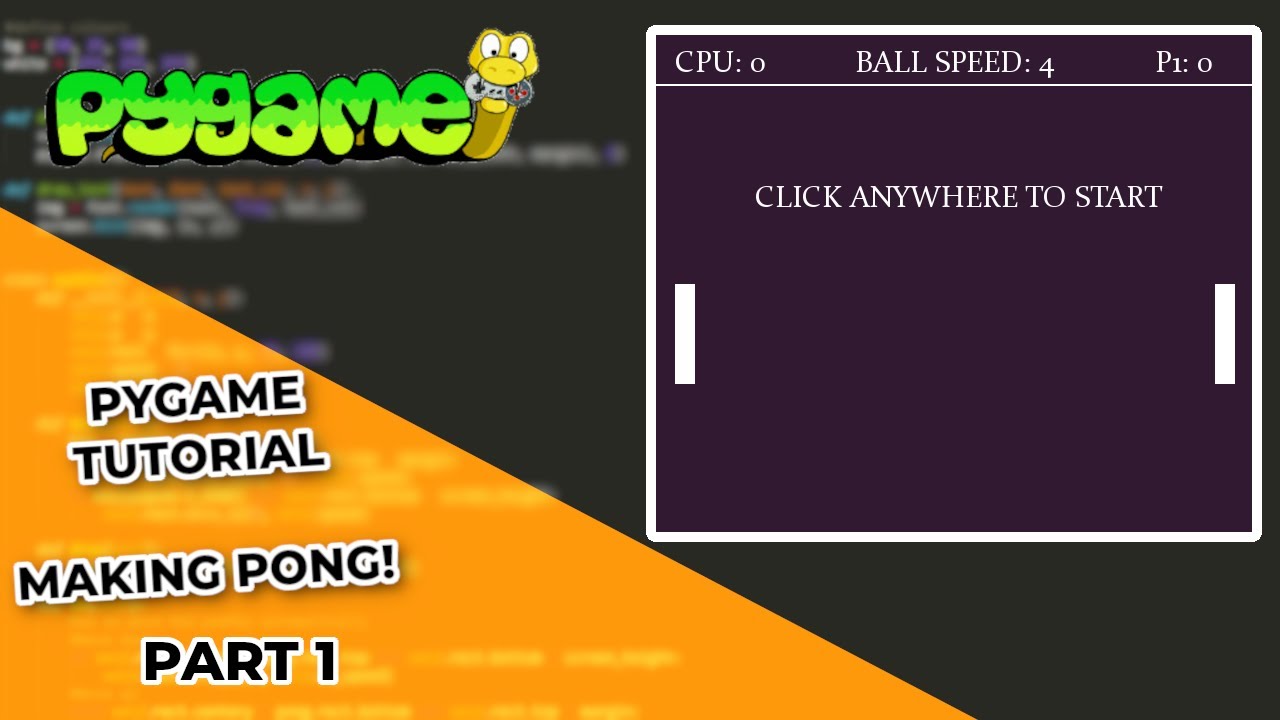
then start with pong tutorials

knotty stag
vagrant saddle
#

pygame's not an engine, it is more a library

#

you will have a lot to do that usually game engines editor do for you

#

but you'll get total freedom and customisation after a while

knotty stag
#

alr

#

i like the sound of that

#

is their any limitation to python thats makes it worse then another engine for 2d games

#

just wondering

#

since ill be doing alot of 2d stuff

knotty stag
# vagrant saddle then start with pong tutorials

In this Python tutorial I code Pong using the PyGame module. I'm going to cover the initial setup of the game loop and the game board.

Code & assets on my website: http://codingwithruss.com/gamepage/Pong
Alternative link: https://github.com/russs123/pong

Check out my TicTacToe coding tutorial: https://youtu.be/KBpfB1qQx8w

▶ Play video
#

cause ill probably start it in the morning

#

its 3 am and im tired lol

limber veldt
#

That's why I try a game engine here and there and always come back to pygame, I just love the hands on coding

#

Russ is good, Clear Code is also good, I see a few lately from Programming with Nick

#

Among others, I'm sure

limber veldt
#

This vid shows t-spinning

vital saddle
limber veldt
#

Yeah, he's really good

limber veldt
vital saddle
limber veldt
#

Fun little addition

violet elk
#

How can i like add a timer to like wait 10s to do something without using time.sleep

limber veldt
#

Depends on your project, but sometimes I call pygame.time.get_ticks() and add, in your case, 10000 to it and store it in a variable then keep calling pygame.time.get_ticks() and comparing it to the stored variable, if greater, 10 seconds has elapsed. But really depends on the use case, sometimes I use a custom Timer() class I wrote that can call a function or method when it's done

violet elk
#

oh I see, thanks

limber veldt
#

Just to very roughly show the idea, this isn't an actual implementation

brisk yew
limber veldt
#

I like how this is recursive, it can find if player is in a robot no matter how deeply nested

#

So far it's working in all tests

knotty stag
#

I love his tutorials

#

Their just good

vital saddle
knotty stag
#

They dont rush through it

#

unlike every other person known to man that does tutorials

#

ima start his part 2

violet elk
arctic flicker
#

anyway to code a 3D game fully with python?

lost kindle
arctic flicker
#

any tutorial on that?

lost kindle
#

Yes, you can use moderngl and pygame to make 3D game

#

I think you can use pyglet too

#

But you will need to use opengl

#

@arctic flicker I recommend to learn pygame with moderngl to make 3D games

arctic flicker
#

ik the basics of python and i wanna make a fun way to improve my knowledge in programming and python while also improving my 3d skills and finding fun in 3D again

pine plinth
limber veldt
#

How so?

#

Some minor progress on parsing wires. All the necessary information to recreate them is in the console

limber veldt
# pine plinth this might end badly in case of "ownership" loops

I'm still making some progress in getting all references to item.__class__.__name__ turned into isinstance() calls instead. Some issues remain in that some classes don't have access to classes in other files for isinstance()ing. So I'm working toward having everything in the appropriate files while avoiding cyclic imports

#

The item shown in the player_in_robot() method belongs to Player, which is in the items.py file and I import in robots.py from items.py. So with player in items, I can't import from robots

#

I'd need to move player to robots.py, which is ok

#

So it can have access to isinstance(item, Robot)

pine plinth
tulip flint
#

I am in the process of creating the classic snake game, and I am having an issue detecting collision of the head with the tail segments. I can send the relevant bits of code so someone can give their advice.

#

tail_x and tail_y are both arrays that store the last (however long the snake is) amount of x/y coordinates

#

For some reason, no matter how I set up the range for the array that it checks, i cannot get it to detect collision with any tail segment besides the last one.

tulip flint
#

nvm, i figured it out

ebon marsh
#

hello, I want to ventrue into making my first video game for fun, PONG!, hwoever I do not want to use sprites or classes, this is the template I modified and got:

https://paste.pythondiscord.com/I6JQ

And I also made a design doc so I know what am doing

#

I just want someone to mayb link me a tutorial of someone making pong without classes or sprites just simple stuff liek while loops. for loops and if statements

#

in a function ofc

#

or someone could help me by guiding me on how to build my game based on the deisgn doc I made :)))

limber veldt
#

Guys, I did it! I saved and loaded a single room with gates and wires in it!

vital saddle
limber veldt
#

Just using json, this is working great

#

And I already have methods for Open file dialog that returns the selected filename as a string

#

So I just need to reference this code from my file menu

#

Not from the K_v key

#

Of course, my if item_id == condition list will be much longer, only saving and loading two item_ids so far

astral fern
#

@arctic flicker try ursina 3d

limber veldt
#

And prototypes, nothing actually, can be teleported out of the lab

#

The lab is for making chips and the only way to get them is to save them in the lab then load them in the game

#

Load them into an empty chip, that is. The game will have a few empties scattered about just for this purpose, loading your own circuits into

#

The puzzles in the last level, level 6, are really difficult. Chances of losing robots there are high, saving game and lab to practice circuits are almost essential, especially saving game

#

I think it would be ok to give the player a toggle to enable mouse grabbing of some items but it would allow the cheating, so I really don't want it

#

Like one can go inside a robot, go to the periscope to see outside, grab the robot and drop it over a wall then exit the bot, wall defeated

#

Wouldn't be able to transfer grabbed items to other rooms though, as they must go through their set_room() method to be transferred between group(s) belonging to each room

#

I already have chip saving and loading working, did that a few months ago. It's much of the same kind of thing, iterate the wires and gates in a prototype, build and save a json

limber veldt
#

I redid my title. The gradient blend mode was set to replace on my first setup, setting it to normal preserves the aa

limber veldt
#

I can now save/load an entire level, astounded! Including the layout, the items, the wires, almost everything, robots need to be handled separately because their internal rooms are unique

limber veldt
#

I wrote my own file menu and buttons for it, maybe I should go to tkinter menus, but I like mine

vital saddle
#

Nice

limber veldt
#

I hope yall don't mind my blabbering, I tend to share a lot with my projects, my successes, my failures, and I still get excited when something really difficult actually works

#

I started this project about a year ago, worked on it from time to time for a while then summer came and it got backburnered. But saving/loading game, or lack thereof, was always the goal, it's nice to make some progress on it

round obsidian
#

This is the place for it

dawn quiver
#

Hey, I want to make a text-based game.
The story should change depending on your choices.
My questions are:

  1. How should I implement a saving feature?
  2. Should I nest if else statements or no?

For example:

choice = """
You come across a wolf while wandering through the woods. What do you do?

1) Run.
2) Attack it.
3) Call for help.
"""

if choice == "1":
  print("You try to run but it's much faster than you")
elif choice == "2":
  # ...
# and so on```
#

What's the best approach to this?

vagrant saddle
knotty stag
#

gooberino

#

and the walk

round obsidian
#

Average framerate: 3000 (meaning it generally uses only about 2-5% of a single core for each frame)

limber veldt
#

Looks great, nice effects

round obsidian
#

I plan to use this as my refutation for "python can't make good games" :D

limber veldt
#

No doubt here, python makes what the writer writes

#

To a massive degree, it's about the game more than the language

round obsidian
#

making good use of the tools you have

copper bison
#

would anyone be up for playing a game of mine? it's still buggy and not quite done but i'm really interested to see what anyone thinks

#

and there's nothing fancy so

karmic spire
#

i did old doom with a only script

copper bison
#

cool

karmic spire
#

but it kinda buggy

copper bison
#

can i play it?

karmic spire
#

it will stop if you play it

copper bison
#

ah

karmic spire
#

you need to install some pips

#

like as

copper bison
#

oh ok

karmic spire
#

keyboard

#

and windows-curses

#

or window-curses

#

maybe idk

#

i can allow to play it but i need to fix it

#

you can just see the enemies

crimson narwhal
#

i started developing an "adventure capitalist" clone to help learn python. I am still a little unsure about file structure for these types of projects. My main script is starting to amass classes with their methods and a bunch of functions. Im sure I should be keeping those in separate files, but where should I be defining class objects?

karmic spire
#

who wanna test my game

#

script only made

vital saddle
limber veldt
#

Some day, before long maybe, I'll be publishing it, getting there

gritty gorge
#

I need some help with this text box and i have no idea how to fix it. Text doesnt show at all. The box won't move from the top left of the screen and i set it's position to 400,400. Can anyone help with this issue?

#
import pygame

Text = ""
InputEnabled = True

class TextBox:
    global Text

    def __init__(self,surface,antialias,font_size,font_color,width,height,bg_color,x,y):
        self.surface = surface
        self.antialias = antialias
        self.font_size = font_size
        self.font_color = font_color
        self.width = width
        self.height = height
        self.bg_color = bg_color
        self.x = x
        self.y = y

        pygame.key.set_repeat(500,30)
        Text_Box = pygame.Rect(0,0,self.width,self.height)
        font = pygame.font.Font("Engine/Fonts/Swansea-q3pd.ttf",font_size)
        self.font_rendered = font.render(Text,self.antialias,(self.font_color),wraplength=Text_Box.width)
        pygame.draw.rect(self.surface,(self.bg_color),Text_Box)
        draw(self.surface,self.font_rendered,self.x,self.y)

    def EditText(event):
        if event.type == pygame.KEYDOWN and event.key == pygame.K_BACKSPACE:
            Text = Text[:-1]

        if event.type == pygame.TEXTINPUT:
            Text += event.text
            
        return Text

def draw(surface,obj,x,y):
    surface.blit(obj,(x,y))
dawn quiver
#

i have a question

dawn quiver
#

@vague gulch

vague gulch
dawn quiver
#

alright

#

so i have a school project due today

#

i jsut need an app

#

that i can run my code on

#

i cant find any

vague gulch
#

you'll have to be more specific. what application are you talking about?

dawn quiver
#

any app

#

that can run

#

python

raven kernel
#

@dawn quiver

dawn quiver
#

thank you

limber veldt
#

Still working on nailing down my saved game format and how to handle rooms inside objects, saving regular rooms is fine though

limber veldt
#

So I can now refactor all of my if <str> in object.__class__.__name__ into if object.item_id == IDs[<str>]

#

I made a dict that I can import anywhere I need to reference it

nimble cloak
#

I need to turn this:

#

Into something like this:

#

First time trying my hand in perlin stuff, most the stuff I find on youtube is for c++. But i want to use python to generate a noise map to then use in unreal and/or godot

nimble cloak
#

Nvm figured it out

nimble cloak
#

It loses some clarity and gets blurry when converting from a 2darray to an image with pillow compared to reading the 2d array and converting it to visible data with matplotlib.pyplot. any way I can maintain the same clarity matplotlib gives while still using pillow?

brisk yew
astral fern
#

@nimble cloak use P5 js it's more easy than python

vagrant saddle
#

also js is easy but only when you know js

astral fern
#

P5 js is simplified js 100% more easy than python

#

with just 6line you have 3d webgel orbital control camera + 3d grid (function setup() {
createCanvas(400, 400,WEBGL);
debugMode();
}

function draw() {
background(220);
orbitControl();
})

tranquil girder
limber veldt
#

They're all essentially the same thing, just different image and decorations

#

I just did a pretty big refactor of the base robot. I was sending things to them that they could simply get from the room parameter being sent. No sense in passing level when room.level already has it, for insstance

#

Among other changes

#

I can see other changes too, bumper_offsets are no longer referenced, they're gone

glossy crow
#

Hello, i just started learning python, and i would like to start my journey in gamedev, especially android game but am rather as to where to begin, I installed python, pygame, and vscode but confused as to what to do atm, need some help XD anything will do.

limber veldt
#

First, I'd recommend looking at a couple of pygame tutorials to learn how to create and run (and keep running) a pygame display

#

Also think about file structure. VSCode likes to work with folders though single files can work there too. I give each of my projects, even if it's just one file, its own folder and open that folder in VSCode, not the file

last ivy
#

Is pygame the best module for game development to use or are there others that compete with it

limber veldt
#

Best is subjective, but it seems probably one of the most popular

glossy crow
#

Gonna do some pratices then, thanks dude, very appreciated

limber veldt
#

If I had my early tutorials to do over again, I'd go right to the hardest ones first, but that's just me. Learning about vectors and sprites, but I had some coding experience before

glossy crow
#

Definitely gonna try that laterpy_strong

somber kayak
#

how do i start learning pygame?

vagrant saddle
somber kayak
#

im using replit because i have never used command promt and it looks complicated to do all that

vagrant saddle
#

you should try an ide with integrated command line ( repl ) replit is far from ideal with pygame

#

eric ide / pycharm / vscode / thonny etc ... there are plenty

somber kayak
#

what is the difference between them because some are free and some cost, like 99 euros?

vagrant saddle
#

they all have free versions

#

also eric and thonny are written themselve in python you can read their source to learn or adapt

somber kayak
#

oh ok

#

but what is the diffrence between the free option and the paid option like

vagrant saddle
#

no idea, i use only eric and a notepad like called "pluma"

#

Thonny is more beginner oriented

somber kayak
#

oh

#

but why dosent replit work like that is what we use in class

vagrant saddle
#

what do you mean ?

somber kayak
#

i just dont undertand why use some complicated apps when replit is so simple

vagrant saddle
#

replit is very complicated behind the scene

#

it is running your program somewhere on someone's else computer and bring back the output to you

#

hence not suitable for graphic intensive like pygame

somber kayak
#

oh now i understand

vagrant saddle
#

this one will run fully in the browser, at max speed allowed

#

but imho make your game on desktop in a decent editor first

somber kayak
#

ok but are the graphics cpu or gpu foccused

teal cedar
#

Is there a way to make a minecraft client with just python

proper peak
teal cedar
#

tha was too hard

somber kayak
#

you can try to make chat gpt or another ai make it

nimble cloak
#

You are right

#

Thank you

woven glacier
#

I need some pygame help
I need to, depending on the amount of points, distribute them around the radius of a circle
but I'm bad at math so I need help

limber veldt
#

Or just rotate a vector 360/points times

limber veldt
#

Here's a quick make_points()

#

There's gotta be a hundred ways to do that, but there's one basic math way

#

This time with a vector

#

And a for loop

#

I like the polar coordinate way better

#

But like I said, there are many ways, maybe those examples can give you search terms anyway

#

And it's not something I need to do often, but I can work through it most times

round obsidian
limber veldt
#

New spawn animation?

#

Or new enemy added?

round obsidian
#

The brain levels have that beamdown effect, so that's new

#

and the brain cruise missiles are also now in there

#

You know what's going to be surprisingly hard? The attract mode

#

I'm also taking the lessons learned from this and rolling them into a new version of a game I made before

limber veldt
#

Attract modes are difficult for me too

#

I had to basically script every single trigger to get a reliable attract mode in Galaga

round obsidian
#

I did some experiments with coroutines and yield that may make that job easier.

#

if they work out I'll share my findings, but I think I have an idea of how it can be done in a way that's relatively procedural.

#

yield and yield from make some really powerful stuff possible

vital saddle
#

Hey, I was curious: I saw on the internet blogs about that python could get a JIT. Is that true? And could it improve performance in game development in python?

vagrant saddle
vital saddle
mint tendon
#

hello

#

:/

vital saddle
mint tendon
vital saddle
#

lol

mint tendon
#

are you a python game devloper

#

developer*

proper peak
vital saddle
mint tendon
#

uh just wondering

limber veldt
#

I'm a game hobbyist who develops games

mint tendon
#

😮

#

do you know lua?

limber veldt
#

No, I don't know lua

mint tendon
#

Wanna help me make a game

limber veldt
#

No sorry

mint tendon
#

: /

limber veldt
#

Game making is hard enough for me let alone others

mint tendon
#

team work makes the dream work

limber veldt
#

lol

mint tendon
#

how long have you been working with python

limber veldt
#

More than 10 years

mint tendon
#

: o

limber veldt
#

You?

mint tendon
#

thats 71.429% of my age about 100+ hours maybe alot more

limber veldt
#

I summed all the lines and files in my current project earlier today....30,000+ lines in 52 files

#

By far my biggest project

mint tendon
#

for the game you just showed us

limber veldt
#

Yeah

mint tendon
#

and i solo this

#

have you ever dev on roblox?

limber veldt
#

No, but it looks fun

mint tendon
#

its the easiest way to make money

limber veldt
#

I don't want to make money

#

I have money, I write games for fun

mint tendon
#

spend 15 hours on a game you can make tons of the green stuff

#

: o

#

ima show you what i made gotta find the game rq tho

#

its downloading

limber veldt
#

11k of my lines are just data though, not really logic. My game has ~400 rooms each with its own 2d array of walls

mint tendon
#

how many lines u got

#

every heard of bladeball

#

this game

vital saddle
round obsidian
# vital saddle Hey, I was curious: I saw on the internet blogs about that python could get a JI...

This has been partly replied to but I'll chip in:

It's going to depend entirely on what your code does. The JIT in question is more about figuring out how to get the runtime to do less work with each given instruction, which results in a net speedup. If you want your code to be fast NOW, profile it and find out what's actually slow, and concentrate ruthlessly on those few pieces of the program.

vital saddle
round obsidian
#

Performance improvements aren't something you can get with a magic wand, even in "fast" languages

mint tendon
#

I made a knock off blade as a quick cash grab looks the people that hire me took all my scripts and most of the data but this is what i have to show

#

: /

woven glacier
#

pygame question, my tick-rate/update-rate is speeding up when I launch my game, but only when the window is focused
why is this happening?

vital saddle
#

Could you provide an example of your code?

woven glacier
#

one sec

vital saddle
#

Okay

#

Isn't it because you add a number to the tick variable every time in the loop?

#

you increase it every time it loops

#

so it will increase the whole time

woven glacier
#

not the pygame tick variable, but my own variable to keep track of the ticks

vital saddle
#

yeah I'm talking about that

#

your doing this on the end of the loop

gameticks += 1
woven glacier
#

yeah

vital saddle
#

so every time it loops your adding 1 to it

#

so it increases

woven glacier
#

but nothing is linked to that variable

vital saddle
#
gameticks = 0
#

you initialise it at first