#unix
1 messages · Page 33 of 1
 little onyx
😦
little onyx
yeah it shouldnt be that hard
what was the server again. Ill do some research. maybe its a bug with the server itself
little onyx
alright imma do some research
little onyx
you could but ubuntu the easiest to deal with for server imo
you can try debian of course see where it takes you
I mean ubuntu is built on debian
little onyx
yeah its strange how the ethernet fails to work
can really find anything with relation of that server and ubuntu server
 obsidian light
There's is nothing with my google queries. That's what makes it so hard
little onyx
yeah i get you. having the same so far
seems like some people got it to work
but they were doing some raid setup thing
little onyx
it also seems that the drives are not your issue
I mean I guess you can try to set that static ip again on your router
and then do the dhcp again during install
cause that seemed to be working before
anyways im out. got some work to do
obsidian light
I will try tomorrow. Thanks for all the help
obsidian light
me too lmao
obsidian light
finally got the server installed once again
net's working
static ip
ssh is not, still though
 tired swift
I know this is not a specific question but if someone know some stuff about subnetting pls @ me
 spice relic
i understand what a soft link is but what is a hard link?
it sounds like its a copy of a file...
bc it still exists after the original file is deleted
 elfin notch
Its a copy that doesnt use up extra disk space, meaning changes will also be shared
spice relic
if u change the orignal file the hard-link will too?
elfin notch
Yes
spice relic
ooo thanks!
elfin notch
https://www.geeksforgeeks.org/soft-hard-links-unixlinux/ seems like a good comparison
spice relic
i was just on that page haha
spice relic
if 2 files have the same inode number, does that mean they use the same physical disk space
 main olive
so basically
if you have a "real file" and a hard link to said file, and delete the "real file", you're not actually deleting the file itself
you're deleting a reference to a file
but another reference still exists which refers to the same place on disk
this is the hard link you created
the hard link itself takes up barely any physical space. Like you said, @spice relic, they use the same physical space. However, since a hard link is just another reference to the same file, it reports the size of the actual file on disk and not the hard link itself
so if you have a 2GB file, and create a hard link to it, then run ls, it might seem like 4GB of space is being occupied
but in reality, it is still only 2
symbolic links, in contrast, are references to hard links - ie references to references to the actual file
and not references to the actual physical file on disk itself (ie the inode)
 royal marlin
[disk blocks] <- [file inode: list of those disk blocks] <- [directory inode: a list of inodes and their filenames]
A file that you interact with is just an entry in a list in the form of (inode number, filename), and you can have the same inode number with a different filename in the same list, or use the inode in a different list entirely, but because they all use the same inode number they all point to the same blocks of data. A hardlink is just adding a list to the directory inode which uses the inode number with a different filename: (inode number, filename_2)
Note: Filenames are stored in the directory listing, not the file inode itsself :)
spice relic
from the linux cmd line, can i create an alias name with a space
 steel verge
Write a function instead
it is always preferred over aliases
Can anyone help out with flask? I keep getting ImportError: No module named flask from apache 2.4. I have added it to my wsgi file: ```import sys
activate_this = "/home/user/.local/share/virtualenvs/app/bin/activate_this.py"
exec(open(activate_this).read(), dict(file=activate_this))
Change this please
sys.path.insert(0, '/var/www/html/app')
from app import app```
steel verge
Solved it. It had an old python2 apache module installed. After removing it, it works
well, different error message, but thats fine lol
main olive
me irl
main olive
how can I make a bash script that removes the files that contains more than 3 times the word TAG?
#!/bin/bash
do

    NUM = grep "TAG" $i | wc -l


   if [ $NUM -gt 3 ]; then
   rm $i
   fi
done```i tried that way
but it doesnt work
 warped nimbus
That doesn't look like valid syntax
Would be something like this I think
NUM="$(grep "TAG" $i | wc -l)"
also using ls for this is weird
just use a glob
 oak shell
ls shall never be parsed. It breaks your code in so many subtle ways. Always use globs or find.
also grep understands -c to count matching lines (not counting multiple matches on the same line, but neither does your wc workaround)
and variable assignments must not have any space around the =, it needs to be like Mark showed.
Always quote your variables too.
main olive
thank you!!!
obsidian light
anyone around to help me with this ssh issue?
main olive
depends on the issue
obsidian light
I've been having it for a few days and no one here has been able to solve it lol
Everyime I try to ssh into my linux machine I get "Permission denied, please try again"
main olive
can you use the ssh command with the verbose option to get a more detailed error message?
obsidian light
Let me try. Machine is booting now
I tried connecting via localhost with -v and it's saying connection refused
About to purge and re install
main olive
hang on
when it says connection refused it can mean multiple things. 1. no service is running/listening 2. firewall blocks 3. key is requried but not available and maybe something else
obsidian light
It had an issue with the key
I have no firewall
Fixed the issue with the key and can know ssh with loaclhost
but know when I try on my windows machine:
Permission denied, please try again.
This is with the verbose command

There is an updated one
main olive
yeah, it cant find the public key as it seems
the path looks strange. but i dont know windows
obsidian light
I don't know what to do honestly
main olive
i would nuke the "/home/user/.ssh" directory and then "ssh-copy-id" again
obsidian light
so do nuke "/home/user/.ssh" then ssh-copy-id
main olive
not literally nuke 🙂 just remove it
obsidian light
lol i assumed, but new to linux
obsidian light
how do I use ssh-copy-id
main olive
on the host that wants to connect to the remote host you type: ssh-copy-id user@IP_address
main olive
when you want to connect with windows on the linux host you need to do this on windows
obsidian light
Take your time
main olive
please have a look if this article helps you: https://serverfault.com/questions/224810/is-there-an-equivalent-to-ssh-copy-id-for-windows

Server Fault
Is there any equivalent or port of ssh-copy-id available for Windows? That is, is there an easy way to transfer SSH keys from a local machine to a remote server under Windows?
In case it helps, I'm
main olive
ssh-keygen creates the key and ssh-copy-id places that key on the remote host
you can put it there manually
but then you need to be careful with the permissions
obsidian light
trying to find out how to copy it over lol
obsidian light
@gilded basalt busy ?
 gilded basalt
Yes
warped nimbus
rm can look at the contents of files?
warped nimbus
Yeah given grep was being used
rip message, now there's a ghost ping
spooky
thank you, bot
main olive
anyways
@velvet ledge navigate to the directory where you want to remove the files the TAG in them three times, and do grep -rnlz . -e ".*TAG.*TAG.*TAG.*" | xargs rm
 velvet ledge
Npnp😍
 formal schooner
no they dont
what does that even mean?
the function has its own parameters
so if you want to pass parameters from the script itself you have to give them some other name
main olive
🙂
obsidian light
about to install something other than ubuntu
main olive
@obsidian light oh, I wanted you to actually paste the output
obsidian light
No. I am actually now trying to put arch on there with a gui installer (zen)
just trying different stuff ya know
Gets discouraging lol
main olive
fun with unix
The Unix Game is an online programming contest developed by Nokia Bell Labs in honor of the 50th anniversary of Unix. It features Unix-related questions that you must solve by combining the original Unix commands using Unix pipes.
little onyx
life is better without a GUI imo
obsidian light
I can't fully function there yet
so I am going to work from windows with gui to arch with gui
to arch without gui
obsidian light
I have been using vim
 somber stirrup
Spacemacs!
 rapid hazel
hello I'm creating a live stick with manjaro and I'm following this guide on manual partitioning https://askubuntu.com/questions/343268/how-to-use-manual-partitioning-during-installation

Ask Ubuntu
I'd like to see the full How-To on how to use manual partitioning during Ubuntu installation. The existing guides (at least those I found here) cover only automatic part and leave untouched the man...
so I have 3 questions to this.. in the guide, they create one root partition and one home partition
is that really necessary or can you just have one partition for them both?
I'd also like know if these 2 options (ss) to these 2 options (irl ss)
 lilac field
no they can be on the same partition
rapid hazel
third question is, how am I gonna enable encryption? but I think I'll just check the box on all "encrypt"s
great
..and "extended partition" ==" logical partition"?
lilac field
just use primary
rapid hazel
I'll put 1024mb on swap.. I'll probably won't be using the hibernation feature
the stick hasn't that much space anyways
lilac field
i didnt even see that haha
 uneven silo
lmao
lilac field
@rapid hazel Do you care about persistence?
rapid hazel
very yes
lilac field
ok nm, was gonna tell you just write the iso to the stick
rapid hazel
when I use mbr as partition table, does that directly mean that it's able to be used on bios pcs?
it gives me this warning with mbr
whatever, I'll just hope it works
not like the other painfully failed attempts where I installed from vm instead of natively with live stick
main olive
when I use mbr as partition table, does that directly mean that it's able to be used on bios pcs?
yes
 heady seal
So
I have this code guys
This is the output
I know the ssh works cause the lolk file is created
But the sed doesn't work 😦
Actually
Fixed
royal marlin
@rapid hazel There are only two types of partitions, "primary" and "extended". A primary partition holds data directly on the partition. An extended partition is a host for volumes which are confusingly named "logical partitions". There can be multiple logical (volumes) on an extended partition.
If you don't have a use case for extended/logical, don't use it :p
@heady seal Youuuuuuuu should use an orchestration tool. Ansible comes to mind.
heady seal

 oblique mountain
I am not a unix guy myself but I'm seeing that his Swp thing is full. will that slow my bots/server ?
 vestal turret
Swap is space in your storage that gets used when RAM is filled up.
It will need to swap between that and the ram. Which is quite slow.
oak shell
strangely, your RAM is nearly empty. Swap being full under those circumstances probably means you had a memory spike earlier that filled it up and either something got killed or usage went down again.
swap isn't loaded back into RAM automatically, until specific pages are needed.
You can force it to unswap by disabling (and re-enabling) all swap space: sudo swapoff -a ; sudo swapon -a Depending on disk speed and used swap space, this may take up to a couple minutes.
About performance, accessing swap is slow, because your disks are much slower than RAM. This is for both swapping pages out as well as back in. Having a full swap with unused pages doesn't affect performance of the rest.
 autumn trail
Good evening
What is the command to install the latest version of python on linux?
my version of linux is: Linux 4.15.0-58-generic x86_64
vestal turret
That depends on what distribution you are using.
autumn trail
Ubuntu 18.04.3 LTS
vestal turret
Ubuntu probably uses an older version of python3
But you can get the newer once through a ppa
autumn trail
Can you tell me the string to do it politely?
 warm ivy
I have dual boot system with ubuntu 16.04 and windows 10. I just upgraded ubuntu 18.04. Everything worked fine and it asked me to reboot. When it restarted it stopped at a black screen with bunch of ok status tags.
Some similar thread to mine that I found and tried but didn't worked.
https://askubuntu.com/questions/1110914/ubuntu-boots-to-a-black-screen-with-ok-statuses
My windows is still working fine, but my ubuntu won't start up. Can somebody help me with this?
Ask Ubuntu
I got this and I have no idea what it is or how to deal with it.
Can someone help me?
Ask Ubuntu
I have a dual boot laptop with Windows 10 and Ubuntu 18.04. They have been working fine for some time now. Last night I had left the laptop on all night to download some big files. Now it is stuck at
vestal turret
@autumn trail using a ppa involves getting unofficial packages. There are multiple ppa's that do this iirc. I'm not sure what the best one is.
oak shell
For Ubuntu LTS versions, I found the deadsnakes PPA to be pretty good to use and well maintained.
This PPA contains more recent Python versions packaged for Ubuntu.
Disclaimer: there's no guarantee of timely updates in case of security problems or other issues. If you want to use them in a security-or-otherwise-critical environment (say, on a production server), you do s...
sudo add-apt-repository ppa:deadsnakes/ppa
sudo apt update
sudo apt install python3.8
Then you can use python3.8. Note that python3 must remain the system's default Python version, i.e. 3.6 for 18.04
@autumn trail
autumn trail
thanks
 slim stratus
I've been a linux fanboy for years now, and I realize that this channel is basically for linux discussion, but I've never actually touched a Unix OS. As a software dev, is there any reason to try out one?
warped nimbus
things "just work" I find
and are easier to do
like having to compile some c program with a bunch of libs
Hmm were you referring specifically to unix rather than linux?
or just any unix-like?
slim stratus
yeah
warped nimbus
So like AIX or Solaris?
slim stratus
I've got a lot of experience with linux, but I'm not of the differences between licensing
or freebsd/MacOS
*besides licensing
Is there a compelling reason to try out Unix as a Linux user?
slim stratus
FreeBSD is available and open source
warped nimbus
free bsd is unix-like, not unix
slim stratus
I mean it's not main-line unix, but by that metric isn't MacOS also a unix-like OS?
warped nimbus
Yes indeed it is
I wasn't sure if you were asking about unix or unix-like
to be fair I probably could have inferred it's the latter
slim stratus
haha it's okay, I think I'm confused enough that there's probably no compelling reason for me to try Unix
if there was someone would have made it simple to jump in by now 😄
warped nimbus
My impression has been the main other contenders are the BSD ones
Don't know too much about them but for my uses it all seems similar enough to not bother
slim stratus
Fair enough, I can't imagine getting much use out of it when linux is a thing
vestal turret
BSD has it's place.
A few versions of it have better performance than linux for specific applications.
warped nimbus
I feel like many of its users are there because they like the principles of it
or they just started out and stuck with it
main olive
BSD is good
it delivers a consistent experience, as the system is treated as a whole package

 sage solar
Oh no
oh nooooo
that means we're gonna merge the 6.6 tree into our fork at work again
😦
main olive
oh yay, I think you mean :)
sage solar
Usually as soon as you start high performance networking or bigger networking stuff in general you'd go for BSD I think
For example Netflix runs fully on freebsd...or was it netbsd?
One of them
And if it should be really secure open bsd
main olive
Netflix runs freebsd
main olive
not easily, but i bet you could abuse symlinks to make a script which iterates over files and creates symlinks to expected paths and moves things already there out of the way... you'd also have to make the script keep track of everything it moves or links and revert the changes afterwards, in reverse order
actually, cool project idea
i'll write something like that on the weekend
steel verge
#------------------------------------------------------------------------
def get_database():
#------------------------------------------------------------------------
    db = getattr(g, '_database', None)
    if (db is None):
        if platform.system() == "Windows":
            db = g._database = sqlite3.connect('db/data.sqlite3')
        else:
            db = g.database = sqlite3.connect('/var/www/html/radio/db/data.sqlite3')
        db.row_factory = dict_factory
    return db
I am having the weird issue that this code fails on Linux
It opens the db fine on Windows, I can open it with the apache wsgi user just fine and read/write into the database with sqlite3 cli
Linux Version: Linux ras.internal.tuxstash.de 4.19.66-v7+ #1253 SMP Thu Aug 15 11:49:46 BST 2019 armv7l GNU/Linux
The gist of the error: sqlite3.OperationalError: unable to open database file
permissions: -rw-r--r-- 1 wsgi wsgi 12288 Oct 18 16:37 data.sqlite3
Apache conf: WSGIDaemonProcess radio.wsgi user=wsgi group=wsgi threads=2
Directly opening it with Python as user wsgi also works:
>>> import sqlite3
>>> sqlite3.connect("/var/www/html/radio/db/data.sqlite3")
<sqlite3.Connection object at 0x769d4240>
I am not sure where my permissions error is. All files and directories are owned by the user and group wsgi.
maybe someone encountered something similar and can help
oak shell
are you possibly trying to open it multiple times concurrently in your production code?
(maybe due to some Windows/Linux dependent race condition or way of handling threads somewhere else)
steel verge
Windows and Linux are on their own
Windows is just my dev machine
where I run the local server
I am the only one using the apache, so it shouldn't happen
but shouldn't it open only once anyway, by using Flask's g?
it only tries to connect once
steel verge
Solved it
Python seems to be having issues with pragma journal_mode=wal
CREATE TABLE t_stations(
    id_stations INTEGER PRIMARY KEY,
    name TEXT NOT NULL,
    url TEXT NOT NULL,
    image TEXT NOT NULL,
    format TEXT NOT NULL,
    UNIQUE(name, url)
);

-- optional, preceed with -- to remove
INSERT INTO t_stations(name, url, image, format)
VALUES
    ("Rockantenne", "http://mp3channels.webradio.rockantenne.de/rockantenne", "radio.png", "aac"),
    ("Radio GONG", "http://mp3.radiogong963.c.nmdn.net/fs_radiogong963/livestream", "radio.png", "mp3"),
    ("Bayern 3 MFR", "http://br-br1-franken.cast.addradio.de/br/br1/franken/mp3/128/stream", "radio.png", "mp3")
;
PRAGMA journal_mode=WAL;```This is the initial setup script
if I remove the pragma instruction, python can connect
but it only causes issues on Linux
curious
main olive
please
anyone
i misclicked on the function "Show tab bar" in the menubar while running a tkinter GUI program
and now my computer reboots every time i run one tkinter program
PLEASE HELP
tkinter is essential for all my programs
wh- what
any solution?
anyone?
except of using a VM
PLEASE ANYONE
steel verge
If your computer restarts when starting a program, there is something wrong with the hardware
unless you are having a shutdown -r now command in there somewhere
warped nimbus
Hmm... somehow I have two separate devices which have partitions with identical PARTUUIDs
Presumably they should be unique, no?
OK apparently that is obtained from the partition table
and since both devices had the same image flashed, they have the same PARTUUIDs?
warped nimbus
Ooh thanks I might try to do that
Having issues getting it to use the right device since they have the same partuuid
 rotund saffron
Hello, I have what looks like a fairly common issue regarding my python installation.
Trying to launch python (which is Python3.7) I get
Fatal Python error: initfsencoding: Unable to get the locale encoding
ModuleNotFoundError: No module named 'encodings'

Current thread 0x00007f8e5d42f6c0 (most recent call first):
zsh: abort (core dumped)  python
$PYTHONPATH is empty and $PYTHONHOME is unset (/ doesn't exist).
I just re-installed my OS, and didn't proceed to install python myself.
/lib/python3.7 and /usr/lib/python3.7 seem identical (and, of course, contain the encodings folder)
I have packages requiring python as dependencies so it may be complicated to just remove.
What should I do?
somber stirrup
You could try pyenv. After it's installed you'd do
pyenv install 3.7.5
Then any of these depending on what you want
pyenv global 3.7.5  # set global python to 3.7
pyenv local 3.7.5   # set to 3.7 only in current dir
pyenv shell 3.7.5  # set only in current shell
Pyenv creates a virtual env for each version, then shims the version you want into path, along with its scripts and libraries
 proper bison
I dont know if this chat can also be relevant to my question that i just posted in #databases
 thorny meteor
Im trying to install python3.8 from source on a raspberry pi, but when sudo make install tries to install pip, i get this error https://5124.mywire.org/HDD/SS/23:41:04_19-10-2019.png
any ideas of why that happens on the pi but doesn't on my main pc?
 rotund saffron
@somber stirrup ok so
Your idea doesn't help ^^', looks like I'm closer to the truth with my path variables issues:
I installed pyenv
first thing first, it currently doesn't work (it sets a version, but python -V shows that it's still the system one even though stating otherwise).
Just noticed though: python still doesn't work ("no module named encodings") but sudo python <insert smart emoji here> does.
I guess it's forbidden from python lib.
Just checked the folders permissions, the contents are ok but folder itself cannot be read.
chmod a+r then resolve the issue (just on the /lib/python3.7 folder, not even recursively)
If you think doing this might be a bad idea, feel free to ping and explain why ^^
Also, /usr/lib/python3.7 was already in readable permission
So I guess that python doesn't try to access it currently
PYTHONPATH and PYTHONHOME are still not set btw
warped nimbus
@thorny meteor do you have lsb-release installed?
thorny meteor
yeah, it was just broken
i fixed it with
sudo ln -s /usr/share/pyshared/lsb_release.py /usr/local/lib/python3.8/site-packages/lsb_release.py
sudo rm /usr/bin/lsb_release
sudo ln -s /usr/share/pyshared/lsb_release.py /usr/bin/lsb_release
lsb_release -a
weird
@rotund saffron If pyenv is not working I think that is a sign you didn't do something right in your basrc/bash_profile
rotund saffron
what if I'm not using bash? 
which you can tell by reading my error message 
warped nimbus
Whatever the equivalent file is
pyenv has instructions for what to put in there
setting some env vars and doing pyenv init
What's your distro?
thorny meteor
https://5124.mywire.org/HDD/SS/03:42:32_20-10-2019.png
new issue, and i cant use pip to install ssl, so idk
 warped nimbus
ssl is not installed by pip
to get it to work python has to be built from source with ssl
and when it's being built, libssl needs to be installed and the build is just able to detect that automatically
thorny meteor
i have libssl-dev installed, and compiled it like 11 times already
thorny meteor
--with-ssl-default-suites=openssl didin't do it, even though i have openssl
warped nimbus
I am not sure. I've heard someone else having this issue but not of a fix
Many others just installed libssl and everything worked out of the gate
thorny meteor
that's what im seeing online
but i already have libssl-dev
libssl by itself doesn't exist
warped nimbus
Yeah that's what I mean by libssl
steel verge
What is the best security concept to make certain apache vhosts configurable by a user? I have thought about 3 options: Just make the file writable for that user or use a root elevator. E.g. you send the root process a command and he edits the vhost. Second has quite a few dangers and pretty much the same as the first. Third would be to allow this users certain commands to run password-less via sudo. What do you guys think is the best way here?
main olive
why do you need to do this, if you don't mind me asking? what are you trying to accomplish?
steel verge
Because I am programming an embedded device, where I need to manage that kind of stuff via a web interface. Here is a sample. @main olive
main olive
ah, interesting :)
 split pulsar
If I have set -e in script, how can I allow 1 command to fail without making the whole script fail? I'm currently doing this: ```sh
#!/bin/sh
set -e
...
set +e
command_that_is_allowed_to_fail
process_exit_code=$?
set -e
...``` is there a better way?
maybe put this command in a function?
main olive
easiest way is to add || true to the end of the command
@split pulsar
however, that means you can't get the exit code easily
actually, it should be ok if you do something like || EXIT_CODE=$? && true
actually, it might not even need the && true
so
command_that_is_allowed_to_fail || EXIT_CODE=$?
however, if the command runs successfully, EXIT_CODE will not be set so you'll have to keep that in mind
if you want to use the exit code anywhere
if not, just ignore what I said and do || true
split pulsar
I guess I could just do EXIT_CODE=0 on previous line then. Thanks
main olive
that's an idea, yeah
split pulsar
it looks like I can't get it to work with my command, what is wrong here? ```sh
exit_code=0
timeout --preserve-status --k=1s -v $TIMEOUT sh <<EOT || exit_code=$?
$@ 1> $STDOUT_FILE 2> $STDERR_FILE
EOT```
exit_code is always 0, timeout command is skipped
hm, it doesn't work only inside my docker container
warped nimbus
what if you use ; instead of ||
would that make it treated as separate commands then?
if not then you could avoid the exit_code=0 I think
Also, check which shell your container uses, and what version
compared to what your host uses
split pulsar
I can't use ; because it makes my script fail (I use set -e)
looks like my host shell is bash in POSIX mode, docker shell is sh
 boreal kestrel
You can change your docker shell using the SHELL command in your Dockerfile. Bash enters POSIX mode when invoked via sh instead of bash
As far as handling errors, you can handle a "non-zero exit code" but you won't get the failing exit code in that situation. Consider:
#!/usr/bin/env bash
set -xeuo pipefail
false || echo "yay" # yay is echoed.
false # script exits
echo "wat" # wat is not printed; script exited prior to here.
However if you need to pipe the output of the failed process into the input of the error handling process, I don't have an easy answer for that. I'd think of using named pipes and redirecting using them, but I'm probably wrong
split pulsar
I already figured this out in previous question here. The current problem is that this snippet does not work with shfrom python:3.7 repo for some reason
warped nimbus
is set even a thing in sh?
boreal kestrel
yes
split pulsar
looks like adding exec in front of $@ 1> $STDOUT_FILE 2> $STDERR_FILE solved issue
exec does not exist it sh
boreal kestrel
>>> os.system('set -xeu; false || echo "yay"')
+ false
+ echo yay
yay
0
>>>
that was with docker run --rm -ti python:3.7
$ docker run --rm -ti python:3.7 bash
root@95af0578105a:/# cat <<EOF > foo.bash
> exit_code=0
>
> timeout --preserve-status --k=1s -v $TIMEOUT sh <<EOT || exit_code=$?
>   $@ 1> $STDOUT_FILE 2> $STDERR_FILE
> EOT
> EOF
root@95af0578105a:/# cat foo.bash
exit_code=0

timeout --preserve-status --k=1s -v  sh <<EOT || exit_code=0
   1>  2>
EOT
root@95af0578105a:/# chmod +x foo.bash
root@95af0578105a:/# bash ./foo.bash
Try 'timeout --help' for more information.
root@95af0578105a:/#
oh derp
split pulsar
remove -v from timeout
boreal kestrel
also need to escape the $ when pasting into foo.bash
split pulsar
full script: https://gist.github.com/Fogapod/7b55095c3b5968a480224acb31946999
running: TIMEOUT=1 OUT_DIR=out run_entrypoint.sh python main.py
boreal kestrel
oot@95af0578105a:/# cat ./foo.bash
exit_code=0
STDOUT_FILE=./stdout
STDERR_FILE=./stderr
timeout --preserve-status --k=1s -v 30 sh <<EOT || exit_code=130
  echo "${@}"
  $@ 1>$STDOUT_FILE 2>$STDERR_FILE
EOT
root@95af0578105a:/# bash ./foo.bash

root@95af0578105a:/# bash ./foo.bash python
python
root@95af0578105a:/# bash ./foo.bash python -c 'print("hello world")'
python -c print(hello world)
sh: 2: Syntax error: "(" unexpected
$ docker run --rm -it python:3.7 sh
# export TIMEOUT=2
# export OUT_DIR=/out
# timeout --preserve-status --k=1s $TIMEOUT sh <<EOT || exit_code=$?
>   python --version
> EOT
Python 3.7.2
# echo $exit_code

# exit_code=0
# timeout --preserve-status --k=1s $TIMEOUT sh <<EOT || exit_code=$?
>   sleep 3
> EOT
# echo $exit_code
143``` from what I see, this code works correctly? so there is an issue with `$@ 1> $STDOUT_FILE 2> $STDERR_FILE` part?I came to the same conclusion
on the other hand:
root@95af0578105a:/# bash ./foo.bash python -c 'print\(\"hello world\"\)'
python -c print\("hello world"\)
root@95af0578105a:/# cat stdout
root@95af0578105a:/# cat stderr
  File "<string>", line 1
    print("hello
               ^
SyntaxError: EOL while scanning string literal
Remember that $@ is going to go through bash's variable expansion
which means if your program name has any spaces, or arguments have spaces, then they'll end up being splitted
so proper escaping seems to work:
root@95af0578105a:/# bash ./foo.bash python -c 'print\(\"hello\ world\"\)'
python -c print\("hello\ world"\)
root@95af0578105a:/# cat stdout
hello world
root@95af0578105a:/# cat stderr
root@95af0578105a:/# cat ./foo.bash
exit_code=0
STDOUT_FILE=./stdout
STDERR_FILE=./stderr
timeout --preserve-status --k=1s -v 30 sh <<EOT || exit_code=130
  echo "${@}"
  $@ 1>$STDOUT_FILE 2>$STDERR_FILE
EOT
back to the office for me though, good luck
split pulsar
Ok, thanks
split pulsar
it appears that using --entrypoint argument in docker run causes $@ to be empty for some reason
setting entrypoint in dockerfile works
warped nimbus
How would I do the following in bash?
!e ```py
x = ["a", "b"]
y = [1, 2, 3]
z = " ".join(f"{a} {b}" for a in x for b in y)
print(z)
 shy yokeBOT
@warped nimbus Your eval job has completed with return code 0.
a 1 a 2 a 3 b 1 b 2 b 3
the idea is to pass this into xargs like ```bash
echo 'a 1 a 2 a 3 b 1 b 2 b 3' | xargs -n 2 -P 8 some_command
Essentially I need every combination of those two lists to be passed as arguments
I could probably just use nested loops but that seems lame - is there a more "bash" way?
 wind abyss
The following works, but it's probably not quite what you're looking for.
echo {a..c}{1..3} | sed 's~[a-z]~& ~g' | xargs -n 2 -P 8 some_command
In a simlar vein:
python -c 'print(" ".join(f"{a} {b}" for a in ("a", "b") for b in (1, 2, 3))' | xargs -n 2 -P 8 some_command
If you're putting this in an actual script and not looking for a one liner, then I'd use loops rather than looping to create input for sed to then manipulate though.
warped nimbus
Thanks
Yeah this is more complex than I was hoping for
I went with for loops for now
oak shell
@wind abyss @warped nimbus You can include spaces into the brace expansion words by quoting those without quoting the actual expansions. No need for sed here.
$ echo {a..c}" "{1..3}
a 1 a 2 a 3 b 1 b 2 b 3 c 1 c 2 c 3
🤦🏻 I completely forgot that was a valid option for that
I haven't been shell scripting as much lately. the rust is pretty clear here.
warped nimbus
How could you do that with existing arrays though
Well actually one of them isn't an array; it's user input of space delimited numbers. It could be converted to an array if needed
The other is an array of file paths from a glob
oak shell
hmm, you might hack it together with eval, because normally brace expansion is done before variable substitution
actually, I think with arrays, regular for loops will be the cleanest solution
 worldly palm
hello,what do you think guys about this https://www.jarir.com/sa-en/apple-macbook-pro-laptops-531756.html for mobile apps dev uses ?
Shop for Arabic & English books, Jarir publications books, office supplies, school supplies, arts & crafts supplies, children development, computers & peripherals, computer supplies, smartphones & electronics, Roco products, and video games at Jarir Bookstore.
also what is the best air or pro?
worldly palm
Is my question is hard?👀or weird?or something like that?👀
 compact peak
@worldly palm I don't think any particular hardware is needed for web development as long as you have a decent CPU and enough ram
warped nimbus
It was for mobile app dev, not web dev
And I think iOS requires macOS for development. Could be wrong though
 torn snow
It does
 white bluff
Yeah and it can do android dev too so that's just a good combo
worldly palm
I want it for ios app dev,thank you all 💛
main olive
then you really don't have any other choice than a macbook unfortunately
or a hackintosh but that's pretty involved
worldly palm
🧐
 wary edge
when i am trying to install the system in kali linux graphic install it goes to the part where you edit the use as and mount point when i click on done setting up the partiton it takes me back to the partiton editor
@ me
wary edge
nvm got it to work had to select manual before editing partitions
 barren jetty
Im trying to host my discord bot on my pi but when I did pip install discord.py using SSH from my PC, it started the normal downloading but then stopped and error-ed with this: Command "python setup.py egg_info" failed with error code 1 in /tmp/pip-install-FaFWni/aiohttp/
oak shell
that should not be the only line of output, are there not more details? Please post the full output.
barren jetty
oh thank you. Says i need a higher version of python. Would I be able to install python 3.8 in my Pi using SSH then? Or would I have to do that with the Pi itself?
 weak oyster
what is the result of pip --version
you're probably trying to use python2's pip to install a python3 package
@barren jetty
barren jetty
yes 2.7, which i kinda figured i had a version less than the 3.4+ that it said i needed to install asyncio
So how would i be able to install python 3.8 to the pi with ssh? Or would i have to use the pi itself, web search "python" using some search browser, and install it like that like how i did on my pc?
oak shell
Usually most Linux have both python (2) and python3 installed. Try python3/pip3 as commands instead.
barren jetty
oh thanks. I just did pip3 --version and i already have 3.7
but if i ever did think about upgrading to .8, would I install it like how i did my PC?
or can i install it with putty?
oak shell
what OS are you running on the PI?
but yes, of course you can install it while being connected remotely via ssh
just what exactly you need to do in there and where you can get packages from depends on the OS
barren jetty
on the Pi? well im using windows, but the pi is like right out of the box
barren jetty
Distributor ID: Raspbian
Description: Raspbian GNU/Linux 10 (buster)
oak shell
probably you'd have to compile 3.8 from source there, but I'm not too familiar with Raspbian myself.
pyenv might help you with the process.
barren jetty
ok thanks
wary edge
When i try to connect to the internet on kali linux all it says is no wifi adapter found and when i run ifconfig the only network that shows is lo
barren jetty
im trying to host my bot on my pi, but the bot stops working after i close the putty session. I was told that even after the putty session is closed, the file should be kept on as long as the pi is on, but that doesn't seem to be the case. Anyone have an idea what's wrong?
oak shell
you'd have to detach the process from your ssh/terminal session, otherwise it will terminated when you close that
The naive way is nohup/disown, but that's not a good long term solution. screen or tmux are better as they'd allow you to connect back to the detached process and manage it in some way, but I'd personally really recommend you to write a systemd service for your bot and manage it that way. It can start automatically at boot and restart on errors for example too.
barren jetty
what's vim for?
oak shell
to generate random data if you set a mortal human in front of it and tell them to exit it
uneven silo
lmao
barren jetty
so would i need the text editor for a .service if i already have my bot files set up?
oak shell
https://stackoverflow.blog/2017/05/23/stack-overflow-helping-one-million-developers-exit-vim exists for a reason 😛

The Stack Overflow Podcast is back! Check out the latest episode below.
you can write files with whatever editor you like
nano is a more simple one
barren jetty
so i followed a yt tut on this, but i can't get the file to go active
the problem is 'no such file or directory' and i have in the .service file the execstart as /home/pi/Desktop/botFolder/
i also tried /home/pi/Desktop/botFolder/bot.py but it still didnt find the file
 queen lance
The reset button has never failed to get out of vim
 wispy idol
Can someone recommend me a good linux distro to start off with please
I'm a macos user but I used to use windows
I need something good for developers
I'm still learning python
I'm picking between ubuntu, mint and elementary
maybe even zorin
sage solar
Elementary OS is probably what gets closest to a MacOS experience (graphically that is) and for distros to start off with.....well most distros are more or less okay for beginners to start with, it'd be easier to list the ones you should definitely not touch which would be at least arch, Gentoo and Kali. All other recommendations on what you're supposed to start with is gonna be more or less personal bias really
wispy idol
tnks
 eager zenith
 main tusk
I'm on Solus distro, and I absolutely LOVE it.
I think that, contrary to what is usually thought, Ubuntu is kind of complex for beginners.
On Ubuntu, you have apt, ant repos, and you have to manage it via Synaptic, but you have also Snap packages, and also Debian packages, and so on...
On Solus, you don't have ALL that there is on apt, or .deb packages...
But you have ONE package/software installer/manager, called eopkg (with a GUI to search, install, uninstall... packages or Softwares, or even Themes and icons for your desktop).
It's like having the Play store or the Appstore. And that's it.
(You can also use snap or flatpack, but I don't use them).
It's a really great distro, I think.
Comes in different flavors (different desktop).
Default destoop is Budgie, which I find really cool and beautiful.
So, essentially, it's a great distro, and it works right Out Of the Box.
uneven silo
ubuntu doesn't require snap or flatpak or synaptic
you can just use apt plain and simple
main tusk
Yeah, I know
But for beginners, I find the distro not as friendly as Canonical think it is
Solus is great for total beginners or users (who just want to use LibreOffice, Gimp, go to the internet, watch movies)
AND developers who want to do a little coding.
But that's just my feeling
main olive
what os should i install for 3.7.3 python? http://prntscr.com/poss4u
 uneven silo
any except xp
oak shell
Ubuntu 14.04 isn't supported any more either
neither is Fedora 23
Debian 8 dies in less than a year, Ubuntu 16.04 in less than two.
FreeBSD 10 is dead too, 11 depends on which minor version it is
I would go with Ubuntu 16.04 from all these and then add the deadsnakes PPA to get access to more Python versions than what it comes with by default.
But that VPS provider there is completely outdated and unmaintained as it seems. If you have the chance, move away
uneven silo
you could install ubuntu 16 and dist-ugrade tho
oak shell
depends. If it is proper full virtualization (e.g. KVM), yes. But most cheap VPS rather use container virtualization, so you won't even be able to switch the kernel as it's shared with their host.
 warm wolf
Ah gotta love $1 openvz VPSes on Linux 3 or whatever
main olive
how can i install python 3.7 on a vps?
is this tutorial good?
How to Install Python 3.7.4 on Ubuntu & LinuxMint. Step by Step instructions to install Python 3.7 on Ubuntu, Debian, and LinuxMint Systems.
 granite abyss
@main olive if I were you, I'd switch to Vultr, I've used them for years and I love it
main olive
vultr was my first choice, but i can't pay with pp/cc
where i am rn i can pay with sms
 shell onyx
macOS question: So I'm part of a booth/stand at a conference like setting where I'll offer random people to run some python snippets on my mac too demo some things. I thought about using the macOS guest user for this, but it seems that would take installing anaconda++ on the same day. Can I open up privileges on the guest user? Or temporarily limit privileges on my own user account is there some other way of doing this?
warped nimbus
I would set up a VM
Do you only have the day of the conference to set everything up?
shell onyx
Yes
main olive
I have installed eclipse in home directory and now I think it doesn't have permission to access jdk at /usr/lib/jvm/default/bin
what should I do?
the reason I have it installed in home is because I need an specific version of eclipse which isnt available in my distro's repository
oak shell
is the path not ending in default-java/bin?
main olive
the path is correct
oak shell
I have a /usr/lib/jvm/default-java/bin/ folder on my system, but not what you wrote.
main olive
because im using a different distro i guess
oak shell
maybe. Read access should be given though, normally. Just no write access, of course.
or what does e.g. ls -l /usr/lib/jvm/default/bin/javac tell you about owner and permissions?
oak shell
javac (the compiler), not java. java runtime executable is a link to the jre folder
 blazing wolf
If I want to switch my Linux distro, do I still need a flash drive?
 white solar
Probably
main olive
not necessarily, no
if you have a spare partition (like swap), you can reformat that, save the ISO on there, and then use a grub rule to boot into the ISO (look up "grub boot iso from file")
at which point you can install the new distro
after installing, you can format the used partition back into swap
(and add it to fstab)
@blazing wolf
 wooden plank
Hey folks. Copy pasting this from earlier:
This is outside of the scope of web development, but has anyone run into issues with internet connection and the built-in firewall in MacOS Catalina?
The problem started out of the blue for me today. Spent two whole hours on the line with a senior tech who ended up having me ship off logs
While the firewall is active, my laptop is served a self-assigned IP address
the second I turn off the firewall, poof- everything works as expected
wooden plank
Never mind! I think I may have fixed it by deleting Library/Preferences/com.apple.alf.plist and rebooting. Not sure if the fix will last, but if anyone else runs into self-addressed IP fuckery, this helped me out.
 astral cairn
For anyone decent with Docker does this docker-compose look valid? https://hastebin.com/ixuqasagat.yml I only want plex exposed to the outside and then I am going to be using nginx to proxy the rest to a subdomain on :80 so I don't need them exposed just the subdomains.
Ignore the <path etc>
 neon mango
Is anyone available to answer a grep question for me?
warm wolf
Just ask, I'm sure someone will
neon mango
Okay, so I'm running this command:
!cut -d, -f1 chicago.txt | grep PAUL -w -o -n1
to return a list of PAUL(s) from my data, but I'm getting an extra result of just -- . I don't want this in my results, but I'm not sure why I'm getting that back. I've done some searching but I cannot find a satisfactory answer
 robust cave
an extra result of what? also, do you have an example of your chicago.txt?
@neon mango
neon mango
the extra result is the --
shy yokeBOT
@neon mango, it looks like you tried to attach a file type we don't allow. Feel free to ask in #community-meta if you think this is a mistake.
neon mango
Okay, I was going to add the data, but it's not allowed here
robust cave
ah, please use https://paste.pydis.com
we don't allow file attachments for security reasons
neon mango
warm wolf
that's not real data is it?
neon mango
it's real data from somewhere. I just don't know where
or when
it's publicly available- so don't worry
It's not anything that would have a nda
or hipa
warm wolf
right just making sure
Works for me if you just use -n instead of -n1
Not sure what n1 would do
neon mango
okay. that is exactly the issue. Ty so much!
warm wolf
You're welcome
neon mango
don't even need the -n flag. okay- I think I got my commands confused since I was trying to only look at column 1.
warm wolf
Yeah n flag just shows line numbers
neon mango
🙂 I can be my own worst enemy.
warm wolf
dw I didn't know any of those flags, but I use fish shell so I have an instant cheatsheet 😛
proper bison
Hey, having issues setting up crontab to run my discord bot on bootup. Been trying for actual hours now with a friend thats way more experienced with unix systems and we cant figure it out.
It worked perfectly fine with a test file that created and wrote to a .txt file.
Yes i am sure i made it an executable -> I can run it manually
warm wolf
Never really used crontab properly but I would consider making it a service/daemon if you're going to have it run practically all the time
proper bison
crontab should work for this though?
oak shell
should probably, but e.g. systemd is way more powerful and flexible, but not really complicated to write a small service definition file
https://docs.discord.red/en/stable/autostart_systemd.html here's the docs of another public bot as example service
proper bison
I added a 20 second sleep before letting the program run after reboot, and it seems to be working now
oak shell
that probably means it started before a dependency (probably networking) was ready. In systemd you could declare this dependency explicitly instead of sleeping an arbitrary time.
proper bison
Sounds about right, but this should of been output as an error? directing any output to a file did absolutely nothing
main olive
@proper bison the error was probably going to stderr, not stdout
and I have a feeling you only redirected stdout
to capture both stderr and stdout: /bin/thingy 2>&1 > /var/log/thingy
proper bison
ah, would explain
 timid mist
I need help with a regex. In response to a bot command prompt, a user enters a text string like this
[[SOAR] PlayerName123 S:1790049115 X:-144.2065 Y:-321.2093]
or like this
[PlayerName456 [FUN] S:1790049115 X:-144.2065 Y:-321.2093]
How can I capture just the characters inside the inner bracket (SOAR or FUN)?
warm wolf
Not a regex expert but maybe something like this ^\[.*?\[(.*?)\].*?\]$ (1st capture group) @timid mist
sage solar
.*? Doesn't make sense at all, * already means 0 or more thus all ? Are omittable
warm wolf
doubles the number of steps if you remove the lazy
although mucking around a bit more you can do ^\[[^\[]*\[([^\]]*)\].*\]$ which has 7 times even fewer steps at the cost of readability, idk depends if performance is important for you
 viscid monolith
@timid mist Here's a regex for you: https://regexr.com/4nvil
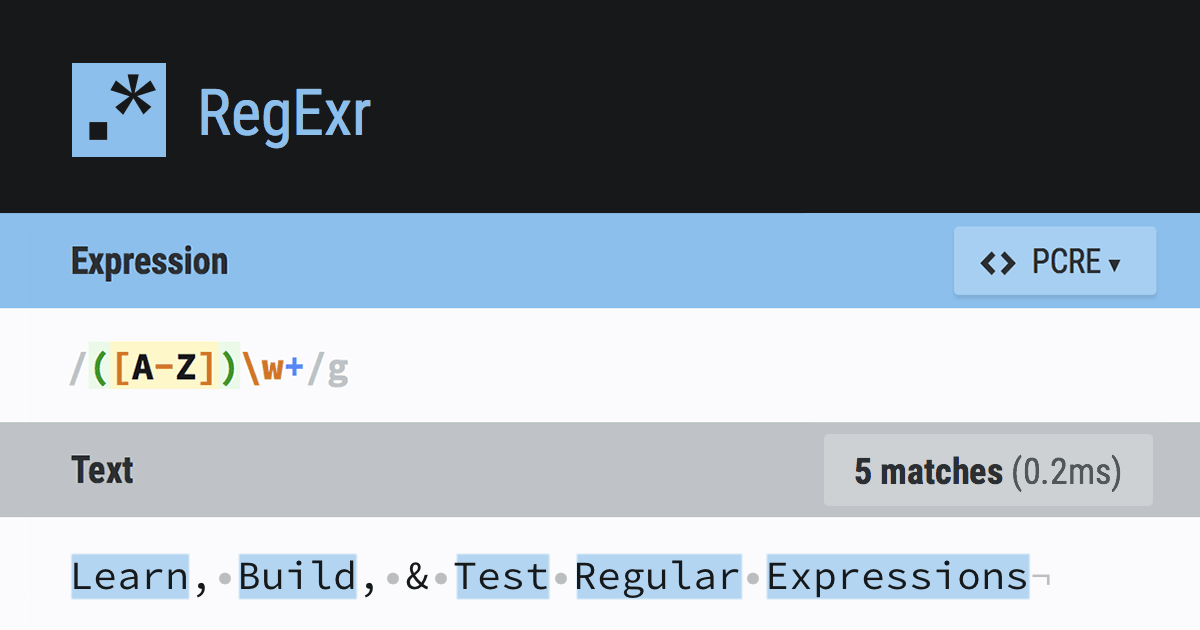
RegExr
RegExr is an online tool to learn, build, & test Regular Expressions (RegEx / RegExp).
if you don't want to click the link, the regex is \[.*\[(.*)\].*\] but I highly recommend that site for trying things out
 magic basin
how can i have lolcat ask for a text input
warm wolf
read -p "Stuff to lol: " lol && echo $lol | lolcat? @magic basin
viscid monolith

GitHub
Rainbows and unicorns (without Ruby! jay!). Contribute to tehmaze/lolcat development by creating an account on GitHub.
Seems to be a Python clone [of lolcat], you could borrow from [or use] it
warm wolf
find what?
warm wolf
read just reads input and sets a variable which I called lol
warm wolf
yep
warm wolf
there must be a way to prompt input and pass it to stdout but my bash skills aren't that great
magic basin
if enter 1.1.1.1 at lol and replace lolcat to ping it will ping it?
warm wolf
well with ping you can just ping $lol
warm wolf
Why did you put it in backticks
viscid monolith
I've read that backticks are more portable than $()
magic basin
hol up let me try this
warm wolf
ping 1.1.1.1 | lolcat works fine though?
viscid monolith
only if you set a limit on ping
warm wolf
what do you mean?
viscid monolith
ohwuthow
viscid monolith
Neat!
magic basin
so where it says ping you can replace it with any command and it will be coloured for example ifconfig
im learning xd
warm wolf
btw I feel like this is a bit offtopic for this channel
viscid monolith
chooo choooooo
warm wolf
supposed to be related to Python on unix
magic basin
yas
@warm wolf yes i'm trying to setup aliases for a user
so they can't run a certain command
ok well
i added every single bash command and replaced it with "You can't use this!"
it works, but it also prints every alias out when they login which is weird, can you explain it? ;(
warm wolf
did you put a bunch of aliases in bashrc or what
warm wolf
and you put the alias for alias last?
viscid monolith
How do you alias over unalias though?
magic basin
wdym?
warm wolf
yeah you can't alias if you disabled it for yourself before the rest has run
magic basin
not for myself only for the user
viscid monolith
Sure but they can just unalias foo and then they can use /bin/foo again or whatever
warm wolf
just make it the last command in bashrc
magic basin
even if i remove the alias alias, it still prints them out
and it prints them twice
example:
user@ubuntu: ping
you can't use this.you can't use this.```it does this ^
viscid monolith
Something else you did
When I get into a coworker's computer I just add a echo Help I'm trapped in a terminal!!! somewhere in the bashrc
magic basin
but do you know what is causing my problem
viscid monolith
nope it's not part of what you've explained
warm wolf
did you alias over echo too
magic basin
yes
viscid monolith
ha!
warm wolf
that's it then
magic basin
oof
even after removing echo, lol
i did these commands: https://fossbytes.com/a-z-list-linux-command-line-reference/

Linux distributions can leverage an extensive range of commands to accomplish various tasks. For most Linux distros, bash (bourne again shell) is the default command-line interface or shell used to execute these commands. In this A to Z list of Linux commands, we have tried t...
@warm wolf
warm wolf
why though
warm wolf
may as well block them from it completely
viscid monolith
write a script that brute force aliases things starting with a, then b, ... then aa, then ab...
warm wolf
there's so many better solutions like restricted shell, chroot, containers, vm whatever
magic basin
i just want to stop this
you can't use this.
you can't use this.
you can't use this.
you can't use this.```its bugging me.
viscid monolith
because you want it to be like fifteen times instead, yeah?
magic basin
i want it to be hidden
so they dont know what commands are hidden
not print out the whole list
viscid monolith
Can you make $PS1 an RTL character?
uneven silo
lmao
magic basin
lol $PS1=lolcat
xd
@viscid monolith run:
echo I Love Spooktober | lolcat -a -d 1000
😁
magic basin
xD
timid mist
@warm wolf & @viscid monolith thank you for your help!
magic basin
uh what xd
uneven silo
but its still colored
magic basin
i want to create a ticket system for users on the server to contact me as root user whats the best way i can do this?
uneven silo
probably python and /var/mail
magic basin
i was first thinking python, have them create a directory, and make a txt file inside of it containing their message which i could make with inputs, but then they wouldnt be able to add text to the file
since i disabled all the text editors lol
magic basin
whats that
uneven silo
the text you write goes on the end of the file instead of overwriting
its just a option passed to open in python
magic basin
read filename
mkdir -p $filename
this is a problem because if they use spaces, it creates multiple folders instead of just one :/
viscid monolith
lol your problem was solved in 1971
viscid monolith
/var/mail was the original email in 1971 so users could communicate with each other and their admins
I think it was at Berkely but I'm probably wrong
and email has been an increasingly awful plague on humanity ever since
magic basin
i have a better idea
read filename
sed -i '1i$filename' ticket```but it isnt working
viscid monolith
I've been meaning to l2sed for years...
magic basin
its like not recognising $filename or something
sage solar
as your problem has already been solved with something builtin which is on every system you will find today your idea isnt better
viscid monolith
The Nix speaks lolol
magic basin
i want to learn and see if this is possible
why wont it read $filename tho
terminal is dumb
viscid monolith
read just gets the first line anyway I think
magic basin
¯_(ツ)_/¯
sage solar
if there is one thing that has not been dumbly designed its the POSIX conform tools lol
magic basin
i can quite easily add some text to an existing file using sed -i '23iabcd' file.conf but i want it to ask me for a text input and then add whatever the input is
sage solar
first of all sed is pure overkill for this a simple echo $input_var >> file.conf is already enough
and for me it doesnt change into an array of strings if i have spaces in there
magic basin
what do you mean by echo $input_var >> file.conf
sage solar
.....just what it says
magic basin
it doesnt ask for an input
sage solar
yeah well that input is gonna be stored in input_var i was talking about sed being an utter overkill
magic basin
ah
sage solar
and your script is just
read -p "Test: " test && echo $test >> test.txt
magic basin
thank you :3
magic basin
os.system is my best friend :)
 haughty fractal
Hey everyone, my question is not about python itself but about Anaconda and its interaction with Linux.
I am using Ubuntu and when I open Anaconda Navigator via Terminal, its taking 2 spaces in my dock, since Terminal is also there with Anaconda Navigator. And when I open Spyder it becomes 3.
I really would like to eliminate Terminal from my dock. What I want to know is:
1-) Is there a way to open Anaconda Navigator without doing it from Terminal? If I create a desktop file will Terminal go away from my face?
2-) I read somewhere that Anaconda Navigator comes with desktop icons in some linux distros (which would probably doesn't have this Terminal having to be open all the time problem). Do you know any specific distro for that?
Thanks for all the help!
P. S. : I asked my question at channel #help-kiwi and they redirected me here
warped nimbus
Look into creating a shortcut yourself on Ubuntu. I am not familiar with gnome so not sure how that would be done.
I imagine you'd first need to write a simple shell script to launch spyder
Which may involve having to activate the conda env (most likely the root env) spyder was installed on
And your shortcut would point to that shell script
torn snow
definitely check out creating a desktop file
you don't actually need a shell script iirc
 rich sage
I need help installing fonts on debian 10 via google cloud ssh and when googling i find tutorials with fc-list, fc-cache, etc
when i use those commands it says command not found
i have the ttf files on the server in ~/.local/share/fonts
 flat locust
what does -i mean in unix
rich sage
i suppose i dont its just fresh instance of debian 10
but all the tuts dont mention anything about installing it
torn snow
Do you have an actual...GUI installed
Actually yeah on GCP you don't so you won't have fontconfig by default
Managing fonts is...generally not something you'd normally do on a server
magic basin
hey guys... how can i trap the \ key when pressed with the ctrl key
because ctrl + \ sends an exit signal :/
viscid monolith
iirc that's the same as the escape key
torn snow
afaik that's usually handled by your shell or terminal
so there's no way to handle it
ah ctrl+\ triggers a SIGQUIT and core dump
You can try to handle the signal itself or mask it, see https://docs.python.org/3/library/signal.html
 upper shale
i plugged in a new 4 mic array into my raspberry pi via usb but the mic is not giving any input. it appears on arecord -l and /proc/asound/cards
warped nimbus
If you are sure it is a mistake (i.e. you are sure no one is doing something nasty) then IIRC it has instructions at the bottom of that warning which tells you to remove it from the known hosts
wary edge
I have been trying to connect to my wifi network on kali linux for a while but it has always said not networks found i am sure its not the network it works fine on every other device
viscid monolith
Is it a laptop? I've had a lot of issues with Kali and WiFi devices/drivers, especially with laptops.
wary edge
Yeah its a laptop sorry for the late response took a shower
torn snow
@wary edge find out what wifi card it comes with (running lspci may help), then google for its chipset
oak shell
Keep in mind Kali is not meant for everyday use or even to be installed. Not sure if you are aware of that and using it according to its purpose or just trying to play around.
wary edge
Heres rhe result of the command dont really know what any of it is
viscid monolith
Based on that (look at the network controller part) you have a Realtek rtl8822be wifi adapter
Byte speaks truth - ideally you should run Kali in a VM to give you more sandboxing options to protect yourself
I've definitely installed it directly on a few throwaway netbooks, though 🙂
rapid hazel
hello
how2partition
red is used and green is free
I need more space on 1 but there's no free space on 2 on the left side
is there any way I can still give 1 more space without fricking everything all over again?
rapid hazel
apparently you can drag..?
main olive
a client is adamant about having access to a server. I was thinking about setting up chroot for them. Is this a good solution? Is it possible for an advanced user to escape the environment and gain access to the host env?
chroot is easy to escape, docker containers slightly harder, kata container incredibly hard
:/
even with 'proper' hardening?
 grave jolt
set up a vm or container for them
sage solar
There is actually no way to properly harden a chroot without removing the ability of the user of a chroot to chroot
And even then he could just write a chroot himself
I'm starting to adore the unveil OpenBSD system call so much
torn snow
@main olive use a proper sandbox, like nsjail
or bubblewrap
In theory possible to escape but it's very very very hard
main olive
or just docker+kata
virtualized container
no way he's breaking out of that with ease
main olive
@sage solar I was thinking it's possible to chroot the user as soon as they ssh to the server without giving them ability to chroot themselves
sage solar
Well in that case as long as they can write a file they can create their own chroot still
main olive
Does this still hold true if:
- they can upload any file
- I set there umask without executable permissions
- They don't have access to chmod or chroot
?
chroot is implemented at the kernel level and is a syscall, the binary is just to facilitate the usage of chroot but isn't necessarily required
and within a chroot, the kernel is shared with the host, so there's no way to disable chroot within a traditional chroot
warped nimbus
IIRC nsjail can be configured to disable certain syscalls
That may apply to chroot then
Though maybe if you are using nsjail you already don't need to worry about chroot
main olive
does anyone have any good resources on bubblewrap? my google-fu is failing me
main olive
not sure why you would go through all of that effort if you can simply pop him in a proper container
chroot is NOT meant to be used for security and never should be
lack of knowledge :)
the client needs to run these commands:
ps, du, df, netstat ,vmstat ,top, sar ,lsof ,ping
it seems to me like chroot would be easier to setup for this
with direct ssh to the chroot env
I know that I 'd have to mount at least /proc to either docker container or chroot env for ps to work
not sure what all implications of that are
but I don't care if they crash the server. I'm only worried about secrets
torn snow
It's like really easy to escape a basic chroot jail
 digital haven
Does anyone know of a reliable way to check the location of a server
geographic location that is
i'm interested whether the server is located in EU or USA
main olive
externally?
geoip is the safest bet if it's not behind a load balancer or some other sort of proxy
you could correlate this with the system's timezone as well (if you can get it to spit out a time somehow)
digital haven
@main olive not too sure what you mean by externally 🤔
I'm working in a google colab notebook and want to see where the server is located... because I can't use a server that's located in the US
digital haven
@main olive oh - well it's through a google colab notebook , so i don't have direct access no
I'm not too sure what the deal is with gdpr here and whatnot 🤔
i'm not actually sure if the IP reported by a server in a system like googles is reliable... or whether they just ping all over the place
main olive
they might very well be behind a load balancer, yes
you could just contact google and ask them
main olive
If you are simply programming python on an ide, with virtual enviroments, does your os really matter?
Would you be able to develop on windows like this?
 sharp shell
Depends on the packages involved
If your project has a dependancy that doesn't have good or any support on windows, then it can be pretty inconvenient
A virtual environment is definitely an asset to make use of, since it's keeping your development environment isolated from other ones, but it doesn't avoid some of the pitfalls of working specifically on windows.
Thankfully, it's really quite rare to have to worry about windows being a nonsupported OS for a dependancy, and usually is related to things that have been implemented in C instead of pure python.
I think uvloop used to be a good example of that
 lavish phoenix
hey guys i'm using a linux ubuntu 16.04 and it's really weird that my home wifi is super slow on this laptop only
main olive
@lavish phoenix what's the output of sudo lspci -vvv
main olive
the one which lists information about your wifi card :)
lavish phoenix
is it the network controller?
still too long :c
Kernel modules: iwlwifi``` Subsystem: Intel Corporation Dual Band Wireless-AC 7260
Control: I/O- Mem+ BusMaster+ SpecCycle- MemWINV- VGASnoop- ParErr- Stepping- SERR- FastB2B- DisINTx+
Status: Cap+ 66MHz- UDF- FastB2B- ParErr- DEVSEL=fast >TAbort- <TAbort- <MAbort- >SERR- <PERR- INTx-```


 boreal kestrel
I'm running Ubuntu 16.04. The system comes with Python 3.5. I need to upgrade to Python 3.6, but I don't want to touch the system's 3.5. How do I install python 3.6 alongside the system version? How do I choose to use Python 3.6 instead of 3.5 for a particular program?
boreal kestrel
There's tons of documentation saying to use pip but I don't see how pip is relevant whatsoever
also tons of documentation saying to use virtualenv, but then also says that the different version of python needs to already be installed. so that's not helpful either
https://stackoverflow.com/a/50319252/1111557 solved, this seems to work

Stack Overflow
Is there any way to make pip play well with multiple versions of Python? For example, I want to use pip to explicitly install things to either my site 2.5 installation or my site 2.6 installation.
...
boreal kestrel
Docker's not permitted on the system unfortunately. I've used Docker with great success for other projects though.
I'll look at pyenv. Is that like venv?
Ahh yes it looks like pyenv does what I want. Thank you 👍
obsidian light
I have installed Arch with a lightdm desktop environment. It is not detecting my wireless adapter. (Realtek rtl8723be I think). I have been scouring the internet for tutorials of all sorts trying to get this to work to no avail.
torn snow
@obsidian light kernel 4.17 and newer should support that model ootb
Are you positive that's the chipset?
obsidian light
Nope
torn snow
You can use sudo lspci to try to check
Or try researching the model
What's the manufacturer & device?
torn snow
Do you have Ethernet as an option?
If so install this aur package: https://aur.archlinux.org/packages/rtlwifi_new-extended-dkms/
Newest Realtek rtlwifi codes, extended branch
obsidian light
Only temporarily
torn snow
It contains the driver for your device
obsidian light
I don't even know how to do that.. 😦
torn snow
Are you familiar with using the AUR?
obsidian light
No. I have never had to.
torn snow
Okay basically the AUR is a giant repository of user-maintained external packages for Arch Linux
You can clone an AUR repo using git and build it yourself, or use a tool called an AUR helper to automate that because it's kinda boring (this is what most people do)
I believe yay is currently the most popular one (and it works quite well too): https://github.com/Jguer/yay

GitHub
Yet another Yogurt - An AUR Helper written in Go. Contribute to Jguer/yay development by creating an account on GitHub.
yay's CLI basically mimics pacman, but you omit use of sudo
obsidian light
yay is installed. 😄
torn snow
So whereas you'd do sudo pacman -S package to install from your normal repos, yay -S does it for the AUR (yay can also install normal repo packages to make usage a bit smoother)
Okay so
Now install rtlwifi_new-extended-dkms
obsidian light
Diffs to show? None?
torn snow
That's basically the build script
Yeah that's this step
In theory you're supposed to say yes
In practice...no one cares so just hit no
I mean none
obsidian light
Unable to install module rtlwifi_new/r291.0522b4c for kernel 5.3.8-arch-l:
Missing kernel modules tree.
obsidian light
It said the same error? 😮
torn snow
After installing linux-headers?
obsidian light
When I try to yay -S linux-headers
torn snow
Wtf that said missing kernel modules tree?
torn snow
Okay one sec
obsidian light
Take your time
torn snow
Did you install the regular or lts kernel
obsidian light
lts
torn snow
And btw have you updated without rebooting
torn snow
Yeah try that
Your kernel probably updated but the booted version is still the old one
So it's trying to find the files for the booted kernel which no longer exist
torn snow
GAH sorry I missed when you said lts
Install linux-lts-headers
Not sure if the rtlwifi-new package will build on lts but I guess we'll find out ¯_(ツ)_/¯
obsidian light
It seems to be getting further
Cleaning build area...
The anticipation
It got so much further, then threw the same thing
What do you suggest ?
@torn snow
torn snow
Hmm
rtlwifi-new might not like lts...
Is there a particular reason you didn't use the standard kernel?
obsidian light
stable sounded appealing
torn snow
I mean
Tbh if you're on Arch
If anything breaks the kernel isn't necessarily in the top 5 causes
obsidian light
Should I reinstall?
torn snow
Oh no
You don't have to reinstall
If you want to switch kernels
You can just install the normal kernel (you don't have to remove lts for that iirc)
And then update your bootloader for it depending on the bootloader you installed
For grub run the mkconfig tool, for sd-boot edit the loader file, etc
obsidian light
how do i install normal kernel?