#unix
1 messages · Page 27 of 1
 warped nimbus
 astral spear
ubuntu, i just used the recommended things, or the ones that were already selected
warped nimbus
I don't know what the recommended settings are. Is it Ubuntu 18 or 16?
astral spear
18.04 x64
warped nimbus
Alright, I recommend you start here then https://www.digitalocean.com/community/tutorials/initial-server-setup-with-ubuntu-18-04

DigitalOcean
When you first create a new Ubuntu 18.04 server, there are a few configuration steps that you should take early on as part of the basic setup. This will increase the security and usability of your server and will give you a solid foundation for subseq
Then you can follow this https://www.digitalocean.com/community/tutorials/how-to-install-python-3-and-set-up-a-programming-environment-on-an-ubuntu-18-04-server

DigitalOcean
This tutorial will get your Ubuntu 18.04 server set up with a Python 3 programming environment. Programming on a server has many advantages and supports collaboration across development projects.
You can use the venv you created for your discord bot
Install discord.py on it and copy your source files for the bot over
astral spear
it says login was incorrect
but i used the command that your link suggested, and the password i was given in my email
@warped nimbus
warped nimbus
You're trying to connect via ssh right?
astral spear
no, i thought that was optional
warped nimbus
Yeah it is
astral spear
i decided to skip it, can i not skip that step?
warped nimbus
Then where are you trying to use the password?
astral spear
on the console,
warped nimbus
But you said you wanted to skip that step
You don't need to connect via ssh if you're using the console on DigitalOcean's website
astral spear
well when i click launch console, it says "login" immedietly
warped nimbus
Does it look like this? https://assets.nyc3.cdn.digitaloceanspaces.com/droplets/console-login.png
 astral spear
yeah
warped nimbus
You need to first type the username then press enter
then you type the password
The username will be root in this case
astral spear
ok now its telling me to change my password, is UNIX password what i can choose to change it to?
warped nimbus
anything you want
astral spear
it keeps saying login incorrect. I tried doing this before, all the same, and it keeps happening
warped nimbus
Try resetting the password then, follow this https://www.digitalocean.com/docs/droplets/resources/console/

DigitalOcean
Most users will manage their DigitalOcean Droplets using SSH, PuTTY, or a control panel they’ve installed themselves. However, changes to your network or service configuration files could leave you unable to log in remotely using these methods.
The Droplet console provides ...
astral spear
do you know why that would happen in the first place though? Im pretty sure i typed the password the smae
same
warped nimbus
No, I'm not sure why.
astral spear
ok, i reset it, i used the password from my email, and it told me to change my password in the console, and i did and it keeps saying login incorrect
warped nimbus
Does it say incorrect login at this step? Changing password for root. (current) UNIX password: Enter new UNIX password: Retype new UNIX password:
astral spear
no, when it says (current) UNIX password:, i type what i want, then it doesnt say Enter new UNIX password: or Retype new UNIX password:, it just brings back "login"
warped nimbus
That's your mistake
It says (current) in front of it
meaning what you got from the email
The next two say "new", meaning something you come up with
astral spear
ty
so this was step one right? I dont need to type the ssh root@your_server_ip part
that your link says
warped nimbus
No, you don't need to SSH cause you're connecting via the console on the website
That being said, I'm not sure how you'll be able to copy your discord bot over to the server without using scp, which requires an ssh connection
I don't think you can transfer files via the web console on DO
astral spear
so ssh is required?
warped nimbus
If you plan on transferring files yes I think so
Well you could upload your files to some 3rd-party service and then download the url on the server but that's clumsy
astral spear

so where would i use ssh root@your_server_ip part if the first thing that pops up when i click launch console is "login"
warped nimbus
You would need to use your own computer's terminal/console
You'd have to ditch the console on their website
astral spear
ok
warped nimbus
There's a guide on connecting w/ SSH here https://www.digitalocean.com/docs/droplets/how-to/connect-with-ssh/
DigitalOcean
DigitalOcean Droplets are managed using a terminal and SSH. You’ll need to have an SSH client and, optionally, an SSH key pair. Clients generally authenticate either using passwords (which are less secure and not recommended) or SSH keys (which are very secure and strongly ...
astral spear
The Droplet’s IP address
The default username on the server
The default password for that username, if you aren’t using SSH keys
i know the first 2, they were sent to my email, but am i using SSH keys?
is ssh keys part of ssh, or can i use the default password
warped nimbus
If you don't know, then that means you aren't using SSH keys 😄
astral spear
ok, i was just making sure i didnt miss a step
warped nimbus
Yeah no problem
I would suggest you use SSH keys cause they're just more convenient but the trade off is that you have to do some more reading to figure out how to set them up
Your choice
astral spear
yeah, maybe for when i get more used to this. I just want to start off being able to at least host this
bot first
so when i typed the password, it said "connection closed by <IP address> port 22, and now my shell command line has my own stuff on it
that doesnt make sense to me, shouldnt this have said something different and not kept as my original computer thing
astral spear
i dont get any "error", i do get a warning that says permenantly added <IP address> to list of known hosts
warped nimbus
I was referring to this connection closed by <IP address> port 22
astral spear
thats the entire line
astral spear
do you want the entire output?
warped nimbus
Yeah
warped nimbus
Looks like it works?
root@67.205.158.163's password:'
it's asking you to enter the password
astral spear
it closed it again
warped nimbus
When did it close it? Before you had a chance to enter a password?
astral spear
nvm, i think i didnt click control V hard enough, but now its saying permission denied, and to try again, which i did, and it repeated the message
warped nimbus
Are you using the password that you created yourself? (remember when it asked you to change it)
warped nimbus
From having to troubleshoot ssh issues myself
For what it's worth the -v option is fairly common on tools anyway
it means "verbose"
In the end thankfully looking at the verbose output wasn't even needed here
astral spear
@warped nimbus so with my sammy@ubuntu#### thing, this is my DO server? I would install python, discord.py, and run my bot's file and cogs with sammy?
warped nimbus
Yes
Use Sammy rather than.root
Though you could have named it something besides Sammy
astral spear
ya ik, i just didnt bother with creativity. So with installing python, because i am under sammy, it won't mess up my own python right? I would install it like normal through their website?
astral spear
oh thanks, i missed that link
astral spear
so i have everything set up now i think. How can i "upload" the bot file and cogs into the environment? Or would i have to do the nano thing and create a new file into the environment for each cog and the main file? Like i did with the hello world script in the example with nano?
warped nimbus
You'd use the scp command
warped nimbus
I don't remember the exact syntax but it looks right
Just want to be clear that you need to run the command on your computer rather than the server
astral spear
so you mean my own c:\users\etc? I'd have to exit all the sammy stuff?
warped nimbus
You can just open a new terminal window rather than exiting
To save you the trouble of reconnecting
warped nimbus
Your paths for the scp command look off actually
the first path is the source
the second path is the destination
astral spear
so id just switch the sammy with the tyler?
warped nimbus
I don't know what the exact path is but probably something like ```bash
scp C:\Users\Tyler\Desktop\Bot\bot.py sammy@server_ip:~/bot
Maybe the ~/bot directory needs to exist on the server beforehand
astral spear
scp C:\Users\Tyler\Desktop\Bot\bot.py sammy@ubuntu-s-1vcpu-1gb-nyc1-01:~/environments
It said no host was found
known*
warped nimbus
You need to specify the server ip not the hostname
Same way you did when you used ssh
astral spear
o
warped nimbus
Do you only have one file to copy or several?
astral spear
i have a few cogs, yeah
warped nimbus
You can copy a whole directory with 1 command, it'll be easier
scp -r C:\Users\Tyler\Desktop\Bot\ sammy@server_ip:~/bot
and I think you need to do mkdir ~/bot on the server first
astral spear
well i have environments, like it showed in the link you sent
is that the same thing?
warped nimbus
Looks like it worked
astral spear
astral spear
ok i tried doing that, and did /environments instead of /bot, but it keeps saying the same thing
warped nimbus
what about ls ~/bot?
astral spear
i see cogs and bot.py
cogs being highlighted blue for some reason
what does that mean?
astral spear
i try that in the server?
warped nimbus
Hold on
I forgot it has a recursive option
and you should do mv anyway
mv -r ~/bot ~/environments
do it on the server
Oh mv doesn't have a resursive option just cp so forget the -r
I'm rusty 🤷
astral spear
(my_env) sammy@ubuntu-s-1vcpu-1gb-nyc1-01:~/environments$ mv ~/bot ~/environments
(my_env) sammy@ubuntu-s-1vcpu-1gb-nyc1-01:~/environments$
so i did that, shown on the first line, and after pressing enter, it brought my to a new line, no output or anything. Then i did python bot.py and got the same error [Errno 2] No such file or directory
warped nimbus
do you see the files with ls now?
astral spear
i see a folder, and the hello.py. How can i check what file names are in those blue folder names?
warped nimbus
Oh I see
It must have moved the folder in there
do mv ~/environments/bot/* ~/environments && rm -r ~/environments/bot
astral spear
it kinda worked
although i think there was an issue when i installed discord, cause its giving me the no module found error
did i maybe install it in the wrong directory?
warped nimbus
is your virtual environment still activated?
astral spear
~/environments this?
warped nimbus
No, when you did this source my_env/bin/activate
and then you see the (my_env) prefix in the console
astral spear
i dont think i did source my_env/bin/activate, cause i tried doing find source, and got no results so
but i do see (my_env) as a prefix
in my server
(my_env) sammy@ubuntu-s-1vcpu-1gb-nyc1-01:~/environments$
this is what i see ^
warped nimbus
source is a shell built-in so you wouldn't find it
And you must have done it since it looks like the venv is indeed active
what does pip list show?
or better yet pip show discord.py
do you see anything?
astral spear
nope
warped nimbus
then do pip install discord.py
astral spear
looks like it worked, but im running into an error with how i get my cogs. Looks like another problem with directory 😦
warped nimbus
are all the files you need there?
astral spear
./Bot:
cogs  bot.py

./Bot/cogs:
__pycache__  fun.py

./Bot/cogs/__pycache__:
fun.cpython-37.pyc

./cogs:
__pycache__  fun.py

./cogs/__pycache__:
fun.cpython-37.pyc

./my_env:
bin  include  lib  lib64  pyvenv.cfg  share

./my_env/bin:
activate      activate.fish  easy_install      pip   pip3.6  python3
activate.csh  chardetect     easy_install-3.6  pip3  python  python3.6

./my_env/include:

./my_env/lib:
python3.6

./my_env/lib/python3.6:
site-packages```

this is what i see, and a whole lot of other internal stuff down below, but this looks like the parts we'd be focusing onand i see the fun.pies there
warped nimbus
So nothing is missing?
astral spear
i dont think so
this is the line i use in my bot.py file which i get from my server console as the "error" line: for cog in os.listdir('.\\cogs'):, surprise surprise, its from a tutorial. IDK if that makes a difference
astral spear
File "bot.py", line 240, in <module>
for cog in os.listdir('.\cogs'):
FileNotFoundError: [Errno 2] No such file or directory: '.\cogs'
warped nimbus
try './cogs'
astral spear
uhhh... lol
so like do i change it in the file i have on my computer, and reupload it to the server?
or can i edit it from the server console?
warped nimbus
you can open it in nano
astral spear
oh ya
thats weird, looking at my file using nano, the line is for cog in os.listdir('.\cogs'):, with double backslashes, while when i copied and pasted it up there, its only one \
should i try .//cogs or ./cogs ?
warped nimbus
The latter
astral spear
ok done. How do i exit? lol
It says ^X, but whenever i do shift x, it just rights a capital x on the file
warped nimbus
^ means ctrl
That's general advice though
I don't use nano ever so IDK how it works
astral spear

warped nimbus
just in time for pride month
 white solar
Lol
astral spear
im 2 hours late where im at but ¯_(ツ)_/¯
 stiff tiger
anyone here happens to have a torrent link windows 10 iso image may 2019 update?
warped nimbus
Microsoft does make the ISOs freely available, but not via torrents
And why are you asking in #unix
astral spear
My bot isnt online anymore
I noticed in the morning, after i turned my computer off, my bot went offline too. Was i supposed to "save" or something, cause i dont see a point in a vps if i have to keep my computer on for it to work
warped nimbus
Look into making it a service with systemd or using screen (yes it's called screen)
astral spear
these are DO features?
warped nimbus
No they are Linux features
astral spear
so you're saying i dont even need digital ocean to host my bot?
warped nimbus
Well the server still needs to be powered on always
A service just makes it so that it runs in the background rather than closing the program when you end the.ssh connection
astral spear
which one do you recommend i google? Systemd or screen
warped nimbus
Screen is easier to use probably but I'd recommend systemd if you can get a hang of configuring it
warped nimbus
Systemd makes it into a service and its more customisable
With screen all you're doing is saving the terminal.session
astral spear
thats all i really need though, right? What customization would systemd have that would benefit me hosting my bot
warped nimbus
You can do stuff like auto start, restart on crash, with a service
warped nimbus
I.suggest you do some reading on systemd services to see what they have to offer if you are curious
astral spear
im trying to reconnect but i keep getting denied
C:\Users\Tyler>ssh root@67.205.158.163
root@67.205.158.163's password:
Permission denied, please try again.
root@67.205.158.163's password:
Im very sure the password is correct, its the one i made yesterday
or am i gonna have to reset my password?
warped nimbus
Are you sure you're using root password rather than sammys
astral spear
so its supposed to be the one from my email?
warped nimbus
No
astral spear
uh.., well i kinda used the same password for anything with this digital ocean stuff, cause i thought id get confused with something like this
tried to think ahead and make sure there werent problems. Im gonna have to reset password, arent I?
warped nimbus
If you can't figure it out then yeah you can resort to resetting it
astral spear
ok, im in the server. Now how can i log on as sammy?
i dont want to follow the link you gave me, cause that'd be creating a new user entirely, right?
warped nimbus
If you wanted to be on sammy you could have just directly connected as that user
ssh sammy@ip instead
But you can change users with the su command
su - sammy
astral spear
i found this guide on screening https://linuxize.com/post/how-to-use-linux-screen/
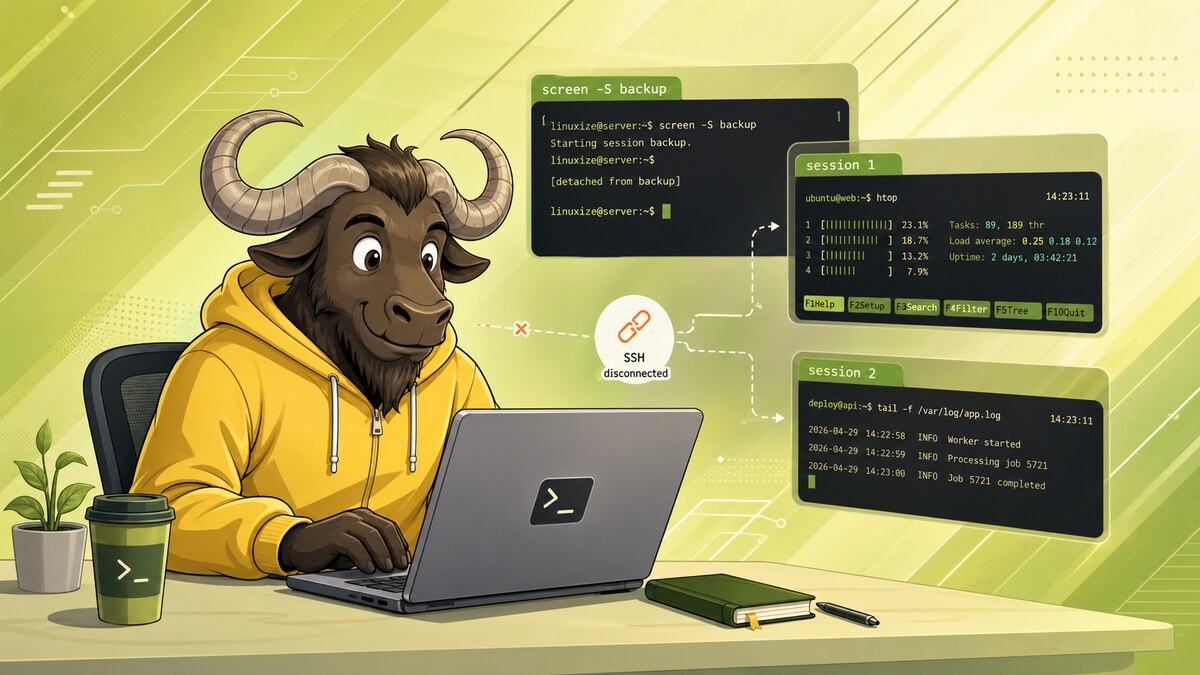
Screen or GNU Screen, is a terminal multiplexer. In other words, it means that you can a start a screen session and then open any number of windows (virtual terminals) inside that session.
lol
i also just started to run my bot before following the tutorial
is it ok if i use the command to install screen within the environments directory from yesterday?
where i have bot.py, cogs, etc, or should i backtrace so im not in environments
warped nimbus
It doesn't matter what directory you are in when you use apt-get
astral spear
i think its working now, i closed all the terminals and my bot is still responding to commands
thanks!
again ;p
warped nimbus
No problem
 jolly wren
Hey guys, I'm trying to make a script that creates users
Ik you can do it with regular shell code but my assignment is to make it with python
import argparse, sys, os, crypt
from datetime import date, timedelta

##Create User function
def createuser(user,edays):
    user = user.lower()
    now = date.today()
    end = now + timedelta(days=edays)
    expire = end.isoformat()
    password = "Password1"
    encPassword = crypt.crypt(password,"a1")
    print("Creating user: "+ user)
    os.system("useradd -m -p " +encPassword+ " -e " +expire+" "+ user)
    for line in open("/etc/passwd"):
        if line.startswith(user + ":"):
            print(line)

##Remove users
def deluser(user):
    print ("Deleting user: " + user)
    os.system("userdel -r " + user)

##Open File function used both the add and remove users from file
def openfile(file):
    f = open(file)
    for userline in f.readlines():
        if userline == "n": #Ignore empty lines
           continue
    userline = userline.rstrip() #remove trailing newline from readlines
    if args.addfromfile:
        createuser(userline,expiredays)
    elif args.deletefromfile:
        deluser(userline)

if not os.geteuid()==0:
    sys.exit("nOnly root can create users, try sudo " +sys.argv[0]+ " n")

parser = argparse.ArgumentParser()
parser.add_argument("-e","--expire",type=int,help="Days to expire account, default 5 days")
parser.add_argument("-a","--add", nargs="+", help="Creates local Linux Accounts")
parser.add_argument("-d","--delete",nargs="+", help="Removes local Linux Accounts")
parser.add_argument("-f","--addfromfile",help="Create Local Linux Accounts from file")
parser.add_argument("-r","--deletefromfile",help="Delete Local Linux Accounts from file")
args = parser.parse_args()

if args.expire:
    expiredays = args.expire
else:
    expiredays = 5

if args.add:
    for u in args.add:
        createuser(u, expiredays)
elif args.delete:
    for u in args.delete:
        deluser(u)

elif args.addfromfile:
    openfile(args.addfromfile)
elif args.deletefromfile:
    openfile(args.deletefromfile)
This is what i have so far but when i run it
I get "Only root can create users, try sudo"
so my question is if it's asking me to bring in sudo with the subprocess command
warped nimbus
Are you running your python script with sudo/root?
warped nimbus
sudo python3 script.py
 warped nimbus
Well it looks like you need to give it some arguments since you're using argparse
warped nimbus
No, I didn't write your script. Arenät you the one that wrote it?
You should know better than me
warped nimbus
Np
 robust cave
man bash
/bin/bash
       The bash executable
/etc/profile
       The systemwide initialization file, executed for login shells
~/.bash_profile
       The personal initialization file, executed for login shells
~/.bashrc
       The individual per-interactive-shell startup file
~/.bash_logout
       The individual login shell cleanup file, executed when a login shell exits
~/.inputrc
       Individual readline initialization file
 blissful sage
well I understand
but I don't really see the usecase for .bashrc
like doesn't bash profile supersede bashrc?
maybe I'm confused
robust cave
.bashrc is only sourced for interactive non-login shells, while .bash_profile is for login shells
blissful sage
oh
robust cave
there are commands where you wouldn't want running on a non-login shell, and vice versa
blissful sage
could you use an example
robust cave
I could, but I'm heading out in 2 secs, I'll see if I can do it on mobile
here’s a simple one, if you have something setup to print out very detailed diagnostic information about your machine to the terminal, you don’t want it in .bashrc, since it'll print it out every time you open a new terminal
blissful sage
ahh
but why wouldn't it print just the same from your .bash_profile
because I've modified my .bash_profile, the changes still carry over from terminal instance to terminal instance
robust cave
as in your .bash_profile sources .bashrc? that’s common but my previous example still stands
robust cave
are you on macOS?
blissful sage
I installed homebrew, as well as pipenv, and as result I had to edit my bash profle
yes
robust cave
yep
blissful sage
but on mac it doesn't matter so much?
robust cave
yeap, even on Linux some configurations just have .bash_profile source .bashrc and have everything in .bashrc so there’s no need to manage two separate files
blissful sage
that's where I;m at now, it seems kind of convoluted and confusing
managing two separate files seems like a waste of time, I can't picture how that's useful. But that may be because I started with macOS
so basically I should jsut continue to edit my bash_profile, there seems to be contradictory advice online
 south star
it might be an option in the terminal app whether to run a login shell or not
i would say it's a most useful distunction when connecting from command line to a server, whether physicaly or from ssh, if you are using a graphical session, in linux you basicall never run a login shell
(unless you setup your terminal emulator to do so)
 trim wing
I have a problem, i accidentally installed linux 32 bit on my machine, and there is no way to upgrade to 64 bit
how can i fix this dumbassery
white solar
Reinstall ?
 tawny sky
Reinstall.
 oak shell
https://askubuntu.com/q/81824/367990 possible, but not trivial. Reinstalling is probably simpler if it's a relatively fresh install anyway.

Ask Ubuntu
I've got a 32-bit Ubuntu installation running on 64-bit hardware. Now that multi-arch has been implemented, I would like to switch to 64-bit without having to reinstall the OS.
This is one of the ...
trim wing
yeah its not fresh :/
oak shell
then back up your stuff and try the method above. Worst case you can still reinstall and restore your data.
south star
well, you could tell dpkg to add the amd64 arch, and then install amd64 versions of basically all the packages, and the kernel for it, of course, then reboot on the new kernel and remove the i386 architecture, but that sounds more like a learning adventure than a proper plan, it's going to be a lot easier to just reinstall
trim wing
sod it, i'll leave it on 32bit till the machine dies!
south star
the second answer is promising though https://askubuntu.com/a/152798/80733
Ask Ubuntu
I've got a 32-bit Ubuntu installation running on 64-bit hardware. Now that multi-arch has been implemented, I would like to switch to 64-bit without having to reinstall the OS.
This is one of the ...
trim wing
😮
south star
the result is a 64 kernel but 32 bit for most packages, but then you can install 64 bit versions of them
probaly using some dpkg -l parsing and scripting
trim wing
i think the only reason i want it is for vscode remote 😄
 main olive
what's a kernel
 odd hollow
core program that interfaces with hardware components
 nimble quarry
Hello guys, a bit noobish but I could not find an answer to this 😬. Very quick: why will this Bash command not print anything?
$ FOO='foo' echo -n "$FOO"
 torn snow
@nimble quarry bash will set FOO only for the duration of the echo command itself, the $FOO will be evaluated and substituted by bash before echo runs
If you need local scoping e.g. in a shell script function, use the local keyword
nimble quarry
@torn snow oh right, makes sense, thank you 👍
 surreal vapor
Anyone alive that can help me with general Linux issue? Not necessarily Python. gpg keysever problem.
torn snow
@surreal vapor don't ask to ask, what's the issue
surreal vapor
kat > 1
1) Add kali linux repositories
kat > 1
Think I got it. Proxy was blocking it, jumped on a VPN.
torn snow
You arguably want to just a Kali live cd to do pentesting
Kali is terribly insecure for desktop use but great for pentesting because root is the default user
 hallow geyser
^^ @torn snow Yup! IMO, use it as a liveCD, but do not run it as your main
surreal vapor
I am not using Kali, I was trying to use a script that automatically added Kali tools to my Ubuntu OS
south star
are you aware of the current situation with gpg keyservers?
you might want to learn about it before doing any synchronisaton

Gist
SKS Keyserver Network Under Attack. GitHub Gist: instantly share code, notes, and snippets.
@surreal vapor
surreal vapor
Oh dear
south star
yeah, pretty bad
surreal vapor
Situation: I am currently logged into my VM... I changed the username via and now the password doesn't work and I can't get back in. I am in the CLI but if my VM locks I am not sure I am able to get back in. Is there a way to fix it? I can't even get root since it's trying to get root for the new name not the old one.
robust cave
changed the username via?
surreal vapor
Ok
Well I fixed half the problem
I logged into root and changed the password to the account via another account
Using passwd
Now I get a black screen that flashes
torn snow
The black screen is inside the VM?
surreal vapor
Ok so
I signed into another account
And used su and I can see my files and such. However I cannot use the Ubuntu GUI to click on the account and access it
But when I click on the account from the login page that lets you select an account, I get a quick black screen with some text that shows my username and password in clear text and some other stuff
main olive
saved a file in a certain format.. forgets what format it was.. Stat is so not helpful
soooo this is why extensions are important
surreal vapor
It's all good, I just logged into another user, grabbed my documentation and kept going. Only thing I lost is the picture for my backgrounds on the lock screen and home screen.
Always document.
Lesson learned: Document everything and save a working snapshot before do anything risky
torn snow
@main olive run file on it
 misty ravine
Are WiFi drivers not available when installing Kali in VirtualBox
main olive
virtual box provides its own virtualized network adapter
which has built in support in the kernel
you need to set up networking in virtualbox itself
 high helm
I am currently using MX Linux. How am I suppose to install and upgrade to the latest release?
 grave jolt
looks like its debian based so dist-upgrade should do it.
they have a migration document as well: https://mxlinux.org/migration/
high helm
I mean the latest release of Python 3.
grave jolt
oh, you should be using virtual envs for your projects, leave the os version alone, dont install packages in to it and let it be upgraded via the normal os upgrade system
changing the version of python that the os uses can break things
high helm
That means I gotta wait for a while, then. 😐
grave jolt
you can install any version in to a virtual env at any time
tools like pipenv and pyenv make that pretty easy
a virtual env can have its own python version as well as its own package set
high helm
what about anaconda?
grave jolt
i have not used anaconda but it might be similar
torn snow
Poetry > than pipenv though
@grave jolt sometimes distros will have packages that let you install multiple Python versions in parallel, e.g. Fedora let me install python38 which is separate from python3
Then you can use e.g. poetry or venvwrapper to set up project-specific venvs
grave jolt
yeah if it has the version you want in the repo you might as well install that and just use the venv to isolate your package choices
torn snow
I personally wouldn't recommend Anaconda unless you want the scientific packages because ime it can be a bit awkward sometimes
Lmao I just realized I pinged the wrong person
Sorry
@high helm
grave jolt
lol
high helm
okay
warped nimbus
You can get miniconda, which comes without any additional packages.
To me it just seems like an alternative to pyenv
And kind of a worse one
If you actually want to take advantage of packages on conda then that's a different story
misty ravine
@main olive Ohkk thanks I'll look into it
 gritty bobcat
I've recently moved from a raspberry pi to GCP, but for some reason, a bunch of syntax error has appeared when they didn't before, does anyone know why?
Also, I deleted and replaced a file, but it's still running deleted code, what do I do?
Is there anyway I can get a GUI for a GCP?
please ping
gritty bobcat
Sorry, I've figured it out
It was python version and being weird
Thanks for the concern anyway
gritty bobcat
This is a dumb question, but with a Google Cloud Platform, when I SSH in, I can start a task, but when I close the SSH connection, the task dies aswell, how do I have it so it runs the task without needing to have the SSH connection open?
warped nimbus
Use a tool like screen or make the task into a service so it runs in the background
You can also use tmux but I've not tried it. Apparently it's better than screen.
torn snow
@gritty bobcat also check out systemd-run --user if you need to run some short task service-style
grave jolt
yeah the ideal way it so make it a service so that it auto starts
 gritty stirrup
How do I manage permissions inside a docker-volume for php?
warped nimbus
Can't you just chmod?
 scarlet charm
Anyone familiar with Ubuntu able to help me out? I seem to have accidentally deleted my gui.
 fallen swan
Try this:
sudo add-apt-repository ppa:gnome3-team/gnome3
sudo apt-get update && sudo apt-get install gnome-shell ubuntu-gnome-desktop
when prompted login manager of choice do LightDM if you want the Unity manager or GDM for the GNOME default
@scarlet charm
scarlet charm
Did that. Didn't get a prompt
fallen swan
Oh, does it work though?
scarlet charm
Rebooting
fallen swan
Gotcha
scarlet charm
Yes and no
I got to the lightdm login screen, but inputting my uname and pword gets me a rainbow line screen and then I'm back at lightdm to do it again.
scarlet charm
Sec. I went back to the tty and gotta reboot
fallen swan
alright
scarlet charm
Guest, Libvirt Qemu, then my username
fallen swan
hmm
GNOME isn't on there
That's weird
Sorry but I'm not too sure what's going on
 signal nebula
Anyone know why on linux mint pip has so many packages preinstalled compared to windows?
maybe windows just doesn't show everything when you do pip list?
grave jolt
the built in software on most linux distros use a lot of python packages, windows doesnt even have python installed by default
when working with python on linux make sure you always modify venvs, not hte global python environment
messing with the os python on linux can result in breaking system tools
guest, libvirt qemu and username is the list of users not the list of desktop environments @scarlet charm .
the rainbow thing implies to me that you might need to [re] install the driver for your graphics card.
you might also look for the button that lets you switch desktop environments and select gnome, it might have the wrong thing selected
oh also you can hide the libvirt user if you mess with some files, i dont remember which but i did it the other day and can peek later if you care. It requires making a file in some services config directory that marks it as a system user
signal nebula
I think i've only done "sudo apt-get install python3-pip", maybe also sudo apt-get install python3".. My linux build is only 2 days old hopefully I haven't already messed up some important files ._.
grave jolt
using apt to install stuff is fine and shouldnt break anything
but you can end up putting extra packages in or breaking stuff if you just use pip itself tbh
eg if you bump a version and pip doesnt realize its from a package instead
if you switch to using a venv you know you wont mess up your environment
and you can have a different one for each project
it lets you select or even install a different version of python from the os's version and also lets you have a separate list of packages
cause with the venv active you can just run python / pip and it will use the one in your venv
if you can reboot your system and log in without errors then you are likely fine as far as your global environment is concerned
signal nebula
Any way to check if there's extra packages? Now that I think about it I may have done some pip install python3..
I'm just starting try and get in the habit of using venv or pipenv. I assumed that your virtual environments used the global python, and any additional packages were installed as needed
Lots of confusing information out there
grave jolt
if you have a venv active itll by default use hte global python executables but install packages just in your venv
so as long as you make sure to activate the venv you are safe
now as far as extra packages idk, maybe there is a way to cross reference the apt package list and the pip package list
but extra ones dont hurt anything
other than being annoying extra wasted stuff
signal nebula
Alright, cool. Also this is a dumb question but- If you have 10 projects, each in a separate environment, and you pip install Flask in each one- Is Flask installed 10 times on your computer?
grave jolt
also i think you have to use sudo pip install or similar in order to install to the global env
otherwise you wont have permission
yeah it would
but its worth the extra space used
and when you are done you can delete the venv
signal nebula
I definitely sudo pip installed something, just can't remember what lol
grave jolt
eg if you commit a Pipfile or pyproject.yaml or whatever then its easy to rebuild the venvs later
lol well you are fine tbh as long as things are working. as long as you didnt end up making the os lose track of a file or bump a version to one that breaks some service it should be ok
i wouldnt go randomly deleting packages
signal nebula
I haven't heard of those files. Is that the same thing as a requirements file- like a list of the packages that can be automatically reinstalled on a new environment?
grave jolt
yeah they are similar
i am still working through trying to figure out the ideal use of all of them and which env managers are the easiest
signal nebula
Any thoughts so far? I was using venv on windows but I'm considering trying out pipenv
thanks for the help btw
grave jolt
i think i was using pipenv for making applications
which can use pyenv to install other versions of python
 heady briar
Can someone help me with running a python script on centos 7 using cron?
I have to run a script at startup but the script won't run at all.
 gilded basalt
Can you share the cron scripting you've tried so far?
heady briar
@gilded basalt I got no discord on my pc so I'll just take a picture of the code
It's a simple script to activate nordvpn at startup
gilded basalt
Why is there a reboot command before the path to the python script?
You should probably invoke the script directly e.g. /usr/local/bin/python3.7 /home/fletcher/Python/nord_vpn.py &
However I'm a neophyte at Cron scripting so probably not the best person to help with this
heady briar
Ill try those brb
grave jolt
you might want to switch to using NetworkManager or something to autostart the vpn when your network comes up
but as far as it not working, have you checked the log files and the man pages for the version of cron on that system?
it might not support @ reboot and just support time of day stuff, which is what cron is typically used for
also even if it does support that, starting a vpn before the network comes up will likely fail
and 'on reboot' doesnt mean 'on reboot after the network has come up'
also what user does it need to run under? nordvpn likely needs access to some configuration and if its run as root that config needs to be stored in a different place than when you run it under your user
and there also are likely some log files, or you could redirect the output of your python file in the cron tab someplace
torn snow
@heady briar check out systemd units
That would be the easiest way to do this
You can write a simple systemd service to run on boot
It also logs everything automatically
gritty stirrup
@warped nimbus I already had
drwxrwxrwx 2 www-data www-data 4096 Jul 12 22:13 sharex
This is the php user, and its 777
Yet it fails
It is a volumes mount... Don't know if that is the issue though.
gritty bobcat
@warped nimbus How do I do this? :D
main olive
tmux, well you run tmux
like just tmux
then it opens up a new "terminal"
type your commands what not
then quit out of the terminal
unless theres a way to go back I haven't figured that out
in order return to a previous tmux, type tmux a -t 0
where 0 is the instance number. Meaning if you have 3 terminals you can run tmux a -t 2 to get the last one
you can also do tmux ls to list all your instances
warped nimbus
@gritty stirrup what's failing? I've used chmod and chown in a bind mount before but not a volume
 junior nebula
I've messed up some symlinks yesterday after a few glasses of wine I think.. lol
This:
Is supposed to look like this:
right?
Not sure how I get that back tho
I guess I deleted /usr/bin/python2.7 honeslty
ughhh
south star
lol, you decided to jump right into it 😄 bye python-legacy! 😄
you might as well link it to python3, some programs might run
junior nebula
Yeaah.. Problem is that my jhbuild isn't working now
I started all of this to upgrade my gnome version
➜  jhbuild git:(master) ✗ jhbuild sanitycheck
/usr/bin/env: ‘python2’: No such file or directory
Looking in history, this is what I did lol
I guess unlink is an alias for rm or something
that wasn't my intention at all, that's for sure
south star
yeah, unlink is low level rm
south star
hm, you could tell dpkg to reinstall python2
if dpkg still works without python2, though
junior nebula
you're a legend
I didn't even consider
cheers
yum reinstall python2 worked indeed
south star
great 😃
junior nebula
Thanks mate
junior nebula
Well, I wasn't successful at compiling Gnome and installing it from source.. I really want to upgrade to 3.32.x, and I'm currently on 3.28.3.
I'm on RHEL8, but I'm unable to solve these issues:
jhbuild git:(master) ✗ jhbuild sanitycheck
python-gobject not found
dbus-python not found
Looking at the source doe this is what it attempts to do:
        # check for "sysdeps --install" deps:
        try:
            import glib
        except:
            uprint(_('%s not found') % 'python-gobject')
        try:
            import dbus.glib
        except:
            uprint(_('%s not found') % 'dbus-python')
pycairo and PyGObject is already installed.
Still won't work
main olive
python and pip both point to py3?
junior nebula
I guess jhbuild is using python2..
Why would RHEL8 be shipped with an old GNOME version
ugh
main olive
because it's stable
you're using enterprise linux, you should definitely not be surprised that the software versions are "old"
junior nebula
Yeah, I mean I agree hehe
It should be stable, EL is what it is
I'll figure out how to update gnome eventually!
south star
why would you install a desktop on RHEL, do you use it as desktop?
junior nebula
Basically I'm working at a place where we only use windows desktops. Since we're using OpenShift and some redhat systems I got approved to test out RHEL8 as a desktop workstation
edited, bad formulation in the first message
And by approved I mean by the security people. Not so much luck on Arch.. Might give it another go, though
They basically allow me to use it since "it might be requested by a customer" at some point
and then they want it to be EL
oak shell
I don't really think RHEL makes much sense on a Desktop, CentOS would be more suitable for that. CentOS is basically the free community derivate of RHEL, but should be fully compatible.
Or even Fedora.
junior nebula
I haven't shifted over yet though, I'm just playing around atm to see how things works
Yeah, super annoying that there's no EPEL ready either haha
RHEL8 is supposed to be more workstation oriented afaik though
But I've never really had any experience with RHEL until now, so can't say for sure
south star
oh my, ok, if you can't run what you want on desktop i guess it would make sense
i would have tried ubuntu, as it also has an enterprise dimension
not as established as RHEL though
junior nebula
I mean, I'm gonna be the only one with a linux client
I've only used ElementaryOS (which I liked a lot actually), Arch and vanilla ubuntu 14.04 and 16.04
And I've always loved my linux work stations, but RHEL literally gives me nothing, everything is a struggle lol
south star
yeah, it's not as much fun for sure
junior nebula
But it might not be as bad when EPEL is released
Which is in a few months
I’ve compiled a few things from source already
And it’s thankfully gnome which I don’t hate
Just a few of the extensions I want require a newer version, so we’ll see if I figure out how to upgrade it or not
Otherwise it might be possible to swap to something like Fedora if things are a struggle in my daily life.
junior nebula
Then again my day to day life is using an editor, docker, ansible and git
I think I’ll be fine
main olive
yeah, don't even need a DE for that
junior nebula
Hehe, true
south star
have been happy outside DE since i learned wmii and then i3 (to which i moved on when wmii was more than dead), i3 is really great.
main olive
@junior nebula Why don't you just use Fedora, you have Everything ISO (its network install) which you could use easily and install your preferred desktop
I have Fedora WS (GNOME) only cause it works with my shitty NVIDIA optimus laptop
I would deploy CentOS in enterprise
or RHEL with satelite management
 simple gulch
I can back up Fedora WS for a daily driver (as far as development and office stuff go)
simple gulch
oh
junior nebula
I’m forced on Windows or RHEL
simple gulch
RHEL's fine
junior nebula
And I’m sick of WSL
simple gulch
yeaaah I've had a pretty bad time with that
also it's hard to manage user groups since it doesn't fix windows' issue of not being freakin' unix-like
junior nebula
Yeah.. but fedora or centos may be viable in the future for sure
But then again now I’ve managed to compile most the software I wanted
So I’m not stressing too much
I just wish I figured out how to upgrade my gnome too
 sage solar
lots of people compile software from source on many distros
ive even written some scripts to compile the latest version of openocd automatically for me because the last release is from 2017 but there have been new features until this day
torn snow
Haha hey turtlebasket, I was about to be like "yeah fedora is awesome" too 
@junior nebula building gnome from source will be mildly painful because you'll likely have to rebuild a ton of its dependencies from source as well, e.g. you're basically pulling a Gentoo
junior nebula
Yeah, it’s all deps that sucks to compile
main olive
@junior nebula You don't have to compile most of stuff, when it comes to sofware I would install Snap and let it handle packages and RHEL 8 should have GNOME 3.28 which is fairly new
junior nebula
RHEL has gnome 3.28 indeed, does not help me in that case
Snap don't handle those things afaik
For normal apps I agree, snap and those packaging frameworks are nice
But the discussion here is not about that :P
Unless GNOME exist on snap, then of course, I will gladly check it out
I might give i3 another try though, I enjoyed i3 alot last time I tried it out
main olive
i3 is good, once you get a hold of it you'll be a very productive power user
main olive
@junior nebula Give shot to i3, its indeed very good, better than GNOME imo and Snap handles flawlessly like Chromium, VS Code, Azure Data Studio, Libreoffice...
torn snow
Snap is a terrible technology
All the way down the stack
Also I actually switched from i3 to GNOME so it's not universally better
@junior nebula RHEL point releases bring newer gnome versions, is there something specific you need from a newer one?
main olive
@torn snow may you explain why its terrible, I found Flatpak much more unmature and unready, Snap fits my needs and runs without problems
torn snow
let me pull up my snap complaints list
@main olive
Also since then I've found worse stuff:
- Their store backend is proprietary, so without reverse engineering the protocols it's impossible to run a custom store.
- The selinux policies are so poor that they literally caused major lag on Red Hat / Fedora systems because the journal was swamped from all the selinux violation logs.
Often wrt snap on Fedora advice comes down to, either don't use it or set selinux to permissive
Also classic snaps don't work on distros with a read-only rootfs at all
main olive
Flatpak has its own core issues that are even worse
torn snow
I need to throw this up on a gist so I can copy paste it
main olive
Don't get me started on amount of errors on Fedora Silverblue
main olive
I was trying to flatpak Chromium and I had reinvent wheel for 18 hours just to get it running, next problem is I don't see any documentation how to add drives / RAIDs / ZFS pools into Flatpak's internal file system, I've encountered insane amount of crashes while trying to VSCodium on Fedora Silverblue, many apps that I need are missing (where is my Boostnote, Chromium, Azure Data Studio...)
torn snow
Oh gosh you can't flatpak chromium very easily
I'm actually working on that right now
In general on Silverblue it's sort of known not everything is available Flatpak'd, which is why rpm-ostree supports layered packages, e.g. I layer Chrome
Any applications that use the desktop portals (which is a way for a sandboxed application to ask the host OS to open a file and the host OS only exposes the selected files, the idea caught on so well it was separated from Flatpak because snap devs wanted to use it) should let you see your external filesystems
On any others, you can expose specific directories inside using flatpak override my.app.id --filesystem=/the/path
VSCodium crashes may have been due to VSCodium itself, since I use the VS Code flatpak without trouble
Though I'd encourage you to file a bug report on their repo in cases like that
Yeah Chromium flatpak takes quite a bit of elbow grease
Because Chromium uses some very privileged syscalls to set up its own sandboxes
main olive
What GPU do you use ?
I want to know how NVIDIA Optimus works on Fedora Silverblue
torn snow
Ah I have AMD, I've seen some people use Optimus but it's hard to tell because issues can occur across distros with that too
E.g. one person managed to make pop os's integrated GPU switcher break so whenever they went Intel their system no longer booted
The driver itself on SB is actually kinda nice because if it fails to compile the upgrade itself fails
So you don't have to e.g. re-run akmods or something like sometimes needs to be done on normal Fedora
Tbh for optimus these days I usually recommend nvidia-xrun
Because it lets you switch while booted and also doesn't break the Intel side
But I'm not sure if anyone's tried it on SB yet (no real reason it should break though)
Sadly bumblebee itself is a mess and largely unmaintained at this point so options can be slim...
torn snow
Yeah I definitely know people who have installed i3
Come to the dark side we have immutable systems cookies
FYI there's also a fedora discord where I know at least one person actively uses SB with nvidia
main olive
What is Fedora Silverblue equivalent on servers ?
I am looking for a VM that I can spin up and play around with Docker
torn snow
Fedora CoreOS but that's in preview stages, should be ready in under a year though afaik
There's also Red Hat CoreOS but for some reason the free developer subscription doesn't cover that
main olive
CoreOS ?
Does that support ZFS ?
If it does I am deleting Ubuntu server and moving to CoreOS
torn snow
Hmm someone said they got it working but I'm not sure on the details, especially since FCOS is still in preview stages
It's not quite as powerful but maybe you could check out Stratis as well
jolly wren
Does anyone know where i can find a glossary that explains small terminal syntax like
-n or -a, "i" etc
 lament blaze
Do you mean what different option flags do for different programs?
Or do you mean the syntax for the shell language, such as bash?
jolly wren
syntax for the shell language
lament blaze
do you know if you're shell is bash?
jolly wren
yea its bash
lament blaze
if you are running Linux, you probably have the info program installed. You can access the full bash manual by typing info bash
but you are probably better off using an online guide/resource
if you search for 'gnu bash manual', you will find a link to a super exhaustive (too long) official manual
that should be identical to info bash but easier on the eyes than reading in a terminal
jolly wren
thanks
lament blaze
if you search tldp bash you get a widely shared bash primer
there might be more modern stuff out there
junior nebula
@main olive @main olive I tried to get i3 work too, but I couldn't get it to.. Won't have my laptop until saturday, so I'm not sure exactly what was wrong, but some dependency I didn't manage to compile
the EPEL7 release didn't work atleast due to some missing deps
@torn snow , I just don't really like the WM, but this looked interesting https://github.com/PapyElGringo/material-shell

GitHub
New shell for Gnome following the Material-design guidelines. Proposing a performant and simple opinionated mouse/keyboard workflow to increase daily productivity and comfort - PapyElGringo/materia...
I'll report back o nsaturday when I get my laptop about what the errors I had were
I have a roller mouse due to a bad wrist, so I'd like to have everyhing by keybinds tho
grave jolt
i feel like id rather set up a vm/container with a different distro and run everything in that before id consider compiling all my packages
junior nebula
My RHEL laptop is just for testing out stuff, I'll format it back again when I've messed around for a while
I've used i3 before though, I know I like that for a fact
grave jolt
You will have to install it to the ssd.
the system cant read files on a usb drive that is not inserted.
grave jolt
no, you can install it on your drive.
grave jolt
it doesnt matter if its ssd or hdd
 faint trout
how do i install it to ssd?
grave jolt
if you loaded the 'live' version of ubuntu on your usb drive it should have an icon on the desktop saying 'install' or somtehing
if you run that it will walk you through installing it and you can select your ssd
be aware though that you will have to choose if you want to delete everything on the drive by installing ubuntu to the entire drive, or if you want to resize your existing windows partition
grave jolt
if you tell it to use the entire drive for ubuntu, manually delete the partition or something goes wrong, you could lose your data on the windows partition. make sure to back up your important data first.
faint trout
so i will have this for sure when i boot my usb?
grave jolt
ok then it should be pretty easy to do then
if you loaded the live version of ubuntu on your usb drive, then yes
grave jolt
you can look at the file you downloaded and see what it says
yeah the iso is usually the live version
faint trout
so its definetly live
grave jolt
i mean i am not giving you a money back guarantee but it looks like the live version that i have used in the past
faint trout
ok will meet at the other side when i completely delete windows without back up and install ubuntu
and i can't reinstall windows in recovery
but it will reinstall ubuntu instead?
do i need rtx drives?
grave jolt
recovery wont do anything anymore
faint trout
drivers
grave jolt
youll need the nvidia proprietary drivers which i think ubuntu will ask you if you want
however be aware a lot of games dont run easily under linux
as they were designed for windows
faint trout
in default all drivers i have on windows will be same on ubuntu
grave jolt
no they dont share actual driver files but on ubuntu they include the vast majority of drivers
faint trout
can i recover ubuntu like erase all data and like new ubuntu operating system
grave jolt
you wont have a 'recovery' option on boot up but you can just freely install a new linux distro whenever you want since there is no license fee
grave jolt
generally there will be some instructions telling you how to get any other ones but generally if the hardware works in linux the drivers will be easy to install or will come with the base install of the distro
'ubuntu' is a collection of software for linux, which is called a distribution of linux
'debian' 'fedora' 'arch linux' are a few other ones
faint trout
what is the difference of ubuntu and linux
and why ubuntu exist
is it programming frame work?
grave jolt
linux is actually only one piece of software: the linux kernel. its the software that talks directly to your hardware and organizes the other software while it runs
people often just call any operating system running linux, linux
ubuntu runs linux but is also a ton of other software that runs under linux
and ubuntu is organized to make it easy to install and update all that software
faint trout
so ubuntu runs linux
grave jolt
yea
grave jolt
you can but it wont do much on its own. you can actually boot just linux on some motherboards but it wont do anything after that
you need other software to actually interact with the computer
faint trout
make sence
so i just restart pc and change bios boot
i mean bootable drive
to usb and then change it to ssd
grave jolt
yeah then ubuntu should boot up on your usb
then you click install once it loads
and it will walk you through installing ubuntu and partitioning your ssd
faint trout
there will be only one button for installation?
grave jolt
one icon to start, but it will ask a few questions
like time zone, network settings, user name, and of course where you want it installed
faint trout
well if wifi driver does not work i will have to go offline
grave jolt
you can still install ubuntu but you'd need to get that figured out before you can use the internet or update the os
faint trout
do you have ubuntu?
grave jolt
i have mint on my laptop atm which is based on ubuntu
faint trout
what is it?
grave jolt
mint? its like ubuntu but has a few extra pieces of software
faint trout
oh ok so its like ubuntu with an extention
grave jolt
underneath it pulls from ubuntu's software 'repositories' aka where they store all their software
yea
grave jolt
you can use the terminal to do a lot of stuff if thats what you mean
and its often easier since most of the tools are modular or work similarly on the terminal
but it has a learning curve
faint trout
how can i figure out to make sure my wifi driver will be found on ubuntu
before installation
i guess i would have to do it after if it happens
what do you mean by repositories @grave jolt ?
i need to understand what is it after i install ubuntu i guess
see you in a bit after installation
 daring oxide
hello i installed ubuntu and i need to install drivers
@grave jolt
can anyone help me install razer drivers?


i need help
pleaaaaasssssssssssssssssssssssssssseeeeeeeeeeeeeeeeeeeeeeeeeeeeeeeeeeeeeeeeeeeeeeeeeeeeeeeeeeeeeeeee''
 sleek compass
does order matter with the options in fstab? like if I wanted all defaults, except I want noauto rather than auto, could I do noauto,defaults?
or do I have to do noauto,rw,suid,dev,exec,nouser,async
signal nebula
about to swap out mint for manjaro. don't feel like unplugging my windows drive this time, hopefully I pick the right one 🌚
grave jolt
yeah i am planning to switch off of mint myself
@sleek compass i dont think the order matters as long as your individual options are correct and any values associated with them are properly formatted
i might go to fedora for its more up to date packages but they are all the same when it comes to python dev imo since you just use venvs and such anyway
simple gulch
wasn't antergos just a glorified arch installer
simple gulch
I guess it helped make arch more accessible
grave jolt
isnt manjaro also that?
simple gulch
not really
grave jolt
also i HATE their webpage lol
simple gulch
it's similar to arch in many regards but for example it uses its own repos (whereas antergos used the official arch repos)
I don't use manjaro because it broke way too often
sleek compass
antergos maintained their own repos too I think?
grave jolt
did it break more often than arch in your opinion
simple gulch
in my experience? yeah
grave jolt
i was under the impression that manjaro is just arch but they delay the packages and have a few valueadded features
oic
sleek compass
arch doesn't break a ton on me tbh
occaisonally I will apply a kernel patch at like 2PM and regret it
grave jolt
i used a file system with snapshots to prevent most of those issues
simple gulch
arch is more stable since its repos are supposed to be better-maintained
sleek compass
mostly it's stable
grave jolt
any issue and i just revert the root file system and figure it out
simple gulch
btrfs?
grave jolt
yea
i use zfs on my server though
i havnt played with stelaris or whatever redhat is doing instead of btrfs yet. it looks like its snapshotting is SUPER heavy compared to btrfs and zfs which is really sad
but i think they would be better off with snapshotting on the filesystem level anyway for that reason
my server setup has a vm for my own git repo and a vm where i can mess around with linux programs. eventually i want to get to the point where i am using stuff like infrastructure as code and other automation and be able to easily deploy python apps and stuff to it
its super nice that a lot of tools are written in python. i can read their source when their documentation fails
eg ipsilon and some of the sssd tools have pretty meh documentation but the source code is really simple
 lethal bronze
Hello
I can’t download graphics driver and WiFi driver to my Ubuntu operating system
I already did not sleep and was doing research 24 hours none stop
And did not come up with anything
@grave jolt
Mghngcdrtgdetgjifdyj
Help me
main olive
lmao
 somber stirrup
Haven't had much trouble with arch breaking either. If anything it feels more stable (coming from Ubuntu) since all the packages are up to date
warped nimbus
I have had issues with it, but it was not permanent damage
Cause was basically me firing up a VM that had not been updated in.a year
And there ended up being some issues resolving dependencies for packages
When updating
robust cave
as in running a VM in Arch, or running Arch in a VM?
warped nimbus
The latter
robust cave
ah, that's plausible
warped nimbus
The fact that it's a VM doesn't matter, more so for context as to why there were no updates
robust cave
Unless you run long term VMs, it’s pretty easy to just make a new one
warped nimbus
Yeah I didn't have to in this case
Just had to look at the forums.for 20 minutes
Don't even remember what the fix was
But I somehow got the troublesome package removed
torn snow
@lethal bronze most likely you're going to need Ethernet at least or tethering to install the WiFi driver
 shy yokeBOT
**Looking for a free help channel?**
The following channels look free:
**1. #help-chestnut inactive for 22m52s
- #help-kiwi inactive for 14m2s
**
These channels aren't guaranteed to be free, so use your best judgement and check for yourself.
lethal bronze
yes
ok
bash: cd: root: No such file or directory
f@f-Blade:~$ sudo dmesg | grep firmware
[sudo] password for f:
[ 0.209281] Spectre V2 : Enabling Restricted Speculation for firmware calls
[ 3.300430] iwlwifi 0000:02:00.0: Direct firmware load for iwlwifi-cc-a0-46.ucode failed with error -2
[ 3.300529] iwlwifi 0000:02:00.0: Direct firmware load for iwlwifi-cc-a0-45.ucode failed with error -2
[ 3.300623] iwlwifi 0000:02:00.0: Direct firmware load for iwlwifi-cc-a0-44.ucode failed with error -2
[ 3.300738] iwlwifi 0000:02:00.0: Direct firmware load for iwlwifi-cc-a0-43.ucode failed with error -2
[ 3.300745] iwlwifi 0000:02:00.0: Direct firmware load for iwlwifi-cc-a0-42.ucode failed with error -2
[ 3.300753] iwlwifi 0000:02:00.0: Direct firmware load for iwlwifi-cc-a0-41.ucode failed with error -2
[ 3.300759] iwlwifi 0000:02:00.0: Direct firmware load for iwlwifi-cc-a0-40.ucode failed with error -2
[ 3.300767] iwlwifi 0000:02:00.0: Direct firmware load for iwlwifi-cc-a0-39.ucode failed with error -2
[ 3.300768] iwlwifi 0000:02:00.0: no suitable firmware found!
[ 3.300770] iwlwifi 0000:02:00.0: check git://git.kernel.org/pub/scm/linux/kernel/git/firmware/linux-firmware.git
[ 3.352580] [drm] Finished loading DMC firmware i915/kbl_dmc_ver1_04.bin (v1.4)
f@f-Blade:~$
main olive
Alright, so looks like you're missing firmware for iwlwifi
main olive
As root do cat /etc/apt/sources.list
lethal bronze
as root you mean sudo?
sage solar
scott
main olive
@sage solar Nix
sage solar
you did read the last line saying that iwlwifi is publicly available at git and thus not non free
right?
grave jolt
doesnt 'non free' mean 'potentially IP encumbered' ?
main olive
@grave jolt Yeah, essentially
grave jolt
and thus it could be 'free' to download but not something they can put in their core repos
or at least, something they dont want to
sage solar
considering i got iwlwifi running on my fedora out of the box and theyre pretty damn strct when it comes to free software AND I have been having iwlwifi on unbuntu boxes out of the box on at least three machiens ill still doubt its non free
main olive
@lethal bronze That's completely unlike Debian, one sec.
grave jolt
iwlwifi is intel drivers so you would think theirs are all considered 'free'
lethal bronze
i have laptop
grave jolt
whats the model number of the wifi adapter itself?
lethal bronze
how do i know?
grave jolt
it'll either be in the detailed specs for the laptop or we would have to figure out how to read its 'descriptor' that it sent the OS when it powered up
lspci | grep -i intel might grab some info on it
main olive
dmesg | grep iwl should tell you that
grave jolt
yeah that also could
lethal bronze
f@f-Blade:~$ dmesg | grep iwl
[ 3.268719] iwlwifi 0000:02:00.0: enabling device (0000 -> 0002)
[ 3.300430] iwlwifi 0000:02:00.0: Direct firmware load for iwlwifi-cc-a0-46.ucode failed with error -2
[ 3.300529] iwlwifi 0000:02:00.0: Direct firmware load for iwlwifi-cc-a0-45.ucode failed with error -2
[ 3.300623] iwlwifi 0000:02:00.0: Direct firmware load for iwlwifi-cc-a0-44.ucode failed with error -2
[ 3.300738] iwlwifi 0000:02:00.0: Direct firmware load for iwlwifi-cc-a0-43.ucode failed with error -2
[ 3.300745] iwlwifi 0000:02:00.0: Direct firmware load for iwlwifi-cc-a0-42.ucode failed with error -2
[ 3.300753] iwlwifi 0000:02:00.0: Direct firmware load for iwlwifi-cc-a0-41.ucode failed with error -2
[ 3.300759] iwlwifi 0000:02:00.0: Direct firmware load for iwlwifi-cc-a0-40.ucode failed with error -2
[ 3.300767] iwlwifi 0000:02:00.0: Direct firmware load for iwlwifi-cc-a0-39.ucode failed with error -2
[ 3.300768] iwlwifi 0000:02:00.0: no suitable firmware found!
[ 3.300769] iwlwifi 0000:02:00.0: minimum version required: iwlwifi-cc-a0-39
[ 3.300769] iwlwifi 0000:02:00.0: maximum version supported: iwlwifi-cc-a0-46
[ 3.300770] iwlwifi 0000:02:00.0: check git://git.kernel.org/pub/scm/linux/kernel/git/firmware/linux-firmware.git
f@f-Blade:~$
grave jolt
what about the other one
main olive
Then yes, looks like linux-firmware is the package we need
lethal bronze
main olive
apt install linux-firmware
lethal bronze
f@f-Blade:~$ apt install linux-firmware
E: Could not open lock file /var/lib/dpkg/lock-frontend - open (13: Permission denied)
E: Unable to acquire the dpkg frontend lock (/var/lib/dpkg/lock-frontend), are you root?
f@f-Blade:~$
sage solar
sudo
main olive
As root
lethal bronze
f@f-Blade:~$ sudo apt install linux-firmware
Reading package lists... Done
Building dependency tree
Reading state information... Done
linux-firmware is already the newest version (1.178.2).
linux-firmware set to manually installed.
0 upgraded, 0 newly installed, 0 to remove and 0 not upgraded.
f@f-Blade:~$
grave jolt
looks like it might be 'Intel Wi-Fi 6 AX200' then
main olive
It's already installed. But is it enabled? Probably not because of Direct firmware load ... failed with error -2
lethal bronze
how do i enable it?
grave jolt
looks like its not in mainline linux yet
main olive
Could try with sudo modprobe iwlwifi
grave jolt
however it IS available lets see how to get it
lethal bronze
nothing happens with modprobe iwlwifi
sage solar
that is at least not bad
main olive
@grave jolt I don't think so, considering the system does see the device.
It's just not installing it
At least, I believe so.
grave jolt
it sees that its an intel device
sage solar
what does it say after the insmod?
grave jolt
but it also says it cant load the firmware
sage solar
in dmesg
main olive
Try dmesg | grep iwl again and see if anything new came up
@grave jolt We'll see if the modprobe did anything
grave jolt
notice that in lspci its identified as "02:00.0 Network controller: Intel Corporation Device 2723 (rev 1a)"
aka an unknown intel network device
lethal bronze
make defconfig-iwlwifi-public
sed -i 's/CPTCFG_IWLMVM_VENDOR_CMDS=y/# CPTCFG_IWLMVM_VENDOR_CMDS is not set/' .config
make -j4
grave jolt
if you search for that intel device, you get the wifi adapter i mentioned. there are also other people who cant load its firmware
lethal bronze
how do i type this command
main olive
@lethal bronze Can you try dmesg | grep iwl as root again?
sage solar
dmesg needs root?
main olive
@grave jolt You're probably right, which would make me believe that this specific device can't be installed/loaded without a lot of work if this modprobe doesn't work
lethal bronze
i don't know how to install
grave jolt
if you look here https://www.intel.com/content/www/us/en/support/articles/000005511/network-and-i-o/wireless-networking.html?productId=189347&localeCode=us_en you can see the list of released firmware and what kernel it sin
lethal bronze
f@f-Blade:~$ sudo dmesg | grep iwl
[ 3.268719] iwlwifi 0000:02:00.0: enabling device (0000 -> 0002)
[ 3.300430] iwlwifi 0000:02:00.0: Direct firmware load for iwlwifi-cc-a0-46.ucode failed with error -2
[ 3.300529] iwlwifi 0000:02:00.0: Direct firmware load for iwlwifi-cc-a0-45.ucode failed with error -2
[ 3.300623] iwlwifi 0000:02:00.0: Direct firmware load for iwlwifi-cc-a0-44.ucode failed with error -2
[ 3.300738] iwlwifi 0000:02:00.0: Direct firmware load for iwlwifi-cc-a0-43.ucode failed with error -2
[ 3.300745] iwlwifi 0000:02:00.0: Direct firmware load for iwlwifi-cc-a0-42.ucode failed with error -2
[ 3.300753] iwlwifi 0000:02:00.0: Direct firmware load for iwlwifi-cc-a0-41.ucode failed with error -2
[ 3.300759] iwlwifi 0000:02:00.0: Direct firmware load for iwlwifi-cc-a0-40.ucode failed with error -2
[ 3.300767] iwlwifi 0000:02:00.0: Direct firmware load for iwlwifi-cc-a0-39.ucode failed with error -2
[ 3.300768] iwlwifi 0000:02:00.0: no suitable firmware found!
[ 3.300769] iwlwifi 0000:02:00.0: minimum version required: iwlwifi-cc-a0-39
[ 3.300769] iwlwifi 0000:02:00.0: maximum version supported: iwlwifi-cc-a0-46
[ 3.300770] iwlwifi 0000:02:00.0: check git://git.kernel.org/pub/scm/linux/kernel/git/firmware/linux-firmware.git
f@f-Blade:~$
main olive
@sage solar You're right, it doesn't
lethal bronze
which wifi do i have
grave jolt
looks like ubuntu does not have the 5.1 kernel yet
so he thus wouldnt have the driver
grave jolt
uname -a i think
lethal bronze
f@f-Blade:~$ uname -a
Linux f-Blade 5.1.0-050100-generic #201905052130 SMP Mon May 6 01:32:59 UTC 2019 x86_64 x86_64 x86_64 GNU/Linux
f@f-Blade:~$
grave jolt
hm that is 5.1 then
lethal bronze
i don't know why it does not work
grave jolt
here is a question. a lot of laptops have a hardware toggle for wifi, is wifi enabled?
main olive
Good idea
sage solar
if it wasnt it wouldnt be detected on teh pcie bus
grave jolt
yeah i would assume not but its worth at least knowing
however since the lspci couldnt pull up detailed information i think that he is missing the driver/firmware still
in which case youll need to do everything in How to install the driver to install them
you might also need to install the package build-essentials
sage solar
so first of all we should figure out what device it is
then wether there is support
then how we can get the support
do we know what wifi it is?
grave jolt
yes
sec
intel model: 2723
according to the internet thats: Intel Wi-Fi 6 AX200
according to the page i linked, Intel Wi-Fi 6 AX200 is in 5.1 and Intel Wi-Fi 6 AX201 is in 5.2
he is running 5.1
lethal bronze
so i need to install driver
sage solar
so why could it not be ax201?
grave jolt
thats what i was assuming
its an ax201
that same site doesnt have the intel number for the device
so it could be ax201 which would explain why its not in the main driver set
sage solar
okay so I basically see two possibilities then
either we compile a 5.2 from source or we get some distro with a more up to date kernel, build a live usb from that and check wether it works with that kernel
grave jolt
you can also download the driver package from the intel page and compile it for other versions it looks like
sage solar
thats just boring :p
grave jolt
the release page i think is just what kernel mainlined the driver aka includes it by default
main olive
So outside of Arch what distro comes with 5.2?
grave jolt
https://www.intel.com/content/www/us/en/support/articles/000005511/network-and-i-o/wireless-networking.html?productId=189347&localeCode=us_en
also has a file he can download,
perhapse just put in /lib/firmware
sage solar
Shameless plug for fedora
grave jolt
thats worth a try
however idk if it will work on 5.1 without compiling the driver itself
lethal bronze
ok we cant fix it
grave jolt
so imo the safe option for the current distro is use the other page to download and compile the driver
 lament crest
is the installation and built process for arch still all manual?
grave jolt
then if that doesnt work download that firmware file as well
for arch itself yes
if that still doesnt work, then youll need a newer kernel
arch's install is intentionally somewhat manual though
so i wouldnt expect that to change
newer kernel could mean finding a repo with it, compiling it yourself or just switching distros
lament crest
yeah, i know there's some distros that are based on arch that offer more... automated installation, for a lack of better words. but arch itself is fantastic. i'm just not sure if having him use arch would be a good idea considering yesterday he didn't know what ubuntu or linux was, and we were helping him understand what an ISO, livedisk, and stuch were.
grave jolt
if i was going to suggest a different one itd likely be like fedora or something. its as easy as ubuntu but updates more often
lament crest
yeah
sage solar
w@lethal bronze thats wrong, you can always fix it the question is how much effort and time you want to spend