#unix
1 messages · Page 20 of 1
 sage solar
 long vault
in exchange for your help, i'll help you with physics 😋
 chrome stag
@sage solar That would be 10 niggerian dollars dear kindly sir
chrome stag
you need 9 more
sage solar
💵💵💵💵💵💵💵💵💵
chrome stag
thank you
chrome stag
in order to group changes to work you need to kill every process at your name, like in the mafia. So you need to relog
sage solar
yessss
it says "user nix already exists
and when i enter groups it doesnt say anything about iraf
chrome stag
cat /etc/group
chrome stag
then there's no group
chrome stag
it is m8
sage solar
the group exists and i added myself to it with sudo useradd -G iraf nix but i didnt add myself
long vault
But thanks again for spending so much time and effort to help me, I really appriciate it
chrome stag
Those programs need root to work, because in the middle of 2.6 they changed stuff in core utils
or some bullshit I don't remember
@long vault You're welcome Casper, you can pay me back discovering some goodies with the program
long vault
that image was only the test image provided by iraf
chrome stag
oh, then test the program first
long vault
I'll get to take some juicy pictures myself with our telescope
chrome stag
but it works, right?
long vault
seems like it
long vault
iraf aswell
chrome stag
I can help you to use the last one
long vault
its made/used by grumpy old astrophyicists
sage solar
hey strachi
sage solar
do these programs do anything special
long vault
iraf is inside the xterm
sage solar
like anything super complicated?
long vault
w8 just close everything?
chrome stag
no
just a new one
close ds9 and iraf
tar xvfp *ubu*17*
sudo mv ds9 /usr/bin/
once you do that
reopen ds9 and iraf
you should have the latest stable version
chrome stag
@sage solar Both are tools for dealing with astronomical objects at a pixel level
sage solar
would that be hard to build
chrome stag
I think is Casper's brain that does the heavy lifting
chrome stag
I don't have the necessary iq for that
sage solar
this is the most horrible piece of popular software i have ever seen
sage solar
it is
long vault
I get an error inside iraf now 
chrome stag
haha
sage solar
and judging from what we installed its all csh and tcl code
long vault
sage solar
ok
chrome stag
@long vault is iraf supposed to be connected to the telescope?
sage solar
somebody better tell me what programming lang has .x as file ending
chrome stag
@sage solar "The .x file extension was introduced with DirectX 2.0 to contain files of the X file format; and DirectX 6.0 introduced methods that enable reading from and writing to .x files.[1] "
directx 2006
sage solar
....................................................................................................................
long vault
no I dont think so, the telescope makes an image with a CCD camera and we use iraf and ds9 to display it
chrome stag
@sage solar oh man, iraf does the heavy lifting
long vault
also don't tell any1 we have a computer program that points the telescope
we actually don't have to do anything
chrome stag
you need this XImtool
sage solar
casper what does iraf actually do
chrome stag
@long vault Check the pdf
sage solar
tell me
chrome stag
does it mention it?
long vault
one question at a time please
chrome stag
@sage solar I think iraf takes the image and basically reinterpetates the pixels
so it can be "sequencied"
That's what I understood
sage solar
o_O
chrome stag
no, I mean, it's machine learning but for old people
sage solar
opening the source code.....
long vault
this explains what iraf is
sage solar
this looks really really bad for "source code"
chrome stag
nuke it
long vault
chrome stag
I see you're a man of culture as well, we need more people using visual studio code
chrome stag
what is midas?
long vault
^
sage solar
did you even read the introduction casper?
sage solar
people either use MIDAS or IRAF
long vault
but it says it outdated
sage solar
it is less outdated than IRAF
chrome stag
midas is not outdated
long vault
i meant imtoll
chrome stag
yeah I know midas because it's used in the observatories here
long vault
then we updated something and now it doesnt work anymore
chrome stag
@long vault Sounds like your observatory needs a handosme IT guy like me
Give me a sec and I will help you with the XImtool problem
chrome stag
I accept the sum of all their pays / 2
sage solar
these programs are made for 80s hardware
long vault
after I couldnt get the wifi fixed on my laptop after 3 weeks of trying I stepped inside and they fixed it within a minute
chrome stag
@sage solar I told you
long vault
thats the whole reason for iraf
it uses low mem so there is more mem left over for the actually image display stuff
chrome stag
@long vault Close all the terminals
chrome stag
sudo apt-get install -y ia32-libs
sage solar
this must be rewritten to something more modern, somebody must be working on a rewrite in the oss world....
long vault
[sudo] password for casper:
Reading package lists... Done
Building dependency tree
Reading state information... Done
Package ia32-libs is not available, but is referred to by another package.
This may mean that the package is missing, has been obsoleted, or
is only available from another source
However the following packages replace it:
  lib32ncurses5 lib32z1

E: Package 'ia32-libs' has no installation candidate
casper@casper-GL553VD:~$
sudo apt-get install -y ximtool xgterm
long vault
hm
chrome stag
ssstrachii
sage solar
there is a github project working on iraf
long vault
Reading package lists... Done
Building dependency tree
Reading state information... Done
E: Unable to locate package ximtool
E: Unable to locate package xgterm
casper@casper-GL553VD:~$
last update 24 days ago
chrome stag
@long vault apt-cache search ximtool
sage solar
https://iraf-community.github.io/ @long vault if you ever have to mess with this again use this
not the official iraf
people actually care about this
chrome stag
Please aware the IRAF is 35 years old legacy code and institutional support for IRAF and its usage is going away quickly. It is recommended to search alternative solutions, for example in the Astropy community, and not to start new projects using IRAF. See this article in the STScI newsletter for rationale and recommendations.
long vault
casper@casper-GL553VD:~$
$currentyear - 35
long vault
doesnt return anything
chrome stag
@long vault ok
sage solar
i know some of these words....
chrome stag
Hi! For those who don't know (probably the most) iraf is a software used by astronomers to reduce and process data (actually it has many more uses but this is the one I use most...). So probably, if you came across this by accident, you probably don't need a program that does...
I'm following this lol
check the date
PID=`pidof ds9`
if [ ! $PID ]; then
ds9 &
fi
pushd ~/iraf > /dev/null
xgterm -iconic -geometry 80x24 -sb -title "IRAF" -bg "black" -fg "green" -e "ecl" &
popd > /dev/null```lol
long vault
2008 
chrome stag
This is the deffinition of bloated
long vault
but how can I go back to where it was working again?
chrome stag
ok laddies and gentlemen
I found out how they have it working
The new .iso file is in:
http://www.astro.uson.mx/favilac/downloads/ubuntu-iraf/iso/IRAF_Ubuntu.iso
sage solar
@long vault http://www.stsci.edu/news/newsletters/pagecontent/institute-newsletters/volume-35---issue-03/removing-the-institutes-dependence-on-iraf-you-can-do-it-too.html make your prof read this, no matter how much he refuses make him read this
chrome stag
they ship an ubuntu distro with it installed
God I hate american spanish
Let me see if I can found the last one
long vault
Nix I don't think you've ever met a physicist, they are the most stuborn people there are
if they use something that "works" they won't use anything else untill it doesnt work anymore
long vault
IF IT WORKS, IT WORKS
sage solar
CHANGE IT
long vault
no need to change it
chrome stag
This mexican observatory switched to the european software
They are not shipping the updates anymore
sage solar
did the mexicans like it?
chrome stag
It doesn't seem to be a matter of choice for them lol
long vault
but we got it working earlier, how can i go back?
chrome stag
@long vault what do you mean?
long vault
ill check again
chrome stag
I was searching the ximtool stuff that says on your pdf you need
but not on the internet
we can try to revert back np
chrome stag
sage solar
casper, the NASA is making the software they are proposing as an alternative to iraf (which was surprise made by NASA)
chrome stag
ctrl + f
sage solar
they have to know whats good
chrome stag
512
First verify that an XImtool or SAOimage process is
but we're gonna try to revert it
so close the terminals
open a new one
sage solar
https://iraf.net/forum/viewtopic.php?showtopic=1469830&fromblock=yes
(i couldnt agree more)
chrome stag
wget http://ds9.si.edu/archive/linux64/ds9.linux64.7.2.tar.gz
tar xvfp ds9*
sudo ds9 /usr/bin/
sudo  -K
xterm```@long vault
chrome stag
just copy and paste
PS: I'm not working with IRAF anymore, since I left academy for a programming job, but I really wanted to use my knowledge of both areas to help astronomers.
oh dear, the programmer bubble is here
academics leaving for a codemonkey job
long vault
tar: ds9.ubuntu17.7.6.tar.gz: Not found in archive
tar: Exiting with failure status due to previous errors
casper@casper-GL553VD:~$
tar: ds9.ubuntu17.7.6.tar.gz: Not found in archive
u wut
ok
wget http://ds9.si.edu/archive/linux64/ds9.linux64.7.2.tar.gz
tar xvfp ds9*.gz
sudo ds9 /usr/bin/
sudo  -K
xterm```try this
long vault
it also gave an error on the next one when opening ds9
chrome stag
"- I'm disagree that Rust is a niche product, by all means. The Firefox's core is written in Rust and Mozilla is strongly supporting it (https://research.mozilla.org/rust/). There's an OS being written in Rust (https://www.redox-os.org/) and a search in Github by Rust returns >30k repositories (which per se don't mean so much).
- Also, Python is a language that is starting to feel it's age: People use it a lot, but new languages succeed where it failed in terms of compilation, usability and memory control. For example, Rust and Go languages do not give the cue to programmers make mistakes with pointers, what helps A LOT for bug prevention."

Mozilla Research
Rust is an open source systems programming language that focuses on speed, memory safety and parallelism. Mozilla sponsors the work of the Rust community.
@sage solar
long vault
sage solar
yes ive seen that strachi
chrome stag
Casper, you need to do it step by step
sage solar
i woud also write it in rust
long vault
I did
chrome stag
close the terminals, ds9 and the rest
open a new one
type:
sudo su
enter your pass
type:
cd
sage solar
quick question, where do you actually get your FITS files from
sage solar
do you have to run another program do generate them or are they rust the files you get from your big camera formely known as telescope
chrome stag
CCD part
long vault
ds9: cannot open `ds9' (No such file or directory)
root@casper-GL553VD:/tmp/trash#
/usr/bin/ds9: ELF 64-bit LSB executable, x86-64, version 1 (SYSV), dynamically linked, interpreter /lib64/ld-linux-x86-64.so.2, for GNU/Linux 2.6.9, stripped
root@casper-GL553VD:/tmp/trash#
ok
sage solar
yes but my question is does IRAF turn the result of the telescope into a FITS file or is it already a FITS file when IRAF gets it
chrome stag
open a new terminal, do the xterm thing do the iraf thing
open another one, do the xterm thing, open the ds9
@sage solar I think ds9 controls iraf
ds9 translates the image to iraf, and iraf modifies the image, and ds9 reinterprets it back to the user
sage solar
its just a question of file formats
chrome stag
bloated 1993 edition
sage solar
does the telescope provide you the FITS file or not
long vault
and now test the image display again?
sage solar
i want to know which effort i would take on myself
chrome stag
@long vault yes
@sage solar https://www.spacetelescope.org/projects/fits_liberator/ 🤔

Astronomy Stack Exchange
I am new to astronomy and I found that the telescopic dataset can be stored in the FITS format instead of JPEG. Why do we have a special image format just for scientific images?
long vault
Seems to be working again
chrome stag
@sage solar there's your answer, last one
@long vault Test everything you can
I don't want you to be stucked in a old version
sage solar
no that is not my answer
chrome stag
lol read it
it is
the telescope HAS to have that format
it's something similar to raw
It's not a dumb lens
is that's what you're asking
sage solar
my question is
when i take an image with a telescope and take the file from the telescope
is it a PNG/JPG/whatever OR a FITS file
chrome stag
FITS
sage solar
good
long vault
long vault
it doesnt understand z1 now
chrome stag
@long vault I think that's because the iraf version you're using doesn't support it
I don't know what z1 is
chrome stag
Ok, listen, we started at 9 pm. This is what I would advice you to do
Go to the professor and tell him that he didn't gave you the installation instructions, you tried for 5 hours with the help of a friend of yours and you got it workingish, somethings don't work
long vault
but isn;t there an easy way to go back to the version I had where everything worked
?
chrome stag
@long vault You're already there
I reverted you to @sage solar ds9
Iraf was always the same
Literally no
I don't have the vocabulary
 tawny sky
fix it
tawny sky
I mean that depends on the concept you're trying to get across?
sage solar
you might want to say
tawny sky
I'm assuming you're not trying to say that the guy has a mental illness, so
sage solar
"if he refuses"
chrome stag
When somebody starts to act emotional when presented by a logical statement
No, ofc no
sage solar
or "if he disagrees with you"
sage solar
bisk 2.0
actually not knowing how to not insult people instead of insulting them by accident
tawny sky
yeah
long vault
its not a mental illness
sage solar
thats trisonomie 21
chrome stag
No, no
chrome stag
Let's say that if he gets emotional, you just don't need to deal with it
 rustic sky
here is an idea
chrome stag
That's what I was trying to say
But he shouldn't expect you to make the work of a whole computer department
sage solar
pst joseph has an idea
tawny sky
goddamnit guys, bleeping my radar
sage solar
(dont say the r word every time you do they get an alert because there is a list of bad words)
chrome stag
I'm sorry guys
tawny sky
we don't ban words because we don't believe in that kind of censorship
chrome stag
If I were here to insult everybody I would not spend 5h helping someone
tawny sky
but we keep an eye on potentially troublesome phrases
and it is something to worry about, trust me :P
chrome stag
@long vault Well, back to the topic
chrome stag
yeah, I mean, I don't want to use that word, but
I was reading the official docs and I think he gave you the instructions all wrong
long vault
chrome stag
close all the terminals and don't open xterm again
long vault
thats what i did
chrome stag
Yeah, RIGHT?
sage solar
considering this thing was made for 8 mb computers i am surprised it can actually processed images
long vault
but why would my prof tell us to work from the xterm if it works in the normal terminal aswell?
chrome stag
You said it yourself, they're stubborn, meaning they do as they're told by their profs
You're using 1993 software
@sage solar are you really rewriting iraf?
chrome stag
Check ds9
long vault
damn phycisists
chrome stag
The problem is ds9
sage solar
i mean if IRAF actually just provides all of the features you see in the GUI it should not be that hard
chrome stag
All the problems are related to ds9 since 2h and a half ago
display *
display * is the coms to ds9
and it's ds9 doing the excepts
that's why it's working when we replace it
sage solar
wait so ds9 is the gui?
chrome stag
no, it's not a gui
sage solar
chrome stag
ds9 is not a gui for this program
sage solar
this is what debian provides as image for ds9
long vault
but thanks again guys, its working (for now) so i'm heading off
its 1 am and im tired
chrome stag
Cool you get it working
sage solar
if ds9 is not the GUI what is the GUI then
chrome stag
yeah, we share the same timezone, the three of us
there's no gui, ds9 is it's own gui
chrome stag
iraf is the slave program
long vault
so gn guys
sage solar
yes
chrome stag
the engine, sort to speak, ds9 is the client, but not the gui exactly, ds9 generates it's own output based on top of the calc provided by iraf
I think at least
@long vault gn!

GitHub
IRAF - Image Reduction and Analysis Facility. Contribute to iraf-community/iraf development by creating an account on GitHub.
 🔫
🔫
I don't think they're unbloating it
sage solar
GNU actually supports ds9
chrome stag
even the rewrite
sage solar
it should be good
chrome stag
So you're telling me that supercomputers are running this beautiful thing with 32b libraries lol
sage solar
no
IRAF is for processing htese images
it doesn look like it support MPI either
so unlikely that this isused on supercomputers
sage solar
running stuff without MPI on supercomputers is kinda pointless
thats a remote server
not s supercomputer
supercomputers are dozens of servers
chrome stag
wait, does it run in only 1 thread?
sage solar
that is not the problem
you have to write code specifically for super computers to actually make it use all the features
all the RAM and cores
accross multiple machines
chrome stag
Oh, so they're not like "a big computer"?
chrome stag
But they cannot abstract an os?
sage solar
and then people use special libraries to make usage of all the resources every single computer provides
chrome stag
so supercomputer=cluster?
sage solar
yes
chrome stag
owo?
sage solar
this is for example how the supercomputer ive been to a few months ago looks like
its just lots and lots of computers
chrome stag
that's a pic for ants
sage solar
then take this pic
it has over 19 k cpus and more around 340 tb of RAM iirc
and it does run linux
some suse shit
chrome stag
the mod brigade is coming for you
sage solar
is it?
chrome stag
I don't know
sage solar
i dont think it is
chrome stag
Yeah, I'm reading this, and you're right
So what's the name of BIG COMPUTERS?
where I can install my gentoo on
chrome stag
So what does the HCL has?
sage solar
the HCL?
chrome stag
sounds similar, see
sage solar
no hadron collider L....
chrome stag
well, I'm glad he has his planet finder working
Hey nix, let's go to an offtopic channel
 vast topaz
@torn jewel just running through some commands to make sure they work
 torn jewel
okay
vast topaz
I tried installing pipenv and it broke instantly, so maybe it's best to start with the built-in virtual environment support that comes with python
torn jewel
alright
vast topaz
wait there is actually something wrong with my raspbian. super ironic but there you go!
oh, here we go, it's preinstalled and called pyvenv
torn jewel
okay
vast topaz
sorry my SD card is ridiculously slow
torn jewel
Take your time
vast topaz
so to set up your virtual environment just type, as the pi user, pyvenv weather, where weather is the name of the directory you want your virtual environment to live in
then do source weather/bin/activate to activate the virtual environment
your prompt will change to show that you are now in a sheltered python development environment
now when you type python or python3 or pip or any other command that invokes python, all the changes will only take place in that environment
to drop back to the regular system, just type deactivate
torn jewel
thats cool
vast topaz
that's pretty much all there is to the basics
 small glacier
I think you should use venv instead of pyvenv
vast topaz
you may be right but I couldn't find it preinstalled on raspbian
small glacier
And maybe this is opinion but I prefer to do (instead of deactivate) bash source folder/bin/activate ... exit
vast topaz
@torn jewel the reason we're saying venvs are good is that you can have multiple venvs, all with their own set of packages, and all with even different versions of the packages and the python interpreter itself
it seriously reduces conflicts between system python and multiple projects
vast topaz
yay, glad
torn jewel
i guess its just bad to run pip as root...
vast topaz
recommend against it
torn jewel
well then im done with doin that
vast topaz
what you do have the option of doing, on debian based systems, is instead of pip installing something, check if there is an apt package for it
 oak shell
those are often outdated though
vast topaz
it won't show up in your pip list, so don't do it if you are developing for multiple systems, but if you just quickly need a package, especially one that doesn't install easily or properly through pip, this is safe to do
oak shell
depending on what you need, this may or may not be a problem
torn jewel
so with this will there not be any installed packages
vast topaz
with the virtual environment you mean?
vast topaz
I'm not 100% on the implementation of it but I believe it actually links in quite a bit of stuff from the system python
torn jewel
alright thank you all so much for your help
vast topaz
n.p.
torn jewel
So im having another issue now, im not sure if its because of the vert environment or not installing the module as root but its kicking back a permission error when im trying to access a usb printer https://pastebin.com/RnwRg3MS
 vast topaz
You might need to add the pi user to a certain group
ugh, or edit udev rules, blech
I think that neither the virtual environment or installing the module as root has anything to do with this - the problem is the user who is running the code, that being pi
not having permission to access a device
torn jewel
huh
vast topaz
like here's a link of someone solving a similar issue https://github.com/braiden/python-ant-downloader/issues/30#issuecomment-7119938
torn jewel
okay thank you
vast topaz
the vendor and product ids are probably these ones from your error p = Usb(0x0416, 0x5011)
torn jewel
i rebooted the whole pi
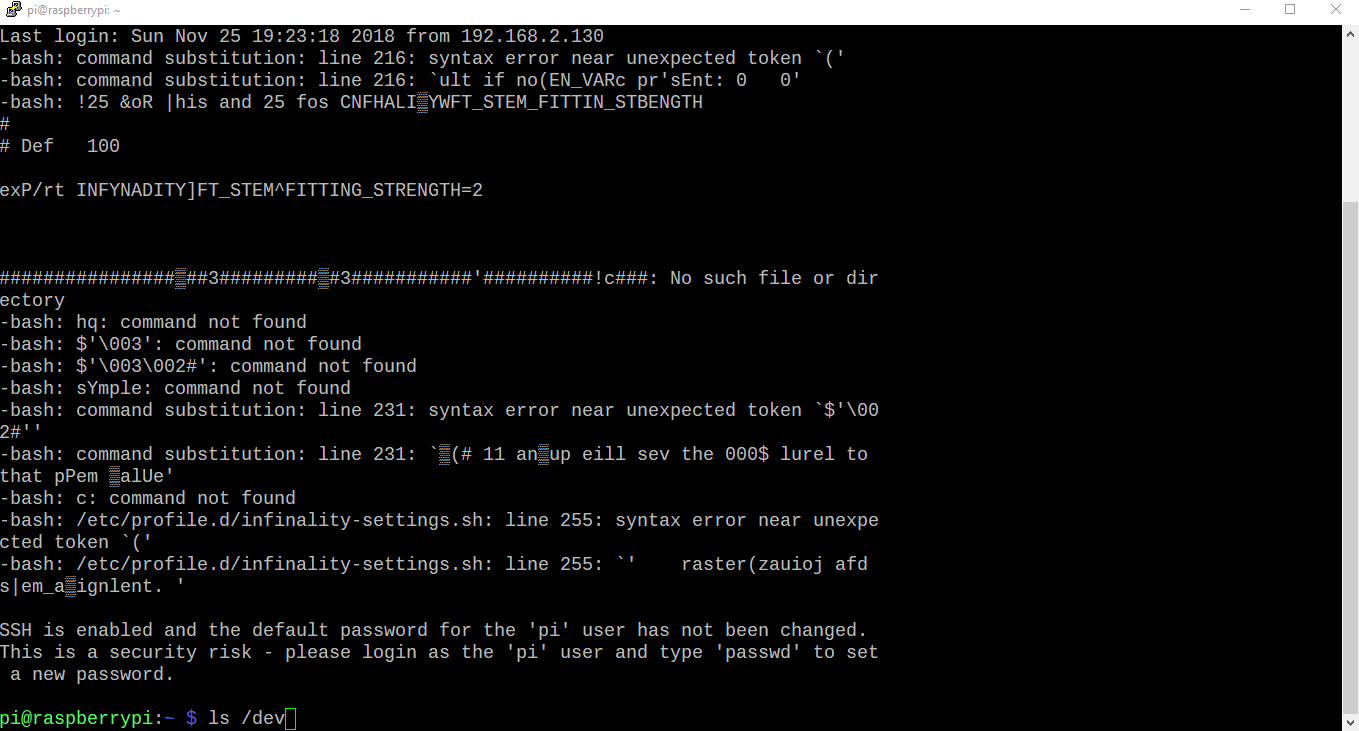 torn jewel
rip
vast topaz
ya, rip
vast topaz
bad sectors I think
torn jewel
fun
vast topaz
got any devices under /dev called usbsomething?
torn jewel
dont think so
vast topaz
I plugged a USB printer into mine and got /dev/usb/lp0 created
pi@raspberrypi:~ $ ls -l /dev/usb
total 0
crw-rw---- 1 root lp 180, 0 Nov 25 19:50 lp0```
I recall adding the `pi` user to the `lp` group when I set up CUPS, have you done anything similar?lusb is not a command
lsusb gives me this
Bus 001 Device 005: ID 0416:5011 Winbond Electronics Corp. Virtual Com Port
Bus 001 Device 004: ID 413c:2005 Dell Computer Corp. RT7D50 Keyboard
Bus 001 Device 003: ID 0424:ec00 Standard Microsystems Corp. SMSC9512/9514 Fast Ethernet Adapter
Bus 001 Device 002: ID 0424:9514 Standard Microsystems Corp. SMC9514 Hub
Bus 001 Device 001: ID 1d6b:0002 Linux Foundation 2.0 root hub
vast topaz
I don't see any printers there
torn jewel
Yeah i know
vast topaz
Mine is actually a USB to parallel adapter for an old HP LaserJet 2100, so I have Bus 001 Device 006: ID 047e:1001 Agere Systems, Inc. (Lucent) USS720 Parallel Port
which is device /dev/usb/lp0
torn jewel
its Bus 001 Device 005: ID 0416:5011 Winbond Electronics Corp. Virtual Com Port
vast topaz
if you unplug it and plug it back in, and run dmesg | tail, does it show you the device name under /dev?
vast topaz
and does ls /dev/usb show anything?
torn jewel
nope
vast topaz
🤔
vast topaz
well it creates /dev/usb on the fly if something needs to exist under there, that just means it's somewhere else
I'm afraid I don't know how to approach this
especially not from python
torn jewel
Okay thank you for all your help
vast topaz
sorry 😦
torn jewel
its all good ill deal with it another day
 main olive
ok im in trouble, i managed to make grub boot into debian after trying to install debian for the seventh time, now my system seems broken
sudo and update-grub arent found
and there's no unicode support
 somber stirrup
login to su then apt install sudo
long vault
@chrome stag I found out why I need to open iraf in an xterm and not in a normal terminal, some of the features only work inside an xterm for some reason
so its not because phycisits are stuborn (they still are though)
chrome stag
🔫
Glad you got it working @long vault
Are you watching the lander's stream?
About to separate
long vault
Can't get any work done thursday and friday so I have to everything now 😦
So I'm too busy to watch anything
chrome stag
:(
 distant prawn
kinda off topic for the server, but does anyone know of a way in systemd to restart the sound subsystem? getting real bad static and i have no idea why
 tulip vapor

Ask Ubuntu
I was listening to music, and my sound suddenly went dead in all my applications. I'm using Ubuntu 12.04, which uses pulseaudio, so I tried sudo /etc/init.d/pulseaudio restart, but nothing happened.
im assuming ur using debian based linux
distant prawn
i'm using fedora but that should work fine
hmmm, don't have an alsa executable
can kill it with alsactl though
tulip vapor
ok cool
distant prawn
oh maybe alsactl has nothing to do with actually killing alsa lmao
the pulse command worked though
hmmmm, any chance you know how to get rid of audio pops?
 vestal turret
what kind of pops
distant prawn
when nothing is playing there are just loud popping and clicking noises in my headphones
the also docs say it's because of sound modules powering up and down but this issue just started
vestal turret
can't say i've experienced that
distant prawn
oh it looks like maybe a power saving thing?
vestal turret
i did have to do some tweaking to get noise out of my microphone though
distant prawn
echo 'N' | sudo tee /sys/module/snd_hda_intel/parameters/power_save_controller seems to have fixed it. anyway, thanks for the help guys :3
oof, guess not :/
distant prawn
echo '0' | sudo tee /sys/module/snd_hda_intel/parameters/power_save did fix it though lmao
 distant prawn
Just GNU/Linux Things™
 formal schooner
Does anyone else feel like the main obstacle to people calling it "GNU" instead of "Linux" is that pronouncing "guh-nu" sounds silly?
sage solar
No I don't feel like that and pronouncing GNU like I'd pronounce it in my native language isn't really an obstacle for me (and should really not be for the majority of people)
main olive
hi
I have a cp command that copies files from one dir to another..
how do I make it copy the whole dir to the other?
 stark vapor
You can copy a directory and all of its contents with the -r flag. cp -r folder destination
Or if you want to copy all files within a folder, I believe you'd call cp folder/* destination
main olive
hmm it says unknown command line flagt
stark vapor
Could you copy paste what you tried and what it responded with?
main olive
I ran a help for list of commands.. this is what is available in my version
copy source ... dest (See cp)
copytodir source ... dest (See cp)
cp [-a] [{-f | -resume}] [-R] [-m mode] source ... dest
stark vapor
Right, try -R with uppercase.
main olive
can't copy more than one file to a location that is not a directory.
but I just made this dir.. with mkdir o.o
stark vapor
Might need a slash at the end of the destination.
distant prawn
can i move my /boot/efi partition without screwing anything up?
when i say move, i mean relocate it on disk. i've got some free space i wanna move and the efi partition is in the way
distant prawn
despite gparted yelling at me, the answer was in fact yes
maybe that's just an efi thing?
 grave jolt
yeah iirc with gpt and efi, the boot process doesnt need the whole set of boot files in any particular place on the disk, it just needs the right partition type
distant prawn
that's what i thought, good to know for sure now though
main olive
when making a program for linux, where should i put the necessary modules packed with my app
in ~/.local/share?
 trim agate
Guys I need help with a sed X)
i have this line in a file
<ComputerInformation Name="" Group="Linux" />
I wanna replace Name="" with Name=$host
trim agate
send help 😢
distant prawn
sed s/ComputerInformation Name="" Group="Linux"/ComputerInformation Name="$host" Group="Linux"/?
i wanna make a bash function/alias that creates a directory and then changes to it. obviously this is just mkdir -p <dirname> && !$, but the issue is getting it to work properly. aliases don't take arguments like $0 etc., and a function runs within a subshell so the cd command doesnt change the pwd. any hacks?
 vagrant fern
using a function works for me
distant prawn
huh, must've been the alias i made during testing screwing things up, it works for me too
main olive
anyone? Im not aware of sed and stuff.. but was told it was easier with shell commands than py
main olive
ok i got it
how do I use grep output while is a bunch of paths as input to sed ?
got it working in python notebook.. not sure how to do it from shell
distant prawn
are you trying to rename directories, or change a string in ever file in a directory and subdirectory?
 signal linden
 glass ruin
I'm here
distant prawn
is there a way to use a per-application hosts file? i want my web browser to be able to access a domain but blackhole it for everything else
 ancient summit
I've been drinking too much dumb bitch juice, anyone wanna help out a bit with sh?
 pallid lotus
 ancient summit
I ended up figuring it out 
 arctic olive
👋 Ahoj
I'm currently setting up an ZFS backup/restore for my side project and do have off topic question:
I do have 1 internal disk with ZFS and 1 external disk for backup.
Should I unite them in 1 zpool mirror raid 1 ? external disk will be attached once a week, so zpool will be most of the time in degraded state. But probably with working functionality and automatic error correction.
Or should I create separate zpool on external drive, maintain 2 separate zpools and use zfs send to external?
Not sure which correct option to choose.
 carmine flame
@arctic olive I would say that the second zpool would be your best option. You can still do snapshots on the internal pool, then send everything to the second external zpool when it is connected.
grave jolt
100% make them separate and sync them on connect yourself
no reason to spend all day with zfs complaining that your degraded your pool
carmine flame
@arctic olive Will the external drive ever have changes made directly to it, or is it for backing up the internal drive?
 winter solar
I'm probably the worst type of python noob there is. A c/c++/perl, trying to convert to python.
It hurts my brain!!
How do you guys deal with he "pyhon2/3, pip 2/3" issues and keep them straight?
 finite moat
Not sure I understand what the issue is. Do you mean having 2 and 3 in the system at the same time?
winter solar
yeah..
Not an issue.. just expressing frustration trying to re arrange my brain to think in terms of python.
finite moat
Oh I see. That may not be easy.
Although once you stretch it to wrap around the new concept - it works much better and you have a whole new universe to explore and pull problem solving ideas from. =]
winter solar
Thanks in advance for all the questions I'm sure I'll be tossing in here. perl I do a good bit of "os level scripting", and I'm going to work on migrating them to python. If I'm going to learn a language.. use it at least.
 shy yokeBOT
Tag not found.
resources is an unknown tag name. Please check the spelling and try again.
To show a list of all tags, use !tags.
finite moat
Not sure which is the correct one.

A list of helpful resources for beginner and experienced Python programmers alike
That's the url anyways.
arctic olive
@carmine flame I plan to use 1 partition of external drive as backup of internal drive. Sort of read only. I have no intent to make changes to the data on that backup partition.
However there might be other partitions with other filesystems like ext4, ntfs on external drive, for other purposes.
yes, I guess separate zpool would be much easier option to maintain @grave jolt . Or maybe even just ext4 partition on external to which I send backups with rsync from zfs.
I have not tried to work with degraded zpool before 🙂 , but one of the reasons that make me consider such option is that ZFS provide automatic self healing and auto error correction during scrub when we have mirrored disk in pool , redundancy. An separate zpool & single internal disk will not be redundant, e.g. without self healing ability and auto error correction by ZFS. found people with similar cases
https://superuser.com/questions/1245067/zfs-backup-with-rotating-offline-drives
https://serverfault.com/questions/641136/is-it-possible-to-detach-and-reattach-a-zfs-disk-without-requiring-a-full-resilv

Super User
I am currently in the process of setting up a decent home NAS. The main concern is integrity of the data and I therefore decided on using ZFS as a filesystem. Unfortunately this does put some

Server Fault
I have a ZFS mirrored pool with four total drives. Two of the drives are intended to be used for rotating offsite backups. My expectation was that after the initial resilvering I could detach and...
grave jolt
@arctic olive yeah a single disk doesnt really benefit much from things like zfs outside of snapshots and crc based error correction. But constantly breaking and re-silvering is a good way to cause your drives to die sooner.
On top of that, redundancy via raid like systems is mostly for uptime, not integrity. Backups are the proper way to deal with that. A simple rsync job will be plenty as long as you verify that you can recover the data from it.
Using more standard tools will also make it easier to recover if something goes wrong. ext4 and rsync are well understood. ZFS knowledge on the level needed to recover from a mistake is a lot less common.
also crc error correction loses a lot of its protection when you dont have things like ECC memory. if an error occurs before the data gets to the filesystem zfs, btrfs and ext4 will all write that error right to the drive no problem
making backups the best option
I also use the snapshot features of file systems like btrfs and zfs regularly, which allows faster recovery from user errors but doesnt protect from drive failure or malicious data destruction
Your link seems to indicate that it can do a delta update which is nice, but there are tools designed for that, such as zfs send.
arctic olive
good point, right
main olive
hiiii
consider you have to files and you want to pass them as argument to a shell command
how to do this?
arctic olive
inside python script or inside bash/shell script?
vagrant fern
to files, to <x> files, two files?
 knotty leaf
Am I able to install a package that I manually downloaded, instead of being retrieved via sudo apt-get?
I have a wireless dongle that I'm using now with Windows, and discovered a wireless card in my house that will probably work with Linux, given I have a certain driver package. However, I won't have internet access once I swap over.
sage solar
dpkg -i package.deb @knotty leaf also why not just use ethernet?
knotty leaf
Can't get a cable run to my computer.
arctic olive
oh yeah, that is famous curse of all unixes
there are "offline" types of packages like AppImage, static binaries, tar balls, Snaps(?)
but they ship mostly desktop GUI apps
and when you have to install something like driver, or command line utility with ton of deps - you fucked 🤝
because you have to manually resolve all dependencies, download them and install in right order.
or dig your hands on to other solutions
like hosting an offline repo via filesystem
or somthing else
sage solar
Every package in every distro I've seen can be downloaded and manually installed let it be rpm deb snap etc
sage solar
If it's a WiFi driver it's very likely just a kernel module
arctic olive
I've seen drivers with Perl packages dependencies 🤡
 west relic
tmux is lit
 gritty stirrup
docker is lit-er
 jagged orbit
how would i switch between hosting a ap and connecting to a network as a client
gritty stirrup
@jagged orbit what do you mean "hosting a ap"
gritty stirrup
would that be better in #web-development ?
sage solar
@jagged orbit you'd just shutdown the ap software and use something like the spa supplicant to connect to an ap?
Or am I understanding the question wrong?
jagged orbit
yeah its not that easy saddly
i cant reconnect to the wifi after that
but imma try something else now
arctic olive
- wpa supplicant
- wifi-menu cli OR nmtui
- tmux is complex while GNU screen is much simpler, accomplishing same task. and tiling WM like i3 is even better.
 undone pulsar
NetworkManager has a really nice interface for that sort of thing
I've only used nmcli, but I assume you get the same functionality from nmtui
main olive
@arctic olive I use ZFS a lot, I really don't think it's a good idea to just resilver the disks and yank them
suggest doing a snapshot and zfs send to the new drives
@arctic olive also, you don't need to backup all the data every time. You can just do incremental snapshots.
main olive
So um
@main olive
Idk if I should do this
Since it would be a pain in the ass
Well
Maybe it wont with other distros
Manjaro does suck dick to install
And people told me u literally chose the hardest distro
arch?
What arch
Um
I mean
manajro
Yes
is not the hardest
It is?
why is it
Well fuck, why would i know
 cold pagoda
While we do not really have a swearing policy, can you tone it down just a bit, Purrey?
main olive
Is this exccexive?
I mean sure
But that's odd
So yeah
Trying out new distros
is fun
if you like linux
I did enjoy my 1 month with manjari
Manjaro*
Did you come from windows?
Yep
Whole new experience isnt it
True
It's been my whole life using windows
Feels good to try something new
My whole linux experience as apython developer
improved when I discovered i3
zsh and all of that highly customizable stuff
What's that
tiling windows manager
Never heard dof it
Of*
Ok new deal
If I didn't find my problem in Google in 30 mins
Then I will download a Linux distro
BUT PLEASE,
One that doesn't make my pc look like a tablet ffs
you can change that
Oki
your environment deskptop its called
Well I couldn't find it in manjaro
Anyways
I still have windows byw
Btw*
So I won't delete it by anymeans
I've never used manjaro so I could be wrong but you should be able to change your desktop env. anytime
in any linux distro
Aha
 torn lichen
100% you can
main olive
bye,manjaro
 tender thicket
desktop environment can be completely scrapped in favor of a basic window manager
main olive
people
tender thicket
person
main olive
if somebody knew that i am connected to the wifi wirelessly and thati am downloading a file
in bittorrent
by "guessing"
is normal?
because i got freaked out and blocked him
undone pulsar
Depends on what information you gave them, I guess
 mental marsh
does android count as unix?
grave jolt
it runs linux but normally you dont use anything unix related. it has its own api and behavior
unless you have a unixy userspace i wouldnt generally refer to something as a unix environment
mental marsh
like if you only use command line its basically linux, which is a subset of unix
arctic olive
It does count as embedded (u)*nix environment
there are plenty of weird unix environments that serve specific purposes
android does use bionic instead of standard glibc , so it contributes to the raise of weirdness bar
and it targets arm, instead of mainstream x86. there are x86 builds but they are rare.
mental marsh
i figured because i can use bash and apt-get programs so im basically using it as linux
arctic olive
that is nice! ❤
sadly however i'm not aware of framework, or standart, to develop an application once, and compile/ship/package it to multiple unix target platforms (like for example Solaris, FreeBSD, Android... etc)
wouldn't that be nice thing to have
mental marsh
i was under the impression pyinstaller code compiled for linux worked on all standard implementatios of linux?
 next zealot
anybody have an idea on how to compile https://github.com/jalan/pdftotext for windows? I tried manually cloning the poppler repo and putting the files in the same dir but the installation invariably fails because it can't find those lib files.

GitHub
Simple PDF text extraction. Contribute to jalan/pdftotext development by creating an account on GitHub.
next zealot
If modify the #includes at the beggining of the file from <poppler/cpp/poppler-document.h> to "poppler/cpp/poppler-document.h" etc it works
next zealot
I got it to a point by modifying the setup.py's includes
but now I'm getting a different error
cold pagoda
Did you see this: http://blog.alivate.com.au/poppler-windows/ ?

Open Thinking
Now you can easily compile the latest version of Poppler for yourself
 runic flame
anyone know a method to kill one specific python file via command line (Ubuntu)
oak shell
something like pkill -f /path/to/script.py?
oak shell
make sure your pattern matches the right process only first with pgrep -af /path/to/script.py
does the thing you want to kill get listed there with pgrep?
runic flame
yeah
oak shell
Well, maybe the process isn't responding to the termination signal any more
you can forcefully kill it by sending the KILL signal instead
should be like pgrep -KILL -f /path/to/script.py
runic flame
pi@raspberrypi:~ $ pgrep -KILL -f /home/pi/Desktop/AlarmClock/alarmclock.py
pgrep: invalid option -- 'K'
It's pkill instead of pgrep 😛
runic flame
i assumed that
oak shell
but yeah, you're welcome 👍
runic flame
ty
runic flame
yet another question because Im bad, And cant find it on the internet.
I know there are ways of opening a shell script on startup, But thats always in the background.
Is there any way to make the shell visible when it opens as it opens other needed py scripts, That I would like to be able to see the print output in console
oak shell
You could configure it in your startup applications as something like gnome-terminal -x /path/to/script.py
then it would run it in a gnome-terminal window whenever you do a graphical login to your user account
runic flame
huh cool. ty
 slim finch
Running a module from command line vs python is adding an extra argv and breaking my argparse, is there some way around this? Using $ python -m scripts.test works fine, but doing $ ./scripts/test.py where test.py contains #!/usr/bin/env python -m scripts.test adds the second argument of './scripts/test.py' which then breaks argparse
oak shell
Make your shebang just #!/usr/bin/env python -m maybe?
then the system would try to execute #!/usr/bin/env python -m ./scripts/test.py
not sure if that works, probably not 🤔
slim finch
That gives me an error Realitive module names not supported
oak shell
Well, if you have relative imports, you should really decide on whether you want your script to either be launched as module or as script file. Supporting both is either impossible or at least nontrivial.
What you could do easily to work around this is to keep it for running as module with python -m and write a little additional shell script which you can execute directly that runs your Python script as module
#!/bin/bash

/usr/bin/env python -m "$(dirname "$0")"/test.py
Btw, sure you want python and not python3?
Anyway, that for example would execute the python interpreter and let it run the file test.py from the same directory as the shell script itself as module
slim finch
Hey that more or less worked, although I had to do
`#!/bin/bash
/usr/bin/env python -m "$(basename $(dirname "$0"))".test`
It seems like there should be an easier way to get the directory name
oak shell
Ooh, makes sense.
My fault.
but possibly you should even do "$(basename "$(dirname "$(realpath "$0")")")".test
otherwise it could break if you call it relatively from inside your project folder
I think
 pine mica
Is there a way to have a scheduled sudo reboot ? Please ping back
 gilded basalt
@pine mica Make a cron job.
Also, please don't ask people to "ping you back"
Unless you want me to mention you in every message that's intended for you, which I'm happy to do...
gilded basalt
@pine mica https://www.digitalocean.com/community/tutorials/how-to-use-cron-to-automate-tasks-on-a-vps

DigitalOcean
Learn how to use cron to automate tasks on a VPS.
pine mica
thanks
gilded basalt
np
vagrant fern
on newer distributions systemd timers are also a great alternative to cron
arctic olive
I wonder if Lennart will come up soon with nice systemd alternative for my wife, or organ at least, so I can reproduce
 errant lava
wifed
gritty stirrup
@warm sentinel Still wanting help with your RPI python upgrade problem?
 warm sentinel
yes please :D
somber stirrup
I usually just build from source, takes time though
How to install Python 3.7 from sources on Ubuntu 18.04, Windows Subsystem for Linux or Debian 9 Stretch
 dusty furnace
@manic nimbus sorry, our bot didn't like that invite being posted.
but in this case, I'll just post it for you since it's fairly relevant.
and you can post your message again minus the invite
 manic nimbus
Oh thanks. Didn't mean to disrupt. Next time I will check out rules better.
dusty furnace
naw, don't worry, you did nothing wrong. the relevant rule is "don't advertise" but this isn't super pertinent in your case.
it might be worth considering whitelisting that server imo
I'll bring it up with staff
sage solar
what about approaching them for a partnership
 cloud grotto
Does anyone have an idea what is going on here?
bash-4.4# file ./pypy3
./pypy3: ELF 64-bit LSB executable, x86-64, version 1 (SYSV), dynamically linked, interpreter /lib64/ld-linux-x86-64.so.2, for GNU/Linux 2.6.24, BuildID[sha1]=f70c4a095072d5282103130c32cf482c91be5641, stripped
bash-4.4# ./pypy3
bash: ./pypy3: No such file or directory
Trying to run pypy3 just gives me an error saying that the file doesn't exist. ls shows it and bash even autocompleted the name when I attempted to run it
The directory is in /usr/local/bin
cloud grotto
bash: /usr/local/bin/pypy3: No such file or directory
sage solar
interesting
cloud grotto
yea 😦
It is in a docker container. Hence the root user
OS is alpine:edge
/usr/local/bin/pypy3```:[
sage solar
confoosing
cloud grotto
Why you no run?
/usr/local/bin/pypy3: ELF 64-bit LSB executable, x86-64, version 1 (SYSV), dynamically linked, interpreter /lib64/ld-linux-x86-64.so.2, for GNU/Linux 2.6.24, BuildID[sha1]=f70c4a095072d5282103130c32cf482c91be5641, stripped```bash: /usr/local/bin/pypy3: No such file or directory```god damn it
cloud grotto
sh: pypy3: not found
/ # /usr/local/bin/pypy3
sh: /usr/local/bin/pypy3: not found
yea
sage solar
lets google linux denying existance of files
cloud grotto
I was just thinking about that when I was talking about bash
cloud grotto
that is very possible
It should be x86-64amd. It would have been really nice if that was the error they reported
sage solar
is the docker one 64 bit (can a docker one even be non 64 bit if the host is 64 bit?)
Ah
cloud grotto
    \
# this "case" statement is generated via "update.sh"
    dpkgArch="$(dpkg --print-architecture)"; \
    case "${dpkgArch##*-}" in \
# amd64
        amd64) pypyArch='linux64'; sha256='4cfffa292b9ef34bb6ba39cdbaa196c5c5cbbc5aa3faaa157cf45d7e34027048' ;; \
# arm32v5
        armel) pypyArch='linux-armel'; sha256='6a6888a55192f58594838b8b3d2e7daaad43d3bf4293afab3dd8987d0bbd1124' ;; \
# i386
        i386) pypyArch='linux32'; sha256='b04eeee5160e6cb5f8962de80f077ea1dc7be34e77d74bf075519c23603f5ff9' ;; \
        *) echo >&2 "error: current architecture ($dpkgArch) does not have a corresponding PyPy $PYPY_VERSION binary release"; exit 1 ;; \
    esac; \
    \
    wget -O pypy.tar.bz2 "https://bitbucket.org/pypy/pypy/downloads/pypy3-v${PYPY_VERSION}-${pypyArch}.tar.bz2"; \
    echo "$sha256 *pypy.tar.bz2" | sha256sum -c; \
    tar -xjC /usr/local --strip-components=1 -f pypy.tar.bz2; \
find /usr/local/lib-python -depth -type d -a \( -name test -o -name tests \) -exec rm -rf '{}' +;```zsh gets furious about that actually
in zsh you would get an exec error wrong file format
cloud grotto
This is the "line" used to get and install pypy3 into docker
I am no wizard with bash.
musl-linux-amd64 should be the architecture
Yup, and it got echo '4cfffa292b9ef34bb6ba39cdbaa196c5c5cbbc5aa3faaa157cf45d7e34027048 *pypy.tar.bz2' based on the echo while building.
Yea, I am a bit confused, I have the right architecture. All the *.so files are the correct architecture as well.
So the host machine is x86-64amd, the docker container is also x86-64amd. The file is also x86-64amd. ¯_(ツ)_/¯
execve("/usr/local/bin/pypy3", ["pypy3"], 0x7ffe2d545eb0 /* 9 vars */) = -1 ENOENT (No such file or directory)
writev(2, [{iov_base="strace: exec: No such file or di"..., iov_len=40}, {iov_base=NULL, iov_len=0}], 2strace: exec: No such file or directory
) = 40
getpid()                                = 11
exit_group(1)                           = ?
+++ exited with 1 +++```/lib64/ld-linux-x86-64.so.2 apparently doesn't exist in this architecture? So I am building for ubuntu:latest instead. Something a bit more used.
errant lava
yeah, Alpine uses a slimmed down libc iirc. not everything will work.
the JVM is a notable example. I think there's an alpine-jvm container in response.
gilded basalt
Oh hello Unknown
cloud grotto
Yea. I switched over to ubuntu:latest everything appears to be working fine. Not worth the headache to continue to use alpine. Just to save a couple of megabytes.
errant lava
my attitude on alpine exactly
 mortal plinth
@errant lava but mah precious efficiency :p
People can be penny wise pound foolish when it comes to system efficiency sometimes
At the end of the day what is most important is what lets you add value to your customer sooner and more reliably
 jagged dirge
I see
 hearty scarab
Does someone know if Its possible To use U2F or password instead of the combination of both ?
grave jolt
it kinda depends on your setup but you can prob configure something in the pam config file to do that
just be aware that if you mess up the pam config files you cant log in lol
hearty scarab
I know that, i also thought about tracking pas using the sufficient flag
I Will try this out tomorrow
(pamtest command is there To avoid dumb situations)
vast topaz
@foggy raft Another way to run multiple programs on the same terminal is to use screen, that way each one gets its own virtual terminal and they stay running after you log out.
 foggy raft
I had read that
I was just asking to see if there was another option
Ctrl + A to quit the screen, I think?
vast topaz
Ctrl+A makes the next character you type a screen command
 green fog
Ctrl A + Ctrl D
Disconnects from the screen
But keeps it running
Ctrl + C closes it
Ctrl A then :quit works as well
screen -x returns brings you back to the screen
foggy raft
Oh sorry, I didn't say this before, but that's really helped me
Although I'm using Ctrl + A for quitting and screen -r for returning
And Ctrl A + num or Ctrl A + " for moving around
green fog
👍
 charred robin
hey, sorry to replicate this question in several channels of this discord but can't decide which one is more indicated, anybody savvy on macOS installs and making coexist homebrew and anaconda ? There is one brew formula i want to install (MTG/essentia) and it fails. I have installed homebrew python and anaconda python, python which points to anaconda. I think the problem is there, since the essentia formula installs a python version. How to make coexist anaconda, and homebrew recipes which need python ?
undone pulsar
What's the question?
 icy saddle
ok so i was messing with some of my .zshrc file... and somehow i changed something that is now giving me this error
zsh_internet_signal:3: permission denied: airport
the setting basically shows my wifi connection speed on my prompt
it all started once i put this into my command line
sudo ln -s /System/Library/PrivateFrameworks/Apple80211.framework/Versions/Current/Resources/airport /usr/sbin/airport\n
before i did that it was fine
undone pulsar
Can you run /System/Library/PrivateFrameworks/Apple80211.framework/Versions/Current/Resources/airport directly?
oak shell
I'm trying to install Python 3.7 using pyenv on a fresh Raspbian (stretch) system, but it fails, saying it can't import _ctype. Any ideas?
$ pyenv install 3.7.2
Downloading Python-3.7.2.tar.xz...
-> https://www.python.org/ftp/python/3.7.2/Python-3.7.2.tar.xz
Installing Python-3.7.2...

BUILD FAILED (Raspbian 9.6 using python-build 20180424)

Inspect or clean up the working tree at /tmp/python-build.20190113022900.3951
Results logged to /tmp/python-build.20190113022900.3951.log

Last 10 log lines:
  File "/tmp/tmpukimoc30/pip-18.1-py2.py3-none-any.whl/pip/_internal/commands/__init__.py", line 6, in <module>
  File "/tmp/tmpukimoc30/pip-18.1-py2.py3-none-any.whl/pip/_internal/commands/completion.py", line 6, in <module>
  File "/tmp/tmpukimoc30/pip-18.1-py2.py3-none-any.whl/pip/_internal/cli/base_command.py", line 18, in <module>
  File "/tmp/tmpukimoc30/pip-18.1-py2.py3-none-any.whl/pip/_internal/download.py", line 38, in <module>
  File "/tmp/tmpukimoc30/pip-18.1-py2.py3-none-any.whl/pip/_internal/utils/glibc.py", line 3, in <module>
  File "/tmp/python-build.20190113022900.3951/Python-3.7.2/Lib/ctypes/__init__.py", line 7, in <module>
    from _ctypes import Union, Structure, Array
ModuleNotFoundError: No module named '_ctypes'
Makefile:1130: recipe for target 'install' failed
make: *** [install] Error 1
hmm, apparently I need libffi-dev installed... trying again now https://github.com/pyenv/pyenv/issues/1183

GitHub
I'm building on Raspbian, but this could apply to all Linux distro. Original issue: https://bugs.python.org/issue31652 They bundled libffi prior to 3.7, now they removed it from Linux build. Ma...
icy saddle
anyone here that may be able to help with more of a general osx related question
waitt nevermint asked here already
main olive
If a host only has one version of python installed then does each virtualenv use that version of python?
cold pagoda
Yes. The virtual environment can only work with Python versions you have installed. That said, there are some tools to help you with that. I think pyenv and pipenv work well together, from what I've heard.
pyenv installs/manages python versions and pipenv is a wrapper around pip and virtualenv
main olive
@cold pagoda I have to work with the version my company uses :( I originally wrote script in 3.7 but only 2.7.x is used
So I’m trying to rewrite it correctly this time
Multiple virtualenv can be active at same time right, it’s unique per directory?
cold pagoda
What do you mean by that?
As long as you run the files with the interpreter they belong to, so the one of their own virtual env, it should be fine.
main olive
may I ask if a unix user could run a script for me? more informations on #user-interfaces
 spring brook
i just built opus from source to be used with my discord.py bot
how do i check that is correctly installed?
(asking here because is only going to be used with discord.py and python)
sage solar
write a little voice channel based code which plays audio or something and then join the channel to see if it gets correctly played?
spring brook
@sage solar that is what i want to do, but if i'm not wrong you need to load opus manually if the system is not windows