#tools-and-devops
1 messages · Page 43 of 1
 warm pollen
 short wing
Hi all
I have a burning question
I feel like this is a fever dream I had now, since I can not find this tool anywhere, but I swear it exists. It was some plugin for chrome that when you searched for some code question, you could select the code response you liked the best and it would save it and next time you searched for it or something similar it would show that as the top.
Anyone remember seeing this or use it? I want it back so badly
 maiden breach
I've got this Qt GUI that on line 18 sets the top-left icon of the program on the window decorations: https://github.com/djotaku/ELDonationTracker/blob/4.4/eldonationtracker/design.py . I'm trying to make that icon.png available with a one-file build in pyinstaller. I've tried pyinstaller -F -p eldonationtracker --add-binary icon.png;eldonationtracker/icon.png eldonationtracker/gui.py but that doesn't work. Again, this isn't the icon you click on (there's a pyinstaller command for that) this is just making that file available for the Qt code to find it and set the top-left window icon. Does anyone know what I need to do with the --add-binary command (or other command) to get this to work? Thanks! PS - it works if I do a folder-build instead of a one-file build.

GitHub
A Python-based donation tracker for Extra Life streams - djotaku/ELDonationTracker
 heavy knot
lol nice my Visual Studio Code started to act weird, now my pylintisn't working aswell...
 thorny shell
time for a new computer
 feral shuttle
 rancid schoonerBOT
Hey @feral shuttle!
It looks like you tried to attach file type(s) that we do not allow (). We currently allow the following file types: .3gp, .3g2, .avi, .bmp, .gif, .h264, .jpg, .jpeg, .m4v, .mkv, .mov, .mp4, .mpeg, .mpg, .png, .tiff, .wmv, .svg, .psd, .ai, .aep, .xcf, .mp3, .wav, .ogg, .md.
Feel free to ask in #community-meta if you think this is a mistake.
heavy knot
You know that effect in some editor where if you highlight some name, it then highlights every occurence of that name in the document with a different color? I need that behavior in PyCharm. Does anyone know what I should search for with CTRL + SHIFT + A to bring up that option?
 true vapor
ctrl+alt+shift+j selects all occurences of your highlighted text
heavy knot
that will work thank you
Actually I just realized it does have that default behavior, its just that the color it chooses to highlight the other occurences matches the background too much for me to notice them all clearly.
But I like CTRL+ALT+SHIFT+J
I should probably learn more hotkeys
I should maybe look into changing the color scheme in PyCharm. The default one isnt my favorite.
true vapor
I tried a couple of others a while back, and had some problems as they were designed more for IntelliJ/Java. Apparently the material theme is very good though
heavy knot
Yeah, that's the biggest problem with color schemes. I used to tinker with colors trying to get my perfect set in other editors and I found that I was spending too much time developing color schemes and I made myself stop.
Every time I would encounter some thing where the color was not exactly right would interrupt whatever I was working on.
And then when I started noticing that my opinions about that colors would fluctuate and I was degenerating into OCD switching of colors back and forth
I realized it was not good habit for me
true vapor
I'm kinda the same. If I leave the defaults, I just accept the rubbish bits as not really my problem. But when I start to customise things, I start to fuss over every tiny problem and just get annoyed that I can't perfect it
heavy knot
Exactly
I do like to just pick from some one elses colors but I cant be the guy who does that.
good call on this material theme
This is perfect. I love how it walks you through basic appearance settings while filtering out everything else that is kind of in the way in PyCharm and makes it hard to find everything.
This is awesome.
true vapor
Now you're making it sound like I'm going to have to try it out
heavy knot
Its worth it
 finite fulcrum
Just found out the jetbrains toolbox works a bit differently than I thought so I uninstalled my previous pycharm install with the toolbox's being a different one. But I also added the context menu options with that install which are now gone; is there any easy way to get those back? (open folder as project etc.)
 topaz aspen
I'm wondering whether it's possible to sort of 'globally search' through all branches in a git repo for a match within a file
thorny shell
🤔
it'd be inefficient as hell, but you could do something with git for-each ref piped to xargs git grep
git for-each-ref | awk '{print $1}' | sort | uniq | gxargs -i git grep -i funkitude {}
Notes:
- you don't need to search for
funkitude
gxargsis a Mac thing; usexargson Linux
topaz aspen
it'd be inefficient as hell
sounds like it'd suit me alright ... i'll have a look at that , thanks 🙂
 twin hull
Good evening, Docker inside
In a repo the docs state to build an container after that pull a docker image (from the same image), however I don't see the point. If you can pull it, why build it?
Sounds like I'm missing something here
warm pollen
You could pull the base image and build, but if you can pull the image you want, you should just run it yeah
twin hull
Thanks you both!
For once I did understand correctly, and it was the doc that was misleading
 north latch
If I click on my project directory and goto git->add, it will ask me if I want to force add some files, and I click cancel before I do not want to do this. When I first create a project, doing an add for the entire directory seems to work, but after that when I make changes to any files, doing a git->add to the root project directory does not add them to the staging area. I can click on each file invidually and this works....
 idle wharf
Hi there, I'm wondering if tehre are recommendationsm, or someone experienced to discuss options with, on how to setup python (with pip) in a cross-platform manner which can be distributed via source control methonds.
Right now we have a full blown python 3.5 installation for Windows in our depot which contains pip and some custom scripts. However I'm not quite sure what the best approach would be to migrate this to something that would work on Linux (and optional OSX) as well. The naive way would be to put distribute a complete python 3.5 install with its own pip environment for Linux via our version control system but that would double the maintenance work. Adding OSX would make it even more work. Assuming I'm not the first to come and tackle this issue I was wondering if there were any recommendations for these kind of setups. I had trouble finding information on this topic via the regualr search engines/channels.
Any help would be greatly appricaiated. Even pointers on how to set this up (correctly).
(not sure if this is the right channel for this but as it is closely related to pip and its dependencies I figured this would be the best place).
 tawny temple
Normally projects just put the burden on the devs to install python themselves
As for dependencies, those are put in a requirements.txt file or something similar (pipenv, poetry, pyproject.toml, in setup.py, etc), which is checked into vcs, and pip can take care of the rest
But platform issues can still arise, especially if dependencies need to be built locally e.g. Cause wheels aren't available
There's this tool which would serve your situation well I think https://github.com/David-OConnor/pyflow

GitHub
An installation and dependency system for Python. Contribute to David-OConnor/pyflow development by creating an account on GitHub.
However, it is still in its infancy
And developers would need to somehow install that tool still, but that should be simpler than making them install Python. Well, it will be once the tool is more mature. Installation on osx is not great from what I can tell.
So I've been interpreting your question like this is intended for developers/contributors. If you intended to distribute this to end users, don't distribute via source control. Use CI/CD to automate binary releases via pyinstaller or similar
 hushed mica
        self.oldhash = hashlib.md5(open(self.oldpath, 'rb').read()).hexdigest()
        self.newhash = hashlib.md5(open(self.newpath, 'rb').read()).hexdigest()
Will this be an incorrect use ? I'm testing the hashes against eachother, but they seem to be the same. Specifically i'm trying this against a sqlite3 file in which i'm inserting data into one of them, but not the other. They still report back the same hash :|
Its to verify that the files have been copied correctly by a third part
 delicate sinew
@hushed mica, strange, it should work. just tested locally with a couple of files and it returns different hashes
hushed mica
Not really sure whats going on. I tried to completely different sets of files, and then it worked.
*two
lol typo in filenames
 ember dragon
it's probably a silly and obvious question, but..
is it possible to "rollback" your local version of a git repo to a specific commit? not the repo itself just like git pull 4b27942
...it's probably obvious
 eternal flicker
if it's just to undo your local changes, you can checkout that previous commit
@ember dragon
ember dragon
ok..
I know you can do that
but like what's the point of version control if you can't go back to a old version
eternal flicker
then it looks like git reset is what you want-
Documentation: https://git-scm.com/docs/git-reset
Tutorial: https://www.atlassian.com/git/tutorials/undoing-changes/git-reset
 lethal flax
When I install a Jupyter Lab extension from a tarball URL on Windows I get a crazy error about files being in use

GitHub
Have already installed nodejs 8.9.3 with conda, bumped into the following error when trying to install plotly-extension with command jupyter labextension install @jupyterlab/plotly-extension --debu...
the ticket there offers some information and tips (roll back npm, upgrade python) but then also has people saying the fixes don't work ...
has anyone seen this? I don't want to screw up my system for no good reason
 zinc wren
does somebody know how to determine whether user is connected over wifi or ethernet cable?
ember dragon
ooo that's probably hard
idle wharf
Sorry @tawny temple I got distracted. Yeah this is an issue for our development teams. We're shipping Python35+pip and I want to make that cross-platform. Our scripts should already be crossplatform, but if not we'll address that part. It's mainly about maintaining several python and pip instances for all the possible platforms we support (Windows, Linux and potentailly in the future OSX).
- The simplest way forward is putting a stand-alone linux version of python and pip in there and manually keep the requirements.txt in sync. It might be hard to provide such a stand-alone version of both of these on Linux.. haven't looked into that too much yet.
- An alternative is to setup
virtenvsetups on Linux which use the system (package manager installed) version of python. This limits us a bit in what we can do an how to manage these virtual environments (no longer in central control) but might be better suited for integration on Linux.
I guess I was hoping for the first, assuming the second was the better bet but hoping for a third even better option 🙂
 fossil finch
Hello, anyone knows a good python library that will detect a color pixel in the screen and return its position ?
topaz aspen
is it possible to auto pull data on changes to a remote?
 kind chasm
@topaz aspen With a post-receive hook, it would certainly would be
under certain conditions that is
@zinc wren Linux or Windows?
Also, in Python?
Windows:
C:\Users\scorcher24>netsh interface ipv4 show interfaces

Idx     Met         MTU          State                Name
---  ----------  ----------  ------------  ---------------------------
  1          75  4294967295  connected     Loopback Pseudo-Interface 1
5 25 1500 connected Ethernet```But then, those are only friendly names
kind chasm
Check this out: https://pypi.org/project/ifaddr/
 zinc wren
also for mac
kind chasm
This is a very nifty library for that
zinc wren
how do I know whether it's wifi or ethernet using that library?
kind chasm
You can try the nice name, but it isn't 100% certain
zinc wren
how do I know what the user uses for sending it
kind chasm
oth, I wonder why you'd need that information
zinc wren
for a program I'm writing
zinc wren
I'm writing a program to check the network of the user
short analysis of the user's network
kind chasm
The only way there would be IronPython
and using WMI
on Windows
not sure how that'd work in Linux
but long story short: Python is the wrong language for that, as you need to go down to the system level
You can try if you find the needed functions in some dll and import that
But you definitely need to write platform dependent code
delicate sinew
@zinc wren, maybe try using psutil.net_if_addrs() and then parsing it's output on the nic names?
kind chasm
@delicate sinew That isn't reliable, as you can edit adapter names
delicate sinew
true
kind chasm
The only reliable way here is to go down to the system level and look at the adapter properties
topaz aspen
@kind chasm yeah - it's either a hook or a cron job i think... what's a post receive hook tho? I'm familiar with commit hook, push hook
delicate sinew
a post receive hook is something that runs on the server generally on runs something after the commit was received
most CI build triggers for example are started using post receive hook; this way the CI server doesn't have to constantly ask the git/scm server if there are new changes, it just gets notified if it's the case
kind chasm
In my Jekyll CD chain, the NAS receives the git commit, then notifies my RasPi to pull the repo, build the Jekyll website and upload it
so, you can easily use that to make any machine update it's git repository, as long as it is reachable over the network
topaz aspen
Hrm - i was thinking about something that was local, not CI
topaz aspen
i don't know what a loopback device is
kind chasm
or just plain pathes
Does the hook need to notify another machine?
or is it on the same computer?
topaz aspen
well we're assuming that a hook is what would be used
originally i was thinking something that would automatically pull changes from a remote when that remote changed
rather than a hook on my system that would pull when i committed or something
kind chasm
is that remote under your control?
topaz aspen
no
kind chasm
okay, that is the issue
you'd need to tell the remote to tell your computer when it udpates
topaz aspen
it contains some data that wanted to be synced tho that was why it was wanted, if it needs a hook / cron job then maybe that's what it is
kind chasm
If the remote is not under your control, I doubt there is a legal way
And looback is the internal networking device that all computers have
topaz aspen
in what sense? this is perfectly legal
kind chasm
commonly referred to as 127.0.0.1
even though it can have any IP
@topaz aspen No, because you need to install that hook on the remote
not on your end
as long as there is no API or something like that on the remote, you cannot automate this
topaz aspen
well i'm not proposing anything that's not legal, is my point
well - i could have a cron job, that's all i can think of
it's ok - i thought maybe there was something obvious that i hadn't considered
topaz aspen
if there are changes then it would update surely?
kind chasm
yes
topaz aspen
that's as much as it can do
heavy knot
and allow me to modify them/send
instead of reading in file, parsing the request, rebuilding, sending
topaz aspen
what do people use for spell checking in vs code?
 shadow crow
Could someone help me with a Sublime syntax definition issue?
I have a construct like this:
py-eval[<python expression here>][<some text here>]
For example:
py-eval['abc' + 'def']['abcdef']
If I put spaces around the expression, it works fine:
But if I don't, it doesn't detect the end of the python block.
With these expressions spaces don't help:
But putting something else does:
However, for some expressions it works fine without spaces
Syntax definition:
  main:
    ...
    - match: ((\$(emu)?|py-eval|py-exec)\s*\[)
      scope: constant.language.emu
      push: "Packages/Python/Python.sublime-syntax"
      with_prototype:
        - match: '\]'
          scope: constant.language.emu
          pop: true
Found some examples, it works now:
    - match: (?:\$(?:emu)?|py-eval|py-exec)\s*\[
      scope: constant.language.emu
      escape: '\]'
      embed: scope:source.python
      embed_scope: source.python
      escape_captures:
        0: constant.language.emu
It's still a bit arcane to me because there isn't any comprehensive tutorial or explanation about sublime syntax definitions : - (
 safe hill
Given this scenario: How do you complete feature Y on branch A when feature X is required, but it's on branch B?
What's one supposed to do in Git?
The only routes I know is... 1) Wait for or complete Feature X now or 2) Develop Feature X on branch A (either to the same standard, or just enough so that Feature Y will function).
 round mural
There is a game on my phone that i like playing from time to time called nonogram, the game desgin and actions are very simple (single clicks) and its pretty perfect for a bot to solve.
I know python pretty good, and i can make a program that as input gets the puzzle and outputs the solved grid.
I would like to know (if it's possible) how can i make a program that stays on my phone, that when i run it in nonogram takes picture of the puzzle read the data and tap on the right square's.
I know that each of those steps is a bit hard but i have time to spend on learning :)
How the game looks like- https://imgur.com/a/lBekb5E

 low widget
how do i run the code in vs code? i know its not really something to do with python, but things like run file in terminal dont work'
 hard jacinth
what happens?
low widget
& : The term 'D:/anaconda' is not recognized as the name of a cmdlet, function, script file, or operable program. Check the spelling of the name, or if a
path was included, verify that the path is correct and try again.
At line:1 char:3
- & D:/anaconda c:/Users/elite/Desktop/DiscordBot/bot.py
-
+ CategoryInfo          : ObjectNotFound: (D:/anaconda:String) [], CommandNotFoundException
+ FullyQualifiedErrorId : CommandNotFoundException
i just did run in terminal
hard jacinth
D:/anaconda seems like the wrong name for your Python interpreter ..
hard jacinth
maybe you need " around the path to it
 obtuse saddle
Is it possible to automatically run cookicutter and fill the Pycharm project folder with files from template?
Even better - is it possible to tweak/create the templates? "Pure python" is too barebones for me, unfortuntately.
low widget
i fixed it
idk how
but i did it
still dont know how to run it properly within the terminal, but i do it via run
hard jacinth
run is fine, I suppose
hard jacinth
it sounds like Python isn't registered in your path, but as long as that works for you 🙂
hard jacinth
if it was, then in the terminal you could write python <module_name.py> to run it
(or python3)
hard jacinth
well..
right-click Start, select System -> system information -> Advanced System settings -> click the button for Enviroment variables and edit the PATH ..
the line you want to add it the full path to the folder containing your Python interpreter (python.exe)
low widget
Thanks, gonna walk with my dog first.
hard jacinth

hard jacinth
in Windows?
low widget
oh is it windows or visual studio?
hard jacinth
yes
low widget
and then path edit?
hard jacinth
yup
hard jacinth
click new and add the path to Python
hard jacinth
🙂
low widget
doesnt do anything either
hard jacinth
can you share a screenshot?
low widget
hard jacinth
that's powershell
low widget
oh
hard jacinth
open up a fresh command prompt outside VS code
hard jacinth
yay
low widget
8.2*
low widget
Python -V?
hard jacinth
yep
low widget
okay
hard jacinth
and python in general
hard jacinth
in the console (PS) type python bot.py
low widget
yeey thanks!
hard jacinth
low widget
i just got redirected to here because of i just started
and they said i shouldnt begin with discord bots
but i want to
hard jacinth
I don't care what people start with 🙂
 rough marlin
@low widget you should start with writing interactive text games if you want to write bots
and then probably learn how to use async in python
that should get you ready to do discord bots
low widget
how to make interactive text games then? #game-development ? do i need to install unity? bc i dont want to do that
hard jacinth
You can do that with what yo have. The idea is to get better at handling text input form users.
 novel olive
I'm on Windows 10 and trying to get TK working. Where is filedialog? I can't seem to figure out how to import that module and everything I find online doesn't help
 mild lance
could anyone explain pipenv
or give a super simple beginner tutorial link
just trying to get the basics for the game jam
thorny shell
pipenv takes a list of stuff you want to install, and creates a virtulenv and installs the stuff into it.
then it (supposedly) makes it easy for you to run stuff via that virtualenv
mild lance
@thorny shell Does a virtual environment do anything than keep the packages and dependencies separate (along with the python version)? For example, does it make it easier to run code?
@thorny shell For example on the game jam website:
Participating teams are asked to provide a click-and-play option to launch their project. There should be no complicated process to install dependencies, or otherwise prepare the environment, before the project can be started. This will allow us to spend more time evaluating the actual game. Ideally, projects will make use of Pipenv to both install dependencies and launch the game (https://pythondiscord.com/pages/events/game-jam-2020/technical-requirements/)
How would I do that?
finite fulcrum
the virtualenv makes sure everyone has the same environment along with the versioning
and pipenv helps with that more by locking your dependencies
mild lance
so how would I be able to make it 'click-and-play' as they said?
How can it automatically install dependencies for anyone that downloads it?
thorny shell
that at least partly depends on how you deliver your stuff to the game jam
Once you've installed pipenv (python3 -m pip install --user pipenv), I think if you're in an empty directory you can just say python3 -m pipenv install some-package and it'll set stuff up for you, and install that package
 barren light
Does someone, who familiar with git can help me with finding proper command: I work on feature for repository, it have it's own branch, which created a while ago, however, the develop branch recently added changes to the core, now I need to pull this changes to my branch, fix issues and continue development and testing (in a future it would be merged, but not now).
The structure of repo looks like something like that (simplified):```
0 - 1 - 3 - 5 - 7
2 - 4 - 6
*where:*
**0** - some previous commits, don't matter here
**1** - commit where created my branch
**2,4,6** - commits to my branch over time *(simplified)*
**3,5,7** - commits to `develop` branch over time *(simplified)*

What I need to do:```
0 - 1 - 3 - 5 - 7 - . - 10
    \           \      /
     2 - 4 - 6 - 8 - 9
I need copy commits 3,5,7 (etc.) from develop to my branch (8), so that I can continue development with changes to the core (9) and in future merge it with develop (10).
heavy knot
Atlassian
Git branching intro. Create, list, rename, delete branches with git branch. git checkout: select which line of development you want and navigate branches
just merging should work
or a ff merge
 regal crescent
is this a good place for me to ask if there's any good image recognition tools i could use in python for images? for example to recognise if there's cats or dogs in the picture
heavy knot
Anyone know how I can get usernames from a text file and submit them into a form using selenium
heavy knot
i have been learning Python using PyCharm for the past two weeks but now i am planning on switching to VSCode
will there be any noticeable differences or things i should be aware of?
delicate sinew
setting up the debugger is ... different (and worse in my opinion)
depending on how much of pycharm you're actually using you might not feel a big difference in the day to day things
heavy knot
🙏🏻
 austere rivet
Hello can Ask something related to VIM here?
eternal flicker
@austere rivet go ahead
austere rivet
thank you 🙂 @eternal flicker
here is my issue, when I open tsx files in NVIM, I get this error
redraw time' exceeded syntax highlighting disabled
and then it freazes I searched and I update my config like this didnt work
  autocmd BufEnter *.{js,jsx,ts,tsx} :syntax sync fromstart
  autocmd BufLeave *.{js,jsx,ts,tsx} :syntax sync clear
also I added this
set lazyredraw " Don't bother updating screen during macro playback"
set re=1
set laststatus=2
set redrawtime=10000
syntax sync fromstart
and here is how tsx file looks like
when I remove all my vim symlink it works but with out syntax ? what does that mean 😦
 empty pasture
@chilly pike
thorny shell
so -- git working tree files
thorny shell
@chilly pike try it and see. When you check out a new branch, it just replaces the existing files with the new ones
sure
that's what it's supposed to do
your changes are still in the other branch
or else it wouldn't have clobbered them
there are ways to shoot yourself in the foot with git, but a simple git checkout some-branch isn't one of them
do git checkout - and it'll go back to where you were
I predict you'll find all your stuff safe and sound, just as you left it
 chilly pike
ah yes it is
empty pasture
If you try to change branches with any uncommitted changes, it won't work
chilly pike
how about binary files, like images?
thorny shell
it might work, if those changes aren't affected by the switch
which is handy actually
thorny shell
@chilly pike you can check in binary files, but there isn't as much benefit to git in that case, since you can't merge them
if you just want to keep the binaries in the repo for convenience, sure go ahead
I don't seem to do that, but it should work OK
empty pasture
I have done this, and it works fine, but there is no provision for reconciling internal differences between binaries across branches or in pull requests, etc.
thorny shell
I have a keyboard macro for typing /me nods sagely on IRC 🙂
I say it so much that I need to save typing
chilly pike
I untracked my images before swtiching branches, and when i switched back its gon
thorny shell
unlikely
you're confused about something
git does not just say "oh what's this file here? Let's get rid of it"
chilly pike
How do I prevent Git from messing with it while still keeping the file there?
thorny shell
dunno what you mean
if you want the file in both branches, then ... make sure it's in both branches
empty pasture
if you want the file to remain untouched, place a reference to it in .gitignore
thorny shell
that's for a file that isn't under git's control
git ignores .gitignore for files it controls 🙂
empty pasture
ah, this is about a previously tracked file?
thorny shell
that suggests that it used to be in the repo
so when you switch from a branch that does have that file, to one that doesn't, of course it's going to go away
when you switch back, it'll reappear
chilly pike
its already deleted in the repo
thorny shell
I don't know what to make of that statement
are you saying: you're worried that the file is gone forever?
If so, don't worry: it's still in there
even if you deleted it, you only deleted it in some commits; there are others that still have it
unless you went nutso and edited every commit in the repo with one of those tools that does that, but I doubt you did
chilly pike
No I'm not worried that its gone, I just can't make Git untrack my file as it keeps hiding it making me put it there again
thorny shell
that's confusing
"I can't make Git untrack my file" -- that sounds like you tried "git rm that-file" and that somehow didn't work
empty pasture
Maybe you should just tell us what you want to accomplish
thorny shell
"it keeps hiding it " suggests that you're switching to a branch in which it's already been deleted, and don't understand why it's going away
chilly pike
in the other branch its there
thorny shell
of course
is this git repo public?
if I could see it I could give specific commands as examples
chilly pike
yes Its here https://github.com/markjoshua12/game-jam-2020

GitHub
All the submissions for our annual Game Jam event for 2020 - markjoshua12/game-jam-2020
Turns out in the other branch (collision-detection) the spritesheet is there
But in master its not there
I just want the image to be in my local directory and not in the repo
And not have Git mess with it
Because I can't run the program without it
thorny shell
let me clone that and see wassup
ok so what you want is to be able to switch branches, and have git leave spritesheet alone
I think the easiest way would be to either add it back to master, or else remove it from collision-detection
I get the sense, though, that you don't know exactly what you want
chilly pike
I want Git to leave my spritesheet alone
Is it removing it because of the other branch?
thorny shell
of course
it's present in one branch, and absent in the other.
When you switch to a branch, git makes your working tree match what's in the branch.
So if you switch to a branch where that file isn't present, it removes it from your working tree, to make your working tree match what's in the branch.
When you switch back to the other branch, it adds it again.
chilly pike
So .gitignore is not used?
chilly pike
the .gitignore file
thorny shell
what about it?
chilly pike
I added the path to the file I want it to ignore
thorny shell
yeah I see that; so what?
 trail geyser
is there a way to os.walk multiple directories?
trail geyser
I see
thorny shell
NEXT
trail geyser
lol
thorny shell
os.walk is weird. It gets the job done, but ... it's ... just ... weird
trail geyser
huh
thorny shell
you control its behavior by mutating one of the list arguments that it returns
shudder
trail geyser
k
thanks
so I can't have one variable with paths divided by commas
or some other symbal
thorny shell
if you're asking "will os.walk take a string with commas, and know to interpret that as a list of directories that I want searched?" the answer is "no"
you'd have to parse that string yourself, and invoke os.walk on each of the directories that you pulled from it
trail geyser
ok
 lunar sand
kk
 prisma stratus
So when u download google
lunar sand
so after i need to download python from the website rn
prisma stratus
The setup is just like that like any other installation
lunar sand
but how to setup my python with ide
prisma stratus
Oh
lunar sand
what
prisma stratus
Go to python.org
prisma stratus
And get the newest version of pythln
Python
Oh u already have it?
@lunar sand
lunar sand
no
lunar sand
should i download python 3.8.2
lunar sand
after how to attach with pycharm
prisma stratus
U dont
lunar sand
auto
lunar sand
yeah ok
for eg: if i don't have python it will tell me to download it right??
it finsihed
oh
prisma stratus
Idk I think itll be python2 which u dint want
Ok now
Open it
But listen
When u open it make sure to click Add to PATH
When the setup wizard is opened
lunar sand
wich one
prisma stratus
Open up the python3.8.2 file
lunar sand
oh i still didnt download it
lunar sand
should i download python
lunar sand
no the pycharm wizard
prisma stratus
Send an ss of ur screen
lunar sand
how
lunar sand
here which one??
lunar sand
dude i didnt install py
prisma stratus
So then install it
lunar sand
ok its downloading
prisma stratus
Ok
lunar sand
i have it
prisma stratus
Oh
lunar sand
it just finished downloading
prisma stratus
Wut version
lunar sand
3.8.2
prisma stratus
Did u add it to path
lunar sand
ok i install now
prisma stratus
Well it doesnt matter
lunar sand
her
prisma stratus
It adds it to patj
prisma stratus
U need it to be in path
lunar sand
what path
prisma stratus
Now open pycharm
prisma stratus
Omfg ur dine wjth the installation
lunar sand
no'
prisma stratus
Oh
lunar sand
which option
lunar sand
here which option 😩
prisma stratus
Click next
prisma stratus
Ss
lunar sand
kk
prisma stratus
Then itll install
And when it's done open PyCharm and watch a youtube python tutorial
prisma stratus

Python tutorial for beginners - Learn Python for machine learning and web development.
🔥Get my Complete Python Programming Course for $29 (reg price $149) - LIMITED TIME: http://bit.ly/35BLHHP
📕Get My FREE Python Cheat Sheet:
http://bit.ly/2Gp80s6
👍Subscribe for more Python...
That's for absolute beginners
It says for web dev but that's for the end
Well this kinda ix
Is
But u can watch this to also learn the basics
Btw if it's not PyCharm it doesnt matter just follow along with the code
@lunar sand
lunar sand
my first code 😄
 prisma nexus
anybody have a utility they like for functional testing of a cli?
prisma stratus
@lunar sand good job were you watching the.vid for that?
I recognize that from the beginning of the video
topaz aspen
is it possible to do variable replacement on a selected region only in vsc?
basically I'd like to be able to do vip to visually select a paragraph, then open the find and replace tool on that paragraph only
this issue : https://github.com/Microsoft/vscode/issues/45050
Doesn't seem to address the problem at all?
 desert dew
could someone help me and see if a file is a virus or not?
 modest lantern
does anyone have opinions vis a vis Notepad++ vs. Sublime Text?
I use PyCharm for bigger projects
tawny temple
Sublime seems more intended for programmers
modest lantern
How so?
tawny temple
It also has a far bigger and mature plugin ecosystem
Oh yeah and Notepad++ is Windows only
finite fulcrum
notepad++ is nice but a bit basic with its features and plugins
(compared to what sublime can do with them)
tawny temple
How so?
One example I can think of is that it supports running code. "build systems" can be added to build and execute code. The program's output can be showed in an embedded terminal-like output (not really a terminal since you cannot type commands in)
I don't think Notepad++ has something like that
finite fulcrum
it seems more geared towards regular users instead of the programmers group
I use it for quick edits and sublime didn't seem as suited for that when I tried it (with pycharm for regular coding)
topaz aspen
I use the following to generate snippets : https://snippet-generator.app/
is there anything more straightforward that I'm missing?
 tulip cosmos
@prisma nexus if you never got an answer, this is from the first pin in #unit-testing https://github.com/bats-core/bats-core

GitHub
Bash Automated Testing System. Contribute to bats-core/bats-core development by creating an account on GitHub.
heavy knot
I have a simple python script that logs 1 line per day to a CSV if the line isn't already in the file. What's the simplest way to do this in google cloud?
trail geyser
I am getting a "The filename, directory name, or volume label syntax is incorrect." error when there is an "&" symbol in a string even though I added "\r" before it
this is in python 2.7 btw
 vale magnet
need developers to help with package manager, python experience required. DM for more info
trail geyser
you are not supposed to at everyone
vale magnet
oops, i'll remve
vale magnet
its a package manager that is like git, i have not pushed to github but im doing so now
vale magnet
will do, MIT
trail geyser
yeah
vale magnet

GitHub
the workman package manager official source code. Contribute to 17lwinn/workman-package-manager development by creating an account on GitHub.
this is the source, i just pushed it from our source at glitch.com
trail geyser
cool
vale magnet
only problem is that if you want to use it on windows, you would need wget to get the packages
and deleting them is experimental
it first needs to seek out a file called list.txt- which contains all the files associated with the package. Then workman will execute uninstall.py- which deletes all files listed
running 'forget' on startup is a way to delete the manager but not the packages
tulip cosmos
what could it provide in comparison to something like poetry @vale magnet?
vale magnet
it is more understandable, it uses beginner code anyone can understand and modify.
Plus, each package is stored in ZIPs- which mean it's easy to unpack without additional tools for archives such as TAR
tulip cosmos
poetry is definitely easy and does the same my man
vale magnet
yes, well I can't argue with that!
but workman is one script- poetry is a collection of python scripts
therefore configuration is slightly easier
tulip cosmos
poetry is also commandline though. i don't need to run the script and then wait for prompts
vale magnet
fair point, but you can make aliases to shorten the command. We are trying to make it a CLI at the moment
tulip cosmos
why don't you just try helping out the poetry team instead? that'd definitely be valuable
tulip cosmos
pip is definitely not poetry lol
vale magnet
yep lol
we have limits to work in, since we mainly use glitch.com - there are limits on our RAM, disk space and we don't have sudo
tulip cosmos
well if you want some suggestions then definitely do something as poetry has done and bring in incentive like poetry's lock file. things that make collaboration easier
vale magnet
good idea!
tulip cosmos
what?
vale magnet
actually new question:
we want to make configuration scripts like workman.ini or workmanrc- how could we do that?
tulip cosmos
i don't know how poetry or any of the others actually work at their core, that'd be a question for their devs
vale magnet
okay, thanks
we are trying to get more python developers on board the project to improve it. If you want to help then send a DM
 olive tide
do you know how to fix this
thanks!
@vale magnet
i've been trying so long on thsi stuff
and its not working
vale magnet
hmmm, what errors are showing?
please keep in mind that you must have wget installed
olive tide
i have wget installed
i made a repostiroy on github\

GitHub
These are my solutions to the exercises in the book. - nsandell123/Automate_the_Boring_Stuff_with_Python
and i added a remote repository
and now i'm trying to push my changes on this repostiory
this is what my screen looks like
im so lost and it hurts
@vale magnet
when i type in git pull automate master it says fatal: refusing to merge unrelated histories
vale magnet
okay this error occurs when two unrelated projects are merged (i.e., projects that are not aware of each other’s existence and have mismatching commit histories).
olive tide
how do i fix this
vale magnet
You have cloned a project and, somehow, the .git directory got deleted or corrupted. This leads Git to be unaware of your local history and will, therefore, cause it to throw this error when you try to push to or pull from the remote repository.
vale magnet
try running this: git pull origin master --allow-unrelated-histories
olive tide
vale magnet
run this inside the repository
git remote -v
if there isn't a remote named origin run:
git remote add origin url/to/your/fork
vale magnet
this means origin is missing, the origin must be added
change url/to/your/fork to the repo URL of the forked repository
does it work?
vale magnet
instead of git remote add, try git remote set-url
if there is already an origin. try running git remote rm origin and readd it
olive tide
should set-url be https://github.com/nsandell123/Automate_the_Boring_Stuff_with_Python.git
GitHub
These are my solutions to the exercises in the book. - nsandell123/Automate_the_Boring_Stuff_with_Python
vale magnet
yes
olive tide
so git remote https://github.com/nsandell123/Automate_the_Boring_Stuff_with_Python.git should be my command?
GitHub
These are my solutions to the exercises in the book. - nsandell123/Automate_the_Boring_Stuff_with_Python
ok
this is what it gave me
olive tide
so should i try git remote add URL
GitHub
These are my solutions to the exercises in the book. - nsandell123/Automate_the_Boring_Stuff_with_Python
vale magnet
try them both and see if it works, if it doesn't work then delete the files in your repository and follow the instructions given by github
olive tide
olive tide
I got it!!!!
but idk how it would work if i tried to make another one
what does this command mean
vale magnet
sets the default remote branch for the current local branch
Any future git pull command (with the current local branch checked-out), will attempt to bring in commits from the <remote-branch> into the current local branch.
while i'm here, let me introduce you to glitch.com
glitch is the friendly development tool that hosts a number of languages including python
you get a good bit of storage and RAM and the ability to expand on their premium plan.
heavy knot
where did that come from
vale magnet
?
olive tide
cool
what is a good resource that tells me exactly how to set up a github repo
and connect my code to it
because i think i've been blindly doing random shit
vale magnet
its just a recommendation
olive tide
lol
olive tide
how can i move files out of a foldero n command line
let's say i have folder strutucre A -----> B
if i have a file insdie of B
how do i get it inside of A next to B
i tried git mv
but its not working
because i have to be inside the folder to use the file
@tulip cosmos
tulip cosmos
what?
olive tide
like how can i move a file out of a folder
tulip cosmos
if you're just moving a file in command line it depends on your os then you just move it
olive tide
i couldn't find it anywhere
i'm on windows OS
like if I have bear.txt inside of Bear Folder
how can i get it to be inside the animal folder
tulip cosmos
use move
olive tide
but not in the bear folder
tulip cosmos
or since you're on windows just use your file explorer?
olive tide
what's the difference between git pull, git checkout, git clone, and git fetch
@tulip cosmos
i'm trying to read online
but all these definitions seem to overlap
and imply the movement of grabbing something and reeling it in
delicate sinew
@olive tide , https://learngitbranching.js.org/?locale=en_US
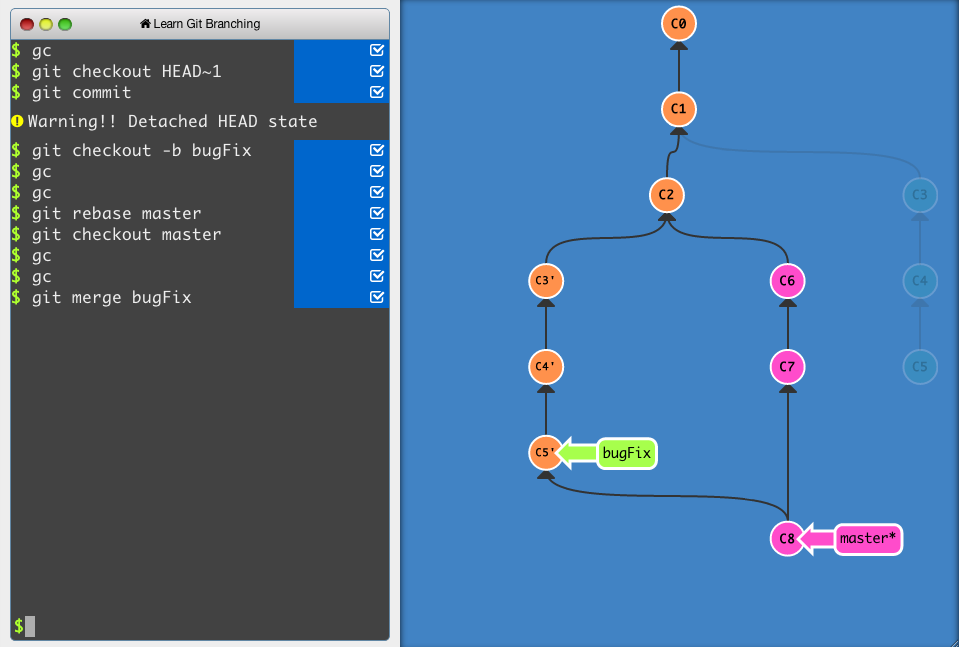
An interactive Git visualization tool to educate and challenge!
topaz aspen
anyone used TIG for git? only just heard of it
thorny shell
played with it
it looks like it works well for what it does, but I never got into it
I'm wedded to another GUI
@topaz aspen oh, you again 🙂 You can guess which GUI it is I'm wedded to
delicate sinew
same here, played with tig for a bit, but it's like not the best of either world for me; 95% of the time I'm in the command line, for the rest of the 5% when I need an actual GUI I'm in Fork
thorny shell
huh never heard of that one
delicate sinew

Fork - a fast and friendly git client for Mac and Windows
Fork - a fast and friendly git client for Mac and Windows
was a user of sourcetree for a long time, but fork is so much more light weight and fast and nice that I just never looked back
thorny shell
I'm a hard-core command-line guy; it's weird that I use a gui at all
delicate sinew
it's mostly for those moments when the history is so fucked and I need to see a graph of it
or weird interactive rebase scenarios
thorny shell
oh sure
that was the gateway drug for me to my GUI too
both of those in fact
"Everyone laughed when I sat down to interactively rebase"
 daring tundra
@olive tide
git clone downloads the repo with the .git directory. The .git directory holds the versioning of the repo - the history of changes etc.
The remaining three git commands require the directory to be a git directory, i.e. a .git in the root.
git pull fetches changes from remote and applies it right away, unless there are conflicts in which case it'll prompt you to resolve them
git fetch brings in the changes, but doesn't apply it. In essence, you can view differences, apply changes to your local files, and then apply them when you're ready. You would use git merge. Apparently git pull is the combined commands of fetch and merge.
git checkout checks you out at a specific version. Usually you would use it to check out different branches, but you can check out specific commit through its hash.
Checkout this intro from Atlassian - it's a good one https://www.atlassian.com/git/tutorials/using-branches/git-checkout
Atlassian
Git branching intro. Create, list, rename, delete branches with git branch. git checkout: select which line of development you want and navigate branches
topaz aspen
@thorny shell i stopped myself searching for magit this evening ha... i was thinking that perhaps I could have it so that it was just for git
thorny shell
nah
topaz aspen
so like magit would open in the terminal instead of git.. and that's all it did
thorny shell
you gotta drag emacs along
topaz aspen
yeah - but emacs sole usage would be to serve magit here
thorny shell
kind of like buying a giant motorhome because you really like the little fridge it has in it
thorny shell
oh it's not the memory or disk usage
topaz aspen
the emotional baggage?
thorny shell
pretty much 🙂
I'd be interested to hear how it works with spacemacs
I think I played with spacemacs for two seconds years ago and fled in horror
I'm too old-school
topaz aspen
yeah i used it with spacemacs ages ago, but i didn't really know what i was doing
i only had it because I used vim keys
thorny shell
I'd be very upset if for some reason I couldn't use magit
basic stuff I can do without it, but interactive rebasing? Fuhgeddaboutit
topaz aspen
i think that i could use it if it solely replaced the the git workflow that i have at the moment...if i can call it a workflow
thorny shell
editing commits? Staging little pieces of files? Nah
topaz aspen
interactive rebasing i've done for a test, just with reflog and rebase -i "{94} or something like that
i've forgotten
thorny shell
I like it so much that I send the developer $ every month via his kickstarter or patreon or whatever it is
topaz aspen
editing commits i'm not too sure... I usually add patch if needed tho
then comment lines out and stuff
I remember when that dev was considering going full time to magit etc
thats around the time that i was using spacemacs i think
thorny shell
Jonas Bernoulli
topaz aspen
yeah, fancy italian name
@thorny shell oh - https://github.com/magit/transient - i think this was how spacemacs kinda behaved by default
you pressed a key, things popped up, and you can work your way through the menus like that
thorny shell
well, that's how it works in normal emacs too
topaz aspen
oh right 🤦♂️
thorny shell
perhaps it takes over so much that it doesn't matter which flavor you're using
 covert ruin
does anyone else use ipad pro for development work?
thorny shell
I don't but it sounds interesting, particularly with the new magic keyboard
covert ruin
i’m interested in it but am very happy with the smart folio keyboard
I was going to get it until I heard it made the ipad heavier and thicker than a macbook air
 eternal hatch
2020-04-21T03:30:39.366731+00:00 app[worker.1]: File "bot.py", line 81, in <module>
2020-04-21T03:30:39.366922+00:00 app[worker.1]: client.run(S3Connection(os.environ['BotToken']))
2020-04-21T03:30:39.366925+00:00 app[worker.1]: File "/app/.heroku/python/lib/python3.6/site-packages/boto/s3/connection.py", line 194, in __init__
2020-04-21T03:30:39.367102+00:00 app[worker.1]: validate_certs=validate_certs, profile_name=profile_name)
2020-04-21T03:30:39.367103+00:00 app[worker.1]: File "/app/.heroku/python/lib/python3.6/site-packages/boto/connection.py", line 569, in __init__
2020-04-21T03:30:39.367474+00:00 app[worker.1]: host, config, self.provider, self._required_auth_capability())
2020-04-21T03:30:39.367514+00:00 app[worker.1]: File "/app/.heroku/python/lib/python3.6/site-packages/boto/auth.py", line 1021, in get_auth_handler
2020-04-21T03:30:39.367950+00:00 app[worker.1]: 'Check your credentials' % (len(names), str(names)))
2020-04-21T03:30:39.367953+00:00 app[worker.1]: boto.exception.NoAuthHandlerFound: No handler was ready to authenticate. 1 handlers were checked. ['HmacAuthV1Handler'] Check your credentials```How can I get secret config variables from heroku?well are they meant to be hidden from you?
If so, the answer is either "you can't" or else "we're not gonna help you"
 thorny shell
just what I said: what does "secret" mean here?
Perhaps you just need to configure your app to put the bot token in the environment
I don't use heroku, so I don't know how to do that, but I imagine it's straightforward
eternal hatch
thorny shell
that looks like a web page
eternal hatch
Heroku should detect its me since I have logged in
(That web page is heroku dashboard)
thorny shell
I'm going to pretend you asked "why am I getting this NoAuthHandlerFound exception", since I might have a chance of answering that
is that OK?
eternal hatch
Yes please
thorny shell
ok do you see where it says os.environ['BotToken']?
eternal hatch
Yes, in my python code
thorny shell
good
that means that you need to somehow tell Heroku: "when you run my code, please ensure that the word BotToken has a value associated with it, so that os.environ['BotToken'] returns that value"
does that seem right?
eternal hatch
Mhm
thorny shell
ok, so ... have you done that?
told Heroku to associate a value with the word BotToken?
probably in the "Config Vars"?
eternal hatch
Yes
In the web

How to store configuration of a Heroku app in the environment, keeping config out of code, making it easy to maintain app or deployment specific configs.
thorny shell
ah. I'd sort of assumed you'd overlookd that 😦
that's a shame since that'd have been easy to fix
all I can guess now is: you've got the wrong value in there
the wrong value is just as bad as no value
eternal hatch
Huh?
thorny shell
well, S3 apparently needs a secret token to work
you have to give it right right secret; it's like a password
eternal hatch
And how do I do that?
thorny shell
if you get it wrong, you'll get some sort of error, probably very much like this error
I have no idea; I don't really know what you're doing.
I'm just guessing based on the stack trace, and from having poked at heroku for five minutes ten years ago
so tell me -- what did you put in those Config Vars? Obviously don't tell me the actual data, but tell me where you got that data
eternal hatch
Don't worry
thorny shell
that's supposed to be a secret
eternal hatch
Its not the full token
thorny shell
although it looks pretty plausible
eternal hatch
I want my github repository about my bot to be public, but I don't want the bot token to be public
thorny shell
of course
eternal hatch
try:
    with open("Token.txt", 'r') as TokenFile:
        client.run(str(TokenFile.readline()))
except:
    client.run(S3Connection(os.environ['BotToken']))
ok that is confusing
what are you doing?
you're saying "look for the token in a file, but if you can't find it there, look in s3"?
eternal hatch
This is a code in my main bot file which says "Try to get Token.txt" because if it gets Token.txt (Which is in gitignore, meaning it will not go to heroku) then it assumes it is running in my local machine. But if it raises an exception, which I assume is going to be FileNotFound error, then it goes looking for the variable which stores the token of my bot
Get it?
thorny shell
yeah, but ... why not just always go to s3, even when you're running on your local machine?
less code that way
not that that's your problem; it's just a question
eternal hatch
Does the environment variable get stored in my local pc as well?
thorny shell
your problem is that you can't connect to s3
thorny shell
so what is S3Connection ? I guess that's from boto3?
eternal hatch
from boto.s3.connection import S3Connection
so what do the docs say about the arguments it takes?
I'd expect it to take, I dunno, an S3 URL, or a bucket name, or something; but not a base64-encoded buncha gobbledegook
I wonder if you're making a conceptual error -- passing the actual bot token to the S3Connect function
eternal hatch
How to store configuration of a Heroku app in the environment, keeping config out of code, making it easy to maintain app or deployment specific configs.
There is the link. In the last codeblock, it tells me how to connect to it with python
thorny shell
that'd be wrong for two reasons:
- why go to S3 in the first place if you already have the token
- S3 wants a URL or something, not a "bot token" (it has no idea what a bot token is)
that link appears to be about Heroku and config variables, not S3Connection
I mean I can read the boto3 docs myself, but I'm lazy and would prefer not to have to
eternal hatch
why go to S3 in the first place if you already have the token
Because I have the token in gitignore. Heroku obeys the gitignore
thorny shell
so is that base64-encoded stuff in the screenshot the bot token, or something else?
eternal hatch
I think I should see this ^
But it tells me stuff about AWS which I don't know what that is
eternal hatch
Yea, I don't
thorny shell
well I can't help you with that.
it's not super hard but it's not as easy as I wish it were
eternal hatch
oh. 😦
thorny shell
so is that base64-encoded stuff in the screenshot the bot token, or something else?
@thorny shell again^^
eternal hatch
what does that mean?
thorny shell
uh
are you saying you don't know what the value in your app's Config is?
if that's really true, then ... I doubt I can help at all
remember you showed a screenshot, and I said "oh you should delete that because you just exposed your secret" and you said "it's OK, 10 characters aren't visible"?
thorny shell
how would I know??
it's your app
you need to know this stuff if you want to use heroku
did you not put it there yourself?
thorny shell
well that doesn't answer the question of what it means and how it got there.
I think you need to find someone else to help you, who knows heroku better than I do
maybe try #web-development
eternal hatch
ugh
hey @thorny shell
I saw something that looks very confusing
If I do heroku config in bash terminal, it gives me the secret key and its value
And why does it ask for authorizations if that is the case?
 tulip turtle
Hi, I wanna make a Speech Assisntant using a python. I wannna use the 'Speech Recognition', but i installed this using a
pip install SpeechRecognition but when i want to import this to my script, there is an error
Unable to import 'speech_recognition' pylint(import-error) [1, 1] and I've the another problem couse when i trying to install pyAudio there is a error error: Microsoft Visual C++ 14.0 is required. Get it with "Microsoft Visual C++ Build Tools": https://visualstudio.microsoft.com/downloads/ I download this tool, but I still can't install pyAudio and i still have the same error. Could someone help me?
delicate sinew
@tulip turtle, if you installed the visual c++ build tools try rebooting your PC; most likely won't be on the path until then
 delicate marsh
Pip is having a problem for me.
I tried to do the command shown here https://pypi.org/project/tensorflow/1.15.2/
ERROR: Could not find a version that satisfies the requirement tensorflow==1.15.2 (from versions: 2.2.0rc1, 2.2.0rc2, 2.2.0rc3) ERROR: No matching distribution found for tensorflow==1.15.2
and I get this error, any ideas why it can't find it?
trail geyser
I am getting a "list index out of range" error when there is an & symbol in a string
does anyone know why that is?
if you want to see what I am taking about it is in shortcuts.py in https://github.com/herosilas12/autoItchtoSteamlibrary

GitHub
creates steam shortcuts for itch games automagically - herosilas12/autoItchtoSteamlibrary
delicate marsh
Seems like my issue was the python version
trail geyser
line 178, in inputPreperation
 balmy verge
So i am a beginner python programmer, should i use IDE or text editor? I am using atom and quite like it. Are there benefits of using a IDE?
trail geyser
VScode is great
give that a try
text editors are kinda difficult (I'm lookin at you notepad++)
VScode auto indents which is important if you want to do if then statements
balmy verge
VScode auto indents which is important if you want to do if then statements
Thats a useful tool.
trail geyser
yeah
of course it isn't magic
so you might have to tab every once in a while
Definitely don't use pycharm
balmy verge
Have u used IDE for python? When i was learning java i had used it. But my prof told me its better to use to text editors so that we can learn debugging properly....he forced us to use notepad though..lol
balmy verge
Ok i will check it out.
trail geyser
Visual Studio Code is a code editor redefined and optimized for building and debugging modern web and cloud applications. Visual Studio Code is free and available on your favorite platform - Linux, macOS, and Windows.
balmy verge
Ah..so not programming professionally?
trail geyser
nope
balmy verge
I am a CS student, recently ventured into data analysis using python.
balmy verge
Computer science!
trail geyser
ah
balmy verge
C sharp is abbreviated as C#
trail geyser
yeah I know
balmy verge
Oh..lol
trail geyser
happy coding
balmy verge
Thanks.
tulip cosmos
@trail geyser why do you write off pycharm instantly? it's benefited me much more in the short 2 weeks i've swapped to it from vscode than vscode had in 2 years
trail geyser
when I started coding I tried pycharm and the ui was so hard to understand
I could figure out how to run my script
tulip cosmos
keyword when you started man. it's very user friendly, at least now
trail geyser
the community edition?
tulip cosmos
@balmy verge i'd give pycharm a shot if you want. it's definitely user friendly and helps get you started with common mistakes and syntax issues
yes?
the debugger is amazing, it's got every PEP standard memorized basically, it's faster than my vscode when it comes to documentation grabbing because of how it works
tulip cosmos
you can automatically reference project files etc. when typing in code
it's better at git than vscode was for me honestly
the interactive console has full IDE features as well
balmy verge
@balmy verge i'd give pycharm a shot if you want. it's definitely user friendly and helps get you started with common mistakes and syntax issues
Oh..i will check it out then. Installed VS code, feels better than Atom which i was using initially.
 covert kindle
I've been learning python for about 4 months now, started on Atom and right now I'm configuring a portable version of VS Code. Right away I can feel the polish compared to Atom. I'm not advanced enough to take full-advantage of an IDE, so a code editor is my personal preference for now. Any amazing VS Code packages you guys recommend?
trail geyser
when you say packages do you mean extensions
pycharm is as bad as ever (at least the comunity version is
the settings are all over the place and there is no obvious way to change the colors
I am gonna stick with VScode
@balmy verge did you use the community edition or pro edition
balmy verge
@balmy verge did you use the community edition or pro edition
Havent downloaded pycharm yet, using VS code right now, quite satisfied
covert kindle
Yes extensions. I only used a few in atom (linter, theme, terminal, icons) so I'm wondering if there's some that people find very practical for everyday use.
topaz aspen
@covert kindle the python extension is handy...
vim extension, error lens, rainbow brackets, scratchpad,
tulip cosmos
@trail geyser what's confusing about this?
settings are right under File, like in just about every other program that's ever existed
you can hate pycharm but not for bullshit reasons and definitely don't turn people away from it because you choose to deny it no matter what
 rugged hare
wow, this is getting kind of heated
tulip cosmos
apologies but i sincerely dislike people who steer others away from any IDE simply because they refuse to give it a shot
 violet belfry
Why does anyone care this much about a window to type code into
thorny shell
why does anyone care this much about a box that rolls you from one point to another
why does anyone care this much about fabric that keeps rain off your body
violet belfry
Are you done?
thorny shell
for now 🙂
violet belfry
Cute
tulip cosmos
in all honestly, cause efficiency?
violet belfry
Is that worth attacking other people?
tulip cosmos
i mean i'm sorry but i don't think i attacked him?
violet belfry
Did you not read the words you typed?
tulip cosmos
i definitely did
violet belfry
Maybe next time write yourself a letter instead or something
tulip cosmos
alright?
violet belfry
Thanks
 rancid crest
Hello, i recently installed Atom and while i was configuring it to run python i got this error
`[Enter steps to reproduce:]
- ...
- ...
Atom: 1.45.0 ia32
Electron: 4.2.7
OS: Unknown Windows version
Thrown From: script package 3.25.0
Stack Trace
Uncaught TypeError: Cannot read property 'remove' of undefined
At C:\Users\Medina MP.atom\packages\script\node_modules\atom-message-panel\lib\MessagePanelView.js:189
TypeError: Cannot read property 'remove' of undefined
at ScriptView.MessagePanelView.remove (/packages/script/node_modules/atom-message-panel/lib/MessagePanelView.js:189:30)
at ScriptView.detach (/packages/script/node_modules/jquery/dist/jquery.js:5357:15)
at ScriptView.removePanel (/packages/script/lib/script-view.js:89:10)
at Object.closeScriptViewAndStopRunner (/packages/script/lib/script.js:161:21)
at HTMLElement.scriptCloseView (/packages/script/lib/script.js:94:39)
at CommandRegistry.handleCommandEvent (~/AppData/Local/atom/app-1.45.0/resources/app/static/<embedded>:11:349290)
at CommandRegistry.dispatch (~/AppData/Local/atom/app-1.45.0/resources/app/static/<embedded>:11:347765)
at ScriptView.close (/packages/script/lib/script-view.js:99:19)
at /packages/script/node_modules/space-pen/lib/space-pen.js:220:36)
at HTMLDivElement.dispatch (/packages/script/node_modules/jquery/dist/jquery.js:4435:9)
at HTMLDivElement.elemData.handle (/packages/script/node_modules/jquery/dist/jquery.js:4121:28)
Commands
5x -5:56.5.0 fuzzy-finder:toggle-git-status-finder (input.hidden-input)
-4:15.8.0 script:run (input.hidden-input)
-4:01.3.0 script:close-view (atom-workspace.workspace.scrollbars-visible-always.theme-atom-dark-syntax.theme-one-dark-ui)
Non-Core Packages
atom-python-run 0.9.7
autocomplete-python 1.16.0
Hydrogen 2.14.1
run-python-simply 0.6.0
script 3.25.0
`
i just installed some packages to run python and when i was testing, the bottom bar doesn't give me any output so i tried to close it(the bottom bar) and it gave me that error
 hot flicker
I've used pycharm in the past and remember it being better, wondering what drawbacks it has compared to Anaconda
tawny temple
It's not comparable to Anaconda
hot flicker
what is Anaconda suited, like what kind of coding use then
finite fulcrum
I think spyder is used as the IDE usually, but you can also do anaconda + pycharm
hot flicker
and what's the difference between IDE in plain english, I'm just a student trying to do some assignments
finite fulcrum
IDE is an Integrated development environment, so you have an editor packed with a linter, version control support etc.
anaconda would be more comparable to pip
anaconda makes it easier to download the modules that also depend on c/++ or other language binaries to function
and can also get you python itself
hot flicker
so for a newbie, the IDE is better yeah?
finite fulcrum
they serve different things
for example I use pycharm for coding to get some of the features described above, but I also use pip to download my packages like you usually do
rough marlin
is there any way to speed up pipenv?
i told it to install arcade and 2 minutes later its still doing...something
finite fulcrum
could be compiling?
if it's not doing that then it's probably just stuck; but don't know that much about pipenv
violet belfry
Normal virtualenv doesn't lock dependencies
It can probably be sped up, but you'll have to contribute to the project to make it happen
rough marlin
what does "lock" mean in this context?