#tools-and-devops
1 messages · Page 39 of 1
 timid echo
Unfortunately it's hard to give more informed help given I am not familiar with that code base.
So I will believe you that there's circular importing.
 ripe citrus
if you ever decide to make a discord bot with python you'll know that it's impossible lol
ripe citrus
its fun
ripe citrus
its the only thing i can program lol
since GUI stuff kills me
umm
its a bot for my server im making
timid echo
GUI is PySide2's strength 😉
ripe citrus
it implements a democratic moderation system
timid echo
Oh?
ripe citrus
so moderators are only given the power to !detain a member. once that member is detained, they will be isolated into the #detention channel and locked away from the rest of the server. In there, mods will decide their punishment, if any, and the member will be allowed to make an appeal
ive decided to do this to avoid abusive mods
ripe citrus
its a political server and i dont trust mods to put their views aside and look at situations objectively
timid echo
Political server, eh? Oh boy that can get heated really fast.
ripe citrus
well i started a few years back i think when i was 15 and learned JavaScript (i know) to make a bot just cause i wanted to
and that opened up a whole new world for me, and i found programming to be a passion
timid echo
That's great to hear.
ripe citrus
but unfortunately making bots is the only thing i can do lol
ripe citrus
i've always wanted to make desktop applications but i don't even know where to start with those
timid echo
Time to learn C++ 😉
timid echo
I think python + C++ is a great combo personally.
timid echo
Yes, that's why you want to learn C++ to get more access to memory management.
ripe citrus
Nim is better
Pythonic syntax
plus compiles to C/C++
Python should really be AOT compiled
instead of JIT
 hexed maple
Blender is done in Python and it's a desktop application
ripe citrus
@hexed maple if it was written in C++ the mem usage would probably be cut in half
Python is slow, it shouldn't be used for desktop applications
 plush tree
That's not necessarily true.
hexed maple
@ripe citrus if it was written in C++ the mem usage would be only 10%, because it would be so much smaller xD
 finite fulcrum
QWhen making a larger feature in a project, like rewriting a class from scratch; how do you structure the commits? Just one commit that replaces it?
 vivid cargo
i would make a branch
and than rebase it
or just a new branch with a merge at the end
 pure pulsar
i tend to avoid rewriting from scratch, unless it's small enough it doesn't matter, it's better to, commit by commit, construct the new thing you'll be using, and start moving feature to it, adding tests as you go by, so the equivalent features are validated before being used, and when it's all done, you switch the code that uses the old class to using the new one, and finaly you remove the old one
of course, if it's small enough, a one shot commit does the job.
finite fulcrum
for example this commit I just made https://github.com/Numerlor/Auto-Neutron/commit/934346598ece2a0cef2c548dd0baa84c5df2d15c Doesn't really make sense to replace it commit by commit imo but 1 commit feels like it's a bit squashed
pure pulsar
haha, i wish i would consider this a big commit
finite fulcrum
Don't really care about how the git looks at that project considering the cde
 languid helm
It's a single file, and a single action you've done. That seems like a good one.
pure pulsar
the diff is not really nice to read, though, but not sure it can be made a lot better
 tawdry pelican
yo so
im using pycharm community to make my python based website
this bit of snazzy work makes my authentication system: python def verify_reset_token(token): s = Serializer(app.config['SECRET_KEY']) try: user_id = s.loads(token)['user_id'] except: return None return User.query.get(user_id)
no something cool is expect: is coming up underlined
tawdry pelican
it says "too broad exception clause"
vivid cargo
ah
tawdry pelican
😄
vivid cargo
because it expects except FileNotFoundError or some other error
languid helm
It wants you to specify a specific error.
tawdry pelican
right
vivid cargo
exactly
tawdry pelican
but itll still work?
as in, on paper it should work
but will it be any issue if i leave it for now?
vivid cargo
try except Exception as e:
tawdry pelican
what does that do?
vivid cargo
if error pops up you can identify is as e and do whatever you want to do with it
tawdry pelican
right
looks good
i also forgot to add @staticmethodonto the top of that xD
anyhow thanks!
vivid cargo
👌
timid echo
@ripe citrus I think I may have figure out the most simplest way to reproduce the "Find All References" bug with VS Code. Let's say you have a module that's importing something through its __init__.py, and the you have a python file importing it through that, then it seems to lose track of that usage and it does not show up in "Find All References".
timid echo
I was looking through the colour-science pip package and was trying to jump the various imports it has.
It has trouble with even "Go to definition".
I could be wrong, but basically it could be used as a way to import modules that can be commonly used by other python files in that same module.
ripe citrus
For some reason Python doesn't recognize directories that aren't either the main directory or one with an __init__.py
timid echo
Hmmm it should, no?
Or are you talking about the python extension of vscode specifically?
ripe citrus
if you don't have __init__.py then you can't import from the folder
outside of the main project folder
timid echo
Oh yeah that's just python's way to initialize it.
I'm gonna try to check it through Pycharm and see.
ripe citrus
I just don't get why Python doesn't just do that by default
timid echo
In Pycharm, it can go to definition no problem.
ripe citrus
Python extension is just shit 🤷
timid echo
I will have to write a ticket to vscode's GitHub then.
ripe citrus
good luck
finite fulcrum
Any idea how pycharm's repeated code block inspection works?
Got a 1 command if else block that's repeated 4 times in my code with the same structure that isn't highlighted but a larger setup on different variables that's repeated twice got highlighted
 tired aspen
yes I've noticed it kicks in only after a number of lines too
I guess you'd need more powerful tools to pick up more duplications
 worldly otter
hey guys
I'm following this one tutorial and the guy is using vscode and hes navigating to a link called new project
but I don't have it on my vscode versoin
can someone help
tired aspen
sounds like a custom package
what type of project did it create
worldly otter
I mean I'll try to send a screenshot
but my vscode doesn't look like that
mine looks like this for some reaosn
can you please help me fix it
can someone please help me because I can't get startted without it
tired aspen
um that's not vscode it's visual studio
blame microsoft for naming two things with very similar names
 dusty arch
Hey guys i want to create a tool
that download, torrent on heroku and then it will upload to gdrive
can i do this?
timid echo
@ripe citrus https://github.com/microsoft/python-language-server/issues/1842 Hehe
ripe citrus
bruh
timid echo
We are getting ever closer to the heart of the problem, which is the language server. My ticket is there now and should hopefully be addressed later.
ripe citrus
Let's see if Micro$oft actually listens
 mental mason
Say i want to rewrite the whole code of my project, i wantsd to create a new branch for it. Is it better to create an orphan branch for it or just new branch from initial commit?
 tawny temple
If you don't want to preserve the history of the old version then create an orphaned branch IMO.
However, the way I see it, branches are kind of meant to share history
I mean that in the sense that it wasn't really designed so that you'd use it to have completely divergent history/different codebase
If you don't even intend to keep around the old, original branch, then this is OK
Otherwise I'd just create a new repository. Though if it were me, I would preserve the history to begin with.
Just my opinion
mental mason
Its bot project and its currently on deploy, so making new repo is kinda too much
mental mason
Not sure but im probably gonna branch off from root commit of master
Cuz eventually this will be merged back to master
 empty star
Hi! I need some help with Pycharm. I made a new project for a new bot but my other project is gone.(It still exists) How do I get back to that project? Or show all projects?
 turbid beacon

 heavy knot
wait that's not python
timid echo
It's just an extension for the vscode IDE for some fun.
heavy knot
I know, looks pretty epic
empty star
@turbid beacon Sorry for the late reaction but that gives me a searchbar, if I type in a file name I have it doesn't find it
empty star
Can someone help me with github? I have a repo, I wanted to add a file but it didnt show up
 rotund kelp
Which steps have you done so far?
rotund kelp
is that on github.com itself, or some application?
empty star
On github.com
rotund kelp
And in the end you created a commit?
empty star
I selected 'commit directly to the master branch'
rotund kelp
hm, sounds like you did everything right then
empty star
@thorny shell Yeah I already got it to work, thanks tho
timid echo
Anybody here familiar with vscode and its C++ debugging? I know it's not python-specific but rather, more IDE-related...
timid echo
Ah never mind https://github.com/microsoft/vscode-cpptools/issues/3829

GitHub
Type: Debugger Input information below Please review existing issues and our documentation at https://github.com/Microsoft/vscode-cpptools/tree/master/Documentation prior to filing an issue. Descri...
 brisk rock
Hi, does anyone use PyDroid3? I've installed tkinter, and what I wrote is syntactically correct, but nothing comes up....any advice?
 fair heron
Is it true that a Pipfile is only used by the pipenv virtual environment...solution? And a Pipfile is not used without also using pipenv?
 delicate gorge
iirc Pipfile is a specified standard by the pypa or even the psf but only pipenv is implementing it at the moment
 stark condor
can someone help me with ffmpeg
im using it with my python script and its giving me an error on some audio files
stark condor
i uh
still need help with ffmpeg
it seems to think that certain audio files i downloaded are video files
stark condor
nvm
brisk rock
@helpers: Hi, does anyone use PyDroid3? I've installed tkinter, and what I wrote is syntactically correct, but nothing comes up....any advice?
timid echo
VSCode 👀
delicate gorge
thats gonna be virtual memory i doubt it can actually use so much memory on your machine
 timid glade
Hello I just got an usb key as a gift
Is there any fun stuff i can do with it?
 thorny shell
steal state secrets
vivid cargo
@timid glade
Install linux on it and plug it into rpi to host mc server? :P
timid glade
@vivid cargo i dont play mc
vivid cargo
:'(
 frank stone
How is this %rootPath called, and what are similar ones?
I want it to represent the path to the currently focused file
Right now it only seems to represent the path of the opened folder
 cinder storm
@frank stone try this ${file}
if you need more ```
${workspaceFolder} - the path of the folder opened in VS Code
${workspaceFolderBasename} - the name of the folder opened in VS Code without any slashes (/)
${file} - the current opened file
${relativeFile} - the current opened file relative to workspaceFolder
${relativeFileDirname} - the current opened file's dirname relative to workspaceFolder
${fileBasename} - the current opened file's basename
${fileBasenameNoExtension} - the current opened file's basename with no file extension
${fileDirname} - the current opened file's dirname
${fileExtname} - the current opened file's extension
${cwd} - the task runner's current working directory on startup
${lineNumber} - the current selected line number in the active file
${selectedText} - the current selected text in the active file
${execPath} - the path to the running VS Code executable
${defaultBuildTask} - the name of the default build task
Thanks
it only seems to be opening cmd on the current folder, and nothing else
If I do like this
it will recognise, as windows says it can't locate cmddd.exe
If I do this
it only does this
without the hi
The extension I'm using is this:
Ohh I found a new guy:
Maybe it can do what I need
Just need to change that command
Ok. It's all very funny, but it doesn't work.
It does the form very well, but at the end when it should execute the command, nothing happens
Any ideas?
timid echo
What are you trying to do?
frank stone
Run the current file on cmd
with shortcut
Eg: I'm editing a python file, and want to test it on normal cmd
without having to leave the VS Code
so I press some keyboard shortcut and it executes cmd.exe CURRENT_FOCUSED_FILE
or even better python.exe CURRENT_FOCUSED_FILE
like if I was double clicking it
Because this terminal doesn't show how the program will look like in reality, when double clicked the file
timid echo
I don't think you need to do any of that. Just modify terminal.explorerKind to external. Then you can set up a key binding to Run Python File In Terminal to whatever you want.
It should launch cmd and run your python file on there.
I have it set that my key binding is Ctrl + All + Enter but it launches it in the integrated terminal because that's my set up.
frank stone
Ok, so I added "terminal.explorerKind": "external"
what do I do now?
This triangle still uses the internal
And Run Python File In Terminal in the command palette does the same
oh they are the same 
The other day I tried to change VS Code terminal to the external windows cmd.exe
It did this:
When was supposed to do this:
It seems I don't like that "external console"
So now I'm trying to just batch cmd.exe FILE
timid echo
I have it set so that F5 debug can be run from external terminal.
So I just run the file through that.
frank stone
It's all nice, but this external terminal is not the same as mine, because it doesn't read some characters correctly and mine does
timid echo
You can change the path of the terminal executable if that's the issue.
frank stone
How?
timid echo
In the settings. You can change the path of the terminal executable there.
Search for terminal.
frank stone
But it's already cmd.exe
timid echo
Take a look at the command line that launched the cmd.exe, see if there's any flags or whatever you need to pass.
 feral swallow
Sublime vs Atom
Which one do you guys prefer?
Can someone explain to me the difference between the 2? Some people say that atom has git hub integration but doesn't sublime have sublime merge? And what does hackable mean?
vivid cargo
Atom has excellent git and github integration
But us very slow because its built on top of electron
Sublime is a lot quicker and more responsive but it has gone deprecated
 civic hound
that is not true
sublime text is not deprecated if that is what you meant @vivid cargo
vivid cargo
Let me rephrase, developer support had drastically fallen down
civic hound
Thats not my feeling about it. i would say they do just as much now as they ever have done. but I might not have payed much attention the last year...
vivid cargo
it's support has fallen down a bit compared to previous years
but not completely deprecated
 silent flicker
Should I utilize a text editor or an integrated development environment? What are the key reasons to use either one?
 dire quartz
As the name implies, an IDE is basically a text editor with a set of other tools useful for development built into it.
Could be anything from a compiler, debugger, profiler, code analysis tools, etc.
The advantages are pretty obvious, you get most of what you need in one convenient package all at once.
The name "text editor" implies that the tool is mainly used to edit source files and not much else. Modern text editors usually support installing plugins that add integrated support for other tools, though. It still might not come with a lot of tools preinstalled.
The distinction between these two is kind of vague, though. It's more of a spectrum than a clear border.
silent flicker
I understand, and what would you recommend for beginners?
dire quartz
The reason why someone might wanna go with more of a pure text editor is that the basic installable is smaller, it might require less memory to run by default, and maybe because you have very specific preferences when it comes to which tools you like to use, so you want to install certain 3rd party extensions that you really like, as opposed to those that come preinstalled in an IDE.
Or you just wanna run those tools completely independently of the editor.
I personally like to use an IDE, and I would also recommend it for a beginner. It means you don't have to manually select which external tools you want to use. It makes it easier to start using useful tools that will make your life easier.
If you're coding in Python, I recommend Pycharm Community Edition.
It might look a bit overwhelming when it starts up, but it requires minimal learning effort to just create and run scripts.
And you can learn about all the other features as you go.
silent flicker
Interesting, because I initially chose Visual Studio Code alongside the Python extension, due to its apparent popularity.
dire quartz
Pycharm and VSCode are likely the two most popular choices.
VSCode leans slightly more in the "text editor" direction, but it has quite a lot of features, so it's almost a stretch to say that it's a text editor and not an IDE. It certainly comes close to a proper IDE with the most popular extensions installed.
But yeah, I personally prefer Pycharm.
silent flicker
I think that I'll install the PyCharm IDE and contrast the advantages with the text editor, since the latter can be equally useful for other languages, which in turn could streamline productivity(?)
dire quartz
Well, yes, there's some truth to that. At work I use Pycharm Pro, which also supports web languages (like JS, TS, HTML, CSS, etc), so I don't really need a separate editor for those, but Community doesn't, so if I didn't have a pro license, I probably would want to use something like VSCode when working with those other languages, and having to manage two different editors is a bit of a hassle. However, I don't think this should concern you much while you're still learning. Imo, it's more valuable to be able to start using a debugger with no extra configuration steps required, which Pycharm will allow you to.
silent flicker
Alright, I understand better now, thank you for the clarifications.
dire quartz
You're welcome!
frank stone
How do you unindent several lines of code at once in VS Code?
finite fulcrum
shift tab might work @frank stone
frank stone
Thanks!
 fluid fossil
Guys i found a website called globfone which let you to make free call but instresting thing to note is when we call receiver did not see any number.my question is how it is done? If anyone know please help
vivid cargo
#31# prefix
It works in croatia
If you are on GSM(android) it works
Newer ios'es work too
 north latch
Is there a way in pycharm to click on a method name and have it bring up the definition?
tawny temple
you can press ctrl + b
heavy knot
why i have this weird font in my terminal in vscode
 soft gorge
It would help if you would provide some code
heavy knot
i tried to change the font but nothing
soft gorge
You need to show us the source code otherwise we are unable to help!
 frozen coral
my gitkraken client isn't working I have to use the command line
how can I push via ssh keys? I have the public key added to my gitlab account and have both the public and private keys on my pc I am on
thorny shell
@frozen coral if the repo is set up properly, git push is all you need.
frozen coral
THat makes me loging
username and password or not authorized for whatever reason
I think ssh will work
but how do I set my local git to push over ssh?
thorny shell
perhaps your remote uses https:// instead of ssh:
git remote add ssh-origin ssh:user@gitlab.com I think
frozen coral
is there a way to check?
thorny shell
the gitlab site will tell you how to do it.
git remote -v will tell you what you've currently got
:-) 2020-01-03T17:23:43-0800 [Eric-Hanchrows-MacBook-Pro homedir] (master)$ git remote -v
github    git@github.com:offby1/homedir.git (fetch)
github    git@github.com:offby1/homedir.git (push)
gitlab    git@gitlab.com:offby1/homedir.git (fetch)
gitlab    git@gitlab.com:offby1/homedir.git (push)
my repo has two remotes, named github and gitlab. It's fine to have just one remote, though
frozen coral
I got one push and one fetch, both start with https
Is there a way to add the ssh method too?
thorny shell
yes I already showed you
git remote add ssh-origin ssh:user@gitlab.com I think
also, gitlab will have a detailed explanation on their site for how to do this.
Documentation for GitLab Community Edition, GitLab Enterprise Edition, Omnibus GitLab, and GitLab Runner.
 tacit tartan
thorny shell
tacit tartan
thorny shell
I have no idea how drag-n-drop works in the github browser sorry
@valid cipher no private messages please
frozen coral
To test whether your SSH key was added correctly, run the following command in your terminal (replacing gitlab.com with your GitLab’s instance domain):
ssh -T git@gitlab.com
what is my instance domain?
I am not running a server if that is what it's suggesting
thorny shell
probably gitlab.com 🙂
frozen coral
finally
now I have both https and ssh
but how do I specify which to use when pushing?
thorny shell
you can supply the "origin" name on the "push" command somehow.
read the manual to see how.
frozen coral
but both https and ssh mention origin?
thorny shell
you can also remove the https: remote if you don't want it; maaaybe git will then let you avoid specifying the other remote, since it is obviously the one you want
no idea what you mean by "mention origin"
frozen coral
when I did git remote -v both had origin in their name
but I removed the https one like you said
thorny shell
shrug
there's nothing magic about the word origin inside a remote name.
It's conventional to name your lone remote origin, but you can name 'em anything you want.
Your original one was probably just plain origin, and then I suggested that you add one called ssh-origin, so ... voila; two remotes both of which have origin in the name.
if it helps: a remote is just a short name for a URL; its whole purpose in life is to save you keystrokes.
frozen coral
I see
now It says fatal: No configured push destination. Usually I would just add the https link, but now I am using ssh, so what do I say the URL is ?
thorny shell
oh that means you need to tell git that your branch's favorite remote is the new one 😐
I don't remember exactly how to do that. I think you can do something like git push master origin --hey-git-from-now-on-always-push-this-branch-to-this-remote-so-i-dont-have-to-type-all-this
(the real option is probably a little bit shorter than that but you get the idea)
(probably --set-upstream)
thorny shell
no, --set-upstream
frozen coral
$ git push master origin --set-upstream
error: src refspec origin does not match any
error: failed to push some refs to 'master'
I have no idea
frozen coral
In the command line, yes
$ git remote -v
shh-origin      ssh:user@gitlab.com (fetch)
shh-origin      ssh:user@gitlab.com (push)
Doe sthat look right? It seems to generic
thorny shell
looks exactly right
you were expecting a more complicated URL on the right-hand side, weren't you
frozen coral
yes
thorny shell
inorite
frozen coral
and not just user but my username
thorny shell
oh, well you might want to fix that and put your actual username in there.
where by "might" I mean "there's no way in hell it's gonna work unless you do"
I predict you'll get this ... eventually 🙂
frozen coral
Thank you, I hope so too
thorny shell
if it makes you feel any better, much as I love git, the command line is super hard to learn
or, maybe that'll make you feel worse 🙂
frozen coral
Yeah, the stupid GUI application I usually use was doing anything right today
It's still telling me I need to add a remote despite already having my ssh remotes in there
$ git push
fatal: No configured push destination.
Either specify the URL from the command-line or configure a remote repository using

    git remote add <name> <url>

and then push using the remote name

    git push <name>
ssh-origin      ssh:6q@gitlab.com (fetch)
ssh-origin ssh:6q@gitlab.com (push)```I have my account in there
and my gitlab account connects
$ ssh -T git@gitlab.com
Welcome to GitLab, @6q!
hm, then I think user@gitlab.com should be git@gitlab.com
it figures out who you are by your SSH public key, apparently; not the username in the URL
although what you've got up there is subtly different from mine:
gitlab git@gitlab.com:offby1/homedir.git (fetch)
man this gitlab guide is no good
thorny shell
you can probably read the git_hub_ docs instead, and just apply them to gitlab
remember, gitlab is open source, so its docs and UI are going to suck 🙂
ftfy
thorny shell
if you're daring, I have a plan!
1. copy your .git/config file someplace safe
1. replace two sections in it with this
    [branch "master"]
            pushRemote = gitlab
            remote = gitlab
            merge = refs/heads/master

    [remote "gitlab"]
            url = git@gitlab.com:XXXXX/YYYY.git
            fetch = +refs/heads/*:refs/remotes/gitlab/*
1. replace the XXX and YYY in the obvious way
well I guess I don't know how to do numbered lists.
I give that a 65% chance of working.
I predict your file is already pretty close to that
frozen coral
Let me look at my file
$ cat .git/config
[core]
        bare = false
        repositoryformatversion = 0
        filemode = true
        logallrefupdates = true
[remote "ssh-origin"]
        url = ssh:6q@gitlab.com
        fetch = +refs/heads/*:refs/remotes/ssh-origin/*
Documentation for GitLab Community Edition, GitLab Enterprise Edition, Omnibus GitLab, and GitLab Runner.
git remote set-url origin git@<user_1.gitlab.com>:gitlab-org/gitlab.git
Of course they don't say which of these parts I need to specify
thorny shell
sounds plausible
frozen coral
just user I guess?
thorny shell
I think you should make it look like mine, since I know mine works 🙂
frozen coral
I'm going to delete all remotes
thorny shell
"Multiple accounts on a single GitLab instance" sounds like a fairly advanced thing. Are you sure the applies to you?
frozen coral
no
thorny shell
maybe move the whole working copy aside, and clone it again
crazy that there's no easy & safe way to share your screen or keyboard 😐
thorny shell
I don't think github is going to be any different. Their docs are probably better, but as I said: you can probably apply their docs to gitlab.
you're struggling with git itself, not with gitlab specifically.
so github is gonna be exactly the same struggle.
frozen coral
Yeah you're right
feral swallow
Hello, can someone explain to me the difference between pulling, forking, cloning etc.
I don't quite understand the distinction
you push your commits
and pull back other peoples commits
 gusty dawn
yall suggest any good python scanners for my code ? looking for optimization security.. generally how crap is my code because I'm new.

GitHub
Various Python scripts. Contribute to freeload101/Python development by creating an account on GitHub.
I can just look at my code and tell lot of places I could condence it but looking for suggestions like use async insted for loop requests.get
thorny shell
@feral swallow "pulling" means "getting all the new stuff from the remote repo, and then merging the new stuff into your branch"
"forking" means "making a new repo that is a copy of the remote one"
"cloning" is the same as forking
feral swallow
ok tnks
frozen coral
@thorny shell I managed to temporarirly fix my issues
I have to enter a password everytime now but at least I can push
thorny shell
hah
thorny shell
the password thing is because you either don't have an unencrpyted private key, or forgot to start "ssh-agent"
frozen coral
It stopped working on it's own 2 days ago
thorny shell
don't you love that 😐
frozen coral
No
frozen coral
sitty GUI client couldn't fix it either
$cammed
well, at least the GUI client works again without password
Thanks for the help @thorny shell \
thorny shell
🎉
finite fulcrum
@ivory wagon i've found pycharm to be nice with the git integration and its other tools, but it's definetly heavy, maybe a bit bloated for a lighter user and could be a bit confusing for a newbie to setup
 ivory wagon
Oh, I was looking for something simple with just the basic tools. I want to focus on learning programming, I don't need to build a big project
finite fulcrum
Pycharm is probably beyond what you need now but can't say it isn't nice
vscode should be between a full blown ide and a simple text editor I think
ivory wagon
Yup, I'm liking it so far, I was wondering if Atom and Sublime could be a better choice
vivid cargo
Take a look at atom
Its a bit slow when you load it with few dozen extensions but very beginner friendly text editor
ivory wagon
Is it good from the beginning? Like can I start writing Python right away? Vscode has everything python related in the python extension, does Atom do that as well?
vivid cargo
not really, you'll have to get 2 or 3 extensions to get your started
linters and such
if you want good out of the box experience, you might wanna take a look at vscode
ivory wagon
Yeah it's the one I'm using right now
ivory wagon
Though it's so cool that eivl (the admin) is using sublime and I can see some info about the project
finite fulcrum
I think most editors with plugins are able to do that because there are always a few discord focused devs
vivid cargo
both sublime and atom has those features regarding rich presence
 eternal mirage
hi i need help/have questions about git
so in my python project, i made some uncommited changes to my code and have tested them. i dont like it and i want to revert the changes. ik how to do that but its still a lot of code i wrote that i dont want to lose
im unfamiler with how branches work but can i somehow temporarly save these changes on a separate thing, and then safly revert the uncommitted changes?
incase if one day i ever decide to go back to it
tawny temple
git stash push -m "some description" can be used to save all the uncomitted changes locally. If you want to save them on the remote (i.e. push them), then a new branch can be created with git checkout -b new-branch-name
eternal mirage
@tawny temple how do i switch to the branch, and back
tawny temple
git checkout branch-name
eternal mirage
master is the default right?
tawny temple
Basically yes
tawny temple
did you use git checkout -b?
eternal mirage
what does -b do
tawny temple
Did you do it though?
eternal mirage
no after i made my commits to the new branch i reverted with git checkout master
tawny temple
I'm trying to figure out what exactly you did just now
eternal mirage
nvm
i was wrong
my changes were commited to the new branch and master now has the original changes like before
 rose mantle
I'm need some help with vscode... I just got a 2nd screen and I want to use one for the editor and one for the terminal output.
People in a forum said I should do crtl-k,o to get a 2nd window
But Ii doesn't work with what I want to do... It's just another instance of vscode in the 2nd window and has nothing to do with the other one.
pls help n tag me, so I can see
 warm pollen
@lean thistle what is your problem? 😄
 lean thistle
i was waiting for the other guy to finish lol
essentially
i originally thought my pip couldnt install any modules so i did a test
it downloaded numpy so i was like oke good ,however, when i want to install spleeter it says error
warm pollen
You are using 3.8?
lean thistle
yea
warm pollen
Most packages (like spleeter) aren’t compatible with 3.8 yet
frozen coral
I am currently on my master branch but I have some work done that is not commited/pushed
Is there a way I can commit and push tha tot testing instead?
tawny temple
Is testing an existing branch or a new one?
frozen coral
existing
tawny temple
First, keep in mind whether the testing branch needs to be up to date with master on the remote. You can stash changes so they are saved while you switch branches. Do ```shell
git stash push
git checkout testing
git stash pop
Then you can commit and push as usual. abstract creek
how do I untrack it
 topaz aspen
any ultisnips users? I've just installed and am trying to get a basic snippet working, but having little joy... what's the minimum i can do to test that it's at least doing something (given i can't seem to trigger a snippet with it)
topaz aspen
ignore that it's working now
 gleaming skiff
Hello. I just started to learn git and I have a question -
Is there some approval or confirmation needed from repository owner to push your commit to the server (Github)?
I mean if anyone allowed to push to a server some shittty bored people might use it to break something out of fun or boredom. Of cource you can just return to the previous commit (it is a part of what Git exists for) but it needs time and effort, and someone can break something again and again.
Thanks in advance.
tawny temple
Yes. The owner needs to give others permission to push
gleaming skiff
@tawny temple Ah, so it's just that I pushed only in my own repopsitory, i didn't need any confirmation.
tawny temple
Yes
gleaming skiff
Ok, thank you.
thorny shell
@gleaming skiff more detail: sometimes a project accepts contributions from strangers, but has its repository locked down anyway. They reconcile that apparent contradiction by accepting "pull requests" -- the random stranger (i.e., you) pushes your stuff to your repo (which is a clone of the project's repo), and then you send them a message saying "Hey I made this cool thing, would you merge it into your stuff"
gleaming skiff
@thorny shell but a confirmation needed even if repository is not locked?
in any case?
thorny shell
no
if the repository isn't "locked", you can push all kinds of random stuff to it.
That'd be rude, but you could do it
but I don't think github even lets you have a wide-open repository like that
gleaming skiff
@thorny shell I think it's strange, from my perspective at least, to allow to do it without any means of protection. But as I can understand all major repositories are locked?
thorny shell
they probably are; I dunno
pure pulsar
I don't think i ever saw a completely open repository like that for code
Wikis are hard enough to keep clean, with code it would be too easy to inject malicious things and go unnoticed
thorny shell
Back in The Day®️, the GNU project had a server that anyone could Telnet to. Eventually they figured out how stupid that was
rose mantle
I'm need some help with vscode... I just got a 2nd screen and I want to use one for the editor and one for the terminal output.
People in a forum said I should do crtl-k,o to get a 2nd window
But Ii doesn't work with what I want to do... It's just another instance of vscode in the 2nd window and has nothing to do with the other one.
pls help n tag me, so I can see
 violet belfry
Seems like it’s still an open issue: https://github.com/microsoft/vscode/issues/10121
GitHub
Hi, I suggest floating windows option for: Terminal Debug console Problems Output Eventually: tabs Explorer / search / debug / git / extensions This way we could take advantage of large screen spac...
 violet hatch
how does pipenv stack up against conda?
violet belfry
Kinda an apples & oranges comparison
violet hatch
aren't they both package/virtual environment managers
tawny temple
pipenv isn't a package manager itself, but pip is
pipenv doesn't really manage virtual environments, but it can create them
The main feature of pipenv is the locking of dependencies
Which is not a goal of conda
@heavy knot click "add configuration" and create one from the python template
Moving it here since that was not a discord.py issue
 tawny temple
click the plus on the top right
heavy knot
then ?
tawny temple
select the script that is the entry point for your program and then save the configuration
heavy knot
there are many Python, Shell Script ... Do i choose the first one ? (Python)
tawny temple
yes, the first
tawny temple
You mean how to change the name?
heavy knot
yes
tawny temple
If you click the dropdown then click edit configurations, you can select the config and edit the name in the box on the top
heavy knot
Thanks.
@tawny temple i was just testing to pirnt a word and it didn't why ? https://gyazo.com/689c57bfd7af4b6d5681f64e5567352d

 tawny temple
the script path
frozen coral
is there any non-hacky way to get REPL in sublime text?
ideally and ipython shell like in spyder
tawny temple
I summon @civic hound he may know
 random breach
did yo try this package
https://packagecontrol.io/packages/SublimeREPL
some googling yielded this
https://gist.github.com/MattDMo/6cb1dfbe8a124e1ca5af
and this
https://gist.github.com/pe224/ec5d7effa26e8f736fa2f6bb8f515606
civic hound
I do know that @tawny temple @frozen coral
frozen coral
Those are hacky
I didn't think there was a proper native REPL, just wanted to make sure nothing changed since I last tried sublime 5 years ago
civic hound
this is how I have my sublime setup
im not even sure what you mean by hacky @frozen coral
sublime has the workflow of -> installing packages -> writing config inline in a file
 cold gate
I think they mean native instead of using a package that extends the editor.
civic hound
sublime has no REPL, only an output window
cold gate
Although a lot of editors rely on the mechanism of plugins/packages to add functionality
civic hound
VSCode might have a REPL feature built in? im not sure if its by default or if its like sublime
cold gate
I don't know. VSCode has a bit more bloat by default, so could be
heavy knot
@lunar fjord How do you run a program from Sublime?
When I use ctrl + b, it shows the input text, but when I type and press enter, nothing happens
And I can even erase the input text, what is kinda strange
 lunar fjord
I run the program directly from the folder
heavy knot
through Sublime?
lunar fjord
No
heavy knot
through the terminal?
cold gate
@heavy knot Sublime doesn't support interactively running a script without installing something like SublimeREPL
lunar fjord
Yes
cold gate
So, the output panel is only a static output panel
heavy knot
So I'll try installing this
But how could I open through the terminal from my Windows?
just typing cd before the directory?
lunar fjord
Why you don't double click on the file?
cold gate
You can navigate to the directory using cd
cd.. will get you one directory up (the parent directory)
cold gate
The advantage of running a script from a CMD window is that the window will not close after the script finishes
You could associate/open .py files directly with the interpreter
heavy knot
I get you, but when I save a project at Sublime it shows just a file
with all the programs inside of it
how could I let the programs separated?
heavy knot
@cold gate I installed the SublimeREPL, but how can I run a python file from it?
ivory wagon
I want to try Sublime + Python, what plugins should I install? All I care about is black (or yapf, which one do you suggest?) and a linter (I don't know which one's the best)
heavy knot
@ivory wagon search for Kite
ivory wagon
What is it?
heavy knot
a Python plugin for Sublime
it's a very powerful autocomplete
and it shows some nice things too
You should try it
ivory wagon
Cool
Is there a way to change sublime's appearance? I don't like the tabs, they look like old chrome
ivory wagon
I prefer the default one
heavy knot
But take a look at the side bar
with the Adaptative and Default
Go in View and put to show the Side Bar
than see how it changes
ivory wagon
Yea, monokai
I mean that they're hard to go through unless you know what you're looking for
heavy knot
Yeah
@ivory wagon try to install this:

Kite is a free AI-powered autocomplete for Python developers. Code faster with the Kite plugin for your code editor, featuring Intelligent Snippets, Line-of-Code Completions, Python docs, and cloudless processing.
ivory wagon
Is it the best one? Is there an official one?
heavy knot
I guess it's better than the PyCharm autocomplete
what do you mean by official?
Try this one, it's awesome
ivory wagon
I will
heavy knot
Why did you get rid of Pycharm?
ivory wagon
I've never tried it
I've been using vscode for a while, wanted to try something more minimal
I'm downloading Kite
heavy knot
What are you problems with the VSCode?
ivory wagon
None, it's pretty good
Ok so Kite is autocomplete
Now I need a linter and an autoformatter
heavy knot
what is the linter for?
ivory wagon
It highlights mistakes
heavy knot
and the autoformatter?
ivory wagon
It splits lines if they're too long, it puts spaces where they should be
Makes it a bit more readable
cold gate
I'm using Anaconda for Sublime (with is unrelated to Anaconda/conda)
@civic hound is our resident Sublime guru though
ivory wagon
What does it do?
heavy knot
I guess it works like a cmd but on the Sublime
@civic hound what linter and autoformatter do you use on Sublime for Python?
cold gate
No,I was more talking about the longer/autosuggestions mentioned earlier.
I'm.not a fan of Kite myself
heavy knot
Why?
cold gate
Anaconda brings IDE-like features to Sublime
I'm not entirely happy with ethical compass of the company behind Kite
ivory wagon
@cold gate, do you agree with this? is there something you would change? https://w3codemasters.in/best-sublime-packages-for-python/

Sublime Text Sublime Text is a commonly-used text editor used to write Python code. Sublime Text’s slick user interface along with its numerous extensions for syntax highlighting, source file finding and analyzing code metrics make the editor more accessible to new progr...
heavy knot
and @civic hound do you use a terminal inside the Sublime?
cold gate
I use SublimeREPL inside of sublime
Of that list, I think I'm only using flake8/sublimelinter and Anaconda
ivory wagon
Ok, nice, are you using a formatter?
heavy knot
@cold gate What is the SublimeREPL for?
It's showing up for me
when I try to use the SublimeREPL
could I run a Python program through it?
cold gate
Yes and it gives you REPL (just like you get when you open Python itself from the command line; you can type in Python directly and the result gets printed)
cold gate
I'm on mobile and having dinner right now, but of you go to to this page and scroll down to documentation, you'll find some info on it: https://packagecontrol.io/packages/SublimeREPL
heavy knot
Ok, thanks
heavy knot
Can anyone give me resources to good youtube videos that learn basic linear algebra, from scratch?
 true vapor

MIT OpenCourseWare
This is a basic subject on matrix theory and linear algebra. Emphasis is given to topics that will be useful in other disciplines, including systems of equations, vector spaces, determinants, eigenvalues, similarity, and positive definite matrices.
theres a link @heavy knot although this isn't really the right topic for the channel. #data-science-and-ml #algos-and-data-structs or an off topic channel would be better
 tulip cosmos
i would suggest 3blue1brown's linear algebra series. i do wonder why you linked MITs college courses when he said youtube videos of basic linear algebra, but i digress
civic hound
@heavy knot sorry for the delayed reply, I was at the gym for an extended period of time 😄
im using sublimeREPL to get a repl inside sublime, but i also customize it a bit
i have a custom made build system that uses sublimeREPL, and i have added -i to the REPL so that i get an interactive shell once the code has finished running
delicate gorge
@tulip cosmos to be fair though 18.06 only require you to know that matrixes are a thing, not even how to do anything with them
true vapor
Yeah. This is a basic subject on matrix theory and linear algebra. MITs other courses have been great, and given that the description for this one matches very closely to what was asked, I'm confident this one is also good. @tulip cosmos
Also. The videos are normally available on YouTube
ivory wagon
Hey guys, what formatter/linter/autocomplete do you use?
Currently I'm using pylint, black and jedi
But I'm not sure it's the best combo
true vapor
black/flake8 is a very common pair to use
which I'm personally a fan of
For autocomplete I just use whatever Pycharms stock thing is
topaz aspen
Do people typically put README.md files in subdirectories or just in the project root? I've been putting them in both, but I'm not sure if it's a bit odd... sometimes if it only relates to that dir it feels as though putting it in there is alright, but maybe it's just a sign i'm doing something off
@ivory wagon black (as mentioned) is very nice, from what I've seen... Initially it was kind of jarring but now I'm used to it I'm quite a fan.
violet belfry
It depends, usually not but sometimes it’s worthwhile to have supplemental READMEs alongside complicated sub modules rather than trying to cram all of the information into the top level directory
Realistically it would go into more formal documentation but that’s it’s own effort
topaz aspen
@violet belfry ok cool, thanks, as long as it doesn't sound daft I can roll with it 🙂
 woven stag
Will I have problems if I have multiple interpreters on my computer? I think I read about something like this somewhere but can't remember
thorny shell
depends
if you are smarter than I am, you might be OK 🙂
I sometimes have multiple, and then sometimes I say "AAAgh this is so confusing" and delete all but one
... and then later I say "geez, I only have python3.7? That's, like, so ooollld, maan! Let's get the shiny new 3.8!"
lather, rinse, repeat
woven stag
I can see that being a problem lol
But was talking more about stuff related to errors
thorny shell
sure, you'll get errors: you'll use one interpreter to install a package with pip, then you'll mistakenly try to access that package from the other interpreter
then you'll get a "module not found" error
woven stag
Oh, that might have been what I read and was trying to remember
thorny shell
now if you're super-smart and super-organized, you'll never make that mistake.
but in my experience, it's a bad idea to count on humans never making a mistake.
woven stag
It's this one https://codewith.mu/en/
thorny shell
never heard of it
if I were you, I'd see what lots of other people are using, that isn't too awful, and use that. Pycharm, maybe, or VSC
woven stag
It's recommended in the automate the boring stuff book, apparently for beginners
thorny shell
if you use some IDE that nobody else uses, then when you have a question about it (and you will, I promise), it'll be hard to find someone who can help
woven stag
Yea I tried both, and now I'm downloading MU (the reason of my question)
thorny shell
well, try it and see; maybe it's so good that you don't mind that it's sort of obscure.
hell, I use Emacs, so ... 🙂
woven stag
Will do. Thanks man
civic hound
@thorny shell MU is a great editor for beginners, you can check or take my word for it. its great for beginners
also Thonny is great as well
MU is more an IDE for beginners with python projects
if you want to do circuitpython, pyzero, pygame, microbit with micropython and a few more
its superb for that use case
I also think it ships with raspbian and the raspberry pi
my son uses MU, and I like that the editor has training wheels 😄
heavy knot
Thanks, also find a whole serie on khad academy!
woven stag
Yep, seems great so far. I think you meant to ping me haha
 frank compass
Arch + xfce or xubuntu
fair heron
PyCharm question: I have some tests that I run in a pipenv using the coverage module. I do this using a command in the "Terminal" tab of PyCharm, using a command like pipenv run coverage run manage.py test ....etc.. I'd like to create a PyCharm "Run/Debug Configuration" so that I can set some breakpoints and debug. I can't seem to figure out how to run this command as a "Run/Debug Configuration" in PyCharm. Any suggestions?
JK, I was making it harder than it needed to be.
Actually, still doesn't work. I click "Debug" and it just runs the test without stopping, ignoring all breakpoints.
Aaaand just kidding once more, I just had to run manage.py directly rather than through coverage. I'll just slink away and be quiet, now... https://gph.is/13pwkMS
 tawny temple
@heavy knot When a git repository is cloned from a remote location (such as one of GitHub's webservers), the resulting cloned repository is a local copy of that repository. When changes are committed, the commit is only applied to the local repository until a push is performed. Once that is done, the changes are sent to the remote (e.g. the GitHub server).
heavy knot
ok.. I think I understand..
clone from github to local-> make changes in local-> commit locally with commit message->push to github
is that right? so.. what's merge and pull
like, is a pull request only when you're committing to someone else's repo..
tawny temple
Merge well... merges changes from a different branch into another branch
And a pull retrieves changes from a remote
heavy knot
if my local copy was ahead, I would push.. if I wanted to sync with the github copy regardless of if I was ahead, I would fetch and rebase.. is that right?
tawny temple
Yes
heavy knot
ok.. I just dont understand merge.. merge like the branches have minor changes and you try to resolve conflicts?
also.. what's amend commit, is that only to change the commit message
sorry to bother.. it's just that my understanding is fragmented
tawny temple
Merge can be for any kind of change, minor or major
If there are conflicts git cannot resolve automatically, then you must resolve them manually
Amending a commit just edits a previous commit. You can edit the commit message but you can also add more changed files to it
heavy knot
got it.. thank you.. this is very helpful
 lost dust
try using doc strings
"""
some comments
here
"""
If that doesn't work then there should be options to enable that I guess
woven stag
Like this? I think it's not a comment anymore
I found a keyboard shortcut to add the # to all lines because couldn't use it
lost dust
make it look exactly like this https://discordapp.com/channels/267624335836053506/463035462760792066/665315429014569021
Note that I never used vscode
woven stag
Doesn't seem to work
I tried to find in the internet but looks like there's no way to do it
 lost rock
In a proper IDE (read: PyCharm) you can... </opinion>
 blazing condor
lol you can only minimize the whole method/func/class
lost dust
eh then no bueno
lost rock
never been a fan of vscode, idk. it never seems to be able to do what I want either
finite fulcrum
no plugin or customization for the collapse points or how to call it?
blazing condor
i'm sure there is an extension for it, but i'm ok with the block comment showing
woven stag
Couldn't find a plugin either
lost dust
then you could ... use PyCharm 
 cunning crescent
Hey guys, I've been using VSCode for python lately and I have a question. Is there a way to turn off the fancy font where it says "import" it also does this for all control structure words, if, else, while, for etc
It's pretty annoying and I've been trying for a few hours now to figure out how to turn it off with no luck. My theme is material and I've searched through all of the material settings with no luck.
violet belfry
Seems like it's controlled by the material theme, but not sure how to change it
blazing condor
yeah it'll depend on the theme you're using
cunning crescent
Yeah it is only there with certain themes. I might just have to change themes because I don't see a setting for it and it's really obnoxious lol. Not sure why it bothers me so much. It just looks weird.
I might just have to deal with it though. This theme is so nice. That weird font is the only thing I don't like
blazing condor
well if you're looking for a new one, i really like and use https://marketplace.visualstudio.com/items?itemName=maximetinu.identical-sublime-monokai-csharp-theme-colorizer (yes ik it says c# but it works perfectly with python)
it might not be of your liking though judging on your current theme
cunning crescent
Yeah that one does look pretty nice.
cunning crescent
That does look pretty tasty. Only thing I don't really like is the yellow (?) ish look over the whole thing. But that can probably be changed.
blazing condor
yeah i noticed your theme had a more blueish tint, that why i said
it might not be of your liking though judging on your current theme
cunning crescent
Makes sense. I'll probably still give it a go and see if I can tweak it.
blazing condor
👍
frozen coral
In spyder I can still access vars after I run my python files
because it goes straight into the same ipython shell that was used to execute the code
Can I change my pycharm anaconda env to use ipython?
heavy knot
VSCode stopped showing any errors in .py files today. For ex
print(x)```
didn't show error that x is undefinedanyone knows how to fix?
true vapor
@frozen coral yes, you can change your pycharm env to use ipython. Up in the top right to the left of the run button, there should be a dropdown with your file name. Click on that then edit configuration. From there in the "Execution" section of the GUI there should be a tick box of run with python console
frozen coral
@true vapor does it still work with external modules? or do these need to be reinstalled?
true vapor
should still work
frozen coral
@true vapor found a way to make it work Run menu on top -> Edit Configuration - > Python file (on the left) -> Execution -> Run with python console
heavy knot
What linter do you use on VSCode?
vivid cargo
I use flake8
 inland mesa
guys I wrote some quick guide for iTerm2 + (fish-shell + advance) for macOS for saving your time. (was not easy for me 😋 )
I used zsh + YADR + iTerm2 and now using fish-shell + iTerm2
fish-shell has pretty good plugin system. I guess it's kind of next generation of zsh. also autocomplete is pretty good.
enjoy!

 gaunt narwhal
In pycharm, is there a way to see variable values. e.g workspace.?
thorny shell
probably -- tell it to "debug" your program, then you can "step through" it (i.e., execute just a single line at a time), while it displays values of variables
I don't know exactly how to do that, since I don't use pycharm; but it's a standard feature of an IDE
 ionic gale
I feel as if this is the best place to ask: what is the best tool to use for calling to an API? Would requests be sufficient?
blazing condor
vs code
heavy knot
What theme do you rock?
heavy knot
I have the material dark I think @blazing condor
And damn @thorny shell waive the flag high
thorny shell
well I can't fly it any higher than my arm; we haven't invented flagpoles yet
topaz aspen
🧐
blazing condor
ahh emacs
topaz aspen
i used spacemacs, it was kinda nice, but just vsc now
thorny shell
flyspell has become useless, although it's not emacs' fault; it's the "aspell" program
heavy knot
Not sure if this is the best channel to post to but
Does anyone have good resources for practice problems
blazing condor
code wars, project euler, hacker rank, leetcode
there are more i can't remember atm
heavy knot
Awesome that’s exactly what i needed thanks @blazing condor
blazing condor
np👍
ivory wagon
What's the best software uninstaller in your opinion?
cinder storm
windows or linux? @ivory wagon
 dusty hill
Hey y'all anyone around tonight?
I am looking for some info on the proper project workflow relative to venv, git, etc.. Is anyone willing to discuss this or do I need to go to reddit/.
lost dust
project workflow 
all of that is done by PyCharm for me 
true vapor
Even pycharm can only do so much. You still need to manually set up stuff like pipenv, black, pre-commit hooks
dusty hill
Awesome! Unfortunately, that will not be helpful for me 😦
true vapor
.gitignores, pycharm doesn't do those fantastically
I'd offer advice, but I'm very new to this stuff myself
 true vapor
run scripts on your code before its commited. Black and Flake8 are two common uses of it
I only recently tried to use them myself
lost dust
ah ye never used those. Since PyCharm warns me about PEP and such out of the box
true vapor
Yeah, Pycharm + ctrl+alt+l is pretty great
dusty hill
that's why I don't like IDE's
true vapor
why?
dusty hill
okay, so if I create a venv do I put my python source files inside the env directory?
Because IDE's lead to lots of people that don't have any idea what is going on under the hood. Then you get tied into them. Very irritating interviewing people that live and die in IDEs too 🙂
true vapor
I'm not sure why its an issue that people live and die in IDEs
lost dust
it saves me a lot of time and errors. If I had to do all of that in a separate prcoess and in terminals then I would quit
true vapor
they're less powerful in Python, but trying to write Java without relying on an IDE would be miserable
dusty hill
sure, that's the way. You have convinced me.
blazing condor
pycharm is a little too bloated for me tbh
true vapor
I don't see how the bloat is an issue, you can use as many or as few features as you like
lost dust
long startups 
dusty hill
okay, I changed my mind, $250 a year for a closed source proprietary package... No thanks.
blazing condor
you can use the community version
true vapor
what?
lost dust
why would I pay for IDE 
true vapor
yeah, the community version is open source and does tonnes of useful stuff still
dusty hill
I am just working from the command line. So no one knows the workflow without an IDE?
blazing condor
i wouldn't utilize all the features in pycharm, so it's pointless for me to have it anyway
true vapor
There are different options for the workflow
blazing condor
vs code for me
lost dust
code -> commit -> profit?
blazing condor
if only it was that easy
true vapor
i wouldn't utilize all the features in pycharm, so it's pointless for me to have it anyway
no one uses all the features
but its still useful
blazing condor
well most at least
blazing condor
yeah i had it installed for a few days
the experience was fine, but it's much heavier then vs code
true vapor
Just stuff like refactoring across multiple files, and highlighting files visually to show git status makes it worth it for me
and I don't really see the heaviness as an issue
dusty hill
venv inside or outside the git repo?
lost dust
not on repo
true vapor
yeah, you don't commit it, but its in the same directory
dusty hill
source code, inside or outside the venv folder
lost dust
ye
blazing condor
things would be catastrophic without .gitignore for me
lost dust
outside
true vapor
I have made the mistake of commiting api keys, and learned the power of .gitignore the hard way
dusty hill
so the venv doesn't get stored in the git repo
finite fulcrum
Top level for for the project, source code and venv dirs under that
true vapor
no, you have a requirements.txt with your deps
true vapor
pip freeze > requirements.txt
blazing condor
or pip file if you fancy that
dusty hill
So there are steps one must take to clone my repo and reproduce my env and run the project
lost dust
yes
blazing condor
yup
lost dust
also you're in charge of a good readme guiding ppl to do that
even if it's just isntalling from requirements.txt
dusty hill
so they still have to use venv and all that jazz?
lost dust
which reminds me that we got honorary mention last jam because of our readme 😊
so make note of that for this code jam
blazing condor
i'll make a readthedocs.io
finite fulcrum
You don't force the venv, you just tell the user what's needed in packages and then it's their concern how and in what it's ran.
There are things like pipenv that create more of a copy of your venv but you also have to start with that
dusty hill
okay, this has always been the least interesting and most frustrating part of any project. I literally hate it. I hated writing windows help files, and each different installer and all that crap. Just found it to be tedius, and the fact that there was no clear standard, was infuriating. I was expecting Python to be standardized with a PEP or something and everything followed that. Time to go digging through 405 and 486 some more
finite fulcrum
requirements.txt are the most basic and easiest for to get what's needed
true vapor
The lack of standardization in this area is something I also find frustrating
dusty hill
thanks I will look into that


 jolly current
Hello I'm having a weird issue with Git. I'm updating a repository automatically and all the process goes fine, except that Git ignores some newly created files. The files aren't gitignore(d) I can guarantee that, git log doesn't show them being committed to the repository, but the files are there. git ls-files also doesn't show them listed.
I also renamed a file and git considered it as "deleted" instead of modified (or whatever it uses for renamed files.)
I'm at loss here unsure what's causing it. I forked the same repo separately, copied one file to test and git wouldn't still figure it out (despite it not being in the repository.)
Force adding the file works fine
true vapor
You need to do git add for the new files
jolly current
I found the issue it was a backslash...
So depressing to spend an hour for a damn backslash...
thorny shell
also, when you rename a file, git may "see" that as a deletion of the old file followed by the addition of the new file.
It generally compares files in those cases, to see if they're similar; and if so, indicates that you renamed it; but that's only a best-effort thing
if you haven't also edited it, though, it should detect the rename easily
 distant notch
conda question. have my env set up on windows and would like to deploy the same to an ubuntu server. I see mixed results when I search, however this must be pretty common so I'm wondering what most people end up doing
tawny temple
You mean install the same packages on Ubuntu when you deploy?
If so, you can use requirements.txt, poetry, or pipenv
Conda isn't really needed.
Unless you have some packages that are only on conda
distant notch
hmm probably no conda only packages. when I do something like conda list -e > requirements.txt I get:
"
...
vs2015_runtime=14.16.27012=hf0eaf9b_1
werkzeug=0.16.0=py_0
wheel=0.33.6=py37_0
win_inet_pton=1.1.0=py37_0
wincertstore=0.2=py37_0
zlib=1.2.11=h62dcd97_3"
is there a way to do that so it's compatible with ubuntu
 rough brook
I'm looking for a vscode extension which justifies/aligns pure text (think long comments) anyone knows of one? I haven't found one yet 😦
ivory wagon
Why does VS Code not support real time linting?
vivid cargo
Yes it does
I forgot where to find it or how is it exactly called, but you can choose realtime, onsave or never

Linting Python in Visual Studio Code
When enabling lintOnSave, you might also want to enable the generic files.autoSave option (see Save / Auto Save). The combination provides frequent linting feedback in your code as you type.
ivory wagon
Yeah but that's just lint on save. It's not real time
And I don't know if I want to save my document 3 times a second
tawny temple
You're not the first to ask
There's an open issue somewhere
It's quite a popular request
 minor herald
It is, and so I just turn on autosave so linter will sort of "brb in 3s" after I finish editing codes
iirc linter checking on every single change like text editing caused too much stress to the client
ivory wagon
Then why do all other editors have it?
true vapor
Most other editors aren't using Electron. That probably adds some limitations
 ivory barn
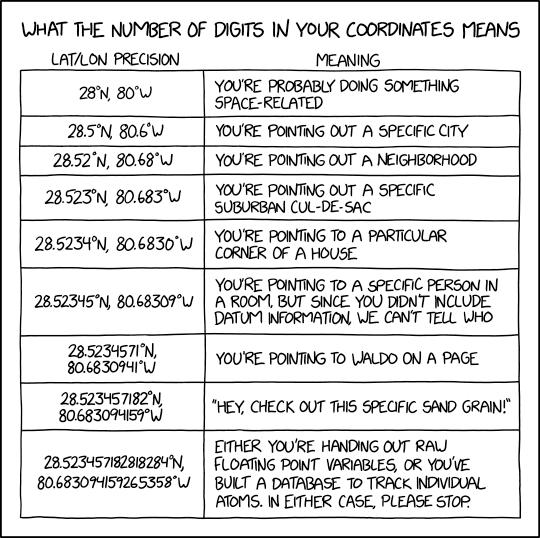
Guys, is there a python tool/library or an outside source that can get GPS coordinates up until the eight number. Most tools get them only to the six or seventh number. Here is an example: (latitude) -122.2082454, (longtitude) 37.4780123
?*
 twin hull
well, first are you sure your captor is precise enough?
 smoky grail
a degree of latitude is let's say ~100km, eighth digit would be 1mm, a great DGPS system might do 1cm from a quick wiki search, and that requires a bunch of ground stations
so for a typical phone GPS the 5th to 7th digits are probably noise
violet belfry
40 digits: You are optimistic about our understanding of the nature of distance itself.
thorny shell
❤️ xkcd
feral swallow
Traceback (most recent call last):
File "/Users/livioli/Desktop/alien_invasion/alien_invasion.py", line 3, in <module>
import pygame
ImportError: No module named pygame
[Finished in 0.084s]
I just started using atom
and don't know how to set up the right python path
I don't know where I have pygame installed
probably 3.7
violet hatch
for some reason, pip is not installing to my active conda env, but to the system Python installation.
anyone has any idea why? which pip shows the right pip
lost rock
@violet hatch check type -a pip - maybe it's overridden by an alias or shell function. which only displays binaries.
violet hatch
yup, type displays the right pip too
I should have specified that
when I install stuff, it goes to site-packages for system Python (I know this from pip show and the fact that I can't import it)
I feel like something is broken but I'm not sure what
 stable notch
https://www.anaconda.com/using-pip-in-a-conda-environment/
did you jump between conda & pip installs?

Unfortunately, issues can arise when conda and pip are used together to create an environment, especially when the tools are used back-to-back multiple times, establishing a state that can be hard to reproduce. Most of…
 dreamy onyx
guys, i use pycharm
and i imported there an mp
so on pycharm i saw the typical audio file icon
but i openned it as text and now instead of the typical audio icon
is a sheet of paper
how can i display again the audio icon?
frank compass
settings > editor > file typeqs
I guess you'll need to remove *.mp from whichever text file you associated it to
dreamy onyx
kk ty
mental mason
Sry this is github related question, can u remove repo from backup list?
Ik this is weird but can u do it?
violet belfry
I don't know what that means
tired aspen
what is a backup list for github
violet belfry
Settings of what?
tired aspen
in github webpage; profile > settings
random breach
seems they get removed automatically after some time
i can only see one deleted repository from a week ago
but im sure ive deleted other repositories in the past
 kind chasm
git remote rm %remote_name% replace %remote_name% with the name of the remote repo you want to delete
So, to remove origin, you type git remote rm origin
On a different topic, does anyone know a hotkey in VS Code that allows me to COMPILE the current python file for syntax checking?
nvm just remembered about build tasks :D. Sorry :p.
warm pollen
Guys, what do you think about replacing git merge by rebase for your projects? I’m kinda tempted to do it, since merge commits really cluster the history, and most of the time, GitHub merge commits are pretty., random, I guess, like merge 'resources' into 'resources' or inside master merge 'master' from <current repo URL>. But on the other side, it makes reverting merges easier, even if you can still reset the branch to the latest commit before the merge, but it is pretty bad if someone already pulled the repo, and it allows to still track when you merged topical branches, which can be handy. So, what do you guys think?
frank compass
You can squish commits from the merge into 1 when merging
merge 'resources' into 'resources' doesn't this only happen when you mess up ? Like commiting locally when you're not up to date with the remote
violet belfry
Rebasing is a destructive operation
It’s a tool, not a complete replacement for merge
 ivory flax
I have a problem with isort: I have it installed in atom and it pre-commit. They both see .isort file, I checked.
They disagree about one place:
import uvloop
import sentry_sdk``` atom isort wants this
```python
import uvloop

import sentry_sdk``` and pre-commit isort wants this.
I tired checking if there is an option for that in config, but I didn't find it here <https://github.com/timothycrosley/isort/wiki/isort-Settings>they both use 4.3.21 version of isort
ivory flax
after removing known_third_parties from config and using application_directories instead they both agreed on python import uvloop import sentry_sdk
both uvloop and sentry_sdk were in list though
kind chasm
did anyone get linting in VS Code to work while using a venv?
 livid schooner
me and some friends are collaborating on a discord bot, and we're using github for version control. when we want to add new features to master, should we use pull requests or just merge the experimental branch with master?
violet belfry
Up to you