#voice-chat-text-0
1 messages · Page 603 of 1
 bold moat
 tidal agate
Yeah lmao
 sly jolt
the python bot, right?
 balmy nymph
Yep
tidal agate
@bold moat I can show you what it does
sly jolt
yeah
tidal agate
Take a look
bold moat
ye
sly jolt
it's crazy
balmy nymph
@wise cargo
sly jolt
pr?
tidal agate
Ye
sly jolt
noice
balmy nymph
Which one is your favourite feature? 
tidal agate
I love contributing to it since it teaches me a ton
sly jolt
the free command
balmy nymph
Oh lemon is gone
sly jolt
D:
sly jolt
it's big brain time
tidal agate
Now hack
balmy nymph
Eval is a great tool, sadly too restricted for us poor mere mortal (make sense actually)
bold moat
nani 
tidal agate
Who is talking?
bold moat
trashbin in trashbin
bold moat
🇫
tidal agate
👨🦱
bold moat
I need to do some advanced rust stuff
tidal agate
I wanna split my code into more rusty stuff
bold moat
only did a basic script
 zealous wave
@client.event
async def on_member_join(ctx):
    await ctx.author.send("oh yeah yeah")
Yeah
sly jolt
yes
 neon vigil
yes
tidal agate
Nope
tidal agate
@client.event
async def on_member_join(member):
```It gets a member, not ctx
@zealous wave
Yo
im helping you
Chill
zealous wave
@client.event
async def on_member_join(ctx):
    await ctx.author.send("oh yeah yeah")
that's the same or am I blind

 olive sentinel
@client.event
async def on_member_join(member):
    await member.send("Hello!")
I gonna conserve my badnwith
tidal agate
Mee6 is amazing
The character
Not the bot
Hello im mr mee6! look at me!
Yes
You gotta
Bruh no
Its for low iq
like me
Eivl is helping so many people he cannot remember anything
¯_(ツ)_/¯
 wise cargoBOT
Pasting large amounts of code
If your code is too long to fit in a codeblock in discord, you can paste your code here:
https://paste.pydis.com/
After pasting your code, save it by clicking the floppy disk icon in the top right, or by typing ctrl + S. After doing that, the URL should change. Copy the URL and post it here so others can see it.
 tepid edge
  File "C:\Users\Moritz\Anaconda3\envs\perceptron\lib\site-packages\IPython\core\interactiveshell.py", line 3331, in run_code
    exec(code_obj, self.user_global_ns, self.user_ns)
  File "<ipython-input-2-825c33088e91>", line 1, in <module>
    runfile('C:/Users/Moritz/PycharmProjects/perceptron/models/anotherunusedfilename.py', wdir='C:/Users/Moritz/PycharmProjects/perceptron/models')
  File "C:\Program Files\JetBrains\PyCharm 2019.2.5\helpers\pydev\_pydev_bundle\pydev_umd.py", line 197, in runfile
    pydev_imports.execfile(filename, global_vars, local_vars)  # execute the script
  File "C:\Program Files\JetBrains\PyCharm 2019.2.5\helpers\pydev\_pydev_imps\_pydev_execfile.py", line 18, in execfile
    exec(compile(contents+"\n", file, 'exec'), glob, loc)
  File "C:/Users/Moritz/PycharmProjects/perceptron/models/anotherunusedfilename.py", line 2, in <module>
    import matplotlib.pyplot
  File "C:\Program Files\JetBrains\PyCharm 2019.2.5\helpers\pydev\_pydev_bundle\pydev_import_hook.py", line 21, in do_import
    module = self._system_import(name, *args, **kwargs)
  File "C:\Users\Moritz\Anaconda3\envs\perceptron\lib\site-packages\matplotlib\pyplot.py", line 32, in <module>
    import matplotlib.colorbar
  File "C:\Program Files\JetBrains\PyCharm 2019.2.5\helpers\pydev\_pydev_bundle\pydev_import_hook.py", line 21, in do_import
    module = self._system_import(name, *args, **kwargs)
  File "C:\Users\Moritz\Anaconda3\envs\perceptron\lib\site-packages\matplotlib\colorbar.py", line 29, in <module>
    import matplotlib.collections as collections
File "C:\Program Files\JetBrains\PyCharm 2019.2.5\helpers\pydev\_pydev_bundle\pydev_import_hook.py", line 21, in do_import``` File "C:\Users\Moritz\Anaconda3\envs\perceptron\lib\site-packages\matplotlib\collections.py", line 17, in <module>
from . import (_path, artist, cbook, cm, colors as mcolors, docstring,
File "C:\Program Files\JetBrains\PyCharm 2019.2.5\helpers\pydev\_pydev_bundle\pydev_import_hook.py", line 21, in do_import
module = self._system_import(name, *args, **kwargs)
File "C:\Users\Moritz\Anaconda3\envs\perceptron\lib\site-packages\matplotlib\cm.py", line 29, in <module>
from matplotlib._cm import datad
ImportError: cannot import name 'datad' from 'matplotlib._cm' (C:\Users\Moritz\Anaconda3\envs\perceptron\lib\site-packages\matplotlib\_cm.py)```
 main sleet
ubuntu
tidal agate

main sleet
yeah
 main sleet
the vegan analogy is quite accurate
sly jolt
you're the first person I've come across to use it
main sleet
doesn't conda environment use a separate python binary to minimize conflicts?
sly jolt
and I've been using it for 5 months
sly jolt
I've had one major problem so far
tidal agate
Im using manjaro actually
sly jolt
installing spotify
tidal agate
Lmao
sly jolt
eh same thing
tidal agate
Yeah
sly jolt
at the same time not
tidal agate
I install it with pacman
sly jolt
should I flex
like
I guess it's not really one
since I worked pretty hard to get it
but it's completely useless for work
main sleet
xD
 weak vault
why so many people in General voice all of a sudden, whats happening?
tidal agate
we are chillin
sly jolt
people joined because of people
weak vault
i c
sly jolt
@tidal agate although it is cool, be reminded I just posted that to r/unixporn
completely useless
otherwise
sly jolt
p o w e r
tidal agate
HMm
 dire folio
later all 😄
 mellow condor
https://discordapp.com/channels/267624335836053506/267724568184094731
@sly jolt this is the accual link to get screenscaring working in discord if your in the channel you can try using it for a final final final try lol

Discord
Step up your game with a modern voice & text chat app. Crystal clear voice, multiple server and channel support, mobile apps, and more. Get your free server now!
tidal agate
I forgot what is the lan protocol, which converts Mac adrr into ips
Someone halp
Oh its arp
nvm
What's groovy for?
sly jolt
@tidal agate music
tidal agate
the lang
sly jolt
requests the library?
tidal agate
yeah
tidal agate
It is
sly jolt
I mean you can use it with the loop
tidal agate
Just try to make a command that pulls a meme and sends it
use aiohttp lib
You also need to understand async first
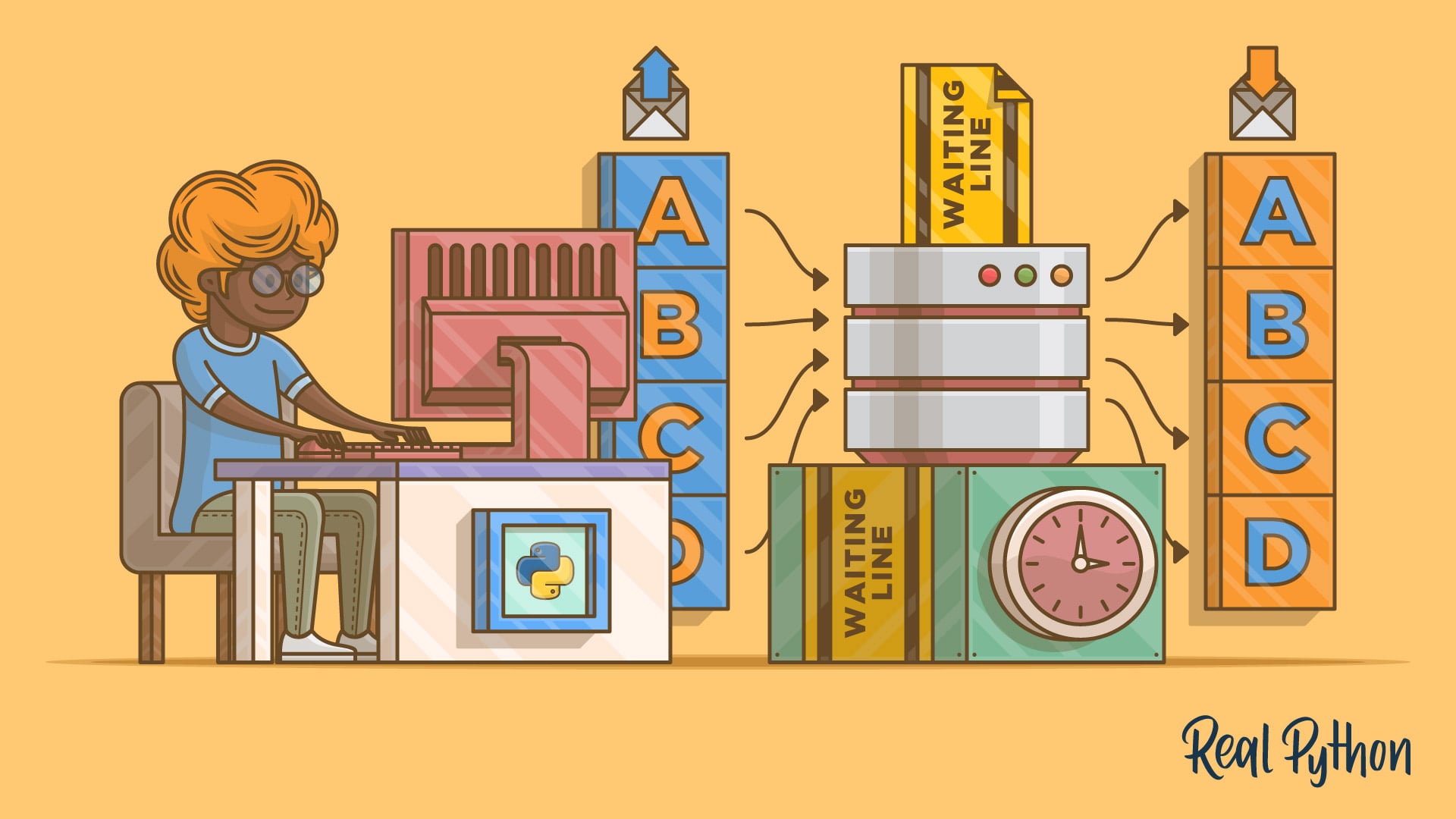
This tutorial will give you a firm grasp of Python’s approach to async IO, which is a concurrent programming design that has received dedicated support in Python, evolving rapidly from Python 3.4 through 3.7 (and probably beyond).
That is a good one

Extentions are basically attributeted modules
Shards are used to handle a lot of calls
Consider them as threads
@mellow condor @oblique sail
 oblique sail
how do u use them?
 whole bear
the real question i have is do i use flask or django ?
tidal agate
networking is a cool shit
I mean i don't do nothing rn cause its rust
And its hard
But
Its a syn scan, and i love it 
whole bear
why does web rtc suck so much?
oblique sail
@tidal agate Do you have any examples of using shards in discord bots? like a website or something
mellow condor
tag maybe? is dannys bot in here
tidal agate
 scarlet plume
discord.ext.commands.AutoShardedBot
tidal agate
Yeah oof
tidal agate
Nope
oblique sail
okay. why would people use commands.bot when there is commands.autoshardedbot
tidal agate
@zealous wave No
Only a friend that will host that
lol
@zealous wave You will have to use aiohttp
And create a request
Aight
Good night boys
scarlet plume
i'm off for now 👋
 errant helm

BLOOPERS: http://www.youtube.com/watch?v=gLMWt9E0COo
More MEM: http://bit.ly/MEMsub
More MEM2: http://bit.ly/MOREMEM2
MEM is the home to funny new videos from some of your favorite YouTube creators.
MEM Twitter: http://bit.ly/MEMtweet
MEM Facebook: http://bit.ly/MEMfbook
MEM...
whole bear
why not
yeah
sub system
you can get it in the windows shop
https://itsfoss.com/install-ubuntu-dual-boot-mode-windows/ @mellow condor

It's FOSS
Brief: This detailed guide shows you how to dual boot Ubuntu with Windows legacy BIOS systems. If you are not sure, read this to know if you have BIOS or UEFI system. Continuing my experimentation with different Linux distribution, I installed Xubuntu last week. Xubuntu is a v...
wise cargoBOT
Hey @zealous wave!
It looks like you tried to attach a file type that we do not allow. We currently allow the following file types: .3gp, .3g2, .avi, .bmp, .gif, .h264, .jpg, .jpeg, .m4v, .mkv, .mov, .mp4, .mpeg, .mpg, .png, .tiff, .wmv, .svg, .psd, .ai, .aep, .xcf, .mp3, .wav, .ogg, .md.
Feel free to ask in #community-meta if you think this is a mistake.
errant helm

TheJournal.ie
Ireland would be hit hard in the event of a no-deal Brexit; a Brexiteer has argued this should be used as leverage to get a better deal.
>>> from textwrap import wrap
>>> s = '1234567890'
>>> wrap(s, 2)
['12', '34', '56', '78', '90']
@whole bear

To celebrate the Python Discord server reaching 15K members, one of the server owners, Lemon, and a moderator, Eivl, have teamed up to do a tribute to Hot Ones by First We Feast while answering questions from the community.
All credit goes to First We Feast for the hot sauce...
 slender raft
I've been coding python for a while now but i can't think of any projects to try out (that take a medium to long time)
Any help?
balmy nymph
Meh, the Go Live doesn't work
errant helm
Worked last night
balmy nymph
I think manjaro is the bad boy here
tidal agate
Wohoo @balmy nymph
balmy nymph
Hey!
balmy nymph
Mine seems to work
Wait, it does work on other servers
Oh well, discord just crashed
Great.
olive sentinel
Why does that influence your ability to stream?
Also, there are no more special VIP voice servers (as far as I can tell)
The option to select one has been removed a while ago
balmy nymph
I tested on 5 different servers, only the servers that have VIP access doesn't work
Maybe it is just a coincidence then
 whole rover
balmy nymph
whole rover
balmy nymph
Mmhh, wonder what is the issue then
 topaz goblet
Hi, I need help
tidal agate
yeeha
 toxic surge
can someone help me with a project?
 unreal silo

"Speaker: Ned Batchelder
The behavior of names and values in Python can be confusing. Like many parts of Python, it has an underlying simplicity that can be hard to discern, especially if you are used to other programming languages. Here I'll explain how it all works, and pre...
dire folio
that video is great @unreal silo 😄
unreal silo
yeah @dire folio been rewatching it its very useful
wise cargoBOT
Naming and Binding
A name is a piece of text that is bound to an object. They are a reference to an object. Examples are function names, class names, module names, variables, etc.
Note: Names cannot reference other names, and assignment never creates a copy.
x = 1  # x is bound to 1
y = x  # y is bound to VALUE of x
x = 2  # x is bound to 2
print(x, y) # 2 1
When doing y = x, the name y is being bound to the value of x which is 1. Neither x nor y are the 'real' name. The object 1 simply has multiple names. They are the exact same object.
>>> x = 1
x ━━ 1

>>> y = x
x ━━ 1
y ━━━┛

>>> x = 2
x ━━ 2
y ━━ 1
Names are created in multiple ways
You might think that the only way to bind a name to an object is by using assignment, but that isn't the case. All of the following work exactly the same as assignment:
• import statements
• class and def
• for loop headers
• as keyword when used with except, import, and with
• formal parameters in function headers
There is also del which has the purpose of unbinding a name.
More info
• Please watch Ned Batchelder's talk on names in python for a detailed explanation with examples
• Official documentation
dire folio
its even recommended before the official docs because the video is so well made.
Ned is a great speaker and teacher of python
unreal silo
i try to binge watching those talks
but i'm sliding away from tutorials i feel like i'm stuck in tuto trap
dire folio
you need to implement active learning @unreal silo
watching tutorials does not work in the long run if you do not do active learning
unreal silo
@dire folio by active learning you mean actually coding ?
whole bear
!e
wise cargoBOT
Sorry, but you may only use this command within #bot-commands.
 chilly grail
import time
import random
pedals = random.randint(5,8)
while True:
pedals = pedals - 1
print ('she loves me..')
if pedals == 0:
break#up..
time.sleep(1)
pedals = pedals - 1
print ('she loves me not..')
if pedals == 0:
break#up..
time.sleep(1)``` signal raven
# open first file in read mode
f1= open('fileone.txt', 'r')

open the second file in write mode
f2= open('filetwo.txt', 'w')

# read the content of the file line by line
cont = f1.readlines()
type(cont)
for i in range(0, len(cont)):
 if(i % 2 ! = 0):
 f2.write(cont[i])
 else:
 pass

# close the second file
f2.close()

# open the second file in read mode
f2= open('filetwo.txt', 'r')

# read the content of the file
cont1 = f2.read()

# print the content of the file
print(cont1)

# close all files
f1.close()
f2.close()
    Open the first file in read mode.
    Assign the first file to f1.
    Open the second file in write mode.
    Assign the second file to f2.
    Read the content line by line of the file f2 and assign it to cont.
    Access each element from 0 to length of cont.
    Check if i is not divisible by 2 then write the content in f1 else pass.
    Close the file f1.
    Now open file2.txt in read mode and assign it to f1.
    Read the content of the file and assign it to cont1.
    Print the content of the file and then close the file f2 and f1 .```
# opening the file
file1 = open('file1.txt', 'r')
# creating another file to store odd lines
file2 = open('file2.txt', 'w')
# reading content of the files
# and writing odd lines to another file
lines = file1.readlines()
type(lines)
for i in range(0, len(lines)):
if(i % 2 != 0):
file2.write(lines[i])
# closing the files
file1.close()
file2.close()
# opening the files and printing their content
file1 = open('file1.txt', 'r')
file2 = open('file2.txt', 'r')
# reading and printing the files content
str1 = file1.read()
str2 = file2.read()
print("file1 content...")
print(str1)
print() # to print new line
print("file2 content...")
print(str2)
# closing the files
file1.close()
file2.close()
 hidden sandal
infile = open("numbers.txt", "r")
signal raven
f= open("guru99.txt","w+")
hidden sandal
infile = open("numbers.txt", "r")
line = infile.readlines()
total = 0
type(line)
for i in range(0, len(line)):
    if(i % 2 != 0):
        total += i
infile.close()
signal raven
line = infile.readlines()
total = 0
type(line)
for i in range(0, len(line)):
if(i % 2 != 0):
total += i
infile.close()
    if(i % 2 != 0):
total += i```In Python, there is no need for importing external library for file handling. Learn how to create, open, append, read, Read line by line, and Write,
hidden sandal
line = infile.readlines()
total = 0
type(line)
for line in infile:
    if(line % 2 != 0):
        total += line
infile.close()``` hidden sandal
Assume that a file containing a series of integers is named numbers.txt and exists on the computer's disk in the same location as your .py file. Write a program that calculates the sum of every other number in the file. That is, if a file contains the following numbers:
Then your program should sum together the following numbers:
In short, your program should sum together all the numbers on odd lines in the file (the 1st, the 3rd, the 5th and so on). It should then print out the sum.
The program should also handle the following exceptions:
It should handle any IOError exceptions that are raised when the file is opened and data is read from it
It should handle any ValueError exceptions that are raised when the items that are read from the file are converted to a number
signal raven
infile = open("numbers.txt", "r")
contents = f.read()
print(contents)

infile.close()
f.readlines()
@unique wyvern Hey salt could you help me and JoeTheTurtle?
@static storm
 static storm
i don't do voice, what's up
signal raven
Joe has a problem where you would have to take numbers from a text file and add them up
the only thing though is that he must take the numbers from every other line (all the odd lines)
"Assume that a file containing a series of integers is named numbers.txt and exists on the computer's disk in the same location as your .py file. Write a program that calculates the sum of every other number in the file. That is, if a file contains the following numbers:
Then your program should sum together the following numbers:
In short, your program should sum together all the numbers on odd lines in the file (the 1st, the 3rd, the 5th and so on). It should then print out the sum.
The program should also handle the following exceptions:
It should handle any IOError exceptions that are raised when the file is opened and data is read from it
It should handle any ValueError exceptions that are raised when the items that are read from the file are converted to a number"
static storm
you could do just if count % 2 for that
also you could use the enumerate function instead of maintaining the count variable by hand
idk what's allowed for your assignment
signal raven
He hasnt learned the enumerate function yet; how would you use if count % 2?
static storm
well, % returns the remainder of dividing two numbers
so % 2 will rturn 1 for odd numbers, 0 for even numbers
 unique wyvern
you could also read the file all at once, and then use sum(map(int, file[::2]))
it's a simple one-liner
signal raven
what does map() mean?
signal raven
and what does ::2 do/mean
unique wyvern
it means take every other element
signal raven
ah okay
unique wyvern
slices look like start: stop : step
the first two values are default since i didn't specify them
hidden sandal
ok so im only allowed to use certain commands because i havent learned start stop step or :: yet
line = infile.readline()
total = 0
try:
    if int(line) % 2 == 1:
        total += int(line)


except FileNotFoundError:
    print("numbers.txt does not exist")
except ZeroDivisionError:
    print("no lines in file")
except ValueError:
    print("numbers.txt contains text other than numbers")
infile.close()```this is just some stuff i threw together mind giving me some pointers
unique wyvern
your filenotfound error is not in the right place
hidden sandal
ok i put it below
unique wyvern
try:
  infile = open..
except FileNotFound...
you need to put it around where the error could actually happen
you can't get a filenotfound error in the section you have it after
unique wyvern
did you see the code i just posted?
hidden sandal
ok ok
got it
but can you help me add together all odd lines for numbers in a txt file
total = 0
try:
    infile = open("numbers.txt", "r")
    line = infile.readline()
    if int(line) % 2 == 1:
        total += int(line)
        print(total)
except FileNotFoundError:
    print("numbers.txt does not exist")
except ZeroDivisionError:
    print("no lines in file")
except ValueError:
    print("numbers.txt contains text other than numbers")
infile.close()
you should keep the errors localized
signal raven
try:
    infile = open("numbers.txt", "r")
    line = infile.readline()
    if int(line) % 2 == 1:
        total += int(line)
        print(total)
    infile.close()
this still doesnt work though^
unique wyvern
that's true
you need to loop through the lines --- and you should keep track of the line number and see if it's odd, you're checking that the value on the line is odd
hidden sandal
yooo
WAIT
did i do it
confirm this sir
line = infile.readline()
total = 0
for line in infile:
    if int(line) % 2 == 1:
        total += int(line)
        print(total)
infile.close()```got this in shell
its close enough
thanks for help
unique wyvern
you're only adding the odd numbers --- not the odd lines
hidden sandal
whatever kek
 obtuse saffron
Would it be against TOS making my own connection to discord vc?
tidal agate
Can you hear me?
 hard sierra

Stop procrastinating your work. but thank you for watching this video.
If I have missed any integral tips please leave it in the comment section below
errant helm

"A very impressive game already, and it still has scope to improve through its early access period." - Rock Paper ShotgunWhat is Kubifaktorium?Build, manage and grow a thriving settlement in Kubifaktorium, a voxel-based colony management and automation game. The game features ...
Price
$19.99
Recommendations
227
 jade knot
can anyone hear me?
I'm stilling learning this DAC
Does anyone know how to set this up for mic use?
hard sierra


 whole bear
@whole bear so whats the main purpose of this?
I'm crying internally
# # # # TWITTER STREAMER # # # #
class TwitterStreamer():
    """
    Class for streaming and processing live tweets.
    """
    def __init__(self):
        pass

    def stream_tweets(self, hash_tag_list):

        # This handles Twitter authetification and the connection to Twitter Streaming API
        listener = StdOutListener()

        auth = OAuthHandler('', '')
        auth.set_access_token('', '')

        stream = Stream(auth, listener)

        # This line filter Twitter Streams to capture data by the keywords:
        stream.filter(track=hash_tag_list)


# # # # TWITTER STREAM LISTENER # # # #
class StdOutListener(StreamListener):
    """
    This is a basic listener that just prints received tweets to stdout.
    """
    def __init__(self):
        pass

    def on_data(self, data):
        try:
            # attempted to utilize the async function call here
            # can't use asycio.run() here
            print(data)

            return True
        except BaseException as e:
            print("Error on_data %s" % str(e))
        return True


    def on_error(self, status):
        print(status)

# CORE OF THE WEBAPP
if __name__ == '__main__':

    hash_tag_list = ["RCBCsteam"]
    twitter_streamer = TwitterStreamer()
    twitter_streamer.stream_tweets(hash_tag_list)


    async def send_text(websocket, path):
        await websocket.send('Server Connected')


    # STARTING SERVER INSTANCE AND LOOPING INDEF
    start_server = websockets.serve(send_text, "0.0.0.0", 8080)
    asyncio.get_event_loop().run_until_complete(start_server)
    asyncio.get_event_loop().run_forever()```
Download Tree Style Tab for Firefox. Show tabs like a tree.
errant helm

YouTube continues to crack down on sites and services that allow people to download videos from the site. Most recently, YouTube urged the operator of TubeNinja to cease his activities, or face potential legal action instead. For now, however, the video download service has no...
 gilded rivet

From the final season episode 34 S31E04
Mister Roger's Celebrates the Arts
Day 4
Mr. Rogers makes his final visit to Negri's Music Shop, where he meets an expert, Dean Shostack, playing the glass harmonica
What a unique instrument
errant helm
 errant helm
errant helm
errant helm
FontSpace
Free download of Rocket Rinder Font. Released in 2018 by Chequered Ink and licensed for personal-use only
gilded rivet
This is the best thing I've ever seen
 gilded rivet
 lavish escarp
Whats going on in general?
gilded rivet
We're talking about how great I am at hacking physics
lavish escarp
e = mc~~^2~~
gilded rivet
mellow condor
e = e
gilded rivet
errant helm

You can support this channel on Patreon! Link below
This video discusses the color brown. Seriously.
That Aging Wheels playlist:
https://www.youtube.com/playlist?list=PLmBDJoIaNRGiK2BgCwz2ALDnNanKBSOgO
And, of course, the Weird World in RGB for those of you who I couldn’...
gilded rivet

The Princess Bride is a 1987 American fantasy adventure comedy film directed and co-produced by Rob Reiner, starring Cary Elwes, Robin Wright, Mandy Patinkin, Chris Sarandon, Wallace Shawn, André the Giant, and Christopher Guest. Adapted by William Goldman from his 1973 novel ...

Liquid Hbox (Puff) vs Fiction (Fox) - Melee Singles Top 8: Losers Quarter-Final - Genesis 7
Follow Genesis on Twitter: https://twitter.com/Genesis_Smash
Follow BTS on social media:
Twitch: https://twitch.tv/BTSsmash
Twitter: https://twitter.com/BTSsmash
Discord: https://discor...
 supple marsh
how can i convert "0b00110001" to integer
whole bear
Do the math
gilded rivet
whole bear
(2^7 * 0) + (2^6 * 0) + (2^5 * 1) + (2^4 * 1) + (2^3 * 0) + (2^2 * 0) + (2^1 * 0) + (2^0 * 1) =
(2^5 * 1) + (2^4 * 1) + (2^0 * 1) = 49
gilded rivet

Keynote for https://pybay.com, 2nd annual Regional Python Conference in SF.
Slides: http://pybay.com/site_media/slides/raymond2017-keynote/index.html
gilded rivet


Arthur Ganson's "Cory's Yellow Chair" in Charlotte

You really need to see these amazing videos of kinetic sculptures and top kinetic sculpture mechanism. Oddly satisfying video. Wind kinetic sculptures, wood kinetic sculpture and more.
Subscribe for more 👉 https://tinyurl.com/yavj3ph6
FULL VIDEOS:
PottsSculpture
Auspicious ...

Find the Kinetic Rain sculpture the next time you're in the Singapore airport.
To see more, visit:
https://www.facebook.com/changiairport
http://www.changiairport.com/
The INSIDER team believes that life is an adventure! Subscribe to our channel and visit us at: https://thi...

Best compilation of Kinetic masterpieces by Anthony Howe.
http://www.howeart.net
- SPINES
- In-Out Quotient
- About Face
- In Cloud Light
- Octo
Thanks for watching!
Subscribe for new video every Friday! ► http://bit.ly/1b7cigB
Anthony Howe, an Eastsound, WA-based pain...

Daniel Rozin, Artist and Professor, Interactive Telecommunications Program, NYU, makes mechanical "mirrors" out of uncommon objects that mimic the viewer's movements and form.
Still haven’t subscribed to WIRED on YouTube? ►► http://wrd.cm/15fP7B7
Get more incredible storie...
whole bear
After all this time boys, I've finally found the issue for my teams python script
gilded rivet

Several comments have asked how my TARDIS model was put together. So, eight months later, here's a video showing the structure of the model. I hope it explains things.
The model has three mirrors - two corner-to-corner diagonals, and one larger mirror at the back of the box.
...


The Final Episodes premiere Sunday, August 11th at 9|8c followed by Low Winter Sun. For more on Breaking Bad: http://www.amc.com/shows/breaking-bad
AMC : http://www.amc.com
AMC on Facebook : https://www.facebook.com/amc
AMC on Twitter : http://twitter.com/AMC_TV
Sign Up for t...
gilded rivet

I’ve decided to try my hand at 3D reconstruction using a stereo camera. There are a few good sets of instructions on how to get started with this. I decided to take some heavy inspiration fro…
 dry dock
@whole bear good jam but wrong place and time
whole bear
There we go, I can actually hear people now. Sorry about that 😄
@gilded rivet I imagine this has been brought up already, but what about using the kinect?
Ah, makes sense. You sound like you know a lot more than me in this 😄
gilded rivet
LOL I don't think so.
whole bear
Huh, looks like there's a far newer one than I expected: https://en.wikipedia.org/wiki/Azure_Kinect
I'm not surprised it's expensive at all
@dry dock It's funny you bring that up, I was just talking about https://killedbygoogle.com today 😄

Killed by Google
Killed by Google is the Google Graveyard. A full list of dead products killed by Google in the Google Cemetery.
$359.10 Special pricing for eligible students, parents, teachers and military. Oh boy, $40 off!
gilded rivet

We present a prototype of time-of-flight depth-sensing technology, which will be adopted in Project Kinect for Azure as well as in the next-generation of HoloLens. This depth sensor outperforms the current state-of-the-art in terms of depth precision, while maintaining both a ...
whole bear
That's really smooth
gilded rivet

Using the infrared camera in the Wii remote and a head mounted sensor bar (two IR LEDs), you can accurately track the location of your head and render view dependent images on the screen. This effectively transforms your display into a portal to a virtual environment. The dis...
gilded rivet
whole bear
Scopes are fun
@gilded rivet I can help with this, one sec
!e
a = 5
def somebody(a):
    a += 5
    print(a)

print(a)
somebody(a)
@whole bear :white_check_mark: Your eval job has completed with return code 0.
001 | 5
002 | 10
So, arguments/parameters are like the a in the somebody

In this Python Tutorial, we will be going over variable scope in Python. Scope is important because we need to understand it in just about every program we write. It allows us to understand where our variables can be seen from within our program and also what values these vari...
Make sense?
https://www.youtube.com/watch?v=QVdf0LgmICw
@whole bear This video helped me a lot
In this Python Tutorial, we will be going over variable scope in Python. Scope is important because we need to understand it in just about every program we write. It allows us to understand where our variables can be seen from within our program and also what values these vari...
gilded rivet
whole bear
You're thinking of sets
Wait, backup, what was the question?
Are you thinking about numpy arrays?
I mean, there's https://docs.python.org/3/library/array.html
But yeah, by default there isn't really array
I've never really had to use array, if that means anything
I've never had to use
array, if that means anything
@whole bear In data science, numpy arrays are used a lot though
Sure, but I don't really find myself using numpy 😄
That's more salt's thing
He's a Helper
gilded rivet
whole bear
repl.it, it's the site
 whole bear
We can also do commands in #bot-commands
!e
def somebody_once_told_me(x):
    print(x * x)

somebody_once_told_me(5)
@whole bear :white_check_mark: Your eval job has completed with return code 0.
25
You also want to verify that what you're putting in, is what's expected.
Considering multiplying strings by themselves will cause issues.
!e
def somebody_once_told_me(x):
    print(x * x)

somebody_once_told_me('the world is gonna roll me')
@whole bear :x: Your eval job has completed with return code 1.
001 | Traceback (most recent call last):
002 |   File "<string>", line 4, in <module>
003 |   File "<string>", line 2, in somebody_once_told_me
004 | TypeError: can't multiply sequence by non-int of type 'str'
!e
b = 10

def my_function(b):
    print(f'b * b is: {b * b}')
    return b * b

def my_other_function(yeet):
    return(f'yeet / yeet is: {yeet / yeet}')

print(my_other_function(my_function(b)))
@whole bear :white_check_mark: Your eval job has completed with return code 0.
001 | b * b is: 100
002 | yeet / yeet is: 1.0
Ha-za!
I mean, my_other_function is kind of useless here, but it was the only example I could think of
Is repl laggy just for me?
I'm not in, so I have no idea
@whole bear Are you dropping nails on your mic?
What? XD sorry
Just sounds like it, there's a weird metallic sound on your end
or rather, was
Just sounds like it, there's a weird metallic sound on your end
@whole bear Actually, it also may be due to my mic
Don't lie, you're a SYNTH 😄
What is a synth?
Oof. Fallout 4 reference
Is it relative?
gilded rivet

How did valve create their iconic portals? In this video I demonstrate my process of recreating the portals in Portal.
whole bear
Synths are synthetic humans, androids. It would explain about the metallic noise 😄
Synths are synthetic humans, androids. It would explain about the metallic noise 😄
@whole bear So, are you jealous?
I'm not gonna lie, little envious.
little is relative
I've passed the turing test 😉
Yeah, I'd say that {USER_VARIABLE} passed the turing test.
 wraith ridge
import pygame

pygame.init()
screen = pygame.display.set_mode((400, 300))
done = False

while not done:
  for event in pygame.event.get():
    if event.type == pygame.QUIT:
      done = True

  pygame.draw.rect(screen, (0, 128, 255), pygame.Rect(30, 30, 60, 60))

  pygame.display.flip()
XD, not only that, I succeded to be the first AI ever to make a website with a team!🙂
An calculator providing support for variables. It enables you to display your function - and change it's look depending on the values of your variables.
 is the standard library, and you can import from there
Everything that isn't in the standard library, you have to pip install that package
@fair saffron By the way, we also have resources since you're learning Python
!resources
wise cargoBOT
Resources
The Resources page on our website contains a list of hand-selected learning resources that we regularly recommend to both beginners and experts.
https://pythondiscord.com/pages/resources
whole bear
Which OS are you in @fair saffron ?
You should be able to pip install pygame right within. Though, you'll want to get used to using virtual environments.
Virtual environments are environments where you can pip install certain packages for testing and what not. Your virtual environments are separated from the rest of your virtual environments, and from your system-wide installs
Go ahead and do pip install virtualenv
I'm going to go afk for a bit, @ me if you need to and I'll see it when I get back!
gilded rivet
reddit
43 votes and 64 comments so far on Reddit
gilded rivet
[Environment]::SetEnvironmentVariable("Path", "$env:Path;C:\Python27", "User")
C:\Python27
c:/python38
gilded rivet
 wraith ridge
@astral mountain were you looking for help?
 astral mountain
i am
yes
Discord
Step up your game with a modern voice & text chat app. Crystal clear voice, multiple server and channel support, mobile apps, and more. Get your free server now!
dry dock

GCN
The Air Force is increasingly deploying solutions like Kubernetes, the open-source platform for managing containerized workloads and services, to quickly deliver advanced capabilities to warfighters.

Build circuits using a variety of components from different manufacturers, like microcontrollers, memory, logic gates, and LCD screens. Write code in a compact and powerful assembly language where every instruction can be conditionally executed. Read the included manual, whic...
Price
$14.99
Recommendations
1897
dry dock
def squareroot(x, base=128):
    """ calculates square root of a single-byte value
    based on https://www.convict.lu/Jeunes/Math/square_root_CORDIC.htm
    """
    y = 0
    for i in range(1 , 9):
        y += base
        if y ** 2 > x:
            y -= base
        base >>= 1
    return y
@river basin you're trying to learn python but you have an issue?
wraith ridge
Discord
Step up your game with a modern voice & text chat app. Crystal clear voice, multiple server and channel support, mobile apps, and more. Get your free server now!
astral mountain
Discord
Step up your game with a modern voice & text chat app. Crystal clear voice, multiple server and channel support, mobile apps, and more. Get your free server now!
wraith ridge
@dapper wasp did you have a question?
gilded rivet
wraith ridge
 dapper wasp
@wraith ridge I am mostly listening to learn. I am a novice
got little to add, hope you dont mind
gilded rivet
balmy nymph
That's a good looking schema haha
gilded rivet
❤️
gilded rivet
 river basin
you re very great signal transmission very professional
gilded rivet
@errant helm NEVER
Tonight has been incredibly productive
I wouldn't trade it for the world
river basin
OK
gilded rivet
But mOOOoOOOooom
river basin
what time is it in your country
dry dock
nearing sunrise lol
river basin
NOW hong kong is 19:29 PM
whole bear
 quasi condor
@gilded rivet have you been in vc for like >12 hours now?
gilded rivet
HMM
Maybe
I got a great 2-4 hour lecture about a career I am very interested in pursuing
So I consider that work
then spent 1-2 hours helping someone with their problem
and i was doing some other things
So yae
river basin
can i use python to web scraping ? how
river basin
ok
wraith ridge
kubernetes
errant helm
nuitka
 faint anchor
 😢
errant helm
😢
errant helm
hwat
wise cargoBOT
Resources
The Resources page on our website contains a list of hand-selected learning resources that we regularly recommend to both beginners and experts.
https://pythondiscord.com/pages/resources
whole bear
@faint anchor I don't know about that
faint anchor
@whole bear elaborate
whole bear
I'm not sure how to explain. What were you meaning about the Googling?
faint anchor
doing a google search
whole bear
I mean as in, what did you mean about it?
faint anchor
like information that could be gained by a google search is not worth learning
what is interesting is understanding the fundamentals really well
whole bear
I think it's more, knowing which things to use and not using potentially dangerous code
Such as, you should know not to use eval()
gilded rivet
 faint anchor
yeah, you will be able to do that by 1) practice 2) understanding the fundamentals well
also looking at other people's code
whole bear
I'm gonna have to say no to
I've seen a lot of code that is really bad
@faint anchor A lot of the time eval() is used for user input, and it's never a good idea to use it for that. But like @errant helm was saying, there's always usecases for it
It boils down to knowing when to use these things
whole bear
eval() is not something I want to use to sanitize user input 😄
river basin
😉
whole bear
@faint anchor I'm actually trying to find something nedbat said about eval(), one moment
Is great
river basin
what do you think use python to do a football prediction it is work ?I am a novice
faint anchor
@whole bear yeah that makes sense.
 frigid panther
Faster write time is better than faster run time?is it true?
river basin
what different btw deep machine learning and python
whole bear
@river basin What do you mean?
@gilded rivet That's a weird way to slam startups 👀
Sounds like bad management
gdude is right
gilded rivet
Most startups have bad management IMHO
whole bear
Just because someone's running your code, doesn't mean it's safe code
whole bear
!resources
wise cargoBOT
Resources
The Resources page on our website contains a list of hand-selected learning resources that we regularly recommend to both beginners and experts.
https://pythondiscord.com/pages/resources
dire folio
@errant helm im doing well
ok.. try keyboard
yeah.. its very noticeable
before and after?
off...
oof i mean 😄
whole bear
eval("hi @whole bear t")
dire folio
cant hear it at all
thats pretty amazing
thanks for the demo 😄
yes... true
hello @zealous wave
zealous wave
@dire folio what keyboard do u use?
Cuz if ure coming from cherry Mx blues try to go to browns
Or blacks also work
errant helm
I like blues
a noise gate is essential though
otherwise everyone on voice will hate you
errant helm
I love the tactile feedback from blues
they just feel so.. clicky
they're also loud enough to deafen most people but that's OK
dire folio
If i where to choose cherry, i would probably go for blue
errant helm
in the old house I had to have a spare rubber dome keyboard
because the noise of this one was too annoying for mom watching tv
zealous wave
I had razed greens as well, but my mom went crazy from the noise cuz I live in a tiny apartment
“She could here it in her sleep”
She was not a fan of them even though I loved them I got cherry browns so my mom could stfu
whole bear
@whole bear , you said that you won't use eval() for user input, then what do use instead?
What do you mean?
Really depends on what you're doing with the user's input
So, let me give you a link...
An calculator providing support for variables. It enables you to display your function - and change it's look depending on the values of your variables.
This is the project we were working on
we use eval() for making the function
The user puts a numpy conventions function and then he'll plot it
But it can have some bad consequences
I'd have to see the source
Wait...
GitHub
A web based graphing calculator using python. Contribute to aliPMPAINT/WebGraphingCalculator development by creating an account on GitHub.
GitHub
A web based graphing calculator using python. Contribute to aliPMPAINT/WebGraphingCalculator development by creating an account on GitHub.
dire folio
are you doing eval(equation) ?
whole bear
Yes
whole bear
But wait...
I have a condition XD
if ("x" in equation) and ("exit" not in equation) and ("quit" not in equation):
dire folio
are you not afraid that someone will delete your server?
that condition does not protect anything
whole bear
How could he/she?
dire folio
if i say, someone will just go and do it right now
balmy nymph
Oooh, the input box is too small to trigger a server reboot haha
whole bear
Guys, am I missing something bad?
 random helm
eval("\u0065\u0078\u0069\u0074\u0028\u0029")
yes.. you are using eval
eval can run any command that your sever can run
like. shutdown server
or delete every file on the server
whole bear
Let me try....
random helm
this isn't even going esoteric even
there's too many small issues with eval
even if you attempted to protect it, there'll likely be an oversight somewhere you didn't consider
especially when you don't seem to be aware of these more simple methods already
whole bear
I mean, can you give me an alternative?
dire folio
instead of testing, you should shut the server down and then ask about how to fix it
whole bear
How to fix it?
random helm
ast.literal_eval is a safer alternative. but otherwise by actually making a proper model and restriction of the behaviours you wish to allow for after custom parsing of the evaluations you're given
you can still crash python using ast.literal_eval, thanks to stack depth limitations
random helm
you don't fix major security issues after the issues start.
whole bear
I executing every code you said will harm the site
whole bear
I did told you to use
literal_evalearlier today haha
@balmy nymph You didn't XD
random helm
i didn't say they'd harm it, i was giving an example of code that didn't trigger your "protective" conditions
the one i sent was simply exit()
whole bear
the one i sent was simply
exit()
@random helm Won't work 😉
random helm
you keep saying that and we're telling you it's easy to get around it
you should probably listen
stop just saying it won't work
whole bear
No, I'm just saying give me an example, I'm executing every code you tell me!
I welcome any suggestions
random helm
anyway, that's enough here i think, i see this is voice chat and you're not in a voice channel
whole bear
Oh, sorry
dire folio
!free
wise cargoBOT
**Looking for a free help channel?**
#help-croissant 1h 26m 25s inactive
#help-falafel 1h 18m 54s inactive
#help-apple 23m 33s inactive
Please confirm these channels are free before posting
 main owl
For example Akamai or premiter x aka px cookie
I've had experience reversing Akamai and there's a lot more involved
 shell dome
If anyone knows any type of machine learning please join Code/Help, help a beginner out 🙂
shell dome
Does anyone know Selenium? PLEASE i NEEED help join code/help
frigid panther
you might have better luck asking in #414737889352744971
shell dome
Ok thanks
errant helm
 scarlet ice
classy
scarlet ice
lol hi
errant helm
You alright, hun?
scarlet ice
yep yep
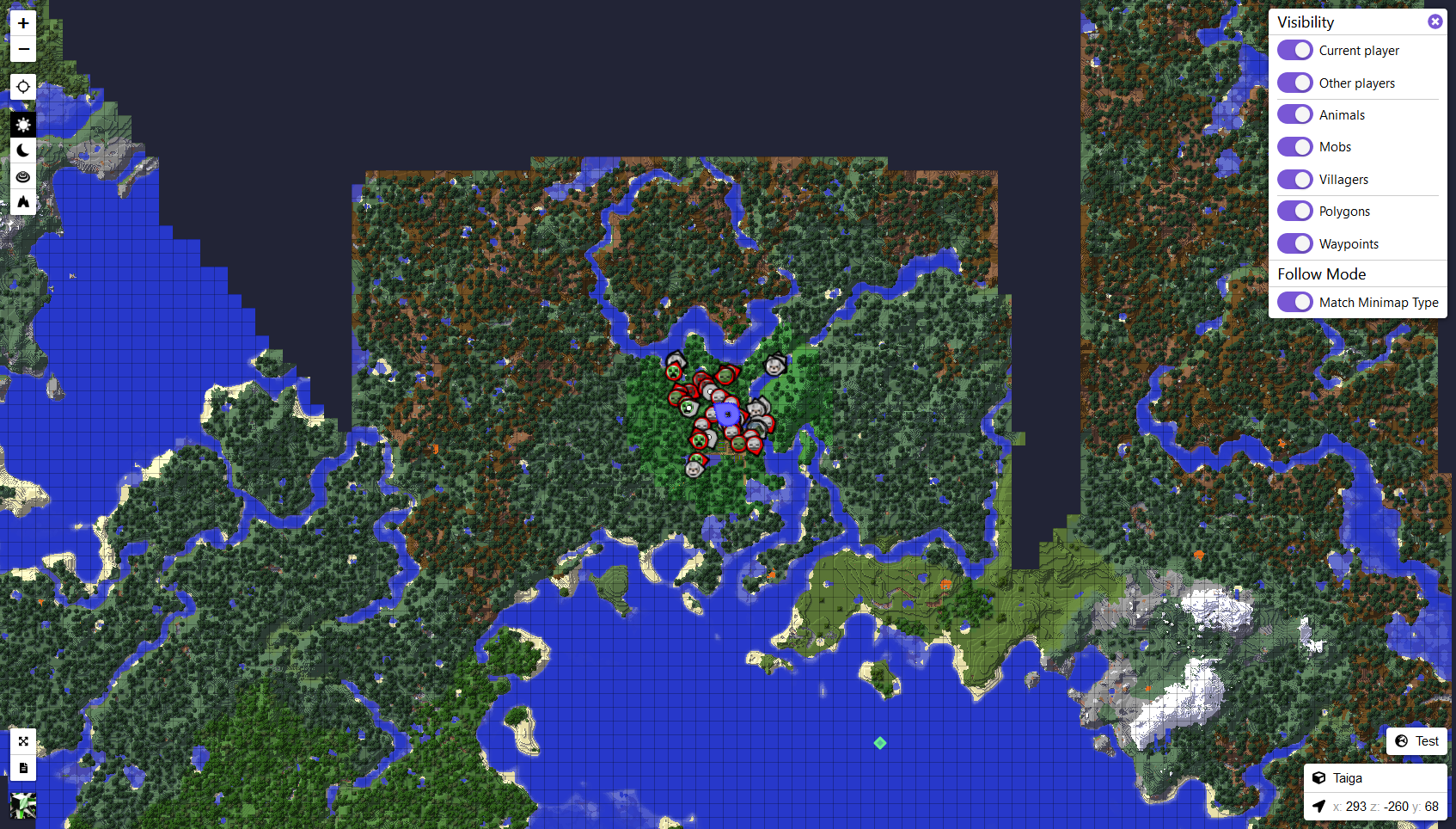 errant helm
whole bear
errant helm
whole bear
@errant helm Sorry I never got back with you. Been AFK a bit the last couple days
I'm in the codeshare. What's the issue?
@static stream Tell them no. Arch isn't designed for new users.
 static stream
No?
whole bear
It's not something I'd suggest for new users
Ubuntu is great to start off. Debian + firmware ISO is good too.
new users 😄
 graceful grail
Manjaro
errant helm
Manjaro
Manjaro kde built-in interface to easily access and install themes, widgets, etc. While very user-friendly and certainly flashy.
static stream
ok
graceful grail
static stream
Have to go and don't want to interrupt. Thanks for the talk guys.
errant helm

PyPI
Library for performing speech recognition, with support for several engines and APIs, online and offline.
graceful grail
PyPI
Library for performing speech recognition, with support for several engines and APIs, online and offline.
whole bear
god bless


VeraCrypt is a source-available freeware utility used for on-the-fly encryption (OTFE). It can create a virtual encrypted disk within a file or encrypt a partition or (in Windows) the entire storage device with pre-boot authentication.VeraCrypt is a fork of the discontinued Tr...
graceful grail
@lyric dragon
 lyric dragon
#mine diamond_ore

A look into one of the most advanced A.I. projects being tested on the oldest anarchy server in Minecraft.
My Twitter: https://twitter.com/SonOfShoop
My Instagram: https://www.instagram.com/fitmcsippycup/
The Baritone Project: https://github.com/cabaletta/baritone
Additional ...
whole bear

The third-party doctrine is a United States legal doctrine that holds that people who voluntarily give information to third parties—such as banks, phone companies, internet service providers (ISPs), and e-mail servers—have "no reasonable expectation of privacy." A lack of priv...

ZDNet
The exploit could be triggered with a simple request.


 sterile grove
oo
whole bear
what is going on right now
lyric dragon

Luffy's finger got stuck in the bottle - Zoro is trying to help.
The clip is from TV Special #1.

If you're looking for the best raspberry pi projects to get you started with, check these 20 raspberry pi projects our experts suggest you today.
whole bear

Libra.org
Libra is a global cryptocurrency built on blockchain to promote financial inclusion. Libra is digital, mobile, stable, fast, cheap and secure. Read the Libra White Paper.
lyric dragon
@graceful grail watch this
 sleek tiger
NSFW
graceful grail

Proton and Steam Play game reports for playing Windows games on Linux
sleek tiger
laugh porn?
whole bear
di
sleek tiger
10 is the last one m8
there adding a Linux kernel in the insider program
yeah
my school uses mac book airs and with in the first year of middle school i had my macbook taken away because i got the admin password and started a infection script that give me there password in a ftp server that's the schools.
i was only 13 and my school was scared of me they made me sign a contract
lyric dragon
message = input('You:')
if message.strip() != 'bye':
reply = bot.get_response(message)
print('ChatBot :', reply)
if message.strip() == 'bye' :
print('ChatBot : Bye')
break
graceful grail
!codeblock
wise cargoBOT
Discord has support for Markdown, which allows you to post code with full syntax highlighting. Please use these whenever you paste code, as this helps improve the legibility and makes it easier for us to help you.
To do this, use the following method:
```python
print('Hello world!')
```
Note:
• These are backticks, not quotes. Backticks can usually be found on the tilde key.
• You can also use py as the language instead of python
• The language must be on the first line next to the backticks with no space between them
This will result in the following:
print('Hello world!')


 rain rivet

US President Donald Trump says he expects the coronavirus outbreak that has killed more than 900 people to disappear in April due to hotter weather.
lyric dragon

Sky News
Luca Franzese, an actor who has appeared in mob series Gomorra, says he is in self-isolation after the death of his sister.
@rain rivet @midnight bronze @whole bear
rain rivet
@lyric dragon https://www.youtube.com/watch?v=JG9rDsHBYI4

If you'd like to support: https://www.patreon.com/virtuallyvain
If you'd like to chat with me: https://discord.gg/virtuallyvain
If you'd like to help translate this video for non-english speakers:
http://www.youtube.com/timedtext_cs_panel?c=UCF6n7-CirehhlpyMPhivO0g&tab=2
You ...
whole bear
rain rivet
whole bear
Everything is cheap now!
lyric dragon
 rain rivet
yup e-girls are becoming more popular now
sleek tiger
rain rivet
 midnight bronze
lets drop 0days D
rain rivet
sleek tiger
lyric dragon
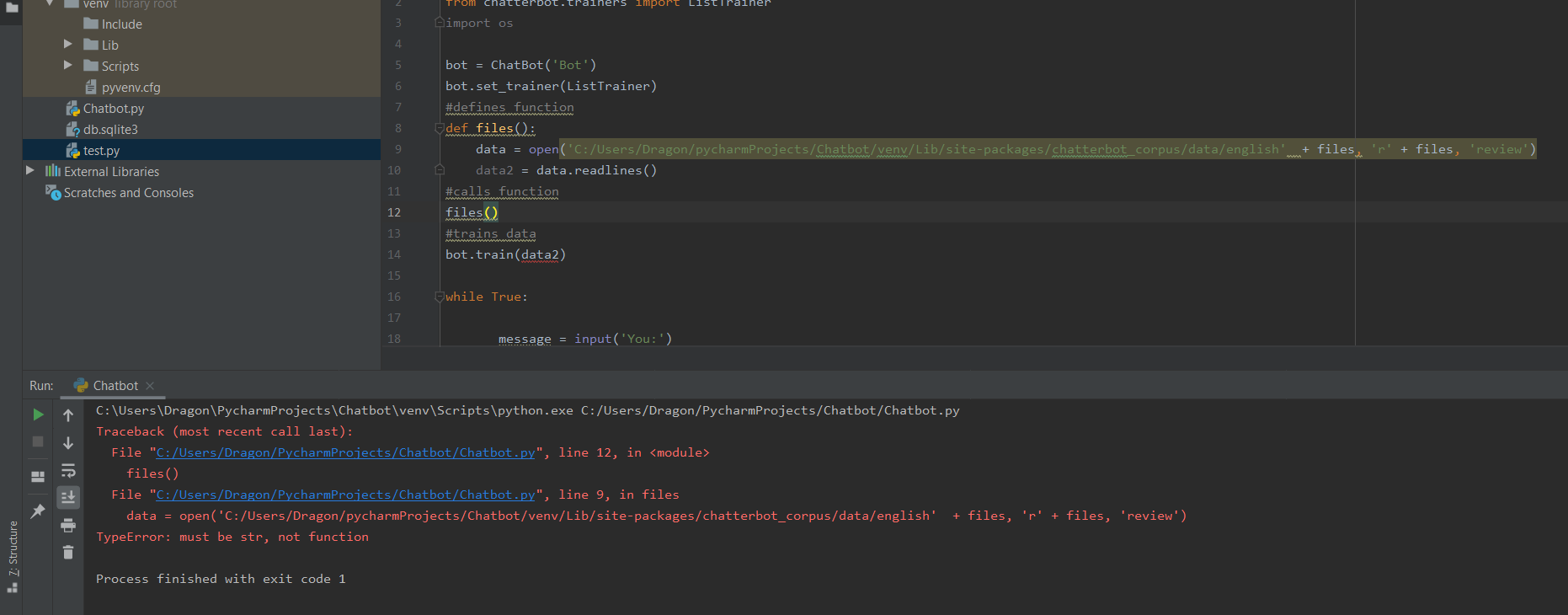


from chatterbot.trainers import ListTrainer
import os

bot = ChatBot('Bot')
bot.set_trainer(ListTrainer)
#defines function
def openfiles():
    data = open('C:/Users/Dragon/pycharmProjects/Chatbot/venv/Lib/site-packages/chatterbot_corpus/data/english'  + files )
    data2 = data.readlines()
#calls function
files(openfiles)
#trains data
bot.train(data2)

while True:

       message = input('You:')
       if message.strip() != 'bye':
               reply = bot.get_response(message)
               print('ChatBot :', reply)
       if message.strip()  == 'bye' :
               print('ChatBot    :  Bye')
               brea
Type "help", "copyright", "credits" or "license" for more information.
>>>```[GCC 9.2.1 20200130] on linux
Type "help", "copyright", "credits" or "license" for more information.
>>>``` rain rivet
GUYYSYYSYSYSSY WTHHH
graceful grail
best channel ever!!!
rain rivet
sleek tiger
sleek tiger

GitHub
Work in progress A stock info and investor that calculates the potential loses of money - Zeek-s-Software/Stock_dev
graceful grail

GitHub
Python support for Godot 🐍🐍🐍. Contribute to touilleMan/godot-python development by creating an account on GitHub.
rain rivet
return jsonify({'ip': request.remote_addr}), 200
graceful grail
::1/128
rain rivet
sleek tiger
lol
random helm
!warn 451025550895611915 That doesn't belong in this server.
wise cargoBOT
:incoming_envelope: :ok_hand: applied warning to @sleek tiger.
sleek tiger
oh sorry
graceful grail

This a 2d Building game in python.
sleek tiger

Just a simple Pong... It was build during a python / pygame tutorial at the games academy berlin.
`
 fair saffron
    s = input('Enter Something : ')
    if s == 'quit':
        break
    if len(s) < 3:
        print('Too small.')
        continue
print('Input is of sufficient length') ``` s = input('Enter Something : ')
if s == 'quit':
break
if len(s) < 3:
print('Too small.')
Else:
print('Input is of sufficient length') ``` s = input('Enter Something : ')
if s == 'quit':
break
elif len(s) < 3:
print('Too small.')
else:
print('Input is of sufficient length') ```s = input('Enter Something : ')
graceful grail
    s = input('Enter Something : ')

    if s == 'quit':
        quit()
    elif len(s) < 3:
        print('Too small.')
    else:
        print('Input is of sufficient length')

while True:
    main()```
# string with encoding 'utf-8'
arr = bytes(string, 'utf-8')
print(arr)```You two are still awake
graceful grail
yep
errant helm
Go bed!
graceful grail
lol
 pale estuary
balmy nymph
pale estuary
balmy nymph
Hey @graceful grail and @pale estuary, does any of you have the source of this logo please?
balmy nymph
No no, I actually want to use it for one of my project, I just want to check if I can use it
Where did you find it?
pale estuary
i stole it from his post
so i would ask l33t but he went to bed just now and he is not going to be on till like 2-3pm us time
balmy nymph
Oki!
whole bear
@rain rivet return jsonify({'ip': request.remote_addr}), 200 is incorrect
request.environ['REMOTE_ADDR'] and using from werkzeug.middleware.proxy_fix import ProxyFix is a good idea
setting app.wsgi_app = ProxyFix(app.wsgi_app, x_proto=1, x_host=1). Look into https://werkzeug.palletsprojects.com/en/1.0.x/middleware/proxy_fix/?highlight=proxyfix#werkzeug.middleware.proxy_fix.ProxyFix
Depends on if you're using Apache or Nginx. Apache would be RemoteIPHeader X-Forwarded-For and Nginx would be https://nginx.org/en/docs/http/ngx_http_realip_module.html
Sec
whole bear
It properly gives you the IP
I can spoof the X-Forwarded-For IP through something like curl for example, if you don't do this
whole bear
the site?
Also, feel free to come into the voice chat if you have any questions
@near niche https://serverfault.com/a/486096

Server Fault
I would like to block all outgoing traffic to any domain or subdomain using IPTables. It would appear that the -d option allows one to reference a domain. I found the following through a Google s...
rain rivet
thank you Scott you are the coolest guy ever
but I was talking about this
What is my IP address?
whole bear
Yeah, same thing. https://ifconfig.me/ does it too
Get my IP Address
balmy nymph
https://icanhazip.com/ too, this one is easier to embed in a script
rain rivet
where is its script
balmy nymph
I mean, in a shell script for instance, curl https://ipv4.icanhazip.com/ will return the current ip address
I use it in my dynamic DNS update script
whole bear
https://ifconfig.me/ip exists
balmy nymph
The guys from icanhaz have a lot of other domains though
rain rivet
you can combine all of that with flask ?
whole bear
Yeah. It's what I do with https://alert.sking.io/ip 😄
rain rivet
omgggggggggggg that's sickkkk
omgggggggggggggggggggg you made this??
sick sick sick
whole bear
Yeah
quasi condor
Is anything going on, or are you all just in vc?
 crystal fox
not a clue
 rigid girder
Sound.. how?
whole bear
@sleek tiger yes
quasi condor
soundodger
rigid girder
Thanks
whole bear
PULSES? THEY GOT US WITH THE MORSE CODE?
sleek tiger
    sock.listen(5)
OSError: [WinError 10045] The attempted operation is not supported for the type of object referenced

Stack Overflow
I'm new to Python and interested in socket programming these days. From the youtube videos, I'm building a simple server but I didn't get listen() method very well. I know "it listens" incoming
shell dome
a
whole bear
Gonna hop off
balmy nymph
Borderland?
signal raven
sleek tiger
print("Please enter a user name: ")
username = sys.stdin.readline()

def chat_client():
    if(len(sys.argv) < 3) :
        print ('Usage : python chat_client.py hostname port')
        sys.exit()

    host = ('127.0.0.1')
    port = int('1028')

    s = socket.socket(socket.AF_INET, socket.SOCK_STREAM)
    s.settimeout(2)

    # connect to remote host
    try :
        s.connect((host, port))
    except :
        print ('Unable to connect')
        sys.exit()
    print ('Connected to remote host. You can enter the string to check : : :')
    # sending dummy test to initaiate a chat
    s.send(bytes(" "))

    while 1:
        socket_list = [sys.stdin, s]

        # Get the list sockets which are readable
        read_sockets, write_sockets, error_sockets = select.select(socket_list , [], [])

        for sock in read_sockets:
            if sock == s:
                # incoming message from remote server, s
                data = sock.recv(4096)
                if not data :
                    print ('\nDisconnected from chat server')
                    sys.exit()
                else :
                    #print data
                    sys.stdout.write(data)
                    sys.stdout.write('\n'); #changes
                    sys.stdout.flush()

            else :
                # user entered a message
                msg = sys.stdin.readline()
                s.send(username+'\b'+'>>'+msg)
                #sys.stdout.write('Enter String : '); #ch
                sys.stdout.flush()

if __name__ == "__main__":

    sys.exit(chat_client())
Hey @sleek tiger!
It looks like you tried to attach file type(s) that we do not allow (.txt). We currently allow the following file types: .3gp, .3g2, .avi, .bmp, .gif, .h264, .jpg, .jpeg, .m4v, .mkv, .mov, .mp4, .mpeg, .mpg, .png, .tiff, .wmv, .svg, .psd, .ai, .aep, .xcf, .mp3, .wav, .ogg, .md.
Feel free to ask in #community-meta if you think this is a mistake.
sleek tiger
HOST = ''
SOCKET_LIST = []
RECV_BUFFER = 4096
PORT = 1028
sock_list = []
stored = []

def chat_server():

    subprocess.call('cls', shell=True)

    server_socket = socket.socket(socket.AF_INET, socket.SOCK_STREAM)
    server_socket.setsockopt(socket.SOL_SOCKET, socket.SO_REUSEADDR, 1)
    server_socket.bind((HOST, PORT))
    server_socket.listen(10)

    # add server socket object to the list of readable connections
    SOCKET_LIST.append(server_socket)

    print ("Game Opened on "+ str(PORT))

    while 1:
        ready_to_read,ready_to_write,in_error = select.select(SOCKET_LIST,[],[],0)
        for sock in ready_to_read:
            if sock == server_socket:
                sockfd, addr = server_socket.accept()
                SOCKET_LIST.append(sockfd)
                print ("Client (%s, %s) connected" % addr)

            # a message from a client, not a new connection
            else:
                if sock not in sock_list:
                    sock_list.append(sock)
                    for text in stored:
                        reply(server_socket,sock,text+'\n')

                try:
                    # receiving data from the socket.
                    data = sock.recv(RECV_BUFFER)
                    if data:
                        stored.append(data)
                        for x in sock_list:
                            if( x != sock ):
                                reply(server_socket, x,data)
                    else:
                        # remove the socket that's broken
                        if sock in SOCKET_LIST:
                            SOCKET_LIST.remove(sock)

                        # at this stage, no data means probably the connection has been broken
                        reply(server_socket, sock, "Client (%s, %s) is offline\n" % addr)

                # exception
                except:
                    reply(server_socket, sock, "Client (%s, %s) is offline\n" % addr)
                    continue

    server_socket.close()
```def reply (server_socket, sock, message):
# for socket in SOCKET_LIST:
socket=sock
# send the message only to peer
if socket != server_socket:
try :
message=message.strip()
socket.send(message+'\n')
except :
# broken socket connection
socket.close()
# broken socket, remove it
if socket in SOCKET_LIST:
SOCKET_LIST.remove(socket)
if __name__ == "__main__":
sys.exit(chat_server())```Having trouble with Go Live?
Seems to only be working for people with Nitro at the moment
sleek tiger
Traceback (most recent call last):
  File "c:/Users/Admin/Desktop/Opty/Opty/Opty_V1.0/Opty_V1.0.py", line 55, in <module>
    sys.exit(chat_client())
  File "c:/Users/Admin/Desktop/Opty/Opty/Opty_V1.0/Opty_V1.0.py", line 25, in chat_client
    s.send(bytes(" "))
TypeError: string argument without an encoding
OSError: [WinError 10038] An operation was attempted on something that is not a socket
Traceback (most recent call last):
  File "c:/Users/Admin/Desktop/Opty/Opty/Opty_V1.0/Opty_V1.0.py", line 51, in <module>
    sys.exit(chat_client())
  File "c:/Users/Admin/Desktop/Opty/Opty/Opty_V1.0/Opty_V1.0.py", line 27, in chat_client
    read_sockets, write_sockets, error_sockets = select.select(socket_list , [], [])
OSError: [WinError 10038] An operation was attempted on something that is not a socket
num2 = int(input("enter another number"))
operator = input('What operator do you want to use?')

if operator =='addition' or 'add':
    print(num1 + num2)
elif operator == 'substraction' or 'subtract':
    print(num1 + num2)
elif operator == 'multiplication' or 'multiply':
    print(num1 * num2)
elif operator == 'division' or 'divide:':
    print(num1 / num2)
@whole bear
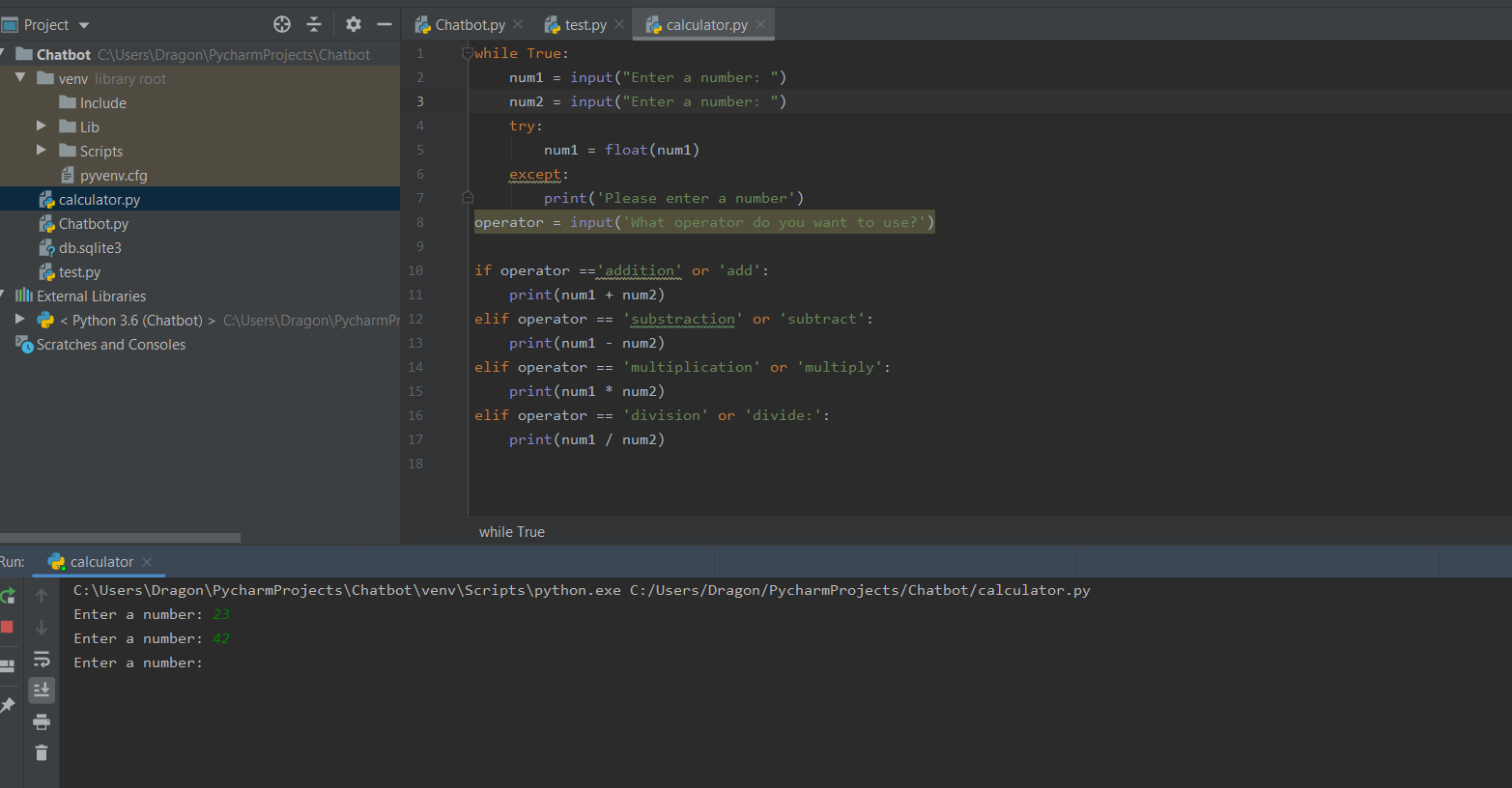
    num1 = input("Enter a number: ")
    try:
        num1 = float(num1)
    except:
        print('Please enter a number')

while True:
    num2 = input("Enter your second Number: ")
    try:
        num2 = float(num2)
    except:
print('please enter your second number')``` while True:
num1 = input("Enter a number: ")
try:
num1 = float(num1)
break
except:
print('Please enter a number')
while True:
num2 = input("Enter your second Number: ")
try:
num2 = float(num2)
break
except:
print('please enter your second number')
while True:
operator = input('What operator do you want to use?')
try:
operator = ('Please enter a real operator')
break
if operator =='addition' or 'add' or '+:':
print(num1 + num2)
elif operator == 'substraction' or 'subtract' or '-':
print(num1 - num2)
elif operator == 'multiplication' or 'multiply' or '*':
print(num1 * num2)
elif operator == 'division' or 'divide:' or '/':
print(num1 / num2)
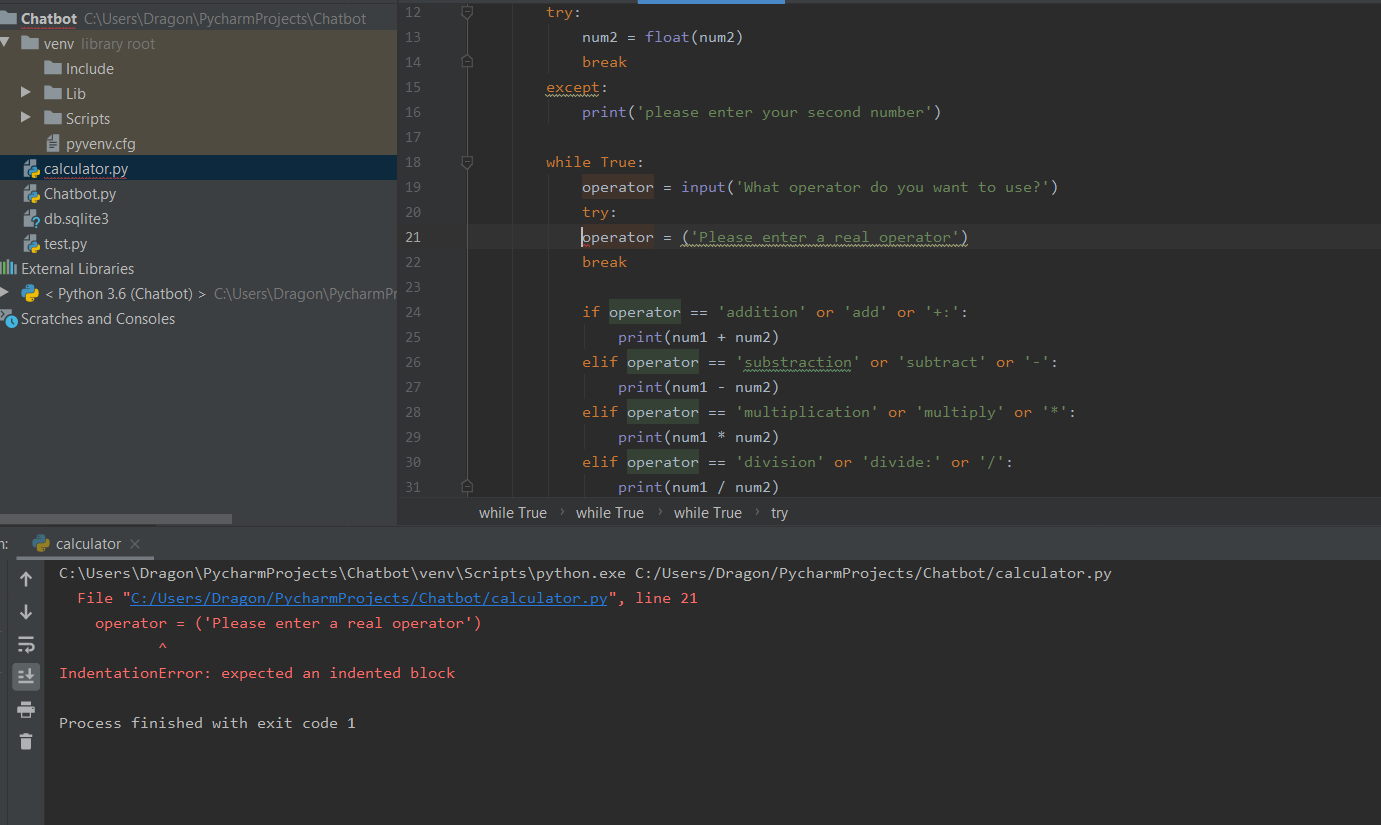
@whole bear
while True:
num1 = input("Enter a number: ")
try:
num1 = float(num1)
break
except:
print('Please enter a number')
while True:
num2 = input("Enter your second Number: ")
try:
num2 = float(num2)
break
except:
print('please enter your second number')
while True:
operator = input('What operator do you want to use?')
try:
operator = ('Please enter a real operator')
break
if operator == 'addition' or 'add' or '+:':
print(num1 + num2)
elif operator == 'substraction' or 'subtract' or '-':
print(num1 - num2)
elif operator == 'multiplication' or 'multiply' or '*':
print(num1 * num2)
elif operator == 'division' or 'divide:' or '/':
print(num1 / num2)``` wide flame
ctrl + [

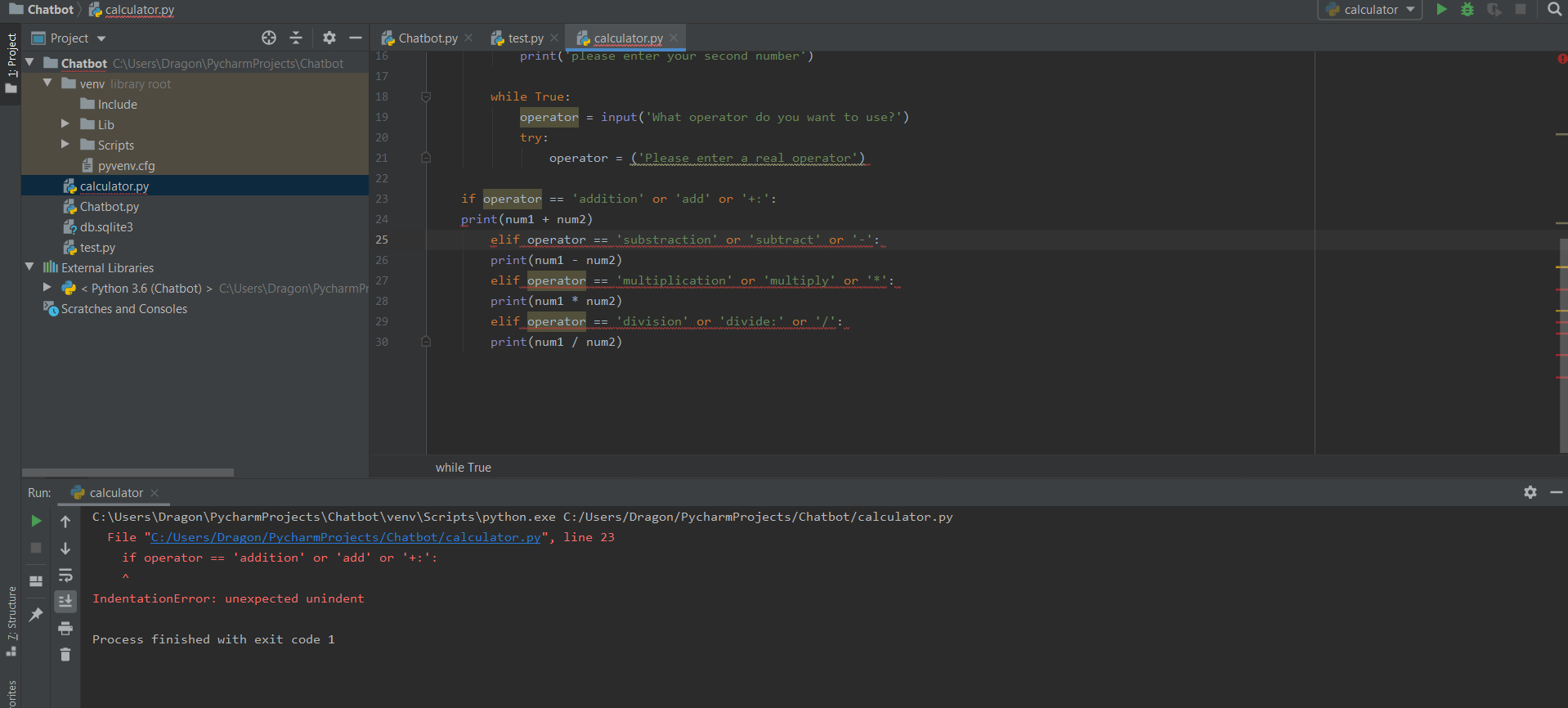




 scarlet plume
!or-gotcha
wise cargoBOT
When checking if something is equal to one thing or another, you might think that this is possible:
if favorite_fruit == 'grapefruit' or 'lemon':
    print("That's a weird favorite fruit to have.")
After all, that's how you would normally phrase it in plain English. In Python, however, you have to have complete instructions on both sides of the logical operator.
So, if you want to check if something is equal to one thing or another, there are two common ways:
# Like this...
if favorite_fruit == 'grapefruit' or favorite_fruit == 'lemon':
    print("That's a weird favorite fruit to have.")

# ...or like this.
if favorite_fruit in ('grapefruit', 'lemon'):
    print("That's a weird favorite fruit to have.")
http://prntscr.com/rg2rgk @wide flame

    while True:
        num1 = input("Enter a number: ")
        try:
            num1 = float(num1)
            break
        except:
            print('Please enter a number')

    while True:
        num2 = input("Enter your second Number: ")
        try:
            num2 = float(num2)
            break
        except:
            print('please enter your second number')

        while True:
            operator = input('What operator do you want to use?')
            try:
                operator = ('Please enter a real operator')

if operator == 'addition' or 'add' or '+:':
    print(num1 + num2)
elif operator == 'substraction' or 'subtract' or '-':
    print(num1 - num2)
elif operator == 'multiplication' or 'multiply' or '*':
    print(num1 * num2)
elif operator == 'division' or 'divide:' or '/':
print(num1 / num2)```chatue

The Telegraph
Like many others, when Dick Strawbridge and his wife, Angel Adoree, decided to uproot from England with their young family and move to France for la belle vie, they envisaged a modest farmhouse, perhaps a simple gîte.
@whole bear
whole bear

 lyric dragon

Luxury Real Estate
@whole bear @sleek tiger

A distinguished and characterful stone-built castle property, complete with rampart-lined garden....


polycount
so as part of my game i am going to have several japanese houses and this will be one of them, i will be creating three then try and place them in the engine differently to try and make them look different.
errant helm

Legbreaker - Break One of Your Legs Every Time You Jump in this Macabre Puzzle Platforming Game!
Read More & Play The Full Game, Free: https://www.alphabetagamer.com/legbreaker-game-jam-build-download/
sleek tiger

Start your free squarespace trial today at http://www.squarespace.com/properpeople to get 10% off your first purchase.
In this episode of Forbidden Explorers, we enter the dark depths of the long abandoned Cincinnati Subway System. The construction of the subway was canceled ...
lyric dragon
https://www.architecturaldigest.com/gallery/chateau-malmaison-napoleon-josephine-bonaparte @whole bear

Architectural Digest
Before they became emperor and empress, the Bonapartes bought a 17th-century fixer-upper
    while True:
        num1 = input("Enter a number: ")
        try:
            num1 = float(num1)
            break
        except:
            print('Please enter a number')

    while True:
        num2 = input("Enter your second Number: ")
        try:
            num2 = float(num2)
            break
        except:
            print('please enter your second number')

        while True:
            operator = input('What operator do you want to use?')
            try:
                operator = ('Please enter a real operator')

if operator == 'addition' or 'add' or '+:':
    print(num1 + num2)
elif operator == 'substraction' or 'subtract' or '-':
    print(num1 - num2)
elif operator == 'multiplication' or 'multiply' or '*':
    print(num1 * num2)
elif operator == 'division' or 'divide:' or '/':
    print(num1 / num2)```
@errant helm
while True:
    while True:
        num1 = input("Enter a number: ")
        try:
            num1 = float(num1)
            break
        except:
            print('Please enter a number')

    while True:
        num2 = input("Enter your second Number: ")
        try:
            num2 = float(num2)
            break
        except:
            print('please enter your second number')

while True:
    operator = input('What operator do you want to use?')
    try:
        operator = ('What operator do you want to use?')
    except:
        print('please enter a operator.')

        if operator == 'addition' or 'add' or '+:':
            print(num1 + num2)
        elif operator == 'substraction' or 'subtract' or '-':
            print(num1 - num2)
        elif operator == 'multiplication' or 'multiply' or '*':
            print(num1 * num2)
        elif operator == 'division' or 'divide:' or '/':
            print(num1 / num2)```
num1 = input
num2 = input
operator = input

if operator == 'addition' or 'add' or '+:':
    print(num1 + num2)
elif operator == 'substraction' or 'subtract' or '-':
    print(num1 - num2)
elif operator == 'multiplication' or 'multiply' or '*':
    print(num1 * num2)
elif operator == 'division' or 'divide:' or '/':
    print(num1 / num2)
num1 = input('Number1: ')
num2 = input('Number2: ')
operator = input('Operator: ')

if operator == 'addition' or 'add' or '+:':
    print(num1 + num2)
elif operator == 'substraction' or 'subtract' or '-':
    print(num1 - num2)
elif operator == 'multiplication' or 'multiply' or '*':
    print(num1 * num2)
elif operator == 'division' or 'divide:' or '/':
print(num1 / num2)```Number1: 69
Number2: 420
Operator: -
69420
while True:

    subprocess.call('cls', shell=True)

    num1 = float(input('Number1: '))
    num2 = float(input('Number2: '))
    operator = input('Operator: ')

    if operator == 'addition' or 'add' or '+:':
        print(num1 + num2)
    elif operator == 'substraction' or 'subtract' or '-':
        print(num1 - num2)
    elif operator == 'multiplication' or 'multiply' or '*':
        print(num1 * num2)
    elif operator == 'division' or 'divide:' or '/':
        print(num1 / num2)
@whole bear
pale estuary
lyric dragon
    while True:
        num1 = input("Enter a number: ")
        try:
            num1 = float(num1)
            break
        except:
            print('Please enter a number')

    while True:
        operator = input('What operator do you want to use?')
        try:
            operator = ('What operator do you want to use?')
            break
        except:
            print('please enter a operator.')

    while True:
        num2 = input("Enter your second Number: ")
        try:
            num2 = float(num2)
            break
        except:
            print('please enter your second number')


        if operator == 'addition' or 'add' or '+:':
            print(num1 + num2)
        elif operator == 'substraction' or 'subtract' or '-':
            print(num1 - num2)
        elif operator == 'multiplication' or 'multiply' or '*':
            print(num1 * num2)
        elif operator == 'division' or 'divide:' or '/':
print(num1 / num2)```import time
while True:
subprocess.call('cls', shell=True)
num1 = float(input('Number1: '))
operator = input('Operator: ')
num2 = float(input('Number2: '))
if operator == 'addition' or 'add' or '+:':
print(num1 + num2)
elif operator == 'substraction' or 'subtract' or '-':
print(num1 - num2)
elif operator == 'multiplication' or 'multiply' or '*':
print(num1 * num2)
elif operator == 'division' or 'divide:' or '/':
print(num1 / num2)
input('Enter to Continue: ')