#web-development
2 messages · Page 34 of 1
 native tide
 tired root
Git Server @ NAS receives code -> Post receive script runs -> tells Pi to do it's work and runs the above script
I am sure there are lots of ways to do this
native tide
Would I be able to add markdown editor on static site and create posts that way ?
tired root
sure, but then the server would need to be able to build jekyll and you have a backend again, which can be attacked
at that point you can use wordpress again
The point is to have no scripts that can be attacked
native tide
I don't want wordpress
Pipeline will deployed and it will be secured with no passwords
I am using Jenkins probably
SSH keys only
on servers
tired root
I had already stomach pain doing the rest api
But the alternative is to download all articles of the site in a json and use javascript for the search
native tide
I am doing REST API in flask, I have function that I want to implement
native tide
Scheduled job to get list of my Git repos and create table with info
tired root
https://rest.tuxstash.de/search.php?search-pattern=icinga That is my rest point
tired root
No, it is a static site generator, but I am using a REST-like API in PHP to enable a search
tired root
of course, but i'd use it only for a search
native tide
I would use Flask for REST
and table
Using Github webhooks I would pull all my repos
and sort into database that would be visualized as table
tired root
Everything on my website (https://tuxstash.de/) is static, the only thing done in PHP is the search
 boreal beacon
 elder nebula
I have trouble with input pattern. I need it to be in format: AAA-000. First 1 - 3 letters, followed by - and then 1 - 3 numbers
So far I have tried
pattern="[A-Za-z]+-+[0-9]"
 flat eagle
for regex?
tired root
^[A-z]{3}\-[0-9]{3}$
flat eagle
don't need to \-
^ and $ also apply for start / end of line
so may not be wanted / required
elder nebula
hmm. How do I make it that there is 1 - 3 letters and 1 - 3 numbers. Now its 3 for both
tired root
[A-z]{1,3}\-[0-9]{1,3}
flat eagle
^
tired root
Regex101 allows you to create, debug, test and have your expressions explained for PHP, PCRE, Python, Golang and JavaScript. The website also features a community where you can share useful expressions.
I highly recommend this tool
elder nebula
Ok
tired root
Also https://regexone.com/ for interactive exercises
RegexOne provides a set of interactive lessons and exercises to help you learn regular expressions
elder nebula
Thanks for helping me out. 
flat eagle
regex is a super useful thing to learn
elder nebula
Yeah
flat eagle
it gets poopoo'd a lot for being a bit weird to read
but sometimes it's the best way to solve a problem
elder nebula
Yeah. I use that for contact field, so they can't type random things.
tired root
@elder nebula But remember to also validate server side. In case you are only using JS for this.
flat eagle
and never, ever ever, EVER, write your own regex for checking if an email address is valid
someone else has done it way better than you ever will
just use that.
 junior cloak
yeah regex is incredible when used in the right situations
it's also what broke a chunk of the internet for half a day earlier in the year because of a single regex a cloudflare employee messed up
(that's just a funny story to me, and not poor anecdotal evidence to say dont use regex)
that said, i see it employed a lot in python in what ifeel is not the "right" situation. if you are just trying to parse/extract data of a known or repeated structure, there are far better things. if youre scraping html, there are better things. if you are doing validation for common structures (email addresses, ip addresses, whatever) then there are far better things.
 sonic scaffold
I once tried to write a regex to enforce password complexity rules... Still have nightmares...
native tide
how do i make a contact page for my flask Website
my contact page looks like this at the moment https://kenny-hoft.herokuapp.com/contact
Kenny's portfolio website created with Flask.
do i do it with flask-wtf ?
can i have some suggestions for useful tutorials
on Flask forms
flask wtf forms
junior cloak
@native tide sure, you can use flask-wtf. just use the official tutorial on their site! https://flask-wtf.readthedocs.io/en/stable/quickstart.html
no need for crazy and most likely outdated tutorials... a contact page is what, a couple of fields and a submit button? nothing wild, the official docs should help you out 🙂
junior cloak
easily the biggest thing i find myself dealing with when helping folks in here is when someone has been using some horribly outdated tutorial from 7 years ago and it being so outdated or incorrect that it hurt way more than it helped
native tide
yep i
junior cloak
and with flask stuff, just because its peak of tutorial writing and hype and stuff was in around that period, google searching for flask-related tutorials often overwhelmingly returns things super outdated that would may still work, may not, but definitely are not the best path to go down to learn these things in 2019
the official docs for all the flask extensions are usually the best, and the best flask extensions are well-maintained by mostly the same core people
native tide
yeah ik
junior cloak
honestly i'd search google and tell it to limit results to within the last 3-4 years, haha. i do this all the time
native tide
cuz i just recently went to a website beside the official flask doc and the tutorial was from 2013
junior cloak
and whatever you do, dont use one of the horrible 'set up flask with nginx/apache/whatever on centos/nginx/whatever' on digitalocean
but it looks like you are using heroku which is great and you can just skip all that nonsense anyway
good luck!
native tide
haha 😁
 sacred oasis
anyone know if when ready() in apps.py runs all the apps are loaded
django ^^
Im trying to start a proccess there but I get this error and cant really figure out how to fix it
Traceback (most recent call last):
  File "<string>", line 1, in <module>
  File "C:\Users\Abdos\AppData\Local\Programs\Python\Python36\lib\multiprocessing\spawn.py", line 105, in spawn_main
    exitcode = _main(fd)
  File "C:\Users\Abdos\AppData\Local\Programs\Python\Python36\lib\multiprocessing\spawn.py", line 115, in _main
    self = reduction.pickle.load(from_parent)
  File "C:\Users\Abdos\Documents\GitHub\Clast\src\clast\payments\background_loops.py", line 7, in <module>
    from .models import *
  File "C:\Users\Abdos\Documents\GitHub\Clast\src\clast\payments\models.py", line 6, in <module>
    class InvoiceClasty(models.Model):
  File "c:\Users\Abdos\Documents\GitHub\Clast\env\lib\site-packages\django\db\models\base.py", line 103, in __new__
    app_config = apps.get_containing_app_config(module)
  File "c:\Users\Abdos\Documents\GitHub\Clast\env\lib\site-packages\django\apps\registry.py", line 252, in get_containing_app_config
    self.check_apps_ready()
  File "c:\Users\Abdos\Documents\GitHub\Clast\env\lib\site-packages\django\apps\registry.py", line 135, in check_apps_ready
    raise AppRegistryNotReady("Apps aren't loaded yet.")
django.core.exceptions.AppRegistryNotReady: Apps aren't loaded yet.
(tag me if u answer)
 cyan wolf
hey there
i am using flask in python to code my first website
i have created everything i need but i need now to launch flask
i am being told to use (venv) $ flask run however flask run comes up as 'run' is not recognized as an internal or external command, operable program or batch file.
native tide
You should do:
venv/Scripts/python (nameofyourfile)
cyan wolf
im looking to start my website
are you meaning go to the main overseeing file directory?
native tide
Do you want to run your script?
cyan wolf
no
native tide
You want to launch it on a live server?
cyan wolf
i know
native tide
You can use heroku
cyan wolf
i have those
native tide
A requirements.txt file?
cyan wolf
i am following this here: https://blog.miguelgrinberg.com/post/the-flask-mega-tutorial-part-i-hello-world
so i have venv and .idea
cyan wolf
i am following it step by step
look at the bottom
this is where i am at
flask run isnt working
thats where the issue is
cyan wolf
windows
native tide
Ok. Where are you typing in flask run
cyan wolf
PycharmProjects\website>
native tide
In the terminal?
native tide
Great
cyan wolf
sarcasm?
native tide
Is your virenv in the websitt folder?
cyan wolf
website\venv>
native tide
If it is then type: venv/Scripts/python (name of yout python script)
native tide
The one where you have if __name__ == '__name__': at the end
native tide
Can i see your directory
cyan wolf
and type the filename which ive done app = Flask(__name__)?
native tide
yes
cyan wolf
just the filename?
native tide
Run thay file
native tide
Yeah the filename and the extension
cyan wolf
ok im in scripts>
native tide
Do you use the run button in the top right? Cuz you are using Pycharm right
native tide
No
cyan wolf
:/
native tide
Venv/Scripts/python init.py
cyan wolf
what are you wanting me to do, you said just type the file name
what
venv\Scripts\__init__.py?
you really arent making too much sense
native tide
Yeaahh
native tide
You should type that in the terminal
cyan wolf
what?
ok here
i tell you what
im in PycharmProjects\website\venv\app>
what do i do from here?
tell me what to type
because you arent making much sense anymore
native tide
Remove app so your in PycharmProjects\website\venv
native tide
Then from there go to \Scripts
native tide
Then \python __init__.py
cyan wolf
type \python __init__.py?
native tide
Yes
cyan wolf
into console
ok
'\python' is not recognized as an internal or external command,
operable program or batch file.
native tide
Remove the " ** "
cyan wolf
i havent got any **
i entered \python __init__.py
\python isnt a command
that is the issue
native tide
Can i see your directory
cyan wolf
as in full expanded one?
native tide
Yeh
cyan wolf
that is it
native tide
The parent first
native tide
And enter venv\app\python __init__.py
junior cloak
your app is inside your venv and it should not be
cyan wolf
if i type venv\app\python __init__.py then it says 'venv\app\python' is not recognized as an internal or external command, operable program or batch file.
oh shit
it isnt
thatll be why
native tide
Yep @dkh i discovered that too
cyan wolf
thats that sorted
junior cloak
uhhh
native tide
The app folder needs to be outside
native tide
It needs to be in the website folder
cyan wolf
it is now
native tide
Ok ok
cyan wolf
this is my website folder:
native tide
Good
junior cloak
you need to source the venv to do so
cyan wolf
what does that mean?
junior cloak
not just run python on it
cyan wolf
ive done add FLASK_APP=microblog.py
junior cloak
do you understand what the venv is?
native tide
I think thats a command for linux users
cyan wolf
export FLASK_APP=microblog.py is linux
native tide
Open a terminal in your website folder
Type:
venv\Scripts\python app\__init__.py
cyan wolf
there is no python add directory
and also
you cant type venv\Scripts\python app\ because it isnt a command
junior cloak
what is inside the venv
cyan wolf
cyan wolf
yes
  File "app\__init__.py", line 5, in <module>
    from app import routes
ModuleNotFoundError: No module named 'app'
```@native tideNani
cyan wolf
from app import routes is the issue
aparently
@junior cloak ive sent you the venv file contentse
ill call it a day for this morning
its 1am 😛
junior cloak
haha yeah, that import statement doesnt make much sense there
i'm almost amazed by how much complication that turned into
 safe garden
looks like you haven't set an interpreter
native tide
If I want to write an article for example about Ak-47, do I need to use <section> before my article? I'm confused
 rich jacinth
is this an appropriate channel to ask questions on uwsgi configurations for flask apps?
tired root
why wouldn't it be?
native tide
here i have a contact.html file:
{% block body%}
    <form action="contact" method="post">
            {{ form.name }}
            {{ form.password }}
            {{ form.email }}
            {{ form.message }}
            {{ form.submit }}
    </form>
{% endblock%}```here is my forms.py file:
from wtforms import StringField, TextAreaField, PasswordField, SubmitField
from wtforms.validators import DataRequired


class ContactForm(FlaskForm):
    name = StringField('Name')
    email = StringField('Email')
    password = PasswordField('Password')
    message = TextAreaField('Message')
    submit = SubmitField('Send')
this is the app i should run:
from forms import ContactForm

app = Flask(__name__)


@app.route('/')
def index():
    return render_template('index.html')


@app.route('/contact', methods=('GET', 'POST'))
def contact():
    form = ContactForm()
    return render_template('contact.html', form=form)


if __name__ == '__main__':
    app.run(debug=True)
and when i run it, i get an error message :KeyError: 'A secret key is required to use CSRF.'
tired root
Do you even read documentation? I mean, I am the first to complain about the bad docs of flask, but these basics are in there.
Just create a secret key in your app object and you are set
app.secret_key = "CHANGE THIS"
@native tide
native tide
oof! yeh
 vagrant adder
@cyan wolf your app folder is inside venv right?
drag it out of venv
@native tide
app.config["SECRET_KEY"] = "some_random_string_that_is_very_super_duper_secret"
native tide
so that works too
cyan wolf
@vagrant adder app is not in venv
vagrant adder
can you send a picture of your project structure?
tired root
@cyan wolf I also suggest using blueprints. Makes the whole modular approach easier
rich jacinth
I'm getting an error when running the uwsgi command with virtualenv. (Running on Ubuntu 18)
ModuleNotFoundError: No module named <module_name>
unable to load app 0 (mountpoint='') (callable not found or import error)
It works when I run my program with the python command while in the virtualenv. But when using the uwsgi command it gives me the error. I believe it's because uwsgi isn't using the correct directory where the virtual environment is located but I'm not sure how to fix it after trying several uwsgi commands and options.
 winter shadow
What might be the best way to develop an 'activated modules' type of backend? For example, my users have a core app that they pay for and they want to purchase another module to extend the functionality. What might be a good architecture for this?
cyan wolf
ok so
sonic scaffold
You will need some object to describe the featureset the client has paid for. In the old days you might use a bitmap to efficiently store this featureset, but it's probably better to be semantic unless you need this to scale incredibly large - so an array of subscription information.
winter shadow
Nowadays, I can probably get away with creating a 'permissions' object on my 'users' mongo collection?
sonic scaffold
Not sure, haven't worked with mongo much
winter shadow
then a permissions table?
it's basically role auth, but I'm calling roles modules, in this case, is that correct?
and then putting modules behind a paywall
native tide
Is there a course to learn how to design your site?
safe garden
im sure there are many design courses out there
 foggy lynx
Just for clarification later on, here is my file hierarchy:
index.html
tasks/
    - task1.html
    - task2.html
    - task3.html
    - task4.html
    - task5.html
Hi, so I have 5 html files with javascript in a <script> tag. I've gathered them using XMLHttpRequest all fine and printing out the javascript to console is good, but when I add them to a div element in index.html, the "<" character I use as the "smaller than" operator in javascript creates a new tag. I basically want the javascript to look exactly like the output when using console.log(). I fixed the \n with white-space: pre-wrap, but now I have the < problem.
 cobalt yew
hey guys, new here...have a question regarding flask.
how do I build an url that needs to be scraped from an user input
I have the url : example.com?= and I need to pass the input from user form and scrape the price, or the title... so after the user submit the input, the url that needs to be scraped would look like : example.com?=test
sonic scaffold
You want to search "how to accept GET variable flask"
cobalt yew
you mean something like this : myvar = request.form["myvar"] ?
 wanton cave
Hi! I am looking for help regarding schema generation for Django Rest Framework
Basically, when I run manage.py generateschema, every endpoint is present
altough, when I try to expose it as following:
rom rest_framework.schemas import get_schema_view

schema_view = get_schema_view(title='Fussballer API')

urlpatterns = [
    path('', schema_view),
not every endpoint is visible
 grim onyx
hey guys, I have a question about APIs... Idk if it fits this channel but here it is:
Say there is a web API accessible via POST requests. The said API has rate limits and sometimes it can be slammed - meaning if you request a big chunk of data at one hour it would work but in the other hour you have to split it in smaller chunks to get an actual response. So my goal is to build a rather robust wrapper for this API (in python ofc, using aiohttp). By robust I mean: intsead of hitting a rate limit due to many simultaneous calls I want it to build a queue if needed and I want it to detect if API call fails and send it again requesting smaller chunks of data
I think about approaching this problem as following: create an API class which on init will create a session and will contain as attributes (idk yet class or instance attributes) API rate limits. Then whener any kind of API call is made it should call some wrapper method who's goal it to handle a queue/rate limits and which in turn will turn call the internal class method that will make an actual API call.
Is it a sound idea? And is it similar to a typical way of approaching API wrappers?
 simple escarp
that looks fine to we, but i know this kind of delaying behavior can introduce complex behavior of the system, so you might want to think about things like cancelation that can be a real pain
grim onyx
you mean if there are too many requests in queue?
simple escarp
to help with this kind of though, i would advise to read njs's blog https://vorpus.org/blog/timeouts-and-cancellation-for-humans/ he put a lot more though into that than me or a lot of people
grim onyx
OK thanks. I see both are aimed a bit towards trio lib but I will check them - I suppose that info is usefull either way
native tide
this is the login page:
{% block body%}
    <form action="/" method="POST">
        {{ form.csrf_token }}
        {{ form.name.label }}
        {{ form.name}}
        <input type="submit" value="Go">
    </form>
{% endblock%}```this is my forms.py file:
from wtforms import StringField
from wtforms.validators import DataRequired


class ContactForm(FlaskForm):
    name = StringField('Name', validators=[DataRequired()])
and this is what is see when i run the app and go to my localhost
please help
 native root
That occurs if you do not initialize your form
Your flask function that returns the rendered template should be creating the form with ContactForm()
It will also happen if you override __init__ and forget to call super()
native tide
so this is what the function looks like ```@app.route('/contact', methods=('GET', 'POST'))
def contact():
form = ContactForm
if request.method == 'POST':
return redirect('/email_sent')
return render_template('contact.html', form=form)
did it happen because i forgot the parenthesis
yeah yeah
 vagrant adder
yes
native tide
i didn't get the third sentence you wrote
override __init__ and forget to call super()?
what does it mean
native root
It applies to subclassing
For example, if you wanted to do this:
class ContactForm(FlaskForm):
    username = StringField('username')
    def __init__(self, many_usernames):
        if many_usernames:
            self.username = ListField(...)
class ContactForm(FlaskForm):
    username = StringField('username')
    def __init__(self, many_usernames):
        if many_usernames:
            self.username = ListField(...)
        super().__init__()
Note that the first one is missing super().__init__()-- in this case, that makes sure that the form gets set up correctly. It's also generally good practice. What it actually does, is it calls the parent class's __init__ function. If you don't know what that is, don't worry about it for now, it'll make sense later
native tide
ok
cobalt yew
guys I still need help building an url from FORM with flask 😦
like an urls.append or something
native tide
give me some more info ,i might be able to help you
i need help myself now too😅
ok, so i am trying to add a method for the people who visit my website to send messages to me
this is my contact.html file where the user inputs their email and such:
{% block body%}
<form action="" method="POST">
    {{ form.csrf_token }}
    {{ form.name.label }}
    {{ form.name}}<br>

    {{ form.email.label }}
    {{ form.email(size=25) }}<br>

    {{ form.password.label }}
    {{ form.password}}<br>

    {{ form.message.label}}
    {{ form.message}}<br>

    <input type="submit" value="Go">
</form>
{% endblock%}```this is the route:
def contact():
    form = ContactForm()
    if form.validate_on_submit():
        app.config['MAIL_SERVER'] = 'smtp.gmail.com'
        app.config['MAIL_PORT'] = 25
        app.config['MAIL_USE_SSL'] = True
        app.config['MAIL_DEBUG'] = True
        app.config['MAIL_USERNAME'] = form.email.data
        app.config['MAIL_PASSWORD'] = form.password.data
        app.config['MAIL_MAX_EMAILS'] = 3

        msg = Message(f'from {form.name.data} of your website',
                      sender=(form.name.data,form.email.data),
                      recipients=['testkenny00@gmail.com'])
        msg.body = form.message.data
        mail.send(msg)
        return redirect(url_for('index'))
return render_template('contact.html', form=form)```and this is the error i get:
ConnectionRefusedError: [WinError 10061] No connection could be made because the target machine actively refused it
why did the machine refuse?
safe garden
whatever server you're trying to connect to probably isn't up
vagrant adder
I just found an issue on similar flask repo, you gotta start server before client
So all those app.config[] stuff has to go in app/__init__.py
Or config.py
 pliant hound
Hey folks. This is a web dev/database question, so I'm not really sure where to ask, but I'm building a template that will display different products. I have:
class Product(db.Model):
    id = db.Column(db.Integer, primary_key=True)
    product_name = db.Column(db.String, nullable=False, index=True)
    product_info = db.relationship('ProductInfo', backref='product')

    def __repr__(self):
        return f"Products('{self.title}')"


class ProductInfo(db.Model):
    id = db.Column(db.Integer, primary_key=True)
    prod_id = db.Column(db.Integer, db.ForeignKey('product.id'))
    subtype = db.Column(db.String, index=True, nullable=False)
    overview = db.Column(db.Text, index=True)
    features = db.Column(db.String, index=True)
    options = db.Column(db.String, index=True)

    def __repr__(self):
        return f"ProductInfo('{self.subtype}')"
so far
But it's now hit me that overview and features need to be lists
Which I guess means I'll need to make a table for each. But It's going to be difficult to keep track of each item in each list for each product. Is there a best practice anyone can point me towards for this?
native root
The question is, lists of what
In your case, for features, it's a good idea to have a Feature class, of which every feature is an instance of. Then you attach it via a many-to-many relationship to productinfo, which lets features be attached to many products. Or, a many-to-one, if each feature is going to be productinfo specific
 wet quest
Hey all! I'm currently working on deploying a small Flask app, and as things stand I'm having to seed my DB with initial data 'manually' each time. Could someone give me a pointer and suggest a sensible way to automate this? Would there be any obvious danger to running a test against the DB on launch and then inserting the data if the test fails?
 sturdy sundial
I think "before_first_request" is what you are looking for
 final moss
Hi! I'm working on my first Flask app and I wanted to test it out with pytest but I can't figure out how to work with session objects through these tests, does anyone know how ?
 ebon beacon
So I'm following this tutorial for creating REST APIs using Flask

freeCodeCamp.org
by Greg Obinna
How to structure a Flask-RESTPlus web service for production builds
Image credit - frsjobs.co.ukIn this guide I’ll show you a step by step approach
for structuring a Flask RESTPlus web application for testing, development and
production environments. I will ...
I've pretty much done everything and it all seems to be working fine
Then I added a new model
updated db migrations as well
then I added the new model in the controller, but I keep getting the error in terminal
raise ValueError('Model {0} not registered'.format(name))
ValueError: Model deactivated_users not registered
in user.py, I added -
class DeleteUser(db.Model):
    """model to store list of deactivated users"""
    __tablename__ = "deactivated_users"

    id = db.Column(db.Integer, primary_key=True, autoincrement=True)
    user_account_id = db.Column(db.Integer, nullable=False)
    in_group_id = db.Column(db.Integer, db.ForeignKey('in_group.id'), nullable=False)
    first_name = db.Column(db.String(64), nullable=False)
    last_name = db.Column(db.String(64), nullable=False)
    user_name = db.Column(db.String(64), unique=True, nullable=False)
    password = db.Column(db.String(255), nullable=False)
    email = db.Column(db.String(128), unique=True, nullable=False)
    deleted_at = db.Column(db.DateTime, nullable=False)
In the dto.py file, I added this as well -
class DeleteUserDto:
    api = Namespace('deactivated_users', description='list of users deactivated')
    deactivated_users = api.model('deactivated_users', {
        'in_group_id': fields.Integer(required=True, description='in group id'),
        'user_account_id': fields.Integer(required=True, description='user account id'),
        'first_name': fields.String(required=True, description='user first name'),
        'last_name': fields.String(required=True, description='user last name'),
        'user_name': fields.String(required=True, description='user username'),
        'email': fields.String(required=True, description='user email address'),
        'password': fields.String(required=True, description='user password'),
        'deleted_at': fields.DateTime(required=True, description='time account was deactivated')
    })
and then in the user_controller.py file
from ..util.dto import UserDto, DeleteUserDto
from ..service.user_service import save_new_user, get_all_users, get_a_user, deactivate_user_account


@api.route('/<email>')
@api.param('email', 'user identifier')
class DeleteUser(Resource):
    @api.response(201, 'User successfully deactivated.')
    @api.doc('deactivate a user')
    @api.marshal_with(_deactivated)
    def delete(self, email):
        """deactivate a user account given its identifier"""
        return deactivate_user_account(email)
when I type python manage.py run in terminal and then go to the url specified
I get the error mentioned above
Please how do I register the model in the dto.py file so swagger would recognize it?
ebon beacon
Lol, solved it
Turns out I need to use Blueprint to register the extra model as well
🙂
 lapis stump
is "two scoops" still up to date/a good book for learning django?
 small sleet
hii guys, is there a simple way to convert flask-sqlalchemy return from list to dict?
sturdy sundial
@lapis stump it is not a book for learning django, it's a book of good practices. It does not tell you what to do, it tells you how to do it
lapis stump
I learned some django a long time ago, so would it still be a good resource for me?
sturdy sundial
Yeah, I guess. It's up to date, they have code examples on their github for 2.x version.
Only you can know what's good for you
 serene spoke
Hey, anyone got any experience with Flask? I've got a few none-specific questions about a small project which I'd appreciate some help with, thanks 🙂
cyan wolf
hello
i also need help with flask
i have some html that is autosizing to the size of my page and removing a dropdown
id like it to remain static yet it isnt
please ping me if you can help
 rigid laurel
@serene spoke Its better to just ask your question. A lot of the people looking at this channel will be experienced with it
tired root
Is there a way to configure the Werkzeug Server to send a mime type?
I can't test my app on Firefox because it blocks my javascript
Since Werkzeug is not sending a content header or at least the incorrect one
serene spoke
@rigid laurel I have a few, I was looking for someone who might be willing to give their time to explain how something is done..
tired root
if you don't ask, you'll never get an answer
The script from “http://10.10.10.1/static/js/buzz.min.js” was loaded even though its MIME type (“text/plain”) is not a valid JavaScript MIME type. 10.10.10.1
The script from “http://10.10.10.1/static/js/js.js” was loaded even though its MIME type (“text/plain”) is not a valid JavaScript MIME type. 10.10.10.1
The script from “http://10.10.10.1/static/js/worker.js” was loaded even though its MIME type (“text/plain”) is not a valid JavaScript MIME type. 10.10.10.1
The script from “http://10.10.10.1/static/plugins/render/bars.js” was loaded even though its MIME type (“text/plain”) is not a valid JavaScript MIME type. 10.10.10.1
ReferenceError: OffscreenCanvas is not defined js.js:86:5
    init http://10.10.10.1/static/js/js.js:86
    <anonymous> http://10.10.10.1/#:93
This is what this is producing
native tide
if i want to add a method for people to add text on my website .
how should i do it and what do i use?
for example: On wikipedia you can edit what's writen there
if you just click the edit button, it opens a window on the same page and it inputs a copy of the article you want to edit.
and you can just write whatever you want and publish the changes
native tide
Why is it advisable to use percentages instead of pixels when setting the size of something in CSS?
vagrant adder
@serene spoke you might just ask here, someone will answer them
i have some free time rn
cyan wolf
hey
so i have a html code using bootstrap css
https://hastebin.com/izefazilag.xml
and my website looks like the following

the rest of the page is blank
when i resize the page to a much smaller size (i think below 900) then i get it looking like this

something in the hmtl file is making the dropdown be deleted and the contents be put on the top nav bar when the page is stretched. i dont know what it is as half of it isnt my code so if anyone knows and could help, that would be amazing
notes:
changing the css file does nothing
removing <ul class="navbar-nav mr-auto"> does this:
https://cdn.discordapp.com/attachments/452874973556637698/641677133999112213/unknown.png
 vagrant adder
sorry, frontend isn't my thing
 proper hinge
@native tide I would say because percentages are relative. And that's important because elements of websites typically change size to adapt to different screen sizes or to account for other elements being shown or hidden.
So it's a way to have a consistent value relative to something else that may change
native tide
Thanks for your reply, Mark 👍
tired root
@native tide A button 900 pixels to the right is not visible on a 720p screen. A button 50% to the right is always visible.
native tide
Thanks 👍👍
pliant hound
Hey folks. I'm using flask-sqlalchemy and flask-migrate for a development db. My SQLALCHEMY_DATABASE_URI is set to 'sqlite:///test.sqlite'. I've run through the steps to initialize the db with flask-migrate, but when I spin up the server I get an error that basically says I've lost my connection to the db
after some debugging, I THINK the problem is that the URI is making the db generate in the project root, but the app factory is trying to find the db in it's package root
.
├── README.md
├── __pycache__
│   ├── app.cpython-37.pyc
│   ├── forms.cpython-37.pyc
│   ├── models.cpython-37.pyc
│   ├── run.cpython-37.pyc
│   └── views.cpython-37.pyc
├── aluminum_associates
│   ├── __init__.py
│   ├── __init__.pyc
│   ├── __pycache__
│   ├── about.py
│   ├── config.py
│   ├── employees.py
│   ├── main
│   ├── models.py
│   ├── page_content.py
│   ├── products
│   ├── static
│   ├── test.sqlite
│   └── users
├── migrations
│   ├── README
│   ├── __pycache__
│   ├── alembic.ini
│   ├── env.py
│   ├── script.py.mako
│   └── versions
├── run.py
├── test.sqlite
├── tree.txt
└── venv
There's my project tree
so the initial db is generated in the project root directory, and yeah- once I spin up the server, a new test.sqlite is generated in the 'aluminum_associates' package
I'm having a hell of a time figuring out why this is happening
def create_app():
    app = Flask(__name__)
    app.config.from_object(config.DevelopmentConfig)

    admin.init_app(app)
    bcrypt.init_app(app)
    ckeditor.init_app(app)
    login_manager.init_app(app)
    assets.init_app(app)
    db.init_app(app)
    migrate.init_app(app, db)

    with app.app_context():
        js_bundle = Bundle(
            'js/navbar.js',
            'js/footer-links.js',
            'js/tabs.js',
            'js/modals.js',
            'js/account-settings.js',
            'js/on-load.js',
            filters='jsmin',
            output='js/bundle.js'
        )
        sass_bundle = Bundle(
            'sass/custom.sass',
            filters='libsass',
            depends=('/static/sass/**/*.sass'),
            output='css/bundle.css'
        )
        assets.register('js_all', js_bundle)
        assets.register('sass_all', sass_bundle)
        js_bundle.build()
        sass_bundle.build()

        from aluminum_associates.users.routes import users
        from aluminum_associates.main.routes import main

        app.register_blueprint(main)
        app.register_blueprint(users)

        return app
``` Here's my app factoryclass DevelopmentConfig(Config):
DEBUG = True
SQLALCHEMY_DATABASE_URI = os.environ.get('SQLALCHEMY_DATABASE_URI') or\
'sqlite:///' + os.path.join(basedir, 'test.sqlite')
``` My dev configShoot. It's pointing to the package dir
/Users/dofihasoidfjsd/apadkf/aluminum-associates/aluminum_associates
basedir = os.path.abspath(os.path.dirname(__file__))
the environment variable is returning 'sqlite:///test.sqlite' still
pliant hound
isn't the or only called when the first option isn't set?
vagrant adder
I don't know about that, but i have never used basedir for db uri
pliant hound
ah okay let me try
Bah. It's still generating the db in the aluminum_associates package
vagrant adder
Try running the app
pliant hound
I did, I even removed the 'or' part- the db is still being generated
vagrant adder
Can you paste error trace
pliant hound
The terminal is outputting this error when I spin up the server:
sqlalchemy.exc.OperationalError: (sqlite3.OperationalError) no such table: user
[SQL: SELECT user.id AS user_id, user.first_name AS user_first_name, user.last_name AS user_last_name, user.email AS user_email, user.image_file AS user_image_file, user.password AS user_password
FROM user
WHERE user.id = ?]
[parameters: (1,)]
(Background on this error at: http://sqlalche.me/e/e3q8)
Ah
pliant hound
The link points to this:
OperationalError
Exception raised for errors that are related to the database’s operation and not necessarily under the control of the programmer, e.g. an unexpected disconnect occurs, the data source name is not found, a transaction could not be processed, a memory allocation error occurred during processing, etc.

This error is a DBAPI Error and originates from the database driver (DBAPI), not SQLAlchemy itself.

The OperationalError is the most common (but not the only) error class used by drivers in the context of the database connection being dropped, or not being able to connect to the database. For tips on how to deal with this, see the section Dealing with Disconnects.
Is your project on github or something?
pliant hound
Yeah, hold on let me push it's current state haha

GitHub
Flask site for Aluminum Associates. Contribute to XanderJL/aluminum-associates development by creating an account on GitHub.
vagrant adder
It seems like there's the problem

GitHub
A little post-based CRUD web app. Contribute to isakal/Tiwwter development by creating an account on GitHub.
This is what i use for creating tables
When i use factory style
pliant hound
Ah, I can generate the db with db.create_all(app=create_app())
Which I guess is the same thing haha
vagrant adder
Yes
pliant hound
I did
>>> from aluminum_associates import db, create_app
/Users/alexanderlow/Documents/web-dev/aluminum-associates/aluminum_associates
>>> db.create_all(app=create_app())
And then from there, when I run flask db init / flask db migrate / flask db upgrade, it generates another db
vagrant adder
So you need to do that within app context
vagrant adder
Most probably
pliant hound
Okay, well with the db.create_all(app=create_app()) only, I'm able to spin up the server with zero errors
vagrant adder
So it works?
pliant hound
So instead of doing it with an interactive shell and I use your script, I need to figure out how to implement flask-migrate so I can update my db
Yeah! Just seems that flask-migrate is causing me headaches
vagrant adder
I had the same problem when i was tryinf to set up flask migrate
Yeah! Just seems that flask-migrate is causing me headaches
The exactly same problem i ran into last year
And i said screw this
pliant hound
Lol I'm right there with ya right now
I might just nuke the db every time I need to make a change. Idk
This has wasted more time than I'd care to admit today
vagrant adder
Lmao
 stiff totem
Hey, guys, how do you guys check if users verification is not expired? especially for mobile number?, I am trying to detect if user fill out verification code under 60seconds. So wrote some method in django model manager. But confused to check if user actually put verification code in 60 seconds
stiff totem
@pliant hound nope, i am using Django.
pliant hound
Oh! My apologies.
I have zero experience with Django, but flask has a tool in an extension for setting a config variable for authentication
Uhh let me do some googling
I'm sure this isn't very helpful, but there's lot of documentation on Django's site about writing custom backends https://docs.djangoproject.com/en/2.2/topics/auth/customizing/

PyPI
An authentication token for djangorestframework that has an expiration date.
I also found this extension someone's written
stiff totem
thanks
pliant hound
Sorry fella 😟
cyan wolf
hey
so i have a html code using bootstrap css
https://hastebin.com/izefazilag.xml
and my website looks like the following
https://cdn.discordapp.com/attachments/303906556754395136/641728086471081984/unknown.png
the rest of the page is blank
when i resize the page to a much smaller size (it think below 900) then i get it looking like this
https://cdn.discordapp.com/attachments/303906556754395136/641728283272282123/unknown.png
something in the hmtl file is making the dropdown be deleted and the contents be put on the top nav bar when the page is stretched. i dont know what it is as half of it isnt my code so if anyone knows and could help, that would be amazing
notes:
changing the css file does nothing
removing <ul class="navbar-nav mr-auto"> does this:
https://cdn.discordapp.com/attachments/452874973556637698/641677133999112213/unknown.png
pliant hound
So you want to keep the navbar items instead of using the burger menu on mobile devices?
If you want to mess around with which viewport width will collapse the navbar, take a look at navbar-expand-lg

Documentation and examples for Bootstrap’s powerful, responsive navigation header, the navbar. Includes support for branding, navigation, and more, including support for our collapse plugin.
try navbar-expand-md or navbar-expand-sm
cyan wolf
navbar-expand-lm seems to work amazing apart from when I compr as to 575 which then everything gets funky
However, that's fixed the main issue, thank you very much @pliant hound
pliant hound
No worries my guy 🙂
cyan wolf
So to fix the new issue, how do I make sure the nav bar doesn't change after 575
pliant hound
Hmm I'm not super familiar with Bootstrap, but you could download the source code and add your own css?
cyan wolf
I don't know how to code CSS but I can try
pliant hound
Ah, it's pretty hard to avoid once you start wanting to customize how your site behaves
 prime fox
@cyan wolf
For navbars that never collapse, add the .navbar-expand class on the navbar. For navbars that always collapse, don’t add any .navbar-expand class.

Documentation and examples for Bootstrap’s powerful, responsive navigation header, the navbar. Includes support for branding, navigation, and more, including support for our collapse plugin.
from bootstrap doc
cyan wolf
Yeah so I've got one added as that gives then collapsable ability
So ill experiment with the different options
Ok so that'll be good for now
Next issue
In my nav bar, I have a drop-down and in that I have another drop-down
It currently looks like this
How do I make the white bars dark? In my main <nav class="navbar navbar-expand-lm navbar-dark bg-dark> I added the navbar-dark bg-dark
Actually
I've added that into the first <div>
 silent girder
Someone use djongo with atlas mongodb?
 frail scroll
in jquery what would be the best way to get 3 values from a nested object?
i have
{
    "0": {
        "club": {
            "Wirt's Leg": {
                "name": "Wirt's Leg",
                "reqstr": 0,
                "reqdex": 0
            }
        },
``` and i want to get into the Wirt's Leg object and grab the name reqstr and reqdexthere could be multiple objects inside the "club"
i was thinking for a $.each for 0, then another for the "club" and one more to grab all the items inside the Wirt's Leg
@ me or pm me if you respond please. any help would be appreciated
i can give full examples of what its going to be used for and a test site already up if needed
prime fox
Object.keys
frail scroll
So i have it running currently
when i submit the form it hits a loop, and dosent push a value from my json object to an array
even though if i put an alert in the $.each section it prints it out each time with no failure
 timid sphinx

Is there a way to easily move the email/telephone class at the bottom to under the billing address class at the top using css?
frail scroll
If I do an alert after my loop, the 3 arrays i assign to are empty
        var matchingitems = [];
        var strreq = []
        var dexreq = []
        document.getElementById("itemlist").innerHTML = "";
        $.getJSON("./weapons.json", function (obj) {
            $.each(obj, function (key, value) {
                if (key <= zoneLevel) {
                    $.each(value, function (key, value) {
                        if (key == dropDownItemsChoice) {
                            $.each(value, function (key, value) {
                                matchingitems.push(value.name);
                                strreq.push(value.strreq);
                                dexreq.push(value.dexreq);
                            });
                        }
                    });
                }
            });
        });
        alert(matchingitems)
        alert(strreq)
        alert(dexreq)
No clue why it is doing this
if i have it in the inner most each
it sucessfully alerts correctly
and has the right variables inside
but trying to call it outside the loop its just empty
frail scroll
no-one?
frail scroll
Anyone mind hleping me with my problemo?
native tide
what is the <p> tag does if you can just write it directly?
native tide
but it does nothing to the actual text
so why is it useful
if you omit the tags nothnig happens
safe garden
that depends on the styling
you can style paragraph tags to be another font, another font size, have decorations, etc
it's to organize your code while making it clear what exactly the text is
whether it's a paragraph or something else
native tide
I see
 simple linden
@native tide i'm new here, but it is also about the semantic of your document
screen readers use the semantic of the html document to read the content

Lifewire
Semantic HTML tags convey meaning beyond the simple presentational value that they provide in a browser. Here is what they are and when to use them.
 olive wharf
Any idea why this regex fails for a pattern in an <input> ?
[^<>,\^*\`/´\?!@|§}\]){\[(%$¤#£:;\\=0-9]+
It's to disallow those characters
giving me
Unable to check <input pattern='[^<>,^*`/´?!@|§}]){[(%$¤#£:;\=0-9]+'> because the pattern is not a valid regexp: raw brace is not allowed in regular expression with unicode flag
olive wharf
had something to do with these ){
native root
You have not escaped the )(
Presumably you wanted this:
[^<>,^*`/´?!@\|§\}\]\)\{\[\(%$¤#£:;\=0-9]+
How can i set django's CheckConstraint method to check against function?
models.CheckConstraint(check=models.Q(number), name="number_valid"),
I wanted to check this number only equal as some value returned from function
cyan wolf
Anyone know how the make the dividers black?
That's the white version, I need the entire thing black
 scenic timber
yourclass {
color: black;
}
hr {
    display: block;
    height: 1px;
    border: 0;
    border-top: 1px solid #ccc;
    margin: 1em 0;
    padding: 0;
}
or something like this
 opaque vigil
Guys can anyone help me. https://www.reddit.com/r/django/comments/dtchoh/how_would_i_increment_the_name_of_the_field_when/

reddit
Here is my django code for views, serializers, and model Role. https://pastebin.com/AtJVfcRR I have dropdown component on my front-end. What i am...
native tide
so here i have two divs:
<ol>
<li></li>
<li></li>
</ol>
</div>```
<p>this i want on row 1</p>
<p>this i want on row 2</p>

</div>```in want the browser to display it like so: 1. this i want on row 1 2. this i want on row 2
what should i do in my css file?
native tide
still searching for an answer buddies
 lapis inlet
Anyone know how to in selenium find an element with an id that is saved as a constant
 delicate verge
Anyone here good with flask that wouldn’t mind answering a few questions?
native tide
@delicate verge -> https://discordapp.com/channels/267624335836053506/366673702533988363/642438147686531083
Don't ask to ask, just ask https://www.dontasktoask.com/
delicate verge
I’m trying to use a bootstrap template and it uses a “contact_me.php” to send email when someone fills out the fields, now I’ve gotten the bootstrap itself to work, the page shows up fine but it 404s with when submitting the page, I’ve tried completely redoing the front end even going as far as to render my own fields and set up with flask-mail. I’m honestly lost as to how I can actually implement a bootstrap template like this using flask, I’ve been beating my head against this code trying to get some understanding of it but there’s something I’m missing. Pretty much starting from scratch again, so I need someone to help me out here
I really know minimal about jquery and php with flask backend most of the repos and resources I’ve referred too haven’t helped all that much
Pretty much at the point where I’m creating a new repo and project and starting from square one and working from the bottom up again
delicate verge

GitHub
One page project website, contact/advertisment. Contribute to Riskjistu/ProjDev development by creating an account on GitHub.
Repo for anything willing to check it out
 hollow minnow
Anybody have an example of file chunking with flask?
I need to bypass this 100MB upload limit on cloudflare so I want to chunk my uploads in different requests at 99MB max
native tide
so here i have two divs:
<ol>
<li></li>
<li></li>
</ol>
</div>```
```<div id='div2'>

<p>this i want on row 1</p>
<p>this i want on row 2</p>

</div>```
in want the browser to display it like so:
```1. this i want on row 1
2. this i want on row 2```
what should i do in my css file?^
Put the paragraphs <li> #here </li> but without the <p> tag
You don't need 2 divs to do that
@native tide
Can i have an example
scenic timber
<div id="div2">
  <ul>
    <li> this i want on row 1 </li>
    <li> this i want on row 2 </li>
  </ul>
</div>
@native tide If you want the browser to do it like this https://discordapp.com/channels/267624335836053506/366673702533988363/642516706740142081 then why not just leave it as this? 🤔
<ol>
  <li>this i want on row 1</li>
  <li>this i want on row 2</li>
</ol>
Are there any Flask gurus around at the moment?
 sturdy socket
How would you handle cors policy for a server that serves traffic to web and mobile apps?
native tide
No @native tide
I am trying to do something different here
I am writing a summary
And i don't want to wrap every sentence in a <li> tag
native tide
for example:
i have a large amount of text
        Hij is een zakenman die veel geld had en wilde bewijzen dat hij ook veel macht had
        door te trouwen met een derde vrouw.

        Hij was een mohammedaan dus hij had recht op meerdere vrouwen.

        Maar op de nacht dat hij zou trouwen werd hij vervloekt.Hij kreeg de <em>Xala</em>.
        De <em>Xala</em> maakte dat hij geen geslachtsgemeenschap met zijn derde vrouw kon hebben.

        El Hadji nam toen aan dat zijn twee andere vrouwen: 'Oumi N doye' en 'Adja Awa Astou' hem hadden vervloekt
        met de <em>Xala</em>. Maar dat was niet zo.

        Zijn tweede vrouw <strong>Oumi N doye</strong> was een materialistiche vrouw en voor zijn derde huwelijk was ze
        vaak jaloers op de eerste vrouw van El Hadji n.l. <strong>Adja Awa Astou</strong>.

        Adja Awa Astou was een goeie vrouw.Ze was niet jaloers op Oumi N Doye en ook niet op N'Gone(de derde vrouw).
        El Hadji zocht naar alle soorten manieren om af van zijn <em>Xala</em> te komen. Hij en de vader van N'Gone

        gingen samen naar genezers om hem te helpen van zijn <em>Xala </em>af te komen. Hij moest betalen daarvoor en
        het daardoor
een heleboel schulden.Voor het laatst waren hij en de vader van N'Gone(Babacar) naar een seet-katt gegaan.```i am not going to put every sentence in the <li> tag
its going to be redundant
so i need another way
safe garden
what part of it is redundant?
it's the way that you organize the file
the <li> tags define the list items
native tide
what i just said
safe garden
and if anything, there are shortcuts for writing all those tags in within your ide
native tide
ok what's the shortcut i do not know about
safe garden
i mean some ides allow you to alt-click to insert multiple cursors so you can type the tags all at once
others allow you to wrap a paragraph in a tag
depends on the ide you have
and if you really dont want to do anything yourself, i just googled an html list generator and you could use https://www.textfixer.com/html/html-list-generator.php

TextFixer
Free online tool to automatically create the HTML code for a list from text content items that are seperated by lines, commas, or semi-colons.
or, you can practice some python and try to make a python script to do it for you
lots of different solutions
take your pick
native tide
doesn't really do it for me
what if i want to make
for example i have this:https://boekverslag2004.herokuapp.com/Xala-Sembene_Ousmane
and a user comes and wants to edit something just like you can do in wikipedia
above the paragraph there is an edit button
and you click on it and then opens a window for you with the copied text.
now you can insert or remove everything you want
and then publish it
where should i start?
native tide
Is there any way I can add an an 'action' to a checkbox in Flask? I am basically creating a to-do app and I want the item moved at the bottom whenever I tick the box and therefore mark it as complete. I took care of the backend, but I don't know how to tie this to the web page
pliant hound
If you wanted Flask to handle that functionality, you'd have to refresh the page every time you checked a box
native tide
i need some help myself
pliant hound
You want to write some js to handle it on the front end
vagrant adder
@pliant hound he can use ajax or axios to end data to server without refreshing
pliant hound
Oh?
vagrant adder
but he would need to setup backend so it can receive multiple requests
oh yeah
js time
native tide
i am really stuck here
i don't know what to do you know
i don't want to move on to another project
 woeful pond
whats your problem
native tide
what if i want to make
for example i have this:https://boekverslag2004.herokuapp.com/Xala-Sembene_Ousmane
and a user comes and wants to edit something just like you can do in wikipedia
above the paragraph there is an edit button
and you click on it and then opens a window for you with the copied text that you want to edit.
now you can insert or remove everything you want
and then publish it
where should i start?
what should the backend look like and the front end
i need something
i don't know how to search on google
pliant hound
@vagrant adder I got flask-migrate pointing to my sqlite db!
Using sqlite's relative path is what trips it up
You have to use an absolute path for everything to play nice
pliant hound
Yeh
native tide
man this is harsh
pliant hound
So I deleted my env variable from zshrc and used python SQLALCHEMY_DATABASE_URI = os.environ.get('SQLALCHEMY_DATABASE_URI') or \ 'sqlite:///' + os.path.join(basedir, 'test.sqlite')
native tide
i thought i could ask my question again but nOPE!
pliant hound
bru follow ANY flask blog tutorial and you'll find what you want in the user posts section
native tide
this is why people ask to ask a question
pliant hound
@native tide watch from here onward

In this Python Flask Tutorial, we will be learning how to add the ability for users to create, update, and delete posts. We will also learn how we can preven...
This is in the context of a blog, but the same sort of idea applies
pliant hound
No problem. Good luck with your project
native tide
thx, i'll need it
 grim prawn
anyone familiar with inline image embedding into emails? i'm trying to use sendgrid and put an image inline using CID. it attaches just fine to the email but inline displays as "broken image"
of course i find it right after posting here. you have to set the attachment's "disposition" to be inline
 oblique scaffold
I am trying out my first Python with a simple form and writing the data to mysql. I am not getting the data written to my database. I tested the stored procedure from SQL workbench and it can write the data.
can I post my 40 lines of python here so you can check it?
this is my post route that does not seem to be writing the data to the database
'''CODE
@native vessel.route('/signUp', methods=['POST'])
def signUp():
# read the posted values from the UI
_name = request.form['inputName']
_email = request.form['inputEmail']
_password = request.form['inputPassword']
# validate the received values
if _name and _email and _password:
print('Success! you entered:', _name, _email, _password)
# Call MSQL
conn = mysql.connect()
cursor = mysql.get_db().cursor()
cursor.callproc('sp_createUser', (_name, _email, _password))
data = cursor.fetchall()
print('DEBUG: Data Lenth:', len(data))
if len(data) is 0:
conn.commit()
print('DEBUG: conn.commit called.')
return 'User created successfully!'
else:
return 'Error on user connection'
return json.dumps({'html': 'All fields good !!'})
else:
print('Enter the required fields')
return json.dumps({'html': 'Enter the required fields'})
cursor.close()
conn.close()
'''
 rustic field
Are you using Django?
cyan wolf
flask
rustic field
Ok need to see the html file that get's rendered when you visit that route
cyan wolf
oh i found one place it comes up
it comes up in a bunch of places
C:\Users\MyName\Desktop\website\templates\register.html", line 32, in template
these are the lines
    <div class="border-top pt-3">
        <small class="text-muted">
            Already have an account? <a class="ml-2" href="{{ url_for('login) }}">Sign in</a>
        </small>
</div>```oh
missing '
ok new error!
so its an error in the register.html file
one of my traceback errors is python @app.route("/register") def register(): form = RegistrationForm() return render_template('register.html', title="Register", form=form)
when i changer register.html to another filename, it works fine
 wicked tide
is it not obvious?
the jinja file being rendered is calling an attribute called "confirm_password", which is not defined
                <div class="form-group">
                    {{ form.confirm_password.label(class="form-control-label") }}
                    {{ form.confirm_password(class="form-control form-control-lg") }}
                </div>
Post all of your code. All of it.
Not snippets like you've been doing so far - which gives us a peekhole into what you're doing, because it's almost impossible for me to know what you're doing right now. I have a number of guesses as to what's going on.
vagrant adder
@cyan wolf
you forgot '
 <div class="border-top pt-3">
        <small class="text-muted">
            Already have an account? <a class="ml-2" href="{{ url_for('login') }}">Sign in</a>
        </small>
    </div>
try that
also @wicked tide try not to be rude, a lot of kids and unexperienced guys and gals are here just starting with coding
sorry doodle, didn't see you fixed that bug
you are getting that error probably because you didn't make that field in your form definition, or just typed wrong field name
mind posting your RegistrationForm code?
native tide
hello
 wet kite
Hi
native tide
hey you got a redmi phone?
xoami
cuz you have dual sim
nvm
this ```{% extends 'base.html'%}
{%block body%}
<table style="border:2px solid black">
<tr style="border:2px solid black">
<th style="border:2px solid black">Name</th>
<th style="border:2px solid black">Message</th>
</tr>
<tr style="border:2px solid black">
{%for i in names%}
<td style="border:2px solid black">{{ i }}</td>
{%endfor%}
{%for i in msgs%}
<td colspan="4" style="border:2px solid black">{{ i }}</td>
{%endfor%}
</tr>
</table>
{%endblock%}```
i got the data from a database
wet kite
Yes
native tide
ok
wet kite
What's the problem 👆
native tide
so this is where i get the data from
try:
    connection = psycopg2.connect(user="postgres",
                                  password="kenny",
                                  host="127.0.0.1",
                                  port="5432",
                                  database="kenny")

    cursor = connection.cursor()
    # Print PostgreSQL Connection properties
    if __name__ == '__main__':

        print(connection.get_dsn_parameters(), "\n")

    if __name__ == '__main__':
        cursor.execute("SELECT * FROM Messages;")
        result = cursor.fetchall()
        print("The result: \n")
        print(result)
    cursor.execute("SELECT message FROM Messages;")
    msg = cursor.fetchall()
    cursor.execute('SELECT first_name FROM Messages;')
    first_names = cursor.fetchall()

except (Exception, psycopg2.Error) as error:
    print("Error while connecting to PostgreSQL", error)
finally:
    # closing database connection.
    if __name__ == '__main__':

        if (connection):
            cursor.close()
            connection.close()
            print("PostgreSQL connection is closed")
and then i did something with it first
msgs = []
names = []

for i in msg:
    for message in i:
        msgs.append(message)
for i in first_names:
    for name in i:
        names.append(name)
i want to then display the data on a webpage
by doing this
{%block body%}
<table style="border:2px solid black">
    <tr style="border:2px solid black">
        <th style="border:2px solid black">Name</th>
        <th style="border:2px solid black">Message</th>
    </tr>
    <tr style="border:2px solid black">
        {%for i in names%}
            <td style="border:2px solid black">{{ i }}</td>
        {%endfor%}
        {%for i in msgs%}
            <td colspan="4" style="border:2px solid black">{{ i }}</td>
        {%endfor%}
    </tr>

</table>
{%endblock%}```but it doesn't display it in the way i want
it to
native tide
NVM
i did this now and it worked out:
{%block body%}
<table style="border:2px solid black">
    <tr style="border:2px solid black">
        <th style="border:2px solid black">Name</th>
        <th style="border:2px solid black">Message</th>
    </tr>
    {%for i,e in zip(names,msgs) %}
        <tr>
            <td style="border:2px solid black">{{ i }}</td>
            <td style="border:2px solid black">{{ e }}</td>
        </tr>
    {%endfor%}

</table>
{%endblock%}```@vagrant adder hey yeah it's ok, thanks for pointing out the missing ` anyway. I'll post the registration form asap
vagrant adder
👍
cyan wolf
@vagrant adder html {% extends "layout.html" %} {% block content %} <div class="content-section"> <form method="POST" action=""> {{ form.hidden_tag() }} <fieldset class="form-group"> <legend class="border-bottom mb-4">Join Today</legend> <div class="form-group"> {{ form.username.label(class="form-control-label") }} {{ form.username(class="form-control form-control-lg") }} </div> <div class="form-group"> {{ form.email.label(class="form-control-label") }} {{ form.email(class="form-control form-control-lg") }} <div class="form-group"> {{ form.password.label(class="form-control-label") }} {{ form.password(class="form-control form-control-lg") }} </div> <div class="form-group"> {{ form.confirm_password.label(class="form-control-label") }} {{ form.confirm_password(class="form-control form-control-lg") }} </div> </div> </fieldset> <div class="form-group"> {{ form.submit(class="btn btn-outline-info") }} </div> </form> </div> <div class="border-top pt-3"> <small class="text-muted"> Already have an account? <a class="ml-2" href="{{ url_for('login') }}">Sign in</a> </small> </div> {% endblock content %}
cyan wolf
@vagrant adder ```python
from flask import Flask
from flask import render_template
from flask import url_for
from forms import RegistrationForm
from forms import LoginForm
in my main python file
problem solved
vagrant adder
ggwp
native tide
hello again
 dawn ember
I have a quick question regarding flask dance and it's ability to make put requests... is it possible or should I just use the requests library?
dawn ember
Flask-Dance is a oauth2 lib of sorts, and I'm using it to incorporate discord oauth2 into my web app. I'm just trying to gather if it's possible to make put requests with the library or if I should use the requests library
vagrant adder
as i can see, this extension is just oauth client for github. if you want to make proper requests, requests module is gonna be needed
but it's up to you what do you want to send requests to
dawn ember
yeah I'd need put requests to add roles to the user and add them to the guild
That's the only thing I'd need it for
dawn ember
discord server
nah
I'm making raw web requests to the discord api through a flask app after they login via oauth2
vagrant adder
ah
dawn ember
I was just wondering if the oauthlib I'm using would help with the put requests
vagrant adder
yes, then you gonna need requests module
dawn ember
Gotcha, thank you
vagrant adder
that oauth is only made to be able to login to some system with github/google/gitlab/slack/whatever
cyan wolf
hey
i have the following code for the dropdown of my website
        <div class="dropdown-menu" aria-labelledby="navbarDropdown">
            <a class="dropdown-item" href="">Log in</a>
          <div class="dropdown-divider "></div>
            <a class="dropdown-item" href="">Register</a>
</div>```now it works fine, when i go to click the link, it routes to where it normally goes which is /#
however, i need to route the login and register options to my /login and /register page
im trying to use url_for to link them in like so:
       <div class="dropdown-menu" aria-labelledby="navbarDropdown">
            <a class="dropdown-item" href="{{ url_for(login) }}">Log in</a>
          <div class="dropdown-divider "></div>
            <a class="dropdown-item" href="{{ url_for(register) }}">Register</a>
</div>```but this comes up:
how would i go about linking it to my web page
its fine if i do login or register
but if i change the file name in the future, ill have to reset it here to the correct file name
oh i am a fucking idiot
i didnt put it in ' '
 bright spindle
quick question for flask/quart
using jinja 2, i can do {{ value }} inside a html doc, can i use this for unescaped html code, normally it gets converted to str
|safe flag seems to work
case closed o7
opaque vigil
Hey guys
How would i deal with unique constraints in django rest_framework?
Here is my model Role ```
class Role(models.Model):
address1 = models.TextField(name="address1", max_length=150, null=True)
address2 = models.TextField(name="address2", max_length=150, null=True)
vat = models.CharField(max_length=100, null=True)
categoryname = models.CharField(primary_key=True, max_length = 100)
date_created = models.DateField(null=True)

is_active = models.BooleanField(null=True)
is_passive = models.BooleanField(null=True)
owner = models.ForeignKey(settings.AUTH_USER_MODEL, related_name='roles', on_delete=models.CASCADE)


def get_owner_full_name(self):

   return self.owner.get_full_name()
When i try to post data in my categoryfield that already exists i am getting field with that categoryname already exists error. I want to just increment the name of the field next time is chosen. Like Developer 1, Developer 2, etc.. Here is what i have tried: ```
class RoleSerializerBasic(DynamicFieldsModelSerializer ,BasicSerializer,):
owner = serializers.ReadOnlyField(source='owner.username') #
class Meta(BasicSerializer.Meta):
model = Role # Model to serialize
fields = ('address1', 'address2','vat','categoryname','date_created', 'owner')
depth = 0 # How deep we want to serialize fk connections
def create(self, validated_data):
if Role.objects.filter(name=self.validated_data['categoryname']).exists():
return self.validated_data['categoryname']+1 ``` dusk trellis
@cyan wolf have your code formated like this
from flask import Flask, render_template, url_for, RegistrationForm, LoginForm
vagrant adder
@cyan wolf
href="{url_for('login')}"
stiff totem
Hey guys, your expert knowledge of Django demanded 😄 So here is the problem. I created a custom create_number manager method.
class NumberQueryset(models.QuerySet):
    def create_number(self, number, user):
        if number_validator(number):
             if self.filter(is_verified=True, user=user, number=number).exists():
                  raise ValidationError("Number already verified")
             else:
                  verification_code = generate_random()
                  self.create(user=user, number=number, verification_code=verification_code, operator=get_operator(number), valid_until = timezone.now()+timezone.timedelta(seconds=VALID_UNTIL_CONSTANT))
So in a views.py i created a view that get only number input from template. I have to redirect to verify page after submission of number from user. Also i have to call this method above. I tried using CreateView and created a form with following but it did not call my method unless i invoke my method manually. I tried calling it inside form_valid function scope, but since its using CreateView with ModelForm form_save method is invoking. How can i achieve this, or my approach is wrong from the first place?
class NumberRegistrationForm(forms.ModelForm):
    class Meta:
        model = Number
        fields = ["number"]


class NumberRegister(LoginRequiredMixin, CreateView):
    form_class = NumberRegistrationForm
    success_url = reverse_lazy("account:verify")
Hey guys, I'm wondering if it's a good idea to structure my models like this in Django:
    price = MoneyField()
    is_active = models.BooleanField(_("Offer the course with this package"), default=True)

class CompleteCoursePackage(Package):
    pass

class SingleLessonPackage(Package):
    pass

class TryOutLessonPackage(SingleLessonPackage):
    pass
I want to be able to check very easily if a Package is a specific kind and there might be more methods and attributes added later.
I'm contemplating doing it like this (using a boolean in SingleLessonPackage instead of the TryOutLessonPackage), but the version above seems cleaner to me and more consistent:
    price = MoneyField()
    is_active = models.BooleanField(_("Offer the course with this package"), default=True)

class CompleteCoursePackage(Package):
    pass

class SingleLessonPackage(Package):
is_try_out = models.BooleanField()```You need to balance between complexity and code reuse. If a try-out is identical to a single lesson data wise, then a Boolean is the best choice IMO
Generally you should only subclass to add additional information—a lesson plan group might have a different amount of fields, and managing those unneeded fields when working with single lessons could be burdensome
Also note the multiple choice field type—this can help with categorization
 rotund flax
hi guys im trying to learn how to deploy a flask app to heroku by doing it based on realpython's tutorial.
issue is im constantly getting a "R10 error (boot timeout) -> web process failed to bind to $PORT within 60s" when trying to get heroku to run a web command which i guess means the app couldnt bind to a port on heroku's servers(?
im using waitress-serve on a windows machine, host is explicitly set to 0.0.0.0 with no hardcoded ports in the code if that helps
would appreciate if someone could give a little help on the matter, thanks
tutorial followed is as below:
https://www.youtube.com/watch?v=L9uD74nHvFY&list=PLLjmbh6XPGK4ISY747FUHXEl9lBxre4mM&index=9
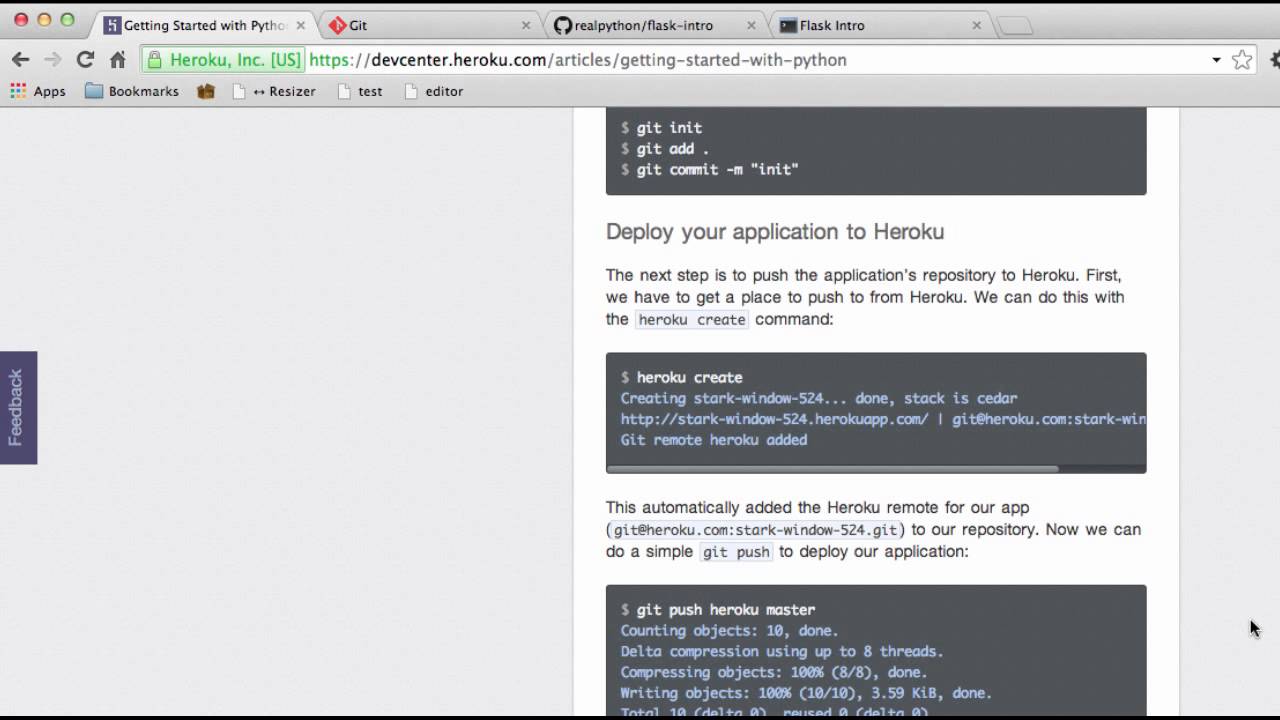
In Part 8 of this series, we will deploy our Flask application to the web via Heroku. Code - https://github.com/realpython/flask-intro Heroku docs -https://d...
 north merlin
Ever heard of a Bloom Filter? This is a short video that I hope is useful to a few people. It introduces Bloom Filters after discussing hash functions and hash tables and might give you a few more options when deciding how best to design your next web app: https://youtu.be/oRGA05G421E
Enjoy the videos and music you love, upload original content, and share it all with friends, family, and the world on YouTube.
native tide
@native root thanks so much for your answer. I did look into the multiple choice type and basically moved it all into one single package model with a choice-field type. I assume that should make the different packages easier to use as foreignkeys in a Course model. This is the solution I came up with now. Would you mind pointing out possible advantages and risks/disadvantages against the (2nd) version with the inherited package models?
    user = models.ForeignKey()
    team = models.ForeignKey()
    kind = models.CharField(choices=PRICE_PACKAGE_CHOICES)
    price = MoneyField()
    # for tryout
    is_try_out = models.BooleanField()
    # for class card
    lesson_amount = models.IntegerField()
    # for subscription
    renewal_frequency = models.CharField()

    def clean(self):
        # Either user or team needs to be set
        if (self.user and self.team) or (not self.user and not self.team):
            raise ValidationError('You have to set either a user or a team.')
        if self.kind == SUBSCRIPTION and self.renewal_frequency is None:
            raise ValidationError('Subscriptions need a renewal frequency.')
        elif self.kind == CLASS_CARD and self.lesson_amount is None:
            raise ValidationError('Class cards need a lesson amount.')

    @property
    def owner(self):
        return self.user if self.user else self.team

    @property
    def is_team_package(self):
        return True if self.team else False

    @property
    def is_teacher_package(self):
return True if self.teacher else False```Advantages:
Simpler and cleaner across both your python code and database, since the singular model shows up as one type under both django's admin and as a single table, making views, templates, and everything else quite simple and easy to work with.
Disadvantages:
If in the future you want to make team/teacher packages significantly different, you'll have to split them off or manage the extra fields.
Also, needing your clean() method, since that's holding together what are called "invariants", which is usually done via subclassing. That is, a "teampackage" is a package but with team and not user, and a userpackage is a package with a user but not a team. However, if there are very few invariants it's likely much easier to simply handle them as you have, instead of dealing with admin and integrating multiple models into your code everywhere.
 edgy dome
where can i host a web api using flask and MySQL? I tried Heroku but it asks for credit card info when trying to add a MySQL addon.
edgy dome
@vagrant adder mysql is also free on Heroku, just that it asks for credit card info for verification.
Is there any other site which also gives free DBs without asking for credit card info.
vagrant adder
Hmm
Maybe python anywhere?
Not sure about that one
I only know of heroku providing a db for free
edgy dome
@vagrant adder Thanks.
I just checked, with postgres Heroku doesn't ask for credit card info which is not the case for MySQL even though it too has a free option.
So will go ahead with postgres for now.
vagrant adder
👍
Postgres is a little bit different from mysql
But for basic querying and table creation it's great
edgy dome
@vagrant adder I am using sqlalchemy, so not much impact on the Python front.
Has anybody installed postgres on Ubuntu 19.10?
vagrant adder
I have
edgy dome
Can you please let me know the steps
vagrant adder
I'm not home
There are forums that can help you do that
Quick tips:
- don't create dbs and tables as superuser
- don't forget the password of the user you create 😂
- only create db manually, let sqlalchemy do the tables and stuff
edgy dome
ok, but I already have a data dump exported from postgres. So looking to import it which should create the tables.
vagrant adder
And oh yeah keep credentials safe, you don't want to be raided
edgy dome
ok
prime fox
manually ...
opaque vigil
Hello guys. Lets say that i have Model Role with field categoryname. And i add and object with property value that already exists. If i try to create new object with property Value Developer, how would i auto increment it to Developer1 because Developer already exists? Has anyone done something similar? I am stuck on this for days, and i don't know how to solve it. Have tried lot of implementations, and failed.
I am always getting "categoryname with this name already exists", or "UNIQUE CONSTRAINT FAILED", if i remove my validators.
Here is code for Views at pastebin: https://pastebin.com/FUMnqud0
Here is code for my Model: https://pastebin.com/TStjgnnb
Here is code for my Serializer: https://pastebin.com/aa6LdiDZ
 prime fox
the way you do it is you increment id, not other field
your id in db table is incrementable by a sequence, since it's an int,
string is not incrementable by your intentions
 wraith ember
Does anyone have any experience with creating a login using flask-login?
prime fox
what are you attempting
wraith ember
Just a simple login/register system
HTML login page and just use that to store info and redirect users to pages
I have little understanding of it all
prime fox
whats the error i might be able to help troubleshoot
wraith ember
Here is what I have in my python function
def login():
    if request.method == 'POST':
        id = request.form["id"]
        return render_template("loginpage.html", var=False) # var used to render invalid id/password
    if request.form['password'] == 'password' and request.form['username'] == 'officer':
        session['logged_in'] = True
        return render_template("callCenter.html")
    else:
        flash('wrong password!')
        return render_template("loginpage.html")
return render_template("loginpage.html")```and here is my html
<link rel = "stylesheet" type = "text/css" href = "{{ url_for('static', filename='content/loginpcss.css') }}" />

<div class="login-page">
  <div class="form">
    <form class="register-form">
      <input type="text" placeholder="Name"/>
      <input type="text" placeholder="Unique ID"/>
      <input type="text" placeholder="Email Address"/>
      <button>create</button>
      <p class="message">Already registered? <a href="#">Sign In</a></p>
    </form>
    <form class="login-form">
      <input type="text" placeholder="Unique ID"/>
      <input type="text" placeholder="Name"/>
      <button>login</button>
      <p class="message">Not registered? <a href="#">Create an account</a></p>
    </form>
  </div>
</div>


<script>
$('.message a').click(function(){
   $('form').animate({height: "toggle", opacity: "toggle"}, "slow");
});
</script>
Currently getting a 400 error
prime fox
you return before checking anything
def login():
    if request.method == 'POST':
        id = request.form["id"]
        return render_template("loginpage.html", var=False) # var used to render invalid id/password
Commented out the return and still getting a 400 error\
prime fox
your html <input /> needs name attribute
wait
where's the password field
your login form lacks a lot
first you need
<form method="POST" action="/login" >
and then
<input name="username" type="text" />
<input name="password" type="password" />
so like this
 <form method="POST" action="/login" class="login-form">
      <input name="username" type="text" placeholder="Unique ID"/>
      <input name="password" type="text" placeholder="Name"/>
      <button>login</button>
      <p class="message">Not registered? <a href="#">Create an account</a></p>
</form>```input type submit instead of dummy button
wraith ember
Confused as to what you mean
for the login button change it to
<type=submit button>login</button>
?
prime fox
<input type="submit" ...
wraith ember
Current HTML code with your changes
<div class="login-page">
  <div class="form">
    <form class="register-form">
      <input name="name" type="text" placeholder="Name"/>
      <input name ="ID "type="text" placeholder="Unique ID"/>
      <input name ="Email Address" type="text" placeholder="Email Address"/>
      <button>create</button>
      <p class="message">Already registered? <a href="#">Sign In</a></p>
    </form>
    <form method="POST" action="/login" class="login-form">
      <input name="username" type="text" placeholder="Unique ID"/>
      <input name="password" type="text" placeholder="Name"/>
      <input type="submit">login</input>
      <p class="message">Not registered? <a href="#">Create an account</a></p>
    </form>
  </div>
</div>```Still getting a 400 error when I run it on localhost -- I think it has to do with the login function in python
prime fox
does this page give 400 or does the login button click give 400
you need a route to render this page
and a route to handle POST /login (which you had above)
i take your intention is:
GET /login -> render this page, POST /login -> check user name password?
wraith ember
The page gives 400
No
I want to show the page, get user login information then do stuff with that user info
prime fox
if that the case, refactor your def login() as:
- if method is GET:
- render this HTML
- if method is POST:
- get form username, password
- check user name password
- correct -> render other user pages
- wrong -> render this page with errors
hope that gives some direction
wraith ember
@app.route('/login', methods=['GET','POST'])
def login():
    if request.method == 'GET':
        id = request.form["id"]
        return render_template("loginpage.html", var=False) # var used to render invalid id/password
    if request.method == 'POST':
        if request.form['password'] == 'password' and request.form['username'] == 'officer':
            session['logged_in'] = True
            return render_template("callCenter.html")
        else:
            flash('wrong password!')
            return render_template("loginpage.html")
    return render_template("loginpage.html")```
Based off your notes this is what I changed it to and I am still getting a 400 errorid = request.form["id"] what is this, you don't have this in your GET route
your GET is just getting the initial HTML page
wraith ember
Oh ok
Got the page to render
So, now based off of my code, when I login with officer and password as password it should redirect me to the other page?
Because when I do it hits me with another error
prime fox
if that's the logic you want, sure
wraith ember
Yeah, I am just gonna hard code users currently
prime fox
yeah, you can try text files as for starters
i recommend dipping your feet in database tho
wraith ember
Yeah, I plan on doing so but I can't figure it out so just wanna get this working at least -- I just can't find a good tutorial that helps me with it :\
Regardless, when I log in with those credentials I get an internal server error
prime fox
session['logged_in'] = True where do you get your session dict from
wraith ember
I don't know, I found that code online
prime fox
lol
wraith ember
🙃
prime fox
if you don't have that session dict how can you use it
if you check a stack trace does that point you to that line
wraith ember
works
cool beans
Do you know any like good tutorials for implementing a database into it eventually?
prime fox
start grasping some concepts around relational data
and the purpose of creating a Model class
some concepts around Object-Relational Models (ORM)
 clever hearth
Hey all - was wondering if someone could help me with this - https://stackoverflow.com/questions/58794934/django-generate-averages-for-ratings-for-a-review-site-with-multiple-rating-cri

Stack Overflow
Working on a project in Python(3.8) and Django, trying to implement a review system that has multiple criteria.
Note: I've searched for awhile but haven't read anything that specifically solves my...
native tide
I am busy with my website again
When i run the app.py file
And go to localhost
I see all the styling i specified in the css file
So when I test it it looks perfectly
But when I launch it to heroku
And go to my website
The css doesn't work intirely
Some tags are styled and others look basic ugly
I don't want that
I think the problem lies when i want to push it to the heroku server
It mayber reads the old css file or something?
I don't really know so can i get some help on this
prime fox
in the Developer Console -> Network tab -> filter only CSS files you should be able to see CSS from the heroku server
and can compare with your local to see if deployment worked
 jade egret
just after some direction... have a turned based thing setup & running through discord, what libs (probably talking a ws of some sort) would you recommend to turn it into a networked terminal version. I suppose I can take the main portion into a flask/aiohttp web app but not sure from there & how to handle rooms/sessions
 visual needle
Hello I have a question about Flask....How can I add css styling to a HTML file...The normal way doesn't work
jade egret
this being the normal way?
https://www.google.com/amp/s/pythonhow.com/add-css-to-flask-website/amp/

PythonHow
So far, our website consists of a Python script, and three HTML documents. The Python script handles the communication between the web server and the web client (i.e. browser) while the HTML documents are responsible for the structure of the page content. Now we need to add ...
visual needle
Nope in my HTML code is this
<link rel="stylesheet" href="templates/styl.css" type="text/css" />
is that / supposed to be there?
and as per the link...
<link rel="stylesheet" href="{{ url_for('static', filename='css/main.css') }}">
native tide
if you have a web application that requires scheduled tasks (API calls, scraping, etc) what is the common way to achieve this? I've got several answers from different people. this is for flask or django. I've heard celery before, as well as having a different process that makes REST API calls to the server that manages this
 compact lion
Is it possible to do something like this in nginx? nginx server { location /([a-z]+)/$path { root /var/www/$1; index $path; } }basically location / to root /var/www but without being able to access the root
 queen river
Could someone tell me if I'm going wrong somewhere? I'm trying to make it so I can upload files to the site https://repl.it/@ProxNeon/ProxiPi



I can't test it on my own hardware so it's the best I have
It's using Flask
jade egret
can you post the code, & why cant you test?
queen river
I can test, but I'm not on a PC and could I post the github for the code?
(I also posted the code in the link above for the repl)
This is the actual site: https://proxipi--proxneon.repl.co/
jade egret
github would be better yea, just as on mobile. (can host/test on android btw too)
queen river
Host on android?

GitHub
An API I'm making so user's can request images for their discord bot - IpProxyNeon/ProxiPi
@jade egret
There's the GitHub
jade egret
yea either through termux or via apps like pydroid3 (though not sure if i've run flask through pydroid but no reason for it not to)
that looks fine for the base yea. any issues?
jade egret
typically sending it as a b64encoded & even then zipped string would be how you send it to the api. Let me see if I can grab an example
queen river
Ummmmmmmmmm I don't understand at all :P
I followed a tutorial but I dunno how to upload it @jade egret
Do I need to link it?
jade egret
when making a request to the api, you can use a file kwarg & send the file string there. Then in the api get it from request['files']
queen river
I'm new to web development, I don't understand a thing TwT
jade egret
https://flask.palletsprojects.com/en/1.1.x/patterns/fileuploads/ is a different way of doing it which I suppose you've seen.
how are you planning on using the api?
queen river
I'm planning to make it so bots can use the requests module (Until I make my own module for it) can pull data from it
But first I just want to be able to upload files
And I am using this way @jade egret
jade egret
pull from it? so the api will store uploaded files for later?
 hoary spruce
I can't seem to find some info about it. But how would it be possible to do this:
I want to write a variable into an <input> automaticly. So if a user enters the site. An <input> box would have a value like "hello world".
I know you can do it with a <p> like this: <p>{{ variable}}</p>
And in your python file: return render_template('test.html', variable=var)
But I can't seem to find it for an input box
native root
Do you want that value to be the default input, or the ghosted placeholder value that vanishes if the user enters something?
hoary spruce
Default input
native root
input tags have the value and placeholder attributes that do either of those
<input value="text here">
hoary spruce
The use-case is: A user types information in multiple input's. They get saved, but the next time if the user comes. The inputs that are filled in, in the previous sessions will get filled in automaticly, but they still can get changed if the user wants.
jade egret
import os
from flask import Flask, flash, request, redirect, url_for
from werkzeug.utils import secure_filename

UPLOAD_FOLDER = '/sdcard/uploads'
ALLOWED_EXTENSIONS = {'txt', 'pdf', 'png', 'jpg', 'jpeg', 'gif'}

app = Flask(__name__)
app.config['UPLOAD_FOLDER'] = UPLOAD_FOLDER

def allowed_file(filename):
    return '.' in filename and \
           filename.rsplit('.', 1)[1].lower() in ALLOWED_EXTENSIONS

@app.route('/', methods=['GET', 'POST'])
def upload_file():
    if request.method == 'POST':
        # check if the post request has the file part
        if 'file' not in request.files:
            flash('No file part')
            return redirect(request.url)
        file = request.files['file']
        # if user does not select file, browser also
        # submit an empty part without filename
        if file.filename == '':
            flash('No selected file')
            return redirect(request.url)
        if file and allowed_file(file.filename):
            filename = secure_filename(file.filename)
            file.save(os.path.join(app.config['UPLOAD_FOLDER'], filename))
            return redirect(url_for('upload_file',
                                    filename=filename))
    return '''
    <!doctype html>
    <title>Upload new File</title>
    <h1>Upload new File</h1>
    <form method=post enctype=multipart/form-data>
      <input type=file name=file>
      <input type=submit value=Upload>
    </form>
    '''
app.run("0.0.0.0", 8080)```
if you wish to try/test on android, you can run ^ in pydroid3 @queen riverThanks
jade egret
thats from the docs with minor changes
queen river
O
jade egret
can put the uploaded_file bit back in
queen river
Sorry I'm responding quite late, I'm multitasking
But I don't know how to actually upload the files
I try going to https://proxipi--proxneon.repl.co/upload_file but that doesn't exist
If worse comes to worse, I'll just make it use subprocess to download files
jade egret
where is your route set?
the github isnt updated
 icy wharf
How do we make a good website?