#user-interfaces
1 messages · Page 50 of 1
 wraith horizon
it starts out fine
and then this happens:
actually im going to put the full traceback in a codepen or pastebin because its huge
Pastebin
Pastebin.com is the number one paste tool since 2002. Pastebin is a website where you can store text online for a set period of time.
 static cove
You should check the pins in this channel for how to install kivy with python 3.8. It's a bit different than just pip install kivy
static cove
tkinter is part of the standard library, so you don't have to install anything else. As long as you have python you're good
 placid nebula
and how to make my own custom look of gui?
or i should ask, how to use custom gui that i could design by myself?
wraith horizon
@static cove ah okay thank you
 maiden dragon
I'm having some painting problems with the background of my GUI.
When I create my GUI I set the background for the main panel as a bitmap and I do some double buffering so I can scroll around the window.
The issue is I want to implement a darkmode by replacing the bitmap with a new one.
This works however whenever I scroll to a new part of the window it the new area reverts to the original background
The way I am changing the background right now is deleting the pannel and remaking it with the path changed to the new image
 subtle otter
.topic
 buoyant cometBOT
No topics found for this Python channel. You can suggest new ideas for topics here!
maiden dragon
@subtle otter mostly discussion on GUI creation through Tkinter pyqt or wxpython
subtle otter
I was trying to run SeasonalBots topic command to see if this channel had topic starters @maiden dragon
.topic
buoyant cometBOT
No topics found for this Python channel. You can suggest new ideas for topics here!
maiden dragon
whoops
 dense prism
Hey have a question maybe someone can help me? For example, if I have a project in Python and I want to do an API in Java or PHP, how would that work?
 plush stream
Hey, so. I made a dark theme for my eq, but the scale/slider has that weird white border around it, how do i get rid of it?
Tkinter, btw
 novel cloud
just make padding 0 @plush stream
plush stream
Aight, wait for a minute, i have to copy the code cuz im on mobile rn
novel cloud
yes sir
plush stream
Okay then, guess i'll revert to light theme for the eq
plush stream
Just for the eq, the player stays dark
novel cloud
hmm i like the current theme ;-;
plush stream
Mmkay, i'll try the width
novel cloud
sure g
plush stream
M-maybe not... Lmao
novel cloud
interesting it got skinny
plush stream
I've tried borderwidth=0 too, but it stays the same
novel cloud
its def padding issue
isnt their like inspector for it
or u can just leave the shit like that and make ur bg a bit dark too..... bahhaha
maiden dragon
@plush stream issue I am having is also related to trying to implement a darkmode. does your stuff at all involve changing from one bitmap to a different one
plush stream
I don't know what do you mean by bitmap, are you talking about the app's icon?
maiden dragon
i was wondering if it involved loading a bitmap into the app and switching to a new one when you enable dark mode
like in my case its for a background image
plush stream
Ah got it, and no, that's doesn't seems to be the case for this one
maiden dragon
damn I'm having a bunch of issues switching to a new background image
 hard trail
Hey anyone that can help me, i cannot figure out why my variable is empty. i want to get the contents of a tkinter Entry
class Register:

    def __init__(self):
        self.registerWindow = Tk()
        self.registerWindow.title("Register with python")
        self.registerWindow.geometry("300x250")
        self.label = Label(self.registerWindow, text="Register")
        self.label.place(x=95, y=40)

        self.usernameS = StringVar()
        self.passwordS = StringVar()

        self.usernameE = Entry(self.registerWindow, relief=FLAT, textvariable=self.usernameS)
        self.usernameE.place(x=70, y=80)
        self.passwordE = Entry(self.registerWindow, relief=FLAT, show="*", textvariable=self.passwordS)
        self.passwordE.place(x=70, y=120)

        self.submit = Button(self.registerWindow, text="Submit", pady=5, padx=20, command=self.add)
        self.submit.place(x=100, y=150)


    def run(self):
        self.registerWindow.mainloop()


    def add(self):
        self.username = self.usernameS.get()
        self.password = self.passwordS.get()

        # THIS RETURNS EMPTY SO THE DATABASE DOESNT PUT ANY DATA IN ASWELL!
        print("Entered username is: " + self.username)
        print("Entered password is: " + self.password)

        self.salt = bcrypt.gensalt()
        self.hashed = bcrypt.hashpw(self.password.encode(), self.salt)

        print("from add: " + self.username)
        data = (self.username,)

        result = db.searchData(data)

        print("From add method result is: " + str(result))

        if result != 0:
            data = (self.username, self.hashed)
            db.insertData(data)
            messagebox.showinfo("Successful", "Username was added")
        else:
messagebox.showinfo("Warning", "Username aldready Exists")```the print statement returns an empty line
i cannot figure out why its not getting the contents i typed in
maiden dragon
which print?
hard trail
oh sorry removed it 1 sec
so its not getting the contents from the Entry
its blank
has todo something with self.username = self.usernameS.get()
because the contents of that is empty and is not the username i typed in
so any help on this would be appreciated
plush stream
Try .get(0, END)
hard trail
self.username = self.usernameS.get(0, END) TypeError: get() takes 1 positional argument but 3 were given
plush stream
Oh dangit, sorry. That wouldn't work with .get function
hard trail
no problem the help is appreciated
plush stream
Oh, i remember something
I've faced this issue before, i removed the variable,
Instead of
Print(self.username)```

It'll be like this ``` Print(self.usernameS.get())```That would work in my case so, you should try it
hard trail
okay ill try it 🙂
uno momento
:p
Still empty
py .\main.py Successfully Opened Database Entered username is: Entered password is:
plush stream
Damn
static cove
@hard trail How is the add function being called?
Is it just the submit button or is anything else calling it?
Also, the code you have there works for me (up until the bcrypt because I don't quite feel like getting that running). The self.username and self.password don't return empty for me.
static cove
Just to double check, how are you setting up the instance of the Register and calling it?
hard trail
from login import Login, Register
class MainWindow:
    def __init__(self):
        self.app = Tk()
        self.app.title("Login with python")
        self.app.geometry("300x250")
        self.label = Label(self.app, text="Welcome to app")
        self.label.place(x=95, y=40)
        self.login = Button(self.app, text="Login", pady=5, padx=30, command=login)
        self.login.place(x=100, y=100)
        self.register = Button(self.app, text="Register", pady=5, padx=30, command=register)
        self.register.place(x=100, y=150)

    def run(self):
        self.app.mainloop()

def login():
    loginTk = Login()
    loginTk.run()

def register():
    registerTk = Register()
    registerTk.run()


app = MainWindow()
app.run()```Thaaaat would probably do it. Give me a second to confirm why I think it's not working and I can do a small write up
hard trail
Thanks alot 🙂
static cove
@hard trail Yup! It has to do with the fact that you have a Tk() in the MainWindow class and and Tk() in the Register class. Those are separate instances of the Tcl interpreter and it is very, very, very highly recommended to only have one of them per app. If you have more than one things get a bit screwy and data doesn't get passed properly
static cove
A super easy fix, is to change the self.registerWindow = Tk() in the Register class to self.registerWindow = Toplevel()
static cove
That'll still create it's own standalone window, but it'll still be in the same Tcl interpreter
hard trail
in TopLevel(i need to pass something here right)
static cove
Just self.registerWindow = Toplevel() should work
hard trail
okay fingerscrossed
maiden dragon
kat if you are available could i post some code for painting for you to look at?
static cove
@maiden dragon yes! Is it the darkmode wxPython thing? If so, I'm currently loading up my venv for wxPython troubleshooting
maiden dragon
yeah yeah TYVM
ill try and get to relevant code copied
so when i set it to dakrmode i do this
def ontoggledark( self, event ):
        self.darkmode = True
        del self.panel_left
        self.Refresh()
        self.__do_layout()
        #event.Skip()
essentially delete the panel and remake it calling the new bitmap
class col_panel(wx.ScrolledWindow):
    def __init__(self, parent, darkmode):
        """Constructor"""
        wx.ScrolledWindow.__init__(self, parent= parent)
        self.maxWidth  = 1410
        self.maxHeight = 995
        self.SetVirtualSize((self.maxWidth, self.maxHeight))
        self.SetScrollRate(15, 15)
        self.run = False


        if darkmode == False:
            self.SetBackgroundColour((254, 254, 242))
            column = (resource_path(r"Imagefiles\col.png"))
            #break
        else:
            self.SetBackgroundColour((4,5,35))
            column = (resource_path(r"ImagefilesDark\col.jpg"))

        self.bmp = wx.Bitmap(column)

        self.columnbutt = wx.Button( self, wx.ID_ANY, u"Column Internals", pos = (340, 906))
        self.Bind(wx.EVT_BUTTON, self.oncolbut, self.columnbutt)

        if BUFFERED:
            # Initialize the buffer bitmap.  No real DC is needed at this point.
            self.buffer = wx.Bitmap(self.maxWidth, self.maxHeight)
            dc = wx.BufferedDC(None, self.buffer)
            dc.SetBackground(wx.Brush(self.GetBackgroundColour()))
            dc.Clear()
            self.DoDrawing(dc)
        self.Bind(wx.EVT_PAINT, self.OnPaint)
col_panel is created in __do_layout and should be created with the new bitmap
hard trail
for somereason im unable to find the right import for TopLevel
static cove
@hard trail what do your import statements look like?
hard trail
from tkinter import *
from tkinter import messagebox
import bcrypt
from database import Database
i tried from tkinter import TopLevel
but didnt work
maiden dragon
i don't think deleting the panel is really a good solution tbh but I'm sure the best way to repaint the background plus i am using a scrolledwindow so everything is in damn virtual window lol
static cove
@hard trail ah, it needs to be Toplevel not TopLevel. Only the T is capital
static cove
@maiden dragon why delete the panel? Can you not just change the panel's background without deleting it? (I'm still getting caught up wxPython stuff, so sorry if that's a dumb clarification)
maiden dragon
mostly cause this was assigned to someone else and that was their idea, i dont think thats a good way to do it im just not sure how to do it properly
it actually works fine if you keep the window maximized and never create any scroll bars but for people with smaller displays thats not an option
hard trail
@static cove I want to thank you very much
its finally working
You are awesome
even my passwords are properly hashed so thats nice
static cove
Well, I wouldn't necessarily go with deleting the object and recreating it. That seems like unnecessary overhead and very micro-manage-y.
I'd have to read up again on python gc, but I think calling del just schedules the object for collection, it doesn't necessarily do it automatically.
maiden dragon
yeah what i would prefer is a way to just delete the background and repaint it with the new bitmap
 trim ibex
in tkinter i'm using filedialog.askopenfilename from a secondary window, and it's bringing the main window to the front. anyone else experience this?
hard trail
you can do Tk().withdraw @trim ibex at least i used that and then you get just 1 dialog screen
static cove
I don't think you necessarily need to delete the background, but just set a new one with the new bitmap.
maiden dragon
well when i scroll to a new portion of the window i see the old background so thats what made me think that
static cove
Do you have a function to handle the re-painting when you scroll?
trim ibex
yeah but i want more than one window
static cove
Curious if something wonky is going on there
maiden dragon
yeah let me paste it for ya
trim ibex
my main window has a menu item that opens an informational window. on that informational window i click a button to open a file
when i do that the main window jumps to the front
maiden dragon
!paste
 proven basinBOT
Pasting large amounts of code
If your code is too long to fit in a codeblock in discord, you can paste your code here:
https://paste.pydis.com/
After pasting your code, save it by clicking the floppy disk icon in the top right, or by typing ctrl + S. After doing that, the URL should change. Copy the URL and post it here so others can see it.
trim ibex
atm i have it doing a raise on the informational window afterwards, but it looks crude
maiden dragon
https://paste.pythondiscord.com/ugutifexug.py @static cove
that should be the class and how i have it handling painting for the scrolled window
you can ignore OnMove
static cove
So, is darkmode only able to set itself on initialization?
maiden dragon
the its done now yeah but not sure thats a great idea
ideally you can change it at any point
trim ibex
i tried making the window topmost before opening the dialog, but then it just says in front of the dialog 😦
there's no reason an open dialog should even change the window order
static cove
do you need the PrepareDC function in the else in OnPaint? My guess is something odd is happening inside the PrepareDC and DoDrawing
maiden dragon
I "think" i do because i think that allows it to handle the virtual area but i don't entirely know, I'm thinking maybe i can just recall DoDrawing from outside the class
and feed in the new bitmap
static cove
although I'm not actually certain how often it goes to that part of the conditional... so it could be an oddity inside BufferedPaintDC
maiden dragon
ill try commenting out the else stuff and see
static cove
even a simple count for if it's in that part or not could help
maiden dragon
tbh i don't think the else ever runs bacuse Buffered is just set to 1 at the begining of the file
yeah commenting it out did nothing so i dont think i even use it
static cove
Okay, so let's look at the BufferedPaintDC
It's only when you scroll that you get the non-darkmode background?
maiden dragon
yeah, though that was when i was reinitializing the entire panel which seems unnecessary
just reverted some changes bacj to how i showed them to you gonan test that
yeah all of the same issues, but i think reinitializing the whole class seems liek a bad way to do things anyways
ok i think i mostly fixed it
or rather the issue now seems better so progress XD?
maiden dragon
def ontoggledark( self, event ):
        bmp = wx.Bitmap((resource_path(r"ImagefilesDark\col.jpg")))
        dc = wx.BufferedDC(None, self.panel_left.buffer)
        self.panel_left.DoDrawing( dc, bmp)
        self.panel_left.SetBackgroundColour((4,5,35))
        self.panel_left.Refresh()
now using this instead of re initializing the panel i just added the refresh so im about to see if that fixes the problem
basically it doesnt update untill i make the window reall small and then make it big again
yay! that is a lot better but one tiny issue lol
top left still stays the old color and idk why
dont worry about the PV,SP and mode being wrong color i just havent added that in yet
static cove
mmmmmm, getting hella flashbacks to my distillation and labs undergrad class.
maiden dragon
you a chemical engineer?
static cove
That's my undergrad degree, yeah
maiden dragon
WOW ahaha fellow ChemE
really curious then what do you do now?
if you don't mind me asking
static cove
Work full time for an org doing R&D type thing. Lots of modeling and simulation (mostly due to my comp sci minor). I'm also attending grad school part time for an MS in mechanical engineering
maiden dragon
im trying to get into advanced process controls so simulations are a large part of what i wanna do, this project is actually meant to model a DCS system for students to use in our distillation lab class
maiden dragon
lol well then youd love the program thats basically the engine of this GUI
spoiler its ASPEN HYSYS
static cove
But it's curious. It seems the border on the left is bounded by the size of your actual interface window
trim ibex
ok i figured out my issue. apparently the file dialog wants a "parent" parameter of what window to put the open dialog in front of. i then found a function to get tkinter's topmost window and fed it that
maiden dragon
if i don't set the background i get this
as expected
but cant figure out why it won't set the whole thing
static cove
I wonder if when you set the background it's only starting from the top left of the image/graphic area and continuing from there. Or there's some sort of border that's overriding near the top
maiden dragon
well when i initialize the window it sets the whole thing
static cove
Honestly, seems like a small glitch with wxPython and buffering
maiden dragon
yeah mostly fixed though i can maybe show it to the grad student im working under
have him play around with it
thank you for the HUGE help, really helps alot especially to have someone who understands what is even going on here what with Aspen and what not
static cove
no worries! Feel free to ping me anytime about this stuff. I don't do a lot of systems processing or controls at my current job, but I did enjoy it in undergrad
maiden dragon
TYVM, im graduating undergrad this December so i may even try to apply at aspen lol not really sure where all the process controls jobs are
static cove
Companies that still do a lot of processing in the states will have their own process control items. So anywhere that does a lot of manufacturing. Even some of the more complicated beer distilleries and stuff like that.
and of course the companies that make that software
maiden dragon
hmm thats nice, i worked for a company that makes medical garements with viral barriers they are making bank right now so i may hit them up
won't spam this chat too much with off topic chat tho lol
 balmy ferry
Please can someone try and run this calculator app: https://github.com/driscollis/applications_with_wxpython/tree/master/chapter6_calculator - I cannot get any of them files to run, I get an error from wxPython

GitHub
Code examples for the book, Creating GUI Application with wxPython - driscollis/applications_with_wxpython
maiden dragon
what is the error @balmy ferry
balmy ferry
@maiden dragon - wx._core.wxAssertionError: C++ assertion "!(flags & (wxALIGN_BOTTOM | wxALIGN_CENTRE_VERTICAL))" failed at ....\src\common\sizer.cpp(2114) in wxBoxSizer::DoInsert(): Vertical alignment flags are ignored with wxEXPAND
I got around it by removing the flags from the BoxSizer and now it runs
balmy ferry
but odd as this code would have been tested before going up on github by the author
Thanks for responding though @maiden dragon , its appreciated
🙂
maiden dragon
sure thing, for some reason i dont think wxpython is as popular here as tkinter
or pyqt
 ashen swan
@maiden dragon ur pipes look cool
maiden dragon
@ashen swan thank you 😛
you familiar with distillation systems or just like how it looks
ashen swan
oxidize or reduce i cant remember to alchol from acid
maiden dragon
if you say so 😛
ashen swan
i have no clue tbh
ashen swan
lol oil rig
maiden dragon
😛
ashen swan
is ur pipes for gas pipeline?
maiden dragon
yeah, essentially a bunch of petro chemicals come into it go into that middle thing that seperates them
and the python project is to control the program that does all the calculations
of which there are a lot
ashen swan
damn thats cool
maiden dragon
glad you appreciate it. its been really fun when I'm not trying to slam my head into a ton of bricks
ive only worked with very very basic python before this so its been such a learning experience
this discord has been a massive help since we aren't taught to code as engineers
maiden dragon
got my darkmode working \o/
 tacit robin
How do I set up a window so you have to press ok and can't click out of the window?
 digital rose
 glass stump
Hey guys,
I dont know if this fits here well as I assume to use Matplotlib or OpenCVs cv2.imshow but I need some advice about the user interaction with an image displayed.
The software I am planing will be open source to help a medical study about diabetes and overweight.
The user has to define multiple (two) regions of interest on an Image defined by exactly 3 points (triangles).
Existing triangles have to be changeable, so the user should be able to drag and drop an existing point of a trinangle to a new location.
In OpenCV there are prebuild rectangular bounding boxes to use.
In Matplotlib there are a bunch of events and stuff I could build this on.
But as I have not so much time to build this app I would like to here if you could give me a hint for a smart and user friendly solution I am not aware of.
trim ibex
anyone know how to add a new custom option when subclassing a tkinter widget? something that would be used in the normal way with the config method
Alpi needs to read item #1 in the thing he linked.
 bright quest
Pretty funny stuff going on here. Does anyone know of a good JS data grid that supports filters that will allow cascading as well as show sub totals for the results? Datatables with searchpanel does an okay job but it is limited on include/exclude options and more advance features.
digital rose
Material ui for react js
 ebon saddle
hello all
is anyone familiar with Gtk library?
im trying to make a listbox scrollable. im loading content from a web api and the list is pretty big. not sure how to go about adding scrolling to it.
class Window(Gtk.Window):
    def __init__(self):
        ...
        self.menu = Gtk.Box(orientation=Gtk.Orientation.VERTICAL, spacing=5)
        self.button_products = Gtk.Button(label="Products")
        self.button_products.connect("clicked", self.list_products)
        self.menu.pack_start(self.button_products, False, False, 5)
        self.button_accounts = Gtk.Button(label="Accounts")
        self.button_accounts.connect("clicked", self.list_accounts)
        self.menu.pack_start(self.button_accounts, False, False, 5)
        self.display = Gtk.Box(orientation=Gtk.Orientation.VERTICAL)
        self.listbox = Gtk.ListBox()
        self.scrollbar = Gtk.Scrollbar(orientation=Gtk.Orientation.VERTICAL)
        self.display.pack_start(self.listbox, True, True, 5)
        self.display.pack_end(self.scrollbar, False, False, 5)
        self.main_box.pack_start(self.menu, False, False, 5)
        self.main_box.pack_start(self.display, True, True, 5)
 heavy otter
so, about Python GUIs..
I’ve seen people recommend against Python for GUIs and suggest .NET or Java. I’ve kind of forgotten those languages for now, and I’m kind of in a rush... what do you guys think about this?
Related question... are installer GUIs possible (or should I stick to command line based installer interfaces)?
 rocky dragon
.net and Java will be more suitable for their main platforms (win, mobile) but python can handle desktop apps perfectly fine thorough libraries like pyqt/pyside (Qt bindings), kivy, tkinter or any of the other GUI libraries. Mobile is a bit harder but it's possible to build kivy apps for it (or Qt but that strays away from python in the frontend code)
 coral oriole
I have been using wxGlade to generate decent UIs so far. I was wondering if there was any similar -yet better- option out there. Also, what would be the best practise to develop portable apps with a python background ?
 bronze basin
hey guys i need some help with pyqt5 why when i change the colour of the vertical scroll bar in textedit in qt designer it shows properly on like the designing screen but on the preview it reverts back to the default scroll bar? Tried everything like applying colour,gradients and stuff also for some reason when i customize the scrollbar none of my changes take effect in real-time how do i fix this?
 bold torrent
What language does flutter use ?
I want to make an app and ive been wondering what tools to use
I know the basics of python so maybe kivy idk which one is better guys ?
 whole dagger
Flutter uses dart. Both kivy and flutter is cross platform. Personally I prefer Flutter since it just looks better and dart is very easy to learn, similar to Java. Kivy is also nice and might be easier if you only know python. Your best bet is just to try both and see which one you like the most.
bold torrent
Okay thx I appreciate it
 sturdy pine
anyone good with tkinter?
static cove
There's a fair amount of people with tkinter experience, what's your question?
 finite thistle
Yeah, I'll also need help with starting tkinter, please for the love of God dont cringe I am so damn new to tkinter.
I'm trying to make an application where I can reverse image search using SauceNAO. I already have the searching stuff set up, its mostly just the tkinter stuff that I'm struggling with
static cove
Yes. Again, it's more helpful if you post your question vs asking who is experienced with something.
 static birch
What do you think is the best GUI framework for smallish apps (id like to make a personal info display using a raspberry pi)
I built a small app in tkinter but I didn’t like how patchwork it felt sometimes. Are there better alternative?
proven basinBOT
Hey @sturdy pine!
It looks like you tried to attach a Python file - please use a code-pasting service such as https://paste.pythondiscord.com
sturdy pine
any idea why txt3 and txt4 isnt being centered?
QMainWindow.__init__(self)

        self.setMinimumSize(QSize(1280, 720))
        self.setWindowTitle("AIRPORT LOL")
        central_widget = QWidget()

        self.setCentralWidget(central_widget)

        # Create textbox
        self.textbox = QLineEdit()
        self.textbox2 = QLineEdit()

        txt1 = QLabel("UK Airport Code",self)
        txt1.setAlignment(Qt.AlignCenter)
        txt2 = QLabel("Overseas Airport Code",self)
        txt2.setAlignment(Qt.AlignCenter)

        txt3 = QLabel("Airport Name: ",self)
        txt3.setAlignment(Qt.AlignCenter)
        txt4 = QLabel("JFK",self)
        txt4.setAlignment(Qt.AlignLeft)
tkinter is a real pain and can be super clumsy but use your skills to abstract and subclass everything
if a widget is missing something that it should have (like clear() on a Text widget), add it!
i made a draggable class so i can just subclass everything and now all my widgets are draggable with the middle mouse button. i think i'll work in a design mode for this. here's what i got my project looking like (doesn't look like tkinter and that's a good thing): https://i.imgur.com/3dnnHRL.gif
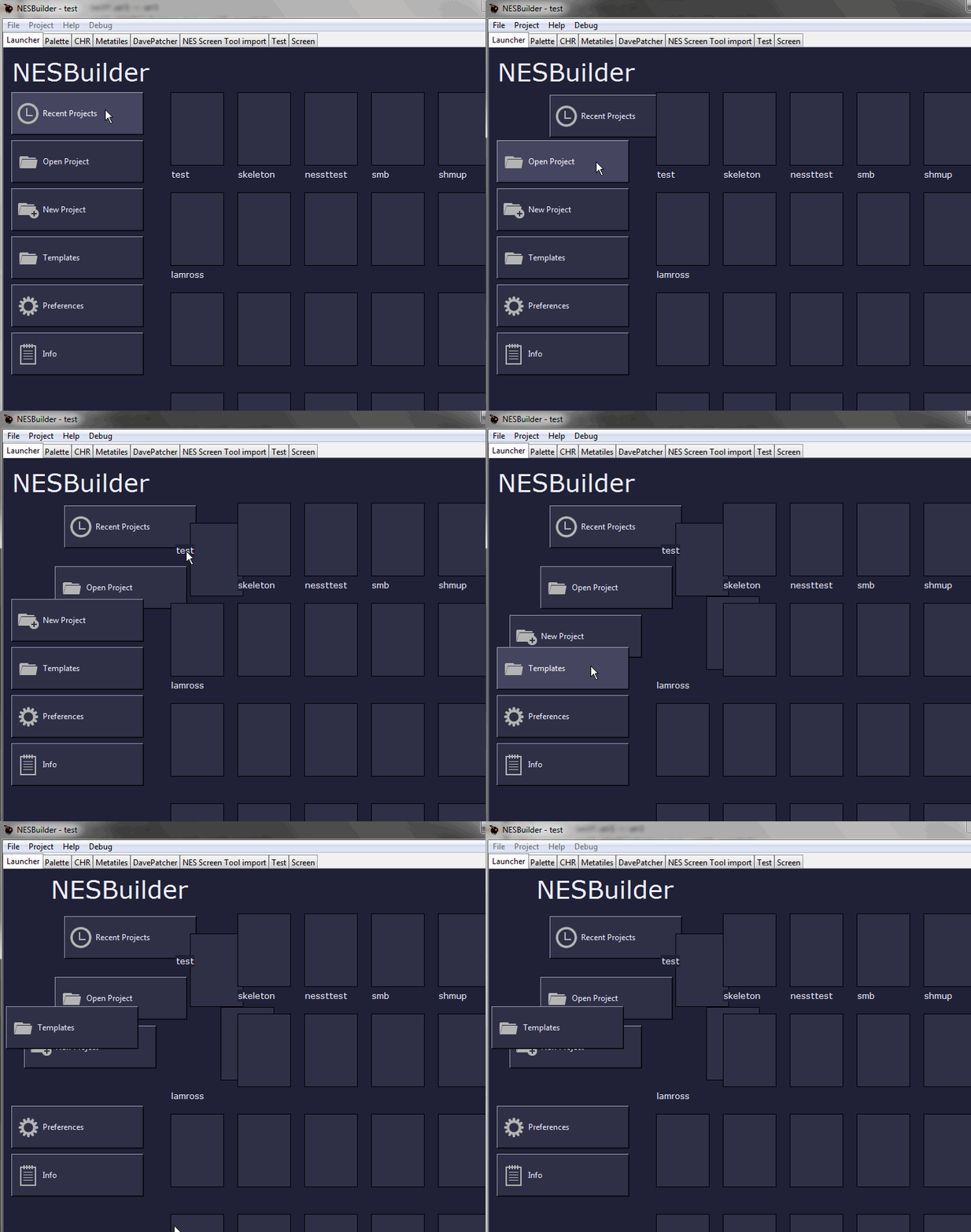
added a hover color to buttons, and i have labels using the background of their parent (either a tk or ttk container) to fake transparent background
one thing to note about tkinter-- if it's important to you that everything looks the same on every platform you probably want to go with something different. tends to have quirks for different os. if you can test everything well then it's not such an issue
qt is heavy but better all around. sometimes it gives you hard to track down complications though
 plucky wedge
@trim ibex can u share code?
ebon saddle
I figured out how to make a widget scrollable in Gtk.
class gTrader(Gtk.Window):
    def __init__(self, client):
        Gtk.Window.__init__(self, title="gTrader")
        self.set_border_width(5)
        self.set_position(Gtk.WindowPosition.CENTER)
        self.set_default_size(640, 480)
        self.client = client

        self.main_box = Gtk.Box(orientation=Gtk.Orientation.HORIZONTAL, spacing=5)
        self.add(self.main_box)

        self.menu = Gtk.Box(orientation=Gtk.Orientation.VERTICAL, spacing=5)

        self.button_products = Gtk.Button(label="Products")
        self.button_products.connect("clicked", self.list_products)
        self.menu.pack_start(self.button_products, False, False, 5)

        self.button_accounts = Gtk.Button(label="Accounts")
        self.button_accounts.connect("clicked", self.list_accounts)
        self.menu.pack_start(self.button_accounts, False, False, 5)

        self.display = Gtk.Box(orientation=Gtk.Orientation.HORIZONTAL)
        self.display_scroll = Gtk.ScrolledWindow()

        self.listbox = Gtk.ListBox()
        self.display_scroll.add(self.listbox)
        self.display.pack_start(self.display_scroll, True, True, 5)

        self.main_box.pack_start(self.menu, False, False, 5)
        self.main_box.pack_start(self.display, True, True, 5)
Hey @trim ibex!
It looks like you tried to attach a Python file - please use a code-pasting service such as https://paste.pythondiscord.com
trim ibex
oh bleh
getTopWindow is handy to pass to dialogs so it doesn't mess with the window order
the setHoverColor thing is kind of clumsy because i dont know how to add more stuff to the config
it'll be more elegant when i figure that out
 coarse basalt
I want to make a photo archive organization tool in python, and I'm learning tkinter so I can use it to create the user interface, eventually I want to make the UI look clean and modern, would tkinter be capable of something like that?
coarse basalt
is it simpler to use?
oh wow i just discovered qt design studio
damn'
just discovered the price! damn
what makes PyQT better for GUIs than tkinter? is it just QT designer is easier to use than line-by-line programming
coarse basalt
honestly at the moment i just need it to find a path of images and display them
like at the bare minimum
and i'd love to use PyQt but i cant find a single resource that teaches that
coarse basalt
i've found a lot more comprehensive tutorials for tkinter though, unless i've been looking in the wrong places
like that Codemy tkinter tutorial series seems more appealing than sugar to me but if there was something of equal calibre for pyqt then i would love for somebody to point me in that direction
should i use qtdesigner? or would it be better to actually program it
i'm very new to programming and i dont want to get lost in the simplicity of dragging check boxes around
trim ibex
it can be awkward just working with the code for a ui. if you come from web design you might prefer it. i would go with whatever gives you the best results for your needs
 wind current
 trail wasp
Using tkinter to try and add a thumbnail image
But it comes up empty
This is the code
def add_thumbnail():
    thumb_url = 'https://tr.rbxcdn.com/7ca5fe69628208a51c068250c727c68f/48/48/AvatarHeadshot/Png/isCircular'
    data = base64.encodebytes(urllib.request.urlopen(thumb_url).read())

    img = tkinter.PhotoImage(name="Profile Image",data=data)

    w = 520
    h = 320
    x = 80
    y = 100

    window.geometry("%dx%d+%d+%d" % (w, h, x, y))
    cnvs = tkinter.Canvas(bg='white')
    cnvs.create_image(50, 50, anchor='nw', image=img)
 main bloom
Please someone help me on how to use Tabs on Kivy i have tried the same code that is showing in their documentation but still not working i have no idea how to make it working
 dire fern
@main bloom show the code
main bloom
from kivy.uix.floatlayout import FloatLayout

from kivymd.app import MDApp
from kivymd.uix.tab import MDTabsBase
from kivymd.icon_definitions import md_icons

KV = '''
BoxLayout:
    orientation: "vertical"

    MDToolbar:
        title: "Example Tabs"

    MDTabs:
        id: tabs
        on_tab_switch: app.on_tab_switch(*args)


<Tab>:

    MDIconButton:
        id: icon
        icon: app.icons[0]
        user_font_size: "48sp"
        pos_hint: {"center_x": .5, "center_y": .5}
'''


class Tab(FloatLayout, MDTabsBase):
    '''Class implementing content for a tab.'''


class Example(MDApp):
    icons = list(md_icons.keys())[15:30]

    def build(self):
        return Builder.load_string(KV)

    def on_start(self):
        for name_tab in self.icons:
            self.root.ids.tabs.add_widget(Tab(text=name_tab))

    def on_tab_switch(
        self, instance_tabs, instance_tab, instance_tab_label, tab_text
    ):
        '''Called when switching tabs.

        :type instance_tabs: <kivymd.uix.tab.MDTabs object>;
        :param instance_tab: <__main__.Tab object>;
        :param instance_tab_label: <kivymd.uix.tab.MDTabsLabel object>;
        :param tab_text: text or name icon of tab;
        '''

        count_icon = [k for k, v in md_icons.items() if v == tab_text]
        instance_tab.ids.icon.icon = count_icon[0]


Example().run()
@dire fern here you go
this is the error i am getting and i don't even understand it
P.s this is the basic first example you can find in kivy documentation but doesn't work for me ( https://kivymd.readthedocs.io/en/latest/components/tabs/index.html )
digital rose
i need help..
pyautogui not working properly. absolutely no idea why.
working on linux ubuntu 16.04 LTS, trying to use it in repl.it and/or jupyter notebook.
I am totally new would appreaciate some help ty
main bloom
can someone tell me how to use Tabs on Kivy please ?
placid nebula
hey guys, question: how to make python to click on windows notification that appears in bottom right corner when it appears ? is there any library for that? just to add here: never know when notification appears from opera
thats completly random
main bloom
can someone explain why does this error occure on Kivy ?
 carmine scroll
Hey simple question. After I callback a command from a button which destroys visible widgets, more widgets are supposed to pack but nothing shows. (tkinter)
trim ibex
probably need to see the code
 untold frigate
help
 spark furnace
Is it just me or is layouting in pyqt5 (designer) hard, I just can't get things to be where I want. I want a button to have a fixed height but be expandable in terms of width so I created a frame and put the button in it, placed it in the bottom. Similar to pack(side="bottom") in tkinter. Then I chose gridlayout for the window and everything gets screwed. Can someone link me to a tutorial for layouting? I wish it could be similar to tkinter.
static cove
@trail wasp you need to hold a reference to the image outside that function. Otherwise it's getting gc'd as soon as the function finishes
@sturdy pine I'm gonna take a look at this today, but my guess is you need to do a specific layout with QForm, otherwise it'll default to the 2 columns
rocky dragon
Haven't run into many problem with layouts, but spacers help a lot
static cove
Glad you got it working!
 echo ruin
Haven't run into many problem with layouts, but spacers help a lot
manually adjusting coords helped me with it too
echo ruin
also the designer is technically a lite version of the software
digital rose
Where do we go
😼
😛

how u do that if u dont hve nitro
You new to discord??
no
🙃
bruhhhhhh
The server emojis
🤔
Yes, but you can use it here

digital rose
Another :
 jolly quail
:::::::::::::::::::::::::::::::::;
digital rose
At the end
digital rose
developer?

 jolly quail
oof
digital rose
Ye
jolly quail
suggest u mix it with sololearn
digital rose
How did you startt 
digital rose
Starting??
digital rose
So, you've never done it beforee??
:DD
im starting in 3 month
@jolly quail Why not nowww
 jolly quail
urm busy with school
 digital rose
Ye
Python tutorial - Python for beginners
🚀Learn Python programming for a career in machine learning, data science & web development.
🔥Get my Complete Python Programming Course with a BIG discount (LIMITED TIME): http://bit.ly/35BLHHP
📕Get My FREE Python Cheat Sheet:
http://bit...
It's a 6hr video 
oof
 devout frost
IM USING THAT ONE RN
jolly quail
he got banned LUL
 steel lodge
Hey Guys, im trying to learn tkinter rn and I dont know how to expand the 0 button only to the right, if I double its size it looks like this
Pastebin
Pastebin.com is the number one paste tool since 2002. Pastebin is a website where you can store text online for a set period of time.
steel lodge
like this?
button_0.grid(row=4, column=0, columnspan=3)
because now its just in the middle
@plucky wedge
plucky wedge
button_0.grid(row=4, columnspan=3) @steel lodge
steel lodge
its also just in the middle
plucky wedge
ohh wait , u want it to be streched across all 3 buttons?
steel lodge
no across only the 2 left ones 😄
plucky wedge
width=10
steel lodge
where?
plucky wedge
button_0 = Button(root, text="0", padx=40, pady=20, command=button_add, width=10)
experiment with width
steel lodge
its expanding to the left and right 😦 not only to the right
plush stream
Ikr? It's kinda frustrating to see for the first time watching codemy's tutorial
steel lodge
💯
coarse basalt
does tkinter have more features than PyQT or does PyQT just have horrible documentation
also if i write my whole program with tkinter would it be an absolute nightmare to then manually convert it to work with PyQT
static cove
I've Qt has waaay better documentation than tkinter
coarse basalt
i havent checked out the official documentation- i'll give it a look
sturdy pine
@static cove is it bad I'm using QT to do my GCSE NEA lmfao
static cove
_> I don't know what GCSE NEA is...
sturdy pine
uhhh are u American?
it's basically an important exam for grade 10 in UK, however you have a program you need to code in 20 hours
99% of people use CLI 😄
im doing GUI 🙁
static cove
Well good luck!
plucky wedge
https://github.com/micho44/EmbedGenerator - i made this embed generator for discord , it uses webhook to send embeds (you choose name of webhook user , his pfp and channel where its send in webhook settings) and later just type what to send and yes its fully operational with gui made using tkinter

GitHub
Contribute to micho44/EmbedGenerator development by creating an account on GitHub.
 round stag
@sturdy pine for our year the CSNEA didn’t count towards our grade so I just did a CLI based program. Up to you though. For my A level coursework I’m doing something way more difficult.
 weak epoch
what are the advantages of using tkinter over pywebview? I know html/css/js already so it would be the easiest for me to use but if theres a performance benefit or something for using tkinter i will
 hollow torrent
hey! is there a way to convert something like 1s 1m 1h into seconds?
ping me if u answer
spark furnace
Where can I find a list of all the events in pyqt5 such as mousePressEvent and such. If someone could send a link it would be great
bronze basin
i think you can just find it by searching up the officals docs for pyqt5
and searching up events there
hollow torrent
hey! is there a way to convert something like
1s 1m 1hinto seconds?
@hollow torrent nvm
weak epoch
what are the advantages of using tkinter over pywebview? I know html/css/js already so it would be the easiest for me to use but if theres a performance benefit or something for using tkinter i will
in addition to this,webview.start(debug=True)should forward console.log messages to the python console right?
 serene oriole
How can I add a new window in qt designer that is separate from main window?
 wise hearth
Anyone use tkinter
I want to know how to detect mouse button down
if yes, plz go to #help-cake and help me
Pleaseeee
placid nebula
How can I add a new window in qt designer that is separate from main window?
@serene oriole same question
but i guess there must be two separated project and one shows up on event like click on button
but not really sure so i would like to know how to as well
serene oriole
@placid nebula yeah I found you gotta create a separate window and on click make it show up
my first time using pyqt5..
or any gui library tbh
placid nebula
idk but i feel code created form qt is messy
 void bramble
pyqt5 designer is a useful application in my opinion
placid nebula
sure it, but im beginner so all the code which you convert from ui to py looks horrible
is*
void bramble
everything is in the class and organized. I wonder if I do not understand the clean code. I made an application with a user interface, but I'm a beginner out of most people here
(everybody says I'm not able to write clean code)
static cove
Creating a new window in pyqt5 should be relatively clean. You either create a new instance of the existing class or create a new class for the specific window
static cove
@wise hearth you should be able to bind to <Button-1> to call a function when the left mouse button is pressed
Take a look at this page to see all the different bindings for tkinter https://effbot.org/tkinterbook/tkinter-events-and-bindings.htm
serene oriole
I have actionUsername button in the menu bar, but it doesn't support .clicked.connect() method py MainWindow.setStatusBar(self.statusbar) self.actionUsername = QtWidgets.QAction(MainWindow) self.actionUsername.setCheckable(False) self.actionUsername.setObjectName("actionUsername")
void bramble
self.actionUsername.setCheckable(True)
?
I could not fully understand the problem
@serene oriole
static cove
@serene oriole actions don't have a .clicked signal, it should be .triggered
static cove
Buttons have the clicked signal, Actions have triggered. It's a bit annoying *shrug emoji here*
serene oriole
I mean in my head both are buttons, just on different places..
static cove
Yeah. They behave slightly differently, but again, *shrug emoji*
But if you're talking about a menu, you can place Buttons there. Actions just fit better stylistically
static cove
https://doc.qt.io/qt-5/qaction.html#public-slots Here are the available slots for a QAction. Looks like you can do hover and toggle as well
oh whoops, should've linked a section below. You want signals, not slots
static cove
but still, you have hovered(), changed(), and toggled()
Triggered would be the replacement for the clicked
I think it's specifically triggered and not clicked because they're trying to design it so that keyboard shortcuts can also activate the menu buttons, not just clicks
serene oriole
how would I make the triggered action open another window that is inside another class?
static cove
Well, assuming that the new window is already instanced and just needs to be shown. It would just call the .show() function on it
serene oriole
I basically made MyApp class just to add event methods to it, but don't know how to connect another window to it
It's not instanced yet
static cove
While instantiating your MyApp class, I would make all children windows initialized too, but just not shown yet. Then the button functions would show them
Or you can have the button initialize it too, depends what you want to do
serene oriole
@static cove I wrote this method, but on click it shows the window briefly and isntantly closes it without any errors
static cove
Probably because you're losing reference to it. As soon as the function ends it gets gc'd. You probably want to have some sort of variable in the MyApp class to hold the reference to that @serene oriole
serene oriole
will try adding it as an attribute, thx
echo ruin
I've got a QLineEdit set up, but my cursor goes behind it? is there a way to stop this or have I done something wrong
also @serene oriole I set up my __init__'s like this and it seemed to do the trick:
class MainWindow(QMainWindow):
    def __init__(self, parent=None):
super(MainWindow, self).__init__(parent)```@echo ruin I did it like this but it feels to janky to add it for every possible window/form
echo ruin
ya idk all the examples I've gone through set up the window with super().__init__()
serene oriole
I am pretty new on oop, super().__init__() basically allows me to inherit from multiple other classes is that right?
could you show some more code @echo ruin ?
static cove
super() will inherit from its parent class. With Qt it's necessary to make sure all functionality is behaving as expected
serene oriole
but I don't understand how that is useful for what I am trying to do =/, seems like I should incorporate it in my code, but it doesn't solve the jankiness of having windows as attributes of main window
echo ruin
every time you want a new window, you have to create a new instance of the window
class MainWindow(QMainWindow) by passing QMainWindow into your class + using super().__init__(), you're allowing your class to initialize QMainWindow and therefor create a new instance/window
I've got no clue what having parent in there does, but it fixed the issue where the window wouldn't stay open
also ya if you need to create a new window for every thing/form then you'll have to create a new instance every time @serene oriole
rocky dragon
the parent makes the object keep the parent object alive by keeping a reference to it, if you don't do that it gets garbage collected by python which in turn does all the cleanup and possibly some invalid references by qt
echo ruin
So if 2 calls to the qt window are made, without the parent, gc only allows the first instance of the class to stay?
serene oriole
to be honest I am completely lost but I managed to fix it
maiden dragon
what procedure would you follow if pyinstaller generates a .exe file but when you run it nothing seems to happen and theres no error messages?
@echo ruin 10/10 name
plucky wedge
i had same problem with pyinstaller , still didnt fix it
it created all files but doesnt run
carmine scroll
what procedure would you follow if pyinstaller generates a .exe file but when you run it nothing seems to happen and theres no error messages?
@maiden dragon did you make it generate onefile
digital rose
does PyAutoGUI run on jupyter notebook on linux?
if yes then how do install it
echo ruin
looks like it
download it into your env: conda install -c conda-forge pyautogui
@digital rose
 fathom stirrup
Hi guys, I am using dearpygui to graph a few functions and then with a button trigger another script to draw the functions in 3d with matplotlib. For some reason the plot works the first time but then when I close it and try to open another it opens nothing. If anybody could help I would be very appreciative.
code is here https://github.com/wilcockj/ZoomBergTerminal/

GitHub
Contribute to wilcockj/ZoomBergTerminal development by creating an account on GitHub.
stockgraph3d.py is the 3d plot script
carmine scroll
What is the simplest way to deal with tkinte
@junior needle Wdym
To do what exactly
placid nebula
what is best option? use the same main window and after "clicking" button kill all visible things and show new ones - like new window or making new window and connect it to popup after clicking and kill the past one?
how to deal with showing new window in same spot like previous one?
(qt)
bronze basin
Guys how do i get the name of the widget in Qt like i am making a searchable dashboard and i want the line edit's text value to like search for the widget and pull it up and show that widget if the name matches for the widgets name and hide the unrelated widgets) but how do i like get the widgets name and compare the values??
 inland monolith
Hi, I am trying to use Spotify API to mimic this site http://sixdegreesofkanyewest.com/.

How many song features is your favourite artist from Ye?
I figured out how to query related artists with the help of API but I can't figure out how to build a relationship graph
 shrewd aurora
Ideas?
digital rose
not me 👀
PyAutoGUI not working on jupyter notebook 😢 machine is ubuntu 16.04. how do u do it
 junior needle
@carmine scroll I mean how to know all the methods and how to update the window every frame?
carmine scroll
@carmine scroll I mean how to know all the methods and how to update the window every frame?
@junior needle Follow a tutorial. I sometimes think text tutorials are better than video. There's a nice one on Realpython. Check it out
 supple cipher
I need help, i am using tkinter and i want to make it so it shows an image when you run a function, but the image doesnt show up when the function is called altho it works fine when it isnt in a function
static cove
You need to safe the reference of the image outside of the function. Otherwise the reference to the image gets garbage collected once the function ends and tkinter has nothing to display
 kind marsh
on tkinter
i would like the make it so that when someone presses enter the code will continue
like the same way i would just type input() in the middle of a normal program
any1 know how?
 obtuse acorn
Working on a UI, I have no idea what to do with the tool options other than make icons. What would be a good size?
The icons icons would be black/transparent like the ones that pop up when the mouse hovers over one of the layers or frames in the treeview
plucky wedge
like the same way i would just type input() in the middle of a normal program
@kind marsh import keyboard
import keyboard

if keyboard.is_pressed('x'):
  *rest of code*
I'm pretty sure tkinter has functions for that
 sage garden
Look at https://effbot.org/tkinterbook/tkinter-events-and-bindings.htm, specifically, the .bind() function
kind marsh
thanks
@kind marsh import keyboard
import keyboard

if keyboard.is_pressed('x'):
  *rest of code*
@plucky wedge it doesnt work
1 sec ima send a ss
 fluid tinsel
I’m having
QStandardPaths: xdg_runtime_dir not set
error and I can’t find much about it, my code’s currently just notes but they are all either in multiline string or commented out, so they shouldn’t affect this, but the application does not run and outputs that error, which I can’t find any info about for some reason.
plucky wedge
hmm
echo ruin
on an unrelated note, I'm having trouble getting an image to display in the qt designer, I've tried importing it (png) as both a pixmap/icon but neither seems to display it/do anything
aly, I'd suggest trying out tkinter's method rather than an different library
kind marsh
what method is that?
plucky wedge
im pretty sure tkinter have that method
lemme check some other codes , i might have used other way soemwhere
kind marsh
ok thanks
echo ruin
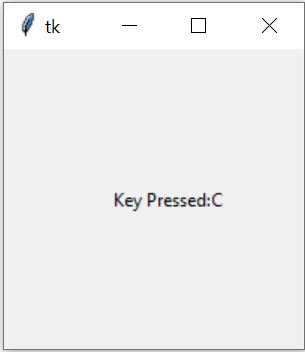
This tutorial will help us to understand how to detect which key is pressed through keyboard in Tkinter - Python. Detect keypress in Tkinter in Python.
not really what you're looking for
idk look it up
kind marsh
thanks, im sure i can chage it abit atleast i have smth to start from
echo ruin
on an unrelated note, I'm having trouble getting an image to display in the qt designer, I've tried importing it (png) as both a pixmap/icon but neither seems to display it/do anything
just gonna shimmy this down here
placid nebula
'pyuic5' is not recognized as an internal or external command,
operable program or batch file.
anyone know how to deal with this?
 vague gale
Why isn't this giving the border radius to my tab?
plucky wedge
why so many ppl use self , lke what does it change
vague gale
@plucky wedge I'm working inside of a class, so for creating a class method we need to pass the self argument
 twilit helm
can anyone tell me how to get return value of a function called by button(tkinter button)???
vague gale
@twilit helm I think you should implement that into your command function
twilit helm
@twilit helm I think you should implement that into your command function
@vague gale how?
how to implement in command function
echo ruin
@plucky wedge classes/oop allow you to do something like this:
class Window(something):
  def __init__(self):
    self.x = 50
    self.pos_x = 50
    message = self.setupThingy(pos_x)
    print(message,self.x)

  def setupThingy(self, pos):
    self.x += self.pos_x
return "some string"```so in the example, even if you don't return x, self.x allows you to modify x within the class
plucky wedge
wait so if u have class and self will work like global for whole class?
echo ruin
but in something like pyqt5, it allows you to do smth more along the lines of:
class StartWindow(QMainWindow):
    def __init__(self, parent=None):
        super(StartWindow ,self).__init__(parent)

        self.windowWidth = 200
        self.windowHeight = 200

        self.setGeometry(100, 100, self.windowWidth, self.windowHeight)
        self.initUI()
        self.show()

    def initUI(self):
        self.setStyleSheet("background-color: rgb(0,0,0);")
        self.setWindowTitle("Speeed")
        ...
within the scope of the class ya
it's basically another data structure that allows you to access values/functions without the added complexity
echo ruin
np, I actually avoided learning it up until like a month ago, but it's super useful in a lot of senarios
plucky wedge
yea i tried to avoid it as much as possible as i didnt get it and couldnt find easy but efficient meaning for taht
2.5 months of coding while avoiding it
digital rose
What 2 add up here? It's an audio player
plucky wedge
bruh i dunno what u need but i already love that gui look
i would use that space for these buttons
subtle otter
I would recommend using pyqt5 for whatever you want to do, tkinter wont make it look pretty
 exotic dirge
im on a deadline and i have never worked with tkinter or pyqt5 before
how hard would it be to do this in pyqt5?
how similar is pyqt5 to tkinter?
 lapis pendant
Here I am useing tkinter to make a basic text editor
I want my buttons organized in a toolbar for obvious reasons.
So I wrote the code shown and there dont seem to be any buttons in the program. No errors show up.
Sorry that these aren’t screenshots btw I am having other issues
Feel free to tag me if you have any ideas
digital rose
@subtle otter I used mockplus
But I don’t know how to program it
Bc idt it has a program feature
subtle otter
@exotic dirge pyqt5 has a ui designer if you use qt creator on windows
on linux systems, there's a lighter tool called qt designer which is only for building the ui, whereas creator is for both the c++/python code, and the UI
on windows you will need qt creator since qt designer is not available on it
bronze basin
qt designer is there on windows?
with the pyside 2 installation you get it
or you can just download from the website
subtle otter
oh
didn't know that
well all I can say is that qt5 boosted my workflow. I finished an app in about 2 days using it
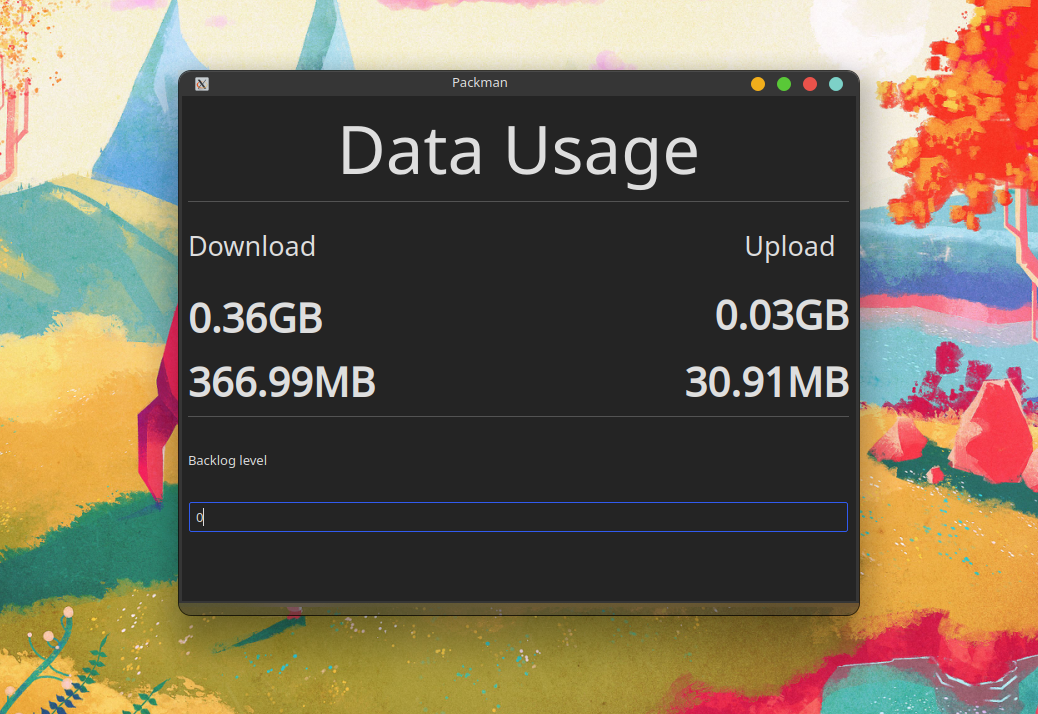
The fact that I could use qt designer made it even better, cause I could just convert from a .ui file to a .py file and use that code as the interface
@digital rose hehe, I remember when I used to make mockups without even adding functionality, check out qt designer/creator
bronze basin
yup its very helpful and good
plush stream
Does anyone know why my qt designer's ui looks so old like tkinter?
I saw other people's qt designer and it looks far more modern
I'm on the newest version too, so idk what's happening here
subtle otter
that's just what it looks like on windows I think
bronze basin
nah
for me it looks a bit different
@plush stream try the pyside 2 version maybe?
if that doesnt do anything you got the latest one then
and it looks like its supposed to
plush stream
I followed a tutorial from a YouTuber by by the name of Tech with Tim
subtle otter
Mine looks like this but it's because of my system theme
bronze basin
yes
plush stream
And he doesn't use anything related to pyside
bronze basin
things can change due to your system theme
for me also it changes according to your system theme
plush stream
I might try to restart
I use the window default theme btw
Nah, restarting doesn't work
bronze basin
then it looks like its supposed to i guess
plush stream
Yeah, it seems to be just the editor, the output window looks just like Windows 10 window
Though it's annoying that the preview in designer doesn't match up with the output window
subtle otter
I mean, it does use the win32 api tho soo yeah
digital rose
root = Tk()

checkedBox = IntVar()

for i in range(4):
    checkbox = Checkbutton(root, text=i, variable=checkedBox)
    checkbox.grid(row=i, column=0)

root.mainloop()```why does checking one of these boxes tick all of them
:/
if i remove the variable=checkedBox it works fine but then i can't see if the boxes are checked or not
echo ruin
@plush stream also the designer you're using isn't the full designer studio
plush stream
Oh? I don't know it was different
echo ruin

Qt is the faster, smarter way to create innovative devices, modern UIs & applications for multiple screens. Cross-platform software development at its best.
plush stream
Okay, thanks, i'll check it out
echo ruin
but you can always get away with only using the qt designer too
plush stream
Got it
echo ruin
actually you might have to buy it, I haven't looked into it too much
plush stream
I don't think so, it's open source
Also, since i'm new to pyqt, is it able to animate menus? So they'll have some sort of transition animation?
bronze basin
yes
you can use qt designer itself for this
but you need to know css to do this(i think)
or use the QpropertyAnimate
not sure
plush stream
Cool! I've been wanting to do that, couldn't do it with tkinter 😅
 cinder grove
Hello, is there someone who programs on PyQt5 with vscode ?
cinder grove
i'm getting troubles with these errors idk why
bronze basin
@cinder grove i am pretty sure you have to do from PyQt5.QtCore import Qt
cinder grove
@bronze basin not working :/
bronze basin
from PySide2 import QtCore, QtGui, QtWidgets
from PySide2.QtCore import QCoreApplication, QPropertyAnimation, QDate, QDateTime, QMetaObject, QObject, QPoint, QRect, QSize, QTime, QUrl, Qt, QEvent
from PySide2.QtGui import QBrush, QColor, QConicalGradient, QCursor, QFont, QFontDatabase, QIcon, QKeySequence, QLinearGradient, QPalette, QPainter, QPixmap, QRadialGradient
from PySide2.QtWidgets import *
import sys


class MainWindow(QMainWindow):
    def __init__(self):
        QMainWindow.__init__(self)
        self.ui = Ui_MainWindow()
        self.ui.setupUi(self)

app = QApplication(sys.argv)
window = MainWindow()
window.show()
sys.exit(app.exec_())
@cinder grove this is how i would usually do mine
you can just replace the PySide2 with PyQt5
i am not exactly sure how you have done what you did maybe you didnt define smth properly?
you usually have to do this
class MainWindow(QMainWindow):

    def __init__(self, *args, **kwargs):
        super().__init__()
        your code here or whatever
or what i did
i have never seen someone do it by just calling a function without defining the MainWindow Class
cinder grove
@bronze basin yes i know for the mainwindow class i just wanted to do a "fast test"
I will try to do it with PySide2 since i have both installed
what's the difference between pyqt and pyside ?
bronze basin
Nothing much actually
main difference is the licensing
between both of them
everything you do with pyqt5 can be done just as well in pyside2 (to my knowledge)
cinder grove
ok @bronze basin are you using vscode or pycharm ?
bronze basin
vscode
cinder grove
ok i've tried your code but still not working
maybe i've to install extension from vscode market ?
bronze basin
@cinder grove
from PySide2 import QtCore, QtGui, QtWidgets
from PySide2.QtCore import QCoreApplication, QPropertyAnimation, QDate, QDateTime, QMetaObject, QObject, QPoint, QRect, QSize, QTime, QUrl, Qt, QEvent
from PySide2.QtGui import QBrush, QColor, QConicalGradient, QCursor, QFont, QFontDatabase, QIcon, QKeySequence, QLinearGradient, QPalette, QPainter, QPixmap, QRadialGradient
from PySide2.QtWidgets import *
import sys
from yourdesignfile import Ui_Mainwindow or whatever main class you have
class MainWindow(QMainWindow):
def init(self):
QMainWindow.init(self)
self.ui = Ui_MainWindow()
self.ui.setupUi(self)
app = QApplication(sys.argv)
window = MainWindow()
window.show()
sys.exit(app.exec_())
i forgot to add that part
or if you dont want to make another file and stuff
import sys
import platform
from PySide2 import QtCore, QtGui, QtWidgets
from PySide2.QtCore import QCoreApplication, QPropertyAnimation, QDate, QDateTime, QMetaObject, QObject, QPoint, QRect, QSize, QTime, QUrl, Qt, QEvent
from PySide2.QtGui import QBrush, QColor, QConicalGradient, QCursor, QFont, QFontDatabase, QIcon, QKeySequence, QLinearGradient, QPalette, QPainter, QPixmap, QRadialGradient
from PySide2.QtWidgets import *

# You need one (and only one) QApplication instance per application.
# Pass in sys.argv to allow command line arguments for your app.
# If you know you won't use command line arguments QApplication([]) is fine.


class MainWindow(QMainWindow):

    def __init__(self, *args, **kwargs):
        super(MainWindow, self).__init__(*args, **kwargs)
        `code here`

app = QApplication(sys.argv)

window = MainWindow()  # or  QWidget() will also work
window.show()

# Start the event loop.
app.exec_()
you place all your qlabel and stuff
where i say code here
cinder grove
still not working for me
 hidden ravine
why the labels and entrys are stuck like that when they are on a new roww
fixed ty
cinder grove
@bronze basin finally, i go back to qt creator(compiler) and editing code with vscode (better theme ^^, and autocompletion)
 mystic umbra
i am using tkinter and i want to update a label while other code is still executing. how do i do that? if i just put aproxTimeVar.set("some value") it won't get updated until the rest finished executing.
whole dagger
label.configure(text="new text") should work
mystic umbra
i'm using ui.update_idletasks() now. it works..... idk if i should use it for that, but it works.
subtle otter
hmm, I might migrate all my code to pyside
depends on the freedom I get from using the bindings
 west briar
can anyone tell me which lib should I use so that I can have my widgets floating meaning that it can be placed anywhere in the window
bronze basin
@west briar pyqt5 or pyside2
 leaden widget
Hey guys, I'm trying to make an app where user's can drag different Circuit items (resistors, wires, etc) from a menu onto a circuit board to construct their own circuits. What GUI frameworks do you suggest for such a project. Is Python even a good language for such an app?
 glossy marsh
Hey i want a GUI for chat bot.
Can u guyz share some websites where i can get the code for some simple GUI
void bramble
!say
 true wolf
 clear cipher
hey guys, I am willing to return 3 labels (using kivy), but it returns only one, can someone help me please ?
placid nebula
have you name them differently?
clear cipher
yes I did
I'm super sorry I answered late
Guys ^^' I had another issue, I tried packaging my app for android, but I had a big error, If someone can help me out :
proven basinBOT
Hey @clear cipher!
Uh-oh! It looks like your message got zapped by our spam filter. We currently don't allow .txt attachments, so here are some tips to help you travel safely:
• If you attempted to send a message longer than 2000 characters, try shortening your message to fit within the character limit or use a pasting service (see below)
• If you tried to show someone your code, you can use codeblocks
(run !code-blocks in #bot-commands for more information) or use a pasting service like:
clear cipher
oh aight
here is the pastebin of the error
Pastebin
Pastebin.com is the number one paste tool since 2002. Pastebin is a website where you can store text online for a set period of time.
digital rose
Hello boys
Im looking for a more advanced python library to create interfaces with other than tkinter, though easy to use, but I believe it is lacking visual power...
Anyone got any tips?
static cove
@digital rose Commonly recommended ones are PyQt/Pyside2, Kivy, and WxPython. There are a few ones not used as often like the GTK bindings and a couple of others.
digital rose
Yh i already checked a few
Though I am looking for like, “the next step” when it comes to interfaces
As background code aint the problem
Isn’t it a game engine rather?
Also pyqt is premium?
Also any downsides on using pyqt, Looks the most promising
static cove
The biggest thing with pyqt is the licensing. PySide2 is an alternative binding of the Qt library and it's a LGPL license.
digital rose
Is pyqt thhe only drag and drop interface builder? I like the concept? Also Ping gtg
 mint needle
Just to mention, there is a realy easy GUI module called DearPyGui it’s open source on github
static cove
Pyqt has a drag and drop program, Qt Designer. But I code all my UIs from scratch/dynamically
 obtuse thistle
I wouldn't think pyqt is that easy, but I also wouldn't know
kivy is easy enough once you learn kv lang
rocky dragon
I think that no matter what you will find a drag and drop for, it just won't be sufficient for anything more complex; but can be useful for prototyping
 solid aurora
Anyone looking for a different type of GUI library may like, DearPyGui. We are currently looking for more feedback/users. We are preparing to move out of beta soon:

GitHub
DearPyGui: A GPU Accelerated Python GUI Framework. Contribute to hoffstadt/DearPyGui development by creating an account on GitHub.
plush stream
How do i edit pyqt ui that i made inside qt designer? You see, i converted the format from .ui to .py and i already wrote my code inside that .py file, so how do i edit that ui like adding a button without rewriting the code that i wrote earlier?
solid aurora
You can't. That's one of the downfalls of ui designers that produce the code
rocky dragon
Usually what you'd do is separate the generated UI code through subclassing or something like that
plush stream
Ah, well. I guess i'll use it for prototyping then, thanks for the answers!
maiden dragon
hey @static cove any chance you have come across the wxmplot module before?
if not no worries, its quite amazing but some things seems a little odd
 rugged stratus
Does anyone know if theres a way to yield to the PyQt5 event loop? I know there is the Timer capability in Qt, but its also seems to require a callback function. It's obviously livable but I was curious if I could just yield and wait for the event loop to cycle back to one of my loops.
 reef remnant
if I wanna make a GUI for a RPi that shows data I read from the GPIO pins, which library should I do it with?
please ping on reply
reef remnant
Can I please get some help?
static cove
@maiden dragon I haven't yet, but I'll probably check it out soon
maiden dragon
making progress with it, really powerful stuff. should work well for my dynamic plotting
static cove
@reef remnant Do you have code to read from the GPIO pins already? It shouldn't really matter which GUI framework you use unless you have very niche/odd data you need to visualize
reef remnant
I don't have anything yet I'm waiting for my pi to arrive
but I've never done anything in python that is GUI related
static cove
Well, I'd focus first and figuring out how to get data, looking at what the data looks like, and then seeing what's a good fit for visualizing it. tkinter + matplotlib is a common pairing. I personally prefer pyqt5/pyside2 + pyqtgraphs. mrpolymath above has mentioned wxpython + wxmplot. There are definitely options, it just depends on what kind of data you want to plot
Also, when you say "GUI for your rpi" are you going to have an external monitor connected to it or do you have like a touchscreen interface you plan to connect via GPIO?
But once you get it, feel free to ask here if you have specific questions for dealing with a GUI framework~
reef remnant
I just need to read a data and print it out on a GUI I don't think I really need matplotlib tbh
Also, when you say "GUI for your rpi" are you going to have an external monitor connected to it or do you have like a touchscreen interface you plan to connect via GPIO?
@static cove I'm going to connect it to a PC monitor
static cove
Well, it depends on the type of data. If you want to graph it you'll need a library that can graph. Matplotlib is the somewhat of the defacto standard for that (although I don't like it for dynamic and liveplotting data, it can be a pain to set it up correctly)
Then yeah, an rpi is just a microcomputer, so nothing special for getting it to display stuff necessarily.
Also feel free to ask questions with rpi in #microcontrollers
reef remnant
Well, it depends on the type of data. If you want to graph it you'll need a library that can graph. Matplotlib is the somewhat of the defacto standard for that (although I don't like it for dynamic and liveplotting data, it can be a pain to set it up correctly)
@static cove no need in a graph tbh, just the value which is probably a float and maybe a string I'm not sure yet
static cove
Well, if you don't need it looking nice tkinter is probably the fastest since it's in the standard library.
static cove
I'd recommend tkinter then. There's a few oddities but there are plenty of tkinter tutorials and people that have used tkinter.
reef remnant
aight thanks
plucky wedge
tkinter is realyl easy and i suggest it for start
digital rose
is it just me or is tkinters grid system unusable at times, for example i set it to row 7 and it wont move from row 0 no matter what
digital rose
i dont really understand
im putting the thing i want with grid so its not empty
oh i think i understand
rows before it?
static cove
Is there anything solely in rows 1-7? If there isn't anything in those rows, tkinter won't display those rows
digital rose
no there isnt
so like i can put empty labels there and it will work as i want it to right
static cove
what ultimately are you trying to accomplish?
digital rose
just want to place a button in a specific place
static cove
why in row 7? Do you plan to have stuff before it? Do you just want it further down on the screen?
digital rose
yeah i do plan to have stuff before it
static cove
well, I wouldn't worry about it too much until you put the other stuff there.
digital rose
oh so when i put stuff before it itll fix itself?
static cove
mhm
digital rose
havent tried that, thank you
rocky dragon
is there a way to set the global color of links in qt? Modifying the app's palette or the stylesheet on my rich text browser doesn't affect it; using the style attribute on the a tag works but is the most tedious way of doing it and introduces a lot of clutter
 silent citrus
what can i do in this situation?https://prnt.sc/ucbbc1
 plush stream
How do i make the text in qtextbrowser widget centered?
 vast imp
is there anyone who can help me out with my code :(?
 dull wolf
can you actually post what problem you have and your code so you don't waste time and get faster help?
 lost rover
👆
vast imp
sorry 😦 i have written my problem in help titanium please go on that , ive also added my code
wise hearth
Is there any button ID/ name that could be named in tkinter?
trim ibex
in pyqt how do you set the width or height only of a widget, not both at once?
plush stream
What do you mean by both? Are trying to scale a widget only on one axis or?
vast imp
please come to help magnesium to help me
trim ibex
i mean not both
change the height of a widget, do not change the width.
change the width of a widget, do not change the height.
static cove
@plush stream did you try with Qt.Alignment flags to center it?
@silent citrus it's not really clear what you need help with?
 slow quest
beginner to GUI here. My main loop tend to get long and messy trying to catch all kinds of input and events. I feel there must be some nicer, more elegant way.
For reference, here's what I wrote recently. https://paste.rs/2I7.py
This is just a simple applet with few buttons and input field still the loop is kinda long
silent citrus
what can i do in this situation?https://prnt.sc/ucbbc1
can you actually post what problem you have and your code so you don't waste time and get faster help?
the problem is that i want to put the 'BOTTOM' into the pack(side=), but cant
trim ibex
is BOTTOM defined? i see you imported tkinter as t so maybe you need to do t.BOTTOM
static cove
SpiderDave is correct. You imported tkinter as t. So it would have to be t.BOTTOM @silent citrus
plush stream
@plush stream did you try with Qt.Alignment flags to center it?
@static cove thank you! But i was using the self.song_title.setHtml() function and fill it with html commands, i managed to make it centered :D
plush stream
Also, does anyone know how to create a new window inside the same class? Problem is I can't declare my variable in my main window class from secondary window class
I hope that make sense :v
placid nebula
anyone know how to deal with checkbox in QT5 to set it True when other checkbox is true?
i tried if self.Checkbox_3.isChecked():
self.Checkbox_13.setChecked(True)
and it gives me error :
^
SyntaxError: invalid syntax
what im doing wrong?
static cove
can you show a bit more code from above that?
proven basinBOT
Hey @placid nebula!
Uh-oh! It looks like your message got zapped by our spam filter. We currently don't allow .txt attachments, so here are some tips to help you travel safely:
• If you attempted to send a message longer than 2000 characters, try shortening your message to fit within the character limit or use a pasting service (see below)
• If you tried to show someone your code, you can use codeblocks
(run !code-blocks in #bot-commands for more information) or use a pasting service like:
placid nebula
kinda long ganarated code from QT that i cannot paste here
spam filter blocks it
static cove
@placid nebula so, it runs first and only once. You probably want to use Pyqt's signal/slot method, so that when you check/uncheck checkBox_3 it'll adjust checkBox_13
placid nebula
ok i moved this 2 lines to class
class Ui_MainWindow(object):
def setupUi(self, MainWindow):
it doesnt give error but does nothing when play with checkbox_3
 pure canyon
I#d like to enter in the convoluted code contest if still possible https://paste.pythondiscord.com/lavuhonatu.rb
^^
(I use tkinter) still a student
static cove
@placid nebula are you familiar with how pyqt's signals and slots work?
@pure canyon just sharing your code or need help with it?
static cove
You can also get help here (and other topical channels), since you might get more specific help for more niche/complex questions
pure canyon
oh thats something new for me sorry
placid nebula
self.connect?
 shy nova
I'm having the strangest issue with PyQt5:
I found a hello world example online that works
This code is at the end to run it:
if __name__ == "__main__":
    app = QApplication(sys.argv)
    mainWin = HelloWindow()
    mainWin.show()
    sys.exit( app.exec_() )
However, if I change that code to:```py
if name == "main":
app = QApplication(sys.argv)
HelloWindow().show()
sys.exit( app.exec_() )
the app fails to show up
Is this a garbage collection thing?
rocky dragon
You need to keep a reference to the object you create or it gets deleted
shy nova
I literally realized "oh prolly garbage collection" as I was typing that question up lmao
oop
never realized python's garbage collector is so aggressive
rocky dragon
Without assigning, it's only needed until show ends and gets deleted by the time executing gets to the next line
Anything with its refcount at 0 should be collected immediately
shy nova
Unrelated question, but why don't we need to explicitly pass app to mainWin or vice versa?
how does mainWin know what event loop to attach to?
or does PyQt5 only allow you to have one event loop?
@rocky dragon
rocky dragon
They're bound to threads I believe
placid nebula
@placid nebula are you familiar with how pyqt's signals and slots work?
@static cove thanks, it helped
btw anyone know if in tkinter is possibility to add timeedit widget like in QT?
static cove
You would have to try to build that functionality yourself in tkinter unfortunately
placid nebula
thats crap, wonder why they not extend functionality of tkinter
im trying to build same desktop app like i did in qt
but looking at tkinter it has its own limits
static cove
tkinter is in the standard library so it's tied to the python release schedule, but I also don't think it's received any sort of update in a long while. It makes it stable, but tkinter does have fairly limited functionality compared to other frameworks
placid nebula
im beginner at python but looking on structure i like more tkinter's than qts
maybe because qt code generated from designer looks so messy
in your opinion i should stick to the tkinter or work on qt?
static cove
You don't have to use designer, you can code it yourself. But with Qt styling it can certainly add some line lengths. Same with tkinter though. I have a preference for pyqt/pyside2, but it depends on your ultimate goal. If it's just learning then tkinter isn't bad.
placid nebula
well im on the beginning and would like to know most used frameworks that may help to get job in a year...
rocky dragon
The main loop is a bit different since it's bound to the gui thread, but otherwise you can have events loops for every QThread you make
static cove
Well, honestly for getting a job, desktop apps (especially in python) are a bit niche. Web apps and web development is far more common.
placid nebula
django right?
would You be so kind to let me know few frameworks that i could study hard for next year?
static cove
django is a backend that is commonly used, yeah.
You might find better advice for that in #career-advice. I don't think I'm the right person to give you that info
rocky dragon
I'm getting to rewriting the gui of my older project. For example here https://github.com/Numerlor/Auto_Neutron/blob/dev/auto_neutron/popups.py#L340, what would be the usual way of separating the logic from the UI code? Just subclass the UI code and implement logic on top of it?
shy nova
How should I split up a PyQt5 app into python modules?
I'm thinking:
__main__.py:```py
import sys
from gui import App
if name == "main":
sys.exit(App(sys.argv).exec())```
gui.py: ```py
imports
class MainWindow(QMainWindow):
def init(self):
QMainWindow.init(self)
# UI code
class App(QApplication):
def init(self, argv):
QApplication.init(self, argv)
self.window = MainWindow()
self.window.show()
Should I split gui into multiple python files in a gui module, one for each component?
is there something else I should change?
 sudden coral
Generally, I like to keep different windows/widget implementation in separate modules. An exception is when they're short and closely related to each other.
@shy nova
Having the app next to the main window is fine I suppose, since they are indeed related and the app seems to not have much code. In fact, you don't really need to subclass the app. It could just be implemented as a function to create an app, create a main window, and show the window.
trim ibex
put as many bells and whistles in your subclass as you can to make things easier; there's a lot of dumb stuff and things that could be greatly improved
btw a good way to think of it is keep all of this stuff out of your main https://i.imgur.com/0KhjZJB.png
 trim ibex
right you can make it less clear and smaller, but it's still gonna be a bunch of ugly imports in your main
shy nova
@trim ibex what kind of "dumb stuff"?
 rancid tusk
Hello, I wanted to create a WebApp using Python CGI, using which i can open a graphical applications inside the browser itself by just writing the application name. Can someone help me in that.
shy nova
@rancid tusk so you want to create a launcher in a browser? Difficult but doable. Likely not connected to CGI unless you're not explaining something though.
on windows, you can js window.location = "calculator://" and it will either offer to launch calculator or open it anyway depending on the browser
with linux, I believe you need a mime type instead of a url scheme, but idrk
and I have zero clue about macos
rancid tusk
@shy nova i am explaining my use case a bit .
I have a linux system where my webserver is working, and in that i have created my webApp usignPython cgi.
I have a created the webApp in such a way so that if i enter any linux command like date, cal it shows the output in the browser. Similarly if i give gedit, or firefox command it should open the specific application in the browser itself as if a client is using the webapp and wants Firefox to be opened.
shy nova
I have a created the webApp in such a way so that if i enter any linux command like date, cal it shows the output in the browser
Ok, this makes sense. I remember doing something similar 5 years ago in JSP back in middle school 🙂
Similarly if i give gedit, or firefox command it should open the specific application in the browser itself as if a client is using the webapp and wants Firefox to be opened.
Explain this a bit better
so let's call the two machines Server and Desktop for now
When you type gedit, do you want the gedit window to show up on Server or Desktop's gui? @rancid tusk
if the former, set the environment variable DISPLAY to :0 (or some other digit if you run your x11 server on a nonstandard display number)
if the latter, you'll want to set up ssh forwarding or NoVNC
sudden coral
To me, it sounds like they want the requested application to run on the server but render and be interactable through the client's browser.
If that's correct, I don't think that's impossible, but I'm not sure how to accomplish that.
In any case, it doesn't sound very secure if clients can execute arbitrary apps on the server.
vast imp
i need help making my GUI look nicer , please go on the link and change the code as much as u want , you can change the color font and everything have a go 🙂 https://paste.pythondiscord.com/gabuwodagu.http
wise hearth
Anyone help me plz (Tkinter problems)?
https://discordapp.com/channels/267624335836053506/696353510488539206/752514350706589837
 tacit berry
Anyone used pybullet?
 faint tartan
anyone know how to write a function that can clear frames in tkinter?
trim ibex
i think a good way to do it is to subclass all your widgets and add functionality where the containers keep track of what's placed on them, and make a method to remove it where it automatically gets rid of the child widgets
so like when you add a widget to a frame you'd use a method on the frame itself, and another to remove the frame (or just clear it if you want it blank)
 fiery pier
Anyone using tkinter
trim ibex
the canvas is too slow so i'm redoing my project with pyqt5. it's pretty slick. seems a lot more stable then when i used it long ago
this is what the tkinter version looks like https://i.imgur.com/uIpXybn.png


 terse crag
thats still nice tkinter.
mine was horrible, literally belongs in 2001
has anybody used pyimgui?
 inland notch
tkinter is a trashheap but I love it
 mild nymph
hello, i want to create a small transparent overlay
 keen path
transparent overlay ???
 dull swallow
So im using PyGame for a 2d Game Engine, and Im trying to make a UI where I have a scene view/game view in the center with my actual pygame game there and then around it my buttons, and other UI. Ive tried using a package called pygame_gui but my results were quite bad due to the low FPS
If you would like to see the code, here are the two files
Pastebin
Pastebin.com is the number one paste tool since 2002. Pastebin is a website where you can store text online for a set period of time.
Pastebin
Pastebin.com is the number one paste tool since 2002. Pastebin is a website where you can store text online for a set period of time.
 wide folio
i dont know if i can help yopu because of my limited amount of knowledge in pygame but great work
 cursive parcel
GRYAN styled visual studio code
BLURPLE styled visual studio code
so how these seem like !! 
plucky wedge
where do i get pyqt5 designer?
do i need to isntall it via cmd or via installer
nvm found it
plucky wedge
anyone recomends easy to use gui lib?
not tkinter as i know it already
sudden coral
I remember the author used to talk about PySimpleGUI here
You could check that out
It is basically a wrapper for many different GUI libraries with the goal of making the API easier to use
sudden coral
I've not used it myself, but it sounds like it's designed to be easier
plucky wedge
imma check out tht PySimpleGui and kviy
sudden coral
I've not used it myself, but it sounds like it's designed to be easier
rocky dragon
I quickly ran into some issues with it, although I was pretty much starting python then it's probably not that suited for more complex apps
plucky wedge
with PSG or kivy @rocky dragon ?
rocky dragon
pysimplegui, kivy is neat but I haven't used it much as it needs a lot of work for a normal desktop app that qt offers out of the box
plucky wedge
i dont like qt as with designer (which ngl helps a lot) it creates some classes etc , i dont work with classes yet i do one
and i dont understand the code in generates
which isnt what i need
rocky dragon
Any real GUI will most probably go with classes, so I'd recommend getting familiar with them if you're planning anything more serious
plucky wedge
im not planning ,i just want to learn some more
digital rose
so, for a very new person, whats the easiest way to make a gui with buttons that trigger functions?
something like this:
and then it passes the text to a string
and the buttons pass specific text to a string
 willow garnet
is pyqt free for non-commercial use? Qt licenses scare me
Without open sourcing my stuff that is
sudden coral
PyQt is licensed under the GPL so you need a GPL compatible license to avoid paying for a commercial license.
I believe any license that doesn't open source the code is incompatible with GPL
PySide2 is licensed under LGPL I believe, which is more lenient. I don't know the specifics unfortunately.
rocky dragon
I believe LGPL should be fine with almost everything as long as you don't change any source of pyside itself
 twin steeple
Without open sourcing my stuff that is
@willow garnet No
Did someone try PySimpleGUI. if yes, how is it?
plucky wedge
so, for a very new person, whats the easiest way to make a gui with buttons that trigger functions?
@digital rose i would say tkinter
digital rose
ok
 ionic moat
Does anyone know QT QSS well?
I'm trying to make a background image but it's not showing
background-image: url(C:/Users/PC/Downloads/image.jpg);
#help-broccoli I described my situation in depth here with code snippets, screenshots, etc
if anybody can help that would be very much appreciated
 leaden dove
Is this the appropriate place to discuss CLIs?
tacit berry
I created a gui that changes jpeg to png
How do i put a test that if no file is selected,it disables the convert button and print a message that file is not selected?
In tkinter
plush stream
So uh, it might sounds stupid, but pyqt5 supports css right? Is there any way to use css in pyqt5 to achieve frosted glass effect?
rocky dragon
The style sheets are Qt's own CSS inspired thing, you'll have to look at the docs to see if it supports the things you need
plush stream
Ah, i see. So there's no way at all to have frosted glass effect?
I'm just stunned at this ui modification and i just wonder if it possible to do that in qt
rocky dragon
I don't think qss has something for it, but you'd have to check yourself to be sure. It sounds like something Qt Quick would have but using that includes a completely different way of structuring an app
plush stream
I've heard someone has done it with QtWidgets.QGraphicsBlurEffect() but i'm not sure if that'll work because i didn't bring my laptop with me rn
plush stream
How do i blur the window instead of the widgets?
 lyric nebula
i just need some basic help with tkinter
trim ibex
 fair bluff
can someone help me with this im making a pyqt UI to download youtube videos with pytube3. I have gotten everything working but the download percent bar goes from %100 to %0 instead of %0 to %100
Pastebin
Pastebin.com is the number one paste tool since 2002. Pastebin is a website where you can store text online for a set period of time.
digital rose
I am trying to use Kivy with Pycharm but I can't get a preview of my app no matter what I do. I have kivy and the dependencies installed but all I get is console output. No image or label. Am I missing a simple fix?
trim ibex
Doggo I didn't run it but try flipping around the parameters in python p = self.percent(bytes_remaining, size)
in pyqt5 i have a button that creates a new tab. it doesn't appear until i move the mouse. what exactly should i do to make sure it's visible right away?
ah nevermind i found it, a window.repaint() did the trick