#user-interfaces
1 messages · Page 47 of 1
 static cove
 silver maple
Ok
static cove
But the code that I didn't change seems to function just fine. To confirm what python + tkinter version are you running?
silver maple
I am on python 3.8.2
For some reason it says AttributeError: module 'tkinter' has no attribute 'version'
static cove
Well, my guess is some interaction with the other game/code/module you're running might be affecting how quickly tkinter is updating/clearing the length_text variable. So you're seeing parts of the "Queue: ##" when it was double digit underneath the now single digit display.
tkinter ships with python standard so I mostly care about your python version
silver maple
So it is just my computer lagging?
static cove
maybe? I don't think anything bad/weird is happening with the StringVar value itself, just the display of it
silver maple
Ok, thank you very much for your time.
I think I just confirmed your guess too, because when I switched my micro function to sleep(1) I get no problems, so it must be the computer doing too much when I have the keyboard and mouse inputs.
 balmy ferry
Hello all, I am using wxPython to create a Window in KDE but it shows up as light themed instead of dark theme (which is what my system is set to) is there anything I can do to switch this? If I am on GNOME it shows the dark mode as expected
It's OK, figured it out, I believe wxPython using GTK and so I had to update my GTK Application Style for the changes to take effect in wxPython
 lone veldt
Hi, I don't know whether this question is too vague for this channel but I've been wondering about how to exactly set background colors in urwid, as I am unable to understand the documentation properly... I have tried to apply them in the MainLoop as in urwid.MainLoop(top, palette=[('reversed', 'standout', 'h8', '#fbc')]) but it isn't exactly working, error says that urwid.display_common.AttrSpecError: foreground/background ('standout'/'h8') require more colors than have been specified (16)., Thank you for the help in advance :).
lone veldt
It's really been annoying me lately, the docs don't make that much sense to me
static cove
So from looking at the docs the foreground wants a color value or at least somehow indicating that you're not providing a color so that it can assume a default.
When you provide 'h8', that's a foreground_high, but at this point palette is expecting a background color, which you're not providing.
Specifically it's expecting a list of tuples, docs which I'm referencing here: http://urwid.org/reference/display_modules.html#urwid.BaseScreen.register_palette
For a more complete example of a palette you can look here around like 338: https://github.com/urwid/urwid/blob/master/examples/palette_test.py
or to pull out the specific code snippet:
    palette = [
        ('header', 'black,underline', 'light gray', 'standout,underline', 'black,underline', '#88a'),
        ('panel', 'light gray', 'dark blue', '',
            '#ffd', '#00a'),
        ('focus', 'light gray', 'dark cyan', 'standout',
            '#ff8', '#806'),
        ]
 worldly venture
Not sure if this is the right place for it, but I am trying out python unittest with tkinter. I am testing the functionality of one of my classes, which is a child of ttk.Button. Since that requires the root, I can't separate the test from the application. So when the test runs, it actually creates and runs the app, which I don't think is supposed to be the case. How do I test that class without actually running the app with unittest?
 full comet
Anybody got experience using PyQt5 and pyinstaller? The QWebEngineView isn't playing nice as a packaged app. Everything works except for any my functions that calls this app. When I click a button that supposed to show a URL in a window inside the app... nothing happens. Is there another way I can display web browser without using QWebEngine view? When I run the code on my IDE, it works fine.
 sharp jackal
PyQt5: QML vs QtWidgets
I only know how to use QtWidgets so far, so I wanted to know if it might be worth it to jump over to QML
 north quail
personally i prefer QtWidgets but it seems like QtQuick/QML are getting much more attention and emphasis from the Qt devs nowadays
 violet bolt
could some one please help me with pyqt5?
im wondering if i can link a .ui file to a .py file and use signals
and how i use signals
sharp jackal
there is a cmd command for that
hang on
pyuic5 -x fileName.ui -o fileName_auto.py
turns it
into a py file
when you run it
you get the ui output
also
PySide2 vs PyQt5
there is a licensing difference i think, but im not sure what it is
violet bolt
would any one know how to display multiple pages in pyqt5?
from script_base import Ui_MainWindow
    def __init__(self):
        super(MyWindow, self).__init__()
        switch_window = QtCore.pyqtSignal(str)
        self.ui = Ui_MainWindow()
        self.ui.setupUi(self)

        self.ui.home_flight.clicked.connect(self.my_function)

    def my_function(self):
        #somehow display page 2


def window():
    import sys
    app = QApplication(sys.argv)
    win = MyWindow()
    win.show()
    sys.exit(app.exec_())
window()```
there is my code
i need it so when i hit ui.home_flight
it goes to def my_function
then displays page 2
would be very helpful!nvm figured it out
 rough mauve
sharp jackal
rough mauve
sharp jackal
is it way to make android/ios native apps without using kivy ?
@rough mauve i assume python-specific
this is a python centric server lmao
 tribal pier
@sharp jackal 😏 sorry, it was me, not -y-
tribal pier
yes, i wanted to know if it's possible what -z- asked
sharp jackal
you can use pyqt5 or pyside2 with qml i think(in response to -w-)
tribal pier
maybe with QML and PySide2 or PyQt?
sharp jackal
yeah
i prefer qtwidgets though
and you have to learn another markup language
its a big rip
tribal pier
yeah, that's also my prob
sharp jackal
is there another qt designer type thing for qml?
there might be
there probably is
sharp jackal
hmm ok
yeah, i dont use python for creating my mobile apps(but we cant talk about that here shh...)
the overlords are looking down upon us
tribal pier
hm ...
sharp jackal
python for web dev is gr8 though in my opinion
and desktop apps
pyqt5 is pretty lit as well
or pyside 2
i know there is a licensing diffference
but they're practically the same lmao
tribal pier
yeah, i like pyqt
sharp jackal
in that case
pyside is less restraining
and
the official qt devs support it right
they support it as 'Qt for Python'
pyqt5 doesnt have the best docs though in my opinion
while pyside2 does
tribal pier
that's true
sharp jackal
meaning that i look at pyside2 docs
and then
use the same thing
in pyqt5
coder moment
tribal pier
i had a hard time learning pyqt
tribal pier
yeah, designer is an awesome tool
unfortunately there is no similar designer for QML
sharp jackal
yeah
tribal pier
i tried qt creator
sharp jackal
unfortunately, i dont know how to resize widgets when the window is resized
tribal pier
it has a disign tool built-in
tribal pier
and it's cool, you can design your gui and then ...
then you need to write the python backend
that was the point where i gave up
maybe i'll give it a try again ... later
there also aren't good resources about using pyqt5 with qml
some are about pyside with qml ... but mostly they cover just the basics
it has a disign tool built-in
it's definitely worth a try, while you're designing the gui,
you can switch to the editor and see the qml code generated
 steep sundial
hello,
tribal pier
@steep sundial hi
steep sundial
hi @tribal pier
can i ask i little question? but it is not related python library, it is related ui
steep sundial
i want to explain a code to other people, but i think this is need a ui to attract attention
i look similiary instagram post to explain code
like this, but i dont know name of application
I searched Google for the name of the application, and did not find it
full comet
Still very new to coding. When using pyinstaller for my code I get
4984 ERROR: Can not find path ./Qt3DCore.framework/Version/5/Qt3dCore (needed by /Library/Frameworks/Python.framework/Versions/3.7/lib/python3.7/site-packages/PyQt5/Qt/qml/QtQuick/Scene3D/libqtquickscene3dplugin.dylib)
My code does compile via SublimeText perfectly. I can't locate Qt3DCore at all either searching. I know in the past I did something like venv, did I mess something up? Sorry if this is not making any sense.
sharp jackal
i think venv installs only in that virtual environment
it doesnt install it in Lib/site-packages
i think
so it wont find
your pyqt5 installation
the code works because
you are running the python code in the virtual environment
just a hypothesis ¯_(ツ)_/¯
full comet
I uninstalled venv I believe. I can't run the command anymore. But I re-ran pyinstaller and got the same error. Is there a reason, or some sort of command I need to do to install Qt3Dcore? None of my mac searches pulls that framework/folder up
tribal pier
@full comet
what do you mean with My code does compile via SublimeText perfectly?
full comet
Sorry, my terminology isn't the best. But I compile and run the code from there. And it works exactly how I want it to do; click button, opens a webpage inside the program. When I use pyinstaller, the program opens, but I click on the button and nothing happens
tribal pier
hmm ...
I just took a look at my pyqt5 install (inside a virtual env) and I found
.../lib/python3.8/site-packages/PyQt5/Qt/qml/QtQuick/Scene3D/libqtquickscene3dplugin.so
i'm on linux, so it's a .so file
full comet
I can find that file too locally on my Mac. I just can't find ./Qt3DCore.Framework
The (needed by) part I can locate
tribal pier
so you're running sublime-text from a virtual env?
tribal pier
maybe creating a clean virtual env and install pyqt5 and pyinstaller, then retry
I could do a screenshare too? Not sure if that helps
@full comet okay
 amber roost
@steep sundial https://carbon.now.sh/

Carbon is the easiest way to create and share beautiful images of your source code.
 north quail
looks like the label isnt stretching to fit the whole window so it's basically this big
and inside that rectangle the text is being aligned in the middle horizontally
silver maple
Ok, thanks
 rotund trench
hi, quick question on the tkinter treeview, if i wanted to ignore the parent child aspect of the treeview and use it more like a listview (with the columns) how is best to handle the first column? treat it a column but use the #0 to refer to it, or is there a way to not use it? thanks
 hexed radish
Using PyQt5, the app is invoked, but I want the user to be able to start typing in the sole text box that is present. How I can achieve this? I've been using pynput in lieu of PyQt5 based approach, but it doesn't work great. Any ideas? 🙂
 karmic shoal
@warped field Hello, as we do not allow unapproved advertising, plus the fact that this channel is for Python help relating to user interfaces, I have removed your link. Please refrain from posting such links in the future.
 rain prawn
Looking to get some feedback, how does that look?
 void nymph
anyone using vs code?
 subtle otter
yes
rain prawn
thanks @topaz jay
 topaz jay
what did you use?
topaz jay
is that a login?
rain prawn
ye
topaz jay
it looks good
rain prawn
per license key
rain prawn
I want it to feel minimalistic
rain prawn
alright thanks
 digital rose
Hello
Any python UI software ,
to design Modern UI without coding
@rain prawn what GUI software are you using?
static cove
There are a few different options for a python gui. There's the one that ships with python: tkinter. It doesn't have the most features and it'll take some effort to make it look modern, but it doesn't involve external libraries.
A common one is pyqt or pyside2. These are python extensions of the Qt GUI interface that other languages like C++ use. There are restrictions on their licensing, so you want to pay attention to that. But it does allow you to use their Qt Designer which is a drag-and-drop GUI designer. You'll still need to code in the back-end functionality of the app and how the different windows interconnect and behave.
There's also kivy, which allows you to make desktop applications as well as Andriod and iOS applications. I'm not as familiar with it, but the recent Code Jam on this server used Kivy as their technology, so you can take a look at the submissions and winners for that to get a feel of what you can do.
There's wxPython. I'd say it's a step-up from tkinter but not a lot of people I know use it, but their licensing is pretty open for usage which is helpful.
Here's the official python docs on it: https://docs.python.org/3/faq/gui.html#what-platform-independent-gui-toolkits-exist-for-python
digital rose
tkinter and wxpython are pretty hard to do.
I want to design the modern looking with drag and drop feature and connect with python script
however iam also looking for some ready made app templates on electronjs
like the one i posted above, with multiple tabs.
i can use electron js with python,
and where is kivy submissions?
@static cove
I m currently using pyQt5
static cove
The Winter Code Jam that used Kivy is here: https://pythondiscord.com/pages/code-jams/code-jam-6/
We're a large, friendly community focused around the Python programming language. Our community is open to those who wish to learn the language, as well as those looking to help others.
digital rose
great
Is there any official pyQt server, where can i seek help or get some advance modern ready made templates
static cove
That I'm not sure about, sorry =/. I do know their Qt Designer is helpful with layouts. It'll just take a bit of work to get the set-up how you want.
digital rose
yes
north quail
looks like there is a qt discord server
https://wiki.qt.io/Online_Communities link on this page
and they have a channel for pyqt
doesnt seem very active though
digital rose
i will look for some app source code on codepen
can i intergrate those html style pages with electron js to work with python
i dont think it can be done with python
hexed radish
Using PyQt5, user will make ui visible through shortcut bind. There is a single textbox, is it possible to setFocus to this?
digital rose
Hi,I am making a magic 8 ball program using tkinter and I'm trying to make it a standalone executeable,
All is fine but now i have a button widget and a text entry box.
The problem is that I want to make the button go in the center and the text entry box to go in the center as well but just slightly above the button.
Then upon pressing the button,a random message would appear and I want it to appear in the center slightly below the button but I'm confused on how to do this.
Could anyone help me?
Thats my code
 round stag
The ball subroutine could be so much nicer with a dictionary and Tkinter is a pain to use
If you use the pack geometry manager you can anchor the widgets to the center
digital rose
Hello, new here and to tkinter but not python. I have the following class I am trying to setup with tkinter. Each dialog/widget is call at different points in the main script, however the issue I am running into is when one widget gets closed the frame object is destroyed. To work around this I instantiate a new root object for each time I wanna call one of the widgets, this doesn't seem to me to be a best practice. Any adivce
import Tkinter as tk
from Tkinter import *
import ttk
import tkFileDialog as fileDialog


class UIDialogs():
    def __init__(self):
        self.__root = tk.Tk()
        self.__frame = None
        self.__tv = None
        self.splices = None


    def userFilePathDialog(self, title, filetypes):
        self.__root = tk.Tk() #workaround
        return fileDialog.askopenfilename(parent = self.__root, title = title, filetypes = filetypes)


    def userFolderPathDialog(self, title):
        self.__root = tk.Tk() #workaround
        return fileDialog.askdirectory(parent = self.__root, title = title)


    def treeView(self):
        self.__frame = Frame(self.__root)
        self.__frame.pack()
        self.__tv = ttk.Treeview(self.__frame, columns=("Video File Name", "Timestamp Range", "Output Name"))
        self.__tv.heading("Video File Name",text="Video File Name")
        self.__tv.heading("Video File Name",text="Video File Name")
        self.__tv.heading("Timestamp Range",text="Timestamp Range")
        self.__tv.heading("Output Name",text="Output Name")
        self.__tv.pack(padx=20,pady=10)
        self.__tv.insert("",2,text="Sample text")
        self.__tv.bind('<ButtonRelease-1>',self.cbRowSelect)
        self.__root.mainloop()
There we go
round stag
That's better cheers
digital rose
This is the exact error I am getting _tkinter.TclError: can't invoke "frame" command: application has been destroyed
if I dont instantiate a new root object every time
I am guessing I am not properly disposing of an object after the dialog is closed using the 'X' button or keep the root object around persistently in the correct fashion
round stag
You shouldn't have to instantiate a new root object. What line of code are you using to destroy widgets?
digital rose
I have explictly set that up
What basically happens is I am calling that treeview in my main function, closing out of it, then later in the execution trying to call the widget that asks for the user file path
and thats when it tells about the destroyed frame object
round stag
Right. It's probably because you're running self.__root.mainloop() in that function
digital rose
I was thinking the same but I couldnt find a more proper way of doing it outside that function
I tried calling it from the main code but it didnt seem to like that
I think
round stag
Tkinter is a pain to work with honestly..
digital rose
yea....
I am open to anything new
This was a learning exercise
I have some brief experience with it at work so I wanted to use it for a personal utility
round stag
Usually you'll want the mainloop to be run as the last line of code and have the rest be dependent on events
E.g. button presses and such
digital rose
Might be a dumb question
but how do I call the widgets to display then?
The treeview displaying seems dependent on the mainloop function call
round stag
You initiate a widget, use a geometry manager and when mainloop is run it should display them
If you mean hiding and showing widgets during mainloop then there's a arg for that. I'll see if I can find it in the docs.
For this you use widget.<geometry_manager>_forget() to hide a widget and widget.<geometry_manager>() to show it.
digital rose
Awesome, didn't know that
I'll dig deeper into that
Does this work the same for that blank TK widget that shows when you run mainloop?
I appreciate the help @round stag
round stag
If the widget has been constructed using a geometry manager like pack or grid then it should
The whole process in my eyes is you define the structure of a widget, visually define and place where you want it to be
So instantiating and then using grid/pack
round stag
Good luck
hexed radish
I'm using PyQt5 as the UI for my application. End users using the application will use a shortcut on their keyboard to make the ui visible. I want them to be able to start typing once the ui has been made visible. Is this something that is natively possible with PyQt5? I've used pynput to move the mouse over to the sole textbox, and click so typing is immediately possible. However, this unfortunately does not work well. It'll work okay on my PC, however there are others who report that it does not work well on theirs. I've tested it on a lower res screen, and was able to replicate the behaviour that they've experienced ( ui flickers and stops focusing)
Any ideas?
 sudden coral
@hexed radish when the window is made visible, is it made active too? If so, then you can just use setFocus() on a widget
sudden coral
Without pynput?
hexed radish
This is the src code https://github.com/spotlightify/spotlightify/blob/master/spotlight/ui.py

GitHub
The Spotify overlay controller. Contribute to spotlightify/spotlightify development by creating an account on GitHub.
I believe it is, I've very limited experience with this framework
but seemingly is 'active'
sudden coral
Can you try setFocus then?
hexed radish
I've tried that, but no joy
  def __init__(self, sp: Spotify, command_handler, parent=None):
        QWidget.__init__(self, parent)
        # for spotify interaction
        self.textbox = QLineEdit(self)
        self.command_handler = command_handler
        self.sp = sp
        self.setFocusPolicy(QtCore.Qt.NoFocus)
        # row positioning
        center = position_app()
        self.move(center)
        self.standard_row_height, self.small_row_height = [57, 47]
        self.resize(540, self.standard_row_height * 8)  # keep this, fixes weird bug
        # theming and style
        self.theme = {"dark": {"bg": "#191414", "text": "#B3B3B3"},
                      "light": {"bg": "#B3B3B3", "text": "#191414"}}
        self.active_theme = self.theme["dark"]
        self.setStyleSheet(f"QWidget {{background: {self.active_theme['bg']};}}")
        self.setWindowTitle('Spotlightify')
        self.setWindowOpacity(0.9)
        # global styling
        self.custom_font = QtGui.QFont("SF Pro Display light")
        # For cycling through previous commands
        self.previous_commands = [""]
        self.command_position = 0
        # needed for adding suggestion rows
        self.rows = [0] * 6
        self.current_num_of_rows = 0  # used to find the default command to executed
        # needed to exit the application
        self.exit = 0
        self.setWindowFlags(QtCore.Qt.FramelessWindowHint | QtCore.Qt.Tool | QtCore.Qt.WindowStaysOnTopHint)
        self.create_widgets()
        self.shortcut = QShortcut(QKeySequence("Ctrl+space"), self)
        self.shortcut.activated.connect(position_app)
        self.textbox.setFocus()
Tried like this
Genuinely at a loss
sudden coral
So it may not be the active window
You can try this https://doc.qt.io/qt-5/qwidget.html#activateWindow
But it won't work on Windows
hexed radish
😦
sudden coral
And you can blame Microsoft for that
hexed radish
Is there a cross platform method?
sudden coral
I thin there's actually no way to force focus on Windows
It's like a "security" feature
hexed radish
Typical Windows
I see
On Windows, if you are calling this when the application is not currently the active one then it will not make it the active window. It will change the color of the taskbar entry to indicate that the window has changed in some way. This is because Microsoft does not allow an application to interrupt what the user is currently doing in another application.
sudden coral
https://stackoverflow.com/questions/688337/how-do-i-force-my-app-to-come-to-the-front-and-take-focus

Stack Overflow
I'm working on an application that happens to be the bootstrap for an installer that I'm also working on. The application makes a few MSI calls to get information that I need for putting together the
But, with setFocus, it would at least make it so when the user clicks (anywhere?) on the window it will let them type right away
hexed radish
Yeah, makes sense. I guess what we'll have to do is get the window to snap to the mouse cursor or something. Or that threading method
We've got threading put in place so... I guess maybe?
sudden coral
Not sure if you could apply that solution. I was linking that more so to point out it's not possible
That code is Windows API code
 willow crow
I'm tinkering with a small music editor (like the Piano Roll in any music program), and I'd like to explore various UI libraries that work well with Python. I wanna be sure it lends itself to the types of UI interactions I'm expecting. This editor will have a lot in common with, say, a map editor for a 2D game. There will be a bunch of dragging stuff around on a quantized grid, for example.
I've fired up a test of pyimgui with the sdl2 extension, and it's very terse code which is nice. My other option is PyQt5 which I've used for about a year, but I'm not sure it's the right lib for this kind of UI. Any thoughts? Are there any UI libs I should take a closer look at?
 maiden dragon
I am trying to get WX python to talk to a program (essentially read and write to a engineering simulation program) but the program seems to have very little documentation on its API it seems it was meant to be used with VBA/Excel i know it can be done because the grad students (im just an undergrad) im working with have a little bit of functional code but im having a little trouble figuring out how the knew to write what they wrote any tips for how to better understand this code
sudden coral
@willow crow Check out Kivy too. I don't know if Qt or Kivy lend it self well to those kinds of interactions, as I've never designed such a UI myself.
willow crow
ah, cool. will do!
 hot sapphire
say i have design an app/website layout where should i start in python to create a workable demo
 sage crown
Hey, has anyone tried making a "Message Encrypter" app with Python.
maiden dragon
does anyone know how to do this in wxPython:
i have a pannel that basically has a bitmap that takes up the whole thing as the background picture. I want to make some sort of transparent buttons/dialog on the bitmap so when you click parts of it you get a popup and then i can add functionality to that dialog box
maiden dragon
curently looking into subbitmap
 dapper plume
hi all! i was wondering if there is a pyqt5 specific discord? (or maybe this is essentially that)
static cove
There is a Qt Discord which might have a pyqt channel/section. Not sure how active it is though. https://wiki.qt.io/Online_Communities
@dapper plume
dapper plume
thanks @static cove!
 opal verge
What might be going wrong here?
It can't seem to find tkinter, I'm on python 3.6.7
I've also tried installing it, seems to be there
I'm also using the Windows Subsystem for Linux
static cove
well, it is seeing the tkinter library for python3. Not sure about that error though. Maybe something with this?: https://raspberrypi.stackexchange.com/questions/38294/error-when-attempting-to-create-python-gui-using-tkinter-no-display-name-and-n
Seems to be an issue with ssh sessions @opal verge
 tribal path
there is no screen/display setup on wsl by default so you'd need to address that.
 cinder sorrel
Anyone familiar with the Eel library?
 safe gorge
i trying use Eel, but i having trouble with AsyncIO
 indigo socket
Has anyone used tkinter(python3 version) and worked with OpenMenu. When I looked up OpenMenu I found that you can execute a fuction by setting "command=func" but they where using Tkinter(python2 version) and It seems to not work in python3
Hoping this is a better channel to ask this on
basically I need to execute a function when someone selects an option from an OpenMenu
@opal verge it looks like you might have python 2.7 or something like that (Tkinter = python2)
tkinter is what it is called in python3
have you tried with "python3" instead of "python"
indigo socket
I think you might need to use pip/pip3. I'm on Linux
when using virtualenv I have to do a pip3 install
static cove
@indigo socket Is OpenMenu a specific library or do you mean the OptionMenu in tkinter?
indigo socket
yep
I was talking about OpenMenu which I don't know how make a function call on change
static cove
I'm not familiar with an OpenMenu in relation to tkinter, only OptionMenu.
But have you looked at StringVars and traces in tkinter to track changes and execute functions on changes?
indigo socket
yep. looks like that will work. Just found some code on it.
At some point I started searching for "OpenMenu" and have not been getting good results
static cove
Well, in tkinter OpenMenu isn't a class or thing you can call. But OptionMenu is a class that tkinter has and you can use.
indigo socket
Yea I must have typed it in the search engine and litterally have been looking for over an hour for something that does not exist
cinder sorrel
Could I turn my eel project into a website instead of like an app thing
I want to host it
indigo socket
In tkinter how would I go about having a dropdown list of images specifically svg to select from
 mellow sail
I have a question about tkinter and how to find paths to executables and run them when i press a button. I already have the buttons only need to know how i can find the paths to the executables and run them. you can contact me in DM or in this channel what you prefer.
 stone ivy
how do you claim channel
digital rose
Is there a way to create clickable text in the screen for user input?
Not using GUI.
maiden dragon
but clickable text is a GUI?
 harsh quarry
hey, i'm having an issue with coloring for first time boot up of my python script. Left is when the script is internally restarted, Right is the first time bootup
sharp jackal
pyqt
 orchid holly
I am still learning and I was looking into learning something for GUI development. Tkinter looked interesting and then my cousin said: Go for PyGt
indigo socket
anyone know of a way to have an OptionMenu scrollable(I have more options then fit on the screen)
 buoyant cove
hi, I'm using the pyqt designer and trying to remove this bar across the bottom of the window im working on but not sure what its called or how to remove it
static cove
I use tkinter for a lot of early prototyping/proof of concepts, but I'm currently transitioning a proof of concept to pyqt. I'm really enjoying PyQt, especially their threading implementation and slots/signals method.
digital rose
In Tkinter, are these functions to use already made file/folder path dialogs considered modal? Since it seems like they can run outside of the root mainloop function
just wondering what kind of affect they would have if I call these pre-made dialogs then call my custom dialog using mainloop()
scratch that, I cant actually display my root widget after calling these dialogs before mainloop
digital rose
man tk is such a pita to get a custom dialog and these premade dialogs working sequentially
I basically want to display the pre-made folder and file path input dialogs
perform some functions then display my custom dialog
can you make use of multiple root objects? Ive read that might be frowned up style wise
 brazen fulcrum
hi, I'm using the pyqt designer and trying to remove this bar across the bottom of the window im working on but not sure what its called or how to remove it
i have this problem too
indigo socket
about my question for tkinter makeing the OptionMenu scrollable. It seems like that is not possible. Can someone confirm if pyqt supports something like this for ComboBoxes(like I have 100+items. So it is larger then the screen)
Just got the Qt Designer setup. Looks like it has the feature default
digital rose
Anybody have an issue with buttons on Mac OS and tkinter. When you click on the button it registers but does not go blue?
tribal pier
@buoyant cove
@brazen fulcrum
to me, this looks like QStatusBar ...
in Qt Designer a QMainWindow has a QMenuBar and a QStatusBar by default,
you can just remove the status bar or them both if you want
digital rose
#python-discussion message Can anyone answer my question? If no, say so please.
static cove
@digital rose Can I recommend the tkinter class/module scrolltext? It's a bit easier to set-up and deal with in my experience.
docs: https://docs.python.org/3/library/tkinter.scrolledtext.html
Also, your scrollbar should work, it does for me. If you add enough text in the text area for it to have to scroll, you'll see that it does scroll and the scrollbar works as intended.
digital rose
Error: AttributeError: 'DevEDitor' object has no attribute 'new_file'Code: https://hastebin.com/gulematifi.rb
brazen fulcrum
to me, this looks like
QStatusBar...
in Qt Designer aQMainWindowhas aQMenuBarand aQStatusBarby default,
you can just remove the status bar or them both if you want
@tribal pierthx!
tribal pier
@brazen fulcrum were you able to remove it?
tribal pier
yeah, that's what i thought 👍
brazen fulcrum
))
indigo socket
Does anyone know how to setup "PyQT5" to communicate with "picamera"(raspberry pi camera library)
I found information on using OpenCV(which I'm using anyways) which used teh VideoCapture mode but that causes distortions since I wank 4K resolution(which is limited to 15 frames)
digital rose
how to check if a user is trying to close the program, tkinter
 storm flume
jes
 odd lichen
Hey everyone! Can someone help me understand how tqdm works? I'm trying to implement a progress bar for a list comprehension and don't know if I maybe should rewrite it to use a standard for loop
dapper plume
hey all...i'm using pyqt5 and trying to enable/disable a submenu based on a setting in my preferences window. The app itself doesn't have a main window. I'm trying to figure out how best to find/reference the menu items I want to update. I feel like I need to use .findchild, but i dont quiet know what the parent would be.
 keen laurel
Anyway to fast close window A and show B. (Switching windows) in PyQt5?
 untold pecan
hello, i'm new to python and i want to make a graphical user interface in a desktop application, in C++, i used MFC, is there a similarly easy way to make a graphical interface just like, dragging some buttons and telling it to call this function when the button is pressed or some other way?
karmic shoal
@untold pecan There's a library called PySide2, which is a wrapper around the Qt widget toolkit that's written in C++ (if you're familiar with it, it'll be a good choice)
 valid violet
how do i make it so that when i run my tkinter program, it doesn't start of so small?
wow this chat is dead
static cove
You can set a geometry for the window or set a minimum size for tkinter.
static cove
@valid violet Specifically:
root = tk.TK()
root.geometry('600x800') # width x height
# OR!
root.minsize(600, 800) # width x height
oh thanks!
digital rose
Hello I have a problem I have a matplotlib figuree with a button and I would like to see a spinner when I click on the button but it does not work unfortunately...
Could you help me please ? Below is my code :
import time
import numpy as np
import matplotlib.pyplot as plt
from matplotlib.widgets import Button
from pyqtspinner.spinner import WaitingSpinner

freqs = np.arange(2, 20, 3)

fig, ax = plt.subplots()
plt.subplots_adjust(bottom=0.2)
t = np.arange(0.0, 1.0, 0.001)
s = np.sin(2*np.pi*freqs[0]*t)
l, = plt.plot(t, s, lw=2)


class Index(object):
    ind = 0

    def next(self, event):
        self.ind += 1
        i = self.ind % len(freqs)
        ydata = np.sin(2*np.pi*freqs[i]*t)
        l.set_ydata(ydata)
        plt.draw()


callback = Index()
axnext = plt.axes([0.81, 0.05, 0.1, 0.075])
bnext = Button(axnext, 'Next')

def process():
    spin = WaitingSpinner(
        fig,
        roundness=70.0, opacity=15.0,
        fade=70.0, radius=10.0, lines=12,
        line_length=10.0, line_width=5.0,
        speed=1.0, color=(0, 0, 0)
    )

    def the_proc():
        time.sleep(10)
        callback.next


    def animated_loading(self):
        spin.start()

    the_process = threading.Thread(name='process', target=the_proc())
    while the_process.isAlive():
        animated_loading()

bnext.on_clicked(process)

plt.show()```Hey, can someone help me translate this little Qt/C++ snippet to PyQt/Python
QWidget vpcWidget = new QWidget();
QPushButton *pBtn = new QPushButton();
pBtn->setParent(vpcWidget);
QGraphicsDropShadowEffect* effect = new QGraphicsDropShadowEffect();
effect->setBlurRadius(1);  //Adjust accordingly
effect->setOffset(3,3);  //Adjust accordingly
pBtn->setGraphicsEffect(effect);
vpcWidget->show();
So far I have this
vpc_widget = QWidget()
p_btn = QPushButton(vpc_Widget)
# ...
p_btn.setGraphicsEffect(effect)
vpc_widget.show()
Remove the semicolons and replace the arrows with dots
Don't include the asterisks, the type at the front of the variable assignments, and "new"
tribal pier
Okay, thx ... but how about this piece?
QGraphicsDropShadowEffect* effect = new QGraphicsDropShadowEffect();
effect->setBlurRadius(1);  //Adjust accordingly
effect->setOffset(3,3);  //Adjust accordingly
pBtn->setGraphicsEffect(effect);
Yes everything I said applies to that
tribal pier
In this way?
effect = QGraphicsDropShadowEffect()
effect.setBlurRadius(1)  # Adjust accordingly
effect.setOffset(3,3)  # Adjust accordingly
pBtn.setGraphicsEffect(effect)
Yes
tribal pier
@sudden coral
Thanks, you have confirmed my assumptions. That was really helpful 👍
Btw. would you say that it's easier to learn C++ if someone is good at Python?
And if yes, how much easier?
sudden coral
You're welcome
If you're good at one language it's generally easier to learn any other language. How much easier is not really quantifiable and it depends from person to person, as well as what being "good" in Python means.
C++ has some concepts you wont be familiar with in Python for example, templating and pointers. But that's off topic for this channel.
tribal pier
Thank you, that's all I wanted to know
 stiff forge
Hey, I need a bit of help. This is pretty simple, although since this is my first project I'm a bit confused. The problem is, I'm trying to update/configure the text of a widget in tkinter after a certain amount of time. I know tkinter has the .after() function for this, however whenever I try using the .after function it stops the GUI from showing up for the time I set in ms in the .after function rather than it waiting said time to execute the said code while the GUI is open. Can someone help?
from tkinter import *
from config import settings

class maingui:
    def __init__(self):
        self.gui = Tk()
        self.gui.title("Longinus")
        self.consoleframe = Frame(self.gui)
        self.consoleframe.pack(side=BOTTOM, fill=X)
        self.consolelabel = Label(self.consoleframe, text="Console Output")
        self.consolelabel.pack(side=TOP, fill=X)
        self.consolemessage = "Awaiting Console Output..."
        self.consoleoutput = Message(self.consoleframe, text=self.consolemessage, relief=SUNKEN, justify=CENTER,
                                     aspect=10000)
        self.consoleoutput.pack(side=BOTTOM, fill=X)
    def changemessage(self, message):
         self.consoleoutput.configure(text=message)

    def mainloop(self):
        self.gui.mainloop()


if __name__ == '__main__':
    n = maingui()
    n.gui.after(1000,n.changemessage(message="test"))
    n.mainloop()
@stiff forge So your gui won't actually launch until n.mainloop(). That's the command that launches it.
.after() calls a function after a given delay. It can behaving similarly to time.sleep. It'll stop n.mainloop() from executing until after it's done waiting and executing the function.
In terms of executing what you want, take a look at this StackOverflow. It's implementing a timer using tkinter, but I think you can take a look at the logic and adapt it for changing the label.
https://stackoverflow.com/questions/2400262/how-to-create-a-timer-using-tkinter
stiff forge
Interesting, thanks for the answer, my main issue really is trying to make the program logic w/ tkinter logic, since this is kind of the first time I made a GUI period
static cove
@stiff forge Well if more questions or problems pop up feel free to ask them here or in a help channel~
dapper plume
Hi all...can someone offer any assistance on how best to elide a string (i.e truncate to fit and add ... to it) with a multi-line label in pyqt5? It seems the elidedText function only handles a single line. I'd like to show as many lines as fit and then elide the last one.
 noble granite
I am working on CNN currently. how i can get no of training samples in one variable and no. of testing samples in second variable? now i am getting this way Found 807 images belonging to 23 classes. Found 164 images belonging to 23 classes. how i can save it like "train_samples" = 807 and "test_samples" = 164 etc this way? i need these variables in cnn algorithm
static cove
@noble granite This question is probably better suited for the #data-science-and-ml channel. This channel doesn't deal with CNNs or other ML/AI type of stuff.
maiden dragon
    def __do_bind(self):
        self.Bind(wx.EVT_SIZE, self.on_fig_size)
        # self.Bind(wx.EVT_BOOKCTRL_PAGE_CHANGED, self.onSetValues, self.Notebook)
        self.Bind(wx.EVT_BUTTON, self.onStartButton, self.panel_left.startbutton)
        self.Bind(wx.EVT_BUTTON, self.onSPButton, buttonid)
        self.Bind(wx.EVT_BUTTON, self.onSetParams, Paramsid)
        self.Bind(wx.EVT_TIMER, self.onPlot, self.timer)
        self.Bind(wx.EVT_CLOSE, self.OnExit)
i have this class just for handeling events the on SPbutton works fine so i tried to set the onSetParams up identically but nothing happens when i click it
at first i was getting errors but i fixed them all and now nothing happens
both buttons are part of their own classes that arent in the same class that _do_bind is part of

this is also wtirren at the very top of the file not in any class
think anyone here could help me troubleshoot this
static cove
@maiden dragon You're using wxPython?
@digital rose Do you still need help with the spinner/matplotlib thing?
maiden dragon
Yes wx python and matplotlib isn't the problem least not at the moment
static cove
What is .onSetParams supposed to do that it's not doing?
maiden dragon
So I have a a dialog box with a button that says set parameters
Onsetparameters is it's event I commented out everything but a print statement just so I know its working
static cove
And the .onSPButton is working though?
maiden dragon
yes
i would paste all the code but one its like 500 lines and two its for my university and im being paid for it so i doubt they would appreciate that
i can copy some more of the sections ill just need to reopen my vpn into the system lol
static cove
Just to double check one more thing, do you have the event.Skip() at the end of the first handler or have you tried commenting out the .onSPButton and then trying it again?
maiden dragon
i think i do im going to grab the def statemnt for you
unfortunately i didn't write most of the code I'm picking up where someone left off and its pretty complex
 static cove
No worries~ I PERFECTLY understand the struggle. I am also in the midst of picking up an old wxPython application coded by someone else in Python 2.5 and have to make some upgrades to it at work.
maiden dragon
so it seems i did coment out event skip
static cove
So, you want an event.Skip() in onSPButton
maiden dragon
the idea is for the GUI to hook into another program and read and write to it
i see is that because i aded a new def under it?
static cove
That'll allow the event to keep going through different handlers and not get eaten at the first handler.
Or wait. Hold on. I think I have that backwards.
I remember something about wxPython binding order impacting the order they're called in.
maiden dragon
https://gyazo.com/02948799d7453c81b8ca4d219b8a9f7e just in case this helps


do you think i should add an event.skip() to both onsp and onstart
static cove
I think so. That'll allow that event to keep going through the handlers, in whatever order they're called
maiden dragon
ok ill try that
one of my biggest problems is there seems to be no API on how the code talks to the program it hooks into
rather no documentation so all i have is the code that has been written to go from
if i recall it was meant to go through VBA more so than python
static cove
Eek. That sounds profoundly not fun.
maiden dragon
so i just tried this

but i still get no error and no print statement its like it doesnt see that there is an event when i click the button
i very much appreicate the help but may just need to contact the grad students that I am under and ask for their assistance tomorrow haha
static cove
Yeaaaah. I am curious how __do_bind is being called though. But I think that'll involve me looking at more of the code, which you probably won't feel comfortable with. I'll still take a look a bit longer and dig into some documentation in case I find anything.
maiden dragon
thanks yeah i wish i could just upload a file but with it being a public university i doubt that's wise
thanks for what the insight you have. I never have really had any formal coding classes so im really trying to teach myself everything aha
i guess i had one sorta and then matlab for engineers
if it helps __do_bind is a method (think thats the right term) of the frame and spbutton is part of one of the pannels
my button is inside of a dialog box
could be an inheritance thing but thats been tricky to figure out so far
static cove
Hurm. I know there's an odd thing with .Bind and Events. Give this a read and see if it applies? https://wiki.wxpython.org/self.Bind vs. self.button.Bind
maiden dragon
will do TYVM
static cove
@frozen copper .main_loop() needs to be called last. It's what launches the GUI and is a blocking function.
 analog stump
Hello.
I just tried the default tkinter color picker.
I want to add the functionality to use hex codes in the color chooser.
I tried searching around on the internet and stack a bit. Couldn't find anything useful.
Can anybody help please?
digital rose
I know that they're functionally similar and such, but is PyQt5 or pyside2 more adopted/recommended?
I'm tempted to go with PyQt5 because GPL3
Hi - not sure if this is the right place to ask but I'm trying to use pywinauto to get the current Chrome URL. I found an answer on stackoverflow that does work, but it runs too slowly and I would want it to be near-instant. Is there any way I can do this without using selenium? Here's the code that I would like to optimize:
from pywinauto import Application
app = Application(backend='uia')
app.connect(title_re=".*Chrome.*")
dlg = app.top_window()
url = dlg.child_window(title="Address and search bar", control_type="Edit").get_value()
print(url)
@digital rose I know PySide2 is more recommended these days since it's more supported and has documentation that's more python friendly. (PyQt5 docs is just the C++ docs, so to convert you need to be familiar with C++).
I know some people prefer the LGPL licensing because it allows them to use in proprietary programs.
 rocky dragon
Pyqt has had more time so it's used a bit more and is more mature in some ways. They wrap the same framework so you can look through the pyside docs which are just gradually translated c++ docs with some python spcific principles sprinkled on top. Usually it comes down to licensing which is more permissive with PySide2
 remote sinew
Is there any python GUI library that works almost exactly like css? I’m trying to make a very simple python program but the GUI makes it way more complex. Any extremely easy GUIs out there?
sudden coral
Tkinter is usually the go to for an "easy" GUI, but it's limit and frankly not very good in my opinion.
If you're looking for something with a declarative syntax there's Kivy with KV lang and Qt with QML.
Qt also has the Qt Creator IDE which comes with a UI designer. It lets you drag and drop controls to design the UI, similar to Windows Forms in Visual Studio.
But with all that said, you cannot totally avoid writing Python code. After all, you need to make your UI do stuff.
remote sinew
Ok thanks for the suggestions!
 copper sapphire
Does anyone know how to get a context menu to work only on specific QTreeView rows? (PySide2 question)
What I want to accomplish is have a context menu that is triggered on right-click which has a provides a menu to delete a certain item that was right clicked.
The problem is that right-click works on anything
Not just the QTreeView rows, which I need it to do
I would really appreciate it if someone could tell me how to set this up
static cove
@copper sapphire How are you setting up the context menu now? Can you use a CustomContextMenu on the QTreeView? https://doc.qt.io/qt-5/qt.html#ContextMenuPolicy-enum
 acoustic shoal
Anyone familiar with Tkinter, is there a method that runs every second that I can use to listen for an "event" from a different thread?
copper sapphire
@static cove `def contextMenuEvent(self, event):
self.menu = QMenu(self)
delete_action = QAction('Remove', self)
delete_action.triggered.connect(self.delete_row)

self.menu.addAction(delete_action)
self.menu.popup(QtGui.QCursor.pos())`
@copper sapphire Well, this is how I would approach it.
Set the contextMenu for QTreeView to customContextMenu. Then connect the right click on the QTreeView signal (I think the signal is your_tree_view.customContextMenuRequested) to your contextMenuEvent.
I believe that should only trigger when you right click on the QTreeView since it's now tied to that specific signal
copper sapphire
Alright, thanks a lot, I'll try that
static cove
@acoustic shoal tkinter doesn't really incorporate threading like some other GUI frameworks. What type of event are you listening to and what do you expect the GUI to do in response?
acoustic shoal
Thanks for the reply,
This is what I'm trying to do:
Thread1 is a Tkinter window, I want it to reload an image every time Thread2 writes to it
Thread2 "sets" an event whenever the image is written to. All I want to do is make it so that Thread1 (tkinter) listens to that event and updates
static cove
Well, this would probably be a lot easier using PyQt/PySide2s signal/slot methods. But alas, this is tkinter. (I do highly recommend checking out PyQt/PySide2 if you're going to do more with threads and GUIs).
For tkinter, you could make use of the .after() function.
Here's a link to code using .after() for a timer. https://riptutorial.com/tkinter/example/22870/-after--
You could adapt it that so that every second (or whatever time interval you want) it checks for if the event has occurred. You do reload the image and then go back to checking for if the event has occurred.
For a quick use type of situation you can just set/check a variable for if there's a new event. But you probably want to use Queue objects to make it more thread safe. I haven't don't much with tkinter and Queue, but this seems like a good SO explaining it.
https://stackoverflow.com/questions/7141509/tkinter-wait-for-item-in-queue
acoustic shoal
I already regret using tkinter, I wont be touching it again after this. I'm even considering rewriting this later with something like PyQt but it would be too much trouble for now. Thank you for your reply. Let me try and get it to work and i'll let you know if I can solve it 🙂
 mystic citrus
Does anyone have experience with PyGTK?
I'm stuck trying to get dimensions of a widget, as all the methods I can find return 0
static cove
Are you mixing using .grid() and .pack() inside the same Frame to place widgets? Tkinter is fairly picky about not mixing .grid() and .pack() inside the same Frame.
subtle otter
sup
 snow vigil
@subtle otter hi
subtle otter
what's the problem
snow vigil
So I'm making a bot for a flash based pokemon game and one of the key things I enjoyed doing when I was playing in the browser was using cheat-engine to speedhack the game so I could complete things much faster
Now, I'm using PyQt5 to launch this game in a python environment with the WebEngine and I've tried to directly speed up the python process but it gets really choppy compared to with a normal browser
so esentially my problem is that I want to figure out how to speed up the flash-game part of the process, not necessarily everything else
I'm not sure how I would go about extracting the PID directly from the WebEngine, if that's even possible
subtle otter
pid of what exactly
snow vigil
the shockwave/flash player that the game is running in
subtle otter
I don't think that's possible
snow vigil
But its very strange if the entire webengine is a single process
considering it allows for lots of plugins etc
and everything runs perfectly well as long as its not been tinkered with
digital rose
if __name__ == "__main__":
    try:
        if hwid in re.text:
            #Q("License Valid.")
            r = requests.get("https://pastebin.com/raw/kqbGPC")
            Links = r.text.split("\r\n")
            if os.path.isfile(filename): loaddata()
            else: save()
            if userLimit == 0:
                exitbrowser()
                #time.sleep(3)
                sys.exit()
        else:
            Q('[ERROR] HWID Not in database')
            driver.quit()
            os._exit(0)
    except:
        Q('[ERROR] Failed to connect to database')
        #time.sleep(3)
        driver.quit()
        os._exit(0)

app.aboutToQuit.connect(exitbrowser)
call.pushButton_3.clicked.connect(StartMailer)
call.pushButton_7.clicked.connect(spamAssassin)
call.show()
app.exec()```
My GUI is not responding after pressing a button
How to use Qthread to call the function in different thread and keep GUI running?@static cove
subtle otter
are you using tkinter? @digital rose
static cove
How are you using QThread currently?
That's PyQt5, at least it should be with those signals/slots at the end.
subtle otter
time.sleep() isnt a good idea
digital rose
I am using pyqt5
@static cove i mno
i am not using pyQthread
from PyQt5 import QtWidgets,uic

app = QtWidgets.QApplication([])
call = uic.loadUi("Main.ui")

\\ my program code here```@subtle otter it has its own PID for the browser
I just don't know how to get it lmao
digital rose
@static cove
static cove
@digital rose Well, if you're just getting started with threading and PyQt, I do recommend going through this tutorial to get an understanding of how PyQt handles and implements threading and singals/slosts across threads. https://www.learnpyqt.com/courses/concurrent-execution/multithreading-pyqt-applications-qthreadpool/
digital rose
but my code syntax is different from theirs.
from PyQt5 import QtWidgets,uic

app = QtWidgets.QApplication([])
call = uic.loadUi("Main.ui")
Q = print

senderaddress = ""
name = "root"
subject = "adam"
body = ""
reply = ""
messageType = "html"

def StartMailer(): #Main
    declare()
    if  useProxy == True: Q("checking Proxies"), proxychecker(proxypath)
    checker()
    main()

def declare():
    senderaddress = call.lineEdit_3.text()
    name = call.lineEdit_2.text()
    subject = call.lineEdit_4.text()
    reply = call.lineEdit_5.text()
    body = call.lineEdit_9.toPlainText()

app.aboutToQuit.connect(exitbrowser)
call.pushButton_3.clicked.connect(StartMailer)
call.show()
app.exec()```@digital rose So what function/piece of code do you want to run in a thread?
static cove
Alright, well I still recommend reading that tutorial so you get an idea of how PyQt implements its different threading wrappers.
Generally, with PyQt, you want to create a Worker class that's subclassed off of QObject. You can create your signals under this class as well as the functions you'd like to run in a separate thread.
So generally, :
class Worker(QObject):
    finished = pyqtSignal()

    @pyqtSlot()
    def your_func(self):
        print("Do whatever you'd like to do in this function that should run in a different thread")
        self.finished.emit()

# I like to use QThreadPool
threadpool = QThreadPool()
worker1 = Worker() # You're creating the worker
worker1.signals.finished.connect(function_after_its_done_running)
# Above is if you need to catch the signal
threadpool.start(worker1.your_func) # This starts the thread
In your case, I would create a function that encapsulates the creation of that worker and the call to the worker function. Then the pushButton_3.clicked.connect() could slot into that function.
Here's a SO that also explains a few different ways to go about it and will also show using QThread instead of QThreadPool.
https://stackoverflow.com/questions/6783194/background-thread-with-qthread-in-pyqt
digital rose
@static cove alright
but i dont understand signal and emit
what is the use of that
pyqtSignal().emit()
can i use the function without signal
static cove
One way that I use this is I have a program that plots data I pull in from equipment real-time. I use a worker to continually check/pull new data from equipment. The data is stored in a database. But I want to let my GUI know that there's new data to plot. So I use a signal to send back to the GUI that there's new data and to run a refresh_plot() function.
You don't need the signal, I just included it in case you do need to use it.
static cove
I would put this before the call.show() and app.exec(), yes.
digital rose
class Worker(QObject):
    @pyqtSlot()
    def startM(self):
threadpool.start(StartMailer)```threadpool = QThreadPool()
worker1 = Worker()
app.aboutToQuit.connect(exitbrowser)
call.pushButton_3.clicked.connect(worker1.startM)
call.show()
app.exec()```@static cove
is this correct?
digital rose
@static cove QThreadPool module not available
how to import
PyQt5.QtCore does not have this module
static cove
@digital rose That should work, you can test it and find out.
A note: I was double checking documentation on QThread and QThreadPool. You may want to switch to QThread for your application.
If you want to use QThread and not QThreadPool, then change startM to either be your StartMailer function or just call the StartMailer function. Your code should be as follows to use QThread:
thread = QThread()
worker1 = Worker()
worker1.moveToThread(thread)
thread.started.connect(worker1.startM) #This allows thread.start() to kick off worker1.startM()
app.aboutToQuit.connect(exitbrowser)
call.pushButton_3.clicked.connect(thread.start)
call.show()
app.exec()
I like using QThreadPool because my programs have the ability to spawn off several many threads and it makes management easier. But I have my program set-up differently and I don't spawn a worker until I need it. QThreadPool will delete a QRunnable if you don't use it for 30 seconds.
digital rose
No name 'QThreadPool' in module 'PyQt5.QtCore'
@static cove
No name 'pyqtSlot' in module 'PyQt5.QtCore'
static cove
That's odd. PyQt5.QtCore definitely has those things.
digital rose
from PyQt5 import QtWidgets,uic
from PyQt5.QtCore import QObject,QThreadPool
from PyQt5.QtCore import pyqtSlot
static cove
Oh, which pylint are you running? Does that stop you from executing the code? Also, I would change from QThreadPool to QThread for what you're doing
digital rose
Let me execute the code
call.pushButton_3.clicked.connect(worker1.startM)
call.pushButton_7.clicked.connect(spamAssassin)
@static cove
i have many more buttons
how will i implement all
call.pushButton_3.clicked.connect(thread.start)
where is thread.start defined
thread.started.connect(worker1.startM)
static cove
.start() is a method that thread has, since it's an instance of the QThread class. It emits a signal of started. When it does that you're telling the worker (which is in that thread that's now running) to begin the startM() function.
digital rose
and
static cove
You can set-up a worker/thread pair for each button/function that you need to run. That'll allow you access to the thread in case you need to terminate it. If you don't need access to thread once it starts, you could change how the code is set-up so you'll have a function that creates the workers and threads as you need them.
digital rose
what about multiple buttons
does threadpool auto terminate the thread
once the function is finished
static cove
QThreadPool by default will automatically delete the thread once it's finished. If you want to use QThreadPool, you need to change the Worker class to subclass QRunnable, not QObject.
digital rose
ah thanks
it is working and im using threadpool
but when i execute the program it takes a little time to open the gui
static cove
Hmmmm... I'm not sure about it taking a bit longer to open.
digital rose
how would i display value stored in a string
to lineEdit or textEdit box
@static cove
i store using
call.lineEdit.text()
static cove
So you pull in a value from somewhere and would like to display it in a QLineEdit or QTextEdit widget?
digital rose
yes
static cove
QLineEdit has a method called .setText() that you can use to set the text.
your_qlineedit_widget.setText(var_that_has_your_text)
That'll set the text for that widget.
Here's the property for QLineEdit.text() https://doc.qt.io/qt-5/qlineedit.html#text-prop. You can see it has two access functions: text() and setText().
static cove
For QTextEdit you have a couple of different options. Here's the docs for it https://doc.qt.io/qt-5/qtextedit.html
You can input HTML, Markdown, or plainText for QTextEdit. I'm going to assume you want plainText.
To set it for QTextEdit: you_qtextedit_widget.setPlainText(your_string)
digital rose
i mean
I have a big QeditText box
I want to print various things on that box
like command line display
@static cove how can i do like when i click on Qpushbutton , it will open a window to select the file, and the file path should be set in the QlineEdit box next to it
static cove
Here's how I would approach that:
QPushButton launches a process_file() function.
That process_file() function would then open a QFileDialog (docs: https://doc.qt.io/qtforpython/PySide2/QtWidgets/QFileDialog.html). This widget allows the user to select a file and it returns the filename.
I would then store that filename somewhere in a variable. Then user QLineEdit's .setText() method to set the text to that filename.
static cove
.QFileDialog.getOpenFileName will return an existing file selected by the user. You can read more about it here:https://doc.qt.io/qtforpython/PySide2/QtWidgets/QFileDialog.html#PySide2.QtWidgets.PySide2.QtWidgets.QFileDialog.getOpenFileName
The static functions are useful for quick and easy operations.
digital rose
do i have to create custom dialog
can't i use window's dialog like the default dialog shown when we try to upload or open file
static cove
QFileDialog will default to using the system's native file handler/explorer. You shouldn't have to create your own, unless I'm misunderstanding what you're asking.
digital rose
call.pushButton.clicked.coonect
static cove
For instance, this is my code for having the user select an image:
img_location = QFileDialog.getOpenFileName(self, caption="Select Image", filter='Image files (*.jpg *.jpeg *.gif *.png)')
and how to trigger this code
when user presses button
i mean how to trigger QfileDialog
static cove
So I would generally try to put the getting the filename and then setting the filename as in a QLineEdit widget into a function. Then the button could call this function to process/open the file.
def process_file():
    filename = QFileDialog.getOpenFileName()
    qlineedit_widget.setText(filename)
    print("Anything else we need to do like saving that filename somewhere else")
filename = QFileDialog.getOpenFileName(self, caption="Select Text File", filter='Text files (*.txt)')
NameError: name 'QFileDialog' is not defined
@static cove
static cove
Did you import QFileDialog?
static cove
It's in PyQt5.QtWidgets
digital rose
ive imported QtWidgets
static cove
You may need to specifically import it. I don't know if it's under the *
I should probably go look at the code and see what's included with *
from PyQt5.QtWidgets import QFileDialog
digital rose
from PyQt5 import QtWidgets,uic
call.lineEdit_6.setText(filename)
TypeError: setText(self, str): argument 1 has unexpected type 'tuple'
def process_file():
    filename = QFileDialog.getOpenFileName(caption="Select Text File", filter='Text files (*.txt)')
call.lineEdit_6.setText(filename)```@static cove
static cove
Oh, you can do:
filename, sel_filter = QFileDialog.getOpenFileName(caption="Select Text File", filter='Text files (*.txt)')
QFileDialog.getOpenFileName returns two things:
(fileName, selectedFilter). So you want to make sure you grab just the fileName and not the filter.
I forgot about that, my bad!
digital rose
i want to grab the file path
if the fine is in c://users/com/downloads/file.txt
i want to grab this full path
static cove
By filename I mean filepath. You can print the filename to check that it's outputting like that.
digital rose
okay thanks a lot
digital rose
@static cove
File "c:/Users/com/Downloads/mailer.py", line 182, in paste_keys
with open(path) as file: # Open our file
FileNotFoundError: [Errno 2] No such file or directory:
path=""
def declare():
    senderaddress = call.lineEdit_3.text()
    name = call.lineEdit_2.text()
    subject = call.lineEdit_4.text()
    reply = call.lineEdit_5.text()
    body = call.textEdit.toPlainText()
    path = call.lineEdit_6.text()
    bodypath = call.lineEdit_17.text()```
def process_file():
    filename, sel_filter  = QFileDialog.getOpenFileName(caption="Select Text File", filter='Text files (*.txt)')
call.lineEdit_6.setText(filename)```it puts
c:/users/com/downloads/file.txt
instead of c://users/com/downloads/file.txt
static cove
The single forward slash works for me and it should be fine? What OS are you on?
digital rose
windows
static cove
So when it says throws the "no such file or directory" Error, what path is it trying to search for?
digital rose
the one which i selected
c:/users/com/Downloads/mail.txt
it displays in the box
also,
#-------------container and paths---------------------------
fd = driver.find_element_by_xpath
filename = os.getenv('APPDATA') + '\mailer_config'
Links, proxyList = [], []
path=""
proxypath = ""
bodypath = ""
#------------------
static cove
So what's the line/function that's trying to open the file?
digital rose
Oh
I found filename are two times
def process_file():
    filename, sel_filter  = QFileDialog.getOpenFileName(caption="Select Text File", filter='Text files (*.txt)')
call.lineEdit_6.setText(filename)```From the error you posted it seems like it's error out on a different line? Unless the full traceback is indicating otherwise
digital rose
still error
static cove
In your def declare(): when you update the variable path=""
That's most likely updating the local variable path and not the global/non-local variable path that you actually want.
Which is why you're getting the error of can't find the file "".
static cove
There is, inside the function def declare(). That function doesn't necessarily have scope into variables outside of it.
digital rose
i see, thanks a lot
analog stump
Hello.
I am trying to add HTML like GUI to my python application without having to use javascript, etc.
Can someone please suggest some frameworks for the same?
(Thanks in advance)
 opaque arch
Hello,
I am currently trying to make a basic music player using curses.
I don't have major problems, although I would like to implement a progress bar that update every second for obvious reasons, but I would like the program to continue listening to user inputs, which it can't with a while not stop: time.sleep(1) ... loop if I use stdscr.getch to get inputs.
What would be the best way to achieve that? Or what are some ideas I could use to get closer to a solution?
static cove
@opaque arch Well, if you're looking for two functions to run (~roughly) at the same time, you want to look into threading/concurrency. Python has several different implementations of concurrency.
For a general primer on concurrency in python: https://realpython.com/python-concurrency/
For more specifically looking at threads: https://realpython.com/intro-to-python-threading/
Do you already have a GUI framework that you're using for the progress bar?
opaque arch
As I said, I use curses as GUI (sorry for the late answer, I was sleeping). Thank you for your propositions, I will look into it!
(in fact, I already thought that multithreading could be a solution, but I wanted to be sure there weren't a better way to do it)
digital rose
anyone know how I would represent the album listing in Qt?
I've toyed with QListWidget and i'm not sure that's right for me
I was thinking of if there's a way to make an album widget
which is a VBox
which has the album art etc.
and then if there was some way of having that like
display in a list in the way shown in the picture
as well as being able to have that drop down menu thing when you click on one
 white dragon
Hello! I'm looking for a Python plotting library which allows for multiple dropdowns/widgets to filter data? Tried plotly but it looks like unless I use the ipywidgets library, I'm stuck with only one dropdown. Looking for something that is aesthetically pleasing, interactive and embeddable. Any help would be appreciated, thank you
digital rose
@static cove
I need help with compiling the pyhton script
with pyinstaller
which includes uic.loadUi('main.ui')
and a pixmap image
but is shows filenotfound error
when i compile with --noconsole
static cove
@digital rose Hi, I don't necessarily appreciate random pings when it's been well over a day since I helped. Also, I don't know pyinstaller, so I didn't respond.
static cove
I used py2exe and then cx_freeze but that was well over a year ago and I haven't touched it since.
 versed sigil
what gui should i use to put a folium map and an animated matplotlib graph in a single window? or do i need to put each of these in separate windows?
 wide folio
here is a short dna code is there any other way i could have done this to shorten the code lenth
def DNA_strand(dna):
# code here
dna_2 = ("")
strand = ["T","A","C","G"]
for i in dna:
if i == "A":
x = 0
if i == "T":
x = 1
if i == "G":
x = 2
if i == "C":
x = 3
dna_2 += strand[x]
return dna_2``` modern acorn
def DNA_complement(dna):
    return ''.join(map(lambda n: {'A':'T','C':'G','G':'C','T':'A'}[n],dna))
character count? print(len("this is a sentence")) # returns 18
wide folio
no i wanted to find the number of times "x" is presented in "xoxxoxooxoxxoxooxo"
modern acorn
print("this is a sentence".count("e")) # 3
modern acorn

modern acorn
import operator
ops = { "+": operator.add, "-": operator.sub } # etc.

print ops["+"](1,1) # prints 2
https://stackoverflow.com/questions/1740726/turn-string-into-operator
Stack Overflow
How can I turn a string such as "+" into the operator plus?
Thanks!
or without the import:
ops = { "+": lambda a,b: a + b, "-": lambda a,b: a - b }
print(ops["+"](1,1))
whats lambda
modern acorn
basically condensed syntax for inline functions
wide folio
whats inline?
modern acorn
instead of calling a separate function for each of those operations in ops, and having to define each function on it's own line/block ... you can just write the lambda function in the same line
they are great for quick operations like that, especially if you know you aren't going to need to re-use the code elsewhere
wide folio
nvm i dont understand it im new to python
modern acorn
here's the same code without lambdas:
def add (a,b):
    return a + b
def subtract(a,b):
    return a - b
ops = { "+": add, "-": subtract }
print(ops["+"](1,1))
that'll work
 terse isle
from tkinter import * root = Tk() root.title('Hello world!') root.geometry('400×300') root.mainloop()
why isnt this working
terse isle
ah yes thx its working
static cove
@versed sigil Most GUI frameworks accommodate the MatPlotLib backend for incorporating graphs (which you can put multiple graphs on one window). Folium relies on leaflet.js, right? I'm not sure how many of the frameworks can handle html/js then.
PyQt/Pyside2 allows the use for matplotlib as well. Although how you incorporate an animated graph will change a little bit. I would be surprised if PyQt doesn't allow the incorporation of folium.
Looks like this might let you do it: https://stackoverflow.com/questions/58590199/how-to-show-folium-map-inside-a-pyqt5-gui
 real ice
hey, is it possible to remove the blinking cursor from a Line Edit (in PyQt5) without making the Line Edit read only or something? It should still be editable, but the cursor shouldnt be visible
analog stump
Hello.
How do I display a pandas dataframe as a table in HTML using eel?
 echo cypress
analog stump
echo cypress
analog stump
Sorry @echo cypress. I forgot to mention that I want to display it using eel.
echo cypress
Ah, gotcha. Sorry 😅
analog stump
No problem. My fault lol.
Any ideas?
real ice
is it possible to remove the blinking cursor from a Line Edit (in PyQt5) without making the Line Edit read only or something? It should still be editable, but the cursor shouldnt be visible
is there some way to keep it readOnly till the Line edit is clicked?
would that hide the blinking cursor
static cove
Could you pass in the color to check for each button and then the function could be?:
def check_color(color_to_check):
    if color_to_check in ("Blue", "Green", "Red", "Yellow"):
        update()
    else:
        destroy()
(You would need to change the callback to include a lambda)
Also! .place() doesn't actually return anything. So your button variables don't actually reference the buttons.
You want to split up the set-up of your widgets and the placement of them onto different lines if you want to retain a way to access those widgets later. @digital rose
Yes. That'll let your button variable hold a reference to the button object
Also, you want to check if the button they press is equal to the current color that's in colour_text, right?
 glad breach
im stuck with this error
ive gone through lots of websites but no help
i was trying to make an apk of my kivy program using buildozer but i get this error
can someone pls help
glad breach
hello?
dapper plume
hi all! i'm using pyqt5 to make an app that has no main window. It's just menu option and dialogs windows. One of the dialogs is for user preferences. When the user hits ok, i want to enable or disable a menu item based on the status of a checkbox in the preferences dialog. How do I reference a specific menu item when it doesn't have a window as a parent?
 grand aurora
I am learning tkinter now. Do i have to also learn PyQt? Is there anything that PyQt can do and tkinter can't?
dapper plume
i believe they are two different options with strong supporters on both sides
would i be correct in assuming tkinter is more common?
 stiff vigil
Anyone knows how to put automatically a text in an entry to make a auto-register systeme using tkinter ?
 golden mauve
what gui creator looks the most modern?
 hollow narwhal
@stiff vigil are you using tkinter?
hollow narwhal
you could replace it. like this: ```e = Entry(master)
e.pack()
e.delete(0, END)
e.insert(0, "a default value")```
stiff vigil
using .grid() also works ?
hollow narwhal
should work
golden mauve
what do you guys think is the best looking gui creator (as in, what gui creator creates the best looking gui)
hollow narwhal
i dont know exactly, but you could try some of these: https://insights.dice.com/2017/08/07/7-top-python-gui-frameworks/
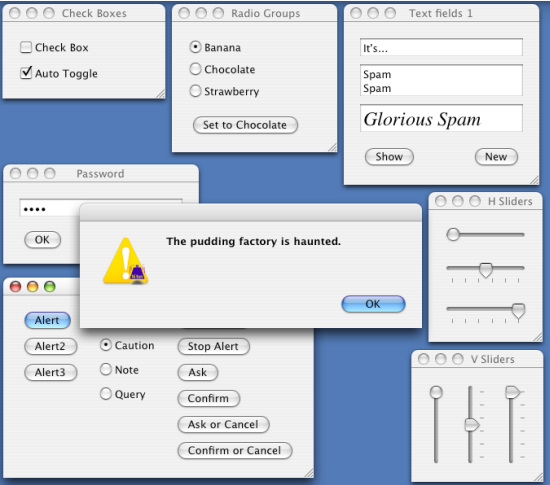
Dice Insights
How to choose the best Python GUI for you? Here are the best 7 currently available.
round stag
It’s the creator, not the tools
rocky dragon
For creator do you mean s GUI framework or something to create guis with drag and drop like qt creator?
rocky dragon
That was meant for Damen
round stag
Ah right
static cove
@grand aurora PyQt has a lot more functionality that tkinter doesn't. It's signals and slots method for events is very powerful and it has more widgets that you can generally subclass to do more with. That's just a general broad overview.
From what i've seen, most people start with tkinter but usually move onto a different framework if their project increases in complexity and they discover frameworks better suited to what they want to do.
@golden mauve I think it depends how much time you're willing to invest in styling the GUI. Off the bat for an easy GUI creator, I'd probably hedge my bets on Kivy or PyQt. But given enough effort you can make tkinter look modern.
dapper plume
hi all, i'm using PyQt and hitting a roadblock regarding menus. I create my application menu when the app starts. How can I later reference a specific menu item to disable/enable it from elsewhere in the app? I noticed I can't iterate through a QMenu. How else might I find a specific menuitem?
static cove
@dapper plume How are you adding items to the menu?
dapper plume
when the app open i generate the menu
    app = MyApp([])
menu = app.menu```then i add things like
    menu_prefs = QtWidgets.QAction("Preferences...")
    menu_prefs.triggered.connect(show_config_settings)
    menu.addAction(menu_prefs)
menu.addSeparator()```depending on preferences set by opening the preference dialog with the "Preferences..." QAction, i want to enable or disable other menu actions
static cove
Does: other_menu_item.setEnabled(False) not work? Do the menu items exist in a different menu?
dapper plume
so like in my example aboe, would i just do this? app.menu.menu_prefs.setEnabled(False)
static cove
You can give it a shot. I'm unsure how your code is set up
dapper plume
lets see!
hah
not so far
a couple attempts:
AttributeError: 'QMenu' object has no attribute 'menu_prefs'```NameError: name 'menu_prefs' is not defined```Oh, whoops. It should've been menu.menuAction() that might have returned menu_prefs. I'm not sure how this will behave with multiple actions though. Maybe it returns an enumerator?
dapper plume
oh! haha got it
let me do a little test
haha this didn't work: print(str(app.menu.menuAction()))
Segmentation fault: 11```Hmm, but it did return a QAction object. I wonder if it was the string coercion it didn't like
dapper plume
tried this: print(app.menu.menuAction().objectName)
i got: <built-in method objectName of QAction object at 0x7fcd2781eee0> Segmentation fault: 11
static cove
Well, if it returns the QAction object, you should be able to get its text with .text()
What does:
print(app.menu.menuAction().text()) get you?
dapper plume
Segmentation fault: 11```whats with the segmentation fault?
oh...it didn't show the blank line before the fault
it looked like print gave me a blank line
static cove
It could be because it's losing the object reference...
dapper plume
question....with a qobject...would i want to try findchildren?
I tried this: ```print(app.menu.menuAction().findChildren(QtWidgets.QMenu))
Segmentation fault: 11```Does the menu_pref have any children?
Is that the last line of code that runs before the seg fault?
dapper plume
i tried: python menu = app.menu.menuAction().findChild(QtWidgets.QMenu, 'menu_prefs') print(menu.objectName)
i got: AttributeError: 'NoneType' object has no attribute 'objectName' Abort trap: 6
static cove
You're overwriting your menu?
app.menu.menuAction() should technically be returning the menu_pref object.
dapper plume
oh!
not trying to haha, i got that wrong
print(my_menu)```Segmentation fault: 11```Would you be able to post more of your code? I'd like to play with it and figure out what's happening
digital rose
Hello everyone, i'm building an app using wxPython but i'm having a stupid problem which is bothering me.
   def setup_ui(self) -> (HexGrid, RichTextCtrl):

        splitter = wx.SplitterWindow(self, -1)

        editor_hex_grid = wx.Panel(splitter, -1)
        editor_data_view = wx.Panel(splitter, -1)

        bs_hex_grid = wx.BoxSizer(wx.VERTICAL)
        bs_data_view = wx.BoxSizer(wx.VERTICAL)

        hex_grid = HexGrid(parent=editor_hex_grid, id=wx.ID_ANY, name="HexView")
        data_view = RichTextCtrl(parent=editor_data_view, id=wx.ID_ANY, name="DataView")

        bs_hex_grid.Add(hex_grid, wx.ID_ANY, wx.EXPAND)
        bs_data_view.Add(data_view, wx.ID_ANY, wx.EXPAND)

        editor_hex_grid.SetSizer(bs_hex_grid)
        editor_data_view.SetSizer(bs_data_view)

        splitter.SplitHorizontally(editor_hex_grid, editor_data_view)

        return hex_grid, data_view
This is the code i use to create the ui
Problem is: splitter line is too high compared to the hex_grid
I'll post a pic to explain it better
What i get: blue is the RichTextCtrl, red is the HexGrid
What i want
Just to make it even clearer: Everything is already there, what is happening is that splitter put the RichTextControl way too high, covering all the space of hex_grid.
Note: HexGrid inherith wx.Grid
 eager cape
Any recommendation on where to start with UI on python?
 urban stag
tkinter
eager cape
thanks
static cove
@digital rose I'm not that familiar with splitter windows, but can you set the sash position to be lower down with .SetSashPosition()? You can probably also mess with the Sash Gravity.
digital rose
@digital rose I'm not that familiar with splitter windows, but can you set the sash position to be lower down with .SetSashPosition()? You can probably also mess with the Sash Gravity.
@static cove Okay, i'll check it. Thanks, i'll post any update if i find out something
@static cove But, in your opinion, how does my code look like? I mean, do you see something wrong with it? Can i remove something from it?
dapper plume
Hi @static cove sorry for the ghosting. had to build a bassinet! haha Thanks for the help so far! I'm happy to share more
pm ok?
static cove
@digital rose I think it's fine? I rarely use wxPython though and have only dealt with it when helping an intern troubleshoot a few things, so I'm by no means an expert or a even regular user of that framework.
digital rose
I wonder what i have to use in order to create complex ui application with Python
What is the standard in the community?
static cove
@dapper plume You're welcome to use https://paste.pydis.com/ to share the code here in case anyone else can help. But if you'd rather not PM is also fine
White_Lynx, it honestly depends! I don't think there's a defacto standard. I know PyQt/Pyside2 is popular because of the extensive use with both the C++ and Python community.
wxPython is still definitely used and you can do complex things with it, I just haven't used it. I'm currently using PyQt and enjoying it a lot. People have done seem really cool things with Kivy too.
digital rose
@static cove splitter.SetSashGravity(0.75) worked for me. But i can't believe the SashPosition is set using this method... It's just not intuitive
Thanks for your awesome tip
White_Lynx, it honestly depends! I don't think there's a defacto standard. I know PyQt/Pyside2 is popular because of the extensive use with bot the C++ and Python community.
wxPython is still definitely used and you can do complex things with it, I just haven't used it. I'm currently using PyQt and enjoying it a lot. People have done seem really cool things with Kivy too.
@static cove I'll check them
static cove
@digital rose So I believe the setSashGravity controls how each window will grow/take-up space when the window is resized. Here are the docs I'm referencing https://wxpython.org/Phoenix/docs/html/wx.SplitterWindow.html#wx.SplitterWindow.SetSashGravity
So a gravity of 0.0 (which is the default setting because ¯_(ツ)_/¯) will let only the right/bottom grow. 0.5 will let windows grow by equal size. 1.0 will only let the left/top grow.
glad breach
anyone familiar with kivy and buildozer here?
urban stag
!ask
 proven basinBOT
Asking good questions will yield a much higher chance of a quick response:
• Don't ask to ask your question, just go ahead and tell us your problem.
• Don't ask if anyone is knowledgeable in some area, filtering serves no purpose.
• Try to solve the problem on your own first, we're not going to write code for you.
• Show us the code you've tried and any errors or unexpected results it's giving.
• Be patient while we're helping you.
You can find a much more detailed explanation on our website.
glad breach
well i need some help with setting them up
i have a folder and i create a virtualenv inside that and installed buildozer with wsl ubuntu and now someone told me to install kivy via cmd in another venv
so will there be any problem if i do that?
 rough yarrow
With Tkinter, How can I close/end a root without destroying it, and then how to make it appear again
opaque arch
You can iconify it (window.iconify()) or make it very small. Although, I don't remember any way to close it without destroying it, but I could be wrong
glad breach
https://discord.gg/djPtTRJ is there any other kivy server other than this?
anyone who's familiar with kivy who doesnt mind being dm-ed for help?
 alpine stag
Hey there
I want to start a GUI framework. Which on is the best?
I like Kivy because of android and iOS but I’m looking for the best. Any suggestion?
static cove
@alpine stag I don't think there's an absolute best. It just depends on what you're trying to do and which features you want/must have.
alpine stag
@static cove Ok I mean which one has more abilities? And which can I have a modern app with?
static cove
@alpine stag Depends what you want. If you want something that users can interact with via touch Kivy is definitely the way to go. If you want real-time plotting of data PyQt is good for that, I haven't used wxPython enough to say it's particular niche but it has nice widgets I haven't seen other frameworks implement. You can make a modern app with any of those.
There are other frameworks too, but I don't any experience with them (i.e. libavg)
 tropic epoch
Any idea of a nice free course on kivy?
alpine stag
Ok thanks
 blazing heath
I just started with my first gui project using Tkinter.
And i wonder how can i remove the Lable that was createt after i clicked the button once when i press the button again.
Cause now when i use the "Berechnen"(Calculate) Button grid just overrides the exsisting Lable and it looks like this:
        lbl = Label(self, text="Berechnet die Maximale Wärmeanforderung eines Raumes.")
        lbl.grid(sticky=W)
        c = StringVar(self)
        drop = OptionMenu(self, c, list[0], *list)
        drop.grid(row=1, column=2, sticky=E)
        e1 = Entry(self)
        e1.insert(1, "Gib die Quadratmeter des Raumes an.")
        # Label(self, text="Gebe hie die Quadratmeter des Raumes an:").grid(row=1, column=0, sticky=W)
        e1.grid(row=1, column=0, sticky=N + S + E + W)
        Label(self, text="㎡").grid(row=1, column=1, sticky=W)
        Button(self, text="Berechnen", command=lambda: berechnen(self=self, m2=e1.get(), bj=c.get())).grid(row=3,
                                                                                                           column=2,
                                                                                                           sticky=N + E)

        Button(self, text="Verlassen", command=close).grid(row=4, column=2, sticky=E)

        def berechnen(self, m2, bj):
            try:
                m2 = int(m2)
                try:
                    bj = dic[bj]
                except KeyError:
                    on_error(error=KeyError, error_mes="Bitte wähle ein Baujahr aus")
                    return
                Label(self, text=f"Die maximale Heizleistung beträgt {m2 * bj} Watt").grid(row=3, column=0, sticky=N)
            except (TypeError, ValueError):
                on_error(error=ValueError, error_mes="Bitte gebe nur zahlen im ㎡ Feld an")
this is my code
i also tried to use a StringVar but id didnt worked for me
tribal path
How did the StringVar way look.
blazing heath
sec
ups
sry
 e1.grid(row=1, column=0, sticky=N + S + E + W)
        Label(self, text="㎡").grid(row=1, column=1, sticky=W)
        String = StringVar(self)
        String.set("")
        Label(self, textvariable=String).grid(row=3, column=0, sticky=N)
        Button(self, text="Berechnen", command=lambda: berechnen(self=self, m2=e1.get(), bj=c.get())).grid(row=3,
                                                                                                           column=2,
                                                                                                           sticky=N + E)

        Button(self, text="Verlassen", command=close).grid(row=4, column=2, sticky=E)

        def berechnen(self, m2, bj):
            try:
                m2 = int(m2)
                try:
                    bj = dic[bj]
                except KeyError:
                    on_error(error=KeyError, error_mes="Bitte wähle ein Baujahr aus")
                    return
                String.set(f"Die maximale Heizleistung beträgt {m2 * bj} Watt")
            except (TypeError, ValueError):
                on_error(error=ValueError, error_mes="Bitte gebe nur zahlen im ㎡ Feld an")
And you were getting a error back from that?
blazing heath
No
it just shows nothing
no error nothing
But is the way how i want to insert the String variable right ?
maybe i screwd up something else packing or Grid Geometry
tribal path
It looks fine, just wasn't sure if you'd need to be using self.String here, for it to be accessible in the other method. But if it isn't reporting an Error...
blazing heath
hm :/
ty for trying to help me.
Ill overview my code again maybe i screwd up something else that causes this issue.
Ty :D
Have a great day :)
tribal path
Oh I see there it's not actually a method right, you have that as a nested function, you could always assign the Label & edit it, but StringVar is the what you should be using, shouldn't need the self in StringVar() btw, but don't think it's the issue here
blazing heath
Ah okay :D
 silk cipher
So I'm getting a little bored with just doing stuff that exports to console. I'm doing codewars and almost done the codecademy course, and was wondering what are some good modules for UI or other visual stuff. Was hoping to maybe make some basic games, or apps that look like apps and not just CLI stuff
I'm guessing the ones mentioned in the description of this channel are the most popular?
 leaden monolith
@silk cipher Try looking at Tkinter and QT! They're both very different frameworks that are good for getting into UI stuff
silk cipher
Thanks, will do!
leaden monolith
to be honest, good UI work is extremely difficult; even Discord uses HTML+CSS
so try looking at front-end web stuff, it's not as fast but good for quick prototypes!
silk cipher
Yeah I know about the Electron jazz
My main focus is on JS, I know there's plenty of tools there, but I was just curious what Python has
leaden monolith
I only have personal experience with Tkinter so I might be a bit biased
it's... good but a bit fiddly
static cove
Tkinter is nice because it's built in with the python standard library, but you can very quickly hit some limits with it. The other 3 frameworks I tend to recommend are: PyQt/PySide2, Kivy, and wxPython. They have much more to them.
Kivy is fun because of it's touch inputs/recognition and it can make apps for android/iOS.
leaden monolith
I couldn't tell you how it compares to QT personally
silk cipher
So is most of python used for non UI purposes?
Or do apps made in python look like ass
leaden monolith
All UI work is hard @silk cipher ;)
static cove
You can definitely make apps look nice, it just takes some work styling it. Same as with html/css, you need to set a stylesheet. I've found styling for making it look modern is much easier in the bigger frameworks than tkinter.
leaden monolith
If you want perfect style you'll have to be OS-specific as well, it's a hard thing to do
silk cipher
Gotcha
tribal path
Kivy afaik is the only real/least wrappery ui lib (well bare bones it's currently a sdl2 wrapper) the others are wrappers for uis in other langs c++ (ie QT), TCL (tkinter) etc.
leaden monolith
absolutely - wrappers might mean you're more feature-complete but they are sometimes finnicky to work with
so even without using it myself I can say that is a major plus especially if you're starting out
 unique blaze
Hello! I'm not much of a programmer but I've been trying to figure out a solution to doing something like this:
having a sort of item based list where each includes a sub-dropdown selection and a button to remove that indexed item
leaden monolith
Hmm, that's interesting
Would need some bespoke work, but it might also in turn make for a weird UX
what's it for, if I may ask for context?
unique blaze
It's a personal project, supposed to interact with other objects represented by an item in the list
when you select a different thing in the dropdown, it would ideally grab the item, and dropdown selection and pass to another function
leaden monolith
Hmm
You might be able to do this with a bespoke widget
how large are your lists?
the big list and the small lists, that is?
unique blaze
Not very big
I wouldn't imagine them larger than like 6 items?
if that's whatcha mean
leaden monolith
Hm. If the large list is fairly small you might get away with 6 dropdowns that are auto-generated
it's not what you asked for but it would save some delving into widget design
you can cook up your own custom "widget" which is a pane with a dropdown and buttons etc and then just make 6 on the fly
the issue would be making them drop-downable, it depends on your framework I think
static cove
@unique blaze This is using PyQt or a different framework?
static cove
Just to make sure I undestand, a user will be able to (search? sort? select through?) an item list. Each item in that list is associated with another set/list of items which will appear in the dropdown. The button will remove the dropdown item from the second set/list of items?
unique blaze
I guess, if you were to hit "X" it would remove the whole item instance, and all the dropdown entries (the idea would be being able to add more to each item's dropdown as well)
Vs if you were to hit the "Delete" it would remove just the currently chosen dropdown entry on the the item you have selected
@leaden monolith Thank you!!!
leaden monolith
It might help to have list management in a separate section
both for programming clarity and user clarity
mixing the scope might be confuzzling
static cove
So in terms of data structure, you want a collection of items and each item to have a list of associated items. Sounds like a good use case for a dictionary with the values being the list of what's in the dropdown.
You can use a QLineEdit or something else (I'm still a bit fuzzy on how users select different items) for the main item. When the users select an item, you can use that signal to trigger a QComboBox to update with that item's associate values (the secondary list).
Then the "X" button can trigger a removeItem() function or something similar that'll remove it from the dictionary and then select the next/previous item in the list (which would then in turn update the dropbox etc, etc).
unique blaze
Wow thank you so much!!!
@leaden monolith @static cove
I didn't think to use a dict, great idea
static cove
Ha, yeah. I tend to forget about dicts, but the current code jam qualifier has reminded me how useful they are.
unique blaze
I'm going to have to brush back up
leaden monolith
Hashing is the nectar of the gods
lists are useful for efficiency but key-value pairs are far too useful for their own good
unique blaze
So how's the best way to compile the .ui file into code nowadays? python C:\Python27\Lib\site-packages\PySide\scripts\uic.py -o "userpath" -x still the typical way of doin it?
static cove
(I highly recommend upgrading to Python3 btw)
I followed this to load Qt Designer files: https://www.learnpyqt.com/courses/qt-creator/first-steps-qt-creator/
But I don't use Qt Designer tool a lot (read: at all) since I have to dynamically generate a significant portion of my layouts.
 hot wasp
when i click the login button...its not opening the image (logo.png)
but the pic in the window screen (blue.png) is only showing up
how to get that pic to show after i click login?
im getting a blank screen like this after clicking the login button
can i get some help?
static cove
@hot wasp You're trying to call two Tk() instances, which you generally shouldn't do with tkinter. If you're trying to call two screens, you can have two tkinter Frame objects that are then shown/hidden based on what you need. You could also Toplevel() if you want a window that's similar to the original base window.
Each Tk() call is creating an instance of the Tcl interpreter. (Tkinter is a wrapper for the Tcl interpreter/framework). The two instances cannot interact with each other and can cause problems when code gets more complex.
Also, to double check, that second image exists, right?
digital rose
Hey, im currently creating my first program in tkinter. It views a table from a file and allows to edit it. Adjusting the row/column size creates my buttons at new positions, but how can i clear the old ones from my grid?
Or even better: How can i clear everything within my containing frame?
static cove
@digital rose I believe you can use forget_grid() or grid_forget() to remove the widgets from view. Note it won't destroy them, so you can re-use them.
digital rose
Is there an easy way to get all the items in my Frame as a list to forget them at once?
static cove
Sorry, had to double check docs. You could use winfo_children() on the Frame it looks like.
What I'm referencing: http://effbot.org/tkinterbook/widget.htm#Tkinter.Widget.winfo_children-method
If you have widgets in widgets, then you'll have to check each child for further widgets.
 wintry crescent
anyone knows how to make from a tkinter file a application??
digital rose
tkinter is wonderful python ui application framework
there are lots of various python ui application framework.
static cove
@wintry crescent Do you mean convert a python file using the tkinter framework into an executable?
hot wasp
yes @static cove the 2nd image exists.
@static cove so i should just change one of it to Toplevel()
and also screen.mainloop() right?
i did that and it worked
wintry crescent
@static cove yess
 oblique umbra
i have a basic gui built with tkinter and i want to access it in games like csgo, like how you would access the discord overlay. im using windows. more info- the gui has a mp3 player speech to text ability to open apps search(it will give you info in the gui) has weather and a clock
Thanks in advanced 🙂
 tall temple
I need help with PyGObject. I posted an issue on the GitHub since I can't find any solutions online. https://gitlab.gnome.org/GNOME/pygobject/-/issues/413

GitLab
When I try to install the latest version of PyGObject through PyCharm or pip I get an error saying this: ``` Collecting PyGObject Using cached PyGObject-3.36.1.tar.gz (716 kB) Installing build...
digital rose
Is it possible to reduce this if stacking somehow?
    for i, row in enumerate(tabletmp):
        for j, x in enumerate(row):
            if i%2 == 0 and j%2 == 0:
                table[i][j] = Entry(tableFrame, width=gridWidth, bg=bg[0])
            elif i%2 == 0:
                table[i][j] = Entry(tableFrame, width=gridWidth, bg=bg[1])
            elif j%2 == 0:
                table[i][j] = Entry(tableFrame, width=gridWidth, bg=bg[2])
            else:
table[i][j] = Entry(tableFrame, width=gridWidth, bg=bg[3])```i only want the bg to change depending on the position
 obtuse thistle
    for i, row in enumerate(tabletmp):
        for j, x in enumerate(row):
            table[i][j] = Entry(tableFrame, width=gridWidth, bg=bg[(i % 2 * 2 + j % 2)])
@digital rose
 compact harbor
does kivy supports this feature
 stuck elm
i made a custom button in tkinter but this glitch on the top left happens
 ivory ravine
hey, what's the easiest interface lib in python?
 twin steeple
@ivory ravine PySimpleGUI seems easy
ivory ravine
okay thanks will try
 ripe crater
hi guys im developing an online shopping app for my startup using pyqt5 designer someone pls help me with me developing the app
i have some problems related to the app
i need help on designing the home page as the layout options are confusing me and i am new to this designer pls ping me if you are willing to help
static cove
@compact harbor What feature are you specifically referring to?
@stuck elm Can you share your code for that button?
stuck elm
i fixed it
ripe crater
@static cove there are quite a few to name some of them
1.i dont know all the options present in pyqt
2. i dont know whats the best options to use to design my app to make it look professional
pls hel me out if possible
 ivory siren
If someone can help me make a GUI for a tool plz dm me. I've little to no experience in GUIs
It's a simple tool
static cove
@ripe crater Well, usually you'd use a combination of the layout options to get what you'd like. To make it look professional would probably be more reliant on the styling and the user-flow of the program than anything else. PyQt does give you the option of applying custom stylesheets, but it'll still take work to get the styling correct.
I mainly use QGridLayout, but that's more because of the types of data/things I'm displaying. Here's a primer on the different layouts pyqt offers. https://www.learnpyqt.com/courses/start/layouts/. It doesn't cover QFormLayout, though.
PyQt also has Qt Designer, if you want something more drag-n-drop.
@ivory siren There's a few options for GUIs. If you want something part of the python standard library you can try tkinter. I can probably offer a better recommendation if I know what your tool does
@wintry crescent Sorry, totally missed this ping. You can check out PyInstaller for creating executables from python files
wintry crescent
@static cove I've done it but I had a problem
I don't know how to add modules as requests
static cove
Hmmm... I don't quite have time now to dive into PyInstaller stuff. You could ask in the help channels, I think a few people on this server have dealt with PyInstaller and including modules that it doesn't detect automatically
static cove
PyInstaller should work for Mac OS X. But I'm not familiar with py2app, sorry =/. I haven't used a mac in years.
wintry crescent
It's okay, Ty btw <3@static cove
 fading grotto
The main advantage of wxPython is the licensing; it is much more liberal than the PyQT that you must pay for if you plan to distribute - read it carefully - there are several levels / options of licensing
ripe crater
@static cove thnks
digital rose
whats a good projects for a beginner making a ui?
 kind spear
whats a good projects for a beginner making a ui?
@digital rose tkinter has been easy for me
 steep cliff
is there a way to get label's text in pyqt5?
static cove
.text() should return the label's text
steep cliff
<built-in method text of QLabel object at 0x0000022FA29438B8> it returns this for me
print(self.label_2.text)
static cove
it should be: print(self.label_2.text())
.text() is a method/function, not a property
silver maple
class GameBoard():
    def __init__(self):
        self.board = [[None for _ in range(8)] for _ in range(8)]
        self.root = tk.Tk()
        self.frame = tk.Frame(background="black")
        self.frame.grid_propagate(False)
        self.frame.place(anchor="center", relx=0.5, rely=0.5)
        self.root.bind("<Configure>", self.configure)

        # for i in range(8):
        #     self.frame.rowconfigure(i, weight=1)
        #     self.frame.columnconfigure(i, weight=1)
        #     for j in range(8):
        #         self.board[j][i] = tk.Frame(self.frame, bg="green")
        #         self.board[j][i].grid(row=i, column=j, sticky=tk.N+tk.E+tk.S+tk.W)

        self.root.mainloop()

    def configure(self, event):
        if event.width >= event.height:
            self.frame.configure(width=event.height)
            self.frame.configure(height=event.height)
        else:
            self.frame.configure(width=event.width)
            self.frame.configure(height=event.width)

a = GameBoard()
This code works to make a resizing square frame in the window, but I am trying to create an 8x8 grid in that square frame, and when I uncomment that code, I just get an empty window that flashes with the black background of the resizing frame with two green squares whenever I move the window.
class GameBoard():
    def __init__(self):
        self.board = [[None for _ in range(8)] for _ in range(8)]
        self.root = tk.Tk()
        self.frame = tk.Frame(background="black")
        self.frame.grid_propagate(False)
        self.frame.place(anchor="center", relx=0.5, rely=0.5)
        self.root.bind("<Configure>", self.configure)

        for i in range(8):
            #self.frame.rowconfigure(i, weight=1)
            #self.frame.columnconfigure(i, weight=1)
            for j in range(8):
                self.board[j][i] = tk.Frame(self.frame, bg="green", width=20, height=20)
                self.board[j][i].grid(row=i, column=j, sticky=tk.N+tk.E+tk.S+tk.W)

        self.root.mainloop()

    def configure(self, event):
        if event.width >= event.height:
            self.frame.configure(width=event.height)
            self.frame.configure(height=event.height)
        else:
            self.frame.configure(width=event.width)
            self.frame.configure(height=event.width)

a = GameBoard()
With this code, when I start the program, the window doesn't seem to work properly, but moving it, or resizing it fixes it.
The grid seems to resize correctly if I make the base frame resize to fit the window completely.
versed sigil
can i put guis in a jupyter dashboard?
 last vortex
What are the most popular GUI frameworks at this time Kivy? PyQT5? and what about Game Frameworks?
 blazing narwhal
@last vortex
Pygame is for developing 2d games and GUI .
Pyqt5 is awesome but you have to buy liceny for it to use it commercially.
Tkinter is also a good library it is built in and no need to install.
Kivy is for developing android using python...
static cove
wxPython is a good alternative for PyQt if licensing is a sticking point. Haven't used it much, but it has similar features.
Kivy can develop desktop apps as well as apps for android and ios. It has really cool features, especially for mobile w/touch inputs.
 barren cedar
Okay
sudden coral
If you want qt without licensing issues use pyside2
last vortex
Thanks for the answers guys
 still drum
Hey I got a quick question that may be kinda dumb but I'm not really sure if it's possible. Can you use an async function with tkinter.button?
still drum
cool i'll try that, are there any other tools I can use to make a gui that can use async functions?
tribal path
Kivy v2.0.x can run an async app
still drum
nice thanks, just started reading about it
 graceful lichen
Is it possible to make a program end prematurely based on input?
Ie the input question could be: how old are you? And if the input is less than 30 make the program end rather than continue to the rest of the program?
Hope this is the right channel for this
 zinc lagoon
There's exit(), which may be what you're looking for
it tells python to exit the current program with a given status code
exit(0) is usually used for "all complete, everything was successful", whereas various other numbers usually indicate different errors
A generic exit(1) is good for if something has gone horribly, horribly wrong and throwing an exception isn't appropriate (although it usually is).
But in your case it might be the easy solution
graceful lichen
Ok, so would I use 0 or 1?
Nvm, figured it out
Thank you very very much kind stranger
rocky dragon
The convention is 0 - good non zero - bad exit. Then its up to you to define what the bad ones mean.
@zinc lagoon just FYI, exit and quit should not be used in normal scripts as they are site dependent builtins. sys.exit or rasie SystemExit can be used in their place and act the same on the exiting part of the functionality
 rapid zinc
Hello there my kali linux OS takes around 3 minutes to boot
I tried to look out for sources change values of swappiness/disabling network.manager.service but still no result
I have a laptop with dualboot windows/kali
400gb ext4 for kali
5gb swap space
And the rest portion is for windows
12gb ram and corei7(7thgen)
I tried systemd-analyze and systemd-analyze blame
'''graphical.target @2min 14.980s
└─multi-user.target @2min 14.980s
└─plymouth-quit-wait.service @1min 38.967s +36.013s
└─systemd-user-sessions.service @1min 38.917s +43ms
└─network.target @1min 38.912s
└─wpa_supplicant.service @1min 42.708s +556ms
└─dbus.service @1min 34.097s
└─basic.target @1min 34.069s
└─sockets.target @1min 34.069s
└─pcscd.socket @1min 34.068s
└─sysinit.target @1min 34.053s
└─sys-fs-fuse-connections.mount @1min 40.612s +27ms
└─systemd-modules-load.service @4.009s +168ms
└─systemd-journald.socket @3.830s
└─system.slice @2.827s
└─-.slice @2.827s
'''
36.013s plymouth-quit-wait.service
8.403s vmware-USBArbitrator.service
7.032s dev-sda7.device
5.518s vmware.service
5.392s accounts-daemon.service
5.197s polkit.service
4.810s NetworkManager.service
4.749s systemd-logind.service
3.889s udisks2.service
3.191s smartmontools.service
2.953s systemd-journal-flush.service
2.238s systemd-udevd.service
2.007s ModemManager.service
1.904s gdm.service
1.662s rsyslog.service
1.537s networking.service
1.377s stunnel4.service
Startup finished in 13.641s (firmware) + 5.750s (loader) + 39.435s (kernel) + 2min 15.371s (userspace) = 3min 14.199s
static cove
@rapid zinc That doesn't really have much to do with python user interfaces, so I don't think anyone in this channel would be knowledgeable and able to help you.
 junior quiver
would python be a good way to go for making a POS system or should i go with something else?
rapid zinc
@static coveokay thx for the response
maiden dragon
i notice that when i try to dynamically update static text in wxpython the whole thing flashes everytime it is passed a new string
is there any way to make dynamically updating text without this occuring

as you can see from this GIF they update in a rather visually unappealing way (they also update one at a time not all together if you have any insight on how to fix that it would be AMAZING but i imagine that is more complex)
north quail
@maiden dragon https://stackoverflow.com/a/21321005
The StaticText widget does not support that behavior. You can probably do that with a read-only wx.TextCtrl that has the wx.TE_RICH or wx.TE_RICH2 flag enabled. Otherwise you might just want to draw the text using wx.GCDC or wx.PaintDC. That would be even more flexible.