#user-interfaces
1 messages · Page 36 of 1
 vocal pilot
 sudden coral
The python bindings are relatively young but it's faithful to the cpp api
It also looks better than tk
Provides in depth apis for customising the appearances of widgets
There are styles you can download too and they are easy to hook up
Like a dark theme
sudden coral
Np
Oh it also has it's own IDE
Wich has a ui designer
So you can drag and drop widgets and export the ui file to load with python
 proper glade
any suggestions for making this look prettier?
sudden coral
Use one of those fancy "dog chasing tail" circle loading animations instead of the 1990s style loading bar
Also play around with positioning
Lots of dead space in the middle
Whole thing could be shorter in height
See if you can make the text not get cut of abruptly at the edges
Pause button not using up the entire width may look better
 karmic shoal
not sure if it'll look better, but rearrange the layout so it's
filepath
x paths indexed
loading (if you're sticking with the bar)
pause
close after completion
Actually instead of a pause button you could just have the pause symbol
Take a look at how PyCharm and friends do it for tasks like indexing
You could make it really compact like they have
Put a loading circle next to the text
And when you hover over it changes to a pause button
proper glade
thanks guys
i originally did have one of those dog-chasing-tail gifs but then wanted to make the window a more general task progress view/control widget that could handle both bounded and boundless tasks (when it's bounded the progress bar will automatically act like a normal one instead of a busy indicator)
agree re: dead space. i set both a fixed height and width but instead thinking about it again it should just be fixed width
as for the text getting cut off, thinking of setting the label to align right
im not entirely sure how to style the pause button so it doesnt stretch out to fill the whole column (this is all in a vboxlayout) but ill figure it out. hopefully it's just as easy as setting a fixed width.
i like that layout kosa, will try that out.
oh and i didnt even think of looking at pycharm as an example
was googling examples and there's one right under my nose the whole time 😄
 digital rose
anyone who has experience with kivy and wxPython, what are the reasons to choose one over the other?
karmic shoal
wxPython is a wrapper for wxWidgets, which is written in C++. It's been around for quite a while and supports Windows, Linux and MacOS.
kivy is a Python library (written in Python+Cython) that has extensive support for mobile and multitouch applications, and apart from Windows, Linux and MacOS, also supports Android and iOS
 obtuse meadow
Hello, I'm working on a app with Qt5. And being pretty new I have to understand "slot" and "signal", someone knows a good tutorial about this topic or something else ?
I already use "signal" and "slot" with "whatever.clicked.connect(whatever)". But how can I set a signal from a second window direction my main window (two different file)
obtuse meadow
Anyone knows if it's possible to send signal between two different file ?
obtuse meadow
class TestSignalSlot():

    testsignal = pyqtSignal()

    def connect_and_commit_signal(self):

        self.testsignal.connect(self.recept_signal)

        self.testsignal.emit()

    def recept_signal(self):

print("signal received ! ")```Anyone knows why I don't receive the signal ? "signal received ! "
 cobalt spade
My Google-Fu has failed me.
Anyone know the stylesheet code in QT for getting a qbutton to keep the global stylesheet, when inside a frame
losing the style when inside a frame, driving me up the wall.
obtuse meadow
Do you mean, get a button keeping the same size as your window when it changes ?
Oh, the color
cobalt spade
@obtuse meadow Yeah, it's losing shadow/hover/pressed settings.
Which is set by the global palette
cobalt spade
It's in a horizontal layout, same as the button below it.
The button below it is on a frame_1, then that button is on a frame_2, which is on frame_1
Have no issues with size
Just loses the global palette format for some reason.
Ahh, so when I set the border-radius on frame two, it changes the button style
So how do I set the Border-Radius on a Qframe, without it changing the style of the button, thats the next question
obtuse meadow
hum ... Do you have two different function for the button and the frame ?
Like something like that :
from PyQt5.QtWidgets import *
from PyQt5.QtCore import *

class MainWindow(QMainWindow):

    def __init__(self, parent=None):
        super(MainWindow, self).__init__()

        self.setGeometry(50, 50, 500, 500)
        self.setWindowTitle("Slot and Signal test")

        self.grid = QGridLayout()
        self.grid.setSpacing(10)

        self.home()

    def home(self):

        self.btn1 = QPushButton("Click me!", self)
        self.grid.addWidget(self.btn1)

        self.show()

def run():
    app = QApplication([])
    launch = MainWindow()
    app.exec_()

run()```"MainWindow" function for the frame / "home" for the button in this case
Can you post the script ?
obtuse meadow
class TestSignalSlot():

    testsignal = pyqtSignal()

    def connect_and_commit_signal(self):

        self.testsignal.connect(self.recept_signal)

        self.testsignal.emit()

    def recept_signal(self):

print("signal received ! ")````Someone knows why I don't get the signal ?
 fervent pilot
I am trying to make a simple UI mainly for filedialogs and a few labels and buttons. Which UI librabry should i use?
Oh sorry not trying to interrupt.
obtuse meadow
That's okay ^^
fervent pilot
: )
digital rose
What's easier to learn kivy or tkinter
if you never worked with guis before
and quite new
fervent pilot
I also had a very similar question above. I actually do not know what the most up to date/easiest/best UI library is.
Help would be appreciated.
 kind kraken
probably for making conventional desktop style apps, one of the qt libraries (pyqt or pyside) is best, though maybe also look at pygobject (gtk)
it's pretty much universally recognized that tkinter is not very good
idk about kivy, i think that's meant more for mobile/tablet flat style apps than regular desktop stuff
@fervent pilot
the main advantage to tkinter is that it's built-in, though i've heard the python that ships with MacOS has a broken version now
fervent pilot
thanks a lot @kind kraken
glad to hear i am not the only one disliking tkiner
tkinter*
I will have a look at one of the qt libraries
maybe i will also have a look at doing some electron based ui stuff. could you recommend that?
digital rose
Hey guys
How to calculate size_hint_x for a first (leftmost) element in a BoxLayout for a given (new) width of this first item? Only the first element changes its size_hint_x
I use kivy framework
digital rose
Any tips on how to get better with kivy? And understanding it better
digital rose
ok I found a solution to my question above, never mind guys)
@digital rose what is the problem in understanding kivy?)
you can simply run the hello world example, and then gradually add new features.
I think practice is the best way to understand kivy (and not just kivy).
there is a kivy site, with documentation.
if something is not clear, there is an official discord server for user support.
I also sometimes ask questions on SO 😃
I am also writing Kivy Studio,
so that a beginner can easily write a simple application with kivy, simply by moving elements from the widget / layout / animation palette to the preview area.
I plan to put the source code on github (and attach the link to #303934982764625920 ) at the end of summer
sudden coral
Can't you use another signal for when the thread finishes?
Rather than polling it in a loop
 dense barn
Or atleast that's the idea.
sudden coral
Why do you need the loop you describe in the first place?
Yeah
How is the thread started?
Are you using QThread or standard Python threads?
Alright. Can you show your code for context?
Like how you start and stop the thread
 proven basinBOT
5. We will not help you with anything that might break a law or the terms of service of any other community, site, service, or otherwise - No piracy, brute-forcing, captcha circumvention, sneaker bots, or anything else of that nature.
 neon crystal
That is, you can't get help on this script here.
dense barn
I do not need help on the script itself, simply on the GUI, so I figured it was okay
Alas, this is not rule 5 tbh.
 rotund flax
Yeah, we can help with general things relating to UI
our policy is not whether someone is using it with malice, more whether someone else looking over the chat could use it for malice
snippets of UI code are appropriate, but due to the potential malice of the application we can't allow for other things to be posted, apologies
dense barn
Fair enough, it's a simple 802.11 attack, for educational purposes.
I'll go else where, thanks for your time Mark
sudden coral
You're welcome
 atomic sphinx
anyone ever use PyQt with asyncio?
like asyncqt?
I'm perplexed as to how the event loop works when it returns the pyqt one
kinda tempted to just jack into processEvents() and run that myself, asynchronously lololol
but the docs say DEFINITELY DO NOT DO THAT SRSLY PLZZZZZZ DON'T
 mighty frigate
@atomic sphinx hey
I don't know asyncio but I know Qt "quite well"
.. if you have questions about the event loop
digital rose
He I was wondering if someone could give me a hand with using Qt, I don't know how to set up a lineEdit.
        owner_value = self.data_store.stocks_by_owner(owner)
        #
self.ui.label_4.setText('{}\n'.format(owner, owner_value))```Above is my code, and below is that happens if I enter a name.
 unreal cosmos
import sys
from PyQt5 import QtCore, QtGui, QtWidgets

class Main(QtWidgets.QMainWindow):
    def __init__(self, *args, **kwargs):
        super().__init__(*args, **kwargs)
        self.central_widget = QtWidgets.QWidget(self)
        self.layout = QtWidgets.QGridLayout(self.central_widget)
        self.setCentralWidget(self.central_widget)

        self.b = QtWidgets.QPushButton("caisse")
        self.b.clicked.connect(Second(self).show)
        self.layout.addWidget(self.b)


class Second(QtWidgets.QDialog):
    def __init__(self, parent=None):
        super().__init__(parent, modal=True)
        self.layout = QtWidgets.QGridLayout(self)
        self.layout.addWidget(QtWidgets.QLabel("test"))

if __name__ == '__main__':
    app = QtWidgets.QApplication(sys.argv)
    main = Main()
    main.show()
sys.exit(app.exec_())``` it is a good way to do ?@unreal cosmos yep looks good to me
unreal cosmos
self.b.clicked.connect(Second(self).show)``` isn't a really bad thing to do that ?oh dem
didn't see that x)
idk I need to try out
show is a qwidget signal, so I'm not sure it properly open the dialog
unreal cosmos
it work for sure
mighty frigate
it's all good then
unreal cosmos
I just asking if is a really bad design or not
mighty frigate
well it's not good that's for sure
but ultimatly it depends what you're using the dialog for
like, if it's just user infos, clearly this is enough
but this won't do the trick for heavier stuff
mighty frigate
yes it's just
when the dlg will close, you'll have 0 entry point on it
so, if you need for example to retrieve calculation result
you can't, or not easily
also, if it's a complex dialog, you might want it to be modal yes ?
unreal cosmos
the project is in part a window for input data (1 time per day) and in a second part a windows with table and maltplotlib pie + figure
with a database for stock data
mighty frigate
ok
unreal cosmos
will be a accounting programm**
mighty frigate
honnestly it's not terrible, especially if it's working
if you want to do it better, it's easy also
just create a slot in the mainwindow to create the dlg and exec() it
unreal cosmos
from what I see no need _exec()
mighty frigate
you're forcing the modal tho
with the exec, it would be done implicitly
and you'd have an entry point after the dialog closing
unreal cosmos
does I really need ?
for me need a entry point outside the dialog closing sound like a bad design
mighty frigate
not really no, even if you need it, it's not really hard to do
nor time consuming
I guess it's up to discussion @unreal cosmos
if you don't put the data at startup, and retrieve it at closing, it means the dialog is responsible of fetching and modifying the data
and, to me, it shouldn't.
unreal cosmos
inside my class i'll have some interact with database
i'll probably use mariadb, I have not decided that yet
mighty frigate
okok
unreal cosmos
so, it's fine ?
no big bad choice/design ?
(pref be sure before write several thousand lines)
mighty frigate
if I can give you an "advice"
keep it simple and try to stay in QtGui/QtWidgets
Qt is nice and all
but it's made for cpp, working in python with it is nice as long as you keep it UI wise
unreal cosmos
for my other window I think fetch data from the db at the init
and display the table + matplotlib fig
class NoIdeaForName(QtWidgets.QDialog):
    def __init__(self, parent=None):
        super().__init__(parent)
        # fetch data from db
        self.layout = QtWidgets.QGridLayout(self)
I know, I do not have a problem with python, but the problem is that Python is so permissive that there is as much evil as it does in a good way 😅
mighty frigate
this is not evil to me
although I wouldn't do that
I would make a controller for my database and use it to read/write data
and either pass it around, or make it on the go
unreal cosmos
Model view controller ?
mighty frigate
I mean you could write a model too
that's up to you
I wouldn't, because i'm lazy
unreal cosmos
should I use QtSql ?
mighty frigate
I wouldn't encourage that
atomic sphinx
@mighty frigate
hey thanks
well right now I'm kind of calling processEvents() on my qt app, in an infinite while loop
async def printblah():
    while True:
        print("printblah")
        await asyncio.sleep(2)

async def main():
    await printblah()
    await gui.run_asyncqt()

if __name__ == '__main__':
    logger.info("asyncio.run(main()) STARTED!")
    asyncio.run(main())
that's from my main class
    async def run_asyncqt(self):
        ctr = 0
        while True:
            print(ctr)
            ctr += 1
            self.app.processEvents()
            await asyncio.sleep(0.02)
so I guess since I was awaiting an infinite loop, which locked things up
I removed both of those awaits in main() & replaced them with asyncio.create_task()
actually no I'm still awaiting gui.run_asyncqt(). the print method is in a task
asyncqt doesn't work in a task, only runs 1 frame of the window and then closes. not sure why
mighty frigate
@atomic sphinx did you try to build a class (a QObject to be specific) to handle that ? I think the signal/slots Qt system solve this issue
also calling processEvents is discouraged, it can cause all kinds of disaster
 agile barn
Hey guys I am new to python and pygame and I am testing out some things on it. Currently im trying to import a png photo to my game but there are two main problems. The first one is that there are two windows that come up one that is black and the other that is white. Second the png photo is not showing up on either of the windows. Any help, thanks? Also beware of my dumbness as i usually have no clue on what im doing lol.
Ok update the png photo now shows up but only on the second window and it closes right away.
atomic sphinx
@mighty frigate what kind of class?
and I know the docs even say not to do the calling processEvents directly, but is there another way to loop the GUI manually without using exec_()?
I was looking at the asyncqt pip package. but that only lets you hook into the QEventLoop, and I'm not sure how to manage switching between that and the main event loop for the rest of my program
which is just a limitation of my own asyncio knowledge in general
because even if I start the GUI from my root module by passing the QEventLoop to that root module with asyncqt...........I'm pretty sure I still have to actually start it with loop.run_forever() which basically blocks any other async functions I call e.g. in the lines following that
mighty frigate
@atomic sphinx I don't know asyncio, so it's hard to be on point
but
GitHub
asyncio + PyQt5/PySide2. Contribute to gmarull/asyncqt development by creating an account on GitHub.
this github looks like exactly what it is you seek
I've take a look at the examples, it looks like what you were saying
playing with the QEvenLoop and no qApp.exec()
atomic sphinx
ya that's what I was trying to use
I guess I just don't understand how to manipulate the event loops in general
with asyncio
proper glade
i have a qtreewidget to which im adding individual qtreewidgetitem instances then adding children to those as well
this happens via a signal emitted from a qthread walking through a directory
there's a hard coded sleep of 0.005 seconds between every emission
this is working fine for the most part, but then suddenly starts freezing when encountering folders with lots (~5000) files inside them
increasing the delay between emissions doesnt seem to help this either. is there some kind of event loop queue that i might be congesting?
proper glade
problem solved
instead of using addChild i set up a buffer and used addChildren every time it filled up instead
 unique spade
how do I make something like that : I press the button and text specified in it gets put into entrybox?
e.g I press Messages and "Messages" is shown in "Selected Domain"
tbf I'm just not sure how to input text into field I want in tkinter
unreal cosmos
there is a widget for do that I do I have to make myself ? (PyQt5)
is an example from web for show you the concept
a sort of container widget with a button we can open and close
an other example
proper glade
@unreal cosmos here's an example of something like this: https://stackoverflow.com/a/52617714

Stack Overflow
I am using PyQt4, and I am trying to create a collapsible box where it will contains a couple of child widgets where the child widgets are already created and layout using a QVboxLayout
How do I go
has both PyQt4 and PyQt5 versions
unreal cosmos
thanks, I didn't found because of I didn't know the term collapsible 😅
proper glade
@unique spade example of that here: https://stackoverflow.com/a/16374273
Stack Overflow
I am trying to set the text of an Entry widget using a button in a GUI using the tkinter module.
This GUI is to help me classify thousands of words into five categories. Each of the categories has a
unique spade
looks like it's working , thx
digital rose
You can easily do something like this
textvar = StringVar()
e1=tkinter.Entry(window, size=30, textvariable=textvar)
textvar.set("Test")```I think that should work
unreal cosmos
Hi, I'm trying to adapt a collapsibleBox but I don't know resize my windows, https://hastebin.com/ujeyuqunug.py
before :
there is a way to auto reduce the windows ?
sudden coral
Are you using a layout widget?
That's typically how you would get "responsive" UI in Qt
unreal cosmos
yes, I had thought to overwrite a signal like sizeChanged, but there is not 😦
sudden coral
Then I am guessing it's probably an issue with how the collapsible widget is implemented
unreal cosmos
I have try different way, like py @QtCore.pyqtSlot() def on_pressed(self): checked = self.toggle_button.isChecked() self.toggle_button.setArrowType(QtCore.Qt.ArrowType.RightArrow if checked else QtCore.Qt.ArrowType.DownArrow) for widget in (self.layout.itemAt(i) for i in range(self.layout.count())): widget.widget().setVisible(not checked) insted of a animation
sudden coral
I am reading the SO answer and supposedly it's supposed to work with layouts properly, as that was the asker's criteria
unreal cosmos
it work without problem, but for now my problem is the place occuped by the collapsibleBox still
I have to resize myself the window
I try some way and is the only problem, I don't know how "reset" the windows to initial size
sudden coral
Maybe it isn't an issue with the widget after all
I mean the demo in the answer is supposed to work and properly resize the layout its in
Can you show how you are adding the collapsible box to your layout?
unreal cosmos
this type of widget is designed scrollaera
        a = CollapsibleBox(title="title")
        self.layout.addWidget(a)

        l = QtWidgets.QGridLayout()
        for i in range(10):
            l.addWidget(QtWidgets.QLabel("test"))
a.setContentLayout(l)```lis the layout inside the collapsible box
sudden coral
That looks ok at a glance
but what about self.layout?
That's supposed to be in a scrollarea right
unreal cosmos
self.central_widget = QtWidgets.QWidget(self)
self.setCentralWidget(self.central_widget)
self.layout = QtWidgets.QGridLayout(self.central_widget)```Try putting it in a scroll area
That was one of the main points of the solutions I believe
unreal cosmos
😦
sudden coral
Pay attention to this py w = QtWidgets.QMainWindow() w.setCentralWidget(QtWidgets.QWidget()) dock = QtWidgets.QDockWidget("Collapsible Demo") w.addDockWidget(QtCore.Qt.LeftDockWidgetArea, dock) scroll = QtWidgets.QScrollArea() dock.setWidget(scroll) content = QtWidgets.QWidget() scroll.setWidget(content) scroll.setWidgetResizable(True) vlay = QtWidgets.QVBoxLayout(content)
I stumbled upon the same problem and solved it by implementing the collapsible widget as a QScrollArea whose maximum height is animated by a QPropertyAnimation.```I couldn't tell you why it's important though
No idea how this all works yet really
unreal cosmos
I made myself a really different collapsible box and still the same problem, the windows still the same siez after I closed the collapsible
maybe the trick of setMaximumSize(1, 1) is the solution :/
sudden coral
Ok so it's a flaw in the solution
Sorry going back and forth
I just noticed this comment I am using this at the bottom of a QDialog for some optional widgets to show up. When I expand the Section widget, the QDialog object expands its size, but when I retract the Section widget, the QDialogobject keeps its size, resulting in empty space. I can update my dialog's size correctly if I call its QDialog::adjustSize() inside Section::resizeEvent(), but this results in flicker
Exact issue you are having
unreal cosmos
well .. py @QtCore.pyqtSlot() def on_clicked(self): checked = self.toggle_button.isChecked() self.toggle_button.setArrowType(QtCore.Qt.ArrowType.DownArrow if not checked else QtCore.Qt.ArrowType.RightArrow) self.toggle_animation.setDirection(QtCore.QAbstractAnimation.Forward if not checked else QtCore.QAbstractAnimation.Backward) self.toggle_animation.start() if self.parent: self.parent.setMaximumSize(1, 1) self.parent.update()
that not solve the issue
but the windows get the minimum size when I click in a border for resize it
the only way look a loop who call adjustSize() of the widget
well ...Ifound a tricky way @sudden coral
sudden coral
Do tell
unreal cosmos
    @QtCore.pyqtSlot()
    def on_clicked(self):
        checked = self.toggle_button.isChecked()
        self.toggle_button.setArrowType(QtCore.Qt.ArrowType.DownArrow if not checked else QtCore.Qt.ArrowType.RightArrow)
        self.toggle_animation.setDirection(QtCore.QAbstractAnimation.Forward if not checked else QtCore.QAbstractAnimation.Backward)
        self.toggle_animation.start()
        if self.parent:
            timer = QtCore.QTimer(self)
            timer.setSingleShot(True)
            timer.timeout.connect(self.parent.adjustSize)
            timer.timeout.connect(self.parent.update)
timer.start(3000)```3s after I cleck is resized
sudden coral
I see a timer and it already looks like a hack lol
unreal cosmos
¯_(ツ)_/¯
        timer = QtCore.QTimer(self)
        timer.timeout.connect(self.adjustSize)
        timer.timeout.connect(self.update)
timer.start(5)```I can set that in the init part of my windows else
all 5ms resize to the minimum possible size
unreal cosmos
wel, totally solved by set the animation duration to 0ms (instant) and ```py
def init(self, parent=None, title="", auto_resize=True):
super().init(parent)
self.parent = parent
self.auto_resize = auto_resize
...
@QtCore.pyqtSlot()
def on_clicked(self):
    # ...
    if self.parent and self.auto_resize:
        timer = QtCore.QTimer(self)
        timer.setSingleShot(True)
        timer.timeout.connect(self.parent.adjustSize)
        timer.start(0)```
(that don't work without timer, but a timer of 0ms work 🤷)
sudden coral
Did you ever even try doing the resizevent thing
You could check if the size is 0 or something inside that event and then call adjustsize
or even better see if the animation has an signal for when it finishes
Yeah, QAbstractAnimation::stateChanged
proper glade
if youre feeling adventurous you could use bootstrap + divs in a qwebview or whatever it's called now to render the boxes.
sudden coral
now that's... something
sudden coral
like there's a delay between it collapsing and the size changing?
unreal cosmos
I just tryied with 10s of animation duration
looks like the event was emit at the end of the animation
sudden coral
Well yeah, why is that a problem?
sudden coral
I use sharex but that takes time to set up
unreal cosmos
else, can I call you in private for sharing screen ?
sudden coral
You can use gyazo
proper glade
https://github.com/crapp/qaccordion this looks nice but youd have to port it to PyQt5

 unreal cosmos
I have no idea how port qaccordeon to pyqt :/
I don't know how the binding between qt en pyqt is do
if I have to port the Qaccordeon to pyqt or rewrite it :/
unreal cosmos
well ...
    @QtCore.pyqtSlot()
    def update_window_size(self):
        if self.parent and self.auto_resize:
            if self.toggle_animation.state() ==2:
                self.parent.adjustSize()
            else:
                self.timer.stop()


    @QtCore.pyqtSlot()
    def on_clicked(self):
        checked = self.toggle_button.isChecked()
        self.toggle_button.setArrowType(QtCore.Qt.ArrowType.DownArrow if not checked else QtCore.Qt.ArrowType.RightArrow)
        self.toggle_animation.setDirection(QtCore.QAbstractAnimation.Forward if not checked else QtCore.QAbstractAnimation.Backward)
        self.toggle_animation.start()
        self.timer = QtCore.QTimer(self)
        self.timer.timeout.connect(self.update_window_size)
self.timer.start(0)```if someone know how I can use a while loop without blocking the ui

 sick sapphire
If I have a question regarding Wxpython, can I post it here?
 drifting sundial
Yes
sick sapphire
Is it possible to have a moving mouse around while left mouse down event in wxpython?
 rocky dragon
Is it possible to insert a newline at the same position into a qt textbrowser for every wrapped line in a second text browser? My aim is to have the nicks on the left before every message and to put a space between them if a linewrap happens e.g. in this image https://i.imgur.com/WRqSs1l.png there would be an empty line in the second position in the left text browser
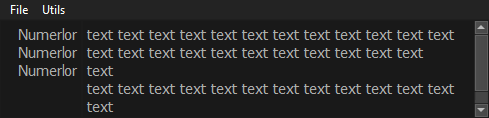
Or would I need to use more widgets like text labels to achieve that
mighty frigate
@rocky dragon so
it's a bit late but whatever
I wouldn't do the formatting "by hand", it sounds really boring
you could either use 2 texts boxes : one for the username, the other for the text
next to each other
or format everything as html
and give it to the textbox as rich text
and in that case it's standart CSS
rocky dragon
I currently have 2 text browsers next to each other with their scrolling linked together. But if a line wrap happens in the right textbox the amount of lines isn't the same between them and the messages get out of sync with the nicks they belong to
mighty frigate
as long as you can count the lines, you ll be fine, correct ?
I believe those Qt widget have a func to count lines
I didn't double check tho
rocky dragon
I'd have to insert spaces between nicks for every word wrap
For the messages to stay with the nicks that sent them, but I'm not sure if it's possible at runtime with a resizable window and the text browsers
mighty frigate
maybe there's a better solution then
@rocky dragon what do you think about
creating a text box for each user input
and append them into a layout
that way, they will always be aligned
rocky dragon
Could work if there is a property for them to auto expand to contents
mighty frigate
there is
if not, it's pretty much the same : from the font and the number of lines, you can deduce a minimal height
rocky dragon
Will have to try when I get home
 elder valve
anyone know of a good tool to live-edit python code that includes GUI support with PYQT
 agile moss
Do you mean something like QT Designer?
 worn wyvern
I need help:
Im working with tkinter and im trying to align a Label to the North with label.grid(row=3, column=2, sticky=tk.N)
But it doesnt work I dont know why
rocky dragon
Any chance there is a qt text edit signal that I've missed that is emitted when a line wrap happens? Or just something that gets the amount of the lines along with the wrapped ones instead of every /n that is in the displayed string
 gentle wedge
Any good UIs that work with PyGame yet?
 karmic sphinx
Hey, I'm having trouble showing/hiding windows with PyQT5. I can push button to a new window, then go back to the previous window with a QDialogButtonBox, but If i try press the push button again to open that same new window it returns NameError: name 'Ui_hotkeyAdd' is not defined
sudden coral
What happens to the first window you showed?
Do you press the button > show it > close the window > press button again?
Or something else?
karmic sphinx
So my main window is hidden with MainWindow.hide() and new window shown with self.window.show()(note: new window is a frame if that matters) then vice-versa on the new window to open/close windows. then If i try do it again then I get the error
So on the new window when self.buttonBox.accepted.connect(self.bye) is pressed it returns to the main window with self.window.show()
karmic sphinx
Ignore the horrendous code and errors, i'm gonna be wiping it all once I sort these errors out lmao
karmic sphinx
How to I reopen the first window without importing the first file?
sudden coral
The basic solution is to have the hotkey add emit a signal when it closes
and the main window can attach a slot to the signal to show itself
Before you get carried away, Qt actually has a widget than can do this for you
It's called a QDialog
You should make your hotkey add widget subclass QDialog
I can show you an example from my own code if you'd like
karmic sphinx
Hmm, I see. Yea I started learning QT like an hour ago so my knowledge with this is very limited haha
yes please
sudden coral
You've gotten quite far for an hour 😮
karmic sphinx
I made a GUI a while ago with Tkinter... PyQT is like 100X faster haha
kinda similar in a way, so easy to learn for me I guess
sudden coral
Welcome to the big league
karmic sphinx
😄
sudden coral
Here's the dialog https://github.com/MarkKoz/code-jam-4/blob/master/project/widgets/remove_dialogue.py

GitHub
Task for our fourth code jam! Contribute to MarkKoz/code-jam-4 development by creating an account on GitHub.
Pay attention to lines 14-15
I connect the signals to make sure the buttons work with the QDialog
(The buttons are just a QDialogButtonBox defined in a separate file)
Now in these two lines, I am creating the dialogue in my main window https://github.com/MarkKoz/code-jam-4/blob/master/project/widgets/main_window.py#L34
GitHub
Task for our fourth code jam! Contribute to MarkKoz/code-jam-4 development by creating an account on GitHub.
Sorry that was the wrong line but I'll go with it anyway
I connect a slot to the finished signal of the dialog .
The slot is seek_finished, which is defined on line 167
In there, I can check the result and do whatever I want
In your case you may not care about what the result is as you just want to display the main window regardless
Hope that helps
karmic sphinx
probably does, just working through what you're saying 😅 will get back to you in a sec
karmic sphinx
Hmm, I'm not getting it.. I haven't worked in python for almost over a year so I've forgotten quite a bit, could you just write up a line of code which connects the two files, I'd probably have a better understanding seeing it relevant to the code in the .py files I'm already using 😛
sudden coral
Well that's what the signals are for
That's how you communicate between the two widgets you have
Ok well I guess you could do it like this, though IMO it's poor design:
In your main window, pass self to the add hotkey widget
then in add hotkey's __init__ you could do self.mainwindow = mainwindow, where mainwindow is a parameter of the __init__
And later in the class when you need to show it you can do self.mainwindow.show()
 ember pike
So I'm currently drawing buttons in a gui (using tkinter) and I want to see what the name of that button is when it is pressed. Since I create 5 buttons with the names like: button1, button2, button3
for b in xRow:
    buttonAmount = bName[6:]
    print(buttonAmount)
    buttonAmount = int(buttonAmount)
    buttonAmount = buttonAmount + 1
    buttonAmount = str(buttonAmount)
    bXCoords += 34

    buttonName = buttonAmount
    buttonName = Button(mainPage,  height = 0, width = 3, command = bombPressed, bg = "gray13", fg = "gray65", activebackground = "gray33", font="Ebrima", bd = 2)
    buttonName.place(x = bXCoords, y = bYCoords)
@sudden coral Thanks for help the other night, I get what you mean now about the signals lol I was just way overtired to think.
sudden coral
You're welcome
karmic sphinx
@sudden coral is it possible to make the text centred when writing in a text editor box? also what can I select to set maximum character count to 1 character. I'm using Qt designer
sudden coral
Yeah, use this https://doc.qt.io/qt-5/qtextedit.html#setAlignment
I don't know if you can set that in the designer but easy enough to do in code afterwards
Though if you're trying to limit it to 1 character you should be using qlineedit instead
Unless you need the rich text editing feature that I don't thing QLineEdit supports
karmic sphinx
Oh okay, sweet thanks 🙂 I just need text limited to 1 char and centre aligned.
yea line edit seems like the way to go 😃
karmic sphinx
@sudden coral Hey I got another question 😅 I use these lines of code to bring up the other windows:
#button clicked
        self.addHotkey.clicked.connect(self.add_clicked)
        self.showHotkey.clicked.connect(self.show_clicked)

    #Shows "Add Hotkey" window
    def add_clicked(self):
        self.hotkeyAdd = QtWidgets.QFrame()
        ui = Ui_hotkeyAdd()
        ui.setupUi(self.hotkeyAdd)
        MainWindow.hide()
        self.hotkeyAdd.show()

    #Shows "Show Hotkeys" window
    def show_clicked(self):
        self.hotkeyShow = QtWidgets.QFrame()
        ui = Ui_hotkeyShow()
        ui.setupUi(self.hotkeyShow)
        MainWindow.hide()
        self.hotkeyShow.show()```
But where do I write the code when i've accepted/rejected the dialog buttons on the new windows?Are your windows QDialogs or normal widgets?
sudden coral
Then you need to get the QDialogButtonBox and connect some slots to their accepted and rejected signals
sudden coral
hotkeyShow would be the window instance I believe
so self.hotkeyShow.addDialog.accepted.connect()
karmic sphinx
where would I write that line? I've tried writing it and get this error:
AttributeError: 'QFrame' object has no attribute 'addDialog'
sudden coral
oh probably needs to be self.hotkeyShow.ui......
Never mind
You've done this in a really strange way
Normally you subclass the class that qt designer generates for you
karmic sphinx
How would you suggest I tidy this up?
sudden coral
You could look at the repository I linked to you yesterday for how I did it
karmic sphinx
Okay, I switched from frames to QDialogs and it's a lot better. but how come it isn't responding when I press ok or cancel? although when I press the "X" to close the window it does as shown in the else:
def add_clicked(self):
        addDialog = QtWidgets.QDialog()
        ui = Ui_addDialog()
        ui.setupUi(addDialog)
        addDialog.show()
        MainWindow.hide()
        thingy = addDialog.exec_()

        if thingy == QtWidgets.QDialog.Accepted:
            MainWindow.show()
            addDialog.hide()
        else:
            MainWindow.show()
addDialog.hide()```Did you connect the button signals?
karmic sphinx
Ok I added the following to my hotkey_add.py file and it shows/hides when pressing both buttons now:
self.addDialog_Button.accepted.connect(addDialog.accept)
self.addDialog_Button.rejected.connect(addDialog.reject)
So can I put what I want to happen in the if statement I have in my main.py when the button is pressed?
sudden coral
You can just leave it having it show the window
You can connect a separate slot to the addDialog.accept signal
Well
Sorry this is a bit messy give me a moment
Connect to the addDialog.finished signal
That signal is emitted whether the dialog is rejected or accepted
In the slot you connect to it, you can make it hide the dialog and show the main window again
karmic sphinx
Thanks for all the help 😀 Sorry for all the questions 😛
 fair condor
i've never made a gui before, anyone know a good place to start?
sudden coral
How much experience do you have with Python?
fair condor
a fair bit, partly from school partly from teaching myself.
sudden coral
I ask because I think tkinter is better for beginners. But if you're past that stage then I'd recommend Pyside2
The documentation is a good place to start if you're good at going about things yourself
Otherwise, I found example code to really help me when I was learning it
sudden coral
I don't have any good resources for tkinter unfortunately.
I haven't used it much myself
sudden coral
Alright, good luck
fair condor
cheers
 hoary lodge
How can I use threading in tkinter to press a button while other code is running?
 nova sun
whats is a super super low level graphics library?
like what can i use to draw pixels on the screen
hoary lodge
@nova sun use Turtle
nova sun
@hoary lodge does turtle allow you to control pixels individually
i want something even lower than opengl
hoary lodge
it allows you to draw to the screen and erase
nova sun
i need something way lower
hoary lodge
for example draw forward 50 pixels
nova sun
i want to control pixels
hoary lodge
what do you mean control
fair condor
i think they want something where they can specify something like "make the pixel at 256x920 red"
nova sun
yeah
i decided to go with opengl
but im getting this error when trying to install it, does anyone know how to fix thsi? https://paste.pythondiscord.com/nixuzurela.py
proper glade
@nova sun try installing the beta https://pypi.org/project/PyOpenGL-accelerate/3.1.3b1/
 proper glade
oh cool
 rare ibex
In tkinter, how can I change the background picture of a toplevel window?
I've already imported an image file using photoimage
obtuse meadow
Hello, someone has good knowledge with PyQt5 ? I'm facing a issue since several days ... And I don't figure out how to solve it :/
I thought I did, but in fact nop ...
rocky dragon
What's the issue?
obtuse meadow
Thank you for your return
There is my issue :
PyQt5 application with several windows
Button "Add" in the second window
Once button clicked, need to display in QTextEdit() in the main window : "Added"
Try to import from the second window the first and : QTextEdit().append("added"). But the first window is already imported in the second then I get an error message (Second window importing itself...)
That is the Main window :
import sys
from App.A_Client import NewClient

class Crm(QWidget):

    def __init__(self, parent=None):
        super(Crm, self).__init__()

        self.setGeometry(50, 50, 400, 100)
        self.setWindowTitle("CRM TEST")

        self.grid = QGridLayout()
        self.grid.setSpacing(10)
        self.setLayout(self.grid)

        self.home()

    def home(self):

        self.message_box = QTextEdit()
        self.message_box.setReadOnly(True)
        self.grid.addWidget(self.message_box, 3, 0, 5, 3)

# NEED TO APPEND THE "ADDED" IN SELF.MESSAGE_BOX FROM CLICK IN THE SECOND WINDOW

        self.dialogs = list()

        self.show()

    def btn1_on(self):

        dialog = NewClient(self)
        self.dialogs.append(dialog)
        dialog.show()

if __name__ == "__main__":

    app = QApplication([])
    launch = Crm()
app.exec_()````There is the second :
from PyQt5.QtWidgets import *
from App.App_main import Crm


class NewClient(QWidget):

    def __init__(self, parent = None):
        super(NewClient, self).__init__()

        self.setWindowTitle("ADD CLIENT")

        self.grid = QGridLayout()
        self.setLayout(self.grid)

        self.home()

    def home(self):

        self.btn_client_add = QPushButton("Add", self)
        self.grid.addWidget(self.btn_client_add, 12, 0, 12, 3)
        self.btn_client_add.clicked.connect(self.btn_add_on)

    def btn_add_on(self):

        if self.check_client_option_news_letter.isChecked():
            news_letter = "True"
        else:
            news_letter = "False"

        if self.check_client_option_other.isChecked():
            option = "True"
        else:
            option = "False"

        choice = QMessageBox.question(self, "Execute", "Do you want to add this client ?", QMessageBox.Yes | QMessageBox.No, QMessageBox.Yes)

        if choice == QMessageBox.Yes:

            Crm.message_box.append("Added") # THERE IS WHEN I WOULD LIKE TO APPEND THE "ADDED"


        else:
pass```It's two simplified script
@rocky dragon
I struggle on that since several days ...
sudden coral
I answered this in one of the help channels but didn't realise it was for Qt
I said you can't have circular imports like you are trying
Generally in Qt you use signals and slots to communicate between windows
But in this case you are alreading passing self to the NewClient, which makes NewClient.parent = Crm
So instead of Crm.message_box.append("Added"), I believe it would be self.parent.message_box.append("Added")
Actually, it looks like it's self.parentWidget() rather than self.parent
obtuse meadow
Thank you @sudden coral , I going to try that
@sudden coral could you give me an simple example of signials and slots ?
@shy hare how can I
```self.parentWidget.message_box.append("Added")````
If I can't import Crm in the New client file ? :/
sudden coral
Did the parent thing not work out?
obtuse meadow
Do you mean :
    def __init__(self, parent = Crm):
super(NewClient, self).__init__()```right
sudden coral
That self argument become the parent
You don't need to do anything else. Just by passing self as the first argument, you've made it the parent.
Actually, you do need to change one thing
You need to make this super(NewClient, self).__init__() pass the parent
to the super
I suggest you define it like this: py def __init__(self, *args, **kwargs): super().__init__(*args, **kwargs)
obtuse meadow
So, I should change the constructor of my "New client" class ? Sorry for that, but That is a new step for me ^^
sudden coral
Yeah, that is what I meant
That will make it forward all the arguments to the super class
obtuse meadow
I don't see how my message_box could pass through this modification and get the .append
sudden coral
Because you could get Crm by using self.parentWidget() inside NewClient
obtuse meadow
I'm currently using :
```self.parentWidget.message_box.append("Added")````
```self.Crm.parentWidget.message_box.append("Added")````
Okay, so I think it's reaching the "New_client" file, but now, when I run the application my window "New_client" doesn't appear anymore :/
sudden coral
It's a function
not an attribute
note the parenthesis at the end self.parentWidget()
obtuse meadow
Nop, I can't access to the window now
:/
The main window and the client window are not anymore liked with :
super().__init__(*args, **kwargs)````When you try in your side, it's working ?
obtuse meadow
That would be great if you agree, thank you a lot to help me
obtuse meadow
the dialog.show() display the window
sudden coral
Yeah but it wasn't being called anywhere
I managed to get it to show though
And yes, it does work with self.parentWidget()
This is what I did: py if choice == QMessageBox.Yes: parent = self.parentWidget() parent.message_box.append("Added") self.hide()
obtuse meadow
How did you display the window with the new constructor ?
sudden coral
Same as you did
The only change I made to Crm was calling self.btn1_on()
I called it at the end of home()
obtuse meadow
it doesn't work for me ...
obtuse meadow
No display, once I click on the "add client" button the next window doesn't show up
obtuse meadow
The window "add client" showed up as a new one in the Tab
Now I have nothing
It's weird if you can see that
^
^^
sudden coral
I don't understand. A tab?
obtuse meadow
yes
When you click on the the button "Add client" a window comes up
Then, you can click on add and display the information in the first window
sudden coral
Try my code https://paste.pythondiscord.com/cudelajupo.py
Ah I forgot to comment out the check_client_option_news_letter stuff cause that was causing an error
obtuse meadow
I'm checking juste a sec
Actually you have all in the same window
That's why you can use this decorator I think so
But the first script has to lead you to a second window, and from this second window, click on add and then get the information in QEditText in the first window
sudden coral
So you want separate windows?
obtuse meadow
Yes they were 😃
sudden coral
Then you can pass crm to the constructor like this py def __init__(self, crm, *args, **kwargs): super().__init__(*args, **kwargs) self.crm = crm
and use self.crm where needed
obtuse meadow
I can use the Class Crm in my Init ?
sudden coral
You could use it anywhere in the class
not just in init
Thats because of self.crm = crm
It makes it an instance attribute that you can access from anywhere
obtuse meadow
My code
You resolve my issue
Juste a second I try again
My code = My god ^^
It's working
sudden coral
great 👍
obtuse meadow
Thank you a lot @sudden coral
sudden coral
you're welcome
obtuse meadow
With slot and signal, is it easier to handle this kind of situation ?
sudden coral
They're relatively more work to set up but they are also more powerful and organised
I think it's bad practice to have one window directly modify another.
Each window should be responsible for modifying only themselves IMO
But take that with a grain of salt cause I don't do a lot of GUI programming
sudden coral
you're welcome
 pallid thunder
Hi all!
Sorry I've got 2 questions here:
- Can anyone help me out with finding a date selection (preferably calendar type) widget. I need to be able to use it with a tkinter application, but I suppose I can tack on something from another framework.
I'm aware of TKcalender, but i don't know if anyone's ever tried to have multiple packed into the application at once, but after about 7-8 the program becomes an unresponsive mess. I'm trying to port an AHK application over to tkinter but despite AHK handling 50+ calenders throughout the program fine, Tkinter becomes noticably slower after about 4 so I've hit a wall.
2). If I unpack a tkiknter frame with a bunch of contents packed inside it. Do I have to re-pack them if i repack the frame. I.e could I simply unpack the frame the calendars are in until needed to avoid the huge drain in performance they incur?
Many thanks in advance
 steep bluff
I have a problem with creating a Button in Tkinter. I have a problem, which I've never saw before. If I create a button with the folowing command, it runs the command "bezahlt". I thought this should only be the case, if I were to push this button. Can somebody explain to me why it runs the command
The button: ct1 = Button(root, text="0,01ct", command=bezahlt(0.01))
sudden coral
This is because bezahlt(0.01) calls the function
to pass the function itself rather than calling it, you need to do command=bezahlt
But you want to pass a parameter to the function, so you can work around this by putting it in a lambda: command=lambda: bezahlt(0.01)
@steep bluff
steep bluff
thanks
digital rose
what's the recommended toolbox to develop modern user interfaces in python (think material design or flat design) that do not require a commercial license. Doesn't necessarily needs to be a desktop application, it could also be used websites run as local host with python as backend solution
 ashen temple
@digital rose PySide2
digital rose
@ashen temple which license is it using?
sudden coral
It's LGPL IIRC
sick sapphire
Is Pyqt5 better than wxpython? In terms of support and overall popularity?
 ebon cairn
@sick sapphire pyqt5 is GPL so there's that
 final flicker
@ashen temple doesnt pyside2 also use qt?
Ive always had problems creating flat/material designs in the deaigner
ashen temple
Yes, it does.
 formal leaf
is there a way to show the animation of the button pressed when u click it but using the keys?
like if i have a button bind to a key, i want the button to do the animation when i press the key
@ me if u can help ^^
 charred kernel
is there any reason why pygame runs slower on a different computer? a friend of mine is testing out my game, and experiences severe lag on his end
digital rose
can anyone here recommend python gui package? pyqt, simplepygui, wxpython, tkinter there are several and confusing
looking to build fairly simple button click / release / image / perhaps drag functionality
what would be the simplest framework to use?
sudden coral
I am a fan of pyside2 (based on Qt) but it isn't the easiest to use. However I'd say it's the most advanced. It also has a designer you can use to design your gui if you prefer a gui based approach rather than coding it all.
Can't really recommend tkinter but it's pretty simple I guess.
Don't have experience with the other two you mentioned
nova sun
yes i second everything mark has said, pyside2 is awesome and tkinter is (probably) the easiest
sudden coral
Wxpython also looks like it's a nice middle ground.
And if you choose qt, use pyside2 rather than pyqt5
digital rose
ah thank you, will def check pyside2
so no vote for simplepygui?
and actually, in determining one's preference on ui framework what do you guys consider?
options / functionality / simplicity priority wise..
i'l just very wary of some annoying ui programming routine so..
not sure if my concern is worthwhile when considering a ui solution
sudden coral
I personally don't factor in simplicity in as much. Fact of the matter is that as your applications get more complex so will the code. And I feel the design of a now advanced framework will start to make more sense as you go in that direction.
Also I've been coding for a while so I'm comfortable with something that isn't as simple or beginner friendly
I choose pyside2 cause it is a mature framework and had a good ecosystem (less so for the python version than the original cpp though)
One thing I always hated about guis is designing them in code and qt had good options for that.such as the designer I mentioned
There's also qml, but ive not played with that
digital rose
sounds nice ok designer
sudden coral
It also just looks good, which can't be said for tkinter
And it has provisions for customising the appearances a lot, from simple css-like styles to overriding how widgets are painted (fairly advanced)
It also has downloadable themes, like a dark theme I used for python
The same can't be said for something.like tkinter
sudden coral
Tkinter is pretty ugly
digital rose
i see
sudden coral
To be fair I haven't messed a whole lot with trying to make it look great
So pysimplegui sounds good in theory with the promises it offers but I'm sceptical of it
It does seem to be able to use qt internally?
I haven't looked at it's api much so can't comment on how simple it really is
But as I've explained I don't feel it's really marketed for someone like me to begin with
Maybe it is for you though
Like pyside2 sounds great and all but if youre a python newbie then you'll have a hard time
digital rose
i know python
just not ui side
ui is not my thing lol, into backend
i'm that type hating css / html / button placing all those little bitty detail things but enjoy tinkering with backend bytes / flows / controls
sudden coral
If you're experienced then just go for pyside2. I used it for the first time ever for a code jam and picked it up pretty quickly
Just to give you an idea
And I sympathise with you, I'm not a fan of the front end stuff
I spent most of my time doing the back-end stuff but also a bit to connect the widgets together. Front end work was fairly minimal thanks to the designer
Just took a day or two to figure out how the layout system works

 sudden coral
Qt is very popular in the C++ world
The other one would be GTK+ for C
I think there are also python bindings for gtk but haven't heard much about them
digital rose
i was always curiosu though, why would anyone use c++ for gui
sudden coral
Performance I guess
sudden coral
🤷
If you've ever heard of KDE, they have tonnes of applications written in Qt (C++)
digital rose
i see the reason for backend but for front end... if it was just an extension to that c++ usage then i get it
i see
yea... hm not my favorite but ok
sudden coral
Well just goes to show you can build an entire desktop environment based on it
probably not in python though
digital rose
yes agree
karmic sphinx
How do I import a separate script into my main.py file without it stopping the main script from running? so without the imported file it runs the GUI and everything functions normally, but when I import the script it runs the script (which needs to be running the entire duration the main script is running but in the background) and only the functions of that script are accessible . Once I hit Esc (which kills the imported script from running) it stops running and the GUI appears
rocky dragon
if it is an infinite loop you'll need to put it into a separate thread
karmic sphinx
What's the fastest way to do that?
rocky dragon
Depends on the GUI module you are using @karmic sphinx
 craggy vessel
What would you say is the best python program? I currently have Enthought Canopy and Python Idle, but neither of those are really to my liking
I really dislike how enthought canopy is so locked down, but it has more built-in features than IDLE
 outer sundial
The best python program? That would be Python.
If you mean Python IDE, then I would suggest vim or vscode
craggy vessel
IDE. Why have I thought that it was idLe for years.
outer sundial
IDLE's popular. I think it's recommended straight from python documentation online. I've never used it though
craggy vessel
oh, ok. I thought that I was just incredibly stupid for a moment there
agile moss
IDLE is Python's Integrated Development and Learning Environment; it's bundled with Python. However, while it's used by beginner's, it's not really popular after that. It lacks some basic features you may want and other IDEs and code editors offer much more or are a lot more customizable
karmic sphinx
I’m using PyQT5 😃 @rocky dragon
rocky dragon
Qt has its own threading thing so use a class that inherits from QThread if you want communication between that and your window thread, otherwise a threading.Thread would suffice I guess
rocky dragon
Any tools to convert PyQt5 to PySide2?
nova sun
are they really that different
rocky dragon
signals are different enough to make me not want to redo it
karmic sphinx
Hey about my question above, how do I actually run the imported script in a thread?
rocky dragon
You'll have to create a new worker class and add it to a thread, just Google around a bit pretty sure there is documentation for that or some examples
 austere helm
Anyone have a resource for learning QT that's more focussed on teaching the grand theory behind Qt and how programs written for it should be layed out? Most of them just start writing code, which I can follow, but it's generally very beginner level and doesn't tell me much about designing my own programs if that makes sense. Essentially, I want "an experienced programmers guide to GUI development for the first time in Qt"
rocky dragon
For me it's use qt designer and lots of layouts, then rewrite it a bit to look good and work with signals
 spare verge
I don't know
rotund flax
!tempmute @digital rose 2h Misusing a help channel meant for Python help, pinging several helpers as an attempt to get help.
proven basinBOT
:incoming_envelope: :ok_hand: muted @digital rose until Tue, 18 Jun 2019 14:48:51 GMT (Misusing a help channel meant for Python help, pinging several helpers as an attempt to get help.).
 spare wren
Im trying to make floating numbers, they also need to always be the top window. Anyone have any leads for me? Looking for a library that can do this.
karmic shoal
floating numbers?
spare wren
Yea, if you have ever used steam I am trying to make a ping GUI that will sit next to the FPS counter.
Thats what the FPS counter looks like, I need to be able to make numbers like that. I can easily check the ping to the server, thats not my problem.
proper glade
you can probably do this with qt
brb, ill make an example
import PyQt5.Qt as qt


class FloatingWidget(qt.QWidget):
    def __init__(self):
        super().__init__()
        self.setAttribute(qt.Qt.WA_TranslucentBackground)
        self.setWindowFlag(qt.Qt.FramelessWindowHint)

        self.label = qt.QLabel()
        self.label.setStyleSheet('background: transparent')

        self.main_layout = qt.QVBoxLayout(self)
        self.main_layout.addWidget(self.label)


if __name__ == '__main__':
    def main():
        app = qt.QApplication([])
        floating_number = FloatingWidget()
        floating_number.show()
        floating_number.label.setText('123')
        app.exec()

    main()
oh, youll probably also want to add self.setWindowFlag(qt.Qt.WindowStaysOnTopHint) to __init__
import PyQt5.Qt as qt


class FloatingLabel(qt.QLabel):
    def __init__(self):
        super().__init__()
        self.setAttribute(qt.Qt.WA_TranslucentBackground)

        self.setWindowFlag(qt.Qt.FramelessWindowHint)
        self.setWindowFlag(qt.Qt.WindowStaysOnTopHint)

        font = qt.QFont()
        font.setPointSize(16)

        self.setFont(font)


if __name__ == '__main__':
    def main():
        app = qt.QApplication([])
        floating_number = FloatingLabel()
        floating_number.setFixedSize(128, 128)
        floating_number.show()
        floating_number.setText('123')
        app.exec()

    main()
this one's better
no need for the outer QWidget
 sullen thunder
Hey, need a little direction on an issue I am having.
Background: upgraded monitors to 4k from 1080 and my PyQt5 application got distorted in it's dimensions.
I anticipated some shrinkage but it is worse than that.
Thoughts on how to correct this? Is it going to be using a size policy of minimumExpanding where I set dimensions for 4k as the max?
Or is there a way to have the program adjust the dimensions according to screen resolution?
A concern is some functions use set dimensions. I might have to retool them completely, but oh well.
Thoughts?
karmic shoal
try this, at the start of your script, right after the imports
if hasattr(QtCore.Qt, 'AA_EnableHighDpiScaling'):
    QtWidgets.QApplication.setAttribute(QtCore.Qt.AA_EnableHighDpiScaling, True)

if hasattr(QtCore.Qt, 'AA_UseHighDpiPixmaps'):
    QtWidgets.QApplication.setAttribute(QtCore.Qt.AA_UseHighDpiPixmaps, True)
or right at the start of if __name__ == "__main__": if you're using it
sullen thunder
Thanks, I will attempt that tonight. I will also do some research to understand that better.
karmic shoal
This might help https://doc.qt.io/qt-5/highdpi.html
sullen thunder
Thank you a bunch. This was exactly what I was trying to find last night to no avail
sullen thunder
@karmic shoal quick question. I can't test any of this till later. However, is it say to say if I place your recommended code under the executable if __name__ == "__main__": it will work for the entire application.
I would think so but part of me isn't sure.
(edit) - solved, figured out where to put it for it to work. looks good.
spare wren
    timer = qt.QTimer()
    timer.timeout.connect(update_label())
    timer.start(1000)
    app.exec()
Im getting:
timer.timeout.connect(update_label())
TypeError: argument 1 has unexpected type 'NoneType'
Can anyone help?
sudden coral
You're calling the func
you need to just pass it
Remove the parenthesis
connect(update_label)
spare wren
Thank you so much
 vagrant moth
Hello, I have been recently developing on my ipad. I use PYthonista. I noticed that Pythonista doesn't have the support for tkinter
I ran across a module named ui
module does't seem that bad has anyone here used it before ?
sudden coral
I don't think you have any other options if you are using pythonista
sudden coral
You mean that specific library? I don't know. I've never used it
Honestly I'd be surprised if you found much besides the documentation for it. It seems like a relatively niche thing
vagrant moth
ah ok are there any sort of other text editors for ipad ?
that would allow me to do mobile development
sudden coral
I wouldn't know. I don't use an iOS device
vagrant moth
I read the api last night doesn't seem hard
http://omz-software.com/pythonista/docs/ios/ui.html @sudden coral
sudden coral
? Did you have a question about it?
vagrant moth
I'm working on making schedule app with the ui
module and I was wondering if it would be possible to combine both datetime and ui module together ?
sudden coral
I don't see why it wouldn't be
sudden coral
I'm not sure how to answer that. Just import datetime into your code and use it
vagrant moth
ok
 distant wigeon
New to this stuff sorry, what is PyQt5 and how can I use it?
 whole scroll
machiavellian. https://pypi.org/project/PyQt5/ 😃
First paragraph should tell you what you need to know.
distant wigeon
Thanks!
whole scroll
😉
obtuse meadow
Hello, one question. What to you have to mention to set the text on the right side for this line :
```setAlignment(Qt_Alignment= )````
Because I see on the web, lot of people using that :
```setAlignment(Qt:: AlignRight)````
But doesn't work for me :/
sudden coral
That's cpp syntax
I think you import it from qtcore in python or something
Don't remember right now
QtCore.Qt.AlignRight try that
sudden coral
Np
 dusty trench
Hey guys, whats the best GUI library for both linux & macOS. I tried tkinter lib but i think there is issues with using it in macOS with colors and other stuff.
Also in Tkinter will i be able to create like a virtual face (animation) that say/talk whatever you type?
karmic shoal
There's no "best", only preferences, and PySide2 is pretty good
obtuse meadow
Hi ! Question, anyone knows how to change the text color fo QLineEdit() ? and also set the text in bold ?
I know for the background :
QLineEdit.setStyleSheet("background: rgb(236, 236, 236)")
But I don't find any informations for the text .... :/
rocky dragon
you can change your stylesheet css to "background: rgb(236, 236, 236); color: rgb(###, ###, ###); font-weight: bold"
If you're working with stylesheets or other css than look up css info, not qt specific
obtuse meadow
Okay thank you for your return. For letters, is it the color: rgb(###, ###, ###)You gave me ?
It's working !
for the color
thank you @rocky dragon
digital rose
has anyone here worked with Python cv2, computer vision. for face detection or anything
obtuse meadow
Nop but seems so cool 😃
obtuse meadow
Hi, Anyone knows why my decimales doesn't change for my QDoubleSpinBox() ?
self.spin.setRange(0.00, 2.00)
self.grid.addWidget(self.spin, 2, 4)````The only changes I have are : 0.00 , 1.00, 2.00
And not : 0.00, 0.01, 0.02 ...
obtuse meadow
Found, That was the "singlesetp"
 molten isle
I'm using Visual Studio Community 2019, what type of Python project should I create for tkinter?
sudden coral
Probably just the 1st one
 royal cove
Hi guys, im trying to create a live plot embedded inside a pyqt GUI using matplotlib
Currently facing an issue where FuncAnimation of matplotlib just stops after a certain amount of loops
code is as below
def animate(i):
    window.ax1.clear()
window.ax1.plot(window.xdata[0:i], window.ydata[0:i])```FuncAnim stops after 100ish loops even though xdata and ydata length is about 1500, the GUI window doesnt freeze or anything
anybody knows what might be the problem?
no errors returned in command prompt either, Funcanimation just stops looping and the application can still be used
rocky dragon
How can I keep pyqt5 gui alive while I'm waiting for a server response in a second thread
proper glade
need more info to be sure what youre talking about exactly but
you could have a qthread for handling server communication and emit a signal from that when a response arrives
then connect whatever you want to that signal to consume the response
by default the gui should 'stay alive' without any extra work
@royal cove idk what the issue is in your specific problem but you might wanna take a look at the qt examples here https://matplotlib.org/examples/user_interfaces/index.html and see if anything different about how theyve done it stands out
rocky dragon
This is how the worker is started, same start works for the main worker of the script but here it makes the main window and the popup that calls the worker unresponsive until it is done
        self.plotter = workers.SpanshPlot()
        self.thread = QtCore.QThread()
        self.plotter.moveToThread(self.thread)
        self.plotter.status_signal.connect(self.change_status)
        self.plotter.finished_signal.connect(self.sp_finish_act)
        self.thread.started.connect(lambda: self.plotter.plot(self.eff_spinbox.value(), self.ran_spinbox.value(),
                                                              self.source.text(), self.destination.text()))
        self.thread.start()
hmm seems like the example uses timers built into qt to loop animations instead of using matplotlib functions
will give that a look, thanks a lot
proper glade
np
@rocky dragon does it stay unresponsive if you comment out the .status_signal.connect line?
im also a little confused since in your original question you asked about server responses
but this looks more like, idk, calculating graph points? are those coming from a server?
or is that what you meant by server to begin with
rocky dragon
it sends user input to an api that calculates a route between points, looping with sleep until a response is received
proper glade
right i see
rocky dragon
not responding without connecting the signals too
proper glade
could you post the code for SpanshPlot?
rocky dragon
proper glade
why do you need a second thread?
couldnt you instantiate SpanshPlot then call its .start()?
rocky dragon
There was a problem when I tried that at first but can't recall what it was
trying it now if it wasn't just some syntax errors
proper glade
my guess is there's something about calling moveToThread for a QThread thats messing with the event loop
rocky dragon
skipped the second QThread and getting the same behaviour
could it be something with the thread being called from a child window?
proper glade
dunno
doesnt sound right to me
maybe requests is messing with the GIL?
no that cant be right either, requests doesnt operate on that level iirc
this only happens with a popup? not any other window?
rocky dragon
The main worker that is started after the problematic thread is finished functions normally
and it's started from the main window
proper glade
if you run the spanshplot thread from the main window does it block the main window?
rocky dragon
going to try
proper glade
oh wait lol
i see what the issue is
self.thread.started.connect(lambda: self.plotter.plot(self.eff_spinbox.value(), self.ran_spinbox.value(), self.source.text(), self.destination.text()))
rocky dragon
need to pass it to the class?
proper glade
self.plotter.plot is running in the ui event loop
what you can do is just put the call to plot in SpnshPlt.run
and yeah pass parameters into its constructor instead
class SpanshPlot(QThread):
    def __init__(self, efficiency, jrange, source, to):
        super().__init__()

        self.efficiency = efficiency
        self.jrange = jrange
        self.source = source
        self.to = to

    def run(self):
        self.plot(
            self.efficiency,
            self.jrange,
            self.source,
            self.to
        )
the run method of a QThread is what gets executed in the thread when you call its start
so the way you'd use this would be:
self.plotter = SpanshPlot(
    self.eff_spinbox.value(),
    self.ran_spinbox.value(),
    self.source.text(),
    self.destination.text()
)

self.plotter.status_signal.connect(self.change_status)
self.plotter.finished_signal.connect(self.sp_finish_act)
self.plotter.start()
@rocky dragon
rocky dragon
Just set it, had a small delay. Seems to work properly; thanks
didn't know about the run method
 dusky jacinth
Not particular question, but does anyone have any recommendations for a GUI to use?
 rare hollow
tkinter
dusky jacinth
Thanks
 zinc summit
I have a Qt designer already installed from some other package. Now I want to use it for PyQt. Is it the same designer or should I get a different one for PyQt?
Also, I have never done any UI work. I need to do something on openGL now. What all will I need and what other dependencies should I download/get?
sudden coral
Pyside2 comes with it. For PyQT5 I think you need to install it separately cause it's part of pyqt5-tools
Alternatively, you could use the designer in Qt Creator but that's big install and creates a C++ project only so it's not recommended (though you can still use the ui files it creates as usual)
I would think any of them would work as long as you use the appropriate tool to convert the ui file to python
zinc summit
I have Qt from an old installation meant to learn C++. Not sure if the python thing is already in it
Pyside is another designer?
sudden coral
Pyside is another Python library for Qt; it's an alternative to PyQt5
If you installed the Qt IDE (called Qt Creator), then it wouldn't have come with any Python stuff as far as I know
You would still need to install PyQt5 with pip. However, you could use the designer from Qt Creator like I said.
Though if it's an old version you should just install pyqt5-tools along side PyQt5 and use its designer instead
zinc summit
Hm. So should I go for pyQt5 or pyside2? (Both from the point of easy learning and finding tutorials. Also need openGL)
@sudden coral
sudden coral
I prefer pyside2 cause its LGPL
But they both try to be faithful to Qt's API so either one will be fine honestly
PyQT5 has more bindings though; you can see how Pyside2 sizes up here https://wiki.qt.io/Qt_for_Python_Missing_Bindings
If you see something you need that PyQT5 has that Pyside2 doesn't, then the choice is obvious
Regarding OpenGL I don't know anything about it, sorry.
zinc summit
LGPL? I guess I am too much of a noob here
karmic shoal
Not really, it’s licensing
Lesser GNU Public License
there’s a nice tldr website somewhere but I can’t pull it up now
zinc summit
Thanks Mark and kosa
sudden coral
From learning and tutorial perspective it doesn't matter because they are both similar to the Qt API, so consequently they are also similar to each other.
I heard there are differences in how some things are done (like signals and slots) but not like there's no resources for that stuff anyway
zinc summit
Thanks. I will get started on a YT tutorial. Looks like pygame is somehow involved here too
obtuse meadow
Hello, Question, is it possible when you pass a cursor over a TextEdit to get additional information in a box that appear ? With PyQt5
By "bor" I mean a second window that appear only when you pass the cursor on the textedit
obtuse meadow
Thank you @rocky dragon , I'm going to try that
obtuse meadow
I have created a function table and a function to fill the table. Then I call the function from a second file creating the inputs. but I don't arrive to call the function in question. a "self" is missing to get all the informations to launch the function and fill out the table.
There is my scripts :
        self.table1 = QTableWidget(0, 3, self)

        self.grid.addWidget(self.table1, 0, 2, 3, 2)


    def table_fill(self, info1, info2, info3):

        numRows = QTableWidget.rowCount(self.table1)

        self.table1.insertRow(numRows)

        self.table1.setItem(numRows, 0, QTableWidgetItem(info1))
        self.table1.setItem(numRows, 1, QTableWidgetItem(info2))
self.table1.setItem(numRows, 2, QTableWidgetItem(info3))````That create the table and the second fill the table.
Then I call from a second file like that :
Tables.table_fill(info1, info2, info3)
So the name of the class "Table" and the function "table"
Then the informations in
It's highlight and tell me that info3 is waiting to be input
And when I use my "cmd" + "p", I can see that a self is missing at the beginning
sudden coral
You need to call table_fill on an instance of the Tables class
obtuse meadow
Like a variable ?
sudden coral
tables = Tables() then tables.table_fill(...)
If you already did tables = Tables() somewhere else then you need to somehow get that to the other module
And if you struggling to figure out how to accomplish that then it means you structured things poorly to begin with
obtuse meadow
Okay, thank you
zinc summit
The tutorials I use refer to an example folder in the PyQt installation. He uses PyQt4 but says the same tutorial suits PyQt5. I dont find that example folder in my PyQt5 installation. Please help me find it
C:\Python27\Lib\site-packages\PyQt4\examples\demos\qtdemo in the tutorial but I dont see any such folder in my PyQt5 folder
sudden coral
Download it from here https://riverbankcomputing.com/software/pyqt/download5
it will have examples included in the archive
zinc summit
That page either has files for "source" or just provides the command pip3 install PyQt5 to install. Do I have to download source and compile?
@sudden coral
sudden coral
Download the source
Don't compile it. Just extract the archive and you'll find the examples folder
zinc summit
Thanks. Interesting how different the installation from the pip and this looks like. Most of the folders does not exist in the pip installation. I wonder what is wrong
sudden coral
I don't have them either in the pip install
Nothing is wrong, it's just how it was packages I guess
zinc summit
Now to encounter the beast. 😃 Thanks a lot
obtuse meadow
Hello
Anyone use Visual Studio with python and Qt ?
I have install "VS" to compare with "Pycharm". Then I have some issue with, My PyQt5 app is working but all my "Qt" functions called are highlighted. I have tried to pip install again, but the terminal is returning me that everything is okay and the package is already install. Any idea ? There a record shot :
That is only regarding Qt
That would come from Pylint
Okay found
That was because of my path and the file I was working on
obtuse meadow
My "Pylupdate" is not found, is it possible because of that ?
proven basinBOT
star-imports
Star / Wildcard imports
Wildcard imports are import statements in the form from <module_name> import *. What imports like these do is that they import everything [1] from the module into the current module's namespace [2]. This allows you to use names defined in the imported module without prefixing the module's name.
Example:
>>> from math import *
>>> sin(pi / 2)
1.0
This is discouraged, for various reasons:
Example:
>>> from custom_sin import sin
>>> from math import *
>>> sin(pi / 2)  # uses sin from math rather than your custom sin
• Potential namespace collision. Names defined from a previous import might get shadowed by a wildcard import.
• Causes ambiguity. From the example, it is unclear which sin function is actually being used. From the Zen of Python [3]: Explicit is better than implicit.
• Makes import order significant, which they shouldn't. Certain IDE's sort import functionality may end up breaking code due to namespace collision.
How should you import?
• Import the module under the module's namespace (Only import the name of the module, and names defined in the module can be used by prefixing the module's name)
>>> import math
>>> math.sin(math.pi / 2)
• Explicitly import certain names from the module
>>> from math import sin, pi
>>> sin(pi / 2)
Conclusion: Namespaces are one honking great idea -- let's do more of those! [3]
[1] If the module defines the variable __all__, the names defined in __all__ will get imported by the wildcard import, otherwise all the names in the module get imported (except for names with a leading underscore)
[3] Zen of Python
sudden coral
@obtuse meadow
obtuse meadow
What is star-import
agile moss
from module import *
That doesn't work with VS ?
It's the same
I'm using ```from PyQt5.QtWidgets import QWidget````
I have the same thing
Qwidget is still Highlight
That drive me crazy xD
I have this message
I don't see what is the path to set ...
That is coming from pylint
but don't know how to fix that
When I uninstall pylint, nothing more (You would say : 'Normal' ^^)
I try to reinstall now
And the highlight is back ...
obtuse meadow
 fast wave
I want to get command line's text progressbar and make it a pyqt progressbar. How can i do this?
For example i want to get the progress bar of pip, while it's installing something.
obtuse meadow
Hi @fast wave
Did you find ?
"Qprogressbar" works like that :
class Mainwindow(QWidget):


    def __init__(self, parent=None):
        super(Mainwindow, self).__init__()

        """SET THE WINDOW"""

        self.setGeometry(50, 50, 200, 200)
        self.grid = QGridLayout()
        self.setLayout(self.grid)
        self.button()

    def button(self):

        """SET THE BUTTON"""

        self.r = QProgressBar(self)
        self.grid.addWidget(self.r, 0, 0)
        self.r.setMaximum(100)

        btn = QPushButton("Hello")
        self.grid.addWidget(btn, 1, 0)
        btn.clicked.connect(self.button_on)

        self.show()

    def button_on(self):

        """SET THE ACTION"""

        count = 100
        self.r.setValue(count)

def run():

    app = QApplication([])
    launch = Mainwindow()
    app.exec()

run()````@obtuse meadow thanks
proper glade
@fast wave sounds tricky to put together. one thing that comes to mind is using something like winpty + streamexpect to manually parse and convert the console progress bar info
https://github.com/spyder-ide/pywinpty for windows

GitHub
Python bindings for the winpty pseudo terminal library - spyder-ide/pywinpty
https://ptyprocess.readthedocs.io/en/latest/ for linux/mac
then there's either https://pypi.org/project/streamexpect/ or https://pexpect.readthedocs.io/en/stable/ for the parsing
 shy flare
How to make your Canvas not resizeable? I'm getting stuck in my project. Huhu
 mystic olive
How does one put a path of an image file into the clipboard? I know that in Pillow module you can extract the image from clipboard but is there a way to put it in the clipboard? I am trying to make a desktop automation program to paste picture in other programs.
karmic shoal
I've heard of the pyperclip package
mystic olive
from the documentation it says it only does text to clipboard
i tried the jaraco.clipboard 2.0 module which is supposed to have image to clipboard
but when i put the picture path in the argument it just gives out this error.
  File "C:\Users\uporabnik\Desktop\test dektop.py", line 10, in <module>
    clipboard.copy_image('E:\Slike\Moje slike\Internet\hewwo.png')
  File "C:\Users\uporabnik\venv_screen_glitching\lib\site-packages\jaraco\clipboard\__init__.py", line 7, in _not_implemented
    raise NotImplementedError("format not supported")
NotImplementedError: format not supported```How could I modify the default context menu of a PyQt5 Text browser? adding more actions to it works but I'd like to rearrange it a bit. Iterating through the list of its actions always results in wrapped C/C++ object of type QAction has been deleted and when trying to add them from the list created by .createStandardContextMenu().actions() using addActions I get index 0 has type 'QAction' but 'QAction' is expected
fast wave
@proper glade thanks
i have created a gui with designer, and converted it to .py file. how can i load that gui.py file to my code?
this is gui: https://bpaste.net/show/juZi and this is the simple code: https://bpaste.net/show/32g8
 lunar mauve
Those doing css who use grids, do you guys define the grid rows & columns for the entire page layout first?
steep bluff
is there any way to pack custom buttons into a message box in tkinter?
 uncut furnace
Hi, is there anyone here who has used both pygame and arcade?
I was wanting to know if pygame is a bit better than arcade, because from what I have gathered, arcade is really badly optimized
Hmmm, okay nevermind
after a bit of research I have discovered that pygame is even worse
lol
sullen thunder
Anyone know any good CSS resources? I want to implement some style sheets into my program.
 blazing leaf
So I'm trying to use PyQt for the first time and have one method that can update cells in a table. That method can be called either by a button on the same window as the table or a button in a different window.
For some reason when I use the button in the same window, the table doesn't actually update until I minimize and re-focus that window.
Whereas the button in the other window does fine.
The code for the relevant parts is in this post: https://www.reddit.com/r/learnpython/comments/c8eqjq/issue_with_first_gui_using_pyqt/
sudden coral
The comment talks about a Model/View approach. Separating business logic from presentation
Since you're using a database I would recommend using a QSqlTableModel with a QTableView
Do you happen to be calling from a different thread? You could also try updating the viewport of the widget
@blazing leaf
blazing leaf
I haven't used threading at all. Is updating the viewport the same as calling .update() on the table widget?
sudden coral
I don't think so
I know you said update didn't work
but try tablewidget.viewport().update()
You could also try table.repaint()
blazing leaf
I'll give those a shot when I get home, thanks
 onyx sky
anyone have experience with glooey and pyglet? I'm having issues with it not properly reindexing the resources path to find images :/
If i leave the resources in the same directory as the main.py file it works, but if I put them in resources/ which is in the same directory as main.py, the documentation says add py pyglet.resource.path = ['resources'] pyglet.resource.reindex()
But when I do that I get: ```
Traceback (most recent call last):
File "/home/kylan/.local/share/virtualenvs/code-jam-5-7vrXWwcE/lib/python3.7/site-packages/pyglet/resource.py", line 435, in file
location = self._index[name]
KeyError: 'form_center.png'
During handling of the above exception, another exception occurred:
...
File "/home/kylan/.local/share/virtualenvs/code-jam-5-7vrXWwcE/lib/python3.7/site-packages/pyglet/resource.py", line 679, in texture
file = self.file(name)
File "/home/kylan/.local/share/virtualenvs/code-jam-5-7vrXWwcE/lib/python3.7/site-packages/pyglet/resource.py", line 438, in file
raise ResourceNotFoundException(name)
pyglet.resource.ResourceNotFoundException: Resource "form_center.png" was not found on the path. Ensure that the filename has the correct captialisation.```
i've double checked and retyped my spelling several times, i've tried giving an absolute path to resource.path, i don't know what's goign on.
lunar mauve
@onyx sky try adding ../
onyx sky
same error
lunar mauve
../resources = same error?
onyx sky
correct
 worthy kayak
hello all, not sure if this is the right chat to be asking, but I'm using PyQt5 (noobie qt designer user) and I want to playback video, but there doesn't seem to be any widget that allows me to do so, any help would be very appreciated
worthy kayak
I also have pyqt4 installed on another machine and I don't have phonon widgets from the widget box there either
 wet rune
You just want to playback a video?
worthy kayak
yeahhhhh I'm fine with literally just playing a video from start to end, if it doesn't have volume controls/back and forth I should be fine
wet rune
I've just just found that: https://pythonprogramminglanguage.com/pyqt5-video-widget/
Maybe this can help you, idk
worthy kayak
ahhhhhhhh yes I have taken a look at that, ideally I'd do it from within designer because the video player is just a small part of the app
wet rune
I don't know much about the QtDesigner, I actually never use it. There's probably no QVideoWidget in the QtDesigner.
worthy kayak
ahhhhhhhhh fair enough, and yeah it looks like there isn't, supposedly there is because my textbook says so, but it doesn't appear in my widget box, for some reason or another
wet rune
So you'll probably have to write the code yourself
Mhh, yeah
Instead you could use the designer for the UI and then later on you could add the QVideoWidget in your code.
worthy kayak
ahhhhhhhhhh that's a good point, I was thinking that's what it would eventually get down to, I'll figure out that part when I get there I suppose, thank you very much.
One last thing if you maybe know, how do I even put anything in a list view widget? I tried googling it for the past few hours and I only have a very vague idea
supposedly it puts external data into the list or something but still not sure how any of that is supposed to work
wet rune
Ok, yeah no problem. But sorry I have no Idea. I've never used a list view widget.
I think you've alread seen this: https://stackoverflow.com/questions/49385525/adding-items-to-qlistview-in-pyqt4-with-python-2-7
Stack Overflow
I'm using pyqt4 with python 2.7 and I have a list view widget that I can't add items to it
-- coding: utf-8 --
Form implementation generated from reading ui file 'add_category.ui'
Crea...
An introduction to PySide/PyQt's QListView and QStandardItemModel. How they can be used, and what they are used for.
This is all I found in a trice
worthy kayak
yeahhhhhh checked it out, not the second one though, I'll give it another shot real quick though, thank you very much
wet rune
Ok, yeah with pleasure
 vernal minnow
how can i bind control+[ in tkinter? <Control-[> doesnt work :(
kind kraken
@vernal minnow Control-bracketleft. You can get the keysym name by binding <Key> and printing the event
there's a list at https://www.tcl.tk/man/tcl8.4/TkCmd/keysyms.htm
vernal minnow
oh nice thats super useful. tysm! 😄
digital rose
best python framework i can use for creating great UI apps?