#user-interfaces
1 messages · Page 31 of 1
 shy robin
 agile moss
You use the global statement inside of a scope to indicate that the name refers to something in the global scope
 fallen oxide
You should be able to do most things in python without globals either way :P
agile moss
Yeah, and that
shy robin
I think i wanted to use cm everywhere in it tbh i dont remember why i made bt global
agile moss
So, what you probably want to do is modify the current button, assigned the name bt in the global scope
However, I don't know what the best strategy for that is in tkinter
shy robin
Tkinter is a ball ache aha
fallen oxide
Not the first person to say that :P
agile moss
I take it you haven't used classes before?
shy robin
like i just want when i click a button that button disappears and makes a new one and when the other one is clicked it does the same process
and no ive not learned that yet.
agile moss
I think it's better for someone who's actually used tkinter to help you
shy robin
Yeah aha, thank you anyway
shy robin
def click():
    global cm
    cm += 1
    print(cm)
    if cm > 1:
        b.destroy()
    if cm == 100:
        end()
so i keep getting an attribute error
and this is the only thing i can think of to get rid of the buttons
 sullen thunder
@TheBigOw did you figure this issue out? I ask because I am curious. Could you in theory create a self contained function that generates the button?
Alternatively, I am unsure the actual assigent. However you could potentially precreate let's say 5 buttons. Hide them and each click randomly displays a different button and hides the one clicked.
I don't use tinker so unsure of the limitations or syntatax. (I use PyQt)
def move_button(cordx, cordx)
bt = Button(window, width=20 ,command=click ,text="CLICK ME").place(relx=(cordx),rely=(cordy),y= (100), x=(100))
def click():
cordx = #code
cordy = #code
bt = move_button(cordx, cordy)
shy robin
To my knowledge theres no code to hide buttons in functions like that. Whenever i tried that it would make new buttons and not delete any. And i tried a function that changes the .place parameters but it just comes back with a syntax error

thats the last version of the code
sullen thunder
Hrm...okay. might have to play with this myself when I get back to my desktop.
 crude sparrow
@shy robin Do you have to create the buttons from scratch to replace the button that was clicked? Or is it acceptable to create hidden buttons that are then revealed and hidden again?
shy robin
I dont think buttons can be hidden unless you were to put them off screen and somehow edit the geometry values later on.But all the ways ive tried to edit the values has ended up in errors
crude sparrow
With tkinter you can hide buttons that have been packed
With Qt there's an even better hiding type operation
WxPython has a similar capability (widget.Hide())
crude sparrow
Here's a demo of 3 buttons. 1 is shown. Clicking 1 brings up Button 2. Clicking button 2 brings up 3. Clicking 3 will hide button 3 (button 2 brings it back again)
The way to do this in tkinter is to create your button using a pack call then call pack_forget to hide it
When you want to make it visible, call pack again
Qt can do the same kind of thing:
And WxPython too...
 tidal spruce
when is something like ironpython WPF used? only specific cases when combining it with c#?
shy robin
Anybody know why when im trying to insert user input from a .get its expecting an INT?
 low moat
Can someone point me in the right direction? I am trying to get live image feed to a window using opencv and some other GUI package like Pyqt. Has anyone done this?
 digital rose
does anyone know how to handle override redirect frames?
Like I removed my tkinter border and I want to move it like I can normally.
But I can't I went through many "solutions" can't seem to figure it out..
So basically when I hold this blue bar I and move my mouse it moves
https://gyazo.com/daf55d2a6fb6763225491d2e18352d2f

 deep hemlock
Hi i have a question:
Hi i have a pygame question. I have a main loop, and it goes away and does other things. I need a 500ms ish delay between stuff while doing other things, but the program times out (Not responding). I was just using pygame.time.delay .
crude sparrow
@digital rose Is the goal to be able to click and drag anywhere inside your window and it will move the entire window?
 harsh valley
I've got a bit of an issue. I've got a program which I'm using and it attaches a specific object which pulls up the menu. In this menu there are a lot of different boxes I can select from. The problem is the main UI Screen doesn't allow me to scroll through all the boxes and takes up too much space on the screen. Is there a way I can implement a scroll function into the UI. The main program runs with tkinter.
This way I can see and select all the boxes.
I want to implement both a horizontal and vertical scroll wheel. Kind of like the ones you have implemented in Html.
crude sparrow
I implemented the "grab anywhere" type of window interaction by binding 3 mouse events:
        root.bind("<ButtonPress-1>", my_flex_form.StartMove)
        root.bind("<ButtonRelease-1>", my_flex_form.StopMove)
        root.bind("<B1-Motion>", my_flex_form.OnMotion)
whats my_flex_form
crude sparrow
that's just a class
the methods in that class:
    def StartMove(self, event):
        try:
            self.TKroot.x = event.x
            self.TKroot.y = event.y
        except:
            pass

    def StopMove(self, event):
        try:
            self.TKroot.x = None
            self.TKroot.y = None
        except:
            pass

    def OnMotion(self, event):
        try:
            deltax = event.x - self.TKroot.x
            deltay = event.y - self.TKroot.y
            x = self.TKroot.winfo_x() + deltax
            y = self.TKroot.winfo_y() + deltay
            self.TKroot.geometry("+%s+%s" % (x, y))
        except:
            pass
This code is working for me
digital rose
mine is in a class sure
but its like this
class > def function > creating new top frame
will it still work?
crude sparrow
Not sure what that means
digital rose
ok its like this
crude sparrow
my self.TKroot is the root of course
crude sparrow
 it worked 😃
 charred coral
I'm trying to make a program with an interface that converts different things like masses and currencies
So I made a class called menu which contains the main menu interface
In line 275 I try to create a menu
But It gives me the error
Exception in Tkinter callback
Traceback (most recent call last):
  File "C:\Users\user\AppData\Local\Programs\Python\Python37-32\lib\tkinter\__init__.py", line 1702, in __call__
    return self.func(*args)
  File "C:\Users\user\AppData\Local\Programs\Python\Python37-32\lib\tkinter\__init__.py", line 3439, in __call__
    self.__callback(self.__value, *args)
  File "C:/Users/user/Desktop/C++ And Python/Techno_Fest.py", line 94, in choose_menu
    Menu(unitvalues, units_and_info)
  File "C:/Users/user/Desktop/C++ And Python/Techno_Fest.py", line 25, in __init__
    self.create_menu()
  File "C:/Users/user/Desktop/C++ And Python/Techno_Fest.py", line 77, in create_menu
    command=lambda: unit_info_window(self.refresh_variable1.get()))
  File "C:\Users\user\AppData\Local\Programs\Python\Python37-32\lib\tkinter\__init__.py", line 2366, in __init__
    Widget.__init__(self, master, 'button', cnf, kw)
  File "C:\Users\user\AppData\Local\Programs\Python\Python37-32\lib\tkinter\__init__.py", line 2296, in __init__
    (widgetName, self._w) + extra + self._options(cnf))
_tkinter.TclError: image "pyimage1" doesn't exist

Process finished with exit code 0
When I run that line of code outside of the function it works perfectly like it is supposed to
charred coral
Any Helpers?
 storm latch
Sure, I copy pasted you error code into a search engine and got https://stackoverflow.com/questions/23224574/tkinter-create-image-function-error-pyimage1-does-not-exist

Stack Overflow
I'm a student from the outside world with no previous programming experience. I have been learning Python as an extension of my math class. I have been trying to create a program that generates fra...
From reading that post, it looks like that happens when you don't define a master for the PhotoImage
With this information, I went through your code (ctrl+f) and found this on line 23
self.info_photo = PhotoImage(file="icon_button.png")
Here you declared a PhotoImage but it doesn't have a master, so I suspect this is the cause of your error
@charred coral
charred coral
I didn't know you had to give a master to your photo
Let me try that
@storm latch thanks a lot
It works now
storm latch
No prob. Don't be a afraid to recklessly copy-paste things into your search engine, a lot of the time someone has already ran into that error 😃
charred coral
Thanks for the tip 👍 Really appreciate the help
 lapis dagger
im using PyAutoGui and i was wondering if it blocks asyncronised code
 wintry egret
Yeah sec, I'm on my phone lemme switch to laptop
Should I send the whole code or just the part that I think is faulty?
lapis dagger
full
wintry egret
Alright
lapis dagger
use hastebin.com
wintry egret
Sorry, this is my first time using hastebin, do I just type the code and then save, and then press just text?
wintry egret
The thing is, when I type in 4 in the entry box and press confirm, there should be a few fields that pop up under in row 1, column 0 and 1, but when I type in 4 and confirm, nothing happens
 grim egret
I have a question, I've used tkinter to make a menu for my app and it auto-centers the text like this: http://prntscr.com/meey29 How do I get the menu button text to be left-aligned? This is the code for my menus that I've written (not all the code only the parts that make the menus): https://hastebin.com/raw/ajicesoyug

nvm actually
 kind kraken
what do you mean by input spaces
 hoary lodge
like a text box but I dont want to have to create 81 textboxes and position them perfect
hoary lodge
but if I want to manage all 81 of the values it would be a pain
kind kraken
you can put them in a list to make it less of a pain
lapis dagger
does PySimpleGUI block asyncio code?
hoary lodge
am I supposed to do it like this?
l = [tb1.value,tb2.value...]
import tkinter as tk

root = tk.Tk()
entries = []
for y in range(9):
    erow = []
    entries.append(erow)
    for x in range(9):
        entry = tk.Entry()
        erow.append(entry)
        entry.grid(row=y, column=x)
root.mainloop()
I was thinking something like 
and then entries[0][0] will be the top left entry control, etc
is this for a sudoku thing?
hoary lodge
does that live update?
kind kraken
the variables themselves would update - the event just calls a function whenever it changes
e.g. ```py
import tkinter as tk
root = tk.Tk()
entries = []
variables = []
def on_var_changed(y, x, var, mode):
print("Value changed for", y, x, "new value", var.get())
for y in range(9):
erow = []
vrow = []
entries.append(erow)
variables.append(vrow)
for x in range(9):
var = tk.StringVar()
def callback(name, index, mode, y=y, x=x, var=var):
on_var_changed(y, x, var, mode)
var.trace('w', callback)
vrow.append(var)
entry = tk.Entry(textvariable=var)
erow.append(entry)
entry.grid(row=y, column=x)
root.mainloop()
 past palm
@wintry egret i am from croatia and we could communicate in dm about your problem
I think i know how to solve it
wintry egret
Oh great, I'm gonna add you, thanks a lot
grim egret
I'm trying to make a zoom in feature for my app that increases the text size of all widgets when the zoom in button in my menu is clicked but what ive written doesnt seem to work, can anyone tell me why and how I could possibly fix it (or if its even possible)? :
default_font.configure(size=10)
widgetfntsize = 10


def zoomin():
    global widgetfntsize
    global default_font
    widgetfntsize += 1
    default_font.configure(size=widgetfntsize)


#This is the button in the Menu that should make the font size of all widgets bigger
viewmenu.add_command(label='Zoom In', command=zoomin)
using tkinter btw
 swift merlin
doesnt look like you assign default_font to any of your widgets
grim egret
ah I see now ty
grim egret
When I try to get a canvas widget to output an image from an image url entered into an entry field, no image appears, anyone know why?:
import requests
from io import BytesIO

def load_link():
    url = imgurl.get()
    response = requests.get(url)
    img = Image.open(BytesIO(response.content))
    imagearea.create_image((0,0), image=ImageTk.PhotoImage(image=img))

imgurl = Entry(imgopenframe)
Button(imgopenframe, text='OK', command=load_link)
imagearea = Canvas(frame, bg='#000000')```

No errors appear in the terminal so idk why it isn't workingHello, how do I change the variable to an integer from an entry field? I've tried using int() after the .get but it doesn't work for some reason
crude sparrow
@grim egret You must save a reference to your variable image somewhere. When that variable goes out of scope, the image object is deleted and you won't see an image.
I think returning the variable image from your function and putting it in a variable in your main program should do it.
grim egret
My img variable?
crude sparrow
no, your image variable
If you don't save your PhotoImage somewhere then Python will delete it and you won't see it in your window
grim egret
I hate to be a bother but could you by any chance in a code sample show me what you mean? I've tried different ways of doing what I think you're suggesting but some of them don't make sense and the other ways just don't work
@crude sparrow
 idle timber
Does anyone here have experience with fbs?
If so I was wondering if it was possible to start an fbs project with an existing .ui or .py file from PyQtDesigner
Haven't been able to find anything online, although I haven't looked long; any help is appreciated! 😃
idle timber
Update: Nevermind! I found that just by placing the converted .py from PyQtDesigner into the src/main/python folder I was able to run it without issues
For those that actually know what they're doing, is there somewhere down the line where I'll hit a problem? Because that seemed too easy
idle timber
Update 2: I hit a problem
Its almost like I saw it coming 😂 but attempting to use 'fbs release' fails spectacularly.
What I've done so far:
- Noticed the icon wasn't showing up, so I copy/pasted code from the template fbs project to get that working, although I don't know what I may have messed up in the process
- Template Code: https://pastebin.com/SWP4hetL
- My Modified PyQtDesigner Code (It's a Hello World program, I know): https://pastebin.com/UVbWEMfF
Should I even be bothering? I feel like I may just have to choose between using the lovely QtDesigner Interface, or hard-coding all the widgets myself with fbs (Which, by the way, makes it a LOT easier to compile the program into something distributable) I want to try to take the best of both worlds, but I don't know if it's possible
 neon laurel
Hey, I have to make a GUI for a project using PyQt5. Anyone has a good ressource to learn about it ?
sullen thunder
@neon laurel how long do you have to accomplish the project? Also how complicated?
neon laurel
In a month and it's a basic GUI as it's the first time we're building one. I dont have to handle the multithreading @sullen thunder
 final flicker
@neon laurel are you allowed to use qt designer?
you can "transpile"? translate the code the designer outputs to python with the pyuic5 tool
and then all you need to do is connect the buttons etc with your functions
neon laurel
Yes I can use Qt designer. Not sure to understand what you mean by transpile tho
final flicker
well the qt designer outputs .ui files
neon laurel
oh okay, I guess I'll understand what you mean when I'll have read the docs about qt designer
final flicker
<?xml version="1.0" encoding="UTF-8"?>
<ui version="4.0">
 <class>MainWindow</class>
 <widget class="QMainWindow" name="MainWindow">
  <property name="geometry">
   <rect>
    <x>0</x>
    <y>0</y>
    <width>640</width>
    <height>480</height>
   </rect>
  </property>
  <property name="sizePolicy">
   <sizepolicy hsizetype="Fixed" vsizetype="Fixed">
    <horstretch>0</horstretch>
    <verstretch>0</verstretch>
   </sizepolicy>
  </property>
  <property name="minimumSize">
   <size>
    <width>640</width>
    <height>480</height>
   </size>
  </property>
  <property name="maximumSize">
   <size>
    <width>640</width>
    <height>480</height>
   </size>
  </property>
  <property name="font">
   <font>
    <family>Roboto</family>
   </font>
  </property>
  <property name="windowTitle">
   <string>PyDrone Control 1.0</string>
  </property>
  <property name="autoFillBackground">
   <bool>false</bool>
  </property>
  <property name="documentMode">
   <bool>false</bool>
  </property>
  <property name="unifiedTitleAndToolBarOnMac">
   <bool>false</bool>
</property>```something like this
just wayyy more
and with the pyuic5 tool you can convert it to this:
from PyQt5 import QtCore, QtGui, QtWidgets

class Ui_MainWindow(object):
    def setupUi(self, MainWindow):
        MainWindow.setObjectName("MainWindow")
        MainWindow.resize(640, 480)
        sizePolicy = QtWidgets.QSizePolicy(QtWidgets.QSizePolicy.Fixed, QtWidgets.QSizePolicy.Fixed)
        sizePolicy.setHorizontalStretch(0)
        sizePolicy.setVerticalStretch(0)
        sizePolicy.setHeightForWidth(MainWindow.sizePolicy().hasHeightForWidth())
        MainWindow.setSizePolicy(sizePolicy)
        MainWindow.setMinimumSize(QtCore.QSize(640, 480))
        MainWindow.setMaximumSize(QtCore.QSize(640, 480))
font = QtGui.QFont()```Oh okay, will take a look at that then, thx !
final flicker
if you have any questions just @ me
neon laurel
will do, thx for ur help mate 😃
 storm osprey
Which is better : tkinter vs kivy Vs Qt5
This is my first experience of GUI programming
final flicker
Qt5 is in my opinion the easiest, tkinter is great for things that you cant do in QT and kivy as far as i know is great for mobile apps
storm osprey
👌 👌 👌 👌
 obsidian lance
@final flicker @storm osprey kivy only python2... or head pain and self killing
@storm osprey if you only on start point, why not use Html+javascript+css as gui and python eel as python backend (for filesystem etc)
resulted code can be compressed as solid executable file uses pyinstaller
storm osprey
Hehehe...coool
 haughty mantle
anyone who knows PyQt5, could you let me know how i can change this border on a tabbed QDockWidget?
 gentle rain
In PyQT5, is there a way to make a dragged file that was accepted not go back to the original folder that it came from?
Here is the expected outcome
Here is what the issue looks like
 autumn badge
I am working on a Tkinter app. Anyone have a personal preference on layout managers? Pack, place or grid?
 serene spoke
@autumn badge pack is probably the most simple and common usage. Grid, however, is the most robust and allows for the greatest amount of control.
autumn badge
thanks. I know about how they work, i was just curious as to which one most people use
crude sparrow
@autumn badge I use pack with working with tkinter and am able to achieve the target layouts without a problem.
autumn badge
Thanks for the info. Right now I am still visualizing how i want my layout. if pack can do it, then we are golden. It does seem easier than grid for the amount of code
hoary lodge
Any really good resources for learning tkinter?
harsh valley
@hoary lodge I've got one. I think you'll like it.
Here.

These are, ok.
Just a heads up. The way he imports the tkinter is actually pretty sloppy coding.
You'll want to ```python
import tkinter as tk
This is a better way to do it then from his code examples. Here is a nice idea of what it looks like when you import this way and how his code will look.
# Tkinter Learning file
import tkinter as tk

# Showing how to make a message box

root = tk.Tk()

canvas = tk.Canvas( )

root.mainloop()
As you can see. The root has tk. in front of the TK() which allows the resources to be accessed. It looks nicer and is much easier to use. Same with the Canvas.
Another thing. If you're using W, N, E, or say a component like BOTH.
Example ```python
side = tk.BOTH
You'll want it to look like this.
It makes for a much nicer code setup and clean. ```python
from tkinter import
Now a good resource I've been using is https://www.tutorialspoint.com/python/tk_scrollbar.htm
sullen thunder
Hey, I have a concept question. Looking for direction.
Currently building a PyQt5 program. The current design has a QDialog login screen that closes and loads a QMainWindow. If a new user was created a QDialog message is loaded.
The question is this. How would I go about loading the Message dialog and mainwindow, so that the mainwindow can build the new account while the user hopefully reads the welcome message.
Thinking this is a threading/async problem. At the very least within the mainwindow I might need to thread all the SQL statements to avoid a bottleneck. Unsure if I am considering the right tool for the job for the two objects though.
 sage umbra
yo when i have code like this
        self.loginBtn.clicked.connect(self.login_) ```
when i click the button it does self.test then self.login_ instead of overwriting the method. i cant find any way to remove the previous method/overwrite it. any ideas how to change it? pyqt4 btw@pallid thunder I don't know how to help you any more than this, but the comments here have some discussion on techniques for responsiveness with tk treeviews, maybe this will be helpful https://sourceforge.net/p/tktoolkit/feature-requests/231/
 pallid thunder
@kind kraken I'll take a look into that, thanks!.
I tried to find a relevant channel to ask in and missed this one.
crude sparrow
@runic trout this is what a Paned Window looks like
https://user-images.githubusercontent.com/13696193/50035039-fc3c7800-ffcd-11e8-9a88-5880c9373d51.gif
 crude sparrow
It's like the thing at the bottom of Pycharm
It's a sliding window type thing
The remainder of the window stays the same. The "panes" are a collection of widgets like you would put inside a Tab
Think of it like Tabs, but the way you switch between them is different.
 runic trout
ah
fair enough
hm
im relatively new to this library but is there any tab menu functionality or?
crude sparrow
What's a tab menu?
runic trout
basically like chrome tabs but for the application
runic trout
so is there a way to draw a window dynamically?
runic trout
nvm
runic trout
yup found it
im trying to align some text to the left
but i cant seem to figure out how
kind kraken
what do you have
runic trout
header = Frame(mainMenu)
header.pack()
test = Label(header, text="You are not logged in.")
test.pack(side=LEFT)```ok what do you have for your whole thing
runic trout
from tkinter import *
from tkinter import ttk
import tkinter

mainMenu = tkinter.Tk()
mainMenu.title("PnW Rebuild Tool")
# mainMenu.geometry
header = Frame(mainMenu)
header.pack()
test = Label(header, text="You are not logged in.")
test.pack(side=LEFT)

tabFrame = ttk.Frame(mainMenu)
tabFrame.pack()
tabControl = ttk.Notebook(tabFrame)
tab1 = ttk.Frame(tabControl)            # Create a tab
tab2 = ttk.Frame(tabControl)         # Create a tab
tabControl.add(tab1, text='Account')      # Add the tab
tabControl.add(tab2, text='Not Account')      # Add the tab
bleh = Label(tab2, text="bleh")
bleh.pack()
tabControl.pack(expand=1, fill="both")  # Pack to make visible

Email = Frame(tab1)
Email.pack()
emailLabel = Label(Email, text="Email Address")
emailEntry = Entry(Email, bd=5)
emailLabel.pack(side=LEFT)
emailEntry.pack(side=RIGHT)

Pass = Frame(tab1)
Pass.pack()
passLabel = Label(Pass, text="Password")
passEntry = Entry(Pass, bd=5, show="*")
passLabel.pack(side=LEFT)
passEntry.pack(side=RIGHT)

Nation = Frame(tab1)
Nation.pack()
nationLabel = Label(Nation, text="Nation ID")
nationEntry = Entry(Nation, bd=5)
nationLabel.pack(side=LEFT)
nationEntry.pack(side=RIGHT)


def login():
    test['text'] = "You Are Logged IN."
    print(emailEntry.get())
    print(passEntry.get())
    print(nationEntry.get())

button = Button(tab1, text="Login", command=login)
button.pack()

mainloop()```add fill=X to header.pack()
also in general
i would suggest looking into the grid layout manager, pack can be a pain to work with in nontrivial cases (e.g. note how your email address entry doesn't line up with the others)
runic trout
thank god
thanks
and i'll look into it yea
im just tryna figure out how the basics work so I can see what I can and cant do for this app
obsidian lance
@runic trout as i can see , your example have text. "...not logged in" , it looks like your app have internet functions. Then why not using python3 eel (as backend local web server under bottle microframework) + Html+css+js for full power flexible gui. And no need any black magic etc , that make gui looks enough good, which is impossible with tkinter without pile of code. 🙂 And... you still can make solid exe file from ell like as tkinter case....

GitHub
A little Python library for making simple Electron-like HTML/JS GUI apps - ChrisKnott/Eel
- elektron helloworld have size 80+mb, but eel hello world executable have size close to 8mb
runic trout
I already have the functionality needed in relation to my internet functions
This looks interesting though
But at least for my purposes I don't need very much
obsidian lance
i mean html js css gui realization much easy than tkinter
and you can connect to your app any js libs, include babylonjs etc(for full 3D support , include boolean operation etc)
diagramms, curves etc... which will very hard to realize uses python + mathplotlib
runic trout
i dont really need to draw anything
like this application is extremely basic all things considered
runic trout
@kind kraken So to use grid do I need to switch over everything to the grid system or can I have widgets use grid and its parent widgets use pack?
IE can I mix and match them or no?
runic trout
hm
account = Frame(tab1)
account.pack(fill=X)
accountLabel = Label(account, text="Account")
accountLabel.grid(row=0,column=0)```so i need to switch account to use grid or?
nvm
got it
harsh valley
When I'm building an android GUI. What import resources do I use. I'm coding with python with QPython and I'm trying to create a GUI with like tkinter or kivy, but I don't have the kivy library install on my android phone, which import should I use?
obsidian lance
@harsh valley what version of python you use?
harsh valley
On my andriod phone?
obsidian lance
oh... you make python code for android... i think you trying to make kivy code to apk etc
i miss
harsh valley
Kind of.. I downloaded Qpython3 from the play store. I want to be able to code and buils things on the go. Example..
However, I can't impory kivy om mu device since I can't access the library on mobile..
Is there a way to import kivy into my andriod phone so I can use it on this editor?
obsidian lance
@harsh valley i hear only about kivy launcher app for android etc. it can run python kivy code from source
@harsh valley may be you should look at this direction?
https://stackoverflow.com/questions/38598880/how-do-i-install-modules-on-qpython3-android-port-of-python
Stack Overflow
I found this great module on within and downloaded it as a zip file. Once I extracted the zip file, i put the two modules inside the file(setup and the main one) on the module folder including an e...
install kivy as module inside qpython3 and then import it
theoretically
harsh valley
Interesting. Thank you very much. I'll definitely try this out.
harsh valley
Apparently qpython has a pip command which allows me to install kivy; but npw it's asking for Cython.
I'm getting this error.
I figured it out. I'll download the files and have them installed through the pip. This is cool stuff.
harsh valley
This program is a major hassle. It won't install any library properly. Geez.
harsh valley
Alright, this is important information. Kivy doesn't support python 3 android. But python 2 does support it. Go figure.
neon laurel
Hey, I converted a ui file (Qt Designer) to a py file but I don't know how to implement the generated code in a py file. I'm running this error AttributeError: 'ApplicationWindow' object has no attribute 'setObjectName'
I don't know if that's normal but the function setupUi in the generated code takes an argument def setupUi(self, MainWindow): (maybe my error comes from that?)
I imported this generated code :
from MainWindow import Ui_MainWindow
from PyQt5 import QtWidgets
import sys
class ApplicationWindow() :
    def __init__(self):
        super(ApplicationWindow,self).__init__()
        self.ui = Ui_MainWindow()
        self.ui.setupUi(self)

def main():
    app = QtWidgets.QApplication(sys.argv)
    application = ApplicationWindow()
    application.show()
    sys.exit(app.exec_())

if __name__ == "__main__":
    main()
Any idea how I could fix that and make that run? Thx! ( @final flicker 😃 )
final flicker
did you convert the .ui file to python?
anyways, this is how i did it:
class AppWindow(QMainWindow):
    """QMainWindow subclass, used for UI."""

    def __init__(self):
        """Set up the ui."""
        super().__init__()
        self.ui = Ui_MainWindow()
        self.ui.setupUi(self)
        self.show()```
and then at the end of the file
```py
app = QApplication(sys.argv)


w = AppWindow()
w.show()

sys.exit(app.exec_())```the only difference i see is this:
class ApplicationWindow() :
    def __init__(self):
super(ApplicationWindow,self).__init__()```i have:
class AppWindow(QMainWindow) :
    def __init__(self):
super().__init__()```@neon laurel
also i do this to get the converted file:
from Convertedfile import Ui_MainWindow
Yep I converted the .ui file to python and I import it the way you did it from MainWindow import Ui_MainWindow
I have the same code as yours, but Idk, I have this error coming from
class Ui_MainWindow(object):
    def setupUi(self, MainWindow):
        MainWindow.setObjectName("MainWindow")
@final flicker
  File "MainApp.py", line 19, in <module>
    main()
  File "MainApp.py", line 14, in main
    application = ApplicationWindow()
  File "MainApp.py", line 8, in __init__
    self.ui.setupUi(self)
  File "C:\Users\Loris\Documents\Projet_Année\MainWindow.py", line 13, in setupUi
    MainWindow.setObjectName("MainWindow")
AttributeError: 'ApplicationWindow' object has no attribute 'setObjectName'
are you mixing pyqt5 and 4?
neon laurel
I don't think so
# -*- coding: utf-8 -*-

# Form implementation generated from reading ui file 'quoridor.ui'
#
# Created by: PyQt5 UI code generator 5.10.1
#
# WARNING! All changes made in this file will be lost!
Ohhh I fixed it, I forgot the QtWidgets before the QMainWindow passed as a parameter @final flicker
obsidian lance
@harsh valley this is because kivy only python2 way... python3 impossible full functionality. I saw zero app kivy+python3(no one), all app's looks simple and python2 only. And i learn kivy close to 2015... then drop it , because 50% futures not work as expected. No i learn libgdx for android targeting, i the past was haxeflixel, which loose android functionality last year, and looks like never been repaired, because google improvements... but when you run kivy from source code on desktop, it can be flexible
... this is why i ask you first which python version you use
 glacial ermine
self.note.add(self.repeat_word, text="Repeat words", command=g.show)
_tkinter.TclError: unknown option "-command"
why is this error caused?
g is defined to a class with the method show
--RESOLVED--
notebooks cannot have command
 lavish cosmos
where can i learn tkinter? im struggling a lot for some reason
obsidian lance
@lavish cosmos may be "wrong hole"? how about Html+css+javascript as gui in browser and python eel as python backend for filesystem etc
Result can be compressed as solid executable like tkinter programm... hello world size close to 8mb vs elektron hello world 80mb. And all you need is only chrome or chromium on the board as "html engine"
harsh valley
@obsidian lance There's a way to use Html, CSS and Javascript together with python to create a GUI and a backend setup?
Do you have any tutorials which could show how to do this?
This would help me massively.
I'm trying to redo a software which used tkinter, but it's GUI is terrible.
 eternal hill
hi people im currently coding chess using tkinter
obsidian lance
@harsh valley usual enough standard github tutorial of kris knot eel developer,
this work done, i test it few days ago
if you do all correct then , in result, you can
- make gui as Html css javascript
- call python3 functions from javascript code
- call javascript functions from python3 code
https://github.com/ChrisKnott/Eel
GitHub
A little Python library for making simple Electron-like HTML/JS GUI apps - ChrisKnott/Eel
all you need is only install eel uses pip install command/or pip3 install if you on linux + follow tutorial
@harsh valley this is my repo , with simple one function eel example , tested few minutes ago again
...and work done
https://github.com/3dformortals/data/tree/master/python/DASprogress/eel

GitHub
Contribute to 3dformortals/data development by creating an account on GitHub.
when you press html button it call the python3 print operator
and you need start d.py that run programm and open chrome
not forget install eel and bottle uses pip... bottle is microframework
harsh valley
I'm on windows.
I want to build it without it requiring a internet browser. That's my main concern.
Basically wrap it into an exe file, but use the html, CSS and javascript as the UI.
obsidian lance
elektron can do this... but it will slow and hello world will be 80mb
.... html css javascript ... without browser ... 😀
no problem... elektron switch internet browser to ethernet browser)
harsh valley
Ahh.. ok.
I'm not to worried about speed since that can be improved over time with more efficient coding.
But yes, that would be perfect.
sullen thunder
Hey, does anyone know what documentation to refer to regarding setting the response for the user hitting the x button on the window title?
I have come across references to a closeEvent(self, event) however little application on how it would work.
 flint cove
for what library?
final flicker
you can override the exit function qt has
glacial ermine
class App(tk.Tk):
    def __init__(self, *args, **kwargs):
        super().__init__(self, *args, **kwargs)

        MenuBar(self)

        container = tk.Frame(self)
        container.pack(side="top", fill="both", expand = True)
        container.grid_rowconfigure(0, weight=1)
        container.grid_columnconfigure(0, weight=1)

        self.frames = {}

        for F in (Glossary, AddWord):
            frame = F(container, self)
            self.frames[F] = frame
            frame.grid(row=0, column=0, sticky="nsew")

        self.show_frame(Glossary)

    def show_frame(self, context):
        frame = self.frames[context]
        frame.tkraise()

class MenuBar(App):
    def __init__(self, controller, master=None):
        menubar = tk.Menu(master)
        filemenu = tk.Menu(menubar, tearoff=0)
        filemenu.add_command(label="Practice", command=lambda:controller.show_frame(Glossary))
        filemenu.add_command(label="Add word", command=lambda:controller.show_frame(AddWord))
        menubar.add_cascade(label="File", menu=filemenu)
TypeError: __init__() got an unexpected keyword argument 'master' on line 20
super().__init__(self, *args, **kwargs) this somehow causes the error
any ideas?
 thorny spruce
You don't need to pass self to super().__init__ that's done for you
glacial ermine
ok the problem was bigger than that
there was really no meaning of having a MenuBar class, but rather incorporating it into the App class
sullen thunder
Hey Guys, I did eventually figure it out.
def closeEvent(self, event):
    event.ignore()
    self.accept()
That modified the X button signal
glacial ermine
class App(tk.Tk):
    def __init__(self, *args, **kwargs):
        super().__init__(*args, **kwargs)

        container = tk.Frame(self)
        container.pack(side="top", fill="both", expand = True)
        container.grid_rowconfigure(0, weight=1)
        container.grid_columnconfigure(0, weight=1)

        menubar = tk.Menu(container)
        filemenu = tk.Menu(menubar, tearoff=0)
        filemenu.add_command("Practice", command=lambda:self.show_frame(Glossary))
        filemenu.add_command("Add word", command=lambda:self.show_frame(AddWord))
        menubar.add_cascade(label="Modes", menu=filemenu)

        tk.Tk.config(self, menu=menubar)

        self.frames = {}

        for F in (Glossary, AddWord):
            frame = F(container, self)
            self.frames[F] = frame
            frame.grid(row=0, column=0, sticky="nsew")

        self.show_frame(Glossary)

    def show_frame(self, context):
        frame = self.frames[context]
        frame.tkraise()
AttributeError: 'str' object has no attribute 'items'
caused by: filemenu.add_command("Practice", command=lambda:self.show_frame(Glossary))
why?
please help -- it's driving me NUTS
┻━┻︵╰(‵□′)╯︵┻━┻
swift merlin
the first parameter of add_command doesnt take a string, you need label="Practice"
glacial ermine
class App(tk.Tk):
    def __init__(self, *args, **kwargs):
        super().__init__(*args, **kwargs)

        container = tk.Frame(self)
        container.grid_rowconfigure(0, weight=1)
        container.grid_columnconfigure(0, weight=1)

        menubar = tk.Menu(container)
        filemenu = tk.Menu(menubar, tearoff=0)
        filemenu.add_command(label="Practice", command=lambda:self.show_frame(Glossary()))
        filemenu.add_command(label="Add word", command=lambda:self.show_frame(AddWord()))
        menubar.add_cascade(label="Modes", menu=filemenu)

        tk.Tk.config(self, menu=menubar)

        self.frames = {}

        for F in [Glossary, AddWord]:
            frame = F()
            frame.grid(in_=container, row=0, column=0, sticky="nsew")
            self.frames[F] = frame

        self.show_frame(Glossary)

    def show_frame(self, context):
        frame = self.frames[context]
        frame.tkraise()
why do the layers fuse together?
digital rose
Can anyone help me? how can i remove the white background when the button is being holded

like that
 proper glade
what framework is this @digital rose
proper glade
in that case, you'll need to set the button's activebackground and activeforeground parameters. this can either be done when creating the button as one of the arguments in its constructor, or afterwards using .config(activebackground=whatever, activeforeground=whatever)
for more button configuration options take a look at http://effbot.org/tkinterbook/button.htm
digital rose
do i have to choose the color or can it be none?
proper glade
not sure, give it a go
digital rose
okay one min
o i have to set a color but that doesnt matter because i can always set it to the same color as the background so it will be good.
thank you so much @proper glade
proper glade
all good
@glacial ermine could you elaborate on what you mean by fusing together?
what's the intended appearance?
 tribal raven
Is there a good IDE for TK programming where you can preview the UI and add buttons via a GUI? (for example like Android studio for apps and VS for e.g. c#)
proper glade
http://page.sourceforge.net/ havent used it myself but looks interesting @tribal raven
tribal raven
ty
crude sparrow
You have to animate it yourself.
I did it by building up a bunch of frames and then showing them at a regular interval
Here's the code I use to make up to 1000 frames:
            self.AnimatedFrames = []
            for i in range(1000):
                if type(source) is not bytes:
                    try:
                        self.AnimatedFrames.append(tk.PhotoImage(file=source, format='gif -index %i' % (i)))
                    except:
                        break
                else:
                    try:
                        self.AnimatedFrames.append(tk.PhotoImage(data=source, format='gif -index %i' % (i)))
                    except:
                        break
                self.TotalAnimatedFrames += 1
PhotoImage will parse a GIF file for you
 vernal minnow
how would i do something like this in pyqt5? like a tkinter listbox but with 2 columns, one for text one for input and a scrollbar
im using the layout designer for now so if its possible to do it with tha, it would be great
sullen thunder
@Comment I am confident that PyQt5 can accomplish what you are looking for. The provided image looks feasible though, I think you need css for the appearance.
One of many questions though. What's the desired functionality?
vernal minnow
the appearance is just to demonstrate, i just want a normal qt/tk look
its a list of properties. so i need their names and a field to edit them, and a scroll bar @sullen thunder
crude sparrow
Use a table
sullen thunder
Is the input updating the text automatically? Not sure I fully follow your design to function. Though in short. Yes either tk/Qt can accomplish your goal.
vernal minnow
no it doesnt need to update the text. its just a list of property objects. each property has a name and a value, so i want to make the value editable
next to the name
crude sparrow
sullen thunder
I guess the reason I am asking is. What purpose does coding this have over Excel.
The current function is basically user types in the data and acts as a place holder?
Or is this a piece of a bigger puzzle?
sullen thunder
Then yeah go with something similar to what @crude sparrow did.
crude sparrow
vernal minnow
ah that looks good, how does that work?
sullen thunder
Scroll bars in PyQt are a little confusing. I don't understand them myself.
vernal minnow
i tried it in tkinter and it was a pain to do, so i switched to qt
is it easier in tk?
crude sparrow
I dunno, I used PySimpleGUI
import PySimpleGUI as sg
from random import randint

fields = []
for i in range (10):
    fields.append([sg.Text(f'Field {i}'), sg.Input(default_text=randint(0,200000), size=(15,1))])

layout = [
            [sg.Column(fields, scrollable=True),],
            [sg.Button('Confirm'), sg.Button('Exit')]
         ]

window = sg.Window('Window Title', size=(300,200)).Layout(layout)

while True:             # Event Loop
    event, values = window.Read()
    print(event, values)
    if event is None or event == 'Exit':
        break

window.Close()
It's about what you choose to learn and use. Qt provides the Qdesigner which helps visualize layout much easier.
Though depending on your point of view that could just be extra bloat.
vernal minnow
hmm ok
if its possible i may switch back to tk because i got 90% of it done i just couldnt do that
sullen thunder
Tk might have more documentation around
Qt is a C++ wrapper. So it can be difficult initially to learn the conversion to PyQt. Though tutorials do exist
vernal minnow
qt looks really powerful but its another thing to learn
sullen thunder
Scroll bars in this situation don't feel needed though. Unless it's a lot of data points. (could be)
crude sparrow
Ah, ok, thought they were manditory
vernal minnow
its a variable amount, could be 30+ or even higher i guess
and i want it to work at different window sizes
sullen thunder
Thats outside of my wheelhouse
crude sparrow
In that case, it'll run in a Web Browser too 😉
Point is that you can do it on any of the frameworks
vernal minnow
oh nice
ok
well im not sure, qt looks really good but confusing
i have it mostly done in tk so if theres a way to do it with listboxes there that would be great
crude sparrow
These examples used label and entry fields
vernal minnow
can scrollbars be linked to them? i saw an example that linked it to a canvas and used grid to set up the labels but idk how to set that up
sullen thunder
A thought, not 100% on implementation. You could have a tablewidget display data. Then have below it two lineedit widgets. Input the data and add to the tablewidgey
Each time you add a line the submit button just refreshes the table. I know in Qt it auto adds a scroll. I am sure tk does something similar
vernal minnow
hmm id prefer to have input boxes for each but if thats not possible that could work
sullen thunder
You would have an input box for each line as you add the data. Unfortunately I am not home to generate an example.
Working on something similar for myself right now. But it's only one input no associated label
crude sparrow
The example I posted is a label and an input/entry field using tkinter
sullen thunder
^^ I agree. You would have a table (that will probably scroll natively) above an input. Just add a submit value to add it to the table function.
vernal minnow
ok ill look into that, thanks 😄
i also want to look into a canvas with a scrollbar, iirc thats possible
sullen thunder
I think he needs to ability to add rows to that.
crude sparrow
Ah
vernal minnow
yeah if possible
vernal minnow
yeah that could work, thanks ^^
crude sparrow
In case you want the code to compare or something:
import PySimpleGUI as sg
from random import randint

table = [[f'field {i}', str(randint(0,200000))] for i in range(10)]

layout = [
            [sg.Table(values=table, headings=['Variable', 'Value'], size=(10,10))],
            [sg.Text('Add a row:')],
            [sg.Input(size=(10,1)), sg.Input(size=(10,1)), sg.Button('Add')],
            [sg.Button('Confirm'), sg.Button('Exit')]
         ]

window = sg.Window('Window Title').Layout(layout)

while True:             # Event Loop
    event, values = window.Read()
    print(event, values)
    if event is None or event == 'Exit':
        break

window.Close()
thanks
crude sparrow
no prob
vernal minnow
any idea why this doesnt work? ```py
from tkinter import *
root=Tk()
frame=Frame(root,width=300,height=300)
frame.grid(row=0,column=0)
canvas=Canvas(frame,bg='#FFFFFF',width=300,height=300,scrollregion=(0,0,500,500))
vbar=Scrollbar(frame,orient=VERTICAL)
vbar.pack(side=RIGHT,fill=Y)
vbar.config(command=canvas.yview)
canvas.config(width=300,height=300)
canvas.config(yscrollcommand=vbar.set)
canvas.pack(side=LEFT,expand=True,fill=BOTH)
without this it works
for i in range(1, 40):
l = Label(canvas, text="test " + str(i))
l.grid(row = i, column = 0)
root.mainloop()
most of the code is a copypaste and it works before i try adding stuff to the canvas
the scrollbar is grayed out with the labels
crude sparrow
¯\ಠ_ಠ/¯
vernal minnow
i just really hate tk lol
it gives you no feedback at all and some stuff is so inconsistent and undocumented
its great that it exists tho :p
sullen thunder
I have the same issue with QT. Trial and error. You learn tricks to test without an error output.
proper glade
@vernal minnow Take a look at https://doc.qt.io/qt-5/qscrollarea.html
You can use that as the main widget to house the entire thing
Then inside that, you can have another widget with maybe a GridLayout
on each row of this GridLayout you can add a QLabel in the first column and a QLineEdit in the second column for the editing
 cold urchin
@sullen thunder Do you know anyway how to -- send to front -- in the program for pyqt5?
vernal minnow
@proper glade sorry i missed your ping, thanks for that. looks helpful ^^
cold urchin
I have developed this in pyqt 5
It is all animated
However I would like the video in the backround
Instead of the moving picture i have
However whenever I summon a QVideoWidget it goes on top
I would like it to be behind
sullen thunder
@cold urchin First: I love the look of that screen. It looks well beyond my current skill set. cosmetic wise at least. The rest looks relatively striaght forward.
As for your question. I am not 100% sure, without playing with some code. Typically I have found that the QDesigner helps with placing overlapping.
Looking at a project of mine. It appears the code .raise_() places things in the foreground over another object
cold urchin
@sullen thunder ```py
class VideoWindow(QMainWindow):
def init(self, parent=None):
super(VideoWindow, self).init(parent)
uic.loadUi("test.ui", self)
self.mediaPlayer = QMediaPlayer(None, QMediaPlayer.VideoSurface)
videoWidget = QVideoWidget()
# Create a widget for window contents
wid = QWidget(self)
self.setCentralWidget(wid)
# Create layouts to place inside widget
layout = QVBoxLayout()
layout.addWidget(videoWidget)
# Set widget to contain window contents
wid.setLayout(layout)
self.mediaPlayer.setVideoOutput(videoWidget)
self.mediaPlayer.setMedia(QMediaContent(QUrl.fromLocalFile("g.wmv")))
self.mediaPlayer.play()
self.show()
if name == 'main':
app = QApplication(sys.argv)
player = VideoWindow()
sys.exit(app.exec_())
Where would I use this?
Currently the video is on top of the ui
sullen thunder
This may sound silly. However try placing the code lines for loading the video prior to the code lines for the the window contents.
i think what is happening is you are generating the video last so it is placing it on top of the other elements
sullen thunder
Nope, litterally the last month has been me playing around with code order to get things to work
glad to help though
cold urchin
Catch you next time
 plush pollen
@vernal minnow if you are interested in having a canvas that is scrollable and auto-resizes when you add stuff to it, I have made a ScrollableFrame widget in Tk which I can send you the code for if you would like?
 restive quail
I have a small issue. It appears pyqt4 doesn't like to play well with pillow. I'm trying to add a picture to gui and this works qimg = QtGui.QImage("Lenna.png") # load QImage pixImg = QtGui.QPixmap().fromImage(qimg) # convert QImage to QPixmap self.imgLabel.setPixmap(pixImg) # add the QPixmap picture to GUI
however if for qimg i have qimg = PIL.Image.open("Lenna.png").toqimage() it instantly breaks giving me segfault
i tried casting it to QtGui.QImage but i still breaks
 karmic shoal
You're using Pillow? @restive quail
karmic shoal
from the docs,
To enable PNG support, you need to build and install the ZLIB compression library before building the Python Imaging Library. See the distribution README for details.
did you do that? Just asking
actually, I'm not sure which library this is talking about
Python does come with zlib
hm
restive quail
I dont recall doing that, but i can work with PNG files just fine
karmic shoal
I can't find toqimage() anywhere, do you have a link to the docs?
restive quail
huh. its not there, but pycharm is picking it up as a method of Image
i'm pretty sure i've already tried this, but just to double check. I'mma try to use ImageQt class
oh i diged toqimage() from the source code https://github.com/python-pillow/Pillow/blob/master/src/PIL/Image.py#L2289

GitHub
The friendly PIL fork (Python Imaging Library). Contribute to python-pillow/Pillow development by creating an account on GitHub.
    img = Image.open("Lenna.png")
    qimg = QtGui.QImage(ImageQt.ImageQt(img))
    pixImg = QtGui.QPixmap().fromImage(qimg)
self.imgLabel.setPixmap(pixImg)```still an error
segfault* and dies
karmic shoal
does ImageQt have .toqimage tho
restive quail
if i understood the docs correctly, mare initialization results in a sublcass of Qimage from pyqt
and at the very least, if i print(qimg) gives me QImage object
karmic shoal
so you manage to get the object, it just segfaults down the line?
restive quail
it segfaults when i try self.imgLabel.setPixmap(pixImg)
comment it out, and all is perfect, except i dont have an image displayed xD
karmic shoal
oh
instead of this
pixImg = QtGui.QPixmap().fromImage(qimg)
try this?
pixImg = QtGui.QPixmap.fromImage(qimg)
still segfaults and dies :/
restive quail
Segmentation fault (core dumped)
``` prints are qimg and pixImg respectively
```        img = Image.open("Lenna.png")
        qimg = QtGui.QImage(ImageQt.ImageQt(img))
        pixImg = QtGui.QPixmap.fromImage(qimg)
        print(qimg, pixImg)
self.imgLabel.setPixmap(pixImg)```on which line do you get the segfault?
restive quail
self.imgLabel.setPixmap(pixImg) i'm guessing since if i comment it out, its all good
karmic shoal
and imgLabel is a QLabel?
restive quail
yes
        self.imgLabel.setSizePolicy(sizePolicy)
        self.imgLabel.setText(_fromUtf8(""))
self.imgLabel.setObjectName(_fromUtf8("imgLabel"))```thing to note, that this was generated by using pyuic4 and .ui file from Qt designer
i have a feeling that i'll just have to save image and display that one
instead of passing it around
karmic shoal
would probably give less of a headache
restive quail
i'm at my wit ends here xD i've been asking/looking around/testing for past +3h
everything leads me to believe that pyqt and pillow can play nicely, but segfaults prove it otherwise 😄
sullen thunder
This may be silly but could this be a PyQt5 has better compatibility versus PyQt4?
restive quail
Might be but at this point I'm committed to PyQt4
fallen oxide
Considering that pillow is still maintained, it's possible that that function is designed to be used with PyQt5 or PySide2
It's also generally a good idea to use the latest technologies when starting a project anyway
glacial ermine
What I want:
(fixing the weird symbols is of second priority as of now)
move through menu to new page
but this is what I get:
    def switch_frame(self, context):
        """Changes frame and hides old one"""
        new_frame = context(self)
        if self._frame != None:
            new_frame.tkraise()
            self._frame.grid_forget(self)
self._frame = context```this is the method that changes the frame
        self.frames = {}
        for F in (Glossary, AddWord):
            frame = F(container)
            self.frames[F] = frame
            frame.grid(row=0, column=0, sticky="nsew")

        self._frame = Glossary
        self.switch_frame(self._frame)
this is where the frames are stored
why do the frames fuse togheter and how to prevent it?
restive quail
https://i.imgur.com/KubF0h1.mp4 it works \o/

kind of
if file is bigger, it takes waaaaaaaaaay too long cause i'm re-saving image on each refresh
glacial ermine
[intense headache commences]
the core of the problem is that the tk.Entry forms penetrate all layers
if you define a form in one layer, it will show through all the other
plush pollen
@glacial ermine what are you actually trying to do? It looks like you haven't got the master's set correctly if you are seeing something like that...
also frame.tk_raise() is probably the issue
if you want to toggle frames the best thing to do I think would be to create two frames with the widgets you want on them, then toggle their appearance by using frame.grid_forget() and frame.grid()
and looking at your code you are drawing both frames. So just draw one of them at a time.
glacial ermine
@plush pollen Thank you for you feedback
Indeed I hadn't got the masters set correctly
I set them to self.master
what was the problem with that?
 proud socket
Tkinter
hey guys, I wanna use for loop to get Entry()
but this code will cuz 'str' object has no attribute 'get'
from tkinter import*

win = Tk()

def get ():
    time = 0
    for t in range(3):
        time = time + 1
        en = "en_" + str(time)
        print(en.get())

time = 0
for i in range(3):
    time = time + 1
    en = "en_" + str(time)
    en = Entry()
    en.pack()

get_btn = Button(text= "GET", command= get)
get_btn.pack()

win.mainloop()
So after that, i tried this ...
def get ():
    time = 0
    for t in range(3):
        time = time + 1
        en = "en_" + str(time)
        en = StringVar()
        print(en.get())
But will got empty string
plush pollen
@proud socket you have a few issues with that code...
Firstly, I would strongly recommend using classes when doing GUI stuff with tkinter (and other libraries I am sure).
Secondly, your en variable is different in get to the rest of the code (look up how variable scope works if you can't see why...)
There are a few ways to fix your code to make it work, you could pass in the entry widget to get so that it can have the correct variable to get() the value of. Although this wouldn't be needed if you used classes ;)
Finally, I will say you should be using tkinter.StringVar's as the underlying variable type for entries.
Ie.
en_var = tkinter.StringVar()
en_var.set('some_string')
en = Entry(win, textvariable=en_var)
@plush pollen yeah i have notice that en variable is different XD
Thx you very much!
sullen thunder
@dark barn I am curious. What am I looking at
 lucid bone
Me too! what are we looking at @dark barn
 tulip surge
Making an application in PyQt5, wondering how to structure it so that I can have different views in the same window without creating a new window every time, how should I go about this?
plush pollen
@glacial ermine It is hard to know without seeing more of the code I think...
Also, looking back at the code I think doing
        self.frames = {}
        for F in (Glossary, AddWord):
            frame = F(container)
            self.frames[F] = frame
is probably a bad habit. I think your keys for your dictionary shouldn't be a class. Of course you can, whether you should... not so sure...
Also, any other tkinter folks, would people be interested in a repo with a bunch of custom widgets/widget extensions I have written over the process of a program I have written?
I think I have some pretty neat ones...
I have some custom widgets such as a ScrollableFrame that can auto-resize and have the scroll bars appear/disappear when needed, entries that can have validation commands attached easily, treeview widgets that are specifically enhanced to be used for displaying file structures, and my favorite is what I call a 'Widget Table' where you can specify a list of variables and widget types, and it generates a table of those widgets that can be added to endlessly, and has a bunch of other really neat functions (row-dependent context etc)
karmic shoal
@plush pollen yes please, have it in a repo, write up a basic readme, and pop it in #303934982764625920
sullen thunder
@tulip surge There is probably a variety of different methods to use. Personally, for my project I am using an MdiArea with Subwindows. There is the QTabWidget, QStackedWidget as additional options. The question really comes down to what do the application do and how do you want it to function.
If they are meant to be stagnant windows that are easily accessible for the user. I would suggest the TabWidget. Additional information would be useful.
tulip surge
Alright I'll look into those solutions and the best one will probably stick out to me
Thanks a bunch 😃
plush pollen
@karmic shoal I was planning on doing it once I actually finish up the project which will be in a few weeks. Might make a dump of a few projects there I have worked on during this job. Would be good to get a little feedback I guess 😛
tulip surge
@sullen thunder the QStackedWidget actually seems pretty close to what I need, because it doesn't have any intrinsic switching functionality so I'm not wedded to the tabs. Do you know of any good Python documentation for Pyqt on the stackedwidget? The only thing I could find was the cpp documentation and some python documentation but for PyQt4 and I'm using 5
sullen thunder
@tulip surge sorry to say I do not. I remember coming across some tutorials for it on YouTube. Didn't watch though so can not attest to quality. Try looking around on there. I have found YouTube a surprising resoyrce.
tulip surge
Ookay I'll check there
 tawny kite
Anyone here able to help me with an issue I have when i try to use a method from another a class in a different class
final flicker
whats the issue?
tawny kite
The module i created works on its own but when imported into my main GUI it seems that a variable will not be assigned
honestly idk whats happening
the parameters are all fine
they fit what i need
its just a variable issue
which is not getting assigned
never mind i fixxed it
scrap what i said
just alogic error i found now
sullen thunder
Can you provide some of the code?
sullen thunder
Hey, anyone on that would be able to help with a question regarding PyQt5 action.triggered.connect() function?
Desired parameter method
self.ui.actionProfile.triggered.connect(self.toggle_tab(self.ui.subwindowProfile))
Current method without parameter usage
self.ui.actionProfile.triggered.connect(self.toggle_profile)
Associated code
   def innocuous_function(self):
        self.statusbar().showMessage("Testing this feature")

    def toggle_summary(self):
        try:
            self.ui.subwindowSummary.setFocus()
        except RuntimeError:
            pass
            self.error_message()

    def toggle_tab(self, target):
        try:
            if target.isActiveWindow() is True:
                target.setFocus()
                self.ui.mdiArea.removeSubWindow(target)
                self.ui.mdiArea.closeActiveSubWindow()
                return self.toggle_summary
            else:
                subWindow = self.ui.mdiArea.addSubWindow(target)
                target.showMaximized()
                target.setFocus()
                subWindow.show()
                return self.innocuous_function
        except RuntimeError:
            pass
            self.error_message()

    def toggle_profile(self):
        try:
            if self.ui.subwindowProfile.isActiveWindow() is True:
                self.ui.subwindowProfile.setFocus()
                self.ui.mdiArea.removeSubWindow(self.ui.subwindowProfile)
                self.ui.mdiArea.closeActiveSubWindow()
                self.toggle_summary()
            else:
                subWindow = self.ui.mdiArea.addSubWindow(self.ui.subwindowProfile)
                self.ui.subwindowProfile.showMaximized()
                self.ui.subwindowProfile.setFocus()
                subWindow.show()
        except RuntimeError:
            pass
            self.error_message()
Also: the try/except RuntimeError exists to catch a user error where they can accidently close the subwindow via a right click context menu. Haven't figured out how to disable that function in PyQt5. the error message seems to work fine
sullen thunder
Nevermind. I was directed to functools.partial() it solved my dilemma quite quickly and efficiently
 drifting sundial
@pallid thunder If you're positive it's a bug in Tkinter and not your code, then I'd suggest sending it to the Tkinter-discuss mailing list: https://mail.python.org/mailman/listinfo/tkinter-discuss
kind kraken
@pallid thunder I think I have figured out the cause
your build_main_window object gets destroyed, and with it the only reference to the in_rescue_var object
the callback holds a reference to it and keeps it alive
i still get the behavior if i change the command to a global function (but keep the var inside build_main_window), and it goes away if i assign build_main_window() to a python variable
someone else with a similar issue https://stackoverflow.com/questions/30764790/checkbutton-on-tkinter-is-not-on-after-setting-the-value
Stack Overflow
I recently changed the geometry manager in my program from grid to pack because of a problem trying to get the Navigatiotoolbar in the frame.
The problem is that a check button that used to be on...
glacial ermine
why do we exactly use command=lambda: function and not just command= function() ?
karmic shoal
right, so if you do command = function(), you're binding the return value of the function function since you're calling it with (), ie function()
you don't want your command to call the return value of the function right? you want it to call your command, so usually you can do
command=function
however, if you want to pass arguments into the function, you use a lambda
command=lambda x=None: print('hello uncle leonid')
 wet patio
Whats the best powerful lightweight multiplatform gui for Python, I'm trying to make a launcher for my game but don't want it to be huge
pinging me will be nice
 serene ether
@wet patio For desktop development checkout https://pypi.org/project/PySimpleGUI/

PyPI
GUI SDK Launched in 2018 Actively developed and supported. Super-simple to create custom GUI's. Python 2.7 & 3 Support. 100 Demo programs & Cookbook for rapid start. Extensive documentation. Examples using Machine Learning(GUI, OpenCV Integration, Chatterbot), Rainmeter Sty...
sullen thunder
I have a problem with loading data into a QTableWidget from my Sqlite3 database. It loads everything but my debit and credit columns.
    def disp_current_ledger(self, comboBox, tableWidget):
        ledgerName = comboBox.currentText()
        modifiedLN = modify_for_sql(ledgerName)
        selectionStatement = "SELECT * FROM " + modifiedLN
        try:
            conn = sqlite3.connect(self.refUserDB)
            with conn:
                cur = conn.cursor()
                cur.execute(selectionStatement)
                result = cur.fetchall()
        except Error:
            print("Error: 558")
        finally:
            conn.close()
        tableWidget.setRowCount(len(result))
        tableWidget.setColumnCount(8)
        row = 0
        for data in result:
            sublist = [data[y] for y in range(0, 9)]
            for col in range(0, 9):
                tableWidget.setItem(row, col, QTableWidgetItem(sublist[col]))
            row += 1
        tableWidget.setHorizontalHeaderLabels(["Transaction Date",
                                               "Transaction Method",
                                               "Transaction Description",
                                               "Category",
                                               "Debit (-)",
                                               "Credit (+)",
                                               "Notes",
                                               "Status"])
        tableWidget.resizeColumnsToContents()
        # tableWidget.setSortingEnabled(True)
        # tableWidget.sortByColumn(0, 0)
        # it appears my sorting method is total wrong. I need to work on that to ensure updated/edited rows are sorted properly
FYI - solved my own dilemma.
neon laurel
Hey, I'm trying to connect a QPushButton to a function from another class. But when I click on the button, nothing seems to happen.
This is my main code :
from MainWindow import Ui_MainWindow
from PyQt5 import QtWidgets
from main_partie3 import Main
import sys
class ApplicationWindow(QtWidgets.QMainWindow) :
    def __init__(self):
        super().__init__()
        self.ui = Ui_MainWindow()
        self.ui.setupUi(self)
        self.Main = Main()
        self.show()
    def callPlay(self):
        if str(self.ui.player_1.currentText()) == 'Human' and str(self.ui.player_2.currentText()) == 'Human':
            self.ui.play_btn.clicked.connect(self.Main.playHuman())
        else :
            self.ui.play_btn.clicked.connect(self.Main.playIA())
    def filenameToLoad(self):
        filename = self.ui.file_load.text()
        self.ui.load_btn.clicked.connect(self.Main.LoadIA(filename))

def main():
    app = QtWidgets.QApplication(sys.argv)
    application = ApplicationWindow()
    application.show()
    sys.exit(app.exec_())

if __name__ == "__main__":
    main()
And inside main_partie3.py that I import in the main code, I have another class called Main with defined functions.
For exemple this is my loadIA function :
    def loadIA(self, filename):
        # TO DO: check file exists
        print(filename)
        data = np.load(filename)
        self.N = int(data['N'])
        self.WALLS = int(data['WALLS'])
        self.NN = (data['W1'], data['W2'])
        self.G_INIT = computeGraph()
I must do something wrong but I don't really know what. I designed my GUI with QTDesigner and converted it to py.
final flicker
you are connecting the return value by calling connect(myfunc())
you can need to pass the obj to connect
sadly you cant pass args then, so you need to use
connect(lambda: self.Main.LoadIA(filename))```you are passing the lambda obj that calls your func with the arg filename
its the same as creating a function in your class like this:
def LoadIA_with_filename(self):
    self.Main.LoadIA(filename)```
but lambdas are waaayyy more pythonic and nicer@neon laurel
neon laurel
Hmm, not sure to understand.
Like either I get rid of the function loadIA_with_filename and use ``connect(lambda: ...)` or I use a function to call it inside it?
like:
    def loadIA_with_filename(self):
        filename = self.ui.file_load.text()
        self.Main.loadIA(filename))
self.ui.load_btn.clicked.connect(lambda: self.Main.LoadIA(filename))
@final flicker (Btw I'm going out, I'll come back in 2hrs so sorry if I don't answer until then :x)
final flicker
all the lambda does is create a anonymus function or whatever its called
but you dont really need to know that.
if you want to pass a arg to connect(myfunc) you use a lambda
like this:
connect(lambda : myfunc(arg))
sullen thunder
@final flicker I know your answer is for flavu but thank you for explaining the lambda method. I just learned the functools.partial method for the same issue. It is good to know the lambda version. Gives alternatives. (Also reduces the code by 1 line per use.)
final flicker
Np :)
I had been using pyqt for years before I figured it out, and its just so usefull
 past pivot
neon laurel
past pivot
neon laurel
But where do you put this self.ui.load_btn.clicked.connect(lambda: self.Main.loadIA(filename)) then ? Inside the main func? @final flicker
final flicker
i would put it inside __init__()
you should most of the time
setting the text etc is fine outside of init, but its a lot easier to read and debug if you do it all in one place
neon laurel
Hmm okay but init() is gonna contains a lot of code then ? That's not a big deal?
restive quail
depends how you are doing it all
the layout of code
that line should go wherever the button is defined
neon laurel
So in my qtdesigner code generated?
restive quail
yeh
neon laurel
hmm okay, idk, bcs they say # WARNING! All changes made in this file will be lost! so wasn't sure if that was a good idea
restive quail
thats assuming u are doing changes to your ui
neon laurel
I have 3 files, my UI code generated, my MainApp file (the one I execute in my shell) and another one that contains all the others functions (play, etc...) nested inside a class
final flicker
__init__ can be as big as you want.
my init isnt even that big with quite the big ui.
    def __init__(self):
        """Set up the ui."""
        super().__init__()
        self.ui = Ui_MainWindow()
        self.ui.setupUi(self)
        self.keyPressEvent = self.OnKeyPressEvent
        # self.keyReleaseEvent = self.OnKeyReleaseEvent
        self.show()

        # connect buttons and other ui elements
        self.ui.ChatInput.returnPressed.connect(self.ui_send)
        self.ui.ConnectButton.clicked.connect(self.connect_to_server)
        self.ui.ServerInput.returnPressed.connect(self.connect_to_server)
        self.ui.ThrustverticalSlider.valueChanged.connect(self.update_slider)
        self.ui.AbortpushButton.clicked.connect(self.Abort)
        self.ui.ArmpushButton.clicked.connect(self.Arm)
        self.ui.action192_168_10_1_1337.triggered.connect(lambda: self.connect_to_server("192.168.10.1:1337"))
self.ui.action192_168_2_236_1337.triggered.connect(lambda: self.connect_to_server("192.168.2.236:1337"))```also you can see how i use lambda
restive quail
heres a question, right. How do i get values from one window to another?
final flicker
using pyqt5?
restive quail
i'm using pyqt4 but i can work it out
final flicker
how are you creating the other windows? are they just qdialogs?
final flicker
there is a thing called signals and slots in pyqt, but its quite different from 4 to 5
restive quail
or alternatively, is i possible to be passing around some data between the 2 windows
final flicker
in pyqt5 you can "emit" a signal and it will pretty much just call some function
or you could pass your main window as a arg to your other windows and set the vars from there
in your init function just add a arg called main_window_ui and whenever you want to set a value call main_window_ui.myvar = "something"
restive quail
bear with me on this one, i dont exactly get UI xD
final flicker
sure!
restive quail
so i have a ever changing value in the 2nd window
how could i call a method that are in main window per each change of value of 2nd window
wow thats wordy
cause i imagine i'm working here with Qwidget, right and not classes
final flicker
could you post the code of creating the 2nd window?
restive quail
        self._ui = Ui_GammaCorr()
        self._ui.setupUi(self._window)
self._window.show()```what is UI_GamaCorr?
neon laurel
Thanks @final flicker for your help, I understand now how it works and it works now ! 😃
final flicker
np!
so in the UI_GammaCorr init method add my_main_window after self
def __init__(self, my_main_window):
...```and then call your ui like this UI_gammacorr(self.ui)
sullen thunder
Leterax. Know any good documentation that teaches the def init() and super().init(). Currently I don't really pass anything to them and my programs run fine. However I feel like I am neglecting something.
restive quail
__init__ is what runs when you initialize the class
final flicker
then inside the __int__() method write:
def __int__(self, my_main_window):
    self.main_window_ui = my_main_window
    while True:
        update_main_window_ui("Python is cool at "+str(time.time())+"!")
def update_main_window_ui(self, mystr):
self.main_window_ui.button.setText(mysrt)```yeah
restive quail
super().__init__ calls parent's class __init__ method
final flicker
@sullen thunder your MainWindow class inherits from QMainWindow
so when calling super().init() you are calling QMainWindows init
as Konulv said
restive quail
okai, can we back up a bit cause i feel i'm doing something weird
firstly, i shouldn't touch generated classes, right? 😄
final flicker
no
well you can if you know what you are doing, but ive never done it without knowing exactly what i want lol
restive quail
i'm able to track the flow, so i'm not that lost in generated code xD
but i'm launching my program from the generated code
(well since i'm no longer touching main window)
final flicker
generated code = Qt Designer?
restive quail
aye
final flicker
no you shouldnt launch everything from there
neon laurel
Any idea why this line returns me an empty string even though I type something in the QLineEdit input ?
filename = self.ui.file_load.text()
final flicker
create a extra file like this:
from generatedcode import Ui_MainWindow
class AppWindow(QMainWindow):
    def __init__(self):
        """Set up the ui."""
        super().__init__()
        self.ui = Ui_MainWindow()
        self.ui.setupUi(self)
        self.show()

        connectbuttons and stuff
and at the end of your file:
app = QApplication(sys.argv)

w = AppWindow()
w.show()

sys.exit(app.exec_())```why would it be inheriting from QMainWindow if it only handles buttons and stuff?
oh
this is headache inducing xD
final flicker
sry i gtg, but feel fee to ask some questions and ping me, i might be able to take a quick look
digital rose
okay i am probably hoping for way too much, but is there conveniently a pro at PyQt5 that could answer few of my questions?
sullen thunder
what was the question. Not a pro but willing to try
digital rose
So right now i am having problem with making a transparent background of a certain layer of window, and by layer i mean well just another set of widgets that i put on it
so that is somewhat of a solution i need
Stack Overflow
I want to create a fullscreen window with semitransparent background, but fully visible children widgets (kind of overlay effect).
Here's what I have so far:
import sys
from PyQt5.QtCore import ...
and it does make the window transparent
but it makes it transparent to the desktop in general, in such a way that i see my desktop's items through the window
but this is not the type of transparency i need
I actually want certain elements of my window to be transparent or blurred i shall say
with just one specific widget, that is in the middle of a window, to be visible
well that was one hell of a lame explanation, so i will try to find the pic that illustrates that
wet patio
Is PyQt the best desktop gui framework?
digital rose
it's the biggest without a doubt
wet patio
I'm making a game launcher and wanna to use the most efficient gui framework but don't know what to choose since I haven't dealt with gui stuff in awhile
digital rose
it doesnt have documentation
@wet patio there are a lot of discussions on reddit, just search for "best python gui framework"
wet patio
Though I do need it for all platforms
digital rose
yes yes that is mentioned in the discussions as well
it's easy to find
okay so i guess that's the best picture i could find
so one widget in the middle is fully visible, whilst the background of that exact window (that contains other widgets) is blurred
i couldn't find anything related to that question in terms of PyQt overall, not just PyQt5 in particular
but i did find out from one post made in 2009 that it's sort of achievable by Qt.WA_TranslucentBackground that is used for setting a transparent background to the whole desktop, but the found example was in c++ and also in PyQt4
upd: i shouldn't have given up on c++ documentation so early, just found that https://doc.qt.io/qt-5/qgraphicsblureffect.html
glad that i even got to that point
just somehow need to prevent certain widgets from becoming blurry
restive quail
i have 2 windows open, 1 main, another opened from main. How do i close the 2nd window? i'm using pyqt
sys.exit() doesn't exactly work xD
restive quail
there is QWidget.close() for that
digital rose
@restive quail first option: after opening the second window, run self.hide() which will make the main window invisible
and second option:
        if self.post_instance.isVisible() or self.cms_instance.isVisible():
event.accept()```closeEvent is built-in for most of the widgets as far as i know, that is being executed when quit() or close() are being run
it's not the full code for that function, so if you decide to go for that method, you can dm me
restive quail
i've got it now, buttons got assigned Qwidget.close() and i overwrote eventClose() to call a function which will close it
stackoverflow to the help xD
pallid thunder
Hi all!,
Could someone please take a look at my program.
I've cut it down so it will run just from the 1 script below.
When you keep adding animals using the button, the program grinds to a hault before it even adds 10.
I cant work out whats slowing it down at all. could someone please at least point me in the right direction on how to speed it up.
https://paste.pydis.com/iresosuzim.py
Many thanks in advance!
sullen thunder
I am not well versed in tinkter. However, I do notice bulk segments of
getattr(self, "mednotese" + ids).pack_forget()
Well specifically the getattr. I wonder if that's what is clogging the system.
I had a similar issue with sqlite3 where too many executions in a row would slow my program down.
I was able to reduce the wait time by optimizing the functions. Probably could do more still.
pallid thunder
Thanks for looking at it, but I have to unpack them so they get removed when the other options get selected in the comboboxes
I'm sure I could trim a few out, but i cant imagine triming out a handful will make much difference 😦
 minor barn
Hello, how can I clear selection(deselect) and focus from all items in a QListView (Qt 5 widget). I am using python with PySide2 and methods .clearSelection() and .clearFocus() do nothing for me, I was wondering if it might be a bug in the library
pallid thunder
@sullen thunder also, all the pack_forget()s should only being run when options are selected. not when adding a row?
sullen thunder
@pallid thunder
I may have looked at the wrong culprit. after looking a little closer at your script. I have a few additional questions.
In _add_animal:
Why is the aninal_id a stagnant 10? (I couldn't locate where you set that or the name. They seem to repeat Everytime you call the function.)
Why is there a return without a value? If the row is 999.
For the _get_next_row_id function.
I think you need to rewrite that. I don't see where the input of i value is coming from. There isn't a row ID input when called. So how does it know it is row 2 or 3? It checks if the value is in a dictionary but doesn't have a method to change the value. At least that I haven't seen.
pallid thunder
sorry, I replaced the function that supplies the _animal_id for the purposes of making the snipping stand-alone. it calls with some test data (it gets the value from a treeview usualy) since it isnt needed
thats why the 999 check is there. its the value it returns normally if you've hit the max allowed entries.
it was irrelevant to this snippet, i should have just cut it out
usually you can select the animal you want to add, then it binds that row (button_id) to the animal id in the dictionary
but that's outside the scope of the issue from what I can see.
sullen thunder
Sorry, working from a cell phone. It slows me responses to a crawl.
pallid thunder
no problem
sullen thunder
I am reviewing the _get_next_row_id(). Wondering if something there is creating your issue, it's a different approach than I am used to.
pallid thunder
I'll time that bit anyway and print out the results, see if it gets slower each time i use it.
I'm guessing since you're on a cell phone, you cant run it to see the issue visually, so i'll explain it a little better. Every consecutive time I run "_add_animal", it the whole gui gets slower. before I even hit 10, i can no longer select any boxes and the window crashes
_get_next_row_id() takes the same amount of time each iteration so i dont believe its that
sullen thunder
I found a digital compiler to test the function while at work. Yeah the _get_next_row_id() doesn't seem to be an issue. (Learned a new syntax method)
pallid thunder
I've just added a timer to see how long it takes to complete _add_animal each time, and it only takes less than 0.2s even when the gui is visually dying on me.. I'm lost 😦
sullen thunder
A thought on how to approach the debug process.
Take your _add_animal function and just pair it down to one or two actions. See if it runs to completion. Then add another action and repeat. You might be able to determine if it's a quantity of actions or a sepecific action that's causing the problem.
It's slow and tedious but it's a solid brute Force method.
pallid thunder
Thanks, I'm trying that now
@sullen thunder . Found the issue, but its not good really news. It's the DateEntry Widget. it grinds the whole gui to a halt when i put more than a few in. it's crazy how much perfomance impact it has. The program runs lightning fast if i remove it. It's pretty vital though so I guess I'm stuck for the minute 😦
many thanks for your time and help though
sullen thunder
No problem. Thanks for the debugging exercise.
@minor barn curious would it be easier to set the focus to on entry 0? Or is there a reason to deselect all together.
minor barn
@sullen thunder I actaully never trhough if setting it to 0, but yeah the main purpouse is to have no items selected
plush pollen
@pallid thunder You look like you are trying to do something which could be done in a much easier way using a custom tkinter widget I made :P
https://github.com/Macquarie-MEG-Research/Biscuit/blob/master/Biscuit/CustomWidgets/WidgetTable.py
This is what I call a widget table. It is pretty heavily configurable and it's pretty quick I think. You can make great big lists of objects using it.
If you download and install my program you can see a few places where I use it. The docstring should be pretty clear but it probably requires a few other components from my program.
I will be trying to release it as part of a tkinter-extensions package for people to use since I think they are pretty neat and useful 😃
GitHub
GUI for easy MEG to BIDS conversion. Contribute to Macquarie-MEG-Research/Biscuit development by creating an account on GitHub.
pallid thunder
ooh, sounds promising 😃 thanks
do you have some sort of date selector?
I'm half way through making one at the minute lol
plush pollen
yeah, I have one too 😛
look in the custom widgets folder, I made one that I think works really nice
well it isn't a selector sorry
it is an entry
like 3 boxes
pallid thunder
does it enfore correct dates? i.e i cant type in 30th Feb? or is that down to me?
pallid thunder
fair enough
Well, I'l definitely have a play around with that tomorrow. I'm off to bed now (in the UK)/ Do you mind if I ping you if i have any questions with it?
pallid thunder
Thanks!, you've probably just saved me a whole bunch of time. many thanks!.
I'm off now though cya
plush pollen
the date entries I found some code online but I modified it a lot because I wasn't particularly happy with it 😛
pallid thunder
nice
plush pollen
actually, I lie, it does check if the date is valid
it has a property called valid that you can check 😃
sullen thunder
Just curious. What kinds of GUI projects people working on?
Personally on a personal finance ledger/analysis system. To replace my Excel sheets.
digital rose
Why isn't it possible to put anything within frames in pyqt5
sullen thunder
I always thought that the frame was more of a design element. Like something you would alter with a case stylesheet for an appearance.
Because there were other widgets for grouping/grids
digital rose
why are you saying in the past tense?
are there widgets now that would act as frames but in which i would be able to put inner widgets?
sullen thunder
I guess it's more of my hesitant nature. I have only been using PyQt5 for like 4-5 months. So still learning.
digital rose
Well mate, i have been learning it for a week only
so i am sure you can imagine how frustrated i am
like i remember html designing being 100 times easier than this
in terms of layouts, paddings, margins, alignments, sizes and etc
sullen thunder
Yeah, though I learned to use the Qdesigner so I find this infinity easier than HTML. However I haven't done HTML in about 10-12 years.
digital rose
i have heard of Qdesigner
it isn't like a website constructor but for PyQt5 instead of html right?
though if you could tell me few Widget types that act as a container, where i can put sliders, splitters and other widgets
sullen thunder
Well the Qdesigner is a GUI interface for designing your dialog and Mainwindow widgets. It produces a .ui code that you can convert to Python. So it does the heavy lifting for coding your programs appearance.
digital rose
that would be appreciated
well by the name of the that tool i can already tell it's more for the complicated projects that actually care about the design of their program
i am literally making a UI for a personal use
so i thought basic/little more advanced knowledge of PyQt5 would be enough
but god, i am actually so mad at the lack of documentation, and questions regarding PyQt5 on the internet overall
sullen thunder
So I would venture a guess you are looking to use a Qgroupbox widget or a layout widget. (They have horizontal, vertical, grid and form)
digital rose
well i am pretty aware of all of those, even Qgroupbox
but doesnt Qgroupbox has like a frame and the title
at certain point of that frame
i guess it is the way to go, though i am very disappointed with the QFrame's
sullen thunder
Depending on your time frame for learning PyQt5 I do recommend the packt.com book Qt5 Python GUI Programming Cookbook. I found it very helpful. Not exhaustive of course, however it really helped me get my legs grounded with PyQt
digital rose
well that still amazes me, how they managed to write a whole book on a library that doesn't have documentation
well i guess that's the best business model they could've gone for
sullen thunder
Surprisingly a lot of examples can be found on Stack overflow.
However, yes I do agree the Python documentation is very lacking
I spend a lot of time with trial and error and learning. What works/how it works
digital rose
wdym by Python Documentation?
do you mean the one where each link refers to another link from a c++ documentation
sullen thunder
Yeah, basically Qt is designed as a C++ framework. Python is a wrapper over it.
digital rose
yeah i figured
though you seem to be a smart fella with i assume the c++ background experience as well
so no wonder you are quite tolerant
sullen thunder
Nope, no experience with c++ coding experience of 6 months :) but it's been the start of a great addiction.
I am just super stubborn and want to succeed at this.
digital rose
well i am glad i cleared up that pyqt for the short one time projects is the worst option to go
i should've stuck with Tkinter
though i really do like how PyQt5 is built strongly on OOP
sullen thunder
Yeah a one time project Tkinter might have been better. I think long term GUI developemenr PyQt5 is pretty good. Only it doesn't seem to do web (Django) or Android (kivy?)
pallid thunder
@sullen thunder I made a finance/ledger analysis system to replace all my spreadsheets too!. I made mine in AHK though.
with all the free time it gave me, I'm not learning python lol
digital rose
@sullen thunder wait it doesnt do android and ios?
i thought qt was the biggest gui framework overall
of all libraries from other languages
pallid thunder
definitely not android at least
also, word of warning for tkinter. it doesn't have a good date-select widget built in.
you have the option of the 3rd party calander pycalander which is crazy resource heavy (adding more than a couple will make your program unusable), or bodging your own together out of an entry box and adding validation
sullen thunder
@kinguard I haven't explored it much yet. I usually hear reference to Kivy. Though a quick Google suggests it may be Android capable and/or in development.
My current project is desktop oriented non web-based. So I haven't researched it much yet. (in the pipeline for next year or two)
crude sparrow
@sullen thunder My GUI project is to add more to PySimpleGUIWeb, bring more repl.it examples online.
sullen thunder
@pallid thunder that is cool. I don't know much about AHK. Got any screenshots of your project. Always like seeing what other people made.
@crude sparrow so you mean bring pyqt5 into a web based projects?
crude sparrow
I've brought some of PySimpleGUI over to running on the web. The same code that runs on PySimpleGUIQt also runs on PySimpleGUIWeb (and the Wx and tkinter versions)
pallid thunder
@sullen thunder yeah sure. It was my first ever attempt at programming. so over the last couple years It's become an absolute mess. My project this year is to @ re-make it all in python, and add a load more too it. I'll pm the screenshot incase i forgot to blank out any private stuff.
crude sparrow
@sullen thunder Here's a simple example: https://repl.it/@PySimpleGUI/Popup-Demonstration

PySimpleGUI
Powerful and simple online compiler, IDE, interpreter, and REPL. Code, compile, and run code in 30+ programming languages: Clojure, Haskell, Kotlin (beta), QBasic, Forth, LOLCODE, BrainF, Emoticon, Bloop, Unlambda, JavaScript, CoffeeScript, Scheme, APL, Lua, Python 2.7, Ruby,...
https://repl.it/@PySimpleGUI/timerpy Actually a better example
sullen thunder
@crude sparrow I will have to read into that tonight. You def have my attention. Because a part of my long term pipeline is to bring my project to the internet and cell phones
sullen thunder
Cool, I will do more research later. Awesome peoject
crude sparrow
Thank you 😃
 sonic bridge
@digital rose I am being super duper late here but you definitly can put widgets in a qframe. But I saw wireshark used QFrame as a "page" that you can switch, as @sullen thunder said.
Why do you need a "container" for your widgets?
I guess you will need to use a QWidget as a container if you don't want any visual changes, but group widgets for organization. You can also use QFrame but configure it to not have borders, but that is what distincts it of QWidget.
neon laurel
Hey, I'd like to change the function connected to a button depending of the content of 2 QComboBox and what I did doesn't seem to work out. Any idea how I could change this if/else block ?
        if (self.ui.player_1.currentTextChanged and self.ui.player_2.currentTextChanged) :
            self.ui.play_btn.clicked.connect(lambda: self.playHuman())
        else :
            self.ui.play_btn.clicked.connect(lambda: self.playIA())
That wont work because currentTextChanged is a signal. You can create a variable play_vs that holds the function to be executed when button is clicked. So you connect self.ui.play_btn.clicked.connect(self.play_vs).
When signal currentTextChanged is emitted on a QComboBox, you update play_vs function based on the values of comboboxes.
sullen thunder
Alternatively, if you want the program to change certain outputs dependant on the Qcombobox. You could create a function that responds to the signal generating your result. Not sure how to control that for simultaneous changes.
You might want the button to just read the combo box input that's the user determines rather than auto click upon changing the combobox
neon laurel
Oh okay. I think I understood the idea. I'll try that instead. But the 2 combo box have to hold the same information which is Human to change the button function
final flicker
@digital rose the documentation for PyQt5 is quite big, you can simply use the one for QT. they for the most part are the same, there might be some differences, but youll find the answer on stackoverflow or here 😉
sullen thunder
@final flicker working on any personal GUI projects? Just curious what people are working on.
sullen thunder
That sounds like a lot of fun.
So your building the drone and the control ui from scratch?
digital rose
@final flicker well i have been using the official qt documentation since the very beginning and it sure as hell proved to be useful, even though it's in c++, but i can clearly see all the methods and attributes of classes i need.
final flicker
@sullen thunder yeah 😃
yeah
i know a bit of c++ so its even easier for me to read, but even so you can clearly tell what methods a class had
digital rose
well not so much sometimes, i still don't understand ::
i mean it might take like 5 minutes of googling
but i'm ok without knowing that 🙂
i actually was forced to learn c++ in University. But since it's been years since the dropping out, i don't even remember the basics
proper glade
anyone know what's going on here?
C:\Users\admin\Documents\Projects\ReaperTCP>examples\pyside_example.py
QFactoryLoader::QFactoryLoader() checking directory path "C:/Users/admin/AppData/Local/Programs/Python/Python37/lib/site-packages/PyQt4/plugins/platforms" ...
QFactoryLoader::QFactoryLoader() checking directory path "C:/Users/admin/AppData/Local/Programs/Python/Python37/platforms" ...
qt.qpa.plugin: Could not find the Qt platform plugin "windows" in ""
This application failed to start because no Qt platform plugin could be initialized. Reinstalling the application may fix this problem.
looks like some misconfigured environment variable pointing to PyQt4's directory instead of PySide's
proper glade
(uninstalling PyQt4 didn't solve it)
 molten flax
When i use grid on a tkinter notebook, its always centered. Its in column 0, and has sticky to west. Any ideas? Thanks
kind kraken
@molten flax post your code?
my guess is you've put it in a frame that's centered in the root, but without seeing your code I can't be sure
molten flax
sorryt
kind kraken
there are other ways you could mess it up, but those would generally put it in the top left, not the center
molten flax
i have just resolved it
some trial and error with weights finally made it fill the space
thanks for your response though !
kind kraken
@molten flax it says you sent me a DM but I didn't get anything, also we generally have a policy against DMs anyway
molten flax
'twas by accident. I apoligise
kind kraken
its ok
sullen thunder
Working with the QTableWidget Trying to select a cell and return it to a lineEdit Widget . Suggestions? Currently i am able to obtain "<PyQt5.QtWidgets.QTableWidgetItem object at 0x03C5BC10>" but that isn't what i want obviously lol.
    def select_transaction(self, parentType):
        widgetlist = self.parenttype_widgetlist(parentType)
        row = self.user_selection(widgetlist[1]) - 1
        dataPoint = widgetlist[1].item(row, 0)
        widgetlist[3].setText(str(dataPoint))
        # lineEdit = [3, 4, 6, 7]
        # for col in range(0, 9):
        #     widget = col + 2
        #     dataPoint = widgetlist[1].item(row, col)
        #     if widget in lineEdit:
        #        widgetlist[widget].setText(dataPoint)
        #     elif widget == 2:
        #         pass
        #     elif widget == 5:
        #         pass
        #    elif widget == 8:
        #         widgetlist[widget].toPlainText(dataPoint)
Code in progress.. Activated via a button and user input for which row.
ahh, silly me. Apparently my mistake was very simple
dataPoint = widgetlist[1].item(row, 0).text()
Anyone know anything about the QDateEdit widget? Trying to find a way to set the date from a string. Not having much luck as most inputs appear to be rejected.
swift merlin
you could parse the string in to a python date first and then convert it
sullen thunder
@swift merlin what I just discovered is I need to use
widgetlist[2].setDate(QDate.fromString(dataPoint, "yyyy/MM/dd"))
the QDate.fromString seems to turn it into the necessary "type"
swift merlin
ah qdate has its own converter, thats good
i imagine it doesnt take a string because dates are complicated and its hard for it to guess what format the date is in
so it forces you to explicitly convert it
sullen thunder
that appears to be what is going on. That dates are a special kind of input . Considering the widget is able to do a lot of different formats
sonic bridge
Is there anyone experienced with Qt customs proxy models? I am scratching my head thinking if I should use them or just create multiple models on the same data.
obsidian lance
ufff... my python eel project alive
flint cove
what
sullen thunder
looks cool. Can't read most of it though
 small cave
uhhh
what's the best way of having a tkinter window always on top but not necessarily active
like i tried root.lift() however that'd always make the window active meaning i couldn't type elsewhere
nvm I got it
karmic shoal
what was it?
small cave
root.attributes("-leftmost",True)
restive quail
so, i've got myself an interactive matplotlib graph. I embed it into pyqt. Interactivness dissapears. Wheres the issue?
sullen thunder
@restive quail I don't have any experience with the matplotlib however, I wonder if you need to import the functionality separate from the components needed to build the graph itself.
restive quail
So the way i had an interactive graph was build a graph, and then build a class that makes it interactive. Guess window's class and graph's class weren't exactly talking with each other the way i've expected. I removed the class, and added everything needed for interactive graph inside window's class and it works
sullen thunder
@restive quail would you mind sharing either a visual and/or a snippet of code. I am curious to learn about graphing and pyqt5. It's an upcoming part of my own project.
restive quail
https://i.imgur.com/cg8d5lL.gifv for matplotlib interactivity
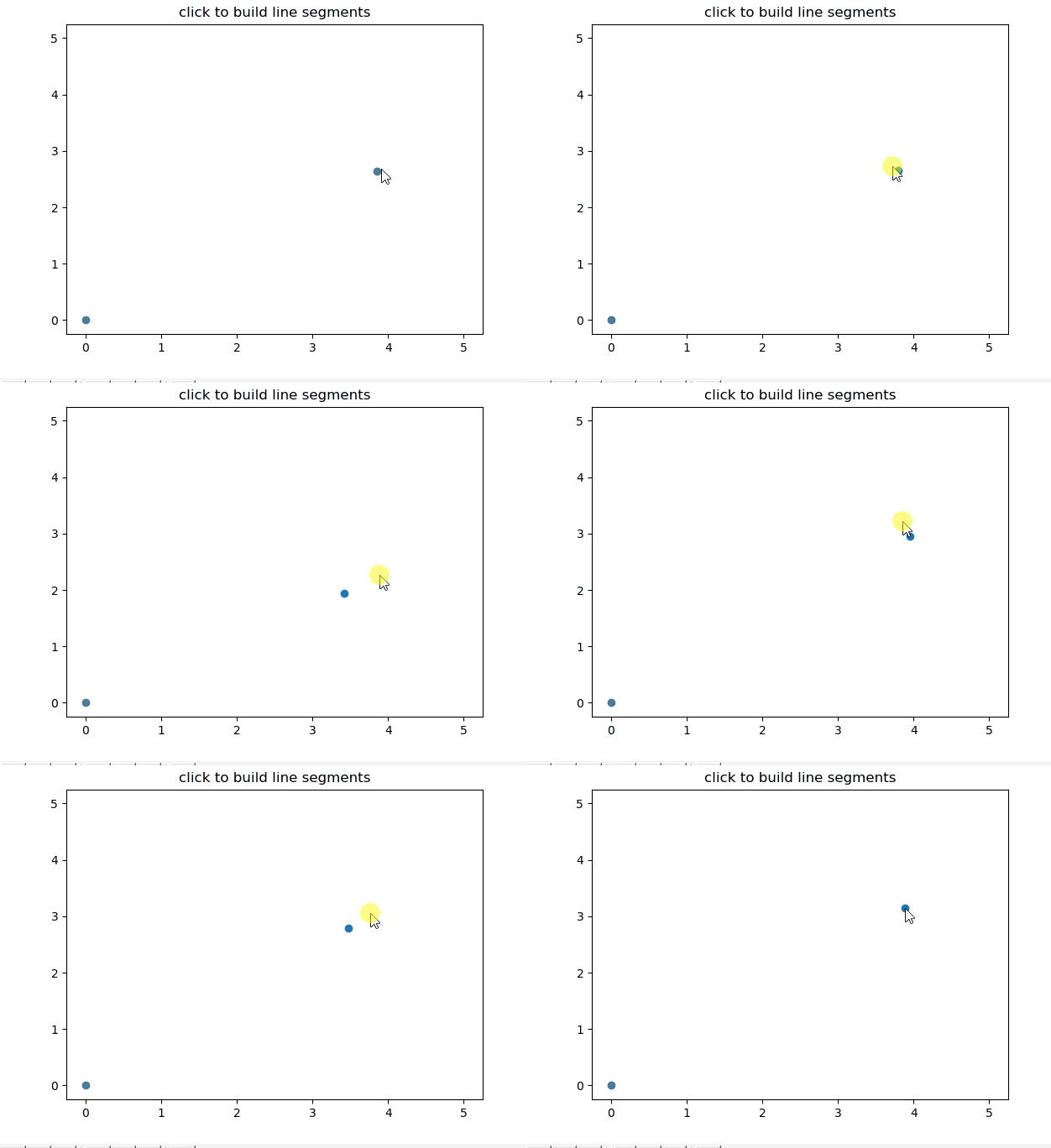
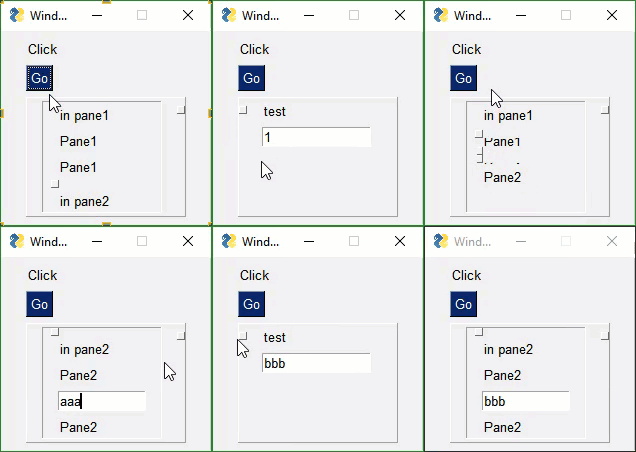
and https://matplotlib.org/users/event_handling.html working backwords from those examples was a great help
sonic bridge
Wow, that looks cool
sullen thunder
Thanks a bunch. I probably won't need interactive. However, I do have the objective to build some line graphs/pie graphs from user input data.
sullen thunder
Did not realize there was also a native component
neon laurel
Hey, I have two QComboxBox containing Human and IA both. And I want to change the function connected to the button if both QComBoBox contain the values Human. (The initial values of my QComboBox are IA and Human)
So I did this code :
        self.play_vs = self.playIA()
        if (self.ui.player_1.currentTextChanged and self.ui.player_2.currentTextChanged) :
            play_vs = self.playHuman()
        self.ui.play_btn.clicked.connect(lambda: self.play_vs)
But I'm facing 2 problems : first one, the function is called when I define the variable self.play_vs and I'm wondering how I can change that.
Then, I thing I should check if the values contain the same information which is Human and then change the function connected. But if I do so with currentText() it'll check at the execution of the program but will not check everytime, idk if that makes sense
sonic bridge
To start, why do you want to change the function executed by play_btn? I think that unless you are doing something super special, that is the wrong.
When setup the ui, you should do:
self.ui.play_btn.clicked.connect(on_play_btn_clicked)
having:
def on_play_btn_clicked(self):
    if self.ui.player_1.currentText() == "...." and ... :
        self.playHuma()
    else:
        self.playIA()
ohh okay, I never did this kind of stuff so I didn't know what's wrong and what's not. But will definitely change that then. But currentText() only checks once and that's a problem
sonic bridge
Btw, your code didnt work because self.play_vs = self.playIA() is calling the function. You need to copy the function reference, so that line must be self.play_vs = self.playIA.
sullen thunder
I am kind of curious what the combo boxes are doing. It sounds like you have a human (user) turn combo box and an AI turn combo box.
I would think that you would have the user choose their move and click a button that would tell the AI to choose their turn and then compute the result based off combo boxes.
neon laurel
Not exactly. I'm basically asking if the user wanna plays against another human person (like himself or a friend) or wants to play against an AI
And I do this through 2 ComboBox
Player_1: Human/AI Player_2: Human/AI
@sonic bridge but should I define a function that changes the value of the connected fuction or in a variable like I did ?
sullen thunder
I feel like this could be accomplished with two buttons and no combo boxes.
If buttonA is clicked human versus AI. ButtonB is click human versus human
neon laurel
Yeah but having 2 buttons take more space haha
sullen thunder
Than two combo boxes? Sound like net zero.
sullen thunder
Nothing wrong with the design. Function over cosmetics at this stage. Also I agree with fygonzalo on approach
sonic bridge
What do you do when calling self.playIA and self.playHuman? I guess you execute your main program, right?
neon laurel
I tried the way you explained above and it seems to work. Because as I define currentText() in a function, it'll check everytime we hit the button so it does what I wanted to do ^^
sonic bridge
😀
neon laurel
Thx for ur help guys ! ☺
sullen thunder
This feels like a silly issue however my QInputDialog.getInt() is crashing when I select Cancel or the 'X' button.Most examples only really show if the user selects ok. Thoughts?
    def user_selection_input(self, tablewidget):
        row, ok = QInputDialog.getInt(self, "Target Row", "Enter Row #: ", 1, 1, tablewidget.rowCount(), 1)
        if ok and row:
            return row
        else:
            row = -1
            return row
For some additional context. This is the function that calls the input. I put the row = -1 thinking the lack of input was crashing the parent function.
   def select_transaction(self, parentType):
        widgetlist = self.parenttype_widgetlist(parentType)
        buttonlist = self.parenttype_buttonlist(parentType)
        lineEditList = [3, 4, 6, 7]
        row = self.user_selection_input(widgetlist[1]) - 1
        if row == -1:
            self.statusBar().showMessage(str(row))
        else:
            for col in range(0, 8):
                widget = col + 2
    ## There is more to the function but unnecessary right now
getting a ValueError: signal only works in main thread when first creating a QThread and then running Scrapy script inside of it
in PyQt5
it would work fine without the signal
but i am having a progress bar
so emitting the signal from that Scrapy inner "thread" is essential
how can i get around this?
on the other hand, another QThread that i run which is also connected to the progress bar, and which creates like 20 other regular threads inside, in which i emit() the signal, works just fine
so i guess Scrapy Backend threads are different from Threading.thread's
but i still don't know how do these threads interfere with PyQt5 main thread
 earnest pecan
what does the "value" kwarg in tkinter Radiobutton mean?
for 3 radiobuttons they use value=1 2 and 3 in examples
proper glade
@digital rose would you mind sharing your code? http://paste.pydis.com
@sullen thunder when you say crash, does it spit out an error or just hang?
@earnest pecan according to http://effbot.org/tkinterbook/radiobutton.htm
To get a proper radio behavior, make sure to have all buttons in a group point to the same variable, and use the value option to specify what value each button represents:
@proper glade TBH, I have long since fixed that issue. I have moved to my next one :p thank you for the input. Unfortunatly, usually my programs crash without an error. Makes it harder to know what goes on.
proper glade
you can override sys.excepthook before running the program to kind of fix that
one sec
if __name__ == '__main__':
    sys.excepthook = sys.__excepthook__

    app = QApplication(sys.argv)
    main_window = MainWindow()
    main_window.show()

    app.exec()
for example
iirc, pyqt5/pyside2 do something weird with excepthook and that somehow prevents tracebacks from being printed out
that line sys.excepthook = sys.__excepthook__ will restore excepthook to the default function
(excepthook gets called any time there's an exception and by default it handles printing out errors and whatnot)
sullen thunder
Awesome, that should be a life saver in the future
though I was getting good at debugging blind
proper glade
https://stackoverflow.com/a/49067654/10444096 here we go, some more explanation
Stack Overflow
Qt silently catches exceptions in Python callbacks and exits the program with an error code. This can be demonstrated with a short example:
import sys
from PyQt5 import QtWidgets
_excepthook =...
molten flax
I've made some radiobuttons, but they are all selected when rendered. when i click, they stay selected, all of them. Any ideas? Thanks
proper glade
have you set their variable option to the same one? @molten flax
from Tkinter import *

master = Tk()

v = IntVar()

Radiobutton(master, text="One", variable=v, value=1).pack(anchor=W)
Radiobutton(master, text="Two", variable=v, value=2).pack(anchor=W)

mainloop()
here's the example from http://effbot.org/tkinterbook/radiobutton.htm
sullen thunder
Hey @proper glade, got hopefully a quick question.
categoryIndex = self.ui.combobox.findText("String")
self.ui.combobox.setCurrentIndex(categoryIndex)
I am not overlooking something am I?
i mean aside from the potential for a -1 or non-existant string.
but I can't seem to locate the active items. It "suddenly" broke unsure what i did lol
proper glade
could it be case sensitivity?
https://doc.qt.io/qt-5/qcombobox.html#findText looking at the docs here findText does take another argument for flags
and these are the values for it