#user-interfaces
1 messages · Page 27 of 1
 low spire
 signal matrix
wait, can you make a table in tkinter?
to display data from a database or something
 digital rose
@signal matrix well yeah i mean stored data in sqlite u can read it and print it
signal matrix
well, can I apply it into the gui?
and display the data in a table?
I know its in the sql database, but it hasn't been parsed and such
 sick violet
Hello! Is it possible to get GTK (more specifically pango) on 32bit Windows without msys2?
(unless there's another way to show non-ASCII characters in cairo with font fallback, which is what I want to achieve)
Thanks in advance!
 placid tapir
anyone familiar with PySide2 would be helpful:
TL;DR I have images in my .qrc resource file but for whatever reason they are visible in Qt Designer but not loading when I run main.py from windows powershell
 tawny gust
iirc, you have to load resources from a file manually
placid tapir
where can I look up usage for that? Or do you happen to know the command to import .qrc off hand?
tawny gust
u dont import it directly
you need to load the specific resource
i never got around to messing with it, so i cant help anymore lol
placid tapir
https://doc.qt.io/qtforpython/overviews/resources.html
might have found what I am looking for. Will read through it now.
 dense lance
tkinter can resize images on a canvas, right? I'm trying to resize the image based on canvas size
 fast wave
How can i get the id of that child item named "chocolate cake" in treeview widget?
 light turtle
So i was looking at this as i was bored and wanted to make my own terminal like thing to display live output of my discord bot, however there is no xterm on windows i believe, anyone got a alternative? https://stackoverflow.com/a/7331836

Stack Overflow
I want to embed a terminal in my main Tkinter window. I would like to have a sub window where a terminal (Bash based terminal) would run. I would like also to be able to let my program interact wit...
 fallen oxide
What you're looking for is called a terminal emulator
But do you really need a bash prompt? You seem to just want the output from your bot
Which you could easily just use a textarea for
light turtle
idk the output is live
fallen oxide
So? Update the textarea :P
fallen oxide
That depends entirely on how the bot is run
You probably don't want the gui to be part of the bot though
light turtle
nah i just want to make it because i was bored
fallen oxide
It'd make more sense for the gui to be separate and use the subprocess module for running the bot
You may need a thread, you may not
You'll have to play with it
light turtle
the bot is a discord bot
fallen oxide
Yes, you said that
fallen oxide
Why would it? It's just a subprocess :P
That approach world work for anything that outputs to stderr or stdout
light turtle
im kinda new to UI so if i print() how do i make that text go to a textbox?
or do i need to do something special instead of printing?
fallen oxide
Again, that entirely depends on how you run the bot
If you're using subprocess, it has these pipe objects
You should read up on the subprocess module
fast wave
@fallen oxide treeview of tkinter.
from tkinter import *
from tkinter import ttk

class App:
    def __init__(self, master):
        master.title("Recipes")

        self.frame_left = ttk.LabelFrame(master, text="Categories")
        self.frame_left.grid(row =0, column=0)

        self.frame_right = ttk.LabelFrame(master, text="Recipes")
        self.frame_right.grid(row=0, column=1)

        self.treeview = ttk.Treeview(self.frame_left, show='tree')
        self.logo = PhotoImage(file=r"C:\Users\deadmarshal\PycharmProjects\ali\Cake-icon.png").subsample(2, 2)
        self.treeview.insert('', '0', 'item1', text="Cakes", image=self.logo)
        self.treeview.insert('item1', '1', 'item2', text="Chcolate Cake")
        self.treeview.grid(row=0, column=0)
        self.treeview.config(selectmode="browse")
        self.treeview.config(height=25)
        self.treeview.bind("<<TreeviewSelect>>", self.clicks)
        self.text = Text(self.frame_right, width=60, height=31)
        self.text.grid(row=0, column=0)

    def clicks(self, event):
        self.treeview.selection()[0]
        matn = "I can't play with stove"
        self.text.insert(1.0, matn)


def main():
    root = Tk()
    App(root)
    root.mainloop()


if __name__ == '__main__':
main()```in click function i want to select the child, not the first item. now it works with the parent. not it's child which is "chocolate cake"
sick violet
Hello! Does font fallback work out of the box with pango markup (on windows)?
 idle spire
Hey guys! How should I got about storing id of username logged in after getting it from api securely? If I were making a web app I'd use sessions but this is my first making gui that depends on api
 real jolt
Hash it (that is if it requires authentication)
 hollow forge
is the setup with cx_Freeze encrypting the tkinter thing too, with programs?
 sage umbra
Are graphics with python even worth it? Seems like you can do very limited things with it
 odd cypress
You can do anything with it, it's just.. slower
tawny gust
not limited, just slow
hollow forge
@tawny gust why is that btw?
cuz python is high level from computer right
or other reasons
placid tapir
why is it slow
tawny gust
Im assuming he meant 3d graphics, but this does sorta apply to anything
python is dynamically typed and garbage collected
it uses a lot more of the computer's resources than a lower-level language you would commonly use for graphics
hollow forge
And, when putting it to exe with cx_freeze, can I share the build dir with my friends, so they can download the app?
I mean will it work? or do they need python?
 charred thunder
if you compile it to a standalone executable, they should be able to run it without a python interpreter installed.
@hollow forge
hollow forge
@charred thunder WHATS that lol?
charred thunder
consider taking a look at this: https://stackoverflow.com/questions/13389724/convert-an-exe-and-its-dependencies-into-one-stand-alone-exe
Stack Overflow
I'm using cx_Freeze to compile Python programs into executables and it works just fine, but the problem is that it doesn't compile the program into one EXE, it converts them into a .exe file AND a ...
 obsidian lance
@hollow forge with tkinter you can make exe uses pyinstaller myscript.py --onefile --noconsole too... and it will work without any add on lot of machines with same os type (linux need compile exe for each version inside these versions environment, or can not run properly). But additional libs and files need experienced actions that result be as mono exe file
tawny gust
linux doesn't use exes
 drifting sundial
You can run PyInstaller on Linux and it'll make the appropriate bundle though
So you just have to run it 3 times, once for each platform, and you're in business for a release
obsidian lance
@tawny gust it can uses wine... just install wine uses apt , and after complete, double click exe. No guarantee but often app will start and work
but pyinstaller create executable for linux without .exe on end , if you about it
tawny gust
wine isn't perfect
i cannot imagine a situation where i would ever want to run a python program in wine
i dont have apt tho
obsidian lance
i use it for formatfactory and FileOptimizer ... the gui of FO work good , but FF have glitches
hollow forge
thanks guys
@obsidian lance @drifting sundial so on windows, i just have to install pyinstaller, and run the command into command line, right, nothing more?
drifting sundial
Generally, yes @hollow forge
You should follow the instructions on PyInstaller's website
hollow forge
k, thx
drifting sundial
It really depends on your script
If it's simple, then yes, that should be all
hollow forge
@drifting sundial worked
but as its not finished on coding
and i'll continue editing script
what coulld make it not "simple"
what are the Known Errors?
rip humor
and concerning the exe file, do it need other files, or i can just send the single .exe file to my friends
 hollow forge
cool
drifting sundial
What would make it "not simple" are some package dependencies (Third-party libraries, like scrapy, etc.), any compiled portions (C-python API, etc.), application resources (e.g. files it needs to read), etc.
hollow forge
k
it actually uses youtube_dl, and urlib and PIL
and some builtins ones
but it works
@drifting sundial may god bless u 😇
drifting sundial
Great, glad it worked
obsidian lance
and be careful with tkinter when try read for example the email text from your box and show it as Label text etc... tkinter so old that not support unicode characters with numbers greater then 65535... if your email text have greater then will fail. Need manually filter text, drop it or recode to number sequence @hollow forge and not forget wait after pyinstaller x.py --onefile --noconsole or can be insult of brain)
 inland path
Heya all! This is probably something that is asked daily, but I'm really struggling to choose a gui toolkit.
My goal is to create something similar to:
-
Realtimeboard
site: (https://realtimeboard.com/)
image: (https://ga1.imgix.net/screenshot/o/91635-1427188847-155298?ixlib=rb-1.0.0&ch=Width%2CDPR&auto=format)
RealtimeBoard is an Infinite canvas and whiteboarding platform that allows your team ideate, visualize and share ideas without any boundaries — think outside formats using your favorite tools and media. -
Reactivepad
site: (https://reactivepad.com)
image (gif): (https://ph-files.imgix.net/a677f0dc-5bc8-4921-9658-76778bf1e81b?auto=format&auto=compress&codec=mozjpeg&cs=strip)
Reactivepad is an online collaborative document editor that lets you put calculations directly inside your textual narrative - think of MS Word and MS Excel combined. It allows to create truly smart and reactive data-driven documents that are almost like apps! -
Quip
site: (https://quip.com)
image: (https://d2.alternativeto.net/dist/s/quip_328325_full.png?format=jpg&width=1600&height=1600&mode=min&upscale=false)
Quip is a collaborative productivity software suite for mobile and the Web. It allows groups of people to create and edit documents and spreadsheets as a group
-
Zenkit
site: (https://zenkit.com)
image: (https://cdn.zapier.com/storage/photos/81c777f29c63116baf20c50a283878a7.png)
A platform for collaboration and project management. -
Coda.io
site: (https://coda.io)
image (looping video on their site, but close enough): (https://d33wubrfki0l68.cloudfront.net/444fa5c4260c3594514d21dee4dea21532d7746f/aebc8/welcome-assets/images/video-words-data.mp4)
No more ping-ponging between spreadsheets and docs. Coda keeps all your words and data in one place. With customizable views, your Trello-loving designer and Gantt-head PM can work off the same data. Coda docs start simple but have infinite room to grow. Think Minecraft for docs. -
Notion
site(https://www.notion.so/)
image: (http://nicelydone.club/wp-content/uploads/2016/08/nicelydone-notion-list.jpeg)
A new tool that blends your everyday work apps into one. It's the all-in-one workspace for you and your team.
I'm so sorry I just dumped all this here!
If needed, I can remove the junk and keep just the names.
inland path
I'm assuming it's too long for a proper question?
inland path
;w;
low spire
there don't seem to be that many people who know a lot about GUIs so you might have to wait a few days for an answer. me personally, can just about do hello world with a few buttons 😄
inland path
aww hehe, that's ok! Thanks for the tip 😺
tawny gust
@inland path I'm assuming you don't want to make a website?
If not, then Qt/PySide would probably be your best bet
inland path
Yeah. I'd love a native app
Hmm, the only thing that worries me about Qt is that it's not open source
well, kinda.
https://i.ytimg.com/vi/0oZloMbnsMI/maxresdefault.jpg
this is a "thing" that also is kinda what I'd like to make...
having the ability to draw graphics as well as simple primitives (text input, etc)
tawny gust
Qt uses the GPLv3 license
inland path
Oh, yeah, my bad
tawny gust
Not really, I've not used it. I just know that you can make a QOpenGLWidget and use opengl in that
inland path
Okay! Thanks. Do you know anything about, hmm.. I was thinking along the lines of pygame to make a custom ui, although that would be a pain to construct simple widgets.
tawny gust
pygame? why?
inland path
or something similar...
that kind of workflow sounds the best to me:
drawing stuff, kinda like how html works, instead of overriding and messing around with creating custom widgets for whatever library.
also, having one system so the entire ui can be made in one library, instead of restricting a part of the workspace to opengl/etc.
E.g. I want to make a simple custom widget. (lets say a graph, that is not included in qt or something, just an example) with pygame, I can write to the pixels directly, blah blah. with qt/other gui frameworks you have to faff around with overriding methods, and trying to make stuff work
E.g. Opengl does not have text inputs with copy/paste, etc, etc.
Putting an opengl widget inside a qt window allows qt widgets, but only outside the opengl frame.
tawny gust
pretty sure you can overlay other widgets on top
inland path
Yes, of course. It just seems... "simpler" to me, to have one unified system. I'm thinking either having an opengl widget inside a frame from another library, qt/etc, or just plain opengl. Is there something... better than opengl? something else I should use? Panda3D or something? Ogre? idek.
inland path
All good, all good! Thanks for the input though! I'll start with opengl, and see if any one else replies here 😛
 wind birch
One thing about QT is it requires a quite expensive commercial license.
tawny gust
@wind birch for commercial use, yes
not for personal/free
if you make money off of it, they want their cut
wind birch
Yeah
 proud socket
how pyqt5 packages to .exe?
i used pyinstaller but the .exe doesn't work ....
and mass of "WARNING: lib not found: api-ms-win-crt" when convert processe
 sullen rune
Anyone here familiar with PyQt designer and know how to center something on the X/Y axis?
 marble totem
could you elaborate on that? When you put elements in a horizontal/vertical layout aren't they centered on x/y?
sullen rune
Well when I move them they're not, like if I move a button towards the bottom but want to center it, idk how to do that
Sorry just saw this @marble totem
digital rose
hey
anyone familiar with Pyqt5? i have a small issue, i can't seem to center a splash
it says ''Splash' object has no attribute 'moveCenter''
got it
 bleak smelt
Can anyone show me an example of using pyqt/pyside qrubberband docked to the sides of a main window? I've been scouring google and not having luck. I'm going to pass mouse events through the rubberband to resize a frameless window.
 half vapor
What is the easiest way to make a GUI in python? (and can someone link me to the docs)
half vapor
I tried pygame and had no idea what I was doing, so I hope this is better xd
odd cypress
lool yeah pygame's not a great solution for GUIs 😛
sullen rune
QtPy is also nice, and pretty automatic
placid tapir
Looking for assistance / documentaion on how to change titlebar color in PySide2. Ive tried a variety of methods and nothing takes.
bleak smelt
@placid tapir I don't think you can change titlebar color, but you can always use a frameless hint and implement your own titlebar.
 hot venture
What can I use to build interface android apps for python?
 odd hamlet
you can use stuff like kivy but python really isnt meant for mobile dev
odd hamlet
you will be better of using the official langs for your platform or some multiplatform langs for mobile
odd hamlet
there are frameworks like react native for example which work on android and ios
c++ isnt supported on ios iirc
so no
not c++
wind birch
C++ is supported for ios
C/C++, Objective C and Swift, and JS w/ native script
Python can be run on jailbroken ios
placid tapir
@bleak smelt can I get a little more detail on that method? It sounds like an ideal solution
Im seeing documentation for those 'flags' but im not seeing a good implementation example. Or at least one I can get my head around.
re PySide2 framemless hint and constructing a custom titlebar
bleak smelt
@placid tapir for my GUI, I set the window flags with .setWindowFlags(QtCore.Qt.FramelessWindowHint), then I created a qwidget at the very top of the gui, that included my app's icon, app name and with a horizontal spacer to push the exit and minimize buttons to the far right. I used a flat push button for min and exit. I use QT Designer for constructing my GUI.
Here is a screenshot
Then, with some css styling, I have the buttons with no border and a background change when hovering over the exit
bleak smelt
I'm inheriting my ui into my main file that I'm dumping my functions into.. Also, the main.py is what I run first, it will load the ui and i just set signals and slots via __init__
if __name__ == "__main__":
    app = QtWidgets.QApplication(sys.argv)
    win = appMain()
    win.setWindowFlags(QtCore.Qt.FramelessWindowHint)
    win.setStyleSheet(active_css)
    win.show()
    sys.exit(app.exec_())
anything else, let me know.. I've been shoving my face in pyqt for months now
placid tapir
So I might be building my application wrong in Python, potentially. I design the UI with QtDesigner and then I was creating a form with QObject QApplication
class loginwindow(QObject):

    def __init__(self, ui_file, parent=None):
        super(loginwindow, self).__init__(parent)

        self.call = self
        self.ui_file = QFile(ui_file)
        self.ui_file.open(QFile.ReadOnly)
        loader = QUiLoader()
        self.window = loader.load(self.ui_file)
        self.ui_file.close()
        self.USERinput = self.window.findChild(QLineEdit, 'USERinput')
        self.sudpwinput = self.window.findChild(QLineEdit, 'sudpwinput')
...
...
example
then
if __name__ == '__main__':
    app = QtWidgets.QApplication(sys.argv)

    form = loginwindow('cryptokeeperlogin.ui')
sys.exit(app.exec_())```if I substitute app for win in your example it doesnt work because `AttributeError: 'PySide2.QtWidgets.QApplication' object has no attribute 'setWindowFlags'
Ill do some more digging! haha
bleak smelt
here is how mine is configured.
from appui import Ui_App

class appMain(QtWidgets.QMainWindow, Ui_App):

    def __init__(self, parent=None):
        QtWidgets.QMainWindow.__init__(self, parent)
        self.setupUi(self)

if __name__ == "__main__":
    app = QtWidgets.QApplication(sys.argv)
    win = appMain()
    win.setWindowFlags(QtCore.Qt.FramelessWindowHint)
    win.setStyleSheet(active_css)
    win.show()
    sys.exit(app.exec_())
first thing you'll need to do is convert your .ui file into a python file
you can do that with pyuic
placid tapir
yeah I was skipping that step with QUiLoader, but I can do it if I have to haha
bleak smelt
i'd recommend it
placid tapir
from my understanding QUiLoader basically just uses pyuic but itd probably be good to have an easily viewable UI in .py form
bleak smelt
it helped me tremendously understand interactions with the widgets
recognizing how the methods are called on the widgets, and so forth.
placid tapir
yeah, ill do that I think and comb through it then plug it in
bleak smelt
I use PyQt versus PySide, so your convert string may differ.. but, my convert string looks like this python -m PyQt5.uic.pyuic c:\test\app.ui -o c:\test\appui.py
I'm on windows, btw.
hollow forge
i'm having a pb
with pyinstaller
I guess ffmpeg is causing it*
is there a way to include packages?
placid tapir
@bleak smelt I got the windowframelesshint working. Thanks a ton! I knew that it wouldnt be able to resize, but I am unable to move it at all now? Is that normal?
bleak smelt
@placid tapir yeah, you need to have a specific widget pick up mouseevents, here is my example
def __init__(self, parent=None):
    self.oldPos = self.pos()

 def mousePressEvent(self, event):

     if self.titlebar.underMouse():
         self.oldPos = event.globalPos()
     else:
         pass

 def mouseMoveEvent(self, event):

      if self.titlebar.underMouse():
          delta = QtCore.QPoint(event.globalPos() - self.oldPos)
          self.move(self.x() + delta.x(), self.y() + delta.y())
          self.oldPos = event.globalPos()
      else:
          pass
so, i named my widget at the top as titlebar
@hollow forge I'd recommend making a .spec file. .spec file you can specify what packages to include and it will pull them in when you create your executable
hollow forge
@bleak smelt hmm sure, thanks, but could u help me making that
i have no idea of what code to put in the .spec stuff
plus, I don't even know the package location as another module was responsible for this package download
bleak smelt
Easy way to get a .spec is to just run pyinstaller on your main py file, it will spit out a .spec file, delete the exec it created, and edit your spec file
Then, with your spec file open, you should have a hiddenimports=[]
Here is my example hiddenimports=["PyQt5.sip", "QtGui", "QtWidgets", "pyperclip", "webbrowser", "csv", "json", "time", "random", "os", "sys"],
hollow forge
lemme read that
:p
@bleak smelt once i deleted the .exe and do the edit on the .spec it created
i run pyinstaller again
right?
bleak smelt
nah
just edit the spec file to your liking
then when you run pyinstaller, you'll run it on your .spec
not your main py file
bleak smelt
yeah you can, i would
hollow forge
k, thanks
i'll try
i'm not even sure why its not opening
but i guess its ffmpeg
bleak smelt
just make sure you have that included in the hidden imports, also, if you have other py files your importing into your main, make sure you include them in the datas=[] area
bleak smelt
so, my example datas=[('c:\\aNote\\anotemain.py','.'), ('c:\\aNote\\anoteui.py','.')]
hollow forge
in tuples
bleak smelt
yes
hollow forge
k
hollow forge
@bleak smelt
is there a way to know what doesn't it manage to load

i mean the python file works
oh i managed to detect the error
but don't know how to fix lol
bleak smelt
@hollow forge make sure when you run pyinstaller, the spec file has the scripts included. also, make sure all your py files are in the same directory, if you elected to have '.' for the script itself.
hollow forge
@bleak smelt i actually found
the error
how I did: try, except all the code, except print the exception and excption desc
bleak smelt
d'oh
hollow forge
i made an exe from it
got the error
which was "moviepy.audio.fx.all has no attributes audio_fadein"
googled it
fixed it
bleak smelt
sweet
hollow forge
^^
thanks so much for ur help though
i mean i wouln'd have fixed it at all without u
😛
bleak smelt
hey man, no sweat. glad i could help
placid tapir
is it possible to make a button transparent? to make a custom 'shaped' button like X but still the standard square button
im not finding any documentation on it
odd cypress
What library are you using
placid tapir
Answering for anyone else maybe curious:
You can use transparent background images in buttons as opposed to conventional 'icon'.
example:
    self.createprofilebtn.setStyleSheet("QPushButton{background: url(:/images/prof.png); border: 0px solid black}"
"QPushButton:hover{background: url(:/images/profpress.png); border 0px solid black}")
the border at 0 px seems to be necessary for the transparency to work, otherwise the button brings up a default 3D style behind your background image
half vapor
What is a good Tkinter tutorial video/series?
hot venture
I see so many graphical user interface builder. I don't know which to pick
placid tapir
What are you making
hot venture
So far I see wxformbuilder, wxdesigner, wxpython, wxcrafter, wxglade, PyQt, tkinter, and etc
placid tapir
PySide2, or PyQt have so far impressed.
hot venture
You tried all of them?
placid tapir
No lol. I went with the most suggested one which was PyQt/ PySide2
hot venture
Do you have to pay for them?
tawny gust
Qt requires you to use the GPL license for your code, but thats about it
hot venture
Oh ok because earlier thought I saw something online about paying for license
placid tapir
There is an option to pay for QT license
tawny gust
for commercial/paid use, yes
placid tapir
Yeah
tawny gust
if you intend to make money off of it
placid tapir
Does that apply to donation buttons?
placid tapir
Ill have to ask before release <_< haha
Figure donations arent the same as premium service fees or sales in general
shrugs
placid tapir
what method defines an area that is constant in PySide2 / PyQt?
like if I were to have a column at the right side and I brought the window border in from teh right, it would move left to remain constantly in the window frame.
if that makes sense
like the channel bar on left or user bar on right in discord
bleak smelt
@placid tapir you want to set the horizontal policy as expanding
or vertical, whichever you're trying to expand
 dense cape
anyone able to help me with tkinter in #help-coconut
 weak sapphire
when I try to change any pixel value to (255,250,250,255) it changes instead to (254, 246, 247, 255)
pygame
only happens when I do it on a hard drive image
weak sapphire
I'll change it to PIL
bleak smelt
Anyone know if its possible to extend my QMainWindow over the windows frame, like you can with C++?
 atomic socket
So I'm currently working on a project with PyQt5 and I've been racking my brain with a problem for the past few days. I want to show a dialog, and when you click a button on that dialog I want it to close that dialog and open another one. What I've tried is for the onclick on the button I'm creating a QWidget, showing it, then closing the old one, but nothing else ever comes up. I can include everything I'm working with in a pastebin if you'd like to see more of what I mean.
placid tapir
Put .show() in the init of the widget you are trying to make appear
Rather than in the call
 lyric cave
Are you creating it within the dialog which is being deleted? (Because then they both get deleted)
atomic socket
Actually I may be doing that, how would I go about creating it outside of the dialog I'm deleting? I'm still somewhat new to QT and trying to learning it
I think I just figured it out
Heres a very brief version of what I've been doing:
from PyQt5.QtWidgets import QWidget, QApplication, QPushButton
import sys


class Widget1(QWidget):
    def __init__(self):
        super(Widget1, self).__init__()
        self.resize(300, 200)
        self.setWindowTitle('Widget1')
        self.button = QPushButton(self)
        self.button.setText('Spawn New Widget')
        self.button.clicked.connect(self.spawnNew)
        self.show()

    def spawnNew(self):
        # close the first widget, and create and show the second widget
        self.close()
        new = Widget2()


class Widget2(QWidget):
    def __init__(self):
        super(Widget2, self).__init__()
        self.setWindowTitle("I'm New!")
        self.show()


app = QApplication([])
one = Widget1()
sys.exit(app.exec_())
but I wasn't setting the new widget to self, so if I change
new = Widget2()
to
self.new = Widget2()
then everything works as expected, but if this isn't the proper way to accomplish what I'm wanting to do please let me know the correct way. Thanks for the help!
atomic socket
Awesome! I've implemented the solution into the actual project and everything is working smoothy.
Also, this is a bit off topic, but is there any benefit to making a desktop application when I could just make a web application that's already cross platform and accessible from any client?
 haughty birch
“Web client” as in online-only or as in built with something like Electron?
lyric cave
Yes and no. There are two perspectives.
Developers:
- Pro: Rapid redeployment (of pages and images and js). Rapid development (2 for the price of 1-ish).
- Con: It's hell to figure out how an error occurred on any system because it could literally be running any combination of the 40 components you've added on top to show your web app which also changes underneath that and relies on unreliable infrastructure which you might be okay with because if it's down at all the whole thing doesn't work anyway.
Users:
- Pro: There are basically never upgrades
- Con: There are basically never upgrades. Software changes underneath them. Software cannot be reliably versioned. Software is now internet-style DRM'd and calls home. Software now exposes a much much larger attack surface, because all of the desktop software is exposed to exploit when SPOF is exploited.
atomic socket
By web I meant online-only, I'm not interested in developing using Electron at the moment
half vapor
How do I set a tkinter window to a certain size, and make it so it can't be expanded by the user?
atomic socket
At least with QT I just set the minimumSize, maximumSize, and size to the same values. I'm not sure if there's an option to directly restrict resizing in TKinter but that may be the way to go.
Thanks @lyric cave for the input, still not sure which I'm wanting to go with though at this point. I feel like most end users would prefer a web application as opposed to desktop since desktop requires a lot more specifics and deployment, while web applications are (for the most part) more straightforward for end users to use.
I may need to sleep on it, I don't really want to put a ton of time into a project and realize at the end that it would be more accessible as a web app.
half vapor
How do I make a tkinter window always on top?
lyric cave
Just do an actual website application if you need maximum reach at lowest cost. Browsers exist on basically anything and everything, and if you never need to touch the user's filesystem/devices (or can do so through browser provided functions) then you can probably contain yourself quite easily.
atomic socket
Right right, all I'm making is an Active Directory Manager since all the good ones require a license and are super expensive
 kind kraken
@atomic socket aren't there free LDAP tools?
active directory still uses LDAP under the hood doesn't it
atomic socket
Yeah there most likely are, and yeah AD uses LDAP under the hood, my backend for everything is just going to be ldap3 anyway, and it's also sort of like a personal challenge for me to make a project that I can use in the workplace instead of just an automation script that I write and rarely follow up on.
 wet patio
im creating a program that has these features
2. You has a pop-out chat or you can listen to the audio like a podcast
3. Much more efficient from a browser so it doesnt eat so much ram or such
4. You can visit their page super quickly or have a pop-out for it i guess```but im not sure if i should be using tkinter
whats the best and most efficient GUI library to use
bleak smelt
More bindings available for PyQt or Pyside2 (same thing)
lyric cave
@atomic socket Perhaps you should ask the samba project how you can help with that. They're a super good target for that motivation.
wet patio
@bleak smelt what makes PyQt so good?
hollow forge
is there a way to install in .app for mac in PyInstaller?
atomic socket
@lyric cave I'm definitely not skilled enough to contribute to that yet, I wouldn't even know what I would have to contribute anyway. But thanks for the suggestion, I'll keep it in the back of my mind.
@bleak smelt pyqt probably has more up to date bindings seeing as they're updated much more regularly than pyside, however pyqt requires you to purchase a license if you go commercial, but pyside does not. It's a tradeoff
lyric cave
You're skilled enough to ask them how you can contribute.
Don't bother telling me you're not skilled enough to do anything at all; it's an excuse for yourself, not me.
tawny gust
how does pyside not have a license requerement
atomic socket
Here are the developers' of pyqt's page on licensing https://www.riverbankcomputing.com/commercial/pyqt
And here's pyside's https://wiki.qt.io/About_PySide
The difference is that pyqt is under GPL and pyside is under LGPL, personally I prefer LGPL for almost everything since it's more open source friendly than GPL imho.
tawny gust
how tho? Qt is GPL
atomic socket
Good question, I'm not sure actually haha
You could probably get in touch with them and ask how they do it
tawny gust
i thought gpl requirements forced you to use gpl
atomic socket
I'm not too well versed in all the licensing jargon
I thought that too but somehow they're doing it under LGPL
 meager gazelle
afaik GPL requires you to open-source your software as long as you want to distribute it, hence preventing you from commercializing it (well you can but people will be able to legally get it for free anyway)
atomic socket
Yeah, but Qt is a pretty large organization and if you charge for using their software for free I'm sure they'd fight you for it
lyric cave
GPL does require you to distribute the product with the licensed source code. It does not restrict you from charging for it, or offering services around it and being the main supporter/developer of it under your trademark.
LGPL isn't really more open-source friendly, it's more closed-source friendly. It allows you to link to LGPL code without the license being invasive (applying to the linking code). It lets you write closed source using LGPL (you must only include the source code of the LGPL code you're shipping).
It's not as if interacting with GPL code is necessarily going to be viral, though. There are plenty of proprietary/closed-source programs which are using the GPL linux kernel.
digs up an argument for GPL over LGPL
I find this argument convincing around enforcing the availability of free software. Enforcing availability of software tools enables market entrants to make use of mature tools. A simpler and easier to enter market is always more likely to produce better products on the whole compared to the opposite.
 chilly pilot
I'm using Xlib.xinput to try to enable or disable keyboard and mouse input at a certain key combination. I've figured out how to respond to key events, and to make sure it's the right keys, but I don't know how to intercept the keyboard and the mouse so that they don't do anything until the enabler is hit again. Any ideas?
(And no, this is not nefarious. My mother has a laptop that can fold into a tablet, and I don't want the table to be doing things by accident.)
chilly pilot
Hm. grab_server() works well enough, but as soon as I ungrab, all the keys I pressed happen at once. Is there any way to clear the queue?
wet patio
so does anyone know how i could hide a window https://github.com/r0x0r/pywebview from this library? with this package? normally when i ask it gets ignored or someone else takes the channel xD

GitHub
A lightweight cross-platform native wrapper around a webview component that allows to display HTML content in its own dedicated window - r0x0r/pywebview
ping me when u have answer
 final flicker
@wet patio
Name your windowin a characteristic way for example: 'alamakota'
Use find_window('alamakota'),
With given handler use hide_from_taskbar(handler)
Last use set_topmost(handler)
Window is hidden from taskbar and it's alwoays on top.
I know it's not a beatyfull code, but works fine on windows XP and above.
import ctypes import win32gui import win32api from win32con import SWP_NOMOVE from win32con import SWP_NOSIZE from win32con import SW_HIDE from win32con import SW_SHOW from win32con import HWND_TOPMOST from win32con import GWL_EXSTYLE from win32con import WS_EX_TOOLWINDOW @staticmethod def find_window(name): try: return win32gui.FindWindow(None, name) except win32gui.error: print("Error while finding the window") return None @staticmethod def hide_from_taskbar(hw): try: win32gui.ShowWindow(hw, SW_HIDE) win32gui.SetWindowLong(hw, GWL_EXSTYLE,win32gui.GetWindowLong(hw, GWL_EXSTYLE)| WS_EX_TOOLWINDOW); win32gui.ShowWindow(hw, SW_SHOW); except win32gui.error: print("Error while hiding the window") return None @staticmethod def set_topmost(hw): try: win32gui.SetWindowPos(hw, HWND_TOPMOST, 0,0,0,0, SWP_NOMOVE | SWP_NOSIZE) except win32gui.error: print("Error while move window on top")```
Stack Overflow
Using pyGtk I created a window without decoration. The Window is hidden from task bar and top of all windows. On linux it works fine, but on MS Windows window sometimes it hides under some other wi...
2 answer I think
final flicker
Or are you on linux?
wet patio
windows
final flicker
Yeah
wet patio
wait what does this mean
With given handler use hide_from_taskbar(handler)
what handler?
final flicker
Uhhh
Ikd I just copied stack overflow code
I choose you @tawny gust ! Use help! Help is very effective
tawny gust
AnonymousDapper uses Hide. It's Very Effective!
wet patio

wet patio
Stack Overflow
Using pyGtk I created a window without decoration. The Window is hidden from task bar and top of all windows. On linux it works fine, but on MS Windows window sometimes it hides under some other wi...
that?
final flicker
I just copied that 😂
wet patio
GitHub
A lightweight cross-platform native wrapper around a webview component that allows to display HTML content in its own dedicated window - r0x0r/pywebview
or that?
thats context
im trying to hide the window from that library
tawny gust
you need to somehow get a window handle
wet patio
🤔
bleak smelt
Money reward for the first person to code an edge drag resize for frameless pyqt/pyside windows. - No sizegrip.
dead serious.
 prime tangle
Man vim is starting to grow on me
Some of the shortcut placements have obviously been made for a different legacy keyboard style, but still
 deep sentinel
if I .pack a frame in a window that is using .pack can I .grid the contents within the frame?
Im using tkinter
because I what my checkboxes to be aligned neatly but they are getting all crammed with .pack
atomic socket
@prime tangle I tried vim, but I just ended up going back to VSCode after a few months cause it never really caught on for me
prime tangle
Oh I wouldnt use it as an IDE personally @atomic socket
But for a general text editor in Nano
And using a vim emulator in VSC
General text editor as opposed to nano *
wet patio
from PyQt5.QtWidgets import QApplication, QWidget
from PyQt5 import QtGui
import os
import sys

#Discord Rich Presence
def richpresence():
    handler.updateRPC(state="Username: SoulSenGaming", details="In The Main Menu", large_image='faviconresized')

def main_menu():
    richpresence()

    app = QApplication(sys.argv)

    w = QWidget()
    app.setWindowIcon(QtGui.QIcon(os.path.join(os.path.dirname(__file__), '../assets/imgs/favicon.ico')))
    w.resize(550, 400)
    w.move(300, 300)
    w.setWindowTitle('Twitch+ Desktop')
    w.show()

    sys.exit(app.exec_())
why won't my program exit when i click x?
bleak smelt
@wet patio I need to see more of your code.
bleak smelt
Did you create a ui with qt designer?
wet patio
no
bleak smelt
I copied your code, and tried to run it. nothing happens.
bleak smelt
ok
wet patio
from GUIs import main_menu

main_menu.main_menu()
give me that code too.
NameError: name 'handler' is not defined
Are you importing another module?
wet patio
no im importing my own
here just do this
from PyQt5.QtWidgets import QApplication, QWidget
from PyQt5 import QtGui
import os
import sys

def main_menu():

    app = QApplication(sys.argv)

    w = QWidget()
    app.setWindowIcon(QtGui.QIcon(os.path.join(os.path.dirname(__file__), '../assets/imgs/favicon.ico')))
    w.resize(550, 400)
    w.move(300, 300)
    w.setWindowTitle('Twitch+ Desktop')
    w.show()

    sys.exit(app.exec_())
Closes for me without issue.
bleak smelt
wantme to screen share?
bleak smelt
oh
bleak smelt
you're running it from your ide.
wet patio
mhm
bleak smelt
yeah.. dont
wet patio
what why?
bleak smelt
just run it from powershell
bleak smelt
i ran it from powershell on my side, and it closed.
maybe your ide is misconfigured.
wet patio
🤔
bleak smelt
btw, nice color scheme 😛
bleak smelt
from PyQt5.QtWidgets import QApplication, QWidget
from PyQt5 import QtGui
import os
import sys

Discord Rich Presence
def richpresence():
    handler.updateRPC(state="Username: SoulSenGaming", details="In The Main Menu", large_image='faviconresized')

def main_menu():
    richpresence()

    app = QApplication(sys.argv)

    w = QWidget()
    w.setWindowIcon(QtGui.QIcon(os.path.join(os.path.dirname(__file__), '../assets/imgs/favicon.ico')))
    w.resize(550, 400)
    w.move(300, 300)
    w.setWindowTitle('Twitch+ Desktop')
    w.show()

    sys.exit(app.exec_())

main_menu()
I changed two lines
w.setWindowIcon from app. to w.
and added main_menu() at the bottom
if you plan to inherit this window into another py script, you're going to need to class it.
wet patio
but i need to run it
because then from discordrp import handler that doesnt allow me to import
since its in a folder
bleak smelt
ah.
why dont you install the package in your site-packages under your python directory?
that will allow you to import from
wet patio
because im going to turn this into a .exe
bleak smelt
ok, but, if you still have it in your site-packages, when you freeze, it will be captured.
plus, less headache for you when trying to import
just my opinion.
wet patio
idk
bleak smelt
Money reward for the first person to code an edge drag resize for frameless pyqt/pyside windows. - No sizegrip.
 urban ravine
bleak smelt
urban ravine
bleak smelt
If possible to allow the central widget have the grips, to resize the window, change the cursor the corresponding cursor, and revert back. on the central widget or transparent qwidgets around the edges of the window.
I know resize can be achieved with c++. But, I couldn't find anyway to interact with Window DWM with python.
 junior totem
from tkinter import *
from time import sleep
top = Tk()
top.geometry("500x500")
global text
text = {}
text['cookies'] = 0
text['cookie_gains_from_click'] = 1
text['item_1_cost'] = 20
text['auto_clicker'] = 0.25
def start():
    start_button.place_forget()
    reset_button.place(x = 0, y = 0)
    text['cookies'] = 0
    y = str(text['cookies'])
    cookie_button['text'] = "Cookies : " + y
    cookie_button.place(x = 250, y = 250)
    item_1_purchase.place(x = 250, y = 300)
    print("Placeholder")
def add_one_cookie():
    text['cookies'] += text['cookie_gains_from_click']
    y = str(text['cookies'])
    cookie_button['text'] = "Cookies : " + y
def item_1_function():
    if text['cookies'] >= text['item_1_cost']:
        text['cookie_gains_from_click'] += 1
        text['cookies'] -= text['item_1_cost']
        y = str(text['cookies'])
        cookie_button['text'] = "Cookies : " + y
        text['item_1_cost'] = text['item_1_cost'] * 2
        z = str(text['item_1_cost'])
        item_1_purchase['text'] = "+1 CPC \n Cost : " + z
def quit_button():
    exit()
reset_button = Button(top, text = "Reset", command = start)
start_button = Button(top, text = "Start", command = start)
cookie_button = Button(top, text = "Cookies : 0", command = add_one_cookie)
item_1_purchase = Button(top, text = "+1 CPC \n Cost : 20", command = item_1_function)
exit_button = Button(top, text = "Quit", command = quit_button)
exit_button.place(x = 450, y = 0)
start_button.place(x = 0, y = 0)
top.mainloop()
I'm trying to figure out how to run top.mainloop() along with a while loop that adds text['autoclicker'] amount of cookies every second. How would I do this?
junior totem
Nevermind. I did a bit of research and found that I could do the same thing using simpler methods.
placid tapir
@bleak smelt why no QSizeGrip ?
bleak smelt
@placid tapir Its ugly. I want native resizing like other C++ apps.
placid tapir
is there a way to define where a Qsplitter rests by default? Stretch doesnt seem to be modifying it
it resized some of my widgets when applied
 upbeat magnet
I am asking a second time 😃 Is there a way to make a ScrollView in Kivy to scroll smoothly using the mouse-wheel? I found a question on SO, but no one answered there yet. https://stackoverflow.com/questions/50976500/smooth-scrolling-in-kivy-when-using-mousewheel
Stack Overflow
There is an example on Kivy site, which demonstrates the work of Recycle view. But by default, when you scroll the list with mousewheel, the old style of scrolling is used, when the content simply ...
 winter vector
from tkinter import *

root.title("test123")
root.geometry("200x100")
root.mainloop()```

this is literally all I did in my codeyes
you've used root.
but you haven't defined it.
as in, there's no root = ... there.
you need to create root before you can use it :D
i assume you wanted to use a Tk object from tkinter, so you would use root = Tk()
winter vector
'tk' not defined
charred thunder
yes, python is a case-sensitive language.
Tk is the name of the object that creates a new window.
so you create it using Tk()
winter vector
from tkinter import *
root = Tk()
root.title("test123")
root.geometry("200x100")
root.mainloop()```?thats my code copy pasted
charred thunder
okay
is there something you want me to do with it? a singular question mark isn't very descriptive haha
charred thunder
works for me. are you sure you've entered that code exactly?
charred thunder
what error are you getting?
winter vector
'Tk is not defined'
charred thunder
!t traceback
 proven basinBOT
traceback
Please provide a full traceback to your exception in order for us to identify your issue.
A full traceback could look like: java Traceback (most recent call last): File "tiny", line 3, in do_something() File "tiny", line 2, in do_something a = 6 / 0 ZeroDivisionError: integer division or modulo by zero
The best way to read your traceback is bottom to top.
• Identify the exception raised (e.g. ZeroDivisonError)
• Make note of the line number, and navigate there in your program.
• Try to understand why the error occurred.
To read more about exceptions and errors, please refer to the official Python tutorial.
winter vector
`Traceback (most recent call last):
File "tkinter.py", line 1, in <module>
from tkinter import *
File "(insert my file here with my name in it)", line 2, in <module>
root = Tk()
NameError: name 'Tk' is not defined
the (insert...) is just where the file is but I removed it because it had my name in it
charred thunder
did you perhaps call your file tkinter.py?
winter vector
I did
charred thunder
then that would be your problem
it's trying to import itself
rather than the actual tkinter module.
you'll need to call it something else.
winter vector
I did a mistake earlier and even if I rename saved code it still acts like the problem is still there
(I changed import tkinter to import Tkinter)
charred thunder
that's not how it works. Tkinter doesn't exist, the module is called tkinter. as i said, python is case-sensitive and will not work if you don't get that right.
winter vector
but I changed it back
charred thunder
rename your file to something that isn't tkinter.py
winter vector
after I renamed the code from tkinter.py
charred thunder
hm
winter vector
now it acts like I haven't saved and changed it and stuff
charred thunder
are you sure you're running the right file?
winter vector
I probably am not since I have made this mistake before but I haven't made a new file I think
charred thunder
well, let's start again. create a new file with an appropriate name, put the code in there and try it again.
don't worry, we'll get this working soon hopefully haha :D
winter vector
fffffffffffffffffffffff-
new file, tkinter not Tkinter still says Tkinter is not defined
charred thunder
can you show the full error again?
winter vector
oh oof
it still says tkinter.py
even though I godamn made a new file
and physically opened it

charred thunder
oh no
lmao that's funny
you made a file called jua.py which imports tkinter which is in fact the tkinter.py file you've got in the same directory, which incorrectly imports Tkinter
winter vector
so I need to move tkinter.py from the file?
charred thunder
you need to get rid of tkinter.py yeah
it'll always try to import files from the same directory as the script first before looking for global modules.
 no module named tkinter
charred thunder
no module named tkinter
charred thunder
i believe i've already said that tkinter needs to be installed separately on linux systems, right? looks like ubuntu to me, try sudo apt-get install python-tk
winter vector
ty for helping me 😄
for doing things with the window, will it just be follow the processes put in the book or does everything have to change in some way?
like adding check boxes
charred thunder
that'll all be the same c:
winter vector
gud c:
charred thunder
tkinter is multi-platform so whatever works on windows should work on linux etc.
as long as the correct things are installed first (in this case, it was python3-tk)
winter vector
are there any other things that I should install to be used in the future?
like really well known stuff that people often use
(for example how you defo need tkinter to open a window)
charred thunder
i don't really think so. i mean, if you were to start using external dependencies through pip then end users of your program would also have to install them, unless you package the application up into an executable file which... isn't recommended.
charred thunder
yeah, don't worry about it. just get to work with that book of yours and feel free to come back here if you have any more questions :D
winter vector
thank you for helping me tho, it means alot
charred thunder
no problem, that's what we're here for ^-^
winter vector
godamn I can't even go 5 mins without another problem
charred thunder
haha, we've all been there. just keep at it, you'll get the hang of it soon enough
winter vector
from tkinter import *
root = Tk()
root.title("Labeler")
root.geometry("500x500")
root.mainloop()
app = Frame(root)
app.grid()
lbl = Label(app, text = "I'm a label!")```
I'm trying to open a new window with some text inside and when I try this it just gives another empty window yup
winter vector
where have I dun goof 0^0
charred thunder
your root.mainloop() is essentially the exact same as doing ```py
while True:
root.update_idletasks()
root.update()
do I need to remove it?
charred thunder
well, it's causing your program to start updating the window before it's created the other widgets.
charred thunder
yes, because you still need to start the main loop
the code you tried before essentially just gets stuck in an unbroken loop thanks to root.mainloop() and never reaches the code after that.
winter vector
so I put the code at the end?
charred thunder
yup.
(generally speaking, you start the mainloop after the interface has been set up)
winter vector
empty window again
charred thunder
oh right i see the problem
you've added your frame to the grid of the window, which is great
but you haven't added your label to the frame
winter vector
how would I add it?
charred thunder
bit vague. how do you mean?
winter vector
I made a long sentence and it didn't go to the second line (I'll post an example instead of the actual sentence)
charred thunder
i believe Labels have a wrap value, but i'm not sure.
tawny gust
dont be like that
winter vector
say that to terminal, not me .o.
charred thunder
yes, there's been a big clusterfuck over the master/slave terminology recently.
wonder if tkinter's gonna change.
also, that error is referring to how you can't use both .grid() and .pack() in the same master.
choose one and stick to it.
winter vector
when you manage to make a notepad on accident 😮
charred thunder
:D
tawny gust
its stupid that people are upset about it
placid tapir
Is there a good reason why I couldnt use a button as a 'label" I planned to swap images on
both would be using set stylesheet to change background image
button allows transparent images ontop of background image-using widgets
label cuts through it to solid color
 winter gazelle
In PyQt5, how would I go about routinely switching an image on a timer?
I can connect my timer timeout event to the image switcher, but everything else becomes unresponsive (e.g. buttons)
winter gazelle
Do I need to use multithreading for something like this?
I'm using a timer which sends the timeout event every second, not a call to time.sleep
 desert sapphire
I'm not familiar with Qt, but running the switching function in a different thread is worth a shot
winter gazelle
Okay, I'll look into that
bleak smelt
Anyone know with PyQt5, if its possible to extend one widget over top another?
Or is it possible to designate a specific area, for instance the edge of MainWindow, to accept mouse events, without needing a widget in place?
winter gazelle
Anyone know why this class isn't working on another thread properly?
class SomeObject(QObject):
    finished = pyqtSignal()

    @pyqtSlot()
    def long_running(self):
        print('Increasing')
        self.finished.emit()

class Window(QMainWindow):

    def __init__(self):
        super(Window, self).__init__()
        self.setFixedSize(500, 500)

        self.btn = QPushButton('Quit', self)
        self.btn.move(400, 0)
        self.btn.clicked.connect(QCoreApplication.instance().quit)

        objThread = QThread()
        obj = SomeObject()
        obj.moveToThread(objThread)
        obj.finished.connect(objThread.quit)
        objThread.started.connect(obj.long_running)
        objThread.start()

if __name__ == "__main__":
    app = QApplication(sys.argv)
    gui = Window()
    sys.exit(app.exec_())
pygame
how can I fill a surface with transparent so that I can draw GUI things and blit it on the main display where is being rendered the game itself?
weak sapphire
rendering with layers
weak sapphire
winter gazelle
IIRC Pygame doesn't necessarily have layers. You just put everything in a render function, drawing the background first, and working your way forward.
 fossil cipher
@weak sapphire this looks like your question https://stackoverflow.com/questions/33630420/pygame-is-there-a-way-to-make-screen-layers
Stack Overflow
I am working on a Tank game as a school project and I am trying to make it as user-friendly as possible (with things like customizable keybindings, display settings). However, I don't want the game
winter gazelle
For a pseudo-layer system, you could split the render function into smaller functions:
def render():
    draw_sky()
    draw_level()
    draw_character()
    draw_gui()
the question seems to imply use of transparency
weak sapphire
ofc
fossil cipher
i mean on SO
using Surfaces
although perhaps not
i mean its basically the same as Eletrix's answer
you just dont draw where you want the lower layer to show through
weak sapphire
I don't use sprites
the solution to the problem on stack overflow uses
and my program needs to popup a "window" showing stats of something when the mouse hovers something
I don't want to make 2 loops because that's unefficient
fossil cipher
i'm afraid i'm useless for hover effects/tooltips (both come up fairly empty on search) in pygame
@winter gazelle any ideas?
winter gazelle
You’d have to custom build a TextBox class with a draw method that puts text onto a surface, draws a rectangle based on the surface’s width and height, then renders the surface itself
Pygame is frustrating in that sense; you always have to make GUIs and there’s not much in the module to help with it
Why aren’t your surfaces transparent? I need to know a bit more about what you’re trying to draw to the screen
bleak smelt
Anyone know if its possible to start a QThread without a signal? I just want the thread to run at a specific time
 rustic sleet
I've been making a new graphnode based frontend for ipython/jupyter if anyones interested
 proper glade
woah, neat!
rustic sleet
its actually using the open source Godot game
I use the built in godot UI components and gdscript language
and interface that with a jupyter kernel
which ends up letting you write python anything else the kernel supports in-game
rustic sleet
I am trying to build a collectin of control nodes to let you create and execute workflows visually
its not really a visual programming language so much as a top-down architecture tool
I only have a few nodes now, a more or less standard linux terminal where you can shunt the output
a table/spreadsheet thing
and the big boy, the graphnode notebook
tawny gust
what exactly is godot? is this graphical functionality builtin?
rustic sleet
an an open source game engine with a python inspired scripting language, it has a large colllection of common game development nodes you can compose scenes with
it also lets you link libraries frm any language to projects
and there is a module to add python as a standard scripting lnaguage
yeah, it does 2d and 3d graphics very nicely
tawny gust
oh, a game engine
rustic sleet
yea, though I've been using it heavily for non-game applications
like this graph-based workflow system
its also just a nice visual editor to create UIs
cross platform, etc etc
rustic sleet
the python-like gdscript got me into to start with, but to me its got a really elegant overall architecture
i've been using it for a lot of UI explorations in games and not in games
like a physics-based UI system
for example

This is a short demo showing some of the concepts in using physics objects for the user interface in dark nebulae online. I may have missed the mark. but thi...
the UI panels are also rigid bodies
rustic sleet
that video shows a "clothesline" ui idea, where have windows hanging on a bar
which react to the user and environment
its meant to be more than just eyecandy
like by making windows require thier own physical space you can't "lose" them by stacking them up
and by doing a clothesline you can maintain a little of the "order" of a tiling window manager but still retrain some interactive freedom
dunno its prolly stupid, but having fun!
haughty birch
Looks nice! Very Apache Workflow-esque
weak sapphire
when I blit the surfaces the background turns black
placid tapir
Ive got a column of labels that I want to shift down when the splitter bar moves down, but currently it just makes more room under the column
how would I go about reversing that?
 autumn badge
hey all, i am building a file with tkinter (Python 3) and am dynamically generating labels, buttons and OptionMenus. I would like to assign each one an individual name or value so i can reference them.
Example, I want the button to get the current text for the associated optionmenu and pass that to a function. Problem is, i do not know how to dynamically name them. I am using a for loop for this
any help would be greatly appreciated! TIA
autumn badge
i THINK i figured it out. working on some info from here https://stackoverflow.com/questions/15801199/python-tkinter-addressing-label-widget-created-by-for-loop
Stack Overflow
The following is my script. Basically, it will ask the user to input a number into the Entry box. Once the user enter a number and click OK, it will give you combination of Labels+Buttons depends o...
autumn badge
nope
obsidian lance
@autumn badge still have no solutions for dinamic botton naming and manipulate later?
 ocean imp
Guys How I can create a simple page swapper in tkinter?
obsidian lance
hardest what i do with buttons uses tkinter placed this
https://github.com/3dformortals/data/blob/master/python/DASprogress/DASprogress_tk_Comfortaa_16.py#L277
as a remember that sorting buttons text etc i just recalculate tab buttons data text,link,etc. But looks like you need other way@autumn badge
GitHub
Contribute to 3dformortals/data development by creating an account on GitHub.
@ocean imp read data from internet?...
ocean imp
I tryied with a lots of scripts but I don't know how can works without most part of it
Because I cannot integrate my code in it, it gives me a lot of error
bleak smelt
Why is this QThread emitting the finished signal twice??
class myThread(QtCore.QThread):

    def run(self):
        print("Im running.")
        self.finished.emit()

    def stop(self):
        self.terminate()

class myApp(QtWidgets.QMainWindow, Ui_App):

    def __init__(self, parent=None):
        super(myApp, self).__init__()

        self.myThread = myThread()

        self.myThread.finished.connect(self.allDone)

    def allDone(self):
        print('Thread is done')
@cococore#2120 thanks. I will have a look and see if that might solve my dilemma
 wise flume
which module would be easiest and simplest to use for a clean ui?
 winged tiger
so in a tkinter program i wrote a bit ago i put borders around a tkinter window so an object couldnt move through it
i dont remember how i did it and no longer have the source code so i thought i would ask if anyone knew how to do it
bleak smelt
Is it possible to use a try/exception in a qthread?
 shrewd lark
 import sys
from PyQt5 import QtCore, QtWidgets
from PyQt5.QtWidgets import *
from PyQt5.QtCore import QSize
from PyQt5.QtGui import QIcon
import MacMenu
class Window(QMainWindow):

    def __init__(self):
        super(Window, self).__init__()
        self.setGeometry(50, 50, 500, 300)
        self.setWindowTitle("Program")

        self.home()


    def home(self):
        btn = QPushButton("Quit", self)
        #btn.clicked.connect(self.close_application)
        btn.resize(btn.minimumSizeHint())
        btn.move(0,100)
        self.show()

def run():
    app = QApplication(sys.argv)
    app.setStyle(QStyleFactory.create('Windows'))
    MenuBar = MacMenu.MenuGUI()
    GUI = Window()
    SystemExit(app.exec_())
SCRIPT 1
 from PyQt5 import QtWidgets

class MenuGUI(QtWidgets.QMainWindow):
    def __init__(self):
        super(MenuGUI,self).__init__()
        menu = self.menuBar().addMenu('File')
        action = menu.addAction('Change File Path')
        action.triggered.connect(self.changeFilePath)
        print ("menu imported")

    def changeFilePath(self):
        print('changeFilePath')
im trying to make script 2 act as a menubar, but its not showing up on script 1
what am i doing wrong?
placid tapir
Anyone have any experience with graphs and PyQt / Pyside2 ?
specifically candle graphs but any starting point will do
 dense whale
What do you guys recommend, PyQT or PySide?
 boreal loom
pyside2
dense whale
PyQT5 has a steep learning curve? @pallid latch
 pallid latch
lol, absolutely

 worthy kayak
hey guys
I'm having a slight problem getting this thing to work
import sys
from bursary import *
class MyForm(QtGui.QDialog):
    def __init__(self, parent=None):
        QtGui.QWidget.__init__(self, parent)
        self.ui = Ui_Dialog()
        self.ui.setupUi(self)
        QtCore.QObject.connect(self.ui.pushButton,QtCore.SIGNAL('clicked()'),self.dispmessage)
        self.ui.radioButton.setChecked(1)
        def dispmessage(self):
            if self.ui.radioButton.isChecked()==True:
                result="The bursary amount is R10 000.00"
            if self.ui.radioButton_2.isChecked()==True:
                result="The bursary amount is R8 000.00"
            if self.ui.radioButton_3.isChecked()==True:
                result="The bursary amount is R5 000.00"
            if self.ui.radioButton_4.isChecked()==True:
                result="No bursary is awarded"
if __name__ == "__main__":
    app = QtGui.QApplication(sys.argv)
    myapp = MyForm()
    myapp.show()
    sys.exit(app.exec_())
I'm not sure why the QtCore thing is showing up like that but it's in line with def init
I'm getting this error when I try to run this
I've been playing around with it for a bit, and I still dunno why it's giving me an attribute error
charred thunder
your dispmessage method should be in your class, rather than in __init__
worthy kayak
ohhhhhhhhhhh
import sys
from bursary import *
class MyForm(QtGui.QDialog):
    def __init__(self, parent=None):
        QtGui.QWidget.__init__(self, parent)
        self.ui = Ui_Dialog()
        self.ui.setupUi(self)
        self.ui.radioButton.setChecked(1)

        def dispmessage(self):
            QtCore.QObject.connect(self.ui.pushButton,QtCore.SIGNAL('clicked()'),self.dispmessage)
            if self.ui.radioButton.isChecked()==True:
                result="The bursary amount is R10 000.00"
            if self.ui.radioButton_2.isChecked()==True:
                result="The bursary amount is R8 000.00"
            if self.ui.radioButton_3.isChecked()==True:
                result="The bursary amount is R5 000.00"
            if self.ui.radioButton_4.isChecked()==True:
                result="No bursary is awarded"
if __name__ == "__main__":
    app = QtGui.QApplication(sys.argv)
    myapp = MyForm()
    myapp.show()
    sys.exit(app.exec_())
changed it to this, now my UI opens but the push button doesn't produce an output
basically does this, but the evaluate button doesn't do anything
charred thunder
you still need to dedent the dispmessage method, it's still a part of your __init__ method.
worthy kayak
import sys
from bursary import *
class MyForm(QtGui.QDialog):
    def __init__(self, parent=None):
        QtGui.QWidget.__init__(self, parent)
        self.ui = Ui_Dialog()
        self.ui.setupUi(self)
        self.ui.radioButton.setChecked(1)

    def dispmessage(self):
        QtCore.QObject.connect(self.ui.pushButton,QtCore.SIGNAL('clicked()'),self.dispmessage)
        if self.ui.radioButton.isChecked()==True:
            result="The bursary amount is R10 000.00"
        if self.ui.radioButton_2.isChecked()==True:
            result="The bursary amount is R8 000.00"
        if self.ui.radioButton_3.isChecked()==True:
            result="The bursary amount is R5 000.00"
        if self.ui.radioButton_4.isChecked()==True:
            result="No bursary is awarded"

        self.ui.labelResult.setText("Result:" +str(result))
if __name__ == "__main__":
    app = QtGui.QApplication(sys.argv)
    myapp = MyForm()
    myapp.show()
    sys.exit(app.exec_())
changed it to this, still not producing an output >~<
worthy kayak
hey guys so I just played around with it a little
it works now
I just need to use an image in my UI
and I keep getting this error whenever I run the script. Works perfectly fine without the image
desert sapphire
It's looking for a module named xz_rc, is that installed?
worthy kayak
wellll see like all I did was I made a resource file (qrc) called xz with an image in it, then I made a widget and put the image from that resource file in said widget
then this happens
I dunno why it asks for a module
worthy kayak
ohhhhhh hmmmmm how do I do that? >~<
desert sapphire
I'm not familliar with pyqt sorry
sage umbra
yo im trying to come up with reasons not to use tkinter and use a different language for a UI instead? what are the reasons youd suggest?
haughty birch
tkinter is pretty dated, but I'm not sure it follows to abandon Python completely. There are decent UI frameworks in Python that aren't tkinter
bleak smelt
@sage umbra I've been using PyQt for a few months, and I think its just fine. It comes with a designer that you can easily build your UI with.
sage umbra
ok is that good for variable handling? @bleak smelt
like say i wanted to view a users profile using it would that be easy?
bleak smelt
Depends on how you program it. You do have a lot of room with PyQt, turning widgets on an off, hiding them and so forth. You are able to easily swap widgets out for others .
bleak smelt
Also, I'd used PyQt5. I have no experience with Pyside2, although majority of the bindings are the same, but, I have seen where some were either missing or were configured differently from PyQt5.
 void oak
I'm developing my first python App to sell, and running into some final issues. I used pyinstaller to generate a directory for redistribution, but it's 200 MB which seems quite large. It's probably because I decided to use pyforms (wraps anyqt, which wraps pyqt4) as my GUI. Pyforms has a lot of dependencies. Is this just the nature of GUI development with python? Should I retool it to use pyqt5 directly?
tawny gust
Qt is large anyway
void oak
That's what I wanted to know 😄 So it's probably not my little wrappers on top of things. How do y'all distribute QT apps? Just deal with the large file size?
I'll distribute the source for experienced people, who can run some command line installs, along with requirements.txt for pip, but it's the less experienced users I'm worried about.
As well as keeping hosting costs low.
tawny gust
i just, uh, depend on them having pip installed
i dont distribute any truely public programs yet
void oak
and even then, they'd need python-qt5 installed for ubuntu. Thanks for your responses!
void oak
I'm considering just going open source and accepting donations, but worried that I wouldn't make much. At least for a donation-only approach, distribution doesn't have to be super polished and a readme on github is good enough.
tawny gust
@void oak uh.. python-qt5 from apt and PyQt5 from pip are the same
placid tapir
is it possible to hide a widget (in this case a comboBox) until certain conditions are met?
placid tapir
PySide2 btw
bleak smelt
self.comboBox.hide(), once your condition is met, self.comboBox.show()
placid tapir
haha yeah I had figured that out actually, forgot to update in here
thanks though Xylr
bleak smelt
no sweat
proper glade
i've got a tkinter window for which i want to trigger a callback every time it gets moved/resized
all the examples i've seen have suggested:
self.bind('<Configure>', move_window)
but this event is only being triggered whenever the window is horizontally resized
it doesnt pick up movement or anything else
what am i missing?
im on Windows so maybe it's that?
nevermind, fixed it
digital rose
anyone who knows kivy?
proven basinBOT
ask
Asking good questions will yield a much higher chance of a quick response:
• Don't ask to ask your question, just go ahead and tell us your problem.
• Try to solve the problem on your own first, we're not going to write code for you.
• Show us the code you've tried and any errors or unexpected results it's giving
• Keep your patience while we're helping you.
You can find a much more detailed explanation on our website.
 wraith forge
Some tips on how to ask a good question
digital rose
@upbeat magnet
dense whale
Can I use async with PySide?
sage umbra
pyqt is $459 a month do people use the free version or is that crap?
desert sapphire
Pyqt is free
desert sapphire
Pyqt is a way to make Qt applications in python
sage umbra
so could you use qt to use in python
 lilac wing
Hey guys, need help with a highlighting system for a calendar I'm building, kind of stuck, would appreciate 5 to 15 min of call or text
I used a for loop to create some Labels so they don't have unique identifiers, so the two options I've come up with are either re-designing it (not surer what I'd change, maybe create every Label individually? although that would be difficult because calendar / times change) or use Canvas to create a semi-transparent shape n place it on a grid behind the day I want highlighted or something
Forgrot to mention in Tkinter
Please @ or dm me if anyone can help
placid tapir
PSA for PySide users: opt for QFrame over QWidget for container-types because of some form of layering bug
 weak tapir
Ehi does anyone use PySimpleGUI?
bleak smelt
@sage umbra I used the free.. pip install pyqt5 and pip install pyqt5-tools
inside tools, you'll find the designer.exe
 flat glacier
sup guys how can i view my environment (variables and their values) in VS Code ?
This is a screenshot of R Studio. I just want the top right box in VS Code
bleak smelt
print statements
bleak smelt
You get my point.
placid tapir
Is there a way to make the QTabWidget a vertical tab bar on the side instead of horizontal on top? Pyside2/PyQt
placid tapir
In lue of pyside2 native vertical tabs, would a solid way to make one be to use buttons on the left that hide/unhide stacked widgets?
when I say stacked widgets I mean actually stacked widgets not the QStackedWidget or whatever lol
bleak smelt
I moved to a stacked widget and used lambdas on pushbuttons to set the index for the widget
 upper peak
 grizzled creek
I've been messing around with kivy, pyqt5 and tkinkter
@upper peak thanks
I think tkinter is the easiest one to use at the moment
 glass oasis
When i use grid in tkinter everything gets stuck to the left side even if i change the column can anyone help?
dense cape
import time
import random
import decimal
import tkinter as tk

root = tk.Tk()

randomnum = float(decimal.Decimal(random.randrange(100,10000))/100)
guess = 0

def get(entry):
    guess = entry.get()
    return guess

def main():
    b1 = tk.Button(root, text="Guess", command=get)
    entry = tk.Entry()
    b1.grid(column=1, row=0)
    entry.grid(column=0, row=0)
    root.mainloop()
    print(guess)
    if guess < randomnum:
        l2 = tk.Label(root, text="Higher!")
        l2.grid(column=0, row=2)
    elif guess > randomnum:
        l3 = tk.Label(root, text="Lower!")


while guess != randomnum:
    main()
l4 = tk.Label(root, text="Well guessed")
time.sleep(10)```
i have this atm but i'm still not able to get the input in the entry
TypeError: get() missing 1 required positional argument: 'entry'if you wanted to make a big program with a UI - would you create the UI first and then the program around it or the program then the UI?
bleak smelt
Thats your preference. If you're using PyQt, you can use the designer to create the ui, then you can start a new file to code the entire thing. If you don't want to use the designer you're welcome to code the entire app in one file.
haughty birch
It’s probably going to end up being a little of both. You’ll want to at least mock up the UI for the functionality you have in mind and start writing the code around it, chances are your UI is going to change (probably significantly) as you actually use it for the task
dense whale
Anyone know any good PySide2 tutorials?
bleak smelt
@dense whale Look up Sentdex on youtube. He has some good PyQt tutorials.
dense whale
Is PyQt very similar to Pyside2? @bleak smelt
bleak smelt
@dense whale Yes. I've been using PyQt5 instead of Pyside. I read somewhere that there are more PyQt bindings for C, then Pyside has for PyQt. So, I just stuck with PyQt
dense whale
I went with PySide because I heard that PyQT5 had a lot of licencing issues.
bleak smelt
Possibly. I'd have to do some research on it myself. I'd put draft up what you want your GUI to do, and then research if PySide has all the bindings you need.. If you aren't doing some really extravagant, then you'll probably be just fine with PySide.
dense whale
I was planning to make a dashboard for my bot.
grizzled creek
I need some tkinter help
i have a frame specified as:
mainframe.grid(row=0, column=0, sticky=tk.E, ) mainframe.columnconfigure(0, weight=1)
i want to align the frame in the middle of the window
how do I do that?
ah i found it
i need to configure the column of the root.
 outer umbra
has anyone had much success w/ using quamash + asyncio + pyqt5 in conjunction w/ each other? i've been having some issues changing my gui to be compatible with asynchronous functions
 north wasp
 fossil escarp
Hello, is there any functions I can call in Tkinter within a loop such as get_events() that would allow me to process events within a while loop so I can handle events and run a gameloop at the same time. Binding doesn't work for this since while loops prevent key binds from calling functions.
I'm in Python 2.7
fossil escarp
Seriously, over 2000 people online and I've been waiting for almost half an hour, why?
odd cypress
Because out of all the people online, most of them are either busy/away or aren't actively looking in the channel and most don't have the knowledge for your exact question
have you tried doing some research yourself while you waited?
fossil escarp
Yes, no luck with research
odd cypress
What exactly are you trying to do? You'll have much more luck getting help if you have a concrete example/problem you're working on
So it's easier for other to know what they can do for you
fossil escarp
I'm trying to handle events and run a gameloop at the same time, at the moment, a loop blocks events from being handled and I'm wondering if it's possible to handle events within my while loop
odd cypress
When I say concrete problem I mean mostly showing us some code.
fossil escarp
I'm not working on a project as of this moment, I'm just trying to figure out how to do this, as of this moment I'm expirementing with anything I find to see if it works and I wrote something small to test anyhting I find. The idea is that a ball will move up or down a map, when you press "1" on your keyboard the ball will switch direction. from Tkinter import *
import time
global Movement
Movement = 1
YPos = 1
Map = Tk()
Map.title("Gameloop test")
Paint = Canvas(Map, width=300,height=300)
Paint.pack()
Paint.create_rectangle(0,0,300,300,fill="#00ff00",outline="#00ff00")
cha = Paint.create_oval(140,10,160,30,fill="#ff0000",outline="#ff0000")
while (True):
Paint.move(cha,0,YPos)
Map.update()
Map.update_idletasks()
event = event_queue.pop()
if (event.keysym == "1"):
Movement *= -1
time.sleep(.1)
I've tried key binds too, no luck
odd cypress
Well from my quick research (sorry I'm not familiar with Tkinter,) it seems Tkinter's event system is built around the concept of binding functions to certain actions/widgets
fossil escarp
That's the problem I'm having, while loops block event bindings from working so if a user isn't providing constant update, the GUI freezes and this also makes it impossible to run a gameloop of any kind
odd cypress
Have you tried running TKinter's loop
it provides a main loop
I don't think you're supposed to write your own like that
fossil escarp
Mainloop blocks my gameloop from running
odd cypress
Well if you want to run two loops then you'll probably need some Threading
(but I may be wrong, as I said, I know very little about TKinter)
fossil escarp
From what I've heard, Tkinter doesn't play well with Threading
I'm not willing to test it
odd cypress
Well if you're making a Game why not use an actual Game library like PyGame?
fossil escarp
Because I have NO experiance with PyGame and I find that installing 3rd party modules is not very fun. Open Simplex was a nightmare, I'll look into PyGame if all else fails
Alright, I'm looking into PyGame
tawny gust
you just use pip
its not like C, where you have to manually download and copy everything
fossil escarp
pip?
fossil escarp
ok
fossil escarp
Pygame is failing me, the intro in the begginning is unacceptable for any program and the tutorial and the official page for pygame sucks, the example code they post doesn't run. Even when I try and corretc the error messgages, I'm going back to Tkinter and I'm going to spend forever trying to find out how to do something.
I'm off for the night
odd cypress
err okay lol
outer umbra
anyone know how i can achieve something like this with qt designer? I tried tree widget but it didn't quite hit the mark, I might have been using it incorrectly
outer umbra
word, thanks brother
ill; give it another whirl
yeah you were correct, I overlooked something painfully obvious and got it figured out
proper glade
running into some tkinter issues
on the left the main window is the root Tk. on the right it's a Toplevel.
Dragging the mouse above the bars on the left works but it seems when the mouse enters the main window on the right the drag stops
note that there are two separate windows in each instance. the bars are in their own window floating below the main window. This is by choice because later on ill have them repositioning themselves over other places in the main window.
ah, self.wm_attributes('-topmost', 'true') solved it
proper glade
a step sequencer for REAPER
unfortunately tkinter is the only ui framework that doesnt crash its embedded interpreter
@digital rose
weak sapphire
what's reaper?
proper glade
music making software
has an extensive scripting/extension api
by the end it'll look something along these lines
though im nowhere near as good at picking a color scheme 😅
outer umbra
in the event i wanted to make a tree widget in pyqt5/designer show/hide a frame based on what is clicked on the tree, does anyone know how to set signals for each individual selection on the tree? as in the items / subitems
 kind kraken
@proper glade because tkinter sucks at everything
that seems unusually bad though... what exactly is that program
proper glade
just a test
i noticed resizing issues in the main thing im working on
so i wanted to isolate it to see if it was something else i was doing or if tkinter just sucks in general
from tkinter import *

if __name__ == '__main__':
    root = Tk()

    root.rowconfigure(0, weight=1)
    root.columnconfigure(0, weight=1)

    grid = Frame(root)
    grid.grid(row=0, column=0, sticky=NSEW)

    for y in range(16):
        #row = Frame(grid)
        grid.rowconfigure(y, weight=1)
        for x in range(16):
            grid.columnconfigure(x, weight=1)
            button = Button(grid, text=f'{x},{y}')
            button.grid(column=x, row=y, sticky=NSEW)

    root.mainloop()
huh better than mine, i'm on i5-8600
proper glade
nope. still the same.
actually feels somewhat worse?
how is that even possible
Which version of ActiveTcl have you got?
kind kraken
activetcl?
i am using just python 3.7
i don't know what version of tcl that is built with
proper glade
Oh huh. I thought it was necessary. iirc I couldnt use tkinter without it.
kind kraken
>>> tkinter.Tk().tk.eval('puts [info tclversion]')
8.6```
'8.6.8'```same
lol i just realized, if Tcl() is exposed, you could probably write a whole-ass tcl REPL in python
proper glade
isnt that what IDLE basically is
proper glade
ahh right
kind kraken
like, on a real tcl installation you have tclsh/wish
proper glade
why the fruit did i install activetcl then
sometimes i feel like the guy in memento
kind kraken
apparently python used to ship with one https://github.com/python/cpython/blob/2.7/Demo/tkinter/guido/wish.py

GitHub
The Python programming language. Contribute to python/cpython development by creating an account on GitHub.
anyway, i doubt your script is actually using your activetcl installation, so that's probably not the root of your performance problem
in that test program, for me, resizing is slow, but it's not that slow (unless part of that was the gif capture)
proper glade
nah, it's really as slow as the gif shows
kind kraken
it's maybe about 8 fps for me
still slow (and it about pegs a cpu core), but tolerable
this guy had the same problem and rebooting fixed it https://www.reddit.com/r/learnpython/comments/6qzuma/tkinter_window_is_lagging_when_i_resize/
proper glade
hmm ok brb
tawny gust
damn thats slow
proper glade
hmm reboot made it a bit better
@kind kraken is this closer to what youre getting? https://imgur.com/a/24VVqYA
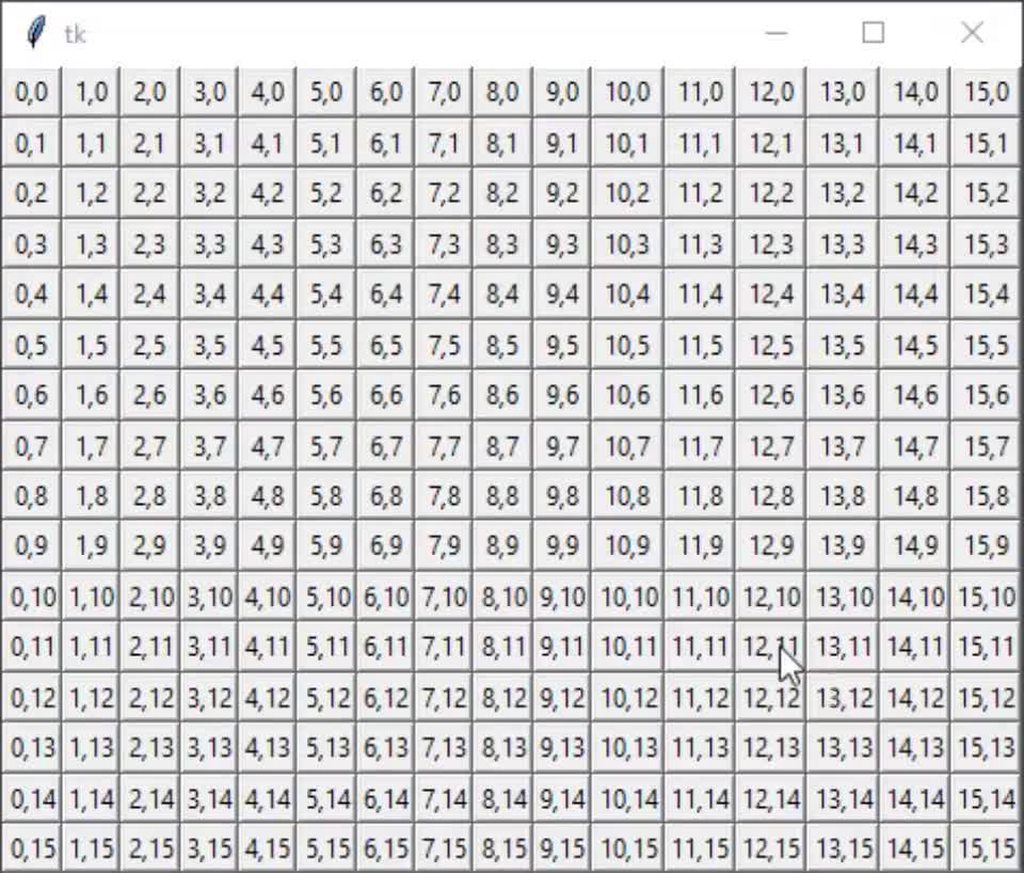
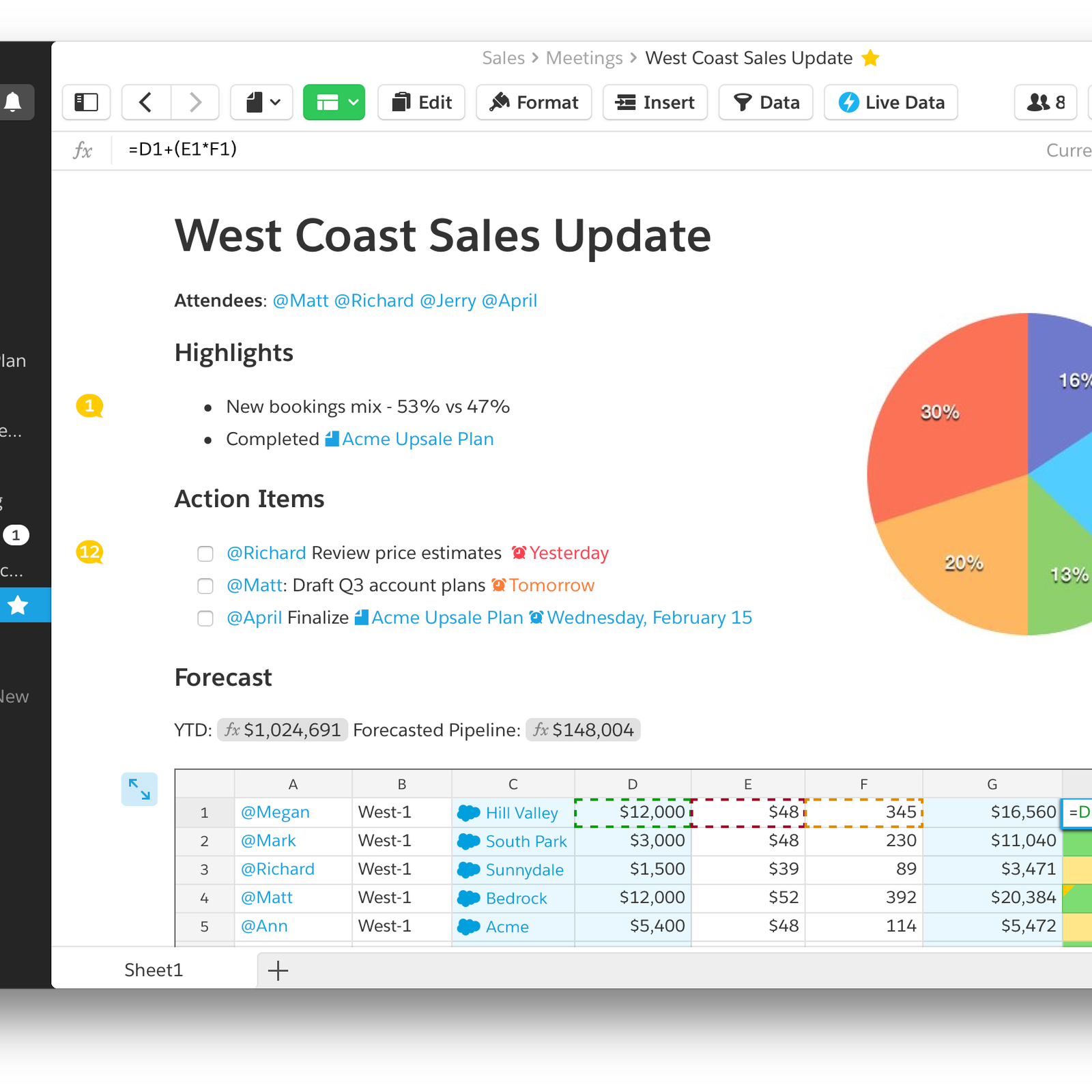
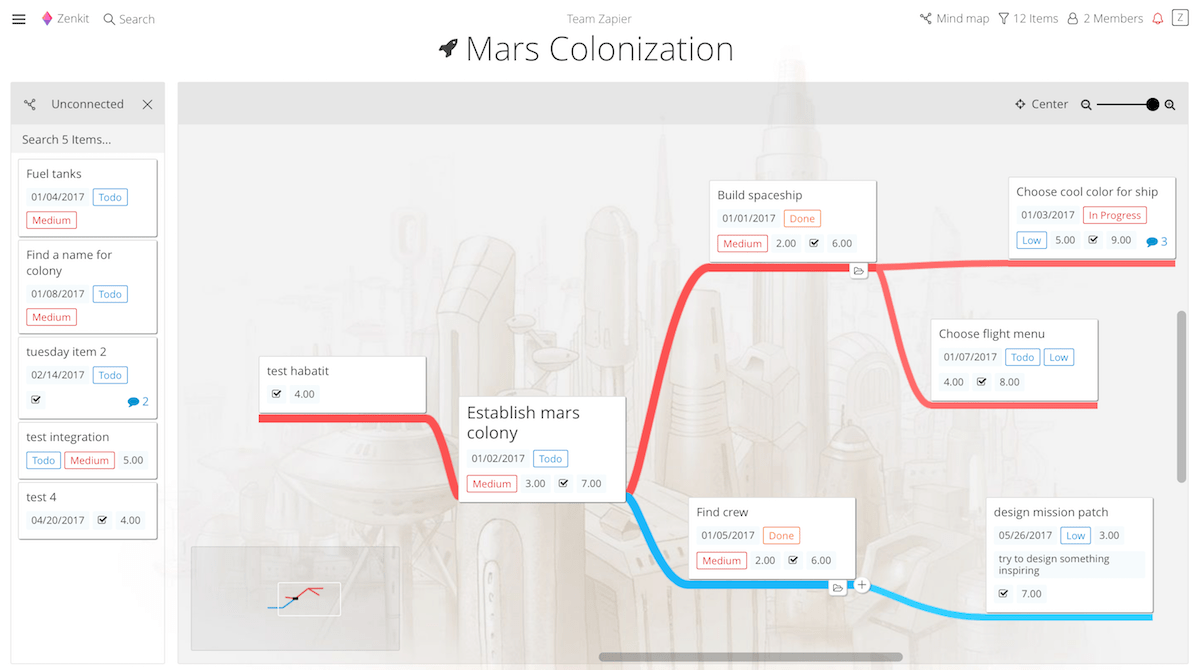

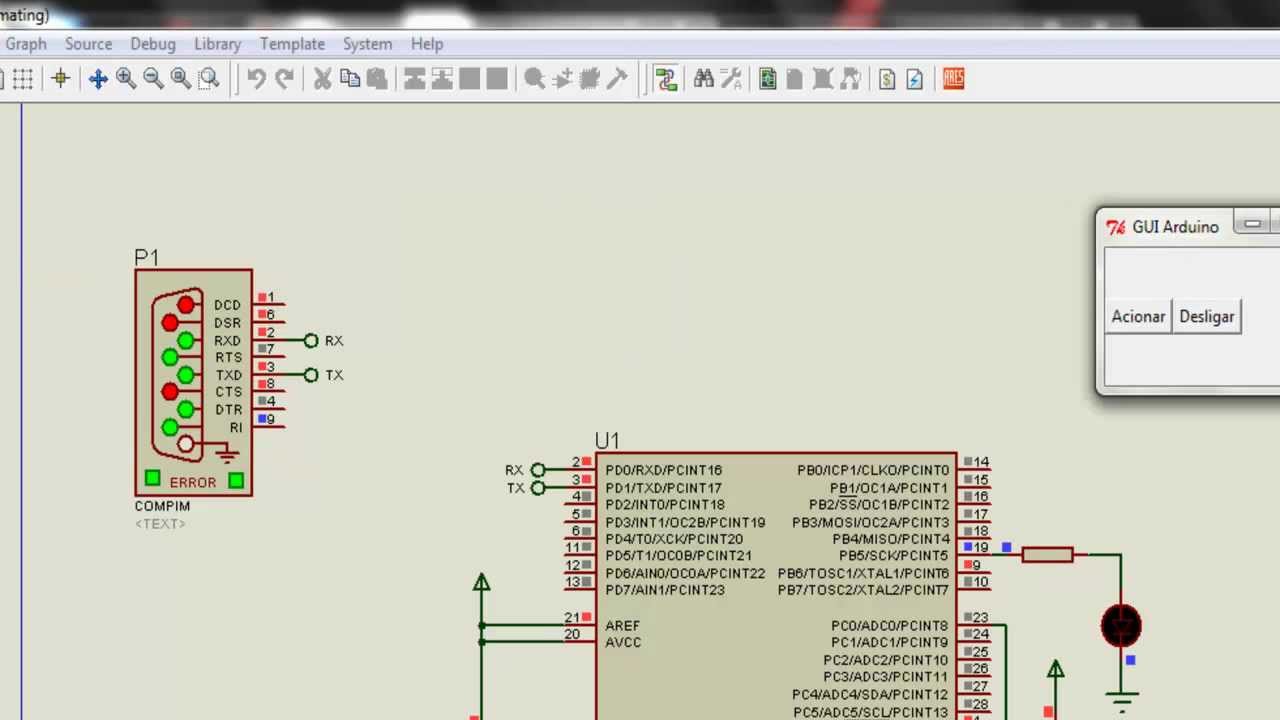 proper glade
:/
kind kraken
i wrote some code to measure time
import time
wh = None
def cf(e):
    if e.widget != root: return
    global wh
    wh2 = e.width, e.height
    if wh != wh2:
        print(time.time(), wh2)
        wh = wh2
``` ```py
    root.bind('<Configure>', cf)
count how many lines of output you get per second
mine's like 6 fps