So with PyQt, many people say that you cannot sell an app with it unless you pay for a license. After looking at the comparison chart, it doesn’t really say I can’t sell my apps, it just says with a license, I can’t close source my apps. I know this sounds dumb , the idea of selling an open source app. Some people are willing to pay for a compiled easy app and not have to build it them self. Am I missing something?
#user-interfaces
1 messages · Page 24 of 1
 autumn badge
 fallen oxide
The paid Qt license is a commercial license @autumn badge
So yes, you cannot sell without it
autumn badge
@fallen oxide I totally understand needing a license, but they sure are not nice to the small guy at $500/month for a commercial license.
fallen oxide
@autumn badge Well yeah, it's gonna be aimed at businesses
if you're a business selling software then you're gonna need to make way more than that in profit per month..
autumn badge
hahaha. yea, one would hope so.
I am thinking more of the small time app maker.
i really like qt but think i will only use it for open source projects.
fallen oxide
You could always email Trolltech.. No, Nokia... No, the Qt company and ask
autumn badge
I like the GUI. Wished they had a cheaper license though for those of us who would not make a crap ton of money off of the apps
autumn badge
Anything like qt that we can use and not pay a monthly fee?
Not necessarily the exact look, but something with similar programming
 half onyx
Could somebody possibly help with setting an icon in Tkinter for Ubuntu with Python 2.7? Every stackoverflow answer I've seen on setting an icon hasn't worked
autumn badge
so, going away from qt, what is the most similar gui out there to qt? i really dont want to use tkinter
 sudden stone
Kivy?
Or maybe pyforms?
Dice Insights
How to choose the best Python GUI for you? Here are the best 7 currently available.
 odd hamlet
gtk is pretty popular
autumn badge
yea, saw that site. jsut want people's opinions
autumn badge
what does everyone think of PyGUI? I havent heard about it much
http://www.cosc.canterbury.ac.nz/greg.ewing/python_gui/
 obsidian lance
kivy python2 only can be helpful. Python3 + kivy == R.I.P your self
autumn badge
@sudden stone looks like PyForms still needs PyQt4 so, i am assuming it still falls under the open source?
@obsidian lance yea, i was working in Kivy with Python2 and it worked great. as soon as i went to 3, all hell broke loose. Also, kivy requires OpenGL 2 at a minimum and I am trying to write apps that are compatible with some old computers
obsidian lance
thank s , man , you first who talk to me face, same .... because no one other said to me before , "yes, kivy is python2 , python3 is fake info", i even think sometimes that i do something wrong, and all around do right way kivy+python3, because i start learn python from version3, never use python2
but now i don't use kivy anymore... just start learn haxeflixel...and python is for console apps or server side for django etc
autumn badge
and i was opposite. I learned 2 and never learned 3. I know it has improvements but I am still partial to print 'foo' instead of print ('bar')
i am looking to make simple gui apps like this
thats it for now
that was made with PyQt. but if i want to make some cheap little utilities, I am not going to get a $500/month license
obsidian lance
haxeflixel is free and at this moment have no crossplatform good gui too, but step by step it growing up. Yesterday was anounsing textbox (multistring etc), and i hope soon will be mobile platform target gui, because now it only for desktop
https://twitter.com/Eiyeron/status/985932031338123264


Welp, here we go. My #Haxeflixel textbox library is now available here : https://t.co/fw9Q1U6POF
#Haxe https://t.co/KwyA7gvU5h
 Twitter
it not released but looks like work in process
autumn badge
cool.
sudden stone
@autumn badge you can use tkinter for the image you posted above
obsidian lance
500$/months... at least... in real you will need pay for ads more then 500$) , because users should install your soft
autumn badge
@sudden stone yea. but i really dont like tkinter
sudden stone
why
autumn badge
i dont know why but i just dont
sudden stone
oh
autumn badge
maybe the non-native ui or just the look. maybe because i tried it when i was new to python gui programming and got a bad taste in my mouth with it
sudden stone
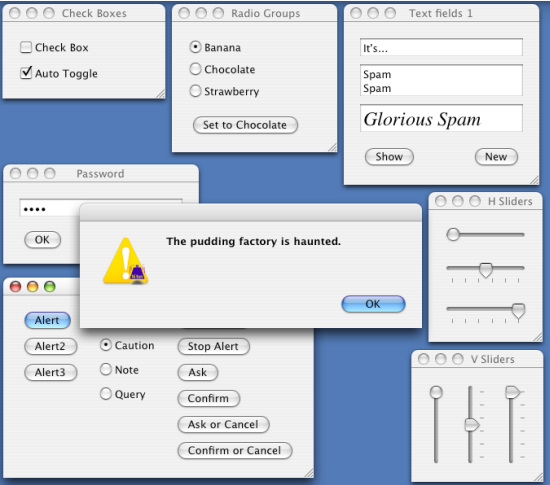
thats all i can think of when you posted this https://cdn.discordapp.com/attachments/338993628049571840/436932300920324096/unknown.png

because tkinter looks just like that
autumn badge
i guess i like the pyqt commands to build it better than tkinter
sudden stone
then why not use pyqt and make your program open source?
autumn badge
for this one i plan to, but i am trying to stick with one gui platform
i dont want to have to use two if i have an app that i want to keep closed (not even sell it, just closed)
autumn badge
dangit. thought you were going to say that
sudden stone
it may look ugly but there are ways around that like ttk or just making the buttons a flat color
autumn badge
yea, i will have to give it a go again
autumn badge
heard of it but not played. do tell!
sudden stone
Well, you could just use IronPython and WPF
obsidian lance
this is my best project uses tkinter)... work as expected for me, but look not very cool.... it note for dorama anime etc series watched
https://github.com/lenivaya10001/data/tree/master/python/DASprogress
this is tkinter ubuntu screenshot
 sudden stone
Iron Python is the .NET version of python
autumn badge
ah, thats why i dont use it
obsidian lance
NET == only win?
autumn badge
i want my stuff to run on win, linux and mac without a bunch of fucking around
sudden stone
oh
autumn badge
you can get .net on linux but it is a pain!
sudden stone
then yeah i guess tkinter
autumn badge
will give it a shot again. might help keep the exe/dmg files down too
that little gui i made had to package qt and grpc in it so it was 20mb!
obsidian lance
wxpython phoenix + (unique code some times... z index adding opposite for win and linux) can too crossplatform
in my link... *_tk.py is tkinter last.... *.py is wxpython old version
sudden stone
people posted some examples of tkinter projects they made
i think i posted two of mine
autumn badge
seen them. i just need to learn patience again
sudden stone
oh ok
autumn badge
well, time for me to look up some tuts and go through it again.....Thanks @sudden stone
sudden stone
np
obsidian lance
if you have little bit time, then you should look around... For example haxe direction... it good commented , have docs and discord have haxeflixel server. Haxeflixel(haxe invironment for create games and apps) not hard to learn , more easy then java for example. And you will have crossplatforming apps with gui(now desktop only). Because python do nothing that improve gui way... it sad@autumn badge
sudden stone
java would be easy for me to learn since i know c#
obsidian lance
if you know C# then only lisp or brainfuck can be hard to you)
autumn badge
lol
 serene estuary
How would I go about making a hex colour darker/brighter in python, I need it to be able to distinguish my widgets from the background if that helps. I get the colour from tkinter.colorchooser's
askcolor()
 stable hamlet
so i'm doing qtablewidgets using python and i have a whole column where each cell contained text that begins with 'Y'.
As I had made a button that is able to change the numbers in selected cells to another number, I was wondering if there is a way to prevent cells that begin with 'Y' from being selected?
thanks in advance
 waxen willow
So... I'm new at Tkinter and I want to know if someone explains the "after" method to replace time.sleep()
waxen willow
Hmm...
half onyx
just do root.after($timeToSleep, $methodToCall) ?
Or are you looking for something else
waxen willow
I want to print a text on the screen. I want it to freeze for 3 seconds and appear more text.
And so on.
In fact I have the .py project here that I want to transport to Tkinter.
I better share it.
print("Welcome to my First project")
import time
time.sleep(2)
print("We are going to calculate question 4 of my Math contest in which I participated")
time.sleep(3)
print("This should do it fast")
time.sleep(1)
days = int(input("First I have to know the days that have passed: "))
print("Great...")
time.sleep(1)
print("Wait...")
time.sleep(3)

if days < 15:
    print("I'm sorry, but your number of days is less than 15")
elif days > 14:
    a, b = days**2, 185*days
    c = a+b
    print("Wait...")
    s = c-3000
    time.sleep(1)
    print("Ready, the money you have earned after ", days," days is the amount of ", s," pesos")
Very simple project that I did.
I just want to do the same in Tkinter. That's it. I guess later I'll do more complicated, and useful things.
🤔
I tried it and I liked it.
However, what interests me is to understand it, that someone explained it to me.
half onyx
from tkinter import *
def updateLbl(msg):
labelTest.config(text=msg)
if __name__ == '__main__':
root = Tk()
root.geometry("500x300")
root.title("Test")
labelTestText = "Welcome to my first project"
labelTest = Label(root, text=labelTestText)
labelTest.pack(expand=YES, fill=BOTH)
labelTest.after(2000, updateLbl, "We are going to calculate question 4 of my Math contest in which I participated")
labelTest.after(3000, updateLbl, "This should do it fast")
labelTest.after(1000, updateLbl, "Great...")
labelTest.after(3000, updateLbl, "Wait...")
root.mainloop()``` honest torrent
Please don't mass delete your messages
waxen willow
Still... It's a curious fact that root=Tk(), root.geometry() and even the mainloop are inside in a if.
I didn't know that. Huh.
half onyx
You would get the same result if you did not include the if, it simply checks if the python code is being executed as a script
waxen willow
I've tried it and it has a small error.
waxen willow
from tkinter import *


def updateLbl(msg):
    labelTest.config(text=msg)


if __name__ == '__main__':
    root = Tk()
    root.geometry("500x300")
    root.title("Test")

    labelTestText = "Welcome to my first project"
    labelTest = Label(root, text=labelTestText)
    labelTest.pack(expand=YES, fill=BOTH)

    labelTest.after(2000, updateLbl, "We are going to calculate question 4 of my Math contest in which I participated")
    labelTest.after(5000, updateLbl, "This should do it fast")
    labelTest.after(6000, updateLbl, "Great...")
    labelTest.after(9000, updateLbl, "Wait...")

    root.mainloop()
Time.
Now I know what I was wrong about. Thanks for the talk.
honest torrent
It leaves past messages out of context, and is completely unnessiary
half onyx
What was wrong @waxen willow ?
waxen willow
In the understanding of after and the time.
Since you start the project the counter starts from 0.
All calls.
I only have one doubt...
half onyx
Imagine a simple Tkinter app. (Everything is pretty much the same for most other GUI frameworks, and many frameworks for games and network s...
half onyx
Well since you're building a GUI I would assume you'd want to get input using the GUI
I think http://effbot.org/tkinterbook/entry.htm would help
half onyx
from tkinter import *


def updateLbl(msg):
    labelTest.config(text=msg)


def printInput():
    global e
    userInput = e.get()
    labelTest.after(1, updateLbl, "Great! The number you entered was %s" % userInput)

root = Tk()
root.geometry("500x300")
root.title("Test")

e = Entry(root)
e.pack()

labelTestText = "Welcome!"
labelTest = Label(root, text=labelTestText)
labelTest.pack(expand=YES, fill=BOTH)

labelTest.after(4000, updateLbl, "Please enter a number!")

e.focus_set() # focus on the input
b = Button(root,text='Confirm',command=printInput) # button to confirm input
b.pack(side='bottom')

root.mainloop()```@waxen willow
waxen willow
Quick question. If I want to activate the text box afterwards, what should I do?
Also the button.
waxen willow
...?
 untold flame
anybody here familiar with tkinter?
 proven basinBOT
Tag not found.
code-block is an unknown tag name. Please check the spelling and try again.
To show a list of all tags, use bot.tags.get().
 unkempt scroll
bot.tags['code-blocks']
proven basinBOT
Tag not found.
code-blocks is an unknown tag name. Please check the spelling and try again.
To show a list of all tags, use bot.tags.get().
sudden stone
```py
#CODE HERE
beh, Whatever.
wrap your code with:
```py
```
Noting those are backticks, not quotemarks
untold flame
kk chillin
untold flame
alrighty so essentially im trying to make a program that modifys a global variable and prints it everytime you press a button
a button being specifically one single button lol to clarify
from tkinter import *
class Goyfstats:
    def spell_return_func():
        global spells
        spells = 0
        run = 1
        while run == 1:
            goyf_power = spells
            goyf_tough = spells + 1
            print("Your goyf is a {} / {}".format(goyf_power, goyf_tough))
            run = run + 1


class Application(Frame):
    def createWidgets(self):
        self.ADDSORCE = Button(self)
        self.ADDSORCE["text"] = "CLICK TO ADD A CARD TYPE"
        self.ADDSORCE["fg"] = "black"
        self.ADDSORCE["command"] = Goyfstats.spell_return_func()

        self.ADDSORCE.pack({"side": "left"})

    def __init__(self, master=None):
        Frame.__init__(self, master)
        self.pack()
        self.createWidgets()

root = Tk()
app = Application(master=root)
app.mainloop()
root.destroy()
complete beginner btw so if theres stuff thats reaaalllyyyy off dont be afraid to lmk
 high willow
What's a Python GUI Library I can commercially use?
sudden stone
@high willow tkinter, kivy, there are many
@untold flame where is your issue at exactly?
is it with the loop?
if so, you can use the after method
high willow
lol, this guy did this:
untold flame
hmm can you maybe give me an example?
untold flame
lmao ik you can just p import tkinter
untold flame
del PyThot
The tutorial I'm watching did TK() instead of Tk()
lmao
Okay, so it looks like I'll have to make my own assets.
Wait a second..
Okay, I get why he did that.
If you just do import tkinter, you still have to specify the library it comes from.
like tkinter.Tk()
But if you do: from tkinter import *, that's not so.
It's like how namespace works in C++.
untold flame
if im not mistaken the p ["command"] dict just executes whatever u put after it right
high willow
¯_(ツ)_/¯
I see, so Tkinter works in rows.
That system seems kind of stupid to me.
But I guess it's for beginners so..
Can you even make anything good in Tkinter?
high willow

That's amazing. I can't wait to see what I can do with this. I'll get started now with a special discount.
from tkinter import *

#key down functoin
def click():
    entered_text = text_entry.get()
    output.delete(0.0,END)
    try:
        definition = dictionary[entered_text]
    except:
        definition = "Sorry, that word doesn't exist."
    output.insert(END,definition)


window = Tk()
window.title("My Computer Science Glossary")
window.configure(background="black")
photo1 = PhotoImage(file="C:/Users/test/Pictures/ssf2.gif")
Label(window,image=photo1,bg="black").grid(row=0,column=0,stick=E)
Label(window,text="Enter the word you'd like a definition for:",bg="black",fg="white",font="none 12 bold").grid(row=1,column=0,stick=E)

##Insert Text
text_entry = Entry(window,width=20,bg="white")
text_entry.grid(row=2,column=0,sticky=W)

#Add sumbit button
Button(window,text="SUBMIT",width=6,command=click).grid(row=3,column=0,stick=E)

#Output
output = Text(window,width=75,height=6,wrap=WORD,background="white")
output.grid(row=5,column=0,columnspan=2,stick=E)
window.mainloop()

#the dictionary
dictionary = {"variable": "A value with a name and value.",
"integer": "A whole number"}```Okay, so it doesn't work. Porque no?
from tkinter import *
#key down function
def click():
    entered_text = text_entry.get()
    output.delete(0.0,END)
    for word in dictionary:
        if dictionary[dictionary[word]] == entered_text.lower():
            output.insert(END,dictionary[word])
window = Tk()
window.title("My Computer Science Glossary")
window.configure(background="black")
photo1 = PhotoImage(file="C:/Users/test/Pictures/ssf2.gif")
Label(window,image=photo1,bg="black").grid(row=0,column=0,stick=E)
Label(window,text="Enter the word you'd like a definition for:",bg="black",fg="white",font="none 12 bold").grid(row=1,column=0,stick=E)

##Insert Text
text_entry = Entry(window,width=20,bg="white")
text_entry.grid(row=2,column=0,sticky=W)

#Add sumbit button
Button(window,text="SUBMIT",width=6,command=click).grid(row=3,column=0,stick=E)

#Output
output = Text(window,width=75,height=6,wrap=WORD,background="white")
output.grid(row=5,column=0,columnspan=2,stick=E)
window.mainloop()

#the dictionary
dictionary = {"variable": "A value with a name and value.",
              "integer": "A whole number"}

#call m9
Why doesn't this work?
sudden stone
which part doesn't work?
obsidian lance
and what you want see in result
@high willow i can only give you the link on my repo code which you display above https://github.com/lenivaya10001/data/tree/master/python/DASprogress
you need _tk.py... another is wxpython, less functions
untold flame
hey im trying to get something to happen when i press the button widget on tkinter do I tell it what to do on the command section of the code?
 drifting sundial

Open source Python framework for rapid development of applications
that make use of innovative user interfaces, such as multi-touch apps.
This thing is really cool
sudden stone
Yup
obsidian lance
@drifting sundial @sudden stone for python2 only... which will stop development support soon
@untold flame read the tutorial first
untold flame
not sure what tutorial you are referring to? tkinter?
 digital rose
Hey, I'm working on a clicker game to get familiar with tkinter and I would like to know how I can display the score (amount of clicks) into the gui instead of the shell.
 timber thorn
hey ! in tkinter how do we check if the 'entry widget' is empty or not
also i have tried ''get()'' command with and without arguments but it doesn't work
@digital rose hey if you're working on tkinter may be you can store the score in a variable and make that display through some widget..like 'canvas'
yeah canvas has a methode ''.create_text()''
drifting sundial
@obsidian lance Kivy supports python 3 up to 3.6...what are you talking about
You should, uh, read the home page
obsidian lance
@drifting sundial in last years i tried kivy few times with python 3 (c;pse to 5 times) and kivy +python3 can run only from source... can winexe, linux, apk.... and... site info about python3 support is 100% fake. Not only i am have this situation. And as i can analyze you "read the home page" , you use python2, in opposite case you should say "i use kivy+python3" , but you don't. Do not believe everything you read on the Internet
@untold flame yes, i mean tkinter tutorials
sudden stone
I don’t think they’d put something fake on the source page
drifting sundial
Interesting
I ran the demo a few nights ago, and I'm pretty sure that was 3 as it's the default on my system, and I don't think I even have 2 installed
 rough rampart
Any one use Pyforms? im just started using it and have a couple questions
 charred badger
hello everyone
a pyqt question
i have a text edit widget
where one should enter text
i have a file where there are words which should popup to let the user autocomplete the entered text
i'm looking at this example to help me:
https://doc.qt.io/qt-5/qtwidgets-tools-customcompleter-example.html
i translated everything to python
but i provide my set of words
somehow when i type the beginning of the word, other words that don't start with that letter(s) also appear in completion model
i don't get what i'm doing wrong
obsidian lance
@drifting sundial try build exe or apk from python3 code and then you feel real interesting things.... i write again, i can run kivy python3 from source , like you run your demo. If run from source for you mind support python3 , then you are the boss, but i need build to other planform , that othre peoples can use my app
and i tried build kivy python3 to apk /linux/windowsexe from win7/ubuntu16.04 32 and 64/ buildozer kivy vm ... and all ways fail, and tried few times....time to time... with different kivy versions 9 / 10 along few years
charred badger
here's the code
i want the code to behave like a normal autocomplete
now it only pops up the suggestions only on ctrl+e shortcut
 charred thunder
i don't have any experience with pyqt, but other people might ^^
drifting sundial
@obsidian lance interesting, that's good to know about the packaging story. Wonder what the cause is?
obsidian lance
@drifting sundial don't know... it just can run python3 only from source, and not only in my case... some users tried to recode old stable kivy+python2 app to python3 and.... fail
 red swan
@charred thunder https://gyazo.com/ee09f7a60a09d14da15f48fc0c3d423f

looking at design tips
i think it looks ugly ;l
charred thunder
make everything solid colour lmao
red swan
it needs comic sans do you think?
red swan
o-o
do you think i would be better off having a scoreboard gui and a changing points/whatever seperate gui?
im not sure
input boxes are sorta ugly
charred badger
@sudden lynx hi can you help me with qt QGraphicsItem drawing?
 sudden lynx
that ... is ... the ... WRONG LEMON
charred thunder


 rugged sinew
that would have been my approach. I don't actually know qt.
but the two of you plus some docs can figure it out
charred badger
@charred thunder @rugged sinew yes i actually read the docs
this is realted to some simple math calculations however i don't get it
charred thunder
would you care to elaborate? ^^
charred badger
i can share the code if you don't mind
charred thunder
by all means do
charred badger
here it is
item drawing is okay, it is like this:
but as you can see i also draw outline on hover:
however the outline makes the original item much bigger
charred thunder
hmm
charred badger
here's the coordinates i pass to item when creating it
(26, 0) (26, 56) (54, 46) (54, 0)
charred thunder
alright, so you want to know why the red outline thickens on hover?
charred badger
yes
charred thunder
hmm
        if self._hovered:
            #return QRectF(-2, -2, bb.width() + 4, bb.height() + 4)
            bb.setX(bb.x() - 4)
            bb.setY(bb.y() - 4)
            bb.setWidth(bb.width() + 4)
            bb.setHeight(bb.height() + 4)
```might this not be the source of that?that does seem to make it larger, by the looks of it
charred badger
yeah
when i remove it though, the outline is drawn inside the rect
but i need outside
charred thunder
replace the 4's with 2's and see what happens, maybe
charred badger
it's the same and uglier
charred thunder
it's all about plugging numbers into random places until you know what stuff does lol
charred badger
ahaha that's what i did actually
charred thunder
i can only suggest places to throw numbers at, but only you can actually do it
just keep poking at it until you find shit out
that's how real developers do it
charred badger
yeah i know but it's been hoursss already you know 

charred thunder
oh i see
charred badger
see, when i remove what you pointed out, the cyan line is drawn inside the rect
but as you can see in paint() for both normal and hovered i pass the coords to polygon
so it's a secret for me how it draws both cyan and red
any idea?
charred thunder
        pen_outline = QPen(QBrush(QColor(Qt.cyan)), 5, join=Qt.MiterJoin)
pen = QPen(QBrush(QColor(Qt.red)), 3, join=Qt.MiterJoin)```i think this may be it actually
because the red's width is 3 and the cyan's width is 5
it draws the red onto the cyan
charred thunder
perhaps, but i'm unsure
charred badger
hmm okay
charred badger
@charred thunder no luck 😦
how can i draw a bigger polygon having coordinates of original one>
charred thunder
i'm honestly not sure, sorry.
charred badger
@charred thunder , ok np
charred badger
@charred thunder i found what was wrong
charred thunder
oh, what was it? ^^
charred badger
i had set a flag to the item
QGraphicsItem::ItemClipsToShape
The item clips to its own shape. The item cannot draw or receive mouse, tablet, drag and drop or hover events outside its shape. It is disabled by default. This behavior is enforced by QGraphicsView::drawItems() or QGraphicsScene::drawItems(). This flag was introduced in Qt 4.3.
and i didn't have a shape() to tell the item its shape... me rn: 🤦
except i'm not blonde 😄
charred thunder
oh lol fair enough ^^
 signal matrix
Ok, so I have a for loop that sets a variable to label that prints a row from a database file, then it packs it. I have no issue with this as it works and displays what I need it to. The only issue is that as attempting to remove it, I am unsuccessful as the variable is changed so trying to .pack_remove it doesn't work. Do you guys have any ideas?
high willow
So I just started using Tkinter and..
It doesn't seem very flexible. Am I worried for nothing?
 sly depot
PyThot, It depends one what you're trying to do with it, really.
Most people typically chalk up the simplicity of it as a benefit. It lets you get going with a GUI pretty quickly. I'd say that it's one of the most flexible packages, but to make it look modern and acceptable you'll usually need to implement a few tweaks. I'd say, keep learning it. You can do a lot with it
obsidian lance
at this moment, python + gui is not good way).
python server side, or python console app the good way @digital rose
fallen oxide
@obsidian lance You need to stop saying that to everyone
it seems like your one mission in life is to sit in this channel and tell everyone not to use it
GUIs in Python are quite manageable
obsidian lance
may be i hope guido van rossum hear me once)
fallen oxide
Mobile development is the thing you shouldn't really be using python for
anyway
@digital rose, you should ask your question here if possible
obsidian lance
zip it)
fallen oxide
er, zip?
No
your question should fit within 1000 characters
if your example is larger, use http://gist.github.com

GitHub
GitHub is where people build software. More than 27 million people use GitHub to discover, fork, and contribute to over 80 million projects.
obsidian lance
sound like school homework, where the tutor do stupid errors and the student should fix it)
 golden tusk
is there like a bot i can code strings with?
 shell blade
what are you asking, @golden tusk?
You shouldn't need a bot to program anything so I'm not sure what you mean.
golden tusk
@shell blade like is there something, (bot, command etc) I can run my code in and see if it works?
shell blade
just use a python interpreter

this isn't related GUIs btw, so if you do have futher questions, please ask them in a help channel
high willow
Does anyone use wxPython?
Nah, I'm just wondering.
Is it still even relevant?
I'm reading the docs, I think that I like it.
?
Why did you guys delete your messages?
...
Forget it.
WOOP
Have no idea what's going on lol.
high willow
Wait, should I have installed wxWidgets instead of wxPython?
I just wanna create a GUI lol.
and wxPython seems really complex rip.
high willow
PyQt I can't use commercially.
Although I won't be creating anything worth selling for a while lol..
sudden stone
im not sure if wxpython is good or not but i've used wxwidgets for c++
seems pretty solid to me
or you can use WPF and IronPython (Microsoft's python)
digital rose
which language would you guys consider the most efficient for developing gui's ? Even though my project with tkinter is hugeee, im thinking about starting over since its freaking exhausting to just simply place a button were you need it. >.<
Also at a certain size and range of functionality tkinter just feels sloppy and slow.
odd hamlet
the C family is used in lots of GUI applications and frameworks
digital rose
@odd hamlet, would you recommand switching to a C family language after "only" ~ 2 months of programming experience ?
odd hamlet
i mean you can do that but when you are coming from python it is going to be a huge punch into the face
if you want some big upgrade in terms of GUI in python go for pyqt or a python GTK wrapper, if you want to package your GUI apps you must not go for pyqt though because you would have to pay for a license in that case
@digital rose
digital rose
@odd hamlet , so if Im planning to build it for commercial usage and dont want to get punched in the face but want more functionalities and widget options, you think python GTK wrapper is the way to go ?
odd hamlet
at least i have no better idea for doing that in python
digital rose
Is there a simple GUI library or framework that has built-in open file chooser widget and date picker widget? I currently have a script that take a couple files as inputs, couple dates, and some other text inputs. I was gonig to use just tkinter, but not sure I wan to reinvent the date chooser wheel.
drifting sundial
EasyGui (wrapper around tkinter): http://easygui.readthedocs.io/en/master/
Gooey (generates a graphical interfaces from your program's commandline arguments): https://github.com/chriskiehl/Gooey

GitHub
Gooey - Turn (almost) any Python command line program into a full GUI application with one line
@digital rose
Unrelated but awesome thing I just discovered: https://github.com/SimonBiggs/scriptedforms

GitHub
scriptedforms - Quickly create live-update GUIs for Python packages using Markdown and simple HTML elements.
obsidian lance
@digital rose html + css + eel (python side gate)
fallen oxide

The first Qt for Python technology preview release is almost here, and for this reason we want to give a brief example on how it will open the doors to the Python world. Let’s build a simple application to show the simplicity of Qt for Python...
 grave fiber
anyone here good at/familiar with cocos2d python?
honest torrent
bot.tags.get("ask")
proven basinBOT
ask
Asking good questions will yield a much higher chance of a quick response:
• Don't ask to ask your question, just go ahead and tell us your problem.
• Try to solve the problem on your own first, we're not going to write code for you.
• Show us the code you've tried and any errors or unexpected results it's giving
• Keep your patience while we're helping you.
You can find a much more detailed explanation on our website.
rough rampart
Im trying to work with GTK and im wondering if i have to keep using it under msys2 or if there is a way to run it native/in pycharm
obsidian lance
sound's sick
 lean haven
Hi guys
Anyone experienced with PyQt5? I'm trying to make a timer to check for connectivity every minute or so in loop while I want the GUI showing but I get many errors
 neon crystal
@lean haven what kind of errors?
lean haven
First of all I can't get it looping. It gives me QTimer errors or the gui freeze
Can I forward you the code?
neon crystal
please put it on gist or hastebin, and post the link here, along with the errors you're getting
lean haven
https://hastebin.com/ifazijugip.py @neon crystal
neon crystal
I will take a look at that in a bit, having dinner right now
lean haven
Thank you
neon crystal
if anyone else has ideas they will post too
neon crystal
@lean haven I took a look at your code - on the surface level, you need to make time into self.time, initialize it in __init__, and stop using it as a global
That will take care of NameError: name 'time' is not defined
neon crystal
OK, so you have a method timerEvent where time is declared as a global, but there is no global variable time. You want a variable time that is available across every method of your class, right?
To do that you can create something called self.time which belongs to the instance of your class and can be accessed from every method
But looking into the PyQT5 docs a bit, it looks like this is the recipe for creating a timer that does something every 5 seconds:
# Create a QTimer
timer = QTimer()
# Connect it to f
timer.timeout.connect(f)
# Call f() every 5 seconds
timer.start(5000)```So, if you want to do this, it should be done in __init__, which is called when your class is instantiated, but you are doing it in the method that is supposed to be called by the timer
And even if that were to work, you would be calling connectioncheck 10 times per second, you might want to slow down a bit there
lean haven
and i have to connect timer.timeout.connect(connectioncheck) ?
neon crystal
assuming that connectioncheck does all the work that has to be done every time the timer fires, that should be enough
it looks like you don't need to re-register the timer every time
lean haven
line 32, in init
timer = QTimer()
NameError: name 'QTimer' is not defined
neon crystal
QtCore.QTimer
lean haven
same
neon crystal
because you imported it that way
lean haven
sorry
different error
line 34, in init
timer.timeout.connect(connectioncheck)
NameError: name 'connectioncheck' is not defined
neon crystal
calling a method on the same instance, would be self.connectioncheck
lean haven
ok i wrote self.connectioncheck
neon crystal
I'm not actually sure what you were using time for
lean haven
ok gui works
but timer is not
it just work once
im using time because i want to check for connectivity every n time after it start
to stop in case of no connection
and update a text in the status bar
neon crystal
did you create the QTimer in the __init__ method?
neon crystal
in the doc that I'm reading it says you have to keep a reference to the timer or it will be garbage collected, so if you make that self.timer instead it will keep it around
because then it is an attribute of App
I'm reading this btw: https://ralsina.me/posts/BB974.html
lean haven
self.timer = QtCore.QTimer() ?
neon crystal
yep
self.timer will last until the App object is deleted, unlike just timer which will be garbage collected after __init__ finishes
lean haven
line 34, in init
timer.timeout.connect(self.connectioncheck)
NameError: name 'timer' is not defined
now i get error in this line
neon crystal
since timer has been renamed to self.timer you will have to make that change there as well
 neon crystal
don't forget to slow down the timer lol
lean haven
yeah ahah
neon crystal
10 times per second doesn't even give google time to respond
I mean it does... but it's close depending on your internet connection
lean haven
Guys im having problem with multithreading
I am using two callbacks and gui freeze after a little
Both are sending http requests
honest torrent
Could you show your code?
lean haven
sure
@honest torrent
so the error i get is line 123, in App
t2 = threading.Thread(target=intercheck)
NameError: name 'intercheck' is not defined
honest torrent
There is no line 123 in the hastebin
Also, you never defined intercheck, like it says
lean haven
even callback is not defined
so why it doesnt bother with it
shouldnt be function() for the child?
even with inter__check i got the same issue
even in my gui callback is colored as defined and intercheck is not
but i cant find any error
honest torrent
You're confusing, one step at a time.
You're running this py t2 = threading.Thread(target=intercheck) t2.start() when the class is defined. It's not inside any function
I would assume that's what the issue is
However, you never do define a function called intercheck, only inter__check
lean haven
didnt know about "intercheck" issue
now i got it working for like 30 secs and then it freeze
print command still working
with callback
but gui frozen
or at least text inside doesnt update
there is a limit of ms for http requests?
for the timer
im trying with 500ms
again, one timer with 5000ms and the other with 500
frozen
Process finished with exit code -1073740940 (0xC0000374)
it freeze even with only one timer, so problem is the callback with the http requests
again, another application error even with 2 sec timer
@honest torrent
honest torrent
Yes, so an error is being raised
You need to put in a catch block, and print the error
honest torrent
oh, i meant except
honest torrent
Please don't copy code without understanding it first
charred thunder
^
honest torrent
You can do except Exception as e:, so in the except block, you can access the exception through e
lean haven
you can use it to avoid errors
charred thunder
to handle errors*
lean haven
so where should i put those
def catch():
... try:
... asd()
... except Exception as e:
... print e.message, e.args
...
catch()
should i run something like this
proven basinBOT
codeblock
Discord has support for Markdown, which allows you to post code with full syntax highlighting. Please use these whenever you paste code, as this helps improve the legibility and makes it easier for us to help you.
To do this, use the following method:
```python
print("Hello world!")
```
This will result in the following:
print("Hello world!")
also, try not to do except Exception ...: because that's very broad
if possible, specify which exact exceptions you're expecting
try:
    int("Hello, world!")
except ValueError as e:
    print(e.message, e.args)
ok got it running
Process finished with exit code -1073741819 (0xC0000005)
thats all what i get when it crashed
the function simply get some info from a few json files and then pass an if statement with a qlabel text to update with some content
with callback and timer
the function was working great in loop with timesleep in the shell version
grave fiber
anyone who's familiar with cocos2d python: is it possible to prevent the python interpreter (ctrl+i) and the pause menu (ctrl+p) from appearing?
honest torrent
@charred thunder He's doing that, because he doesn't know what the error is
lean haven
allright, i tried the timer without the old function but with only a print ('text') instead
seems is not freezing
so its supposed to be this
        def callback():

                global last_price


                j = requests.get('https://api.binance.com/api/v1/ticker/price?symbol=BTCUSDT')
                change = requests.get('https://api.binance.com/api/v1/ticker/24hr?symbol=TRXBTC')
                z = requests.get('https://api.binance.com/api/v1/ticker/price?symbol=TRXBTC')
                tron_price_usd = float(j.json()['price']) * float(z.json()['price'])
                volume = requests.get('https://api.binance.com/api/v1/ticker/24hr?symbol=TRXBTC')


                tron_sat = float(z.json()['price']) * 100000000
                btc_price = float(j.json()['price'])
                price_change = float(change.json()['priceChangePercent'])

                o_tron_price_usd = round(tron_price_usd, 3)
                o_tronsat = round(tron_sat)
                o_btc = round(btc_price, 2)
                o_price_change = round(price_change, 2)

                if o_tronsat > last_price:
                    self.satprice.setStyleSheet("background-color: none; color: green; font-weight: bold; font-size: 25pt")
                    self.satprice.setText(str(o_tronsat) + 's')


                elif o_tronsat  < last_price:
                    self.satprice.setStyleSheet("background-color: none; color: red; font-weight: bold; font-size: 25pt")
                    self.satprice.setText(str(o_tronsat) + 's')


                elif o_tronsat == last_price:
                    self.satprice.setStyleSheet("background-color: none; color: white; font-weight: bold; font-size: 25pt")
                    self.satprice.setText(str(o_tronsat) + 's')
                last_price = o_tronsat


        t = threading.Thread(target=callback)
        t.start()
this is the function which make my gui freeze with callback after a minute or few
lean haven
allright, looks like the responsible was self.satprice.setStyleSheet("background-color: none; color: white; font-weight: bold; font-size: 25pt")
isnt this the correct way to change the stylesheet of a text object ?
lean haven
whoever was interested in my problem, looks like i solved adding a time.sleep(0.1) after the http requests
honest torrent
alrighty
 umbral tiger
Hello guys 😃
I am having a problemwith my GUI project.
problem with*
any PyQt experts?
lean haven
basically i can finally have two threads in callback triggered by two timers
so i put a print fuction as well to check if callbacks blocks or not but if i manage to update text of two mainwindow objects (a text and a statusbar text) print function continue to work, but gui freeze
after random time
lean haven
is it correct to have more than one callback in the same class?
lean haven
Martin Fitzpatrick
A common problem when building GUI applications is
this will solve many problems
lean haven
multithreading works really good
odd hamlet
i guess its supposed to be a help button
for the user to understand the gui
although i dont know how to use it from python side
obsidian lance
@grave mesa info 100% ... this is pirate crook ... for robbing users
 grave mesa
🤔
Ok found a way to disable it here if anyone else is curious https://stackoverflow.com/questions/81627/how-can-i-hide-delete-the-help-button-on-the-title-bar-of-a-qt-dialog

Stack Overflow
I am using Qt Dialogs in one of my application.
I need to hide/delete the help button. But i am not able to locate where exactly I get the handle to his help button. Not sure if its a particular fl...
obsidian lance
grave mesa
im styill confused what you mean lol
 rotund flax
Threading is awesome, are you threading with GUIs?
digital rose
jup
rotund flax
Nice
digital rose
calling a really big function when the .lineedited() event is true and without threading the gui froze for atleast 5 seconds..now I dont even notice anything 
lean haven
Anyone can help me I got my app crashing randomly but giving me always the same exit error code.how can I manage to ignore the error to avoid my app crashing?
rotund flax
Stop posting that everywhere.
sudden stone
i don't think ignoring the error will stop it from crashing
grave mesa
does QThread thing that got linked earlier work just like regular threads ?
digital rose
That I dont know yet, sorry. Just started finguring out myself how to work with them.. @grave mesa
what would be a regular thread for you anyways..?
grave mesa
well i tried using the regular threading and it gave me some errors or w/e
just kinda hoping i could set it to run a function in the backgrounmd until i tell it to stop
digital rose
That should work easily..
obsidian lance
@lean haven place all code inside try block and do nothing inside except)
 regal comet
Anyone use Winform using IronPython ?
sudden stone
i tried it once but couldn't get it to work
 spiral flint
Yo boys
I'm having a pretty damn hard time installing Kivy on ubuntu 17.10
   #error Do not use this file, it is the result of a failed Cython compilation.
    ^~~~~
   error: command 'x86_64-linux-gnu-gcc' failed with exit status 1

  ----------------------------------------
Failed building wheel for kivy```This is the pip install kivy command's output
And in the same venv this is what pycharm spits out
       File "/tmp/pycharm-packaging/Kivy/setup.py", line 511, in __init__
         self.sources = args[1]
     IndexError: tuple index out of range```
# Install necessary system packages
sudo apt-get install -y \
python-pip \
build-essential \
mercurial \
git \
python \
python-dev \
ffmpeg \
libsdl-image1.2-dev \
libsdl-mixer1.2-dev \
libsdl-ttf2.0-dev \
libsmpeg-dev \
libsdl1.2-dev \
libportmidi-dev \
libswscale-dev \
libavformat-dev \
libavcodec-dev \
zlib1g-dev```These are installed
This is a longer error from the pip install command
obsidian lance
python 2 way too have problems with kivy?@spiral flint
obsidian lance
@spiral flint then you must use pip3 install because ubuntu have python2 pip default
obsidian lance
and i will surprised, if kivy will work done with python3 (i mean full functionally ,b ut not only run from source). I never seen user, who can build kivy from python3 to desktop or android... only python2 way works
in result ... or you use kivy + python2(which will die soon), or you like infinity pain)
spiral flint
I am using python3 and kivy on windows already
pip3 install doesn't work
Also in my ubuntu version pip is default to pip3
Also I've tried from pycharm aswell
I've also tried py3 -m pip install kivy
signal matrix
How can I get a real time update of what an Entry is equal to?
without of course using a while(True) and causing it to freeze as its doing so much so fast
like, while(Input != ''):
then it will grid a button on
signal matrix
how would I use that?
 wanton tangle
@signal matrix What framework is this?
signal matrix
Tkinter?
lean haven
do you guys know how to avoid with PyQt your object inside your gui dont update if im in another window
sudden stone
(sorry i dont use pyqt this isn't an answer to your question)
guys so i've looked into qt/c++
the license allows you to sell and keep the source private
but people say with pyqt you cant?
odd hamlet
you have to pay the makers of qt money if you want to sell your software and use their framework
so you can but
its going to be expensive
lean haven
ok basically there is my gui performing operations in loop and updating qLabels while another gif plays in loop
even if im with the windows open all the time after random time it freeze until i minimize or press a button which i put that doesnt do anything
window*
there is any solution?
high willow
Anyone good in Qt?
sudden stone
@odd hamlet for pyqt you have to buy a license
but for qt/c++ you dont
which is odd
but luckily there is pyside
digital rose
Hi guys, I converted a layout I've created within the Qt5 Designer into PyQt5 code
and decoupled the functionality from the design itself, so in future I can change the design how ever I desire and it's functionality will still be givin.
So for exmaple here is a basic converted .ui -> .py (design.py) with a simple QPushbutton:
from PyQt5 import QtCore, QtGui, QtWidgets

class Ui_MainWindow(object):
    def setupUi(self, MainWindow):
        MainWindow.setObjectName("MainWindow")
        MainWindow.resize(405, 248)
        MainWindow.setMinimumSize(QtCore.QSize(405, 170))
        self.centralwidget = QtWidgets.QWidget(MainWindow)
        self.centralwidget.setObjectName("centralwidget")
        self.gridLayout = QtWidgets.QGridLayout(self.centralwidget)
        self.gridLayout.setObjectName("gridLayout")
        self.Button_1 = QtWidgets.QPushButton(self.centralwidget)
        self.Button_1.setObjectName("Button_1")
        self.gridLayout.addWidget(self.Button_1, 0, 0, 1, 1)
        MainWindow.setCentralWidget(self.centralwidget)
        self.retranslateUi(MainWindow)
        QtCore.QMetaObject.connectSlotsByName(MainWindow)

    def retranslateUi(self, MainWindow):
        _translate = QtCore.QCoreApplication.translate
        MainWindow.setWindowTitle(_translate("MainWindow", "MainWindow"))
        self.Button_1.setText(_translate("MainWindow", "Button"))


if __name__ == "__main__":
    import sys
    app = QtWidgets.QApplication(sys.argv)
    MainWindow = QtWidgets.QMainWindow()
    ui = Ui_MainWindow()
    ui.setupUi(MainWindow)
    MainWindow.show()
    sys.exit(app.exec_())
Now to connect this button to a function, I made a new python file (functionality.py), imported the Ui_MainWindow class and gave it a function, like this:
class Functionality():
def __init__(self):
app = QApplication(sys.argv)
Window = QMainWindow()
self.ui = Ui_MainWindow()
self.ui.setupUi(Window)
self.button_functionality()
Window.show()
sys.exit(app.exec_())
def button_functionality(self):
self.ui.Button_1.pressed.connect(self.test_function)
def test_function(self):
print("Hello world!")
if __name__ == '__main__':
from test_ui import Ui_MainWindow
from PyQt5.QtWidgets import *
import sys
Functionality()```
This is pretty cool and works like a charm. But how and where could I now add a QMessageBox with an: "Are you sure you want to quit?" --> "Ok", "Cancel", that would popup when I close the window with the (top corner, red "x") within the functionality.py or do I have to code this within the design.py?
Any help is appreciated!
greetz! indigo sail
Anyone know if their is a wrap function which uses pygame fonts rather than number of characters based
i could make a function but it would be a lot of work and not that efficient so wondering if there is anything out there?
lean haven
which signal can i use to pass to another thread when the previous one has finished?
sudden stone
Not many but I saw someone ask about it above
 flint citrus
Is there a minimal GUI library with less overhead than Tkinter for building small single-executable utilities? Anything using Tkinter takes several seconds to launch after being packaged with pyinstaller.
odd hamlet
tkinter is the epitome when it comes to minimal gui
flint citrus
Ok. So, have to look elsewhere to reduce that startup delay.
obsidian lance
@sweet ember try not use kivy + python3 first, because it head pain. Only python2+kivy can be enought comfort
 sweet ember
It will be okay XD
signal matrix
Okay, I might've asked this before, how do I have something waiting for an Entry in tkinter to change, so when it goes from blank to not blank, it does something
odd hamlet
add a tkinter.StringVar to your entry widget and bind your callback function to that one
signal matrix
So what would that look like?
odd hamlet
Stack Overflow
From the first answer here:
StackOverflow #6548837
I can call callback when the user is typing:
from Tkinter import *
def callback(sv):
print sv.get()
root = Tk()
sv = StringVar()
sv.trace...
signal matrix
So, I'm curious on how the tracing part of it works
signal matrix
well, I've got it sort of figured out
sweet ember
Sorry buddy, but can you tell me what a callback is? Sorry if my questions are silly.
honest torrent
A callback is a function assigned to an event, to be called when the event is triggered
digital rose
Guys did nobody ever work with converted pyqt5 code ? I really need help with the structure here...
obsidian lance
@sweet ember and you can have some troubles when you try to call callback function with additional parameters use .bind(...).... default syntax must look like callback = mycallback but if you want use callback= mycallback(mya,myb,myc) you must use special lib, forgot name, it allow you expand the callback calling inside bind
anyone can remember me the name of this lib?
 placid quartz
You can either create a lambda on that line, or use functools.partial
obsidian lance
that's it! partial
 misty ingot
Could anyone give me some feedback on my htmlpy GUI?
It's for a program that searches through Tweets based on your query.
I'm trying to make it look modern and clean but I feel that it's a bit off.
 obsidian lance
@misty ingot looks enough good
 obtuse bone
too much space between rows
sudden stone
i think the shadows are a bit much
might just be me because im more of a fully flat type of person
charred thunder
i like a little bit of shadow. like, enough to make it pop a little, but not too much to make it float
charred thunder
@misty ingot ^ feedback ^^
misty ingot
@obtuse bone rows or columns?
@charred thunder @sudden stone Thanks. Yes perhaps you're right, I just saw that button shadow on stripe.com and I thought it might look good, but perhaps it is a bit too over the top. Do you think I should reduce/remove the shadow on the header and input boxes too?
obtuse bone
columns
sudden stone
the text boxes dont look all that bad to me
but the button is just a bit much
the header also looks fine in my opinion
charred thunder
yeah, a little less shadow and closer columns would look better imo
 charred thunder
much better imo
obtuse bone
shadows only when hover
charred thunder
that would look inconsistent unless you did it just right
misty ingot
I already have a colour change on the button, border bottom on the header and I prefer just :focus on the input boxes

Thoughts?
charred thunder
i think there should be a space after the commas
misty ingot
Yeah I think that would be better
But do you like the lighter header shadow and the removal of border on the input boxes? @charred thunder
The screenshot is a bit lower res than it is for me, so they do pop a little more on here
charred thunder
i prefer the borders
misty ingot
has anyone used electron as a GUI for their python app? i know html and css well and i dont want to spend hours on tkinter again
I will only need to link buttons within the GUI to update JSON files and run .py files
or htmlpy?
digital rose
Shouldn't you rather use node.js when writing an Electron app? (correct me if I'm wrong)
odd hamlet
Well technically you can write the GUI part with electron in html CSS and node and then just forward all the stuff to a locally running python server for example written in flask which does the hard work.
You could also check out eel on GitHub which tries to achieve something similar
misty ingot
@odd hamlet What do you think about htmlpy? thanks I will have a look at eel
odd hamlet
never heard of it
misty ingot
Ah ok, well I think it is similar to eel.
Eel makes a website a desktop app right?
odd hamlet
kinda
misty ingot
@odd hamlet when I run the eel GUI it gets the width and height wrong
My GUI is 1200x700 w X h
odd hamlet
yeah
misty ingot
and eel.start('index.html', size=(1200, 700)) is considerably larger than the site
odd hamlet
thats a common problem with eel
ive seen it in the issue tracker some times
i believe they are still working on a fix
misty ingot
it doesn't seem to care what I put as the size
odd hamlet
¯_(ツ)_/¯
digital rose
If I am looking for a cross-platform GUI library that's easy to port to a new platform (in my case, one that has no windows, and apps are rendered full screen (the Switch)), which one would you recommend?
misty ingot
@odd hamlet Can I change the title bar colour?
misty ingot
Ah ok, I can't find it on the docs
digital rose
I am currently looking at pyimgui, which would require porting ImGui, but please let me know if you can suggest anything else. I've had this issue since a few weeks now and am kinda stuck 😅
I feel like my issue is too specific 😅
misty ingot
@odd hamlet It seems like it is caching...
When I change stuff it doesn't update
wtf
digital rose
I'm really just looking for a GUI library that's easy to port, doesn't require/use a platform specific window framework (or what it's called) and simply uses SDL2 for rendering, or, alternatively, I need help with porting ImGui because I can't figure out how to do it :/
odd hamlet
i dont think there are fully platform independent frameworks
closest you will get is maybe a framework embedded into platform independent langs
like Swing in Java or tkinter in python
digital rose
but tkinter isn't platform independent, or is it?
odd hamlet
tkinter works on every system where tk bindings and python is installed
digital rose
I guess tk isn't platform independent, then
odd hamlet
yeah
there is always a not platform independnt part
for java thats the jre
you always need one native part
wont get around it
odd hamlet
nope
I guess find one whichs native part is open source and easy to port to your target platform
digital rose
That's exactly what I'm struggling with right now 😅
The only one I found so far is ImGui, and I can't seem to figure out how to port it
odd hamlet
so
I mean i know absolutely nothing about the switch
but if it has the cpp environment needed for building it
build it on a switch i guess
¯_(ツ)_/¯
fallen oxide
It might be best to port one of the better-known ones
odd hamlet
yeah
fallen oxide
like Wx for example, or maybe SDL
even though SDL is kind of old now, it might be a good jumping-off point
odd hamlet

GitHub
wxWidgets - Cross-Platform GUI Library - Report issues here: https://trac.wxwidgets.org/
digital rose
SDL has already been ported, yeah
Which is why I'm looking for a GUI lib that allows me to use it as the rendering context
fallen oxide
I thought SDL already had some GUI stuff
digital rose
All it does is manage the OpenGL context, from what I've read
digital rose
Hm, what about https://github.com/vurtun/nuklear ? That actually seems promising, though I don't really know how to port it 😅

I can't compile on the Switch itself, btw.
I can only cross-compile using https://github.com/devkitPro/devkitA64 (wherever the repo went)
fallen oxide
I mean, it runs unreal and unity so it should be a fairly standard architecture
I'd hope
Okay, so that library basically has everything except the system-specific stuff
so I guess you'd have to fork it and implement that yourself
Seems like it's designed for this, though
digital rose
Ohh I see what you mean
fallen oxide
What's process management like on the switch, by the way?
digital rose
short version: it's no fun
fallen oxide
mm, I guess it'd be too much to hope for a linux kernel
fallen oxide
I remember when everyone was like "CLEARLY IT RUNS ANDROID"
..no.
lol
Anyway, yeah, that library looks like a good option
digital rose
It's a fork of the 3DS' OS
fallen oxide
Well that explains how you got homebrew on it so fast
digital rose
not really 😅
fallen oxide
is it that different? :P
digital rose
There's much more to it
Yeah
Lots of things remained similar, but, yeah
I'm not an expert in that regard, though
I can only tell you what I remember the devs saying :p
digital rose
No, it's much better c:
The team discovered an unpatchable bootROM exploit that affects almost all Tegra devices
You basically short pin 10 of the Joy-Con connector and hold volume up while the Switch boots so it panics and boots into RCM, then you connect it to your PC and abuse a vulnerability of the RCM to smash the stack and load custom code
digital rose
But we're getting slightly  (more info can be found on http://switchbrew.org/ )
fallen oxide
Alright, thanks \o/
digital rose
Thank you :)
digital rose
 sweet ember
I have the feeling that kivy isn't that used.
odd hamlet
(now check out what they changed compared to the original code so you learn a bit about porting @digital rose )
digital rose
Mhm, I'm doing :) They actually just wrapped ImGui with some libnx functions ( https://github.com/switchbrew/libnx )
 flint citrus
bot.tags["ask"]
proven basinBOT
ask
Asking good questions will yield a much higher chance of a quick response:
• Don't ask to ask your question, just go ahead and tell us your problem.
• Try to solve the problem on your own first, we're not going to write code for you.
• Show us the code you've tried and any errors or unexpected results it's giving
• Keep your patience while we're helping you.
You can find a much more detailed explanation on our website.
 stone lake
@sweet ember Me
obsidian lance
@sweet ember you on the right way... 😀
digital rose
Do you guys have read this book?
odd hamlet
no and tbh i wouldnt recommend using tkinter for gui dev at all, use something better like gtk or qt
digital rose
Is it easier??
odd hamlet
its a lot more complicated
but can do a looot more than tkinter
i wouldnt do gui dev in general with python
digital rose
Why is thaaat??
odd hamlet
or at least not python only
because most of the gui libs let it be tkinter or let it be pyqt etc arent really that good or have problems like licensing etc
digital rose
Ok thaaanks
charred thunder
can you give examples of what sort of table you mean?
charred thunder
i mean like.. an actual example that we can see
 delicate wharf
I don't have one
charred thunder
i'm sure most GUI libraries can handle it
delicate wharf
not tkinter
charred thunder
keyword most
delicate wharf
oh
well anyways
I also wanted to try PyQT
there isn't a single tutorial on it
wait I'll brb
charred thunder
there's not really a lot of decent documentation for any python GUI libraries to be fair
 night tundra
lol
fallen oxide
huh, is pyside the official Qt binding now?
I thought it was PyQt but I guess not
yep, it sure is pyside now
apparently it's in beta and currently installed with pip install --index-url=http://download.qt.io/snapshots/ci/pyside/5.9/latest/ pyside2 --trusted-host download.qt.io
looks like 5.11 is newer though
according to their dev notes, they seem ready to push to pypi however
sudden stone
i think i posted aobut pyside recently
only because of the license though i haven't look much into it
fallen oxide
It is a little confusing
obsidian lance
@digital rose do you want make super gui program or just need buttons and inputs?
@delicate wharf why not use html css js + python back side?
delicate wharf
wouldn't that be on the web? or is it possible to make it an application @obsidian lance
obsidian lance
for example use eel python ... often, but not always, you can make it monofile exe use pyinstaller --onefile --noconsole myscript , but for run the app the user must have installed chrome/chromium on the board @delicate wharf
other variants like electron can use firefox too, but eel hello world have size 7mb(less then 10mb) , and the electron hello world have size 80mb
the window open as browser window but you can change some settings , what you want display and what browser ui you want hide, use keys.
@delicate wharf https://streamable.com/2tipf
 umbral tiger
Hi guys, I have a problem...
I have a plainTextEdit, and when the user writes something in it (for example: "I am transfered"), it is supposed to highlight the word "transfered" and when he right clicks on that word, it is supposed to have an option to change that word in"transferred". Any suggestions?
I am using Python 3, so unfortunately I can not install enchant...
Any suggestions?
 placid sable
bot.tags['ask']
proven basinBOT
ask
Asking good questions will yield a much higher chance of a quick response:
• Don't ask to ask your question, just go ahead and tell us your problem.
• Try to solve the problem on your own first, we're not going to write code for you.
• Show us the code you've tried and any errors or unexpected results it's giving
• Keep your patience while we're helping you.
You can find a much more detailed explanation on our website.
placid sable
Then the answer is yes.
 hybrid lake
ok, now I am wondering: (I cannot find an answer for this) Is there a way to change the text of button options in message boxes? (I'm tired of using the basic yes/no, ok, yes/no/canel buttons.)
placid sable
I don't believe you can change the standard messagebox buttons
You might have to create your own message dialog
hybrid lake
Can you explain?
placid sable
Something like this, taken from SO:
def message_dialog():
    """Custom message dialog."""
    window = Toplevel()
    window.title('hello')
    Label(window, text='hello yes').pack()
    Button(
        window, text='goodbye no', command=window.destroy
    ).pack()
obviously you'll need something to trigger that command
Button(root, text='say hello', command=message_dialog).pack()
How do i use a wait condition in pyqt
i just want the main window to stop until a variable has been set
i used QTest.qWait in a while loop but it seems super sketchy
digital rose
Guys how do I work with the buttons I create with the create_button function ? : (e.g. giving them a different command)
from tkinter import *


class Example(Tk):
        def __init__(self, parent=None):
                Tk.__init__(self, parent)
                self.title("Hello world")
                self.btn = Button(self, text="create another button", command=self.createbtn)
                self.btn.grid()
                self.counter = 0
                self.mainloop()

        def create_button(self):
                self.counter += 1
                btn = Button(self, text="button {}".format(self.counter), command=self.createbtn)
                # print(btn)
                btn.grid()


if __name__ == '__main__':
    Example()
To give them a different command, you can change the create_button method to accept a command parameter and pass in the command you want the button to do. To work with the button after you create it, modify the method to return the created btn. Then you can do something like this from your __init__ method:
start_button = self.create_button(do_start_things)
@flint citrus Thank you! 👌
This also works for more then one button created with create_button, right?
flint citrus
Yep.
It should, at any rate - if you have problems you can't figure out, post them here and we'll help you work through them. 😃
digital rose
Does someone know if its possible to somehow add an QlineEdit to a QMessageBox ? ( PyQt )
digital rose
When I try to run the kivy-designer, this is what I get: https://0bin.net/paste/7KcHfD3JuNcNN5j6#JcM3ePjqflmLCB-wF18Cjf+j/Wnox82p6n5xF8SjWIa
So I tried to install kivy.deps.sdl2, which results in this:
$ pip install kivy.deps.sdl2
Collecting kivy.deps.sdl2
  Could not find a version that satisfies the requirement kivy.deps.sdl2 (from versions: )
No matching distribution found for kivy.deps.sdl2
No idea what I can do here.
0bin is a client-side-encrypted
pastebin featuring burn after reading, an history and
a clipboard
$ pip3 search kivy.deps.sdl2
kivy.deps.sdl2 (0.1.17)  - Repackaged binary dependency of Kivy.
Do I even need this on Linux?
When trying to install python3-kivy via apt-get, I get ImportError: kivy not found or something like that
 tribal path
They're three different packages it seems pip install kivy deps and sdl2 via apt-get
Its looking for pygame too
digital rose
I got it to work by using sudo apt-get install python3-kivy and pipenv --three --site-packages to install kivy system-wide and use that
 marsh shadow
Trying to create a character creator application with Tkinker.
https://pastebin.com/ZwUiDbWr
Having issues with getting the data from the user to display in the large text window/label so that the user is able to confirm their inputs before saving their work.
Places of concern in the code:
Lines 25-26
CharSumm.set("Your Character hasn't been made yet")```

Lines 134-165
```def calculatechar():
    WILL=Entry1.get()
    STR=Entry2.get()
...
    CharSumm = "Your Character's name is", Name, ". Their Strength is", STR,
    ". Their Dexterity is", DEX,". Their Magical Ability is", MAG,
    ". Their Charisma is", CHAR, ". Their Willpower is", WILL
    CharSumm.set(CharSumm)```

Lines 315-321
```Message1 = Label(MainStatFrame, textvariable=CharSumm)
Message1.place(y=0,x=250, h=250,w=185)
...
Message1.configure(foreground="#000000")
Message1.configure(width=300)```


Oh sorry to interrupt, thought you two were done
tribal path
My bad they looked seperate. I think aileen solved it themselves.
marsh shadow
My request/ask for help is being handled.
 uneven echo


Anyone know why tkinter doesnt wanna let me place these buttons at the same level?
The the buttons are parralel?
    def plug_on(self):
        plug = tk.Button(
            self.root,
            text='Plug On',
            width=10,
            height=3,
            font=(None, 15),
            command=kasa.SmartPlug("192.168.1.2").turn_on
            )

        plug.pack(anchor='sw')

    def plug_off(self):
        plug = tk.Button(
            self.root,
            text='Plug Off',
            width=10,
            height=3,
            font=(None, 15),
            command=kasa.SmartPlug("192.168.1.2").turn_off
            )

        plug.pack(anchor='se')
So i want for example both the plug buttons to be in the corners
digital rose
@uneven echo Could you send a hastbin or similar, so we can figure out whats going on ?
digital rose
this works: ```py
def plug_on(self):
plug = tk.Button(
self.root,
text='Plug On',
width=10,
height=3,
font=(None, 15),
command=kasa.SmartPlug("192.168.1.2").turn_on
)
plug.pack(anchor='s', side="left")
def plug_off(self):
plug = tk.Button(
self.root,
text='Plug Off',
width=10,
height=3,
font=(None, 15),
command=kasa.SmartPlug("192.168.1.2").turn_off
)
plug.pack(anchor='s', side="right")
Give it a side=""
digital rose
Cool 👌
digital rose
how can I make a colored rectangle below all this stuff
digital rose
The create_rectangle method takes 4 positional arguments (coordinates): canvas.create_rectangle(x1, y1, x2, y2, **kwargs)
This is a working example:
from tkinter import *
root = Tk()
canvas = Canvas(root, width=350, height=200)
canvas.create_rectangle(125, 150, 225, 200, fill='#aaaaaa')
canvas.pack()
root.mainloop()
Source: https://stackoverflow.com/questions/42039564/tkinter-canvas-creating-rectangle
Stack Overflow
In python, tkinter, I'm trying to make a game that involves creating shapes onto a canvas. For example, I want a red rectangle to appear over my canvas image. When I execute my code, the rectangle ...
@digital rose
signal matrix
How would I take a text, not defined in size, and fit it to the screen decently in tkinter, it spans across my two monitors and I don't want it to
digital rose
Does Label(root, text="Your text", wraplength=5), help ?
input desired linelength as wraplength.
@signal matrix
signal matrix
Ah, thanks
signal matrix
ok, new question, How can I make something print out on a new row for every row in a list, they are of varying sizes, so wraplength would be hard to use
using tkinter again
digital rose
Dont really understand what your trying to do. Post your code here: https://paste.pythondiscord.com/, so I can have a look whats going on.
@signal matrix
signal matrix
I don't have an example, I have a list and it is of varying sizes and I want it to be printed out by line on a label or textbox for every part of the list
@digital rose
its a list of tuples, and I want each tuple to be on a new line
digital rose
Hm, maybe this helps:py root = Tk() root.geometry("800x600") list = [("Hello", "world!"), ("x", "foo")] for tuples in range(len(list)): for text in list[tuples]: label = Label(root, text=text) label.grid() root.mainloop()
@signal matrix
signal matrix
just had to change up the for loop a bit, and I got it thanks!
but another issue has come across, now it creates lables that I don't have the ability to delete as they are created in a for loop
nvm, I had the name = i in my for loop and then I had it append to a list iterate through that list and delete all the gridded things with that name
digital rose
k, cool 👌
signal matrix
Ok, probably my last question, but how do I make a scroll fill the y when I'm using grid
digital rose
No problem, happy to help. You could try it like this: ```py
from tkinter import *
root = Tk()
scrollbar = Scrollbar(root, orient='vertical')
scrollbar.grid(row=0, column=1, sticky='ns')
listbox = Listbox(root, width=30, height=10, yscrollcommand=scrollbar.set)
listbox.grid(row=0, column=0)
scrollbar.config(command=listbox.yview)
list = [("Hello", "world!"), ("x", "foo")]
for tuples in range(len(list)):
for text in list[tuples]:
listbox.insert('end', text)
root.mainloop()```
@signal matrix
signal matrix
thanks again:D
 marble mantle
from tkinter import *
from urllib.request import urlopen
from PIL import Image, ImageTk
import io

root=Tk()
root.geometry("1400x900")

e=Entry(root)
e.grid(row=0)
e.focus_set()


e1=Entry(root)
e1.grid(row=1)

def enter():
    value=str(e.get())
    value2=str(e1.get())
    e.delete(0, END)
    e1.delete(0, END)
    skinid=value2
    champion = str.title(value)
    if champion == "Wukong":
        champion = "MonkeyKing"
    new_champion = champion.replace(' ', '')
    imgurl = "http://ddragon.leagueoflegends.com/cdn/img/champion/splash/" + new_champion + "_{}.jpg".format(skinid)
    raw=urlopen(imgurl).read()
    image=Image.open(io.BytesIO(raw))
    im=ImageTk.PhotoImage(image)
    l=Label(root,image=im)
    l.grid(row=4)

b=Button(root,text="Enter",command=enter)
b.grid(row=0,column=1)
root.mainloop()
ok so when i run it
and give it 2 inputs
it shifts the button and entrys
but doesnt show image
i dont get any errors
flint citrus
Are you able to write the image to a file, to confirm it's what you expected?
flint citrus
Image.save()
flint citrus
You'll need to call .save() on the Image object that you are saving, not the module itself
marble mantle
i did Image.save(image)
flint citrus
Take a look at the second example in that doc
marble mantle
basicly theres 2 entry boxes
u put a champion name in
and a skin id
it puts those 2 into the link
gets an image
and displays it
@digital rose
 craggy hollow
How do you change the shape of a Widget in tkinter GUI library.
For example, the button is a rectangle with text that has a certain font. How do I change that?
flint citrus
@marble mantle Check this out: http://effbot.org/pyfaq/why-do-my-tkinter-images-not-appear.htm
marble mantle
they appear fine outside of the function
ayy thanks
how do i keep the button and the entry there
and not have them move when i get an image
like this
well i want them to say in the middle regardless if theres an image or not
flint citrus
You probably need to put them inside a frame and have its grid sticky so its width doesn't change
digital rose
What sort of Widget? @craggy hollow
I think it should be possible to give the widget a image, like this: widget["image"] = "a.png", which should shape the widget the same way once you set widget["border"] = "0"
craggy hollow
like buttons
digital rose
Stack Overflow
I am trying to get rounded buttons for my script using tkinter.
I found the following code:
from tkinter import *
import tkinter as tk
class CustomButton(tk.Canvas):
def init(self, parent,
"Simons" anwser should be your solution.
craggy hollow
so I just basically have to upload a png
digital rose
You also should be able to create a canvas with your desired shape and then for e.g. canvas.bind("<Button-1>", self.function)
@craggy hollow
craggy hollow
ok
marble mantle
i want to allign some widgets to the center
marble mantle
dw i figured it out
marble mantle
from tkinter import *
from urllib.request import urlopen
from PIL import Image, ImageTk
import io
import json
import requests

root=Tk()
root.geometry("1215x780")
root.resizable(width=False,height=False)
root.title("League of Legends Skin Tool")

f=Frame(root)
f1=Frame(root)
e=Entry(f)
e.focus_set()
e1=Entry(f)
f.pack()
f1.pack(side=BOTTOM)
e.pack()
e1.pack()

def enter():


    value=str(e.get())
    value2=str(e1.get())
    e.delete(0, END)
    e1.delete(0, END)
    skinid=value2
    champion = str.title(value)
    if champion == "Wukong":
        champion = "MonkeyKing"
    new_champion = champion.replace(' ', '')
    champ=new_champion
    inp=skinid
    ses = requests.Session()
    htmls = ses.get("http://ddragon.leagueoflegends.com/api/versions.json")
    d = htmls.text
    d = json.loads(d.encode('utf-8'))
    d = d[0]
    champfirst = champ
    champ = str.title(champ)
    champ = champ.replace(" ", "")
    inp=str.title(inp)
    if inp == "Dj Sona":
        inp="DJ Sona"
    txt = ses.get("http://ddragon.leagueoflegends.com/cdn/{}/data/en_US/champion/{}.json".format(d, champ))
    full_ids = txt.text
    data = json.loads(full_ids)
    urls = "https://ddragon.leagueoflegends.com/cdn/{}/img/champion/".format(d) + str(
        data['data'][str(champ)]['image']['full'])
    for skins in data['data'][str(champ)]['skins']:
        if str(skins['name'])==inp:
            skinid=skins['num']
    new_champion=champ
    try:
        imgurl = "http://ddragon.leagueoflegends.com/cdn/img/champion/splash/" + new_champion + "_{}.jpg".format(skinid)
        raw=urlopen(imgurl).read()
        image=Image.open(io.BytesIO(raw))
        im=ImageTk.PhotoImage(image)
    except Exception as m:
        im=PhotoImage(file="untitled.png")
    l=Label(f1,image=im)
    l.image=im
    l.pack()


imgurl = "http://ddragon.leagueoflegends.com/cdn/img/champion/splash/Ahri_1.jpg"

b=Button(f,text="Enter",command=enter)
b.pack()
root.mainloop()
the image wont replace
if i press the button again
its something to do with pack() i think
ok i switched to grid
works fine now
digital rose
best way to approach a Frame that takes two inputs, and then outputs an 8 character key and a large (couldd be a large text file or like one line) amount of text
What I wanted was like the two input boxes + then an 'enter' button for that
Then the script runs
and have a box for the 8 character key which gets added there when it gets generated by the script
and like a box with a scrollbar
so i made the box with a scroll bar but i used Pack so I couldn't really get it the way I wanted
But I can't get the scrollbar to work with Grid
I'm very new to tkinter
flint citrus
Look for the tkinter.scrolledtext widget
craggy hollow
How do I disable the cancel or exit button in tkinter?
 sharp rapids
Scrilla have you tried researching on stack overflow it seems to have a few answers that may work
@craggy hollow
craggy hollow
yeah but I can't find the answer to disable the red ❌ of the window
sharp rapids
it seems as if you can call a function when the "X" button is pressed. However when the function has been carried out it will still close the window
craggy hollow
So you can't disable the ❌
sharp rapids
not from what i can find but ill keep on looking
craggy hollow
I found a different way but it disables the whole thing and not just eh ❌
it is root.overrideredirect(True)
 proper raven
tkinter or Qt
sharp rapids
can anyone with knowledge of Kivy be able to help me with a way to clear a canvas which has been drawn on with the Line module in kivy.graphics
craggy hollow
How do I create a new window. Not a new page or a messagebox, but a new Window without closing the parent window.
 civic isle
Why should I choose pyqt5 over pyqt4?