#user-interfaces
1 messages · Page 7 of 1
 sleek hollow
 digital rose
well it isn't the first time people tell me i'll have a hard time with something
and they're right, it's just, what am i supposed to give up then, because i'll have a hard time
i mean, with godot for instance, it was extremely hard at the beginning, but eventually i got very used to how signals work and most of the basic functions, that i was able to make scripts almost completely without help eventually
but yes, at the beginnning i had to ask for help a lot, so then i can actually gain some experience
digital rose
sleek hollow
If someone is using PyQt, I usually assume they have a strong understanding of b...
well i used it in godot and jupyter for months
not as standalone tho
until; now
sleek hollow
as long as you're aware of where your shortcomings are, you can focus on that area though
if you don't know what functions are, that's a good time to brush up on them
godot makes extensive use of functions too and it's the exact same there
digital rose
i'm assuming functions in this case use def instead of func
sleek hollow
yes
digital rose
ok pog
sleek hollow
but getOpenFileName is a function that PyQt has already defined for you
just like move_and_slide()
you don't have to define it yourself
just like move_and_slide returns a velocity, getOpenFileName returns a tuple
digital rose
sleek hollow
just like move_and_slide()
ah i hate move_and_slide() lel, at least when i'm working with 3d projects
digital rose
sleek hollow
just like move_and_slide returns a velocity, getOpenFileName returns a tuple
ok
sleek hollow
you need to get that returned value
also I'm literally watching a godot tutorial with this discord chat open on my other screen, haha
 somber hemlock
btw can I use a QStandardItem subclass with QStandardItemModel?
somber hemlock
I want to use a font icon for the icon of a QStandardItem. Qt Widgets supports no such thing, so I wonder if I subclass QStandardItem and use two different Label objects with different backing fonts I could get that working
sleek hollow
What do you mean by "font icon"?
sleek hollow
so the glyphs of the fonts are what you want to use as icons?
somber hemlock
Or those Windows MDL2 assets font
somber hemlock
sleek hollow
so the glyphs of the fonts are what you want to use as icons?
Yes
sleek hollow
You could probably do some cheeky workaround using a paintEvent
you can "draw" text
somber hemlock
I override this for my QStandardItem subclass?
sleek hollow
No, you'd need a way of generating the icon elsewhere
and then just set that newly painted icon to the DecorationRole
actually it doesn't even need to be paintEvent
just a QPainter
I have to get going in like 2 minutes though or I'd help come up with an example. Seems like a fun challenge
somber hemlock
sleek hollow
and then just set that newly painted icon to the DecorationRole
I use QStandardItem.set_data(QPainter, DecorationRole) right?
sleek hollow
you need a subclass that will hold the qpainter object
subclass QIcon
or just create a function that returns a painted Icon
you shouldn't even need a whole class for it
ok gtg
somber hemlock
Bye
digital rose
I finally did it
i can browse then open images
i found this tutorial https://www.youtube.com/watch?v=p2dG5306YjA

Join PyQt6 13 Hours Course in Udemy
https://www.udemy.com/course/python-gui-development-with-pyqt6/?referralCode=75818923A830BA4367E1
My Affiliate Books:
Beginning PyQt: A Hands-on Approach to GUI Programming
https://amzn.to/3m8hsAZ
Create GUI Applications with PyQt5 & Qt5
https://amzn.to/3jahfLv
Python GUI Development with PyQt5
https://amz...
By the way
How do i check if stuff are leaking because of the code?
in godot, it would tell you if something leaked, but i'm not sure if it tells you here
does it?
i couldn't show the whole thing accurately because obs only records each window you select, so when i click on the button, it opens a new window, but then i have to make obs detect it, and when i do that, i can't find the window anymore
but yea it works
now i'll try saving it back
so like you could overwrite other images in file explorer with the image you opened
digital rose
what does this warning mean?

I'm running the py file in Visual studio code now
and i got this warning eventually
the app still works
me when i

 digital rose
Hello, i have a tkinter program and idk how to change the background of my tkinter app, i am new to this tkinter libarie please ping me if you know
 round stag
digital rose
Hello, i have a tkinter program and idk how to change the background of my tkint...
round stag
digital rose
Hello, i have a tkinter program and idk how to change the background of my tkint...
Haven't touched Tkinter in a while but did you try setting bg in the Tk instantiation?
Something like this:
root = Tk(bg="red")
Here's some great documentation for Tkinter: https://insolor.github.io/effbot-tkinterbook-archive/
digital rose
round stag
Haven't touched Tkinter in a while but did you try setting `bg` in the `Tk` inst...
can i send you my code and issue in dm?
round stag
Can just chuck it here or in a help channel
digital rose
Hey guys, does anyone have an idea for this? https://discord.com/channels/267624335836053506/1086686202943512696
digital rose
hey guys, so i figured out how to open a save file dialog, but when i try to overwrite a image with the one i already have open, it doesn't do anything
it tells me are you sure you want to overwrite, but then it doesn't overwrite that image
 sleek hollow
digital rose
hey guys, so i figured out how to open a save file dialog, but when i try to ove...
sleek hollow
digital rose
hey guys, so i figured out how to open a save file dialog, but when i try to ove...
the filebrowser doesn't do any reading or writing to files. It simply makes it easy for you to select files that you will eventually perform reading and writing on
the main difference between getOpenFileName and getSaveFileName is the OpenFile has to select a file that already exists, while SaveFile can create new file paths
I don't know. Please don't ping me specifically for all your questions
 shell mirage
Good day people! Does someone know how to get IdVendor and IdProduct of the keyboard the input came from?
digital rose
sleek hollow
the main difference between getOpenFileName and getSaveFileName is the OpenFile ...
Ah ok
Well can you show me a template of what I would type inside file save function to save the file in the PC?
digital rose
digital rose
Ah ok
Well can you show me a template of what I would type inside file save func...
This is like a general file saving template for any application that's made with python
 spark halo
Okay random question:
You guys know how scratch has building blocks for code? Well i want to make something for my own scripts for a different project i'm making and was wondering how easy it is to make a building block like thing for being able to auto generate said scripts
sleek hollow
digital rose
Ah ok
Well can you show me a template of what I would type inside file save func...
It has nothing to do with the save function. The save function is a means of obtaining a string to a filepath and nothing more. You need to use the open function to read and write files
 silver sun
hi, i am using Tkinter to create a GUI, inside it i have a button, whenever this button is pressed a new threading.Thread is created and a long running function is called. What i want to do is when i press tkinter's close button i want to stop this long running thread. is there any better way to do is since threading.Thread does not support thread killing and i am not using any loops inside that function to use events. (ping when answering)
somber hemlock
silver sun
hi, i am using Tkinter to create a GUI, inside it i have a button, whenever this...
Tell me if you find a way
 dense elm
silver sun
hi, i am using Tkinter to create a GUI, inside it i have a button, whenever this...
dense elm
silver sun
hi, i am using Tkinter to create a GUI, inside it i have a button, whenever this...
One solution that comes to mind is spawning two processes using the multiprocessing module: one for the Tkinter UI, and the second one for the background job. Processes can be killed, after all.
Though I'm not certain if that's the best way.
Why spawn two processes instead of running Tkinter in the first process, you may ask? Because multiprocessing will try to copy the existing memory into the new process, and that's definitely not something you want
Tkinter objects don't support pickling, after all
I think
Even if they did you wouldn't want that
somber hemlock
I think you can start an empty blank process too
dense elm
Maybe, I haven't looked deeply into multiprocessing yet
silver sun
dense elm
One solution that comes to mind is spawning two processes using the `multiproces...
I am using object oriented approch and multiprocessing doesnt support object oriented
It cannot be used with object methods
silver sun
🫠
Means the functions which I want to be threaded are inside classes. And when i try to start a process it raises an exception something like pickle ran out of input
dense elm
That's what I was talking about initially
Use one process for tkinter and another one for the background job(s)
Instead of running tkinter in the parent process, run it in a child process
Have 2 child processes and make the parent process wait for them
to end
silver sun
I think i got what you mean to say, will try that, thanks!
dense elm
You're welcome
 tepid ember
what is the best way to output a list of contacts with email, phone number etc using an f string, i have tried many ways and none look nice to look at
 tribal path
with padding adding or tabulate
tepid ember
tribal path
with padding adding or tabulate
tabulate is messy due to different people having different length names
i just have the information displayed on different lines rn
first name:
surname
number
and so on
tribal path
tabulate should be getting padding values for you for the whole dataset
tepid ember
would you be able to provide an example?
of how you would use tabulate for a similar scenario
tribal path
would be just passing the list to tabulate, what structure is the list in
tepid ember
ooh, i did not know there was a tabulate module in python
let me just research this real quick
 arctic brook
What library should I use for desktop app development?
To be specific, I need a GUI that looks the same for all OSs, to simulate a turing tumble board.
Online turing tumble simulator: https://tumble-together.herokuapp.com/
Tumble Together is a web-based emulator for the Turing Tumble marble-powered mechanical computer to help build, test and share designs.
digital rose
i figured out how to save png files, but when it saves it, the png file doesn't have anything inside it

 dense elm
arctic brook
What library should I use for desktop app development?
To be specific, I need a ...
dense elm
arctic brook
What library should I use for desktop app development?
To be specific, I need a ...
You could try Flet, a library which brings Flutter into Python. It's a little painful to develop with, though, but that's just my opinion, maybe you'd like it
somber hemlock
digital rose
i figured out how to save png files, but when it saves it, the png file doesn't ...
Because you are not writing anything inside the file
the last line of your show_pic method is also unnecessary
digital rose
somber hemlock
Because you are not writing anything inside the file
Actually I already solved that in #1035199133436354600
Well mostly
There are transparency issues when saving a png photo as jpg
But otherwise seems to work pretty much fine
somber hemlock
digital rose
There are transparency issues when saving a png photo as jpg
That's because JPG doesn't support transparency at all
Use PNG its a better format
digital rose
somber hemlock
That's because JPG doesn't support transparency at all
How come I never knew about this?
Lel
Well I can save image as png or jpg
But never knew or forgot that jpg doesn't have transparency
somber hemlock
WebP is the best of them, very efficient
digital rose
Webp sounds like a format you'd only use for viewing photos in the internet
Like webm for video files
Why is it called webm
somber hemlock
It was invented for that purpose, but its compression ratios are unbelievably good
You take a png and webp of the same resolution you see a very different size for both of them
somber hemlock
Should be
digital rose
One thing I don't get about video files is why can't you have regular transparency in them?
You can have regular transparency in png, gifs, a lot of other formats, but for some reason with video files, you need to use green screen, etc
I don't get that
 slate oriole
how do i find the path to my tesseract?
a lot of stuff appeared in my terminal when i installed it so it's quite confusing
and i can't find it in any folder on my system
 wide gorge
hello i am using ctkinter for my desktop application i get an error related to update the widget i think, if you can help me :
gui.py
root = customtkinter.CTk()
cmd = Text(root, width="120", height="17", wrap=WORD, bd=0, bg="#292929")
cmd.place(x=65, y=430)
cmd.tag_config("green_tag", foreground="green")
cmd.tag_config("red_tag", foreground="red")
from gui import cmd
def link():
    print("started")
    cmd.insert(END, "   inserted text    \n", "green_tag")
    cmd.see("end")
here is the error :
Traceback (most recent call last):
File "c:\users\asus\appdata\local\programs\python\python39\lib\site-packages\flask\app.py", line 2528, in wsgi_app
response = self.full_dispatch_request()
File "c:\users\asus\appdata\local\programs\python\python39\lib\site-packages\flask\app.py", line 1825, in full_dispatch_request
rv = self.handle_user_exception(e)
File "c:\users\asus\appdata\local\programs\python\python39\lib\site-packages\flask\app.py", line 1823, in full_dispatch_request
rv = self.dispatch_request()
File "c:\users\asus\appdata\local\programs\python\python39\lib\site-packages\flask\app.py", line 1799, in dispatch_request
return self.ensure_sync(self.view_functions[rule.endpoint])(**view_args)
File "C:\Users\asus\Desktop\LvvzRYBot\backend.py", line 368, in index
return json.loads('{"value":' + str(start()) + '}')
File "C:\Users\asus\Desktop\LvvzRYBot\backend.py", line 353, in start
link()
File "C:\Users\asus\Desktop\LvvzRYBot\backend.py", line 72, in link
cmd.insert(END, "____Downloader____\n", "green_tag")
File "c:\users\asus\appdata\local\programs\python\python39\lib\tkinter\__init__.py", line 3743, in insert
self.tk.call((self._w, 'insert', index, chars) + args)
RuntimeError: main thread is not in main loop``` fickle spoke
somber hemlock
wide gorge
hello i am using ctkinter for my desktop application i get an error related to u...
fickle spoke
somber hemlock
wide gorge
hello i am using ctkinter for my desktop application i get an error related to u...
Does your link function run in a different thread?
 proven basinBOT
Hey @hybrid rune!
You either uploaded a .txt file or entered a message that was too long. Please use our paste bin instead.
 hybrid rune
https://paste.pythondiscord.com/sowetemofa its 3am help. I am new but man this should be easier than this.
 leaden iron
I'm getting this error while trying to convert my tkinter project to an executable file...
using pyinstaller
 wide gorge
somber hemlock
Does your link function run in a different thread?
wide gorge
somber hemlock
Does your link function run in a different thread?
what link function
somber hemlock
wide gorge
what link function
def link():
wide gorge
somber hemlock
def link():
yeah it is in a different file.
somber hemlock
wide gorge
yeah it is in a different file.
i didn't ask that
 near sandal
Thoughts on which design is best?


It's a website that shows my programming and graphic design skills
 swift halo
near sandal
Thoughts on which design is best?
swift halo
near sandal
Thoughts on which design is best?
IMHO all 4 are really confusing
What does the sausage mean?
 tight ice
Find out more doesn't really make sense in the context
wide gorge
somber hemlock
i didn't ask that
what do you mean by thread
 upper cedar
yo what is this font called
 digital rose
how can i drop files into tkinter window?
sleek hollow
upper cedar
yo what is this font called
Looks like a form of helvetica
upper cedar
ty
sleek hollow
upper cedar
ty
digital rose
i have a problem
i downloaded tkinterdnd2, and it works, BUT
If i drop 3 files i get this
E:/file1.txt E:/file2.txt E:/other_file.xlsx
a single string, which is okey UNLESS
a file is located on E:/folder/folder with spaces/file8.txt
cuz now idk how to get the files path separately
somber hemlock
digital rose
cuz now idk how to get the files path separately
You can separate the string by the drive letter
Use a regex pattern
like [A-Z]:\
digital rose
yeah so how can i grab everything that comes after that until i find the next same pattern?
 thick lichen
Hey there Everyone,
I am currently using PySide6 as my GUI lib.
I Am looking at creating a menu bar on the QMainWindow widget but I was thinking about putting it in a separate file so I can compartmentalize each stage of the UI.
I Currently have this for the main_window.py file
from PySide6.QtWidgets import QMainWindow


class MainWindow(QMainWindow):
    def __init__(self):
        super().__init__()
        self.setWindowTitle("JLS: Houdini package manager")

        self.setMinimumWidth(350)
        self.setMinimumHeight(400)

        self.create_menu_bar()

        # self.menuBar().addMenu("File")

    def create_menu_bar(self):
        from GUI import window_menu_bar

        window_menu_bar.CreateMenu(self)
And for the menu_bar.py file I have the following:
class CreateMenu():
    def __init__(self):
        super().__init__()
        self.menuBar().addMenu("File")
QUESTION
I was wondering, is there a way to pass through the class of MainWindow() ?
I know I could inherit from MainWindow() But I keep getting a recursive error Which makes sense. Im just not sure how to get around that 🤔
sleek hollow
thick lichen
Hey there Everyone,
I am currently using `PySide6` as my GUI lib.
I Am looking...
This isn't quite how you would separate the logic. If you wanted the menu bar in a different file, then inherit the class from QMenuBar
 thick rock
 rugged swift
other than infinite loops, why woudlnt a pygame window respond?
thick lichen
sleek hollow
This isn't quite how you would separate the logic. If you wanted the menu bar in...
Thank you.
But then how would you attatch it to the window ?
sleek hollow
instantiate it from the window
sleek hollow
thick lichen
Thank you.
But then how would you attatch it to the window ?
from PyQt5 import QtWidgets

class MainWindow(QtWidgets.QMainWindow):

    def __init__(self):
        super().__init__()
        self.menu_bar = CustomMenu()
        self.setMenuBar(self.menu_bar)


class CustomMenu(QtWidgets.QMenuBar):

    def __init__(self):
        super().__init__()
        self.addMenu('File')
        self.addMenu('Settings')
        self.addMenu('Help')


app = QtWidgets.QApplication([])
win = MainWindow()
win.show()
app.exec()
something like this
just CustomMenu would be in its own separate file
exact same implementation though
also my example is pyqt5 instead of pyside, but still the same
thick lichen
sleek hollow
```py
from PyQt5 import QtWidgets
class MainWindow(QtWidgets.QMainWindow):
...
Ahhhh Awesome thank you 💪
proven basinBOT
:incoming_envelope: :ok_hand: applied timeout to @digital rose until <t:1679584090:f> (10 minutes) (reason: duplicates rule: sent 4 duplicated messages in 10s).
The <@&831776746206265384> have been alerted for review.
 dire gyro
 mighty frigate
@halcyon shale can you provide a minimal reproductable example ? I've never had this problem before
my usage case is a bit different because the deletion didn't come from a query. but here's the code if it can be of any use to you
void MainWindow::deleteSelectedRows()
{
    // get the rows to delete
    std::vector<int> rows_to_delete;
    for (auto index : m_data_table->selectionModel()->selectedIndexes()) // m_data_table -> QTableView
    {
        if (!index.isValid())
            continue;
        rows_to_delete.push_back(index.row());
    }

    // ignore this, doesn't matter to you
    auto last = std::unique(rows_to_delete.begin(), rows_to_delete.end());
    rows_to_delete.erase(last, rows_to_delete.end());
    std::sort(rows_to_delete.begin(), rows_to_delete.end(), std::greater<int>());

    // actual removal from the model
    for (auto& row : rows_to_delete)
        m_filter_model->removeRow(row); // m_filter_model -> QSortFilterProxyModel

    // update
    static_cast<QSqlRelationalTableModel*>(m_filter_model->sourceModel())->select();
}
 edgy bridge
Are there alternatives to using manually written stubs for pygobject for LSP support and type safety?
I know that one can use pycharm to generate stubs, but how can one do it in other editors?
 broken locust
hello i am using ctkinter for my desktop application i get an error related to update the widget i think, if you can help me :
gui.py
root = customtkinter.CTk()
cmd = Text(root, width="120", height="17", wrap=WORD, bd=0, bg="#292929")
cmd.place(x=65, y=430)
cmd.tag_config("green_tag", foreground="green")
cmd.tag_config("red_tag", foreground="red")
from gui import cmd
def link():
    print("started")
    cmd.insert(END, "   inserted text    \n", "green_tag")
    cmd.see("end")
here is the error :
Traceback (most recent call last):
File "c:\users\asus\appdata\local\programs\python\python39\lib\site-packages\flask\app.py", line 2528, in wsgi_app
response = self.full_dispatch_request()
File "c:\users\asus\appdata\local\programs\python\python39\lib\site-packages\flask\app.py", line 1825, in full_dispatch_request
rv = self.handle_user_exception(e)
File "c:\users\asus\appdata\local\programs\python\python39\lib\site-packages\flask\app.py", line 1823, in full_dispatch_request
rv = self.dispatch_request()
File "c:\users\asus\appdata\local\programs\python\python39\lib\site-packages\flask\app.py", line 1799, in dispatch_request
return self.ensure_sync(self.view_functions[rule.endpoint])(**view_args)
File "C:\Users\asus\Desktop\wx\backend.py", line 368, in index
return json.loads('{"value":' + str(start()) + '}')
File "C:\Users\asus\Desktop\wx\backend.py", line 353, in start
link()
File "C:\Users\asus\Desktop\LvvzRYBot\backend.py", line 72, in link
cmd.insert(END, "____Downloader____\n", "green_tag")
File "c:\users\asus\appdata\local\programs\python\python39\lib\tkinter\__init__.py", line 3743, in insert
self.tk.call((self._w, 'insert', index, chars) + args)
RuntimeError: main thread is not in main loop``` halcyon shale
mighty frigate
<@256107643800780801> can you provide a minimal reproductable example ? I've nev...
halcyon shale
mighty frigate
<@256107643800780801> can you provide a minimal reproductable example ? I've nev...
Thank you but my initial testing code on 10 rows seemed to be working but when I did the same on the application of around 900 rows, it gave me problems

Qt Forum
I've got all functions set to retrieve and display data from my database, but removing a single entry forever ruins any and all further displaying of information. The rows removed leave a gap in the database, such as: 1,2,3,5,6,etc. How do I remove the ro...
It’s basically this problem though
The rowid in SQLITE doesn’t update
halcyon shale
mighty frigate
my usage case is a bit different because the deletion didn't come from a query. ...
Appreciate it
proven basinBOT
:incoming_envelope: :ok_hand: applied timeout to @finite bramble until <t:1679681948:f> (10 minutes) (reason: duplicates rule: sent 4 duplicated messages in 10s).
The <@&831776746206265384> have been alerted for review.
proven basinBOT
:incoming_envelope: :ok_hand: applied timeout to @digital rose until <t:1679730883:f> (10 minutes) (reason: duplicates rule: sent 4 duplicated messages in 10s).
The <@&831776746206265384> have been alerted for review.
somber hemlock
edgy bridge
Are there alternatives to using manually written stubs for pygobject for LSP sup...
I think pygobject had stubs. autogenerated stubs are incomplete, you won't get the desired behaviour with them
 maiden parrot
If I were to want to take a bash at developing a desktop Python app that would primarily be used on SteamOS (a fork of Arch), but would also want it to be viable on Windows - which library should I aim for? Stick to Tkinter? Or go for something like Kivy? The idea would be to create a modded song organiser for a game on Steam that would communicate with a site that has an Open API.
somber hemlock
maiden parrot
If I were to want to take a bash at developing a desktop Python app that would p...
Qt works great everywhere if the wheel size isn't an issue
 lofty charm
Hey all, I have a question if I have a ZIP file full of multiple json files, and my code allows the user to edit the contents of individual json files inside of the ZIP what would the best way to save the edited or added data back to the json file. Right now I tried using a tempfile, and keep running into permission errors and issues where its saying there is not temp file when there is
 woeful storm
Anyone familiar with Tkinter that could help me out with why I can't seem to get frame elements to fill the width of a canvas?
proven basinBOT
:incoming_envelope: :ok_hand: applied timeout to @fresh kite until <t:1679812646:f> (10 minutes) (reason: duplicates rule: sent 4 duplicated messages in 10s).
The <@&831776746206265384> have been alerted for review.
 torn shadow
wide gorge
torn shadow
wide gorge
hello, why when i import a python tkinter file that contains root.mainloop() , when i run the file where i imported it just runs until the import and start the app without executing other codes. Here is a simple example :
gui.py
root = customtkinter.CTk()
root.geometry("900x600")
root.title("Example By: Lvvz")
label = customtkinter.CTkLabel(root, text="User").pack()
root.mainloop()```
secondfile.py
```py
from gui import root, label
print('this doesn't print')```
it runs the root.mainloop() that in gui.py because i imported it, i hope you understand.:incoming_envelope: :ok_hand: applied timeout to @inland drift until <t:1679866179:f> (10 minutes) (reason: duplicates rule: sent 4 duplicated messages in 10s).
The <@&831776746206265384> have been alerted for review.
sleek hollow
wide gorge
hello, why when i import a python tkinter file that contains root.mainloop() , w...
because mainloop() is an event loop that blocks code beyond it. It's basically a while loop
somber hemlock
there's no best. what do you need to make?
 fiery gate
hey I have issues in my project so is there anyone who have worked using tkinter library and can help me in my project
please ping me personally
 safe urchin
Is there any GUI library/toolkit in Python which would allow me to achieve similar results to https://github.com/BartoszCichecki/LenovoLegionToolkit? I'm looking for a clean-looking UI, Windows tray icon, custom notifications/flyouts/tooltips, the works
proven basinBOT
:incoming_envelope: :ok_hand: applied timeout to @mossy elbow until <t:1679943373:f> (10 minutes) (reason: duplicates rule: sent 4 duplicated messages in 10s).
The <@&831776746206265384> have been alerted for review.
somber hemlock
fiery gate
hey I have issues in my project so is there anyone who have worked using tkinte...
you should ask right away
somber hemlock
safe urchin
Is there any GUI library/toolkit in Python which would allow me to achieve simil...
Pyqt6 / pyside6
safe urchin
somber hemlock
Pyqt6 / pyside6
Does that allow for tray icons and flyouts as well?
somber hemlock
safe urchin
Does that allow for tray icons and flyouts as well?
tray icons: yes, flyouts you mean notifications?
safe urchin
somber hemlock
tray icons: yes, flyouts you mean notifications?
yeah, pretty much
somber hemlock
then yes
safe urchin
but I'm needing something a little more advanced than just the OS notification toasts
something which can be interactive, with e.g. button widgets, and preferably can be styled
somber hemlock
There are some libs which let you use XML to create the notification dialog
With that you can do whatever you like
safe urchin
somber hemlock
There are some libs which let you use XML to create the notification dialog
What libraries?
somber hemlock
forgot the names
safe urchin
The only ones I've used I ditched, because they were very insecure
winotify or something
safe urchin
top result has 15 stars 🤔
somber hemlock
then check the other ones?
safe urchin
don't see anything better tbh
I'll probably give https://pypi.org/project/windows-toasts/ a shot
 somber hemlock

GitHub
Toast notifications for Windows 10 and 11 based on WinRT - GitHub - GitHub30/win11toast: Toast notifications for Windows 10 and 11 based on WinRT
74 stars
It just involves building the XML correctly, you can implement something yourself too
 unreal copper
How do i make a frame in tkinter?
sleek hollow
unreal copper
How do i make a frame in tkinter?
tk.Frame()
sleek hollow
Would anyone know a good way to approach a widget like this in pyqt5? Something that accepts keyword searching for filtering?
 fiery gate
actually i have validated only one feild still it is showing error that all feilds are required and even after filling all feilds the message is same @somber hemlock


means the data of the textfeilds are not going in database or the data entered in the textfeild are not visible anywhere
proven basinBOT
Hey @digital rose!
It looks like you tried to attach a Python file - please use a code-pasting service such as https://paste.pythondiscord.com
somber hemlock
fiery gate
actually i have validated only one feild still it is showing error that all feil...
Did you bind the Entry widgets to the StringVar?
sleek hollow
Ahh super cool! I ended up going for a similar implementation that's practically the same. The tags get created in a separate frame instead of directly inside the text box/entry
 sleek hollow
Yeah I made this one. I didn't end up trying the other one (mostly because I finished this before you responded), but I saw the demos on the github page.
 dire coyote
anyone with experience in PyQT3D? i'm trying to create a widget inside MainWindow that will display 3D models from local PLY files
 heavy fjord
can i replace this green thing in progress bar with some image in tkinter
 somber hemlock
heavy fjord
can i replace this green thing in progress bar with some image in tkinter
somber hemlock
heavy fjord
can i replace this green thing in progress bar with some image in tkinter
You can change the color only
heavy fjord
oh k
 hushed shadow
so i'm pretty new to python in app design, and i'm following an app login tutorial. i was wanting to remove that tab bar & the background so it's only the login thing, and then add the X thing in the upper right corner.
at the bottom is a pic of my app and this is my current code
import flet
from flet import *
import time
from math import pi

class AnimatedBox(UserControl):
    def __init__(self, border_color, bg_color, rotate_angle):
        self.border_color = border_color
        self.bg_color = bg_color
        self.rotate_angle = rotate_angle
        super().__init__()

    def build(self):
        return Container(
            width=48,
            height=48,
            border=border.all(2.5, self.border_color),
            bgcolor=self.bg_color,
            border_radius=2,
            rotate=transform.Rotate(self.rotate_angle, alignment.center),
            animate_rotation=animation.Animation(700, "easeInOut"),
        )

def main(page: Page):
    page.horizontal_alignment = 'center'
    page.vertical_alignment = 'center'
    page.bgcolor = "#1f262f"

    page.add(
        Card(
            width=408,
            height=612,
            elevation=15,
            content=Container(
                bgcolor="#23262a",
                border_radius=6,
                content=Column(
                    horizontal_alignment=CrossAxisAlignment.CENTER,
                    controls=(
                        Divider(height=40, color='transparent'),
                        Stack(
                            controls=[
                                AnimatedBox("#e9665a", None, 0),
                                AnimatedBox("#7df6dd", "#23262a", pi / 4),
                            ]
                        )
                    )
                )
            ),
        )
    )

    page.update()

if __name__ == "__main__":
    flet.app(target=main)
i'm wanting to do this early on so i don't forget or get lazy about it lol

 covert python
could anyone help me out with a tkinter program?
im trying to open a notebook inside a frame but i want to set up the widgets inside the notebook using a separate class
im not sure how to go about doing that
proven basinBOT
:incoming_envelope: :ok_hand: applied timeout to @ripe anchor until <t:1680195477:f> (10 minutes) (reason: duplicates rule: sent 4 duplicated messages in 10s).
The <@&831776746206265384> have been alerted for review.
somber hemlock
heavy fjord
it works when i tried in cmd tho
then the python you installed it into is different from the python your code uses
somber hemlock
covert python
im trying to open a notebook inside a frame but i want to set up the widgets ins...
make a separate subclass for the notebook?
covert python
i tried that but it wasnt working when i tried to change the tabs after
i just ended up having it all in one class
somber hemlock
covert python
i tried that but it wasnt working when i tried to change the tabs after
Make a separate subclass of ttk.Frame for each tab like Tab1Frame Tab2Frame etc
then instantiate the class objects in your notebook class and add them as tabs
covert python
okay yeah ill try that
somber hemlock
any dearpygui user here?
 obtuse acorn
I'm trying to make a simple graphing calculator in tkinter with matplotlib using the canvas imported using
matplotlib.backends.backend_tkagg import FigureCanvasTkAgg```
The canvas doesn't redraw properly until I manually change the window, I tried using ```py
canvas.get_tk_widget().event_generate("<Configure>")
to force it to redraw properly but it didn't work.
I did manage to fix it using
w, h = window.winfo_width(), window.winfo_height()
window.geometry(f"{w+1}x{h}")
window.update()
window.geometry(f"{w}x{h}")
however this seems a bit inelegant and causes issue in full-screen
Any idea how I can make the canvas draw properly?

For reference the canvas should look like this (this is after resizing the window by one pixel and then setting it back)

 fleet lynx
Hey, does someone have some examples of good kivy design? I have a working App but it's not looking good or attractive. I'd just like some example code of good looking design.
 blissful sand
Hello guys, im relatively new to python, i started learning **tkinter **and **customtkinter **to make some gui, and i feel like it's a bit limited
What library or way in general to create a bit of advanced ui like in this pic, for example?
 mighty frigate
@blissful sand most of the gui libs out there can do that
but you need to put actual work in it
 crystal kraken
I'm working on a tool with a CLI GUI. I was wondering if there are existing packages that could help me support command autocomplete, cancelling input by pressing ESC and so? Right now, it is pretty bare because I'm focusing on what the projects does rather than the GUI but improving the GUI would help improve the experience when using the tool.
crystal kraken
crystal kraken
I'm working on a tool with a CLI GUI. I was wondering if there are existing pack...
Well, I just discovered cmd, that should do it!
 misty canopy
crystal kraken
I'm working on a tool with a CLI GUI. I was wondering if there are existing pack...
misty canopy
crystal kraken
I'm working on a tool with a CLI GUI. I was wondering if there are existing pack...
I think typer can do most of it.
crystal kraken
misty canopy
I think `typer` can do most of it.
Thank you! I found that one as well as prompt-toolkit!
somber hemlock
crystal kraken
Thank you! I found that one as well as `prompt-toolkit`!
also check out rich
 unique forge
blissful sand
Hello guys, im relatively new to python, i started learning **tkinter **and **cu...
unique forge
blissful sand
Hello guys, im relatively new to python, i started learning **tkinter **and **cu...
PyQt6 for sure
somber hemlock
blissful sand
Hello guys, im relatively new to python, i started learning **tkinter **and **cu...
This looks like a figma sketch up to me, a prototype
blissful sand
mighty frigate
but you need to put actual work in it
I tried playing around for sometime, watching multiple tuts, reading the documentation, I felt like it had a limit (like with multiple choices, it only could do something as basic multiple checkboxes)
but again, maybe im not experienced enough to get the hang of it
blissful sand
unique forge
PyQt6 for sure
thanks! will give it a shot
blissful sand
somber hemlock
This looks like a figma sketch up to me, a prototype
I think I saw some youtube videos mentioning it, is it worth trying though? or should i just stick with pyqt/tkinter in your opinion?
unique forge
blissful sand
I think I saw some youtube videos mentioning it, is it worth trying though? or s...
Figma is only a UI/UX design application
You can't make a working app with it
Stick to PyQt6, it's much easier than Tkinter
blissful sand
can't it integrate with something else for the functionality though?
unique forge
blissful sand
can't it integrate with something else for the functionality though?
I'm not too sure.
 unique forge
Stick to PyQt, it's easiest to start with
blissful sand
i understand, thank you
unique forge
Good luck
 small vault
unique forge
Stick to PyQt, it's easiest to start with
small vault
unique forge
Stick to PyQt, it's easiest to start with
Tkinter is probably the easiest, plus is the standard python library for GUI
sleek hollow
yes, tkinter is definitely easier than pyqt
especially if you're brand new to gui
and depends how much you know about oop
but overall pyqt is far more robust
small vault
sleek hollow
but overall pyqt is far more robust
Yeah definitely, PyQT is better if you want to built modern GUIs
CustomTkinter is an improvement though for better looking widgets
sleek hollow
but as mentioned above, it takes work to do so. Vanilla widgets for any of these packages won't look great, but they're very customizable
pyqt can use css stylesheets
somber hemlock
I feel pyqt is unnecessarily big
and qt widgets can only get you far upto a certain level
Qt quick / qml is the real choice here
blissful sand
somber hemlock
Qt quick / qml is the real choice here
are these too advanced for a beginner? Maybe i can start with pyqt then (if needed) I can try one of them
blissful sand
small vault
Yeah definitely, PyQT is better if you want to built modern GUIs
yes all i need (at the moment) is a simple yet modern looking gui, not too complicated
somber hemlock
blissful sand
yes all i need (at the moment) is a simple yet modern looking gui, not too compl...
begin with customtkinter then
unique forge
small vault
Tkinter is probably the easiest, plus is the standard python library for GUI
PyQt has QtDesigner to make it a but easier for making a UI like the one he wanted.
crystal kraken
somber hemlock
also check out `rich`
Thank you, I will!
blissful sand
Thanks a lot for all your recommendations, i'll focus on tkinter for now since i spent quite some time studying the basics of it, if i need something more sophisticated, i'll check out pyqt
proven basinBOT
:incoming_envelope: :ok_hand: applied timeout to @sharp zealot until <t:1680420994:f> (10 minutes) (reason: duplicates rule: sent 4 duplicated messages in 10s).
The <@&831776746206265384> have been alerted for review.
 stiff berry
Hello 🙋 I need some help!
I'm building a python Tkinter-based app and want to add some images (PNG format) to it. my question is how to encode this images to be unreadable format to users to prevent modifying them.
somber hemlock
stiff berry
Hello 🙋 I need some help!
I'm building a python Tkinter-based app and want to a...
making them truly unmodifiable is impossible.
do you have any solid reason for prevention of modification?
stiff berry
somber hemlock
do you have any solid reason for prevention of modification?
it's the software logo.
In other softwares you see the data files are encoded in some types of extension even if they are images. So I'm searching for something similar.
somber hemlock
stiff berry
it's the software logo.
In other softwares you see the data files are encoded in...
idk what encoding you are talking about
the images are generally embedded inside the executables or stored as is most of the times
 stoic shore
stiff berry
it's the software logo.
In other softwares you see the data files are encoded in...
stoic shore
stiff berry
it's the software logo.
In other softwares you see the data files are encoded in...
Encode it all you want, I'll take a screenshot and draw a horse on it in MS Paint 😝
Is there something specific you're worried someone might do with the logo?
 storm jackal
What's the easiest way to send a message from a child process to the parent, portably? I have a tkinter app that starts another Python app, and I need it to send a URL back after it's started. That child app does use its stdout/stderr for messages to the user so I can't just use that
I don't think I can open another pipe portably, that probably doesn't work on Windows
I could give it the path to a temporary file, or open a TCP socket, but that seems rather involved. Is there a super easy way to pass back a tiny bit of information once?
somber hemlock
storm jackal
I don't think I can open another pipe portably, that probably doesn't work on Wi...
multiprocessing does have pipes
and they work on all platforms
from multiprocessing import Process, Pipe

def f(conn):
    conn.send([42, None, 'hello'])
    conn.close()

if __name__ == '__main__':
    parent_conn, child_conn = Pipe()
    p = Process(target=f, args=(child_conn,))
    p.start()
    print(parent_conn.recv())   # prints "[42, None, 'hello']"
    p.join()
You can replace f with the imported entrypoint of your child process
storm jackal
somber hemlock
```py
from multiprocessing import Process, Pipe
def f(conn):
conn.send([42,...
Yeah but they won't work if I exec in the child right?
somber hemlock
flet readily supports plotly and matplotlib. also looks easily modern.
dearpygui also has plotting features and it would get the job done for you ig.
 true gust
Hi all, I'm looking at using Kivy for a project of mine, part of which includes having a CodeEditor inside of a TabbedPanel's tab, I'll have a few of them hardcoded in
I'm currently using the Builder.load_string() function with the following text
Builder.load_string("""
<EditorWidget>:
    do_default_tab: False

    TabbedPanelItem:
        text: 'Bios'
        CodeInput:
            multiline: True
            lexer: NasmLexer
            style_name: 'colorful'
""")
For some reason, if I create a CodeInput with manually assigning lexer=NasmLexer(), then it is perfectly fine
But when I do it with the Builder, I get the error NameError: name 'NasmLexer' is not defined
Could someone please help me as to why this is occuring?
proven basinBOT
:incoming_envelope: :ok_hand: applied timeout to @real epoch until <t:1680551005:f> (10 minutes) (reason: duplicates rule: sent 4 duplicated messages in 10s).
The <@&831776746206265384> have been alerted for review.
true gust
true gust
Hi all, I'm looking at using Kivy for a project of mine, part of which includes ...
For anyone coming in after me, I fixed it with a #:import NasmLexer pygments.lexers.NasmLexer before the <EditorWidget> line
somber hemlock
state your problem
 subtle pond
My problem is that when i destroy first canvas
The second one isn't showing up

A free Python-oriented pastebin service for sharing Python code snippets with anyone
proven basinBOT
Pasting large amounts of code
If your code is too long to fit in a codeblock in Discord, you can paste your code here:
https://paste.pythondiscord.com/
After pasting your code, save it by clicking the floppy disk icon in the top right, or by typing ctrl + S. After doing that, the URL should change. Copy the URL and post it here so others can see it.
subtle pond
subtle pond
?
 silver hearth
Hey everyone!
Using PyQt, I'm trying to create a simple tip calculator interface. I just need a little advice as to how I reference a value input into a lineEditor to the method that uses that value to calculate the tip.
Appreciate any help I can get.
sleek hollow
silver hearth
Hey everyone!
Using PyQt, I'm trying to create a simple tip calculator interface...
if you know the attribute name of your lineedit, you can use the .text() method
 potent sparrow
plt.plot(x, y)
plt.yticks(np.arange(0, 120, 20))
plt.show()
Despite the fact that I set the yticks to between 0 and 120 with increments on 20, it sets the ytick step to 625 (see image attached) and weirdly only labels the lowest tick. When I try higher ytick maximums
np.arange(0,2000,200)
Which should fully encapsulate the data and show the full graph, the line is so small its barely visible in the graph. Why is this not working?!@?!?!?

please if anyone knows
im dying here
silver hearth
sleek hollow
if you know the attribute name of your lineedit, you can use the `.text()` meth...
Worked like a charm. Thanks.
unreal copper
i keep trying to change the colour of a button in tkinter but the only thing i can change is the highlight colour and text colour as far as i know, is there a way to change the actual buttons colour?, btw im on mac.
digital rose
I need help
[DEBUG]: In file included from <built-in>:382:
[DEBUG]: <command line>:6:9: warning: 'ANDROID_API' macro redefined [-Wmacro-redefined]
[DEBUG]: #define ANDROID_API 21
[DEBUG]: ^
[DEBUG]: <built-in>:375:9: note: previous definition is here
[DEBUG]: #define ANDROID_API ANDROID_MIN_SDK_VERSION
somber hemlock
digital rose
[DEBUG]: In file included from <built-in>:382:
[DEBUG]: <command l...
wrong server
 teal fable
Are there any resources to help one decide which gui framework to use? I've done some searching online and found:
- The QT libraries generally cost money (but QT Designer is available)
- Kivy's selling point is touch controls and mobile, but I'm pretty sure it can also do desktop. Though for desktop, I'm not sure why I'd pick it over another
Before I start listing out all the others, assuming I'm just looking to make a desktop gui, are there any tangible reasons to use anything over TKinter? I'd think since it comes with the python install...it's the most simple to use that? But my gui experience is very limited. Thus far, I've only used TKinter for the "openFile" dialog box.
Any suggestions, or personal opinions are welcome.
somber hemlock
teal fable
Are there any resources to help one decide which gui framework to use? I've don...
Qt (PySide6) is dual licensed under LGPL and a proprietary license. If you go open source, you can use Qt for free.
From my personal experience:
Qt:
- Easiest to find help for (next to Tkinter)
- Nicely documented, most sane choice if you have used it un C++
- Overly bloated (its huge)
- Not very Pythonic
- You won't be using most of its features.
Kivy:
- Pythonic API
- Minimal dependencies
- KV language
- Immensely complex for basic things at times
- No type hints
- Default look and feel is outdated Android.
- Rare updates, less maintained
- Outdated or plainly inadequate docs.
- Hard to find help for.
Which GUI library you should consider depends in what you want to make. Tkinter is adequate enough if you don't want to invest a significant time experimenting and learning stuff. It has a lot of problems, but its the easiest to get help about.
teal fable
Thanks! When you say "depends on what you want to make" beyond answering (and this isn't meant as snarky) "an app that runs on Windows that has an end user interface" which I would think (just about) any gui framework can do, it's hard to differentiate one vs. another. For example, let's say I picked framework "X" and someone asked me why...my best answer currently would be...because I wanted to play with the framework. I wouldn't really have any reason or justification.
somber hemlock
teal fable
Thanks! When you say "depends on what you want to make" beyond answering (and t...
Each UI lib has its strengths and weaknesses. You gotta pick the right tool for the job.
For small tool / utility, Tkinter would be adequate, but think of anything real world, it sucks.
Qt can pull off everything you can imagine, but Qt is a C++ library. The chances of finding something for Qt C++ is much higher.
I wouldn't recommend Kivy, its not exactly easy and quite untuitive, but you might find it easier if you have done Android dev.
If you want something that looks clean and modern out of the box, try flet.
If you have some data rich app, where you need to draw a lot of charts, plots, nodes etc, try dearpygui
If you want a very native looking UI, try wxPython. It uses native controls, so on Windows it looks like a classic old Windows app
teal fable
somber hemlock
Each UI lib has its strengths and weaknesses. You gotta pick the right tool for ...
ahh...gotcha. Ok. Thanks a lot! I'll dig a bit more into flet (that's a new one to me) and keep your other points in mind. 👍
sleek hollow
teal fable
Thanks! When you say "depends on what you want to make" beyond answering (and t...
I'd say it also depends how comfortable you are with OOP. I always recommend PyQt but if you're new to working with classes, it can be challenging
sleek hollow
 ruby crystal
can i have a combo keyPress as event for tkinter?
ruby crystal
can i have a combo keyPress as event for tkinter?
Yes, the keypress event will contain information about what modifier keys were held
<KeyPress event state=Mod1 keysym=x keycode=88 char='x' x=113 y=110> this was the event for pressing X on my keyboard
<KeyPress event state=Shift|Mod1 keysym=X keycode=88 char='X' x=113 y=110> and this was the event for shift+X
ruby crystal
sleek hollow
`<KeyPress event state=Mod1 keysym=x keycode=88 char='x' x=113 y=110>` this was ...
what are the parameters' discreptions if you don't mind me
i haven't seen many of theses before
sorry
sleek hollow
import tkinter as tk

def keypress(evt):
    print(evt)

root = tk.Tk()
root.bind('<KeyPress>', keypress)
root.mainloop()
this was my entire code to generate that print-out
if you do evt.state, you'll get the modifiers held, which are represented as ints
do print(evt.state) and see what the results are and then you can check for that int when looking for certain keypresses
8 is "no modifiers"
9 means "shift was held"
import tkinter as tk

def keypress(evt):
    if evt.state == 9 and evt.keycode == 88:
        print("Shift X was pressed!")

root = tk.Tk()
root.bind('<KeyPress>', keypress)
root.mainloop()
like what is state, keysym, keycode, char, x, y
sleek hollow
state is what modifiers were held, keysym is symbolic of what key was pressed. char is the text of the key pressed (not all keys have this)
x and y is where your mouse cursor was when the event happened
try printing out the event and pressing buttons on your keyboard and see the results
you can make your own observations like this 🙂
ruby crystal
ok i'm getting some of it now
sleek hollow
There's no need to memorize all the keycodes and states. If you're looking for a certain combo, then print the event, do that combo on your keyboard, note down the results, and then now you know the combo to look for if you want that specific keypress
ruby crystal
mm
can you tell me the difference between modifiers and keysym?
sleek hollow
modifiers is a combination of all the the modifier buttons that were held at the same time. shift, alt, ctrl
ruby crystal
mod is the one we keep and keysym is just one press?
sleek hollow
those are the modifiers
state is the modifiers
try printing out event.state
and pressing different combos of these
these are keysyms

the text representation of the button pressed on your keyboard
keycode is simply an int representation of the key you pressed

print out keysym and keycode together to see this
ruby crystal
mmm
this is interesting
ruby crystal
sleek hollow
state=Mod1|0x40000 keysym=Alt_R why do i get this when pressing right alt?
sleek hollow
I wouldn't worry too much about what it says after state=
just do event.state to get the proper int
ruby crystal
so in order to get a shift + enter event
i should set the state to shift and keysym to return?
or i'm way off? 🙂
sleek hollow
tell the function to print event.state. Then press shift+enter. Note down what the printed value was
It's a little confusing because you'll likely see 8 first, which means "no modifiers"
this is because when you pressed shift, you weren't holding any other modifiers
but shift plus any other key will have a state value of 9

so if I print keysym and state, I get this

don't just test 1 key. Hold shift and press a bunch, and you'll see they all have a state of 9
ruby crystal
okay thank you
but how is the syntax of writing mod and keysym?
sleek hollow
sleek hollow
```py
import tkinter as tk
def keypress(evt):
if evt.state == 9 and evt.ke...
this is what I showed you above
use keycode instead of keysym
sleek hollow
what do you mean "write an event"?
then you could use keysym
the combos are bitwise combined
so alt is 131080
shift is 9
alt+shift is 131081
!e
print(131080 | 9)
@sleek hollow :white_check_mark: Your 3.11 eval job has completed with return code 0.
131081
you could create a dictionary of all these combinations if you like
ruby crystal
btn.bind("<131081>", pressed)
would do alt+shift?
sleek hollow
no, always bind to KeyPress, and then check for the event in the function
binding to buttons isn't a great idea since they need focus to perform their bind action
if you're trying to make a shortcut for a button, just bind it to root and have the bind call the same function that the button would (after checking for key combo)
import tkinter as tk

def hotkey_pressed(evt):
    if evt.state == 9 and evt.keycode == 13: #Shift + Enter
        button_action()

def button_action():
    print("Button clicked")

root = tk.Tk()
btn = tk.Button(text='Click me', command=button_action)
btn.pack()
root.bind('<KeyPress>', hotkey_pressed)
root.mainloop()
now the button click OR the hotkey both lead to the same result
you could have one function responsible for all your hotkey combos and their resulting actions
ruby crystal
ok this was really useful
searched many web sites and didn't get any of this :/
thank you🙏
sorry i was a little slow
sleek hollow
all good, GUI can require a completely different way of thinking
 static cargo
I have a question that I would like to open up to the community, in your opinion what makes a good GUI a good GUI? Like what features should be included and stuff. The reason I am asking is because I have just got to a point in my first GUI project where I do not know if its complete or if I should add anything else.
sleek hollow
static cargo
I have a question that I would like to open up to the community, in your opinion...
Intuitive is one of the things I look for most in mine. There should be no doubt about what anything does, and the way you interact with the data should use the correct widget for the job
Sure, you can make exclusive checkboxes, but instead consider using radio buttons.
static cargo
sleek hollow
Intuitive is one of the things I look for most in mine. There should be no doubt...
Mind if I share a picture of my GUI, and see if you have any feedback for it?
sleek hollow
static cargo
Mind if I share a picture of my GUI, and see if you have any feedback for it?
Sure
static cargo
sleek hollow
Sure
 sleek hollow
Looks fine to me. I think the red is a little jarring but I don't see any issues with the layout
Maybe a scroll widget on the left side instead of < and > for pages
static cargo
color choice is based on the projects Color, so kinda stuck to the color, I look into the scroll widget. I was also doing some testing with lay out:
 sleek hollow
If it functions and doesn't require excessive clicking, that's generally all you can ask for 🙂
It's a fairly straightforward interface so there's not really much else you could really do
static cargo
Cool, Thank you for the Feed back!
 pearl dune
I need a UI that can take a group of defined widgets, and move them on a grid using code, similar to android home screens. It needs to be scalable, and take different types of widgets. These widgets need to be a solid color background, with text and images displayed on top. The widget contents needs to be able to change as it is scaled. They also need to be able to act as buttons. Any ideas how to do this with python
 oak bison
what are some TUI libraries other than textual?
static cargo
 cursive tapir
What library do you used for the connections listbox?
cursive tapir
What library do you used for the connections listbox?
I used a listbox from tkinter for that, And yes, the program starts a socket server, and I have a client script that just loops to see if the connection is open, then it connects to my GUI program and those connections are listed in the connections list.
static cargo
pearl dune
I need a UI that can take a group of defined widgets, and move them on a grid us...
I would look into something like PyQt
proven basinBOT
:incoming_envelope: :ok_hand: applied timeout to @untold mirage until <t:1680850088:f> (10 minutes) (reason: duplicates spam – sent 4 duplicate messages).
The <@&831776746206265384> have been alerted for review.
somber hemlock
oak bison
what are some TUI libraries other than textual?
!pip rich
proven basinBOT

Render rich text, tables, progress bars, syntax highlighting, markdown and more to the terminal
digital rose
future project for me

 lofty pond
That is cool
 sly topaz
Can someone check my pyqt5 code? I'm trying to process some text to show in a QPlainTextEdit. I was able to set it up to show text when the script runs, but it does not display all.
anyone been through this issue?
 vapid mural
static cargo
vapid mural
static cargo
what do you use for the GUI ?
sly topaz
I did a script that will iterate through an Excel file and check for leading and trailing spaces on each value. I am trying to show results in the QPlainTextEdit
static cargo
vapid mural
what do you use for the GUI ?
what I posted used a mixed between tkinter and customtkinter
vapid mural
static cargo
what I posted used a mixed between tkinter and customtkinter
damn I hate tkinter
static cargo
Speaking of tkinter, I dose anyone know a good way to display a lot of text? currently I am using a standard textbox, but after some time the textbox fills up and slows down the application.
vapid mural
static cargo
Speaking of tkinter, I dose anyone know a good way to display a lot of text? cur...
I think it might help you

Stack Overflow
I have two large identical-sized files. One is ASCII plain text, and the other is a colour-coded overlay, one byte per text character in the corresponding file.
These files can be large - upto 2....
 obtuse thistle
oak bison
how is it a tui library
obtuse thistle
oak bison
how is it a tui library
how about nurses? https://github.com/salt-die/nurses_2
obtuse thistle
i do have a textpad widget, let's see if i can find a video
obtuse thistle
oak bison
is there an example for a text editor
here's an example of text input
oak bison
this seems nice
obtuse thistle
oak bison
this seems nice
code for this example is here: https://github.com/salt-die/nurses_2/blob/main/examples/basic/text_input.py
should note that nurses_2 is mainly for graphics, so text input like this is just extra
obtuse thistle
i have a difficult time wrapping my head around textual, nurses_2 api was made to be very similar to kivy and other gui libraries, since that's what i was familiar with
unreal copper
how do you change a button colour in tkinter, (mac btw)
proven basinBOT
:incoming_envelope: :ok_hand: applied timeout to @deft sapphire until <t:1680933638:f> (10 minutes) (reason: duplicates spam – sent 4 duplicate messages).
The <@&831776746206265384> have been alerted for review.
somber hemlock
unreal copper
how do you change a button colour in tkinter, (mac btw)
button.config(bg="#COLOR")
Or use setitem interface of the button
 green solstice
I am using opencv to track laser
when i run the program , whatever the cam shows can be seen and its threshlding
How can i build some UI and options to the side of it
somber hemlock
green solstice
I am using opencv to track laser
when i run the program , whatever the cam show...
Use an opencv window in a tkinter UI, i think its possible
proven basinBOT
:incoming_envelope: :ok_hand: applied timeout to @digital rose until <t:1680957013:f> (10 minutes) (reason: duplicates spam – sent 4 duplicate messages).
The <@&831776746206265384> have been alerted for review.
 kind chasm
ayo is there a way to prevent looped newline text in console to jump like on pogo stick ( Also no bully pls, idk in which category i should ask it)
sly topaz
Can someone check my pyqt5 code? I'm trying to create an application that will scan an excel file and it will find leading spaces or trailing spaces. But, I can't get it to print all the results in QPlainTextEdit. For example if there is 10 errors found it only prints the last one.
unreal copper
somber hemlock
button.config(bg="#COLOR")
doesnt work
i want to change the colour of the button, not the background
cursive tapir
unreal copper
i want to change the colour of the button, not the background
The color text of the button: fg("#COLOR")
The background of the button:
bg("#COLOR")
Obviusly inside the button.config()
Example: button.config(bg= "#2C2830")
Example: button.config(fg= "White")
unreal copper
Config doesn't work, I'm one Mac btw
green solstice
I have a program tha gives coordinates of a laser pointer in x,y ....how can i make a real-time graph using those x,y coordinates in real time
 proven lark
digital rose
future project for me
proven lark
digital rose
future project for me
Use custom tkinter for better gui
unreal copper
proven lark
Use custom tkinter for better gui
whats that?
 lean glacier
If u dont know google it or ask chatgpt
 frozen rock
 plain pine
Hi, is this the proper channel for a basic tkinter question?
plain pine
I'm a novice with tkinter, and when I run my program I sometimes get a "RuntimeError: main thread is not in main loop" error. The key here is sometimes. I'm not sure what's causing it and how to prevent it. I'm not doing anything explicitly with threads.
I appreciate any tips
somber hemlock
plain pine
I'm a novice with tkinter, and when I run my program I sometimes get a "RuntimeE...
Something you do does something funny with tkinter
plain pine
I think it has to do with the combo of pynput and tkinter
somber hemlock
plain pine
I think it has to do with the combo of pynput and tkinter
Make sure you absolutely do nothing tkinter related from other threads
Don't do anything from non-Tkinter callbacks, as you can't be sure of their thread context.
plain pine
That might be it, I'm creating a new window from an on_press callback from pynput
So how should I do it? Create it first and hide it and only show it on the on press condition?
somber hemlock
Use a queue, which notifies the UI thread to do operations
in your callback, push a message to your queue. Make a function in your UI thread which regularly polls this queue for a new item. Do the polling with tkinter.after
But first really verify what causes that error
proven lark
    master = ctk.CTk()

    curruntQNumber = 0

    boiler = [" ", [" ", " ", " ", " "], [0, 0, 0, 0]]
    empty_boiler = [" ", [" ", " ", " ", " "], [0, 0, 0, 0]]
    quizSheet = []
    quiz_name = ""
    switches = [IntVar(), IntVar(), IntVar(), IntVar()]

    Question = StringVar()
    Question.set("lolol")

    options = [StringVar(), StringVar(), StringVar(), StringVar()]

    def __init__(self):

        print(self.Question.get())

        ctk.set_appearance_mode("dark")
        ctk.set_default_color_theme("green")

        self.master.title("Grey Quiz - Creator")
        self.master.geometry("800x500")

        self.qN = ctk.CTkLabel(self.master, text="Q- " + str(self.curruntQNumber + 1))
        self.qN.grid(row=1, column=0, padx=20)

ctk.CTkEntry(self.master, placeholder_text="Question", width=500,textvariable=self.Question).grid(row=1, column=1, padx=15, pady=20)```i get empty string when using Question.get()


 sudden elk
writing a small ide. someone have idea to make bracket autocompletion? i use tkinter btw. here my code :
complete = True
brackets = [["34","34"],["39","39"],["40","41"],["91","93"],["123","125"],["174","175"],["60","62"]]

if complete == True:
    for i in brackets:
        def append(self, evt=None):
            character = self.keycode
            if character in i[0] :
                editor.index("insert", i[0][1] )
    root.bind("<key>", append )
and here error:
_tkinter.TclError: bad event type or keysym "*"
any1 ?
somber hemlock
 indigo crane
tried drawing 3d in canvas <:yert:832277526809149461>
indigo crane
tried drawing 3d in canvas <:yert:832277526809149461>
cool
ruby crystal
so one function can'rr be for a button comand and label binding at the same time?
in tkinter
sleek hollow
ruby crystal
so one function can'rr be for a button comand and label binding at the same time...
Why not?
ruby crystal
sleek hollow
Why not?
when i want to bine an event i have to pass event as parameter in the function
it errors otherwise
and if i pass it, it errors when i call it in command
ruby crystal
Oo
yup
sly topaz
anyone that knows PyQt5?
sleek hollow
sly topaz
anyone that knows PyQt5?
Lots of people here. If you have a specific question, feel free to ask
sly topaz
sleek hollow
Lots of people here. If you have a specific question, feel free to ask
Thanks, its with my code for some reason I can't get it to display 'No Error' on the QPlainTextEdit when the variable is == ' '
I creating a small application where it will iterate through an Excel file and look for leading and trailing spaces
sleek hollow
Why do you want to display the message in the text edit instead of something like a label?
also I'd need to see the code to really know what could be wrong. The description alone isn't enough
sly topaz
can I dm you?
sleek hollow
If you need further help, you can open a help thread #❓|how-to-get-help
sly topaz
sleek hollow
Why do you want to display the message in the text edit instead of something lik...
this is the code
    def readData(self):

        """This method reads the data from selected Excel file"""

        try:
            # read Excel File using pandas #
            self.df = pd.read_excel(self.fname, sheet_name=None)

            # iterate to every sheet and values #
            for sheets, row_values in self.df.items():

                # this function finds leading spaces or trailing spaces #
                def str_strip(x):

                    for value in x:

                        if isinstance(value, str) and (value.endswith(" ") or value.startswith(" ")):
                            self.result = sheets + ": " + value


                            self.con_res_txt = str(self.result)

                            self.update_textEditBox(self.con_res_txt)

                        else:
                            self.update_textEditBox('No Errors')
                # function is applied to all the 'row values'. #
                row_values = row_values.apply(str_strip)


        except Exception as e:
            print(e)
ok, where is self.update_textEditBox?
sly topaz
sleek hollow
ok, where is `self.update_textEditBox`?
my bad
    def update_textEditBox(self, value):

        if self.con_res_txt:
            self.run_btn.setEnabled(False)
            self.plainTextEdit.appendPlainText(self.con_res_txt)


        else:
            self.plainTextEdit.setPlainText('No Errors')
why are you checking if self.con_res_text if that value is already being passed in as value?
Was this built with chatgpt?
sly topaz
sleek hollow
why are you checking `if self.con_res_text` if that value is already being passe...
No chat GPT I been building it my self with some research
class MainWindow(QtWidgets.QMainWindow):

    def __init__(self, parent=None):
        super(MainWindow, self).__init__(parent)
        loadUi('NCT_Space_Check.ui', self)

        self.setFixedSize(QSize(800, 600))

        self.fname = ''
        self.result = ''
        self.con_res_txt = ''

        self.plainTextEdit.setReadOnly(True)

        # all push buttons object names #
        self.browse_btn.clicked.connect(self.getFile)
        self.run_btn.setCheckable(True)
        self.run_btn.clicked.connect(lambda: self.file_selected(self.run_btn))
        self.run_btn.clicked.connect(self.readData)
        self.clear_btn.clicked.connect(self.clearResult)
it won't let me share the whole script to make it easier for you
sleek hollow
I would just start using some print messages to debug the path that your code is taking through the logic you've laid out
and hopefully can catch something happening incorrectly
The way you're using self.update_textEditBox is a bit odd though
sly topaz
sleek hollow
The way you're using `self.update_textEditBox` is a bit odd though
any advise how it can be done better?
sleek hollow
sly topaz
this is the code
```py
def readData(self):
"""This method reads the...
Also this is a bit odd as well. Why define str_strip inside the other method?
I'm also not too familiar with pandas so I'm not sure if the function is even being applied correctly
if isinstance(value, str) and (value.endswith(" ") or value.startswith(" ")):
                            self.result = sheets + ": " + value


                            self.con_res_txt = str(self.result)

                            self.update_textEditBox(self.con_res_txt)

                        else:
                            self.update_textEditBox('No Errors')
your if/else will either append data to the text box, or completely clear it out and say "no errors". This isn't super reliable to do inside a for loop
since only the final result will be apparent
Also sorry but I need to head out for a bit
sly topaz
sleek hollow
Also sorry but I need to head out for a bit
thanks for the feedback
 sturdy ember
Hi someone knows a python library to do terminal ui like ncurses in C ? ty
Edit: a good one that you can suggest obv
somber hemlock
sturdy ember
Hi someone knows a python library to do terminal ui like ncurses in C ? ty
Edit:...
!pypi textual
proven basinBOT
Modern Text User Interface framework
sturdy ember
somber hemlock
!pypi textual
ty !
ruby crystal
why aren't the radio bottuns aligned?
 ruby crystal
why aren't the radio bottuns aligned?
ruby crystal
ruby crystal
why aren't the radio bottuns aligned?
voice_gen = (("Female", "Female"), ("Male", "Male"))
selected_voice = tk.StringVar()

i = 2
for v in voice_gen:
    r = ttk.Radiobutton(frame, text=v[0], value=v[1], variable=selected_voice)
    r.grid(row=i, column=0)
    print(i)
    i += 1
 desert wyvern
ruby crystal
```py
voice_gen = (("Female", "Female"), ("Male", "Male"))
selected_voice = tk.S...
desert wyvern
ruby crystal
```py
voice_gen = (("Female", "Female"), ("Male", "Male"))
selected_voice = tk.S...
try adding sticky="W" as an argument to Radiobutton
that will tell the Radiobutton to "stick" to the "west" e.g left. (odd names for some reason)

 lofty trout
ok can someone tell me a good python library for gui because everytime i use one it always get so laggy (i have six cores)
somber hemlock
ruby crystal
it's a text to voice gui
what should i add to it?
this all can be condensed into a single row of controls. You can remove the "your text" label. Use an icon for the gender and slow motion option. It will speak on pressing Enter.
You can make it a floating window which become translucent when out of focus, remove the titlebar, add a keybind to escape out
You can also make the text entry a combobox which shows the history.
somber hemlock
lofty trout
ok can someone tell me a good python library for gui because everytime i use one...
what do you use? what do you do that makes it laggy?
lofty trout
somber hemlock
what do you use? what do you do that makes it laggy?
Tkinter
lofty trout
somber hemlock
what do you use? what do you do that makes it laggy?
i dont know in particular but i have a list which dislays that has a lot of items which could be the case
somber hemlock
lofty trout
i dont know in particular but i have a list which dislays that has a lot of item...
try dearpygui
it won't lag
 simple mauve
Hi ,I wrote an python program in kivy to display hello world in the window ,the window opens but the label will not display what's the problem
Here's the code
from kivy.app import App
from kivy.uix.label import Label
class Madhavaraj(App):
def build(self):
return Label(text='Hello World')
if name == "main":
Madhavaraj().run()
 wintry elm
So I'm trying to add scrollbars to a tkinter window and I'm sure I'm doing something dumb but this just doesn't seem to work:
    window_outer = tk.Toplevel(root)
    info_windows[rid] = window_outer
    window_outer.geometry("500x800")
    window_outer.title = f"Patient #{recdata['PatientID']}"
    bary = tk.Scrollbar(window_outer)
    bary.pack(side='right', fill='y')
    window = tk.Canvas(window_outer, yscrollcommand=bary.set)
    window.pack(side='left', fill='both')
    bary.config( command = window.yview)
Am I missing something obvious here?
The scrollbar is there but it's greyed out and disabled like you can see the whole canvas (when you definitely can't)
somber hemlock
PySide6 is giving me this error in a fresh venv:
QQmlApplicationEngine failed to load component
file:///welcome.ui.qml:1:1: Cannot load library .venv\lib\site-packages\PySide6\qml\QtQuick\qtquick2plugin.dll: The specified module could not be found.
Code:
import pathlib
import sys

from PySide6.QtGui import QGuiApplication
from PySide6.QtQml import QQmlApplicationEngine

from __feature__ import snake_case, true_property  # type: ignore # noqa

if __name__ == "__main__":
    app = QGuiApplication(sys.argv)
    engine = QQmlApplicationEngine()
    engine.load(str(pathlib.Path(__file__).parent / "welcome.ui.qml"))
    sys.exit(app.exec())
welcome.ui.qml:
import QtQuick
import QtQuick.Controls
import QtQuick.Layouts

ApplicationWindow {
    visible: true

    RowLayout {
        anchors.fill: parent
        Button { text: "Event Viewer" }
        Button { text: "Property Viewer" }
    }
}
PySide 6.5.0 - Essentials only
I have checked that the qtquick2plugin.dll exists
I have reinstalled a several dozen times
wintry elm
wintry elm
So I'm trying to add scrollbars to a tkinter window and I'm sure I'm doing somet...
I tried adding something like window.configure(scrollregion = window.bbox("all")) but that also didn't seem to fix the issue
 steel schooner
I try to use this command
ls files_{7..10}
However since the default shell in my terminal is csh, this didnt work.
I find a solution to use
foreach i ( 7 8 9 10 )
ls files_i{$i}
end
But how i can apply this on the terminal since it takes just one line?
 tiny wren
🤔
 velvet perch
any recommendations for terminal stuff?
simple mauve
@simple mauve pls reply anyoneHi ,I wrote an python program in kivy to display hello world in the window ,the window opens but the label will not display what's the problem
Here's the code
from kivy.app import App
from kivy.uix.label import Label
class Madhavaraj(App):
def build(self):
return Label(text='Hello World')
if name == "main":
Madhavaraj().run()
 honest shoal

 lyric iron
Does anyone know of a UI for an interface to saved webpages that serve as "documentation"? I need something that previews a set of saved full html pages with thumbnails or popups and some sort of way to organize them hopefully. Thank you for any assistance in this regard
I need something I can just drop in to the web root and tell a reverse proxy to load that, and that loads the folders with saved pages. I did something similar a long time ago with python CGI scripts but I can't find it now
unreal copper
how do i make the program get rid of a wiget in tkinter
im using grid() to position the widgets btw
 gloomy merlin
Hey I am currently developing a python application using kivy, we are facing an issue while converting python file to apk, anybody would like to help please dm me
wintry elm
unreal copper
im using grid() to position the widgets btw
widget.grid_forget() if you just want to hide it, or widget.destroy() if you want to delete the whole element
unreal copper
wintry elm
widget.grid_forget() if you just want to hide it, or widget.destroy() if you wan...
Thnx man
proven basinBOT
:incoming_envelope: :ok_hand: applied timeout to @honest otter until <t:1681413254:f> (10 minutes) (reason: duplicates spam - sent 4 duplicate messages).
The <@&831776746206265384> have been alerted for review.
 ebon phoenix
Hi im making have this simple text edit program in pyqt6 and i want to know how do i make the tabs appear on the right instead of the default the left. Please can't find it anywhere and i'm getting tired.
sleek hollow
ebon phoenix
Hi im making have this simple text edit program in pyqt6 and i want to know how ...
Can you elaborate on "on the right"?

Like A or B?
 vivid siren
How does tkinter work?
potent sparrow
lol
 merry wharf
What do folks here recommend for building GUIs? GPU acceleration is a must.
proven basinBOT
:incoming_envelope: :ok_hand: applied timeout to @old stone until <t:1681481972:f> (10 minutes) (reason: duplicates spam - sent 4 duplicate messages).
The <@&831776746206265384> have been alerted for review.
 covert rock
I'm trying to use a list with multiple lists inside it as a argument for QTableView, but it says the type is unsupported. what gives?
 deft steppe
I have an existing tk gui that has a frame that displays a matplotlib visual as an animation for an ABM. I want to make it so the "user" can have certain inputs to change variables in the model on the fly. First thought was to make it pygame instead of matplotlib but not sure thats possible. New to this side of Python can someone point me to how I could do this? Or should I just consider redoing everything as a PyQt or Pygame GUI?
covert rock
deft steppe
I have an existing tk gui that has a frame that displays a matplotlib visual as ...
I never used tkinter and am also very new to GUIs but considering how extensive and versatile Qt is, if it wouldn't be too much of an hassle, then port it to PySide6
deft steppe
It would be a hassel in terms of I would have to redo everything and learn a new library, but that might just be the case unfortunately. More I can't find anything after a week of searching so checking if anyone else knows if its even possible.
somber hemlock
covert rock
I'm trying to use a list with multiple lists inside it as a argument for QTableV...
you probably mean to use QTableWidget.
proven basinBOT
:incoming_envelope: :ok_hand: applied timeout to @quartz dust until <t:1681510518:f> (10 minutes) (reason: duplicates spam - sent 4 duplicate messages).
The <@&831776746206265384> have been alerted for review.
 trim hare
Best pyqt version?
somber hemlock
trim hare
Best pyqt version?
latest. Why?
proven basinBOT
 :ok_hand: applied timeout to @strange quest until <t:1681560139:f> (10 minutes) (reason: duplicates spam - sent 4 duplicate messages).
The <@&831776746206265384> have been alerted for review.
 thick roost
Lol
covert rock
somber hemlock
you probably mean to use QTableWidget.
not really, because I want to represent data as a table, not create a spreadsheet that can be altered.
somber hemlock
covert rock
not really, because I want to represent data as a table, not create a spreadshee...
you can make the tablewidget read only
if you need a virtualised table, use a qtableview
 north wing
is there a good resource or standard for cli flags and design? like, -o might often mean output etc
covert rock
is there any problems with using from PySide6.QtWidgets import * other than that it's a bad practice?
north wing
covert rock
is there any problems with using `from PySide6.QtWidgets import *` other than th...
uh, thats a circular question. You should probably be asking why/if that is a bad practice
covert rock
no it isn't really
wildcard imports are a bad practice for a reason. what I'm asking is if there's any reason not to use them here other than because it's a bad practice
north wing
well what are you trying to do? avoid bad practice? avoid some unspecified "bad" thing?
what is the exception here that makes this potentially a not bad thing to do in this context?
 unkempt prawn
Can someone tell me why my server is rejecting hashlib??
north wing
unkempt prawn
Can someone tell me why my server is rejecting hashlib??
literally no without more context
 naive karma
What is the proper way of handling progress bar in pyqt
When the loading is multithreaded
I dispatch task with threadpool and on each task i increment the counter with a lock
The counter works when i print it
But the progress bar does not update until after all tasks are completed
somber hemlock
naive karma
What is the proper way of handling progress bar in pyqt
Use Qt's QThread APIs ig
naive karma
I had it working before with threadpool
Before i changed the db read from fetchall to fetchmany
somber hemlock
idk then it maybe because somewhere something gets run in your UI thread instead of the background one
https://realpython.com/python-pyqt-qthread/#using-qthread-vs-pythons-threading
Maybe switching over to QThread can help
In this step-by-step tutorial, you’ll learn how to prevent freezing GUIs by offloading long-running tasks to worker QThreads in PyQt.
 hallow trellis
Hello!
I'm evolving as a DEV, and I'm currently building a Python numeric base converter to reach your level, guys. If you were at my skill level right now, do you have any valuable suggestions on what I should do to create an outstanding project for my portfolio?
Here's the link to my GitHub, in case you're interested: https://github.com/JeiversonChristian


GitHub
Desenvolvedor Back-end | Python. JeiversonChristian has 14 repositories available. Follow their code on GitHub.
 fallow harbor
hallow trellis
Hello!
I'm evolving as a DEV, and I'm currently building a Python numeric base...
fallow harbor
hallow trellis
Hello!
I'm evolving as a DEV, and I'm currently building a Python numeric base...
you mean what kind of DEV? I mean are you creating a portfolio for you to be a DEV? I mean if web developer you can try react project rather than angular but both are fine
I mean to create a good portfolio
and also do you want to include your python skill in the portfolio?
 wicked falcon
Hello guys, anyone used tkinter in macOS ?
covert rock
how can I create widgets programatically
like, I want my QDialog to have a check box and label for each value on a list
sleek hollow
covert rock
like, I want my QDialog to have a check box and label for each value on a list
Subclass a new qwidget with this structure
covert rock
sleek hollow
Subclass a new qwidget with this structure
already had done it. I was struggling in how to do the loop for iteration
I managed to do it tho, thanks
covert rock
how can I create a QGridLayout that is scrollable in a QDialog window?
sleek hollow
covert rock
how can I create a QGridLayout that is scrollable in a QDialog window?
You can place it in a QScrollArea
covert rock
sleek hollow
You can place it in a QScrollArea
how?
this is the window I have

it's being generated like this
class MngSubsWin(QDialog):
    def __init__(self, num, parent=None):
        super().__init__(parent)

        self.setWindowTitle("Manage Subs...")

        lorem_ipsum = [
            "Lorem ipsum dolor sit amet",
            "consectetur adipiscing elit",
            "Sed venenatis, ex nec euismod dignissim",
            "neque eros molestie nunc, nec fermentum",
            "massa arcu quis enim",
            "Nullam vestibulum vehicula",
            "metus ut volutpat",
            "Morbi pretium felis ut leo eleifend"
            "eget porttitor nunc sollicitudin",
            "Fusce ac tincidunt elit"
        ]

        self.main_layout = QGridLayout()

        cnt = 0
        for e in range(num):
            self.checkbox = QCheckBox()
            self.series_info = QLabel(lorem_ipsum[e])
            self.main_layout.addWidget(self.checkbox, cnt, 0)
            self.main_layout.addWidget(self.series_info, cnt, 1)
            cnt += 1

        self.main_layout.setAlignment(Qt.AlignTop | Qt.AlignLeft)
        self.setMinimumSize(QSize(300, 24 * self.main_layout.rowCount()))
        self.setLayout(self.main_layout)
how do I place that layout inside a QScrollArea?
sleek hollow
covert rock
how do I place that layout inside a QScrollArea?
Create a new QWidget
Set its layout to the grid layout
Create a QScrollArea
Set the new scroll area's widget to the new QWidget you made earlier
Add the scroll area to whatever layout you want
covert rock
sleek hollow
> Create a new QWidget
> Set its layout to the grid layout
> Create a QScrollAre...
damn this worked. and jesus fuck that's a crazy amount of nesting
thank you so much 😁
sleek hollow
covert rock
damn this worked. and jesus fuck that's a crazy amount of nesting
Yeah it's a bit of a pain
covert rock
it would so much easier if QDialog had a setCentralWidget method
but it works
that's what matters
sleek hollow
covert rock
it would so much easier if QDialog had a setCentralWidget method
It's only the matter of 1 extra layout
I almost always use a vboxlayout as my primary qdialog layout
and then just add whatever to that
you could set a single QWidget to that layout and then nest from there
covert rock
yeah, it's the wrapping my head around it that it's a bit of a struggle
sleek hollow
but yes, I do agree, scroll areas are a pain, haha
You could make a subclass for it and save yourself a bit of pain if you need multiple scroll areas
covert rock
now, I need to figure out how to programatically get those programatically generated boxes and labels signals
covert rock
sleek hollow
You could make a subclass for it and save yourself a *bit* of pain if you need m...
true
sleek hollow
covert rock
now, I need to figure out how to programatically get those programatically gener...
This is why I recommend subclassing this
you could create a custom signal and connect your dialog to it
covert rock
not there yet
I'm still learning Qt
while doing what I want to do with it
basically, the idea is to have check boxes and labels
then the user would check the boxes related to items they want to delete
the way I'm thinking is
sleek hollow
Pretty much any time you need to repeat a feature into your UI, it should be subclassed
covert rock
to create a slot that will read the location in the grid that the marked check box is, then just move one column to the right and read the label there
sleek hollow
also although grid layout works for what you're doing, I would recommend QFormLayout in the future
it's built pretty much exactly for this "text/widget" row setup
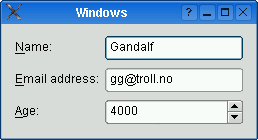 sleek hollow
yeah
covert rock
nah, this isn't what I want
sleek hollow
what are you ultimately trying to do?
covert rock
at least I don't think so
sleek hollow
It works with checkboxes too
covert rock
basically
this QDialog is to show the currently subscribed mangas the user want to be notified of. then the user would check the boxes of the subscriptions they want to delete than hit okay to unsubscribe
sleek hollow
Yeah, that would be perfectly fine to use QFormLayout
 sleek hollow
I would always try and avoid getting widget details based on location
it's not very reliable
covert rock
how can I get them though, without a variable name? since they are being added programmatically?
sleek hollow
store them in a list
and iterate through the list
one sec, I'm doing an example
with subclassing
it makes everything so much easier to manage
from PyQt5.QtWidgets import *
from PyQt5.QtCore import *


class MainWindow(QDialog):
    def __init__(self):
        super().__init__()
        self.main_layout = QVBoxLayout(self)
        self.label_checks = []
        for i in range(10):
            new_label_check = LabelCheck(f"Label {i}")
            self.main_layout.addWidget(new_label_check)
            self.label_checks.append(new_label_check)

        self.view_btn = QPushButton("View Checked")
        self.view_btn.clicked.connect(self.on_view_btn_clicked)
        self.main_layout.addWidget(self.view_btn)
        self.main_layout.addStretch()

    def on_view_btn_clicked(self):
        for label_check in self.label_checks:
            if label_check.isChecked():
                print(label_check.get_label_text())


class LabelCheck(QWidget):

    def __init__(self, text):
        super().__init__()
        self.setLayout(QHBoxLayout())
        self.label = QLabel(text)
        self.check = QCheckBox()

        self.layout().addWidget(self.label)
        self.layout().addWidget(self.check)

    def isChecked(self):
        return self.check.isChecked()

    def get_label_text(self):
        return self.label.text()


if __name__ == '__main__':

    app = QApplication([])
    win = MainWindow()
    win.show()
    app.exec()
try running this
Select a few of the checkboxes and then click the button. It will print out which labels are selected
 covert rock
like this?
        widget_list = []
        for e in range(num):
            self.checkbox = QCheckBox()
            self.series_info = QLabel(lorem_ipsum[e])
            widget_list.append((self.checkbox, self.series_info))

        cnt = 0
        for pair in widget_list:
            self.inner_layout.addWidget(pair[0], cnt, 0)
            self.inner_layout.addWidget(pair[1], cnt, 1)
            cnt += 1
Subclassing in my example makes it so much easier to keep track of the label and checkbox as a single unit
You also then don't even need a grid layout or form layout
they just get treated as a single widget that can be placed in something like a vbox layout
sleek hollow
sure, let me know if you have any questions
covert rock
so LabelCheck is just stacking inner HBoxLayouts inside MainWindow's VBoxLayout every time it's called
sleek hollow
LabelCheck inherits from QWidget
QWidget is essentially an empty container
So the LabelCheck class is a simple QWidget with an hboxlayout that displays a label and a check
covert rock
and since the things inside self.label_checks are objects with their own memory addresses, you can just iterate and use the isChecked and get_label_text methods on each one
covert rock
sleek hollow
So the LabelCheck class is a simple QWidget with an hboxlayout that displays a l...
isn't that basically what I just said?
sleek hollow
covert rock
so LabelCheck is just stacking inner HBoxLayouts inside MainWindow's VBoxLayout ...
mainwindows vbox layout doesn't care about the hbox layout of the LabelCheck
just wanted to clarify that it's stacking widgets, not layouts

I could just as easily set LabelCheck to use VBoxLayout, it just won't look as good
covert rock
but those widgets aren't being added to a hbox and that hbox isn't being added to the main window vbox?
so you're basically stacking multiple layouts inside the main window layout, right?
sleek hollow
the contents of the QWidget are irrelevant to the main window
all the main window's vbox is saying is "stack these widgets"
covert rock
that's my doubt
sleek hollow
QWidget is like an empty box, ready to have things added to it
covert rock
it may be an irrelevant question but
you aren't stacking widgets right? the subclass is packaging them in a hbox before they are passed to the vbox, aren't them?
sleek hollow
no, the hbox is inside the qwidget
covert rock
ahhhhhhhhhhhhhhhhhhhhhhhh
sleek hollow
self.setLayout(QHBoxLayout())
sleek hollow
QWidget's can have a primary layout
which is set through .setLayout
and then any further layouts must be nested under there (but my example only has 1)
covert rock
ah okay
so, if my understanding is correct
LabelCheck is really just a renamed QWidget class
and each instance of it is a QWidget with the check box and the label in it
sleek hollow
exactly!
but because we've subclassed it like this, we can create our own methods for how we want to interact with it
sleek hollow
    def isChecked(self):
        return self.check.isChecked()

    def get_label_text(self):
        return self.label.text()
this makes it really easy to determine if this "widget" is checked, and what the label text says
covert rock
yeah because you're working on the object
I'm still dipping my toes on OOP
it's really useful, but it's quite a bit of a mental shift from just using functions like I've been doing
sleek hollow
Yeah it can definitely be overwhelming
but especially with GUI, it's important to identify when you'll want to subclass
any reusable component should pretty much always be a subclass
sleek hollow
yeah absolutely
covert rock
because this will be the only window where this will be used
sleek hollow
you could have done it without subclassing
covert rock
in this QDialog
sleek hollow
but then you'd have to manage your labels and your checkboxes and find a way to keep them in sync
covert rock
yeah
sleek hollow
whereas with a subclass, it already self-contains all that information
covert rock
I guess I will finally take that OOP book seriously and read it
sleek hollow
As you do more GUI work, you're likely to end up with a collection of really useful subclass components
covert rock
from O'Relly
sleek hollow
so you don't have to reuse them every time you make a new ui
sleek hollow
nope
covert rock
because finding examples for qt in python is paltry in comparison with the abundance of c++ examples
sleek hollow
covert rock
because finding examples for qt in python is paltry in comparison with the abund...
oh yeah, I always use the c++ docs for pyqt
covert rock
but I have no knowledge of it lol
sleek hollow
it's way more organized and easier to navigate
all that really matters is the method names
it's the same between c++ and python
covert rock
sleek hollow
oh yeah, I always use the c++ docs for pyqt
the PySide6 docs are very good. after they released pyside6, they did a major revamp of the docs, and it's really good now
sleek hollow
I've really only used pyqt5 and pyside2
covert rock
I'm using pyside6
sleek hollow
I have to stick with pyside2 for work
covert rock
things didn't change too much from pyqt5
just the docs that got a lot better
for the primary binding
which is pyside6
covert rock
sleek hollow
```py
from PyQt5.QtWidgets import *
from PyQt5.QtCore import *
class MainWindo...
with this, should I still look into QFormLayout?
sleek hollow
covert rock
with this, should I still look into QFormLayout?
Honestly either would work at this point
covert rock
then I'm staying with this
covert rock
sleek hollow
I have to stick with pyside2 for work
what do you work on, if you can share it
sleek hollow
Artist pipelines for games, primarily using Autodesk Maya
sleek hollow
Yeah
covert rock
neat
sleek hollow
covert rock
neat
If you're curious, here's how it could be done with QFormLayout
class MainWindow(QDialog):
    def __init__(self):
        super().__init__()
        self.main_layout = QFormLayout(self)
        for i in range(10):
            self.main_layout.addRow(f'Label {i + 1}', QCheckBox())

        self.view_btn = QPushButton("View Checked")
        self.view_btn.clicked.connect(self.on_view_btn_clicked)
        self.main_layout.addWidget(self.view_btn)

    def on_view_btn_clicked(self):
        for row in range(self.main_layout.rowCount()):
            checkbox = self.main_layout.itemAt(row, QFormLayout.FieldRole).widget()
            if checkbox.isChecked():
                label = self.main_layout.itemAt(row, QFormLayout.LabelRole).widget()
                print(label.text())
same end result
sleek hollow
yeah
covert rock
and it seems more tidy too
sleek hollow
We can use FieldRole and LabelRole to get the widget and label of each row in the form
covert rock
the check box would be field or label role?
sleek hollow
field
covert rock
so field is the widget in the form layout
sleek hollow
exactly
covert rock
gotcha
sleek hollow
so in general, there's multiple ways to approach a task
covert rock
yeah
sleek hollow
it's up to you to use the tools you know to achieve it
covert rock
!e
import this
@covert rock :white_check_mark: Your 3.11 eval job has completed with return code 0.
001 | The Zen of Python, by Tim Peters
002 |
003 | Beautiful is better than ugly.
004 | Explicit is better than implicit.
005 | Simple is better than complex.
006 | Complex is better than complicated.
007 | Flat is better than nested.
008 | Sparse is better than dense.
009 | Readability counts.
010 | Special cases aren't special enough to break the rules.
011 | Although practicality beats purity.
... (truncated - too many lines)
Full output: https://paste.pythondiscord.com/ilunuzakuj.txt?noredirect
sleek hollow
Have you seen the actual .py file for this?
covert rock
nope
sleek hollow
s = """Gur Mra bs Clguba, ol Gvz Crgref

Ornhgvshy vf orggre guna htyl.
Rkcyvpvg vf orggre guna vzcyvpvg.
Fvzcyr vf orggre guna pbzcyrk.
Pbzcyrk vf orggre guna pbzcyvpngrq.
Syng vf orggre guna arfgrq.
Fcnefr vf orggre guna qrafr.
Ernqnovyvgl pbhagf.
Fcrpvny pnfrf nera'g fcrpvny rabhtu gb oernx gur ehyrf.
Nygubhtu cenpgvpnyvgl orngf chevgl.
Reebef fubhyq arire cnff fvyragyl.
Hayrff rkcyvpvgyl fvyraprq.
Va gur snpr bs nzovthvgl, ershfr gur grzcgngvba gb thrff.
Gurer fubhyq or bar-- naq cersrenoyl bayl bar --boivbhf jnl gb qb vg.
Nygubhtu gung jnl znl abg or boivbhf ng svefg hayrff lbh'er Qhgpu.
Abj vf orggre guna arire.
Nygubhtu arire vf bsgra orggre guna *evtug* abj.
Vs gur vzcyrzragngvba vf uneq gb rkcynva, vg'f n onq vqrn.
Vs gur vzcyrzragngvba vf rnfl gb rkcynva, vg znl or n tbbq vqrn.
Anzrfcnprf ner bar ubaxvat terng vqrn -- yrg'f qb zber bs gubfr!"""

d = {}
for c in (65, 97):
    for i in range(26):
        d[chr(i+c)] = chr((i+13) % 26 + c)

print("".join([d.get(c, c) for c in s]))
one of my favourite python easter eggs
covert rock
is that replacement cypher? lol
covert rock
lol
sleek hollow
caesar shift
covert rock
yeah, I knew it was caesar something
couldn't remember
man
this project is huge
four files of just code library and counting lol
sleek hollow
covert rock
four files of just code library and counting lol
for what?
covert rock
it's a pull notification system for a manga aggregator
they don't have an RSS or push notification system yet
but they have a great API
so I wrote a small beta to be able to get toaster notifications each time a manga I follow is updated
sleek hollow
oh neat!
covert rock
it's a hastely cobbled together thing
but I did learn a lot about interacting with apis and doing http requests
now I'm doing the major refact , better UI, and more features for the 1.0.0 version
covert rock
sleek hollow
```py
class MainWindow(QDialog):
def __init__(self):
super().__init_...
hmm, this isn't working
sleek hollow
covert rock
hmm, this isn't working
How so?
covert rock
this is what I did
        self.inner_layout = QFormLayout()

        for e in range(num):
            self.checkbox = QCheckBox()
            self.series_info = QLabel(lorem_ipsum[e])
            self.inner_layout.addRow(self.checkbox, self.series_info)

        self.inner_layout.setAlignment(Qt.AlignTop | Qt.AlignLeft)

        self.container_widget = QWidget()
        self.container_widget.setLayout(self.inner_layout)

        self.scroll_area = QScrollArea()
        self.scroll_area.setWidget(self.container_widget)

        self.delete_button = QPushButton("Delete Subscriptions")
        self.delete_button.clicked.connect(self.delete_subs)

        self.outer_layout = QHBoxLayout()
        self.outer_layout.addWidget(self.scroll_area)
        self.outer_layout.addWidget(self.delete_button)

        self.setMinimumSize(QSize(300, 24 * self.inner_layout.rowCount()))
        self.setLayout(self.outer_layout)

        def delete_subs(self):
            for row in range(self.inner_layout.rowCount()):
                checkbox = self.inner_layout.itemAt(row, QFormLayout.LabelRole).widget()
                if checkbox.isChecked():
                    label = self.inner_layout.itemAt(row, QFormLayout.FieldRole).widget()
                    print(label.text())
getting this error
AttributeError: 'MngSubsWin' object has no attribute 'delete_subs'
MngSubsWin is the class this is in
sleek hollow
delete_subs shouldn't be nested in whatever method you're currently in
it should be at the same level
sleek hollow
are you trying to remove/delete the row when it is checked?
covert rock
no
it will read the label for the manga series name, then delete the instance with that series name from Mangas class, then delete the related dict with the manga info from the json, then save the json
and hell yeah I'm subclassing all of this shit
 sleek hollow
is there a reason the instance needs to be deleted? What if they check the button again? It has to generate a new instance?
Seems like you should simply leave all the instances intact and then use the checkboxes to determine what should be skipped when saving

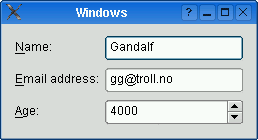 sleek hollow
covert rock
sleek hollow
covert rock
Where's the subclass?
covert rock
sleek hollow
is there a reason the instance needs to be deleted? What if they check the butto...
because the Mangas instances are only read once, at the start of the program
covert rock
sleek hollow
Where's the subclass?
hasn't made it yet lol
I'm showing that it's a lot of stuff, so I'll subclass to make it tidier
sleek hollow
ahh yeah
covert rock
covert rock
because the Mangas instances are only read once, at the start of the program
the Settings class reads the json settings files. one of those jsons contain the info of the current subscribed mangas. things like manga ID to ping the API, and published date to set off a cutoff point on time range when doing the ping
it's based on those dicts that I populate the Mangas class
and it's only populated and checked once at the start of the program
if I don't delete the instance, then it will keep pinging the API about that series, even if the user is not subscribed to it anymore
the way I figure, it's better to just purge the unnecessary memory space
sleek hollow
oh ok, that makes sense then
from PyQt5.QtWidgets import *
from PyQt5.QtCore import *


class MainWindow(QDialog):
    def __init__(self):
        super().__init__()
        self.main_layout = QVBoxLayout(self)
        self.label_layout = QVBoxLayout()
        self.main_layout.addLayout(self.label_layout)
        for i in range(10):
            new_label_check = LabelCheck(f"Label {i}")
            self.label_layout.addWidget(new_label_check)

        self.view_btn = QPushButton("View Checked")
        self.view_btn.clicked.connect(self.on_view_btn_clicked)
        self.main_layout.addWidget(self.view_btn)
        self.main_layout.addStretch()

    def on_view_btn_clicked(self):
        to_delete = []
        for i in range(self.label_layout.count()):
            wdg = self.label_layout.itemAt(i).widget()
            if wdg.isChecked():
                to_delete.append(wdg)
        for wdg in to_delete:
            wdg.deleteLater()


class LabelCheck(QWidget):

    def __init__(self, text):
        super().__init__()
        self.setLayout(QHBoxLayout())
        self.label = QLabel(text)
        self.check = QCheckBox()

        self.layout().addWidget(self.label)
        self.layout().addWidget(self.check)

    def isChecked(self):
        return self.check.isChecked()

    def get_label_text(self):
        return self.label.text()


if __name__ == '__main__':

    app = QApplication([])
    win = MainWindow()
    win.show()
    app.exec()
this is how I would handle the deleting
I didn't rename the method name, but it deletes whatever is checked now
and instead of storing the LabelCheck instances in a list, it uses the children of the layout (which will only have those instances added to it)
covert rock
I mean
in this case, that isn't necessary
because when the user presses the delete subscription button
the qdialog will delete the instances, delete the dicts, save the json and close
so the next time the qdialog is open
it will only show the current instances of the Mangas class
so I don't need to delete the rows
covert rock
@sleek hollow if I have more questions about Qt, is it alright for me to ping you here?
sleek hollow
If it's in the near future, sure
covert rock
not today anymore, no lol
sleek hollow
I'm fairly active checking this channel so I'll likely see it if you post other questions
sleek hollow
np!
proven basinBOT
:incoming_envelope: :ok_hand: applied timeout to @edgy wing until <t:1681732197:f> (10 minutes) (reason: duplicates spam - sent 4 duplicate messages).
The <@&831776746206265384> have been alerted for review.
 craggy dust
Can you mix UI modules?
 plain falcon
.grid in tkinter doesn't work , what could be the problem?
somber hemlock
craggy dust
Can you mix UI modules?
No, if you meant libraries
somber hemlock
plain falcon
.grid in tkinter doesn't work , what could be the problem?
send code
 mellow hemlock
Does anyone have an image/video viewer or sorter program in pyqt? Id like to see one as a reference to see what improvements i can make to my own project
somber hemlock
mellow hemlock
Does anyone have an image/video viewer or sorter program in pyqt? Id like to see...
Dunno of any but just searching those keywords will get you results on github
mellow hemlock
I did manage to find 2 and holy crap they are using sooo many stuff i have no idea about 😆
i found this main.ui file in one of the github programs i downloaded

what language is this and what is it for?
and how is it incorporated into pyqt
 mighty rock
Looks like XML. It stores configurations between opening and closing tags
mellow hemlock
Do i need to learn that as well? Or is it just something like an addon to beautify pyqt
sleek hollow
mellow hemlock
Do i need to learn that as well? Or is it just something like an addon to beauti...
This was likely generated using Qt Designer
Instead of manually coding all the UI widgets, you can use Qt Designer to drag and drop build a UI and it spits out this .ui file
mellow hemlock
Oh wow i only started learning pyqt 4 days ago so have only used qt designer a few times
So i dont need to learn the xml formatting and all right
sleek hollow
I honestly don't recommend it (designer) to beginners. You're better off learning how widgets are created/placed manually first
sleek hollow
mellow hemlock
So i dont need to learn the xml formatting and all right
nah
mellow hemlock
ah thats neat then
btw what function do i need to call to display webp files
because it falls neither in the pixmap nor in the movie
sleek hollow
not really sure, I've never had to deal with that before
mellow hemlock
I making an image/video sorter and the webp images are giving me a headache XD
sleek hollow
that's a pretty advanced place to start if you're just starting with pyqt
mellow hemlock
i was able to make it using the vlc library before so i thought why not use a gui instead
so tried to learn pyqt
yeah pyqt is a bit hard to read 😅
sleek hollow
There's definitely an overwhelming amount of info/features
I always recommend the C++ docs though over the python ones
mellow hemlock
tinker had a very old windows XP style ui and i didnt really like it
thats why i sticked to pyqt
 worthy dew
is there a document on pygame.org for a scrollable surface?
mellow hemlock
sleek hollow
I always recommend the C++ docs though over the python ones
I only watched the series from tech with tim ig that wont be enough then?
sleek hollow
one video definitely isn't enough. I've been using pyqt for nearly 2 years and I'm still learning a ton of new things
mellow hemlock
how do you even read the documentation tho, i havent really tried learning that way before
do i just skim through every single commands and see if it is useful?
sleek hollow
All that's really important is the methods/signals/slots
So you learn how to interact with that widget
mellow hemlock
hmm
do you know any website that has pyqt example projects then?
ig i can just learn by doing
sleek hollow
.rp pyqt calculator
 buoyant cometBOT
Here are the top 5 results:
Python and PyQt: Building a GUI Desktop Calculator
Python GUI Programming With Tkinter
What Can I Do With Python?
PyQt Layouts: Create Professional-Looking GUI Applications
Python and PyQt: Creating Menus, Toolbars, and Status Bars
Click the links to go to the articles.
sleek hollow
this first link is a good tutorial project
mellow hemlock
ooh awesome!
ill try that one out today then
btw there is one question i had
is there a way to make it so that there is a + button which adds more buttons on the screen that also scales to according the the number of buttons?
i was thinking of having a + button to add more options on how to sort/move the files
so that it would be more configurable in the gui
instead of going inside the code for each button
sleek hollow
You can pretty much do anything you want, you'll just need to code these exact features yourself
mellow hemlock
ah makes sense
mellow hemlock
like button 1 to move to folder x
button 2 to move to folder y
and then a + button to add more options
mellow hemlock
sleek hollow
the thumbnails?
just a simple button with an image or text ig
sleek hollow
If you want a bunch of selectable images, you should likely be using listwidget instead
it has a toggle for text or image mode
mellow hemlock
ooh alright
will look into ti!
and one last things, what is the super().__init__
😅
sleek hollow
do you know what __init__ is?
mellow hemlock
techwithtim wrote that as if expecting the viewer to already know about it so i was confused if i missed something
i think i do? its for initialising a class right
sleek hollow
yes
When you inherit from a class, you gain access to all of its methods as well
However, when you define a method with the same name as the parent class, it is overwritten
this is even true for def __init__
however, we can use super() to allow our class to call up to the parent and access its original methods
so if you have a class that inherits from QMainWindow, you need to make sure that QMainWindow's __init__ is called or it won't be configured correctly
mellow hemlock
so here is what i understood
class example():
  def method(self):
    self. something code

class example2():
  def __init__(self):
super(example, self).__init__()```the example 2 class will inherit the methods of example class?
mellow hemlock
oooh gotya
sleek hollow
class MyGUI(QMainWindow)
sleek hollow
this isn't just for init, but any method you need to overwrite
(if you also want the original behaviour)
mellow hemlock
init will just inherit all methods right
mellow hemlock
its more for overwriting?
mellow hemlock
yeah
sleek hollow
window = MyWindow()
window = QMainWindow()
these 2 lines would be practically identical
mellow hemlock
oooh yeah
sleek hollow
MyWindow has the exact same behaviours as QMainWindow
mellow hemlock
go on