#topgg-api
1 messages · Page 97 of 1
 whole night
And another Q, how can I know how many votes there is to the bot?
 valid heath
is the port 5000
 jaunty plank
yeah, i think thats what you set it to
i think you have to request that yourself @whole night
valid heath
like this?
jaunty plank
i think top.gg only allows direct user votes.
so just linking to your vote page in your vote command
 sullen nymph
You can't vote with a command
valid heath
@jaunty plank it still doesnt work
whole night
and how can I tag the player that voted?
cause it only say the ID
  var Tet7 = bot.guilds.find(gi => gi.id === "264445053596991498")
  const em = new Discord.RichEmbed()
  .setDescription(`User with ID {vote.user} just voted! \n Thanks!`)
  .setColor("BLUE")
 var chan =  bot.channels.find(channel => channel.id === "685972932073226353")
chan.send(em)
});```youll have to port forward, since its a home network @valid heath
and still allow it past any firewalls
valid heath
idk what that means
jaunty plank
port forwarding requires you to access your router and tell it where to send requests
^ really good site for portforwarding
 latent narwhal
hey
const dbl = new DBL('Your top.gg token', client);
i use bot instead of client
so do i need to replace
client with bot?
jaunty plank
client just means your client
bot would just be the name
latent narwhal
how can i get ip adress
of my bot
on glitch
so i can enter the webhook in api
const DBL = require('dblapi.js');
const dbl = new DBL("TOKEN", { webhookPort: 5000, webhookAuth: 'password' });
dbl.webhook.on('ready', hook => {
  console.log(`Webhook running at http://${hook.hostname}:${hook.port}${hook.path}`);
});
dbl.webhook.on('vote', vote => {
    var Tet7 = bot.guilds.find(gi => gi.id === "690557545965813770")
  const em = new Discord.MessageEmbed()
    .setColor("BLUE")
  .setDescription(`User with ID {vote.user} just voted! \n Thanks!`)
  var chan =  bot.channels.find(channel => channel.id === "737139295269290075")
  console.log(`User with ID ${vote.user} just voted!`);
});```neither does it logs vote
nor ready event
 heavy merlin
#2254
 robust veldt
👍
latent narwhal
i don't have a port
i use server
and listener
so what should be webhook link
so port will be?
i mean
the webhook link
latent narwhal
const http = require('http');
const express = require('express');
const app = express();
var server = require('http').createServer(app);
app.get("/", (request, response) => {
  console.log(Date.now() + " Ping Received");
  response.sendStatus(200);
});
const listener = server.listen(5000, function() {
  console.log('Your app is listening on port ' + listener.address().port);
});

setInterval(() => {
  http.get(`http://${process.env.PROJECT_DOMAIN}.glitch.me/`);
}, 280000);

const DBL = require('dblapi.js');
const dbl = new DBL('e', { webhookServer: listener, webhookAuth: 'e' }, client);

dbl.webhook.on('ready', hook => {
  console.log(`Webhook running at http://${hook.hostname}:${hook.port}${hook.path}`);
})

dbl.webhook.on('vote', vote => {
        if (client.uptime) {
            client.users.fetch(vote.user).then(user => {
                user.send("Thanks for voting :kittylove:. In the future, this will have benefits!")
                client.channels.fetch('731295004848554014').then(channel => {
                    channel.send(`Thanks for voting ${user.tag} :kittylove:.\nIt is super apricated!`)
                })
            })

}})```My bot is not sending msg
 dense shale
const dbl = new DBL(yourDBLTokenHere, { webhookPort: 5000, webhookAuth: 'password' }); did you see the diference?
latent narwhal
what is this
anyways back on topic
eg a ip or TLD
@dense shale so my bot public ip?
which i use for webhook
dense shale
idk never used listeners
latent narwhal
ok
latent narwhal
 uncut oxide
K
robust veldt
🍋
 north trellis
 ruby ivy
@latent narwhal how i get the token ? dbl token
i can get help ?
how i get the dbl token
why its say token is not defined
i put the token in token
 median badger
Why do you have "need usa passport" in your status?
sullen nymph
-api
 abstract mothBOT
THIS CHANNEL IS ONLY FOR SUGGESTIONS/HELP/BUGS TO DO WITH OFFICIAL TOP.GG API LIBRARIES AND API DOCS FOUND AT
https://top.gg/api/docs
 misty wind
Examples to give voting rewards.
For eg. To check if user has voted or not.
 half cedar
heres an example you could move the code to where you need it or whatever https://pypi.org/project/dblpy/
 half cedar
how do you get @pine smelt Developer
 calm briar
get a bot approved
 broken cloud
A
misty wind
Hmm
sullen nymph
-servercount
abstract mothBOT
To have your bot's server count displayed on DBL, please read the documentation on server/shard posting. Click here to see the docs.. You may also find #312614469819826177 useful; however it is strongly discouraged as most of the examples are extremely outdated.
latent narwhal
ok
const http = require('http');
const express = require('express');
const app = express();
var server = require('http').createServer(app);
app.get("/", (request, response) => {
  console.log(Date.now() + " Ping Received");
  response.sendStatus(200);
});
const listener = server.listen(process.env.PORT, function() {
  console.log('Your app is listening on port ' + listener.address().port);
});
setInterval(() => {
  http.get(`http://${process.env.PROJECT_DOMAIN}.glitch.me/`);
}, 280000);

const DBL = require('dblapi.js');
const dbl = new DBL(process.env.DBLTOKEN, { webhookServer: server, webhookAuth: 'auth'
}, client);

dbl.webhook.on('ready', hook => {
  console.log(`Webhook running at http://${hook.hostname}:${hook.port}${hook.path}`);
});
if i do this code
they say that port 3000 is already being used
by Glitch.com
and if i do 5000
then it does not work as glitch does not allow any other port
so i added a listener
and also
what will be my webhook link?
since idk what port am i using so
 gaunt steeple
hmm, i cant answer that, i dont use glitch
do you have the premium glitch, that lets you run programs 24/7 @latent narwhal ?
latent narwhal
here
do you have the premium glitch, that lets you run programs 24/7 @latent narwhal ?
@gaunt steeple yes sir
this is the issue
the URL
if you could help
dense shale
http: //yourip:port/dblwebhook
gaunt steeple
looks like its going to be http://youprojectname.glitch.me:portnumber/
replace portnumber with your port
latent narwhal
ok
calm briar
glitch*
latent narwhal
port
gaunt steeple
ugh! why is discord putting that slash in
dense shale
you define one
dense shale
is the port free?
gaunt steeple
lul NAT
latent narwhal
alr error
Webhook running at http://0.0.0.0:0/dblwebhook
events.js:173
      throw er; // Unhandled 'error' event
      ^
Error: listen EADDRINUSE: address already in use :::3000
    at Server.setupListenHandle [as _listen2] (net.js:1226:14)
    at listenInCluster (net.js:1274:12)
    at Server.listen (net.js:1362:7)
    at Function.listen (/rbd/pnpm-volume/aa72828e-329b-4d4b-a55d-e8f868d6e1c2/node_modules/express/lib/application.js:618:24)
get a proper VPS
dense shale
yes
latent narwhal
but
dense shale
amazon AWS will also work
dense shale
well this is stuff you should check before making a payment
latent narwhal
;-;
dense shale
how many days are you in your payment? here you get 2 weeks where you can say i dont want it and get the money back
latent narwhal
ok
i paid yesterday
but it is my second month
so
RIP
and
@dense shale they said i can do using proxy but i am not getting it https://glitch.com/edit/#!/debugger?path=debugger.js%3A28%3A39

Combining automated deployment, instant hosting & collaborative editing, Glitch gets you straight to coding so you can build full-stack web apps, fast
misty wind
I still dont understand on how to use dblpy for voting rewards ? 
Anyone to help ?
 trail sigil
-api
abstract mothBOT
THIS CHANNEL IS ONLY FOR SUGGESTIONS/HELP/BUGS TO DO WITH OFFICIAL TOP.GG API LIBRARIES AND API DOCS FOUND AT
https://top.gg/api/docs
trail sigil
-needdev
abstract mothBOT
DBL is not a place to find developers for jobs. You can try and put a request on Fiverr or Freelancer. Please do not post the request again. Doing so may result in punishment.
trail sigil
don't expect people to make a bot for you for free

 crimson blaze
@latent narwhal @dense shale
super brain is not actually super brain
you cant specify the port on glitch
so dont do port 3000
replace it with process.env.PORT
and glitch will do it for you
dense shale
sry i never used glitch bcs i think its stupid @crimson blaze there is no need to become salty about it
latent narwhal
@crimson blaze boomer when i do it it still takes 3000 because it is only port glitch allows lmao @dense shale is absolutely correct
-checkDms
-checkDMS
ok nvm
 violet spoke
self.dblpy = dbl.DBLClient(self.bot, self.token, webhook_path='/dblwebhook', webhook_auth='password', webhook_port=5000)
what do I put for /dblwebhook?
 rapid kettle
you can keep it there
violet spoke
or do I set it in my code and put in on the edit page?
rapid kettle
either
rapid kettle
ha
rapid kettle
yes :)
violet spoke
ok
rapid kettle
and self.token isn't your bot token right?
rapid kettle
oh
rapid kettle
it needs to be the api token found on https://top.gg/api/docs#mybots
Spice up your Discord experience with our diverse range of Discord bots
violet spoke
oh ok
rapid kettle
my link ends with /dbl on my edit page
@violet spoke has to be dblwebhook
or you can change it to /dbl in code
 restive otter
Umm so recently we reset the token for the api and now the servers and shards are inaccurate

 vapid cape
why is everything 69
jaunty plank
inb4 bots banned for faking stats
restive otter
we restarted the bot
 tacit trout
No clue
tacit trout
            const DBL = require(`dblapi.js`);
            const dbl = new DBL(client.key.dbl, client);
            dbl.postStats(client.guilds.cache.size);
^^ this is my code for posting the stats
I reset the key yesterday.. and i saw this today
jaunty plank
you dont need to do dbl.postStats
the lib already does it https://github.com/DiscordBotList/dblapi.js/blob/master/src/index.js#L57

GitHub
An official module for interacting with the top.gg API - DiscordBotList/dblapi.js
 undone tide
Your api is broken
org.json.JSONException: A JSONObject text must begin with '{' at 1 [character 2 line 1]
at org.json.JSONTokener.syntaxError(JSONTokener.java:507)
at org.json.JSONObject.<init>(JSONObject.java:222)
at org.json.JSONObject.<init>(JSONObject.java:406)
at org.discordbots.api.client.impl.DiscordBotListAPII
tacit trout
oh, but when i reposted the server count it went back to 400, refreshing the page reset it to all 69s
So i know that my bot is posting the correct stats to the website, idk why it's going to all 69s tho
restive otter
eveytime i refresh it changes
tacit trout
^^
restive otter
from the actual count to the 696969 thing
tacit trout
I post my stats hourly but the number keeps changing every time i refresh the page
vapid cape
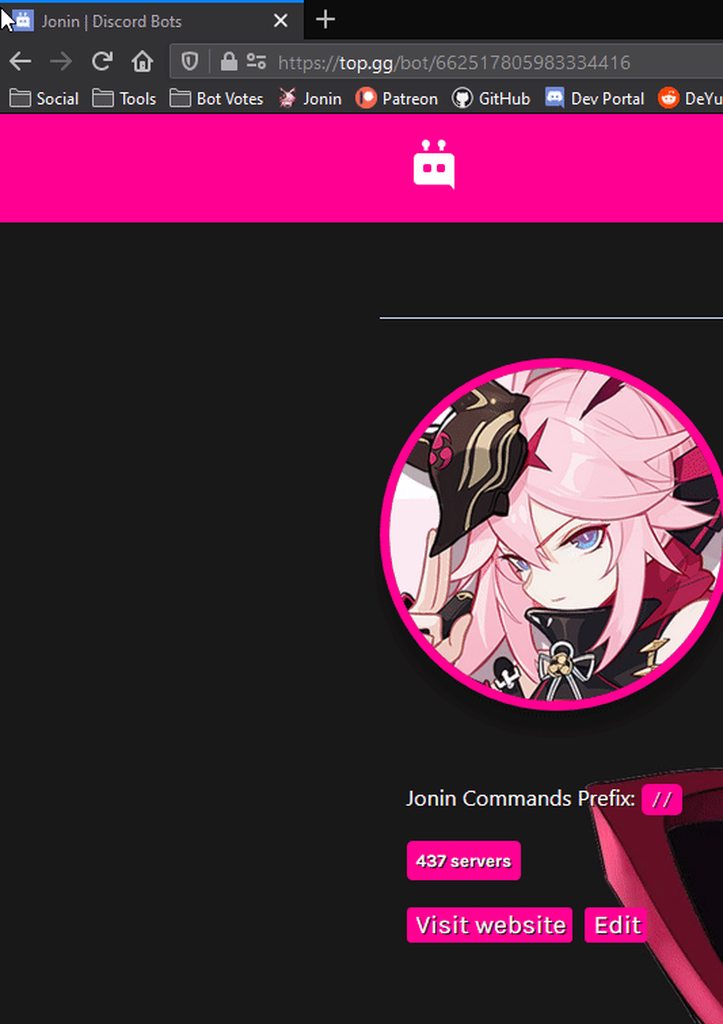
i only see 437
tacit trout
hmm.. even after refreshing a few times?
tacit trout
Because our website widget also shows 69s
rapid kettle
@tacit trout could be cache?
tacit trout
 tacit trout
that is updated directly from the bot, so that should defintely not be affected
I use google sheets to update the website
I am super confused on the top.gg page tho, since there is only 1 place in my code where the bot posts stats and it is not a number that i change
https://discordapp.com/channels/264445053596991498/412006692125933568/737398679937351691
median badger
I use google sheets to update the website
What in the
tacit trout
What in the
@median badger Yes, I use my discord bot to make a post api call to google sheets and post the data, then i 'get' the sheet from an api call on the website to show it on the site

median badger
You over complicated that
vapid cape
considering that no other bot has this issue, i doubt it
so far i havent seen it either
i keep refreshing but all i see is 437
tacit trout
Dang, idk why either.. i only started having this issue after i reset my api key yesterday
restive otter
we already tried like 3 times
tacit trout
yea, @restive otter did that about an hour ago
 brave nest
Hi! when I try to update the server count of my bot using the API, I get dbl.errors.HTTPException: Bad Request (status code: 400)
The token is correct. Has anyone experienced a bad request before?
^ Code that receives the bad request error
 quartz fern
Hey, so I'm trying to make a webhook so that I can add vote rewards. How do I make a webhook url for my local machine?
rapid kettle
you'd needa portforward
 past wyvern
hey so im new to webhooks, and on the site it has an example for using webhooks and using discord.js/eris. Does this mean that if i am using discord.js, i can utilize the events without needing to set a webhook up? Sorry if i am using terms incorrectly, i am not very well versed with webhooks
this is what im talking about ^
rapid kettle
You need to setup webhooks yes
 idle sparrow
jaunty plank
idle sparrow
jaunty plank
webhooks send vote events.
get those webhook events and do whatever you want
past wyvern
im just confused what the first example is
jaunty plank
the first example is posting server count
on your bots page theres a server count
looks like this
past wyvern
i know what its doing, but im asking if that method can be used for all of the same stuff that the webhook could be used for
jaunty plank
webhooks are for pushing data to you
the api is for you pushing data to top.gg
webhooks are how vote events work.
past wyvern
oh ok
i obviously dont know enough about webhooks
do you mind helping me set it up?
i want it to log the user name when someone votes for the bot
im following the info on here: https://top.gg/api/docs#webhooks
Spice up your Discord experience with our diverse range of Discord bots
but im not sure what the url should be
jaunty plank
http://ip:port/path
const dbl = new DBL(yourDBLTokenHere, { webhookPort: 5000, webhookAuth: 'password' });
you set port here
path by default is /dblwebhook
past wyvern
ok, so i use whatever my hardcoded port is
jaunty plank
yeah
past wyvern
oh ok that makes more sense
jaunty plank
then ip is just your bots server public ip
past wyvern
how would i find that
jaunty plank
wheres your bot hosted?
jaunty plank
heroku i hear doesnt give static ip's
the last guy i helped i gave a proxie service for heroku, but it didnt work. not quite sure how you get around it
past wyvern
dang, so im out of luck?
jaunty plank
pretty sure people have done it, i just dont know how
past wyvern
k
jaunty plank
heroku is a weird platform
 heady cradle
 gloomy fractal
ty
restive otter
@gloomy fractal
Hi There was a boat and I have an ID on it and they threw me out of the boat but now they threaten me with dm bonnet. Would this be a problem for me?
 severe quartz
any1 know about request package ?
or photo-collage

 humble bison
wrong channel
restive otter
Hey, Guys, I have done the following and,
1: I have port forwarded.
2: I have entered the http://IP:5120/dblwebhook
3: I have entered the authorization password both in the script and on TOP GG.
Opening the URL in web browsers generates this text:
404: Not Found
3: Server Count is working.
Everything works except the VOTE. When I click on Test or Votes the BOT, Nothing happens. Not a single text pops.
The script I am using:
import dbl
import discord
from discord.ext import commands, tasks
import asyncio
import logging

class TopGG(commands.Cog):
    """Handles interactions with the top.gg API"""

    def __init__(self, bot):
        self.bot = bot
        self.token = 'MY TOKEN'
        self.dblpy = dbl.DBLClient(self.bot, self.token, webhook_path='/dblwebhook', webhook_auth='password', webhook_port=5120)

    @tasks.loop(minutes=30.0)
    async def update_stats(self):
        logger.info('Attempting to post server count')
        try:
            await self.dblpy.post_guild_count()
            logger.info('Posted server count ({})'.format(self.dblpy.guild_count()))

        except Exception as e:
            logger.exception('Failed to post server count\n{}: {}'.format(type(e).__name__, e))

    @commands.Cog.listener()
    async def on_dbl_vote(self, data):
        logger.info('Received an upvote')
        print(data)

def setup(bot):
    global logger
    logger = logging.getLogger('bot')
    bot.add_cog(TopGG(bot))
 inner juniper
It is saying I am unauthorized when I try to make a get request and check if a specific user has voted for the bot
half cedar
@restive otter are you using a webhook
restive otter
That's a weird question. The code speaks itself.
half cedar
so yes?
yes
ok
so im assuming you put youre credentials in and everything is this in a seperate .py file
@restive otter
restive otter
Dear how are the credentials visible there, Those are the default values. No one gets nothing from this minimum information. Please. Let it be on the Topic.
half cedar
i didnt say they were in there i was saying im assuming they are filled out correctly
now is this in a seperate .py file
@restive otter
restive otter
Yes it's a different file and Bot instance is passed in the Class.
half cedar
ok
so hmm
just making sure it requests a webhook to connect to the user right?
@restive otter
restive otter
yes
half cedar
hmm
odd
because with a webhook (witch is what youre using) it should be
import discord
from discord.ext import commands, tasks

import asyncio
import logging


class TopGG(commands.Cog):
    """Handles interactions with the top.gg API"""

    def __init__(self, bot):
        self.bot = bot
        self.token = 'dbl_token' # set this to your DBL token
        self.dblpy = dbl.DBLClient(self.bot, self.token, webhook_path='/dblwebhook', webhook_auth='password', webhook_port=5000)
        self.update_stats.start() # Your linter may say this is wrong, but your linter is wrong

    def cog_unload(self):
        self.update_stats.cancel() # Your linter may say this is wrong too, but again your linter is wrong

    # The decorator below will work only on discord.py 1.1.0+
    # In case your discord.py version is below that, you can use self.bot.loop.create_task(self.update_stats())

    @tasks.loop(minutes=30.0)
    async def update_stats(self):
        """This function runs every 30 minutes to automatically update your server count"""
        logger.info('Attempting to post server count')
        try:
            await self.dblpy.post_guild_count()
            logger.info('Posted server count ({})'.format(self.dblpy.guild_count()))
        except Exception as e:
            logger.exception('Failed to post server count\n{}: {}'.format(type(e).__name__, e))

    @commands.Cog.listener()
    async def on_dbl_vote(self, data):
        logger.info('Received an upvote')
        print(data)

def setup(bot):
    global logger
    logger = logging.getLogger('bot')
bot.add_cog(TopGG(bot))```at least this is what i found
 storm iron
self bot?
 true talon
is that a self.bot meme?
sullen nymph
#development or #general content if you want to ask
brave nest
I get a HTTPError: 400 bad request when trying to update my server count using the example code using the python API, does anyone have an idea why?
sullen nymph
What does your code look like
brave nest
sullen nymph
Could you post the full traceback?
brave nest
Jul 28 12:18:46 tvdhout python3[5099]: Logged in as Lichess Bot#1089
Jul 28 12:18:46 tvdhout python3[5099]: Bot id:  707287095911120968
Jul 28 12:18:47 tvdhout python3[5099]: Unclosed client session
Jul 28 12:18:47 tvdhout python3[5099]: client_session: <aiohttp.client.ClientSession object at 0x7fa204622690>
Jul 28 12:18:47 tvdhout python3[5099]: Task exception was never retrieved
Jul 28 12:18:47 tvdhout python3[5099]: future: <Task finished coro=<DBLClient._auto_post() done, defined at /home/thijs/.local/lib/python3.7/site-packages/dbl/c
Jul 28 12:18:47 tvdhout python3[5099]: Traceback (most recent call last):
Jul 28 12:18:47 tvdhout python3[5099]:   File "/home/thijs/.local/lib/python3.7/site-packages/dbl/client.py", line 99, in _auto_post
Jul 28 12:18:47 tvdhout python3[5099]:     await self.post_guild_count()
Jul 28 12:18:47 tvdhout python3[5099]:   File "/home/thijs/.local/lib/python3.7/site-packages/dbl/client.py", line 142, in post_guild_count
Jul 28 12:18:47 tvdhout python3[5099]:     await self.http.post_guild_count(self.bot_id, self.guild_count(), shard_count, shard_no)
Jul 28 12:18:47 tvdhout python3[5099]:   File "/home/thijs/.local/lib/python3.7/site-packages/dbl/http.py", line 169, in post_guild_count
Jul 28 12:18:47 tvdhout python3[5099]:     await self.request('POST', '/bots/{}/stats'.format(bot_id), json=payload)
Jul 28 12:18:47 tvdhout python3[5099]:   File "/home/thijs/.local/lib/python3.7/site-packages/dbl/http.py", line 139, in request
Jul 28 12:18:47 tvdhout python3[5099]:     raise errors.HTTPException(resp, data)
Jul 28 12:18:47 tvdhout python3[5099]: dbl.errors.HTTPException: Bad Request (status code: 400)
```const DBL = require('dblapi.js'); const dbl = new DBL(yourDBLTokenHere, { webhookPort: 5000, webhookAuth: 'password' }); dbl.webhook.on('ready', hook => { console.log(Webhook running at http://${hook.hostname}:${hook.port}${hook.path}); }); dbl.webhook.on('vote', vote => { console.log(User with ID ${vote.user} just voted!); });
readable
restive otter
The webhookAuth shown in my above message is the second column in this pic right?
Because the vope updates isnt working
sullen nymph
The Authorization one
restive otter
Yes
sullen nymph
is your bot approved
restive otter
Yes
sullen nymph
...on another account?
restive otter
I have provided every field with its needed info
@sullen nymph yes my frnd's account
sullen nymph
Are you sure your port is open and forwarded to the right machine?
restive otter
Its 5000
sullen nymph
Make sure your firewall isn't blocking any incoming requests also
restive otter
Password is my webhook auth
Its hosted on a vps
Why would they block it
And its well known service used by hundreds of big bots
GalaxyGate
sullen nymph
I'd still suggest making sure your firewall doesn't block any incoming requests for port 5000
even if it's X or Y that's trusted by Z amount of bots
restive otter
How do i check that?
sullen nymph
 brave nest
if it's linux, apt install ufw
restive otter
what will that do?
brave nest
sudo ufw allow 5000
restive otter
oh
brave nest
"uncomplicated firewall"
 brave nest
yeah, note that ufw blocks all incoming ports by default, so if you use more services at different ports, allow them too
https://www.digitalocean.com/community/tutorials/ufw-essentials-common-firewall-rules-and-commands @sand canyon

DigitalOcean
UFW is a firewall configuration tool for iptables that is included with Ubuntu by default. This cheat sheet-style guide provides a quick reference to UFW commands that will create iptables firewall rules are useful in common, everyday scenarios. This
 rocky yoke
ive been trying for days but webhook just doesnt work
port 5000 is forwarded, its reading /dblwebhook, it has the right ip
but still nothing
can anyone help by any chance
restive otter
i try to set the guild counter but the error just comes.
 silver turtle
are you using your api key
restive otter
i use this token
rocky yoke
ya thats the right one
restive otter
k i try
rocky yoke
does the authorization need to be a number?
sullen nymph
string
restive otter
ok did not get an error this time, hope it works now. thank you
rocky yoke
i just realised testing the webhook isnt a vote so it wouldnt get picked up
 stray pendant
rocky yoke
stray pendant
rocky yoke
says unauthorized when i try to getBot()?
trail sigil
is your token correct?
trail sigil
not sure if it will make a difference but perhaps try delaying the .getBot bit?
as in, maybe try triggering it with a command or something along those lines instead
rocky yoke
will do
still unauthorized
is it possible my token is no longer valid even though it worked with votes a minute ago?
trail sigil
only if you've reset it
rocky yoke
havent
trail sigil
maybe try resetting it and then using your new token
rocky yoke
but that was after
trail sigil
oh i guess the error would also tell you that you're being ratelimited
nvm it probs isnt that
rocky yoke
ya i spammed a bit too much the getstats and getbot
so it got rate limited
dont understand the unauthorized part though because voting works
jaunty plank
Vote webooks work? With your getbot?
rocky yoke
vote webhook works but not the getbot or getstats
jaunty plank
The webhook wouldn't get ratelimited i wouldnt think
rocky yoke
its still working so it isnt
im trying to get the total amount of votes my bot has, is it in getbot or getstats?
trail sigil
try resetting ur token if you haven't already
jaunty plank
getBot I would think
rocky yoke
try resetting ur token if you haven't already
@trail sigil even though the token works fine for votes?
trail sigil
yeah try it anyway
rocky yoke
how long does it take to get unrate limited?
trail sigil
an hour
rocky yoke
so ill try in an hour ig
restive otter
Hey, Guys, I have done the following and,
1: I have port forwarded.
2: I have entered the http://IP:5120/dblwebhook
3: I have entered the authorization password both in the script and on TOP GG.
Opening the URL in web browsers generates this text:
404: Not Found
3: Server Count is working.Everything works except the VOTE. When I click on Test or Votes the BOT, Nothing happens. Not a single text pops.
The script I am using:
> import dbl
> import discord
> from discord.ext import commands, tasks
> import asyncio
> import logging
>
> class TopGG(commands.Cog):
>     """Handles interactions with the top.gg API"""
>
>     def __init__(self, bot):
>         self.bot = bot
>         self.token = 'MY TOKEN'
>         self.dblpy = dbl.DBLClient(self.bot, self.token, webhook_path='/dblwebhook', webhook_auth='password', webhook_port=5120)
>
>     @tasks.loop(minutes=30.0)
>     async def update_stats(self):
>         logger.info('Attempting to post server count')
>         try:
>             await self.dblpy.post_guild_count()
>             logger.info('Posted server count ({})'.format(self.dblpy.guild_count()))
>
>         except Exception as e:
>             logger.exception('Failed to post server count\n{}: {}'.format(type(e).__name__, e))
>
>     @commands.Cog.listener()
>     async def on_dbl_vote(self, data):
>         logger.info('Received an upvote')
>         print(data)
>
> def setup(bot):
>     global logger
>     logger = logging.getLogger('bot')
>     bot.add_cog(TopGG(bot))
> ```
Anyone?are you certain that the port isn't being blocked by a firewall?
 next pendant
hi do shards affect the total servers count?
for some reason my guild count has been stuck at 1716, although it's at 1793 now
rapid kettle
no
 compact creek
So in my bots VPS?
jaunty plank
compact creek
Ah ill have to wait until my bank wants to work then
not working rn gonna buy my vps asap thanks anyways
restive otter
are you certain that the port isn't being blocked by a firewall?
@trail sigil Yes, It's not. I have checked through the port forwarding check and Also I have checked it manually.
trail sigil
have you tried a port checker website to see if your port is definitely open?
restive otter
Yeah I have checked it through the tools + I have manually typed the VPS address with PORT it works with 404 error unlike when it's off, The connection failed comes.
vapid cape
are you listening to the test event?
dbl.py has a on_dbl_test event afaik
for the test button
jaunty plank
the webhook will 40* any requests that are not properly authorized
or posting
Which means a 404 when you just put the url in your browser is the correct response
restive otter
are you listening to the test event?
dbl.py has a on_dbl_test event afaik
for the test button
@vapid cape
Yes, I have tried it too alongside the Voting myself. Nothing happens.
vapid cape
have you tried sending a request to yourself using reqbin or postman?
restive otter
I don't know how to
vapid cape
Online API testing tool. Test REST & SOAP APIs online by making API calls directly from your browser with ReqBin REST API Client.
send a POST request to your ip:port/path
restive otter
Welp Pointing to the IP:PORT throws 404 error it means the listner is working and the port is open.
alright
jaunty plank
Itll 404 any get requests
restive otter
Status: 401 (Unauthorized) Time: 35 ms Size: 0 kb
vapid cape
good, that means its working
can you show the configuration you used in the top.gg page?
restive otter
vapid cape
you wrote dblwebook
restive otter
Uff, That was typo issue. Okay lemme try
restive otter
is contabo a good hosting way ?
sullen nymph
-api
abstract mothBOT
THIS CHANNEL IS ONLY FOR SUGGESTIONS/HELP/BUGS TO DO WITH OFFICIAL TOP.GG API LIBRARIES AND API DOCS FOUND AT
https://top.gg/api/docs
 radiant lark
@restive otter if you won't have DDoS attacks, yes. Otherwise, they will suspend the vps for few good hours when you have a small ddos attack
violet spoke
My guild count is frozen
import dbl
import discord
from discord.ext import commands


class TopGG(commands.Cog):
    """Handles interactions with the top.gg API"""

    def __init__(self, bot):
        self.bot = bot
        self.token = 'Token'
        self.dblpy = dbl.DBLClient(self.bot, self.token, autopost=True)

    async def on_guild_post():
        print("Server count posted successfully")

def setup(bot):
    bot.add_cog(TopGG(bot))
this is my code
i have 77 servers but my guild count just stays at 72 servers on my top.gg page
restive otter
-servers
 loud dust
Can anyone tell me why my bot is suddenly not logging on the website whether it is online or not? API Problem
if so please @loud dust
jaunty plank
dm a mod, letting them know you fixed it, and what happened
jaunty plank
np
 wet heron
restive otter
wet heron
restive otter
you wrote dblwebook
its written 5012 but in your code its 5120
also double check the port
@vapid cape I have fixed the typo issue, The port is all okay. Everything is perfect right now, But upon testing / voting, Still, nothing is happening however the server count is working.
https://top.gg/
@jaunty plank ight I have my api key, where do I put it when editing my bot? I’ve read it
Nvm
restive otter
hm
restive otter
Hmph.
 blazing root
Hello
median badger
@restive otter you need to have a server that can handle it
rapid kettle
handled by dblapi.js
restive otter
Bruh
 slim crown
Hello, how do I get an ip on webhook?
slim crown
Okey
 uneven crest
wikipedia api
 pastel pollen
well
 little badge
http://<glitchlink>:3000/dblwebhook
would it be like this for glitch webhook?
 sleek quail
How can I create a movement when a person sends a bot a message to vote for?
rapid kettle
webhook
@sleek quail https://www.top.gg/api/docs

Spice up your Discord experience with our diverse range of Discord bots
sullen nymph
only 3000 is allowed
sullen nymph
oh wait that's what you mean
 regal sphinx
can some help me with this
 tardy nimbus
nobody gonna help unless u explain what u need help with
regal sphinx
        if(bot.user.id === '643310090195304448') {
            const DBL = require("dblapi.js");
            const dbl = new DBL('token', bot);

            dbl.on('posted', () => {
                console.log('Server count posted!');
            });

            setInterval(() => {
                dbl.postStats(bot.guilds.size);
            }, 3600000);

        } else {
            console.log('server count not posted');
        }
so trying to make it where if the bot id is equal to that then do the whole process of posting stats and starting the interval but that has zero effect and idk why
because i have a test bot that i test all my code but i dont want it to post stats when i run the test bot
and i am doing this inside of my ready event
where```js
const bot = new Discord.Client();
when the if statement is true nothing happens and i get no errors
 bold gulch
oh ok
just checkin
and
im pretty sure the api updates automatically
it does for me at least
regal sphinx
but ```js
new DBL
is suppose to post the stats but it doesn do thatinteresting
regal sphinx
yea im so stuck
regal sphinx
so ive come to realize that doing new DBL('token', bot) does not work inside of a ready event. or am i wrong here
 hoary chasm
!verify add
 polar falcon
but I want to be able to have the token so that when my bot approves it tells me
@true talon
sorry if i speak badly i am not english
and my bot has been awaiting approval for 3 weeks
10/07/2020
ok
 upper acorn
Hey is there like a vote event that doesn't use webhooks for Node.JS?
true talon
nop
upper acorn
Then is there an any way of setting up the webhook events without a server?
true talon
you can use express
upper acorn
Alright I'll look into it
Is it possible to listen to a webhook just from a home computer?
true talon
yeah
upper acorn
Would you be able to show me or link me somewhere it shows it?
Been trying to listen to the webhook on my computer and I'm not sure what IP to send the webhook test to
 knotty radish
dbots!pos
upper acorn
Does the port need to be forwarded?
true talon
ye
true talon
so im using an express server for dbl webhooks, but when i ckicl the test button nothing is send. any idea why? the url is valid
sullen nymph
Are you sure your firewall isn't blocking the requests
true talon
im using the same port for other webhooks such as donatebot and they work just fine
k so i tried with the dblwebhook integrated in dblapi.js, but even after changing port it doesnt work at all
i did this https://lumap.is-inside.me/vol7LJA7.png and it doesnt seems to do anything
 true talon
the api token is correct, the port is free, th password is the same on the dbl options & dbl edit page
rapid kettle
Did you config the firewall and port forward it?
 rapid kettle
ah, should work
 arctic arch
true talon
arctic arch
true talon
oh
rapid kettle
did you put http://your.vps.public.ip:3000/dblwebhook < is dblwebhook default path?
rapid kettle
ah, just slow?
true talon
¯_(ツ)_/¯
rapid kettle
yea webhook was slow for me the first few votes ¯_(ツ)_/¯
true talon
thats maybe why
 deep smelt
[French]
Bonjour,
Comment dire
si quelqu'un vote retrun la_personne_qui_a_voté.send("...")
restive otter
kk
sullen nymph
-api @restive otter
abstract mothBOT
@restive otter
THIS CHANNEL IS ONLY FOR SUGGESTIONS/HELP/BUGS TO DO WITH OFFICIAL TOP.GG API LIBRARIES AND API DOCS FOUND AT
https://top.gg/api/docs
 craggy sentinel
ty
 pale fulcrum
ty
violet spoke
My guild count on my top.gg page is frozen
import dbl
import discord
from discord.ext import commands


class TopGG(commands.Cog):
    """Handles interactions with the top.gg API"""

    def __init__(self, bot):
        self.bot = bot
        self.token = 'Token' # set this to your DBL token
        self.dblpy = dbl.DBLClient(self.bot, self.token, autopost=True) # Autopost will post your guild count every 30 minutes

    async def on_guild_post():
        print("Server count posted successfully")

def setup(bot):
    bot.add_cog(TopGG(bot))
This is my code
please ping me if you know why my guild count is frozen
 crimson furnace
You didn't add your token in the correct place.
rapid kettle
but the self.token is in the wrong spot afaik
violet spoke
where should it be?
i just copied the example off of the top.gg api page
@rapid kettle
rapid kettle
lemme check mine
violet spoke
ok
rapid kettle
could be different tho, as its py
violet spoke
ok
rapid kettle
hmm
violet spoke
nvm
i fixed it
I had to zoom out to get the whole token
I was missing one letter
lol
they need to fix their edit page
rapid kettle

 teal plaza
having some issues with detecting votes on a sharded bot -- am i best to use webhooks?
restive otter
Hello, i need an api key
teal plaza
restive otter
Thanks, but my bot doesn't appear on the page. I added it a while ago to top.gg but they haven't approved it and it doesn't appear on the "My Bots" page either.
teal plaza
Well thats where your issue would be
restive otter
:/
true talon
@teal plaza you have to click on your bot to get the key
median badger
He knows
restive otter
how i can get shard counter?
true talon
if every shard posts their stats to dbl, dbl will automatically show shard counter
restive otter
oh ok
restive otter
if every shard posts their stats to dbl, dbl will automatically show shard counter
@true talon i runned 2 shards without result
latent narwhal
yo
rapid kettle
yes
rapid kettle
just id
latent narwhal
do i get object called member
sullen nymph
Have you tried reading the docs
latent narwhal
so i can dm him
sullen nymph
No, you only get an ID
latent narwhal
Have you tried reading the docs
@sullen nymph i am reading it as well
restive otter
i have sharded bot how i can get shard counter??
sullen nymph
Are you hosting a webhook on your machine currently?
rapid kettle
http://vps.ip.address.here:port/path GAH WHY THE AUTOSLASH
rapid kettle
yes
latent narwhal
k thanks
sullen nymph
 latent narwhal
😐
sullen nymph
it shouldn't affect anything afaik
rapid kettle
it wont
restive otter
i have sharded bot how i can get shard counter??
rapid kettle
no
rapid kettle
or do idk
latent narwhal
who?
sullen nymph
No
rapid kettle
oh hi veld
latent narwhal
ok
 vital anvil
bill something
rapid kettle
bill wurtz?
restive otter
i have sharded bot how i can get shard counter??
vital anvil
yea
restive otter
can someone help me?
sullen nymph
Read docs for your library
rapid kettle
it should autopost using the client object afaik
latent narwhal
ok
so @sullen nymph do i need to replace webhookPort with so,ethnig
something
webhookServer?
rapid kettle
no
latent narwhal
oook
restive otter
Read docs for your library
@sullen nymph done but i dont see any shard count examole
sullen nymph
Not examples
restive otter
or smthg like it
sullen nymph
See the documentation for your Discord API wrapper and see what property/method you need to get shards
restive otter
ok
latent narwhal
ok
const DBL = require("dblapi.js");
    const dbl = new DBL('NEVER GONNA GIVE YOU', { webhookPort: 3000, webhookAuth: 'UP' }, client);

    dbl.on('error', e => {
        console.log(`Oops! ${e}`);
    })
    dbl.webhook.on('ready', hook => {
        console.log(`Webhook running at http://${hook.hostname}:${hook.port}${hook.path}`);
    });
    dbl.webhook.on('vote', vote => {
        if (client.uptime) {
            client.users.fetch(vote.user).then(user => {
                user.send("Thanks for voting :kittylove:. In the future, this will have benefits!")
                client.channels.fetch('738737965232029807').then(channel => {
                    channel.send(`Thanks for voting ${user.tag} :kittylove:.\nIt is super apricated!`)
                })
            })
        }
});```this is not working
when i test webhook
nothing logs in console
😐
[WS => Shard 0] Heartbeat acknowledged, latency of 18ms.
[WS => Shard 0] [HeartbeatTimer] Sending a heartbeat.
[WS => Shard 0] Heartbeat acknowledged, latency of 15ms.
[WS => Shard 0] [HeartbeatTimer] Sending a heartbeat.```my bot logs this
nothing else
vapid cape
where did you put that code?
latent narwhal
where did you put that code?
@vapid cape glitch
vapid cape
in what file
latent narwhal
index.js
vapid cape
inside any event?
vapid cape
and Webhook running at never shows up?
vapid cape
show full code then
latent narwhal
of my index?
vapid cape
yes
latent narwhal
@vapid cape dms
median badger
tim lives in this channel
vapid cape
are you sure that console.log never shows up? i dont see anything wrong there... anyway change the webhookPort to process.env.PORT which is the preferred setting for glitch
vapid cape
i am going out now, for groceries lol...
median badger
you can set a port to listen
but you cant connect with a port itself
you just have to use the domain
vapid cape
what you said makes 0 sense
median badger
okay
project.glitch.me:anyport
will never work
you have to connect on project.glitch.me
vapid cape
that doesnt mean they "dont allow ports"
they use port 3000 by default
and internally route 80 and 443 to it
median badger
yes but just keep note that you cant navigate to project.glitch.me:3000
so in top.gg make sure to send them to project.glitch.me/path
vapid cape
yes but that does mean that it doesnt allow ports
latent narwhal
are you sure that console.log never shows up? i dont see anything wrong there... anyway change the webhookPort to
process.env.PORTwhich is the preferred setting for glitch
@vapid cape ok lemme try
and
i can use bot
median badger
@vapid cape im confusion
latent narwhal
instead of client
right?
does not work TIM
with processprocess.env.PORT
process.env.PORT*
vapid cape
a port is an internal door that your program opens and listens to connections. internal ports and external ports are not necessarily the same. internal port is whatever you specify in your code, external port is what you write in a url. in glitch's case, they intentionally block all external ports, and instead redirect port 80 and port 443 to the internal port of their choice, usually port 3000, but since it may change in the future, they provide an env variable for it.
latent narwhal
ok
median badger
get rid of www
 obsidian tide
just saying (this is for #development related), glitch.com doesn't support pinging services like uptime robot now unless you do their paid plan @latent narwhal
 willow spindle
glitch giving 1000 hours of hosting on every month
 finite eagle
#p hen zl bo parte
latent narwhal
Yo @vapid cape thanks
it now shows servers
but not message
for voting
unfortunately
hello
i need help with this
restive otter

latent narwhal
.setImage(`https://top.gg/api/widget/716985864512864328.svg`)
.png
 queen tinsel
How am I supposed to set bot's Activity to show total member & guild count?
 civic crow
client.user.setActivity(client.guilds.size, {type: "WATCHING"})
queen tinsel
Sorry, thought this was a part of the api 
 hazy iris
xD
 maiden sierra
So I have:
import dbl
import discord
from discord.ext import commands, tasks

import asyncio
import logging

import os

class TopGG(commands.Cog):
    """Handles interactions with the top.gg API"""

    def __init__(self, client):
        self.client = client
        self.token = os.getenv("DBL_TOKEN")
        self.dblpy = dbl.DBLClient(self.client, self.token)
        print("TopGG Loaded")

    @commands.Cog.listener()
    async def on_dbl_vote(self, data):
        logger.info('Received an upvote')
        print(data)

def setup(client):
    global logger
    logger = logging.getLogger('client')
    client.add_cog(TopGG(client))
But whenever somebody votes, nothing happens. What did I do wrong?
this is just the base code from the documentation except with a print("TopGG Loaded") to make sure the Cog runs
sullen nymph
webhook arguments
maiden sierra
alright, didn't think those were required. I haven't messed with webhooks before. should i keep webhook_path as /dblwebhook (the default) or change it?
Wait, nvm
sullen nymph
Well, only the port is required to actually run the webhook, the two other args have their own default values
maiden sierra
oh, so I would only have to specify a port to make it work?
maiden sierra
So would this work?
def __init__(self, client):
    self.client = client
    self.token = os.getenv("DBL_TOKEN")
    self.dblpy = dbl.DBLClient(self.client, self.token, webhook_path='https:/shieldx.hook', webhook_auth=os.getenv("DBL_HOOK_AUTH"),webhook_port=5000)
I set https:/shieldx.hook in my bots webhook url section on the edit page.
I'm assuming webhook_path is to be set to the url?
sullen nymph
nope, it's the thing right after the domain stuff
https://qwe.xyz/mywebhook
/mywebhook would be the webhook_path
maiden sierra
ah
So I would need a website for this?
I thought I would be able to just enter an address
sullen nymph
Well, an IP address, sure
Not necessarily a website, just a machine with an open port
maiden sierra
How would I be able to acquire one?
Sorry for the simple questions, haven't used webhooks before.
sullen nymph
public/external one, yeah
sullen nymph
Nope, that's just a placeholder to say "all available IPs for this machine"
Physically replace it when pasting the IP, enter your own and you get your URL
maiden sierra
so for example:
155.1.0.76
(not my ip, just some random numbers)
sullen nymph
As long as it doesn't start with 192.168, yeah
maiden sierra
So would I use the one from https://www.ipchicken.com/
maiden sierra
So i enter it into the url section, and then what?
sullen nymph
If you load it as a cog in the bot, yes
maiden sierra
how will i know if it worked or not?
sullen nymph
Use the on_dbl_test event and print something in that event
sullen nymph
Eh good enough
maiden sierra
nothing happened. this is my init function. i didn't specify anything for the webhook_path since you said it had a default value. for the url section on my bot it's only the ip address, and the webhook_auth is the exact same as the one on my bot.
i tested multiple times to make sure
sullen nymph
Send me the URL you entered on the website in my DMs
 wind aspen
Hey
So my webhook isn't working
I've port forwarded
Added it in my bot's settings
Added the code
Ask me for whatever because I'm lost
 timber mason
For the Python Library what is the difference between the automatic server count and the manual server count and webhook?
jaunty plank
The webhook let's you get vote events
So when someone votes for your bot, the event happens
timber mason
Ok thank you!
wind aspen
Any idea why my webhook isn't working?
 fickle breach
how do you get the DBL token of your bot?
sullen nymph
Spice up your Discord experience with our diverse range of Discord bots
fickle breach
thanks.
calm briar
wrong channel @sharp atlas
 sharp atlas
So where should I go?
 jagged prawn
who can help me with args
median badger
Maybe ask your question
median badger
jagged prawn
help me pls ?
median badger
abstract mothBOT


 slim crown
Oof sorry wrong channel
 green tapir
const DBL = require("dblapi.js");
const dbl = new DBL('eyJhbGciOiJIUzI1NiIsInR5cCI6IkpXVCJ9.eyJpZCI6IjcyODkxNjk0Njg0MTc2Mzg2MSIsImJvdCI6dHJ1ZSwiaWF0IjoxNTk2Mjc4NTQwfQ.hfH-s19OF83BNX0PPqd6dRmlzQehZafyE6_QDo3TFyc', { webhookPort: 5000, webhookAuth: 'passwd' });
```0 Output, hosting on githubToken regenerated 😉
latent narwhal
And my API code is not working as well
true talon
Spice up your Discord experience with our diverse range of Discord bots
green tapir
uhh ok, but i have:
dbl.webhook.on('ready', hook => {
  console.log(`Webhook running at http://${hook.hostname}:${hook.port}${hook.path}`);
});
dbl.webhook.on('vote', vote => {
  console.log(`User with ID ${vote.user} just voted!`);
});
So what to do here, when im hosting on github?
 placid peak
you mean heroku? or smth
placid peak
idk
green tapir
kk
latent narwhal
how can u -
vapid cape
you're hosting a bot on github actions? what the fuck
green tapir
you're hosting a bot on github actions? what the fuck
@vapid cape Yep XD
latent narwhal
yeh
vapid cape
does the bot actually keep running after the actions finishes?
latent narwhal
glitch is better than that
green tapir
does the bot actually keep running after the actions finishes?
@vapid cape Yeah
latent narwhal
or even heroku
vapid cape
what a loop hole lmao
green tapir
heroku has hour limit
green tapir
😮
vapid cape
what does the environment even look like?
can you run some os stuff to check cpu information and total available ram?
latent narwhal
    const DBL = require("dblapi.js");
    const dbl = new DBL('HAHA', { webhookPort: process.env.PORT, webhookAuth: 'E' }, bot);

    dbl.on('error', e => {
        console.log(`Oops! ${e}`);
    })
    dbl.webhook.on('ready', hook => {
        console.log(`Webhook running at http://${hook.hostname}:${hook.port}${hook.path}`);
    });
    dbl.webhook.on('vote', vote => {
        if (bot.uptime) {
            bot.users.fetch(vote.user).then(user => {
                user.send("Thanks for voting :kittylove:. In the future, this will have benefits!")
                bot.channels.fetch('738737965232029807').then(channel => {
                    channel.send(`Thanks for voting ${user.tag} :kittylove:.\nIt is super apricated!`)
                })
            })
        }
    });
@vapid cape this updates number of servers
but rest nothing
vapid cape
@green tapir what about this? doesnt it go offline every 6 hours?
green tapir
No, because i have loop in loop XD
latent narwhal

vapid cape
@latent narwhal do you get Webhook running at http://... in your logs?
vapid cape
are you sure? you have to
vapid cape
your glitch logs
vapid cape
ok finally
vapid cape
use https instead of http
vapid cape
and make sure your webhookAuth is the same as Authorization
vapid cape
save before you test
latent narwhal
i dd]