#topgg-api
1 messages · Page 47 of 1
 hollow wraith
 cunning sluice
visual studio code? yes
hollow wraith
are u familiar with debugging? you should put a break point where you are defining voteUser and see what you get
@restive otter are you using the function in the dbl library?
 restive otter
the dbl api not work
it always return null

"error":"No query userId, add ?userId= to your request
pls 
@sudden rampart ?
 loud gulch
dont randomly ping for help
restive otter
He is Java programmer
hollow wraith
I'd try a google search for post requests in java
how often do people update their stats?
hollow wraith
yeah do a google search on post requests and adding parameters to the body


 plain timber
@restive otter this channel is only for help with the DBL api, but before you try to make a bot please learn the programming language you are using
restive otter
Srry
 rigid wasp
is there a way to get the users who voted for your bot? (.NET)
 shell flume
Hello everyone, I'm having problems to install python library... Can someone help me ?
plain timber
@shell flume never ask for generic help, always just send all the details including relevant code and any error details, and wait for someone to respond
@rigid wasp you can check if https://github.com/DiscordBotList/DBL-dotnet-Library supports it, if it doesn't you will need to directly access the http api

GitHub
Contribute to DiscordBotList/DBL-dotnet-Library development by creating an account on GitHub.
 sudden rampart
no "$MY_LANG > $YOUR_LANG!!!111!!1!!1!" kthx
 glass maple
ha
 sand hazel
@sudden rampart scratch > java !!!111!!1!!1! kthx
glass maple
scratchcord
restive otter
How do I check on command if the user Voted (Webhook, Discord.JS)
loud gulch
read the docs
hollow wraith
there is an endpoint too
restive otter
Yo how to get the users tag on vote i've tried vote.user.tag shows up as undefined
hollow wraith
vote.user returns the user id
restive otter
yeah
I'm trying to make like a vote logs so when someone votes it shows up with their id and tag
hollow wraith
u would have to define the user then .tag
hollow wraith
np
rigid wasp
How do you set up the webhook? (.NET) sorry i have no experience with webhooks
 oblique crater
I have barley any experience too lol
hollow wraith
could never get listener working in c#. I moved to other means 😂
oblique crater
im back @restive otter
 vale bluff
hey could I get a hand off any dev isn't anything too complicated just confused over the "then" function
 spiral steeple
Assuming is js, "The then() method returns a Promise. It takes up to two arguments: callback functions for the success and failure cases of the Promise." Taken from https://developer.mozilla.org/en-US/docs/Web/JavaScript/Reference/Global_Objects/Promise/then

MDN Web Docs
The then() method returns a Promise. It takes up to two arguments: callback functions for the success and failure cases of the Promise.
vale bluff
okay, Thanks 😄
loud gulch
also #development
rigid wasp
@loud gulch how do i set up a web server?
spiral steeple
So do I need to npm install all of those?
spiral steeple
I have no idea what Im doing lmao
const dbl = new DBL("mytoken", { webhookPort: 5000, webhookAuth: 'mypassword' });
dbl.webhook.on('ready', hook => {
  console.log(`Webhook running at http://${hook.hostname}:${hook.port}${hook.path}`);
});
dbl.webhook.on('vote', vote => {
  console.log(`User with ID ${vote.user} just voted!`);
});``` would that work?mytoken and mypassword are actually my token and password I know that
Literally just took it from the docs 
But it aint working so I got some reading to do I guess
The URL in webhook on DBL is a discord webhook or am I an idiot?
That one I mean
spiral steeple
Yes that doesnt help me
spiral steeple
So what do I put there 🤔

Spice up your Discord experience with our diverse range of Discord bots
Im in there right now
Not much there that helps me
"Start by setting up your webhook URL in the edit form of your bot on this site, it can be found at https://discordbots.org/bot/:ID/edit once you have entered the URL you want the webhook to be sent to, you're all set! If you need help setting up webhooks inside of your bot don't be afraid to ask in our discord server in our #topgg-api channel."
what url would it send to is what I mean
Like an example*
sudden rampart
A webhook in web development is a method of augmenting or altering the behaviour of a web page, or web application, with custom callbacks. These callbacks may be maintained, modified, and managed by third-party users and developers who may not necessarily be affiliated with ...
sudden rampart
set that to your domain/ip where you have an http server listening for the webhook request
spiral steeple
so I do need a domain
sudden rampart
an ip is enough
spiral steeple
So can I set it to my vps's ip and listen on that?
sand hazel
Yeah
spiral steeple
All I needed, thanks
 sudden rampart
- wrong channel
- no
sand hazel
o ok
spiral steeple
I guess that wasnt all I needed lol, do I just put http://ip in the webhook part of dbl then?
sudden rampart
http://ip:port/path
spiral steeple
are port and path something I need to get or is it just random stuff
I'd assume its something I need to get
sudden rampart
dbl.webhook.on('ready', hook => {
  console.log(`Webhook running at http://${hook.hostname}:${hook.port}${hook.path}`);
});```My console logged http://0.0.0.0:5000/dblwebhook when I did it at first so should I keep dblwebhook and 5000 port the same?
 harsh socket
what options did you pass
harsh socket
the ip will be localhost so remove the webhook server argument
i’m not even sure if it has a host option imma check docs
spiral steeple
It does thats where i got it from
harsh socket
yea
spiral steeple
so do I just not enclose it in strings?
quotes*
Lol
or like webhookServer: localhost
or something
spiral steeple
Got a good place to learn about http.Server type then?
options.webhookServerhttp.ServerYesAn existing server to run the webhook on. Will activate webhook when set.
spiral steeple
When I do that it says 0.0.0.0.0
harsh socket
which means localhost smh
spiral steeple
Makes sense
harsh socket
what port is it running on
harsh socket
on the edit page, for your webhook put https://url:5000/dblwebhook
spiral steeple
Yea I have it in there already
harsh socket
ok then you should be good
spiral steeple
I hit test nothing happened got me feeling good lol
spiral steeple
No
harsh socket
cool your webhook works
harsh socket
hmm
spiral steeple
  console.log(`User with ID ${vote.user} just voted!`);
});
do you have an authorization header?
harsh socket
alright so you need to put an option webhookAuth with that value
spiral steeple
Its in there
harsh socket
if you have not already in your dbl config
oh ok
maybe there is a test vote event
spiral steeple
webhookAuth: pass
harsh socket
o
spiral steeple
https://ipofmyvps:5000/dblwebhook would be right no? (replacing ipofmyvps with the actual ip of my vps obviously, is what I have on the dbl page)
sand hazel
Yeah, can you reach it manually from your browser
spiral steeple
refused to connect
but its the ip they gave me
"sent invalid response" is what it tells me
Do I need to use something else?
spiral steeple
Well did some digging
THat'd explain it
LOL
I can get a free ssl gateway from them whatever that means
Oh
Not what I want
Could I just get some free domain
spiral steeple
So if I register a domain will it work then? because my providers are stupid. Basically can it be any domain if I own it?
sand hazel
Why you need a domain?
sand hazel
Well make sure your host is allowing it to be accessed
spiral steeple
Would I just need to use my IP then?
sand hazel
Yeah IP would work
doesn't seem your provider allow it to connect, so may need to switch provider
spiral steeple
If thats the case I just wont put this in too much work tbh it took me 3 hours to switch to this one
sand hazel
¯_(ツ)_/¯
spiral steeple
How do I put in an http.Server if it isnt a string?
sand hazel
you pass the object?
It's not going to make a difference, it's only there if you wish to reuse an existing server instead of creating a new one
sand hazel
You either create a new Server object from http pkg, or pass it an existing one
spiral steeple
Thanks npm ;-;
spiral steeple
I just wanted a documentation
restive otter
is it only a few bots that works to get like dbl.getBot(username)
 dawn fjord
What do you mean @restive otter
restive otter
I can getBot('Luca') and getBot('PokeCord') but I can't get my bot by username
dawn fjord
I'm not sure, but doing it by name probably only works on certified bots with vanity urls
try getting your bot by ID
restive otter
ye that works.. but how is @abstract moth getting them all by name?
restive otter
oh wait it has to be in the server
sand hazel
yeah prob
restive otter
ugh
 old grail
Hello, how to get a voter's tag? (Webhook)
${vote.user} is voter's id
dawn fjord
@old grail What library and language are you using?
old grail
discord.js
dawn fjord
<Client>.users.get(vote.user).tag``` will be their tagThanks 👍
dawn fjord
:)
restive otter
im using discord.py i put the api code in my bot file add the dbl token in it also installed dblpy in requirements.txt but still my bot not showimg server counts
what did i missed?
 dusty sigil
Register the cog @restive otter
restive otter
?
dusty sigil
Are you using discord.py rewrite version ?
dusty sigil
Wait a second i gave you an example
restive otter
im using python-3.6.5
dusty sigil
initial_extensions = ['cogs.simple',

                      'cogs.members',

                      'cogs.owner']


bot = commands.Bot(command_prefix=get_prefix, description='A Rewrite Cog Example')


# Here we load our extensions(cogs) listed above in [initial_extensions].

if __name__ == '__main__':

    for extension in initial_extensions:

        try:

            bot.load_extension(extension)

        except Exception as e:

            print(f'Failed to load extension {extension}.', file=sys.stderr)

traceback.print_exc()```As you may see in extensions you put the file name
So create a dbl file
And put 'dbl' in initial_extensions
restive otter
i should put this in main file?
dusty sigil
Then the if statement Will load extensions
Yes
You should
Just put a list and the if that load everything
So is it working ? @restive otter
dusty sigil
Hey!
I need help to integrate a vote system to my bot.
I first wanted to use the vote checker (user per user) and then I wanted the webhook.
I have 2 questions, what is the best and how would I use the Best solution.
Tanks for the help you will give ^^
 polar mirage
Webhook would be best
You're using python?
Spice up your Discord experience with our diverse range of Discord bots
Should have examples
 glacial obsidian
I've a problem with the API (python):
I just ctrl+c ctrl+v the example and modify my token
and then, I get this message 'DiscordBotsOrgAPI' object has no attribute 'dbl'
For sure, I install dblpy
dusty sigil
@polar mirage no vote arent implemented
In the api
:/
@glacial obsidian have you installed dbl ?
Have you registered the cog
And which version of dpy are you using
glacial obsidian
I checked everything and I think there was a bug in the installation of dbl, on my other PC it works properly
dusty sigil
So yse python -m pip uninstall
Use*
Actuelly
Actually*
Wesley there isnt any webhook implementation
polar mirage
I barely use python so I can't do much more than pointing to the docs.
glacial obsidian
I managed to install dbl correctly but it's weird that I have a 403 forbidden error
Forbidden: Forbidden (status code: 403): {"error":"Forbidden"}```as if my token (api key) was wrong fluid spindle
It probably is
glacial obsidian
That's what I thought but even changing it the problem persists
restive otter
Moin
glacial obsidian
Okay, I fixed it. I delete api.py who contain :
import dbl
import discord
from discord.ext import commands

import aiohttp
import asyncio
import logging


class DiscordBotsOrgAPI:
    """Handles interactions with the discordbots.org API"""

    def __init__(self, bot):
        self.bot = bot
        self.token = 'dbl_token'  #  set this to your DBL token
        self.dblpy = dbl.Client(self.bot, self.token)
        self.bot.loop.create_task(self.update_stats())

    async def update_stats(self):
        """This function runs every 30 minutes to automatically update your server count"""

        while True:
            logger.info('attempting to post server count')
            try:
                await self.dblpy.post_server_count()
                logger.info('posted server count ({})'.format(len(self.bot.guilds)))
            except Exception as e:
                logger.exception('Failed to post server count\n{}: {}'.format(type(e).__name__, e))
            await asyncio.sleep(1800)


def setup(bot):
    global logger
    logger = logging.getLogger('bot')
bot.add_cog(DiscordBotsOrgAPI(bot)) ```And in my main code bot.py I enter this code :
## | Api Discord List prérequis | ##
url = "https://discordbots.org/api/bots/YOUR_DISCORD_BOT_ID/stats"
headers = {"Authorization" : dbltoken}

@bot.event
async def on_ready():
    payload = {"server_count"  : len(bot.servers)}
    async with aiohttp.ClientSession() as aioclient:
            await aioclient.post(url, data=payload, headers=headers)

async def on_server_join(server):
    payload = {"server_count"  : len(bot.servers)}
    async with aiohttp.ClientSession() as aioclient:
            await aioclient.post(url, data=payload, headers=headers)

async def on_server_remove(server):
    payload = {"server_count"  : len(bot.servers)}
    async with aiohttp.ClientSession() as aioclient:
            await aioclient.post(url, data=payload, headers=headers)
I just ctr+c / ctrl + v the code of @bleak coyote
hollow wraith
you need the public ip to where your bot is hosted, and the specified port you want to listen on
spiral steeple
its what you set
 dense cargo
Ok, but where is the password 😄
spiral steeple
You set it...
spiral steeple
hollow wraith
In the authorization field
hollow wraith
👍
hollow wraith
where is your bot hosted
dense cargo
heroku
spiral steeple
I dont think they give you the ip
hollow wraith
I think heroku gives u a link?
spiral steeple
Maybe
 plain timber
no
hollow wraith
is there a link you have? like deathcore.heroku.com or something? that takes you to your project?
plain timber
yes its probably that
plain timber
yeah probably
hollow wraith
is there a place in heroku to add ports or something?
 hollow wraith
you would add one that you chose, that isnt used yet. then your link would probably be https://wolves-zone.herokuapp.com:5000
5000 being whichever port you specify
that looks like a configuration file. you wouldn't open a port to your project in there
dense cargo
hmm
 plain timber
you cant add it there
you'll get a randomly assigned port number and you will need to use process.env.PORT in your code
dense cargo
const app = express();
app.set('port', (process.env.PORT || 4000));

//Start Server
app.listen(app.get('port'), function() {
  console.log('Node app is running on port', app.get('port'));
});
i think i found it
plain timber
yes just use process.env.PORT
dense cargo
bot.listen(process.env.BOT_TOKEN)
plain timber
no...
its process.env.PORT
and are you using dblapi.js and express at the same time?
if yes then you will have to connect them
hollow wraith
that code is copy pasted from a site I just saw
dense cargo
yes
plain timber
dont copy paste random code
just use dblapi.js
https://discordbots.org/api/docs#jslib @dense cargo
Spice up your Discord experience with our diverse range of Discord bots
plain timber
what do you want to do
dense cargo
just dbl.on(...
plain timber
do you want to do something when someone votes?
plain timber
well you need to use webhooks
and its easy
if you know the language you're using and/or you can follow instructions
dense cargo
i don't understand 
dense cargo
const DBL = require('dblapi.js');
const dbl = new DBL(yourDBLTokenHere, { webhookPort: 5000, webhookAuth: 'password' });
dbl.webhook.on('ready', hook => {
  console.log(`Webhook running at http://${hook.hostname}:${hook.port}${hook.path}`);
});
dbl.webhook.on('vote', vote => {
  console.log(`User with ID ${vote.user} just voted!`);
  let voteChannel = bot.channels.get("id");
  voteChannel.send(`${vote.user} just voted the bot.`)
});
if i do this
it will work?
plain timber
change 5000 to process.env.PORT
dense cargo
ok
rigid wasp
@loud gulch How do i set up a web server?
plain timber
@rigid wasp what language
rigid wasp
.net
rigid wasp
it tells me about website hosting
dense cargo
i got the webhook to work somehow
but when someone votes
or i click the test thing
i get this
 plain timber
looks like some heroku error

A description of the custom error information written to logs when your app experiences an error.
you need a web dyno
rigid wasp
how do i use the dbl webhook in general
plain timber
@rigid wasp DBL will make a POST request to the specified URL
Spice up your Discord experience with our diverse range of Discord bots
rigid wasp
to what url though
plain timber
to the url you put in the edit page
rigid wasp
i dont have anywhere to receive the post request
plain timber
well then you cant use the webhook 
you'll need to set up a webserver to use it
you could use node.js and use the dblapi.js package
but for any other language you'll need to set up your own webserver
rigid wasp
can the url be a local host?
 shut ibex
lmao
plain timber
lmao
 blazing radish
Hey ^-^" I don't know, how I can post the Server count, User Count (or whatever it's called) and the Shard count 😅 Can anyone help me?
I use JavaScript
Or Node.JS
blazing radish
Already did that
 humble bison
did you look at https://discordbots.org/api/docs#jslib then?
blazing radish
And my Bot gives me like 200 Error messages in one second
humble bison
blazing radish
blazing radish
I am doing it right
plain timber
no youre not
humble bison
what errors are you getting
blazing radish
const Discord = require("discord.js");
const client = new Discord.Client();
const DBL = require("dblapi.js");
const dbl = new DBL('TOKEN', client);

// Optional events
dbl.on('posted', () => {
  console.log('Server count posted!');
})

dbl.on('error', e => {
 console.log(`Oops! ${e}`);
})
Is this right?
@humble bison ReferenceError: e is not defined
Thats the error
humble bison
don't tell me that you included the new Discord.Client
blazing radish
It's the Example
plain timber
what node version are you using @blazing radish
blazing radish
New Error: SyntaxError: Unexpected token )
humble bison

plain timber
i meant(e)
blazing radish
should I remove the new in new DiscordClient(); ??
plain timber
no
plain timber
didnt you already make a discord client
blazing radish
no
i don't know
I'm tired
it's like 3 am here
ReferenceError: e is not defined Again
plain timber
what node version
blazing radish
how can I update it again? ^-^"
I think I updated it to 11.4.2
^-^"
lol?
Oh
I updated discord.js not node.js
 tawdry spindle
@blazing radish well i use the old n classic codes to send the guild count on a new guild add
const Discord = require("discord.js"),
    client = new Discord.Client(),
    DBL = require("dblapi.js"),
    dbl = new DBL('TOKEN'); // don't add 'client' after the token!

dbl.postStats(serverCount)
    .then(() => console.log('Server count posted!'))
    .catch(() => { });
And when I wan't to add the amount of Shards I have for this bot? ^-^"
@tawdry spindle Pls tell me I just forgot to get the amount of Servers then this error appears ReferenceError: serverCount is not defined
tawdry spindle
o you have shards?
tawdry spindle
ok then change the dbl.postStats(serverCount) with dbl.postStats(client.guilds.size) and with dbl.postStats(client.guilds.size, client.shard.id, client.shard.count) when you start sharding ^^
blazing radish
Ok 😄
tawdry spindle
better discord list?
tawdry spindle
yes
restive otter
@tawdry spindle https://totallynotavir.us/i/xt64.png
 plain timber
@restive otter that's for webhooks it has nothing to do with posting stats
restive otter
oh
well i inserted the code into the bot
and I checked the website
and I don't see a server count
plain timber
What's your code
restive otter
const Discord = require("discord.js"),
    client = new Discord.Client(),
    DBL = require("dblapi.js"),
    dbl = new DBL('TOKEN'); // don't add 'client' after the token!

dbl.postStats(client.guilds.size)
    .then(() => console.log('Server count posted!'))
.catch(() => { });```That will only post when the bot starts up
plain timber
If you do put client after the token and you don't mess with dbl.postStats it will automatically post every 30 mins
That's the recommended way, putting client in the new dbl code after the token
restive otter
hm

Like it looks like that
In the bots page
so it will take 30 minutes to show?
plain timber
Wait...
What are you doing
Why do you have const client and const bot
Pick one and stick to it
restive otter
ok bot then
forgot to change it
saved
But i got an error ofc
so I just deleted the line
Alright that's what it looks like now

Does that look right @plain timber
plain timber
Well as I told you with that code it will only post when your bot starts up
It's recommended to not use dbl.postStats and instead just put bot after the token in the new dbl line
restive otter
help anyone
 glass temple
 wet sequoia
Why does a test-vote send 2 requests? One with content, one without
 finite remnant
How to find the webhook Auth password?
 arctic arch
you decide it
finite remnant
?
sand hazel
You set it
spiral steeple
https://discordbots.org/bot/your-bot-id/edit scroll down find authorization, you set it to whatever you want there (idk max or acceptable characters tho)
restive otter
https://preach.yiff.church/i/rpde.png I posted the server count but it won't show the bot online, could anyone help?

 runic grove
 lethal dome
preach.yiff.church
lethal dome
Probably one of the website administrators
restive otter
mk
 azure pollen
your bot probably isn't in the DBL Discord Server
check #mod-logs for why it was potentially kicked
 old obsidian
Hey, what Content type header does the webhook post request send?
@azure pollen ?
Sorry for the ping, i'm really in a hurry
azure pollen
have you looked at pins
arctic arch
application/json
dawn fjord
yes
spiral steeple
k pal
sand hazel
k pal
restive otter
k pal
sand hazel
did you pass the argument for webhook stuff
spiral steeple

DigitalOcean
The Apache HTTP server is the most widely-used web server in the world. It provides with many powerful features including dynamically loadable modules, robust media support, and extensive integration with other popular software. In this guide, we'll d
O
Ok
sand hazel
did you pass the argument for webhook on the dbl thing
sand hazel
?
sand hazel
you tested from dbl to webhook.site?
spiral steeple
Yes
sand hazel
yeah figured.
spiral steeple
After mine didnt work
sand hazel
Did you get a confirmation on the ready event that the webhook server started
spiral steeple
It said webhook running on http://0.0.0.0:5000/dblwebhook
or whatever it says be default
by*
sand hazel
now, what's the curl command you typed
spiral steeple
curl http:localhost:5000
sand hazel
and the // ?
sand hazel
are you absolutely sure that you aren't looking at some old log
sand hazel
no i'm talking about It said webhook running on http://0.0.0.0:5000/dblwebhook
sand hazel
now run lsof -i :5000 again
spiral steeple
I got an output this time
sand hazel
?
spiral steeple
sand hazel
now the curl
spiral steeple
No output at all
sand hazel
add -v
sand hazel
now try ur browser
spiral steeple
I did
spiral steeple
Oh
it worked
tyvm
I still have no idea what the other issue was tho
not other*
But it works
sand hazel
no idea
restive otter
Wrong channel
sand hazel
?
 deft ember
https://i.imgur.com/kXf0y6T.gifv
What's up with this?
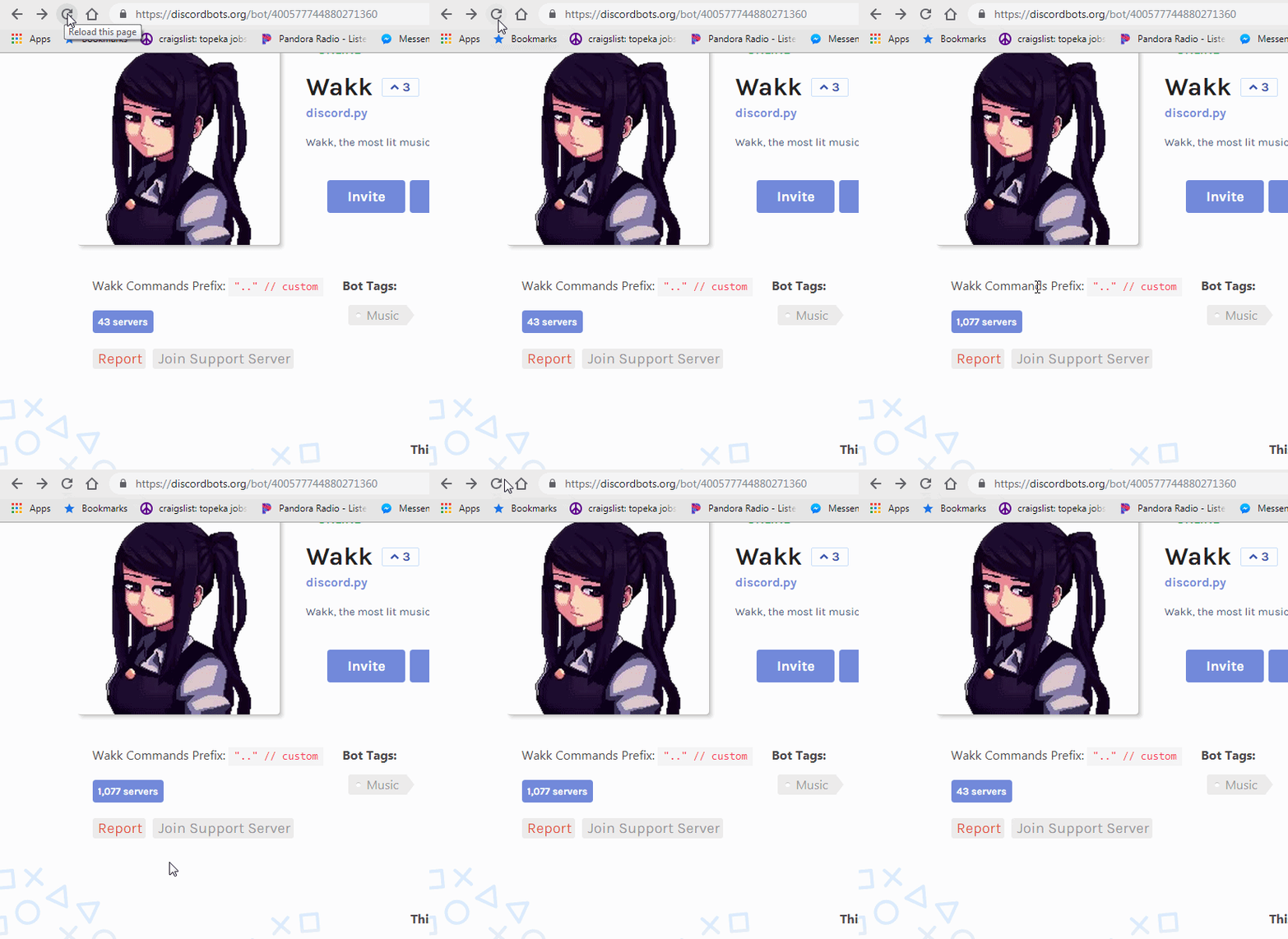
 tidal burrow
You are probably posting stats twice from 2 different bots?
deft ember
Nope same bot.
The 43 servers is from when I first got the api to work months ago and never messed with again until today. Got it work and now it's doing this.
 mystic wing

Sometimes, numbers on sites like YouTube and Twitter jump up and down; subscriber counts lag, like-counts bounce all over the place. Why is it so hard for co...
 main sable
hello, i am trying to set up displaying my bot's server count on the website. I am using heroku and have integrated all of the code needed with the token and everything as well as used the install for the api into the heroku console, yet i am still getting an error that can't find the dbl api module
 weary ember
go to your package.json and add it there
main sable
in the dependencies?
weary ember
yes
main sable
alright thx!
weary ember
do you know how to write a package.json?
main sable
i think i can get it anything specific to know?
 mighty shuttle
Read this and then contemplate https://i.imgur.com/6z8PsjV.png

 tender garnet
if I get 401 error does it means my token was reset ?
plain timber
@tender garnet no it usually means you didn't include a token, 403 means wrong token/ip ban
polar mirage
Just run whatever code you run when they actually vote?
 tepid garden
but I need to test to see if voting still works with the adjustmentsI made to the code
ill just have someone vote for the bot
polar mirage
If you're using webhooks, you can test them from the edit section
tepid garden
oh yea ;b
tepid garden
i found a bug that happens with my code. when ever i use the const listener for the port. the website no longer works. is there a way i can fix that?
plain timber
@tepid garden are you using both dblapi.js and express on glitch?
tepid garden
yes
plain timber
Instead of using webhookport in dblapi.js, use webhookServer: listener @tepid garden sry for late reply
tepid garden
yea i figured that out with help Thanks!
plain timber
Yw
restive otter
Yo so like on my bot page
the black background I coded in html
doesnt fill the entire page
how do I make it do so?
Or will it only go in that white box?
plain timber
@restive otter wrong channel and just change your css
restive otter
which channel?
hollow wraith
hollow wraith
how often can bot stats be set on dbl? and is it instantaneous?
plain timber
@hollow wraith it is updated immediately but it may be cached
and the ratelimit is 60 reqs/min
hollow wraith
ok, ty
sudden rampart
isnt it 60/minute?
plain timber
idk
sand hazel
doc says 60/m
 bronze arch
what is the url to test a vote again  I used it before, is it testing a webhook on https://discordbots.org/api/docs#mybots? Or is it something else?
plain timber
@bronze arch you can use the my bots page or the edit bot page
hollow wraith
yes
it will send a webhook to the link you provide
it will give bot instead of user however
restive otter
give bot? When i press Test webhook i get myself logged in the vote logs lol
not the bot
hollow wraith
user does not get passed when you click test though, its replaced with bot inside the body of the post DBL sends. But it would be your user Id yes
plain timber
it does pass your user
hollow wraith
yes.. but user will no be defined.. lol nevermind
restive otter
lmao
plain timber
well ive tested it and it works
its the same as a real vote except type is test or whatever
but it does simulate a real vote with your user
restive otter
^
So thats why i can cheat economy rewards when i test the webhook for no reason xD
 dull fiber
That’s how mafia works
 spring pebble
Would I have to host a website to use this webhook?
loud gulch
@dull fiber thats not how this channel works
@spring pebble just host a web server
yes basically a website
spring pebble
Oh okay
tepid garden
how do i post the status of the bot
tepid garden
?
spiral steeple
🤔
plain timber
@tepid garden what language
tepid garden
javascript
spiral steeple
Are you using POST or actually using the api?
tepid garden
api
spiral steeple
Spice up your Discord experience with our diverse range of Discord bots
tepid garden
.poststats...
spiral steeple
Yes.
plain timber
Btw you don't need to use poststats if you include your client in the new dbl line, that will activate the autoposter
plain timber
You can ignore shard stuff if your bot isn't sharded
plain timber
Could you paste the new dbl line
Oh that means it's not in this server
The API is only for setting server and shard counts
tepid garden
what is a shard count
plain timber
If your bot isn't in the server then either it left it got picked
The amount of shards your bot has
It's only for sharded bots
tepid garden
so how do i post status
spiral steeple
It has to be here...
plain timber
It will automatically get the online/offline status if your bot is in this server
spiral steeple
Its not in the server
spiral steeple
 submit it and get accepted
spiral steeple
Is this a joke, or? https://discordbots.org/bot/new go here

Discord
Step up your game with a modern voice & text chat app. Crystal clear voice, multiple server and channel support, mobile apps, and more. Get your free server now!
spiral steeple
Then it was kicked/removed
tepid garden
why 😦
spiral steeple
O
It wasnt kicked then, unless it wasnt found with a search.
But this is all not for this channel anyways
tepid garden
what channel then
 stray oak
2019-01-10T07:54:19.479569+00:00 app[worker.1]: Oops! Error: 401 Unauthorized```I was 2 times get this error.
I've been regen the token.
And put the new one. Still.
plain timber
401 usually means no token was sent
arctic arch
or invalid
stray oak
@arctic arch Invalid? I've been regen the token and i put it again on process.env
And, restart the bot.
It said, Oops! Error: 401 Unauthorized
arctic arch
then maybe it wasn't sent
stray oak
hmm..
plain timber
could you send your code?
stray oak
plain timber
if you console.log process.env.DISCORD_BOTS in that file is it correct?
arctic arch
if you're using anything else than postStats, make sure the dblapi.js module is up to date
plain timber
also you dont need to use postStats if you include the client in the new dbl line
as that will activate the autoposter
iirc
arctic arch
yes
stray oak
dont see any error on console log.
stray oak
why it's still error.
 heavy lark
since you're on heroku, did you try checking your config vars if you have the key DISCORD_BOTS? they're under "settings" of your app.
stray oak
eyJhbGciOiJIUzI1NiIsInR5cCI6IkpXVCJ9.eyJpZCI6IjUyMTk5NTQ2MzM2OTY4NzA0MCIsImJvdCI6dHJ1ZSwiaWF0IjoxNTQ3MTA2MTY3fQ.J8zcSoPzeAEDdN2pq9aEqBwlXQhgJCcw3ghq9Xc-YCo```Don't worry, it've been regenerated.
But, since nothing wrong on it.
Ok. it's okay.
It's all done.
 odd palm
I'm getting a DiscordAPI: Missing Permissions error when I have the .postStats() in my main file.
How do I fix it ?
arctic arch
thats irrelevant
your bot doesn't have perimissions to do something in discord
but that's a topic for #development
restive otter
Hey
stray oak
Don't 'hello'-ing here. Go to the #general or #memes-and-media
 versed dust
Hi guys, I am trying to set up a webhook
I think I have succeded so far
But when people vote I don't get the consol.log message
Can I get some help?
 unique vessel
Its console not consol
versed dust
Yes ofc, sorry mistyped here
@unique vessel can u help a bit?
    console.log(`Webhook running at http://${hook.hostname}:${hook.port}${hook.path}`);
});```this outputs this Webhook running at http://0.0.0.0:5000/dblwebhook
does it mean that's wrong
or is it connected
spiral steeple
Did you ever set up the webhook on your dbl page?
versed dust
yes
spiral steeple
Is your bot webhook url https://ipofhost:5000/dblwebhook
spiral steeple
Thats what you put in the webhook url?
versed dust
i took this from the documentation
yes
i need to put http://0.0.0.0:5000/dblwebhook
?
versed dust
and port is still 5000?
spiral steeple
Yes
versed dust
i see cause it's running locally on that server
spiral steeple
Can you test the webhook to see if it logs anything? If you have a vote listener anyways
versed dust
yeah i have a dbl.webhook.on('ready', hook => { console.log(`Webhook running at http://${hook.hostname}:${hook.port}${hook.path}`); });
ops not this
console.log(`User with ID ${vote.user} just voted!`);```Alright save and test it
spiral steeple
No use test
versed dust
oh, how can i test it?
sorry, i only got approved yesterday and trying to figure this out
spiral steeple
on your edit page
at the bottom
Wait, did you every set anything in your dbl edit page for the webhook?
versed dust
yes the token and the secret
new DBL(token, [client])
i used this
to create the dbl
const dbl = new DBL(yourDBLTokenHere, { webhookPort: 5000, webhookAuth: 'password' });
as password i used my Authorization
spiral steeple
.. no
versed dust
there we go
versed dust
i already put this url ^^
spiral steeple
Then hit save and test
spiral steeple
To ensure the requests come from dbl
versed dust
is this correct then to create it const dbl = new DBL(yourDBLTokenHere, { webhookPort: 5000, webhookAuth: 'password' });
in the code i mean
versed dust
i guess this is ok as i don't get 401 error
but still the test doesn't do anything
@snow sky want to chip in?
 snow sky
alright, from what i learned the dblapi.js webhook doesnt work
versed dust
yeah
i have added the url, created a token, added an auth
seems to connect fine
but when a vote happens i see nothing on my console
snow sky
so you can go to the webhook url and it work?
snow sky
depends, is it your home ip or a vps
versed dust
vps
snow sky
does it have anti DDoS protection?
versed dust
not sure so i wont then
snow sky
good idea
spiral steeple
Is the server on
spiral steeple
Firewall?
snow sky
portforwarding issues?
snow sky
do you know how to use the http module in nodejs?
snow sky
so what you can do is import the http module require('http')
versed dust
k
snow sky
let me look at my code real quick lol
snow sky
then do js http.createServer((req, res) => { //we will mess around in here in a little bit });
snow sky
but we still need to finish the code lol
snow sky
do you have any verification in dbl
versed dust
const dbl = new DBL(yourDBLTokenHere, { webhookPort: 5000, webhookAuth: 'password' });
using this
token is the one generated in the dbl settings
and password the authorization word
snow sky
ok
we are going to have to check that the request that is being sent is actually POST, because thats how dbl sends the data, so a simple if (req.method === "POST') {... should work req, is the request coming from dbl and method is the type of request
versed dust
k should i add this in that code?
snow sky
inside the create server
versed dust
yep and i output to console
snow sky
oh i almost forgot, you should have .listen('5000') on the end of the http.createServer function
versed dust
😄
snow sky
whoops
snow sky
not yet
versed dust
if (req.method === "POST") {
    console.log("Is post yes");
}
}).listen('5000');
brain ded for console message
lol
versed dust
yep, don't worry i'm a dev as a profession 😃
snow sky
after that we are going to check for the authorization from dbl, which comes in a header from the request, so just simply req.headers.authorization === 'password'
after the and statement in the if
versed dust
ok
snow sky
so inside the and statement, where your console.log is, we need to actually read the data from dbl, but the data comes in chunks, so how we do this is by adding every chunk we recieve onto a temporary string and then parsing it, into json that is
versed dust
aha, can we check if this works first?
snow sky
of course
versed dust
i am still getting nothing
the .listen('5000') is giving an error
fek i forgot my secret
snow sky
oof, im sorry, its not a string its a number, so remove the ' from the listen
versed dust
i'll change it
Error: listen EADDRINUSE :::5000 0|bot | at Object._errnoException (util.js:1022:11)
snow sky
remove the webhook settings from the dbl lib setup
so the { webhookPort: 5000, webhook: 'password'}
so its just empty {}
versed dust
if i do the dbl.on is undefined
versed dust
ok
snow sky
it will look something like this https://alekeagle.tk/screenshots/G5Q3QMP4ak.png

the client thing is for if you want automatic shard and server count updates
snow sky
do you have everything the bot uses defined as client or bot or something else
so like client.on or bot.on
snow sky
ok, so now if you test it
- your webhook should start listening
- your server count will be posted
versed dust
how our function is not posting anything
snow sky
what bot are you doing this to?
versed dust
what do u mean like link?
snow sky
or just @ it
versed dust
@restive otter


 versed dust
yep
snow sky
ok, back to the webhook, if you test it, does it work?
versed dust
i get nothing back form that function
the console outputs nothing
http.createServer((req, res) => {
if (req.method === "POST" && req.headers.authorization === 'pass') {
    console.log("Is post yes");
}
});
its not listening
you need .listen(5000) i made the mistake earlier to put the 5000 in ' and it doesnt like that
versed dust
http.createServer((req, res) => {
if (req.method === "POST" && req.headers.authorization === 'pass') {
    console.log("Is post yes");
}
}).listen(5000);
yes
versed dust
i don't see anything posted in console
if i press test button
oh wait
nope nothing
so frustrating 😦
snow sky
your webhook address should be http://IP:5000/
and authorization should be the same on both sides
snow sky
im sorry i couldnt help, its been a while since i set up a webhook
versed dust
http.createServer((req, res) => {
if (req.method === "POST" && req.headers.authorization === 'pass') {
    console.log("Is post yes");
} else {
    console.log("not post");
}
}).listen(5000);
it says site can't be reached
snow sky
idk how to help then im sorry