#development
1 messages · Page 1245 of 1
 dusk vault

 misty sigil
same way u sharded the
 earnest phoenix
1- Having a sharded bot that some of it's shards may not be available or has emited their death event, there is no way
2- If you want, once the shards all get ready, send the guild objects all to the second instance by an api, but this ain't no efficient because the data is never updated after a shard is dead
3- Using the official discord api to fetch the guild info from a invite might help, but all shards across all the guilds has to make an invite and send it to some kind of api, but this is obviously api abuse, then use this to fetch anything you need
dusk vault
to clarify im using Djs and Express
dusk vault
how do you do it
earnest phoenix
My only solution for this is to just fetch the guild info from the official discord api, through invites
dusk vault
there's no way to have a discord.js client without events but rather access to all guilds
?
wdym through invites
what
earnest phoenix
d.js doesn't have rest capabilities alone
you need to go through the gateway
only event needed is the ready event, and yes, you can fetch a guild info from an invite
earnest phoenix
Iterate through the guilds and create invites?
dusk vault
no....
misty sigil

dusk vault
thats a violation of TOS and error prone
misty sigil
that is extremely fucking grey area
 digital ibex
get the guild from the rest and fetch the info from that then
dusk vault
bruh
digital ibex
simpul
dusk vault
no
digital ibex
what
misty sigil
that’s on the wrong side of the line I’d say
digital ibex
what r u tryna do, @dusk vault
earnest phoenix
No violation intended, this can't violate anything
dusk vault
read my question @digital ibex
earnest phoenix
why this dont work?
        channels.forEach(ch => {

            ch.updateOverwrite(id, {
                SEND_MESSAGES: args[1]
            }).catch(error => { });

});```It's just API abuse of creating invites over and over
dusk vault
@misty sigil you were saying I can run an express server on multiple processes
misty sigil
no
digital ibex
why cant u?
dusk vault
svice
dusk vault
anyway so whats a fast legitimate and reasonable method that wont break then
dusk vault
um
earnest phoenix
He's trying to fetch values and roles ids through shards by broadcast but sometimes fails because not all shards are available at all times
digital ibex
then its a 500 error
 quartz kindle
option 1 - if it fails, display an error message in the dashboard and ask them to retry or auto-retry later
option 2 - fetch it from the rest api
dusk vault
so the server responding with an internal server error is the solution
digital ibex
no, send an error page or indicate to the user that theres been an error
or tim's method
digital ibex
whatever u want
earnest phoenix
what's the best website to code a bot
misty sigil
@earnest phoenix bots are not coded on sites
earnest phoenix
Hello I am trying to link to 0 permissions for my bot it was for a server I set the bot parameters in Developer portal but that but only the creator of the bot can add The bot and I can't help you.
I know it's a sucker but there is a problem I don't know why its not want to work and that it does that ;-;
turn on “Public bot”

I have to check it; -;
Not judge 😭 😭
misty sigil
we literally arent judging you
 wet dove
are we judging? this is a development channel, we never judge someone.
earnest phoenix
Okey
wet dove
what's the problem?
@earnest phoenix Try this https://discord.com/oauth2/authorize?client_id=CLIENT_ID_HERE&permissions=08&scope=bot
Where it says CLIENT_ID_HERE put your bot id
earnest phoenix

Discord
Discord is the easiest way to communicate over voice, video, and text. Chat, hang out, and stay close with your friends and communities.
you can look at the link
misty sigil
accidental ads™️
wet dove
are you logged in?
earnest phoenix
Yes
wet dove
i see ur problem
earnest phoenix
accidental ads™️
@misty sigil what's this ._.
 earnest phoenix
Ouffff thankssss
misty sigil
The link worked perfectly for me
wet dove
np
wet dove
Lol
 main chasm
@opal plank
i connected mongodb
but when i send ?start work after restarted bot not working
 errant perch
whenever i try to replace the prefix value it does this
 sudden geyser
Whatever you're parsing and trying to write to the file is the issue.
Although, I recommend you use an actual database rather than JSON.
errant perch
whats the difference
sudden geyser
Databases like SQLite and Postgres are made for the purpose of holding data. JSON is meant for holding static data.
 honest perch
json corrupts easily
errant perch
ok
 charred geyser
is there a better way of doing client.guilds.cache.size
like
getting an accurate number
 placid iron
sorry DMs off
main chasm
i send u add
placid iron
im gonna sleep in like 2 mins now anyway
 restive notch
my embed in my command manger isnt working it works if i just print normal text but if i run exports.run = (bot, message, Discord) => { const embed = new Discord.RichEmbed() .setTitle("Hello!") .setDescription(`My name is ${bot.user}, and I'm bot!`) message.channel.sendMessage(embed); } it doesnt work no error or anything
i have a gti repo https://github.com/juls0730/Echo-Bot
earnest phoenix
how do i solve this error?
[ERR_UNESCAPED_CHARACTERS]: Request path contains unescaped characters
fetch(ulke).then(results => results.json()).then(body => {
if(body.message === `Country not found or doesn't have any cases`) return message.channel.send(`**${message.author.tag}**: Ülke bulunamadı.`);
I use it, but when I use Turkish characters, it gives an error in the console.
earnest phoenix
how can I make node-fetch understand Turkish characters?
 urban crypt
Ü U
urban crypt

earnest phoenix
example: Ö, Ğ, Ş, Ç
restive notch
my embed in my command manger isnt working it works if i just print normal text but if i run
  const embed = new Discord.RichEmbed()
    .setTitle("Hello!")
    .setDescription(`My name is ${bot.user}, and I'm bot!`)
  message.channel.sendMessage(embed);
}```
 it doesnt work no error or anything

i have a git repo https://github.com/juls0730/Echo-Bot
GitHub
Contribute to juls0730/Echo-Bot development by creating an account on GitHub.
urban crypt
İ
earnest phoenix
const { MessageEmbed, MessageAttachment } = require('discord.js')

exports.run = (bot, message) => {

  const embed = new MessageEmbed()
    .setTitle("Hello!")
    .setDescription(`My name is ${bot.user}, and I'm bot!`)
  message.channel.send(embed)

}
use this
Discord.js version 12.3.1. discord.richembed has been removed in this release.
earnest phoenix
and sendMessage
restive notch
i changed it to this ```const { MessageEmbed, MessageAttachment } = require('discord.js');
exports.run = (bot, message, Discord) => {
const embed = new MessageEmbed()
.setTitle("Hello!")
.setDescription(My name is ${bot.user}, and I'm bot!)
message.channel.send(embed);
};``` (yes i tried the original) and neither work
earnest phoenix
const {MessageEmbed, MessageAttachment} = require ('discord.js') overwrite module.export
restive notch
this? ```const { MessageEmbed, MessageAttachment } = require('discord.js')
module.export = (bot, message, Discord) => {
const embed = new MessageEmbed()
.setTitle("Hello!")
.setDescription(My name is ${bot.user}, and I'm bot!)
message.channel.send(embed);
};```
earnest phoenix
no
earnest phoenix
can you send the exact version of the command
 thick gull
did you do
earnest phoenix
const { MessageEmbed, MessageAttachment } = require('discord.js')

module.exports = {
    name: 'test',
    description: 'test'
}

exports.run = (bot, message) => {

  const embed = new MessageEmbed()
    .setTitle("Hello!")
    .setDescription(`My name is ${bot.user}, and I'm bot!`)
  message.channel.send(embed)

}
Discord.MessageEmbed()
restive notch
at Client.<anonymous> (/app/index.js:33:34)
    at Client.emit (events.js:196:13)
    at MessageCreateAction.handle (/rbd/pnpm-volume/3267f550-6812-430b-91fc-4ba423438cb0/node_modules/.registry.npmjs.org/discord.js/12.3.1/node_modules/discord.js/src/client/actions/MessageCreate.js:31:14)
    at Object.module.exports [as MESSAGE_CREATE] (/rbd/pnpm-volume/3267f550-6812-430b-91fc-4ba423438cb0/node_modules/.registry.npmjs.org/discord.js/12.3.1/node_modules/discord.js/src/client/websocket/handlers/MESSAGE_CREATE.js:4:32)
    at WebSocketManager.handlePacket (/rbd/pnpm-volume/3267f550-6812-430b-91fc-4ba423438cb0/node_modules/.registry.npmjs.org/discord.js/12.3.1/node_modules/discord.js/src/client/websocket/WebSocketManager.js:384:31)
    at WebSocketShard.onPacket (/rbd/pnpm-volume/3267f550-6812-430b-91fc-4ba423438cb0/node_modules/.registry.npmjs.org/discord.js/12.3.1/node_modules/discord.js/src/client/websocket/WebSocketShard.js:444:22)
    at WebSocketShard.onMessage (/rbd/pnpm-volume/3267f550-6812-430b-91fc-4ba423438cb0/node_modules/.registry.npmjs.org/discord.js/12.3.1/node_modules/discord.js/src/client/websocket/WebSocketShard.js:301:10)
    at WebSocket.onMessage (/rbd/pnpm-volume/3267f550-6812-430b-91fc-4ba423438cb0/node_modules/.registry.npmjs.org/ws/7.3.1/node_modules/ws/lib/event-target.js:125:16)
    at WebSocket.emit (events.js:196:13)
    at Receiver.receiverOnMessage (/rbd/pnpm-volume/3267f550-6812-430b-91fc-4ba423438cb0/node_modules/.registry.npmjs.org/ws/7.3.1/node_modules/ws/lib/websocket.js:797:20)```
module.exports = {
    name: 'test',
    description: 'test'
}

exports.execute = (bot, message, execute) => {

  const embed = new MessageEmbed()
    .setTitle("Hello!")
    .setDescription(`My name is ${bot.user}, and I'm bot!`)
  message.channel.send(embed)

}
``` ive adjusted to this  im getting ```TypeError: client.commands.get(...).execute is not a function
at Client.<anonymous> (/app/index.js:33:34)
    at Client.emit (events.js:196:13)
    at MessageCreateAction.handle (/rbd/pnpm-volume/3267f550-6812-430b-91fc-4ba423438cb0/node_modules/.registry.npmjs.org/discord.js/12.3.1/node_modules/discord.js/src/client/actions/MessageCreate.js:31:14)
    at Object.module.exports [as MESSAGE_CREATE] (/rbd/pnpm-volume/3267f550-6812-430b-91fc-4ba423438cb0/node_modules/.registry.npmjs.org/discord.js/12.3.1/node_modules/discord.js/src/client/websocket/handlers/MESSAGE_CREATE.js:4:32)
    at WebSocketManager.handlePacket (/rbd/pnpm-volume/3267f550-6812-430b-91fc-4ba423438cb0/node_modules/.registry.npmjs.org/discord.js/12.3.1/node_modules/discord.js/src/client/websocket/WebSocketManager.js:384:31)
    at WebSocketShard.onPacket (/rbd/pnpm-volume/3267f550-6812-430b-91fc-4ba423438cb0/node_modules/.registry.npmjs.org/discord.js/12.3.1/node_modules/discord.js/src/client/websocket/WebSocketShard.js:444:22)
    at WebSocketShard.onMessage (/rbd/pnpm-volume/3267f550-6812-430b-91fc-4ba423438cb0/node_modules/.registry.npmjs.org/discord.js/12.3.1/node_modules/discord.js/src/client/websocket/WebSocketShard.js:301:10)
    at WebSocket.onMessage (/rbd/pnpm-volume/3267f550-6812-430b-91fc-4ba423438cb0/node_modules/.registry.npmjs.org/ws/7.3.1/node_modules/ws/lib/event-target.js:125:16)
    at WebSocket.emit (events.js:196:13)
at Receiver.receiverOnMessage (/rbd/pnpm-volume/3267f550-6812-430b-91fc-4ba423438cb0/node_modules/.registry.npmjs.org/ws/7.3.1/node_modules/ws/lib/websocket.js:797:20)``` @thick gull@restive notch execute should go inside module.exports
 raven urchin
I need some help catching the shard count, How can I get the shard count? I did ${client.shard.count} but says client is not defined
raven urchin
Ah ok I'ma try
raven urchin
In the index.js?
raven urchin
Cloud Music
 sharp thicket
can you ping it?
raven urchin
Nope
sharp thicket
why?
raven urchin
Doesnt show it
raven urchin
688370250059874338
raven urchin
Well not really
sharp thicket
did you make the bot?
sharp thicket
do you have a command handler?
also i don't think you can define condt lol
const*
like
const const = new discord.Client()
raven urchin
Commandhandler yeah
sharp thicket
bruh
raven urchin
Command handler*
sharp thicket
maybe define client in the file the command is in smh
Looks like you copied someones code
raven urchin
I didn't copy but okii
raven urchin
Yeah but then again, I do have my developers and they usually work on it and I worked on other stuff like v11 so idk
sharp thicket
that's a terrible excuse
defining stuff hasd been the same in v11 and v12
Discord doesn't make the defining studd node does
raven urchin
NVM I got it working
Fixed it, I just needed to add message to the client.shard.count, now it works fine
 sonic lodge
i think you mean
const count = guild.members.cache.filter(m => m.roles.cache.has('700534730629840897')).size
instead of
const count = guild.members.cache.filter(m => m.roles.cache.has('700534730629840897').size)
m.roles.cache.has('700534730629840897').size doesn't make any sense since .has returns a boolean, so you're checking for a size property on a boolean?
thick gull
are you trying to do a per guild??
you can't have different status for each guild
oh
client.guilds.cache.get('your-server-id')
thats your <Guild>
hm
sonic lodge
move the parenthesis
 fleet hornet
Every 5 min
sonic lodge
...m.roles.cache.has('700534730629840897').size)
...m.roles.cache.has('700534730629840897')).size```
 charred kindle
I believe change it to message.author
so you get (ctx).message.author.roles.cache.has(num)).size
sonic lodge
that gives you a <User> instance, which doesn't have any roles
 valid frigate
you need to use message.memver
member

uhh
weird ok
I'd check docs but my phone is about to die
well huh
i remember that the member type always has roles
sonic lodge
there should be a callback function
guild.members.filter(guild.members.roles.cache.has('700534730629840897'))
also a GuildMemberManager has no roles property?
 opaque hawk
If I just wanted to do a reaction roles bot, would I put all of the reaction roles code in my main folder? And if so, where in it?
This is a single-server bot and I don't plan to use it anywhere else
thick gull
check channel to see if it’s NSFW
opaque hawk
^
sharp thicket
If(!message.channel.nsfw) // ..
restive notch
when i run ```const { MessageEmbed, MessageAttachment } = require('discord.js')
module.exports = {
name: 'test',
description: 'test'
}
exports.execute = (bot, message) => {
const embed = new MessageEmbed()
.setTitle("Hello!")
.setDescription(My name is ${bot.user}, and I'm bot!)
message.channel.send(embed)
}``` and then do e!test then it print this is console
at Client.<anonymous> (/app/index.js:33:34)
    at Client.emit (events.js:196:13)
    at MessageCreateAction.handle (/rbd/pnpm-volume/3267f550-6812-430b-91fc-4ba423438cb0/node_modules/.registry.npmjs.org/discord.js/12.3.1/node_modules/discord.js/src/client/actions/MessageCreate.js:31:14)
    at Object.module.exports [as MESSAGE_CREATE] (/rbd/pnpm-volume/3267f550-6812-430b-91fc-4ba423438cb0/node_modules/.registry.npmjs.org/discord.js/12.3.1/node_modules/discord.js/src/client/websocket/handlers/MESSAGE_CREATE.js:4:32)
    at WebSocketManager.handlePacket (/rbd/pnpm-volume/3267f550-6812-430b-91fc-4ba423438cb0/node_modules/.registry.npmjs.org/discord.js/12.3.1/node_modules/discord.js/src/client/websocket/WebSocketManager.js:384:31)
    at WebSocketShard.onPacket (/rbd/pnpm-volume/3267f550-6812-430b-91fc-4ba423438cb0/node_modules/.registry.npmjs.org/discord.js/12.3.1/node_modules/discord.js/src/client/websocket/WebSocketShard.js:444:22)
    at WebSocketShard.onMessage (/rbd/pnpm-volume/3267f550-6812-430b-91fc-4ba423438cb0/node_modules/.registry.npmjs.org/discord.js/12.3.1/node_modules/discord.js/src/client/websocket/WebSocketShard.js:301:10)
    at WebSocket.onMessage (/rbd/pnpm-volume/3267f550-6812-430b-91fc-4ba423438cb0/node_modules/.registry.npmjs.org/ws/7.3.1/node_modules/ws/lib/event-target.js:125:16)
    at WebSocket.emit (events.js:196:13)
    at Receiver.receiverOnMessage (/rbd/pnpm-volume/3267f550-6812-430b-91fc-4ba423438cb0/node_modules/.registry.npmjs.org/ws/7.3.1/node_modules/ws/lib/websocket.js:797:20)
 sharp thicket
If(!message.channel.nsfw) // ..
@earnest phoenix
thick gull
@earnest phoenix discordjs?
sharp thicket
Its fine
thick gull
well
next time you should check the docs

Discord.js is a powerful node.js module that allows you to interact with the Discord API very easily. It takes a much more object-oriented approach than most other JS Discord libraries, making your bot's code significantly tidier and easier to comprehend.
sharp thicket
Its hard
thick gull
it’ll help
sharp thicket
We alr saw that
restive notch
sry
sharp thicket
Its fine..
thick gull
execute is not a function
sharp thicket
There is a problem with your command handler
thick gull
put it in the module.exports
restive notch
wdym
sharp thicket
Yeah
restive notch
so just put exports.run (because it need to be .run) in module.exports
thick gull
I’m not sure how your thing is
sharp thicket
Send your handler..
restive notch
index.js:
const Discord = require("discord.js");
const { prefix, token } = require("./config.json");

const client = new Discord.Client();
client.commands = new Discord.Collection();

const commandFiles = fs
  .readdirSync("./commands")
  .filter(file => file.endsWith(".js"));

for (const file of commandFiles) {
  const command = require(`./commands/${file}`);
  client.commands.set(command.name, command);
}

client.once("ready", () => {
  console.log("Ready!");
});

client.on("message", message => {
  if (!message.content.startsWith(prefix) || message.author.bot) return;

  const args = message.content
    .slice(prefix.length)
    .trim()
    .split(/ +/);
  const command = args.shift().toLowerCase();

  if (!client.commands.has(command)) return;

  try {
    client.commands.get(command).execute(message, args);
  } catch (error) {
    console.error(error);
    message.reply("there was an error trying to execute that command!");
  }
});

client.login(token);
put execute(message, args) {code here} in the exports
thick gull
iirc that’s how it should be
restive notch
my ping.js rn is ```const { MessageEmbed, MessageAttachment } = require('discord.js')
module.exports = {
name: 'test',
description: 'test'
}
exports.run = (bot, message) => {
const embed = new MessageEmbed()
.setTitle("Hello!")
.setDescription(My name is ${bot.user}, and I'm bot!)
message.channel.send(embed)
}
You can check the djs guide they have a handler tutorial 
sharp thicket
No
restive notch
i looked at that nothing about embeds in command handler
thick gull
Your issue isn’t embeds?
sharp thicket
my ping.js rn is ```const { MessageEmbed, MessageAttachment } = require('discord.js')
module.exports = {
name: 'test',
description: 'test'
exports.run = (bot, message) => {
const embed = new MessageEmbed()
.setTitle("Hello!")
.setDescription(My name is ${bot.user}, and I'm bot!)
message.channel.send(embed)
}
}```
thick gull
yeah it’s inside
sharp thicket
Wait wtf
restive notch
what
thick gull
The function your calling is execute
sharp thicket

sharp thicket
Yeah that too
sharp thicket
What
module.exports = {
    name: 'test',
    description: 'test'


exports.execute = (bot, message) => {

  const embed = new MessageEmbed()
    .setTitle("Hello!")
    .setDescription(`My name is ${bot.user}, and I'm bot!`)
  message.channel.send(embed)

}
}```that says SyntaxError: Unexpected identifier at Module._compile (internal/modules/cjs/loader.js:703:23) at Object.Module._extensions..js (internal/modules/cjs/loader.js:770:10) at Module.load (internal/modules/cjs/loader.js:628:32) at Function.Module._load (internal/modules/cjs/loader.js:555:12) at Module.require (internal/modules/cjs/loader.js:666:19) at require (internal/modules/cjs/helpers.js:16:16) at Object.<anonymous> (/app/index.js:13:19) at Module._compile (internal/modules/cjs/loader.js:759:30) at Object.Module._extensions..js (internal/modules/cjs/loader.js:770:10) at Module.load (internal/modules/cjs/loader.js:628:32) and it says exports.execute is an unexpected token
sharp thicket
Huh
restive notch
"Parsing Error: Unexpected token exports"
sharp thicket
I don’t know mate.
restive notch
thats what my ide says when i hover
opaque hawk
import fetch from "node-fetch";
fetch(process.env.ANTI_DUPE!)
  .then(res => res.json())
  .then(run => {
    if (run) import("./main");
});``` same code as in another replthis one doesnt work but the other one does
 plush magnet
Why exports.execute
restive notch
module.exports = {
    name: 'test',
    description: 'test'
      execute(bot, message) {

        const embed = new MessageEmbed()
          .setTitle("Hello!")
          .setDescription(`My name is ${bot.user}, and I'm bot!`)
        message.channel.send(embed)

    }
}```both have installed node-fetch
restive notch
this is my current code now
plush magnet
Just export a function called execute in the module.exports
opaque hawk
restive notch
Just export a function called
executein themodule.exports
i just did that
module.exports = {
    name: 'test',
    description: 'test'
      execute(bot, message) {

        const embed = new MessageEmbed()
          .setTitle("Hello!")
          .setDescription(`My name is ${bot.user}, and I'm bot!`)
        message.channel.send(embed)

    }
}```Shouldnt => negate that error?
sonic lodge
module.exports = {
    name: 'test',
    description: 'test' // <-- missing comma
execute(bot, message) {```=> should literally state that run and res have an any type
restive notch
oooooooooooooooooooooooohhhhhhhhhh
im dumb
yeah it doesnt say unexpected now
but now it says (when i do e!test)
at Object.execute (/app/commands/ping.js:11:25)
at Client.<anonymous> (/app/index.js:33:34)
    at Client.emit (events.js:196:13)
    at MessageCreateAction.handle (/rbd/pnpm-volume/3267f550-6812-430b-91fc-4ba423438cb0/node_modules/.registry.npmjs.org/discord.js/12.3.1/node_modules/discord.js/src/client/actions/MessageCreate.js:31:14)
    at Object.module.exports [as MESSAGE_CREATE] (/rbd/pnpm-volume/3267f550-6812-430b-91fc-4ba423438cb0/node_modules/.registry.npmjs.org/discord.js/12.3.1/node_modules/discord.js/src/client/websocket/handlers/MESSAGE_CREATE.js:4:32)
    at WebSocketManager.handlePacket (/rbd/pnpm-volume/3267f550-6812-430b-91fc-4ba423438cb0/node_modules/.registry.npmjs.org/discord.js/12.3.1/node_modules/discord.js/src/client/websocket/WebSocketManager.js:384:31)
    at WebSocketShard.onPacket (/rbd/pnpm-volume/3267f550-6812-430b-91fc-4ba423438cb0/node_modules/.registry.npmjs.org/discord.js/12.3.1/node_modules/discord.js/src/client/websocket/WebSocketShard.js:444:22)
    at WebSocketShard.onMessage (/rbd/pnpm-volume/3267f550-6812-430b-91fc-4ba423438cb0/node_modules/.registry.npmjs.org/discord.js/12.3.1/node_modules/discord.js/src/client/websocket/WebSocketShard.js:301:10)
    at WebSocket.onMessage (/rbd/pnpm-volume/3267f550-6812-430b-91fc-4ba423438cb0/node_modules/.registry.npmjs.org/ws/7.3.1/node_modules/ws/lib/event-target.js:125:16)
at WebSocket.emit (events.js:196:13)```@opaque hawk .then(res => { res.json() })
@restive notch read the error and troubleshoot
opaque hawk
@plush magnet same error
plush magnet
Then it's a package issue with typescript
Do what the errors says you might need to install types for it if they've done so
What do you mean it sends the picture and message too
Is that not what you want it to do
So what you mean to say is your command is working by saying its the wrong channel but still sending the image
Are you returning when the bot checks that its an incorrect channel
Well firstly your logic there is wrong
Read that if statement to me
Thats fine but read the if statement the way the bot would read it
thick gull
message.channel.nsfw is aboolean
true or false
if its nsfw it's true
by adding the ! your checking if its NOT true
like
sonic lodge
if (!message.channel.nsfw)
becomes
if (not nsfw)
thick gull
if (message.author.bot) would be true for bots
if (!message.author.bot) would be false for bots

restive notch
i have ```const { MessageEmbed, MessageAttachment } = require('discord.js')
module.exports = {
name: 'test',
description: 'test',
execute(bot, message, args) {
    const embed = new MessageEmbed()
      .setTitle("Hello!")
      .setDescription(`My name is ${bot.user}, and I'm bot!`)
    message.channel.send(embed)

}
}```
logs: TypeError: Cannot read property 'send' of undefined at Object.execute (/app/commands/ping.js:11:25) at Client.<anonymous> (/app/index.js:33:34) at Client.emit (events.js:196:13) at MessageCreateAction.handle (/rbd/pnpm-volume/3267f550-6812-430b-91fc-4ba423438cb0/node_modules/.registry.npmjs.org/discord.js/12.3.1/node_modules/discord.js/src/client/actions/MessageCreate.js:31:14) at Object.module.exports [as MESSAGE_CREATE] (/rbd/pnpm-volume/3267f550-6812-430b-91fc-4ba423438cb0/node_modules/.registry.npmjs.org/discord.js/12.3.1/node_modules/discord.js/src/client/websocket/handlers/MESSAGE_CREATE.js:4:32) at WebSocketManager.handlePacket (/rbd/pnpm-volume/3267f550-6812-430b-91fc-4ba423438cb0/node_modules/.registry.npmjs.org/discord.js/12.3.1/node_modules/discord.js/src/client/websocket/WebSocketManager.js:384:31) at WebSocketShard.onPacket (/rbd/pnpm-volume/3267f550-6812-430b-91fc-4ba423438cb0/node_modules/.registry.npmjs.org/discord.js/12.3.1/node_modules/discord.js/src/client/websocket/WebSocketShard.js:444:22) at WebSocketShard.onMessage (/rbd/pnpm-volume/3267f550-6812-430b-91fc-4ba423438cb0/node_modules/.registry.npmjs.org/discord.js/12.3.1/node_modules/discord.js/src/client/websocket/WebSocketShard.js:301:10) at WebSocket.onMessage (/rbd/pnpm-volume/3267f550-6812-430b-91fc-4ba423438cb0/node_modules/.registry.npmjs.org/ws/7.3.1/node_modules/ws/lib/event-target.js:125:16) at WebSocket.emit (events.js:196:13)
restive notch
yeah i just have it as that to test
e!test works though
athough gives that log i just gave
 compact echo
Can you show the ping command?
restive notch
module.exports = {
    name: 'test',
    description: 'test',
      execute(bot, message, args) {

        const embed = new MessageEmbed()
          .setTitle("Hello!")
          .setDescription(`My name is ${bot.user}, and I'm bot!`)
        message.channel.send(embed)

    }
}```its angry about ```const { MessageEmbed, MessageAttachment } = require('discord.js')
module.exports = {
name: 'test',
description: 'test',
execute(bot, message, args) {
    const embed = new MessageEmbed()
      .setTitle("Hello!")
      .setDescription(`My name is ${bot.user}, and I'm bot!`)
    message.channel.send(embed)
                    ^
}
}```
quartz kindle
that error means you're calling the function wrong
ie, where you use commands.get().execute()
restive notch
then what do i use?
quartz kindle
show what you did
restive notch
module.exports = {
    name: 'test',
    description: 'test',
      execute(bot, message, args) {

        const embed = new MessageEmbed()
          .setTitle("Hello!")
          .setDescription(`My name is ${bot.user}, and I'm bot!`)
        message.channel.send(embed)

    }
}```message.channel.send(embed)
restive notch
``try {
client.commands.get(command).execute(message, args);
} catch (error) {
console.error(error);
message.reply("there was an error trying to execute that command!");
}
});
client.login(token);
'bot' is not defined
quartz kindle
you dont know how functions work do you
restive notch
not really just how to get ping and not much after that
quartz kindle
functions take arguments by order, not by name
 lyric mountain
Dot dot dot, I'd suggest reading about basic computer science first
Like, making bots isn't an easy task for a starting project
thick gull
function func(1, 2, 3)
-> log 1, 2, 3
func(1, 3, 2)
-> 1, 3, 2
lyric mountain
Oh my
quartz kindle
for example, execute() {} this is where you create the function. .execute() this is where you call the function.
execute(bot,message) you create the function and tell it to expect 2 arguments, and give them the name bot and message
.execute(message) this is where you call the function, you give it message as the first argument
so inside your function, the 1st argument is bot and you gave it message as the first when you used it.
therefore inside your function, what you named as bot is actually a message. and what you named as message is actually nothing. thats why your message doesnt work inside the function
@restive notch
restive notch
i coppied and pasted the ('bot, message, args') from the execute and bot is still undefined
lyric mountain
function someExample(a, b) {
	console.log("Result is " + (a + b));
}
someExample(1, 2);

output -> Result is 3
i didnt
quartz kindle
then why is it there
restive notch
because its in the ping.js
quartz kindle
why is it there
restive notch
i dnot think i use it tho
lyric mountain
Did you, by any chance, copypasted that code from somewhere?
 charred quiver
Huh
lyric mountain
Oh my
lyric mountain
Just......remember not to copypaste the entire code as is, take your time to understand it first
restive notch
yeah i know
lyric mountain
99.9% the code you find on the internet won't work in ur project as is
restive notch
i understand how the code works and what each par does
yeah thats why im learning to make the code by myself
thats why im mostly taking the code from the docs so i can learn what they do
 stark abyss
const filter = (m) => m.author.id === message.author.id;
          message.channel.send(embed).then(() => {
          message.channel.awaitMessages(filter, { max: 1, time: 10000, errors: ['time'] })

            .then(collected => {
              console.log(filter.content)
            })

            .catch(err => {
              console.log(err)
              message.channel.send('Time out.');
            })
})```how do i get the um message sent by the user?
restive notch
unprefexed commands will get your bot muted
stark abyss
huh what
< @ 264445053596991498 > help
lol
out of 5 servers no one has yet been able to help me
just how stupid am i lmao
 pale vessel
does it log anything?
this is not valid
you get the content through collected, not filter
collected is a collection of received messages. since you only collected one, you can use collected.first() to get the first message the user sent
you can get the content afterwards (collected.first().content)
@stark abyss
stark abyss
That’s low key gay no mf told me about that
I spent hours asking for help not realizing how it worked
And they all kept on giving me docs
And now that I close all the tabs I get it

Aight thx
 indigo flax
hey im python so when i do python main.py it replies with Traceback (most recent call last): File "main.py", line 352, in <module> main() File "main.py", line 348, in main DiscordBot().run(config.DISCORD_TOKEN) File "main.py", line 18, in __init__ allData = data.loadJSON(data.DATABASE_FILENAME) File "/home/container/data.py", line 92, in loadJSON return json.load(f) File "/usr/local/lib/python3.8/json/__init__.py", line 293, in load return loads(fp.read(), File "/usr/local/lib/python3.8/json/__init__.py", line 357, in loads return _default_decoder.decode(s) File "/usr/local/lib/python3.8/json/decoder.py", line 337, in decode obj, end = self.raw_decode(s, idx=_w(s, 0).end()) File "/usr/local/lib/python3.8/json/decoder.py", line 355, in raw_decode raise JSONDecodeError("Expecting value", s, err.value) from None json.decoder.JSONDecodeError: Expecting value: line 1 column 1 (char 0)
pale vessel
maybe the json file is corrupted because of how many times it's trying to be modified?
indigo flax
yes
pale vessel
your json file has syntax error
indigo flax
pale vessel
hey
pale vessel
hm
 midnight blaze
is this wrong?
channel.startTyping();
setTimeout(()=>{
    channel.send("test").then((message)=>{
        channel.stopTyping();
    });
}, 5000)```I want to make a bot that shows "typing"
I mean a command*
pale vessel
and send test and stop after 5 seconds?
midnight blaze
yeah
it should like show for 5 seconds that is typing
and then send the message
🤔
pale vessel
node
 faint prism
in the database.json
@indigo flax Are you using JSON to store data that is continuously being updated?
 karmic compass
is there a way to get the largest value from an array? ex: ```js
let arrayThingyForDBL = [5,
10,
306,
52
]
is there a way to get the largest value from an array?
@karmic compass Yes, sorting for arrays is very common
quartz kindle
you can use Math.max with the spread operator
faint prism
And there is many ways to do it. Some built into JS. Or you can apply common algorithms used in comp sci
karmic compass
thank you epic gamers
 ember lodge
 faint prism
thank you epic gamers
@karmic compass https://www.youtube.com/watch?v=kPRA0W1kECg if you're going with the latter (warning: flashing red color)
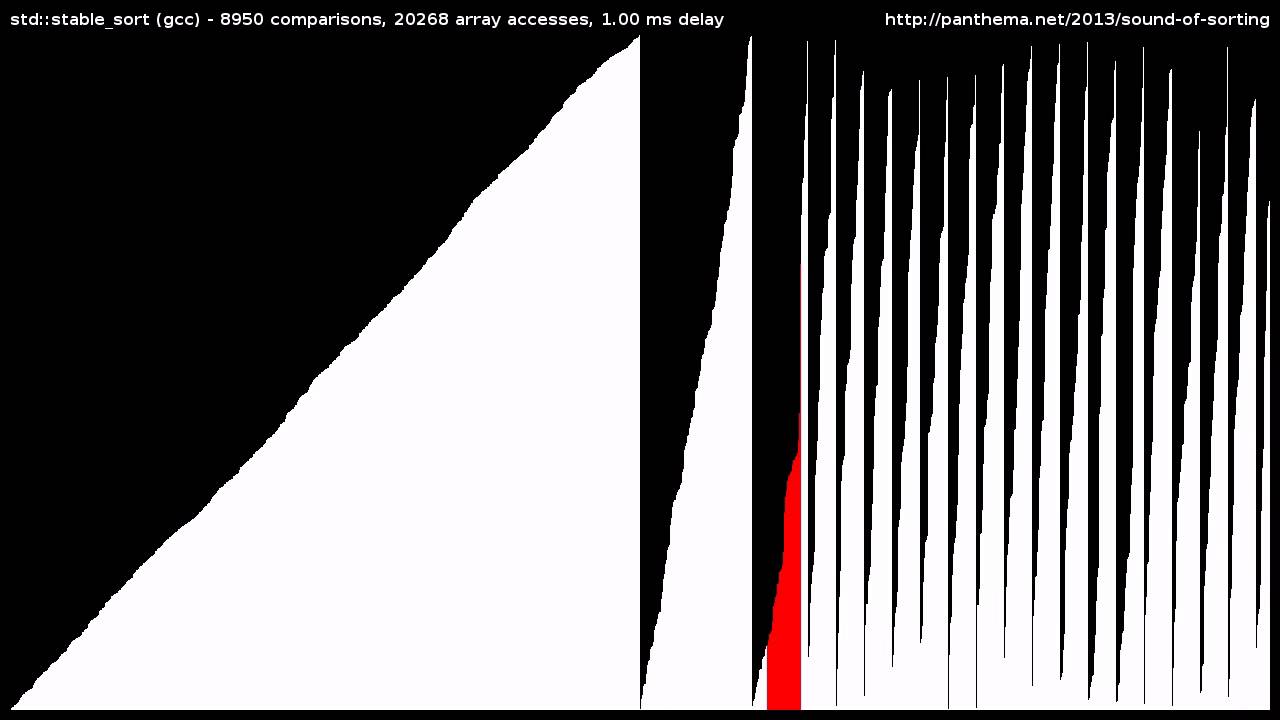
Visualization and "audibilization" of 15 Sorting Algorithms in 6 Minutes.
Sorts random shuffles of integers, with both speed and the number of items adapted to each algorithm's complexity.
The algorithms are: selection sort, insertion sort, quick sort, merge sort, heap sort, r...
karmic compass
star wars
sonic lodge
"bogo sort is like the kahoot music"
 delicate shore
Oh
thick gull
it’s an alt
 restive furnace
you need to fetch from the guild#ownerID
earnest phoenix
@delicate shore i like how your bot is in 1k but you still dont know how to fix stuff
 pure lion
@earnest phoenix I am his left hand man
earnest phoenix
@pure lion i like how you didnt teach him
 steel heath
yeet
i have a component called Alert and i want to know how to pass it props
tried<Alert warning="This is the content" />
but{{ warning }}does nothing
@sick cloud figured it out?
 arctic cape
@delicate shore use ${message.guild.owner.user.tag} or ${message.guild.ownerID}
steel heath
I saw you asking that in Nuxt's server
arctic cape
for discord.js v12
 sick cloud
@steel heath yea i got it ty <3
steel heath
alright
honest perch
Nuxt is complicated
 vague wigeon
how?
earnest phoenix
Yes thats my question
vague wigeon

pale vessel
haha no
main chasm
joined server msg.guild.JoinedAt?
pale vessel
for the bot, yes
earnest phoenix
@pale vessel ok
 pale vessel
and member
@main chasm use member.joinedAt
valid frigate
so basically
main chasm
thank u
 silver lintel
if (msg === `${prefix}EMBEDTEST`) {
    message.channel.send("normal text");
    const newEmbed = new Discord.MessageEmbed()
      .setColor("#f4e542")
      .setTitle("Current Prefix set to:")
      .setDescription("hi")
      .addField("title", "body")

      message.channel.send(newEmbed);
  }
``` the normal text sends but not the embedduration: songInfo.duration.toString(),
i want change to hours how ?
@silver lintel message change to msg
silver lintel
which message?
silver lintel
msg is just let msg = message.content.toUpperCase();
main chasm
hm
 cinder patio
Just to test: do {embed: newEmbed} instead of just newEmbed
 warm marsh
Does your bot actually have permission to "EMBED_LINKS"?
raven urchin
How can I get this working properly?
earnest phoenix
@raven urchin lmfao imagine managing 4 servers per shard
raven urchin
Yeah, ion know how to fix that
I put in 1000 for the servercount and just throws an error
Even if I put the servercount users, undefined
 fluid basin
use google?
 silk chasm
use google?
@fluid basin claps
fluid basin
well if you can't understand basic terminology and can't be bothered to, then stop asking
silk chasm
well if you can't understand basic terminology and can't be bothered to, then stop asking
@fluid basin .........
main chasm
bot now can only get Verfied ✅?
silk chasm
use google?
@fluid basin i responded to it...
main chasm
without badge?
 flint yew
anyone know how to do the command if one his dm closed the bot will reply help command in the channel
earnest phoenix
@flint yew check if the user has dms open
flint yew
i want when one dm closed
flint yew
i use comando
pale vessel
if their DMs are closed, user.send() will throw an error so,js user.send(data).catch(() => message.channel.send("Couldn't DM, here's the commands"));
flint yew
k
earnest phoenix
Two questions @raven urchin
- Why the fuck are you sharding at 4 servers a shard
- Why the fuck are you sharding at 4 servers a shard
1,000 servers a shard, 4 shards a cluster is whats widely accepted as acceptable/normal, you on the other hand.. What in Gods name
I'm still considerably drunk so sorry if I'm misunderstanding you, but I seriously hope I am, otherwise.. Dear God.
raven urchin
It's just me testing it out and making sure I get it working first
Then disabling them until I reach 2.5k servers
earnest phoenix
What language?
raven urchin
D.js
 raven urchin
I'm sowwy
 wary plaza
ey
quartz kindle
python is gae
raven urchin
Lol
main chasm

 nimble kiln
 granite echo
is there a way to get the latency of ur vps using os-utils?
midnight blaze
python is garbage
earnest phoenix
Ping google or smth
midnight blaze
jk
earnest phoenix
It is garbage
midnight blaze
true
main chasm
guys
my bot, when user invited my bot send msg to owner server not a problem from approval ?
midnight blaze
who did send a message? And to who exactly?
quartz kindle
i dont think its a problem, but i'd remove that feature
bots who dm welcome messages and help commands are annoying
main chasm
@midnight blaze to owner server
flint yew
@raven urchin ur bot is copy of calypso. U only added the music and not working
midnight blaze
that is a snitch move 👀 jk
@main chasm I would listen to Tim. Do not dm people. It is annoying most of the time
midnight blaze
what are you whating about? O:
main chasm
wait
midnight blaze
about what?
flint yew
Ur name
midnight blaze
I said he should deactivate the dm function he has in his bot
ahh
xD
davon is German
flint yew
Ah
main chasm
@midnight blaze when a person invited my bot just send a msg to owner problem to approved bot in top.gg ?
midnight blaze
you dont get, just stop. I can assure you most people dislike being dmd by a bot
earnest phoenix
when a bot sends a message to a user without the user interacting with the bot, it is a issue @main chasm
so yes, i'd recommend removing that feature
earnest phoenix
thats even worse, when the owner doesnt know about the bot
just remove it and it'll be good
main chasm
now i remove code ?
flint yew
It even don't help. Remove it. Good
main chasm
ok
flint yew
Like rythm
earnest phoenix
now what if that channel happens to be the rules channel?
hMMM
I'd let my bot just shut up about it
like yay the bot got added and so?
flint yew
I was want to do that. But it send it to the general.chat so I stopped
flint yew
Bcz like u will delete it if it send to the welcome channel
flint yew
U can mansion ur bot and he will send u the prefix and that things
U can do that its good
main chasm
now i remove my code when owner invited my bot and my bot send a msg to owner ? right
flint yew
It will not if u deleted
main chasm
ok
flint yew
Cloud music
raven urchin
Smfh
flint yew
@raven urchin old one was have other things that why nvm
silk chasm
Is it possible to make the bot by using only javascript? cuz i am learning python rn and thinking to quit if js can only do that
 flat pelican
wdym? You can’t make a bot with multiple languages, I mean technically you can, but it wouldn’t be okay at all
silk chasm
wdym? You can’t make a bot with multiple languages, I mean technically you can, but it wouldn’t be okay at all
@flat pelican hmm... that's what i got as prob... i thought it would take like python,js... to make it then just saw discord.js and that makes me tensed...and i am now thinking of quitting python and start learning js but if leave python rn... it would be a great loss...
earnest phoenix
swear words are allowed here lmao
flat pelican
That’s fine as long as you’re not being extremely offensive and/or rude
I don’t see how you would use html on a bot
thick gull
i mean they dont have a role or badge
earnest phoenix
hmmMMMMMMMMmm
silk chasm
@earnest phoenix see the status again...lol
 regal saddle
Imagine you are using a channel, although it is intended for other topics.
silk chasm
Imagine you are using a channel, although it is intended for other topics.
@regal saddle we are talking about development
maybe
 drowsy kite
imagine discord.html
@earnest phoenix discord.css
regal saddle
Yup, sending images of people’s dc status and talk about it.
drowsy kite
imagine
 sick fable
Aah wait
Someone please tell what's wrong in this code
Ping me if somebody knows the syntax error in it
earnest phoenix
@sick fable YOU REVEALED TOKEN
DELETE MESSAGE
QUICK
AND RESET BOT TOKEN
@sick fable @sick fable @sick fable @sick fable @sick fable
 weak parrot
Smh
earnest phoenix
Man I really wanted that token
 opal plank
thought clyde would've caught that
sick fable
AND RESET BOT TOKEN
@earnest phoenix bro I already knew about it
earnest phoenix
why would you send token anyways
sick fable
It's not full tho
earnest phoenix

sick fable
Regenerated the token😂
earnest phoenix

sick fable

earnest phoenix
Can you make a GUI application using node.js native modules like you can do in Java (Minecraft uses the native javaw.exe thingy)?
@quartz kindle GIMME A PIZZA WITH EXTRA CHEESE
quartz kindle
wut
opal plank

 forest drift
What would you recommend to use when building a music function for your bot?
opal plank
anything other than ytdl
small bots run fine with ytdl
but the problem is the youtube api ratelimits
you'll hit your daily quota in no time
prob worth checking spotify api for that
forest drift
ah, if its a bot for 1 specific server?
opal plank
then it should be fine using that
forest drift
ok, cause ive tried using it but i keep running into the issue of opus
opal plank
opus deprecated for js iirc
forest drift
so what would you recommend to use for a tiny bot thats for 1 specific server to be able to play music? cause ive also tried soundcloud but their api thingy is currently closed
opal plank
oh yeah they have discordjs/opus

but indeed the original got depreated
you should be fine running ytdl
forest drift
how do i run ytdl? Cause every time i try it keeps asking for opus
opal plank
forest drift
const embedsinfo = require('../vars/embedsinfo.json');
const onoff = require('../vars/onoff.json');
const roles = require('../vars/roles.json');
const { prefix, token } = require('../vars/tokenprefix.json');
const Discord = require('discord.js');
const fs = require('fs');
const ytdl = require('ytdl-core');
const MongoClient = require('mongodb').MongoClient;
const url = "mongodb+srv://ArgentStudio:bp7EKNOEnOmrm4tJ@cluster0.tyfl9.mongodb.net/ArgentStudios?retryWrites=true&w=majority";

module.exports = {
    name: 'music',
    description: 'Clears messages',
    guildOnly: true,
    cooldown: 0,
    aliases: [],
    execute(message, args, client) {
                if(message.member.roles.cache.has('751477774253949039')){

            if (message.channel.type === 'dm') return;

        const voiceChannel = message.member.voice.channel;

        if (!voiceChannel) {
            return message.reply('please join a voice channel first!');
        }

        voiceChannel.join().then(connection => {
            const stream = ytdl(args[0], { filter: 'audioonly' });
            const dispatcher = connection.play(stream);

            dispatcher.on('finish', () => voiceChannel.leave());
        });
        };
    }
};

A guide made by the community of discord.js for its users.
forest drift
this is my current extremely basic system
opal plank
check this if you unsure on how to make a music bot
forest drift
k
yeah, im just stuborn and now that ive set my mind to adding music functions i cant stop
 pliant leaf
hey this is my code, ive made it play and disconect, how would i make it loop?
if (message.content.includes(prefix+"disc calm")){
if (message.member.voice.channel) {
const connection = await message.member.voice.channel.join();
        const dispatcher = connection.play('./audio/calm.mp3');

        dispatcher.on('start', () => {});

        dispatcher.on('error', console.error);
        message.channel.send('Playing: Calm')

      }
      else(message.channel.send('you must be in a voice channel'))
}
how would i make a command !loop? for it to loop the current song(i have 13 song mp3s) im in JS
 sage bobcat
One message removed from a suspended account.
pliant leaf
how do i do that?
sage bobcat
One message removed from a suspended account.
 tropic tulip
use `
sage bobcat
One message removed from a suspended account.
sage bobcat
One message removed from a suspended account.
pliant leaf
          if (message.member.voice.channel) {
            const connection = await message.member.voice.channel.join();

            const dispatcher = connection.play('./audio/calm.mp3');

            dispatcher.on('start', () => {});

            dispatcher.on('error', console.error);
            message.channel.send('Playing: Calm')

          }
          else(message.channel.send('you must be in a voice channel'))
}``` how would i make it loop the current mp3?oh
opal plank
```js
code```
like this
replace code with your code
im seriously thinking about flipping my big monitor sideways for coding

and keep the other 2 normal
pliant leaf
that would be dope
if (message.content.includes(prefix+"disc calm")){
          if (message.member.voice.channel) {
            const connection = await message.member.voice.channel.join();

            const dispatcher = connection.play('./audio/calm.mp3');

            dispatcher.on('start', () => {});

            dispatcher.on('error', console.error);
            message.channel.send('Playing: Calm')

          }
          else(message.channel.send('you must be in a voice channel'))
}``` ok now can someone help figure out how to make it loop the current mp3 its playing?this is my janky code for a minecraft bot to play music file
opal plank
theres a third one but thats not attached rn
restive furnace
k

 heavy marsh
I've been searching around and looked on the discord.py rewrite api doc and I can't seem to find and understand how to define roles as certain things such as moderator roles, etc which gives them access to certain commands. I know how to make the commands role only but I just don't know how to define said roles. Any help will be great, thanks!
heavy marsh
That's the API
restive furnace
no
heavy marsh
api doc*
restive furnace
it's literally link to discord.py's documentation
restive furnace
just put on the search bar "add roles" and it should be able to find it (inside of the searchbar located in left)
heavy marsh
I don't want to add roles to people...
restive furnace
wait i misunderstood
so yea, look at the front page something like "restrict commands"
heavy marsh
nothing
restive furnace
thats not the exact, so you have to use time to find it there
heavy marsh
ik i have been searching around for a while and i had time today where i was working on the bot and i thought to finally ask
sick fable
Someone please tell the error
import asyncio
from discord.ext import commands

client = commands.Bot(command_prefix = '?')

@client.event
async def on_ready():
	print('Bot is ready for use Sir! ')

@client.event
async def on_member_join(member):
	print(f"{member} has joined the server. Enjoy your time in this server. Make sure you read the rules of the server! and you are good to go :slightly_smile:")

@client.event
async def on_member_leave(member):
	await ctx.send(f"{member} Adios amigo! We hope that you spent your good time in this server.")

@client.command(aliases=['8Ball' , 'test'])
async def _8Ball(ctx, *, question):
	responses = ['Yes' , 'No']

      await ctx.send( f'Question:  {question}\nAnswer:  {random.choice(responses)}')

client.run('Your daddy')```Tell please
What?
heavy marsh
I've just run it and it's an indent error
opal plank
be patient
sick fable
Yaa bro. Help me
heavy marsh
import discord
import asyncio
from discord.ext import commands

client = commands.Bot(command_prefix = '?')

@client.event
async def on_ready():
    print('Bot is ready for use Sir! ')

@client.event
async def on_member_join(member):
    print(f"{member} has joined the server. Enjoy your time in this server. Make sure you read the rules of the server! and you are good to go :slightly_smile:")

@client.event
async def on_member_leave(member):
    await ctx.send(f"{member} Adios amigo! We hope that you spent your good time in this server.")

@client.command(aliases=['8Ball' , 'test'])
async def _8Ball(ctx, *, question):
    responses = ['Yes' , 'No']
    await ctx.send( f'Question:  {question}\nAnswer:  {random.choice(responses)}')

client.run('Your daddy')
That's the fixed version
quartz kindle
dont just give them code to copy paste
explain to them whats wrong and show them how to fix it themselves
heavy marsh
I did
I told him he had an indent error
and you can see where the error is by looking at the code
sick fable
That's the fixed version
@heavy marsh thank you so so much bro
heavy marsh
np
heavy marsh
oh
ok maybe its not so obvious
Your code:
@client.command(aliases=['8Ball' , 'test'])
async def _8Ball(ctx, *, question):
    responses = ['Yes' , 'No']

      await ctx.send( f'Question:  {question}\nAnswer:  {random.choice(responses)}')
Corrected code:
@client.command(aliases=['8Ball' , 'test'])
async def _8Ball(ctx, *, question):
    responses = ['Yes' , 'No']
    await ctx.send( f'Question:  {question}\nAnswer:  {random.choice(responses)}')
The gap between the responses line and the send line
 fringe marten
[Error: EROFS: read-only file system, open '../config.json'] {
how could i fix this
😄
 hollow remnant
3
stark abyss
how to use MessageCollectorextends on an embed you send
so I can use it in my code and make various edits
this is djs
opal plank
i wonder
can i do this in postgres?
CHECK (string = 'live' OR string = '' OR string = 'offline')
to add constraints?
earnest phoenix
the || operator is "OR"
opal plank
which is what i've used
earnest phoenix
it basically says "If this string is empty or undefined, do the next" and repeat
opal plank
im aware
earnest phoenix
so what is your goal here
opal plank
im asking if that constraint is valid
idk if i'd need multiple CHECK or i can nest them all into one constraint
earnest phoenix
oh idk abt ts
pale vessel
uwotm8
main chasm
wat
pale vessel
what does the duration look like
earnest phoenix
what do you want to make exactly
main chasm
minutes and hours
pale vessel
i'm assuming they want to add time to an existing duration..............................?
or what exactly
opal plank
basically the string needs to be either one of those @earnest phoenix
'live' '' 'offline'
main chasm
yes
opal plank
anything other than those should be error'd by the constraint
opal plank
coherent english would also help
 prisma oriole
@opal plank yes I that is possible with postgres iirc

 main chasm
@pale vessel 
prisma oriole
odd
opal plank
from what im seeing you arent suppose to use checks for this
you make a type it seems
enum types
 tidal marlin
How do I get the starting channel in a guild?
opal plank
first() ?
should return a collection
though it'll likely be bad
iirc collections are set in order
cuz the first channel is usually a category
so you might wanna loop for and then escape when you find the one you want
@tidal marlin
tidal marlin
'starting channel' where people get like invited to
For example, a place where discord says that someone new joined
tidal marlin
I used systemChannel for it
opal plank
two separate things
tidal marlin
but like bot doesn't like this
opal plank
invite points to a channel thats specified on invite
system logs are set by the guild owner on any channel, regardless of your permission to see it
they are separate
tidal marlin
Huh
opal plank
you may wanna look for 'general' or check @ everyone permission in the loop form that i said
tidal marlin
I just want the bot to say message in a channel that announces new users
pale vessel
that's systemChannel
opal plank
then make the guild owner set a channel beforehand
pale vessel
you're already using it
pale vessel
yes
opal plank
where is it?

!announcement #development
do something like that
to set the channel the user/admin wants to use
opal plank
why would you have it hooked on a general chat? discord already displays it, whats the point of your bot saying the same thing twice?
pale vessel
then find a backup channel
opal plank
who said you need DB requets?
you should only need DB requests on startup
if you doing anything else differently you doing it wrong
tidal marlin
wdym start up?
opal plank
DB is persistent storage
tidal marlin
yeah?
opal plank
Memory is for quick access
you dont pull fromyour database, grab all your database and dump it on memory on startup
same for prefixes and such
tidal marlin
That's gonna take a lot of memory tho
opal plank
not really
map(guildid, {prefix, announcementCHannel})
there
you are dumping the WHOLE database
require what you need to be accessed constantly
tidal marlin
Don't think about even using it
opal plank
databases arent used to be accessed too often
use redis if you need in memory database
tidal marlin
I use nosql
 fathom topaz
somene why does my node dosent show up
tidal marlin
But I need it to work when only needed, why would I make it stay on
opal plank
cuz memory is for stuff that you require,database is to store data,not to serve as a request on the go thing
fathom topaz
ok
opal plank
stable isnt related to do with that
you SHOULDNT be requesting shit often from database
if you requesting stuff often,use memory
tidal marlin
I have somewhere in some command, a function to get first available channel
Is it also wrong
opal plank
what?
pale vessel
I have somewhere in some command, a function to get first available channel
@tidal marlin but it would be annoying to have a bot sending a message to a random channel
opal plank
for general stuff its fine, but as i said, for announcements its annoying
first, if you hook on systemLog channel you'll get both messages
the system and your bot
tidal marlin
hook?
tidal marlin

tidal marlin
Well yeah?
opal plank
bad
Erwin just joined the server!
bot: Erwin joined the server!
why?
stupid
bad design
opal plank
you'll just be repeating the same message
tidal marlin
Admin/mod can set it's own message there