#development
1 messages · Page 894 of 1
 earnest phoenix
 prime cliff
Did you 👀 the 📘
earnest phoenix
im not used to the 📘
im only used to discord.js' 📘
how to make a webhook
i done webhook in discord
but
Idk What is this
@earnest phoenix webhook is just a site (page) that receives post requests
I tryed my DBL. Its wont showing body through express
Okay TY!
Wait
wait no
Link again pls
dbl should set up the webhook for you
already
what
how>
dm me your IP and i will tell you
 latent dagger
O_O
earnest phoenix
@wheat jolt wdym?
 wheat jolt
no longer needed
 wide ridge
any issues with discord right now?
 sudden geyser
Discord says All Systems Operational but that's kind of a meme and Discord could be having an issue as we speak.

 zinc condor
https://nekos.vip/ Made stupid API because corona gave me way too much time
A very large catgirl database

the only thing it has going for it is the fact that its user submitted and i could add more endpoints with one click
 fervent goblet
 earnest phoenix
How to get total server count across all shards in eris?
how can i put server count on top.gg?
@earnest phoenix did you post your server count to top.gg?
no
i want to know how can i post the server count
Read this and you'll know...:
https://top.gg/api/docs

Spice up your Discord experience with our diverse range of Discord bots
k
im tryna make my bot and im getting this error
Show error
SyntaxError: Invalid or unexpected token
at wrapSafe (internal/modules/cjs/loader.js:1070:16)
at Module._compile (internal/modules/cjs/loader.js:1120:27)
at Object.Module._extensions..js (internal/modules/cjs/loader.js:1176:10)
at Module.load (internal/modules/cjs/loader.js:1000:32)
at Function.Module._load (internal/modules/cjs/loader.js:899:14)
at Module.require (internal/modules/cjs/loader.js:1042:19)
at require (internal/modules/cjs/helpers.js:77:18)
at C:\Users\polar\Desktop\CommunityPolice\index.js:20:17
at Array.forEach (<anonymous>)
at C:\Users\polar\Desktop\CommunityPolice\index.js:19:9
C:\Users\polar\Desktop\CommunityPolice\commands\desktop.ini:2
bank.js=@bank,0
^
SyntaxError: Invalid or unexpected token
at wrapSafe (internal/modules/cjs/loader.js:1070:16)
at Module._compile (internal/modules/cjs/loader.js:1120:27)
at Object.Module._extensions..js (internal/modules/cjs/loader.js:1176:10)
at Module.load (internal/modules/cjs/loader.js:1000:32)
at Function.Module._load (internal/modules/cjs/loader.js:899:14)
at Module.require (internal/modules/cjs/loader.js:1042:19)
at require (internal/modules/cjs/helpers.js:77:18)
at C:\Users\polar\Desktop\CommunityPolice\index.js:20:17
at Array.forEach (<anonymous>)
at C:\Users\polar\Desktop\CommunityPolice\index.js:19:9
ive added a bank.js file

how can i do this with the photo from the site?
I have no idea
@earnest phoenix
you saw my error
Yea i did but are you Coding with JavaScript or python or what? @earnest phoenix
js
Hmm i have no clue that what you're trying to do there
Like what
i made a bank.js command
i also downloaded the modules for it, in which they needed visual studio 2019 and python
it didint work on the server where i was testing
so i deleted it from the commands folder
If you want to do it... Do it like this:
let bankjs = @bank, 0 or something
what do you mean?
 slender thistle
If you have no idea what's going on, why try to help
 valid frigate
unfortunately thats what happens sometimes
valid frigate
good job?
 plush lion

earnest phoenix
thanks anyways
 blazing portal
I am kind of lost. I am using Discord.js v12.2.0, trying to create a voice channel with a specific permission overwrite. The MANAGE_ROLES permission. Server based i both have the permissions MANAGE_ROLES and MANAGE_CHANNELS. But still i get a permission error. I've been looking through the docs etc. but I can't figure out what's wrong. Hoping someone can help (syntax is 100% correct, it's just the permissions)
 tight plinth
earnest phoenix
tight plinth
earnest phoenix
k
earnest phoenix
hello for days I have been suffering from discord.js express oauth logim but it keeps coming together I have tried everything someone might not possibly send me a tutorial video or a description please
what
 mossy vine
anyone have some resources on how i should implement a system that allows me not to hit discords api rate limits? i know a bucket would be a cool structure but i also want to know what the rate limit routes are based on etc etc
and no i havent read this page but i do realize it answers my last question https://discordapp.com/developers/docs/topics/rate-limits
 cursive dagger
https://ghostbin.co/paste/nk269
Im running this code and im getting this error, although im not trying to convert anything into a member? https://ghostbin.co/paste/a84yz
 modest maple
that doesnt even look like that error is comming from that command
cursive dagger
@modest maple create is a subcommand of tag
and im not running any other commands
tight plinth
@robust moth u literally did it
put the code in a file
and then require('./file')
 hasty valve
how do I change my pages background?
earnest phoenix
Hello guys, i have a problem with a warn command, can someone help me?
code:
 hasty sparrow
What's the problem?
earnest phoenix
I have some error from line 10 to the last one, it tells that they are incorrect tokens even if there's not ( sorry for my english )
It's weird that it worked before
hasty sparrow
What does the error message say?
earnest phoenix
@earnest phoenix in let warns you forgot a ) at the end
@earnest phoenix oh, i'm so dumb =))
Ty
Np


 nocturne grove
Hi. I was writing some code for logging deleted messages(' contents). But everytime I'm testing it, message.content is one of the few things that's undefined. I sent the test message when my bot was online, and now I even waited 25 min to delete the message, after I sent it.
What's going wrong?
 sacred mountain
Is there a way to store info of a current value because I’m trying to make the channel name change then after a few seconds change back and I tried doing const oldChannelName = message.channel.name but that just updates to the new name. I need it to not update if the value is changed somehow
nocturne grove
@sacred mountain I don't fully understand you, but will this work?
const oldChannelName = message.guild.channels.cache.get(message.channel.id).name;``` split hazel
You're probably on a slightly older version, omit .cache
earnest phoenix
So i have a serverinfo command and it works completely fine but... I want it to send a message saying Fetching information... then fetch all members before editing the message to the serverinfo embed if the server member count is bigger than 30k...
All works but it doesn't fetch the members...
sacred mountain
does anyone know how to store the current name of a channel and stop it updating (discord.js 12) const oldChannelName = message.guild.cache.get(message.channel.id).name; <- doesnt work, returns cannot read property get of undefined.
nocturne grove
You're probably on a slightly older version, omit
.cache
@sacred mountain read this ^
earnest phoenix
@sacred mountain =>
message.guild.channels.cache.get()
nocturne grove
.cache is used with Discord.js v12
@earnest phoenix can you please send it using this format:
```js
your code
```
earnest phoenix
K
 warm marsh
Or use pastebin/hastebin
sacred mountain
@nocturne grove I still have the same problem
Cannot read property get of undefined
earnest phoenix
if (message.guild.memberCount > 30000){
	let sifEmbed = new Discord.MessageEmbed()
	 .setColor('#0033ff')
	 .setDescription(`${bot.guilds.cache.get('621198145526956033').emojis.cache.find(e => e.name === 'loading')} **Server is too big, Fetching information...**`)
	 .setTimestamp()
	await message.channel.send(sifEmbed).then(async (messagesi) => {
	await message.guild.members.fetch();
  	await messagesi.edit(serverembed);
  	});
  	} else {
  		return message.channel.send(serverembed);
  		}
``` @nocturne grovesojs message.guild.get(message.channel.id).name is not working? @sacred mountain
sacred mountain
nope
(node:32696) UnhandledPromiseRejectionWarning: TypeError: Cannot read property 'get' of undefined
earnest phoenix
@sacred mountain =>
message.guild.channels.get() then
sacred mountain
Tried that
earnest phoenix
@sacred mountain which version of discord.js are you using?
sacred mountain
12
warm marsh
You could try console.log(message.guild)
Unless that's already been said then ignore.
sacred mountain
But I don’t want it to log
earnest phoenix
@sacred mountain =>
message.guild.channels.cache.get()
If v12
sacred mountain
Just to store for later
warm marsh
It's only to see if message.guild is defined or not.
nocturne grove
@earnest phoenix but what's serverembed?
earnest phoenix
@nocturne grove that's defined as my serverinfo embed
sacred mountain
Apparently @nocturne grove I’m version 6.12.1
earnest phoenix
I'm not gonna show it because it's too long
warm marsh
node or djs?
nocturne grove
https://discordapp.com/channels/264445053596991498/272764566411149314/704287146965598239 btw this code is not right, ignore it
ok fine
but for what are you using those members you fetched?
blazing portal
I am kind of lost. I am using Discord.js v12.2.0, trying to create a voice channel with a specific permission overwrite. The MANAGE_ROLES permission. Server based i both have the permissions MANAGE_ROLES and MANAGE_CHANNELS. But still i get a permission error. I've been looking through the docs etc. but I can't figure out what's wrong. Hoping someone can help (syntax is 100% correct, it's just the permissions)
@blazing portal
Maybe now that some more people are alive, anyone have an idea?
nocturne grove
@blazing portal MANAGE_ROLES is a server wide permission, not a channel override
sacred mountain
im really confused why js const oldChannelName = message.guild.channels.get(message.channel.id).name; doesnt work
ok idk how to do the syntax highlighting
earnest phoenix
@nocturne grove I'm placing the uncached members to the cached method by fetching them all...
I tried it like this:
message.guild.members.fetch(); without the send message and edit it and it worked but with send message and edit it doesn't work
warm marsh
remove the space after 'js ' in-order to get syntax
nocturne grove
@sacred mountain using Node.js? Do npm ls discord.js
blazing portal
In the Client Channels have a permission Manage Permissions, this is the Manage Roles Permission via API
nocturne grove
ok idk how to do the syntax highlighting
@sacred mountain first line should be : ```js
sacred mountain
`-- discord.js@12.2.0
earnest phoenix
Hmm latest version so far
sacred mountain
it just says it cant read property get of undefined
nocturne grove
In the Client Channels have a permission Manage Permissions, this is the Manage Roles Permission via API
@blazing portal I don't know what you mean. But Manage Roles is not a permission on a channel
sacred mountain
wait what if i try console.log(message.guild.name.cache.get(message.guild.id).name)
earnest phoenix
No
split hazel
no
nocturne grove
@sacred mountain do console.log(message.id) before that line
blazing portal
If you edit a channel's permission through the normal client, there's a permission called Manage Permissions. This is as far as my testing showed MANAGE_ROLES through the API. Otherwise how would i edit the Manage Permissions permission on a channel with d.js?
nocturne grove
oh wait I understand you, wait a minute
sacred mountain
    console.log(message.id)
console.log(message.guild.name.cache.get(message.guild.id).name)```is that right?
split hazel
Since when did string have the cache prop
nocturne grove
yes just try
nocturne grove
oh no indeed
sacred mountain
Cannot read property get of undefined
nocturne grove
console.log(message.id)
console.log(message.guild.channels.cache.get(message.guild.id).name)``` thisSince when did string have the cache prop
@split hazel thanks 😅
sacred mountain
so what do i need to do
nocturne grove
@blazing portal Note that these internal permission names may be referred to differently by the Discord client. For example, "Manage Permissions" refers to MANAGE_ROLES, "Read Messages" refers to VIEW_CHANNEL, and "Use Voice Activity" refers to USE_VAD. you're right 🤔
sacred mountain
@split hazel thanks 😅
@nocturne grove do i remove .cache?
nocturne grove
no, you're using v12 so you have to use '.cache'
sacred mountain
oh
split hazel
Why are you getting a channel with the ID of the guild
split hazel
What are you even trying to do first of all
sacred mountain
get the name of a channel
but non updating tho
so then i can use that old name later
nocturne grove
omg I'm not reading. Yes you should do this:
console.log(message.id)
console.log(message.guild.channels.cache.get(message.channel.id).name)```
sorry I should focusi did
sacred mountain
no
split hazel
I'm assuming you're using the https://discord.js.org/#/docs/main/stable/class/Client?scrollTo=e-channelUpdate event

Discord.js is a powerful node.js module that allows you to interact with the Discord API very easily. It takes a much more object-oriented approach than most other JS Discord libraries, making your bot's code significantly tidier and easier to comprehend.
nocturne grove
no he has to have the current name, @quartz kindle
modest maple
what
nocturne grove
but I'm still not totally sure what he wants
 quartz kindle
what
sacred mountain
im trying to store the current name
modest maple
the message object has the fucking channel object in it
split hazel
I think he wants to store the old channel name once it changes
quartz kindle
still same thing lol
modest maple
^^
sacred mountain
how
 sacred mountain
bc if i did message.channel.name or something it will update when the name changes
nocturne grove
ohhhh yeah just do this then:
client/bot.on('channelUpdate', (oldChannel, newChannel) => {
  if (oldChannel.name == newChannel.name) return;
  const oldChannelName = oldChannel.name;
});```let oldname = message.channel.name
await message.channel.update(whatever)
let newname = message.channel.name```or this ^ if you're not updating it yourself
sacred mountain
but wont the top one update
modest maple
bruh
split hazel
You also need to compare if the old channel name is same as new channel name
Because that event doesn't only emit on name changes
quartz kindle
channel.name is a string, which is a primitive data type
primitive data types are always copied, never referenced
sacred mountain
I still don’t understand it at all and before u do, don’t start telling me to learn basics
nocturne grove
@blazing portal you received in error like 'permission not valid' or something?
quartz kindle
@sacred mountain
sacred mountain
Oh
nocturne grove
I still don’t understand it at all and before u do, don’t start telling me to learn basics
@sacred mountain okay please tell us what you want then
modest maple
welcome to the basics
quartz kindle
primitive data types are all the simple values, like string, number, boolean, undefined and null
sacred mountain
Oh ok I understand now
modest maple
this is why its so important to learn the basics
earnest phoenix
Also did anybody still find a solution for my issue?
nocturne grove
oh I sent you something, let me find it
https://discordapp.com/channels/264445053596991498/272764566411149314/704287016183005204 so you did this. And you want the memberCount in the embed's description? I don't think so tho
sacred mountain
Umm @quartz kindle it updated
nocturne grove
no okay, just to be sure. But what else do you want?
earnest phoenix
Hmm lemme show you something
it doesn't work because you're mixing async/await and promises
nocturne grove
okay
sacred mountain
@nocturne grove the thing is still updating
earnest phoenix
then doesn't exist if you use aync/await
learn how asynchronous programming works in js
nocturne grove
what's updating?
nocturne grove
oh wait!
you want to change the name back to the old one?
Then you have to do this:
channel.setName(name);```Oh
blazing portal
@nocturne grove no i receive the permission error Missing access. The thing is, if i give my bot the admin flag, it works without issues. My question is purely about the permission settingsß
sacred mountain
I did message.channel.setName
earnest phoenix
@nocturne grove
Top one is only
message.guild.members.fetch();
But with it + send a message and edit it to serverinfo embed is the bottom one...
(The members)
nocturne grove
@nocturne grove no i receive the permission error Missing access. The thing is, if i give my bot the admin flag, it works without issues. My question is purely about the permission settingsß
@blazing portal ohh I think I understand what you mean, I came accross the same. When I want my bot to update the channel name, it should have the manage channels perm + connect perm
does that help you?
 cerulean pebble
 let banEmbed = new Discord.MessageEmbed()
    .setDescription("Ban")
    .setColor("#bc0000")
    .addField("User", bUser.user.tag)
    .addField("Moderator", message.author.tag)
    .addField("Reason", `${bReason ? bReason : "None."}`)
    .setTimestamp()
    let incidentchannel = message.guild.channels.cache.find(c => c.name === "corona-chan-log");
    if(!incidentchannel)  message.channel.send(banEmbed);
    let embed = new Discord.MessageEmbed()
    .setTitle("BAN | WE ADVICE YOU SETTING channel name corona-chan-log")
    .addField("Banned In", message.guild.name)
    .setColor("#bc0000")
    .addField("Moderator", message.author.tag)
    .addField("Reason", `${bReason ? bReason : "None."}`)
  message.channel.send(":tickYes: **| That member has been banned.**")
  bUser.ban(bReason)
  incidentchannel.send(banEmbed);
try{bUser.send(embed)}catch(e){message.channel.send("Unable to send message to user.")}
}```can not read property of send
earnest phoenix
@earnest phoenix look at what i said, you're mixing async/await and promises
cerulean pebble
i know issue come from ```
if(!incidentchannel) message.channel.send(banEmbed);``` but how to fix
earnest phoenix
Hmm i see... But can i ask which one on my code is needed to be async and which one to not be? @earnest phoenix
what
nocturne grove
@earnest phoenix sorry but I can't find any difference
sacred mountain
@nocturne grove I made it log the old channel name but it logs the new one
earnest phoenix
@nocturne grove umm...
(Look at the Member Status)
just either use async/await or promises, you can't use both
Oh ok
nocturne grove
@nocturne grove I made it log the old channel name but it logs the new one
@sacred mountain okay show some more of your code please
earnest phoenix
consider reading https://developer.mozilla.org/en-US/docs/Learn/JavaScript/Asynchronous/Async_await , @earnest phoenix

MDN Web Docs
More recent additions to the JavaScript language are async functions and the await keyword, part of the so-called ECMAScript 2017 JavaScript edition (see ECMAScript Next support in Mozilla). These features basically act as syntactic sugar on top of promises, making asynchronou...
Kk
nocturne grove
@nocturne grove umm...
(Look at the Member Status)
@earnest phoenix oh yes right. I am not really into the statuses thing, I think cry can help you with that
sacred mountain
const Discord = require('discord.js');
const bot = new Discord.Client();

const token = ''


bot.on('ready', () =>{
    console.log('BOT SUCCESSFULLY STARTED');
    console.log("Servers: " + bot.guilds.cache.size)


})


bot.on('message', async message=>{

    let prefix = 't!'

    const oldChannelName = message.channel.name


    let args = message.content.substring(prefix.length).split(" ")
    let command = args.shift()


    //const oldGuildName = message.guild.name.cache.get(message.guild.id).name;
    //const oldChannelName = message.guild.channels.get(message.channel.id).name;


    switch(command){

        case 'hi':
            console.log("Started")
            message.channel.send("hi")
            setTimeout(function(){

                message.channel.setName("test");

            }, 2000);
            break;


        case 'undo':
            console.log("Ended")
            console.log(oldChannelName)
            message.channel.setName(oldChannelName)
            break;


    }
})

bot.login(token);``` @nocturne groveoh and a question from my side:
Hi. I was writing some code for logging deleted messages(' contents). But everytime I'm testing it, message.content is one of the few things that's undefined. I sent the test message when my bot was online, and now I even waited 25 min to delete the message, after I sent it.
What's going wrong?
earnest phoenix
the message is not in your cache
you don't get the message object when it's deleted, just the id, so it depends on the cache if you want the object
sacred mountain
does anyone know how to solve my probem bc it keeps updating and its rlly annoying
nocturne grove
@sacred mountain sorry I don't understand that switch command. So I don't know what the code does.
Or will it just execute the thing under 'hi' if your message starts with hi and same for undo?
sacred mountain
yh
nocturne grove
the message is not in your cache
@earnest phoenix should I fetch every message when it is sent?
sacred mountain
if the message is prefix + hi then it does stuff in hi
earnest phoenix
fetch what? you don't need to fetch, when a message is sent you get the entire object there's nothing to fetch
nocturne grove
but what else is going wrong? The message is sent while the bot is online
quartz kindle
@sacred mountain you're thinking this the wrong way
nocturne grove
@sacred mountain there is nothing to update the channel name, as the oldChannelName is the current one
sacred mountain
so how do i just cache what it currently is at that time tho?
quartz kindle
read over your code: you set the old name to a variable, then set the new name when you type hi
then when you type undo, you're setting the old name AGAIN to a variable, at this point the old name is the new name from before
the command doesnt remember variables set from previous commands
sacred mountain
oh
quartz kindle
unless you save them somewhere outside of the code block
sacred mountain
how could i do that tho
nocturne grove
yes, maybe a little json file (I guess that's a noob solution 😂)
blazing portal
@nocturne grove afraid not...
Let me try to rephrase my problem.
I want my bot to assign himself the channel bases permission overwrite of manage permissions aka MANAGE_ROLES. The Bot has the Server permissions MANAGE_ROLES and MANAGE_CHANNELS. But i still get the error Missing Access. But i don't understand why?
quartz kindle
when you do hi you need to save the old name somewhere outside of the code block
sacred mountain
ohh
quartz kindle
in a global variable or object, or even a database or file, if you need the name to be remembered across restarts
nocturne grove
@blazing portal does it also have those permissions in that channel? Or does that channel have perms overrides?
sacred mountain
in a global variable or object, or even a database or file, if you need the name to be remembered across restarts
@quartz kindle i dont need it to remeber across restarts tho
just when it is running
nocturne grove
just write a quick json file if it's not often used
quartz kindle
so put it in a global variable or object
for example
savedNames = {}

client.on("message", message => {
  // check for command and prefix
  // if command is set
  savedNames[message.channel.id] = message.channel.name
  // change the name here

  // if command is restore instead
  message.channel.setName(savedNames[message.channel.id])
})```@nocturne grove the bot is creating the channel, without any overrides
nocturne grove
oh that's much smarter than my idea (totally expected though, as it's Tim :p)
okay
And you're sure your syntax is correct?
quartz kindle
@blazing portal you want to create a channel with overrides? you can define them in the channel options
nocturne grove
this is the syntax I'm using for it:
guild.channels.create(counterChannelName, {
  type: 'voice',
  permissionOverwrites: [{
    id: guild.id,
    deny: ['CONNECT'],
}, {
    id: guild.me.id,
    allow: ['CONNECT', 'MANAGE_CHANNELS'],
}] })
.then(async (channel) => {```I also want to be able to edit it in later. Hence I'm using the createOverride / updateOverride functions on the channel.
Yes @nocturne grove it is strictly a permission error, when i give the bot the admin flag, it works like a charm
 haughty night
Quick question, when i use this i get the id <@idnumber> as i should, but when i put a .tag behind it it returns undefined.
quartz kindle
@haughty night owner returns a GuildMember object or null if not cached
haughty night
Ah i see
quartz kindle
.tag is a property of a User object
sacred mountain
@quartz kindle (node:33964) UnhandledPromiseRejectionWarning: ReferenceError: oldGuildName is not defined
haughty night
Thanks
nocturne grove
@blazing portal wtf. You're not creating the channel in a 'closed' category?
blazing portal
yes i am, why?
nocturne grove
try it without a category
because creating a channel in a category with overrides can cause access errors
sacred mountain
@quartz kindle I set it to log the old name but it logs the new one
quartz kindle
show code
sacred mountain
const Discord = require('discord.js');
const bot = new Discord.Client();

const token = ''


bot.on('ready', () =>{
    console.log('BOT SUCCESSFULLY STARTED');
    console.log("Servers: " + bot.guilds.cache.size)


})

savedChannelNames = {}

bot.on('message', async message=>{

    let prefix = 't!'

    savedChannelNames[message.channel.id] = message.channel.name


    let args = message.content.substring(prefix.length).split(" ")
    let command = args.shift()


    switch(command){

        case 'hi':
            console.log("Started")
            message.channel.send("hi")
            setTimeout(function(){

                message.channel.setName("test");

            }, 2000);
            break;


        case 'undo':
            console.log("Ended")
            console.log(savedChannelNames[message.channel.id])
            message.channel.setName(savedChannelNames[message.channel.id])
            break;


    }
})

bot.login(token);```ohhh
i think i know why
nocturne grove
only do that if it reaches the switch command, I guess
mossy vine
why so many empty lines
sacred mountain
Idk
quartz kindle
yes, you're always overwriting the saved name with the new name everytime you receive a message
earnest phoenix
  if(m.content === password){
    console.log(m)
    await m.delete().catch(err => {
    console.log("Impossible de supprimer le message")
    });```

m.delete.catch is not a function, but when i console.log `m` it’s not a message...end is good ^^
hi just a question, how do we check if there is only the bot's mention in a message ?
sacred mountain
yessssss tim u did it its working now
earnest phoenix
like I can do something like message.mentions.member.first()
    msg.delete().catch(err => {
    console.log("Impossible de supprimer le message")
    });
member.send("❎ | Le temps est écoulé : vous avez donc été kick. Si vous n'avez pas été kick, veuillez quitter et rejoindre le serveur en question.").catch(err => {
    console.log("Impossible de DM.")
    });
    member.kick().catch(err => {
    console.log("Impossible de kick")
    });
});```

i have remove m.delete ^^ @quartz kindle@earnest phoenix check if the message content equals the bot mention
nocturne grove
hi just a question, how do we check if there is only the bot's mention in a message ?
@earnest phoenix using the message.mentions.members
earnest phoenix
ah yes i'm dumb sry
nocturne grove
I guess just this:
message.mentions.members.filter(m => m.user.bot).size;``` @earnest phoenix.size ?
earnest phoenix
aha
nocturne grove
oh wait nvm
 marble juniper
but then it could be any bot
earnest phoenix
'Ey, how to make a command handler with multiple folders?
bot.on('message', message => {
  if (message.author.bot) return;
  const args = message.content.slice(botconfig.prefix.length).trim().split(/ +/g)
  const cmd = args.shift().toLowerCase();

  if (message.content.indexOf(botconfig.prefix) !== 0) return;

  try {
      let commandFile = require(`./commands/gambling/${cmd}.js`);
      commandFile.run(bot, message, args, botconfig)
  } catch (err) {
      return;
  }
})

bot.on('message', message => {
  if (message.author.bot) return;
  const args = message.content.slice(botconfig.prefix.length).trim().split(/ +/g)
  const cmd = args.shift().toLowerCase();

  if (message.content.indexOf(botconfig.prefix) !== 0) return;

  try {
      let commandFile = require(`./commands/mod/${cmd}.js`);
      commandFile.run(bot, message, args, botconfig)
  } catch (err) {
      return;
  }
})```

I have like that, but this only work when the bot is hosted, when i start it with node index.js it doesn't work


Any idea? I want to work even if i'm the host or the bot has a dedicated hostso the .filter with the client.user.id
nocturne grove
I didn't read your question right
earnest phoenix
yup no problem i got it
It is necessarily in the event collect because I have console.log m
thanks for the help
@quartz kindle
nocturne grove
@earnest phoenix you want to know when the message only contains the mention of your bot? Or another specific one
no ignore my answer cstef
cerulean pebble
@quartz kindle can i PM i have a small problem :/
quartz kindle
@earnest phoenix what are you even trying to do? because depending on what you're doing, a collector might not even be the best option
nocturne grove
okay sure
earnest phoenix
@earnest phoenix also the async/await wasn't the issue...
I just needed to include 2 serverinfo embeds and the first one was special to if the Cached members wasn't equal to memberCount... I finally fixed it myself...
ty ^^
nocturne grove
np
@earnest phoenix mention me if it's not working
Hi. I was writing some code for logging deleted messages(' contents). But everytime I'm testing it, message.content is one of the few things that's undefined. I sent the test message when my bot was online, and now I even waited 25 min to delete the message, after I sent it.
What's going wrong?
Can anybody help me with this?
earnest phoenix
@quartz kindle i try delete the message of users when he reply the good password
quartz kindle
only the good password?
earnest phoenix
yes
quartz kindle
or also the bad ones?
earnest phoenix
@earnest phoenix tu veux que jtexplique en fr sinon ?
quartz kindle
yes to what?
earnest phoenix
sorry for the french tho-
quartz kindle
only good ones or also bad ones?
earnest phoenix
Whether the message is the correct or incorrect code, I want the bot to delete the user's message
@earnest phoenix ouai steuplé
quartz kindle
then you dont need the end event at all
earnest phoenix
The event end is what if time is up? @quartz kindle
 lyric mountain
@earnest phoenix if (message.content === "<@BOTID>" || message.content === "<@!BOTID>")
cerulean pebble
const Discord = require("discord.js");

module.exports.run = async (bot, message, args) => {
    let bUser = message.guild.member(message.mentions.users.first() || message.guild.members.cache.get(args[0]));
  if(bUser === message.author) return message.channel.send("Are you retarded? Why do you want to ban yourself?")
    if(!bUser) return message.channel.send("Can't find user!");
    let bReason = args.join(" ").slice(22);
   if(!bReason) return message.channel.send("Please provide a reason!")
    if(!message.member.hasPermission("BAN_MEMBERS")) return message.channel.send(":tickNo: **| You don't have `BAN_MEMBERS` permissons.**");

    let banEmbed = new Discord.MessageEmbed()
    .setDescription("Ban")
    .setColor("#bc0000")
    .addField("User", bUser.user.tag)
    .addField("Moderator", message.author.tag)
    .addField("Reason", `${bReason ? bReason : "None."}`)
    .setTimestamp()
    let incidentchannel = message.guild.channels.cache.find(c => c.name === "corona-chan-log");
    if(!incidentchannel) message.channel.send(banEmbed);
    let embed = new Discord.MessageEmbed()
    .setTitle("BAN | WE ADVICE YOU SETTING channel name corona-chan-log")
    .addField("Banned In", message.guild.name)
    .setColor("#bc0000")
    .addField("Moderator", message.author.tag)
    .addField("Reason", `${bReason ? bReason : "None."}`)
  message.channel.send(":tickYes: **| That member has been banned.**")
  bUser.ban(bReason)
  incidentchannel.send(banEmbed);
try{bUser.send(embed)}catch(e){message.channel.send("Unable to send message to user.")}
}

module.exports.help = {
  name:"ban"
}
type error
can not read send of undefined
if(!incidentchannel) message.channel.send(banEmbed);
error here :/
the code still work but it destroy my console log
and no one care sad :///
anyone here ?
earnest phoenix
@cerulean pebble (I'm here just trying to figure out what's wrong in that code that you showed...)
cerulean pebble
if(!incidentchannel) message.channel.send(banEmbed);
@earnest phoenix
can not read send of undefined
error this line
lyric mountain
even if the error is there, it can be happening WAY back in the code
cerulean pebble
it's still work but it is killing my console log
(node:4876) UnhandledPromiseRejectionWarning: TypeError: Cannot read property 'send' of undefined
earnest phoenix
@cerulean pebble did you define channel as something somewhere in your code?
I literally see no issue on that code
cerulean pebble
reeeee
earnest phoenix
Wait a second
@cerulean pebble you requiring that channel but aren't even doing anything with it do you?
earnest phoenix
Wait...
Maybe put this
if (incidentchannel)
Before
incidentchannel.send(banEmbed);
@cerulean pebble
(To the one in the bottom)
'Ey, how to make a command handler with multiple folders?
bot.on('message', message => {
if (message.author.bot) return;
const args = message.content.slice(botconfig.prefix.length).trim().split(/ +/g)
const cmd = args.shift().toLowerCase();
if (message.content.indexOf(botconfig.prefix) !== 0) return;
try {
let commandFile = require(`./commands/gambling/${cmd}.js`);
commandFile.run(bot, message, args, botconfig)
} catch (err) {
return;
}
})
bot.on('message', message => {
if (message.author.bot) return;
const args = message.content.slice(botconfig.prefix.length).trim().split(/ +/g)
const cmd = args.shift().toLowerCase();
if (message.content.indexOf(botconfig.prefix) !== 0) return;
try {
let commandFile = require(`./commands/mod/${cmd}.js`);
commandFile.run(bot, message, args, botconfig)
} catch (err) {
return;
}
})```
I have like that, but this only work when the bot is hosted, when i start it with node index.js it doesn't work
Any idea? I want to work even if i'm the host or the bot has a dedicated host golden condor
What is the new evaluate code in JavaScript as I keep getting depreciated errors
 lofty grove
it gives error what is the reason?
earnest phoenix
@lofty grove i think you deleted something in that module's folder accidentally...
quartz kindle
@lofty grove run enable-pnpm in your glitch console
lofty grove
@lofty grove run
enable-pnpmin your glitch console
@quartz kindle Thank you.
no mistake right now thanks.
lofty grove
@quartz kindle servers, how do i know?
 delicate zephyr
you can see how to do that by posting to the api on top.gg
for more info view https://top.gg/api/docs
Spice up your Discord experience with our diverse range of Discord bots
 fluid orbit
        let EGC = client.guilds.cache.get(`687018691023601726`);
        let memberCount = EGC.memberCount
        let { cache } = EGC.memberCount;
        let mcChannel = EGC.channels.cache.get(`704124742726189136`);
        mcChannel.send(`${memberCount} ${memberOnline} عضو`)
hey i'm trying to make the bot edit a message in ready event any help?
fluid orbit
sure it's it's his own
 devout acorn
hi
 rugged minnow
hey guys, i'm developing an anime command on discord.js, but sometimes the fields are empty and the richembed doesn't get sent, how can i fix something like this?
earnest phoenix
@rugged minnow i think that can't be fixed as the module/api or thing you using to fetch the anime stuff wasn't able to fetch anything or the intended thing in time so it wasn't able to fill in the fields
But
If it wasn't able to fetch in time...
You can set an interval i guess
rugged minnow
not really it's just that the json is like
score: '',
 finite bough
let first = args.join(' ').split(' | ')

    if(!first[0]) {
     return message.channel.send(`Please use the correct format[ ${prefix}drake [text 1] | [text 2]`)
    }

     if(!first[1]) {
     return message.channel.send(`Please use the correct format[ ${prefix}drake [text 1] | [text 2]`)
    }


    let a = first[0].replace(" ", "+")
    let b = first[1].replace(" ", "+")

     message.channel.send(`[${a} ${b}, https://api.alexflipnote.dev/drake?top=${a}&bottom=${b}`)

     let Embed = new Discord.RichEmbed()
        .setColor()
        .setImage(`https://api.alexflipnote.dev/drake?top=${a}&bottom=${b}`)
        .setTimestamp()

     message.channel.send(Embed)
you can see how to do that by posting to the api on top.gg
@delicate zephyr I did what she said, but it doesn't show.
rugged minnow
and the richembed doesn't like empty fields
finite bough
i am not using a limit to the arguments sliced before and after | but still its only accepting 2 words
earnest phoenix
does anyone how to use custom emoji in a guild without creating them ?
 brave blade
can I ask a relatively quick question here or am I interrupting a discussion
earnest phoenix
@brave blade don't ask to ask... JUST ASK
lmfao
@earnest phoenix wait... Wdym use an emoji before creating them

split hazel
-ask2ask
 gilded plankBOT
Don't ask to ask.
Just ask your question, it wastes time if you say "i need help" or "can someone help me?" instead of just saying what the problem is. Save your time and other people's time and just ask the question.
Please read https://dontasktoask.com/ for an explanation on why this is an issue.
earnest phoenix
@earnest phoenix like you know i use custom emojis in my bot, but i have to create them in a guild before using them
brave blade
ok sorry lol
can you somehow send html in a message? Or is it strict markdown only? I'm using discord.py, if there's any difference there
earnest phoenix
but can i just create them just in one guild and use them in all other guilds
@earnest phoenix you just need to create them in one guild and use them in all other... There's no way around it
woot
ok
ty
split hazel
ok sorry lol
can you somehow send html in a message? Or is it strict markdown only? I'm using discord.py, if there's any difference there
@brave blade You cannot. Discord has built in characters (such as *, `, || etc as you may know)
split hazel
A markdown can be created by [text](url) (note only can be used in embeds)
brave blade
isn't that a link
finite bough
speedy 
split hazel
i call them hyperlinks but a lot of people call them markdowns so I get conflicted
slender thistle
they are hyperlinks, a part of Markdown
split hazel
If someone knows how to answer you, they will
slender thistle
:^)
finite bough
probably i have to debug
slender thistle
Really Markdown is just **BOLD TEXT** that is only rendered as bold text on your client
earnest phoenix
I'm trying to make a multiple folders command handler but it works only when the bot is hosted, any idea how to make it work even if the bot run on my computer?
split hazel
or italics
brave blade
with "send html in a message" I mean that I want to have rendered html in a message, not just rendered markdown
but it's no big deal
plain text will do
thanks guys
slender thistle
Well I doubt Discord supports that, if I'm getting it right 
brave blade
I thought that maybe Discord uses HTML internally or something
finite bough
flaz
 pale vessel
they use a parser
finite bough
can ya check my question and see if u can answer?
finite bough
mhm
pale vessel
i couldn't understand the problem
can you explain it with more details?
because i have a small brain
pale vessel
a word | another word doesn't work?
finite bough
i should replace all the spaces with +
its not a word tho
all the words
and well
if its like 2 words
it works
pale vessel
that only replaces the first space
finite bough
if its more than 2 words the replacing doesnt work anymore
finite bough
hmm
pale vessel
/g is the important flag
otherwise it would stop after the first occurrence
nocturne grove
Hey.
const dbl = new DBL('mytokenishere', { statsInterval: 900000 }, client);```
This does post my stats automatically instead of using this? ```js
setInterval(() => {
        dbl.postStats(client.guilds.size, client.shards.Id, client.shards.total);
    }, 1800000);```
Or is it different?

And as far as I know I don't have shards, can I exclude those arguments?[ 'text 1 bla bla bla', 'text 2 bla bla bla' ]
pale vessel
console log a and b
lofty grove
servers, how do i know?
pale vessel
you need to post server count
finite bough
a = text+1+bla bla bla
pale vessel
did you use the method i sent
finite bough
mhm
pale vessel
can you show the current code?
finite bough
i used regex before
async code(client, message, args, prefix, prefixes, logs) {

  if (talkedRecently.has(message.author.id)) return message.reply('this command has a 5 sec cooldown please wait!')
talkedRecently.add(message.author.id);
setTimeout( async () => {

  talkedRecently.delete(message.author.id);
}, 5000);

    let first = args.join(' ').split(' | ', 5)

    if(!first[0]) {
     return message.channel.send(`Please use the correct format[ ${prefix}drake [text 1] | [text 2]`)
    }

     if(!first[1]) {
     return message.channel.send(`Please use the correct format[ ${prefix}drake [text 1] | [text 2]`)
    }


    let a = first[0].replace(/\s+/g, "+")
    let b = first[1].replace(/\s+/g, "+")

    console.log(`${a}, ${b}`)

     let Embed = new Discord.RichEmbed()
        .setColor('RANDOM')
        .setImage(`https://api.alexflipnote.dev/drake?top=${a}&bottom=${b}`)
        .setTimestamp()

     message.channel.send(Embed)


  }
ignore the 5
sudden geyser
@nocturne grove what library and version are you using?
nocturne grove
d.js v12
 sudden geyser
guilds.size has become guilds.cache.size in v12. As for that shard Id and total, that doesn't look right (as in those properties may not exist).
Hello 
nocturne grove
oh yeah of course, thanks. But will they both do the same?
 past wave

sudden geyser
what do the same. The sharding stuff?
nocturne grove
oh erm wait
pale vessel
post stats
nocturne grove
https://discordapp.com/channels/264445053596991498/272764566411149314/704315033332613170 both code blocks (dont look at the interval)
earnest phoenix
I made a multiple folders command handler but it only works when the bot is hosted, what can i do to work even if i host the bot?
sudden geyser
I mean probably, but the properties need to be correct (Menno) - https://discord.js.org/#/docs/main/stable/class/Client?scrollTo=shard
What do you mean if it's only hosted?
 old geyser
Anyone have any experience with Lavalink and Erela? works fine on my WIndows PC however when uploaded to Linux (main server) it throws this
modest maple
connection refused
sacred mountain
Does anyone know how to assign a random role that has a certain permission. I’ve been searching online but can’t seem to find it anywhere
nocturne grove
@sudden geyser okay thanks
earnest phoenix
What do you mean if it's only hosted?
@sudden geyser If i host the bot on glitch, it work. if i run the bot with start.bat it doesn't work
nocturne grove
but those shards aren't needed to pass as arguments, or are they?
sudden geyser
Does anyone know how to assign a random role that has a certain permission. I’ve been searching online but can’t seem to find it anywhere
@sacred mountain you find a role your bot has permission to add and certain permission with.filter, then make a randomizer to get a random role from the collection/array/list
old geyser
@modest maple I mean i get that.. But why lol is there something im missing on the linux side do you think?
sudden geyser
Menno if you aren't sharding they aren't required.
earnest phoenix
@sudden geyser do you have any idea?
 twilit rapids
@old geyser anything on your server that might be blocking the connection?
Firewall, wrong password, etc...
sudden geyser
Is the bot even online
old geyser
@twilit rapids not that i can think of, ive opened ports in the firewall, has me stumped.
sudden geyser
As in does it even go online when you run your bat file
old geyser
yup
earnest phoenix
@sudden geyser Yes, the bot is online, but command handler work only when the bot is running on glitch
twilit rapids
Then head to the lavalink channel
old geyser
thanks @twilit rapids ill give it a shot
twilit rapids
You're welcome
sudden geyser
Does the command handler throw an error? Are you missing files or parts of files such as an export?
sudden geyser
just for the command handler
sudden geyser
you can just send it here
earnest phoenix
ok
nocturne grove
Menno if you aren't sharding they aren't required.
@sudden geyser thanks
earnest phoenix
bot.on('message', message => {
  if (message.author.bot) return;
  const args = message.content.slice(botconfig.prefix.length).trim().split(/ +/g)
  const cmd = args.shift().toLowerCase();

  if (message.content.indexOf(botconfig.prefix) !== 0) return;

  try {
      let commandFile = require(`./commands/gambling/${cmd}.js`);
      commandFile.run(bot, message, args, botconfig)
  } catch (err) {
      return;
  }
})

bot.on('message', message => {
  if (message.author.bot) return;
  const args = message.content.slice(botconfig.prefix.length).trim().split(/ +/g)
  const cmd = args.shift().toLowerCase();

  if (message.content.indexOf(botconfig.prefix) !== 0) return;

  try {
      let commandFile = require(`./commands/mod/${cmd}.js`);
      commandFile.run(bot, message, args, botconfig)
  } catch (err) {
      return;
  }
})

bot.on('message', message => {
  if (message.author.bot) return;
  const args = message.content.slice(botconfig.prefix.length).trim().split(/ +/g)
  const cmd = args.shift().toLowerCase();

  if (message.content.indexOf(botconfig.prefix) !== 0) return;

  try {
      let commandFile = require(`./commands/info/${cmd}.js`);
      commandFile.run(bot, message, args, botconfig)
  } catch (err) {
      return;
  }
})

bot.on('message', message => {
  if (message.author.bot) return;
  const args = message.content.slice(botconfig.prefix.length).trim().split(/ +/g)
  const cmd = args.shift().toLowerCase();

  if (message.content.indexOf(botconfig.prefix) !== 0) return;

  try {
      let commandFile = require(`./commands/fun/${cmd}.js`);
      commandFile.run(bot, message, args, botconfig)
  } catch (err) {
      return;
  }
})
this is
the code
sudden geyser
why are you repeating that four times?
earnest phoenix
one is for /commands/fun or mod or info
in commands folder i have another folders whit commands
earnest phoenix
@twilit rapids why not ?
 heavy anchor
you only need one
sudden geyser
you could keep a collection/map/list of commands and get the command.
so you only have to do it once
also so you aren't plopping the command name the user inserted into the file
which is not secure.
earnest phoenix
Can you write a piece of the code for me ?
heavy anchor
check out this link https://discordjs.guide/command-handling/

A guide made by the community of discord.js for its users.
sudden geyser
^ All you need to do is read your commands directory (and the category directory) in a loop and store them a collection/map/array. Then find the command by its name and check if it exists then run it.
earnest phoenix
is this right? ```css
for (const file of commandFiles) {
const command = require(./commands/nsfw/${file});
client.commands.set(command.name, command);
}
for (const file of commandFiles) {
const command = require(./commands/fun/${file});
client.command.set(command.name, command);
}
for (const file of commandFiles) {
const command = require(./commands/mod/${file});
client.command.set(command.name, command);
}
for (const file of commandFiles) {
const command = require(./commands/info/${file});
client.command.set(command.name, command);
}
for (const file of commandFiles) {
const command = require(./commands/love/${file});
client.command.set(command.name, command);
}
for (const file of commandFiles) {
const command = require(./commands/gambling/${file});
client.command.set(command.name, command);
}
no
sudden geyser
code can't read your mind. You must tell it what to do. You're telling it to run this code of block every time for whatever the value of commandFiles is for each item. Then, you're trying to load it as a command and set it.
But you aren't actually checking if that file exists because it's not bound to the directory.
use the fs readdir function and iterate over that
earnest phoenix
const commandFiles = fs.readdirSync('./commands').filter(file => file.endsWith('.js'));
sudden geyser
You'll have to iterate it again for categories.
earnest phoenix
i have this already
sudden geyser
makes no sense. You should be using readdirSync on the commands directory.
okay you are now
but /commands holds a directory of directories.
which each item is a category
Therefore you need to loop over commandFiles and then read the directory of the category.
Then you can start loading your commands.
For example: ```js
let categories = fs.readdirSync("./commands/");
for (const category of categories) {
let commands = fs.readdirSync(./commands/${category}/).filter((file) => file.endsWith(".js"));
for (const commandFile of commands) {
// Magic here...
}
}```
I'd use readdir instead of readdirSync because it's non-blocking, but that's your choice.
earnest phoenix
ok, tyvm
 rare coral
Hi! Can anyone help me out with running my bot online? I've followed this tutorial:
https://repl.it/talk/learn/Hosting-discordpy-bots-with-replit/11008
But it keeps dropping out every 5 minutes or so, then coming back with the environment wiped
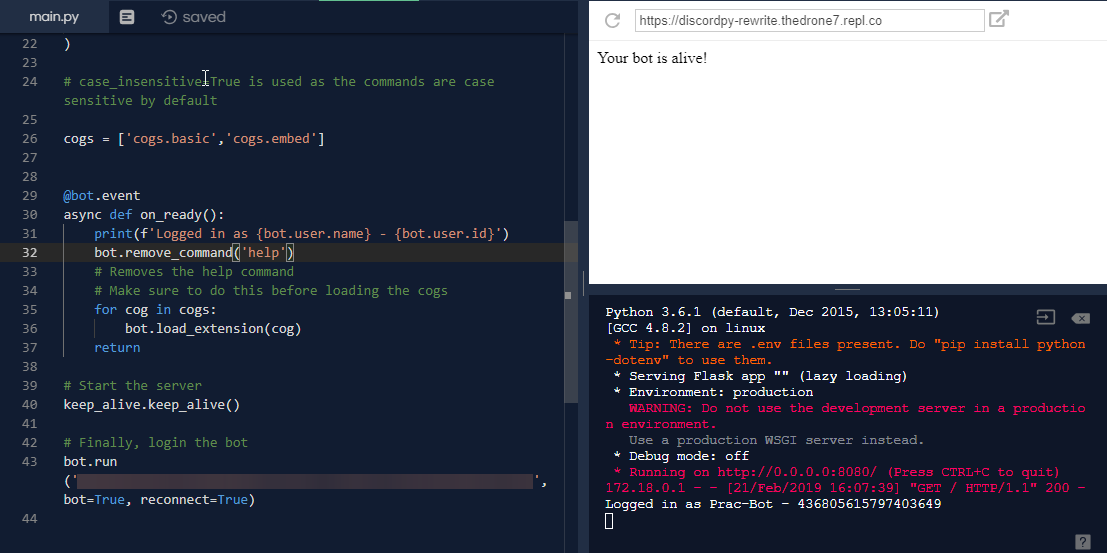
repl.it
Hosting discord.py bots on repl.it This tutorial shows you how you can host your discord.py bots on repl.it . For Node.js see this tutorial . Before you start, you should already have a working bot. Also, this really doesn't matter if you're using discord.py async or ...
rare coral
Where would you suggest? Free or very cheap ideally :')
mossy vine
you can get a vps for very cheap
rare coral
VPS?
modest maple
@wicked jasper
mossy vine
virtual private server
 wicked jasper
yup
modest maple
all you need is you client/bot object
mossy vine
and set your bot up
 orchid raft
modest maple
orchid raft
modest maple
it has a list of all the guilds in it
you just do use len() on client/bot.guilds to get the count
wicked jasper
where do i find it
modest maple
len() is just the inbuilt for counting how many things are in a iterable object
wicked jasper
instead of that : async def status_task(): while True: await client.change_presence(activity=discord.Game("créer par choucouPEEK!")) await asyncio.sleep(10) await client.change_presence(activity=discord.Game("*aide")) await asyncio.sleep(10)?
wicked jasper
oh what does iterable means
 quartz cosmos
hm-
modest maple
somthing like a list or a string etc...
wicked jasper
Ah ok
modest maple
something that can be Iterated over (looped over)
wicked jasper
so I add it at the end
modest maple
well in your string
rare coral
@rare coral @mossy vine hosting on repl.it is fine if you know how to do it - and that particular tutorial is very good. if you followed it correctly and are still having problems todd, you should ask on the repl.it discord which i can give you an invite to.
@orchid raft yes please, thanks! Any does anyone have a VPN they particularly recommend?
rare coral
My bad, got it mixed up :')
wicked jasper
async def status_task():
while True:
await client.change_presence(activity=discord.Game(len() client/bot.guilds"serveurs"))
@modest maple
?
something like that
wicked jasper
ah
modest maple
have you learnt any python before this?
mossy vine
did you copy paste it without understanding what theyre actually telling u
wicked jasper
No I learned I made my bot without tutorial
modest maple
yeahhh you're gonna need to learn the basics of python
wicked jasper
But i kinda suck xD
modest maple
starting with learning what a function is
wicked jasper
sorry for disturbing @modest maple
earnest phoenix
my bot is playing music while player is another channel how can i fix it
modest maple
@wicked jasper maybe check out https://www.w3schools.com/python/
wicked jasper
thx a lot mate
earnest phoenix
@modest maple do you code nodejs
modest maple
no
 late hill
so since i updated eris
every now and then a shard disconnects and it'll just spam re-connect disconnect for like 10 times
sudden geyser
like firing the "DIsconnect" event very quickly which spams your console? I've had that.
late hill
yes
sudden geyser
May it have something to do with this https://ptb.discordapp.com/channels/81384788765712384/381871767846780928/695380999063863406
late hill
I've also just been getting tons of timeouts lately
I can't use a link to a message in a channel I'm not in
quartz kindle
spamming reconnect is not normal tho
discord will force you to reconnect every 15min-4hour randomly
but never several times in a row
earnest phoenix
is there anyone can help me
quartz kindle
if it reconnects several times in a row, its either a network issue or a library issue
sudden geyser
with what
earnest phoenix
about my music bot
 digital ibex
hi, i'm trying out canvas and does anyone know why the canvas does not get sent?
        const Canvas = require('canvas');
        const canvas = Canvas.createCanvas(500, 300);
        const background = await Canvas.loadImage(
            'https://media.discordapp.net/attachments/669516930352152597/704334439483965581/unknown.png?width=671&height=286'
        );
        const ctx = canvas.getContext('2d');
        ctx.drawImage(background, 0, 0, canvas.width, canvas.height);

        ctx.font = '20px sans-serif';
        ctx.fillText('Level ', canvas.height / 2.5, canvas.height / 3.5);
        const av = await Canvas.loadImage(message.member.avatarURL);
        ctx.drawImage(av, 30, 30, 30, 30);
        let poo = canvas.toDataURL();
        message.channel.createMessage('hi', { file: poo });
i'm also using eris
earnest phoenix
i can add something to queue while im on another channel than my bot i dont want to how to fix
 trim nexus
spamming reconnect is not normal tho
@quartz kindle some say it's normal some say it's not... all of my bots spam reconnects go figure
digital ibex
i don't get any erros
nocturne grove
const dbl = new DBL(yourDBLTokenHere, { webhookPort: 5000, webhookAuth: 'password' });```
Hey, I don't understand what the value of webhookPort should be. 5000 connected it to my own pc@trim nexus Which lib and how often?
trim nexus
d.js v11 every few seconds
hasty sparrow
Oh thank god, I'm not the only one 😌
Reconnecting every 30s-1m, started some time in early March IIRC
d.js devs suggest moving to v12, but haven't had time to yet
trim nexus
I'm probably going to do that as well at some point but right now it's alright, it's not causing any issues. Just spamming reconnects
mossy vine
wrong server
earnest phoenix
Is it Discord API Abuse to send a message to every server owner?
pale vessel
unless you have 3 guilds
earnest phoenix
TypeError: Cannot read property 'get' of undefined
quartz kindle
@trim nexus my bots rarely spam reconnects so idk
earnest phoenix
what does it mean
modest maple
means u trying pull somthing out of somthing that doesnt exist
earnest phoenix
const serverQueue = message.client.queue.get(message.guild.id);
    if (serverQueue) {
      if(message.member.voice.channel != serverQueue.channel) return message.reply("You must be on the same channel with bot.").catch(console.error);
    }
whats wrong
quartz kindle
if you get "cannot read get of undefined"on message.client.queue.get(), then that means message.client.queue doesnt exist
earnest phoenix
what should i do
quartz kindle
not copy code without understanding what it does
quartz kindle
the thing is that you're trying to use a piece of code that was written specifically to fit in another piece of code
and if you dont understand whats going on, trying to copy it is the wrong thing to do, it will just complicate your life even further
you should try to learn and understand what the code is doing, before copying it
because what you're copying will need to be rewritten/modified to fit the rest of your code
earnest phoenix
ok
quartz kindle
for example
message.client.queue is a line of code created by the person you're copying code from
without properly setting up this line of code first, all other lines of code that use this line will be broken
earnest phoenix
couldnt find about server queue
i can add smth queue while bot is playing on another channel and dont know how to fix it
earnest phoenix
anyone knows if there's an event when someone votes for my bot on top.gg ?
with the dblapi.js
 empty owl
so a person i know just nuked my friend with a bot, deleted all her channels, so is there a way i can restore it, I have the token cause the person exposed it
sudden geyser
There's no "native" way to do it except adding the channels back one by one or fetching audit logs for channel deletes then adding them back one by one (development)
late hill
if it reconnects several times in a row, its either a network issue or a library issue
How would I test the network of my server?
 neat ingot
anyone here host their bot on a contabo.com vps ?? wondering how your ping rates are, and how the service has treated you so far. 🙂
quartz kindle
@late hill i just assume the problem is on discord's side lmao
 copper cradle
yeah
my bot always disconnects from the ws
but like
ig it's a problem on discord's side
modest maple
@neat ingot Its pretty G
Ping is great on the USA VPS' ocassionally steal can get high like 40% but meh
price is good
 idle schooner
i was just thinking, is there a way make my bot execute a python statement and print the result as a discord message ?

pale vessel
y e s
neat ingot
i use an eval function within javascript to execute statements
python likely has an eval function too
neat ingot
np 🙂
@modest maple you happen to know roughly where in us the servers are located? i hear NY based servers get great ping to discord. how long you been using them? had any issues?
modest maple
not rlly had any issues just steal is somtimes high but i mean Spotify is sitting on the 8 Core vps and doing fine
neat ingot
mostly its just over 100 though 😦
what you mean steal is high?
they steal your stuff? wat? lol
earnest phoenix
does anyone know how to setup a public webhook for dblapi.js
modest maple
on shared systems other virtual systems can 'steal' / affect your cpu load
not rlly a massive issue tho
neat ingot
oooohhhh ok i get what you mean, like, other virtual machines hosted on the same vps stealing resources
neat ingot
oh good, they have a nice interface as well?
modest maple
ehh contabo's site is still 2000 style
neat ingot
their main website looks from 1998 lol
modest maple
that site to monitor stuff is just netdata
neat ingot
ahh ok
you have the 600 mb per second8 core ssd vps right? do you ever hit the bandwidth limits of 600mb p/s?
 surreal notch


 spare goblet
 stray wasp
@modest maple I'm confused is this what the whole of spotify is running off?
earnest phoenix
let username = json.username ///working
let quickplay = json.games.quickplay.won ///not working```
im trying to get info from an api, the data is defined as json, but when i use json.username it works, but whenever i use json.games.quickplay.won it wont work
```js
{ username: 'Calvin',
level: 861,
portrait: 'https://d1u1mce87gyfbn.cloudfront.net/game/unlocks/0x0250000000000EF7.png',
games:
{ quickplay: { won: 647, played: undefined },```
this is how its written in the api, can someone help me? amber fractal
what error do you get
earnest phoenix
i mean, its NaN
neat ingot
it looks like it should be valid
earnest phoenix
thats it
 turbid bough
have you tried using JSON.parse?
earnest phoenix
yeah
amber fractal
if json.username works, it's parsed
turbid bough
what happens when you print the whole json obj?
earnest phoenix
someone told me it might be an api problem, but no idea
if i console log the json it works good
neat ingot
it could be that the particular json object your getting from the api just doesnt have any won value ?
earnest phoenix
but i want it in the message that is being sent
it does tho
647
when i console log it its working
games is only a category, i have no idea how to access that and get quickplay (and then the wins)
turbid bough
json.games.quickplay["won"]?
earnest phoenix
ill try
turbid bough
cause it looks like a keyvalue array
 grizzled raven
same thing
neat ingot
lol i dont see why that would work and not the other, theya re the same
amber fractal
That's the same thing in a different notation
earnest phoenix
its still nan
grizzled raven
console.log the object, username ane quickplay.won at the dame time
turbid bough
what does quickplay return?
amber fractal
like console.log() is console["log"]()
grizzled raven
console.log(json, json.quickplay, json.quickplay.won)
turbid bough
json.games.quickplay*
earnest phoenix
wait what,
when i used json.games.quickplay
it returned
{ won: NaN, played: undefined }
so its about the api?
amber fractal
so it returned NaN?
turbid bough
oh
amber fractal
seems like an api problem
turbid bough
ah if you print the whole thing and it still says NaN, then its the API
cause you still printing out the obj
but the api returns nan
cause their js api
idle schooner
what will test for equality of discord.member and discord.user return in dpy
neat ingot
discord.member.user === discord.user ?
im sure that'd be valid for discord js at least
earnest phoenix
{
    "battletag": "HusseinObama-11715",
    "rank": {
      "damage": {
        "sr": "4021",
        "roleIcon": "https://static.playoverwatch.com/img/pages/career/icon-offense-6267addd52.png",
        "tierIcon": "https://d1u1mce87gyfbn.cloudfront.net/game/rank-icons/rank-GrandmasterTier.png"
      },```
this is how they define the rank damage sr in the api
i tried stats.rank.damage.sr
(node:6054) UnhandledPromiseRejectionWarning: TypeError: Cannot read property 'sr' of undefinedif(command === "overwatch") {
const ow = require('overwatch-stats-api');
let user = args[0]
const stats = await ow.getAllStats(user, 'pc')
let battletag = stats.battletag
let level = stats.level
let rankdamage = stats.rank.damage.sr
console.log(rankdamage)
}```this is my code
idle schooner
member has a attribute user ?
earnest phoenix
hello, how can i make bot to send a message like tihs: user has voted: number of votes: 4
or something like that
sudden geyser
Store the number of votes in a database
then increment it
as for getting votes, you can use webhooks (unless there's a better way to do this)
earnest phoenix
  rank:
   { tank:
      { sr: '4302',
@sudden geyser
this is the stats,
the api said the same thing
wait, you are right
sudden geyser
so there's no damage property but there's tank which is probably not the same thing.
earnest phoenix
there is no damage i see
(overwatch has 3 => tank, support, damage)
as for getting votes, you can use webhooks (unless there's a better way to do this)
@sudden geyser hmmm, i want that
i can see damage is not there for some reason
i will try
well thanks
pale vessel
are you sure that's the same user
earnest phoenix
let mostplayedquickplay = stats.mostPlayed.quickplay```
when i console.log it, its working
when i try to send it as a message, it wont work (cannot send an empty message)
how can i send this as a message?is quickplay a string?
earnest phoenix
i can add smth queue while bot is playing on another channel and dont know how to fix it
warm marsh
Check if the user is in the same voice channel as the bot
earnest phoenix
@neat ingot
{ reaper:
{ time: '45:09:51',
img: 'https://d1u1mce87gyfbn.cloudfront.net/game/heroes/small/0x02E0000000000002.png' },

(most played hero, under there are more)
how do we know if args [2] is not a mention of a channel?
neat ingot
well, thats why, it cannot send a full object as a message. you have to send a string only as a message.
earnest phoenix
how can i do that
i used JSON.stringify but it said its more than 2000
how can i somehow make it shorter?
just get the first object? (reaper + timeplayed)
 summer torrent
how can I rename folder from terminal (centos)
amber fractal
mv /source/directory /target/directory you can just move it in place with a new name
mv /home/user/temp /home/user/directory
summer torrent
ty
earnest phoenix
i used JSON.stringify but it said its more than 2000
@earnest phoenix
summer torrent
slice it
earnest phoenix
yeah im trying to get the name
im doing it rn
how can i slice only the name tho?
because i tried putting [0] but it only gave {
and i tried 1 and 2 (2 gave me the first LETTER)
copper cradle
ofc
a string is actually an array of characters
if you do this "test"[0] the output will be t
earnest phoenix
yeah but i mean
how can the output be the full name
copper cradle
you must convert the array of characters into an array of words
so if you have something likr
earnest phoenix
how
earnest phoenix
let mostplayedquickplay = JSON.stringify(mostplayedquickplayobject).split('')[0]```?
copper cradle
 earnest phoenix
i tried
and it said 2000
copper cradle
wait
earnest phoenix
wait no
the 0 was {
and 1 was 2000
copper cradle
what are you trying to do
copper cradle
what is mostplayedquickplayobject
you do realize that you don't need to convert it into a string right
earnest phoenix
oh
copper cradle
send mostplayedquickplayobject
copper cradle
you just have to get the name property out of it
earnest phoenix
this is what i got now
earnest phoenix
{ reaper:
   { time: '45:09:51',
     img: 'https://d1u1mce87gyfbn.cloudfront.net/game/heroes/small/0x02E0000000000002.png' },
  pharah:
it keeps on going
i want reaper tho (most played character)
copper cradle
I need the entire thing
neat ingot
wait
earnest phoenix
what
copper cradle
if the object is something like this
neat ingot
so all your wanting is the first thing in the obejct 'reaper:'?
neat ingot
you dont need any of the data or such?
earnest phoenix
the most played one
neat ingot
ok, try this
neat ingot
Object.keys(stats.mostPlayed.quickplay)[0]
copper cradle
why were you converting the obj into a string on the first place
and then slicing it
copper cradle
lol
neat ingot
#nubsBnubin
copper cradle
lol
earnest phoenix
#nubsBnubin
@neat ingot ?
neat ingot
its important to understand how an object in javascript works
copper cradle
yeah
earnest phoenix
now i know how to get it lmao
i remember doing it before but forgot
neat ingot
objects store things in what is basically a key value pair
in this case, 'reaper:' is a key
copper cradle
turning the obj into a string and then slicing it is very inefficient
neat ingot
which might not always be available, based on the object returned by your api
earnest phoenix
(well this api is good, i tested like 5)
neat ingot
using Object.keys() will make an array of all the keys in the object given
neat ingot
yeap
earnest phoenix
tysm
 prisma prairie
hi
neat ingot
const keys = Object.keys(stats.mostPlayed.quickplay);
const type_of_char = keys[0];
const char_img = stats.mostPlayed.quickplay[type_of_char].img;
ok so
you get the key
and then type of char is the key 0 (reaper)
and char_img is the img of it
correct?
neat ingot
char_img gets a property of the object using the key[0], which in this case is the type of char yes
earnest phoenix
cant i use
let mostplayedquickplay = Object.keys(stats.mostPlayed.quickplay)[0]
let mostplayedquickplaytime = mostplayedquickplay.time```@neat ingot
?
Hi, i have a problem with command handler, the commands don't work, is it wrong?
util = require("util");
readdir = util.promisify(fs.readdir);
const init = async () => {

  let directories = await readdir("./commands/");
  bot.logger.log(`Loading a total of ${directories.length} categories.`, "log");
  directories.forEach(async (dir) => {
      let commands = await readdir("./commands/"+dir+"/");
      commands.filter((cmd) => cmd.split(".").pop() === "js").forEach((cmd) => {
          const response = bot.loadCommand("./commands/"+dir, cmd);
          if(response){
              bot.logger.log(response, "error");
          }
      });
  });
}
 outer niche
I cannot install the Discord bot list module for some reason by doing pip install dbl any ideas
neat ingot
no, because your 'mostplayedquickplay' variable is storing the key, which is 'reaper', which is a string, which does not have a property named 'time' available
let quickplay = stats.mostPlayed.quickplay;
let mostplayedquickplay = Object.keys(quickplay)[0]
let mostplayedquickplaytime = quickplay[mostplayedquickplay].time```would be the correct solution
 hollow badge
Sorry but somebody can help me about the bot ?
neat ingot
*assuming that the actual quickplay object has the time property available
quartz kindle
@earnest phoenix you create a function called init
functions dont run by themselves, you need to execute them
const init = async () => {...}
init()```oh, ty
earnest phoenix
if i use this i delete const init = async () => {...} ?
quartz kindle
yes, you dont need to assign it to a variable if you're only running it once
modest maple
@outer niche pip install dblpy
earnest phoenix
@quartz kindle It still didn't work 🤔
outer niche
Oo ok
earnest phoenix
None of the commands work
quartz kindle
show full code
earnest phoenix
here or in dm ?
quartz kindle
here
earnest phoenix
const botconfig = require("./botconfig.json");
const Discord = require("discord.js");
const fs = require("fs");
let coins = require("./coins.json");
const bot = new Discord.Client({disableEveryone: true});
const prefix = botconfig.prefix
let xp = require("./xp.json");
bot.commands = new Discord.Collection();
let cooldown = new Set();
let cdseconds = 5;


util = require("util"),
readdir = util.promisify(fs.readdir)

(async () => {

  let directories = await readdir("./commands/");
  bot.logger.log(`Loading a total of ${directories.length} categories.`, "log");
  directories.forEach(async (dir) => {
      let commands = await readdir("./commands/"+dir+"/");
      commands.filter((cmd) => cmd.split(".").pop() === "js").forEach((cmd) => {
          const response = bot.loadCommand("./commands/"+dir, cmd);
          if(response){
              bot.logger.log(response, "error");
          }
      });
  });
})()
you removed the self-executing part
mossy vine
you should also call the function
earnest phoenix
oh 😅
quartz kindle
neat ingot
lol
quartz kindle
that little () is what makes it execute
earnest phoenix
(node:2660) UnhandledPromiseRejectionWarning: TypeError [ERR_INVALID_ARG_TYPE]: The "path" argument must be one of type string, Buffer, or URL. Received type function
neat ingot
haa
earnest phoenix
(async () => {

  let directories = await readdir("./commands/");
  bot.logger.log(`Loading a total of ${directories.length} categories.`, "log");
  directories.forEach(async (dir) => {
      let commands = await readdir("./commands/"+dir+"/");
      commands.filter((cmd) => cmd.split(".").pop() === "js").forEach((cmd) => {
          const response = bot.loadCommand("./commands/"+dir, cmd);
          if(response){
              bot.logger.log(response, "error");
          }
      });
  });
})()
``` Error is at first line here