#development
1 messages · Page 871 of 1
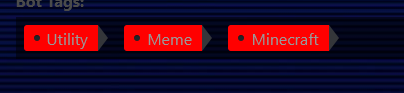
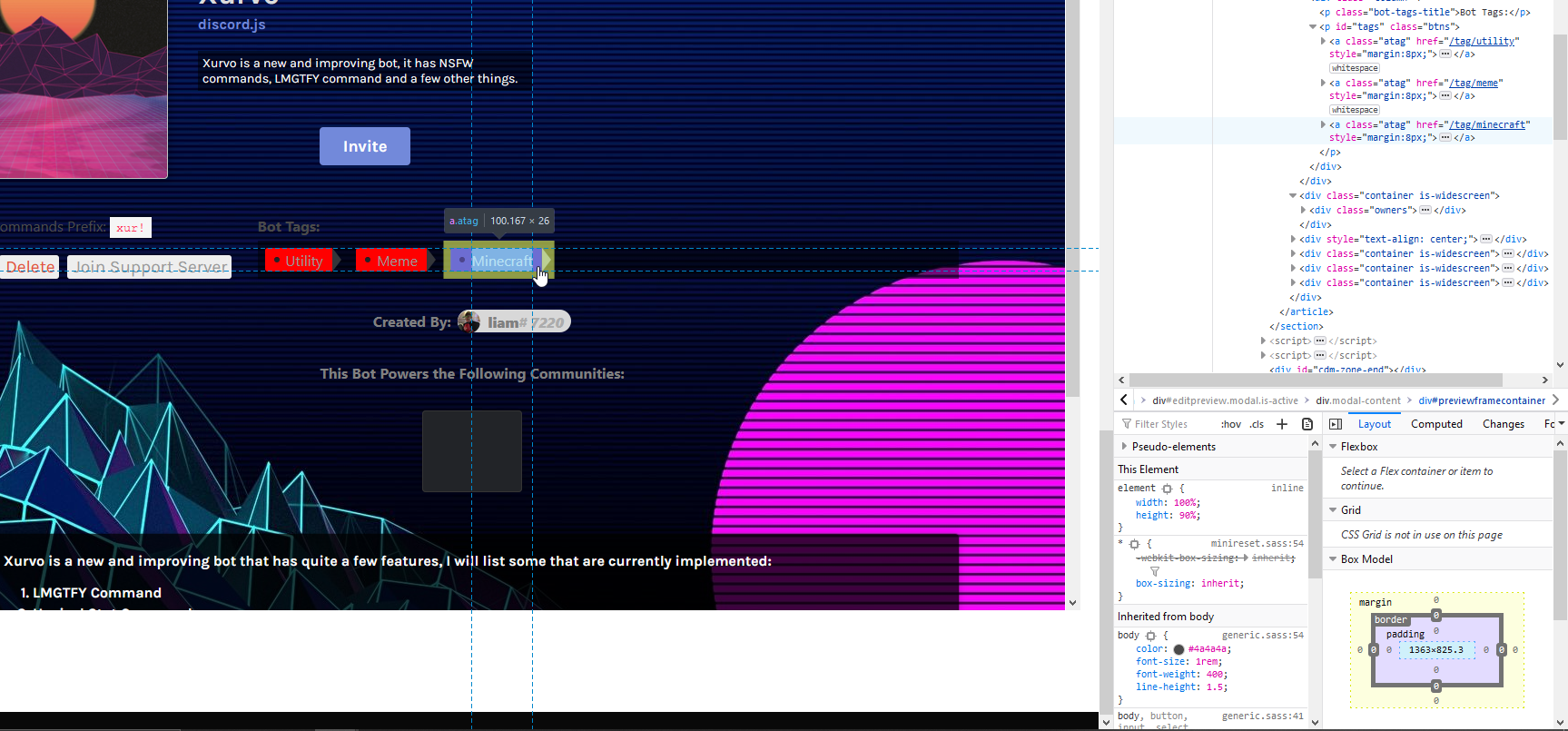
 calm shore
U mean
the tip?
.atag::after {
That
ey the css part of ur inspect is ur friend

 earnest phoenix
Not done CSS in around 2 years, haha.
calm shore
lol u literally just copy whats in the styles
click on ur class
and then it tells u what its supposed to look like in css

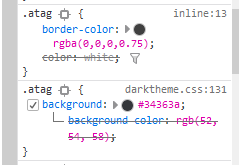

 echo rampart
My brain hurts lookin at dis
calm shore
lol
 calm shore
nope
earnest phoenix
That's just sad

 ember atlas
Yes, as long as you are not modifying the report buttons and buttons like that it's fine. This is also not the channel for it, feel free to ask further questions about the list in #general, @earnest phoenix.
 wide ridge
anyone else getting UnhandledPromiseRejectionWarning: AbortError: The user aborted a request. issues?
wide ridge
api issues I see
 high bough
This is bannable @neat harness
 neat harness
No comment --
high bough
It's called "abuse of power"
 icy crane
wut
earnest phoenix
[Visible CONFUSION]
 harsh lotus
Hello, do you know how to make the message sent by my bot have predetermined reactions?
In Visual Studio Code
And Discord.js
?
earnest phoenix
message.channel.send("test").then(msg => {
    msg.react("✅");
    msg.react("❌");
});
Oh thacks my friend
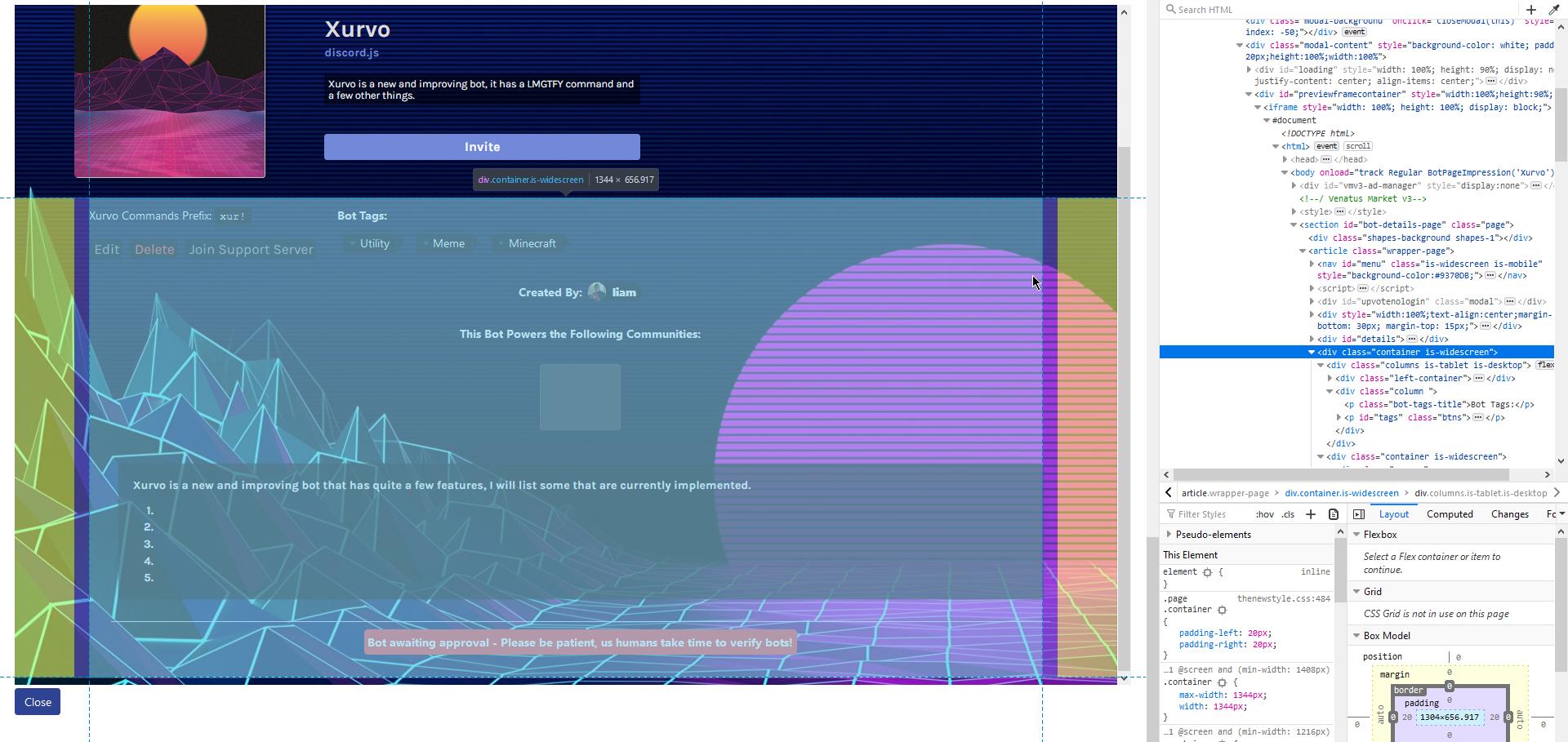 icy crane
@pine widget those commands go in #commands or #265156322012561408
ok or delete the message lol
 pine widget
Ohhh okay,sorry
 fresh kestrel
I need some help with trying to make a music bot but i always getting this error after installing FFMPEG and Restarting my System
Error: FFMPEG not found
ffmpeg is literally drag and drop there's nothing to install except on linux
 copper cradle
who are we roasting today
fresh kestrel
i run and still the same error
npm install ffmpeg
that's not
earnest phoenix
jesus christ
copper cradle
uh
copper cradle
that's not how you install ffmpeg
fresh kestrel
bruh
earnest phoenix
icy crane
you have to download
yeah
there
ty
Heres a pretty good video if you are still confused
copper cradle
no
icy crane

How to Install FFmpeg on Windows 10 Easy and Fast.
In this video we install FFmpeg on Windows 10 first we download and extract a static build of FFmpeg we then add our downloaded FFmpeg build to our system path so we are able to run it from any directory on our Windows 10 syst...
copper cradle
this is easier https://www.wikihow.com/Install-FFmpeg-on-Windows
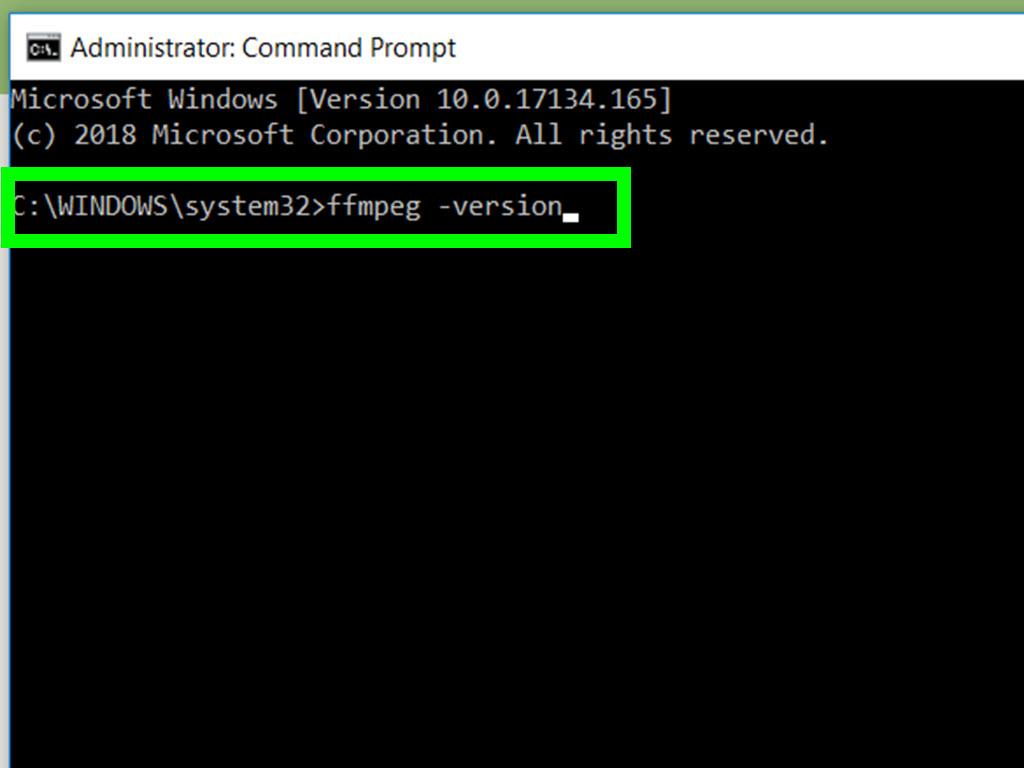
wikiHow
This wikiHow teaches you how to install FFmpeg onto your Windows 10 computer. FFmpeg is a command line-only program that allows you to convert videos and audio into different formats, as well as record live audio and video. Open the FFmpeg...
I don't know if they're on windows tho
icy crane
o rite
fresh kestrel
thanks
earnest phoenix
why the fuck do you need a tutorial to download an exe file and drop it into your folder
icy crane
cause people need that sometimes
earnest phoenix
we need a brain cell kill count here
icy crane
lmao
copper cradle
we must make it
icy crane
at least one of my brain cells just died
 sour spade
Chill
 queen needle
client.on("message", message => {
  let args = message.content.substring(PREFIX.length).split(" ");
  switch (args[0]) {
    case "pat":

      let pat = [
'https://gph.is/16uD0uM', 'https://gph.is/16uD0uM', 'https://gph.is/28LZXVY', 'https://gph.is/29jux8N', 'https://media.giphy.com/media/109ltuoSQT212w/giphy.gif', 'https://media.giphy.com/media/REwolzD4SjNvO/giphy.gif'
];
   let random = pat[Math.floor(Math.random() * pat.length)];
     if (message.mentions.users.first().id === message.author.id){
return message.channel.send("I'm sorry you can't pat yourself");
}

      let patEmbed = new Discord.MessageEmbed()
.setColor('#aec6cf')
.setTitle("**PATTING...**")
.setAuthor(`${message.author.username} pats ${message.mentions.users.first().username}!`)
.setImage(random)
.setFooter(`Requested by ${message.author.tag}`, message.author.displayAvatarURL({
dynamic: true,
size: 1024,
format: 'png'
}))
.setTimestamp()

message.channel.send(patEmbed);


      break;
  }
});
it doesnt send the patEmbed message
 indigo folio
i assume in your code its client.on and not lient.on right?
queen needle
yeah just a error copying
indigo folio
is it returning an error?
 zinc condor
hey so right now i have a system which checks if the guild is found on the database per message and if not it will always reply with "Please re-invite this bot!"
but what if someone creates a bot which quickly invites and kicks the bot
it might create two
because before i had a system which would check each message and then create it if not
but more than one message was sent and two rows were created with the same info
its using Discord.NET but this should apply to any kind of bot
queen needle
no
 finite bough
@zinc condor what db are u using
indigo folio
@queen needle try adding console.log('test') right after the case "pat": to see if the command is even being run
queen needle
ok
indigo folio
alternatively try running the pat command on yourself to see if you get the can't pat yourself response
queen needle
i do
queen needle
it says i cant pat myself
finite bough
set interval of 10-50 min checking if there is a db for each server and no server is repeated
using ready event
zinc condor
thats not the issue
finite bough
checking for a db with each msg is a bad idea
queen needle
but it doesnt pat other people
finite bough
atleast make it bot cmds only
zinc condor
no i need to check db with each message because of the level system
and configurable prefixes
queen needle
plus the command works on my other bot
finite bough
yea just use set interval
indigo folio
with the exact same code?
queen needle
yes
earnest phoenix
make your database thread safe
use SemaphoreSlim if you're in an async context, if not use lock
zinc condor
anyway my issue here isnt that, my issue is how am i supposed to make sure that im not having two of the exact same rows in the database
earnest phoenix
your solution is the message above
zinc condor
i check on join to see if there is already data but someone can make a bot which kicks and rejoins the bot before the first query completed
ah
thanks ill look into that
high bough
Umm, how to get my bot to make a server invite and dm it to me?
earnest phoenix
Why i have this error:
(node:7712) DeprecationWarning: Guild#createChannel: Create channels with an options object instead of separate parameters
Code:
let variable_categorie = message.guild.channels
.filter(channel => channel.type === "category")
.find(cate => cate.name === "⭐ Stats du serveur");
if (variable_categorie)return message.channel.send("** Votre serveur à déjà été setup. Si cela est une erreur, supprimez la catégorie correspondante nommée `⭐ Stats du serveur`.**");
if (!variable_categorie) {
let server = message.guild;
let category = await server.createChannel(
"⭐ Stats du serveur",
"category"
);
await category.overwritePermissions(message.guild.id, {
CONNECT: false,
VIEW_CHANNEL: true
});
let userchannel = await message.guild.createChannel(
`👤 Utilisateurs : ${message.guild.memberCount -
message.guild.members.filter(m => m.user.bot).size}`,
"voice"
);
await userchannel.setParent(category.id);
await userchannel.overwritePermissions(message.guild.id, {
CONNECT: false
});```@earnest phoenix are you in v12?
icy crane
Ah, 1 sec
earnest phoenix
ok
icy crane
You need to follow this format https://discord.js.org/#/docs/main/11.5.1/class/Guild?scrollTo=createChannel

Discord.js is a powerful node.js module that allows you to interact with the Discord API very easily. It takes a much more object-oriented approach than most other JS Discord libraries, making your bot's code significantly tidier and easier to comprehend.
 neat mulch
finite bough
neat mulch
finite bough
editing the message when the message.author reacts with a certain emoji
 summer torrent
which library do you use @neat mulch
guide for discord.js https://tonybo981.gitbook.io/reaction-help-guide/

A guide on making your very own "reaction help menu" in discord.js!
summer torrent
which library
 wheat jolt
and what version
GuildMember#roles.cache for user roles
and GuildMember#roles.highest for highest role
for d.js v12
 trim nexus
check the libs documentation, you'll find it
high bough
Now, I'm sorry for asking so much, how exactly do i use APIs, like POST and GET? I read the docs, it didn't help me.
 pale vessel
you need to use a module to make a request
high bough
discord.js v.12.1.1 node 14.x
you need to use a module to make a request
@pale vessel How? As in the code
pale vessel
you can use something like node-fetch
earnest phoenix
Discord.js or node doesn't have a GET or POST function in them @high bough
pale vessel
node-fetch is awesome
earnest phoenix
Yup
high bough
So, what do i do?
earnest phoenix
npm install node-fetch
pale vessel
discord.js v12 uses node-fetch
high bough
And then?
pale vessel
read the docs
 surreal notch
How undo in andoid glitch
pale vessel
 surreal notch
By mistake I deleted all codes
earnest phoenix
OOF
pale vessel
an example of a post request using node-fetchjs fetch('https://httpbin.org/post', { method: 'POST', body: 'a=1' }) .then(res => res.json()) // expecting a json response .then(json => console.log(json));
high bough
By mistake I deleted all codes
@surreal notch You can't.
 earnest phoenix
your first mistake was using glitch and mobile in the first place
pale vessel
true
surreal notch
Lol
pale vessel
wtf
earnest phoenix
@surreal notch at least if you're gonna code in mobile use Termux instead
 earnest phoenix
GG
earnest phoenix
Lol that's a nice save
surreal notch

high bough
I'm pretty sure Glitch sucks, so I moved over to GCP, they're both free (sort of).
 balmy knoll
client.user.setStatus('dnd'); // dnd, idle, online, invisible
Wht doesn't this cose set the "dnd" status to the bot?
high bough
Use setActivity instead
earnest phoenix
@high bough that's not the status
high bough
wait...
pale vessel
setStatus should work
high bough
Oh, yeah, you're right
earnest phoenix
@balmy knoll it will set it but it takes 5 minutes or so because the
setStatus is the most drunk thing ever
high bough
client.user.setStatus("dnd")
earnest phoenix
i love this
balmy knoll
Despite using setStatus, the bot's status is always online
balmy knoll
client.on("ready", () => {
  console.log(`Hi, ${client.user.username} is now online and it's detecting new connections to the Main Channel.`);
  client.user.setStatus("dnd"); // dnd, idle, online, invisible
  client.user.setActivity('Test');
});
@balmy knoll better to place the setStatus on the bot's ready event
Oh
@balmy knoll that's correct but gotta wait 5 minutes or more
earnest phoenix
you can try to use setPresence as it allows you to send activity and status in one request
balmy knoll
The bot has been online for about 20 minutes and I have restarted it about a dozen times
earnest phoenix
Discord.js is a powerful node.js module that allows you to interact with the Discord API very easily. It takes a much more object-oriented approach than most other JS Discord libraries, making your bot's code significantly tidier and easier to comprehend.
(I have never seen a function more drunk than the setStatus() ngl)
earnest phoenix
(`${answer}`)
surreal notch
Okok
 mossy vine
wait why not just do answer then lul
earnest phoenix
True
earnest phoenix
Please be careful when sharing code
surreal notch
😕
earnest phoenix
Don't show your token
surreal notch
Ohh
earnest phoenix
I know it wasnt the full token but please DO NOT show it ever
summer torrent
using glitch from phone is bad idea
summer torrent
¯_(ツ)_/¯
finite bough
after 50 people hack it
 slender thistle
And people can abuse it while they regenerate it
earnest phoenix
200IQ
surreal notch
🤪
slender thistle
And that's why the screenshot was deleted
surreal notch
I got my errror
earnest phoenix
Hmm
@surreal notch and when you said
"By mistake i deleted all code" is like saying "I deleted system 32 by mistake..."
Lmao
surreal notch
🤨
🤯
I made a command
But maybe there a random no. To be came
Not like that
 charred jetty
How to create voice channel with highest bitrate.
 twilit rapids
Have a server with 30+ boosts
Then to go channel settings and drag the slider for bitrate all the way to 384KPBS
charred jetty
No.. I meant using bot
twilit rapids
What lib?
charred jetty
Js
twilit rapids
<VoiceChanne>.setBitrate(your number)
charred jetty
Ohk
twilit rapids
The number has to be the full bitrate, so for 384KPBS it would be 384000
surreal notch
Could anyone help me
charred jetty
Ok
twilit rapids
What's up?
earnest phoenix
@surreal notch can i see your setDescription () code?
twilit rapids
@charred jetty more info here: https://discord.js.org/#/docs/main/stable/class/VoiceChannel?scrollTo=setBitrate
Discord.js is a powerful node.js module that allows you to interact with the Discord API very easily. It takes a much more object-oriented approach than most other JS Discord libraries, making your bot's code significantly tidier and easier to comprehend.
earnest phoenix
So i can help
surreal notch
Yes
earnest phoenix
Show me
surreal notch
earnest phoenix
You can just do
.setDescription(answer)
@surreal notch
surreal notch
Lemme try
earnest phoenix
K
surreal notch
@earnest phoenixthx
earnest phoenix
Np
surreal notch
It has done
earnest phoenix
Nice
surreal notch
@earnest phoenixfrm which country u are
earnest phoenix
Iran
surreal notch
Nice ;)
earnest phoenix
Very Noice 👍
surreal notch

earnest phoenix
Lol
queen needle
client.on("message", message => {
  if(message.content.startsWith(PREFIX + 'work')){
    let work1 = Math.floor(Math.random()*550 + 250);

    coins[message.author.id] = {
                coins: coins[message.author.id].coins + work1
              };
              fs.writeFile("./coins.json", JSON.stringify(coins), (err) => {
                  if (err) console.error(err);
                });

    message.channel.send('You earned ' + work1 + ' coins')
  }
})```how could i make it so that they can only do the command every 6 hours
or so
 spring dagger
you can use Set() to add users to the cooldown list and setTimeout() to set the cooldown duration
earnest phoenix
@queen needle
Add this on the very top:
let workedRecently = new Set();
And then in the first line of the command code:
return message.channel.send("You can only work every 6 hours...");
}```
Then before the message.channel.send('You earned this many coins'), add:
```workedRecently.add(message.author.id).then(() => {
setTimeout(function(){
workedRecently.delete(message.author.id)
}, 1500000);
});```
@queen needleyeah another command has that for 5 seconds but the problem is if i do any command after it no matter the command it says wait 5 seconds
summer torrent

 cerulean pebble
i have problem
help
my eval command so real token
but i want to make her puclic
earnest phoenix
Check if the args include:
<client>.token()
And if it includes it... Return it to send a message saying:
this is the bot's token so you're not allowed to see it
@cerulean pebble
earnest phoenix
Wdym?
summer torrent
do not make public
 tight plinth
is client.token a function @earnest phoenix
summer torrent
that is dangerous
earnest phoenix
@tight plinth wait it isn't?
tight plinth
its not
earnest phoenix
Hmm
tight plinth
this one works
earnest phoenix
Yup
summer torrent
i have problem
help
my eval command so real token
but i want to make her puclic
@cerulean pebble someone can delete all of your bot's files with eval command
tight plinth
^
earnest phoenix
Yup
 tired cloud

earnest phoenix
Eval is fucking dangerous
summer torrent
https://corynth.xyz/lumap/pAHi4yq0.png
@tight plinth time to bruteforce

 earnest phoenix
[TIME TO REGENERATE]
tight plinth
@summer torrent what if I rengenerate token
summer torrent
¯_(ツ)_/¯
cerulean pebble
tight plinth
too late
earnest phoenix
@cerulean pebble yea it should be client.token
summer torrent
hide what
earnest phoenix
Hide what?
tired cloud
deleting commands/eval.js
cerulean pebble
=))
summer torrent
just don't make that public
earnest phoenix
@cerulean pebble eval can do anything
cerulean pebble
but how can ...
spring dagger
store your token somewhere else and restrict your eval command to owner only
earnest phoenix
Just need to know how they can access your pc files and delete everything
summer torrent
<Output>.replace(client.token, "[TOKEN]")
cerulean pebble
@spring dagger haah vietnamese
Just need to know how they can access your pc files and delete everything
@earnest phoenix show me example
earnest phoenix
@cerulean pebble i can't...
I never did that to someone or myself lmao
tired cloud
you can delete files with eval
summer torrent
rm -rf *
tired cloud
use your imagination
summer torrent
executing with child_process
spring dagger

earnest phoenix
@cerulean pebble you can read an article made by someone in GitHub that shows you about how dangerous the eval command is...
trim nexus
pls don't tell ppl to run that command
spring dagger

GitHub
The basic new coder friendly "idiot's guide", Created by Hindsight#2020 and maintained by the community. - AnIdiotsGuide/discordjs-bot-guide
high bough
I'm resetting my token now fk
summer torrent
@high bough your token already resetted
earnest phoenix
Lol
high bough
I'm resetting my resetted token
earnest phoenix
300IQ
trim nexus
big brain move
earnest phoenix
MIND-BLOWING
spring dagger
lmao
high bough
lmao
high bough
lol
high bough
summer torrent

high bough
time to add this
@cerulean pebble This is an example of what i told you earlier
cerulean pebble
lol
earnest phoenix
@high bough how many guilds is your bot on?
earnest phoenix
Oh lol... I thought it was like 400 or something
Mine is in 28... But waiting to achieve that legendary 75 guilds
high bough
If it's that much, I'll be somethin like a certified developer?
high bough
Discord Verified bruh
earnest phoenix
To be certified your bot needs to be a unique bot that is like one of it's kind
high bough
It's way easier
cerulean pebble
@earnest phoenix i waiting 7 days
and discord not responce
lol why luca not vertifed ?
 golden condor
@cerulean pebble 5 business days
high bough
Bcz it doesn't have that much servers?
earnest phoenix
Waiting for discord bot Verification? @cerulean pebble
golden condor
Luca isn't in 75+ servers?
earnest phoenix
No
 gilded plankBOT


Bot info
ID
264811613708746752
Username
Luca
Discriminator
1375
Short Description
Luca is a bot for managing and informing members of the server
Library
discord.js
Prefix
- or @Luca#1375
Total Upvotes
265
Monthly Upvotes
4
Server Count
2 Servers
Owner(s)
@fossil oxide 

@languid dragon 
@bitter sundial
Links
Invite | Website | GitHub | Support Server
earnest phoenix
It's in only 15 or 2 guilds
earnest phoenix
Lol
cerulean pebble
-botinfo 422087909634736160
gilded plankBOT


Bot info
ID
422087909634736160
Username
Discord Server List
Discriminator
8005
Short Description
The official Discord bot for the Discord Server List!
Library
discord.js
Prefix
N/A
Total Upvotes
1567
Monthly Upvotes
38
Server Count
No server count
Owner(s)
@fossil oxide
@languid dragon
@bitter sundial
Links
cerulean pebble
-botinfo @frank torrent
gilded plankBOT


Bot info
ID
657215950420049941
Username
Corona-chan
Discriminator
5095
Short Description
It's corona virus but in anime version and make by cute loli girl with love
Library
discord.js
Prefix
!hps
Total Upvotes
286
Monthly Upvotes
101
Server Count
1633 Servers
Owner(s)
@crystal furnace
@cerulean pebble
Links
earnest phoenix
[This channel turned into #commands or #265156322012561408 ]
high bough
Ok, my bot is rebooted with the new token
earnest phoenix
@cerulean pebble if your bot is in 1000+ guilds you should use shards
cerulean pebble
not need
earnest phoenix

golden condor
exports.run = async(client, guild) => {
    console.log(
        `New guild joined: ${guild.name} (id: ${guild.id}). This guild has ${guild.memberCount} members!`
      );
      let value = 0;
      await client.guilds.cache.forEach(g => value += g.memberCount)
      client.user.setPresence({ activity: { name: `c!help | ${client.guilds.cache.size} servers | ${value.toLocaleString()} users` }, status: 'dnd' })
      const cnl = client.channels.cache.get("672484520175599636");
      const embed = new Discord.MessageEmbed()
        .setAuthor(`New Server Joined!`)
        .addField("Server name ", `${guild.name}`)
        .addField(`Member Count`, `${guild.memberCount}`)
        .addField(`Server ID`, `${guild.id}`)
        .setThumbnail(guild.iconURL())
        .setColor("#00aaff");

      cnl.send({ embed });
}``` For some reason this code doesn't work for new serversIt shows console.log
and updates status
But doesn't send the message
high bough
[This channel turned into #commands or #265156322012561408 ]
@earnest phoenix Very mmuch
earnest phoenix
Hmm
golden condor
I dunno why it doesn't send anything
earnest phoenix
Someone would have a code for the bot to send a message in private message
golden condor
i really don't care
cerulean pebble
=)))
golden condor
It just means you are a brain-dead developer who can't figure out such simple shit for yourself
cerulean pebble
It just means you are a brain-dead developer who can't figure out such simple shit for yourself
@golden condor no just a idea bro calm down
golden condor
who has to copy paste
earnest phoenix
@earnest phoenix like a dm?
cerulean pebble
sad
ember atlas
Cxllm, be nice. Shiro, dont spoonfeed.
cerulean pebble
=)))
golden condor
and using it to spoonfeed himself
cerulean pebble
*she 🙂
golden condor
I asked for help on the code
ember atlas
From my POV they were gonna fix it for you.
golden condor
No
ember atlas
Aka spoon feeding.
cerulean pebble
=))
golden condor
She said she was gonna take the code and use it for herself and make it work for her
I think I'll just use a webhook
earnest phoenix
Spoon-feeding is better than confusing the person you're trying to help even more
slender thistle
In fact, it's not
earnest phoenix
that's true
ember atlas
@golden condor any errors in the console?
slender thistle
You almost never learn by being spoonfed.
ember atlas
Ok, I haven’t played much with djs v12
golden condor
I'll add to a test server hold on
earnest phoenix
yeah
ember atlas
But it looks correct to me
golden condor
I am dumb
earnest phoenix
@earnest phoenix I want my bot to send a DM message from all users
golden condor
I didn't define discord
earnest phoenix
@earnest phoenix that's API abuse and not allowed
slender thistle
Why do you want to send a DM to all users?
cerulean pebble
for promoting
 robust moth
How can I write better?
loader.forEach(handler => {
    require(`./util/${handler}`)(client);
});```@earnest phoenix
thx
Yea?
Np
how do you change the way your text looks in discord?
golden condor
You mean showing code?
earnest phoenix
like how @robust moth did
golden condor
With this
slender thistle
That's Markdown, I suggest you Google itup
golden condor
```
earnest phoenix
+ Like this```Error: Erorr```hmm
golden condor
How you colour it?
earnest phoenix
"""ok"""
golden condor
Not those
earnest phoenix
i dont get it yet
golden condor
hi```console.log('test')
+ hello```You can do red
golden condor
Ok let;s not get off topic here now
robust moth
@earnest phoenix How to write short
spring dagger
basically you put a programming language after the first ```
earnest phoenix
ok
cerulean pebble
your guys right eval so dangerous
i do in my dev bot
but the exectue is my main bot
 modest maple
well that seems a lil retarded
cerulean pebble
i delete her
cerulean pebble
even i do not turn on corona chan
or delay
deloy
but still show on corona chan
@earnest phoenix why
earnest phoenix
Hmm uhh?
 pallid marsh
hey um sometimes when i play music on my bot the music just randomly stopping nearly the end of the song...
my code is: ```
let dispatcher = connection.play(ytdl(link, {filter: 'audioonly',quality: 'highestaudio', highWaterMark: 600}),{ volume: 0.5, passes: 3 });
What
cerulean pebble
What
@slender thistle my dev bot and my main bot use same DBI token for some reason ( if you want i can explain later )
and when i do command eval in my dev bot
the work bot is my main bot
cerulean pebble
@slender thistle no i use same token to test something
but when i use command eval in bot a
it show result on bot b
it's make me confuse 1 hour
slender thistle

cerulean pebble
i just want to ask
how it possble
like you use command on tatsu
but mee6 is reponse
@slender thistle 😦
slender thistle
Same prefix?
 royal tree
How I can define user, I want to put here the user who send the command
cerulean pebble
@royal tree tag them
summer torrent
which library do you use
cerulean pebble
which library do you use
@summer torrent look forward
i have a strange problem with eval
earnest phoenix
Wait... Bot.user.tag is correct tho
summer torrent
what do you want to do @cerulean pebble
cerulean pebble
@summer torrent i want to understand
summer torrent
@royal tree and you
finite bough
any errors in bot A
earnest phoenix
@royal tree also change the second one to
bot.user.displayAvatarURL()
cerulean pebble
for my testing
royal tree
I want when someone use a command to show who used the command
summer torrent
message.author.tag
earnest phoenix
Yup
royal tree
message.author.tag
@summer torrent message is not defined
cerulean pebble
i pm my friend he not trust me
finite bough
message.author.tag or message.author.username + '#' + message.author.discriminator
earnest phoenix
@royal tree uhh...
summer torrent
@royal tree show full code
cerulean pebble
no one care me
spring dagger
yeah message.author.tag is the right one
finite bough
@cerulean pebble please show the error
cerulean pebble
i show
summer torrent
msg
cerulean pebble
the error is
i do command in bot a
but bot b is respone
not bot a
that's why i fucking myself in 70 mins
summer torrent
@royal tree and first learn js basics pls
earnest phoenix
@royal tree what version of discord.js are you using?
cerulean pebble
to understand what happen
tight plinth
how to set bot's game in eris
summer torrent
that is msg.author.tag
finite bough
you have maybe confused the prefixes
summer torrent
@tight plinth read the docs
cerulean pebble
@finite bough NO
tight plinth
I tried
cerulean pebble
the bot a prefix is !
spring dagger

cerulean pebble
the bot b is !hps
why i do eval command on corona chan dev test
but i show on main corona chan
earnest phoenix
@cerulean pebble are both of your bots in the same folder?
summer torrent
Eris, a NodeJS Discord library
cerulean pebble
same destop
tight plinth
thx
cerulean pebble
30 mins
royal tree
thx @summer torrent
cerulean pebble
i am study a little
finite bough
ok
earnest phoenix
I have a coins system, I tried to add a lot of coins and now when I use the remove all coins command it will only remove 1
tight plinth
I have troubles dming someone with eris. I tried using bot.createMessage(msg.author.getDMChannel().id, "test") but it doesnt work

 summer torrent
maybe msg.author.id ?
cerulean pebble
reee


 cerulean pebble
no one help me =))
earnest phoenix
I have a coins system, I tried to add a lot of coins and now when I use the remove all coins command it will only remove 1
earnest phoenix
explain the problem
cerulean pebble
@earnest phoenix like you post on facebook but it show on twitter
cerulean pebble
lol
 placid vault
slender thistle
placid vault
slender thistle
wait what
Why are you getting the role from guild and then checking if it's in guild?
placid vault
ah
 dark oak
hi
high bough
Guys how to cache all the users of my bot quickly?
Or to find out how many of them quickly?
Help?!?!
@tight plinth
i am a first girl make error like that in world
@cerulean pebble Because it starts with your prefix?
!hps starts with !, Maybe that's the issue
Try a different prefix
earnest phoenix
@high bough there is not a quick way to fetch all the uncached members and place them in the cached data
high bough
But how to get the guild member amount
earnest phoenix
await message.guild.members.fetch() is all you can do
earnest phoenix
message.guild.memberCount
high bough
Like 133627 users or somethin
earnest phoenix
Oh like that?
earnest phoenix
You just need to have the await message.guild.members.fetch() in your server info command and use it in many servers your bot is in as possible
high bough
Wuat? How??
If i like have 23 servera
I mean, i can
But if it goes big, imma lazy
earnest phoenix
@high bough you need to only use it on guilds that have a lot of members
earnest phoenix
K
 quartz kindle
you can cache all members via client options
quartz kindle
earnest phoenix
await <client>.users.fetch()?
@quartz kindle
quartz kindle
Client({fetchAllMembers:true})
earnest phoenix
Hmm
high bough
Hmmm...
earnest phoenix
I have a coins system, I tried to add a lot of coins and now when I use the remove all coins command it will only remove 1
high bough
Await client({fetchAllMembers:true}).users.fetch
quartz kindle
no...
its a client option
you put it in your client
where you create your client
quartz kindle
show where you create your client
quartz kindle
yes
high bough
Yes how?
earnest phoenix
@quartz kindle
let bot = new <discordclientName>.Client({fetchAllMembers: true});
?
high bough
Yeah ?
quartz kindle
now if you check the docs, you will see that client supports an options object
quartz kindle
if you go to the docs and click on ClientOptions you will see a list of options that the client supports
high bough
Thanks @quartz kindle
earnest phoenix
I have a coins system, I tried to add a lot of coins and now when I use the remove all coins command it will only remove 1
quartz kindle
one of the options is fetchAllMembers
earnest phoenix
@earnest phoenix using db or json for coin amount storing?
db
Hmm idk about that...
well there are too many coins so it cant remove them all
and im trying to fix that
earnest phoenix
Lol
quartz kindle
@earnest phoenix show code
high bough
And making it multipurpose with message.author.id + "whatever"
earnest phoenix
the coins code or the remove coins code ?
quartz kindle
both
earnest phoenix
alright
Meanwhile here i am using json parse and fs module to store coins and make a economy system... @high bough
high bough
@quartz kindle My CPU usage jumped to 64%, oh God.
earnest phoenix
yeah
earnest phoenix
lmao
high bough
lmao
quartz kindle
well there is a reason it says this
earnest phoenix
Did you take a look at my code?
high bough
Still, 64%?!?!
high bough
Yeah?
quartz kindle
discord will only send 1000 at a time
so your bot is waiting for 130k members 1000 at a time
high bough
Legend that is
earnest phoenix
Um Tim sorry im asking again but did you take a look at my code?
quartz kindle
it will take about 20-30 seconds on average, during that time your cpu will have very high usage
your cpu should go back down when it finishes
earnest phoenix
@quartz kindle i love the smell of BURNING cpus in the morning
quartz kindle
@earnest phoenix looking
earnest phoenix
Lol
high bough
The rest are trash
earnest phoenix
Lol
high bough
enough for 5 years lmao
quartz kindle
their HDDs are still slow af tho
high bough
Yeah, true
earnest phoenix
[but when you open your wallet...
Emptyness enough for 5 years] @high bough
high bough
Yep.
earnest phoenix
Tim why is the quick.db not able to remove that many coins ?
earnest phoenix
Lol
earnest phoenix
@royal portal meanwhile my bot ping is above 20k rn...
 royal portal
lol
quartz kindle
console.log(all,args[1])
 worthy kindle
lol
earnest phoenix
then its not working
quartz kindle
what is too big?
earnest phoenix
the number
quartz kindle
give me an example of "too big"
earnest phoenix
1000000000000000000000000000000000000000000000000000000000000000000000000000000000000000000000000000000000000000000000000000000000000000000000000000000000
quartz kindle
well of course that will not work
earnest phoenix
but why is that
quartz kindle
javascript numbers are represented as double precision floating point numbers
which have a maximum accurate integer representation of 9007199254740991
quartz kindle
any number bigger than that will become inaccurate and be automatically rounded
earnest phoenix
so
i can math.round it?
quartz kindle
you should not allow numbers to ever that get big, unless you use BigInt or a library to handle large numbers
a simple way is to just check if the number is bigger than that, return an error
you can also use Number.MAX_SAFE_INTEGER and Number.isSafeInteger()
earnest phoenix
but i have games where you can play and earn
so after every game it will check for the money of the user and set it to max if its too big ?
quartz kindle
if your games give users that much money that they will regularly hit the limit, you should probably consider lowering your economy as a whole, making everything worth less money
earnest phoenix
if(!Number.isSafeInteger(usercoins)) return coins.set(`${message.guild.id}.${user.id}`, maxnumber)```yes that would work
earnest phoenix
what is the max again?
quartz kindle
you can use Number.MAX_SAFE_INTEGER as the max number
earnest phoenix
oh
it will auto-get the max?
quartz kindle
yes
earnest phoenix
im thinking about setting my own max
like 1 trillion
worthy kindle
Lol
quartz kindle
also an option
earnest phoenix
you can add coins to yourself as an admin, i want the max to be 1t
quartz kindle
if you really want such large numbers, you could use a library that handles large numbers using string composition
worthy kindle
yes..
earnest phoenix
i dont tho
client.on("message", async (message) => {
  if(!Number.isSafeInteger(usercoins)) return coins.set(`${message.guild.id}.${message.author.id}`, 1000000000000)
  if(!Number.isSafeInteger(userxp)) return xp.set(`${message.guild.id}.${message.author.id}`, 1000000000000)
  if(!Number.isSafeInteger(userlevel)) return level.set(`${message.guild.id}.${message.author.id}`, 1000000000000)
})```
I used an event, I think that's the best optionThanks again!
 minor valley
not available
 lime hare
What should I do?
high bough
How to fix (node:22634) UnhandledPromiseRejectionWarning: DiscordAPIError: Invalid Form Body
embed: Embed size exceeds maximumsize of 6000
(node:22634) UnhandledPromiseRejectionWarning: DiscordAPIError: Invalid Form Body
embed: Embed size exceeds maximumsize of 6000
```I was using `)eval message.channel`@high bough it means the embed it was trying to send has reached the max limit of characters as it's 6000
high bough
how to use )eval message.channel then?
earnest phoenix
Don't lol it's not possible
Just
Do
console.log(message.channel) @high bough
high bough
hmm, okay
quartz kindle
@earnest phoenix that makes no sense what the fuck
thats bad in so many levels
@high bough it is possible if you limit the levels of nesting
you can do so using node's util.inspect()
@lime hare you need to post your server count using the top.gg api
 sick apex
Please I trying to fix problem I trying to create server bot config set server bot prefix ....
but I using fs to create .json file it create when I want to read it huffconst sconfig = require(server) server is message.guild.id +".json"
it send me err
Error: Cannot find module '699731423862718636.json'
the json file is in the same folder ehere js file
 lyric mountain
can you import a json file?
sick apex
what did u meen?
lyric mountain
like, does require() work for json files?
sick apex
yes
config.json in that I have bot token and it reding it
config.token
I loggining bot with token from it
sick apex
yes
fs automaticly created it when detected the server options file does not exit
and i check bot file
and that .json file is exit
lyric mountain
what about the file path, is it in the same folder as that js file?
lyric mountain
just a comment, but using one file for each server is far from being optimized
quartz kindle
are you creating the file then trying to require it in the same code?
sick apex
yes
quartz kindle
show code
sick apex
but when I restart bot and file is exist it give me err that same err xD
I'm on stable version 11.0.0
 blazing portal
Just use a DB like SQLite reeeee
sick apex
just try to fix problem xD
blazing portal
the relevant parts
 quasi forge
Can someone help me understand the usage of the state parameter in OAuth?
As for as my current knowledge goes, it is to be generated and stored in client side before redirecting the user to the authorization flow URL and once they're redirected back, it is to be confirmed that the returned state is the same as the stored state.
sick apex
const sconfig = require(server);
const serveroptions = message.guild.id;
  const server = serveroptions + ".json";
fs.readFile(server, "utf-8", function(err, text){
    if(!text){
      let template = `{"prefix": "id.","options":{"returnbot": "true","modules":{"moderation":{"status": "false"},"music":{"status": "false"},"chat":{"status": "false"}}}}`
      fs.writeFile(server, template, (err) => {
        if(err) console.log(err);
      })
    }
  })
fs detect if code exist if not create normal server options
file*
but
quartz kindle
wait
quartz kindle
you are trying to use server before you define it?
sick apex
no
const ds = require("discord.js");
const client = new ds.Client();
const config = require("./config.json");
const fs = require("fs");
client.on("ready", () => {
    console.log("Bot is sturter up");
});
client.on("message", async message =>{
 const serveroptions = message.guild.id;
  const server = serveroptions + ".json";
  fs.readFile(server, "utf-8", function(err, text){
    if(!text){
      let template = `{"prefix": "id.","options":{"returnbot": "true","modules":{"moderation":{"status": "false"},"music":{"status": "false"},"chat":{"status": "false"}}}}`
      fs.writeFile(server, template, (err) => {
        if(err) console.log(err);
      })
    }
  })
  fs.readFile(serveroptions, "utf-8", function(err, text){if(err){console.log(err)}})
    const sconfig = require(server)
    const args = message.content.slice(sconfig.prefix.length).split(' ');
    const command = args.shift().toLowerCase();
    if(command === "setprefix"){
    let prefix = args.join(" ");
      fs.readFile(server, "utf-8", function(err, text){
        let template = text.replace(`"prefix": "${sconfig.prefix}"`, `${prefix}`);
        fs.writeFile(server, template, (err) => {
          if(err){
            console.log(err);
          }
          message.channel.send("prefix zmeneny")
        })
      })
    }

});

client.login(config.token)
all code
xD
quartz kindle
your code makes no sense
sick apex
if fsreadfile text dont exit it meens file with server options dont exit then it create it
and read it as sconfig
but
quartz kindle
youre using fs async functions so your code will not wait for anything you do
sick apex
it dont read it
it doing what i want
it create that file
and setprefix cmd is doing what i wont
but
1 thing is not good
const sconfig = require(server)
this thing creating err
quartz kindle
your code does not wait for the file to be created
sick apex
everything other is doing what i want
quartz kindle
it tries to read the file before its created
sick apex
yes
it do
but
it create file if file does not exit
its simple
and then read it with const sconfig = require(server)
quartz kindle
if the file does not exist, it creates file but reads it before its created
sick apex
please 1 err is here this thing const sconfig = require(server) everything other is doing what i want
quartz kindle
im explaining to you whats happening
quasi forge
If file doesn't exist, it would create the file. But it would try reading before it gets created. Not only that, you're trying to read the file in a wrong way. Unless you specify that you want to require a file from the current directory, it will try to find it as a module instead.
sick apex
uh
tehre no err without const sconfig = require(server)
before I write it to core there is no err
quasi forge
Yes and the error probably is No module named <guild-id>.json found
quartz kindle
what dont you understand? there is no file when you call require(server), because the fs.writeFIle did not finish yet
quartz kindle
it finish AFTER the require
blazing portal

sick apex
nope
quartz kindle
dude...
sick apex
but
quartz kindle
go learn about async functions
blazing portal
@sick apex read up on asynchronous code, then re read what both Tim and Drone told you
quasi forge
@quartz kindle although with that code, I am positive he'd get the error even if he created the file manually before ever running the code.
quartz kindle
i told him to add ./ before the file, he said it would produce the same error lol
quartz kindle
@quasi forge looks correct
quasi forge
Is there anything else it's to be used for?
Like it's of no use after the authorisation right?
sick apex
I try to use some other methode thanks
earnest phoenix
Hello, is anyone here familiar with discord.js? I’m having trouble with a clear command
blazing portal
yes, ask your question
earnest phoenix
Okay so I think there is a syntax or logic error with my code for a clear command. I’m using arguments for it and I think that’s what’s wrong
blazing portal
We need more information on your error/what's happening
earnest phoenix
I’ll send the error message I’m getting in a moment
finite bough
yes do it
earnest phoenix
quasi forge
@earnest phoenix I think your issue probably is that args[1] is probably a string
Try converting it to a number
finite bough
parseInt
quasi forge
Using parseInt() function
earnest phoenix
So it’s only line 34 that’s wrong?
quasi forge
No
earnest phoenix
Or is it 35 that’s wrong?
quasi forge
Line 35
quasi forge
It's quite obvious
quartz kindle
you should also check for NaN
because if args[1] is not a number, parseInt() will return NaN, which will cause the same error again
earnest phoenix
Sorry I’m new to discord.js
quasi forge
Well, that would only happen if the user is trying to mess with the bot but it's nonetheless possible
earnest phoenix
But I’ll try to look up examples of how parseInt is used so I learn about it
And not just blindly copy a template
cerulean pebble
@quartz kindle need sp
quartz kindle
so you will find your answers in places like the mozilla docs, and not in discord.js docs
cerulean pebble
why i use eval command in bot a
but bot b responce
like
i post facebook somthing
pale vessel
quartz kindle
show bot b code
cerulean pebble
hmm the problem is bot a prefix is !
bot b prefix is !hps
but when i do !eval
bot b is responce
quartz kindle
then bot b prefix is not working
cerulean pebble
no
earnest phoenix
I think I understand what parseInt does now. It converts a string into an integer?
quartz kindle
yes