#development
1 messages · Page 813 of 1
 tight plinth

Glitch Support
So im trying to make my discord bot catch everytime someone votes for it in discordbots.org, im using dblapi.js for this (https://discordbots.org/api/docs#jslib) According to the following this thread, I have to add this to my index.js: const http = require('http'); con...
 earnest phoenix
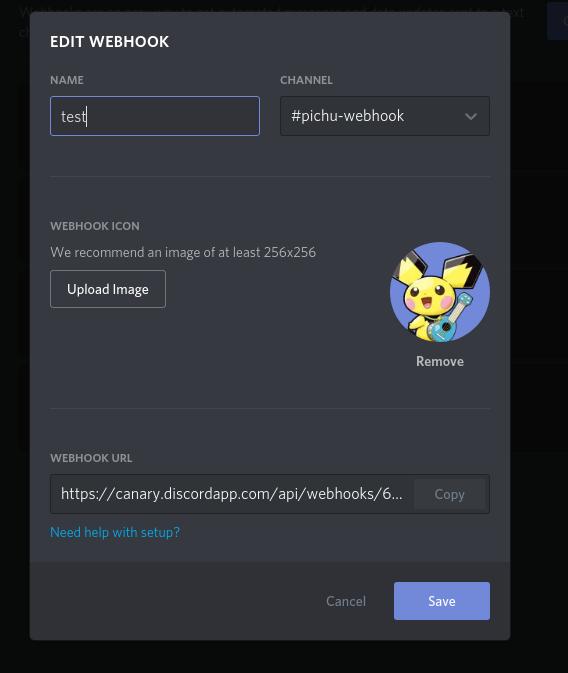
just like create a webhook, copy its url and post
tight plinth
those 3 things are impossible to do for me, I dont know how to do these 3 things
earnest phoenix
Create le webhook and use for example axios and post a message payload to it
done
you successfully sent a message over a webhook
 quartz kindle
@tight plinth in your webhookPort, you should put process.env.PORT
earnest phoenix
quartz kindle
in your webhookPassword, you should put whatever you want
then in your bot's edit page in top.gg
scrolldown to webhooks
in Authorization, you put the password you made
in URL you put your heroku's app URL
ie: MYPROJECT.herokuapp.com/dblwebhook
tight plinth
ok
2020-03-07T21:47:15.729042+00:00 heroku[router]: at=info method=POST path="/dblwebhook" host=myprojectname.herokuapp.com request_id=867c4f0c-7c7c-4f43-b000-0a6634995b8b fwd="165.22.130.154" dyno=web.1 connect=0ms service=42ms status=200 bytes=124 protocol=https
clicked on test button, got this in logs
https://prnt.sc/rd4xiy noiceeeeeeeeeeee

thx u for helpguys
 unique nimbus
the ip 0.0.0.0 doesn't need to be hidden
 lilac wharf
^
earnest phoenix
ok so im trying to make my lyrics command send another embed if the lyrics is over 2048 characters (in embed) how would i do that?
lilac wharf
add a reaction event to the message and continue the lyrics to the next page embed.
 slender thistle
Pagination sounds more reasonable
earnest phoenix
i just want it to send another embed without reactions
lilac wharf
so split it before 2048 and continue it after that in a new embed.
 copper cradle
@earnest phoenix what are those var names
jkasdnasd
you fucking smashed your kb didn't ya
 gleaming narwhal
lol
 leaden dagger
I keep on making different URLs for my bot because I’m trying to invite to my testing server. The problem is, the bot doesn’t join, no matter how many times I put in a new URL.
earnest phoenix
Does anyone know of a JavaScript library or api that can composite images like the leveling cards Mee6 has? (Don’t worry I’m not making leveling cards)
unique nimbus
Like Canvas?
earnest phoenix
Not sure what that is
@leaden dagger wdym urls? like invites?
Is that similar to what I’m looking for?
leaden dagger
Yes @earnest phoenix
 earnest phoenix
Would I be able to composite a photo and send it in a discord chat?
Insert your client id at the bottom and check what perms you want the bot to have https://discordapi.com/permissions.html
A small calculator that generates Discord OAuth invite links
leaden dagger
Okay.
unique nimbus
I think you should be able to save the image and then send it
I use PIL which is like Canvas and has a "save image" option
PIL is for Python
earnest phoenix
Would I be able to combine canvas with imgur to make images and upload them using the imgur api?
unique nimbus
If you can save an image you would be able to upload it to imgur
earnest phoenix
Hmm
I’m not sure how to save images with node or anything like that
I’ll have to look into it
quartz kindle
canvas is a drawing library
its best suited for programmatially generating graphics, such as charts, etc
it can also do image compositing, but it might be a bit harder to use
discord.js guide has a section on using canvas to generate profile cards
if you want basic image composition, another good choice is sharp
earnest phoenix
So I could use sharp combined with a basic profile card template to generate profile cards?
quartz kindle
yes
earnest phoenix
Oh sweet
quartz kindle
if you have the images ready
unique nimbus
I like using PIL because it taught me that JPEG is a cunt
earnest phoenix
JPEG is a boomer
unique nimbus
yes
quartz kindle
jpeg is still one of the best image compression algorithms lol
earnest phoenix
what about png 👀
quartz kindle
png is mostly uncompressed, but supports indexed png8 which is awesome af
png8 should be mandatory all over the web
unique nimbus
I mean for image composing PNG is better
 sudden geyser
png8?
quartz kindle
PNG8 because it uses 8 bits per pixel
it has a maximum of 255 colors, that can be indexed on a palette
regular PNG is PNG24 or PNG32
24 bits per pixel = 8 for red, 8 for green, 8 for blue, and plus 8 for alpha
the reason png8 is so good, is that png is mostly used for simple graphics, such as icons, fonts, simple transparent shapes, etc... so these graphics can be converted to an 8 bit palette which makes the file size up to 90% smaller while retaining the same image quality
 blissful scaffold
(lossless) PNG is basically a BMP with some extra options in a ZIP file
leaden dagger
@earnest phoenix I put in the info for the permissions calculator, what next
 mossy vine
replace INSERT_CLIENT_ID with your bots id and yes
mossy vine
which is..
quartz kindle
that makes no sense, did you replace the ID part? did you open the link?
copy the link, and paste it into a new page in your browser
 vernal yoke
so, i saw this change on v12 client.on('voiceStateUpdate', (oldState, newState) => console.log(oldState)); I am confused even after logging the states. Is there a way to know exactly when a user joins a voice channel and leaves the voice channel?
leaden dagger
I put in the bot ID, and I opened the link. I copied and pasted it into a new browser but I just got the same page I was on. @quartz kindle
Oh wait, now I fixed it.
quartz kindle
@vernal yoke you have to compare the old one to the new one. one of them will have a channel, the other will not
if old has channel and new has no channel -> left the channel
vernal yoke
 i will save the message for tomorrow. I AM DED.
leaden dagger
I’ve gotten my problem fixed, but it is still not joining my testing server or any other Discord severs. It says that no scopes were provided even though I had already put it in.
quartz kindle
remove the rquire code grant
quartz kindle
bots dont require code grants, idk wtf you're doing
leaden dagger
It’s public
 modest maple
Disable require code grant
blissful scaffold
If the bot is linked to loled's account then the link should work for him even if the bot is private
quartz kindle
send me the invite link, i'll test it here
leaden dagger
Okay
quartz kindle
@leaden dagger you need to disable code grant in your bot's settings page, not in the link generator
like DitchDoctor showed
leaden dagger
Done that
quartz kindle
and it still doesnt work?
leaden dagger
I finally got it to work, don’t worry.
 silver wraith
@quartz kindle thank you sooooo. much for your reply . let response = await got('https://yourwebsite.com');
let text = response.body;
then just msg.reply(text)
whats the command for the user to start the process like this ....if(message.author.bot) return;
if (msg.content === 'ping') {
like what do i put before . let response = await got('https://yourwebsite.com/');
let text = response.body; ...............to call apon the process and it post to the discord?
yourwebsite.com
Get the best sitebuilder to create your own website for only $ 3. Use our easy drag-and-drop website builder to make a custom in minutes with no IT or design skills.
 wide ruin
mossy vine
wide ruin
mossy vine
rtfd
silver wraith
i will show you my tits if you help me lol
copper cradle
@silver wraith are you doing if (message.author.bot) return; every single time?
silver wraith
i need the entire command for index.js
client.on('message', msg => {
if(message.author.bot) return; if (msg.content === 'ping') {
msg.reply('Pong!'); client.on('message', msg => {
if(message.author.bot) return; if (msg.content === 'ping') {
msg.reply('Pong!');
like this...
but
i will give you an example.... I want a discord member to type in !block height and then the bot replies with 1233676 that it got from https://abe.dash.org/chain/Dash/q/getblockcount
silver wraith
i only need this one bot lol
copper cradle
you don't need to check if the author is a bot for each message
silver wraith
no the author is anyone who can type in a discord channel
silver wraith
like if you typed in !block height right now in this discord i want my bot to give you = 1233676
copper cradle
I'm not telling you that
i said that you don't fucking need to add if (message.author.bot) return; before each fucking command
you just need it once
and tim told you how to do it
silver wraith
let response = await got('https://yourwebsite.com/');
let text = response.body;
let response = await got('https://yourwebsite.com/');
let text = response.body;
yourwebsite.com
Get the best sitebuilder to create your own website for only $ 3. Use our easy drag-and-drop website builder to make a custom in minutes with no IT or design skills.
copper cradle
you're talking nonsense
silver wraith
lol i am hopeless
copper cradle
lmao
 pale vessel
probably should change your name
silver wraith
if you where to make a index.js to do what i need it to do what would be in it lol
@pale vessel fixed
pale vessel
put the bot thing outside the if (msg.content...
wait why are you using message. you defined it as msg 
silver wraith
@pale vessel here is the example: i will give you an example.... I want a discord member to type in !block height and then the bot replies with 1233676 that it got from https://abe.dash.org/chain/Dash/q/getblockcount
silver wraith
what is the entire process to do that?
copper cradle
yet you're checking message.author.bot
please
learn the basics of literally any programming lang
then make your bot
silver wraith
@copper cradle you have yet to list the entire process.. So i have no clue where to put message.author.bot
copper cradle
that's why I'm telling you to learn
go on youtube and lookup a javascript tutorial
I'm really bad at teaching
silver wraith
dude.. I need this 1 bot.. never will i need another one but seems like the entire internet cannot solve this problem lol
copper cradle
we can
silver wraith
i have asked this same question in a dozen different bot channels and not one person can give the full commands to do it
copper cradle
and it's pretty easy actually
but we're not gonna spoon feed you
if you're not willing to learn then just pay someone to make the bot
silver wraith
i duuno. So far NOT one person has been able to figure it out lol
silver wraith
its ok if you dont know how to... so i need to research message.author.bot thanks @copper cradle
 halcyon turtle
oof
silver wraith
@copper cradle if (message.content === 'blocks') {
got('https://abe.dash.org/chain/Dash/q/getblockcount').then(res => message.reply(res.body);
}
does not work
visual studio code throws all kinds of errors
silver wraith
i am hopeless . I guess i need to just learn all this....... everyone says it so simple but not one MASTER bot developer can make it work
copper cradle
@silver wraith we can make it work, your code on the other hand, doesn't work, by only seeing your other commands I can tell you
it won't work
the code I sent works
if you know how to "use" it
silver wraith
const Discord = require('discord.js');
const client = new Discord.Client();
client.on('ready', () => {
console.log(Logged in as ${client.user.tag}!);
});client.on('message', msg => {
if(message.author.bot) return;
if (msg.content === 'ping') {
msg.reply('Pong!');
}
});client.login('token');
copper cradle
see
silver wraith
this works
earnest phoenix
@copper cradle .js
silver wraith
so my visual studio works
copper cradle
@earnest phoenix I asked for the lib not the lang
earnest phoenix
@copper cradle Discord.js
silver wraith
yes discord .js lol
earnest phoenix
Yes
copper cradle
instead
earnest phoenix
Kk
copper cradle
@silver wraith btw, you shouldn't blame it on us, it's your fault that your code isn't working
just watch some js tutorials
they'll help you a lot
silver wraith
i am not blaming . I am sooooooo thankful for you @copper cradle
silver wraith
i am just sooo tired ... not slept much trying to figure out how all this works. I have learned alot but cannot solve the problem
copper cradle
it's an easy fix
send your index.js file
I'll scan through it and I'll mark each mistake
silver wraith
my index.js is....
const Discord = require('discord.js');
const client = new Discord.Client();
client.on('ready', () => {
console.log(Logged in as ${client.user.tag}!);
});client.on('message', msg => {
if(message.author.bot) return;
if (msg.content === 'ping') {
msg.reply('Pong!');
}
});client.login('token');
i can make it work in the server with ping . then it goes pong lol
but i need it to....
I want a discord member to type in !block height and then the bot replies with 1233676 that it got from https://abe.dash.org/chain/Dash/q/getblockcount
lol
copper cradle
const Discord = require('discord.js');
const client = new Discord.Client();
const got = require('got');
client.on('ready', () => {
    console.log(`Logged in as ${client.user.tag}!`);
});

client.on('message', message => {
    if(message.author.bot) return;
    if (message.content === 'ping') {
        msg.reply('Pong!');
    }
    if (message.content === 'blocks') {
    got('https://abe.dash.org/chain/Dash/q/getblockcount').then(res => message.reply(res.body);
    }
});

client.login('token');
there
silver wraith
i have watched 100 plus youtube videos and none cover it lol
copper cradle
idk if you already installed got
ok so, the indentation fucked up
but it doesn't really matter in js
silver wraith
thatnk you so much for your time @copper cradle .. if it works you solved something 12000 bot developers could not lol
i will test brb
copper cradle
It may not work
cuz idk if you have installed got
just send the error that shows in the console
silver wraith
nope i dont thinks so... npm install got right?
copper cradle
yes
silver wraith
seems like anything need to install goes npm lol
silver wraith
npm install got ... installing
copper cradle
aight
if you get an error
just send the error
we can help you better by knowing what the error is
so
@silver wraith
silver wraith
it doest like " ;" at the end of (res.body);
copper cradle
remove it
silver wraith
removed now it doesnt like } bellow it
copper cradle
wait
I'm on mobile
let me hope in my pc
show pic of vscode
ah yes
I'm blind
add a ) before the ;
so it ends up like ))
 broken shale
Teaching js from scratch I see
broken shale
@copper cradle maybe suggest a linter
silver wraith
message channel not defined error
broken shale
Well then its a simple fix no?
copper cradle
yes it is
silver wraith
message.content is auto changed to messagechannel.content
broken shale
Message.
copper cradle
vs code doesn't do that
broken shale
^
silver wraith
does the studio now something lol ok let my try again
copper cradle
I told 'em to look up a tutorial on youtube
but they said they only need this
scroll up
broken shale
Just going to cause pain for both of you
broken shale
https://discordjs.guide @silver wraith

A guide made by the community of discord.js for its users.
copper cradle
@silver wraith send a pic of your code
broken shale
They have examples for basically the setup and a bit beyond that
broken shale
'got'
pale vessel
^
broken shale
¯_(ツ)_/¯
pale vessel
fetch is awesome
broken shale
Is fetch the same as node-fetch
copper cradle
I don't think so
pale vessel
yes
broken shale
I havent figured that out yet
earnest phoenix
Does anyone know how to set the color an embed would be using meta tags or something similar? Youtube does this but idk how to do it with my website
silver wraith
if (message.content === 'blocks') {
got('https://abe.dash.org/chain/Dash/q/getblockcount').then(res => message.reply(res.body);
copper cradle
@earnest phoenix I think I have the metatag discord uses
silver wraith
ok thats exactly what mine looks like... error message not defined
broken shale
Define it?
earnest phoenix
Yeah I haven't found anything about opengraph tags that have to do with color
That'd be lit, zsnails
broken shale
I think its theme color
copper cradle
lemme find it
broken shale
Mine is functional
broken shale
I was right
copper cradle
@silver wraith send a picture of your code
broken shale
:D
earnest phoenix
I'll try it
silver wraith
i cannot take a picture . i am on my phone and typing on computer
it looks exactly like yours
broken shale
Well I spot 2 syntax errors already
copper cradle
you sure?
broken shale
Missing ' and )
copper cradle
yeah+
that one is my fault
I was typing on mobile
and I missed a )
but then I told them to fix it
and how 2
broken shale
use code blocks instead
silver wraith
@broken shale put and) where?
copper cradle
well yes, no spoonfeeding
that's what your code should look like
just copy what I'm sending
I'm tired
broken shale
Rule 7a 👀
broken shale
For js is there like a way to immediately tell if an element is not in an array
Similar to python's 'not in [array name]'
copper cradle
Array.find()
earnest phoenix
ahh
copper cradle
ah yes
earnest phoenix
the meta tags didn't work
earnest phoenix
silver wraith
@copper cradle is a wizard!!!!!!!!!!!!! worked like a charm.. 3 days and he sorted it in less that 5 minutes
copper cradle
¯_(ツ)_/¯
silver wraith
i am in love with java and learning this stuff. . started on my journey with coding 3 days ago
silver wraith
lol
silver wraith
i see ... thank you for all your help!!!!! i will be a member here daily.!!!!!!!!!
copper cradle
np
silver wraith
going to sleep and bother you more tomorrow lol
copper cradle
._.
earnest phoenix
Oh I got them to work
earnest phoenix
anyone know howto mention roles in a richembed discord.js 12.0.1??
 high lynx
Whats the command?
high lynx
Ah ok
earnest phoenix
12.0.1 sucks so much
high lynx
Agreed
I havent updated my bot to V12 yet as im still looking at every change made to the version
 astral yoke
^
 red hollow
im using v12 but without managers
 amber geyser
Hi, do you know why I get this error?
https://cdn.discordapp.com/attachments/359425421709934592/686057129055879197/unknown.png
https://cdn.discordapp.com/attachments/359425421709934592/686057189353193480/unknown.png

 pale vessel
check your internet connection
amber geyser
I have a good internet connection, I also have other bots running in the same vps where this one is located and they don't give that error
blissful scaffold
d.js 12 is illegal because it isn't 13 yet
high lynx
Lol
 steady summit
How do we made a bot ?
high lynx
Youtube tutorials
steady summit
It’s not working I am on mobile
 last violet
i recommend using python
high lynx
Well you are on mobile
last violet
i dont think there is a way to code on mobile
high lynx
^
There are coding apps on mobile but they are useless
And any PC coding app you use wont be able to get on mobile
sudden geyser
coding on mobile is like using a fork to drink milk
 fast zenith
I mean technically you could code on mobile but you probably wouldn't have a way to run the code. Once you have access to a computer you would be right
blissful scaffold
i recommend using python
I recommend using a computer
fast zenith
idk I use assembly personally, this is sarcasm.
 finite bough
I created a bot on mobile
with canvas edit, sql db, json db, command handler, a life which no one has here
pale vessel
congratulations, here's a medal 🏅
 fallow mango
can anyone here help me?
i keep getting an error saying that else: is an invalid syntax
py``
@Me.event
async def on_member_join(Member):
    if not Member.bot:
        await get.channel("welcome").send(f"Welcome to **{Member.guild.name}** {Member.mention}! Head over to {get.channel('general').mention} and say hi brother!")
    else:
        await get.channel("welcome").send(f"A Wild Bot Named **{Member.name}** Has Joined!")
return```does anyone know what that "f" before the quotes do?
pale vessel
interesting
slender thistle
It was added with py3.6
 zenith terrace
Oof
slender thistle
I'm ngl that syntax hurts my eyes
fast zenith
xd
 fallow mango
yesss
i have made lots of improvements in the last 6 weeks lol
i got a bot with cogs now
yeaaaa
and is rewrite still a thing
slender thistle
Don't take my word for granted, I haven't updated in a while
slender thistle
Which color
slender thistle
No
 soft ferry
Rip
earnest phoenix
but you can tho?
@soft ferry just to clarify, you are talking about the text in the view and edit buttons right
or the background card
soft ferry
background card
slender thistle
Background card for your bot is for certs
earnest phoenix
ahh
Hi everyone, can anyone help me to fix this error: 
/rbd/pnpm-volume/d8ba29c2-c626-468d-a934-eebd2698fae6/node_modules/.registry.npmjs.org/discord.js/12.0.1/node_modules/discord.js/src/client/Client.js:40
    } catch {
thats
not an error
fast zenith
^
earnest phoenix
Whats the problem then?
maybe show the actual error message?
that'd be immensely helpful
fast zenith
That's only part of the trace 🙂
earnest phoenix
earnest phoenix
Where should I put that?
earnest phoenix
I'm still getting the same error
 wind heart
Is the bot offline because i just invited it and nothing happens?
 cursive dagger
Wrong channel bud
fast zenith
^
earnest phoenix
anyone know how to fix this?
finite bough
@earnest phoenix r u using discord.js 12v?
earnest phoenix
when i try to do serverinfo it says that
I don't know, am I using?
@finite bough
It looks like I'm using it yep
v12.0.1
earnest phoenix
anyone know how to fix this when i do serverinfo it gives that error
 golden condor
@earnest phoenix what discord.js version do you use?
earnest phoenix
v11.5.1
when i try serverinfo in this server it shows that error but in others servers it works good im not sure why it is giving that error for this server
golden condor
For some reason, the owner of the server doesn't show up here
It's a strange glitch
I had to change mine to remove the owner in this server
earnest phoenix
oh
slender thistle
Uncached things
earnest phoenix
maybe because its alot of members and bot cant get some of the info for this server
golden condor
@slender thistle what library have you developed?
slender thistle
dblpy
golden condor
Nice
earnest phoenix
@finite bough How can I change back?
@golden condor see how it works for my server but not this one
golden condor
It's because of the owner not being found
earnest phoenix
oh
slender thistle
Big guild = Owner not cached
earnest phoenix
@golden condor your right lol it works now
finite bough
@earnest phoenix
Use npm i discord.js@11.5.1 (ver 11.5.1)
only the highlighted part
earnest phoenix
Thanks
finite bough
tell me if it works
earnest phoenix
anyone know howto create channels in 12.0.1
@gritty frost sorry for the ping I feel like you would know
 gritty frost
k
slender thistle
Sounds like rtfd
 torn nebula

Discord.js is a powerful node.js module that allows you to interact with the Discord API very easily. It takes a much more object-oriented approach than most other JS Discord libraries, making your bot's code significantly tidier and easier to comprehend.
torn nebula
it should work maybe did something worng ig
torn nebula
{}
earnest phoenix
it said []
torn nebula
it said object
earnest phoenix
got it working thank you!
torn nebula

soft ferry
const Discord = require("discord.js");

module.exports = class {
  constructor(client) {
    this.client = client;
  }

  async run(channel) {
    const path = require("path");
    const events = path.basename(__filename, path.extname(__filename))
    if(!this.client.logs.get(channel.guild.id)) return;
    const language = new(require(`../languages/${this.client.settings.get(channel.guild.id,"language")}.js`))
    if (this.client.logs.get(channel.guild.id, `${events}.enabled`) !== true) return;
    if (this.client.logs.get(channel.guild.id, `${events}.channel_id`)) {
      const channel = channel.guild.channels.cache.get(
        this.client.logs.get(channel.guild.id, `${events}.channel_id`)
      );


      return channel.send(language.get(events, channel));
    }
  }
};
[2020-03-08 08:43:41.979]: ERROR Uncaught Promise Error: ReferenceError: Cannot access 'channel' before initialization
torn nebula
try await before path.basename
golden condor
@earnest phoenix what would you suggest then?
earnest phoenix
to check what's being passed as a channel
golden condor
If you know everything
earnest phoenix
because more than likely they're passing the wrong variable, or making a loopback
torn nebula
must be id
golden condor
stop suggesting shit that doesn't make sense
@earnest phoenix they said one thing anyway
golden condor
I just did quote
earnest phoenix
ah
golden condor
And just didn't remove the tav
Why do people use client like a dB I don't get how that wodks
earnest phoenix
can someone tell me how to add permissions to the user when they create a channel
let new_channel = await message.guild.channels.create(`${message.author.username}-${quizcode}`, {topic: 'test'})
they inject their own variables into the client object, it makes it easier access and it follows circular flow programming @golden condor
earnest phoenix
it's possible because javascript isn't typed
earnest phoenix
their client isn't a database, they just inject database variables, methods, database clients etc
into the properties
golden condor
Ohh
earnest phoenix
so they can easily access it from their client
golden condor
Do you have a bot?
earnest phoenix
a public one? no i stopped public deving ages ago
gritty frost
UnhandledPromiseRejectionWarning: TypeError: message.guild.members.filter is not a function
const {Client, RichEmbed, Collection, Discord} = require("discord.js");
            const superagent = require('superagent')
            message.guild.members.filter(m => m.presence.status !== 'all').forEach(m => {
                m.send(`${argresult}`);
                })```
HELP => Discord js V12@gritty frost what discord.js version
golden condor
You need to include cache
earnest phoenix
it's not a bad change
golden condor
I don't like it, it just makes everything more complicated
gritty frost
@golden condor OK
earnest phoenix
everything that includes caching now comes contained in a cache manager
i don't get what's bad about it
golden condor
Fair
earnest phoenix
people complaining are the same people who are incompetent and struggle with writing an if statement
golden condor
Lmao
torn nebula
filter returns boolean
all not a thing in status
earnest phoenix
no it doesn't
torn nebula
Discord.js is a powerful node.js module that allows you to interact with the Discord API very easily. It takes a much more object-oriented approach than most other JS Discord libraries, making your bot's code significantly tidier and easier to comprehend.
torn nebula
but still it returns array Boolean
earnest phoenix
what
it doesn't?
the code provided filters out members whose presence status isn't all
which will filter all of them out because it can't be all
you don't know what you're talking about and you keep providing false information, please stop
torn nebula
torn nebula
map returns Boolean my mistake sorry ..,
earnest phoenix
still incorrect
it returns whatever the callback returns
hence the name map
so you can map the values to new ones
Thats why if else exists
 surreal sage
    if(command === "search") {
      const query = message.content.split(' ').splice(1).join(' ');
      if(!query) return message.reply("Specify what word you wanna search.");
      const Dictionary = require("oxford-dictionary"); let config = {app_id : "",app_key : "",source_lang : "en-us" }; var dict = new Dictionary(config);
      const QueryResults = dict.find(query)
      QueryResults.then(res=>{
        const data2 = JSON.stringify(res, null, 4)
        const data = JSON.parse(data2)
        const Results = new Discord.RichEmbed()
        .setTitle("Query Results")
        .setFooter(`Query: "${data.word}"`)
        .addField("Etymologies", `*${data2.results.id}*`)
        message.delete()
        message.channel.send(Results)
      })
    }```
I'm trying to use Oxford Dictionary API to make a search command, The defined "data" array works fine but "data2" won't get anything out!
How can i fix/format this?

<JSON: https://pastebin.com/gWvLVZ8H\> quartz kindle
data2 makes no sense, youre stringifying it, which turns it into a string
Is res a string or a json object?
You can do console.log(typeof res) to see
finite bough
object ig
 solemn quartz
Guys how can i do the eval cmd?
earnest phoenix
what
blissful scaffold
It is a dangerous command that isn't suitable for people who are new to eval commands
An eval command that is set up badly can open up the bot for abuse
quartz kindle
Just make sure you set it to only work for you
for example: if(message.author.id !== YOURID) return
solemn quartz
i did when i first created the cmd :p
i already did it form when i asked you to help me
@quartz kindle @blissful scaffold
I tried to do "console.log(args[1])" but it only logs the words
Btw im not doing in console
i just tried
 summer torrent
eval("code")
solemn quartz
?
summer torrent
Guys how can i do the eval cmd?
solemn quartz
explain
quartz kindle
Youre using javascript, right?
quartz kindle
Javascript has a built in eval function, like this: eval("someText")
Eval will attempt to execute the text you give it as code
summer torrent
solemn quartz
hmmmmmmmmmmmmmmmmmmmmm
and if i want to say something like "?eval bot.token"
How do i do it?
like a command for everyting
blissful scaffold
Why would you ever want to do that?
blissful scaffold
This is why you should not have an eval command in your bot
summer torrent
it is not cool
solemn quartz
And cuz i would be lazy to check the token myself
quartz kindle
bot.token would be your command's argument, just give the argument to the eval and get its result
solemn quartz
so if i do eval bot.token it will give me
blissful scaffold
You never have to check the token
quartz kindle
Why would you ever need it tho lul
solemn quartz
so i do "eval(args[2])
quartz kindle
Yes
solemn quartz
?
quartz kindle
A variable
var/let/const
let bla = eval(something)
send(bla)
But keep in mind that if the eval throws an error, it will cause an error in your bot
solemn quartz
that is what i was doing
i just tried it
i did
var evaled = await eval(args[2])
But it didnt worked -_-
summer torrent
why would you need args[2]
quartz kindle
What is args[2] ?
quartz kindle
wouldnt it be args[1]?
solemn quartz
maybe
quartz kindle
Arrays are 0 indexed
solemn quartz
lemme test
blissful scaffold
Arrays start at 0 in js
quartz kindle
the first one is args[0]
quartz kindle
Depends on how he makes his args lol
quartz kindle
Lmao
solemn quartz
(node:16644) UnhandledPromiseRejectionWarning: DiscordAPIError: Cannot send an empty message
at C:\Users\nope\Desktop\Super Bot\node_modules\discord.js\src\client\rest\RequestHandlers\Sequential.js:85:15
at C:\Users\nope\Desktop\Super Bot\node_modules\snekfetch\src\index.js:215:21
at processTicksAndRejections (internal/process/task_queues.js:94:5)
(node:16644) UnhandledPromiseRejectionWarning: Unhandled promise rejection. This error originated either by throwing inside of an async function without a catch block, or by rejecting a promise which was not handled with .catch(). (rejection id: 2)
(node:16644) [DEP0018] DeprecationWarning: Unhandled promise rejections are deprecated. In the future, promise rejections that are not handled will terminate the Node.js process with a non-zero exit code.
Now i cleared it
bye bye error
summer torrent
read the error
quartz kindle
congrats
solemn quartz
FUCKKKKKK YEAHHHHHHHHHHHHHHHHHHHHHHHHHHHHHHHHHHHH
@quartz kindle Bbtw that was the args error :p
summer torrent
I don't recommend embed for eval
solemn quartz
i know u can code send() too
but i like sendEmbed
Guys
why doesn't my eval embed look like this:
but
like this:
earnest phoenix
look at your code
summer torrent
what is difference
earnest phoenix
look at your code
solemn quartz
Tat makes me want to die
earnest phoenix
you're adding newlines
summer torrent
because
earnest phoenix
reading comprehension
summer torrent
zenith terrace
I'd say its cause you have the \n
earnest phoenix
thank you for saying the same thing
solemn quartz
hmmmmmmmm
WTH
YOU CAN DO TEXT LIKE THIS
I ONLY KNOWED THIS
Wait what?
wtf
and at the moment at he knew
he killed NMW03
earnest phoenix
this hurts to watch
solemn quartz
im not using bots?
im testing the developement
so i need to write in 2 chats
wtf
 true ravine
But you're testing, so it goes in testing
slender thistle
Testing Markdown isn't related to #development
earnest phoenix
oh gee if only there would be an appropriately named channel for testing
true ravine
Bruh let's just have a separate #testing-(something) channel for everything that needs testing
true ravine
Nice
vernal yoke
why is the 'manager' so slow in v12, for changing a simple role? it takes 100 years
quartz kindle
Show code
earnest phoenix
New version of discord.js is so trash
How can I change it to old version
I can't use my codes
They're all gone
zenith terrace
Do you have to include the version at the end when installing discord
Like npm install discord.js then the version?
quartz kindle
npm install discord.js@11.6.1
vernal yoke
nothing to show tim, it just sets the role after 5 seconds
 soft flare
who can tell me how to make a embed message in discord.js?
summer torrent
I can't use my codes
@earnest phoenix why don't you update
summer torrent
what is your djs version
earnest phoenix
12.0.1
solemn quartz
guyz
soft flare
im making it in glitch.com
summer torrent
MessageEmbed()
solemn quartz
i need to do a leave all servers cmd
soft flare
solemn quartz
its an emergency
summer torrent
A guide made by the community of discord.js for its users.
pale vessel
change the version to master
pale vessel
there should be an option on top
soft flare
Called?
pale vessel
it's okay. it tells you to change RichEmbed to MessageEmbed on v12 anyway so don't worry about the version
soft flare
solemn quartz
Guys
pale vessel
yes
solemn quartz
can someone help me
pale vessel
yes
solemn quartz
i need to do a cmd where the bots leave all servers
soft flare
@summer torrent umm
solemn quartz
Istantly
soft flare
pale vessel
why?
cursive dagger
Yeah code iy
pale vessel
you can remove some stuff @soft flare
soft flare
i can remove discord?
cursive dagger
First what library?
soft flare
Remove the bot from Discord Portal
pale vessel
i meant the embed
soft flare
and re make it
is it good this code?
``const exampleEmbed = {
color: 0x0099ff,
title: 'Some title',
url: 'https://discord.js.org',
author: {
name: 'Some name',
icon_url: 'https://i.imgur.com/wSTFkRM.png',
url: 'https://discord.js.org',
},
description: 'Some description here',
thumbnail: {
url: 'https://i.imgur.com/wSTFkRM.png',
},
fields: [
{
name: 'Regular field title',
value: 'Some value here',
},
{
name: '\u200b',
value: '\u200b',
inline: false,
},
{
name: 'Inline field title',
value: 'Some value here',
inline: true,
},
{
name: 'Inline field title',
value: 'Some value here',
inline: true,
},
{
name: 'Inline field title',
value: 'Some value here',
inline: true,
},
],
image: {
url: 'https://i.imgur.com/wSTFkRM.png',
},
timestamp: new Date(),
footer: {
text: 'Some footer text here',
icon_url: 'https://i.imgur.com/wSTFkRM.png',
},
};
channel.send({ embed: exampleEmbed });``
pale vessel
why?
summer torrent
@solemn quartz we dont sponfeed you
pale vessel
he's just asking how to
summer torrent
show error
pale vessel
what error
soft flare
pale vessel
i'm sure you already defined discord
summer torrent
^
pale vessel
you can remove it if you did
summer torrent
remove it
pale vessel
it's a constant. they're not meant to be replaced
soft flare
pale vessel
yes
soft flare
ok
summer torrent
remove it
summer torrent
🤦♂️
earnest phoenix
Really?
solemn quartz
lololol
pale vessel
message.channel
summer torrent
define channel
pale vessel
if that's what you mean
sudden geyser
have you tried defining it
soft flare
hmm
zenith terrace
message.channel.send
summer torrent
do not sponfeed pls thanks
pale vessel
it's just a little
soft flare
vernal yoke
Rise and shine gordon freeman, wake up, and smell the ashes @summer torrent
zenith terrace
Is this in a commands folder?
summer torrent
👏 define 👏 the 👏 message 👏
pale vessel
kill me
soft flare
i just copy that
zenith terrace
Is this in server.js or in a commands folder?
soft flare
and paste it in
pale vessel
whyyy
summer torrent
fffffff
pale vessel
remove it
earnest phoenix
Oof
pale vessel
it covered my screen
vernal yoke
Me eyes
pale vessel
3Head
sudden geyser
@soft flare you should learn about variables and their scopes in functions and such.
pale vessel
jduxhdd
vernal yoke
Eksdee
soft flare
i just want to make a embed message for god sake
vernal yoke
Plenty of tutorials
pale vessel
how did the command even work?
zenith terrace
Is this in server.js or in a commands folder?
@soft flare
vernal yoke
Anidiotguide gitbook is a good start actually
pale vessel
what is the file name
soft flare
server.js
pale vessel
wha
summer torrent
put it in the message event
soft flare
summer torrent
😩
pale vessel
pepega
soft flare
so i have to create a file Messagevent.js
zenith terrace
No there should be a message event
pale vessel
can you try making a basic bot?
soft flare
where
zenith terrace
Did you not make a message event?
sudden geyser
You can't access "message" outside of the scope where you should get it: A message listener.
summer torrent
learn js basics first
quartz kindle
You cannot use message where it doesnt exist @soft flare
there is no message there
summer torrent
https://anidiots.guide/ @soft flare


 quartz kindle
How would the bot know what massage are you talking about?
soft flare
i told you
vernal yoke

pale vessel
you need to put the command inside a message listener
that way you can get the message and respond to it
zenith terrace
You havent even made a message event or command handler,
https://anidiots.guide/ @soft flare read that first
soft flare
kkkkkkkkkkkkkkkkkkkkkkkkkkkkkkkkkkkkkkkkkkkkkk
i think my brain crashed
and its hot
vernal yoke

quartz kindle
ie: ```
Message does not exist here
client.on("message", message => {
Message exists here
})
Message does not exist here
what's the error
vernal yoke
@soft flare mine as well sir, mine as well
soft flare
ohh i see now
pale vessel
just line the client on ready event that you have right now
pale vessel
records?
pale vessel
interesting
soft flare
can i help you to screenshare?
pale vessel
no
soft flare
fick
pale vessel
go learn
pale vessel
that's the only way
vernal yoke

pale vessel

vernal yoke

soft flare
FINALLY
pale vessel
you need try catch and then finally
soft flare
i think
golden condor
In discord.js how can i see what packages require a certain package
I am tryna find out what packages use integer
golden condor
I use glitch
quartz kindle
You can also check package-lock.json
golden condor
I just wanna know if there is a way
soft flare
i use glitch too
golden condor
Where would it be in package-lock.json
zenith terrace
I use glitch as well
quartz kindle
Anywhere, use ctrl-f on it
soft flare
can i link a js file i dont want to fill the server.js with commands
zenith terrace
Make a command handler
golden condor
Not found
soft flare
I DID
pale vessel
right
soft flare
i mean