#development
1 messages · Page 490 of 1
 earnest phoenix
It will play, run the command, then stops, run the command again, and it starts back fine
No error in console
 molten pewter
still trying to find a good way to deep fry images using imagemagick
earnest phoenix
anyone know how i can make a command for my bot so if i do --setstatus dnd test watching then it would set the status to say watching test and it would be do not disturb
 rustic axle
Have a variable
Look up how to set presence in d.js (assuming you are using that)
And have the command set the variable to whatever comes after the command
Easy
earnest phoenix
im noob, will it say how to make it come after variable on the wesite?
 neat falcon
 earnest phoenix
i dunnp
as i daid
said
noob
anyone know how i can make a command for my bot so if i do --setstatus dnd test watching then it would set the status to say watching test and it would be do not disturb

Discord.js is a powerful node.js module that allows you to interact with the Discord API very easily. It takes a much more object-oriented approach than most other JS Discord libraries, making your bot's code significantly tidier and easier to comprehend.
earnest phoenix
So how do i put a pause between two messages (eg first message sends, then 5seconds later the second one sends)
 knotty steeple
settimeout
earnest phoenix
And how exactly do i use that
knotty steeple
do you have to make that in bold
knotty steeple
stop

MDN Web Docs
The setTimeout() method of the WindowOrWorkerGlobalScope mixin (and successor to window.setTimeout) sets a timer which executes a function or specified piece of code once after the timer expires.
earnest phoenix
k
 dense needle
@quartz kindle keeping variables in memory is not an option if you want to keep your application stateless
 lusty dew
I need help with something. It keeps saying I need a role but I have that role
earnest phoenix
ok
lusty dew
if(!message.channel.nsfw) return message.reply(`Sorry, NSFW Commands can only be used in NSFW Marked channels only`)
    let gRole = message.guild.roles.find(`name`, "18+")
    if(!message.member.roles.has(gRole)) return message.reply(`Sorry you need the ${gRole.name} role to use this command`)
That is my code
 short mica
@lusty dew ok?
earnest phoenix
but
lusty dew
even though I do
earnest phoenix
do you have the role
 vernal rivet
What's wrong @lusty dew ?
lusty dew
It is saying I don't have a role when i have it
vernal rivet
How did you define it
lusty dew
if(!message.member.roles.has(gRole)) return message.reply(`Sorry you need ${gRole.name} to use this command`)
Ummmm
lusty dew
?
Oh also
It may be a problem with this
let gRole = message.guild.roles.find(`name`, "18+")
Is there no error?
lusty dew
Nah
It just keeps sending the
message.reply(Sorry you need ${gRole.name} to use this command)
That
Keeps sending that
vernal rivet
Ummmmm....and your console is clear?
lusty dew
(node:832) DeprecationWarning: Collection#find: pass a function instead
I showed that to someone this morning, they didn't say anything about it
so I thought it was fine :/
vernal rivet
That's your problem
 west raptor
.find(this => this === this)
knotty steeple
use a function instead of "name", "value"
vernal rivet
Your making find into a function
west raptor
im lazy
vernal rivet
Lol
earnest phoenix
😭
west raptor
woah
lusty dew
It is burning
west raptor
there
earnest phoenix
So nice
vernal rivet
Woah
earnest phoenix
Nicest people on the planet
west raptor
hold up
lusty dew
Not you but like America is burning cause of Trump
earnest phoenix
Thank you
lusty dew
We almost got into world war 3 cause of Trump
west raptor
no
earnest phoenix
How?
lusty dew
Yes
vernal rivet
Take that somewhere else, not in here
earnest phoenix
like
vernal rivet
Thank you
west raptor
earnest phoenix
ok
lusty dew
They did exactly what I did
vernal rivet
That's what I said
lusty dew
Oh ok
 let gRole = message.guild.roles.get("492821208924946452")
    if(!message.member.roles.has(gRole.id)) return message.reply(`Sorry you need the ${gRole.name} role to use this command`)
So like that?
vernal rivet
``find("name", "<role name>");` is decrepited
lusty dew
Ah ok
 quartz kindle
decrepited
vernal rivet
If your looking by name you have to do .find("name" => r === "<role name>"); right?
lusty dew
How would one log when messages are deleted and then send them out in an embed?
vernal rivet
It would be a event
lusty dew
Ok
vernal rivet
Anything that happens with out a command line is basically a event
lusty dew
Ah ok
vernal rivet
Yes
vernal rivet
Yes
 earnest phoenix
why dont this work?
    member.ban(reason)
    await new Promise(resolve => { setTimeout(resolve, 5000) })
    bandel.delete()```
it dont send a message and theres no error await new Promise(resolve => { setTimeout(resolve, 5000) })```what is the purpose of this?
Why do you need this?
to wait 5 seconds them delete the ban message
lusty dew
client.on("messageDelete", msg => {
    let embed = new Discord.RichEmbed()
    .addField("Message Deleted:", msg)
    .addField("Time:", msg.createdAt.toDateString)
    msg.channel.send(embed)
});
Would this work?
 dusk skiff
Blacklists
earnest phoenix
msg.channel.send({embed})
@lusty dew
I guess but it gets very annoying @dusk skiff
dusk skiff
Yeah
earnest phoenix
@lusty dew make sure to disable it or move it to #265156361791209475 for this server or ur bot will get muted
lusty dew
    let embed = new Discord.RichEmbed()
    .addField("Message Deleted:", msg)
    .addField("Time:", msg.createdAt.toDateString)

    modchannel = msg.guild.channel.find(`name`, "mod-logs")
    if(!modchannel) return msg.channel.send("Couldn't find mod-logs channel");

    modchannel.send({embed})
Would this work better?
Also this is a private bot
earnest phoenix
if its private you can just search for it using the chat id incase you change the chat name @lusty dew
earnest phoenix
makes no differance
 smoky spire
With the curly brackets it can sometimes throw an error
earnest phoenix
ive never got an error
smoky spire
Hence "sometimes"
earnest phoenix
any error?
lusty dew
Nope
smoky spire
Is it in curly brackets?
earnest phoenix
i doubt it @smoky spire
smoky spire
Change that guild.channel.find to guild.channels.find
smoky spire
They're finding by name
earnest phoenix
you could do
const chat = client.channels.find("id", "chat id")
smoky spire
Using find on client.channels doesn't confirm guild
lusty dew
It is still doing nothing
smoky spire
Being deprecated doesn't mean it doesn't work
earnest phoenix
im just weird
quartz kindle
regardless, he said its a private bot, meaning used in only one server, meaning better have a static id
in case of channel name change
smoky spire
True
lusty dew
Yea
earnest phoenix
its up
quartz kindle
but im pretty sure you cant add the entire message object to the field
lusty dew
client.on("messageDelete", message => {

    if(neko == undefined || addict == undefined){
       neko =  client.users.find("id", "479603748382179329"),
       addict = client.users.find("id", "337808716172886017")
    }
    let embed = new Discord.RichEmbed()
    .addField("Message Deleted:", message)
    .addField("Time:", message.createdAt.toDateString)
    .setTimestamp()
    .setFooter(`Owner's of the bot: ${neko.tag} ${addict.tag}`)

    modchannel = message.channels.get("492835442354552844")
    if(!modchannel) return message.channel.send("Couldn't find mod-logs channel");

    modchannel.send(embed)
});
?
earnest phoenix
oof
quartz kindle
addField message.content
west raptor
@earnest phoenix .delete() for messages you can have a timeout before deleting without actually making a timeout (ie. message.delete(5000))
lusty dew
Ah ok
earnest phoenix
but wouldnt it delete the recent message @west raptor
quartz kindle
also, if you're matching against undefined
west raptor
what
earnest phoenix
message.delete(5000) would delete the most recent message
west raptor
isnt typeof() @quartz kindle
quartz kindle
nope
west raptor
what
lusty dew
    if (papi == undefined || sanae == undefined) {
        papi = bot.users.find("id", "479603748382179329");
        sanae = bot.users.find("id", "201745963394531328")
    }
I was going off of an earlier bot I did and it works
That is from the other bot I used it from
vernal rivet
Yes it would delete the message
quartz kindle
or you know, you can simply do !papi || !sanae
west raptor
@earnest phoenix is it in a command?
vernal rivet
No this is a event
lusty dew
Honestly
I don't even need that
I just wanted it lol.
It is supposed to tell the names of the owners
no matter if they change it or not
earnest phoenix
let mute = await msg.channel.send({embed}) mute.delete(5000) @west raptor ?
quartz kindle
if you have a variable and you need to know if its empty or not, you do if(!variable) (if NOT variable, matches with false, undefined, "", 0, null)
west raptor
that would work?
earnest phoenix
idk
lusty dew
 if(!neko || !addict){
       neko =  client.users.find("id", "479603748382179329"),
       addict = client.users.find("id", "337808716172886017")
    }
SO like that?
So*
quartz kindle
yes
lusty dew
Ok
 west raptor
sad
lusty dew
oof I need to do get lol sorry
quartz kindle
its not find(arg1,arg2) its find(variable => return match)
regardless
if you have the ID
dont use find
use get
client.users.get(id)
vernal rivet
Only use find if you don't have an id
lusty dew
Yeye
quartz kindle
back to the previous subject
earnest phoenix
 quartz kindle
if you absolutely need to match against "undefined" only, and not ""/0/false/null
lusty dew
neko is not defined
quartz kindle
do if(typeof variable === "undefined")
earnest phoenix
define neko?
lusty dew
That was no help
Lmfao sorry
    if(!neko || !addict){
       neko =  client.users.get("479603748382179329"),
       addict = client.users.get("337808716172886017")
    }
@quartz kindle why it not send message?
mute.delete(5000)```No is Neko defined
vernal rivet
It's not {embed} it's ${embed}
earnest phoenix
oof
west raptor
that wouldnt work either
quartz kindle
dont use ${} unless you need string concatenation
vernal rivet
But you don't need ${}
quartz kindle
${} is only to mix variables with strings
vernal rivet
Yes
lusty dew
quartz kindle
an embed built with the embed builder should not need {}
earnest phoenix
    mute.delete(5000)```
dont send the messageare you using a embed builder, @earnest phoenix
lusty dew
Why not do
lusty dew
message.channel.send({embed}).then(msg => {
msg.delete(5000)
}
kayo what is not sending?
quartz kindle
^
earnest phoenix
So I am switching from async to rewrite with discord.py
vernal rivet
I know why
west raptor
code?
 vernal rivet
Your doing let mute = await embed, not just a standard message.channel.send(embed)
west raptor
it would be ```py
@bot.command()
async def meme(ctx):
await bot.send(newurl("meme"));
So I keep getting the error
Traceback (most recent call last):
  File "C:\Users\jlpat\source\repos\Reddit Bots\Meme Bot (R-D)\test.py", line 16, in <module>
    ctx = bot.ctx
AttributeError: 'Bot' object has no attribute 'ctx'
Unclosed client session
client_session: <aiohttp.client.ClientSession object at 0x0000027FF38BACF8>
Time:
function toDateString() { [native code] }
This popped up in the embed
earnest phoenix
When you're copy and pasting
vernal rivet
OwO
earnest phoenix
And you forget
lusty dew
oof ok
Fixed it
I needed to do
message.createdAt.toDateString()
lol I forgot the ()
earnest phoenix
Thank you @west raptor
west raptor
np
lusty dew
how do I do a memberUpdate event?
isn't it
client.on("messageUpdate", oldMessage, newMessage => {

})
 topaz fjord
also its (oldMessage, newMessage) =>
 bright spear
^
lusty dew
Also how would I define message in it?
Cause I want it to display the author
would I just do
(oldMessage, newMessage, message)
bright spear
no
lusty dew
Ok
bright spear
you can use either oldMessage or newMessage
since they're both message objects
and have the same author
 trim saddle
@earnest phoenix i see the issue
bright spear
@lusty dew full code?
trim saddle
https://owopup-pls.cease-and-desisted.me/i/2vl2.png bot.ctx is nothing, try ctx.bot
 bright spear
also is there an error
lusty dew
 .addField("Original Message:", oldMessage.content)
    .addField("Edited Message:", newMessage.content)
the full code
lusty dew
Ok
earnest phoenix
I don't get code completion in VS with ctx
lusty dew
https://www.hastebin.com/lerogugeku.coffeescript <---Full Code
 trim saddle
@west raptor https://owopup-pls.cease-and-desisted.me/i/f6ff.png NO BAD
 west raptor
ok
west raptor
 trim saddle
- we don't use semicolons in py
- thats not how you send in rewrite
lusty dew
Ok I understand what it says
bright spear
any error?
lusty dew
but it has said stuff like that before and have been wrong
earnest phoenix
@trim saddle I'm sorry for semicolons
west raptor
tHat Was iN The PateBin
bright spear
and @west raptor thats just hastebin's language detection being dumb
bright spear
try putting console.log('Message Edited') at the top of the thing
before let neko, addict
trim saddle
@bot.command()
async def hewwo(ctx):
    await ctx.send("gimme the big s u c c")
hewwo
trim saddle
this is how furries code
earnest phoenix
@trim saddle I mean at least do
@bot.command()
async def hewwo(ctx):
    await ctx.send("gimme the big **S U C C**")
Yesss
earnest phoenix
lol
lusty dew
Also
Luca I got nothing
https://www.hastebin.com/bazuzixowi.css <---Error
I had to fix the Console log
lol
bright spear
well yeah thats the issue @lusty dew
you're using message
the error is pretty clear
bright spear
lusty dew
newMessage.createdAt.toDateString()?
lusty dew
oh ok
bright spear
you can use .editedAt instead of .createdAt
lusty dew
oh?
bright spear
Discord.js is a powerful node.js module that allows you to interact with the Discord API very easily. It takes a much more object-oriented approach than most other JS Discord libraries, making your bot's code significantly tidier and easier to comprehend.
bright spear
yeah
trim saddle
py™
lusty dew
editedAt is not defined
bright spear
🤦🏾 its newMessage.editedAt
earnest phoenix
I need help again
So I keep getting the error
Ignoring exception in command kick:
Traceback (most recent call last):
  File "C:\Program Files (x86)\Microsoft Visual Studio\Shared\Python36_64\lib\site-packages\discord\ext\commands\core.py", line 61, in wrapped
    ret = await coro(*args, **kwargs)
  File "C:\Users\jlpat\source\repos\Reddit Bots\Meme Bot (R-D)\memes.py", line 214, in kick
    await discord.Guild.kick(username, reason = kreason);
TypeError: kick() missing 1 required positional argument: 'user'

The above exception was the direct cause of the following exception:

Traceback (most recent call last):
  File "C:\Program Files (x86)\Microsoft Visual Studio\Shared\Python36_64\lib\site-packages\discord\ext\commands\bot.py", line 898, in invoke
    await ctx.command.invoke(ctx)
  File "C:\Program Files (x86)\Microsoft Visual Studio\Shared\Python36_64\lib\site-packages\discord\ext\commands\core.py", line 550, in invoke
    await injected(*ctx.args, **ctx.kwargs)
  File "C:\Program Files (x86)\Microsoft Visual Studio\Shared\Python36_64\lib\site-packages\discord\ext\commands\core.py", line 70, in wrapped
    raise CommandInvokeError(e) from e
discord.ext.commands.errors.CommandInvokeError: Command raised an exception: TypeError: kick() missing 1 required positional argument: 'user'
My code is here: https://pastebin.com/CzyfrxjZ
I am sorry for the semicolons
It's the command $kick which is causing the problem
Does anyone know what the problem is?
Thanks!
trim saddle
@earnest phoenix
earnest phoenix
yes
trim saddle
rewrite or async?
earnest phoenix
rewrite
trim saddle
await member.kick(reason=kreason)
trim saddle
https://owopup-pls.cease-and-desisted.me/i/vex2.png i forgot i did this
 bright spear
@lusty dew hm try just new Date().toDateString()
trim saddle
@earnest phoenix you summon a discord.Member object
# bad example
wew = ctx.guild.get_member(id_here)
await wew.kick()
What about discord.User
trim saddle
user is global
west raptor
yes
earnest phoenix
Can I have a good example
west raptor
cause
trim saddle
thats not a command
lusty dew
@bright spear That worked thanks :3
bright spear
yw
earnest phoenix
@trim saddle This is what I did
@commands.has_permissions(kick_members = True)
@bot.command(brief="Kicks user. Mod's only", description="Usage: $kick [@user] [reason]")
async def kick(ctx, username: discord.Member, *, kreason = None):
    mem = ctx.guild.get_member(username);
    await mem.kick(reason = kreason);
    await ctx.send("Successfully kicked " + str(username));
    print("Kicked " + str(username));
It still isn't working
 inner jewel
you want to call kick on a discord.Member object
earnest phoenix
so
show me
I don't understand
like
@commands.has_permissions(kick_members = True)
@bot.command(brief="Kicks user. Mod's only", description="Usage: $kick [@user] [reason]")
async def kick(ctx, username: discord.Member, *, kreason = None):
    await discord.Member.kick(username, reason = kreason);
    await ctx.send("Successfully kicked " + str(username));
    print("Kicked " + str(username));
I don't get it
inner jewel
you should learn python
earnest phoenix
I just figured it out
Thank you for your help
@commands.has_permissions(kick_members = True)
@bot.command(brief="Kicks user. Mod's only", description="Usage: $kick [@user] [reason]")
async def kick(ctx, username: discord.Member, *, kreason = None):
    await discord.Member.kick(username, reason = kreason);
    await ctx.send("Successfully kicked " + str(username));
    print("Kicked " + str(username));
This worked
lusty dew
How do I make the bot's icon appear on an embed?
west raptor
np
west raptor
uh huh
west raptor
getting data from a json shouldnt be an issue
west raptor
👍
earnest phoenix
im about to waste hours making a json file
earnest phoenix
im making a command that gets data about a stand from JoJo's bizzare adventure
lusty dew
earnest phoenix
ok
west raptor
code
lusty dew
@earnest phoenix Yes, but not when the thing it says is empty really isn't
Author:
@Neko Ali
Original Message:
lol
Edited Message:
Testing
Time:
Fri Sep 21 2018
Owner's of the bot: Neko Ali#0674 and The ADDict#5196•Today at 5:40 PM
This is what it sends
So it isn't empty
earnest phoenix
is that what is sending
lusty dew
🤦
earnest phoenix
or supposed to be sending
earnest phoenix
ok
vernal rivet
Javascript Errors can be complexed
earnest phoenix
true
vernal rivet
Errors can occur without it showing up in the console
vernal rivet
What is it supposed to happen?
inner jewel
earnest phoenix
oof
quartz kindle
comment out one of the fields at a time
lusty dew
@inner jewel It is not useless to me
quartz kindle
to find which one is the culprit
lusty dew
:/
lusty dew
Ok
inner jewel
you declare those variables right above it with no value
so the if will always be executed
vernal rivet
Yes
lusty dew
Ok
inner jewel
and discord returns empty strings for content of messages
when they're eg just an embed
lusty dew
Huh?
quartz kindle
also, you instead of getting the bot's owners every time, just set them once at startup. you can set them in some unused client namespace for example client.botowners = users.get etc
lusty dew
ok
vernal rivet
Yes
lusty dew
So how am I to fix the error? I did not understand anything Natan said
vernal rivet
What is the error?
quartz kindle
do something like oldMessage.content || "no content"
vernal rivet
We cant automatically know what it is, if we don't see it
vernal rivet
I wasn't here for that
west raptor
do what tim said
quartz kindle
i already told you, comment out the addfields
and test one at a time
to see which one is the culprit
if that message always appears
inner jewel
oldMessage.content == "" or newMessage.content == ""
quartz kindle
and as natan said, add a fallback to message.content
inner jewel
those are the only cases that error can happen
vernal rivet
That's not a error
lusty dew
Well
bright spear
yeah thats not an error
vernal rivet
That's data
lusty dew
Ok
bright spear
yeah, probably something you console.logged
vernal rivet
It's a json formatted
quartz kindle
thats an entire message object/collection
quartz kindle
anyways you can see
that inside that long ass collection
there is content: ''
so that message had an empty content
which is the cause of your error
hence why .content || "no content found"
quartz kindle
if the original message is nothing but an image, or an embed
the content is empty
because these are stored in other parts of the message
lusty dew
Oh
vernal rivet
Would [{}] in a Json formatting affect anything Tim?
vernal rivet
Not for me
quartz kindle
its valid json, but you have to know when to use object keys and array keys to access it correctly
vernal rivet
It's in nekos console
vernal rivet
Ok
quartz kindle
objects do not have a defined order
quartz kindle
did you test it?
vernal rivet
And?
lusty dew
It just spams the channel
with the embede
Author:
@No Name
Original Message:
no content
Edited Message:
no content
Time:
Fri Sep 21 2018
It spams that
vernal rivet
That's because it's a run-time error, you made of made a forever loop
vernal rivet
Lol
lusty dew
If I edit a message it spams that
quartz kindle
weird
remove everything
and try
client.on("messageUpdate", (oldMessage, newMessage) => {
    console.log("message updated")
}```see if it still happens multiple times with a single edit
lusty dew
client.on("messageUpdate", (oldMessage, newMessage) => {
    console.log("message updated")
}
Full code^^
Like that?
west raptor
yes
quartz kindle
good
now try console.log(oldMessage.content,newMessage.content)
to see if it shows up correctly
quartz kindle
never?
old message is always empty?
if you try editing more times in more ways
with different contents everytime
lusty dew
Oh wait
It does
I just thought it would send it like
Old message
New message
not
Old message new message
quartz kindle
alright so everything seems to be working
lusty dew
Yes
lusty dew
Ok
quartz kindle
try first an embed with only author
then only one message
etc
also, dont add back this if(!modchannel) return message.channel.send("Couldn't find mod-logs channel");
there is no message here
and its better to keep those kind of errors in the console only, instead of making them public
lusty dew
oof
i just did
Ok
Removed it
Hmm
It won't send anything
Lol
Does it not work when you edit a message you already edited?
lusty dew
It didn't
So i just sent a new message and edited it
seems like
.addField("Author:", newMessage.author)
This is making it spam?
lusty dew
It does spam with just that
quartz kindle
try newMessage.author.username
lusty dew
Still spams
bright spear
screenshot?
quartz kindle
i have no idea how that makes any sense
west raptor
what luca said

 lusty dew
Also it sends the name of the bot
You asked for a screenshot there you go
It just spams it
quartz kindle
the message the bot is sending is being caught in the messageUpdate event
no idea why
try just doing console.log(newMessage.author.username)
quartz kindle
it shouldnt
lusty dew
Ok
lusty dew
Neko Ali
No Name
No Name
No Name
No Name
No Name
No Name
No Name
No Name
No Name
No Name
Says my name once
then Spams No Name(Name of the bot)
quartz kindle
thats with nothing in the command besides the console.log?
quartz kindle
then try oldMessage instead lol
lusty dew
Still spams :/
west raptor
hold on lemme test
lusty dew
Ok
west raptor
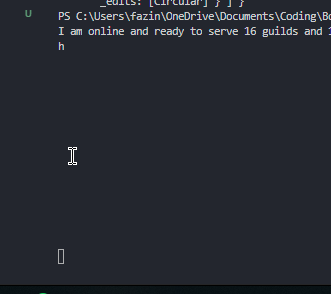
it seemed to spam my console aswell https://i.imgur.com/E9Jtqxe.png
 lusty dew
Yea
I don't understand it lol
is there another way of getting the person who sent the message?
edited*
 jagged plume
 quartz kindle
try asking about it in the d.js server first
anyway, try doing the rest of the command
without author
to make sure everything works
and then figure out the author later
lusty dew
Ok
earnest phoenix
So I was wondering
lusty dew
RangeError: RichEmbed field values may not be empty.
    at RichEmbed.addField (C:\Users\User\Desktop\No name\node_modules\discord.js\src\structures\RichEmbed.js:165:34)
    at Client.client.on (C:\Users\User\Desktop\No name\index.js:59:6)
    at Client.emit (events.js:182:13)
    at MessageUpdateAction.handle (C:\Users\User\Desktop\No name\node_modules\discord.js\src\client\actions\MessageUpdate.js:13:16)
    at MessageUpdateHandler.handle (C:\Users\User\Desktop\No name\node_modules\discord.js\src\client\websocket\packets\handlers\MessageUpdate.js:7:34)
    at WebSocketPacketManager.handle (C:\Users\User\Desktop\No name\node_modules\discord.js\src\client\websocket\packets\WebSocketPacketManager.js:103:65)
    at WebSocketConnection.onPacket (C:\Users\User\Desktop\No name\node_modules\discord.js\src\client\websocket\WebSocketConnection.js:333:35)
    at WebSocketConnection.onMessage (C:\Users\User\Desktop\No name\node_modules\discord.js\src\client\websocket\WebSocketConnection.js:296:17)
    at WebSocket.onMessage (C:\Users\User\Desktop\No name\node_modules\ws\lib\event-target.js:120:16)
    at WebSocket.emit (events.js:182:13)
This is with oldMessage^
earnest phoenix
How do you make a purge command in rewrite? I've made on in async but I'm switching over. The lib is discord.py.
lusty dew
@quartz kindle I get the same error with oldMessage as before
quartz kindle
is it repeating again?
lusty dew
Not spam
the Author thing caused the spam
RangeError: RichEmbed field values may not be empty.
    at RichEmbed.addField (C:\Users\User\Desktop\No name\node_modules\discord.js\src\structures\RichEmbed.js:165:34)
    at Client.client.on (C:\Users\User\Desktop\No name\index.js:59:6)
    at Client.emit (events.js:182:13)
    at MessageUpdateAction.handle (C:\Users\User\Desktop\No name\node_modules\discord.js\src\client\actions\MessageUpdate.js:13:16)
    at MessageUpdateHandler.handle (C:\Users\User\Desktop\No name\node_modules\discord.js\src\client\websocket\packets\handlers\MessageUpdate.js:7:34)
    at WebSocketPacketManager.handle (C:\Users\User\Desktop\No name\node_modules\discord.js\src\client\websocket\packets\WebSocketPacketManager.js:103:65)
    at WebSocketConnection.onPacket (C:\Users\User\Desktop\No name\node_modules\discord.js\src\client\websocket\WebSocketConnection.js:333:35)
    at WebSocketConnection.onMessage (C:\Users\User\Desktop\No name\node_modules\discord.js\src\client\websocket\WebSocketConnection.js:296:17)
    at WebSocket.onMessage (C:\Users\User\Desktop\No name\node_modules\ws\lib\event-target.js:120:16)
    at WebSocket.emit (events.js:182:13)
This is the error
quartz kindle
but in the console it worked
it correctly showed the message content
right?
so try doing it without an embed
just do channel.send(oldMessage.content)
lusty dew
Ok
 channel.send("Original Message:", oldMessage.content)
    ^

ReferenceError: channel is not defined
    at Client.client.on (C:\Users\User\Desktop\No name\index.js:57:5)
    at Client.emit (events.js:182:13)
    at MessageUpdateAction.handle (C:\Users\User\Desktop\No name\node_modules\discord.js\src\client\actions\MessageUpdate.js:13:16)
    at MessageUpdateHandler.handle (C:\Users\User\Desktop\No name\node_modules\discord.js\src\client\websocket\packets\handlers\MessageUpdate.js:7:34)
    at WebSocketPacketManager.handle (C:\Users\User\Desktop\No name\node_modules\discord.js\src\client\websocket\packets\WebSocketPacketManager.js:103:65)
    at WebSocketConnection.onPacket (C:\Users\User\Desktop\No name\node_modules\discord.js\src\client\websocket\WebSocketConnection.js:333:35)
    at WebSocketConnection.onMessage (C:\Users\User\Desktop\No name\node_modules\discord.js\src\client\websocket\WebSocketConnection.js:296:17)
    at WebSocket.onMessage (C:\Users\User\Desktop\No name\node_modules\ws\lib\event-target.js:120:16)
    at WebSocket.emit (events.js:182:13)
    at Receiver._receiver.onmessage (C:\Users\User\Desktop\No name\node_modules\ws\lib\websocket.js:137:47)
obviously channel is not defined
lusty dew
Yes
west raptor
try
 floral stone
Any ideas on how to split a message that is too long (over the 2000 limit) without messing up with the umm markdown.
west raptor
oldMessage.channel.send() maybe? @lusty dew
bright spear
that'll send in the channel where the message is
earnest phoenix
It's however you defined the channel
bright spear
@lusty dew just use the same channel thing you were using before
bright spear
how were you sending it before
lusty dew
Ok it sends the old message
floral stone
msg = [msg[i:i+2000] for i in range(0, len(msg), 2000)]
``` I use this to separate long messages but i'm not sure how to make it so it doesn't split the markdown.Nevermind, I'll just add some code to separate the long message if it over exceeds the 2k limit
quartz kindle
@floral stone d.js has a built in split function
lusty dew
How can I put it into an embed though?
lusty dew
How do I do that o.O
quartz kindle
embed = {
    embed:{
        author: "bla",
        field: {
            title: "etc",
            value: "duh"
        }
    }
}```something like that
lusty dew
Ah ok
lusty dew
What is the Author for?
bright spear
author lets you make a title with an image next to it
lusty dew
What does inline do?
lusty dew
Ah ok
"embed": {
    "timestamp": "2018-09-22T02:05:01.078Z",
    "footer": {
      "icon_url": "client.users.displayAvatarURL",
      "text": "footer text"
    },
    "thumbnail": {
      "url": "client.users.displayAvatarURL"
    },
    "fields": [
  {
        "name": "OriginalMessage",
        "value": "oldMessage.content"
      },
      {
        "name": "Edited Message",
        "value": "newMessage.content"
      }
    ]
  }
So like this?
bright spear
client.users.displayAvatarURL isnt a thing
quartz kindle
you're using strings instead of values
but you can test it like that to make sure it works first
earnest phoenix

can someone help me my kick command wont read back when it doesnt have permissions ``` if(command === "kick") {
let member = message.mentions.members.first();
let reason = args.slice(1).join(" ");
if (!message.guild.me.hasPermission("KICK_MEMBERS"))
return message.reply("You or I dont have perms to kick.");

member.kick(reason);
}```
and also remove the name
lusty dew
What do you mean it doesn't have permissions? @earnest phoenix
how do I use a userUpdate event?
Like to get the old username
adn the new username?
earnest phoenix
i went on my computer and followed the thing excactal made a folder got discord on computer but when i am in node.js and i press enter it fails

Digital Trends
Discord bots can make life a lot easier for users of the gaming-centric online chat application. Here's what you need to know to get started making your own Discord bots, from coding them to adding them to your servers.
 limpid cosmos
@earnest phoenix so what's your question ?
earnest phoenix
dont worry about it my computer just died and wont charge 
earnest phoenix
@quartz kindle how i can delete this white line?

on my DBL page
beacause the backgroundcolor is transparent for img
bright spear
@earnest phoenix use this css
#bot-details-page .bot-img {
    box-shadow: none !important;
}``` bright spear
@earnest phoenix why do you have <html> <head> etc
bright spear
just remove all the html head body stuff
earnest phoenix
Then you need to visit https://www.w3schools.com
earnest phoenix
ooh now
it's working
thank's man
Beginners should take a look at the CSS tutorial
bright spear
yw
earnest phoenix
I already looked at that site
@earnest phoenix
@bright spear
how i can change the buttons stile
like

 prime cliff
@earnest phoenix Hey
earnest phoenix
?
prime cliff
#bot-details-page .bot-img {
  box-shadow: none !important;
}```
Should definitly workik
prime cliff
Oh i see remove the <style> </style> out of the <html> and put it at the bottom
See if that fixes it
The html parsing is a bit picky on DBL
But it works
 prime cliff
Mkay lol
earnest phoenix
@earnest phoenix to change style, as I said, learn CSS
 craggy fox
How do I show the servers count on dbl
earnest phoenix
 craggy fox
I’m using python @earnest phoenix
earnest phoenix

GitHub
A simple API wrapper for discordbots.org written in Python - DiscordBotList/DBL-Python-Library
You need to google then
@earnest phoenix
craggy fox
Cool
earnest phoenix
I just want to change the color of these buttons. And if I search on the site in which category?
craggy fox
Learn css @earnest phoenix
earnest phoenix
oof
craggy fox
Will help you do more customizations
craggy fox
You will need to be more specific for the css
 craggy fox
It won’t be like coding a new page
earnest phoenix
Yes, dude, it's obvious af
craggy fox
It will be like working inside an existing page
earnest phoenix
I do not understand a fucking thing. Where do I find the location of the buttons?
 lean minnow
if(!tempVars("test")[2]) {
  msg.channel.send({embed: {
    color: C11515,
    title: ":ERROR: Error",
    fields: [{
       name: "Invalid Or Missing argument",
       value: "Ussage: ${server.tag}embed (Title, Color, Description)"
      }]}
} else {
  msg.channel.send({embed: {
    color: tempVars("test")[1],
    title: "${tempVars("test")[0]}",
    description: "${tempVars("test")[2]}"
    }
  })
}
HAve I done anything wrong?
earnest phoenix
    bot.guilds.forEach(guild => {
        const invite = bot.channels.first().createInvite({ maxAge: 0 })
        string += `**Server Name** : ${guild.name} --- **Server ID** : ${guild.id} --- **Invite** : ${invite}`;

    })

 harsh musk
I don't know JS, but you're sending an object, that object probably has an attribute you're looking for.
earnest phoenix
how do i fix this
this is code
    client.user.setPresence({ game: { name: args[0], type: args[1] } });
    client.user.setStatus(args[2])
        .then(message.channel.send("Bot Status Has Been Set To:" + "Name: ``" + args[0] + "`` Type: ``" + args[1] + "`` Status: ``" + args[3] + "``"))
        .then(console.log)
        .catch(console.error);
owo
why not just use the current status 
If the promise is resolved, then the one you set will be the one that the client currenly is
const discord = require('discord.js')
const ownerID = '274284493043531776';

exports.run = async (client, message, args) => {
    if (message.author.id !== ownerID) return message.channel.send("You are not authorized to use this command.");

    client.user.setPresence({ game: { name: args[0], type: args[1] }, status: args[2] })
    .then(message.channel.send("Bot Status Has Been Set To:" + "Name: ``" + args[0] + "`` Type: ``" + args[1] + "`` Status: ``" + args[2] + "``"))
    .then(console.log)
    .catch(console.error);


}
this is new code, doesnt work at all, but the part where it responds with sending a message does work
oof
okay im wrong, does work but the status part doesnt set it to dnd when u use dnd as args
i use --set test watching dnd
and it sets it to test watching but not dnd
earnest phoenix
can I just add,
.then(message.channel.send("Bot Status Has Been Set To:" + "Name: ``" + args[0] + "`` Type: ``" + args[1] + "`` Status: ``" + args[2] + "``"))```Makes no sense?
if the promise is resolved, then you can use the presence of the current client user.
 steel heath


 lusty dew
How do you make an eval command?
craggy fox
@earnest phoenix u tell the button where to be
earnest phoenix
          .catch(error => message.reply(`Couldn't delete messages because of: ${error}`));
          ^

SyntaxError: Unexpected token .
 thorn vault
Who codes in .js and wanna help me make a bot? 😃
earnest phoenix
wahts ur problem?
thorn vault
I wanna team with someone to make a bot
earnest phoenix
no
lol
I code in js but well
I don't really like pressure
anyways
I'm bored so
For some reason this code doesnt work ${mentionedUser}
you need to define mentionedUser ofc
I know
you dont understand
oki sowwy
what are you trying to do?
Im creating a mute command i already made the part with you need to mention a user and now when i use the ${mentionedUser} code in the bot when its muting the mentioned user the code doesnt work
ouh
i did something to my library because of something wrong and now that stopped working
Oh
wait
got it working now
lool ok
gg
knotty steeple
what exactly is mentionedUser
lusty dew
How do you make an eval command?
I know js has a eval() thing in it
but idk how to use it
earnest phoenix
well first you need to get what you type after the command
if you do a command I mean
anyone know how i can catch an error on my kick command
and have it send it to the channeö
l
what lang?
js
earnest phoenix
.catch(error => message.channel.send(`Sorry ${message.author} I couldn't kick because of: ${error}`));
should work aswell
earnest phoenix
const discord = require('discord.js')
const owner = ['274284493043531776'];


exports.run = async (client, message, args) => {
const first = undefined;
const memberr = message.mentions.users.first();
if(!memberr) return message.channel.send(`Mention a user!`)

if (!message.member.hasPermission("KICK_MEMBERS") && message.author.id !== owner[0])
 return message.channel.send("You Do Not Have Permssions To Kick Members!");
 if(!message.guild.me.hasPermission("KICK_MEMBERS"))
 if (!message.member.hasPermission("KICK_MEMBERS") && message.author.id === owner[0])
return memberr.kick().then((member) => {
        message.channel.send(":wave: " + member.user.username + " has been successfully kicked :point_right: ");
 .catch(error => message.channel.send(`Sorry ${message.author} I couldn't kick because of: ${error}`));

});

};
owo you need to have the catch thing on the kick thing
lusty dew
that ;
return memberr.kick().then((member) => {
        message.channel.send(":wave: " + member.user.username + " has been successfully kicked :point_right: ")
take out the ;
knotty steeple
all you do is eval(code)
lusty dew
Ok
earnest phoenix
@lusty dew theres another problem, when i run the command it doesnt get to the kick user part, something is stopping it, so it doesnt send the error
lusty dew
Hmm
earnest phoenix
it could be
that it is mentions.users so you have to change it to memberr.member.kick?
idek
quartz kindle
your IFs are not doing anything
quartz kindle
dont use IFs like that, its confusing and its probably breaking your code
lusty dew
Hmm
quartz kindle
//right
if(condition) {
    //code
}

//wrong
if(condition)
//code```Also shouldn't you use let instead of const?
earnest phoenix
oof
lusty dew
Since const declares a variable that can't be changed?
earnest phoenix
i didnt use let anywhere...??
lusty dew
I know
quartz kindle
doesnt matter how you declare
lusty dew
I said shouldn't you use let instead of const
knotty steeple
why does he have to use let instead of const
quartz kindle
i always use var
knotty steeple
its not needed
lusty dew
Ah ok
knotty steeple
var is bad
lusty dew
Someone told me not to use var
knotty steeple
i read a thing about it wew
quartz kindle
its not bad